What's inside
- Key Takeaways
- Quick Picks
- How These Picks Were Chosen
- Side-by-Side Comparison
- How to Choose a Business Convertible
- Gen 9 or Gen 10: How Should a Buyer Decide Between the ThinkPads?
- What Does a Copilot+ Badge Add to a Business Machine?
- Is 16 Inches Too Large for a Business Convertible?
- How Should a Business Roll Out New Convertibles to a Team?
- Common Mistakes
- Final Recommendation
- Frequently Asked Questions
- Related Guides
As an Amazon Associate I earn from qualifying purchases. This post may contain affiliate links at no extra cost to you.
[SITE_DOMAIN] is reader-supported. When you buy through links on our site, we may earn an affiliate commission.
All six machines below link to their Amazon listings, and business buyers should perform the check this category most rewards: read the full title on the listing page and confirm the processor generation, memory, and storage match the review, because two of these six share a famous name across different generations, and the difference between those generations is a real part of what the money buys.
The best business convertible laptops answer a working pattern that neither a plain laptop nor a tablet serves alone: the day that moves between a desk, a meeting room, a client’s office, and a train, asking the same machine to type the report, present it standing, annotate it with a pen, and fold it away for the journey between. The six machines here are that pattern’s current professional class — two generations of Lenovo’s ThinkPad X1 2-in-1, a 16 inch Yoga with a pen in the box, two HP OmniBook flips carrying Copilot+ AI credentials, and an HP Envy x360 that brings the form to a value position. Every one runs Windows 11 Pro. Every one folds a full 360 degrees. And every one is specified, in its title, with the kind of precision a business purchase deserves.
Generations matter in this guide more than in any other in the series, and the reviews keep them separate with deliberate care. The ThinkPad X1 2-in-1 appears twice — the Gen 10 Aura Edition and the Gen 9, sold under the X1 Yoga name its line carried — and they are different machines with different processors, memory allocations, and storage, not two listings for one product. A buyer comparing them is performing the classic fleet decision: the current generation’s platform and terabyte, or the previous generation’s doubled memory and mature position. This guide treats that as the legitimate business question it is, rather than pretending the older machine is an error in the list.
Screen size draws the second dividing line. Four picks are 14 inch machines, the business traveller’s standard; two are 16 inch HPs whose OLED panels turn the convertible into a presentation and review instrument for a desk-anchored professional. Memory runs from 16GB to 32GB, storage from 512GB to a remarkable 2TB in the OmniBook 7 X Flip, and AI capability — NPU figures printed in two titles, Copilot+ badges in two more — arrives in this category as a stated specification rather than a slogan, which is how business buyers prefer their features: numbered, or not mentioned.
The pen deserves its introduction here, because in business convertibles it is a working tool rather than a toy: signatures, markups, whiteboard capture, and the annotation of documents in meetings are the form’s daily bread. One pick, the Yoga 7i, names its pen in its title; the ThinkPads carry their line’s pen heritage; and the reviews note, for each machine, exactly what its title does and does not promise about pen and accessory inclusion, because a fleet purchase made on an assumed pen is a fleet purchase made twice.
Key Takeaways
- The ThinkPad X1 2-in-1 Gen 10 Aura Edition is the current-generation flagship: an Ultra 7 255U, 16GB of fast LPDDR5X memory, a terabyte of storage, and Windows 11 Pro.
- The X1 2-in-1 Gen 9 is a different, earlier machine — an Ultra 7 155U with 32GB of memory, a 512GB SSD, and Thunderbolt — and should be compared as such, not confused with the Gen 10.
- The HP OmniBook 7 X Flip 16 carries the guide’s largest canvas and deepest storage: a 16 inch 3K OLED touchscreen and a 2TB SSD with 32GB of memory.
- The OmniBook X Flip answers with the guide’s highest stated AI figure, a 50 TOPS NPU, behind a 16 inch 2K OLED panel.
- The Yoga 7i is the pen-forward 16 inch option, with the Yoga Pen named in its title alongside Wi-Fi 7 and a terabyte of storage.
- The HP Envy x360 14 is the value pick — a complete business specification at 14 inches, with a fingerprint reader and a terabyte, without the flagship lines’ premium.
Quick Picks
| Pick | Badge | Why it is here |
|---|---|---|
| Lenovo ThinkPad X1 2-in-1 Gen 10 Aura | Current Flagship | The newest X1 convertible: Ultra 7 255U, a terabyte of storage, and an FHD camera. |
| Lenovo ThinkPad X1 2-in-1 Gen 9 | Memory Generation | The earlier X1 Yoga generation with 32GB of memory and Thunderbolt connectivity. |
| Lenovo Yoga 7i 2-in-1 | Pen Included | A 16 inch WUXGA touchscreen with the Yoga Pen named in the title and Wi-Fi 7. |
| HP OmniBook 7 X Flip 16 | Biggest Canvas | A 3K OLED touchscreen, 32GB of memory, and 2TB of storage in a Copilot+ PC. |
| HP OmniBook X Flip | AI Headline | A 2K OLED touchscreen with a 50 TOPS NPU and Wi-Fi 7 in a lightweight flip design. |
| HP Envy x360 14 | Value Pick | A 14 inch business convertible with 16GB of memory, a terabyte, and a fingerprint reader. |
How These Picks Were Chosen
Admission required a business specification stated in the title, not inferred from a brand’s reputation: Windows 11 Pro or an explicitly business positioning, a 2-in-1 convertible form, and a processor, memory, and storage a purchasing manager could verify at a glance. That test admits machines from flagship fleet lines and from premium consumer lines with genuine business configurations alike, and it excludes the many convertibles sold for home and student life whose titles make no business case — fine machines, covered in the student guide in this series, but not answers to a fleet question.
The selection then deliberately preserved the category’s real decision structure. Two generations of the same ThinkPad line stand side by side because businesses genuinely choose between current and previous generations at fleet scale. Two sizes stand side by side because the 14 inch traveller and the 16 inch desk anchor are different employees. Two makers’ AI-PC flagships stand side by side because the Copilot+ question is now a real line in procurement documents. And a value pick closes the list because no business shortlist is honest without the machine the budget committee will ask about.
A note on evidence: as throughout this series, every figure in the reviews comes from the listing titles — the one brightness figure quoted (the Gen 9’s 400 nits) appears because its title prints it, the NPU figures appear because two titles print them, and where a title is silent on a business-relevant feature such as a pen or a port, the spec boxes record the silence rather than borrowing the feature from the model’s general reputation. Procurement readers, of all audiences, will understand why.

Lenovo ThinkPad X1 2-in-1 Gen 10 Aura — Current Flagship
The Gen 10 Aura Edition is the present tense of the ThinkPad convertible line, and its title reads like a fleet specification written by someone who expects to be audited: an Intel Core Ultra 7 255U processor, a 14 inch WUXGA touchscreen, 16GB of LPDDR5X memory at 8400MT/s, a 1TB SSD, an FHD camera, and Windows 11 Pro. The Aura Edition designation marks Lenovo’s current premium tier for this line, and the specification beneath it is the balanced flagship formula — nothing experimental, everything current, sized for the professional who carries the machine between offices and opens it in rooms where it will be judged.
The memory specification rewards a second look, because its detail is the kind business buyers trade in. LPDDR5X at 8400MT/s is fast memory by current standards, and while 16GB is the allocation the Gen 9 below doubles, the Gen 10’s combination of a current processor, a terabyte of storage, and that memory speed describes a machine tuned for the responsive breadth of a modern working day — documents, browser platforms, video meetings, and presentation work flowing without the micro-pauses that cheaper allocations accumulate. The terabyte matters in a fleet context too: a professional’s machine that never asks its owner to delete work to make room is a machine that generates fewer support conversations.
The FHD camera, named plainly in the title, is the other fleet-grade detail. Video meetings are the conference room now, and a camera specified at Full HD rather than left vague is the difference between a professional presence and a grainy apology in the client’s weekly call. Combined with the ThinkPad line’s keyboard heritage — the input device this family is famous for, and the one a report-writing professional touches most — the Gen 10 presents as the complete current answer to the business convertible question, at 14 inches, in the form its audience already trusts.
Its comparison in this guide is not really with the HPs; it is with its own predecessor, reviewed next, and the fork is genuine. The Gen 10 offers the current platform, the faster memory standard, and double the storage. The Gen 9 offers double the memory capacity and Thunderbolt in its title. Professionals whose workload is memory-hungry virtualisation or enormous datasets will read those lines one way; professionals buying the standard fleet machine for the next cycle will read them the other. Both readings are correct, which is what a flagship line at generational overlap is for. Confirm the Gen 10 Aura’s configuration on its listing before ordering, and buy the generation your workload — not the badge — selects.
For IT decision-makers standardising a fleet, the Gen 10’s appeal is precisely its lack of surprises: the current processor generation for the longest support runway, the Pro operating system for managed deployment, and a specification with no line item that will generate a helpdesk theme. Fleets are bought on the total cost of their quiet years, and this machine is engineered, specified, and positioned to be quiet.
One more professional pattern suits the Gen 10 particularly: the executive whose machine is also a public object. Boardrooms, client presentations, and conferences are rooms where a laptop is read as a signal, and the current Aura Edition carries the line’s flagship signal in its most recent form — understated, current, and unmistakably professional. Substance should always outrank signal in a purchase, and this machine’s specification does; but a buyer is not shallow for registering that the flagship also looks the part in the rooms where their reputation is transacted.
- Display: 14 inch WUXGA touchscreen
- Processor: Intel Core Ultra 7 255U
- Memory and storage: 16GB LPDDR5X-8400MT/s, 1TB SSD
- Camera and system: FHD camera, Windows 11 Pro
- Edition: Gen 10 Aura Edition
- Pen inclusion: Not stated in the listing title — verify with the manufacturer documentation
Strengths
- The current generation, with the longest support runway here
- A terabyte of storage and fast LPDDR5X memory
- An FHD camera specified for professional video meetings
Trade-offs
- 16GB of memory where its predecessor offers 32GB
- Pen inclusion is not stated in the title
- The flagship position carries the line’s premium
Best for: a standardised professional fleet and solo practitioners buying the current cycle’s flagship.
Not suited for: memory-hungry virtualisation workloads, or a purchase assuming a pen is in the box.

Lenovo ThinkPad X1 2-in-1 Gen 9 — Memory Generation
The Gen 9 must be introduced as what it is: the previous generation of the machine above, sold under the X1 Yoga name this line long carried, and a different product from the Gen 10 in every specification that matters. Its title lists an Intel Ultra 7 155U processor, a 14 inch WUXGA IPS touchscreen rated at 400 nits, 32GB of LPDDR5 memory, a 512GB M.2 2280 SSD, Thunderbolt connectivity, and Windows 11 Pro, with AI PC positioning. A quick skim would call it the older model and move on; a careful read will notice that it doubles the flagship’s memory and halves its storage, and that exchange — not the generation gap — is the real content of this pick.
Thirty-two gigabytes of memory in a 14 inch business convertible is a working specification with specific beneficiaries. The professional who runs a virtual machine beside the host system, the analyst whose models sprawl, the developer whose environment is a small city of services — those readers feel memory capacity as a daily condition, not a benchmark, and for them the Gen 9’s allocation outweighs its successor’s newer processor in the only currency that matters, which is whether the machine hesitates. The 400-nit display figure, printed in the title where the Gen 10’s is not, likewise serves the professional who works in bright offices and presentation rooms and needs the number rather than the adjective.
Thunderbolt, named in this title, is the connectivity line a desk-based professional should circle. A Thunderbolt dock turns a convertible into a workstation through one cable — monitors, network, peripherals, power — and for the hybrid worker whose week splits between office desk, home desk, and road, that single-cable ritual is the difference between a machine that integrates with two desks and a machine that merely visits them. The Gen 10’s title does not print the word; this one’s does, and in a procurement comparison that is a fact, not a nuance.
The honest counters are the generation itself and the storage. The Ultra 7 155U is a generation behind, with the shorter remaining support runway that implies, and 512GB asks a media-heavy professional to manage space the terabyte machines forgive. Neither fact is hidden, and both are the kind of trade a previous generation is supposed to offer: yesterday’s flagship, specified for memory and connectivity, at a position in the range that should acknowledge its age. Price the Gen 9 against the Gen 10 on its listing day, and let the memory-versus-storage exchange — the real question — make the decision.
There is a fleet-economics footnote that experienced buyers will recognise: previous-generation flagships are how careful organisations equip more seats for the same budget without dropping a tier in build or support. A team that needs ten professional convertibles this quarter, specified for memory-heavy work, may rationally choose ten Gen 9s over seven Gen 10s, and the users will feel the memory daily and the generation rarely. That arithmetic is this machine’s deepest argument, and it deserves its place in a business guide.
Refurbishment-adjacent caution does not apply here, and the distinction is worth one sentence: this Gen 9 is a new listing for a previous-generation machine, not a renewed unit, and it carries the new-purchase position that implies. Buyers cross-shopping it against renewed flagships elsewhere should keep the categories separate in their arithmetic — a discounted new previous generation and a renewed current one are different products with different warranties, and this guide’s detachable coverage shows how seriously that difference should be taken.
- Display: 14 inch WUXGA (1920×1200) IPS touch, 400 nits as stated
- Processor: Intel Ultra 7 155U
- Memory and storage: 32GB LPDDR5, 512GB M.2 2280 SSD
- Connectivity: Thunderbolt, per the listing title
- Operating system: Windows 11 Pro, AI PC positioning
- Generation: Gen 9, sold as X1 Yoga Gen 9
Strengths
- 32GB of memory — double the current flagship’s allocation
- Thunderbolt stated for one-cable desk docking
- A stated 400-nit display for bright working environments
Trade-offs
- A generation behind, with a shorter support runway
- 512GB of storage where the Gen 10 offers a terabyte
- An earlier memory standard than the Gen 10’s LPDDR5X
Best for: memory-heavy professional work — virtual machines, large models, development environments — on a docked desk.
Not suited for: a buyer needing the longest support runway, or a large local media archive.

Lenovo Yoga 7i 2-in-1 — Pen Included
The Yoga 7i is the business convertible for the professional whose work is visibly hands-on, and its title makes the pitch in its first line: a Yoga Pen is included, named in the specification rather than left to an accessories page. Around that pen, the machine is a 16 inch WUXGA IPS touchscreen built on an Intel Core Ultra 7 256V processor with Intel Arc 140V graphics, 16GB of LPDDR5X memory, a 1TB SSD, Wi-Fi 7, and Windows 11 Pro. It is the largest Lenovo in this guide and the only pick of any kind here whose pen is a stated fact — a distinction that matters in a category where the pen is half the point.
Sixteen inches reorganises the convertible’s working life in the professional’s favour. In laptop mode it is a genuine desk screen — documents and data side by side without the 14 inch squeeze. Folded, it becomes a presentation surface a small meeting can actually read, and a canvas on which diagrams, markups, and signatures happen at a scale where clients can follow them. The professional who reviews plans, proofs, contracts, or designs with other humans will feel the two extra inches in every meeting; the professional who carries the machine through airports daily will feel them too, in the other direction, and should weigh the 14 inch picks accordingly.
The platform specification is fully current. The Ultra 7 256V with Arc 140V graphics is the same processor family as the guide’s flagship travel machines, giving the Yoga genuine graphical competence for presentation media and light creative work beside its office duties. Wi-Fi 7 is the newest wireless standard in this guide alongside the OmniBook X Flip, and the terabyte of storage matches the Gen 10’s fleet-friendly headroom. Sixteen gigabytes of LPDDR5X is the professional standard allocation — sufficient for the office workload in full sprawl, short of the 32GB the Gen 9 and the big OmniBook reserve for heavier trades.
The Yoga line sits a step below the ThinkPad in Lenovo’s own hierarchy — premium consumer-prosumer rather than fleet flagship — and a buyer should hold that positioning clearly: the support and management ecosystem is a consumer-grade one, excellent for the independent professional, the small practice, and the bring-your-own-device workplace, and a different conversation from a managed fleet deployment. For that large constituency, the Yoga 7i’s combination of size, pen, and current specification is arguably the most complete single purchase in this guide. Read the Yoga 7i’s listing to confirm the pen’s inclusion as titled, and buy it as the meeting-room machine it declares itself to be.
Architects’ assistants, surveyors, trainers, and sales engineers — the professions whose laptops get folded back and written on in front of clients — will recognise this machine as the one in the guide designed around their actual Tuesday. The pen is not an accessory in those jobs; it is the instrument, and a convertible that names it in the title understands the assignment in a way spec-sheet rivals do not.
Training work is another of this machine’s natural habitats, and it generalises the pen argument: a trainer annotating a deck live, circling the figure a room is stuck on, sketching the diagram that does not exist yet, is performing the convertible’s founding trick in front of an audience. The 16 inch canvas keeps that performance legible past the second row, and the included pen removes the accessory hunt that so often postpones it. Organisations buying for trainers, demonstrators, and field educators should read this pick as equipment for a performance, not merely a computer with a hinge.
- Display: 16 inch WUXGA IPS touchscreen
- Processor and graphics: Intel Core Ultra 7 256V, Intel Arc 140V GPU
- Memory and storage: 16GB LPDDR5X, 1TB SSD
- Pen: Yoga Pen included, per the listing title
- Wireless and system: Wi-Fi 7, Windows 11 Pro
- Line positioning: Yoga premium line, below the ThinkPad fleet tier
Strengths
- A pen included and stated — the only pick that promises it
- A 16 inch canvas for meetings, markups, and presentations
- Current platform with Wi-Fi 7 and a terabyte of storage
Trade-offs
- A 16 inch chassis is desk-first rather than travel-first
- Consumer-line support rather than a fleet ecosystem
- 16GB of memory, where two rivals offer 32GB
Best for: client-facing annotation, presentations, and markup work in small practices and independent practice.
Not suited for: a managed fleet deployment, or daily air travel with a compact bag.
HP OmniBook 7 X Flip 16 — Biggest Canvas
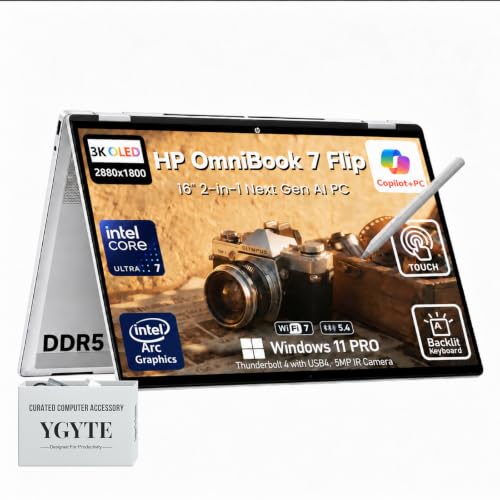
The OmniBook 7 X Flip is the maximalist of this guide, and its title does not deal in understatement: a 16 inch 3K OLED touchscreen in a Copilot+ AI PC, an Intel Core Ultra 7 processor with EVO credentials and a 47 TOPS NPU, 32GB of LPDDR5 memory, a 2TB SSD, Windows 11 Pro, and a backlit keyboard. Two terabytes is the largest storage figure in this entire series of guides, the 3K OLED is the highest-resolution business screen here, and the memory matches the guide’s ceiling. This is the business convertible as a no-compromise instrument, built for the professional whose machine is a studio, an office, and a presentation stage in one folding object.
The OLED panel is the centre of the argument. At 3K resolution on 16 inches, documents, plans, and media render with a fineness and contrast that IPS panels — including the good ones elsewhere in this guide — do not attempt, and for the professional whose deliverables are visual, that screen is not presentation polish but production equipment: colour judged on it can be trusted further, detail reviewed on it needs no second monitor’s confirmation. Folded into presentation mode, it is the screen clients remember. The trade OLED always carries — a premium position and a panel technology whose characteristics a buyer should understand from the manufacturer’s documentation — is priced into a machine at this level knowingly.
Storage and memory at this scale change the machine’s role. Two terabytes ends the external-drive era for a professional’s working archive: project histories, media libraries, and virtual environments live on the machine, backed up as policy rather than shuffled as necessity. Thirty-two gigabytes serves the same completeness for memory-hungry work. The 47 TOPS NPU figure, printed in the title, quantifies the Copilot+ AI capability — the on-device acceleration for the assistant and creative features now woven through professional software — and HP’s decision to state the number, as Acer did in the gaming guide, is the business-honest way to sell it.
The counters are commitment-shaped. A 16 inch flagship convertible is a desk professional’s machine that travels occasionally, not a traveller’s machine that desks occasionally, and its price position will sit at this guide’s summit. Buyers whose pattern matches — the consultant with a home studio, the creative director, the professional whose screen is the product — should treat those as the cost of the category’s most complete specification. Verify the 2TB configuration on the OmniBook 7 X Flip’s listing with particular care, since storage is where configuration selectors most often quietly differ, and then buy the summit knowingly.
One further constituency should linger here: the professional replacing two machines — a desktop workstation and a travel laptop — with one. Consolidation purchases live or die on whether the single machine ever makes its owner miss the pair, and storage, memory, and screen are the three places that regret usually starts. This OmniBook’s figures are the strongest available answer in this guide to all three, which is the real content of its flagship claim.
Financial and legal professionals with document-heavy practices will find a quieter argument in this machine’s figures: the archive. A practice’s decade of matters, contracts, and correspondence, held locally at 2TB with the screen to review them at production quality, converts the convertible from a communication device into the practice’s working library. Professions whose product is the document itself should weight storage and display exactly as this machine’s maker has — ahead of portability theatre — and will recognise the specification as one written by someone who understood the brief.
- Display: 16 inch 3K OLED touchscreen
- Processor: Intel Core Ultra 7, EVO, 47 TOPS NPU as stated
- Memory and storage: 32GB LPDDR5, 2TB SSD
- Platform: Copilot+ AI PC, Windows 11 Pro
- Input: backlit keyboard
- Positioning: OmniBook flagship flip model
Strengths
- A 3K OLED screen — the finest business display in this guide
- 2TB of storage and 32GB of memory remove all headroom questions
- A stated 47 TOPS NPU behind the Copilot+ designation
Trade-offs
- The guide’s summit price position, in all likelihood
- A 16 inch desk-first machine that travels occasionally
- Memory is LPDDR5 where a rival’s smaller model uses LPDDR5X
Best for: visual professional work — design review, media, and presentation — from a single consolidated machine.
Not suited for: frequent air travel, or a fleet purchase at volume pricing.

HP OmniBook X Flip — AI Headline
The second OmniBook takes the same 16 inch flip concept and rebuilds it around AMD and AI, and the result is the guide’s most current specification sheet. Its title lists a Ryzen AI 5 430 processor with a 50 TOPS NPU — the highest AI figure printed anywhere in this guide — a 16 inch 2K OLED touchscreen, 16GB of LPDDR5X memory at 8000MHz, a 512GB Gen 4 SSD, a backlit keyboard, Wi-Fi 7 and Bluetooth 6, Copilot features, Windows 11 Pro, and a lightweight design claim. Where its sibling maximises capacity, this machine maximises currency: the newest wireless standards, the fastest memory class, a current-generation drive, and the AI headline worn openly.
The 50 TOPS figure deserves the guide’s standing explanation, because business buyers will meet it in every procurement conversation this cycle. TOPS quantifies the neural processor’s throughput for AI workloads — the on-device features that summarise, draft, enhance calls, and accelerate creative tools without a cloud round-trip. Fifty is a strong figure for the class, and in a Copilot+ machine it is the specification that decides how much of that AI work happens locally, quickly, and privately on the machine. A professional whose organisation is actively adopting those tools should read this pick as the guide’s most future-aligned; a professional whose software world is unchanged by AI should read it as a well-specified OLED convertible that happens to carry a headline they will not spend.
The supporting specification keeps the future-alignment theme. Wi-Fi 7 and Bluetooth 6 are the newest pairing in the guide. LPDDR5X at 8000MHz is fast current memory. The Gen 4 SSD is the current drive generation, though at 512GB it is the capacity a media-heavy professional will manage actively — the single figure where this machine sits visibly below its 2TB sibling, and the clearest expression of the pair’s division: the X Flip spends on platform and panel, the 7 X Flip spends on capacity. The 2K OLED keeps the visual argument nearly intact at a step below 3K.
HP’s lightweight claim for a 16 inch machine should be read as the title presents it — a design intention, not a figure, since no weight is stated — and verified against the manufacturer’s documentation by any buyer whose carrying pattern makes grams decisive. For the desk-anchored professional with occasional travel, the claim matters less than the specification’s currency. Compare the OmniBook X Flip’s listing against its sibling’s with the capacity-versus-currency exchange in mind, and the right OmniBook selects itself by the buyer’s own archive size.
Independent professionals choosing a machine to carry their practice for the longest possible cycle will find this pick’s argument concentrated in one word: standards. Wireless, memory, drive, and AI platform are each the current generation, which means the machine’s compatibility runway — with networks, peripherals, and software features not yet released — is the longest HP offers here. Longevity is bought in exactly that currency, and few machines in this guide hold more of it.
Hybrid professionals who split the week between a city office and a home studio will feel this X Flip’s standards currency in a specific way: it is the machine least likely to meet a network, a peripheral, or a software feature in the next several years that it cannot speak to fluently. That fluency is invisible in a showroom and decisive across a five-year ownership, and it is bought here without surrendering the OLED screen or the Pro operating system that the daily work touches. Currency, in a professional tool, is a form of reliability.
- Display: 16 inch 2K OLED touchscreen
- Processor: Ryzen AI 5 430, 50 TOPS NPU as stated
- Memory and storage: 16GB LPDDR5X (8000MHz), 512GB Gen 4 SSD
- Wireless: Wi-Fi 7, Bluetooth 6
- Platform and input: Copilot, Windows 11 Pro, backlit keyboard
- Design claim: lightweight, per the listing title; figure in manufacturer documentation
Strengths
- The guide’s highest stated AI capability at 50 TOPS
- Newest wireless standards — Wi-Fi 7 and Bluetooth 6
- An OLED panel with current-generation memory and drive
Trade-offs
- 512GB of storage where its sibling offers 2TB
- 16GB of memory, half the flagship OmniBook’s allocation
- The lightweight claim is stated without a figure in the title
Best for: an AI-adopting professional practice buying the longest compatibility runway in a 16 inch flip.
Not suited for: a large local project archive, or memory-hungry workloads needing 32GB.

HP Envy x360 14 — Value Pick
The Envy x360 closes the guide as its value pick, and the designation should be read as praise rather than apology: this is the complete business convertible specification — a 14 inch Full HD touchscreen, an Intel Core 7 150U processor, 16GB of memory, a 1TB SSD, a fingerprint reader, Wi-Fi 6, and Windows 11 Pro — delivered in HP’s Envy line, the premium consumer family whose business configurations have quietly served small organisations for years. Nothing a small business actually requires is missing from that list, and the items the flagships add — OLED panels, NPU headlines, fleet ecosystems — are precisely the items a value buyer is entitled to decline.
The terabyte deserves first mention, because at this position in a range it is the figure that changes ownership. A small practice’s machine that holds its full working archive — years of documents, the photograph record, the accounts — without an external drive’s choreography is a machine that gets backed up properly and cursed rarely, and the Envy pairs that storage with the 16GB of memory that constitutes the professional standard allocation. The Core 7 150U, which the title colourfully benchmarks against an older i7 generation, is a mainstream professional processor: entirely adequate for the office workload in full, and not the Ultra-tier silicon of the flagships — a distinction its buyer should hold clearly and its workload will rarely test.
The fingerprint reader is the detail that reveals the Envy’s seriousness about business life. Biometric sign-in is a security practice, not a convenience garnish, in any organisation handling client data, and its presence — stated in the title, where several flagships are silent — means the value pick does not ask its buyer to trade away the security baseline for the saving. Wi-Fi 6 rather than 7 is the honest counterpoint: a current-enough standard that will serve the machine’s life without the newest networks’ premium.
Positioning completes the picture. The Envy is a consumer-line machine in a business configuration, which means its support world is HP’s consumer ecosystem — a perfectly serviceable arrangement for a small organisation or an independent professional, and a different one from the ThinkPad’s fleet infrastructure. Buyers inside that description get, in the Envy x360, the guide’s most specification per unit of budget. Check the Envy x360’s listing to confirm the terabyte configuration, and let the flagships above justify their premiums against it — several readers will find they cannot, for their workload, and that is the value pick doing its job.
Solo practitioners deserve the final word in this review, because they are the Envy’s natural owners: the accountant, the consultant, the therapist, the tradesperson with an office habit, each buying one machine with their own money and needing it to be a complete professional instrument without a fleet department behind it. For that buyer the Envy’s list — Pro Windows, biometric security, deep storage, standard memory, a trusted maker’s name — is not a compromise list at all. It is the brief, met.
There is a growth argument in the Envy’s favour that small organisations should hear: a first professional machine sets the template for the second and third. A practice that standardises on a complete, honestly specified value machine can add seats as it grows without renegotiating its standard each time, and the Envy’s specification — nothing missing, nothing exotic — is the easiest kind to standardise on. Flagships make poor templates for growing firms because their premiums multiply; the Envy’s restraint multiplies instead, and restraint, compounded across seats and years, is a business strategy.
- Display: 14 inch FHD (1920 x 1080) touchscreen
- Processor: Intel Core 7 150U
- Memory and storage: 16GB RAM, 1TB SSD
- Security and wireless: fingerprint reader, Wi-Fi 6
- Operating system: Windows 11 Pro
- Line positioning: Envy premium consumer line, business configuration
Strengths
- A terabyte of storage at the value position
- A fingerprint reader stated — the security baseline kept
- The complete business specification with nothing essential missing
Trade-offs
- A consumer-line support ecosystem rather than a fleet one
- A Full HD IPS-class panel where rivals offer OLED
- Wi-Fi 6 rather than the newest Wi-Fi 7 standard
Best for: solo practitioners and small organisations needing one complete professional convertible per person.
Not suited for: a managed fleet deployment, or screen-critical visual production work.
Side-by-Side Comparison
| Machine | Screen | Memory | Storage | Distinction |
|---|---|---|---|---|
| ThinkPad X1 2-in-1 Gen 10 Aura | 14 inch WUXGA touch | 16GB LPDDR5X | 1TB SSD | Current generation flagship |
| ThinkPad X1 2-in-1 Gen 9 | 14 inch WUXGA IPS touch, 400 nits | 32GB LPDDR5 | 512GB SSD | Thunderbolt, previous generation |
| Lenovo Yoga 7i 2-in-1 | 16 inch WUXGA IPS touch | 16GB LPDDR5X | 1TB SSD | Yoga Pen included |
| HP OmniBook 7 X Flip 16 | 16 inch 3K OLED touch | 32GB LPDDR5 | 2TB SSD | 47 TOPS NPU, Copilot+ |
| HP OmniBook X Flip | 16 inch 2K OLED touch | 16GB LPDDR5X | 512GB Gen 4 SSD | 50 TOPS NPU, Wi-Fi 7 |
| HP Envy x360 14 | 14 inch FHD touch | 16GB | 1TB SSD | Fingerprint reader, value pick |
How to Choose a Business Convertible
Begin with the working pattern, sized honestly. A professional whose machine travels daily between sites belongs in the 14 inch class — the two ThinkPads and the Envy — where the convertible’s folding serves trains and meeting rooms without a size penalty. A professional whose machine anchors a desk and folds for meetings and presentations belongs in the 16 inch class — the Yoga and the two OmniBooks — where the larger canvas repays its carriage weekly. Misassigning this single choice is how business convertibles disappoint, and it is a pattern question, not a specification one.
Then read the two specification exchanges this guide has kept in view. Memory against generation: the Gen 9’s 32GB in an earlier platform against the Gen 10’s 16GB in the current one, a fork decided by whether the workload is memory-hungry today or longevity-hungry across the cycle. Capacity against currency in the OmniBooks: the 7 X Flip’s 2TB and 32GB against the X Flip’s newer standards and higher AI figure, decided by the size of the buyer’s archive and the organisation’s AI adoption. Both forks are legitimate business decisions with correct answers on both sides — which is why the guide presents them as exchanges rather than rankings.
Close with the ecosystem question, because businesses buy support as surely as they buy hardware. A managed fleet belongs in the ThinkPad’s world, with its deployment and service infrastructure; an independent professional or small practice can take the Yoga’s or the HPs’ consumer-grade ecosystems and spend the difference on specification. Neither is a lesser choice — they are different organisational shapes, and the machine should match the organisation that will own it, not the one in the advertisement.
Gen 9 or Gen 10: How Should a Buyer Decide Between the ThinkPads?
By workload first and calendar second. If the machine’s daily work strains memory — virtual machines, large analytical models, development environments, dozens of heavy applications held open — the Gen 9’s 32GB is the specification that will be felt every day, and its earlier processor will be felt rarely; choose capacity. If the machine’s work is the standard professional breadth and the purchase is expected to serve the longest possible cycle — fleet standardisation, maximum support runway, the newest platform’s efficiency — the Gen 10 is the correct flagship; choose currency. Price then arbitrates the middle cases: a Gen 9 priced close to the Gen 10 surrenders its argument, while a Gen 9 at a genuine previous-generation discount makes the memory case overwhelming for the workloads that need it. What a buyer should never do is confuse the two listings for one machine — they share a name and a hinge, and nothing else that matters.
What Does a Copilot+ Badge Add to a Business Machine?
It certifies a class of on-device AI capability, quantified in two of these titles by their NPU figures — 47 TOPS in the OmniBook 7 X Flip, 50 TOPS in the OmniBook X Flip — and carried as platform branding by the ThinkPad Gen 10’s current-generation silicon. The practical content for a business is acceleration that lives on the machine: meeting and document assistance, creative and communication features, and responsiveness in the AI tools now embedded through professional software, all without sending the work to a cloud service. Organisations with data-handling policies will note that on-device processing has a governance appeal beyond speed. Organisations not yet using those tools should treat the badge as future-proofing rather than a present-tense reason to buy — valuable on a long cycle, and no substitute for the memory, storage, and screen decisions that govern the machine’s daily worth.
Is 16 Inches Too Large for a Business Convertible?
For the traveller, usually; for the desk anchor, rarely — and this guide contains both species deliberately. A 16 inch convertible earns its size in the rooms where business is presented and reviewed: the screen is the meeting, and the fold turns it toward the client. It pays for that presence in the bag, in the tray-table geometry, and in the daily carry between car and office. The professional whose calendar is a tour of other people’s offices should take the hint from the 14 inch machines’ dominance of the fleet world. The professional whose calendar is a sequence of presentations from a home base should take the opposite hint, and will find the Yoga and the OmniBooks specified precisely for that life.
How Should a Business Roll Out New Convertibles to a Team?
Four verifications, performed while returns and fleet adjustments are still easy. Confirm the delivered configuration against the order — processor generation, memory, and storage read from the system itself, not the box — because this category’s generation overlaps make mis-shipment a real, documented pattern of buyer disappointment. Test the hinge and the pen workflow in an actual meeting, since a convertible’s value is realised there or nowhere. Enrol the machine in the organisation’s management and security arrangements, including the fingerprint or camera sign-in where fitted, before the first client document touches it. And record the serial and configuration in the asset register while the paperwork is still on the desk. A month spent this way converts a purchase into a deployment; a month spent assuming converts the first support incident into an archaeology project.
Common Mistakes
Confusing the two ThinkPad generations. Gen 9 and Gen 10 share a name, a size, and a hinge, and differ in processor, memory, storage, and connectivity. A purchase order that says merely X1 2-in-1 invites the wrong machine; the generation is part of the product’s name, and procurement should treat it that way.
Assuming the pen is in the box. Only the Yoga 7i names its pen in its title. Every other pick’s pen arrangements must be confirmed on the listing or in the manufacturer’s documentation before a fleet or a practice budgets around handwritten workflows.
Buying the screen for the office and forgetting the bag. A 16 inch OLED is a magnificent meeting instrument and a committed travel companion. Organisations that issue machines without asking where those machines will be carried discover the answer in their staff’s posture and complaints within a quarter.
Paying for AI figures an organisation will not use. NPU numbers are real specifications, and they are worth money precisely to the extent that the buyer’s software roadmap uses them. A business with no AI-tool adoption planned should let memory, storage, and screen lead — and let the badge be a bonus rather than the argument.
Final Recommendation
For the standard professional purchase — the current flagship, bought for a full cycle — the ThinkPad X1 2-in-1 Gen 10 Aura Edition is this guide’s recommendation, with the Gen 9 standing as its legitimate alternative for memory-hungry workloads and fleet arithmetic, provided the two are never confused. The Yoga 7i is the meeting-room specialist and the only pen-guaranteed purchase here. Between the OmniBooks, the 7 X Flip is the capacity summit — the professional consolidating two machines into one should start there — while the X Flip is the currency play, buying the longest standards runway and the guide’s highest AI figure. And the Envy x360 closes the guide as it opened it: the value pick that asks small organisations the uncomfortable question of what, exactly, the flagships’ premiums would buy for their actual workload. In a category this well-specified, that question is the beginning of wisdom. A closing word on method for the procurement reader who has followed the guide this far: every claim above can be traced to a listing title, every gap has been labelled rather than filled, and the two machines most easily confused have been kept apart in every table and paragraph. Judge the guide’s recommendations by that standard, verify the final configuration on the listing page as the introduction advised, and the purchase that follows will be the rare business technology decision that nobody needs to revisit in a meeting.
Frequently Asked Questions
Are the two ThinkPad X1 2-in-1 models the same machine?
No. The Gen 10 Aura Edition and the Gen 9 — sold under the X1 Yoga Gen 9 name — are different generations with different processors (Ultra 7 255U against Ultra 7 155U), different memory (16GB of LPDDR5X against 32GB of LPDDR5), different storage (1TB against 512GB), and different stated connectivity, with Thunderbolt named in the Gen 9’s title. Compare them as two machines making two different offers, because that is what they are.
Which of these convertibles includes a pen?
Only the Lenovo Yoga 7i names a pen — the Yoga Pen — in its listing title. The other five titles do not state pen inclusion, so a buyer whose workflow depends on a pen should confirm the arrangements for the specific machine on its listing page and in the manufacturer’s documentation before ordering, and budget for the pen separately where it is not included.
Is Windows 11 Pro necessary for a small business?
All six machines here include it, and for most organisations that is the right default: the Pro edition carries the management, security, and networking features that business deployment assumes, from domain and group-policy handling to the remote-access tools a small practice uses weekly. A solo user whose work is entirely personal might never touch the difference, but in a business purchase the Pro edition removes a class of future friction for a modest place in the specification — which is why this guide required it at the door.
How much storage does a business convertible need?
The guide’s spread frames the answer: 512GB serves a cloud-centred professional whose archive lives in the organisation’s systems; a terabyte serves the professional who carries the working archive locally; and the OmniBook 7 X Flip’s 2TB serves the consolidator replacing a workstation, whose projects and media must all live on the one machine. The honest input is the size of the archive the machine must hold on its worst day, not its average one.
Should a business buy convertibles or ordinary laptops?
Only the workflow can answer, and it answers in observable behaviour: if the organisation’s people present from their machines, annotate documents in meetings, sign on screens, or read in tablet mode with any regularity, the convertible’s hinge is equipment, and the premium over a plain laptop is bought back in those hours. If the machines will live open at ninety degrees on desks for their entire service, the hinge is a cost without a return, and the same budget buys more processor or storage in a conventional design. Audit a month of real meetings before deciding — the hinge should be purchased by evidence, not by the attractiveness of the form.
Can a 16 inch convertible serve as a travelling machine?
It can serve as a transported machine — carried between home, office, and client sites, and used fully at each — which is the pattern the Yoga and the OmniBooks are built for. It is a poorer fit for continuous travel: daily flights, small bags, and in-seat work all favour the 14 inch class. The distinction is between travel as relocation and travel as a lifestyle, and the buyer’s calendar knows which one it describes.
The one-sentence version for the time-poor executive: buy the current ThinkPad for the standard fleet, the pen-equipped Yoga for the meeting room, an OmniBook for capacity or for currency, and the Envy wherever the workload is honest office work — and write the generation, the memory, and the storage into the purchase order in full, because in this category, more than in any other covered here, the details are the decision itself.
Related Guides
Business convertibles complete this series’ tour of the flexible laptop forms: best tvs for small bedroom for the home office’s evening screen, best camper tvs for the professional whose work genuinely travels, and best dorm tvs for the student rooms where the next generation of convertible owners is currently studying, working, and learning the habits these business machines will one day serve.


