What's inside
- Where to Buy
- Key Takeaways
- Quick Picks
- How We Chose These Picks
- Comparison Table
- How to Choose an Ultraportable Business Laptop
- Which X1 Carbon Listing Fits Your Travel?
- Does Screen Size Defeat the Point of an Ultraportable?
- What Should You Verify Before Buying Any Ultraportable?
- How Does an Ultraportable Handle a Docked Home Office?
- Common Mistakes When Buying an Ultraportable
- Final Recommendation
- Frequently Asked Questions
- Related Guides
As an Amazon Associate I earn from qualifying purchases. This post may contain affiliate links at no extra cost to you.
[SITE_DOMAIN] is reader-supported. When you buy through links on our site, we may earn an affiliate commission.
Where to Buy
The six machines below are the lightest serious end of the business market, each on its own Amazon listing, and at this tier the exact configuration inside a familiar nameplate varies more than anywhere else — so the listing, read closely, is the purchase. The Lenovo ThinkPad X1 Carbon Gen 14 Aura Edition opens the set with a 1TB drive and Wi-Fi 7, and its page carries the current figure for that configuration. The LG gram 17 is the featherweight at seventeen inches, and its listing is where its Ultra 9 build is priced. The ThinkPad X1 Carbon Gen 13 Aura in its 2TB configuration follows, and its product page — not the Gen 14’s — is where that storage-rich build is confirmed. The HP EliteBook 6 G1a in 14-inch, 16GB form is the fleet traveller, and its listing details the Wolf Security configuration. The HP EliteBook 16 in its 2027 framing brings the big screen to the travel brief, and its page confirms the Ryzen 5 200 build. The ThinkPad X1 Carbon Gen 13 Aura Touch closes the set as the touchscreen Carbon variant, and its listing is the place to verify the WUXGA touch configuration before ordering.
Ultraportable is a promise made to a shoulder. The best ultraportable laptops for business are the machines a professional can carry all day, every day, without the bag becoming a negotiation — and still open in a boardroom, a lounge or a client office and do the whole job: the deck, the model, the call, the documents, with sign-in hardware that works in unfamiliar light and a battery philosophy that treats the power socket as a convenience rather than a lifeline. Lightness that surrenders any of that is not ultraportable; it is merely small.
Three of the six picks are X1 Carbons, and the guide keeps them as separate as their listings are. The Gen 14 Aura carries a terabyte and Wi-Fi 7 behind its 2.8K OLED. The Gen 13 Aura in this set carries two terabytes and a Gen 5 SSD behind the same class of panel. The third Carbon is the Gen 13 Aura in its touchscreen WUXGA form, a different panel and a different processor from its sibling listing. Merging any two of those specifications would produce a machine that does not exist, and the reviews are written so that no figure migrates between them.
Against the Carbon trio stand three counter-arguments. LG’s gram 17 claims the featherweight title at the largest screen size here — seventeen inches that travel. HP’s EliteBook 6 G1a brings a named security suite and Thunderbolt 4 to the road in fleet dress. And HP’s EliteBook 16, the 2027 listing, argues that the travelling machine can still offer a 16-inch screen, a fingerprint reader and fast charging in one specification. No title in this guide prints a weight in grams, so the reviews argue lightness from design lineage and stated intent — the gram name, the Carbon name, the lightweight claims where titles make them — and never from invented figures.
A note on the category’s central tension will frame the reviews. Every gram removed from a laptop is removed from something — battery volume, port depth, cooling, chassis stiffness — and the art of the ultraportable is choosing removals the owner will never notice. The six titles below make those choices in the open: storage ladders from half a terabyte to two, memory at two tiers, panels from working FHD+ to HDR OLED, biometrics present in some listings and absent from others. The reviews grade each machine on whether its removals match its intended traveller, which is the only grading this category honestly supports.
Key Takeaways
- Three X1 Carbon listings appear, all distinct: a Gen 14 Aura with 1TB and Wi-Fi 7, a Gen 13 Aura with 2TB and a Gen 5 SSD, and a Gen 13 Aura Touch with a WUXGA touchscreen panel.
- The LG gram 17 is the 17-inch featherweight of the class, with an Ultra 9-288V processor and a terabyte of storage.
- Every pick carries 32GB of memory except the two HP EliteBooks, which carry 16GB and answer with fleet hardware.
- The EliteBook 6 G1a names Wolf Security and Thunderbolt 4; the EliteBook 16 names a fingerprint reader, fast charging and enterprise security.
- Wi-Fi 7 appears on both the Gen 14 Aura and the Gen 13 Aura 2TB listings.
- No title prints a weight figure, so lightness is argued from design lineage and never from invented numbers.
Quick Picks
| Pick | Badge | Why it earns a place |
|---|---|---|
| Lenovo ThinkPad X1 Carbon Gen 14 Aura | Newest ultraportable | A 2.8K OLED with HDR, 32GB of LPDDR5X, a 1TB Gen4 SSD, Wi-Fi 7 and three Thunderbolt 4 ports. |
| LG gram 17 | 17-inch featherweight | An Ultra 9-288V, 32GB of LPDDR5X and a 1TB PCIe SSD behind a 17-inch WQXGA touchscreen. |
| Lenovo ThinkPad X1 Carbon Gen 13 Aura (2TB) | Storage flagship | An Ultra 7 258V with 32GB of memory and a 2TB Gen 5 SSD behind a 2.8K OLED. |
| HP EliteBook 6 G1a (16GB) | Fleet traveller | A Ryzen AI 5 340 with Wolf Security, Thunderbolt 4 and Copilot+ status in a 14-inch fleet chassis. |
| HP EliteBook 16 (2027) | Big-screen traveller | A 16-inch FHD+ screen with a fingerprint reader, fast charging and enterprise security framing. |
| Lenovo ThinkPad X1 Carbon Gen 13 Aura Touch | Touch ultraportable | An Ultra 7 255U with a WUXGA touchscreen at full sRGB coverage and a dual FHD+ IR and RGB camera. |
How We Chose These Picks
The entry test combined lineage and specification. A pick had to come from a design line whose purpose is low carried weight — X1 Carbon, LG gram, or a business flagship whose title frames it for mobility — and it had to keep a serious specification inside that brief: 32GB of memory or a fleet-grade hardware set, storage counted in the hundreds of gigabytes or beyond, and a current-generation processor. Machines that achieved lightness by amputation were excluded, because the guide’s title promises light without the compromises and the shortlist has to honour the second clause as strictly as the first.
Generation discipline was the second test, and it is the same discipline the high-end guide applied, because the Carbon listings here overlap generations and configurations in the same way. Three Carbon listings, three separate reviews, three spec boxes, no figure borrowed across. Buyers comparing them should read the trio as a small guide inside the guide: the newest platform with a terabyte, the earlier platform with two terabytes, and the touch variant with a different panel and processor — three answers to three different travelling lives.
The final balance was drawn across the travelling population. The executive who lives in lounges is served by the Carbons. The professional whose screen must stay large is served by the gram 17 and the EliteBook 16, at two different weights of fleet ceremony. The managed traveller, issued rather than choosing, is served by the EliteBook 6 G1a, whose security suite is named in its title. Every figure in the reviews comes from the pick’s own listing title, and every absent figure — weights above all — is recorded as absent.

Lenovo ThinkPad X1 Carbon Gen 14 Aura Edition — Newest ultraportable
The Gen 14 Aura is the current summit of the Carbon line as this guide’s listings present it: a Core Ultra 5 335 vPro processor, 32GB of LPDDR5X memory and a 1TB PCIe Gen4 SSD behind a 14-inch 2.8K OLED panel with a 30–120Hz variable refresh, HDR 500 True Black certification named in the title, Wi-Fi 7, three Thunderbolt 4 ports and Windows 11 Pro, sold with an office bundle in the listing. Note the configuration carefully, because a different Gen 14 listing in the high-end guide carries a 512GB drive — this Aura configuration doubles it, and the two listings should never be read as one machine.
The panel specification is the fullest in this guide. A 2.8K OLED with a variable refresh spanning document stillness to motion smoothness, carrying an HDR True Black designation, is a screen built for the two visual lives of a travelling executive: the long document, read for hours, and the presented deck, shown across tables in rooms with uncontrolled light. OLED contrast serves both — text with printed crispness, images with depth — and the variable refresh serves the battery by slowing the panel when the page is still. In an ultraportable, where every component is audited against the day’s endurance, a display that economises on stillness is engineering in the right direction.
The vPro designation marks this as the managed-traveller configuration: Intel’s business platform tier, aimed at fleets that administer machines remotely, wrapped in the Aura flagship trim. Three Thunderbolt 4 ports — a generous count in any laptop, remarkable in an ultraportable — mean the home desk, the hotel dock and the direct peripheral never compete for a socket. Wi-Fi 7 is the current wireless frontier. The 1TB Gen4 SSD holds the whole travelling archive internally, which at this tier is the point: an ultraportable whose files live elsewhere is a terminal, not a machine.
The title names no fingerprint reader and no webcam specification, and the spec box records both silences rather than letting the Aura badge imply them. It suits the executive whose travel is constant and whose firm manages its fleet seriously — the vPro traveller — and the professional who wants the newest Carbon platform with the fuller storage configuration. Buyers choosing between this and the Gen 13 listings below should read all three Carbon reviews as a set, because the differences are real, specific and entirely legible from the titles.
- Processor: Intel Core Ultra 5 335 vPro
- Memory: 32GB LPDDR5X
- Storage: 1TB PCIe Gen4 SSD
- Display: 14-inch 2.8K OLED, variable refresh 30–120Hz, HDR 500 True Black
- Ports named in title: 3x Thunderbolt 4
- Wireless: Wi-Fi 7
- Bundle named in title: Office included
- Operating system: Windows 11 Pro
- Fingerprint reader: Not stated in the listing title — verify with the manufacturer documentation
- Webcam: Not stated in the listing title — verify with the manufacturer documentation
Strengths
- A terabyte of internal storage in the newest Carbon platform.
- Three Thunderbolt 4 ports is an exceptional count in an ultraportable.
- An HDR-certified 2.8K OLED with a wide variable refresh range.
Trade-offs
- The Core Ultra 5 tier sits below the Ultra 7 and Ultra 9 processors in this guide.
- No fingerprint reader or webcam detail is stated in the title.
- The panel is not described as touch, where the third Carbon listing offers a touchscreen.
Best for: a constantly travelling executive on a vPro-managed fleet. Not suited for: a buyer needing stated biometric hardware in the listing itself, because this title names neither a fingerprint reader nor a camera specification.
This is the ultraportable as a complete system — platform, panel, ports and capacity in one title — and it sets the standard the other five are measured against.
The office bundle named at the title’s end deserves a traveller’s reading: software included in the purchase removes one setup errand from the first week, which matters disproportionately in a machine bought to be opened in a hotel and used within the hour. Bundles vary and their contents belong to the listing page, but the intent is legible — this configuration is sold as a working kit for a mobile professional, not as a bare chassis awaiting assembly. Combined with the vPro platform, the picture is of an ultraportable specified by people who deploy them for a living.

LG gram 17 — 17-inch featherweight
The LG gram 17 is the class’s beautiful paradox: the largest screen in this guide, in the line whose name is a unit of weight. Its title describes a 17-inch touchscreen IPS display at WQXGA resolution over an Intel Ultra 9-288V — the highest processor tier named in this set — with 32GB of LPDDR5X memory, a 1TB PCIe SSD, Intel Arc 140V graphics, AI Copilot framing, a backlit keyboard and Windows 11 Pro. LG’s gram premise is that screen size and carried weight can be negotiated separately, and this configuration is that premise at full specification: nothing in the core build has been traded away to earn the big, light chassis.
The Ultra 9 processor deserves emphasis because featherweight machines usually apologise in the silicon column. An Ultra 9-288V is the top of Intel’s efficiency-tuned range, and pairing it with 32GB of fast LPDDR5X and Arc 140V graphics gives the gram a specification that would flatter a desk machine — in a laptop whose entire design purpose is to be carried. For the professional whose work is visual and voluminous — wide models, large decks, media-rich documents — the combination of seventeen inches, WQXGA sharpness and this processor tier is unique in the guide: the big screen that travels, with the pace to use it.
The touchscreen completes the travelling pattern. A 17-inch panel that can be tapped, scrolled and annotated directly serves the presenter and the reviewer working away from a desk setup, and WQXGA resolution keeps text fine across the large area where lesser resolutions would spread thin. Windows 11 Pro marks the machine for business deployment rather than home use, a distinction the gram line’s consumer reputation sometimes blurs and this title states plainly. The title names no Thunderbolt port and no webcam detail, so both are documentation checks for buyers building a dock or a call-heavy routine around the machine.
It suits the consultant, analyst or creative professional whose work needs the inches and whose week needs the mobility — the person who has been choosing between a big screen at the office and a small one on the road, and would like to stop choosing. It remains a 17-inch object in the bag, however light, and daily commuters with small bags should weigh the 14-inch Carbons instead. As the featherweight of the largest class, the gram 17 has no direct rival in this guide; it competes with the buyer’s own habits.
- Processor: Intel Ultra 9-288V
- Memory: 32GB LPDDR5X
- Storage: 1TB PCIe SSD
- Display: 17-inch touchscreen IPS WQXGA
- Graphics: Intel Arc 140V
- Keyboard: Backlit
- Operating system: Windows 11 Pro
- Thunderbolt port: Not stated in the listing title — verify with the manufacturer documentation
- Webcam: Not stated in the listing title — verify with the manufacturer documentation
- Weight: Not stated in the listing title — verify with the manufacturer documentation
Strengths
- An Ultra 9 processor is the highest tier named in the guide.
- Seventeen inches of WQXGA touchscreen in a carry-focused design.
- 32GB of LPDDR5X and a 1TB SSD refuse the featherweight specification discount.
Trade-offs
- A 17-inch footprint defines the bag, whatever the chassis weighs.
- No Thunderbolt port is stated for a one-cable desk.
- No webcam detail is named for call-heavy buyers.
Best for: a mobile professional whose work demands a large, sharp screen on the road. Not suited for: a daily commuter with a compact bag, because the 17-inch panel sets the luggage size regardless of the gram design.
Every ultraportable guide needs one machine that redefines the category’s edge. The gram 17 is this one’s: proof that the featherweight argument can be made at seventeen inches without surrendering the specification.
There is a historical point worth making about the gram line, because it explains the confidence of this configuration. LG built the gram reputation by treating weight as the primary specification and engineering the rest of the machine to fit the budget that remained — and then, generation by generation, closing the specification gaps that approach originally created. An Ultra 9 processor and 32GB of memory in a gram is what the end of that process looks like: the featherweight with nothing left to apologise for except the physical fact of its screen. Buyers who dismissed big-screen portables years ago on specification grounds owe this configuration a fresh reading.
Lenovo ThinkPad X1 Carbon Gen 13 Aura (2TB) — Storage flagship
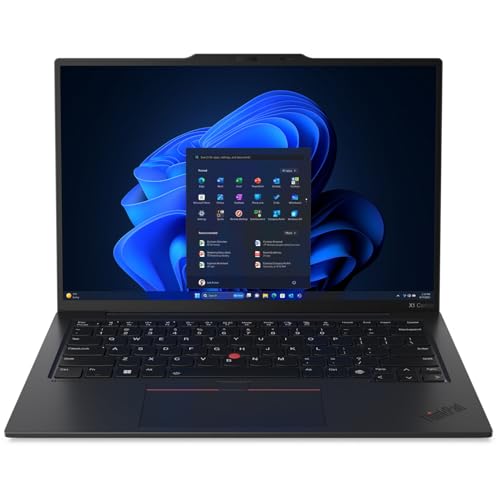
The second Carbon listing is a Gen 13 Aura Edition configured for capacity: an Intel Ultra 7 258V — parenthetically positioned above the U7 165 in the title — with 32GB of memory and a 2TB SSD of Gen 5 specification, behind a 14-inch 2.8K OLED at 2880 by 1800, with a 1080p IR camera, Wi-Fi 7 and Windows 11 Pro in black. Two terabytes is the largest internal storage figure in this guide, double the Gen 14 Aura above, and it arrives on the faster Gen 5 drive standard. For the traveller whose archive is the job, this configuration is the headline act.
Storage at this scale changes the travelling pattern rather than merely enlarging it. A 2TB machine carries the whole practice — years of client files, the media library, the datasets — without the curation rituals a 512GB traveller performs weekly, and the Gen 5 SSD’s speed means that capacity is usable rather than archival: large files open at working pace. Paired with the Ultra 7 258V, a tier above the Gen 14 listing’s Ultra 5, and 32GB of memory, the configuration reads as the power user’s Carbon: the earlier platform, specced past the newer one’s standard configuration in the columns a heavy traveller feels.
The 1080p IR camera is stated here, where the Gen 14 Aura’s title names no camera — a reminder that the generations differ in their listings’ emphases and that no figure should be carried across. Wi-Fi 7 matches the newer machine. What this title does not state is a Thunderbolt count or a fingerprint reader, so the port story is a documentation check and the biometric story rests on the IR camera alone. The OLED panel’s 2.8K resolution matches the Gen 14’s class, without the variable-refresh span the newer title advertises.
It suits the consultant, investigator, creative or analyst whose travelling life is data-heavy and whose firm allows the earlier platform — the buyer who reads configurations rather than generation badges. Fleets standardising on the current generation should take the Gen 14 Aura and its vPro platform. For the individual whose measure is what the machine holds and how fast it holds it, this Gen 13 configuration is the strongest Carbon in the guide, and its review has no hesitation in saying so.
- Processor: Intel Ultra 7 258V
- Memory: 32GB
- Storage: 2TB SSD, Gen 5
- Display: 14-inch 2.8K OLED, 2880 x 1800
- Camera: 1080p IR camera
- Wireless: Wi-Fi 7
- Operating system: Windows 11 Pro
- Colour: Black
- Thunderbolt ports: Not stated in the listing title — verify with the manufacturer documentation
- Fingerprint reader: Not stated in the listing title — verify with the manufacturer documentation
Strengths
- 2TB of Gen 5 storage is the guide’s largest and fastest capacity pairing.
- An Ultra 7 258V sits a tier above the Gen 14 listing’s processor.
- A 1080p IR camera is stated for face sign-in on the road.
Trade-offs
- It is the earlier Carbon generation for platform-standardising fleets.
- No Thunderbolt count is printed in the title.
- The panel’s refresh behaviour is not specified, unlike the Gen 14’s variable range.
Best for: a data-heavy travelling professional carrying years of files internally. Not suited for: a fleet standardising on the newest Carbon platform, because this listing is the Gen 13 generation despite its richer configuration.
Between the two OLED Carbons, the choice is philosophy: the newest platform, or the fullest hold. This one is the hold — two terabytes of it, at Gen 5 pace.
The black finish and the conventional Carbon silhouette make this the discreet option in a guide containing a bronze LG and a touchscreen showpiece — a machine that looks like every serious laptop its owner has ever carried, while holding more than any of them. There is a professional virtue in that discretion: the consultant whose equipment attracts no attention in a client’s office can work anywhere, and the 2TB Carbon’s drama is entirely internal. Capacity, pace and panel, wrapped in the most anonymous flagship shape in the business — for a certain kind of traveller, that is not a compromise but the entire point.

HP EliteBook 6 G1a (16GB) — Fleet traveller
The EliteBook 6 G1a brings the fleet to the ultraportable conversation. In this 14-inch, 16GB configuration, its title describes an AMD Ryzen AI 5 340 — parenthetically positioned above an Intel Ultra 7 265U — with 16GB of DDR5 memory, a 512GB SSD, a 14-inch FHD+ anti-glare display, Copilot+ PC status, Thunderbolt 4, Wolf Security and Windows 11 Pro, as a 2026 EliteBook 640 successor. Where the Carbons are personal instruments, this is an issued machine: its premium is a named security suite and a port that docks the hotel desk and the office desk with the same cable.
Wolf Security is the title’s distinctive asset, and in a travelling context it earns its emphasis. A laptop that works in airports, client networks and hotel rooms lives a riskier life than a desk machine, and a vendor-backed security programme named in the purchase gives the issuing firm a concrete story for that risk. This guide does not itemise the suite — the title does not — but its presence, alongside the Copilot+ designation and the Ryzen AI processor, marks the machine as HP’s current security-led fleet offering at this size, and the review weights it accordingly.
The capacity figures are the fleet standard rather than the guide’s ceiling: 16GB of memory and a 512GB SSD, half the Carbons’ memory and a quarter of the 2TB pick’s storage. For the issued traveller whose files live in managed cloud storage — the pattern fleets actually run — that standard is rational, and the anti-glare FHD+ panel suits the uncontrolled lighting of travel better than a glossy showcase would. Thunderbolt 4, stated outright, is the port the Carbons’ titles leave uncounted here, and it guarantees the one-cable desk at both ends of the journey.
It suits the organisation issuing a travel tier to staff, the security-led firm, and the professional who wants fleet support behind a light machine. Individuals speccing their own ultraportable for local capacity should take a Carbon. As the managed traveller of the set — the pick an IT department can approve from its title, security suite and all — the EliteBook 6 G1a holds a position none of the personal flagships contest.
- Processor: AMD Ryzen AI 5 340
- Memory: 16GB DDR5
- Storage: 512GB SSD
- Display: 14-inch FHD+ anti-glare
- Security named in title: Wolf Security
- AI designation: Copilot+ PC
- Ports named in title: Thunderbolt 4
- Operating system: Windows 11 Pro
- Fingerprint reader: Not stated in the listing title — verify with the manufacturer documentation
- IR camera: Not stated in the listing title — verify with the manufacturer documentation
Strengths
- Wolf Security is named in the title, a concrete programme for firms to evaluate.
- Thunderbolt 4 is stated, guaranteeing the one-cable desk at both journey ends.
- An anti-glare panel suits the uncontrolled lighting of travel.
Trade-offs
- 16GB of memory and 512GB of storage are the fleet standard, not the guide’s ceiling.
- No biometric hardware is stated in the title.
- The Ryzen AI 5 tier sits below the Ultra 7 and Ultra 9 processors here.
Best for: an organisation issuing a secure, dockable travel laptop across a team. Not suited for: a solo professional carrying a large local archive, because 512GB of storage assumes a managed cloud pattern behind it.
Fleets travel too, and this EliteBook is their representative in the guide — the ultraportable bought by policy rather than by preference, and none the worse for it.
The 2026 EliteBook 640 succession claimed in the title gives fleet buyers their generation marker: this is the current form of a line many firms already run in its earlier shape, which smooths everything from user familiarity to accessory continuity when a travel tier is refreshed. Refresh purchases are where ultraportables are actually bought in volume, and a machine that succeeds a known fleet staple carries less organisational risk than a more glamorous stranger. The G1a’s case is cumulative — security suite, stated dock port, current platform, familiar lineage — and cumulative cases are how fleets are correctly bought.

HP EliteBook 16 (2027) — Big-screen traveller
HP’s EliteBook 16 argues that the travelling machine need not be a small one. Its title describes a 2027 EliteBook with a 16-inch screen, an AMD Ryzen 5 200 processor in a Copilot AI PC framing, 16GB of DDR5 memory, a 512GB PCIe SSD, an FHD+ display, enterprise security, fast charging, Wi-Fi 6E, a backlit keyboard, a fingerprint reader and Windows 11 Pro. The specification is a study in travel-relevant choices at the larger size: the biometric is stated, the charging is fast, the security is framed for enterprise, and the screen stays big enough for the work that made the trip necessary.
The fingerprint reader is the detail to start with, because it is stated here where several Carbon titles stay silent — a concrete sign-in route for the professional unlocking the machine in lounges and client reception areas, where a camera’s performance varies with the light. Fast charging answers the traveller’s other recurring moment, the short gap between connections, and enterprise security framing plus Windows 11 Pro keep the machine inside a firm’s governance. Wi-Fi 6E is a step behind the Wi-Fi 7 pair at the top of the guide and entirely current for real networks.
The Ryzen 5 200 is the configuration’s modest column — a tier below the Ryzen 7 PRO of the thin guide’s EliteBook and the Intel flagships here — and the memory and storage figures match the fleet standard at 16GB and 512GB. The honest summary is that this machine spends its specification on size, sign-in and charging rather than on pace and capacity, and for the traveller whose work is documents, presentations and portals across a big screen, that is a defensible allocation. Buyers whose travelling workload is computational should read the gram 17’s review again, where the Ultra 9 lives.
It suits the regional manager, the trainer and the presenter whose laptop is the room’s screen as often as it is a personal tool, travelling by car and rail between sites where a 16-inch display earns its carriage. It is the wrong shape for the weekly flyer with a small cabin bag. Within the road-warrior-by-land pattern, it offers the guide’s most complete big-screen fleet specification — biometrics, charging and security all stated in one title.
- Processor: AMD Ryzen 5 200
- Memory: 16GB DDR5
- Storage: 512GB PCIe SSD
- Display: 16-inch FHD+
- Security named in title: Enterprise security, fingerprint reader
- Charging: Fast charging
- Wireless: Wi-Fi 6E
- Keyboard: Backlit
- Operating system: Windows 11 Pro
- Thunderbolt port: Not stated in the listing title — verify with the manufacturer documentation
- IR camera: Not stated in the listing title — verify with the manufacturer documentation
Strengths
- A fingerprint reader is stated, giving travel sign-in a concrete route.
- Fast charging serves the short gaps in a travelling day.
- A 16-inch screen keeps presentations and documents at full size on the road.
Trade-offs
- The Ryzen 5 200 sits below the guide’s flagship processors for heavy work.
- Memory and storage hold at the 16GB and 512GB fleet standard.
- Sixteen inches is a land-travel size, not a cabin-bag size.
Best for: a regional professional presenting and reviewing on a big screen between sites. Not suited for: a weekly air traveller with a compact cabin bag, because the 16-inch chassis is built for car-and-rail portability rather than overhead-bin minimalism.
Not every ultraportable argument is about grams. This EliteBook argues in inches and minutes — a full-size screen, a fast charge — and for the land-based traveller it is a persuasive brief.
The 2027 model framing in the title is worth a buyer’s attention for a practical reason: listings for the newest model year sit alongside earlier EliteBook 16 stock at similar names, and the configuration figures — Ryzen 5 200, the fingerprint reader, fast charging — are the fingerprints by which the intended machine is identified at checkout. A firm refreshing a regional fleet should match those figures on the listing it actually orders, because the cost of a near-miss is a mixed fleet and a support conversation nobody budgeted for. Read as an identity card, this title is unusually complete.

Lenovo ThinkPad X1 Carbon Gen 13 Aura Touch — Touch ultraportable
The third Carbon listing is the touch variant of the Gen 13 Aura line, and it differs from its sibling in this guide in panel, processor and camera — which is why it has its own review and its own spec box. Its title describes an Intel Ultra 7 255U processor with 32GB of memory and a 1TB SSD, behind a 14-inch touchscreen with a WUXGA display at full sRGB coverage, and a dual camera arrangement phrased as FHD+ IR plus RGB, running Windows 11 Pro. Against the 2TB Gen 13 above, this configuration trades storage and panel resolution for touch and the dual-camera setup — a presenter’s Carbon rather than an archivist’s.
The touchscreen changes the machine’s social life. A travelling executive’s laptop is regularly turned around on a table — the chart indicated, the page scrolled, the figure tapped — and a touch panel makes that gesture native rather than negotiated through a trackpad by someone sitting opposite. WUXGA resolution at full sRGB coverage keeps documents and decks accurate, a step below the sibling’s 2.8K OLED in fineness and contrast class, and a reasonable trade where touch is the priority. The Ultra 7 255U is a different chip from the 2TB listing’s 258V — U-series efficiency tuning in place of the V-series part — and the review notes the distinction because Carbon buyers comparing listings side by side deserve it stated, not discovered.
The camera arrangement is the listing’s distinctive claim: an FHD+ camera with infrared and RGB components, which this guide reads as the title phrases it — a dual-purpose camera supporting face sign-in alongside ordinary video. Combined with 32GB of memory and a terabyte of storage, the configuration is complete in the columns a travelling presenter touches daily. The title names no Thunderbolt count and no fingerprint reader, and Wi-Fi is not specified, so those three checks belong to the documentation for buyers needing them settled.
It suits the executive whose laptop performs in meetings as much as on planes — the presenter, the negotiator, the reviewer of documents across a table — and who values touch over the sibling configuration’s extra terabyte. Archivists should take the 2TB Gen 13; platform buyers should take the Gen 14 Aura. The touch Carbon’s existence, as a third distinct listing, is the guide’s closing evidence that the Carbon name covers a family of decisions, not a single machine.
- Processor: Intel Ultra 7 255U
- Memory: 32GB
- Storage: 1TB SSD
- Display: 14-inch touchscreen WUXGA, 100% sRGB
- Camera: FHD+ IR plus RGB camera, per listing title
- Operating system: Windows 11 Pro
- Thunderbolt ports: Not stated in the listing title — verify with the manufacturer documentation
- Fingerprint reader: Not stated in the listing title — verify with the manufacturer documentation
- Wireless: Not stated in the listing title — verify with the manufacturer documentation
Strengths
- A touchscreen serves the turned-around-table presentation pattern of travel work.
- A dual IR and RGB camera supports face sign-in and meeting video in one unit.
- 32GB of memory and a 1TB SSD keep the core specification at flagship level.
Trade-offs
- WUXGA resolution is a step below the sibling listing’s 2.8K OLED.
- Storage halves the 2TB configuration’s capacity.
- Wireless and port details are unstated in the title.
Best for: a travelling executive presenting from the laptop screen in client meetings. Not suited for: a data-heavy traveller needing maximum internal capacity, because this configuration carries half the storage of the guide’s 2TB Carbon listing.
Three Carbons, three decisions: platform, capacity, touch. This one is the meeting room’s — the ultraportable that expects to be turned around and touched, and is specified for exactly that.
Touch also future-proofs the machine against the direction of business software, whose interfaces increasingly assume a finger as readily as a cursor — approval flows, whiteboarding, signature-adjacent tasks and the general migration of work tools toward tablet habits. A travelling executive keeping a machine for four years will meet more touch-native moments in year four than in year one, and the Carbon Touch is the only 14-inch pick here specified for that trajectory from the outset. It is a quieter argument than the terabyte’s, but for the meeting-centred life it may prove the more durable one.
Compressed into figures, the set shows the ultraportable tier’s current shape: memory has standardised at 32GB for personal flagships and 16GB for issued machines, storage has become the real differentiator, and processors span from a fleet Ryzen 5 to an Ultra 9 without any of them disgracing the category. Screen sizes divide the travellers from the presenters. The table below is the whole guide in one glance — after which the how-to sections take up the questions figures cannot answer, beginning with the itinerary.
Comparison Table
| Pick | Display | Memory | Storage | Processor | Operating system |
|---|---|---|---|---|---|
| ThinkPad X1 Carbon Gen 14 Aura | 14-inch 2.8K OLED | 32GB LPDDR5X | 1TB Gen4 SSD | Core Ultra 5 335 vPro | Windows 11 Pro |
| LG gram 17 | 17-inch WQXGA touchscreen | 32GB LPDDR5X | 1TB PCIe SSD | Ultra 9-288V | Windows 11 Pro |
| ThinkPad X1 Carbon Gen 13 Aura (2TB) | 14-inch 2.8K OLED | 32GB | 2TB Gen 5 SSD | Ultra 7 258V | Windows 11 Pro |
| HP EliteBook 6 G1a (16GB) | 14-inch FHD+ anti-glare | 16GB DDR5 | 512GB SSD | Ryzen AI 5 340 | Windows 11 Pro |
| HP EliteBook 16 (2027) | 16-inch FHD+ | 16GB DDR5 | 512GB SSD | Ryzen 5 200 | Windows 11 Pro |
| ThinkPad X1 Carbon Gen 13 Aura Touch | 14-inch WUXGA touchscreen | 32GB | 1TB SSD | Ultra 7 255U | Windows 11 Pro |
Service and warranty deserve one line in a category bought for movement. A travelling machine meets the world more roughly than a desk machine, and the business lines represented here — ThinkPad, EliteBook, gram’s professional tier — carry support expectations set for professional use. The specifics live in each maker’s documentation rather than in any listing title, and a buyer with a punishing itinerary should read those terms with the same care given to storage figures. An ultraportable’s lightness gets it carried everywhere; its support terms decide how the everywhere years end.
How to Choose an Ultraportable Business Laptop
Choose by itinerary first. The weekly flyer’s machine is a 14-inch Carbon or the EliteBook 6 G1a — shapes built for cabin bags and lounge tables. The land traveller, moving by car and rail between sites, can carry the 16-inch EliteBook or even the gram 17 and gain the screen those journeys reward. The presenter whose laptop turns around on tables should shortlist the touch machines: the gram 17 at the largest size, the Carbon Touch at the travelling size. Itinerary is the one specification no title can print, and it decides more ultraportable purchases than any processor tier.
Second, decide how much of your working life must live inside the machine. The storage ladder in this guide runs from the fleet standard of 512GB — rational where a firm’s cloud carries the archive — through the terabyte class, to the 2TB Carbon built for the self-contained professional. Memory divides similarly: 32GB for the machine that is its owner’s whole office, 16GB for the issued machine working against managed storage. Neither ladder has a wrong rung; each has a wrong rung for a given life, and the titles state the figures plainly enough that the mistake, if made, will be the buyer’s own.
Third, settle the sign-in and connection questions from evidence. The stated biometric hardware here is scattered — an IR camera on the 2TB Carbon, a dual IR and RGB camera on the Touch, a fingerprint reader on the EliteBook 16, none stated on the Gen 14 Aura or the EliteBook 6 G1a — and Thunderbolt is counted only where titles count it. A buyer with a routine depending on either should choose a pick that states it, or complete the documentation check before the order. Ultraportables forgive many things at purchase; an absent port discovered at a hotel desk is not among them.
Which X1 Carbon Listing Fits Your Travel?
Three listings, three travellers. Take the Gen 14 Aura if your firm manages its fleet on Intel’s vPro platform or your policy buys the current generation — and take this listing’s 1TB configuration over leaner Gen 14 builds if the archive travels with you. Take the Gen 13 Aura 2TB if capacity is the argument: the largest, fastest storage in the guide, an Ultra 7 processor and a stated IR camera, on the earlier platform. Take the Gen 13 Aura Touch if the machine’s working life happens across meeting tables, where the touchscreen and dual camera earn their place and the WUXGA panel’s trade against 2.8K is the right exchange. The error to avoid is treating the three as trims of one product; they are three products, and this guide has kept their spec boxes as separate as their listings are.
Does Screen Size Defeat the Point of an Ultraportable?
Only if the point is defined by the bag alone. The gram 17 and the EliteBook 16 argue that the ultraportable idea — a machine light enough in spirit to be carried without resentment — can survive at sixteen and seventeen inches when the design line’s whole purpose is weight discipline, as the gram’s is. What size genuinely costs is cabin-bag minimalism and one-handed carrying; what it buys is the document canvas that makes some travelling work possible at all. The professional who reviews wide material on the road is not betraying the ultraportable idea by choosing inches; they are applying it to a different constraint. Judge the big machines here by whether their titles keep the rest of the specification serious — and on memory, storage and processors, both of them do.
What Should You Verify Before Buying Any Ultraportable?
Four things, all visible in this guide’s spec boxes as either figures or silences. The exact configuration, because ultraportable nameplates cover more variation than any other class — three Carbon listings in one guide make the point unaided. The biometric hardware, stated or not, against your firm’s sign-in policy. The port count, for the dock at home and the desk at the destination. And the weight, in the manufacturer documentation, because no title here prints one and the whole category is bought on a number the listings decline to state. A buyer verifying those four has done more diligence than the marketing expects, and will receive the machine they thought they ordered.
How Does an Ultraportable Handle a Docked Home Office?
Better than its silhouette suggests, provided the connection is settled in advance. A travelling machine that docks at home lives two lives, and the dock life asks for the port the travel life ignores: Thunderbolt, stated outright on the Gen 14 Aura and the EliteBook 6 G1a, counted nowhere in the other titles here and therefore a documentation check for their buyers. Memory is the second dock question, and the 32GB machines absorb the multi-screen window load that a home desk generates. The pattern to aim for is symmetry — the same cable, the same screens, the same sign-in at both ends of the journey — and the picks whose titles state their ports are the picks that can promise it without homework.
Common Mistakes When Buying an Ultraportable
Conflating listings is the native error of this category. A buyer reads a review of one Carbon configuration, orders another with the same name and half the storage, and discovers the difference at the first archive sync. The defence is the configuration figures, matched at checkout against the listing actually being bought. The second error is assuming the biometric: flagship badges imply sign-in hardware that titles here state only intermittently, and a firm can standardise a travel tier on an assumption its own policy then fails at audit.
Buying lightness for a desk is the third pattern — an ultraportable purchased for a machine that will live docked, where its premium bought portability the owner never uses and its screen size taxes every working day. The fourth is the reverse vanity: refusing the big featherweights on category purity, and condemning a visual workload to a 14-inch panel for years. Both errors come from buying the category instead of the itinerary. The calendar, counted honestly — flights, drives, desks, meeting rooms — is the only specification sheet that never flatters, and it should be open beside the listings when the order is placed.
One constituency deserves direct address before the verdict: the professional buying a single machine to be everything — office, studio, archive and travel companion — for the next four years. That buyer should read the storage and memory columns as the decision and everything else as commentary, which in this guide means the 2TB Carbon or the gram 17, chosen by screen size. A sole machine cannot borrow capacity from a desk or a department; it carries its whole world, and the two terabyte-class picks are the ones specified for that solitude. Everyone else — the issued, the docked, the two-machine professional — can let itinerary and policy share the decision, as the guidance above describes.
Final Recommendation
For the flagship traveller, take the X1 Carbon Gen 14 Aura in this 1TB configuration: the newest platform, the fullest panel specification in the guide, three Thunderbolt 4 ports and Wi-Fi 7 in the Carbon shape. Take the Gen 13 Aura 2TB if your archive is your argument — it is the capacity flagship and the strongest individual specification here. Take the Carbon Touch if your work is presented across tables. The LG gram 17 is the choice for the professional whose screen must stay seventeen inches on the road, with an Ultra 9 specification that refuses to apologise for the size. Fleets should issue the EliteBook 6 G1a for its named security suite, and land-based presenters should take the EliteBook 16 for its screen, fingerprint reader and fast charging. An ultraportable is judged at the end of the longest day, in the last lounge, with the battery and the bag both spent. Buy the machine whose title still reads well at that hour — the one whose storage never asked you to delete the past, whose screen never made you squint at the figures that mattered, and whose presence in the bag never once became the subject of the day. Six titles in this guide can support that verdict for six different travellers; the itinerary you actually live is the only judge whose ruling cannot be appealed.
The questions below return, as this guide’s questions tend to, to configuration discipline: three Carbons that must not be merged, a weight no title prints, a storage ladder with a clear top rung. A buyer absorbing those three facts has absorbed the guide’s method, and can apply it to next season’s listings without assistance.
Frequently Asked Questions
Are the three X1 Carbon listings the same laptop?
No. They are three separate listings with different configurations: the Gen 14 Aura carries a Core Ultra 5 335 vPro, 32GB of LPDDR5X, a 1TB Gen4 SSD and a 2.8K OLED with Wi-Fi 7 and three Thunderbolt 4 ports; the Gen 13 Aura 2TB carries an Ultra 7 258V, 32GB, a 2TB Gen 5 SSD, a 2.8K OLED and a 1080p IR camera; the Gen 13 Aura Touch carries an Ultra 7 255U, 32GB, a 1TB SSD and a WUXGA touchscreen with a dual IR and RGB camera. No figure should be read from one onto another.
Which pick has the largest internal storage?
The ThinkPad X1 Carbon Gen 13 Aura in its 2TB configuration, whose title also specifies a Gen 5 SSD. The Gen 14 Aura, the gram 17 and the Carbon Touch each carry a terabyte, and the two EliteBooks carry the 512GB fleet standard.
Do any of the titles state the laptop’s weight?
None of the six prints a weight figure. Lightness is argued from design lineage — the Carbon and gram lines exist to minimise carried weight — and buyers needing the exact figure for a specific model should consult the manufacturer documentation before ordering.
Which ultraportable suits a company fleet?
The HP EliteBook 6 G1a. Its title names Wolf Security, Thunderbolt 4, Copilot+ status and Windows 11 Pro around a Ryzen AI 5 340, making it the pick an IT department can approve as an issued travel machine. The Gen 14 Aura’s vPro platform is the alternative for Intel-standardised fleets.
Is the LG gram 17 too big to be an ultraportable?
It is the featherweight of the 17-inch class rather than a small machine: the gram line’s purpose is minimising the weight of a given screen size. It suits car-and-rail travel and desk-to-desk movement with a full-size screen; weekly flyers with compact cabin bags should choose a 14-inch pick.
Which pick is best for presenting to clients while travelling?
The X1 Carbon Gen 13 Aura Touch, whose touchscreen and dual camera are specified for the turned-around-table pattern of meeting work. The gram 17 is the larger-screen alternative where the presentation itself needs the inches.
A closing observation for the buyer still torn between the Carbons: the three listings will not stay simultaneously available forever, because overlapping generations are a transitional state of any catalogue. If the configuration that matches your travel is the earlier platform’s — the terabyte pair, the touch panel — that is an argument for deciding promptly rather than waiting for a tidier market. Fleets, bound to the current generation, are spared the dilemma; individuals should recognise it as the normal cost of a richer choice.
Related Guides
The reading method in this guide — figures from titles, silences recorded, configurations never merged — is the method applied across the site, and readers equipping a workspace beyond the laptop may enjoy seeing it at work on a different bench. The workbench counterpart starts with the best filament 3d printers, where the same title-first discipline judges machines that make things rather than carry them. Those narrowing by material will find their shortlist in our guide to the best pla 3d printers. And buyers whose projects demand engineering filaments should finish with the best nylon 3d printers, the toughest material class in the printer range.