What's inside
- Where to Buy
- Key Takeaways
- Quick Picks
- How We Chose These Picks
- Comparison Table
- How to Choose a High-End Business Laptop
- Gen 13 or Gen 14: Which X1 Carbon Should You Buy?
- Does 32GB of Memory Matter at the Executive Tier?
- When Is a Premium Consumer Flagship the Right Business Buy?
- How Long Should a Flagship Stay in Service?
- Common Mistakes When Buying a Flagship Business Laptop
- Final Recommendation
- Frequently Asked Questions
- Related Guides
As an Amazon Associate I earn from qualifying purchases. This post may contain affiliate links at no extra cost to you.
[SITE_DOMAIN] is reader-supported. When you buy through links on our site, we may earn an affiliate commission.
Where to Buy
Each flagship below links to a single Amazon listing, and at this end of the market the exact configuration inside the title is the purchase, so read the listing as carefully as this guide does. The Lenovo ThinkPad X1 Carbon Gen 14 opens the set with an OLED panel and 32GB of LPDDR5X memory, and its page carries the current figure for that build. The ThinkPad X1 Carbon Gen 13 Aura Edition is a separate, earlier listing with its own processor and a terabyte of storage — its product page, not the Gen 14’s, is where that configuration is priced. The Dell Pro 16 Premium brings the 16-inch screen, and buyers should confirm its 16GB configuration on its listing before comparing it with the memory-richer picks. The Dell 16 Plus Premium counters with 32GB and a terabyte under a touchscreen, so open its page to see the live total for the touch build. The Dell XPS 14 Premium is the design flagship, and its listing details the 3.2K OLED configuration in full. The HP EliteBook 6 G1a closes the set as the AMD-powered fleet flagship, with its page confirming the Ryzen AI 5 build and the Wolf Security framing in its title.
High-end business laptops are bought for a reason that rarely appears in their specifications: the person using one is expensive, and their hours are worth more than the machine. A flagship laptop is therefore judged here on the quality of the hours it returns — a screen that does not tire the eyes across a ten-hour day, memory that never interrupts a thought with a spinning cursor, a chassis that survives the travel schedule of someone whose calendar is a negotiation. The best high end laptops for business are not the most powerful laptops money can buy. They are the most considered ones.
Six machines make that case in six dialects. Two are ThinkPad X1 Carbons from consecutive generations — the Gen 14 and the Gen 13 Aura Edition — kept deliberately separate in this guide because they are separate listings with different processors, different storage and different memory, and any guide that blurred them would mislead exactly the buyer most likely to notice. Two are Dell’s current Premium line in 16-inch and 14-inch forms. One is an XPS, a premium flagship chassis that executives carry into business settings without it being an enterprise fleet machine, framed here as precisely that. And one is HP’s EliteBook 6 G1a, the fleet flagship of the set, carrying a named security suite in its title.
The common threads are worth naming before the differences. Memory is 32GB on five of the six — the Dell Pro 16 Premium’s 16GB is the exception, and its review treats that figure as the pick’s defining compromise. OLED panels appear on three titles. Fingerprint readers are stated on three. Windows 11 Pro runs on four, with the Dell 16 Plus stating Windows 11 Home and the XPS title naming no operating system at all — silences this guide records rather than repairs. At the flagship tier, what a title declines to say is as much a part of the product as what it announces.
Price is deliberately absent from the analysis that follows, beyond the direction to check each listing at the moment of purchase. Flagship pricing moves with configuration, stock and season, and a figure printed in a guide would be wrong before the guide was a month old. What does not move is the relationship between the configurations: the Gen 13 Aura’s terabyte against the Gen 14’s 512GB, the Pro 16’s memory figure against the field, the XPS’s panel against everything. Buyers at this tier are choosing between those relationships, and the reviews are organised to make each one explicit before any listing is opened.
Key Takeaways
- The two X1 Carbons are different generations and listings: the Gen 14 pairs a Core Ultra 5 335 with 32GB of LPDDR5X and a 512GB SSD, while the Gen 13 Aura pairs an Ultra 7 258V with 32GB and a 1TB drive.
- Five picks carry 32GB of memory; the Dell Pro 16 Premium’s 16GB is the outlier figure at this tier.
- Three titles state OLED displays — both Carbons and the XPS 14’s 3.2K touch panel.
- Fingerprint hardware is stated on the Gen 13 Carbon, the Dell Pro 16 Premium, the Dell 16 Plus and the XPS 14.
- The HP EliteBook 6 G1a is the only AMD-powered pick and the only one naming a security suite, Wolf Security, in its title.
- The Dell 16 Plus runs Windows 11 Home where the fleet picks run Pro, and the XPS 14 title names no operating system.
Quick Picks
| Pick | Badge | Why it earns a place |
|---|---|---|
| Lenovo ThinkPad X1 Carbon Gen 14 | Newest flagship | A 2.8K OLED with a 30–120Hz variable refresh, 32GB of LPDDR5X and three Thunderbolt 4 ports. |
| Lenovo ThinkPad X1 Carbon Gen 13 Aura | Copilot+ flagship | An Ultra 7 258V with 47 TOPS of AI acceleration, a 2.8K OLED, 32GB of memory and a terabyte of storage. |
| Dell Pro 16 Premium | 16-inch fleet flagship | An Ultra 7 255U and a WUXGA screen in Dell’s Premium business line, with a fingerprint reader stated. |
| Dell 16 Plus Premium | Touch and capacity | An Ultra 7 258V, 32GB of memory and a 1TB SSD behind a 16-inch FHD+ touchscreen. |
| Dell XPS 14 Premium | Design flagship | A 3.2K OLED touch display at 48–120Hz, an Ultra 7 255H, 32GB of memory and a terabyte of storage. |
| HP EliteBook 6 G1a | Fleet flagship, AMD | A Ryzen AI 5 340 with 32GB of memory, a 1TB SSD, Thunderbolt 4 and Wolf Security under Windows 11 Pro. |
How We Chose These Picks
The flagship tier was defined by specification ceilings rather than by badges. A pick had to carry either 32GB of memory, an OLED-class display, a current top-tier processor, or a named enterprise security story — and most carry several. Machines that were merely expensive versions of mid-range designs were excluded; the premium has to be legible in the title, in figures a buyer can compare, or it is not a premium this guide will certify.
Generation discipline governed the two Carbons. Lenovo sells overlapping generations of the X1 Carbon simultaneously, and the Gen 13 Aura and Gen 14 listings here differ in processor, storage, memory type and ports. They are reviewed as the separate products they are, with their own spec boxes, and the comparison table keeps their rows apart. Buyers cross-shopping the two should read both reviews as a pair: the newer generation is not automatically the better purchase for every workload, and the reviews explain where each one’s advantages actually sit.
The final filter was honesty about category. The XPS 14 is included as a flagship chassis used for business — by founders, partners and executives whose laptop is personally chosen — and is not presented as a fleet deployment machine. The EliteBook 6 G1a is included as the opposite: a genuine fleet flagship whose premium is manageability and a named security suite. A guide that confused those two propositions would fail both audiences, so each review states its pick’s category in plain terms.

Lenovo ThinkPad X1 Carbon Gen 14 — Newest flagship
The Gen 14 is the newest X1 Carbon listing in this guide, and its title describes a specific configuration with unusual precision: a Core Ultra 5 335 processor from Intel’s Series 3 with vPro, 32GB of LPDDR5X-8533 memory, a 512GB SSD, and a 14-inch 2.8K OLED panel with a variable refresh rate spanning 30 to 120Hz, non-touch, with three Thunderbolt 4 ports. The model code 21V7006DUS closes the title — the string to match when ordering, because Carbon listings multiply quickly and configurations drift between them.
The display is the headline. A 2.8K OLED with a refresh rate that can fall to 30Hz for static documents and rise to 120Hz for motion is a panel engineered for both halves of an executive day: long, still pages of text rendered without shimmer, and scrolling or video that moves without judder. OLED’s per-pixel contrast gives documents a printed quality that LCD panels approach but rarely match, and at 14 inches the 2.8K resolution keeps text edges fine at reading distance. Buyers who prefer touch should note the title states non-touch plainly; the Gen 13 Aura below and the XPS offer the touch alternative.
The processor choice invites a second look, because a flagship carrying a Core Ultra 5 rather than a 7 is making an argument: that the Carbon’s buyer values the platform — the screen, the memory speed, the ports, the vPro management — over raw processor tier, and that the Series 3 chip’s efficiency serves the travel brief better than a hotter part would. The 32GB of fast LPDDR5X supports that reading; memory, not silicon, is where executive multitasking actually presses. The 512GB SSD is the configuration’s one modest figure, and executives with large local archives should weigh the Gen 13’s terabyte or plan on managed cloud storage.
Three Thunderbolt 4 ports is a generous count — most flagships offer two — and it turns the desk setup into a genuine one-cable-plus arrangement with ports to spare for direct peripherals. It suits the executive or partner whose machine is issued by a serious IT function, vPro and all, and whose day alternates between the docked desk and the airport. The title names no fingerprint reader and no webcam detail, so both are recorded as silences in the spec box; the machine’s security story, on the evidence available, is vPro and the platform around it.
- Processor: Intel Core Ultra 5 335, Series 3, vPro
- Memory: 32GB LPDDR5X-8533
- Storage: 512GB SSD
- Display: 14-inch 2.8K OLED, non-touch, variable refresh 30–120Hz
- Ports named in title: 3x Thunderbolt 4
- Model code: 21V7006DUS
- Operating system: Not stated in the listing title — verify with the manufacturer documentation
- Fingerprint reader: Not stated in the listing title — verify with the manufacturer documentation
- Webcam: Not stated in the listing title — verify with the manufacturer documentation
Strengths
- A 2.8K OLED with a 30–120Hz variable refresh serves documents and motion equally well.
- 32GB of high-speed LPDDR5X memory matches heavy executive multitasking.
- Three Thunderbolt 4 ports exceed the flagship norm of two.
Trade-offs
- The panel is non-touch, where the Gen 13 Aura and XPS 14 offer touch flagships.
- 512GB of storage is half the Gen 13 configuration’s terabyte.
- The Core Ultra 5 tier sits below the Ultra 7 processors elsewhere in the guide.
Best for: an executive or partner travelling on a vPro-managed platform with a docked home desk. Not suited for: a buyer storing a large local media or data archive, because the 512GB SSD is the smallest storage figure among the guide’s 32GB machines.
Read the Gen 14 as the platform flagship: the newest Carbon, specced around its screen and memory, for the buyer whose IT department and travel schedule both have opinions.
The variable refresh range deserves one more sentence of explanation, because 30–120Hz is a wider span than most laptop panels offer and it is doing two jobs at once. At the bottom of the range, a static contract or spreadsheet redraws rarely, sparing the battery; at the top, a scrolled document or a video call moves with a fluidity that makes long screen days measurably less tiring. A panel that adapts its pace to the content is a flagship idea executed properly, and it is the single specification in this title that no other pick in the guide matches in quite the same form.
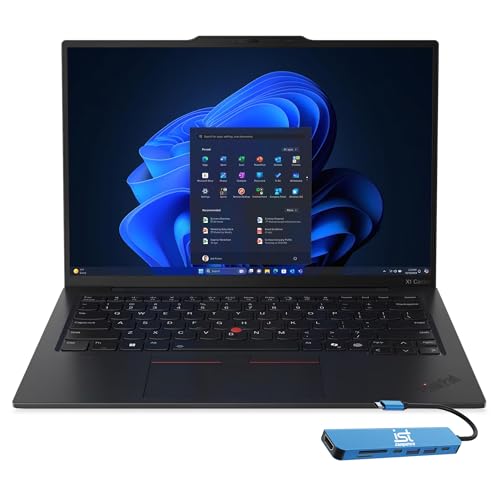
Lenovo ThinkPad X1 Carbon Gen 13 Aura Edition — Copilot+ flagship
The Gen 13 Aura Edition is not the Gen 14’s poorer relation; on several columns it is the richer machine. Its title pairs an Intel Ultra 7 258V with 32GB of memory and a full 1TB of storage, behind a 2.8K OLED screen, with Intel Arc 140V graphics, a stated 47 TOPS of AI acceleration under the Copilot+ PC banner, a backlit keyboard, a fingerprint reader, two Thunderbolt 4 ports, a 1080p IR webcam and Wi-Fi 7, running Windows 11 Pro. Where the Gen 14 leads on generation and memory speed, the Gen 13 Aura leads on processor tier, storage and stated biometric hardware — a genuinely different balance, from a separate listing that this guide keeps separate.
The 47 TOPS figure is the one to understand rather than admire. It quantifies the neural acceleration available to on-device AI features in current Windows, and the Copilot+ designation means this configuration sits in the tier Microsoft built those features around. Whether that matters to a given executive today depends on how much of their work touches transcription, summarisation and image tools; the hardware case is that the capacity is present for the software’s next several years, in a machine bought to be kept. The Arc 140V graphics, integrated but capable, handle the presentation and light creative work an executive laptop actually meets.
The biometric pairing is the most complete in the guide: a fingerprint reader and a 1080p IR webcam are both stated, giving the user two sign-in routes and the firm two policy options. Wi-Fi 7 is the newest wireless standard named in any title here. Storage doubles the Gen 14’s figure. Set against that, the Gen 13 offers two Thunderbolt 4 ports to the newer machine’s three, and its memory is stated without the Gen 14’s LPDDR5X speed designation — small, real differences that a careful buyer can weigh without either machine being misrepresented.
It suits the executive who wants the flagship as a complete personal instrument — biometrics, storage, AI headroom — rather than as a managed platform, and the buyer who prefers a terabyte in the machine to capacity in the cloud. Firms standardising strictly on the newest generation should take the Gen 14 and accept its configuration’s shape. Everyone else should read these two Carbon reviews as the guide’s central comparison, because the older listing’s specification is, on the evidence of the titles, the more generous one.
- Processor: Intel Ultra 7 258V
- Memory: 32GB
- Storage: 1TB SSD
- Display: 14-inch 2.8K OLED
- Graphics: Intel Arc 140V
- AI acceleration: 47 TOPS, Copilot+ PC
- Camera: 1080p IR webcam
- Security hardware named in title: Fingerprint reader
- Ports named in title: 2x Thunderbolt 4
- Wireless: Wi-Fi 7
- Operating system: Windows 11 Pro
Strengths
- A terabyte of storage doubles the Gen 14 configuration in this guide.
- Fingerprint reader and IR webcam are both stated, the guide’s fullest biometric set.
- 47 TOPS of stated AI acceleration future-proofs the Copilot+ feature tier.
Trade-offs
- Two Thunderbolt 4 ports against the Gen 14’s three.
- It is the earlier generation, for firms whose policy buys the newest platform.
- Memory speed is not designated in the title, unlike the Gen 14’s LPDDR5X-8533.
Best for: an executive wanting a self-contained flagship with a terabyte of storage and both biometric routes. Not suited for: a firm standardising on the newest Carbon generation, because this listing is the Gen 13 platform despite its richer configuration.
Generations are labels; configurations are facts. The Gen 13 Aura’s facts — storage, biometrics, AI capacity — make it the flagship many buyers should choose with their eyes open.
The Aura Edition designation, which Lenovo applies to its collaboratively tuned flagship configurations, signals that this listing sits at the top of its generation’s range rather than in the catalogue’s middle. Buyers should still buy the figures rather than the badge — but the figures, in this case, agree with the badge: the processor tier, the terabyte, the biometric pair and the Wi-Fi 7 radio are each the strongest or joint-strongest entry in their column across this guide’s two Carbon listings, and most of them across all six.

Dell Pro 16 Premium — 16-inch fleet flagship
Dell’s Pro 16 Premium is the fleet flagship at the size fleets rarely offer: a 16-inch WUXGA display in the Premium tier of Dell’s business line, driven by an Intel Ultra 7 255U described in the title as a 12-core part reaching 5.2GHz, with a backlit keyboard, a fingerprint reader, Wi-Fi 6E and Windows 11 Pro, framed around AI Copilot productivity. For the senior professional whose work is desk-based and document-heavy, the proposition is a flagship that behaves like a workstation’s screen and a laptop everywhere else.
The 16-inch WUXGA panel is the reason to buy it. WUXGA’s extra vertical pixels over FHD suit the long documents, models and statements that fill a senior finance or legal day, and sixteen inches displays two of them side by side without compromise. The Ultra 7 255U is a current top-tier U-series processor — efficiency-tuned silicon in a big chassis, a pairing that favours quiet, cool desk operation over the sustained maximum pace of an H-series chip. Buyers whose work is heavy local computation should register that distinction and read the XPS review below, where the H processor lives.
Then the compromise, stated plainly because this guide states such things: the title specifies 16GB of DDR5 memory and a 512GB SSD, half the memory carried by the other five machines on this page. For portal-and-document work at a managed desk, 16GB remains serviceable, and Dell plainly positions this configuration as the fleet Premium rather than the personal flagship. But a buyer comparing across this page should see the figure clearly — the Pro 16 Premium’s premium is its screen, its line and its fingerprint reader, not its capacity — and a firm speccing for heavy multitaskers should either choose a richer configuration of the model or take one of the 32GB picks.
It suits the desk-based senior professional in a Dell-standardised firm, the reviewer of long documents, and the manager whose laptop rarely leaves its dock but must still be a laptop for the days it does. The fingerprint reader stated in the title gives its security story one concrete biometric, and Windows 11 Pro plus the Premium line’s pedigree complete a specification that is honest about what it prioritises: the display, at the expense of the memory column.
- Processor: Intel Ultra 7 255U, 12-core, up to 5.2GHz
- Memory: 16GB DDR5
- Storage: 512GB SSD
- Display: 16-inch WUXGA
- Security hardware named in title: Fingerprint reader
- Wireless: Wi-Fi 6E
- Keyboard: Backlit
- Operating system: Windows 11 Pro
- IR camera: Not stated in the listing title — verify with the manufacturer documentation
- Thunderbolt port: Not stated in the listing title — verify with the manufacturer documentation
Strengths
- A 16-inch WUXGA display is the largest flagship screen in the guide.
- A fingerprint reader is stated, giving the fleet pick a named biometric.
- An Ultra 7 255U and the Premium line suit a managed, desk-based deployment.
Trade-offs
- 16GB of memory is half the figure carried by the other five picks.
- The U-series processor favours efficiency over sustained maximum pace.
- No Thunderbolt or IR hardware is named in the title.
Best for: a senior desk-based professional in a Dell firm, reading long documents all day. Not suited for: a heavy multitasker running large local models and datasets, because 16GB of memory is the tightest capacity figure at this tier.
Judge this Dell by its screen and its line, and it earns its Premium badge; judge it by the memory column alone and the guide’s other five will argue back, which is exactly the comparison a flagship buyer should make.
There is also a deployment rhythm to consider. Large-screen flagships are often bought for named senior staff rather than pools, and a 16-inch machine tends to stay with its person, at their desk, for the whole of its service life. That pattern softens the memory question — a single user’s habits are knowable in a way a pool machine’s are not — and strengthens the screen argument, because the person reading from that WUXGA panel for four years is the same person whose comfort the purchase was meant to protect. Bought that way, knowingly, the Pro 16 Premium is a coherent flagship rather than a compromised one.

Dell 16 Plus Premium — Touch and capacity
The Dell 16 Plus takes the large-screen flagship in a more personal direction. Its title describes a 16-inch FHD+ anti-glare touchscreen over an Intel Ultra 7 258V reaching up to 4.8GHz, with Intel Arc graphics, 32GB of DDR5 memory and a 1TB SSD, a backlit keyboard and a fingerprint reader — and then, the detail that separates it from the fleet picks, Windows 11 Home. This is a premium machine for the individual executive or founder rather than the managed deployment, and its specification makes that positioning coherent: capacity and touch for the person, without the Pro edition a fleet would require.
The processor deserves attention, because the Ultra 7 258V is the same chip family that powers the Gen 13 Carbon above, tuned here for a 16-inch chassis with room to breathe. Paired with 32GB of memory and a terabyte of storage, it gives the big screen a specification with no apologetic column — the direct counterpoint to the Pro 16 Premium’s 16GB, at the same screen size, from the same manufacturer. A buyer choosing between Dell’s two 16-inch flagships is really choosing a philosophy: the Pro’s fleet pedigree and WUXGA panel, or the Plus’s touch, capacity and personal-machine brief.
Touch at sixteen inches is a presentation tool. The screen becomes the document in the meeting — figures indicated directly, pages turned by hand, a proposal walked through without a mouse between the presenter and the client. The anti-glare finish keeps that screen readable under office lighting, and FHD+ resolution, while a step below the Pro’s WUXGA in pixel count, spreads its pixels across a panel large enough that the difference is one of fineness rather than legibility. The fingerprint reader is stated, giving the machine its biometric; no IR camera is named.
It suits the founder, the consultant and the senior hire whose laptop is personally specified and client-facing, and whose firm does not enrol devices into a managed domain — the Windows 11 Home edition is the honest flag of that positioning, and buyers inside managed environments should treat it as disqualifying and take a Pro pick instead. Within its intended ownership, the 16 Plus is the most complete big-screen specification in the guide: nothing in its title asks to be excused.
- Processor: Intel Ultra 7 258V, up to 4.8GHz
- Memory: 32GB DDR5
- Storage: 1TB SSD
- Display: 16-inch FHD+ anti-glare touchscreen
- Graphics: Intel Arc Graphics
- Security hardware named in title: Fingerprint reader
- Keyboard: Backlit
- Operating system: Windows 11 Home
- IR camera: Not stated in the listing title — verify with the manufacturer documentation
Strengths
- 32GB of memory and a 1TB SSD give the big screen a no-compromise specification.
- A touchscreen suits client-facing presentation at sixteen inches.
- The Ultra 7 258V matches the processor tier of the guide’s Carbon Aura.
Trade-offs
- Windows 11 Home excludes it from managed business deployments.
- FHD+ resolution is a step below the Pro 16 Premium’s WUXGA fineness.
- A 16-inch touchscreen is a desk-and-meeting machine, not a travel companion.
Best for: a founder or consultant presenting from a large touchscreen in client meetings. Not suited for: a firm enrolling devices into managed business policies, because the stated operating system is Windows 11 Home rather than Pro.
Two Dell 16-inch flagships sit in this guide, and they are not rivals so much as answers to different ownership questions — this one belongs to the person, and it is specified like it.
The Arc graphics deserve a brief note for buyers whose work touches visuals. Integrated Intel Arc is the capable tier of built-in graphics in this generation — enough for polished presentations, light photo work and multi-monitor desks without a discrete card’s heat or weight. A consultant whose deliverables include rendered visuals will find the 16 Plus’s combination of Arc graphics, 32GB of memory and a terabyte of fast storage a genuinely workable mobile studio at sixteen inches, in a way the fleet picks, specced for documents, do not attempt to be.
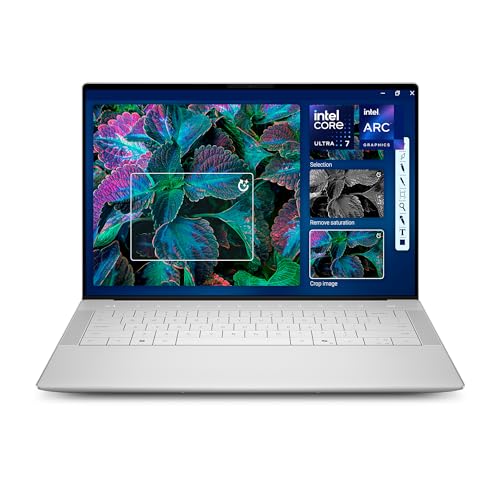
Dell XPS 14 Premium — Design flagship
The XPS 14 is included under the framing its own title earns: a premium flagship chassis that executives carry into business, not an enterprise fleet machine with a deployment programme behind it. The specification is the most display-forward in the guide — a 14.5-inch touch display at 3.2K OLED resolution with a 48–120Hz refresh range — over an Intel Core Ultra 7 255H, Intel Arc graphics, 32GB of memory, a 1TB SSD and a backlit keyboard with a fingerprint reader. As a personal instrument for a senior professional, it is formidable. As a fleet purchase, it is the wrong conversation, and the review keeps the two apart.
The screen is the argument. 3.2K is the highest resolution stated in any title here, OLED gives it the contrast class of the Carbons, and the 48–120Hz variable refresh adapts between document stillness and motion smoothness. For the executive whose laptop screen is a persuasion surface — the deck shown across the table, the figures walked through in the meeting — this panel is the guide’s peak. Touch completes the presentation pattern, and the 255H processor, the H-series sustained-power variant, gives the machine more pace under load than any U-series pick on this page.
The business caveats are structural rather than incidental. The title names no operating system, so a buyer needing Windows 11 Pro confirmed should verify the edition in Dell’s documentation before treating the machine as a company device. No IR camera is stated; the fingerprint reader carries the biometric story alone. And the XPS line’s support model is a premium consumer one, not the fleet apparatus of Latitude or EliteBook — a distinction an individual buyer may never feel and an IT department feels immediately.
It suits the founder, the partner and the design-conscious executive whose laptop is personally chosen, personally carried and judged partly as an object — the professional for whom the machine’s appearance in a client meeting is part of its function. It does not suit a standardised deployment, and this guide does not pretend otherwise. Judged in its own category, as the flagship an individual buys when the budget is open and the audience is across a table, it has the strongest single specification sheet in the guide.
- Processor: Intel Core Ultra 7 255H
- Memory: 32GB
- Storage: 1TB SSD
- Display: 14.5-inch touch 3.2K OLED, 48–120Hz
- Graphics: Intel Arc Graphics
- Security hardware named in title: Fingerprint reader in keyboard
- Operating system: Not stated in the listing title — verify with the manufacturer documentation
- IR camera: Not stated in the listing title — verify with the manufacturer documentation
- Wireless: Not stated in the listing title — verify with the manufacturer documentation
Strengths
- A 3.2K OLED touch display is the finest screen specification in the guide.
- The Ultra 7 255H brings H-series sustained pace to a 14-inch chassis.
- 32GB of memory and a 1TB SSD leave no capacity column apologising.
Trade-offs
- The title names no operating system edition for business deployment checks.
- It is a premium personal chassis, not an enterprise fleet line with fleet support.
- No IR camera is stated alongside the fingerprint reader.
Best for: a founder or partner presenting polished work from a personally chosen flagship. Not suited for: a standardised fleet deployment, because the XPS line is a premium personal chassis rather than an enterprise-managed range.
Every guide needs one machine that is there because it is magnificent rather than because it is manageable. The XPS 14 is this guide’s, and its review has tried to be as precise about its category as its title is about its screen.
The 14.5-inch size is itself a quiet statement. It sits between the standard 14-inch fleet shape and the 16-inch desk machines, sized for the person who carries their own laptop to rooms where it will be seen. Dell’s XPS line has built its reputation on exactly that intersection of portability and finish, and this configuration — the largest memory and storage figures, the H processor, the flagship panel — is the line’s argument made at full strength. Buyers who value that intersection will not find its equal among the fleet picks; buyers who do not should save the difference and take a Carbon.

HP EliteBook 6 G1a — Fleet flagship, AMD
HP’s EliteBook 6 G1a is the fleet flagship of the set and the only AMD machine in it. Its title describes a 14-inch FHD+ anti-glare display over an AMD Ryzen AI 5 340 — with a parenthetical claim positioning it above an Intel Ultra 7 265U — with 32GB of DDR5 memory, a 1TB SSD, Copilot+ PC status, Thunderbolt 4, Wolf Security and Windows 11 Pro, describing the model as a 2026 EliteBook 640 successor. Where the Carbons sell personal excellence and the XPS sells design, the EliteBook sells the combination a CIO actually approves: capacity, a named security suite and a fleet pedigree in one specification.
Wolf Security is the title’s distinctive claim, and it is handled here as what it is — HP’s named security suite for its business line, stated in the listing as part of the product. This guide does not itemise the suite’s components, because the title does not; what can be said is that a flagship whose security story is a named, vendor-backed programme gives an IT department something concrete to evaluate, which is a different and stronger position than a generic assurance. Combined with the Copilot+ designation and the Ryzen AI processor, the machine presents itself as the security-and-AI fleet flagship of HP’s current line.
The capacity figures match the guide’s best: 32GB of memory and a terabyte of storage, the pairing the Gen 13 Carbon and the Dell 16 Plus also carry, here inside a 14-inch anti-glare chassis with Thunderbolt 4 for the dock. The Ryzen AI 5 tier sits below the Ultra 7 processors in raw positioning, and the title’s own parenthetical argues the comparison the other way; this guide records the claim as the listing’s framing and notes the practical position — for fleet workloads, the memory and storage figures will shape the daily experience more than the processor tier. The FHD+ panel is the specification’s plainest element, a working resolution rather than an OLED showcase.
It suits the organisation standardising a flagship tier across senior staff, the HP-loyal firm, and the security-led buyer who wants the suite named in the purchase itself. Individuals shopping for a screen to fall in love with should take a Carbon or the XPS. Fleets shopping for a flagship that can be approved, imaged and supported at scale will recognise this EliteBook as the guide’s most deployable premium machine.
- Processor: AMD Ryzen AI 5 340
- Memory: 32GB DDR5
- Storage: 1TB SSD
- Display: 14-inch FHD+ anti-glare
- Security named in title: Wolf Security
- AI designation: Copilot+ PC
- Ports named in title: Thunderbolt 4
- Operating system: Windows 11 Pro
- Fingerprint reader: Not stated in the listing title — verify with the manufacturer documentation
- IR camera: Not stated in the listing title — verify with the manufacturer documentation
Strengths
- Wolf Security is named in the title, giving fleets a concrete security programme to evaluate.
- 32GB of memory and a 1TB SSD match the guide’s best capacity pairing.
- Copilot+ status and Thunderbolt 4 complete a deployable flagship specification.
Trade-offs
- The FHD+ panel is a working display, not an OLED showcase like the Carbons.
- The Ryzen AI 5 tier sits below the Ultra 7 processors in raw positioning.
- No fingerprint reader or IR camera is stated in the title.
Best for: an organisation issuing a flagship tier to senior staff under a security-led policy. Not suited for: an individual buyer choosing primarily by display quality, because the FHD+ anti-glare panel prioritises working clarity over OLED contrast.
Fleets do not buy laptops; they buy years of uneventful service. The EliteBook 6 G1a’s title reads like a bid for exactly that contract, with the capacity figures to honour it.
The AMD presence matters beyond one specification sheet. A flagship tier historically bought in a single silicon brand now has a credible second source, and firms that standardise on the EliteBook gain negotiating and supply resilience from that fact alone. The Ryzen AI 5’s on-device AI acceleration underwrites the Copilot+ designation in the title, placing this fleet machine in the same feature tier as the guide’s Intel flagships. For an IT director, the review’s conclusion compresses to one line: this is the pick whose premium is measured in manageability, and manageability is the currency fleets actually spend.
The six, compressed, tell a consistent story about where the flagship tier’s money goes in this generation: into OLED panels, into 32GB memory configurations, into AI acceleration figures printed in TOPS, and into biometric hardware stated rather than implied. The two exceptions — a 16GB fleet Premium and a 512GB newest-generation Carbon — are exceptions with reasons attached, and the table below puts the figures where a comparison shopper can hold all six in view at once.
Comparison Table
| Pick | Display | Memory | Storage | Processor | Operating system |
|---|---|---|---|---|---|
| ThinkPad X1 Carbon Gen 14 | 14-inch 2.8K OLED, non-touch | 32GB LPDDR5X-8533 | 512GB SSD | Core Ultra 5 335 vPro | Not stated in the listing title |
| ThinkPad X1 Carbon Gen 13 Aura | 14-inch 2.8K OLED | 32GB | 1TB SSD | Ultra 7 258V | Windows 11 Pro |
| Dell Pro 16 Premium | 16-inch WUXGA | 16GB DDR5 | 512GB SSD | Ultra 7 255U | Windows 11 Pro |
| Dell 16 Plus Premium | 16-inch FHD+ touchscreen | 32GB DDR5 | 1TB SSD | Ultra 7 258V | Windows 11 Home |
| Dell XPS 14 Premium | 14.5-inch 3.2K OLED touch | 32GB | 1TB SSD | Ultra 7 255H | Not stated in the listing title |
| HP EliteBook 6 G1a | 14-inch FHD+ anti-glare | 32GB DDR5 | 1TB SSD | Ryzen AI 5 340 | Windows 11 Pro |
There is a fourth test, quieter than the other three, and experienced buyers apply it instinctively: the Monday-morning test. Picture the machine on the worst ordinary morning of its life — the board deck unfinished, the data room open in twelve tabs, a call in twenty minutes, a flight in three hours. Which of its specifications will you be grateful for at that moment, and which will you curse? For most senior professionals the grateful list is memory, screen and battery-adjacent virtues like rapid recovery charging, while the cursed list is a full local drive and a missing port. The six reviews above were written against that morning; the pick whose grateful list matches yours is the flagship to buy.
How to Choose a High-End Business Laptop
Decide first whose machine it is, because the flagship tier splits cleanly on ownership. A machine enrolled in a firm’s managed environment needs Windows 11 Pro and a fleet line behind it: that points to the Gen 13 Carbon, the Pro 16 Premium or the EliteBook 6 G1a, with the Gen 14 joining them once its operating system is confirmed in documentation. A machine personally specified by a founder or partner can trade the fleet apparatus for screen and design, which is the XPS 14’s and the 16 Plus’s territory — with the 16 Plus’s Home edition read as a deliberate marker of that category, not an oversight.
Second, choose the screen as the component you will actually live with. OLED panels — both Carbons and the XPS — deliver the contrast and text quality that long reading days reward, at resolutions from 2.8K to 3.2K. The 16-inch machines trade pixel fineness for area, which suits document comparison and presentation. Touch divides the set too: presenters should shortlist the XPS, the 16 Plus and — by its touchscreen class positioning — the touch flagships, while the Gen 14’s stated non-touch panel serves the reader and writer who never taps a screen.
Third, audit capacity against the person’s real archive. The 32GB-and-1TB configuration carried by the Gen 13 Carbon, the 16 Plus, the XPS and the EliteBook is the tier’s comfortable standard; the Gen 14’s 512GB and the Pro 16’s 16GB of memory are deliberate trades for generation and screen respectively, defensible for cloud-centred and portal-centred work, and worth a conscious decision rather than a skimmed title. At this tier, no purchase should be a surprise in either direction: the titles here state their figures plainly, and the buyer’s job is simply to read them as carefully as they were written.
Gen 13 or Gen 14: Which X1 Carbon Should You Buy?
Read the two listings as strangers and the answer surprises: the older generation carries the stronger processor tier, double the storage and both biometric options, while the newer carries the faster memory designation, an extra Thunderbolt 4 port, the vPro platform in its stated configuration and the current generation’s panel tuning. The Gen 14 is the managed-platform purchase — the one an IT department standardising on the present tense should issue. The Gen 13 Aura is the personal-flagship purchase — the one an executive speccing their own machine, for storage and sign-in flexibility, should choose. Neither verdict insults the other machine. What would insult the buyer is a guide pretending they are the same laptop with a number changed, which is why this one has kept their specifications, and their spec boxes, entirely apart.
Does 32GB of Memory Matter at the Executive Tier?
For the workload executives actually run — a browser carrying research and portals, several documents, a deck in progress, calls, and the growing layer of AI-assisted tools — 32GB is the figure that removes memory from conscious thought, and that removal is precisely what a flagship is for. Sixteen gigabytes, as the Pro 16 Premium carries, still serves portal-and-document work respectably; the difference appears at the margins of the day, in the fortieth tab and the third large model, where the 32GB machines continue without negotiation. A flagship purchase is a four-to-five-year commitment, and software’s appetite grows in one direction. Buyers choosing between a richer screen and richer memory should ask which they will notice in year three — and for most knowledge work, memory is the difference that will be felt.
When Is a Premium Consumer Flagship the Right Business Buy?
When the buyer is the business. The XPS 14’s case rests on a real pattern: founders, partners and senior independents choose their own machines, present from them, and are judged partly through them. For that buyer, a 3.2K OLED touch panel and an H-series processor deliver more working value than a fleet pedigree they will never invoke, provided the practical checks are done — the operating system edition verified for any compliance need, the support arrangement understood. The category error is not buying an XPS for business; it is buying one for a fleet, where manageability, imaging and standardised support are the product. Match the machine to the ownership, and both the XPS and the EliteBook in this guide are correct answers to their respective questions.
How Long Should a Flagship Stay in Service?
Plan on four to five years, and let that horizon arbitrate the guide’s close calls. A five-year lens favours the 32GB machines over the Pro 16’s 16GB, favours the terabyte configurations over the 512GB ones for anyone with a growing local archive, and favours the fleet lines’ support apparatus over a personal chassis for all but the individually owned machine. It also reframes the Carbon question: over five years, the Gen 14’s newer platform has the longer support runway, while the Gen 13 Aura’s richer configuration has the longer specification runway, and a buyer able to name which runway their organisation runs out of first has answered the generation question for themselves. Flagships are not bought for the quarter; they are bought for the tenure of the person carrying them, and the right specification is the one still unembarrassing in the final year.
Common Mistakes When Buying a Flagship Business Laptop
Blurring the Carbon generations is the mistake native to this shortlist. Listings for the Gen 13 and Gen 14 sit side by side in search results with similar names and different configurations, and a buyer ordering from a skimmed headline can receive a terabyte machine when the fleet standardised on the newer platform — or the reverse. The defence is the model code and the configuration figures, read at the moment of order. A second recurring error is assuming the operating system: two titles here state Windows 11 Home or stay silent on the edition entirely, and a flagship enrolled into a managed environment on the wrong edition becomes an IT project instead of a purchase.
Paying for the wrong premium is the third pattern. OLED fineness is wasted on a machine that lives docked behind a large external monitor; a terabyte of local storage is wasted on a fully cloud-centred executive; H-series pace is wasted on portal work. The flagship tier rewards buyers who price their own habits honestly and buy the excellence they will actually touch daily. Finally, there is the support oversight: a premium personal chassis and an enterprise fleet line carry different service models, and discovering that difference at the first hardware failure, eighteen months in, is the most expensive way to learn it.
A closing note on ordering discipline applies to the whole tier. Flagship listings are configuration-dense and seller-customised, and the difference between the machine evaluated and the machine delivered is usually a dropdown rather than a deception. Match the model code where one is given — the Gen 14 prints its code in its title for exactly this purpose — confirm the memory and storage figures on the listing at checkout, and record the configuration with the asset paperwork. At this end of the market, five careful minutes at the point of order protect a four-figure decision.
Final Recommendation
For the managed flagship, take the ThinkPad X1 Carbon Gen 13 Aura if the purchase is personal-within-policy — its terabyte, biometrics and 47 TOPS make it the most complete individual specification here — and the Gen 14 if the fleet is standardising on the current generation and its vPro platform. The HP EliteBook 6 G1a is the security-led fleet choice, the only pick whose title names its security suite. Dell’s pair divides by ownership: the Pro 16 Premium for the desk-based professional inside a Dell firm who values the big WUXGA screen and accepts its 16GB figure knowingly, the 16 Plus for the independent who wants touch and full capacity, and the XPS 14 for the founder whose screen is part of the pitch. A flagship laptop is a promise a firm makes to its most expensive people: that the tool will never be the reason an hour was wasted. Each of these six keeps that promise in a different dialect — choose the one spoken at your desk.
One audience deserves a direct word before the questions: the assistant or operations manager buying on an executive’s behalf. The safest flagship purchase for someone else is the one whose configuration can be defended line by line from its title — the Gen 13 Aura and the EliteBook 6 G1a are the strongest such purchases here, because every figure in their recommendations is printed in their own listings, and the Gen 14 joins them once its operating system is confirmed. Buy the defensible configuration, keep the listing record with the invoice, and the purchase will survive any later audit of why that machine was chosen.
Frequently Asked Questions
What is the difference between the X1 Carbon Gen 14 and Gen 13 in this guide?
They are separate listings with separate configurations. The Gen 14 pairs a Core Ultra 5 335 vPro with 32GB of LPDDR5X-8533 memory, a 512GB SSD, a non-touch 2.8K OLED and three Thunderbolt 4 ports. The Gen 13 Aura pairs an Ultra 7 258V with 32GB of memory, a 1TB SSD, a 2.8K OLED, a fingerprint reader, an IR webcam and 47 TOPS of AI acceleration. Neither machine’s figures should be read onto the other.
Which pick has the best display?
By stated specification, the Dell XPS 14: a 14.5-inch touch panel at 3.2K OLED resolution with a 48–120Hz refresh range is the finest screen figure in the guide. The two Carbons follow with 2.8K OLED panels, the Gen 14 adding a 30–120Hz variable refresh.
Why does one flagship carry only 16GB of memory?
The Dell Pro 16 Premium’s title specifies 16GB of DDR5, positioning that configuration as the fleet Premium — its premium sits in the 16-inch WUXGA screen, the fingerprint reader and the Pro line. Buyers needing 32GB should choose one of the five picks carrying it, or a richer configuration of the same model where offered.
Is the XPS 14 suitable for a company fleet?
It is framed in this guide as a premium flagship chassis used for business by individuals — founders, partners, executives — not as an enterprise fleet machine. Its title also names no operating system edition, so verify that point in manufacturer documentation before any company purchase.
Which pick names its security suite in the title?
The HP EliteBook 6 G1a, which states Wolf Security alongside its Ryzen AI 5 340 processor, 32GB of memory, 1TB SSD and Thunderbolt 4. The suite’s components are not itemised in the title, so evaluate the programme through HP’s own documentation.
Do all six laptops run Windows 11 Pro?
No. Four titles state Windows 11 Pro. The Dell 16 Plus states Windows 11 Home, and the XPS 14 and X1 Carbon Gen 14 titles name no operating system, so their editions should be verified in manufacturer documentation before a managed deployment is planned around them.
Notice, across the six answers, how rarely the deciding factor was raw processor pace. At the flagship tier the processors are all adequate to the work; the decisions live in screens, memory, storage, biometrics and ownership — the columns where a title’s figures can be compared honestly and where this guide has concentrated its attention.
Related Guides
Flagship buyers usually have a desk to build around the machine as well. Those planning a permanent workstation should continue to the best dockable business laptops, where one-cable desk setups are judged across the business range. Professionals whose flagship must travel weekly may prefer the dedicated shortlist in our guide to the best thin business laptops, slim machines that still mean business. And buyers weighing the flagship against the lightest possible carry will find the extreme end of the argument in the best ultraportable laptops for business, light without the compromises.


