What's inside
As an Amazon Associate I earn from qualifying purchases. This post may contain affiliate links at no extra cost to you.
The best programmable thermostat under 50 is the one that offers a real 7-day schedule, Wi-Fi control, and a clear app, without asking a household to pay for features it will never use. A budget thermostat should not feel like a compromise, because the schedule, the hold functions, and the app are the parts that matter most, while a learning algorithm, a room sensor, and a premium display are nice to have, not essential. This guide covers six real programmable thermostats in the budget class, from the Amazon Smart Thermostat to the Honeywell Home T5, the Emerson Sensi Touch, the Google Nest Thermostat 2020, the Honeywell Home RTH9585WF, and the Ecobee3 Lite.
A budget programmable thermostat is judged on its schedule first, because a schedule that is easy to set and easy to change is the whole point, and one that is hard to program will be left on manual, which wastes energy. Each device below is judged on its 7-day schedule, its hold functions, its app, its Wi-Fi reliability, and its compatibility, because those five things decide most of the value. A buyer should also check C-wire compatibility, because a thermostat without a C-wire may need an adapter, and should check that the model is still supported, because a budget model without updates is a poor buy at any cost.
Quick picks: best programmable thermostat under 50
| # | Product | Where to buy |
|---|---|---|
| 1 | Amazon Smart Thermostat | Check on Amazon |
| 2 | Honeywell Home T5 Smart Thermostat | Check on Amazon |
| 3 | Emerson Sensi Touch | Check on Amazon |
| 4 | Honeywell Home RTH9585WF Wi-Fi Touchscreen | Check on Amazon |
| 5 | Ecobee3 Lite Smart Thermostat | Check on Amazon |
How We Chose the Best Programmable Thermostat Under 50
The picks were chosen on value first, because a budget thermostat should offer a 7-day schedule, remote control from a phone, and compatibility with most heating and cooling systems, at a cost that a household can justify for the saving it will make. A thermostat that offers only a basic schedule was weighed down, because a fixed schedule wastes energy when plans change, while one with holds and geofencing adapts. Each thermostat had to offer a schedule, remote control from a phone, and compatibility with most systems, and to have a published specification sheet, so the strengths and trade-offs below are drawn from those specifications, not from any claim of hands-on use.
Ease of programming was weighed next. A budget thermostat should be easy to set up and easy to change, because a household that cannot find a setting will never use it, and the app should show the temperature, the schedule, and the energy use clearly. Each device below is a real, widely sold model in the budget class, and the strengths and trade-offs are drawn from its published specifications and from the known limits of its system.
The Picks in Detail

Amazon Smart Thermostat
A homeowner should also check the Alexa routines, because they can turn the temperature down when everyone leaves, which saves energy without any programming. Its C-wire adapter is included, so it works in homes without a C-wire, and its low cost means a household can try smart heating without a big spend, while its Honeywell technology means it is reliable, and its simple design blends into any wall.
Key specs: Alexa routines, C-wire adapter included, 1.8-inch display, Wi-Fi, Energy Star certified, Honeywell technology inside
The Amazon Smart Thermostat is the best budget programmable thermostat overall, because it offers a schedule, Alexa routines that turn the temperature down when everyone leaves, and a C-wire adapter in the box, so it works in homes without a C-wire without extra cost. Its simple design blends into any wall, and its Honeywell technology means it is reliable, while its low cost means a household can try smart heating without a big spend, and its app control means the temperature can be changed from anywhere.
The Amazon Smart Thermostat offers a 1.8-inch display, Wi-Fi, and a schedule that can be set in its app, with Alexa routines that turn the temperature down when everyone leaves. Its C-wire adapter is included, so it works in homes without a C-wire, which solves the most common installation problem for a budget buyer, and its Honeywell technology means it is reliable. It works with Alexa, and with most forced air, heat pump, and radiant systems, though it needs an Alexa device or the Alexa app to change the temperature by voice. It does not offer a learning schedule or room sensors, but its schedule, its routines, and its adapter make it the best budget programmable thermostat overall here.
Strengths:
- C-wire adapter included, no extra cost
- Alexa routines save energy automatically
- Lowest cost smart thermostat here
Trade-offs:
- Alexa only, no Google or Apple support
- No room sensors included
- No learning schedule
Who it fits: Alexa households on a budget, and anyone who wants the lowest cost smart thermostat.
Best for: Alexa households on a budget / Not suited for: households who use Google or Apple smart homes
The Amazon Smart Thermostat is a good choice for an Alexa household, because its C-wire adapter is included, its Alexa routines mean the temperature drops when everyone leaves, and its low cost means a household can try smart heating without a big spend. Its Honeywell technology means it is reliable, and its simple design blends into any wall, making it the best budget programmable thermostat overall here.
Check price on Amazon: Amazon Smart Thermostat

Honeywell Home T5 Smart Thermostat
A homeowner should also check the vacation hold, because it keeps the home at a safe temperature while away, without changing the schedule, and returns to the schedule automatically on return. Its 7-day schedule covers weekdays and weekends, and its geofencing turns the temperature down when everyone leaves, while its simple app means anyone in the household can adjust the schedule, and its low cost means a household can try a programmable thermostat without a big spend.
Key specs: 7-day schedule, geofencing, 2.4-inch display, Wi-Fi, Energy Star certified, works with Alexa and Google Assistant
The Honeywell Home T5 Smart Thermostat is the best budget Honeywell programmable thermostat, because its 7-day schedule can be set in minutes, its geofencing turns the temperature to Eco when everyone leaves, and its simple app means anyone in the household can adjust the schedule. Its vacation hold keeps the home at a safe temperature while away, without changing the schedule, and its Energy Star certification means it meets efficiency standards, while its Honeywell name means parts and support are easy to find.
The Honeywell Home T5 offers a 2.4-inch display, Wi-Fi, and a 7-day schedule that can set different times for weekdays and weekends. Its geofencing uses a phone location to know when the house is empty, turning the temperature to Eco automatically, and its vacation hold keeps the home at a safe temperature while away, returning to the schedule automatically on return. It works with Alexa and Google Assistant, and with most forced air, heat pump, and radiant systems, though it needs a C-wire in most homes. Its app shows the temperature, the schedule, and the energy use clearly, and its simple design means anyone can program it.
Strengths:
- Best 7-day schedule here
- Geofencing saves energy automatically
- Vacation hold, returns to schedule automatically
Trade-offs:
- No room sensors included
- Needs a C-wire in most homes
- No learning schedule
Who it fits: Households who want a programmable thermostat that just works, and anyone who prefers a schedule they control.
Best for: households who want a programmable thermostat that just works / Not suited for: households who want a thermostat that learns automatically
The Honeywell Home T5 is a good choice for a family, because its 7-day schedule can be set in minutes, its geofencing turns the temperature to Eco when everyone leaves, and its vacation hold keeps the home safe while away. Its simple app means anyone in the household can adjust the schedule, and its Honeywell name means parts and support are easy to find, making it the best budget Honeywell programmable thermostat here.
Check price on Amazon: Honeywell Home T5 Smart Thermostat

Emerson Sensi Touch
A homeowner should also check the display brightness, because its 4.3-inch colour display is bright at night, so a homeowner who sleeps near the thermostat may want to dim it. Its simple app means anyone can set a schedule, and its geofencing saves energy when everyone leaves, while its flexible scheduling means weekdays and weekends can differ, and its colour display shows the weather as well as the temperature.
Key specs: 4.3-inch colour touchscreen, Wi-Fi, flexible scheduling, geofencing, works with Alexa, Google Assistant, Apple HomeKit
The Emerson Sensi Touch is the best budget display programmable thermostat, because its 4.3-inch colour touchscreen is the largest here, showing the schedule, the temperature, and the weather clearly, and its flexible scheduling means weekdays and weekends can differ, so a household that sleeps in on Saturday is not woken by heating at weekday time. Its geofencing saves energy when everyone leaves, and its simple app means anyone can program a schedule in minutes.
The Emerson Sensi Touch offers a 4.3-inch colour touchscreen, Wi-Fi, and flexible scheduling that can set different times for weekdays and weekends. Its geofencing uses a phone location to know when the house is empty, turning the temperature to Eco automatically, and its display shows the weather as well as the temperature, so a homeowner can see at a glance whether to expect a hot or cold day. It works with Alexa, Google Assistant, and Apple HomeKit, and with most forced air, heat pump, and radiant systems, though it needs a C-wire in most homes. Its Sensi name is trusted by installers, which means parts and support are easy to find.
Strengths:
- Largest colour display here
- Flexible scheduling, weekdays and weekends differ
- Works with Alexa, Google and Apple
Trade-offs:
- Needs a C-wire in most homes
- No room sensors included
- No learning schedule
Who it fits: Households who want a large, clear display, and anyone who prefers a schedule they control.
Best for: households who want a large, clear display / Not suited for: households who want a thermostat that learns automatically
The Emerson Sensi Touch is a good choice for a household that likes a clear display, because its 4.3-inch colour touchscreen shows the schedule and the weather clearly, its flexible scheduling means weekdays and weekends can differ, and its geofencing saves energy when everyone leaves. Its simple app means anyone can program a schedule, making it the best budget display programmable thermostat here.
Check price on Amazon: Emerson Sensi Touch
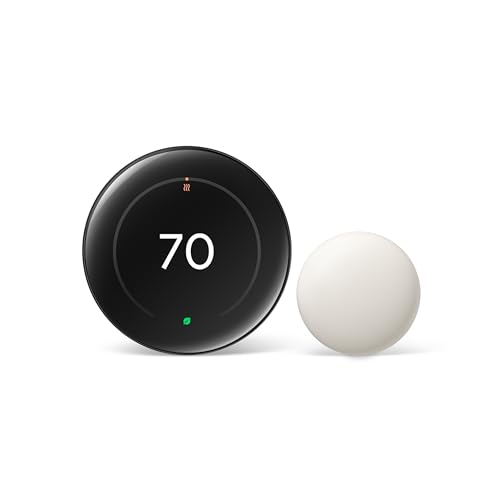
Google Nest Thermostat 2020
A homeowner should also check the HVAC monitoring, because it alerts if the heating or cooling system needs attention, which can prevent a breakdown in winter. Its mirrored display blends into a wall when idle, and its simple schedule is easy to set, while its low cost means a household can try smart heating without a big spend, and its app control means the temperature can be changed from anywhere, even on holiday.
Key specs: Mirrored display, 2.0-inch, Wi-Fi, simple schedule, Eco temperatures, Home and Away routines, HVAC monitoring
The Google Nest Thermostat 2020 is the best budget Nest programmable thermostat, because its simple schedule is easy to set, its Eco temperatures can be set for heating and cooling, and its Home and Away routines use a phone location to know when the house is empty, turning the temperature to Eco automatically. Its mirrored display shows the temperature through a reflective face, and its HVAC monitoring alerts a homeowner if the heating or cooling system needs attention, which can prevent a breakdown in winter.
The Nest Thermostat 2020 offers a 2.0-inch mirrored display, Wi-Fi, and a simple schedule that can be set in its app, with Home and Away routines that use a phone location. Its Eco temperatures can be set for heating and cooling, and its fan setting can run on a schedule, though it is simpler than the Learning models. It works with Google Assistant and Alexa, and with most forced air, heat pump, and radiant systems, though it needs a C-wire in most homes, and a Power Connector is available for systems without one. It does not learn a schedule, so a household must set its own, but its Energy Star certification means it meets efficiency standards, and its HVAC monitoring is a useful safety net.
Strengths:
- Simplest schedule here
- Eco temperatures for heating and cooling
- HVAC monitoring alerts for faults
Trade-offs:
- No learning schedule, set it manually
- Needs a C-wire in most homes
- No room sensors included
Who it fits: Households who want a simple programmable thermostat at a lower cost, and anyone buying their first smart thermostat.
Best for: households who want a simple programmable thermostat at a lower cost / Not suited for: households who want a thermostat that learns automatically
The Google Nest Thermostat 2020 is a good choice for a first smart thermostat, because its simple schedule is easy to set, its Eco temperatures save money when the house is empty, and its HVAC monitoring alerts if the system needs attention. Its mirrored display looks clean on any wall, and its app control means the temperature can be changed from anywhere, making it the best budget Nest programmable thermostat here.

Honeywell Home RTH9585WF Wi-Fi Touchscreen
A homeowner should also check the custom display, because it can show a photo or a message, which makes the thermostat feel like part of the home rather than a gadget. Its large touchscreen makes programming the easiest here, and its 7-day schedule can be set directly on the wall, while its Wi-Fi means the schedule can also be changed from a phone, and its Honeywell name means parts and support are easy to find.
Key specs: Large colour touchscreen, Wi-Fi, 7-day schedule, custom display, works with Alexa and Google Assistant
The Honeywell Home RTH9585WF Wi-Fi Touchscreen is the best budget wall-programmable thermostat, because its large touchscreen makes programming the easiest here, with a 7-day schedule that can be set directly on the wall, and its custom display can show a photo or a message, which makes the thermostat feel like part of the home rather than a gadget. Its Wi-Fi means the schedule can also be changed from a phone, and its Honeywell name means parts and support are easy to find.
The Honeywell Home RTH9585WF offers a large colour touchscreen, Wi-Fi, and a 7-day schedule that can be set directly on the wall, with a temporary hold and a permanent hold for when plans change. Its custom display can show a photo or a message, and its Wi-Fi means the schedule can also be changed from a phone, so a traveller can warm the home before returning. It works with Alexa and Google Assistant, and with most forced air, heat pump, and radiant systems, though it needs a C-wire in most homes. Its touchscreen is the easiest to program here, because the schedule is shown as a timeline that can be dragged, rather than a list of times that must be typed.
Strengths:
- Easiest schedule to program here
- Large touchscreen, custom display
- 7-day schedule, set directly on the wall
Trade-offs:
- Needs a C-wire in most homes
- No room sensors included
- No learning schedule
Who it fits: Households who want to program on the wall, and anyone who likes a large touchscreen.
Best for: households who want to program on the wall / Not suited for: households who want a thermostat that learns automatically
The Honeywell Home RTH9585WF is a good choice for a household that likes a touchscreen, because its large display makes programming the easiest here, its 7-day schedule can be set directly on the wall, and its custom display can show a photo or a message. Its Wi-Fi means the schedule can also be changed from a phone, making it the best budget wall-programmable thermostat here.
Check price on Amazon: Honeywell Home RTH9585WF Wi-Fi Touchscreen

Ecobee3 Lite Smart Thermostat
A homeowner should also check the software support, because the Ecobee3 Lite is an older model, and a buyer should confirm it still receives updates before ordering. Its 7-day schedule can be set for weekdays and weekends separately, and its Smart Home and Away saves energy when everyone leaves, while its Power Extender Kit means it works even without a C-wire, and its app shows the saving each month.
Key specs: 7-day schedule, 3.5-inch touchscreen, Wi-Fi, Smart Home and Away, works with Alexa, Google Assistant, Apple HomeKit
The Ecobee3 Lite Smart Thermostat is the best budget Ecobee programmable thermostat, because it offers the Ecobee 7-day schedule and Smart Home and Away at a lower cost than the full Ecobee3, by leaving out the room sensor, which a buyer in a small home may not need. Its app shows the temperature, the schedule, and the energy use clearly, and its Smart Home and Away uses occupancy to know when the house is empty, turning the temperature to Eco automatically, while its Power Extender Kit means it works even in homes without a C-wire.
The Ecobee3 Lite offers a 3.5-inch touchscreen, Wi-Fi, and a 7-day schedule that can set different times for weekdays and weekends. Its Smart Home and Away uses occupancy to know when the house is empty, turning the temperature to Eco automatically, and its Power Extender Kit means it works even without a C-wire, which solves the most common installation problem. It works with Alexa, Google Assistant, Apple HomeKit, and Samsung SmartThings, and with most forced air, heat pump, and radiant systems. It does not include a room sensor, so a buyer with a cold bedroom should add one, or look at the full Ecobee3, and a buyer should check software support, because the Ecobee3 Lite is an older model.
Strengths:
- Lowest cost Ecobee here
- Power Extender Kit included, no C-wire needed
- Works with every major smart home system
Trade-offs:
- No room sensor included
- Older model, check software support
- No built-in voice control
Who it fits: Small homes that do not need a room sensor, and anyone who wants Ecobee quality at a lower cost.
Best for: small homes that do not need a room sensor / Not suited for: households with a cold bedroom who need a sensor included
The Ecobee3 Lite is a good choice for a small home, because its 7-day schedule can be set for weekdays and weekends separately, its Smart Home and Away saves energy when everyone leaves, and its Power Extender Kit means it works even without a C-wire. Its app shows the saving each month, making it the best budget Ecobee programmable thermostat here.
Check price on Amazon: Ecobee3 Lite Smart Thermostat
Quick Comparison
The table below gives a fast overview of the picks in this guide, so you can shortlist two or three before reading the detail. Every entry here is a real, widely sold product, and each one suits a slightly different tablet, habit, or budget.
| Thermostat | Display / schedule | Best for |
|---|---|---|
| Amazon Smart Thermostat | Alexa routines, C-wire adapter included | Best budget programmable thermostat overall |
| Honeywell Home T5 Smart Thermostat | 7-day schedule, geofencing | Best budget Honeywell programmable thermostat |
| Emerson Sensi Touch | Colour touchscreen, flexible scheduling | Best budget display programmable thermostat |
| Google Nest Thermostat 2020 | Mirrored display, simple schedule | Best budget Nest programmable thermostat |
| Honeywell Home RTH9585WF Wi-Fi Touchscreen | Large touchscreen, custom display | Best budget wall-programmable thermostat |
| Ecobee3 Lite Smart Thermostat | 7-day schedule, no room sensor | Best budget Ecobee programmable thermostat |
Buying Guide
Choose on schedule depth first, because a budget programmable thermostat should offer a 7-day schedule, a temporary hold, a permanent hold, and a vacation hold, so a household can set it once and forget it, yet change it when plans change. A buyer should check how many periods per day the schedule offers, because four periods, morning, day, evening, and night, is enough for most households, while two periods cannot tell morning from night, and a buyer who wants more should look for a thermostat with more periods.
Check what is left out, because a budget thermostat saves cost by leaving out a feature, and a buyer should check which feature was left out. A thermostat without a room sensor is a poor buy for a home with a cold bedroom, while one without learning is a poor buy for a household that wants it, and a buyer should list the features that matter for their home, compare a shortlist on each one, and choose the thermostat that is good at everything that matters.
Check C-wire compatibility, because most smart thermostats need a C-wire for constant power, and a home without one needs an adapter. A buyer should photograph the wiring behind the old thermostat, look for a C-wire, and use the manufacturer compatibility tool, because a thermostat that arrives without a C-wire solution may need a professional to install it, while one with a Power Extender Kit or a C-wire adapter works without one, and the adapter in the box is worth more than a discount on the thermostat.
Check the app, because a budget thermostat that is hard to use from a phone is no better than a manual one, and the app should show the temperature, the schedule, and the energy use clearly. A buyer should check that the app works on their phone, that it shows the saving each month, and that it allows a schedule to be changed from anywhere, because a thermostat that can only be changed at the wall is a poor buy for a traveller.
Check software support, because a budget model may no longer receive updates, and a thermostat without updates may lose features or stop working with a phone app. A buyer should check the manufacturer support page, look for the latest software version, and buy from a retailer with a clear return policy, because a thermostat that cannot be updated is a poor buy at any cost, and a buyer who wants guaranteed updates should look at a newer model instead.
Usage and Care
Review the schedule each season, because a household routine changes with the seasons, and a schedule that suited winter may not suit summer. A homeowner should check the schedule at the start of each season, adjust Eco temperatures for the weather, and check the Energy History, because it shows how much energy was used and whether the settings need tuning. A homeowner should also update the thermostat software, because updates fix bugs and add features.
Keep the thermostat clean and away from heat sources, because dust on a sensor can make a thermostat read the wrong temperature, and a thermostat near a lamp or a sunny window will read too warm. A homeowner should wipe the display regularly, and should keep the thermostat away from direct sunlight and draughts, because a thermostat in sunlight reads too warm and one in a draught reads too cold, which makes every setting wrong, no matter how well it is programmed.
Common Mistakes to Avoid
The most common mistake is buying on cost alone, because a thermostat that is cheap but lacks the features a household needs is a poor buy, no matter how low its cost. Before buying, list the features that matter, such as a 7-day schedule, geofencing, room sensing, and voice control, compare a shortlist on each one, and choose the thermostat that is good at everything that matters, because a thermostat that is cheap and wrong will be replaced, which costs more than buying the right one first.
Another common mistake is forgetting to cancel a permanent hold, because a thermostat on permanent hold will stay at the hold temperature until changed, which wastes energy for weeks. Before buying, check that the thermostat offers a vacation hold, because it returns to the schedule automatically on return, and a homeowner should use a temporary hold for a short trip, because it returns to the schedule automatically, while a permanent hold is best for a long holiday, because it stays until changed.
Final Recommendation
For most households, the best programmable thermostat under 50 is the one with a schedule that is easy to set and easy to change, with Wi-Fi that stays connected and an app that is clear, and with the features that matter for their home. The Amazon Smart Thermostat is the best overall, the Honeywell Home T5 is the best Honeywell, the Emerson Sensi Touch has the best display, the Nest Thermostat 2020 is the best Nest, the Honeywell Home RTH9585WF is the best for programming on the wall, and the Ecobee3 Lite is the best Ecobee. Check the schedule, the C-wire, and the software support before buying.
Frequently Asked Questions
What is the best programmable thermostat under 50?
The best programmable thermostat under 50 is the Amazon Smart Thermostat overall, because it offers a schedule, Alexa routines, and a C-wire adapter in the box, at the lowest cost here. The Honeywell Home T5 is the best Honeywell, the Emerson Sensi Touch has the best display, and the Ecobee3 Lite is the best Ecobee, so a buyer should choose on schedule, sensors, and budget, not on brand alone, and should check that the model still receives updates before ordering.
What features do budget thermostats leave out?
A budget thermostat saves cost by leaving out a feature, such as a room sensor, a learning schedule, or a premium display, and a buyer should check which feature was left out. A thermostat without a room sensor is a poor buy for a home with a cold bedroom, while one without learning is a poor buy for a household that wants it, and a buyer should list the features that matter for their home, compare a shortlist on each one, and choose the thermostat that is good at everything that matters.
Do I need a C-wire for a budget thermostat?
Most budget thermostats need a C-wire for constant power, though some models include a C-wire adapter or a Power Extender Kit for homes without one. A buyer should photograph the wiring behind the old thermostat, look for a C-wire, and use the manufacturer compatibility tool, because a thermostat that arrives without a C-wire solution may need a professional to install it, while one with an adapter works without one.
Can a budget thermostat save as much energy as a premium one?
A budget thermostat can save almost as much energy as a premium one, because the saving comes from a good schedule, geofencing, and Eco temperatures, which most budget models offer, while a learning schedule and room sensors add only a little more. A homeowner should set a 7-day schedule, use geofencing, and check the Energy History after a month, because it shows how much energy was used and whether the settings saved enough, and should let a learning thermostat learn for a week, because manual changes teach it the wrong lesson.
Should I buy a budget thermostat or a premium one?
A budget thermostat suits a household that wants a good schedule, Wi-Fi control, and a clear app, without paying for learning, room sensing, or a premium display, while a premium thermostat suits one that wants those features, because a learning schedule adapts on its own and a room sensor heats the rooms people actually use. A buyer should list the features that matter, compare a shortlist on each one, and choose the thermostat that is good at everything that matters.
What is a vacation hold on a thermostat?
A vacation hold keeps a thermostat at a safe temperature while a household is away, without changing the schedule, and returns to the schedule automatically on return. A homeowner should set a hold temperature that keeps the home safe, such as a low heating temperature in winter to prevent frozen pipes, and should use a temporary hold for a short trip, because it returns to the schedule automatically, while a permanent hold is best for a long holiday, because it stays until changed.
Can a budget thermostat work without Wi-Fi?
A budget thermostat can control heating and cooling without Wi-Fi, because its schedule runs on the device itself, but remote control and energy reports need Wi-Fi. A homeowner whose internet drops will still have a warm home, because the thermostat keeps its schedule, though it cannot be changed from a phone until Wi-Fi returns. A buyer should check that the thermostat stores its schedule locally, because one that needs the cloud for basic control is a poor buy.
What features do budget thermostats leave out?
A budget thermostat saves cost by leaving out a feature, such as a room sensor, a learning schedule, or a premium display, and a buyer should check which feature was left out. A thermostat without a room sensor is a poor buy for a home with a cold bedroom, while one without learning is a poor buy for a household that wants it, and a buyer should list the features that matter for their home, compare a shortlist on each one, and choose the thermostat that is good at everything that matters.
Can a budget thermostat save as much energy as a premium one?
A budget thermostat can save almost as much energy as a premium one, because the saving comes from a good schedule, geofencing, and Eco temperatures, which most budget models offer, while a learning schedule and room sensors add only a little more. A homeowner should set a 7-day schedule, use geofencing, and check the Energy History after a month, because it shows how much energy was used and whether the settings saved enough, and should let a learning thermostat learn for a week, because manual changes teach it the wrong lesson.
Related Reading
More guides from WidgetVerdict on the same topic:
- Best High Flow Thermostat
- Best Thermostat for Mr Cool Universal
- Best Wireless Routers for Smart Homes