What's inside
- Key Takeaways
- Quick Picks
- How We Chose These Picks
- Comparison
- Does screen size matter more than screen quality at this level?
- How should this budget be divided between chip, screen and memory?
- What does owning a flagship actually feel like after the first month?
- Which pick suits a creator, a gamer, and a professional who travels?
- Common Mistakes
- Final Recommendation
- Frequently Asked Questions
- Related Guides
As an Amazon Associate I earn from qualifying purchases. This post may contain affiliate links at no extra cost to you.
widgetverdict.com is reader-supported. When you buy through links on our site, we may earn an affiliate commission.
How the buying works in this guide: three machines carry Amazon links, where you can check price on Amazon and verify the full configuration in the listing title, and three are covered in prose because their specifications are chosen at order time. The under-$2k figure throughout is the topic’s budget frame — a ceiling for the class — never a price printed on any individual laptop.
Anyone hunting the best 15 laptops under 2k should be told something the marketing will not volunteer: at this level of money, the pure 15 inch laptop is quietly disappearing. The industry’s centre of gravity has split, decisively and probably permanently. Premium engineering has concentrated at 14 inches, where the finest thin machines now live, and at 16 inches, where creator flagships spread out — while the classic 15.6 inch chassis increasingly serves the budget and gaming shelves below this one. A guide that pretended otherwise, and filled its list with mediocre 15 inch machines just to honour a number, would be lying to you with a tape measure. So this shortlist does something more useful: it takes the strongest laptops this budget genuinely buys near the 15 inch class, states each one’s true screen size in the open, and explains the trade each size represents.
The three linked picks make the argument by example. Apple’s MacBook Pro 14 packs the most complete professional specification here into a 14.2 inch screen — smaller than 15, flagged plainly, and included because at this budget it is simply one of the finest laptops made. ASUS’s ROG Zephyrus G14 is another 14 inch machine, an OLED gaming-creator hybrid that embarrasses larger laptops. And Lenovo’s Legion 5a, at 15.3 inches with an OLED WQXGA panel, is the true-size standard-bearer — proof that when a 15 inch class machine at this level is good, it is very good indeed. The prose picks complete the map at 16 inches: Razer’s Blade, Dell’s XPS line, and ASUS’s ProArt, the creator flagships that show where the money above 15 inches goes.
None of this makes the search harder; it makes it honest. Decide first whether your life wants the density of 14 inches, the balance near 15, or the canvas of 16, and this budget will reward you at any of the three. Decide by the badge alone, and you may pay flagship money for a size you never wanted and a specification you never read.
Key Takeaways
- Two of the three linked picks are 14 inch machines — the MacBook Pro 14 (14.2 inch) and the Zephyrus G14 — stated openly because they are among the strongest laptops this budget buys.
- The Legion 5a is the true 15 inch class pick: a 15.3 inch OLED WQXGA display at 165Hz, Ryzen 7 250, RTX 5060 graphics, 32GB of memory and 1TB of storage, all in its listing title.
- The MacBook Pro 14’s verified configuration pairs the M5 Pro chip with 24GB of unified memory and a 1TB SSD behind a Liquid Retina XDR display.
- Every linked pick carries a 1TB SSD and at least 16GB of memory — at this budget, anything less is a misallocation.
- The 16 inch prose picks (Razer Blade 16, Dell XPS 16, ASUS ProArt P16) show where the creator-flagship money goes above the 15 inch line.
Quick Picks
| Pick | Badge | Why it is here |
|---|---|---|
| Apple MacBook Pro 14 M5 Pro | Professional Standard | A 14.2 inch Liquid Retina XDR flagship with M5 Pro power, 24GB of memory and a 1TB SSD. |
| ASUS ROG Zephyrus G14 | Compact Powerhouse | A 14 inch 3K OLED at 120Hz with Ryzen 9 and RTX 5060 graphics in a genuinely portable body. |
| Lenovo Legion 5a | True-Size Flagship | A 15.3 inch OLED WQXGA 165Hz screen, RTX 5060, 32GB of memory and a full terabyte of storage. |
| Razer Blade 16 | Prose Pick | The thinnest 16 inch gaming-creator flagship formula; configuration decides the specification. |
| Dell XPS 16 | Prose Pick | Dell’s design-led 16 inch flagship, with panel and graphics set by configuration. |
| ASUS ProArt P16 | Prose Pick | A creator-built 16 inch machine with colour work at its centre; verify the exact configuration. |
How We Chose These Picks
Size honesty was the founding rule. Every pick’s screen size is stated from its listing title or its maker’s standard specification, and the two 14 inch linked picks carry their size in their analysis rather than in a footnote, because a buyer filtering for 15 inches deserves to know exactly what they are being offered and why. The justification is quality density: at this budget, a superb 14 inch machine serves most buyers better than a mediocre 15.6 inch one, and the guide’s job is to say so plainly rather than to launder the fact.
Linked picks had to prove a flagship-grade core in their titles: a terabyte of SSD storage, at least 16GB of memory, and either a professional chip (the M5 Pro), a discrete RTX 5060, or both. All three cleared that bar, and each adds a display worth the money — XDR on the MacBook, OLED on both Windows machines. The prose picks were chosen as the reference points of the 16 inch class, the machines a buyer cross-shops when the 15 inch shelf disappoints, and they are described at family level because their configurations are chosen from menus rather than fixed in listings.
We also weighted how each maker behaves when a flagship goes wrong, because at this level the service experience is part of the product. Apple’s retail and mail-in network, Lenovo’s Legion-tier support, Dell’s premium options and ASUS’s creator-line channels each promise a different flavour of rescue, and buyers whose laptop is their livelihood should read those promises as carefully as the specifications — ideally before the purchase, certainly before the first failure. A machine that earns its living deserves a support plan with the same seriousness as its memory configuration.
Beyond the core, judging followed the life of an expensive laptop. A machine at this level is bought for four to six years, so build quality, keyboard and trackpad excellence, port selection, and the maker’s record on thermals and support weighed heavily. So did honesty about audience: the Legion is a gaming machine that creators can borrow, the ProArt is a creator machine that gamers can borrow, and the guide scores each against its own centre of gravity rather than pretending they are interchangeable. What never entered the scoring was the badge premium itself — at this budget, you are allowed to demand that every coin be visible in the product.

Apple MacBook Pro 14 M5 Pro — Professional Standard
Size disclosure first, because this guide makes promises: the MacBook Pro 14’s screen measures 14.2 inches, which is below the 15 inch class this article is named for. It leads the list anyway, and the reasoning deserves a paragraph rather than an apology. At this budget, buyers cross-shopping serious laptops encounter this machine constantly, because its combination of processing power, display quality, battery behaviour and build sits at the top of the entire industry. Excluding it on a technicality of 0.8 inches would protect a keyword and betray a reader. It is here, labelled honestly, for the buyer whose “15 inch” was always shorthand for “the serious size” — and who may find that the serious size, in Apple’s hands, is this one.
The verified configuration is formidable in the quiet way Apple prefers. The listing specifies the M5 Pro chip with a 15-core CPU and 16-core GPU, 24GB of unified memory, and a 1TB SSD, behind a 14.2 inch Liquid Retina XDR display. XDR is the operative word: this is Apple’s professional panel technology, with the contrast and highlight headroom that make HDR content and colour-critical work look the way their creators intended. The 24GB memory figure matters more than it appears to — it is the configuration that lets the machine hold large projects, many applications and a browser’s worth of research in memory simultaneously without ever consulting the SSD, and it future-proofs the purchase in the way that actually shows up in year four.
Daily life on the MacBook Pro is a study in removed friction. The keyboard and trackpad remain reference points for the industry. The port selection has returned to professional sanity, with the connections working users actually carry. Wi-Fi 7 in the listing keeps wireless current for years. Battery endurance under real workloads — not the video-loop theatre of spec sheets — is the machine’s signature: it works a full day like a laptop is supposed to and then works the evening too. Fans exist, unlike the Air’s silence, but they are tuned to stay out of the way until the work genuinely deserves them.
The boundaries are the platform’s, not the machine’s. macOS is a commitment: Windows-only software, some engineering tools, and most games live elsewhere, and no specification can argue a buyer out of software they need. Gaming in particular is the weak suit — the M5 Pro’s GPU is mighty for creation and indifferent to the Windows game library. Buyers inside Apple’s ecosystem, or free to choose, get the most complete laptop in this guide. Buyers whose work is chained to Windows should take the same money to the two machines below, which is precisely why they are here.
Longevity closes the case. Apple’s support windows are the industry’s longest, its resale values the industry’s stubbornest, and a Pro-tier chip with 24GB of memory has years of headroom before software notices its age. Spread across a realistic ownership, the MacBook Pro 14 is not the expensive option in this guide; it is the one whose cost per year argues hardest. The size is the only compromise, and it is printed in the first paragraph where compromises belong.
There is a quieter professional dividend in the Pro’s ecosystem gravity. Accessories, docks, cases and software presets are built first and best for this machine because its audience is the industry’s centre; a monitor arm, a travel dock, a colour profile — the Pro’s versions exist, are reviewed, and are stocked. Ownership of a benchmark product includes the benchmark’s entire supporting cast, and professionals who bill by the hour feel that support as saved time rather than as luxury.
- Display: 14.2 inch Liquid Retina XDR — below 15 inches, stated openly
- Chip: Apple M5 Pro, 15-core CPU and 16-core GPU, per the listing
- Memory and storage: 24GB unified memory, 1TB SSD
- Wireless: Wi-Fi 7
- Finish: Silver; professional port selection
Strengths
- The most complete professional specification in this guide
- XDR display serves colour-critical work and HDR film alike
- Battery endurance and support window lead the class
Trade-offs
- 14.2 inch screen is smaller than this guide’s headline class
- macOS excludes Windows-only software and most games
- Premium pricing leaves no room for a second machine
Best for: professionals whose software lives happily on macOS.
Not suited for: Windows-dependent workflows and dedicated gamers.
ASUS ROG Zephyrus G14 — Compact Powerhouse
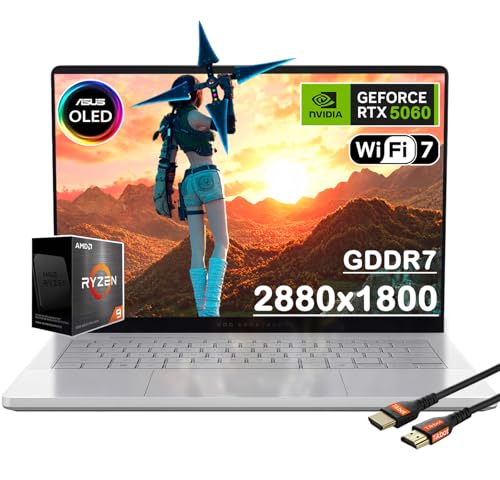
The Zephyrus G14 is the other 14 inch machine in this guide, and it makes the opposite case from the MacBook: not professional completeness, but density of power. Its verified listing specifies a 14 inch OLED display at 3K resolution with a 120Hz refresh rate, an AMD Ryzen 9 270 processor, NVIDIA GeForce RTX 5060 graphics, 16GB of memory and a 1TB PCIe SSD. Read that list again slowly. That is a specification that gaming laptops two sizes larger advertise with pride, compressed into a chassis that fits the small compartment of a carry-on and the corner of a café table. The G14 line essentially invented this category — the gaming laptop you can also take to a meeting — and this configuration is its argument refined.
The OLED panel is the machine’s soul. Games gain the pixel-response speed that makes motion look liquid, films gain true blacks, and creative work gains colour that covers the professional gamuts. The 120Hz refresh rate serves both masters: gameplay smoothness for the player, and a calm, flicker-free-feeling interface for the worker. Paired with the RTX 5060, the panel gets the frames it deserves — modern titles at high settings, creative applications with GPU acceleration engaged, and the AI-era features that NVIDIA’s current generation carries. A 14 inch screen at this density is also forgiving: pixels are small enough that the image stays sharp at distances where a larger panel would show its seams.
Portability is the dividend the size pays. Where the Legion below is a desktop that can travel, the G14 is a traveller that can game — light enough for a daily commute, compact enough for a tray table, and civilised in appearance once the gaming branding is muted by its clean design. Battery behaviour away from games is respectable in the way efficient Ryzen chips allow, and the machine’s second life as an everyday laptop is genuine rather than theoretical: keyboard, trackpad and speakers are all built to a standard that office work respects.
The physics of density set the limits, as they always do. Sustained gaming loads in a thin 14 inch chassis produce fan noise with real presence and warmth through the deck; the machine performs superbly, but it performs audibly, and a quiet room will know when a boss fight starts. Sixteen gigabytes of memory, while correct for gaming, is the slimmest figure in this guide for heavy creative multitasking, and buyers planning enormous timelines should note the Legion’s 32GB below. The screen size itself is the final trade — glorious and sharp, but a 14 inch canvas for split-screen work is a discipline, not a luxury.
None of that dims what the G14 represents at this budget: the maximum capability per litre of laptop in the industry. Buyers who move — between home, office, campus and airport — and refuse to leave performance behind will find no rival here. It is the pick for a life in motion that still wants its evenings rendered at full quality.
Hotel-room gaming is the G14’s home fixture, and it is worth picturing because it explains the machine better than benchmarks do. It rides in a carry-on, opens on a desk the size of a tray, drives a pair of earbuds and a controller, and turns a work trip’s dead evening into a session indistinguishable from home. Larger gaming laptops can do the same trick only by consuming the bag and the desk. Density is not an abstraction to the person carrying it through an airport; it is the difference between gaming tonight and gaming when you get back.
- Display: 14 inch OLED 3K, 120Hz — below 15 inches, stated openly
- Processor and graphics: AMD Ryzen 9 270 with GeForce RTX 5060
- Memory and storage: 16GB RAM, 1TB PCIe SSD
- System: Windows 11 Home; MUX switch noted in the listing
- Role: gaming-creator hybrid in a travel-size chassis
Strengths
- Unmatched power for its size anywhere near this budget
- OLED panel serves games, films and colour work equally
- Genuinely portable — a daily-carry gaming machine
Trade-offs
- Fan noise and warmth under sustained gaming loads
- 16GB of memory is the guide’s floor for creative work
- 14 inch canvas crowds split-screen productivity
Best for: commuters and travellers who game and create on the move.
Not suited for: quiet-room gamers and heavy multitaskers needing 32GB.

Lenovo Legion 5a — True-Size Flagship
And now the machine that actually matches the tape measure. The Legion 5a’s verified listing describes a 15.3 inch OLED WQXGA display at a 165Hz refresh rate, an AMD Ryzen 7 250 processor, NVIDIA GeForce RTX 5060 graphics, 32GB of memory, and 1TB of storage, in Eclipse Black. Every element of that sentence is doing flagship work. The panel is the highest-specification screen among the linked picks for motion and gaming — OLED blacks and response, resolution above Full HD, a refresh rate that competitive players actually seek. The memory doubles the guide’s floor. This is what the 15 inch class looks like when a manufacturer spends this budget tier’s money without flinching, and it sets the standard the 14 inch picks had to argue their way past.
Gaming is the Legion’s native language, and the fluency shows in details spec sheets abbreviate. The cooling system is built for sustained loads rather than benchmark sprints, so frame rates in hour three resemble frame rates in minute three. The keyboard is a gaming-grade deck with the travel and rollover that fast play demands. The RTX 5060 drives the WQXGA panel at the settings the panel deserves, and the 165Hz ceiling means the display is never the bottleneck when a title runs fast. For the player, this is the most complete machine in the guide, and it is not close.
What elevates the 5a beyond its gaming brief is how much creator it contains. Thirty-two gigabytes of memory and an OLED panel with this resolution make it a serious editing and design machine; the Ryzen processor’s core count chews through exports and compiles; the terabyte holds game libraries and project archives in the same breath. A buyer whose life mixes play and production — the student game developer, the streamer who edits, the engineer who games — finds the Legion’s centre of gravity exactly on their own. It is the guide’s great dual citizen.
The citizenship has a passport weight. Gaming hardware at this level is built around cooling, and cooling is mass: the Legion is a machine you transport rather than carry, happiest on a desk, with a battery that treats untethered gaming as a brief excursion rather than a session. Its fans under load are purposeful and audible. Its aesthetic — Eclipse Black, gaming lineage — is handsome but announces itself in a boardroom. Buyers whose days are meetings and trains should weigh the two 14 inch picks; buyers whose evenings are the point will not care about any of this, correctly.
Value, finally, is the Legion’s closing argument. At this budget tier, its specification sheet reads like machines from the tier above — the OLED, the 32GB, the current-generation graphics — because Lenovo’s Legion line competes on hardware density the way Razer competes on thinness. If your definition of this budget is maximum machine for the money at an honest 15 inch size, the search ends here.
Streaming and content creation have quietly become the Legion-class machine’s second career, and the 5a is dressed for it: the graphics card carries hardware encoding for broadcasts, the processor holds the game and the stream simultaneously, and the memory absorbs the browser, chat and editing tools orbiting the session. A buyer building a one-machine streaming setup at this budget will find the Legion’s specification reads like a checklist written by someone who has actually run a broadcast from a laptop.
- Display: 15.3 inch OLED WQXGA, 165Hz, per the verified listing title
- Processor and graphics: AMD Ryzen 7 250 with GeForce RTX 5060
- Memory and storage: 32GB memory, 1TB storage
- Model year: 2026 line, Eclipse Black
- Role: gaming flagship with genuine creator capacity
Strengths
- The best gaming display among the linked picks
- 32GB of memory doubles the class floor
- Sustained cooling keeps performance honest over long sessions
Trade-offs
- Weight and battery suit a desk more than a commute
- Fans are audible under full gaming load
- Gaming styling speaks loudly in formal settings
Best for: players and creator-players after the true 15 inch flagship experience.
Not suited for: daily commuters counting grams and socket-free hours.
Razer Blade 16 — Prose Pick
The Blade 16 is Razer’s thesis statement: that a gaming laptop should be built like a MacBook and powered like a desktop. At 16 inches it steps above this guide’s headline class, and it is here because buyers at this budget cross-shop it constantly — it is the machine the thin-and-powerful conversation always reaches. Razer’s formula is a CNC-milled aluminium unibody of remarkable thinness for its power class, a high-refresh display chosen for both play and colour work, and current-generation graphics in configurations that climb well beyond this guide’s frame at the top end. It is covered in prose because Razer sells the Blade as a configuration menu; the specification you get is the one you select, and the selection is the purchase.
The Blade’s appeal is tactile before it is technical. It is the gaming laptop that does not apologise in a client meeting, the one whose lid closes with the damped certainty of a car door. For creators who game — or gamers who create — that dual citizenship at 16 inches, with a screen large enough for timelines and canvases, is a genuinely distinct product from the Legion’s honest bulk. Razer also understands the creator-gamer’s peripherals life, and the Blade sits at the centre of an ecosystem of docks, mice and audio that some buyers are already invested in.
The costs of thinness are physics and price. Cramming flagship graphics into a slim 16 inch body means fans that work hard and a chassis that warms under sustained play, and Razer’s pricing charges a premium for the millwork that rivals spend on raw specification. Battery life, away from the wall, is a supporting feature rather than a headline. None of this is hidden by anyone who has held the machine; the Blade simply asks its buyer to value density and finish as specifications in themselves, on equal footing with frame rates.
Shop it by configuration discipline: fix the graphics tier and memory first, confirm the display variant in the order summary, and treat the entry configuration’s compromises — rather than the halo configuration’s glory — as the honest description of any listing you are quoted. Bought with that clarity, the Blade 16 is the connoisseur’s answer at this budget: less machine per coin than the Legion, more machine per millimetre than anything.
Razer’s supporting ecosystem deserves its footnote: the company’s docks, headsets and mice are designed to the same finish standard, so a Blade owner’s desk tends to converge on a single, coherent setup. Buyers already inside that ecosystem get compounding value from the Blade that a specification table cannot show; buyers outside it should price the machine alone, on its own considerable merits, and let the ecosystem remain a pleasant option rather than a deciding argument.
- Screen class: 16 inch high-refresh display, variant set by configuration
- Build: CNC aluminium unibody, the thinnest formula in its power class
- Graphics: current-generation options chosen from Razer’s configuration menu
- Role: gaming-creator flagship where finish is a specification
- Buying check: judge the exact configuration quoted, not the halo model
Strengths
- Build quality and thinness unmatched among gaming laptops
- 16 inch canvas suits timelines, canvases and play alike
- Design that belongs in any room, including the boardroom
Trade-offs
- Premium pricing buys finish rather than raw specification
- Thin chassis runs warm and audible under sustained load
- Battery life is a supporting act, not a headline
Best for: creator-gamers who value finish and density equally.
Not suited for: value calculators who count specification per coin.
Dell XPS 16 — Prose Pick
Dell’s XPS 16 is the design studio’s flagship — the Windows machine most often placed beside the MacBook Pro in conversations about industrial design, and a 16 inch presence in this guide for the same reason as the Blade: at this budget, it is one of the reference points buyers measure everything against. The XPS formula pairs a minimalist aluminium body and an edge-to-edge aesthetic with serious internal options, and recent generations have pushed the line towards creator duty with high-resolution display options and discrete graphics on the configurations that matter. It is prose-only because Dell’s configuration menu, not any single listing, defines what an XPS 16 is.
The XPS experience is about the surface of computing: the screen’s expanse, the keyboard deck’s sculpted minimalism, the sense that every visible millimetre was argued over. For writers, designers and executives whose laptop is also their desk’s centrepiece, that surface quality is not vanity — it is the interface they touch for a thousand hours a year. Dell’s display options at this level include panels aimed at colour work, and the line’s speakers and build have historically matched its ambitions.
Minimalism extracts its price in the usual currencies. Port selection leans on USB-C and the dongle life; some XPS design choices — invisible trackpad boundaries, capacitive function rows on certain generations — divide opinion sharply between those who find them elegant and those who find them precious. Performance per coin trails the Legion’s density, because part of the budget is visibly spent on the sculpture. And Dell’s configuration ladder means the version in advertisements and the version in a given listing can be different machines in everything but name.
The buying method follows from that: choose the XPS by its order summary, line by line — panel, graphics, memory, storage — and never by the three letters. Buyers who do will own one of the most satisfying objects in this guide. Buyers who do not may own a beautiful laptop with a specification they never intended, which is the most expensive kind of buyer’s remorse there is.
Executives and consultants form the XPS’s quiet constituency, and their reasoning is presentational: the machine is opened in rooms where impressions are currency, and its design communicates the same message as a well-cut suit. That is a legitimate professional specification, no more vain than a law firm’s reception furniture. Buyers in client-facing work should count the XPS’s surface quality as working equipment — while remembering, as this guide keeps insisting, to verify the specification underneath the surface with equal care.
- Screen class: 16 inch, high-resolution options set by configuration
- Build: minimalist aluminium design flagship
- Graphics: discrete options on the configurations aimed at creators
- Ports: USB-C-centric — budget a thought for adapters
- Buying check: the order summary is the specification; the name is not
Strengths
- Industrial design at the very top of the Windows world
- Large, creator-aimed display options
- An ownership experience built around surface quality
Trade-offs
- Design choices like capacitive rows divide users
- Specification per coin trails gaming-bred rivals
- Configuration spread makes careless buying expensive
Best for: design-led professionals who live on their laptop’s surface.
Not suited for: port-heavy workflows and specification-per-coin shoppers.
ASUS ProArt P16 — Prose Pick
The ProArt P16 exists for the buyer the other five picks keep almost satisfying: the working creator. ASUS builds the ProArt line around colour and production rather than play — displays specified for colour gamuts and accuracy, creator-focused controls and software, and a design language in matte black restraint that reads as studio equipment. At 16 inches it offers the canvas that video timelines, photo canvases and 3D viewports genuinely use, and its configurations centre the memory and graphics that production workloads consume. It is prose-only because ProArt configurations vary, and because creator specifications — exact panel gamut, exact graphics tier — must be read off the individual listing rather than assumed from the family name.
What distinguishes the ProArt in a field of gaming cousins is intent. The Legion and the Blade can do creative work superbly, but they were designed for players and adapted; the P16 was designed for the person who grades colour at midnight and exports at dawn. Its display options prioritise accuracy over refresh spectacle. Its port selection remembers that creators plug in card readers, drives, tablets and monitors, often simultaneously. Even its keyboard and dial-style creator controls on some configurations speak the language of editing software rather than game lobbies.
The trade is the mirror of the Legion’s: gaming is the borrowed suit here. The P16 plays — its graphics tiers see to that — but its soul is production, its styling is sober, and its price reflects creator-grade panels and validation rather than frame-rate bragging. Battery and weight sit in the mobile-workstation pattern: a machine that moves between studios and desks, not one that vanishes into a tote. For the working creator, those are the correct trades, made by a manufacturer who understood the assignment.
Verify a ProArt listing on the creator’s checklist: the panel’s stated gamut and resolution, the graphics tier, memory at 32GB if timelines are large, and storage that matches the project library’s growth. A listing that answers all four in its title is a listing written by a seller who knows the audience. That audience, at this budget, gets in the P16 the most purpose-built tool in the guide.
Studios buy ProArt machines for a reason home buyers can borrow: predictability. A colour pipeline that behaves the same on Tuesday’s export as on Monday’s proof is worth more to a working creator than a faster chip with a wandering panel, and ASUS’s creator line is engineered around that steadiness — validated panels, sober thermals, ports that stay where the cables expect them. The freelancer whose clients judge files rather than laptops inherits that studio logic at a personal scale.
- Screen class: 16 inch creator panel — gamut and resolution per listing
- Design intent: colour accuracy and production workflow first
- Ports: creator-minded selection for drives, readers and displays
- Memory guidance: 32GB configurations suit large timelines
- Buying check: panel gamut must be stated, not implied by the ProArt name
Strengths
- Purpose-built for colour-critical production work
- Port selection respects a creator’s desk
- Sober studio design, free of gaming theatre
Trade-offs
- Gaming is capable but not the machine’s centre
- Creator-grade panels price above gaming equivalents
- Mobile-workstation weight and battery pattern
Best for: working video, photo and 3D creators at 16 inches.
Not suited for: players chasing refresh rates above all else.
Comparison
| Pick | True size | Proven core | Character |
|---|---|---|---|
| Apple MacBook Pro 14 M5 Pro | 14.2 inch — below the class, flagged openly | M5 Pro, 24GB unified memory, 1TB SSD, Liquid Retina XDR | The professional standard; battery and polish lead |
| ASUS ROG Zephyrus G14 | 14 inch — below the class, flagged openly | Ryzen 9 270, RTX 5060, 16GB, 1TB SSD, 3K OLED 120Hz | Maximum power per litre; the traveller’s flagship |
| Lenovo Legion 5a | 15.3 inch — the true-size pick | Ryzen 7 250, RTX 5060, 32GB, 1TB, OLED WQXGA 165Hz | Gaming flagship with a creator’s second life |
| Razer Blade 16 | 16 inch — above the class | Configuration menu; CNC unibody, current-gen graphics options | Finish and density as specifications |
| Dell XPS 16 | 16 inch — above the class | Configuration menu; design flagship with creator display options | Surface quality and minimalism |
| ASUS ProArt P16 | 16 inch — above the class | Configuration family; creator panels and production intent | The working creator’s tool |
Does screen size matter more than screen quality at this level?
Quality, and the margin is not small. A superb 14 inch OLED or XDR panel shows a better picture — deeper contrast, truer colour, cleaner motion — than a mediocre 15.6 inch LCD at every distance a laptop is actually used, because laptop viewing happens at arm’s length, where panel character dominates and size differences of an inch shrink to a shrug. This is the technical foundation under the guide’s size honesty: the two 14 inch picks are not consolation prizes for a missing 15, they are two of the finest screens money buys in any laptop, and their size is the price of their density.
Size reasserts itself in one arena: shared and spatial work. Split-screen productivity, timelines with many tracks, spreadsheets with many columns, and two people watching one screen all spend physical area, and no panel quality refunds it. The 16 inch prose picks exist for buyers whose work is spatial. The mature way to read this guide is therefore not as a ranking of sizes but as a fork — density at 14, balance at 15.3, canvas at 16 — with quality held high on every branch. Buyers who choose their branch by their work, rather than by the keyword that brought them here, will be served by any of the six.
There is a posture footnote worth adding. Larger screens invite desk use and smaller screens invite laps, sofas and trays; the size you choose quietly chooses your furniture. A 16 inch creator flagship bought for a life of trains will disappoint exactly as much as a 14 inch traveller bought for a life of timelines. The screen is the laptop’s largest promise about how your days will be arranged — read it that way.
How should this budget be divided between chip, screen and memory?
Memory first, because it cannot be fixed later and because this class of machine is bought for years. Sixteen gigabytes is the floor the linked picks observe; 24GB in the MacBook and 32GB in the Legion show where the sensible money goes when workloads are professional. A buyer choosing between a stronger chip with 16GB and a lesser chip with 32GB should take the memory for production work and the chip for gaming, and should never, at this level, accept 8GB in any configuration of anything.
Screen second, because it is the component you experience continuously and the one whose quality cannot be upgraded with a peripheral — well, not without turning the laptop into a desktop. The OLED and XDR panels in this guide are what the budget is for. Chip third, not because it matters least but because at this tier every chip on offer is genuinely fast; the differences appear in exports, renders and frame rates rather than in daily feel. Storage last: a terabyte is the correct target, it is present in every linked pick, and external drives forgive a shortfall more gracefully than soldered memory ever will.
The division rule, compressed: buy the memory you cannot add, the screen you cannot replace, the chip you will grow into, and the storage you can supplement. Every pick in this guide was scored against that sentence. One refinement for buyers torn between two configurations of the same machine: choose the one whose advantage you will feel daily over the one whose advantage you will feel measurably. A brighter panel greets you every morning; a marginally faster export greets you on Friday afternoons. Both are real, but they are not equal, and at this budget the daily advantage is almost always the wiser purchase.
What does owning a flagship actually feel like after the first month?
The first week of a flagship is all spectacle — the screen, the speed, the machined edges. The first month is when the real specifications announce themselves, and they are mostly the ones that never appear in advertisements. Sleep and wake behaviour: the MacBook and the better Windows machines here resume mid-sentence, while lesser laptops treat every lid-open as a small reboot. Thermal manners at idle: a flagship is silent during reading and writing, reserving its fans for work that deserves them, and the difference between a silent desk and a faintly breathing one compounds across a thousand working hours. Trackpad trust: you stop carrying a mouse, then you stop owning one.
Month two is when the ecosystem and support questions stop being theoretical. A driver update lands cleanly or it does not. The manufacturer’s support answers with knowledge or with a script. The battery’s reported health, the hinge’s continued silence, the keyboard’s unchanging feel — these are the compound interest of build quality, and they are why this budget tier exists. Buyers who have owned a cheap laptop into its difficult third year understand instantly what the money buys; buyers who have not should trust the arithmetic of everyone who has: the flagship is the one still being praised in year four, in the past tense of problems never had.
What a flagship does to your standards is a further matter, which is a cost nobody lists. After a season with an XDR or OLED panel, ordinary screens look like rumours. After a season of all-day battery, socket-hunting feels like a design failure in every other machine. This guide mentions it only half in jest: buying at this level is partly buying a new baseline, and the baseline follows you into every future purchase. Choose the machine whose baseline you would enjoy being spoiled by.
Which pick suits a creator, a gamer, and a professional who travels?
Creators should sort this guide by panel intent. The ProArt P16 is the purpose-built answer — colour-first displays, production-minded ports, configurations centred on memory and graphics for timelines. The MacBook Pro 14 answers creators inside Apple’s ecosystem with the XDR panel and the Pro chip’s media engines, in a body that travels to shoots and clients. The Legion 5a is the creator’s value route: its OLED and 32GB serve editing genuinely, and its gaming soul is a bonus rather than a compromise, provided the work does not demand certified colour pipelines.
Gamers sort by refresh and cooling. The Legion’s 165Hz OLED and sustained thermal design make it the guide’s playing machine; the Zephyrus G14 trades a measure of that sustained muscle for a body that commutes, and for the player whose gaming happens in hotels, friends’ houses and campus rooms, the trade is inspired. The Blade 16 is the gamer’s luxury answer, where finish shares the budget with frame rates. The MacBook, for all its power, is the one machine here a serious player should skip — its library, not its silicon, is the limitation.
Travelling professionals sort by kilograms and sockets. The MacBook Pro’s battery makes it the default for long itineraries in its ecosystem; the Zephyrus is the Windows traveller, dense with capability and light in the bag; the XPS 16 serves the traveller whose work is presentations and documents and whose journeys end at desks with docks. The Legion and ProArt travel the way equipment travels — deliberately, in a proper bag, to a place where they will sit and work. None of these is a wrong answer; each is a right answer to a different itinerary, which is the entire structure of this guide in one paragraph.
Common Mistakes
Filtering by size alone is the signature error at this budget, and this guide was written against it. The buyer who rejects the MacBook Pro 14 and the Zephyrus G14 unread, because a filter said 15, has optimised for a tape measure and against two of the finest laptops sold. Size is a preference to weigh, not a gate to slam — especially when the strongest true-15 option, the Legion, is sitting in the same list for those who weigh it and still want the inches.
Paying the badge premium without auditing the configuration runs second. At this level, famous names sell entry configurations that borrow the halo of their flagship siblings — less memory, lesser panels, last generation’s graphics. The defence is the one this guide applies to its prose picks: read the configuration as the product, and the badge as packaging. A fully specified Legion will out-serve a thinly specified flagship every day of its life.
Finally, buyers at this level routinely overbuy processor and underbuy everything they touch. The keyboard, the trackpad, the screen and the speakers mediate every hour of ownership, while the difference between two flagship chips appears in minutes per week. Sit with the machine’s surfaces when you choose; benchmarks are the easiest part of this purchase to get right and the least important part to get perfect.
Final Recommendation
If your software allows macOS, the MacBook Pro 14 M5 Pro is the default answer at this budget — the most complete professional laptop here, with the XDR screen, the 24GB configuration and the battery to make its 14.2 inch size feel like a choice rather than a compromise. Say its size out loud, decide it suits your furniture and your daily bag, and buy the industry’s benchmark.
A word on the budget itself before the verdicts: this tier is where laptop spending stops buying adequacy and starts buying preference. Below it, money removes problems; at it, money expresses priorities — density, canvas, colour, finish. That is why this guide refuses to crown a single winner for everyone, and why the honest buyer’s work is self-knowledge: the itinerary, the software list, the furniture. The machines are all excellent; the fit is the variable.
If your life is Windows and motion, the Zephyrus G14 concentrates this budget into the most portable power available. If your life is Windows and evenings — games, edits, streams — the Legion 5a is the true-size flagship and the specification-per-coin champion of the guide. And if your work is spatial or colour-critical, take the same money to the 16 inch prose picks with the configuration checklist in hand: the Blade for finish, the XPS for design, the ProArt for production. This budget, spent with open eyes about size, buys a machine with no apologies left in it — only preferences, honestly chosen, and years of mornings on which the lid opens onto exactly the computer you meant to buy.
Frequently Asked Questions
Why does a guide to 15 inch laptops include 14 and 16 inch machines?
Because at this budget the strongest laptops cluster at those sizes, and pretending otherwise would fill the list with weaker machines chosen by a tape measure. Every pick’s true size is stated in its analysis and in the comparison table. The Legion 5a at 15.3 inches is the true-size flagship; the 14 inch picks win on density and portability; the 16 inch picks win on canvas. Choose the trade knowingly.
Is the RTX 5060 enough for modern games?
On the panels in this guide, yes, with settings chosen sensibly. The Zephyrus pairs it with a 3K OLED where the GPU works hard at native resolution, and the Legion pairs it with a WQXGA 165Hz panel that rewards high frame rates in competitive titles. Both machines also carry the current generation’s upscaling features, which extend their reach considerably. Buyers chasing maximum settings at maximum refresh in every title are shopping a tier above this one.
How much memory do I need at this level?
Sixteen gigabytes for gaming and general professional work, 24GB or more for production — large timelines, virtual machines, serious multitasking. The MacBook’s 24GB and the Legion’s 32GB configurations exist because their audiences feel memory ceilings weekly. Since none of these machines lets you add memory later, buy the figure your year-three workload needs, not your month-one one. If two configurations differ only in memory and the price gap looks steep, remember what the gap is actually purchasing: the difference between a machine that feels new in its fourth year and one that feels borrowed.
MacBook Pro or a Windows flagship — how do I decide?
By software, not by hardware. List the applications your work and play actually require; if they all live on macOS, the MacBook Pro’s integration, battery and support make it the guide’s default. If any essential title is Windows-only — most games, some engineering and business tools — the decision is made for you, and the Zephyrus and Legion divide the Windows answer by portability. Hardware comparisons between the platforms mostly measure the wrong thing.
Are OLED screens a risk for work laptops?
Modern OLED panels include pixel-care features that have made burn-in a minor concern for varied content, and both OLED picks here are built by manufacturers with generations of panel experience. Static interfaces left at full brightness for years can mark any OLED; normal mixed use — documents, video, games, browsing — is the workload these panels are designed for. The Legion and Zephyrus also repay the small care they ask with the best pictures in the guide.
How long will a laptop at this level stay fast?
Four to six years is the honest horizon, with the specification deciding where in that range a machine lands. The MacBook’s support window and the Legion’s memory give them the longest runways. Buyers planning around that horizon should also protect the machine’s second life from day one: a case for travel, a surge protector at the desk, and a backup habit that assumes the laptop is mortal. Flagships die the same deaths as budget machines — drops, spills, theft — and the difference in replacement cost is the strongest argument for treating the expensive one like the asset it is. Batteries will age before processors do, and a battery replacement midway through ownership is normal maintenance at this tier, not a failure — budget for it the way you would for tyres on a good car.
Related Guides
Still calibrating the budget? The value tier in the best 15 lenovo laptops maps one maker’s full range from budget to Legion, the household shortlist in the best 15 standard laptops for home use shows how far simpler needs can stretch the same money, and the extreme end of thrift in the best 150 dollar laptops is a bracing reminder of what this budget’s abundance actually means.
Related guides
- Best Gaming Keyboard: Six Boards From Rapid-Trigger Esports Picks to Macro Flagships
- Best Time Machine Compatible Hard Drives: Mac-Ready and Reformatted Picks
- Best 3.0 Qualcomm Quick Chargers: QC 3.0 Adapters That Still Earn Their Outlet
- Best 3D Mechanical Engineering Laptops: Certified Workstations for CAD and Simulation


