What's inside
- Key Takeaways
- Quick Picks
- How did we pick gaming laptops for a $1500-class budget?
- How do the six gaming picks stack up?
- Which matters more for gaming: the GPU tier or the processor?
- How do you set up a gaming laptop for its first month?
- Can a gaming laptop in this class replace a desktop?
- What settings should you change before your first session?
- How do you choose between a 14-inch and a 16-inch gaming laptop?
- How loud is too loud? Living with gaming-laptop fans
- How do you travel with a gaming laptop without hating it?
- What do gaming laptop buyers get wrong at this level?
- Final Recommendation
- What should you check during the first week?
- How do you make a gaming laptop last longer?
- Frequently Asked Questions
- Related Guides
As an Amazon Associate I earn from qualifying purchases. This post may contain affiliate links at no extra cost to you.
widgetverdict.com is reader-supported. When you buy through links on our site, we may earn an affiliate commission.
Gaming laptops obey a crueller arithmetic than ordinary ones: every dollar spent on styling, thinness or a fancy hinge is a dollar not spent on the graphics chip that decides your frame rates. The best 1500 dollar laptops gaming buyers can choose are the ones that respect that arithmetic — machines that pour the budget into the GPU, the cooling that lets it breathe and a screen fast enough to show what it produces. This guide covers six of them, three with purchase links to verified listings and three covered by specification because their configurations rotate too quickly for a single link to stay truthful.
Expect a clear pattern across the six. The graphics card is a current-generation NVIDIA RTX part, the display runs at 240Hz or 300Hz rather than the 60Hz of office machines, and memory and storage start at sensible gaming baselines rather than the minimums that force upgrades within a year. Where the picks differ is philosophy: one is a 16-inch Lenovo tuned for raw value, one is a compact ASUS that hides its power in a 14-inch travel body, and one is a full-throttle 16-inch ASUS with the fastest screen in the guide.
One clarification about the money, stated once and applicable throughout: $1500 is the theme of this guide, the budget envelope to plan around, not a price attached to any individual machine. Gaming laptop listings are reconfigured constantly, so when you follow a link, check price on Amazon and — more importantly — check that the graphics card, memory and storage on that listing match the specification described in its section here. A laptop with the same name and a weaker GPU is not the pick we reviewed.
Key Takeaways
- All three linked picks pair a current RTX graphics card with a high-refresh screen — 240Hz or 300Hz — because a fast GPU behind a slow panel wastes its own output.
- The Legion Pro 5 is the value anchor: Ryzen 9 power and an RTX 5060 in a 16-inch WQXGA chassis built for long sessions.
- The Zephyrus G14 is the only pick here that genuinely travels, hiding an RTX 5060 and an OLED 3K screen in a 14-inch body.
- The Strix G16 carries the most memory of the linked trio at 32GB and the fastest display, at 300Hz.
- The three prose-only picks cover a larger Acer, a restrained HP and a Gigabyte alternative — shop each by GPU model first, name second.
Quick Picks
| Pick | Badge | Why it earns its place |
|---|---|---|
| Lenovo Legion Pro 5 (Ryzen 9, RTX 5060) | Value performance anchor | Ryzen 9 muscle and an RTX 5060 driving a 16-inch WQXGA screen — the balanced core of this guide. |
| ASUS ROG Zephyrus G14 (RTX 5060) | Portable power | An RTX 5060 and a 3K OLED screen inside a 14-inch laptop you can forget is in your bag. |
| ASUS ROG Strix G16 (RTX 5070) | Esports-speed screen | An RTX 5070, 32GB of memory and a 300Hz panel — the most headroom of any linked pick here. |
| Acer Predator Helios Neo 16 | Big-screen value hunter | Acer’s formula: current RTX graphics and a fast 16-inch panel with the styling budget spent on cooling instead. |
| HP OMEN 16 | Restrained alternative | Gaming hardware in a chassis that keeps its voice down — the OMEN suits shared spaces and older buyers. |
| Gigabyte AORUS 16X | Enthusiast wildcard | Gigabyte’s gamer-first tuning, strong cooling and high-refresh panels for buyers who know the brand from motherboards. |
How did we pick gaming laptops for a $1500-class budget?
We ranked by graphics silicon first, because at this level the GPU decides how the machine ages. A gaming laptop’s processor can be a step behind the flagship and still feed modern titles happily, but a graphics card a generation or a tier too weak cannot be upgraded, overclocked into a different class or forgiven. Every pick in this guide therefore starts from a current-generation RTX card with enough video memory for high settings at the native resolution of its screen.
Cooling came second. Two laptops with identical chips can perform very differently across a three-hour session depending on fan design, vent placement and how aggressively the manufacturer lets temperatures climb before throttling. We favoured machines with reputations for holding their clocks — full-size chassis with dual fans and unobstructed exhausts — over slim designs that post heroic burst benchmarks and then settle well below them.
Screen and storage completed the filter. A gaming display needs the refresh rate to match the hardware, so 240Hz-class panels are the norm here, and a 1TB drive is the practical baseline when individual game installs routinely occupy a tenth of a smaller disk. Memory at 16GB is workable today; 32GB, where a pick offers it, is the configuration that will still feel generous when the machine is three years old.
We also applied a noise-and-heat sanity filter that raw specifications cannot express: machines with reputations for throttling their graphics cards to silence within minutes, or for fan behaviour that makes shared rooms untenable, were set aside even when their paper specifications matched the picks. A gaming laptop’s performance is a thirty-minute figure, not a thirty-second one, and the six machines here were chosen because their designs — full-size cooling, honest wattage, mature fan tuning — sustain what their listings promise across the sessions players actually play.
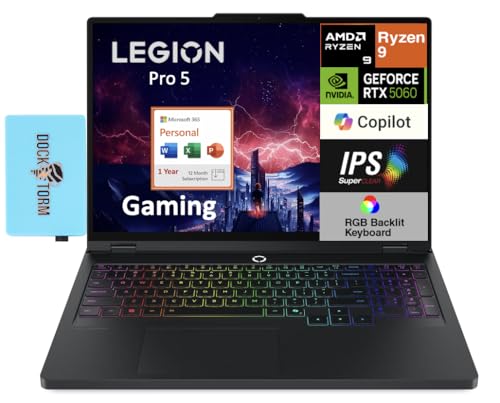
Lenovo Legion Pro 5 (Ryzen 9, RTX 5060) — Value performance anchor
Lenovo’s Legion Pro line has built its reputation on spending money where gamers feel it, and this configuration reads like the manifesto: an AMD Ryzen 9 8945HX processor, a GeForce RTX 5060 with 8GB of video memory, 16GB of DDR5 and a 1TB SSD, behind a 16-inch WQXGA display. The Ryzen 9 is a high-core-count desktop-class chip in mobile clothing, which matters for the growing set of games — strategy titles, simulations, big open worlds — that lean on the processor as hard as the graphics card.
The chassis supports the specification properly. Legion Pro machines are unapologetically thick, with rear exhausts that push hot air away from the user’s hands and a cooling system sized for sustained rather than theatrical performance. The keyboard is a proper gaming unit with real travel, and the port spread — including wired networking on Legion Pro models — suits a desk-bound battlestation that occasionally travels rather than a laptop that occasionally games.
The class asks honest compromises in return. This is a heavy machine with a large power brick, its battery is a UPS for moving between rooms rather than a gaming power source, and 16GB of memory, while fine today, is the figure most likely to invite an upgrade later — Legion’s accessible internals at least make that upgrade possible, which is more than the slimmer picks here can promise.
A word about the Legion’s keyboard and screen pairing, because long sessions are where this machine earns its keep. The full-travel keys tolerate hours of play without the finger fatigue shallow boards induce, and the WQXGA resolution is the sweet spot for an RTX 5060: sharp enough that text and interfaces look crisp, modest enough that the card can feed it at high settings with upscaling rather than gasping. Buyers tempted to chase a 4K gaming panel at this level should sit with that arithmetic — the Legion’s matched pairing will look better in motion than a mismatched flagship screen starved of frames.
The Legion’s display earns one more line: WQXGA at 16 inches gives strategy interfaces and creation timelines room that Full HD cannot, and its brightness holds up in lit rooms where dimmer gaming panels wash out. It is a screen chosen for the games this machine’s processor loves most.
The Legion’s rear-port layout is a battlestation courtesy worth copying across the industry: power, display and network at the back, where a desk’s cable gravity wants them, leaving the sides clear for the mouse hand. Small civilities, repeated nightly, are what separate a rig from a laptop that games.
- Display: 16-inch WQXGA per listing title
- Processor: AMD Ryzen 9 8945HX
- Graphics: NVIDIA GeForce RTX 5060, 8GB
- Memory: 16GB DDR5
- Storage: 1TB SSD
- Operating system: Windows 11 Home; bundle extras per listing
Strengths
- Desktop-class Ryzen 9 gives strategy and simulation titles real processor headroom
- Cooling and chassis sized for sustained clocks across long sessions
- Upgrade-friendly internals by gaming-laptop standards
Trade-offs
- Heavy chassis and power brick limit how often you will actually carry it
- 16GB of memory is adequate now but the likeliest future upgrade
- Battery life is for relocation, not for playing away from a socket
Best for: desk-based players running demanding modern titles, after the strongest all-round specification in the guide
Not suited for: students hauling a laptop across campus daily, or anyone planning to game on battery
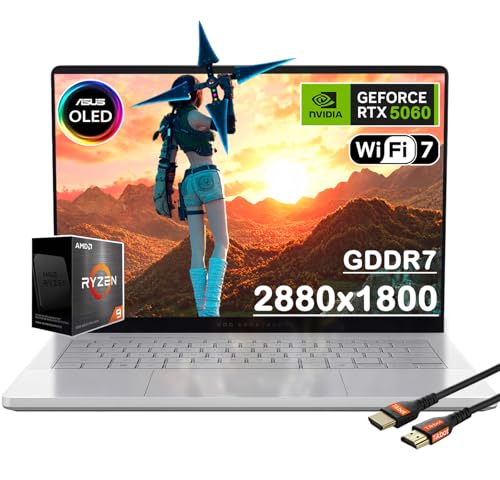
ASUS ROG Zephyrus G14 (RTX 5060) — Portable power
The Zephyrus G14 exists to disprove the assumption that gaming power requires a gaming-laptop silhouette. This listing describes a 14-inch machine with an OLED 3K display at 120Hz, an AMD Ryzen 9 270 processor, a GeForce RTX 5060, 16GB of RAM and a 1TB PCIe SSD — a specification that would not embarrass a full-size rig — in a chassis slim and plain enough to open in a client meeting without comment. The MUX switch in the listing matters more than it sounds: it lets the discrete GPU drive the display directly, recovering frames that hybrid graphics routing leaves on the table.
The OLED panel is the delight of the package. Its per-pixel lighting gives games the true blacks and contrast that make night scenes and space titles look extraordinary, and 120Hz is a sensible match for what an RTX 5060 can actually deliver at 3K in modern games with upscaling. For mixed lives — work by day, play by night, travel between — nothing else in this guide covers so much ground.
Physics collects its fee in sustained loads and serviceability. The compact chassis cannot move air like the Legion Pro, so long sessions run warmer and louder relative to size, and the memory in this class of Zephyrus is not a user-upgrade project. Battery life is excellent for a gaming laptop precisely because the machine behaves like an ultraportable when the GPU sleeps — but play unplugged and that advantage evaporates like any other.
The G14’s party trick, less discussed than its size, is how completely it moonlights. Close the game and it is a premium ultraportable: quiet, cool, with a screen that flatters documents and films and a battery that treats a workday as a warm-up. That duality is why it anchors so many one-machine lives — the student whose dorm desk is also a library desk, the professional whose hotel room is also an arena. No other pick in this guide crosses between those worlds without carrying evidence of the other side; the G14’s only tell is the badge, and even that is tasteful.
Charging flexibility is the G14’s unlisted feature: it can sip power over USB-C for travel days when the gaming brick stays home, accepting slower charging in exchange for a bag that weighs half as much. Few gaming laptops offer their owners that choice; travellers should value it accordingly.
For the G14’s OLED, one care habit: let its pixel-refresh and screen-saver features work, and vary static elements during long desktop sessions. The panel’s gaming beauty is worth the small disciplines, and ASUS builds the mitigations in — the owner’s job is merely not to disable them.
- Display: 14-inch OLED 3K, 120Hz
- Processor: AMD Ryzen 9 270 per listing title
- Graphics: NVIDIA GeForce RTX 5060 with MUX switch
- Memory: 16GB RAM
- Storage: 1TB PCIe SSD
- Operating system: Windows 11 Home
Strengths
- Genuine gaming specification in a meeting-safe 14-inch body
- OLED contrast transforms darker games and doubles as a superb media screen
- MUX switch ensures the GPU’s output reaches the panel undiluted
Trade-offs
- Compact cooling runs warmer and louder under marathon loads
- Memory is not a practical user upgrade on this design
- Smaller screen asks for an external monitor for desk play
Best for: players with one-machine lives — office, travel and gaming from the same 14 inches
Not suited for: marathon desktop-replacement users who prioritise cooling above portability
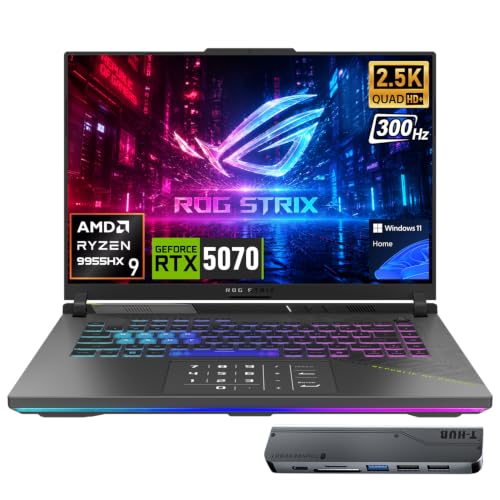
ASUS ROG Strix G16 (RTX 5070) — Esports-speed screen
Where the Legion Pro balances, the Strix G16 escalates. The listing specifies an AMD Ryzen 9 9955HX — the HX silicon at the top of AMD’s mobile range — with a GeForce RTX 5070, 32GB of DDR5 memory and a 1TB SSD, driving a 16-inch QHD+ 2.5K IPS panel at 300Hz. That is the strongest graphics-and-memory combination among the linked picks, and the 300Hz refresh rate is aimed at players of competitive shooters and racing titles where the panel, not the GPU, is usually the bottleneck.
The Strix identity is unapologetic about its audience: a 4-zone RGB backlit keyboard per the listing, aggressive styling and a chassis built around airflow rather than discretion. In a bedroom battlestation or a dorm desk it looks entirely at home; in a boardroom it will start conversations you may not want. Thermals follow the full-size formula — big fans, generous venting, sustained performance — with the matching acoustic signature when the action peaks.
Consider the fit carefully. The RTX 5070’s extra tier over the 5060 machines buys longevity in demanding single-player titles and higher settings at the panel’s 2.5K resolution, but players whose libraries are esports titles will see the 300Hz screen as the real upgrade and could spend less elsewhere in this guide. The 32GB of memory, meanwhile, quietly future-proofs the machine for the streaming-while-playing, dozen-tabs-open reality of modern gaming life.
Consider also what the Strix’s 300Hz panel does to older games, because competitive backlogs are where it quietly shines brightest. Titles from five or ten years ago that an RTX 5070 can drive at several hundred frames per second become absurdly fluid — input feels telepathic, motion reads like print. Players often buy for the newest release and fall in love with a machine through the back catalogue; the Strix is built for that love affair. The 32GB of memory helps there too, holding the game, the launcher, the voice client and the recording buffer without a murmur.
The Strix’s keyboard lighting is more than theatre for one practical reason: per-zone backlighting lets touch-players find WASD and the ability keys in a dark room without a lamp’s glare on the screen. It is the rare RGB feature with a gameplay alibi, and the rest of the lighting can be dimmed to taste.
The Strix’s storage expansion is its sleeper feature: full-size ASUS gaming chassis traditionally welcome a second drive, turning the 1TB starter into a library that never rotates. Verify the exact unit’s bay arrangement, but plan on the machine growing with your collection rather than rationing it.
- Display: 16-inch QHD+ 2.5K IPS, 300Hz
- Processor: AMD Ryzen 9 9955HX
- Graphics: NVIDIA GeForce RTX 5070
- Memory: 32GB DDR5
- Storage: 1TB SSD
- Keyboard: 4-zone RGB backlit per listing title
Strengths
- RTX 5070 is the strongest graphics tier among the linked picks
- 300Hz panel serves competitive players the way they actually play
- 32GB of memory removes the upgrade question for the machine’s life
Trade-offs
- Gaming styling and RGB are conspicuous in professional settings
- Fans are audible when the hardware is working at full stretch
- More GPU than esports-only players will ever use
Best for: competitive players chasing refresh rates and single-player fans chasing settings headroom for years
Not suited for: a buyer whose gaming laptop must pass unnoticed at work
Acer Predator Helios Neo 16 — Big-screen value hunter
Acer’s Predator Helios Neo line has become the connoisseur’s value play in gaming laptops: the same current-generation RTX graphics and Intel processors as pricier rivals, a high-refresh 16-inch display, and savings found in plastics, styling restraint and bundle discipline rather than in the components that produce frames. For a budget with a hard ceiling, that allocation philosophy deserves respect.
In practice the Neo machines run their hardware honestly. The chassis are bulky in the purposeful way, the cooling is sized for the silicon rather than the brochure, and the keyboards are solid, full-size units with the numeric pad that strategy and MMO players use more than they admit. Screen quality on the high-refresh panels is tuned for speed and clarity in motion rather than colour-critical work, which is the correct priority for the audience.
We list the Helios Neo without a link because Acer sells it in a churn of configurations and retailer bundles under similar names, and the difference between an RTX 5060 version and a lesser one is the difference between this guide’s recommendation and a machine we would steer you away from. Verify the GPU model, the panel refresh rate and the memory figure on the exact listing; if all three match the class described here, it competes directly with the Legion Pro 5.
The Helios Neo’s cooling deserves a more specific compliment: Acer has consistently tuned this line to let its graphics cards run at the full power the silicon allows, rather than quietly capping wattage to keep noise or temperatures brochure-friendly. That honesty is why spec-sheet comparisons flatter the Neo against slimmer rivals with identical GPU names — the same card at higher sustained wattage is, in practice, a faster card. When you verify a Neo listing, the wattage is rarely printed; reviews of the exact configuration are the place to confirm that the tradition holds for the unit you are buying.
Acer’s warranty and service reach is the Neo’s quiet credential: whatever its enthusiast reputation, Acer operates a mainstream service network, and parts for a high-volume line stay available. Value picks earn suspicion about support; this one’s support is as ordinary as its styling, which is praise.
The Neo’s keyboard deck stays composed under load — palm rests that remain touchable through long sessions are a thermal achievement owners feel literally. Acer’s cooling budget shows up in the hands as much as in the benchmarks, and it is the detail returning buyers cite.
- Display: 16-inch high-refresh panel in current versions — confirm rate per listing
- Processor: Intel Core HX or AMD equivalents by configuration
- Graphics: current-generation NVIDIA RTX — verify exact model before buying
- Memory and storage: vary by configuration; 16GB and 1TB is the target spec
- Build: full-size chassis with gaming cooling
Strengths
- Component-first budgeting puts frames ahead of cosmetics
- Full-size keyboard with numeric pad suits strategy and MMO players
- Cooling sized for sustained play rather than short benchmarks
Trade-offs
- Bulky build and unsubtle styling travel poorly
- Panel tuned for speed over colour accuracy
- Configuration churn makes careless ordering a real risk
Best for: value-focused players who read spec sheets carefully and want maximum frames per unit of budget
Not suited for: buyers who order by name alone without checking the graphics card on the listing
HP OMEN 16 — Restrained alternative
HP’s OMEN 16 occupies the thoughtful middle of the gaming market: current RTX graphics and capable processors in a chassis whose styling whispers where the Strix shouts. For buyers who game seriously but share a house, an office or a life with people unimpressed by RGB, that restraint is a feature with real daily value.
Recent OMEN 16 versions have offered both Intel and AMD processors and RTX graphics up to the middle tiers, with high-refresh displays and a software suite — OMEN Gaming Hub — that makes fan curves and performance modes accessible without BIOS spelunking. The keyboard deck is clean, the screen hinge is sturdy, and the overall impression is of a performance laptop that happens to game rather than a gaming laptop tolerating everything else.
The compromises are tuning rather than hardware: OMEN machines have historically run slightly more conservative power limits than the loudest rivals, trading a few frames for lower noise, and the configuration spread across regions is wide. As with the Acer, the discipline is to verify the exact GPU, panel and memory of the listing in front of you. Matched specification for specification, the OMEN is the pick for players who would rather the gaming be the loud part, not the laptop.
The OMEN’s software deserves its paragraph, because fan control is where gaming laptops are won and lost in shared homes. HP’s hub lets an owner build a quiet profile for evening play — capped frame rates, gentler fans — and a full-performance profile for solo sessions, and switching is a click rather than a BIOS expedition. That small mercy, multiplied across a year of evenings, is the difference between a gaming laptop that coexists with a household and one that negotiates with it nightly. It is unglamorous, and it is the OMEN’s best argument.
The OMEN’s display options across its range include panels with strong colour for a gaming machine, which matters for the growing set of players who also edit video or stream. A gaming laptop that moonlights as a creator machine needs that colour honesty; check the panel specification on the exact OMEN listing if the second job matters to you.
HP’s OMEN line has steadily improved its hinge and lid rigidity across generations, answering the wobble criticisms of earlier gaming laptops. A 16-inch screen that stays where you put it, on a train table or a vibrating desk, is a quality-of-life specification no benchmark prints.
- Display: 16-inch high-refresh panel in current versions
- Processor: Intel or AMD options by region and configuration
- Graphics: NVIDIA RTX up to mid tiers — verify exact model per listing
- Software: OMEN Gaming Hub for performance and fan control
- Build: restrained styling, shared-space friendly
Strengths
- Understated design suits homes and offices where a Strix would jar
- Accessible software control over fans and performance modes
- Balanced tuning favours lower noise over benchmark theatre
Trade-offs
- Conservative power tuning can trail rivals by a few frames
- Regional configuration spread demands careful listing checks
- Less upgrade theatre — internals are serviceable, not a hobby
Best for: adult gamers in shared spaces, after strong play without the arcade aesthetic
Not suited for: benchmark chasers demanding every last frame regardless of noise
Gigabyte AORUS 16X — Enthusiast wildcard
Gigabyte’s AORUS line speaks to the DIY-bred gamer: the same company that sells the motherboards and graphics cards in many readers’ desktops builds the 16X with an enthusiast’s priorities — strong cooling, high-refresh displays and graphics configurations that reach into the upper-middle tiers. Recent versions have paired Intel HX processors with RTX graphics and panels that refresh fast enough for competitive play.
The ownership experience differs from the big brands in texture rather than quality. AORUS software is functional rather than polished, the support network is thinner on the ground than Lenovo’s or HP’s, and resale values reflect the smaller badge. In exchange, specification-per-budget is frequently excellent, and the machines tend to let their hardware run at generous power levels that the conservative brands avoid.
We cover the 16X without a purchase link because its market availability swings — strong in some regions and seasons, scarce in others — and configurations vary accordingly. If it appears in your market with a current RTX card, a high-refresh panel and 16GB or more of memory at a figure inside this guide’s envelope, it deserves a place on the shortlist next to the Legion Pro 5; if the listing’s GPU is a tier down, the name alone does not rescue it.
Gigabyte’s AORUS control software has improved across generations, but the 16X’s real enthusiast credential is thermal: the line’s Windforce-style cooling, borrowed from its graphics-card division, moves serious air and lets the silicon hold its clocks through the sessions that expose lesser designs. Buyers comfortable inside a settings panel — the same people who built desktops from Gigabyte boards — will feel at home here in a way the mainstream brands do not attempt. The 16X is not trying to be everyone’s gaming laptop; it is trying to be the tuner’s, and on its home ground it succeeds.
AORUS availability has a seasonal rhythm worth exploiting: stock arrives in waves around product launches and retail events, and the patient buyer who sets alerts rather than refreshing hourly tends to catch the configurations worth having. In a guide built on verification, the wildcard pick rewards the most patient version of it.
Gigabyte’s global footprint is uneven, and the honest advice is regional: in markets where AORUS service is established, the 16X is a mainstream-safe purchase; where it is a import-only proposition, price the risk accordingly. Enthusiasm should always be localised.
- Display: 16-inch panel with high refresh in current versions — confirm the rate
- Processor: Intel HX-class in recent versions
- Graphics: NVIDIA RTX, mid to upper-mid tiers by configuration
- Cooling: enthusiast-tuned, generous power limits
- Market presence: varies significantly by region and season
Strengths
- Enthusiast tuning lets the hardware run at full, sustained power
- Specification value is often excellent when in stock
- High-refresh panels suit competitive libraries
Trade-offs
- Thinner support and service network than Lenovo or HP
- Software polish lags the big brands
- Availability swings make timing part of the purchase
Best for: DIY-bred players comfortable verifying specs and valuing raw tuning over brand infrastructure
Not suited for: buyers set on walk-in service options and guaranteed stock
How do the six gaming picks stack up?
The graphics column is the one to read first: an RTX 5070, two RTX 5060 machines with very different bodies, and three prose-only contenders whose value depends entirely on the configuration you verify. The character column then tells you where each machine wants to live — desk, backpack or shared living room.
| Pick | Screen | Processor and graphics | Memory and storage | Character |
|---|---|---|---|---|
| Lenovo Legion Pro 5 (Ryzen 9, RTX 5060) | 16-inch WQXGA | Ryzen 9 8945HX, RTX 5060 8GB | 16GB DDR5, 1TB SSD | The desk-bound powerhouse |
| ASUS ROG Zephyrus G14 (RTX 5060) | 14-inch OLED 3K, 120Hz | Ryzen 9 270, RTX 5060 | 16GB, 1TB PCIe SSD | The stealth traveller |
| ASUS ROG Strix G16 (RTX 5070) | 16-inch QHD+ 300Hz IPS | Ryzen 9 9955HX, RTX 5070 | 32GB DDR5, 1TB SSD | The full-send rig |
| Acer Predator Helios Neo 16 | 16-inch high-refresh | Intel/AMD HX-class, RTX by config | Verify per listing; target 16GB/1TB | The spec-sheet bargain |
| HP OMEN 16 | 16-inch high-refresh | Intel/AMD, RTX mid tiers | Varies by region — verify | The quiet housemate |
| Gigabyte AORUS 16X | 16-inch high-refresh | Intel HX, RTX by config | Varies by market — verify | The tuner’s choice |
Which matters more for gaming: the GPU tier or the processor?
At this budget, the graphics card, and it is not particularly close. Modern games at 1440p-class resolutions are overwhelmingly GPU-bound, which is why the Strix G16’s RTX 5070 will outlast the same money spent on a faster processor paired with a weaker card. The processor’s job is to not hold the GPU back, and every chip in this guide — Ryzen 9 HX parts, the Ryzen 9 270 in the G14 — clears that bar comfortably.
The exceptions prove the rule in specific genres. Grand strategy, flight simulation and heavily modded open-world titles can lean hard on the CPU, which is where the desktop-class Ryzen 9 chips in the Legion Pro 5 and Strix G16 earn their place. If your library is built from those genres, weigh the processor column more heavily; if it is shooters, racers and action titles, spend on the GPU and the screen.
One related trap deserves naming: video memory. The 8GB on the RTX 5060 machines is comfortable for high settings at these resolutions today, especially with modern upscaling, but texture-heavy titles are growing greedier. It is another argument for the guide’s general posture — buy the strongest GPU your envelope allows, because it is the one component you cannot revisit later.
How do you set up a gaming laptop for its first month?
Begin with the unglamorous foundations: update the graphics driver from NVIDIA directly, let Windows finish its own updates before judging performance, and set the machine’s performance mode to its balanced or performance profile rather than any silent setting. Then open the manufacturer’s control software and learn where the fan curves live — a slightly more aggressive curve during play costs a little noise and buys sustained clocks.
Storage discipline pays early dividends. A 1TB drive sounds vast until three modern titles and a video capture folder move in; decide from day one whether captures and mods live on the internal drive or an external SSD, and keep at least a fifth of the drive empty, since SSDs slow as they fill. While you are in settings, enable the MUX or discrete-GPU mode for docked play if your machine offers it, as the Zephyrus G14 does, and hybrid mode for travel.
Finally, test thermals with your longest real session while returns are still possible. Play the most demanding title you own for two hours, note whether frame rates sag as heat builds, and check that the keyboard deck stays comfortable. A machine that passes that test in week one is a machine you can trust for the season.
Can a gaming laptop in this class replace a desktop?
For most players, yes — with two honest asterisks. The performance on offer here runs modern titles at high settings on the internal display and drives external monitors respectably, and the one-box simplicity of a laptop, a dock and a monitor is genuinely liberating for small spaces, shared houses and anyone who moves between homes. The RTX 5070 configuration in particular will not feel like a compromise machine for years.
The first asterisk is upgradeability: a desktop owner swaps a graphics card in year three; a laptop owner starts shopping again. The second is acoustics — a desktop’s large, slow fans will always be quieter than a laptop’s small, fast ones at the same workload. If either asterisk describes your deepest preferences, the desktop remains the connoisseur’s answer; for everyone else, this class of laptop is the rational one.
What settings should you change before your first session?
Beyond drivers and updates, a handful of settings separate a gaming laptop’s brochure performance from its real one. Set the display’s refresh rate to its maximum in Windows — machines occasionally ship set to 60Hz, silently halving the panel you paid for. In the NVIDIA control panel, prefer the discrete GPU for your games rather than leaving the choice to automatic switching, and enable the low-latency options your titles support. In Windows itself, Game Mode on and the power plan on its performance setting while plugged in completes the basics.
Then calibrate the human side. Set an FPS cap a few frames below your panel’s maximum in competitive titles for steadier frame pacing, enable your display’s variable refresh if offered, and spend ten minutes in your most-played game’s settings rather than accepting its auto-detect, which routinely misjudges laptop hardware. Upscaling — DLSS and its kin — should be treated as a feature, not a compromise: at these resolutions its quality modes deliver frames the eye cannot distinguish from native while freeing the GPU for effects that it can.
Finally, protect the machine from its own ecosystem. Launchers, overlays and updaters accumulate until a dozen background processes share your session; audit them monthly, disable what you do not use, and keep the drive’s free space healthy. A gaming laptop’s worst enemy after heat is the slow sediment of its own software — and unlike heat, it is entirely within your control.
How do you choose between a 14-inch and a 16-inch gaming laptop?
Start with where the machine will actually play. A 16-inch gaming laptop is a desk instrument that can travel; a 14-inch one is a travel instrument that can play. The screen size difference sounds modest and feels enormous — the 16-inch panel shows interfaces, maps and timelines at a scale the 14-inch cannot, and its chassis cools better and costs the GPU less compromise. The 14-inch answers with a bag you forget and a battery that behaves like a laptop’s rather than a UPS.
Your library votes too. Strategy, simulation and MMO players live in dense interfaces that reward every extra inch and pixel; the Legion and Strix exist for them. Shooter and action players, who often dock to an external monitor at home anyway, lose least by going small — the G14 on a desk with a 27-inch monitor is a complete battlestation that also fits in a hand-luggage pocket. Neither answer is wrong; each is wrong for the other’s owner.
The tiebreaker is honesty about frequency. Count the days in a month the machine leaves home, and the days it plays. If travel days outnumber play days, buy the traveller and accept its thermal ceiling; if play dominates, buy the desk machine and accept its weight. Buyers who refuse to count tend to buy the 16-inch, carry it twice, and leave it home thereafter — the most expensive outcome on this page.
How loud is too loud? Living with gaming-laptop fans
Every machine in this guide will be audible at full load; the question is character, not existence. Well-tuned fans produce a broadband whoosh that headsets and game audio cover easily, while poor tuning adds whine, pulsing and rattle that cut through everything. The full-size picks here — Legion, Strix, and the prose-only trio — move air through larger fans at lower speeds, which is why desk players tolerate them for years; the G14’s smaller fans spin faster and pitch higher, the honest price of its size.
Management is mostly placement and profiles. A stand that frees the intakes, a room that is not already hot, and a fan curve set a notch more aggressive than default — accepting noise earlier to avoid throttling later — together transform most machines’ acoustic manners. Headset players can ignore nearly all of this; speaker players in shared rooms cannot, and should weigh the OMEN’s restraint and the Legion’s tuning accordingly.
The final measure is your household’s, not the reviewer’s. A machine that delights a solo flat-dweller can be a diplomatic incident in a family living room, and no decibel figure captures that. Buy inside the return window, play your loudest game at your usual hour, and let the house vote while voting is still free.
How do you travel with a gaming laptop without hating it?
Accept the two lives and pack for the one you are living. For a gaming trip — a LAN weekend, a tournament, a holiday house — the full kit travels: brick, headset, mouse, and a stand, in a bag with a real laptop compartment, and the weight is simply the sport’s equipment. For a work trip with opportunistic play, the calculus inverts: USB-C charging where the machine allows it, a compact mouse, and the library pruned to two or three titles, because a gaming laptop carried hopefully and played never is the heaviest object in travel. The G14 exists for the second traveller; the 16-inch picks serve the first. Knowing which traveller you are, trip by trip, is the whole skill — and it is why this guide refuses to call any of these machines too heavy in the abstract.
What do gaming laptop buyers get wrong at this level?
Chasing the processor badge while accepting a weaker graphics card is the costliest error in this market, because the GPU is both the performance ceiling and the one part that can never be upgraded. Listings are arranged to encourage exactly this mistake — a flagship CPU name in the headline, a modest GPU in the small print. Read the graphics line first, always, and treat any listing that hides it as a listing that has told you what you need to know.
Buying the screen last is the second error. A 300Hz panel behind an entry GPU is wasted money, and a strong GPU behind a dim 60Hz panel is wasted hardware; the picks in this guide are matched pairs, and your own shortlist should be too. The same logic applies to resolution: pushing a native 4K panel with a mid-tier GPU forces upscaling compromises that a well-matched 1440p-class screen avoids entirely.
Gaming on battery and expecting desktop performance completes the set. Every machine here cuts its power dramatically when unplugged — that is physics and firmware, not a defect — so judge a gaming laptop plugged in, at your desk, with your titles. Battery life matters for the machine’s other life as a laptop; it tells you almost nothing about its life as a gaming rig.
Judging a gaming laptop by its first five minutes is the fourth error, and showrooms encourage it. Burst performance is every machine’s best behaviour; the differences this guide cares about — sustained clocks, fan character, deck temperatures — declare themselves at minute forty. Reviews that test long sessions, and your own first-week stress test inside the return window, are the only honest instruments. A machine that is heroic for a benchmark and ordinary for a campaign is an ordinary machine wearing a medal.
Final Recommendation
For the majority of buyers in this envelope, the Legion Pro 5 is the recommendation to beat: the Ryzen 9 and RTX 5060 pairing, the 16-inch WQXGA screen and the honest, upgrade-friendly chassis cover the widest range of libraries and living situations. The Strix G16 is the step-up for players who know their titles will use the RTX 5070 and the 300Hz panel — competitive regulars and settings-maximisers alike — while the Zephyrus G14 stands alone for anyone whose gaming machine must also be a travel machine, and it loses remarkably little in the translation.
Among the prose-only picks, the Predator Helios Neo 16 rewards careful spec-checking with Legion-class value, the OMEN 16 suits shared spaces, and the AORUS 16X is the enthusiast’s wildcard when stock appears. Whichever route you take, verify the graphics card on the exact listing, keep the machine plugged in for serious play, and your budget will have bought frames rather than decoration — the arena goes quiet, the fans settle to their working note, and the machine disappears into the match, which is all any gaming laptop has ever needed to do.
Set the machine up as the earlier sections describe, run your longest session inside the return window, and keep the packaging until it passes. Gaming laptops ask more of their owners than any other class — drivers, profiles, thermals — and repay the attention with years of play that a console-locked library cannot match.
Keep the driver’s seat tidy from the start: one performance profile for the desk, one quiet profile for the house, drivers current, and the library pruned to what you actually play. A gaming laptop rewards the owner who treats it as an instrument rather than an appliance.
One more consideration belongs to buyers choosing between this guide and its non-gaming companion: the same budget buys a creator laptop with a finer screen and a quieter life, or a gaming laptop with a graphics card and a louder one, and the honest decider is a calendar. Count the evenings in a typical month that end with a game, and the days that end with a render, a document or a call. If games claim the evenings, this guide’s machines will repay their compromises nightly; if they claim two evenings a month, the creator picks in the companion guide will serve the other twenty-eight better, and the games will still run — at settings the calendar can forgive. Buy for the month you actually live, not the one you describe at parties.
A last word on timing: gaming laptops refresh in waves, and the configurations in this guide will be succeeded, discounted and replaced in the usual rhythm. Buy when your current machine stops serving the games you love, verify the listing as this guide teaches, and do not let next season’s rumours tax this season’s play. The configurations will age, the drivers will mature and the library will grow, and a machine bought carefully today meets all three calmly — which is the entire ambition of a gaming laptop at this level, stated without a single benchmark figure.
What should you check during the first week?
Treat week one as an audition with a deadline. Run the most demanding game you own for a two-hour session and watch whether frame rates hold as the machine heats up; check every port with the peripherals you actually use; test the screen in a dark room for backlight bleed on IPS panels or uniformity issues; and confirm the listing’s specification — graphics model, memory, storage — inside the system settings rather than trusting the box. Dead pixels, coil whine and fan rattles are all return-window problems, and they are only cheap to fix while the window is open. A gaming laptop that passes a demanding first week almost always settles into years of uneventful service.
How do you make a gaming laptop last longer?
Heat is the long-term enemy, and managing it is mostly housekeeping. Keep the rear and underside vents unobstructed, raise the back of the machine on a stand, and clear dust from the fans and fins a few times a year — more often in homes with pets. Use the manufacturer’s battery-care setting to cap charge during long desk-bound stretches, since a gaming laptop lives plugged in and a permanently full battery ages fastest. Inside the software, resist the temptation to run every overlay and recorder simultaneously; background load is heat too. Machines treated this way routinely outlast their expected gaming life and retire gracefully into media and family duties.
Frequently Asked Questions
Can these laptops play modern games at high settings?
Yes — that is the point of the class. The RTX 5060 machines handle modern titles at high settings at their native resolutions, especially with current upscaling enabled, and the RTX 5070 configuration adds headroom for the most demanding releases and higher refresh targets. Expect to tune the heaviest ray-tracing options selectively rather than maximising every slider blindly.
Is 16GB of RAM enough for gaming now?
For gaming alone, yes — 16GB remains the comfortable mainstream figure, and both 5060 picks here carry it. Where 32GB, as fitted to the Strix G16, earns its place is in the surrounding reality: streaming while playing, voice chat, a browser full of guides and captures recording in the background. If you do several of those at once, the larger memory figure is the one to hunt for.
Why do all the linked picks use AMD processors?
Because that is where the verified listings in this class currently sit — the Ryzen 9 HX chips are genuinely excellent gaming processors, particularly in CPU-leaning genres. Intel-based equivalents exist across the prose-only picks and elsewhere; the honest rule is to compare the graphics card first and treat the processor brand as a secondary consideration at this level.
Should I buy a cooling pad for a gaming laptop?
A simple stand that lifts the rear and unblocks the intakes usually helps more than a fan-equipped pad, and costs less. Expect modest gains — a few degrees, slightly steadier clocks — rather than transformation. Spend first on the machine with the better internal cooling; accessories polish a good thermal design, they do not rescue a poor one.
How long will a gaming laptop at this level stay relevant?
Plan on three to four years of high-settings play and longer at tuned settings, with the GPU tier you buy today deciding where in that range you land. The RTX 5070 configuration has the longest runway; the 5060 machines will lean more on upscaling as years pass, which modern implementations make a painless trade. Memory and storage generosity — the Strix’s 32GB, the 1TB drives throughout — extend the useful life as surely as the graphics card does.
Do I need a separate monitor for a gaming laptop?
Not to start with — the panels in this guide are chosen to be played on, at 240Hz and 300Hz where the linked picks are concerned. A monitor earns its place later, for size, ergonomics or a second screen for streams and guides. Buy the laptop right first; the desk can grow around it.
Are these laptops good for streaming and content creation too?
Yes — the same hardware that games well creates well. The RTX cards accelerate video editing and encoding, the Ryzen 9 processors handle streaming overhead comfortably, and the Legion and Strix configurations with their memory and storage figures suit a capture-and-edit workflow. Creators who also play are this class’s natural citizens; choose the Strix or Legion if the second job is serious.
Related Guides
Choosing between budgets and screen sizes as well? These guides cover the neighbouring decisions: Best 16 inch laptops Best 16GB and 1TB laptops Best 16GB laptops


