What's inside
- Key Takeaways
- Quick Picks
- How did we choose the best 16 inch laptops?
- How do the six 16-inch picks compare?
- Is a 16-inch laptop too much to carry daily?
- Which panel should you choose: 4K OLED, AMOLED or high-refresh IPS-class?
- How much do ports and docks matter at this size?
- Should a 16-inch laptop have a numeric keypad?
- How do you look after a large, expensive screen?
- How do you choose between two picks that both seem right?
- What lifespan should you honestly expect from a 16-inch flagship?
- What mistakes do 16-inch laptop buyers make?
- Final Recommendation
- How should you arrange a desk around a 16-inch laptop?
- What accessories actually earn their money at this size?
- Frequently Asked Questions
- Related Guides
As an Amazon Associate I earn from qualifying purchases. This post may contain affiliate links at no extra cost to you.
widgetverdict.com is reader-supported. When you buy through links on our site, we may earn an affiliate commission.
Sixteen inches has quietly become the thinking person’s screen size. The best 16 inch laptops offer the workspace of a small desktop monitor — two documents side by side without squinting, timelines you can actually read, spreadsheets that show their whole argument — while still sliding into a backpack and surviving a commute. Fifteen-inch machines feel cramped by comparison and 17-inch machines commit you to a desk; sixteen is where the balance now sits, which is why every major maker has moved its flagship designs to the format.
The six picks here span the full range of what the size can mean. There is a 4K OLED creator flagship from Dell and its more restrained sibling, a Samsung convertible with an AMOLED touchscreen and a pen, a Lenovo gaming machine that happens to be an excellent all-rounder, and an MSI that is effectively a portable desktop with an RTX 5080 inside. A sixth machine, Apple’s 16-inch MacBook Pro, is covered without a link because its configurations rotate too much for one listing to represent it honestly.
Read the resolutions carefully as you go, because this guide is a lesson in why panel type and pixel count are separate conversations. The picks include a true 4K OLED, a 2K panel, a 3K AMOLED and two WQXGA/QHD+ gaming screens, and each pairing of panel and hardware is deliberate. A screen is the part of a laptop you look at for its entire life; at this size, it deserves to be chosen first and justified hardest.
Key Takeaways
- The Dell XPS 16 is the creator flagship: a 16.3-inch 4K OLED touchscreen, an Ultra 9 processor and an RTX 5060 in one premium chassis.
- The Dell Premium 16 is the same design language at a gentler specification — 2K screen, Ultra 7, RTX 5050 — for buyers after the build without the flagship loadout.
- Samsung’s Galaxy Book5 Pro 360 is the only convertible here, adding a 3K AMOLED touchscreen, pen input and a 360-degree hinge.
- The Legion 5 and MSI Raider A16 are gaming machines first, but their big high-refresh screens make them formidable workstations too.
- At 32GB of memory and 1TB or more of storage, most of these picks are specified for a long life — check the Samsung’s 512GB drive against your habits before choosing it.
Quick Picks
| Pick | Badge | Why it earns its place |
|---|---|---|
| Dell XPS 16 (4K OLED, RTX 5060) | Creator flagship | A true 4K OLED touchscreen at 16.3 inches, with the processor and graphics to feed it. |
| Dell Premium 16 (Ultra 7, RTX 5050) | Same design, gentler spec | The XPS 16’s design and build with a 2K screen, Ultra 7 chip and RTX 5050 — the pragmatic Dell. |
| Samsung Galaxy Book5 Pro 360 (16-inch) | Convertible with AMOLED | A 3K AMOLED touchscreen that folds flat, with pen input — the most versatile screen in the guide. |
| Lenovo Legion 5 16 (RTX 5060) | Gaming all-rounder | Ultra 9 HX power, an RTX 5060 and a 240Hz WQXGA screen — with 32GB and 1TB as standard here. |
| MSI Raider A16 HX (RTX 5080) | Maximum performance | An RTX 5080 and a 2TB drive in a 16-inch chassis — the strongest specification gathered here, and not by a little. |
| Apple MacBook Pro 16 | Apple’s big canvas | A 16-inch mini-LED ProMotion display, Apple silicon and the best speakers in the class — if your software lives on macOS. |
How did we choose the best 16 inch laptops?
We treated the screen as the entry ticket rather than a feature. A 16-inch laptop exists to be looked at, so every pick here carries a panel with a genuine claim on your attention: true 4K, high-refresh WQXGA or QHD+, or a high-resolution AMOLED/OLED. Makers still sell 16-inch machines with dim, low-resolution panels inherited from budget lines, and those were excluded regardless of the processor inside — a big mediocre screen is worse than a smaller good one, because it spreads the mediocrity wider.
Balance came next. The format tempts makers into extremes — workstation silicon in a chassis that cannot cool it, or ultrabook internals rattling around in a big shell — and we favoured machines whose processor, graphics, memory and storage form a coherent whole. That is why the guide can hold a 32GB/2TB RTX 5080 desktop replacement and a 16GB convertible in the same list: each is coherent for its own purpose, and the sections say plainly which purpose that is.
Finally we checked the practicalities that decide whether a 16-inch laptop gets carried or abandoned: weight, charger size, port selection and whether the keyboard uses the extra width for a numeric pad or for centred, spacious typing. A machine that lives on one desk can ignore most of that; a machine that moves between home, office and site visits cannot.
A final selection note concerns support horizons, because a 16-inch flagship is a multi-year commitment: every maker represented here publishes drivers, firmware and parts support for its flagship lines across spans measured in years, and the business-adjacent designs — the Dells especially — carry that culture in their documentation. Machines from lines with short or erratic support histories were passed over regardless of their launch-day specifications. The screen earns a pick its place in this guide; the support earns it the right to stay in your life.

Dell XPS 16 (4K OLED, RTX 5060) — Creator flagship
Dell’s XPS 16 in this configuration is the connoisseur’s pick of the guide: a 16.3-inch OLED touchscreen with genuine 4K resolution and a 120Hz refresh rate, an Intel Ultra 9 285H processor, 32GB of memory, a 1TB drive and an NVIDIA RTX 5060 handling graphics. That is a specification aimed at photographers, video editors and designers who insist on pixels they can trust — OLED’s per-pixel contrast and the colour fidelity this class of panel delivers — in a machine that still presents as a premium laptop rather than a workstation.
The RTX 5060 deserves a word of calibration. It is not a flagship gaming card, and this is not a gaming laptop; it is exactly the right tier for GPU-accelerated photo and video work, 3D previews and the occasional game at sensible settings. Paired with the Ultra 9 and 32GB of memory, it keeps creative applications fluid without the heat, noise and battery cost of a hotter card idling through document work. Three Thunderbolt 4 ports, Wi-Fi 7 and a 1080p infrared webcam round out a specification that wants for very little.
The XPS ownership caveats are design-led. Dell’s minimalist deck — seamless glass, invisible trackpad, capacitive function row — looks extraordinary and asks an adjustment period of its users, and the port selection is entirely USB-C, so a dock becomes part of the purchase for desk use. Neither is a flaw so much as a personality; buyers who gel with it tend to become evangelists.
Spend a moment on what 4K means at this size, because the XPS 16 is the only linked pick that offers it. At 16.3 inches, 3840×2160 resolves detail that photo editing and 4K video timelines actually contain — you inspect the work at the resolution it will be judged at, without the scaling approximations lesser panels impose. The OLED’s perfect blacks make HDR grading honest rather than approximate. Creators who have worked on such a panel describe the same reluctance to return to anything else that high-refresh gamers describe; it is the display equivalent of a one-way door.
The XPS 16’s webcam and microphones deserve their sentence in a creator-focused review: the 1080p infrared camera named in its listing flatters video calls and handles Windows Hello sign-in, and the microphone array treats voices with a respect that built-in laptop audio rarely manages. Creators who also present — which is most of them — will feel the difference weekly.
Dell’s display calibration on the XPS 16 deserves the creator’s final nod: panels in this line arrive with colour behaviour that working photographers describe as trustworthy out of the box. Calibration remains a professional ritual, but starting from trustworthy is worth money this guide does not need to price.
- Display: 16.3-inch OLED touchscreen, 4K, 120Hz
- Processor: Intel Core Ultra 9 285H
- Graphics: NVIDIA GeForce RTX 5060
- Memory and storage: 32GB, 1TB SSD per listing title
- Ports: 3x Thunderbolt 4; webcam 1080p IR
- Operating system: Windows 11 Pro
Strengths
- True 4K OLED is the finest creative canvas in this guide
- Specification is coherent — strong CPU, ample memory, right-sized GPU
- Premium build with modern connectivity throughout
Trade-offs
- Capacitive function row and glass deck divide opinion
- USB-C-only ports make a dock a practical necessity
- RTX 5060 is a creative GPU, not a high-settings gaming card
Best for: photographers, video editors and designers seeking one beautiful machine for the whole workflow
Not suited for: hardcore gamers, or buyers set on physical function keys and legacy ports

Dell Premium 16 (Ultra 7, RTX 5050) — Same design, gentler spec
The Dell Premium 16 — the listing notes it was previously sold under the XPS 16 name — answers an obvious question: what if you love the flagship’s design but your work is documents, development and light creative tasks rather than 4K video? The answer keeps the 16.3-inch format and the premium chassis, fits a 2K display in place of the 4K OLED, and pairs an Intel Ultra 7 255H with 32GB of LPDDR5X memory, a 1TB SSD and an RTX 5050.
That specification is better judged than it might first appear. A 2K panel at 16.3 inches is sharp for text and kind to battery life, 32GB of memory is generous for any mainstream workload, and the RTX 5050, while the entry tier of its generation, still accelerates photo work, video calls’ effects and casual gaming far beyond integrated graphics. For a professional whose heavy lifting is browsers, documents, code and calls, this machine will feel indistinguishable from its flagship sibling on most days.
The honest differences show up in the flagship’s home territory: colour-critical creative work, where the OLED’s contrast and 4K detail pull ahead, and in sustained combined loads. If your work lives there, the XPS 16 above is the right spend. If it does not, this Premium 16 is the same ownership experience — same design language, same minimalist deck with its learning curve, same USB-C-centric ports — with the budget pointed at memory and storage instead of panel and silicon.
The Premium 16’s quiet virtue is thermal and acoustic manners. With an Ultra 7 and an RTX 5050 rather than the flagship’s hotter pairing, the chassis idles and cruises through office work in near-silence, and its fans, when they arrive, have less to expel. For buyers whose desk sits in a shared room — or whose work is calls as much as documents — that calm is worth more than a benchmark tier. It is the same reason the machine suits developers and analysts: their loads are bursty, their days are long, and the Premium’s tuning matches that rhythm precisely.
Battery expectations for the Premium 16, honestly set: the 2K panel and Ultra 7 pairing make it the longer-legged of the Dell pair, suited to a full day of office work away from the desk in a way its 4K sibling does not attempt. Buyers torn between the two Dells should let their mobility pattern arbitrate as much as their creative ambitions.
The Premium 16’s fingerprint reader, named in its listing, is the daily-touch detail that outlasts spec-sheet excitement: sign-in becomes a tap, dozens of times a week, for years. Premium is a compound of such mercies, and Dell’s gentler flagship keeps more of them than its price class suggests.
- Display: 16.3-inch 2K per listing title
- Processor: Intel Core Ultra 7 255H
- Graphics: NVIDIA GeForce RTX 5050
- Memory and storage: 32GB LPDDR5X, 1TB M.2 SSD
- Design: Premium line chassis, formerly XPS 16 naming
- Operating system: Windows 11 Home
Strengths
- Flagship design and build without the flagship’s panel and silicon costs
- 32GB of memory and a 1TB drive are the figures that matter daily
- 2K screen is sharp for text and gentler on battery than 4K
Trade-offs
- 2K IPS-class panel cannot match the OLED’s contrast for creative work
- RTX 5050 is an entry-tier card — casual gaming only
- Same minimalist deck and port minimalism as the flagship
Best for: professionals after the XPS ownership experience for mainstream workloads
Not suited for: colour-critical creators, who should step up to the 4K OLED model

Samsung Galaxy Book5 Pro 360 (16-inch) — Convertible with AMOLED
Samsung’s Galaxy Book5 Pro 360 is the shapeshifter of this list. Its 16-inch 3K AMOLED touchscreen refreshes at 120Hz and folds through a full 360 degrees, so the machine works as a spacious laptop, a presentation tent, and a large pen-equipped tablet for annotating documents, sketching and signing. The listing specifies an Intel Core Ultra 7 256V processor with 16GB of memory and a 512GB drive, running Windows 11 Pro — a specification tuned for mobility and responsiveness rather than maximum throughput.
The AMOLED panel is the headline act in every mode. Samsung’s display heritage shows in the colour saturation and contrast, video looks superb, and the 120Hz refresh keeps pen strokes and scrolling feeling immediate. As a Copilot-era AI laptop it also leans into on-device features, and Samsung phone owners get the ecosystem extras — file sharing, second-screen tricks, call handling — that make the brand’s laptops sticky for the already-converted.
Two figures need a buyer’s attention. The 512GB drive is the smallest in this guide, and 16-inch machines tend to accumulate media; cloud-centric users will not blink, local-library users should plan external storage. And while the Ultra 7 256V is efficient and quick for everyday work, it is not the chip for sustained rendering or heavy gaming — there is no discrete GPU here. Buy the 360 for its screen and its shapes, not for grunt.
Samsung’s ecosystem features deserve more than a footnote for the right buyer. If your phone is a Galaxy, the Book5 Pro 360 answers calls, mirrors notifications, shares files by proximity and can use a Galaxy tablet as a second screen — a web of small conveniences that, in aggregate, owners cite as the reason they stay. None of it appears in a specification table, and all of it vanishes if your phone is from another maker, which is why this guide flags it as an ecosystem argument rather than a laptop argument. Judge it by the devices already in your pocket.
The Galaxy Book’s S Pen ecosystem is the detail that converts the curious: Samsung’s pen latency and palm rejection on this class of AMOLED make handwriting and sketching feel like ink rather than input, and the notes synchronise with the phone in your pocket. For annotators, that fluency is the product; the laptop around it is a bonus.
Samsung’s Quick Share and ecosystem continuity features complete the 360’s portrait for Galaxy households: the laptop behaves like a bigger room in a house the owner already lives in. Ecosystems are often derided as lock-in; experienced owners call the same thing by its other name — everything simply working.
- Display: 16-inch 3K AMOLED touchscreen, 120Hz, 360-degree hinge
- Processor: Intel Core Ultra 7 256V
- Memory and storage: 16GB, 512GB per listing title
- Input: touchscreen with pen support
- Model year: 2025 model per listing title
- Operating system: Windows 11 Pro
Strengths
- AMOLED colour and contrast flatter everything from films to photo libraries
- Convertible hinge plus pen makes it three devices in one bag slot
- Efficient processor suits mobile, all-day working patterns
Trade-offs
- 512GB drive is the guide’s smallest — plan storage accordingly
- No discrete graphics for gaming or GPU-heavy creative work
- Large tablet mode is for desks and laps, not one-handed reading
Best for: presenters, annotators and Samsung phone owners seeking a big screen that bends to the task
Not suited for: gamers, or local-storage collectors who will fill 512GB in a season

Lenovo Legion 5 16 (RTX 5060) — Gaming all-rounder
The Legion 5 in this listing is the gaming entry that refuses to stay in its lane. The specification — Intel Core Ultra 9 275HX, an RTX 5060 with 8GB of GDDR7 video memory, 32GB of DDR5 RAM and a 1TB NVMe SSD, behind a 16-inch WQXGA screen at 240Hz — is a gaming loadout, certainly, but it is also a specification that compiles code, edits video and runs virtual machines without breaking stride. Wired Gigabit LAN and Wi-Fi 7, both named in the listing, suit it to a fixed desk as much as a gaming setup.
Lenovo’s Legion tuning is the reason it works in both roles. The cooling is sized for the HX processor’s sustained output, the keyboard is a proper full-travel unit, and the design, while unmistakably a gaming machine, avoids the most theatrical excesses of the genre. Set the performance mode to quiet and it is a civilised workstation; open it up and the 240Hz panel and RTX 5060 deliver the fast, fluid play the specification promises.
The costs are the class’s usual ones: weight, a substantial power adapter, and battery life measured in meetings rather than days. The RTX 5060 also sets the ceiling for the most demanding games at the panel’s native WQXGA resolution — high settings with upscaling rather than maximum everything. Within those honest limits, this is the most versatile machine in the guide.
The Legion 5’s second career is worth naming: as a home workstation for everything that is not gaming. Video editors get a colour-decent high-refresh canvas and real GPU acceleration; developers get 32GB of memory and an HX processor that compiles like a desktop; families get a machine that anchors the house’s heavy work for years. Gaming laptops are often dismissed as toys by serious buyers, and the Legion is the standing rebuttal — a specification this coherent does not care what you call the workload. Its fans will announce the effort, and the work will get done.
Lenovo’s Legion software — its performance modes, fan curves and network prioritisation — is the layer that makes the Legion 5’s hardware legible to non-expert owners. Three honest modes, quietly, balanced and full performance, map to the machine’s three lives without a BIOS in sight. It is the difference between hardware that can be tuned and hardware that gets tuned.
The Legion 5’s webcam and call quality are better than the gaming class’s reputation, which matters for the machine’s second career as the household’s everything-computer. A gaming laptop that also runs the family video call without embarrassment is a specification with domestic value.
- Display: 16-inch WQXGA, 240Hz
- Processor: Intel Core Ultra 9 275HX
- Graphics: NVIDIA GeForce RTX 5060, 8GB GDDR7
- Memory and storage: 32GB DDR5, 1TB NVMe M.2 SSD
- Networking: Gigabit LAN, Wi-Fi 7 per listing title
- Operating system: Windows 11
Strengths
- Specification has no weak line — CPU, GPU, memory and storage all pull their weight
- 240Hz WQXGA screen serves gaming and detailed work equally well
- Wired networking and Legion cooling suit a permanent desk setup
Trade-offs
- Weight and brick make it a reluctant traveller
- Battery life is the gaming class’s usual short measure
- RTX 5060 caps the most demanding titles below maximum settings at native resolution
Best for: players and power users seeking one 16-inch machine for the desk, full stop
Not suited for: frequent flyers, or anyone who works long days away from power
MSI Raider A16 HX (RTX 5080) — Maximum performance
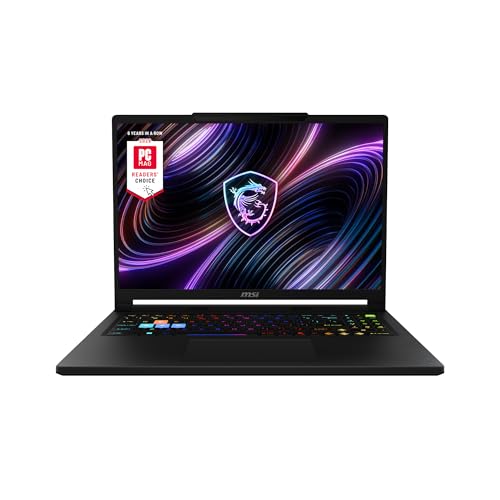
Every guide needs its extreme, and the Raider A16 HX is this one’s. MSI has fitted an AMD Ryzen 9-8940HX processor, an NVIDIA GeForce RTX 5080, 32GB of DDR5 memory and a 2TB NVMe SSD behind a 16-inch QHD+ panel refreshing at 240Hz. The RTX 5080 is two full tiers above the other graphics cards in this guide, and the 2TB drive doubles the storage of most rivals. This is a desktop replacement that happens to fold.
The use cases follow from the silicon. High-settings gaming at the panel’s native QHD+ resolution, GPU rendering, machine-learning experiments, heavy video work with effects stacked deep — the Raider treats them as its home territory, and MSI’s Raider-class cooling exists precisely to let that hardware sustain its output rather than spike and fade. Wi-Fi 7 keeps the networking from becoming the bottleneck the rest of the machine refuses to be.
Nothing about this pick is subtle, including its demands: it is heavy, its power adapter is a brick in both senses, its fans announce heavy loads, and its specification overshoots what document-and-browser users could ever touch. It also asks the largest commitment of the six. Buy it because your workloads — present or firmly planned — genuinely reach for an RTX 5080, and it will feel like a bargain against a desktop plus a laptop; buy it for status and it will feel like a very fast, very loud way to read email.
For the Raider, consider the monitor question it answers by existing. Many buyers pair a modest laptop with a gaming desktop to get this performance; the Raider collapses the pair into one warranty, one setup, one machine that follows its owner between home, LAN events and work trips. Against the combined cost and complexity of the two-machine life, its premium narrows sharply — and its 2TB drive means the library travels too, not just the hardware. It is a niche machine, but the niche is real, and inside it the Raider has few peers at any size.
The Raider’s keyboard and connectivity complete its desktop impersonation: a full gaming board with per-key ambitions, and ports placed for a permanent desk — power and display at the rear, where cables belong, rather than sprouting from the sides into your mouse space. Desktop replacements live or die on these civilities, and MSI has clearly lived with its own machines.
MSI’s Nahimic-class audio tuning on the Raider line gives its speakers and headset output a presence that gaming laptops rarely bother with. Sound is half of immersion and most of communication; the flagship’s attention to it completes the desktop impersonation its hardware begins.
- Display: 16-inch QHD+, 240Hz
- Processor: AMD Ryzen 9-8940HX
- Graphics: NVIDIA GeForce RTX 5080
- Memory and storage: 32GB DDR5, 2TB NVMe SSD
- Networking: Wi-Fi 7
- Operating system: Windows 11 Home
Strengths
- RTX 5080 is in a different league from every other GPU here
- 2TB of storage swallows game libraries and project archives whole
- Raider cooling is built to sustain, not just to peak
Trade-offs
- Heaviest commitment in the guide, in weight and in cost class
- Fans and power draw are desktop-replacement scale
- Specification is wasted on light workloads
Best for: gamers, renderers and GPU-compute users whose workloads genuinely need flagship graphics
Not suited for: commuters, quiet-room workers, or anyone whose heaviest app is a browser
Apple MacBook Pro 16 — Apple’s big canvas
Apple’s 16-inch MacBook Pro is the default big-screen answer for the macOS world, and its formula mirrors the 14-inch model’s: Apple silicon in Pro and Max tiers, a 16-inch Liquid Retina XDR mini-LED display with ProMotion, and a chassis that prioritises sustained performance and battery life over thinness. Video editors, developers and music producers who work in Apple’s ecosystem treat it less as a choice than as the platform itself.
The big chassis buys real advantages over its smaller sibling: more thermal headroom for long renders, a larger battery, and speakers that are genuinely room-filling. The display’s mini-LED backlighting delivers the contrast and HDR brightness that colour work rewards, and the port selection — HDMI, SD card, MagSafe alongside Thunderbolt — acknowledges professional life more honestly than Apple’s designs once did.
We cover it without a link because retail listings for the 16-inch model rotate through chip tiers, memory and storage combinations under similar names, and the gap between a base Pro configuration and a Max with doubled memory is the gap between two different machines. Shop by the exact chip, memory and storage figures, and remember that none of them can be changed after purchase — at this size and price, the configuration decision is the purchase.
The MacBook Pro 16’s keyboard-and-trackpad deck deserves the same emphasis reviewers give its screen. The big glass trackpad remains the finest pointing surface fitted to any laptop, the keyboard is a calm, precise instrument, and the palm rests give a typist room that 14-inch machines cannot. Writers and editors who produce words by the hundred thousand choose this machine for those surfaces as much as for its silicon — a reminder that at this level, the interface you touch outlasts the processor you benchmark.
Resale and longevity complete the MacBook’s case: Apple publishes its software support horizons in years that Windows fleets envy, and the second-hand market prices that longevity in. A 16-inch MacBook Pro bought today is a machine with a planned second and third owner — which reframes its price from a cost into a slower kind of spending.
The MacBook Pro 16’s MagSafe deserves its valediction: a charging cable that detaches under a trip rather than dragging a flagship to the floor has saved more laptops than any drop test. It is the kind of detail that only matters once — and then it matters completely.
- Display: 16-inch Liquid Retina XDR mini-LED with ProMotion
- Chip: Apple silicon Pro and Max tiers by configuration
- Memory and storage: fixed at purchase — choose for the machine’s whole life
- Ports: Thunderbolt, HDMI, SD card reader, MagSafe charging
- Note: verify exact chip, memory and storage on any listing
Strengths
- Sustained Apple silicon performance with exceptional battery life
- Mini-LED XDR display is a reference-class creative canvas
- Speakers and build quality lead the big-screen class
Trade-offs
- No upgrade path for memory or storage after purchase
- Windows-only software requires another machine entirely
- Weight is substantial for daily carrying
Best for: macOS creative professionals and developers, for the big canvas and the long battery
Not suited for: Windows-dependent workflows, or buyers who upgrade components over time
How do the six 16-inch picks compare?
The spread is the story: the same diagonal covers a pen-equipped convertible with integrated graphics and a 2TB RTX 5080 desktop replacement. Use the memory column to check longevity — most picks carry 32GB — and the character column to place each machine in the life it was designed for.
| Pick | Screen | Processor and graphics | Memory and storage | Character |
|---|---|---|---|---|
| Dell XPS 16 (4K OLED, RTX 5060) | 16.3-inch 4K OLED touch, 120Hz | Ultra 9 285H, RTX 5060 | 32GB, 1TB SSD | The creator’s canvas |
| Dell Premium 16 (Ultra 7, RTX 5050) | 16.3-inch 2K | Ultra 7 255H, RTX 5050 | 32GB LPDDR5X, 1TB SSD | The sensible sibling |
| Samsung Galaxy Book5 Pro 360 (16-inch) | 16-inch 3K AMOLED touch, 120Hz | Ultra 7 256V, integrated graphics | 16GB, 512GB | The shapeshifter |
| Lenovo Legion 5 16 (RTX 5060) | 16-inch WQXGA, 240Hz | Ultra 9 275HX, RTX 5060 8GB | 32GB DDR5, 1TB NVMe | The desk anchor |
| MSI Raider A16 HX (RTX 5080) | 16-inch QHD+, 240Hz | Ryzen 9-8940HX, RTX 5080 | 32GB DDR5, 2TB NVMe | The portable desktop |
| Apple MacBook Pro 16 | 16-inch mini-LED XDR, ProMotion | Apple silicon Pro/Max tiers | Fixed at purchase — verify | The macOS flagship |
Is a 16-inch laptop too much to carry daily?
It depends on the machine and the bag, and the range in this guide proves it. A convertible like the Galaxy Book5 Pro 360 is built around an efficient processor and a slim profile, and it travels like a large ultraportable; the Raider A16 is a desktop replacement whose daily commute you would feel in your shoulder by Friday. The honest test is total travelling weight — laptop plus its charger — measured against your actual journey, not the product page’s bare figure.
Bag geometry matters as much as grams. Most backpacks and briefcases sized for 15-inch laptops swallow a modern slim-bezel 16-inch machine, because the format’s footprint grew far less than its screen; the 16-inch laptops of today occupy roughly the chassis of yesterday’s 15-inch models. Gaming machines with rear exhaust housings are the exception, adding depth that some sleeves reject.
If your pattern is desk-to-desk with occasional movement, size is a non-issue and the screen wins. If you are on trains, planes and site visits weekly, weigh the convertible and the Dells more heavily, and try the loaded bag on your shoulder in the shop. Your back is a more reliable reviewer than any specification sheet.
Which panel should you choose: 4K OLED, AMOLED or high-refresh IPS-class?
Choose by the work the pixels do. The XPS 16’s 4K OLED is the colour-critical answer: true 4K detail for photo and video work, perfect blacks, and a 120Hz refresh that keeps motion smooth — the cost is power draw and a price premium. Samsung’s 3K AMOLED splits the difference beautifully for mixed use, with the same contrast family, pen-friendly touch and a convertible wrapped around it.
The gaming panels in the Legion and the Raider answer a different question. Their WQXGA and QHD+ resolutions at 240Hz prioritise motion clarity and frame delivery over absolute pixel density, which is exactly right when the content moves at speed; for static text they remain sharp, but a photographer would trade their refresh for the OLED’s fidelity without hesitation. The Premium 16’s 2K screen is the pragmatist’s panel: sharp, efficient, unglamorous.
One caution applies to OLED and AMOLED alike: static interface elements left at full brightness for years can age a panel unevenly. Modern machines carry mitigation features, and sensible habits — auto-hiding taskbars, varied content, moderate brightness — make it a minor concern for most owners. It is a reason for awareness, not avoidance.
How much do ports and docks matter at this size?
More than the product photography suggests. A 16-inch laptop is usually a desk anchor, and a desk anchor accumulates connections: monitor, keyboard, storage, network, audio. The Legion 5’s wired LAN and fuller port spread let it dock with a cable or two; the XPS machines’ Thunderbolt-only approach assumes a single-cable dock, which is elegant once bought and an extra purchase until then. Budget the dock into any USB-C-only pick and the comparison stays honest.
Thunderbolt docks deserve their good reputation: one cable carrying power, display, peripherals and network transforms the daily arrive-and-leave ritual. If you split time between home and office desks, a dock at each end with the same connector is the quality-of-life upgrade owners praise most — ahead of any processor tier.
Also check the charging story. Several machines here can charge over USB-C for travel while using a larger proprietary adapter for full performance at the desk. Knowing which adapter a full gaming or rendering session requires saves the specific frustration of a machine throttling quietly on the wrong brick.
Should a 16-inch laptop have a numeric keypad?
The extra width forces a design decision buyers rarely notice until the machine arrives: spend it on a numeric keypad, or on a centred keyboard with speakers flanking it. Spreadsheet professionals, accountants, data-entry workers and strategy gamers use a keypad daily and feel its absence as a genuine handicap; touch-typists and writers often prefer the centred layout, whose home row sits squarely behind the screen rather than offset to the left.
The picks in this guide divide along exactly that line — gaming and mainstream designs tend to fit keypads, premium creator designs tend to centre the keyboard and spend the width on audio. Neither is a quality signal; both are audience signals. The mistake is discovering your own preference after purchase, so settle it now: if your work involves entering figures in columns, put the keypad on your checklist; if it involves prose, enjoy the symmetry and the better speakers.
A USB keypad is the cheap reconciliation for the undecided — a peripheral that lives in the desk drawer for the quarterly spreadsheet marathon. It lacks the dignity of a built-in, and it works perfectly. What you cannot retrofit is the centred keyboard’s ergonomics or the big speakers, which is why, forced to choose, this guide leans toward buying the layout you will use daily and peripheral-ing the one you use quarterly.
How do you look after a large, expensive screen?
The panel is the most expensive component in most of these machines and the least forgiving of casual treatment. The rules are unglamorous: never close the lid on a pen, a cable or an earbud — the classic 16-inch tragedy, a cracked panel from a forgotten object on the keyboard deck. Clean with a dry or barely damp microfibre cloth, never household sprays, and never press on the panel to point at something; use the cursor, which is what it is for.
Transport is the second front. A large thin lid flexes under point pressure, so the machine belongs in a padded compartment that does not share space with hard objects, and never at the bottom of a pile of books in a car boot. At the desk, keep the hinge’s travel path clear and open the lid from the centre, not a corner — a habit that distributes stress the way the designers intended.
Software care matters for the OLED and AMOLED picks: use the built-in panel-protection features, let brightness sit at the level the room needs rather than maximum by default, and vary static content where your work allows. Treated this way, a flagship panel should outlast the machine’s front-line career and retire with it, still beautiful, into its second life.
How do you choose between two picks that both seem right?
When a shortlist narrows to two machines in this guide — the XPS 16 against the Legion 5, say, or the Premium 16 against the Galaxy Book — the specification sheets have done all they can, and the decision moves to biography. Write down your three heaviest working days of the last month and read them against each machine’s trade-offs. The right pick is the one whose compromises never appear in those three days; the wrong pick is the one whose strengths you admired in a review and never use.
Weight the irreversible attributes first. Screen, keyboard and operating system cannot be changed later; storage can be supplemented externally, ports can be docked, and even performance can be forgiven on the days it matters. A tie between two machines should therefore be broken by the panel you will look at and the keys you will touch — the components this guide has insisted on from its first section.
And if the tie survives even that, let logistics decide: the better warranty terms, the seller with the kinder returns, the configuration actually in stock with the figures you verified. At this level there are no bad finalists — only finalists whose small print you have or have not read. Read it, choose, and stop researching; the machine you use for four years beats the marginally better one you spent a month admiring.
What lifespan should you honestly expect from a 16-inch flagship?
Four to six years of front-line service is the honest planning figure for the machines in this guide, with the variance explained by workload rather than luck. Document-and-browser professionals will find even the gentlest pick here — the Galaxy Book, the Premium 16 — fully adequate at year five; creators and gamers will feel their machines age faster, because their software grows greedier annually, and should buy toward the guide’s stronger specifications accordingly. Batteries are the scheduled casualty: expect a service event or a noticeable capacity decline somewhere in years three to five, and prefer the makers — Dell, Lenovo, Apple — whose battery replacement routes are published and priced. A 16-inch flagship is a half-decade commitment; choose the company you want to be committed to.
What mistakes do 16-inch laptop buyers make?
Buying the diagonal and not the panel is the signature error at this size. Sixteen inches of dim, low-resolution screen is a worse experience than fourteen inches of excellent one, and the budget end of the 16-inch market is full of exactly that trap. Every pick in this guide earned its place on its display first; any machine you consider outside it should be made to pass the same test, in person if possible, with your own content on the screen.
Overbuying graphics for a document workload — or underbuying for a creative one — is the second. The Raider’s RTX 5080 is magnificent and, for a spreadsheet professional, magnificently wasted; the Galaxy Book’s integrated graphics are elegant and, for a video editor, a daily tax. Match the GPU to the heaviest application you run weekly, not the heaviest you can imagine running someday.
Forgetting the charger completes the trio. Big laptops ship with big adapters, and the travelling weight that matters is the sum. Check whether your pick can sip from a compact USB-C charger on the road, and if it cannot, add the brick’s weight to your honest assessment of its portability before the first trip teaches you the figure.
Underestimating the desk footprint is the fourth quiet error. A 16-inch gaming machine with a rear exhaust, a large adapter and an external mouse needs a desk depth that smaller setups forgive; measure yours before the machine arrives, and budget the stand or dock that turns the footprint from an sprawl into a station. Big laptops reward a deliberate desk and punish an improvised one.
Final Recommendation
Name a single default and it is the XPS 16 for creators and the Legion 5 for everyone who games or computes heavily: the first pairs the guide’s finest screen with a coherent creative specification, the second delivers the broadest capability per machine with no weak line in its specification. The Premium 16 is the thinking buyer’s Dell — the same ownership experience with the money moved from panel to memory — and the Galaxy Book5 Pro 360 stands alone for anyone whose work bends, presents and annotates.
The Raider A16 and the MacBook Pro 16 are the poles: maximum Windows GPU power on one side, the macOS flagship experience on the other, each the correct answer for its own committed audience. Whichever direction you lean, buy the screen you will love looking at and the memory you will not outgrow — a 16-inch laptop is a piece of furniture for your working life, and the right one disappears into the work until only the work remains.
Whichever you choose, give the screen a week of your real work before the return window closes — documents at your size, your photos, your games, your films. A 16-inch laptop is bought with the eyes more than any other component, and your eyes are the only reviewers whose verdict you will live with.
Register the warranty, photograph the serial number and set up the backup in the first week — the unglamorous liturgy that turns a large purchase into a long asset. Then put the machine to work and let it disappear, which is what the best of these big screens do.
A word, in closing, about second screens and the 16-inch paradox: the bigger the laptop’s own display, the better it works as half of a two-screen desk, because its panel stays useful beside a monitor instead of becoming a lid you close. Owners of these machines consistently report the open-laptop-beside-monitor arrangement as the setup they keep for years — the big screen earning its diagonal twice, once on the road and once at the desk. If your working life splits between those two places, that double duty belongs in the arithmetic beside the weight and the wattage.
One last practical note: screen protectors and keyboard covers divide opinion at this size, but a microfibre cloth kept in the laptop sleeve is uncontroversial — the large panel collects dust and keyboard impressions in transit, and a cloth barrier between deck and display during travel is the simplest protection a flagship screen can carry. Big panels also reward a desk with a little depth: the screen sits farther from the eyes than a smaller laptop’s can, and posture improves quietly across a working week in a way few ergonomic accessories quite replicate, thankfully.
How should you arrange a desk around a 16-inch laptop?
Let the laptop be the second screen, not the only one, if your desk allows it. A single external monitor at eye height, with the laptop open beside it as the communications and reference display, is the arrangement owners settle into and keep. Raise the laptop on a stand so its screen aligns with the monitor, use an external keyboard and mouse as the primary controls, and route everything through one dock cable so leaving the desk is a single motion. Gamers should add rear clearance — the Legion and Raider exhaust backwards, and a wall-hugging desk quietly recycles their hot air. Set up this way, a 16-inch machine anchors a workstation that a desktop would struggle to beat for flexibility.
What accessories actually earn their money at this size?
Three, reliably. A quality dock or hub, for the port-poor premium picks, converts daily friction into one cable. A padded sleeve or a backpack with a true 16-inch compartment protects the one component — the large, thin display lid — that hates being squeezed in an overstuffed bag. And a compact travel charger, where the machine supports USB-C charging, halves the carried weight on light trips. Beyond those, spend reluctantly: external storage only when your drive discipline demands it, a monitor when your eyes ask for it, and nothing at all for the first month, while the machine itself teaches you what it actually lacks.
Frequently Asked Questions
Is 16 inches noticeably better than 15 for everyday work?
Yes, mostly in width. The extra diagonal makes two full documents side by side genuinely comfortable, gives timelines and spreadsheets room to breathe, and reduces the window-shuffling that fragments attention. Modern slim-bezel 16-inch machines achieve it in chassis close to older 15-inch footprints, so the workspace gain costs less portability than buyers expect.
Which pick is best for video editing?
The XPS 16 for Windows editors — its 4K OLED is the most trustworthy canvas here and the RTX 5060 accelerates timelines and effects well — and the MacBook Pro 16 for those in Apple’s ecosystem, where its sustained performance and battery life are formidable. The Raider A16 out-powers both on raw GPU work if your projects lean on effects and rendering.
Can a 16-inch laptop be a main gaming machine?
The Legion 5 and Raider A16 in this guide exist to answer yes. The Legion pairs an RTX 5060 with a 240Hz screen for fast, fluid play at high settings; the Raider’s RTX 5080 pushes into flagship territory at its native QHD+ resolution. Add a stand for airflow and a good headset for the fans, and either replaces a desktop for most players.
Why does the Samsung pick have only 512GB of storage?
Because that is the configuration this listing carries, and we would rather flag it than hide it. The Galaxy Book5 Pro 360 is aimed at cloud-connected mobile work, where 512GB is ample; buyers with large local media or game libraries should either plan external storage or choose one of the 1TB or 2TB picks in this guide.
Do I need 32GB of memory in a 16-inch laptop?
Not for documents and browsing, where 16GB remains comfortable — but the 16-inch class is usually bought for heavier work and longer service, and most picks here include 32GB as part of their listed configuration. For creative suites, development, virtual machines or gaming with background applications, 32GB is the figure that keeps a machine feeling generous in year three.
Is a 16-inch laptop good for students?
For students whose work is documents, research and media, yes — the screen makes long study sessions kinder, and the picks here with efficient processors, like the Galaxy Book and the Premium 16, carry a campus day well. Students who move between many rooms daily should weigh the travelling weight honestly and consider whether the 16-inch’s workspace is worth the carry; for desk-anchored study, it almost always is.
Which pick has the best keyboard for full-time writing?
Among the linked picks, the Dell pair’s full-size boards and the Legion’s deep-travel gaming keyboard all serve writers well, with the Legion’s travel suiting heavy-handed typists best. The MacBook Pro 16, in the prose-only ranks, remains the deck many professional writers choose outright. Keyboards are the most personal component in this guide — if prose is your trade, let your hands audition the finalists inside their return windows.
For documents and code, should I choose the XPS 16’s 4K OLED or the Premium 16’s 2K screen?
Choose the Premium 16 if your screen time is mostly text. Its 2K panel is already sharp at normal viewing distance, easier on battery life, and less likely to force awkward scaling in older applications, while the Ultra 7 and 32GB of memory keep editors, terminals and browsers fluid. Choose the XPS 16 when you regularly inspect photographs, colour, video or fine interface detail alongside that text, because its 4K OLED resolves differences the 2K panel smooths away. For pure writing and programming, the flagship screen is a pleasure rather than a necessity; spend first on comfort, backup storage and a good dock.
Related Guides
If the big-screen choice raises budget or memory questions, these guides take them up directly: Best 16GB and 1TB laptops Best 16GB laptops Best 17.3 4K laptops