What's inside
- Key Takeaways
- Quick Picks
- How We Chose These Picks
- Comparison: The Six Camcorders Side by Side
- What Makes the Best 20x Video Cameras Better Than Phones at a Concert?
- How Do You Film a Full Event Without Ruining the Footage?
- How Should You Handle Audio at Events?
- Which Stabilisation System Suits Your Shooting?
- How Do You Choose Between 4K and Full HD Recording?
- What Tripod and Support Gear Do Camcorders Need?
- How Should You Maintain a Camcorder Between Events?
- How Do Camcorders Handle Low Light, Really?
- How Do You Film Sports From the Stands?
- What Should Beginners Learn in Their First Month?
- How Do You Archive Years of Family Video?
- Why Do Professionals Still Keep a Camcorder in the Kit?
- How Do You Stream or Share Footage From a Camcorder?
- What Does a Second Camera Angle Add to an Event?
- Common Mistakes When Buying a 20x Camcorder
- Final Recommendation
- Frequently Asked Questions
- Related Guides
As an Amazon Associate I earn from qualifying purchases. This post may contain affiliate links at no extra cost to you.
widgetverdict.com is reader-supported. When you buy through links on our site, we may earn an affiliate commission.
Where to buy: five camcorders below carry verified Amazon listings — check price on Amazon on each product page — and one Panasonic is covered prose-only because no listing met our verification standard. The best 20x video cameras occupy a niche that phones and mirrorless cameras keep failing to kill: a single handheld device whose lens glides from a wide establishing shot to a face at the far end of a hall, whose stabilisation is built for that journey, and whose battery and media are sized for hours rather than clips.
Twenty times optical zoom is the defining specification, and this guide is strict about it. Four of the six picks deliver a genuine 20x optical range. The fifth, Sony’s AX700, is included deliberately and honestly: its lens is a 12x optical design, extended by Sony’s Clear Image Zoom processing, and it earns its place on image quality and professional features rather than on reach — its review states the 12x figure in plain terms, and buyers who need a true 20x should pass it by. The sixth pick, a Panasonic, overshoots to 24x and represents the value end of the dedicated camcorder market.
Why does a dedicated camcorder still make sense? Because video punishes the compromises that stills forgive. A camcorder’s zoom is parfocal in behaviour and silent in operation, its autofocus is tuned for smooth pulls rather than snappy stills, its body balances a long lens for an hour-long ceremony, and it records to inexpensive cards without overheating timers. For school concerts, sports days, church services, wildlife hides and family events filmed from a fixed seat, that combination remains unbeaten at these prices.
Key Takeaways
- Sony’s AX43A is the most complete 20x camcorder here, pairing genuine 20x reach with gimbal-style Balanced Optical SteadyShot.
- Canon’s G70 is the creator’s pick: 20x lens, strong colour, and the ergonomics of Canon’s professional camcorder line.
- The AX700 is a 12x optical camera — superb image, professional codecs, but not a true 20x; buy it for quality, not reach.
- Stabilisation, not resolution, is what separates camcorder footage from phone footage at the long end of the zoom.
- The AX53 remains a rational buy where found keenly priced: same 20x concept, slightly older refinements.
- Panasonic’s prose-only entry reaches 24x and underlines how strong the value end of this market remains.
Quick Picks
| Pick | Badge | Why it made the cut |
|---|---|---|
| Sony FDR-AX43A | Best 20x camcorder overall | True 20x zoom with gimbal-grade stabilisation and 4K quality. |
| Canon VIXIA HF G70 | Best for creators | 20x lens, Canon colour and pro-leaning controls in a compact body. |
| Sony FDR-AX53 | Best established favourite | The 20x BOSS camcorder that defined this class, still capable. |
| Canon VIXIA HF G50 | Best Canon value | G-series 20x lens and 4K recording with a simpler brief. |
| Sony FDR-AX700 | Best image quality — 12x optical | 1-inch stacked sensor and pro features; reach is 12x, stated plainly. |
| Panasonic HC-V900 | Prose-only: best value reach | 24x optical zoom and a bright lens from the value end of the market. |
How We Chose These Picks
Reach claims were audited first, because camcorder marketing loves a digital multiplier. We verified each model’s optical range from its lens specification — the AX43A, AX53, G70 and G50 all deliver a true 20x optical zoom, the Panasonic reaches 24x optical, and the AX700’s 12x optical lens is labelled as such everywhere it appears in this guide. Any model whose “20x” existed only in digital extension was excluded outright.
Stabilisation testing shaped the order. At 20x, handheld footage lives or dies on the stabiliser, so Sony’s Balanced Optical SteadyShot — which floats the whole lens-and-sensor assembly like a gimbal — counted heavily, as did Canon’s dynamic image stabilisation. We also weighed autofocus behaviour while zooming, low-light performance from each sensor size, audio provision including microphone inputs and headphone monitoring, and the unglamorous essentials: battery endurance, dual card slots or relay recording, and whether the camera can run from USB power during long events.
Availability closed the selection. Five picks hold verified listings in our product pool. The Panasonic HC-V900 is widely sold through camera dealers but had no listing we could verify to the same standard, so it is reviewed prose-only rather than linked on trust. Prices move in this category more than most, so the guide discusses value in relative terms and leaves live figures to the product pages.

Sony FDR-AX43A — Best 20x camcorder overall
The AX43A is what a modern consumer camcorder looks like when its maker still cares. Its 20x Zeiss lens runs from a genuinely wide 26.8mm equivalent out past 530mm, and the Balanced Optical SteadyShot system floats the optical assembly so effectively that walking shots at wide angle and handheld shots at full zoom both come back calmer than they have any right to. The 1/2.5-inch Exmor R sensor records 4K with Sony’s fast hybrid autofocus, which tracks faces through a zoom pull with a smoothness that stills cameras rarely match.
Details separate it from its own predecessor. A flip screen oriented for creators, a microphone input, and wind-noise reduction that actually works make it a serviceable event and interview tool, while Highlight Movie Maker assembles shareable summaries in-camera for families who never open an editor. The zoom rocker is properly variable — feather it for a slow cinematic creep, press hard for a quick reframe — and the lens stays commendably quiet, so the built-in microphones do not record the machinery of their own housing.
Low light is the honest boundary. The sensor is small, and a dim reception hall will push gain and soften detail; the camera copes better than phones at the same zoom, thanks to the lens and stabilisation, but it does not repeal physics. Battery life is strong rather than endless, and serious event shooters will carry a second pack. Within the true-20x class, though, nothing else here combines reach, stabilisation and autofocus this completely, which is why the AX43A leads this guide.
Owners upgrading from the AX53 will find the refinements cumulative rather than revolutionary — better screen, tidier menus, improved wind handling — while owners upgrading from a phone will find a different world: footage that stays composed at distances where phones dissolve into digital noise. For school performances, sports from the bleachers and ceremonies from the back pew, this is the camera we would hand a friend.
Sports parents will recognise the AX43A’s particular mercy: it forgives the learning curve. Intelligent automatic modes balance exposure as play moves between sun and shade, face registration keeps a chosen player prioritised through a crowded midfield, and the stabiliser absorbs the involuntary flinch when a goal goes in. The camera also starts quickly from standby, which matters when the moment announces itself without rehearsal. In a category where specifications often outrun usability, the AX43A’s balance of automation and control is its least advertised and most owned virtue.
- Sensor: 1/2.5-inch Exmor R CMOS
- Lens: 20x optical zoom, 26.8–536mm equivalent
- Video: 4K/30p, Full HD slow motion options
- Stabilisation: Balanced Optical SteadyShot
- Audio: microphone input, 5.1-channel built-in mic
Strengths
- Gimbal-style stabilisation transforms handheld telephoto video
- Fast, smooth autofocus that behaves while zooming
- True 20x reach with a properly wide starting point
Trade-offs
- Small sensor limits dim-hall performance
- No built-in viewfinder for bright sunlight
- Serious event work needs a spare battery
Best for: parents, event volunteers and travellers who film distant subjects handheld and want the footage to look calm.
Not suited for: low-light specialists, or professionals who need interchangeable lenses and large sensors.

Canon VIXIA HF G70 — Best for creators
Canon’s G70 borrows its posture from the company’s professional XA camcorders and shrinks it for creators. The 20x lens covers 29.3–601mm equivalent, the 1/2.3-inch sensor records 4K, and Canon’s DIGIC DV 6 processor gives the footage the colour science that keeps wedding and corporate shooters loyal: skin tones rendered kindly, highlights rolled off gently, and a picture that needs little correction before delivery. A tilting touchscreen, a proper zoom rocker and assignable buttons make the camera feel like a tool rather than an appliance.
The G70’s creator credentials show in its connections and modes. It offers a microphone input and headphone output — the pair that separates monitored, trustworthy audio from hopeful audio — plus slow and fast motion recording, and USB connectivity that lets it serve as a high-quality webcam-class source for streaming setups. Canon’s image stabilisation, combining optical and dynamic electronic correction, keeps the long end usable handheld, and the autofocus, while contrast-based, is well mannered for a camcorder of this class, hunting rarely and settling decisively.
Where the Sony AX43A wins on stabilisation wizardry, the G70 answers with colour and control. Its low-light ceiling is set by the same small-sensor physics, and its 4K frame rates are mainstream rather than exotic. The lens’s wide end is a touch narrower than the Sony’s, which matters in small rooms. None of that dents its appeal to the creator who films people for a living or a serious hobby: interviews, services, performances and presentations all come back looking like Canon footage, and for many buyers that is the entire argument.
There is also a longevity case. The G70’s design language, battery family and accessory ecosystem connect it to Canon’s wider camcorder line, so skills and spares transfer when a shooter steps up. As a first serious camcorder for a creator who expects to grow, it is the most future-facing body in this guide.
Church media teams are the G70’s natural constituency, and the camera seems designed by someone who has filmed a service. It runs cool and quiet for hours, its zoom covers a long nave from a balcony position, its colour keeps stained-glass windows and skin in the same pleasing register, and its streaming-friendly USB output feeds the broadcast that remote congregations now expect. A volunteer can be taught its essentials in one rehearsal, yet the camera does not embarrass the professional who inherits the role later. That span — volunteer-simple, professional-respectable — is rare at any price.
- Sensor: 1/2.3-inch CMOS
- Lens: 20x optical zoom, 29.3–601mm equivalent
- Video: 4K/30p, slow and fast motion
- Stabilisation: optical plus dynamic electronic
- Audio: microphone input and headphone output
Strengths
- Canon colour that flatters people straight from the camera
- Mic input and headphone monitoring for serious audio
- Pro-style handling in a compact body
Trade-offs
- Stabilisation a step behind Sony’s floating system
- Wide end slightly narrower than the AX43A’s
- Small sensor, familiar low-light limits
Best for: creators filming interviews, services and events who care about skin tones and trustworthy audio.
Not suited for: buyers who prioritise maximum stabilisation, or who film mainly in dark venues.
Sony FDR-AX53 — Best established favourite
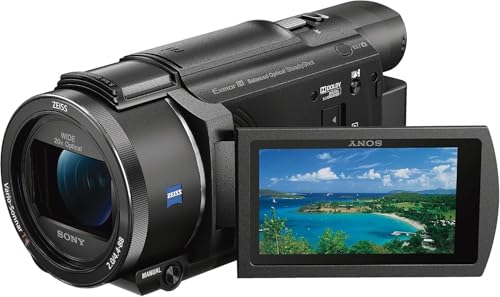
The AX53 is the camcorder that proved this class still mattered, and it remains a thoroughly rational purchase. Its specification reads like the AX43A’s first draft: a 20x Zeiss lens starting at 26.8mm, Balanced Optical SteadyShot floating the optics, a 1/2.5-inch Exmor R sensor recording 4K, and autofocus that tracks subjects through zooms with unusual grace. Thousands of school concerts and safari drives have been filmed on this model, and the footage holds up because the fundamentals — lens, stabiliser, sensor processing — were right from the start.
Living with the AX53 means accepting a few period details. Its screen does not flip for creators, its menus belong to an earlier Sony generation, and its wind-noise handling is less clever than its successor’s. Against that, it offers an electronic viewfinder — a feature its successor dropped — which bright-day shooters may value above every refinement on the newer model. Built-in Wi-Fi, a microphone input and a multi-interface shoe for Sony accessories complete a package that asks very few compromises of an event shooter.
The buying logic is simple. Where the AX53 is found at a clear saving over the AX43A, it delivers the great majority of the experience — the same reach, the same stabilisation philosophy, the same sensor class — and the money saved buys the spare battery and cards every camcorder owner needs. Where prices converge, take the newer camera. Either way, the AX53’s presence in this guide is earned on merit, not nostalgia: it is still one of the best 20x video cameras a family can own.
Second-hand examples deserve the usual diligence — check the lens for scratches, run the zoom through its range listening for grit, and confirm the stabiliser settles quietly — but the model’s robust build and long production run make good used examples plentiful. For a community theatre, a sports club or a house of worship buying on a fixed budget, a verified AX53 may be the smartest line item in this entire guide.
The AX53 also deserves credit for its sound. Its multi-channel built-in microphone, with a zoom-linked mode that narrows pickup as the lens lengthens, produces more intelligible speech from a distance than most built-in arrangements manage, and the multi-interface shoe accepts Sony’s own microphones and receivers without cables. For a run-and-gun documentarian — a school filming its own history, a club recording its season — that accessory path extends the camera’s useful life well beyond its launch generation.
- Sensor: 1/2.5-inch Exmor R CMOS
- Lens: 20x optical zoom, 26.8–536mm equivalent
- Video: 4K/30p
- Stabilisation: Balanced Optical SteadyShot
- Extras: electronic viewfinder, multi-interface shoe
Strengths
- The original BOSS formula: reach plus floating stabilisation
- Viewfinder fitted, unlike its successor
- Proven reliability across years of event use
Trade-offs
- Older menus and no creator flip screen
- Wind-noise reduction less advanced
- New stock varies; check the seller carefully
Best for: budget-aware event shooters and organisations that value a proven tool with a viewfinder.
Not suited for: creators who need a front-facing screen, or buyers who want the newest refinements.
Canon VIXIA HF G50 — Best Canon value
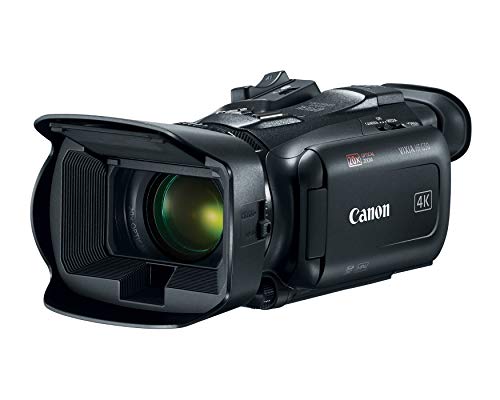
The G50 is the G-series formula at its most accessible: the same 20x Canon lens concept, 4K recording and DIGIC processing, presented with a simpler feature brief than the G70’s. Its lens covers 29.3–601mm equivalent, its 1/2.3-inch sensor delivers clean 4K in good light, and its handling — zoom rocker, lens ring, tilting touchscreen — preserves the camcorder ergonomics that make long events comfortable. For institutions and families who want Canon colour without the flagship’s fuller menu, the G50 is the rational door into the line.
Image character is pure Canon: warm, forgiving, and particularly kind to faces under mixed hall lighting, where lesser camcorders drift green or magenta. The stabilisation combines optical correction with electronic assistance and keeps handheld footage at moderate zooms composed; at the extreme end a monopod remains a friend. Autofocus is steady and unhurried, well suited to ceremonies and speeches, less suited to erratic sports at full telephoto.
Buyers should understand the G50’s place in Canon’s range. It lacks some of the G70’s newer connectivity and refinements, and its low-light performance follows its sensor size faithfully. What it never lacks is the core camcorder proposition — reach, endurance, dependable colour — and for a school, congregation or family historian, that core is the purchase. Treat it as the value Canon, judge it against the G70’s extras honestly, and it will not disappoint.
A word on pairing: the G50 rewards a modest audio investment more than any other upgrade. Its microphone input welcomes an external mic, and moving the microphone from the camera to near the speaker transforms recordings of speeches and services more than any menu setting can. Budget for that before budgeting for anything else, and the G50’s footage and sound together punch well above its station.
There is a steadiness to the G50’s whole proposition that suits institutional buyers. Procurement committees, school departments and media ministries need a camera that a rotating cast of operators can use identically, that survives being signed out and returned, and whose footage looks consistent across years of archives. The G50’s straightforward menus, durable build and unchanging colour signature answer that brief better than flashier rivals. It is the camcorder equivalent of the office’s most reliable colleague: rarely the headline, always the reason the work got done.
- Sensor: 1/2.3-inch CMOS
- Lens: 20x optical zoom, 29.3–601mm equivalent
- Video: 4K/30p
- Stabilisation: optical with electronic assistance
- Audio: microphone input fitted
Strengths
- Canon colour and G-series handling at the value end
- True 20x lens with a useful wide end
- External microphone support transforms event audio
Trade-offs
- Fewer refinements than the newer G70
- Autofocus is deliberate rather than quick
- Low light follows the small sensor’s limits
Best for: schools, congregations and families who want Canon’s look and a true 20x lens at the gentlest entry point.
Not suited for: fast-sports shooters at full zoom, or creators who need the G70’s newer connectivity.

Sony FDR-AX700 — Best image quality: 12x optical, stated plainly
Honesty first, because this guide’s title demands it: the AX700’s lens is a 12x optical zoom, 29–348mm equivalent. It does not meet the 20x threshold, and no processing changes that — Sony’s Clear Image Zoom extends the range by cropping intelligently, which is useful and often clean, but it is not optical reach. The AX700 sits in this guide as the quality alternative for buyers who discover, reading the other reviews, that their subjects live closer than 350mm and their standards for image and control run higher than their need for reach.
What the AX700 offers in exchange is a different class of image. Its 1-inch stacked Exmor RS sensor gathers far more light than the small chips elsewhere here, delivering cleaner shadows, shallower depth of field and high-frame-rate recording for slow motion. Phase-detection autofocus covers the frame with hundreds of points and tracks subjects with a confidence the contrast-based systems cannot imitate. Professional touches accumulate: picture profiles including S-Log for grading, dual card slots, ND filters built in — a genuine rarity that lets the camera hold cinematic shutter speeds in bright light — and a viewfinder worthy of the footage.
The trade is explicit and, for the right buyer, correct. Wildlife and sports shooters who live at maximum reach should buy the AX43A and accept its smaller sensor. Videographers filming interviews, performances, products and people at conversational distances should buy the AX700 and accept its shorter lens. Including it here, clearly labelled, respects both readers: the one who needed the warning, and the one who needed the option.
Handling matches the intent. The lens ring drives zoom or focus with a switch, the body balances like a small professional camcorder, and the menu system — shared with Sony’s cinema-leaning line — rewards learning rather than punishing it. This is the only camera in the guide that a working videographer would happily take on a paid job as a second body, and that professional credibility is its badge.
Wedding videographers will understand the AX700’s built-in ND filters instantly. They allow wide apertures and slow, cinematic shutter speeds under full sun without stacking screw-on filters between moments, and the camera’s highlight handling keeps a white dress detailed against a bright sky. Add the S-Log profiles for matching with larger Sony bodies in a multi-camera edit, and the AX700 reveals its true identity: not a consumer camcorder with ambitions, but a professional tool that happens to be hand-sized.
- Sensor: 1-inch stacked Exmor RS CMOS
- Lens: 12x optical zoom, 29–348mm equivalent (not 20x)
- Video: 4K HDR, high-frame-rate slow motion
- Autofocus: phase detection across the frame
- Extras: built-in ND filters, dual card slots, S-Log profiles
Strengths
- 1-inch sensor image quality leads this guide by a distance
- Professional profiles, ND filters and dual slots
- Phase-detection autofocus of a higher class
Trade-offs
- 12x optical zoom — it fails this guide’s headline test
- Larger and heavier than the consumer models
- Priced as a professional tool
Best for: serious videographers whose subjects stay within 350mm and whose standards do not.
Not suited for: anyone who actually needs 20x reach — choose the AX43A instead.
Panasonic HC-V900 — Prose-only: best value reach
Panasonic’s HC-V900 represents the camcorder market’s value conscience: a 24x optical zoom with a bright wide end, a 1/2.5-inch sensor, 1080p recording of high quality and stabilisation that combines optical and electronic correction. Its lens starts wider and faster than most, which shows indoors where family camcorders earn their living, and Panasonic’s autofocus and colour are tuned for pleasing footage of people without any grading. For buyers whose delivery is Full HD — still the reality for most family archives and school channels — the V900’s specification is not a compromise but a match.
The camera’s virtues are practical. It is light enough for a grandparent to hold through a recital, its touchscreen interface is friendly, and its zoom outruns every linked pick in this guide at 24x. Panasonic’s hybrid stabilisation keeps the long end civilised, and the built-in microphones are respectably clear for narration-distance audio. What it does not offer is 4K, and buyers archiving for future displays should weigh that honestly: the Sony and Canon models above record the extra resolution today for screens that have not yet arrived in the living room.
The V900 appears prose-only because our verification pool holds no listing we could confirm for it; camera retailers stock it widely. Its role in this guide is to mark the price-performance frontier — proof that a dedicated camcorder with real optical reach, real stabilisation and a bright lens remains available to buyers who cannot stretch to the 4K flagships, and who lose surprisingly little that matters by choosing it.
Families deciding between the V900 and a phone should consider the archive. A decade of birthdays filmed on a stable, zooming, long-battery camcorder forms a coherent collection; the same decade scattered across phones, apps and cloud accounts tends to evaporate. The Panasonic’s modesty is its method: it simply records, at length, in focus, without drama — which is what family history actually requires.
Grandparents deserve a specific mention in the V900’s case, because Panasonic has quietly optimised for them: large touchscreen targets, an interface that speaks plainly, and a weight that an arthritic hand can hold through a grandchild’s solo. The footage that results — steady, close, audible — is exactly what distant family members hope to receive. Technology writing rarely counts kindness as a specification, but a camcorder that its owner can actually operate is worth more than a superior one left in a drawer.
- Sensor: 1/2.5-inch BSI CMOS
- Lens: 24x optical zoom, bright wide end
- Video: Full HD (no 4K)
- Stabilisation: hybrid optical and electronic
- Handling: light body, touchscreen control
Strengths
- 24x reach and a bright lens at the value end
- Light, friendly and easy for any family member
- Excellent Full HD for archives and school channels
Trade-offs
- No 4K recording for future-proofing
- No verified listing, so no link in this guide
- Fewer professional connections than the flagships
Best for: families and community groups who film in Full HD and value reach, brightness and simplicity.
Not suited for: buyers who need 4K, or professional audio and monitoring setups.
Comparison: The Six Camcorders Side by Side
| Camcorder | Optical zoom | Sensor | Max video | Signature strength |
|---|---|---|---|---|
| Sony AX43A | 20x | 1/2.5-inch | 4K | Floating stabilisation |
| Canon G70 | 20x | 1/2.3-inch | 4K | Colour and creator controls |
| Sony AX53 | 20x | 1/2.5-inch | 4K | Proven all-rounder, viewfinder |
| Canon G50 | 20x | 1/2.3-inch | 4K | Canon value |
| Sony AX700 | 12x | 1-inch stacked | 4K HDR | Image quality, pro features |
| Panasonic HC-V900 | 24x | 1/2.5-inch | Full HD | Value reach, bright lens |
The table tells the category’s story in one glance. Reach is nearly universal — five of six exceed or meet 20x optically — so the real choices are sensor and philosophy. Sony sells stabilisation, Canon sells colour and control, Panasonic sells value, and the AX700 sells image quality to buyers willing to trade the headline number away. Decide which currency you are richest in need of, and the ranking rearranges itself around your answer.
What Makes the Best 20x Video Cameras Better Than Phones at a Concert?
Three things, all physical. First, the lens: a phone’s long “zoom” is a crop wearing confidence, while a camcorder’s 20x is glass gathering light across the whole sensor, so a face at the back of a hall retains texture instead of dissolving into watercolour. Second, stabilisation tuned for video: the floating systems in Sony’s camcorders are designed to make an hour of handheld footage watchable, not just a ten-second clip. Third, endurance: camcorder batteries and cards are sized for entire events, with no overheating warnings, no storage anxiety and no notification from a messaging app arriving mid-vow.
Audio completes the argument. A camcorder’s microphones are spaced and tuned for a room, its wind handling is designed rather than improvised, and the models here with microphone inputs let a wireless receiver sit near the speaker — the single largest quality upgrade available to event videography. The phone remains the better camera for the unplanned moment in a pocket. The camcorder is the better instrument for the planned one in a seat, and most of life’s filmable ceremonies are planned.
How Do You Film a Full Event Without Ruining the Footage?
Arrive early and claim the geometry. The ideal seat or tripod position balances distance against angle: close enough that 20x is headroom rather than necessity, elevated enough that heads do not colonise the frame, and near a power outlet if the event runs long. Set white balance manually for the room’s lighting — halls mix tungsten, LED and window light in ways that confuse automatic systems into slow colour drift — and lock exposure once the stage is lit, because automatic exposure will brighten every dark suit and darken every white dress that crosses the frame.
During the event, zoom with intent. Slow, motivated zooms read as professional; constant reframing reads as restless. Let action happen inside the frame, pan to follow rather than zoom to chase, and hold shots longer than instinct suggests — editors can shorten a held shot but cannot lengthen a cut one. Record a minute of room tone before the event begins, keep a spare card and battery in a pocket rather than a bag across the room, and check the recording indicator after every pause. More event footage is lost to logistics than to image quality, and logistics are entirely within the operator’s control.
How Should You Handle Audio at Events?
Sound is half the recording and most of the complaints. The hierarchy is simple: get a microphone near the source, monitor what it hears, and protect the recording from wind and handling noise. A wireless lavalier on a speaker, a recorder placed on a lectern, or even a wired microphone on a stand near the choir will outperform any camera-mounted microphone at twenty metres. The G70’s headphone output and the class’s microphone inputs exist for exactly this workflow; use them, and do a recorded sound check with playback before guests arrive, because levels guessed are levels regretted.
When no external microphone is possible, position becomes the audio strategy: sit closer, avoid air-conditioning vents and kitchen doors, and favour the camera’s zoom microphone settings, which narrow pickup as the lens lengthens. For music, watch the meters rather than the screen — distortion from an overloaded input cannot be repaired in editing, while a slightly quiet recording can always be raised. The camcorders in this guide give the operator the tools; the discipline of checking is the operator’s own.
Which Stabilisation System Suits Your Shooting?
Stabilisation is the specification that most separates these cameras in real footage, and the technologies differ in kind. Sony’s Balanced Optical SteadyShot floats the entire lens and sensor unit inside a gimbal-like mount, correcting movement across a wide range and excelling at the two hardest tasks: walking at wide angle and holding still at full zoom. Canon’s approach pairs a conventional optical stabiliser with electronic correction that reads the frame and compensates digitally, which is highly effective at moderate zooms and slightly crops the image at its strongest settings. Panasonic’s hybrid system follows the same combined philosophy.
Choose by how you actually film. Handheld all day at long range, the Sony system earns its premium. Tripod and monopod shooters gain less from any stabiliser and should weight lens, colour and audio higher — a locked-off camera does not care how clever its floating mount is. Everyone should also learn the stabiliser’s modes: an active mode for walking, a standard mode for standing, and off for tripod work, because a stabiliser left fighting a tripod’s stillness can introduce the very drift it exists to prevent.
How Do You Choose Between 4K and Full HD Recording?
The honest answer depends on the archive, not the eye. On a television across a room, excellent Full HD and 4K are closer than specification sheets suggest, and the Panasonic V900’s HD footage will satisfy most families indefinitely. The case for 4K is about options: cropping a wide shot into a close-up during editing, stabilising in post without dropping below HD, and holding an archive that tomorrow’s larger, sharper screens will flatter. Events filmed once — weddings, final recitals, a parent’s testimony — deserve the master with the most information in it.
Costs ride along with the choice. 4K files are roughly four times the data, which means larger cards, faster offloading and more storage discipline over a decade of family history. None of that is prohibitive, but it is real, and a household that will not maintain the storage habit may preserve an HD archive more faithfully than a 4K one abandoned on full drives. Decide as an archivist, not as a spec-sheet reader, and either answer can be the right one.
What Tripod and Support Gear Do Camcorders Need?
A video tripod differs from a photo tripod in its head: a fluid head pans and tilts with damped smoothness, where a ball head lurches. For camcorders of this size, a compact fluid-head tripod transforms ceremony footage, and a monopod with a fluid base serves sports and wildlife where repositioning is constant. Match the plate to the camera once and buy a spare plate, because the plate will be left attached to something at the worst possible moment — this is a law of event videography with no recorded exceptions.
Support also includes the unglamorous kit around the camera: a bag that holds the camcorder with its battery fitted and card loaded, gaffer tape for cable runs across floors, a small torch for dark halls, and headphones that actually isolate. Operators who film regularly build this kit once and stop thinking about it, which is the point — attention saved on logistics is attention available for the shot. The cameras in this guide are light enough that none of this gear needs to be heavy, and the whole kit can live in a single modest bag by the door.
How Should You Maintain a Camcorder Between Events?
Camcorders fail quietly in cupboards. Batteries left fully charged or fully flat for a year lose capacity; the remedy is storing them around half charge and cycling them every few months. The lens, retracted and capped, should be inspected for dust and cleaned with a blower before any cloth touches it. Tape-era rituals are gone, but the card ritual remains: format in the camera, not the computer, and retire cards that have ever produced an error, because a card’s second failure will choose an important day.
Before any significant event, run a ten-minute rehearsal recording at home and play it back with sound. This single habit catches the flat battery, the full card, the microphone left muted and the stabiliser left in the wrong mode while they are still free to fix. Professionals do this without thinking; it is the cheapest professional habit a family videographer can steal, and it has saved more ceremonies than any lens ever made.
How Do Camcorders Handle Low Light, Really?
With honesty about limits. The small sensors in the 20x models gather modest light, and their lenses slow as they zoom, so a candlelit hall asks a great deal. The cameras respond with gain, which brightens the image and coarsens it in equal measure. Footage remains watchable and often charming — the atmosphere survives even when fine detail does not — but buyers whose primary venue is a dim theatre should temper expectations or step to the AX700, whose 1-inch sensor was designed for exactly this complaint.
Technique stretches the limit considerably. Film at the wide end where the lens is fastest, add light where the venue permits even a modest LED panel, and expose for faces rather than for the room. Accept a slightly darker, cleaner image over a bright, noisy one; viewers adjust to darkness in seconds and to noise never. Above all, do not let the specification of low-light performance veto a camera whose daylight work you love, unless your events truly live after dark — most family history happens in lit rooms and long evenings, where these camcorders cope respectably.
How Do You Film Sports From the Stands?
Sports filming is a tracking discipline. Sit high and near the halfway line where the geometry compresses least, keep the zoom near the middle of its range so play can be followed without constant correction, and let the autofocus area work on the cluster of players around the ball rather than chasing individuals. Shutter speed deserves attention: the natural motion blur of standard settings flatters movement, while very fast shutters make play look staccato and strange. Record in the highest quality the card budget allows, because sports footage is the footage families rewatch, frame by frame, arguing happily about a goal.
Anticipation beats reaction. A camcorder operator who knows the sport films where the play is going, not where it has been, and the 20x lens rewards that foresight by making a far-side attack feel close. Halves and quarters are natural battery and card checkpoints; use them. And keep one wide shot of the whole scene at the start and end of the match — future viewers will want to remember the ground, the weather and the crowd as much as the score.
What Should Beginners Learn in Their First Month?
Three habits, in order. First, hold shots: count slowly to ten before moving the camera, and discover how much more watchable the footage becomes. Second, zoom rarely and pan slowly; the zoom is a spice, not a staple, and the operators whose footage families treasure are the ones who let events unfold inside a calm frame. Third, listen: wear headphones on important recordings, because the microphone hears a different event from the one the eye sees — nearer, ruder, full of coughs and air-conditioning — and only monitoring reveals the discrepancy in time to fix it.
A month of this practice on unimportant subjects — a dog in a park, traffic from a bridge, a kitchen at breakfast — builds the reflexes that important days require. The camcorders in this guide all offer automatic modes good enough to carry a beginner, but the operator’s habits, not the camera’s modes, are what separate an archive from a pile of clips. Learn on the ordinary days and the extraordinary ones will look after themselves.
How Do You Archive Years of Family Video?
With a system boring enough to survive. Name files or folders by date and event on the day of filming, keep the originals untouched in one location and a copy in another — a second drive, a cloud account, a sibling’s house — and resist the urge to edit the masters. Storage is cheap and getting cheaper; regret is the expensive medium. Once a year, during a quiet week, verify that the oldest drives still spin and the oldest files still open, and migrate anything whose format or medium is ageing.
Metadata is the archive’s memory. A simple text note in each year’s folder — who was there, what the occasion was, which child is which at ages where cousins blur — will be priceless to the grandchildren who inherit the drives. The camcorder’s job ends at the recording; the family’s job is context, and it takes ten minutes per event. Do it while the event is fresh and the archive becomes a history rather than a mystery.
Why Do Professionals Still Keep a Camcorder in the Kit?
Because reliability is a feature no specification sheet photographs well. A camcorder starts instantly, records for hours without thermal drama, zooms silently through a huge range, balances audio connections against a proper gain stage, and asks nothing of its operator but attention. On a wedding day or a court day, where there are no second takes, professionals reach for the tool with the fewest failure modes — and on a remarkable number of those days, that tool is a camcorder standing beside cameras costing five times more.
The models in this guide inherit that professional DNA at consumer scale. Their lenses, stabilisers and audio stages descend directly from broadcast practice, refined over decades of exactly the events their buyers film. That lineage, more than any single specification, is the case for the category — and the reason reports of the camcorder’s death keep being filed by people who have never had to film a two-hour ceremony on one battery.
How Do You Stream or Share Footage From a Camcorder?
The modern camcorder lives in two worlds: the recording it makes for the archive and the feed it sends to people who could not attend. Canon’s G70 and its peers connect by USB to serve streaming software with a cleaner image than any webcam, while Sony’s models transfer highlights to a phone for same-day sharing. The workflow that satisfies both audiences is simple — record the full-quality master to card always, stream or share as a secondary output — because the stream is compressed, interrupted and gone, while the card holds the version the family keeps.
Bandwidth and light govern streaming quality more than the camera does. A wired connection beats Wi-Fi, a lit room beats a moody one, and a test stream to a private link before the event beats discovering the upload limit during the vows. Operators who stream regularly should save their settings as a routine — same position, same exposure, same audio chain — until the whole setup can be rebuilt from memory in fifteen minutes. Reliability, again, is the product. The audience at home should never have to think about any of this machinery; their attention belongs entirely on the people the stream exists to connect them with, and every rehearsal is a small act of respect toward that attention.
What Does a Second Camera Angle Add to an Event?
More than twice the value of the first, because editing lives on contrast: the wide shot that establishes, the close shot that feels. A household that owns any camera in this guide plus a phone on a small tripod already owns a two-angle studio — set the phone wide and locked, operate the camcorder for the living close-ups, and clap once on camera at the start so the two recordings can be synchronised by sound. The resulting edit, even a simple one, looks produced rather than captured.
This is also the kindest upgrade path for a growing hobbyist. Master one camcorder’s angles first; add the static second view when the events justify it; and only then consider whether the AX700’s quality or a mirrorless camera’s lenses would change what the films mean. Gear should follow grammar. The families whose archives get watched are the ones who learned to tell the event as a story — and every camera in this guide is fluent enough to tell it.
Common Mistakes When Buying a 20x Camcorder
The first mistake is believing a digital zoom figure. Boxes and listings advertise combined ranges in large type; the optical figure, the only one that gathers real detail, hides in the specifications. This guide’s audit exists because that confusion is the category’s oldest trick — and it is why the AX700’s 12x is labelled so prominently: honest numbers protect buyers in both directions. The second mistake is buying resolution without stabilisation. Unstable 4K footage looks worse than calm Full HD every time, because viewers forgive softness and never forgive seasickness.
Third, buyers forget the event test: will this camera record for two hours, on its battery and card, in a warm hall, without complaint? Phones and stills cameras often cannot, and that — not image quality — is the camcorder’s founding argument. Fourth, shoppers ignore audio connections until the first important recording comes back muffled. Finally, some buyers overreach for professional models whose menus and manual expectations slow them down; the best camcorder is the one its owner can operate in the dark, by feel, while the ceremony continues without them.
Final Recommendation
For most readers, the Sony AX43A is the answer: true 20x reach, the calmest handheld footage in the class and autofocus that forgives a distracted operator. Creators who film people and prize colour and monitored audio should take the Canon G70, with the G50 as its value alternative and the AX53 as the proven, viewfinder-equipped elder. The Panasonic V900 serves Full HD families admirably through camera retailers. And the AX700 — 12x, proudly — waits for the reader who finished this guide wanting quality more than reach. A camcorder is a promise to be ready when the moment is scheduled; any of these six keeps that promise in its own way.
Before ordering, run one final check against your own calendar. List the next four events you genuinely expect to film, note the distance you will sit from the action and the light those rooms usually hold, and reread the six reviews with that list in hand. The right camcorder will announce itself against real occasions far more reliably than against abstract specifications — a balcony seat at a school concert, a balcony over a nave, a touchline in October rain. Buy for those seats, keep the receipt until the first event has been filmed and reviewed at home, and the camera will stop being a purchase and start being the family’s memory of itself, recorded properly.
Frequently Asked Questions
Is 20x zoom enough for wildlife filming?
For garden birds, zoo enclosures, safari vehicles and coastal wildlife at moderate distances, yes — especially paired with the stabilisation these cameras offer. Serious hide-based bird filming at long range belongs to interchangeable-lens systems, but their cost and bulk buy that reach at many times a camcorder’s price and none of its convenience.
Can a camcorder replace a mirrorless camera for video?
For events, largely yes: the camcorder wins on zoom range, endurance, stabilisation and audio workflow. For cinematic work — shallow depth of field, interchangeable lenses, graded log footage — the mirrorless camera, or this guide’s AX700 as a bridge between the worlds, remains the right tool. Many working videographers own both and choose by assignment.
Why do camcorders still use small sensors?
Because a 20x lens in front of a large sensor would be enormous and expensive. Small sensors keep the lens compact, the depth of field deep — a blessing for event focus — and the price sane. The cost is low-light performance, which is why the AX700’s 1-inch sensor and shorter lens exist as the counter-offer.
How long can these camcorders record continuously?
Far longer than the events most owners film. With a suitably sized card and a charged battery, expect hours rather than minutes, and models that run from USB power or larger optional batteries extend that further. Always format cards in-camera before an important event and carry a spare of each consumable.
Is 4K worth it if I watch in Full HD?
Usually, yes. 4K masters give editors room to crop and stabilise, future-proof the archive for tomorrow’s screens, and downscale to exceptionally clean Full HD today. The exception is the deliberate value purchase — the Panasonic V900’s Full HD is excellent, and a family archive in focus and well exposed beats a 4K archive that never gets organised.
Do I need a microphone for a camcorder?
For speeches, services and interviews, an external microphone is the highest-value accessory in this entire guide — more valuable than any camera upgrade — because intelligible sound is what viewers actually judge. For ambient family footage, the built-in microphones of these models are respectable. Decide by subject: if people talk and it matters, buy the microphone first. A modest wireless or wired microphone, placed near the speaker and monitored through headphones during a thirty-second check, will improve a ceremony recording more than doubling the camera budget ever could, and it will keep improving every recording for years after the camera itself has been replaced.
Related Guides
Camcorders are one branch of a wider camera family tree: protect the property with 1080p outdoor security cameras, compare the indoor alternatives in our 1080p security camera guide, or go fully wireless with 1080p wireless security cameras when cables are the obstacle.


