What's inside
- Key Takeaways
- Quick Picks
- How We Chose These Picks
- Comparison Table
- Why Does Verizon Reject So Many Cheap Android Phones?
- How Do You Check a Phone Will Activate on Verizon Before You Buy?
- How Do Verizon Family Plans Change the Affordable Calculation?
- What Happens When a Budget Phone Meets Verizon’s Network Upgrades?
- Which Affordable Verizon Phone Suits Seniors, Students, and Drivers?
- How Should You Set Up a Budget Phone to Feel Like a Flagship?
- What About Coverage Beyond the Cities on Verizon?
- Why Do Supported Phones Hold Their Value on Verizon’s Used Market?
- How Do Trade-Ins and Promotions Fit an Affordable Verizon Strategy?
- What Should You Do in the First Week With a New Verizon Phone?
- Which Corners Should an Affordable Phone Never Cut?
- How Do You Talk a Family Member Out of a Too-Cheap Import?
- What Role Does a Spare Phone Play in a Verizon Household?
- How Can You Stretch a Budget Phone’s Battery Across a Hard Week?
- Do Budget Phones Handle Mobile Payments and Banking Reliably?
- What Does Affordable Really Cost Over Three Years on Verizon?
- What Common Mistakes Do Verizon Bargain Hunters Make?
- Final Recommendation
- Frequently Asked Questions
- Related Guides
As an Amazon Associate I earn from qualifying purchases. This post may contain affiliate links at no extra cost to you.
widgetverdict.com is reader-supported. When you buy through links on our site, we may earn an affiliate commission.
Where to buy: Amazon sells each handset below in a US unlocked variant that activates on Verizon, and the reviews flag the exact compatibility points to verify before ordering. Hunting for the best affordable android phones verizon will actually accept onto its network is trickier than the price tags suggest, because Verizon’s system still turns away phones that lack its required band and certification support, no matter how impressive their specification sheets look elsewhere.
That gatekeeping shapes this entire shortlist. You will find no GSM-only imports here, however dazzling their discounts, because a phone that cannot register on Verizon is not affordable at any price. Sony’s Xperia line and Xiaomi’s popular budget models are absent for exactly that reason: they are built for GSM networks and will not activate properly on Verizon. Instead, the six picks come from Samsung, Google, and Motorola, the three makers whose unlocked US models Verizon welcomes without a fight.
Affordability, properly defined, also includes the years after checkout. A bargain that loses security patches in eighteen months or needs a battery replacement by year two costs more than its sticker admitted. Each pick below was weighed on total ownership: update runway, battery stamina, repair practicality, and the resale or hand-me-down value that Verizon-compatible hardware retains. Cheap is a price; affordable is a calculation, and this guide does the calculation openly.
Our Top Picks
Key Takeaways
- Google’s Pixel 8a is the default recommendation: Verizon-certified, seven years of updates, and a camera that belongs in a pricier tax bracket.
- Samsung’s Galaxy A15 5G is the lowest-cost route onto Verizon with a bright AMOLED screen and a battery that outlasts the working week.
- Motorola’s Moto G Power 5G (2024) serves battery-first buyers, with two-day stamina and wireless charging at a humble position.
- A renewed Galaxy S23 smuggles flagship speed, cameras, and full Verizon 5G into an affordable bracket for patient shoppers.
- The Pixel 7a remains a photography bargain whose wireless charging and long support embarrass newer budget rivals.
- Moto G Stylus 5G (2024) adds a pen and a big pOLED display for note-driven workers watching every dollar.
Quick Picks
| Pick | Badge | Why it made the cut |
|---|---|---|
| Google Pixel 8a | Best overall Verizon value | Long support, superb camera, and painless Verizon activation. |
| Samsung Galaxy A15 5G | Lowest-cost Verizon Samsung | AMOLED screen, huge battery, and years of patches for very little. |
| Motorola Moto G Power 5G (2024) | Best battery for the money | Two-day stamina plus wireless charging, Verizon-ready out of the box. |
| Samsung Galaxy S23 | Best renewed flagship deal | Flagship chip and cameras, mmWave included, at a depreciated price. |
| Google Pixel 7a | Best camera bargain | Pixel photography and wireless charging with a long update runway. |
| Motorola Moto G Stylus 5G (2024) | Best pen on a budget | Stylus, smooth pOLED, and Verizon mid-band support for workers. |
How We Chose These Picks
Verizon certification was the entrance examination, and it eliminated more famous names than any other test. Each candidate had to be a US-market unlocked model with Verizon’s required LTE and 5G bands, including the n77 mid-band layer Verizon markets through its 5G Ultra Wideband in cities and the mmWave zones in dense venues. Phones whose listings hid behind vague “unlocked for all carriers” language while shipping GSM-only hardware were rejected, because that sentence has generated more returns than any other in budget phone retail.
Ownership economics came second. The scoring favoured long security support, batteries sized for real days rather than lab days, and screens that would not embarrass their owners by year two. Samsung’s and Google’s pledges dominate this tier for a reason, and Motorola’s entrants earned their places through battery and display generosity instead. Camera quality mattered, but as a tiebreaker between competent phones rather than a licence to ignore support calendars.
Finally, the list respects how Verizon households actually buy. Some need the lowest possible entry cost today; others can stretch to a renewed flagship that will serve twice as long. Both readers are served below, with the trade-offs stated in plain language. Where a model is commonly renewed, the review says what to inspect, because a bargain protected by a return window is a strategy, while a bargain without one is a lottery ticket.

Google Pixel 8a — Best overall Verizon value
Verizon shoppers rarely get the best of a deal, but the Pixel 8a breaks that pattern. Google certifies this handset properly for Verizon’s network, mid-band and all, then supports it for seven years, a combination no rival at its level attempts. The Tensor G3 keeps the interface swift, the 6.1-inch OLED is bright enough for summer pavements, and the camera produces the kind of photographs that make relatives ask which phone took them.
Everyday intelligence deepens the value case. Call screening throttles the robocall plague that targets long-held Verizon numbers, transcription turns voicemail into skimmable text, and photo tools rescue shots that a budget phone has no business rescuing. Wireless charging, still rare air at this tier, means the handset works with the pads and stands accumulating in kitchens and cars. Activation on Verizon is a non-event: insert the SIM or transfer the eSIM, and the phone behaves like it was bought in a Verizon store.
The debits are charging speed, a design that favours grip over glamour, and the absence of a memory card slot. Heavy gamers will also find the Tensor’s sustained performance merely good. None of these touches the central bargain: a Verizon-ready phone whose maker will still be patching it when today’s primary-schoolers reach high school. Check price on Amazon, where the 8a’s listings frequently dip during seasonal promotions and make the argument unanswerable.
School districts issuing devices to students have quietly become Pixel 8a fleets, and the reasoning transfers to families intact. Management tools let a parent or administrator locate, lock, and update the handset without touching it, while the seven-year pledge means the same device can follow a child across several school phases. On Verizon’s family plans, where lines multiply faster than budgets, that longevity is the difference between a manageable bill and an annual handset emergency.
- Display: 6.1-inch OLED, 120Hz
- Chip: Google Tensor G3
- Camera: 64MP main with OIS, ultrawide
- Battery: 4,492mAh, wired and wireless charging
- Network: Verizon-certified unlocked, mid-band 5G
Strengths
- Seven-year support that turns a bargain into infrastructure.
- Camera quality borrowed from far pricier phones.
- Verizon activation without whitelist anxiety.
Trade-offs
- Charging pace is unhurried.
- No expandable storage.
- Sustained gaming performance is mid-pack.
Best for: Verizon families and students buying for the long term. Not suited for: marathon gamers or buyers needing a memory card.

Samsung Galaxy A15 5G — Lowest-cost Verizon Samsung
The A15 5G is the phone Verizon’s budget shoppers should meet first. Samsung built the US unlocked edition for American networks, Verizon included, then fitted a 6.5-inch Super AMOLED at 90Hz that shames the LCD panels rivals ship at similar money. Colours stay rich, text stays crisp, and outdoor legibility survives a bright afternoon at the ballpark. Underneath, the Dimensity 6100+ handles the daily circuit of messages, maps, banking, and streaming without theatrics.
Stamina is the second headline. The 5,000mAh battery routinely carries light users into a third day and heavy users through a long one, which matters for the delivery drivers, carers, and teenagers who form this phone’s natural audience. Samsung promises four Android upgrades and five years of security patches, a pledge that transforms the cheapest phone in this guide into a four-year plan rather than an annual replacement ritual. A microSD slot and a headphone jack complete a spec sheet written by someone who understands the assignment.
Compromises arrive in the camera app and the charging port’s patience. Photographs are cheerful in daylight and grainy after dark, there is no ultrawide worth bragging about, and 25W charging is adequate rather than swift. The plastic body feels honest, not luxurious. Yet as the entry ticket to Verizon’s 5G with a screen this good and support this long, the A15 5G is the easiest recommendation in the entire roundup to defend at a family kitchen table.
Market traders and food-truck crews have adopted the A15 for a reason its designers may not have anticipated: the screen stays readable under awnings and festival sun while the battery ignores the card reader, the music, and the hotspot running the till. When a phone becomes business infrastructure, cheap stops meaning flimsy and starts meaning dependable. Samsung’s budget flagship manners, the familiar interface, the painless Verizon activation, make it the till-side handset of choice in more zip codes than any survey has counted.
- Display: 6.5-inch Super AMOLED, 90Hz
- Chip: MediaTek Dimensity 6100+
- Camera: 50MP main, depth and macro companions
- Battery: 5,000mAh, 25W wired charging
- Extras: microSD slot, headphone jack, side fingerprint reader
Strengths
- AMOLED quality at the bottom of the price ladder.
- Battery life that embarrasses flagships.
- Update pledge long enough for a full school career stage.
Trade-offs
- Night photography is grainy and slow.
- Performance suits essentials, not heavy gaming.
- No wireless charging.
Best for: first phones, spare phones, and budget-first Verizon households. Not suited for: photographers or demanding multitaskers.

Motorola Moto G Power 5G (2024) — Best battery for the money
Motorola’s Power line exists for people whose phone dies at the worst moment: the rideshare driver at midnight, the nurse at hour eleven, the parent at the school gate with a car full of children and a sat-nav still to run. The 2024 edition pairs its 5,000mAh battery with an efficient Dimensity 7020 and a 6.7-inch 120Hz display, then adds the feature budget phones are not supposed to have, wireless charging. The US unlocked build is made for American carriers, and Verizon activation is part of its design brief rather than an afterthought.
Software manners reinforce the workhorse pitch. Motorola’s near-stock Android avoids the duplicate apps and advertising nudges that cheapen some rivals, while chop-and-twist gestures open the torch and camera faster than icon hunting with cold hands. Call quality on Verizon’s network is strong, the speakers handle navigation prompts over road noise, and the water-repellent build tolerates the weather that field work involves. This is a phone designed by people who have clearly missed a train because of a dead battery.
The camera and the update calendar mark the price. A 50MP main sensor does honest daylight work, then softens quickly as light falls, and Motorola’s support window for the G series is measured in a few years rather than Google’s seven. The LCD panel, while smooth, cannot match the A15’s AMOLED blacks. Buyers who charge nightly and photograph constantly should look elsewhere; buyers who measure a phone by whether it is alive at the end of the day will feel understood.
Long-haul truckers running Verizon lines give the Moto G Power a particular compliment: they forget where its charger is. Days structured around fuel stops and delivery windows leave no attention for battery anxiety, and a phone that simply lasts becomes part of the cab’s furniture. The loud speakers cut through engine noise for navigation, and wireless charging in newer rigs means one less cable across the dashboard. It is not glamorous praise, but it is the kind that sells the second unit to the driver’s brother.
- Display: 6.7-inch LCD, 120Hz
- Chip: MediaTek Dimensity 7020
- Camera: 50MP main with OIS, macro companion
- Battery: 5,000mAh, 30W wired and wireless charging
- Build: water-repellent, headphone jack, Verizon-ready US unlocked
Strengths
- Two-day stamina for realistic workloads.
- Wireless charging at a budget position.
- Clean software with genuinely useful gestures.
Trade-offs
- Camera quality fades after sunset.
- Shorter support window than Google or Samsung picks.
- LCD contrast trails the A15’s AMOLED.
Best for: drivers, shift workers, and forgetful chargers on Verizon. Not suited for: night photographers or seven-year planners.

Samsung Galaxy S23 — Best renewed flagship deal
Depreciation is the Verizon shopper’s secret weapon, and the S23 is its finest current expression. This was a flagship with a Snapdragon 8 Gen 2, a triple camera including a real 3x telephoto, and the fullest Verizon 5G support of its generation, mmWave included. Renewed US unlocked units now circulate through Amazon at money that new mid-rangers command, and the hardware gap between them is not subtle: the S23 is faster, tougher, better sealed, and far more capable after dark.
The compact 6.1-inch body deserves its own paragraph in an era of giants. It fits the pockets that modern phones have abandoned, works one-handed on a crowded platform, and still delivers a 120Hz AMOLED that flatters everything from spreadsheets to streamed sport. Samsung’s update pledge, while not the newest seven-year vintage, keeps the S23 patched and welcome in banking apps for years yet. For a buyer upgrading from a tired Galaxy S10 or S20 on Verizon, the familiarity is instant and the leap is enormous.
Renewed buying demands the usual diligence, stated here without apology: choose a reputable grading programme, check the battery health figure on arrival, test every lens and the USB port inside the return window, and confirm the IMEI is clean. The 3,900mAh battery is the hardware’s own compromise, serving a day rather than a weekend. Accept those terms and the S23 delivers the most phone per dollar in this guide by a margin that borders on unfair.
Couples downsizing from two flagship contracts often land on a pair of renewed S23s and describe the move as keeping the wedding china while cancelling the catering. Everything they actually used, the cameras, the screens, the wireless charging, the Verizon mmWave at their stadium seats, survives the transition. What disappears is the monthly device payment and the anxiety of damaging a phone that still belongs to a finance agreement. Renewed flagships are how households keep standards while changing arithmetic.
- Display: 6.1-inch AMOLED, 120Hz
- Chip: Snapdragon 8 Gen 2
- Cameras: 50MP main, ultrawide, 3x telephoto
- Battery: 3,900mAh, wired and wireless charging
- Network: Verizon-ready US unlocked, sub-6 and mmWave 5G
Strengths
- Flagship speed and cameras at a depreciated position.
- Compact body with complete Verizon band support.
- Telephoto lens no new budget rival offers.
Trade-offs
- Battery capacity is the range’s smallest.
- Renewed condition varies by grade.
- Support runway shorter than the newest pledges.
Best for: upgraders wanting flagship quality without flagship money. Not suited for: two-day battery seekers or buyers who distrust renewed stock.
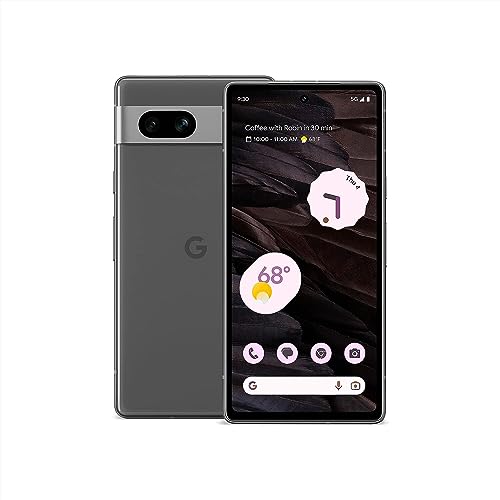
Google Pixel 7a — Best camera bargain
The Pixel 7a is the older sibling who still wins family arguments. Its Tensor G2 and 64MP camera deliver the Pixel photographic character, honest colour, heroic low-light recovery, and editing tricks that rescue group shots, at listings that now sit comfortably in budget territory. Verizon certification is proper US-model stock, so activation holds no surprises, and Google’s support commitment keeps the phone patched for years beyond its price’s expectations.
Wireless charging at this level remains a small miracle, shared with the 8a and absent from most rivals wearing newer names. The 6.1-inch OLED runs at 90Hz, the aluminium frame feels a class above plastic competitors, and the software experience is pure Google: call screening, transcription, and feature drops that periodically make the phone feel newly purchased. For a parent buying a teenager’s first serious phone on a Verizon family plan, the 7a balances capability, durability, and photographic joy unusually well.
Age-related caveats are mild but real. Charging is slow, the bezels date the design, and the Tensor G2 warms under sustained gaming sooner than newer silicon. Battery life is a dependable day rather than the Moto’s marathon. Buyers choosing between the 7a and its younger 8a sibling should weigh the longer support and brighter screen of the newer phone against the 7a’s gentler listings. Either way, Verizon households get a camera that flatters their memories far beyond the money involved.
Grandparents video-calling from Verizon family plans are the 7a’s happiest constituency. The camera flatters faces in kitchen light, the size suits hands that find giant phones slippery, and Google’s simple interface reduces the settings archaeology that makes family tech support calls last an hour. When a grandchild sets up favourites and large text on day one, the 7a settles into years of uncomplicated service, and its support runway means security updates never become the reason for a replacement conversation.
- Display: 6.1-inch OLED, 90Hz
- Chip: Google Tensor G2
- Camera: 64MP main with OIS, ultrawide
- Battery: 4,385mAh, wired and wireless charging
- Network: Verizon-certified unlocked US model
Strengths
- Pixel photography at a bargain position.
- Wireless charging and an aluminium frame.
- Support runway that outlasts its price tier.
Trade-offs
- Slow charging by current standards.
- Design and bezels show their generation.
- One-day battery for heavy users.
Best for: photography-loving families and first serious phones on Verizon. Not suited for: gamers chasing sustained frame rates.

Motorola Moto G Stylus 5G (2024) — Best pen on a budget
Some Verizon customers do not need a better camera; they need to sign things. Delivery confirmations, site inspections, warehouse counts, and school permission slips all move faster with a pen, and the Moto G Stylus 5G (2024) is the only affordable Android on Verizon that builds one into the body. Its 6.7-inch pOLED glows at 120Hz, the Snapdragon 6 Gen 1 keeps work apps fluid, and the US unlocked build connects to Verizon’s mid-band 5G as a designed feature rather than a hopeful accident.
The pen experience is tuned for utility: notes open as the stylus leaves its slot, handwriting converts for messages, and precise taps beat a fingertip when spreadsheets shrink. Around that party piece sits a sensible phone, 5,000mAh battery, a 50MP main camera with stabilisation, expandable storage, and Motorola’s clean software. Foremen, home-health carers, and market traders who annotate photographs of stock will each find a weekly moment where the stylus pays rent.
Expectations should stay calibrated. The pen is a precision pointer, not an artist’s pressure-sensitive brush, and Motorola’s update support trails the guide’s Samsung and Google picks. Night photography is serviceable rather than memorable. Within its brief, though, the Stylus is unmatched value: no other Verizon-ready phone at its level lets you sign, sketch, and annotate without a separate accessory rattling around a work bag.
Home-health nurses document visits on the Stylus between houses, sketching wound-care diagrams and signing forms on a screen that fits a uniform pocket’s neighbour. The pen survives gloves-off moments in winter doorways where a fingertip would smear the wrong field, and the battery finishes the round when the car charger’s cable has frayed again. Motorola built a budget phone; the care sector turned it into equipment, which is the sincerest form of product review there is.
- Display: 6.7-inch pOLED, 120Hz
- Chip: Snapdragon 6 Gen 1
- Camera: 50MP main with OIS, ultrawide companion
- Battery: 5,000mAh, 30W wired charging
- Extras: built-in stylus, microSD slot, Verizon-ready US unlocked
Strengths
- Stylus utility nobody else offers at this level on Verizon.
- Big, smooth pOLED for documents and forms.
- Battery and storage sized for workdays.
Trade-offs
- Pen lacks pressure sensitivity for artwork.
- Update horizon shorter than Samsung and Google rivals.
- Cameras are competent, not exciting.
Best for: couriers, inspectors, carers, and note-driven workers on Verizon. Not suited for: digital artists or low-light photographers.
Comparison Table
| Phone | Verizon 5G | Screen | Headline strength | Watch out for |
|---|---|---|---|---|
| Google Pixel 8a | Mid-band certified | 6.1-inch OLED | Support and camera | Charging pace |
| Galaxy A15 5G | Mid-band certified | 6.5-inch AMOLED | Lowest entry cost | Night photos |
| Moto G Power 5G (2024) | Mid-band certified | 6.7-inch LCD | Two-day battery | Support window |
| Galaxy S23 | Mid-band + mmWave | 6.1-inch AMOLED | Renewed flagship pace | Battery size |
| Google Pixel 7a | Mid-band certified | 6.1-inch OLED | Camera bargain | Slow charging |
| Moto G Stylus 5G (2024) | Mid-band certified | 6.7-inch pOLED | Stylus and screen | Update horizon |
Why Does Verizon Reject So Many Cheap Android Phones?
Verizon built its network on CDMA heritage and now runs a strict certification culture for the LTE and 5G era. A phone must carry the right bands, including Verizon’s core LTE frequencies and its n77 mid-band, and its IMEI must be recognised by Verizon’s systems for full activation and features like VoLTE and Wi-Fi calling. GSM-only phones from Xiaomi, and Sony’s Xperia models sold for GSM markets, fail that examination regardless of their virtues, which is why this guide excludes them by design rather than by taste.
The trap is linguistic. Marketplace listings use “unlocked” to mean the phone accepts other SIMs, not that Verizon accepts the phone. A GSM-unlocked import will happily take a Verizon SIM card physically, then fail to register or limp without calling features, and the return process becomes the buyer’s education. Reading for “Verizon certified” or a US model number, and checking Verizon’s own bring-your-own-device IMEI tool before paying, converts that education into a two-minute precaution.
There is a fairness point buried here. Verizon’s gatekeeping, however annoying, guarantees that phones on its network meet baseline standards for emergency calling and network behaviour. The six picks in this guide pass the gate with room to spare, which is precisely what makes them the affordable list rather than a list of cheap phones and apologies.
How Do You Check a Phone Will Activate on Verizon Before You Buy?
Use Verizon’s IMEI checker with the exact device you intend to buy whenever the seller provides the number, and treat a refusal to share it as information in itself. For new retail purchases, confirm the model is a US unlocked variant from Samsung, Google, or Motorola rather than an international edition wearing similar clothes. The listing’s band table should name Verizon’s key frequencies, and the words “CDMA-less” or “Verizon certified” in manufacturer documentation are the strongest signals available.
After purchase, activate methodically. Insert your current Verizon SIM or complete the eSIM transfer, restart, then test a voice call, a picture message, and mobile data with Wi-Fi disabled, in that order. Check that Wi-Fi calling enables in the settings and that the phone shows 5G in an area where Verizon advertises coverage. Perform these tests inside the return window, because a phone that misbehaves on day two rarely improves by day twenty.
Keep the old handset alive on Wi-Fi for a week as the safety net for banking codes and forgotten accounts. If activation hits a wall, Verizon support can usually resolve provisioning with the IMEI and SIM numbers in front of you, so write both down before calling. Preparation turns the network’s famous strictness into a formality.
How Do Verizon Family Plans Change the Affordable Calculation?
Verizon households rarely buy one phone; they buy a rolling fleet across parents, teenagers, and grandparents, and the fleet’s total cost is what affordability really measures. Standardising on two models, say the Pixel 8a for adults and the A15 for younger lines, multiplies every advantage: shared chargers, shared knowledge, and hand-me-downs that flow downhill without compatibility surprises. A teenager inheriting a parent’s 8a receives a phone with years of patches left, which is a safer gift than a new ultra-budget handset with eighteen months of support.
Line promotions complicate the picture in a useful direction. Verizon frequently discounts additional lines, which lowers the service cost of keeping an older relative connected, but the device still needs to be bought wisely. An affordable certified phone on a discounted line is the household sweet spot; an uncertified import on the same line is a support incident waiting for a holiday weekend. The fleet view also argues for keeping one spare from this list charged in a drawer, because a lost phone at a tournament should trigger a SIM swap, not a retail emergency.
Finally, teach the fleet one activation ritual and write it on the kitchen noticeboard: IMEI noted, SIM seated, restart, test call, test message, test data with Wi-Fi off. When every member can perform it, upgrades stop being one parent’s weekend project. Verizon’s strictness, met with a family routine, becomes a five-minute formality rather than a recurring drama.
What Happens When a Budget Phone Meets Verizon’s Network Upgrades?
Networks do not stand still for bargain hardware. Verizon continues to refarm spectrum and expand mid-band coverage, and phones with complete band support absorb those changes as free upgrades: a street that was LTE last year becomes 5G this year, and the A15 or Moto G Power simply wakes up faster. Phones bought cheaply with partial band support experience the same upgrades as rumours, which is why the band table outranks the camera in this guide’s priorities.
Standalone 5G and voice-over-5G rollouts will reward the same foresight. The modems in these six picks are ready for the network’s next configuration, while the cheapest uncertified imports often lack both the bands and the certification to join. A phone is a multi-year subscription to a network’s future, purchased once; buying the complete modem is how the subscription stays valuable.
There is also the shutdown lesson of the last decade to remember. When Verizon retired its 3G network, phones without proper VoLTE support lost calling entirely, and the casualties were overwhelmingly bargain imports. Nobody expects a repeat on that scale soon, but the moral is permanent: certification is not bureaucracy, it is insurance against the network’s next renovation.
Which Affordable Verizon Phone Suits Seniors, Students, and Drivers?
Seniors on Verizon need legibility, volume, and a phone their family can support over the phone. The A15’s big AMOLED and Samsung’s Easy Mode answer the first two, while the Pixel 7a’s simple interface and camera answer the third for grandparents who document grandchildren relentlessly. Both activate without drama, and both keep receiving patches, which removes the scariest senior-phone scenario: a banking app refusing an abandoned device.
Students need durability against backpacks, battery against library days, and a price that does not consume the textbook budget. The Pixel 8a is the scholar’s pick, with transcription for lectures and a camera for whiteboards, while the Moto G Power serves the student whose campus days end at a part-time job across town. Either survives a degree if cased from day one, and both hold enough resale value to fund the graduation upgrade.
Drivers, couriers, and field crews need stamina and loud, clear audio above all. The Moto G Power was designed for their dashboard, the Stylus for their paperwork, and both are priced so that a cracked screen is a bad day rather than a financial event. Verizon’s rural coverage does the rest, and these Motorolas’ honest antennas make the most of it along county roads where the next tower is a rumour.
How Should You Set Up a Budget Phone to Feel Like a Flagship?
Ten minutes of configuration closes half the gap between budget and flagship experiences. Raise the display’s font and icon size to the level your eyes actually prefer, enable the maker’s battery protection for overnight charging, and arrange the home screen around the six apps your day truly uses. Turn on automatic updates for the system and the app store, because a patched budget phone outperforms an abandoned flagship in every way that matters to security.
Notifications deserve an audit on day one. Budget phones ship with promotional apps eager to buzz, and silencing or deleting them transforms the device’s manners instantly. Set the camera to save to the microSD card where one exists, enrol fingerprints for every finger that will unlock the phone in real life, and test the emergency information screen so a stranger could help you with it.
Finally, spend the small money where it compounds: a real case, a glass protector, and a charger that matches the phone’s supported wattage. A budget handset protected and properly fed feels cared for, and cared-for phones get kept, which is where the affordability in this guide’s title is actually earned.
What About Coverage Beyond the Cities on Verizon?
Verizon’s reputation was built on rural reach, and affordable phones inherit that reach only when their band support is complete. Low-band 5G and LTE carry the signal across farmland and forest, and the picks here all speak those frequencies fluently. Antenna quality becomes the differentiator at the fringe: larger handsets like the Moto pair often hold a weak signal through a valley where a compact phone drops to searching, a difference measured in completed calls rather than speed tests.
Travellers on Verizon should still download offline maps for the genuine dead zones that persist in mountain and desert country. A budget phone with a full map aboard beats a flagship guessing, and the A15’s microSD slot makes carrying a state’s worth of maps trivially cheap. Pair that preparation with the battery stamina of the Moto G Power and a household has a road-trip phone that asks very little of the car’s charging port.
Farm and ranch work adds dust, gloves, and weather to the examination. The A15’s sealed Samsung build and the Motorolas’ water-repellent finishes tolerate the environment, while glove-mode settings keep touchscreens usable in January. None of these phones is a ruggedised specialist, but all of them survive ordinary rural life when cased, which is more than the glass flagships promise at five times the money.
Why Do Supported Phones Hold Their Value on Verizon’s Used Market?
A used phone that activates cleanly on America’s pickiest network carries a trust premium. Buyers pay it gladly because the IMEI check replaces guesswork, and sellers of the models in this guide benefit every time a handset changes hands. The Pixel 8a’s long support calendar props its value highest among the budget picks, while the S23’s flagship hardware does the same in the renewed tier.
That value loop rewards the first owner’s care. Keep the box, keep the battery healthy with sensible charging, and keep the purchase invoice, and a three-year-old handset sells as a known quantity rather than a gamble. Households practising this discipline find that each upgrade costs less than the last, because the outgoing phone funds a meaningful share of its replacement.
There is a community dividend too. Affordable certified phones passed between neighbours, church groups, and buy-nothing circles stay useful instead of becoming drawer clutter, precisely because anyone on Verizon can activate them. A GSM-only import passed along the same chain too often becomes a paperweight with a nice screen, which is the whole argument of this guide retold as a parable.
How Do Trade-Ins and Promotions Fit an Affordable Verizon Strategy?
Verizon’s promotions often advertise a free phone, and the fine print usually describes bill credits spread across three years in exchange for a trade-in and a premium plan. For households certain they will stay, those credits can make even a mid-tier phone effectively free, and there is no shame in taking the carrier’s money. The affordable discipline is to compare that path against buying one of this guide’s picks outright: the outright phone can leave Verizon any month, joins cheaper plans, and never turns a move or a job change into a payoff negotiation.
Trade-in values reward the same care this guide keeps recommending. A certified, supported, uncracked handset earns top credit grades, while an abandoned import earns a shrug. Families who standardise on the picks here discover their old phones are always worth something to someone, carrier, refurbisher, or cousin, and that quiet liquidity is part of affordability too.
Promotions also cycle with launch seasons. When new Pixels and Galaxies arrive, the previous generation’s renewed and discounted listings soften, which is precisely when the 8a, 7a, and S23 in this guide become their most persuasive. A household that can wait six weeks for the calendar to turn often buys the same phone for meaningfully less, and patience, unlike a coupon code, never expires at checkout.
What Should You Do in the First Week With a New Verizon Phone?
Devote the first week to evidence. Make calls from the rooms and roads where your old phone struggled, confirm 5G appears where Verizon’s map promises it, and send picture messages to friends on other networks to expose any messaging misconfiguration early. Set up Wi-Fi calling in your weakest-signal room and test it with the cellular radio effectively sidelined, because that feature will rescue more conversations this year than any other setting on the device.
Move the critical accounts deliberately: banking, health, work email, and the authenticator that guards them, testing each while the old phone still breathes on Wi-Fi beside you. Photograph something at dusk, record a minute of video on a walk, and play it back for focus and wind noise. A budget phone that passes your own chores has nothing left to prove to a review.
Register the purchase, save the IMEI and invoice in your password manager, and note the return deadline on the family calendar. If anything about the handset disappoints, that note is the difference between an exchange and an endurance contest. Affordable buying is not about tolerating flaws; it is about paying only for what serves you, and the first week is when you verify the service actually arrived.
Which Corners Should an Affordable Phone Never Cut?
Security support is the corner that looks invisible until it is gone. The month a phone stops receiving patches, banking apps begin their countdown and workplaces start refusing enrolment, and the bargain’s remaining hardware life becomes unusable for the tasks that matter most. That is why this guide weighs pledges so heavily and why a slightly older Pixel with years of runway outranks a shinier newcomer abandoned at birth.
Network certification is the second untouchable, for all the Verizon reasons already rehearsed. The third is battery honesty: a phone that needs a midday charge teaches its owner to organise life around sockets, a tax paid daily in small humiliations. The six picks defend all three corners, which is why the list is short. Screens, cameras, and finishes can flex with budget; support, certification, and stamina cannot.
Repairability is the emerging fourth corner. Screens crack and batteries fade on a schedule indifferent to price, and a phone with available parts and willing repair shops, as Samsung and Google models enjoy, can be restored instead of replaced. Ask your local shop which budget phones they can actually fix before buying; their answer is a review no website can replicate.
How Do You Talk a Family Member Out of a Too-Cheap Import?
Lead with the activation story, not the lecture. Show them Verizon’s IMEI checker, explain that the dazzling import will fail it, and let the tool deliver the verdict. Then show the arithmetic of three years: the supported phone bought once, patched throughout, resalable at the end, against the import replaced or abandoned when the network declines it. Most relatives are not attached to the import; they are attached to the discount, and the arithmetic speaks discount fluently.
Offer the alternative in the same breath, ideally the pick from this guide nearest the import’s price and personality. A camera lover gets the Pixel 7a, a battery worrier gets the Moto G Power, a Samsung loyalist gets the A15. People accept redirection far more readily than refusal, and the household ends with a phone the family can actually support at the kitchen table.
What Role Does a Spare Phone Play in a Verizon Household?
Every carrier household eventually meets the week of the lost or drowned phone, and a certified spare converts that week from crisis to inconvenience. Keep the retired A15 or 7a charged in a drawer with its charger, and a family member whose handset dies at a tournament is back on Verizon within the hour, reachable by the school, the bank, and the group chat. The spare costs nothing to keep and pays out in the currency households actually value during a bad week: calm.
Choose the spare deliberately when you upgrade. A phone with two supported years remaining is a spare; a phone abandoned by its maker is a liability that will fail banking checks exactly when it is needed most. This is one more reason the support pledges in this guide matter beyond the primary owner: they decide whether today’s purchase becomes tomorrow’s household insurance policy.
Label the spare’s charger and SIM tray tool, note its unlock code in the family password manager, and run its updates quarterly while it waits. A spare maintained like equipment behaves like equipment. A spare abandoned in a drawer behaves like archaeology, and archaeology helps nobody at midnight in an airport.
How Can You Stretch a Budget Phone’s Battery Across a Hard Week?
Travel weeks, outages, and festival weekends all ask more of a battery than its specification promised, and a few habits stretch any of these handsets impressively. Download maps, tickets, and media before leaving home so the radios rest. Lower the screen’s refresh ambition in settings where the option exists, keep brightness on automatic rather than maximum, and let the maker’s battery saver engage earlier than its default during the days that matter.
Signal hunting is the silent drain in weak-coverage country, so a phone spending a weekend at a fringe cabin lasts longer in LTE-preferred mode than one chasing a rumour of 5G. The Motorolas and Samsungs here all expose that choice plainly. Carry the charging cable that matches the phone’s fastest standard rather than whatever the car offers, because twenty honest minutes at full speed beats two hours of trickle.
None of this should become a lifestyle. The point of choosing a 5,000mAh phone from this list is that ordinary weeks need no rituals at all; these are expedition rules for the exceptional days, filed away like the spare tyre’s instructions, comforting precisely because they are rarely needed.
Rural owners report the same reliability at farm stands and school fundraisers, where a working tap settles the bill before the queue behind them finishes choosing.
Keep the wallet app’s updates automatic and that reliability renews itself quietly in the background, month after month, without a single thought from the owner.
That is the standard every affordable phone should be held to.
No exceptions, no asterisks, no apologies at the till.
Hold every candidate to it.
Always, without exception.
Do Budget Phones Handle Mobile Payments and Banking Reliably?
Yes, and the question deserves a fuller answer than it usually gets, because payment reliability is where cheap phones historically embarrassed themselves. Every pick in this guide carries NFC for tap-to-pay, a fingerprint reader that banking apps trust, and the security patching that keeps those apps enrolled year after year. A contactless terminal at a farmers’ market cannot tell whether the phone tapping it cost a flagship’s ransom or a fraction of one, and that democratic moment is modern Android at its best.
The caveats are procedural rather than technical. Enrol cards while your old phone still works, so verification codes have somewhere to land, and expect a few institutions to ask for a fresh identity check on the new device. Keep one physical card in your wallet during the first week regardless, because a single grumpy terminal should never stand between you and lunch.
Transit systems deserve a footnote in that answer, because tap-to-ride gates are becoming the payment test urban owners perform most. All six handsets wake and pay at the gate without unlocking gymnastics once the transit card is set as the default, and the Motorolas’ batteries make the evening gate as reliable as the morning one. Small consistencies like that, repeated twice daily, are where a phone earns its keep.
What Does Affordable Really Cost Over Three Years on Verizon?
Run the honest arithmetic. A very cheap phone replaced twice in three years, with a case and charger bought each time and photographs lost once to a failure, costs more than a Pixel 8a bought once and kept. Add the invisible line items: hours spent migrating data, a teenager’s school project stranded on a dead handset, the resale value a supported phone retains and an abandoned one does not. Affordability is the total, and the total favours buying the supported phone once.
Battery replacements belong in the same ledger. A flagship like the renewed S23 can accept a fresh battery at year three through authorised channels and serve a fourth year gracefully, while a sealed bargain with no parts ecosystem becomes e-waste on the same schedule. Verizon’s own device payment plans deserve a mention here too: financing a phone over three years while its maker supports it for only two is the arithmetic error this guide most wants to prevent.
None of this argues for overspending. It argues for spending at the level where support, battery, and network certification intersect, which is exactly where the six picks sit. Below that line, phones become consumables; at that line, they become tools with a service life, and the difference shows up in a household budget long after the unboxing video ends.
What Common Mistakes Do Verizon Bargain Hunters Make?
Importing a GSM-only phone because the specification sheet looked unbeatable is the defining mistake, and it has a hall of fame: Xiaomi’s Redmi and Poco lines and Sony’s Xperia models are excellent phones that Verizon will not properly activate. The second mistake is trusting the phrase “works with all carriers” in a marketplace listing written by someone who tested none of them. The third is buying a carrier-locked phone from a rival network at a discount and discovering Verizon cannot use it until the original carrier releases it, if they ever do.
Storage and support shortsightedness follow. A 64GB or short-patched bargain feels clever until app updates and photo libraries stage their coup in year two. Finally, shoppers forget the SIM: an elderly Verizon SIM can limit 5G provisioning, and a free SIM refresh sometimes transforms a disappointing new phone into the device the reviews described. Replace the SIM before replacing the handset whenever a new phone underperforms mysteriously.
Every one of these errors is a reading error rather than a money error. The band table, the model number, the support pledge, and the IMEI check are four short paragraphs between a bargain hunter and a bargain. This guide read them for its six picks; make a habit of reading them for any seventh candidate that tempts you away.
Final Recommendation
Most Verizon shoppers should buy the Pixel 8a and stop deliberating: it is certified, capable, photographed beautifully, and supported until the next decade’s conversations begin. The Galaxy A15 5G serves the tightest budgets without surrendering screen quality or support, the Moto G Power owns the battery argument, the renewed S23 rewards patient flagship hunters, the Pixel 7a remains the photographer’s bargain, and the Moto G Stylus equips workers whose days run on signatures.
Whichever you choose, you are choosing from the small set of affordable Android phones that Verizon genuinely welcomes, and that welcome is the foundation everything else stands on. Verify the variant, run the activation checks in the first week, and your bargain will behave like a bargain for years rather than a lesson.
Frequently Asked Questions
Why are there no Xiaomi or Sony phones in this Verizon list?
Because their popular models are built for GSM networks and lack the band support and certification Verizon requires for proper activation. They are fine phones on AT&T or T-Mobile, but on Verizon they will not register correctly, so recommending them here would waste your money.
Will an unlocked Samsung or Pixel bought on Amazon really activate on Verizon?
Yes, provided it is the US unlocked variant, as the picks in this guide are. Move your SIM or eSIM, restart, and register the IMEI if prompted. Verizon’s bring-your-own-device checker can confirm any specific unit before purchase.
Is a renewed Galaxy S23 a safer buy than a new budget phone?
For many buyers, yes: flagship build, cameras, and complete Verizon 5G support outweigh the new budget phone’s sealed box, provided the renewed grade is reputable and the battery checks out during the return window. Buyers who need a full manufacturer warranty may still prefer new.
Which pick lasts longest between charges on Verizon?
The Moto G Power 5G (2024) and Galaxy A15 5G lead the stamina table, both built around 5,000mAh batteries and efficient processors. The flagships here are one-day phones for heavy users, while those two routinely reach a second day.
Do these phones get Verizon’s Ultra Wideband 5G?
The mid-band layer of Ultra Wideband, carried on n77, is supported by all six picks. The Galaxy S23 additionally supports the mmWave layer found in stadiums and dense downtown zones. Coverage depends on your location and plan.
What should I do if my new phone will not activate?
Restart with the SIM reseated, confirm the IMEI in your Verizon account, and check for a carrier settings update. If it still refuses, call Verizon with the IMEI and SIM number ready; provisioning issues are common and usually fixable. Keep the return window in mind throughout.
Related Guides
Readers weighing networks can continue with best 5G phones running Android across all carriers, best 4G and 5G unlocked phones for total freedom, and best 4G Android phones for simple, long-lasting service.


