What's inside
- Key Takeaways
- Quick Picks
- How We Chose These Picks
- Comparison Table
- How Do You Spot a Fake or a Bad Deal in Budget Storage?
- How Should a Tight Budget Be Split Between Capacity and a Second Drive?
- How Do You Set Up an Affordable Drive So It Protects You From Day One?
- Should a Budget Buyer Ever Choose a Larger Desktop External Instead?
- How Do You Compare Value Across Capacities Without a Price Tag in Front of You?
- Which Affordable Drive Suits a Student, a Family, and a Small Business?
- How Do You Make an Affordable Drive Last Like an Expensive One?
- What Mistakes Do Budget Storage Buyers Keep Making?
- Final Recommendation
- Frequently Asked Questions
- Related Guides
As an Amazon Associate I earn from qualifying purchases. This post may contain affiliate links at no extra cost to you.
widgetverdict.com is reader-supported. When you buy through links on our site, we may earn an affiliate commission.
Affordable is the most honest word in storage, because everybody shopping this category has the same spreadsheet open in their head: how many terabytes, for how little money, without buying trouble along with them. The best affordable external hard drives are not the cheapest drives on the internet — that dubious title belongs to no-name curiosities with fictional capacities — but the least expensive drives from makers who will still answer for them in three years’ time. This guide compares six of them, four with verified purchase links and two discussed in prose, and it treats your budget with the respect of never quoting a single fixed price that a promotion could make a liar of by Friday.
Shopping this roundup takes one simple habit: when you follow a linked pick to its Amazon page to check price on Amazon, compare the capacities listed on that page against each other before comparing brands at all. In this category the smart money usually moves one capacity step up from the original plan, because the middle sizes are exactly where the value curve bends — the jump from 2TB to 4TB within the same family typically costs far less than twice the money for twice the room. The prose-only entries, a Toshiba portable and a rugged ADATA model, are covered without links because our verified pool did not contain them; their reviews explain how to buy each safely elsewhere.
One promise before the products themselves: affordable in this guide never means disposable. Every pick here is a real drive from a real maker, with a real warranty and a mechanism shared with far more expensive siblings. The savings come from plain shells, minimal software, and mature designs whose development costs were recovered years ago — never from corners cut where your data lives.
Key Takeaways
- Value in portable storage bends at the middle capacities: 4TB versions of these families usually deliver the lowest cost per terabyte without leaving the affordable class.
- The WD Elements line is the value benchmark — you pay for storage and nothing else, and consoles, TVs, and computers all accept the result without negotiation.
- Bundled software is where affordable drives quietly differ; the My Passport’s backup suite is worth real money to owners who would otherwise never automate a backup.
- Seagate’s Portable 2TB remains the effortless budget default for households that want a drive which simply appears and works.
- Never let a low price talk you into a no-name drive with an implausible capacity; counterfeit storage that reports false sizes is this category’s one true scam.
- An affordable drive plus a second affordable drive, rotated as backups, protects data better than one premium drive ever can.
Quick Picks
| Pick | Badge | Why it earns a place |
|---|---|---|
| WD Elements 2TB Portable Drive | Value benchmark | Plain, compatible, and priced by capacity rather than features nobody uses. |
| Seagate Portable 2TB External Drive | Effortless budget default | Drag-and-drop storage that works the moment it is plugged in. |
| WD Elements 4TB Portable Drive | Capacity value champion | Double the room of the 2TB class at the value curve’s sweet spot. |
| WD My Passport 4TB Portable Drive | Affordable with a safety net | Encryption and backup software at a mainstream, non-premium position. |
| Toshiba Canvio Basics 4TB | Third-brand value | A clean, matte portable for buyers diversifying away from the big two. |
| ADATA HD330 Rugged Portable | Toughness on a budget | Shock-resistant design for clumsy, mobile lives without the premium rugged brands’ pricing. |
How We Chose These Picks
Value judgments rot quickly when they chase daily prices, so this selection was built on structural value instead: which families are engineered to be inexpensive forever. That meant mature mechanisms shared across huge production runs, enclosures without expensive materials or licensed extras, and software bundles whose cost is either zero or genuinely earned. We excluded the marketplace’s long tail of unbranded drives entirely, however dazzling their capacity claims, because a storage device whose maker cannot be identified has a value of exactly nothing the first time it misbehaves.
We also scored the hidden costs that turn a bargain into an expense. A drive that needs a proprietary cable you will lose, an enclosure whose port fails in a year, or a backup suite that demands a subscription after a honeymoon period all bill you later for what the headline saved. The six survivors keep their ongoing costs at zero: standard cables, plain file systems, no subscriptions, and warranties administered by companies with actual service departments. Longevity is a value feature, and it is weighted heavily here precisely because affordable buyers are the least able to buy twice.
Finally, we deliberately spanned the two honest strategies in this category. Half the list buys capacity cheaply for libraries and backups; the other half buys a little protection — encryption, automation, or armour — at the lowest price where that protection is real rather than theatrical. A reader should be able to finish this guide knowing which strategy their money is following, because an affordable drive bought for the wrong strategy is the most expensive kind there is.

WD Elements 2TB Portable Drive — Value benchmark
Every value category needs a yardstick, and in portable storage the yardstick wears a plain matte shell and the name Elements. Western Digital strips this line to the studs: no backup suite, no encryption hardware, no dashboard, nothing between you and 2TB of storage that every computer, console, and television already knows how to use. That emptiness is the engineering of its price. The mechanism inside is the same class of drive sold in costlier costumes, the enclosure is honest plastic that shrugs off fingerprints, and the whole product exists to answer one question — how little can trustworthy capacity cost? — as aggressively as a major brand can answer it.
The ownership experience is correspondingly simple, and simple ages well. There is no software to fall out of date, no account to remember, no unlock prompt to confuse a games console at the worst moment. Families pass these drives around like extension cords. A student buys one for coursework and finds it, five years later, holding the household archive; a console owner buys one for games and retires it to photo duty when the library moves on. Products this plain develop long second lives because nothing about them can become obsolete except their capacity, and capacity retires gracefully into smaller jobs.
Value honesty requires naming what the money did not buy. Security is your operating system’s problem. Backup discipline is yours as well, since nothing bundled will nag you into a schedule. The connector on many units of this line is the older micro-B style, sturdy enough for desk life and deserving of gentle treatment in bags. And the shell’s shock protection is theoretical — the padding in your bag is the real insurance policy. Buyers who accept those terms, which are printed here rather than discovered later, tend to become repeat Elements owners, which is the strongest testimony a budget product can earn.
As the guide’s first recommendation, the Elements 2TB is the drive against which every other affordable claim should be measured: if a rival costs more, it must name what the extra money buys — software, security, capacity, armour — in terms as plain as this drive’s shell. Rivals that cannot name it do not deserve the difference.
- Capacity: 2TB
- Power: USB bus-powered
- Software: none — plain storage
- Compatibility: PCs, Mac after formatting choice, consoles, TVs
- Shell: matte, fingerprint-resistant
- Typical roles: first backup drive, console expansion, household archive
Strengths
- Benchmark value from a maker with a real warranty.
- Universal compatibility through radical simplicity.
- Nothing installed means nothing to break or expire.
Trade-offs
- No encryption or backup automation included.
- Older-style connector rewards gentle handling.
- Shock protection is limited to the shell.
Best for: a first-time backup buyer who wants trustworthy terabytes at the category’s reference value. Not suited for: a professional carrying sensitive files who needs the drive itself to lock.

Seagate Portable 2TB External Drive — Effortless budget default
Seagate’s basic Portable is the drive that gets recommended in family group chats, and the reason is not specifications — it is the absence of a learning curve. Open the box, plug in the cable, and a 2TB volume appears, ready for the drag-and-drop habits everybody already has. For the enormous population of buyers whose backup plan is “copy the important folders onto something,” a drive that cooperates instantly is worth more than a technically superior drive that demands configuration. Affordability includes the price of your own time and confidence, and this model is cheap in all three currencies.
The hardware underneath the friendliness is unremarkable in the best sense. Transfers run at the steady pace of a healthy modern spinner, the shell stays cool and quiet through an evening-long first backup, and the matte finish forgives the handling a shared household drive receives. Seagate’s decision to keep this line software-free means it behaves identically on the teenager’s gaming PC, the parents’ ageing desktop, and the laptop in between, which is precisely the interoperability a family drive lives or dies by. Mac households face the familiar one-time formatting choice, explained in the guide’s setup section, after which the drive simply circulates.
Compared head-to-head with the Elements above, the honest differences are small and mostly tribal: shell feel, cable style, brand history, and which maker’s warranty process a household already knows. That near-parity is itself useful information for a value shopper, because it means the Seagate can be bought on whichever week’s terms favour it without a pang of settling. What neither budget twin offers — encryption, automation, armour — is available further down this list for buyers whose definition of affordable includes a safety net.
Our verdict positions the Portable as the default for uncomplicated households: the drive you buy when the requirement is storage, the deadline is tonight, and the users range from expert to grandparent. It will not be the most interesting object you own this year. It may well be the one that saves the year, the first time a laptop dies with the family photographs safely copied onto something that simply worked.
- Capacity: 2TB
- Power: USB bus-powered
- Setup: preformatted, ready immediately
- Software: none bundled as standard
- Shell: matte portable enclosure
- Typical roles: family backup, student storage, console library
Strengths
- Zero learning curve for non-technical households.
- Consistent behaviour across very different computers.
- Cool, quiet running during long first backups.
Trade-offs
- No security or automation features at all.
- Short bundled cable suits desks better than cabinets.
- Standard shell offers no drop protection.
Best for: a household buying one drive to be shared by everyone, including the resolutely non-technical. Not suited for: a worker whose portable must protect client data if it is lost.

WD Elements 4TB Portable Drive — Capacity value champion
If the 2TB Elements is the yardstick, the 4TB version is the argument for measuring your needs before you shop. Doubling capacity within the same plain, compatible, software-free formula lands on the value curve’s sweet spot: the enclosure, cable, and packaging costs are shared across twice the terabytes, and the result is the lowest honest cost per terabyte in this guide. For the buyer whose archive has momentum — a growing photo library, a console collection, a video habit — this is the affordable drive that stays affordable longest, because the cheapest drive is the one you do not have to replace next year.
The extra room changes behaviour in ways owners notice monthly. A full computer backup with version history fits beside the media archive instead of competing with it. A console library stops requiring deletion ceremonies. A photographer’s card dumps from an entire season sit in one place, labelled by month, rather than scattered across the drive that happened to have space. Four terabytes is also the size where a portable becomes a plausible whole-household backup target: every laptop’s important folders, the family archive, and room to breathe, on a device that fits in a coat pocket and runs from a single cable.
Physics sends a small invoice for the capacity. Higher-capacity portables use denser mechanisms that reward the same gentle handling as their siblings — a padded sleeve, no tossing, eject before unplugging — and a drive holding four terabytes concentrates four terabytes of consequence, which is why this guide pairs the recommendation with its standing sermon: a second copy somewhere else, even a cheap one, even an old one. The 4TB Elements as one half of a two-drive rotation is, dollar for dollar, among the most protective arrangements a household can buy.
Buyers torn between this and the 2TB picks should let their data’s growth rate decide, not the shelf appeal of the smaller number. If your archive gained a terabyte last year, the 4TB drive is the value pick even though it costs more today; if your files have sat at the same size since the last decade, the 2TB models are the honest saving. Value is a ratio between price and years of service, and this drive wins that ratio for more households than any other pick here.
- Capacity: 4TB
- Power: USB bus-powered
- Software: none — plain storage
- Compatibility: PCs, consoles, TVs, Mac after formatting choice
- Shell: matte portable enclosure, slightly fuller figure than 2TB models
- Typical roles: household backup target, large console libraries, media archives
Strengths
- Lowest honest cost per terabyte in this roundup.
- Room for backups with history plus the media archive.
- Same universal compatibility as the 2TB Elements.
Trade-offs
- Concentrates more data — and more consequence — in one device.
- No security or backup software, as with its smaller sibling.
- Slightly larger shell than the slimmest 2TB drives.
Best for: a household whose archive grows yearly and wants one backup target with years of headroom. Not suited for: a buyer whose data has been the same few hundred gigabytes for a decade.
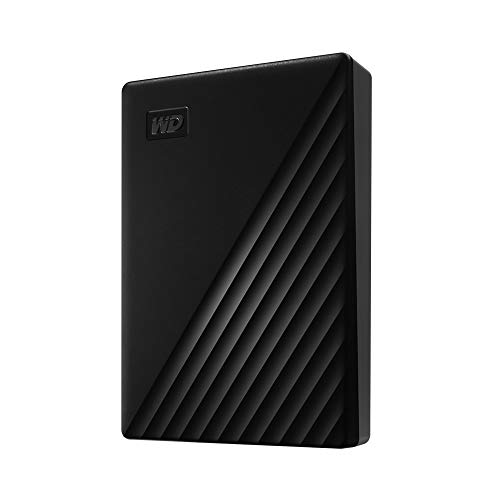
WD My Passport 4TB Portable Drive — Affordable with a safety net
The My Passport 4TB exists for the buyer who priced the plain drives, nodded, and then asked the uncomfortable question: what happens when this thing is lost with my life on it? Its answer — hardware encryption with password access, plus backup software that runs the habit for you — usually lives in a pricier tier, and Western Digital’s mainstream positioning of this line is what earns it a place in an affordable roundup. You are still buying a spinning 4TB portable in a slim shell; you are simply also buying the two features that most change what owning it feels like, at the lowest price point where both are properly implemented.
The backup software deserves first billing in practice, because it prevents the commonest data loss of all: the backup that was never made. Scheduled, automatic copies with version history turn good intentions into a system, and for the freelancer, the student, or the family archivist who knows their own forgetfulness, that automation is worth more than any single specification we list. The encryption is the second half of the safety net, sealing the drive’s contents if it leaves your possession — with the standing warning from our 2TB coverage that a forgotten password is final, so the password belongs in a password manager the day the drive is configured.
Costs of the safety net are real but bounded. Security layers make the drive a less universal citizen: consoles and simple media hosts prefer the plain Elements formula, and the Passport should be bought as a computer’s companion rather than a household’s shared drive. The glossy-accented shell shows its travels more than the matte workhorses do. And the software, while genuinely useful, is one more thing to install and learn — a small tax that buyers who already run their own backup tools should decline to pay, taking the Elements 4TB instead with a clear conscience.
Judged on value rather than sticker, the Passport 4TB is the affordable pick for data that would hurt to lose or to expose. It costs a little more than the plain drives and returns a working backup system plus a lock, which is the best exchange rate in this entire guide for owners whose portable carries their livelihood alongside their libraries.
- Capacity: 4TB
- Power: USB bus-powered
- Security: hardware encryption with password access
- Software: bundled backup and utilities
- Shell: slim portable, two-tone design
- Typical roles: laptop backup for professionals, private archives, student work
Strengths
- Backup automation builds the habit owners forget.
- Hardware encryption protects a lost drive’s contents.
- Four terabytes of headroom at a mainstream position.
Trade-offs
- Security features reduce console and TV compatibility.
- Forgotten passwords are unrecoverable by design.
- Shell finish shows scratches from bag life.
Best for: a freelancer whose portable carries client work and the only backup of a laptop, through public places weekly. Not suited for: a shared household drive that must also feed a console and a television.
Toshiba Canvio Basics 4TB — Third-brand value
Value shoppers eventually ask whether the big two brands are the whole market, and the Canvio Basics 4TB is the credible evidence that they are not. Toshiba’s formula mirrors the Elements philosophy — a matte, smudge-proof shell, a single cable, a clean setup with no trial software shouting for attention — at a capacity that lands on the same value sweet spot as our 4TB picks. It appears in prose because our verified pool did not contain a listing we could confidently attach to this exact model amid its many near-identical Canvio siblings; buy it from a retailer whose returns you trust and confirm the Basics name and capacity on the box.
The case for a third brand in a value guide is partly about trust diversification and partly about simple market health. A household burned by a failed drive of one badge often prefers the replacement to wear another, and there is no engineering argument against obliging them here: everyday transfer pace, acoustics, and reliability expectations sit in the same band as the Seagate and WD basics. Owners running a two-drive backup rotation can also use the Canvio as the deliberate second brand, so the pair shares neither a production batch nor a firmware lineage — a quiet professional practice available at consumer prices.
Mac households should repeat the ritual described in our 2TB coverage: reformat the drive for your ecosystem on day one rather than relying on bundled driver arrangements, and the Canvio becomes invisible in the best way. Its warranty and support run through Toshiba’s channels, which are perfectly functional if less commonly travelled than the big two’s; keep the invoice, register the drive if the option is offered, and the ownership experience settles into the same unremarkable competence as its rivals.
In a category where the leaders are this close, the Canvio Basics 4TB earns its paragraph by being the rational alternative: equal in spirit, occasionally keener in price on a given week, and the natural choice when your rotation strategy or your brand history points away from the duopoly. Value, in the end, includes the freedom to choose.
- Capacity: 4TB
- Power: USB bus-powered
- Setup: preformatted; reformat for Mac-native use
- Software: minimal, no trial clutter
- Shell: matte black, smudge resistant
- Typical roles: household backup, rotation partner, office storage
Strengths
- Clean, quiet setup with no bundled clutter.
- Credible third brand for diversified backup rotations.
- Value positioning matches the big two’s basics.
Trade-offs
- Similar Canvio variants make exact-model shopping fiddly.
- Support channels are less commonly documented.
- No encryption or rugged features.
Best for: a value shopper building a two-brand backup rotation or replacing a failed drive with a different badge on principle. Not suited for: buyers who want to follow a verified link from this page without checking model variants.
ADATA HD330 Rugged Portable — Toughness on a budget
Rugged drives usually charge a premium for their armour, which makes the ADATA HD330 the value guide’s interesting outlier: a portable wrapped in a shock-absorbing silicone jacket with a grooved, grip-friendly design, positioned for ordinary budgets rather than expedition funding. It is covered in prose because our pool did not verify a listing for it this round, and because capacity variants in this family are easy to confuse at a glance — the review that follows describes the design’s merits while leaving the exact-variant shopping to a careful moment at a retailer you trust.
The design logic is household realism. Most portable drives do not die on mountainsides; they die sliding off car seats, tumbling from sofa arms, and meeting kitchen tiles from counter height, and the HD330’s cushioning is aimed squarely at those unglamorous altitudes. The jacket also makes the drive easier to hold and harder to slide off a desk, two small mercies that compound daily. For a student whose drive lives in a backpack among textbooks, or a tradesperson whose backup rides in a work vehicle, this is protection matched to the actual risk register, at a price that does not require an expense account.
Honesty about ratings applies here as everywhere: shock-resistant design improves the odds in common falls, and no manufacturer warrants your data against gravity. The jacket adds bulk beside the slim drives in this guide, and the family’s styling — angular, colourful in some variants — will not suit every desk. Underneath the armour sits a conventional portable mechanism with conventional pace, so the purchase is entirely about survival probability, not speed.
Choose the HD330 when the drive’s life is genuinely mobile and the budget cannot stretch to the premium rugged names from our 2TB coverage. It is the affordable way to buy the one feature — a forgiving landing — that no software setting can retrofit, and for clumsy, crowded, on-the-move lives it may be the highest-value pick in this entire roundup.
- Capacity: varies by variant; confirm on the box
- Power: USB bus-powered
- Protection: shock-absorbing silicone outer jacket
- Design: grooved, high-grip enclosure
- Software: minimal
- Typical roles: student backpacks, work vehicles, mobile backup
Strengths
- Drop cushioning at an ordinary-budget position.
- Grippy jacket resists desk slides and fumbles.
- Protection matched to real household accidents.
Trade-offs
- Bulkier than the slim matte drives.
- Capacity variants require careful checking when buying.
- Armour improves odds; it cannot guarantee data.
Best for: a student or tradesperson whose backup drive travels daily in a bag or a work vehicle. Not suited for: a desk-bound archive where a drawer already provides the protection free.
Comparison Table
| Drive | Capacity | Extras | Protection | Best role |
|---|---|---|---|---|
| WD Elements | 2TB | None | Basic shell | Reference-value backup and console duty |
| Seagate Portable | 2TB | None | Basic shell | Effortless family storage |
| WD Elements | 4TB | None | Basic shell | Household backup target |
| WD My Passport | 4TB | Encryption, backup suite | Basic shell | Private professional backup |
| Toshiba Canvio Basics | 4TB | None | Basic shell | Third-brand rotation partner |
| ADATA HD330 | Varies | None | Shock-absorbing jacket | Mobile, accident-prone lives |
How Do You Spot a Fake or a Bad Deal in Budget Storage?
The counterfeit drive is this category’s defining hazard, and it has a recognisable anatomy: an unknown brand, a capacity that sounds like a typo, a price that undercuts the majors by an impossible margin, and packaging that avoids naming a real manufacturer. Inside, such devices contain small, slow storage — sometimes a fraction of the claimed size — with firmware that lies to your computer about its capacity, accepting files cheerfully until the real space runs out and everything written beyond it silently corrupts. The defence is absolute and simple: buy drives whose makers have names, histories, and warranty departments, from sellers with return policies, which is why every pick in this guide wears a badge you can hold accountable.
Legitimate bad deals are subtler. A previous-generation model at a small discount can be a fine purchase or a false economy depending on its connector and warranty start; a marketplace listing from an unauthorised seller can carry a warranty the maker will not honour; a “renewed” drive sold beside new stock without clear labelling transfers its first life’s wear to you at nearly new money. Read the listing the way this guide reads drives: who made it, who is selling it, what exactly is the capacity and model, and what happens if it arrives dead. Thirty seconds of that literacy is worth more than any coupon.
Finally, learn the shape of the honest value curve so promotions cannot stampede you. Within a family, cost per terabyte falls as capacity rises to the middle sizes, then rises again at the flagship end; a genuine bargain moves you along that curve, while a fake one promises to abolish it. When a deal claims to abolish arithmetic, it is selling you the arithmetic’s consequences instead.
How Should a Tight Budget Be Split Between Capacity and a Second Drive?
Here is the value question nobody asks at the shelf: is one 4TB drive a better purchase than two 2TB drives? For a library, the single big drive wins on simplicity and cost per terabyte. For a backup, the pair wins on the only metric that matters when something fails — survival — because two drives in rotation, one of them disconnected and stored away, defeat theft, ransomware, and the single-device failure that a lone premium drive cannot. Households whose data is mostly re-downloadable media can enjoy the single drive’s simplicity; households whose data is irreplaceable should hear the pair’s argument as the guide’s most important paragraph.
The split can also be staged across time, which is how tight budgets actually work. Buy the capacity you need now from this list, set it up properly, and put the second drive on a dated intention — a birthday, a tax refund, the next promotion cycle — rather than a vague someday. A backup strategy that exists in two stages, with the second stage scheduled, protects most of what matters from day one and all of it from the scheduled date. What it must never do is invert: the archive drive bought first and the backup perpetually postponed is the arrangement behind nearly every data-loss story ever told at a repair counter.
Refurbished and previous-generation drives can serve honourably as the second member of a pair, provided they pass the health checks described elsewhere in this batch’s guides and are bought with returns available. The second copy’s job is redundancy, not youth; a vetted older drive in a drawer is a better guardian than a hypothetical new one in a shopping basket. Just keep the primary copy on the freshest hardware, verify both copies’ contents seasonally, and the budget arrangement delivers protection that embarrasses far pricier single-drive setups.
How Do You Set Up an Affordable Drive So It Protects You From Day One?
Unboxing discipline decides whether an affordable drive becomes infrastructure or clutter. Begin with the format decision, made once and deliberately: the cross-platform file system if the drive must shuttle between Windows and Mac machines, each system’s native format if it will live in one ecosystem, accepting that a console will claim and reformat any drive it adopts. Label the shell with the choice and the purchase date — a strip of tape and a marker, the cheapest database in computing — because the person puzzling over this drive in four years is you, with no memory of today’s intentions.
Next, run the health ceremony while returns are still painless: confirm the full capacity appears, read the SMART report, and copy a genuinely large test file while watching for dropouts or strange noises. Then configure the backup itself — the My Passport’s suite, your operating system’s built-in tool, or a sync utility — and restore one file to prove the loop closes. That restore test, two minutes long, is the difference between a backup and a hope, and it is astonishing how many hopes are discovered, at the worst possible moment, to have been copying an empty folder for a year.
Finish with placement and rhythm. Give the drive a home beside the computer it serves, cable attached, so plugging in is a five-second act rather than an expedition; schedule the backup for an hour the machine is predictably awake; and put a seasonal reminder somewhere you will see it, to check the drive’s health and test another restore. Affordable drives reward exactly this much ceremony — no more, no less — and repay it by being ready on the one day their existence is about.
Should a Budget Buyer Ever Choose a Larger Desktop External Instead?
There is a neighbouring bargain this guide deliberately leaves at the border: the big desktop external drive, the kind with its own power supply and a 3.5-inch mechanism inside. Per terabyte, those devices undercut every portable here, sometimes dramatically, because big platters are the cheapest storage physics offers. If the drive’s destiny is to sit beside a desktop or a media cabinet forever — backing up on schedule, never travelling — that bargain is real, and a household should take it without a backward glance at portability it will never use.
The portable premium buys exactly one thing: freedom from the power brick and the desk. A drive that must visit several computers, ride to work, or serve a laptop on a train earns that premium back in convenience within a month. A drive bought as a portable and then parked permanently has paid for a journey it never takes, which is why this guide keeps asking the unfashionable question — where will this drive actually live? Answer it honestly and the choice between the portable families here and their desktop cousins makes itself, at a saving either way.
Households with both patterns in their lives often end with one of each: a desktop external as the always-connected backup target, a portable from this list as the rotating, offsite, or travelling copy. That pairing is, not coincidentally, the two-copy strategy from the previous section wearing its most economical clothes — the cheap terabytes stand guard at home, the pocketable ones carry the second copy out of the building.
How Do You Compare Value Across Capacities Without a Price Tag in Front of You?
Cost per terabyte is the only honest unit in this category, and it takes ten seconds to compute on the day you shop: divide the price by the capacity, compare the quotients, and let the arithmetic overrule the shelf placement, which is designed to make the middle option look inevitable whether it is or not. Do the sum within one family first — the Elements 2TB against the Elements 4TB — because cross-brand comparisons mix in software and warranty differences that the bare quotient cannot see. Then do it across families for the plain drives, where the products are close enough that the quotient is a fair judge.
Two adjustments keep the arithmetic honest. First, value your own growth: a quotient computed against capacity you will never use is a fiction, so weight the comparison by the terabytes you will actually fill within three years. A 4TB drive that sits at one terabyte for its whole life delivered its value at the 1TB rate, whatever the sticker said. Second, remember the second-drive strategy: sometimes two smaller drives at slightly worse quotients beat one large drive at the best quotient, because the pair buys redundancy, and redundancy is a feature with a price like any other — occasionally the best value on the entire shelf.
Promotions complicate the picture weekly, which is why this guide refuses to print prices and teaches the quotient instead. A genuine promotion moves a family along its own value curve; a manufactured one inflates a reference price nobody ever paid. Judge every deal against the everyday quotient of the plain benchmark — the Elements class — and you will recognise both kinds on sight.
Which Affordable Drive Suits a Student, a Family, and a Small Business?
Archetypes clarify what specifications blur. The student’s drive lives in a backpack, backs up a laptop whose loss would be an academic emergency, and is bought with money that has competing claims; the ADATA’s armour or the Seagate Portable’s simplicity serve that life best, at 2TB unless coursework involves video, in which case the Elements 4TB earns its step up by swallowing project files without rationing. The student’s real risk is not capacity but singularity — one laptop, one drive, one bag — so the guide’s rotation sermon applies with special force, and a cloud copy of the current semester’s work is the cheapest insurance in this entire article.
The family’s drive is a shared appliance judged by whether everyone will actually use it. Plain compatibility wins: the Elements or the Portable, sized at 4TB if the photo archive has momentum, living beside the household computer with its cable attached and its backup scheduled. Families should resist the encrypted models for the shared drive — a password forgotten by one member locks out everyone’s photographs — and reserve the My Passport’s talents for the individual laptop it was designed to accompany.
The small business buyer should read “affordable” with one amendment: the drive’s cost is trivial beside the cost of the day it fails during a deadline, so the business version of value buys the safety net early. A My Passport for each key laptop, a plain 4TB drive as the office’s rotating archive, and receipts filed for warranty — that modest fleet, all from this affordable list, protects a small firm’s records more completely than a single expensive device with a heroic specification. The category’s lesson generalises: at these prices, redundancy is the premium feature, and it is sold by the unit.
How Do You Make an Affordable Drive Last Like an Expensive One?
The lifespan gap between a cared-for budget drive and a neglected premium one is wider than the gap between their mechanisms, which is the value shopper’s happiest secret. Handling writes most of the story: a padded sleeve for travel, a stable surface while working, no movement while the drive is spinning, and a proper eject before every unplugging. None of these cost anything, and together they remove the leading causes of portable-drive death from a budget drive’s life entirely. The owner who performs them owns, functionally, a premium product.
Environment writes the second chapter. Drives stored in drawers at room temperature age gracefully; drives stored in cars, attics, and damp garages age in dog years, whatever their badge. A backup drive’s home matters as much as its specifications, and the household that keeps its archive portable in a cool, dry, boring place has quietly purchased years of service for free. Spin stored drives up every few months — the same appointment as the seasonal restore test — so bearings stay free and the backup’s readability is verified rather than assumed.
Retirement is the final skill. A drive that begins reporting reallocated sectors or making new noises should be promoted out of front-line duty immediately, its contents migrated to fresher hardware while migration is still a copy rather than a recovery. Demoted to light, non-essential work or wiped and recycled, it ends its life as a lesson rather than a loss. Budget hardware managed with this much attention routinely outlasts premium hardware managed with none, which is the closest thing to a free upgrade this category offers.
What Mistakes Do Budget Storage Buyers Keep Making?
Chasing the absolute lowest price is the founding error, and it delivers buyers to the counterfeiters and the no-name drives whose capacities are fiction. The floor of the honest market is set by the majors’ basic lines — the Elements and Portable class — and a price dramatically below that floor is not a bargain but a warning label. The second error is subtler: buying last year’s capacity for this year’s data, saving a little on a 1TB or 2TB drive that fills within months and forces a second purchase, when the 4TB value step would have cost less than the two purchases combined.
The third error is treating the portable as the archive. An affordable drive makes an admirable backup and a terrible vault, because it is small, stealable, droppable, and singular; the household that moves its only copy of the photo library onto a portable to free laptop space has not archived anything, merely relocated its risk to a smaller, more losable object. Keep the language straight — copies are safety, moves are gambling — and let capacity pressure trigger the two-drive arrangement described above rather than a quiet migration of your only files.
Skipping the setup ceremony completes the set. The unformatted-for-your-household drive, the unconfigured backup, the untested restore: each is a small omission that converts a good purchase into a false sense of security, which is worse than no security because it suppresses further effort. Budget buyers, of all people, cannot afford false confidence — the ceremony is free, and it is where the value of the whole purchase is actually realised.
Final Recommendation
For the purest value, take the WD Elements in the capacity your growth rate dictates — 2TB for stable archives, 4TB for growing ones — and enjoy storage that every device you own accepts without argument. The Seagate Portable 2TB matches it for households that prefer Seagate’s manners or find its terms keener this week. Step up to the My Passport 4TB when the drive will carry work or private data and the backup habit needs automating; consider the Canvio Basics 4TB as the rotation’s second brand; and let the ADATA HD330 carry the backup for lives lived in backpacks and work vehicles.
The deepest value in this category, though, is a behaviour rather than a product: two modest drives, rotated, verified, and labelled, will protect a household better than any single premium purchase. Buy the first drive today, schedule the second, and your archive stops being a hope with a USB cable — it becomes the quiet system that lets everything else in your digital life be replaceable.
Frequently Asked Questions
Are cheap external drives from major brands reliable?
Yes — the basic lines from Western Digital, Seagate, and Toshiba use mature mechanisms produced in enormous volumes, and their low prices come from plain enclosures and absent extras rather than inferior internals. Reliability differences between a maker’s basic and premium portables are small; the differences in features, software, and finish are what the premium buys. There is even a quiet argument that the basic lines are the safer buy: they are the highest-volume products their makers ship, their designs have been refined across the most units and the most years, and any weakness they ever had was discovered and engineered out long ago at a scale no niche premium model can match.
What capacity is the best value right now?
Within the families in this guide, the 4TB class generally delivers the lowest cost per terabyte while staying firmly affordable, with 2TB close behind and better suited to small, stable archives. Prices move with promotions, so compare cost per terabyte on the day you buy rather than trusting any printed figure — including ours, which is why this guide prints none. While you have the calculator open, perform the companion sum that separates value from volume: divide the price not by the capacity on the box but by the capacity you will realistically fill within three years, and let that second quotient arbitrate between the 2TB and 4TB shelves, because it prices the terabytes you will actually own rather than the ones you will merely possess.
How can I tell if a drive’s capacity is fake?
Be suspicious of unknown brands claiming huge capacities at impossible prices. A genuine drive’s capacity can be verified with free utilities that write test data across the whole volume and read it back; counterfeit devices fail such tests once the small real storage fills. Buy from accountable makers and sellers, and the test becomes a formality rather than an investigation. The cruellest property of a fake drive is its patience: it accepts your backup graciously for weeks, corrupting only the files written beyond its true capacity, so the fraud is discovered at the exact moment of need. That is why the verification habit matters even for drives from plausible-looking sellers, and why the first job of any new portable — whatever its pedigree — is the full-capacity test described in this guide’s setup section.
Is it better to buy one large drive or two smaller ones?
For a library, one large drive is simpler and cheaper per terabyte. For backup, two drives in rotation protect against failure, theft, and ransomware in ways a single drive cannot, whatever its pedigree. Many households end with both arrangements: a large drive as the archive, a second drive as its rotating guardian. The staged version suits real budgets: buy the archive drive now, use it faithfully, and schedule the guardian’s purchase for a specific date rather than a vague intention, because an unscheduled second drive has a way of remaining unbought right up to the week it was needed. Even a modest 2TB guardian, covering just the irreplaceable folders rather than the whole archive, transforms the arrangement’s safety out of proportion to its cost.
Can an affordable portable drive be used with a games console?
The plain models — Elements and Seagate Portable above all — are the console-friendly picks, because they arrive without security layers to complicate the console’s setup. Remember the console will format the drive for its own use, dedicating it to the library, so give the console its own drive rather than the household’s shared backup. This dedication is, in budget terms, painless: a game library is the most replaceable data a household owns, since every title re-downloads, so the console is the perfect assignment for the household’s oldest healthy portable when a newer drive takes over backup duty — a cascade that squeezes full value from every drive you have ever bought.
How long should a budget portable drive last?
Several years of ordinary service is a fair expectation for a major-brand portable that is handled gently, ejected properly, and kept within indoor temperatures, with the usual wide variation between individual units. Watch its health indicators as it ages, keep its contents backed up elsewhere, and retire it to light duty when it begins reporting reallocated sectors. A practical household rhythm is to review every drive’s age and health once a year — many families attach the chore to a birthday or a new year — and to budget the replacement of the oldest unit before it becomes the emergency. Storage bought calmly, in a promotion, on a planned date is the final form of the value this guide has been chasing all along.
Is a refurbished portable drive ever a smart budget buy?
As a second copy, sometimes; as a primary drive, rarely. A manufacturer-recertified unit from an accountable seller, with its health report clean and a real return window, can serve honourably in a backup rotation where its failure would be an inconvenience. The savings over the basic new lines in this guide are usually small, though, and the new drive’s full warranty and unworn mechanism are worth more than the difference for any drive holding a primary copy. Distinguish, too, between manufacturer recertification — a tested unit with a fresh warranty from the maker — and a marketplace “renewed” label of uncertain provenance; the first is a product with a paper trail, the second is a claim, and budget discipline consists largely of refusing to pay product prices for claims.
Do affordable drives work with smart TVs and media players?
The plain models do, happily — the Elements and Seagate Portable are the usual recommendations for recording and media libraries, because they present themselves as uncomplicated storage that televisions understand. Check the TV’s documentation for its maximum supported capacity and its formatting requirements, since some sets cap drive sizes or insist on preparing the drive themselves, erasing it in the process. A television drive also lives a particular life — long recording sessions, frequent spin-ups for scheduled programmes, and a permanent home behind the set where dust gathers — so give it ventilation, expect it to be a dedicated device rather than a shared one, and remember that recordings on many sets are tied to that individual television and will not play elsewhere, which makes a TV drive a convenience rather than an archive.
Related Guides
More storage guidance for the budget-minded: best 2 tb external hard disk drives for a deeper look at that capacity class, best 2.5 inch hard drives if you would rather build a portable from a bare drive and enclosure, and best 1 tb hard drives for smaller capacities that sometimes undercut everything here.


