What's inside
- Key Takeaways
- Quick Picks
- How We Chose These Picks
- Comparison
- What Makes a Tablet Genuinely Good for Note-Taking?
- How Much Tablet Does a Degree Actually Require?
- How Should a Student Set Up a Tablet in the First Week?
- Does the Brand of Your Phone Matter?
- What About Battery Life When No Figure Is Stated?
- Which Screen Size Fits a Student Day?
- How Do These Tablets Handle a Full Day of Classes?
- What Should a Student Spend the Saving On?
- Can a Tablet Carry a Student Without a Laptop?
- What Do Students Actually Regret After a Term?
- Common Mistakes
- Final Recommendation
- Frequently Asked Questions
- Related Guides
As an Amazon Associate I earn from qualifying purchases. This post may contain affiliate links at no extra cost to you.
widgetverdict.com is reader-supported. When you buy through links on our site, we may earn an affiliate commission.
The best android tablets for college students are bought against a semester, not a spec sheet. The real requirements repeat on every campus: lecture notes that keep up with a fast speaker, textbooks and PDFs that stay legible for three hours at a stretch, a battery that survives a day of back-to-back classes, and a price of ownership — tablet, pen, case, all of it — that a student budget can absorb without drama. The six tablets below were chosen against those requirements, and four of them state a pen or stylus in the box in their listings, which is the single most valuable line in any student tablet listing.
Lenovo dominates this list, and that is an honest reflection of the market rather than a preference: the company sells three distinct student-oriented Idea Tab models with pens bundled, at three sizes. Samsung contributes the ecosystem pick with its S Pen included. TCL contributes the small, simple, metal-bodied option for students whose note-taking happens on paper or a laptop and who need the tablet for reading and media. Each pick’s section states plainly whether a pen is included, because a stylus bought separately can quietly erase the saving that made a cheaper tablet look clever.
There is also a timing truth every student buyer should hear plainly: buy the tablet before the term starts, and spend the quiet weeks learning it. A pen’s gestures, a notes app’s filing system, and a split-screen habit are all cheap to acquire in August and painfully expensive to acquire in the third week of October, when the lectures stop waiting. The picks below are compared as machines, but the difference between a tablet that transforms a degree and one that gathers dust is usually that fortnight of setup, not the specification.
A rule runs through the whole guide: a pen is only claimed where the listing title claims it. Two of these six — the Lenovo Tab M11 and the TCL Tab 10 Gen 4 — name a folio case or nothing at all where accessories are concerned, and they are recommended with that fact in the open, for the students they actually suit.
Key Takeaways
- Four of the six picks include a pen in the box according to their listings: the Lenovo Idea Tab, Idea Tab Pro, and Idea Tab Plus, plus Samsung’s Tab S10 Lite with its S Pen.
- The Lenovo Idea Tab is the most literally on-brief pick — an 11-inch 2.5K 90Hz screen, 8GB of memory, 256GB of storage, and a Tab Pen with folio case, marketed by Lenovo itself as a college tablet.
- The Idea Tab Pro steps up to a 12.7-inch 3K screen and a Dimensity 8300 for students who split-screen textbooks against notes all day.
- The Lenovo Tab M11 and TCL Tab 10 Gen 4 do not state a pen in their listings; they suit reading-first students, and the M11’s stated battery figure is 10 hours.
- Storage separates the list cleanly: 256GB on the Idea Tab, 128GB nearly everywhere else, with the S10 Lite adding expansion up to 2TB.
Quick Picks
| Pick | Badge | Why it earns a place |
|---|---|---|
| Lenovo Idea Tab, College Tablet, 11-inch | Made for the brief | An 11-inch 2.5K 90Hz display, 8GB and 256GB, with Tab Pen and folio case included. |
| Lenovo Idea Tab Pro, 12.7-inch | Bigger study canvas | A 3K screen and Dimensity 8300 with pen and folio included, for split-screen study. |
| Samsung Galaxy Tab S10 Lite | S Pen included | A 10.9-inch LCD with S Pen, 128GB plus expansion to 2TB, and Samsung’s AI tools. |
| Lenovo Idea Tab Plus, 12.1-inch | Big screen, mid chip | A 12.1-inch 2.5K 90Hz panel with Tab Pen and folio, on a Dimensity 6400. |
| Lenovo Tab M11 | Reading-first value | An 11-inch 1920×1200 screen, a stated 10-hour battery, and a folio case — no pen claimed. |
| TCL Tab 10 Gen 4 | Smallest and simplest | A 10.1-inch FHD metal-body tablet on Android 15 with dual speakers and a 6000mAh battery. |
How We Chose These Picks
Student tablets were judged on the four jobs a semester actually assigns. Note-taking came first: a pen in the box, or an honest statement that there is none. Reading came second: resolution high enough that textbook PDFs and journal articles stay sharp at the size a student actually holds them. Endurance came third, judged only on figures the listings state — which is why the Tab M11’s 10-hour claim and the TCL’s 6000mAh capacity appear below as data, while the Lenovos’ unstated batteries are left unstated rather than filled in from other models’ reviews. Value came last and was counted honestly: tablet plus pen plus case, since a student buys the kit, not the slab.
Claims follow the listings exactly. Where a title says a pen and folio are included, the guide says so. Where a title names a processor — Dimensity 6300, 6400, 8300, Helio G88, Exynos 1380 — the guide compares those chips against each other and against student workloads, not against flagship silicon they were never meant to match. And where a headline memory figure might blend physical and extended RAM, the guide flags it rather than repeating it as fact.
Longevity was weighed as a student experiences it: not in benchmark years but in academic ones. A tablet bought for a three- or four-year degree must survive eight backpack semesters, two operating-system generations of applications, and the storage growth of a full course archive. That is why the guide favours 8GB of memory where the budget allows, why Android 15 on the TCL counts in its favour despite its modest tier, and why expansion — the S10 Lite’s card slot — is treated as a longevity feature rather than a convenience.
Every pick runs Android, as the keyword demands, and every pick is a current listing verified through the site’s product pool. Prices are never printed, because student pricing moves with terms and sales; check price on Amazon when you shop, and count the pen and case before declaring any rival cheaper.
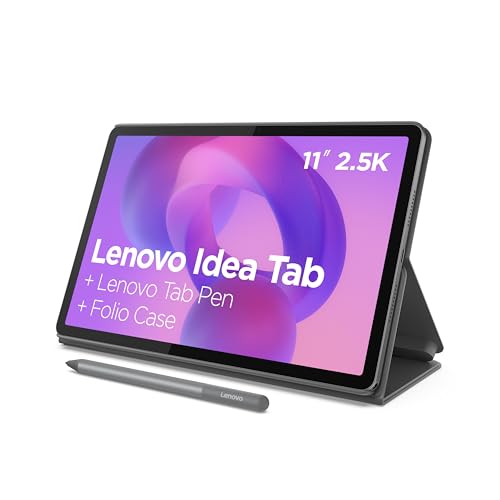
Lenovo Idea Tab, College Tablet, 11-inch — Made for the brief
Lenovo literally names this model a college tablet in its listing, and the specification reads like the company interviewed students before writing it. The screen is an 11-inch IPS touchscreen at 2.5K resolution with a 90Hz refresh rate — sharp enough that a dense textbook page stays crisp, smooth enough that pen strokes and scrolling feel responsive rather than reluctant. Memory is 8GB, storage is 256GB, and the processor is MediaTek’s Dimensity 6300 with an Arm Mali-G57 MC2 handling graphics. The Tab Pen and a folio case are both included.
The 256GB deserves emphasis, because it is the largest internal storage in this guide and students are storage accumulators: four years of lecture recordings, downloaded readings, photographed whiteboards, and offline video for the train home. A 128GB tablet makes its owner a curator by the second year; this one lets the archive grow. The 8GB of memory, meanwhile, is the figure that keeps the daily pattern — notes app beside PDF, browser beside both — from stuttering at the exact moment a lecturer speeds up.
It is worth pausing on the 90Hz figure, because students feel it more than they expect. Handwriting at 90Hz tracks the pen with a closeness that makes digital ink feel less like a simulation, and page-turning through a long PDF stops strobing. Neither benefit appears in a still photograph of the tablet, which is why showroom comparisons underrate this model against prettier rivals.
The Dimensity 6300 is a mid-range chip, and the guide will not dress it as anything else. It is well matched to study work and media, adequate for light gaming, and not the choice for a student whose course involves heavy creative applications or demanding 3D titles. That is a fair trade for the segment: the money in this tablet went to the screen, the storage, and the pen, which are the three things a student touches every day.
There is a timetable argument for this pick too. An 11-inch tablet is the size that disappears into a standard backpack sleeve and reappears in a lecture hall without ceremony; it rests on the fold-down desks that defeat larger machines, and it is light enough in the hand — as a class, whatever the unstated exact figure — for a full chapter read standing in a library aisle. Students underestimate how much of a tablet’s value is decided by whether it is simply there, in the bag, every day.
The folio case completes the student logic. It protects the tablet in a backpack — the most hostile environment any of these devices will ever meet — and props it for reading and video. Buy this tablet and the kit is finished: nothing essential waits on a second order, which is more than most of its rivals can claim.
- Display: 11-inch 2.5K IPS touchscreen, 90Hz
- Processor: MediaTek Dimensity 6300, Arm Mali-G57 MC2 GPU
- Memory and storage: 8GB RAM, 256GB storage
- Included: Tab Pen and folio case
- Battery capacity: not stated in listing title
Strengths
- Pen and folio included — the complete student kit in one box
- 256GB of storage, double most of this list, suits four years of accumulation
- 2.5K 90Hz screen keeps textbook text sharp and pen input responsive
Trade-offs
- Dimensity 6300 is a mid-range chip; heavy creative apps are beyond its brief
- Battery capacity is not stated in the listing title
- 11 inches is a personal screen — group project work around it feels tight
Best for: students covering notes, reading, and media for a degree with one purchase.
Not suited for: students whose courses demand high-end creative or gaming performance.

Lenovo Idea Tab Pro, 12.7-inch — Bigger study canvas
The Idea Tab Pro answers the student who found the 11-inch class a size too small. Its 12.7-inch LCD runs at 3K resolution, its processor steps up to the Dimensity 8300, and the pen and folio case are again included in the listing. Lenovo positions it as a student tablet with Google Gemini aboard, and the larger canvas is the point: a textbook page and a notes page side by side, each at a size a hand can write on and an eye can read, is a study pattern that smaller tablets advertise and cannot quite deliver.
There is a revision-season dividend to the big canvas that deserves naming. When notes from a whole module are reviewed at once — the text on one side, your annotations on the other, a diagram pinned where you can see it — the Pro’s 12.7 inches stop being a luxury and become the study method itself. Students in diagram-heavy subjects report the pattern often enough that the guide treats it as this pick’s defining use, ahead of its entertainment size.
The Dimensity 8300 earns its keep in exactly that pattern. Split-screen multitasking is where mid-range tablets confess their limits — one app redraws slowly, the pen lags a beat behind the thought — and the 8300 is the strongest chip among this guide’s student-priced picks. Students in subjects with heavy reference material, from law to medicine to engineering, will feel that headroom daily.
Storage is 128GB against the Idea Tab’s 256GB, and that is the honest compromise in this pick: you are trading capacity for canvas and chip. A student whose library lives in the cloud and whose recordings stream will never notice. A student who downloads everything should either choose the Idea Tab or budget the discipline of regular offloading.
Google Gemini’s presence in the listing is worth a measured word. On-device and cloud AI assistants are becoming part of study routine — summarising a reading, drafting an outline, explaining a diagram — and a tablet sold with that integration named is a tablet whose maker expects the student to use it that way. The guide takes no position on how much AI help a degree should involve; it notes only that the Pro’s listing builds the tool in rather than leaving it to chance.
Size cuts the other way in a backpack and a lecture hall. At 12.7 inches this is a desk-and-tablet-arm tablet; it will be propped more than held, and the included folio’s stand function matters accordingly. Students who read in bed or on crowded trains may find the smaller picks kinder, which is a preference, not a flaw.
- Display: 12.7-inch 3K LCD
- Processor: MediaTek Dimensity 8300
- Memory and storage: 8GB RAM, 128GB storage
- Included: pen and folio case
- Features named in listing: Google Gemini; positioned as a student tablet
Strengths
- Largest, sharpest study canvas among the pen-bundled picks
- Dimensity 8300 gives real split-screen headroom
- Pen and folio included, as with its smaller sibling
Trade-offs
- 128GB storage, half the Idea Tab’s capacity
- Size suits desks more than one-handed reading
- Battery capacity is not stated in the listing title
Best for: students who study in split-screen — text on one side, notes on the other.
Not suited for: download-everything students — maximum local storage lives elsewhere in this guide.
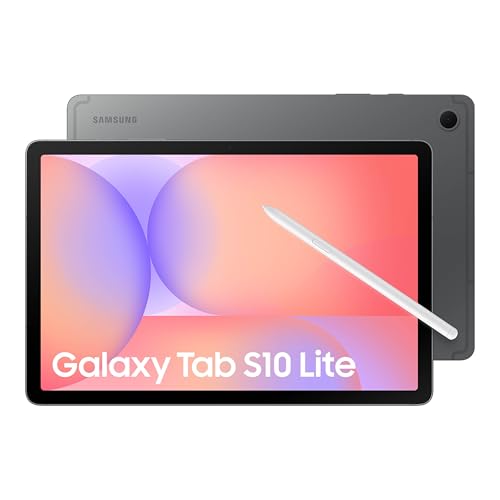
Samsung Galaxy Tab S10 Lite — S Pen included
Samsung’s entry is the ecosystem pick. The Tab S10 Lite pairs a 10.9-inch LCD with the S Pen — Samsung’s stylus, named in the listing as included for note-taking — an Exynos 1380 processor, 6GB of memory, and 128GB of storage that the listing says can expand by up to 2TB. Circle to Search and AI tools are part of the package, and the listing leads with long battery life among its claims.
The expansion figure is this pick’s quiet superpower. A card slot that accepts up to 2TB converts the storage question from a purchase decision into a non-event: buy the tablet, add a card when the readings pile up, and never curate a library under pressure again. For students, whose storage needs grow in unpredictable jumps — a course that suddenly assigns video, a research project with a photo archive — that flexibility is worth more than a larger fixed drive.
Size deserves a note here too. At 10.9 inches the S10 Lite is the most lecture-desk-friendly of the pen-bundled picks, and for students whose halls still use the small fold-down writing surfaces, that inch of restraint is a daily practical advantage over the larger Lenovos — the tablet sits where a notebook sits, and the pen never has to negotiate with gravity at the desk’s edge.
The S Pen carries Samsung’s long note-taking heritage, and students already inside Samsung’s phone ecosystem will find the continuity genuine: the same pen language, the same account, notes that live where their other notes live. Ecosystem value is real value when it removes friction from a daily habit, and note-taking is the most daily habit a student owns.
Circle to Search, named in the listing, turns out to be a genuinely student-shaped feature: circle a diagram in a slide, a term in a photographed page, a landmark in a field-trip photo, and search from the image rather than by describing it in words. Features like this are easy to dismiss as garnish on a spec sheet and then quietly become the gesture a student uses twenty times a day.
The compromises sit in the memory figure and the screen class. Six gigabytes of RAM is the least among the pen-bundled picks here, and heavy split-screen sessions will feel it sooner than on the 8GB Lenovos. The LCD is a Lite-class panel — good, not flagship — so students choosing purely on display richness should compare it directly with the 2.5K Idea Tab before deciding.
- Display: 10.9-inch LCD
- Processor: Exynos 1380
- Memory and storage: 6GB RAM, 128GB storage, expandable up to 2TB per listing
- Included: S Pen
- Features named in listing: Circle to Search, AI tools, long battery life claim
Strengths
- S Pen included, with Samsung’s mature note-taking ecosystem behind it
- Expansion to 2TB removes storage anxiety entirely
- Natural partner for students already using Samsung phones
Trade-offs
- 6GB of memory is the least among the pen-bundled picks
- Lite-class LCD, a step below the 2.5K and 3K Lenovo panels
- Battery capacity figure is not stated in the listing title
Best for: Samsung phone owners keeping notes and pen in one ecosystem.
Not suited for: heavy split-screen multitasking at 8GB-of-memory levels.
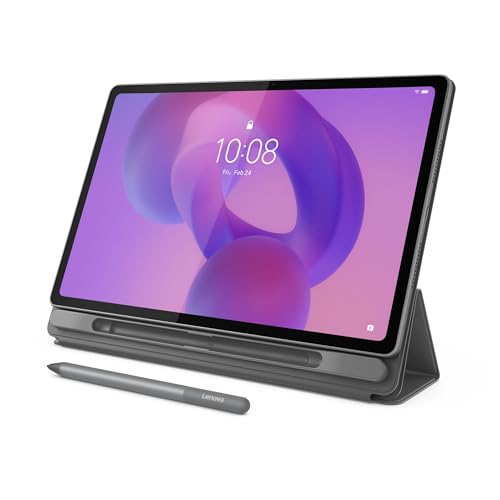
Lenovo Idea Tab Plus, 12.1-inch — Big screen, mid chip
The Idea Tab Plus occupies the deliberate middle of Lenovo’s student line: a 12.1-inch 2.5K IPS touchscreen at 90Hz, a Dimensity 6400 processor, 8GB of memory, 128GB of storage, and — again, because Lenovo understands the assignment — a Tab Pen and folio case in the box. Its listing calls it lightweight, a claim the guide repeats only as the maker’s own positioning, since no weight figure is stated.
Read against its siblings, the Plus is the screen-size compromise. It gives the split-screen studier most of the Pro’s canvas — 12.1 inches against 12.7 — at 2.5K rather than 3K, on a 6400 rather than an 8300. For reading, annotating, and writing, that combination is honestly sufficient; the workloads that expose the difference are the heaviest multitasking and the most demanding apps, which many students never run.
The 90Hz refresh deserves its sentence, because it is shared with the 11-inch Idea Tab and absent from the Pro’s stated specification. Pen users feel refresh rate in their fingertips: the drawn line follows the nib more faithfully at 90Hz, and longhand notes feel less like writing on glass and more like writing. A student choosing between the Plus and the Pro is, in part, choosing between that pen smoothness and the Pro’s resolution and chip.
The Plus also inherits the family virtue that matters most in October of the first year: the kit is complete. Pen, folio, a screen that flatters handwriting, memory that matches its siblings — there is no accessory gap waiting to ambush a student budget mid-term. Mid-range picks earn their place by having no surprises, and the Plus is engineered to that standard.
Storage at 128GB and the mid-range chip define the ceiling. This is a tablet for a degree’s worth of study work, bought at the middle of Lenovo’s range, and it should be judged as exactly that — not as a discounted Pro, but as the pick for students whose subjects are text, diagrams, and documents rather than renders and models.
- Display: 12.1-inch 2.5K IPS touchscreen, 90Hz
- Processor: MediaTek Dimensity 6400, Arm Mali-G57 MC2 GPU
- Memory and storage: 8GB RAM, 128GB storage
- Included: Tab Pen and folio case
- Positioning in listing: lightweight tablet
Strengths
- Near-Pro canvas with a 90Hz refresh that flatters pen work
- Pen and folio included, completing the kit at purchase
- 8GB of memory matches the guide’s other Lenovo picks
Trade-offs
- Dimensity 6400 sits below the Pro’s 8300 for heavy multitasking
- 128GB storage, with no expansion stated in the listing
- 2.5K resolution gives back a little sharpness to the Pro’s 3K
Best for: students taking a large pen canvas without the Pro’s stronger chip.
Not suited for: students running the heaviest apps their subjects offer.

Lenovo Tab M11 — Reading-first value
The Tab M11 is the pick for the student whose notes live in a paper notebook or a laptop, and whose tablet is for reading, reference, and media. Its listing states an 11-inch display at 1920×1200, a MediaTek Helio G88 octa-core processor, 4GB of memory, 128GB of storage, an ambient light sensor, a 10-hour battery figure, and a folio case included. Read that specification without snobbery: for PDFs, e-textbooks, lecture slides, and streaming, it covers the ground.
Two honest flags belong on this pick, and the guide raises both rather than burying them. First, no pen is stated in the listing — the folio is included, a stylus is not promised — so a student who wants handwritten notes should choose one of the four pen-bundled picks above or verify pen support and pricing separately. Second, the listing describes the storage with the word SSD, which is unusual vocabulary for a tablet; the capacity, 128GB, is the figure to plan around, and the guide repeats the maker’s wording only here, as a listing detail.
Notice, too, what the M11’s listing does not try to do: it does not promise a pen it does not include, does not dress its processor in flagship language, and states its battery in plain hours. In a segment where headline figures often need translating, a listing that reads straight is a small virtue worth rewarding with attention.
The 10-hour battery is the one endurance figure any pick in this guide states in hours, and it maps neatly onto the student day: lectures, library, and the journey home, with the charger living in the dorm rather than the backpack. The ambient light sensor, a small line in the listing, supports the same day — brightness that adjusts itself is brightness a reading student stops thinking about.
There is a dignity argument for the M11 that spec comparisons miss. A great many students do not need a digital notebook at all — their notes are typed or handwritten on paper by preference, and what they need from a tablet is a superb reading screen for the five hundred PDFs a degree assigns. For that student, every pound spent on pen technology is a pound not spent on the screen, the battery, or the books. The M11 is the pick that respects that student’s actual workflow.
The Helio G88 and 4GB of memory set the ceiling plainly. This tablet reads and plays; it does not multitask heroically, and a student who discovers mid-degree that their work needs split-screen power will outgrow it. Bought knowingly, as a reading machine with a case in the box, it is a rational allocation of a tight budget — the money saved against the pen bundles can fund the textbooks themselves.
- Display: 11-inch, 1920×1200
- Processor: MediaTek Helio G88 octa-core
- Memory and storage: 4GB RAM, 128GB storage (listed as SSD)
- Battery: 10-hour figure stated in listing
- Included: folio case; no pen stated in listing title
Strengths
- The only pick here stating its battery in hours — a full student day
- Folio case included for backpack duty
- Specification honestly matched to reading, slides, and streaming
Trade-offs
- No pen included or stated — handwritten notes need a different pick
- 4GB of memory and the Helio G88 cap multitasking ambition
- 1920×1200 is the softest resolution among the 11-inch picks
Best for: reading-first students whose notes live on paper or a laptop.
Not suited for: handwriting notes on the tablet itself — no pen is stated.

TCL Tab 10 Gen 4 — Smallest and simplest
TCL’s Tab 10 Gen 4 closes the list as the small, straightforward option: a 10.1-inch FHD display, an octa-core processor, a 6000mAh battery, Android 15, dual speakers, and a metal body, in a listing that addresses students, young adults, and families directly. One figure needs careful reading: the memory and storage are listed as 4+128GB, and in this segment that phrasing commonly blends physical RAM with a storage figure — the guide treats 128GB as the storage to plan around and advises checking the full listing for the physical RAM split if multitasking matters to you.
Its audience line deserves one more look, because “students, young adults and families” describes a hand-me-down trajectory as much as a buyer. A tablet that starts as a student’s reader can end as a family media screen without ever feeling wasted, and devices with that second life are the ones whose cost per year of use ends up lowest. The metal body and current Android version both serve that long arc.
What this tablet does well is be uncomplicated. The metal body shrugs off backpack life better than plastic at this tier usually does, the dual speakers make lecture recordings and media audible without headphones, and Android 15 is the current platform generation, which matters for app compatibility across a degree. At 10.1 inches it is the most holdable pick here — the one for reading in bed, on a bus, in the hand rather than on a stand.
The limits match the tier. No pen is stated, no case is stated, and the screen, while FHD, is the smallest canvas in the guide. Split-screen study on 10.1 inches is possible and cramped in equal measure. This is a companion tablet: the second screen for readings and reference beside a laptop that does the heavy work.
The listing’s own audience line — students, young adults, families — is a clue to its real strength: versatility at the simple end. This is the tablet that gets borrowed, handed to a younger sibling for a school project, propped in a kitchen for a recipe, and carried on holiday without anxiety. Expensive tablets accumulate caution; a simple metal-bodied one accumulates use, and use is the point.
Students choosing it should do so for that defined role. As a primary study machine for a pen-and-textbook degree, the Idea Tab above is the honest recommendation. As a durable, simple reader and media tablet that a student will actually carry everywhere, the little TCL has a case that larger, better tablets lose the moment they are left in the dorm.
- Display: 10.1-inch FHD
- Processor: octa-core (as stated in listing)
- Memory and storage: listed as 4+128GB; storage 128GB
- Battery: 6000mAh, as stated in listing
- Build and extras: metal body, dual speakers, Android 15; no pen or case stated
Strengths
- Metal body and the most portable size in this guide
- Android 15 keeps app compatibility current for a degree’s span
- Dual speakers suit lecture playback and media without headphones
Trade-offs
- No pen or case included or stated in the listing
- Memory figure needs checking in the full listing before heavy multitasking
- 10.1-inch screen is cramped for split-screen study
Best for: students carrying a light, durable companion for reading and media.
Not suited for: students making the tablet their primary note-taking machine.
Comparison
| Pick | Screen | Memory / storage | Pen in box? | Defining trait |
|---|---|---|---|---|
| Lenovo Idea Tab 11 | 11-inch 2.5K, 90Hz | 8GB / 256GB | Yes, Tab Pen | Complete student kit |
| Lenovo Idea Tab Pro | 12.7-inch 3K | 8GB / 128GB | Yes | Split-screen canvas |
| Samsung Tab S10 Lite | 10.9-inch LCD | 6GB / 128GB + 2TB expansion | Yes, S Pen | Ecosystem and expansion |
| Lenovo Idea Tab Plus | 12.1-inch 2.5K, 90Hz | 8GB / 128GB | Yes, Tab Pen | Middle canvas, smooth pen |
| Lenovo Tab M11 | 11-inch 1920×1200 | 4GB / 128GB | Not stated | 10-hour reading machine |
| TCL Tab 10 Gen 4 | 10.1-inch FHD | Listed 4+128GB | Not stated | Metal-body companion |
What Makes a Tablet Genuinely Good for Note-Taking?
Three things, in order of how quickly a student notices them. First, the pen must be in the box or the habit never forms — a stylus bought “later” competes with every other call on a student budget, and later often means never. Second, the screen must keep the ink under the nib: resolution matters less here than responsiveness, which is why the 90Hz panels on the Idea Tab and Idea Tab Plus flatter handwriting. Third, the software routine must be frictionless — the notes app opens fast, the pen wakes the screen, and the pages organise themselves by subject rather than by date alone. Hardware decides the first two; the third is a week of setup a student should invest in September, not discover in revision week.
The note-taking guide linked at the end of this article takes the question further, into devices built for nothing else — including e-ink notebooks that are not Android tablets at all.
One more factor separates good student note-taking from bad, and it is embarrassingly physical: the tablet must be on the desk, charged, with the pen attached, at the moment the lecture starts. Bundled folios that hold the pen, batteries that survive the day, and a bag routine that never separates the kit — these unglamorous logistics decide whether the beautiful pen technology in the listings ever gets used. When you compare the picks, compare their completeness as kits, because a note-taking system is a kit or it is nothing.
How Much Tablet Does a Degree Actually Require?
There is a second way to frame the same question: cost per semester. Spread any of these tablets across eight semesters and the difference between the cheapest and the strongest pick shrinks to a modest sum per term — less than a single textbook in many subjects. That arithmetic argues for buying the pick that fits the course properly rather than the pick that merely fits the month, because the tablet is one of the few student purchases whose cost genuinely amortises. It argues just as strongly against overshooting: the flagship money a humanities student does not need is textbook money, and textbooks do not amortise at all.
Less than the marketing suggests, and the proof is in this guide’s own spread. The core student workload — PDFs, slides, notes, browser, mail, media — runs on every pick here, including the 4GB Tab M11. What the stronger picks buy is not capability but comfort: split-screen without stutter, storage without curation, a screen that stays sharp through a three-hour reading session. Comfort is worth paying for across four years of daily use, but it should be bought knowingly, sized to the subject. A law student’s tablet is a reading machine with a pen. An engineering student’s may need the Pro’s chip. A medical student’s library argues for the Idea Tab’s 256GB. Match the pick to the syllabus, not to the showroom.
How Should a Student Set Up a Tablet in the First Week?
Four habits, set once, pay rent all degree. Organise the notes app by subject and module before the first lecture, not after the fiftieth — a structure built on three notebooks scales, while a structure retrofitted onto three hundred pages does not. Download the term’s core readings while the good Wi-Fi is free, so the library travels with you into buildings where the signal goes to die. Set the pen’s shortcut to open a fresh note from the lock screen, because the thirty seconds between a lecturer’s aside and your note is where insights evaporate. And turn on automatic backup for notes and documents on day one; a student tablet is stolen, dropped, and drowned at rates no other category matches, and the backup is the difference between an inconvenience and a catastrophe.
Finally, learn the split-screen gesture of your specific model — every pick here supports the pattern, and the students who use it daily are visibly the ones whose tablets earn their place in the bag. Add one more small ritual: a Sunday-evening charge-and-sync, ten minutes that clears the week’s downloads, confirms the backup ran, and sends the tablet into Monday full. Habits like these are unglamorous, and they are the entire difference between a tool and a possession.
Does the Brand of Your Phone Matter?
More than students expect, less than brands claim. The honest test is where your notes live tonight: if the answer is already inside one maker’s application, staying inside that maker’s tablet removes a migration you would otherwise perform during the busiest month of your academic life. If your notes live in cross-platform applications — as most students’ do — the ecosystem argument dissolves, and the comparison returns to screens, pens, and storage, where this guide’s Lenovo trio argues strongly. The real benefits of matching — Samsung phone with Samsung tablet, in this guide’s terms — are continuity of notes, shared accounts, and familiar gestures, and they compound across hundreds of small moments. The real cost of mismatching is near zero for reading and media, because Android’s core applications travel between makers without drama. So the S10 Lite’s ecosystem argument should be read as a tiebreaker that becomes a headline only for students whose notes already live inside Samsung’s world. For everyone else, the Lenovo trio’s pen-bundled completeness is the stronger claim, and brand loyalty to a phone you may replace mid-degree is a weak reason to choose the tablet that must outlast it.
What About Battery Life When No Figure Is Stated?
Only two picks in this guide state endurance data in their listings: the Tab M11’s 10-hour figure and the TCL’s 6000mAh capacity. The others are silent, and the guide refuses to borrow numbers from sibling models or reviews of different configurations. The practical response for a buyer is threefold. Read the full listing for a stated capacity before ordering. Assume a lecture day is achievable on any modern tablet in this class at moderate brightness — and carry the charger anyway during the first fortnight, while you learn your own machine’s real appetite. Then set the two habits that decide student battery life more than any cell: screen brightness discipline in bright halls, and downloaded readings instead of streamed ones, since the radio works harder than the page.
Which Screen Size Fits a Student Day?
Lecture halls, dorm desks, and library carrels each favour a different diagonal. The 10.1- and 10.9-inch pair — TCL and S10 Lite — are hand-held readers: light in the bag, easy in bed, kind on crowded transport. The 11-inch pair — Idea Tab and Tab M11 — are the generalists, large enough for a full textbook page, small enough for the fold-down lecture desk, and the size this guide would hand a student who had to choose blind. The 12.1- and 12.7-inch pair — Idea Tab Plus and Pro — are desk instruments for split-screen scholars, trading portability for a two-page working spread.
The mistake is to treat size as a ladder where bigger is better. A tablet’s size should be chosen the way a notebook’s size is chosen: by where the writing happens. Students who cannot picture their own study pattern yet should default to the middle — the 11-inch class forgives the widest range of habits, which is why two of this guide’s six picks, including its top recommendation, live there.
How Do These Tablets Handle a Full Day of Classes?
Walk the day through. Morning lectures ask for instant-on note-taking and a pen that never needs pairing rituals — the four pen-bundled picks answer this identically, which is why they cluster at the top of the guide. Midday is reading and reference, where resolution separates the list: the 2.5K and 3K panels keep small textbook type humane across a long session, while the 1920×1200 M11 and the FHD TCL ask a little more of the eyes. Afternoon group work is screen-sharing around a table, where the larger Lenovo panels earn their size. Evening is media and messages, where every pick here is equally at home and the day’s real variable — battery — has already been decided by your brightness and download habits rather than by the badge on the box.
The through-line is that no single pick wins every hour. What a student is really buying is a distribution of small frictions across four years — a pen that is present or absent, a page that is sharp or soft, a drive that is roomy or rationed. The picks differ less in what they can do than in which frictions they retire, and the right choice is the one that retires the frictions your own timetable generates most. The Idea Tab comes closest to winning the day outright because its compromises are the ones students feel least: a mid-range chip in a day that rarely asks for more.
What Should a Student Spend the Saving On?
Choosing within this list leaves most students with a remainder, and where it goes matters more than the choice itself. The highest-return purchase is storage headroom — stepping to the 256GB Idea Tab or adding a card to the S10 Lite — because storage regret arrives mid-degree and cannot be retrofitted to the fixed-drive models. Next comes protection: every pick’s folio helps, but a sleeve for the backpack and a spare pen nib set cost little and prevent the two most common student-tablet tragedies. After that, the honest answer is the textbooks: the difference between the M11 and the Pro buys a semester’s readings in some subjects, and a guide that pretends otherwise is selling tablets, not advising students.
What the remainder should not buy is a second, cheaper tablet “for notes” alongside the first. One device, learned deeply, beats two devices learned shallowly at every point in a degree — the single-bag, single-backup, single-habit discipline is worth more than any specification gap in this guide.
Can a Tablet Carry a Student Without a Laptop?
For a growing share of degrees, yes — with conditions this guide will state rather than wave at. The subjects built on reading, writing, and discussion travel well: the pen-bundled picks here handle notes, essays of moderate length with an added keyboard, research, and submission portals without touching a desktop. The subjects built on specialised software do not: statistics packages, CAD, development environments, and certain laboratory tools still assume a full computer, and no Android tablet in this guide changes that.
The pragmatic pattern most students land on is a division of labour rather than a replacement. The tablet owns the day — lectures, library, reading, annotation — and a laptop, whether owned, borrowed, or the library’s, owns the heavy sessions. That pattern is exactly why the companion-shaped picks, the M11 and the TCL, hold their places in this guide: a student with a good laptop does not need the Pro’s chip, and the money difference is real money in a student budget. Decide which pattern your course imposes before you decide which tablet expresses it.
What Do Students Actually Regret After a Term?
Talk to students a term in and the regrets cluster tightly, and none of them is a benchmark. The first is the missing pen — bought a tablet without one, or with one “to follow,” and handwriting never became a habit, so the tablet demoted itself to a video screen. The second is storage: the 128GB that seemed generous in September is a negotiation by March. The third is the case that was never bought, remembered at the sound of a screen meeting a pavement. The fourth is subtler — the tablet that was too big for the student’s real life, left in the room while a phone did the day’s reading badly.
Every one of those regrets is addressed by a line in this guide’s selection method, which is not a coincidence: the picks were chosen backwards from the regrets, not forwards from the spec sheets. Choose the pick whose failure modes you can live with, because every tablet has some — the art is matching them to a life that will not collide with them.
Common Mistakes
Comparing tablet prices without the pen and case. Four picks here bundle both; the M11 bundles a case only, and the TCL bundles neither per its listing. A rival that looks cheaper as a bare slab can cost more as a working kit — add the accessories before ranking anything.
Assuming every tablet in a student guide includes a stylus. Two of these six do not state one. If handwriting matters, the listing’s accessory line is the document that counts, not the product photography.
Buying storage for the first semester only. Libraries grow in jumps — a video-heavy course, a research project, a placement with photo documentation. The S10 Lite’s 2TB expansion and the Idea Tab’s 256GB both exist because 128GB fills sooner than students expect.
Choosing the biggest screen for a life lived on buses. The 12.7-inch Pro is a superb desk tool and an awkward one-handed reader. Students who read in transit should weight the 11-inch class more heavily than the spec sheet suggests.
Ignoring the memory figure’s fine print. Headline figures in this segment sometimes blend physical and extended memory. The TCL’s 4+128GB phrasing is the example here: check the physical split in the full listing if you multitask.
Skipping the setup fortnight. A tablet bought the week lectures begin gets learned during the weeks lectures accelerate. Buy early, file the notes app by subject, download the core readings, and set the backup before the term makes those jobs urgent.
Final Recommendation
Two parting checks before any order. Confirm the pen is in the box on the exact listing you buy — bundles vary, and the four pen claims in this guide describe the listings as verified, not every offer under a similar title. And confirm the storage figure the same way, because the difference between 128GB and 256GB is the difference between a tablet that ages gracefully and one that starts rationing in the second year.
For most students, the Lenovo Idea Tab is the answer this guide was written to find: pen and folio in the box, a sharp 90Hz screen, 256GB of storage, and nothing in the specification that a semester will embarrass. Step up to the Idea Tab Pro for split-screen-heavy subjects, choose the Idea Tab Plus for its 90Hz pen feel on a larger canvas, and take the S10 Lite if your life already runs through a Samsung phone or you want card expansion as insurance. The Tab M11 and the TCL are the honest budget shapes of the same idea — reading machines, bought knowingly. A student’s closing test is simple: picture the tablet in your bag on the worst morning of term, battery uncharged since yesterday, notes due in an hour — and buy the pick you trust in that picture.
Frequently Asked Questions
Do all six tablets include a stylus?
No. Four state a pen in their listings — the three Lenovo Idea Tab models and Samsung’s S10 Lite with its S Pen. The Lenovo Tab M11 states a folio case only, and the TCL Tab 10 Gen 4 states neither pen nor case. Check the accessory line of any listing before assuming.
Is 128GB enough for a full degree?
For cloud-centred students, yes. For students who download readings, record lectures, and keep media offline, it fills — which is why the Idea Tab’s 256GB and the S10 Lite’s expansion to 2TB are highlighted in this guide. Audit your current phone’s storage; it predicts your tablet’s future accurately. Remember that the operating system and applications take their share before your first file lands, so a 128GB tablet is really a smaller working space wearing a larger label.
Can these tablets handle video calls and online classes?
Yes — that workload sits comfortably inside every pick here, including the Tab M11. The differences appear in heavier multitasking: a call, a textbook, and a notes app running together will feel smoother on the 8GB Lenovo models than on the 4GB and 6GB picks. For seminar-style classes where you present from the tablet, the larger Lenovo screens also read better to an audience gathered around a shared screen or a cast display.
Should a student buy a keyboard for one of these tablets?
Only if long essays will be written on the tablet rather than a laptop. Short answers, forms, and annotations suit the pen and the on-screen keyboard. Students who do plan to type seriously should read the keyboard-dock guide linked below before buying a generic bundle — and should test their real typing workload first, because many students discover that the library’s desktop computers absorb their long-form writing and the tablet never needed the keyboard at all.
How long will one of these tablets last through a degree?
Bought for the workload described in this guide — notes, reading, browser, media — the 8GB Lenovo models and the S10 Lite have the headroom to serve a full degree, provided storage is planned. The 4GB picks will feel their ceiling sooner under multitasking. Physical survival is the larger risk: the folio, a backpack sleeve, and an active backup decide more degrees than processors do.
What if my course needs specific software?
Check whether it runs on Android before buying any tablet as your primary machine. Most reading, reference, and note applications do; some specialised course software remains desktop-only, in which case the tablet becomes a companion to a laptop — a role the TCL and Tab M11 fill well — rather than a replacement for one.
Related Guides
The student shortlist connects to three neighbouring questions. If typing will share the tablet’s working life, the guide to Android tablets with keyboard docks explains which bundles are branded and which are generic before you spend on either. For handwriting as the main event, the roundup of digital tablets for note taking adds e-ink notebooks to the comparison. And when the tablet leaves the library for the rehearsal room, the guide to tablets for sheet music judges screens by the music stand instead of the desk.


