What's inside
- Key Takeaways
- Quick Picks
- How Did We Choose These Hybrid Drives?
- What Actually Makes a Drive “Hybrid”?
- Why Is Seagate the Only Name in This Roundup?
- Will a 2.5-Inch Hybrid Work in a Desktop at All?
- How Do You Install a Hybrid Drive and Let It Learn?
- How Does a Hybrid Compare With a Plain Drive Plus a Small SSD?
- What Happens to a Hybrid Drive Over Years of Service?
- Which FireCuda Belongs in Which Kind of Desktop?
- How Can You Tell the Cache Is Doing Its Job?
- What Mistakes Do Hybrid Buyers Keep Making?
- Which Desktop Jobs Suit a Hybrid — and Which Quietly Do Not?
- Final Recommendation
- Frequently Asked Questions
- Related Guides
As an Amazon Associate I earn from qualifying purchases. This post may contain affiliate links at no extra cost to you.
widgetverdict.com is reader-supported. When you buy through links on our site, we may earn an affiliate commission.
Where to buy: the listings sit behind each drive’s name in the Quick Picks table and again at its full review further down; every pick in this guide is a Seagate, for reasons the next paragraphs explain honestly.
The best hybrid hard drives for desktop use occupy a narrowing but still sensible niche: a spinning platter for capacity, married to a small slab of flash memory that learns which files you open constantly and keeps those close. Boot files, the operating system’s working set, the game you launch every evening — after a few days of use, a hybrid drive serves those from flash at something approaching solid-state pace, while the photographs, videos and downloads rest on cheap magnetic storage. For a desktop owner who wants one drive, one bay and no decisions about which files deserve the fast tier, that self-managing arrangement remains attractive.
Now the honesty this category demands. The hybrid desktop drive is effectively a one-company market. Seagate is, to all practical purposes, the only manufacturer still selling SSHD drives; the other big makers walked away from the format years ago to concentrate on pure solid-state and pure platter lines. That is why all six picks below wear the same badge. This is not a failure of research — it is the shape of the market, and any roundup pretending otherwise would be padding its table with discontinued stock and wishful thinking. What variety remains is real, though: two capacities in the full-size 3.5-inch desktop format, an older-generation desktop model, and three 2.5-inch drives that serve small-form-factor desktops and compact bays, each reviewed below with its size stated plainly rather than disguised.
Read the explainer sections before the picks if the hybrid idea is new to you; they carry the workload test that decides whether any of the six belongs in your machine at all. An SSHD rewards predictable habits and disappoints random ones, and the difference between a delighted owner and a frustrated one is usually whether their workload matched what flash caching can actually learn.
Key Takeaways
- Seagate is effectively the only maker still selling hybrid SSHD drives, so all six picks are Seagate FireCuda or earlier Seagate hybrid models — that is the market, not a shortlist failure.
- A hybrid drive caches your most-used files in flash automatically; it feels fast on your daily routine and ordinary on everything else.
- True desktop picks here are the 3.5-inch models: the FireCuda 2TB and 1TB, plus the older-generation 1TB Desktop SSHD.
- The three 2.5-inch FireCuda drives suit small-form-factor desktops, compact bays and adapter sleds — they are laptop-format drives and are labelled as such throughout.
- Cache behaviour improves over the first days of use as the drive learns; judge an SSHD after a week of normal habits, not on first boot.
- If your workload is random — huge media libraries, constant new files — a plain large hard drive plus a separate SSD will serve you better, and the guide says where that line falls.
- A hybrid needs no drivers, no settings and no management; the learning happens inside the drive, which is the entire convenience the category exists to provide.
Quick Picks
| Pick | Badge | Why it earns its seat |
|---|---|---|
| Seagate FireCuda 2TB Solid State Hybrid Drive Performance SSHD | Flagship Desktop Hybrid | The full-size 3.5-inch FireCuda at 2TB, SATA 6Gb/s and flash accelerated, built for a gaming PC desktop per its own title. |
| Seagate FireCuda ST1000DX002 1 TB 3.5″ Internal Hybrid Hard | One-Terabyte Tower Pick | The 3.5-inch FireCuda at 1TB with a stated 7200rpm spindle and 64 MB buffer for smaller desktops. |
| Seagate (ST2000LX001) FireCuda 2TB Solid State Hybrid Drive | Two Terabytes, Small Frame | The 2.5-inch FireCuda at the full 2TB, for small-form-factor desktops and compact bays that cannot take a 3.5-inch drive. |
| Seagate FireCuda 1TB Solid State Hybrid Drive Performance SSHD | Compact One-Terabyte | The 2.5-inch FireCuda at 1TB in frustration-free packaging, aimed by its title at gaming PC and laptop use. |
| (Old Model) Seagate 1TB Desktop SSHD(Solid State Hybrid Drive) | The Original Desktop Hybrid | Seagate’s earlier 3.5-inch desktop SSHD generation, 64MB cache, sold openly under an “Old Model” label. |
| Seagate FireCuda ST500LX025 500GB SATA 6.0 GB/s 64MB Hard Drive | Half-Terabyte Compact | The smallest FireCuda here: 500GB in the 2.5-inch frame with a 64MB buffer, for compact builds with modest libraries. |
How Did We Choose These Hybrid Drives?
The choosing began with a census, not a shortlist. We surveyed what hybrid drives a desktop buyer can actually purchase new today, and the census returned one living product family — Seagate’s FireCuda SSHD line — plus its own earlier desktop generation still circulating in the channel. Rival makers’ hybrid experiments are history rather than inventory. Rather than disguise that, the roundup is organised as a guide to the surviving family: which size, which capacity and which generation fits which desktop.
Within the family, the split that matters is physical. Three picks are 3.5-inch or full desktop drives that bolt straight into a standard tower bay. Three are 2.5-inch drives, and the brief for this guide is explicit that they must not masquerade as desktop drives: they earn their place because a large and growing share of “desktops” are now small-form-factor machines, mini towers and compact cases whose bays are 2.5-inch, or whose owners fit laptop-format drives in adapter sleds. Each 2.5-inch review below names the frame in its first lines and in its spec box.
One further filter deserves recording: nothing in this roundup is a renewed or refurbished listing. Hybrid drives carry moving parts and a flash tier whose history matters, and a category with only one living maker is exactly where tired stock gets relabelled and resold. Every pick is a standard retail listing of its model. A buyer offered a suspiciously anonymous hybrid under any other badge should treat the badge’s absence as the information it is.
Every specification quoted — capacity, spindle speed where stated, buffer size, interface — comes from the pick’s own listing title. Where a title is silent, the spec box says the title leaves that detail to the product documentation rather than borrowing numbers from a sibling model. Hybrid drives invite spec-sheet romanticism about cache sizes and learned behaviour; this guide sticks to what the listings state and explains the caching principle in general terms instead.
What Actually Makes a Drive “Hybrid”?
A hybrid drive contains two storage technologies in one housing. The platter assembly is an ordinary hard disk: magnetic, mechanical, capacious, and slow to fetch any given file because a physical arm must swing to the right track. Beside it sits a modest amount of NAND flash — the same memory technology as an SSD, in far smaller quantity — governed by firmware that watches what the computer actually reads. Files requested again and again migrate into the flash. Files touched once stay on the platter.
The consequence is a drive with a split personality that follows your habits. The operating system’s boot files, your browser, the office suite, the game you are currently playing through — these are read constantly, so they live in flash and load with something like solid-state briskness. The film archive, the download folder, last year’s photographs — read rarely, so they load at honest platter pace. The drive needs no instructions and offers no settings; the learning is automatic, and it takes a few days of ordinary use before the cache reflects your real routine. Benchmarking a hybrid on its first afternoon is like reviewing a librarian on their first shift.
Two implications follow. First, a hybrid shines for a machine with one user and a stable routine, and disappoints a machine whose workload is a river of new files — a media ingest station, a surveillance recorder, a download box — because nothing is read twice and the flash never gets to help. Second, the flash portion is a cache, not a partition: you cannot choose what it holds, format it separately, or recover it independently. Buyers who want control over which files live on fast storage should build the two-drive arrangement — a modest SSD for the system, a large platter for the library — and this guide’s final sections say so without embarrassment.
Why Is Seagate the Only Name in This Roundup?
Because the industry voted with its factories. In the early 2010s, when SSDs were small and costly, every major maker experimented with hybrids as the bridge product. As solid-state prices fell, the bridge got squeezed from both sides: buyers who cared about speed bought real SSDs, buyers who cared about capacity bought plain platters, and the middle product lost its crowd. One by one the other makers discontinued their hybrid lines. Seagate kept the FireCuda name alive, largely on the strength of gaming and console-adjacent demand, and it remains the only hybrid line a buyer can still find in normal retail channels.
That monopoly-by-survival cuts both ways, and this guide will not pretend otherwise. In its favour: Seagate has refined the same firmware concept across many years and model generations, the drives are well understood by repair shops, and availability is genuine rather than grey-market. Against it: there is no rival product to discipline pricing or push the concept forward, the technology’s development has clearly slowed, and a buyer whose FireCuda dies in five years may find the replacement conversation has moved on entirely. None of that makes the drives bad purchases for the right desktop today. It does mean the purchase should be made with open eyes: you are buying the last, mature expression of an idea the rest of the industry has retired.
The “Old Model” pick in this roundup illustrates the timeline from inside the family. Seagate’s first desktop SSHD generation proved the concept in ordinary towers; the FireCuda generation renamed and refined it. Both still circulate. The reviews below treat the older model as what it is — a previous generation sold under an honest label — rather than dressing it as a current flagship.
Will a 2.5-Inch Hybrid Work in a Desktop at All?
Yes, with the right expectations and sometimes a cheap piece of bent metal. Electrically, a 2.5-inch SATA drive speaks the same language as a 3.5-inch one: same data connector, same power connector pinout, same protocol. A small-form-factor desktop with a 2.5-inch bay takes one natively — and a great many modern compact desktops, mini PCs and slim office machines are built exactly that way. A full tower with only 3.5-inch bays takes one through an adapter sled that presents the small drive at the big bay’s mounting points, a trivial and reversible piece of hardware.
What the small frame does not give a desktop is the big frame’s traditional virtues. Desktop 3.5-inch drives in this roundup state 7200rpm spindles; the 2.5-inch FireCuda titles here do not quote a spindle speed, and laptop-format drives historically trade spindle pace for power and heat restraint. In a hybrid, the flash cache covers the everyday reads anyway, which is precisely why the small hybrids remain interesting for compact desktops: the routine work runs from flash, and the platter’s pace shows only on cold, first-time reads. But a buyer building a big tower with free 3.5-inch bays and no size constraint should start with the 3.5-inch picks and treat the small drives as the compact-case solution they are.
One more placement matters: heat and vibration. A 2.5-inch drive in an adapter sled inside a tower lives a gentler life than in a laptop — better airflow, no battery heat, no being carried around in a bag. Compact drives installed in desktops often outlast their laptop service for exactly those reasons. Fit the sled snugly, route cables so they do not press on the drive’s top cover, and the arrangement is sound.
How Do You Install a Hybrid Drive and Let It Learn?
Installation is ordinary internal-drive work. Power the machine down, fit the drive in its bay or sled, connect SATA data and power, and decide the drive’s role before the first boot: fresh system drive, clone target for the old disk, or secondary storage. If the hybrid replaces the system drive, clone the old disk first while it is still installed, or install the operating system fresh and restore your files from backup. If it joins the machine as a second drive, initialise and format it from the operating system’s disk management tool and give it a volume label that states its job.
Then comes the part hybrid owners most often get wrong: patience. The cache learns from repetition, so the first day’s boots and launches are platter-paced and unrepresentative. Use the machine normally for a week — same applications, same games, same routine — before forming a verdict. Resist the urge to run synthetic benchmarks repeatedly; a benchmark is, by definition, a workload the drive has never seen, so it measures the platter and misses the point. The honest test is whether your ordinary Tuesday morning feels faster in week two than it did on installation day.
Keep the old drive untouched for a fortnight, as with any system-drive swap, and keep backups running throughout. A hybrid is still one mechanical device holding everything; its flash cache is a performance feature, not a resilience one, and nothing about the hybrid arrangement reduces the need for a second copy somewhere else. Readers planning the wider storage layout will find our guide to Best Desktop SATA Hard Drives for Everyday PCs and Upgrades useful for the plain-platter side of the shelf.
How Does a Hybrid Compare With a Plain Drive Plus a Small SSD?
The honest rival to every pick in this roundup is not another hybrid; it is the two-device arrangement the industry chose instead. A modest solid-state drive holds the operating system and applications, a large plain hard drive holds the library, and the owner decides which files earn the fast tier. That arrangement is faster at its best — a real SSD accelerates everything stored on it, not only the repeated subset — and it scales gracefully, since either device can be upgraded alone. For a desktop with two free bays and an owner comfortable managing two drive letters, it is the stronger engineering answer, and this guide recommends it to exactly that reader without hesitation.
The hybrid’s counter-argument is about friction, not benchmarks. One device means one bay, one drive letter, one purchase and nothing to manage: the firmware does the filing that the two-drive owner does by hand. That matters in the machines hybrids actually serve — the single-bay compact desktop, the family tower whose owner should never be asked to think about which drive a game installed to, the revived older PC where the second bay is occupied or the power supply has no spare lead. It also matters at upgrade time in reverse: when a hybrid machine is retired, there is one drive to wipe, not two.
Cost shapes the choice too, though this guide quotes no figures. At small capacities the pure SSD has become so accessible that the hybrid’s value case narrows, as the 500GB pick’s review concedes. At two terabytes the arithmetic changes character: a single hybrid at that size undercuts the combined purchase of a large SSD strategy for many buyers, while still accelerating the daily routine. The crossover point sits somewhere in the middle capacities and moves with the market, which is why the reviews below argue each capacity on its own merits rather than issuing one verdict for the family.
There is also a failure-geometry difference worth a paragraph. In the two-drive arrangement, the system SSD and the library drive fail independently; losing one rarely loses the other, and the machine may even limp along. A hybrid concentrates everything in one mechanism — platter, flash and controller share a housing and a fate. Neither geometry excuses the owner from backups, but the hybrid owner should hold the backup habit slightly tighter, because their single point of failure is genuinely single.
What Happens to a Hybrid Drive Over Years of Service?
Mechanically, a hybrid ages like the hard drive it mostly is. The platter bearings, the actuator and the heads follow the usual mechanical story: gentle in a cool, stationary desktop, harsher in heat and vibration. The flash tier adds a second, quieter ageing process — flash cells tolerate a finite number of writes — but the caching workload is deliberately light, dominated by reads of files that have already earned their place, and Seagate’s firmware manages placement with that endurance in mind. No title in this roundup states a lifespan or endurance number, so the guide plans around behaviour rather than figures: keep the drive cool, keep it backed up, and listen to it.
Listening is literal. A desktop hybrid that begins clicking, stalling mid-task or vanishing from the system and reappearing is telling its owner to copy everything off now and ask questions later. The operating system’s own health reporting can help — modern systems surface basic drive health indicators — but the ear remains the oldest diagnostic. Because a hybrid holds the whole machine in one device, the response to early symptoms should be faster than for a secondary storage drive: clone to the replacement while the old drive still cooperates, then retire it.
Retirement has its own hygiene. A hybrid’s flash cache can retain fragments of the files it accelerated, so a drive leaving the household deserves a proper wipe of the whole device, not merely a quick format of the visible volume. The maker’s utilities and the operating system’s secure-erase paths both address the full device. Drives staying in the household as secondary storage need no such ceremony — demotion to a backup or archive seat is a graceful second career for a hybrid, since archive duty is read-rarely work where the cache simply stops mattering.

Seagate FireCuda 2TB Solid State Hybrid Drive Performance SSHD — Flagship Desktop Hybrid
This is the hybrid concept in its fullest current form: a 3.5-inch FireCuda at 2TB, SATA 6Gb/s, described by its own title as flash accelerated and built for a gaming PC desktop. Two terabytes is the capacity at which a single-drive desktop stops apologising — operating system, applications, a working game library and a media collection share the platter, while the flash tier quietly accelerates the subset of that data the owner actually touches daily. For a one-bay machine, or an owner who refuses to manage two drives, this is the pick the whole roundup leans toward.
The gaming framing deserves a precise reading. A hybrid will not load a brand-new game faster than a plain drive on its first launch; the cache cannot accelerate what it has never seen. What it accelerates is the game in current rotation — launched nightly, its level files read constantly — plus the boot and desktop routine around it. Players who rotate through a huge library evenly will feel less benefit than players who live in two or three titles for months. That is not a flaw in this drive; it is the physics of caching, stated so the purchase matches the habit.
There is a household-politics virtue to this drive that spec sheets never mention. A single 2TB volume ends the argument about where a new game, a term’s coursework or a season of photographs is allowed to live — no second drive letter to explain to a child, no parent discovering that the documents folder quietly filled the small system disk. For the family tower that one person maintains and four people use, that administrative silence is worth real money, and it is the deepest reason the one-drive hybrid keeps its audience.
Its title does not quote a spindle speed or cache-buffer figure, so this guide does not invent them; the spec box records what is stated and flags the rest. Buyers comparing against the 1TB sibling below will find that model states its 7200rpm and 64 MB buffer outright. Choose this 2TB flagship when capacity and the single-drive life matter most, and verify the finer numbers on Seagate’s documentation if they are decisive for you.
- Capacity: 2TB
- Form factor: 3.5 inch desktop internal drive
- Interface: SATA 6Gb/s
- Design: solid state hybrid drive (SSHD), flash accelerated, per the listing title
- Model: ST2000DX002
- Spindle and buffer figures: the listing title leaves those numbers to Seagate’s own documentation rather than stating them
Strengths
- The largest true desktop hybrid in the roundup, ending capacity juggling for a one-drive machine.
- Flash acceleration targets exactly the boot-and-daily-applications routine a desktop repeats.
- A standard 3.5-inch SATA fit drops into any ordinary tower bay.
Trade-offs
- First-time and rarely-read files load at platter pace; the cache cannot help strangers.
- The title omits spindle and buffer figures that its 1TB sibling states.
- As the surviving flagship of a retired category, long-term like-for-like replacement is uncertain.
Best for: a one-drive gaming or family desktop whose routine is stable enough for the cache to learn. Not suited for: a media-ingest workstation reading new files all day — nothing repeats, so nothing accelerates.

Seagate FireCuda ST1000DX002 1 TB 3.5″ Internal Hybrid Hard — One-Terabyte Tower Pick
The ST1000DX002 is the flagship’s smaller, more forthcoming sibling: a 3.5-inch internal hybrid at 1TB whose title states the numbers its bigger brother leaves out — a 7200rpm spindle and a 64 MB buffer alongside the SATA interface. For a desktop whose library genuinely fits in a terabyte, that transparency plus the faster-stated spindle makes this the tidier purchase: everything the buyer needs to know is on the label.
One terabyte suits a defined set of desktops: the office tower with documents and a modest photo library, the child’s gaming machine with a handful of titles in rotation, the revived older PC whose owner wants the hybrid responsiveness lesson without paying for empty space. The 7200rpm spindle matters most on the reads the cache misses — a cold application, a big file copied across — where spindle pace is the whole story. In a tower with proper cooling, that pace costs nothing in noise or heat worth worrying about.
Against the 2TB flagship, the decision is arithmetic, not quality. Count the current drive’s used space, add a realistic two years of growth, and if the total sits comfortably under a terabyte, this pick serves the same routine with the same caching behaviour. If the count already leans past it, do not buy small and hope; the flagship’s extra terabyte is the cheaper purchase once, rather than a second migration later.
- Capacity: 1TB
- Form factor: 3.5 inch internal drive
- Interface: SATA
- Spindle speed: 7200rpm, per the listing title
- Buffer: 64 MB
- Model: ST1000DX002
Strengths
- States its spindle speed and buffer plainly in its own title.
- Full desktop format with the hybrid cache for a terabyte-sized routine.
- A natural fit for reviving an older tower without oversizing the purchase.
Trade-offs
- Half the flagship’s capacity; growing game libraries will test it sooner.
- Cache benefits still depend on a repetitive workload, as with every hybrid.
- Buyers who later outgrow it face a second migration the 2TB pick postpones.
Best for: a desktop with a terabyte-sized life that wants hybrid responsiveness in a standard bay. Not suited for: a hoarder-grade media library — that reader should start at the 2TB flagship or skip hybrids for a plain large drive.

Seagate (ST2000LX001) FireCuda 2TB Solid State Hybrid Drive — Two Terabytes, Small Frame
State the frame first, as this guide promised: the ST2000LX001 is a 2.5-inch drive. It is not a desktop drive in the traditional shape, and nothing here will pretend otherwise. What it is, is the largest hybrid capacity in the small frame — 2TB, SATA 6Gb/s, flash accelerated — which makes it the answer for a specific and increasingly common desktop: the small-form-factor machine, the mini tower, the compact living-room PC whose bays are 2.5-inch and whose owner still wants a real library inside.
It also serves the standard tower through an adapter sled, and there is one scenario where that is the smart buy rather than a compromise: the owner who expects to migrate the drive later. A 2.5-inch hybrid can move from a compact desktop into a laptop-format role or an external enclosure in its next life; a 3.5-inch drive’s next life is another tower. Buyers who churn hardware often may value that portability of the component itself.
The title aims this model at gaming PC and laptop use, and its silence on spindle speed matches the small frame’s priorities — power and heat restraint over spindle pace, with the flash cache carrying the routine reads. In a compact case with limited airflow, that restraint is a feature. Judge it as the compact flagship it is: full 2TB, full hybrid behaviour, small footprint, and a fit that must be planned rather than assumed.
- Capacity: 2TB
- Form factor: 2.5 inch internal drive — plan a 2.5-inch bay or an adapter sled in a desktop
- Interface: SATA 6Gb/s
- Design: solid state hybrid drive (SSHD), flash accelerated, per the listing title
- Model: ST2000LX001
- Stated audience in title: gaming PC and laptop
Strengths
- Full 2TB hybrid capacity in the compact frame small desktops actually use.
- Low-heat, low-power character suits tight cases with modest airflow.
- The drive itself can migrate to other 2.5-inch roles later in its life.
Trade-offs
- Needs a 2.5-inch bay or a sled; it does not drop into a bare 3.5-inch bay unaided.
- No spindle figure is stated, and cold reads will feel laptop-class rather than tower-class.
- Compact-case buyers must still leave it breathing room despite its modest heat.
Best for: a small-form-factor desktop that needs a genuine 2TB library in a 2.5-inch bay. Not suited for: a spacious tower build with empty 3.5-inch bays, where the flagship above is the straighter fit.
Seagate FireCuda 1TB Solid State Hybrid Drive Performance SSHD — Compact One-Terabyte
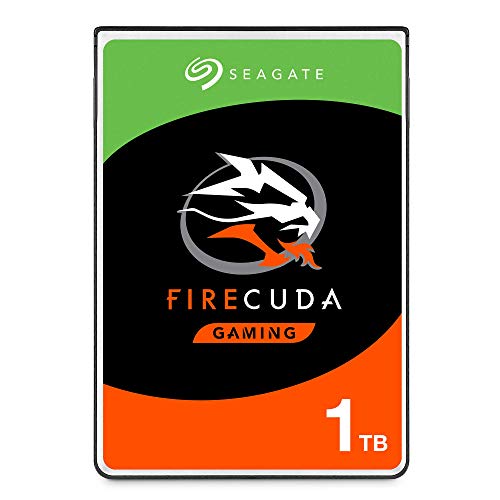
The ST1000LX015 halves the compact flagship: a 2.5-inch FireCuda at 1TB, SATA 6Gb/s, flash accelerated, sold in frustration-free packaging — a small mercy that means the drive arrives without a wrestling match against welded plastic. Its title addresses gaming PC and laptop use, and in desktop terms that translates to the same compact cases as its 2TB sibling, with a library half the size.
One terabyte in the small frame is the sweet spot for the slim office desktop and the living-room machine: operating system, office suite, a family’s photographs and a few games in rotation, with the cache smoothing the daily launches. It is also the natural upgrade path for a compact desktop that shipped with a small plain laptop drive — same bay, same connectors, noticeably brisker routine once the cache has learned the household’s habits.
Choose between this and the 2TB compact model by counting, as ever. The premium for the larger drive buys postponement of the day the library must be pruned or graduated to external storage. If the machine’s role is fixed and modest — a study computer, a media front-end — the terabyte is honestly enough, and the saving is better spent on the external backup drive every recommendation in this guide keeps insisting on.
- Capacity: 1TB
- Form factor: 2.5 inch internal drive — compact desktops and sled fits
- Interface: SATA 6GB/s, per the listing title
- Design: solid state hybrid drive (SSHD), flash accelerated
- Model: ST1000LX015
- Packaging: frustration-free packaging, per the listing title
Strengths
- Hybrid behaviour in the compact frame at a terabyte sized for fixed-role machines.
- A like-for-like upgrade for compact desktops shipped with plain 2.5-inch drives.
- Frustration-free packaging is a genuine, if small, installation-day kindness.
Trade-offs
- Half the compact flagship’s room; media-heavy roles will outgrow it.
- Still needs a 2.5-inch bay or sled in any desktop.
- Cold reads remain platter-paced, as with every hybrid in this guide.
Best for: a slim desktop or living-room PC with a terabyte-sized library and a 2.5-inch bay. Not suited for: a compact build expected to absorb years of video downloads — size up to the 2TB sibling instead.

(Old Model) Seagate 1TB Desktop SSHD(Solid State Hybrid Drive) — The Original Desktop Hybrid
This pick wears its age in its name, and the guide respects the honesty: the ST1000DX001 is Seagate’s earlier desktop SSHD generation, a 3.5-inch internal bare drive at 1TB on SATA 6Gb/s with a 64MB cache. It predates the FireCuda branding. The caching principle is the same — flash learns the routine, platter holds the library — in the generation that proved ordinary tower owners would feel the difference.
Why include a previous generation at all? Because it still circulates at the value end of the channel, and for one particular buyer it is the rational pick: the owner of an ageing tower who wants the hybrid effect for a machine with a limited remaining lifespan. Spending flagship money to accelerate a computer that will be retired in two years is poor arithmetic; this older model delivers most of the everyday benefit at the previous generation’s station in the market. The bare-drive designation simply means what it always means — the drive alone, no cables or screws, which a tower owner performing a swap usually already has.
The cautions are generational rather than fatal. An older model has spent longer in the channel, so test it thoroughly on arrival — full format, diagnostics, a week of real use inside the return window. Its firmware is the earlier expression of the idea, and Seagate’s current documentation centres on FireCuda. Buy it as a considered value choice for an older machine, not as a flagship substitute for a new build.
- Capacity: 1TB
- Form factor: 3.5 inch internal bare drive
- Interface: SATA 6Gb/s
- Cache: 64MB, per the listing title
- Model: ST1000DX001
- Generation: sold under an explicit “Old Model” label — the pre-FireCuda desktop SSHD generation
Strengths
- The original desktop hybrid formula in a standard tower fit.
- Suits ageing machines where flagship spending makes no sense.
- States its interface and cache figures plainly in its title.
Trade-offs
- An earlier generation: channel age argues for thorough testing on arrival.
- Bare drive only; cables, screws and cloning effort come from the buyer’s drawer.
- Current documentation and attention live with the FireCuda line, not here.
Best for: giving an older tower a hybrid second wind at a previous generation’s place in the market. Not suited for: a brand-new build expected to serve many years — start with a current FireCuda instead.

Seagate FireCuda ST500LX025 500GB SATA 6.0 GB/s 64MB Hard Drive — Half-Terabyte Compact
The smallest FireCuda in the roundup closes the table: the ST500LX025, a 2.5-inch drive at 500GB on SATA 6.0 GB/s with a 64MB hard drive buffer stated in its title. Its desktop role is the narrowest and most specific of the six — the compact machine with a genuinely small library: the kitchen or workshop computer, the retro-gaming build whose entire collection is modest, the slim office box that holds documents and little else.
At this size the hybrid question sharpens. Half a terabyte is also the capacity where pure solid-state drives compete most directly, and this guide has already conceded in prose that an SSD is the faster tool for a system drive. The FireCuda’s remaining case is the owner who wants the mechanical drive’s character — its capacity economics, its fit in an older compact machine, a like-for-like replacement in a device built around a 2.5-inch platter drive — with the cache softening the routine. That is a narrower case than the 2TB models enjoy, and the review says so rather than inflating it.
Within that case, the stated 64MB buffer is a respectable figure for the size, and the drive shares the family firmware behaviour: a week of routine teaches it the household’s handful of applications, which at this scale may be nearly everything the machine does. A workshop computer that opens the same three programs every day is, paradoxically, the ideal hybrid student — a tiny syllabus, perfectly learned.
- Capacity: 500GB
- Form factor: 2.5 inch internal drive — compact bays and sled fits
- Interface: SATA 6.0 GB/s, per the listing title
- Buffer: 64MB
- Model: ST500LX025
- Line: Seagate FireCuda hybrid family, smallest capacity in this roundup
Strengths
- Hybrid caching for compact machines whose whole routine is a handful of programs.
- A like-for-like 2.5-inch replacement with the family’s learning firmware.
- States interface and buffer figures plainly in its title.
Trade-offs
- At 500GB the pure-SSD alternative presses hardest; the hybrid case is at its narrowest here.
- Compact frame still needs the right bay or a sled in a desktop.
- Any library growth beyond documents and a few titles ends the conversation quickly.
Best for: a compact, fixed-role desktop — workshop, kitchen, retro build — with a small and stable set of programs. Not suited for: a main family PC, whose library will outgrow half a terabyte and whose owner should start at 1TB or above.
Which FireCuda Belongs in Which Kind of Desktop?
| Pick | Frame | Capacity | Stated figures |
|---|---|---|---|
| FireCuda 2TB SSHD (ST2000DX002) | 3.5 inch | 2TB | SATA 6Gb/s, flash accelerated |
| FireCuda ST1000DX002 | 3.5 inch | 1TB | 7200rpm, 64 MB buffer |
| FireCuda ST2000LX001 | 2.5 inch | 2TB | SATA 6Gb/s, flash accelerated |
| FireCuda ST1000LX015 | 2.5 inch | 1TB | SATA 6GB/s, frustration-free packaging |
| Desktop SSHD ST1000DX001 (Old Model) | 3.5 inch | 1TB | SATA 6Gb/s, 64MB cache |
| FireCuda ST500LX025 | 2.5 inch | 500GB | SATA 6.0 GB/s, 64MB buffer |
The table’s honest message is that this family varies on two axes only — frame and capacity — because one maker makes all of it. Decide the frame by the bay in front of you, then the capacity by the library you counted, and the pick chooses itself. Readers whose machines are consoles rather than desktops may also want Best Internal 2.5 Inch SATA Hard Drives for PS4 Upgrades and Repairs, where the 2.5-inch conversation continues on different hardware.
How Can You Tell the Cache Is Doing Its Job?
There is no dashboard. Seagate’s firmware does not report what it has cached, and no utility will show a percentage learned. The evidence is experiential and arrives on a schedule: the second and third launches of a heavy application in the same week feel shorter than the first; the morning boot, identical every day, becomes the quickest start the machine has ever produced; the game in current rotation loads its familiar screens with a briskness the same drive did not show on installation day. Owners who keep a rough sense of their machine’s rhythms notice the change within the first week or two, which is why the installation section insists on normal use rather than testing rituals.
A simple self-check exists for the sceptical. Pick the application you open most, time its launch on the day the drive is installed, then time it again after ten days of ordinary work, at the same point in the morning routine. The comparison is crude — background updates and a dozen variables muddy it — but a hybrid doing its job shows a difference large enough to survive the mud. If nothing has changed after a fortnight of genuinely repetitive use, the likelier explanations are a workload that does not repeat, or a machine whose bottleneck was never storage in the first place: an old processor and a small memory complement will mask any drive’s virtues, and no cache can accelerate a computer that is waiting on something else.
That last point deserves emphasis because it decides real purchases. A hybrid drive improves the storage layer only. A desktop that feels slow because its memory is exhausted, its processor is a decade old, or its operating system installation is a sediment of fifteen years of updates will feel only slightly less slow on any drive in this roundup. Diagnose before you buy: if the machine’s disk activity light burns constantly while everything waits, storage is the bottleneck and a hybrid will help. If the disk is quiet while the fans roar, spend the money where the queue actually forms.
What Mistakes Do Hybrid Buyers Keep Making?
Judging the drive on day one is the first. The cache needs repetitions to learn; a buyer who benchmarks on installation afternoon measures the platter, concludes the hybrid idea is a fraud, and returns a drive that would have felt brisk by the following week. The second mistake is the mirror image: expecting flash pace from everything. A hybrid accelerates the routine, not the archive, and the owner who opens a different huge file every day owns the wrong technology — that workload wants a real SSD for working files, as the explainer section conceded.
The third mistake is physical: ordering a 2.5-inch model for a tower with no sled and no 2.5-inch bay, then improvising a mounting with tape and optimism. The fourth is treating the hybrid as two drives in one for backup purposes. It is one device; when it fails, both tiers fail together, and the backup conversation is unchanged — a copy somewhere else, a point our reading on Best 2 TB External Hard Disk Drives supports for the external half of the plan. The fifth is buying the Old Model for a new build to save a little, then expecting a decade from a previous generation that has already spent years in the channel.
Which Desktop Jobs Suit a Hybrid — and Which Quietly Do Not?
Walk the common desktop jobs through the caching test — does this workload read the same files repeatedly? — and the family’s value sorts itself. The home office desktop passes easily: the same operating system, browser, office suite and accounts package every day, a working set small enough for the cache to hold nearly all of it. Owners of such machines report the hybrid effect most strongly, because their whole digital routine is, in effect, a short playlist the drive can memorise completely.
The family desktop passes nearly as well. Several users, yes, but the same school platforms, the same photo viewer, the same handful of games in current favour. The cache serves the household’s shared routine even when individuals differ, because the overlapping core — boot files, browsers, launchers — dominates the read pattern. The gaming desktop is the conditional case discussed in the flagship’s review: a player deep in one or two long campaigns gives the cache a perfect syllabus, while a player sampling a dozen titles a month gives it fragments. Both are legitimate ways to play; only one of them is the hybrid’s student.
The creative workstation splits by discipline. A photographer whose catalogue lives on the drive but whose editing applications launch daily gets accelerated applications and platter-paced image files — a genuinely useful half. A video editor, whose project files are enormous and read in long sequential passes, gets almost nothing: sequential bulk reads are the platter’s home ground, and the cache politely steps aside. A music producer with a large sample library sits between the two, since favourite sample packs are re-read constantly while the long tail rests. None of these readers is wrong to buy a hybrid; they are wrong only if they buy it expecting the wrong half to accelerate.
And the quiet failures deserve their sentence: the home server re-reading its media library for a household of streamers, the download and ingest box, the machine that records camera footage, the shared PC in a workshop where every day brings different files from different sticks. Those are platter jobs or SSD jobs, and dressing them in a hybrid spends money on a cache that will spend its life politely irrelevant. The mature response — the one this whole category, in its retirement, teaches — is to match the storage technology to the repetition pattern of the work, which is a more durable lesson than any single product in this table.
Final Recommendation
For a standard tower with one drive bay in play, the FireCuda 2TB flagship is the hybrid idea at its most complete, and the ST1000DX002 serves terabyte-sized towers with its figures stated more plainly. Compact desktops should choose by library: the 2.5-inch 2TB for a real collection, the 1TB for a fixed role, the 500GB only where the machine’s whole world is a few programs. The Old Model earns its place strictly as value for ageing towers. Above all, buy a hybrid for the routine you actually repeat — the cache is a student of your habits, and it can only accelerate the lessons you teach it every day. Buy it with the other half of the discipline in the same basket: a plain external drive for the second copy, a fortnight of patience while it learns, and a label on the case noting the day it entered service. A hybrid chosen that way — right frame, right capacity, right workload, backed up from the start — is not a compromise left over from a retired category. It is a mature tool matched to its work, which is the most any storage purchase can honestly claim.
Frequently Asked Questions
How long does a hybrid drive take to feel fast?
Give it a week of ordinary use. The firmware needs repeated reads to decide what belongs in flash, so boots and launches quicken progressively over the first days. Judging it on the first afternoon measures only the platter.
Can I choose which files the flash cache holds?
No. The caching is automatic and invisible, with no partition to manage and no settings to tune. Buyers who want deliberate control over what lives on fast storage should pair a separate SSD with a plain hard drive instead.
Is a hybrid drive a good idea for a media server or download box?
Generally not. Those workloads read new files constantly and repeat little, so the cache rarely helps. A plain large hard drive serves capacity duty better, and our wider storage guides cover that shelf.
Will a 2.5-inch FireCuda work in a full-size tower?
Yes, through an adapter sled that mounts the small drive in a 3.5-inch bay; the SATA connectors are the same. It is a sound arrangement for compact drives, though a tower with free full-size bays is usually better served by the 3.5-inch picks.
Why are there no other brands in this roundup?
Because the other makers discontinued their hybrid lines as SSD prices fell. Seagate’s FireCuda family is the hybrid line still sold new through normal channels, so an honest roundup of purchasable hybrids is a roundup of Seagate drives.
Does the flash portion wear out like an SSD?
The cache is flash memory and flash does have finite write endurance, but the firmware’s caching workload is modest beside a system SSD’s daily writes, and no listing title here states an endurance figure to plan around. The practical safeguard is the same as for any drive: keep a second copy of what matters.
Can a hybrid drive serve as my backup drive in an enclosure?
It can, but the hybrid part earns nothing there. Backup duty is write-once, read-rarely work, so the cache sits idle while the platter does everything — you would own a perfectly good external hard drive whose headline feature never wakes up. If a retired FireCuda is already on the shelf, enclosure duty is a graceful second career. Buying one new for that job, over a plain drive of the same capacity, spends money on a student with no lessons to learn.
Do hybrid drives need special drivers or software?
No. To the computer, an SSHD presents itself as an ordinary SATA hard drive; the caching happens inside the drive’s own firmware, below anything the operating system can see. There is nothing to install, configure or update as part of normal ownership, which is precisely the convenience the category was built on. The only software in the story is the usual cloning or backup tooling you would use with any replacement drive.
Related Guides
- Best Desktop SATA Hard Drives for Everyday PCs and Upgrades
- Best Internal 2.5 Inch SATA Hard Drives for PS4 Upgrades and Repairs
- Best 2 TB External Hard Disk Drives


