What's inside
- Reading a Facade Machine’s Listing Like a Surveyor
- Key Takeaways
- Quick Picks
- How We Chose These Picks
- Comparison
- How to Choose a Projector for House Mapping
- Can One Projector Cover a Two-Storey House?
- When Should You Start Preparing a Seasonal House Show?
- How Far From the House Should the Projector Sit?
- What Makes a House Show Look Mapped Rather Than Projected?
- How Do You Handle Rain, Cables and Neighbours?
- What Should a First House Show Actually Contain?
- Common Mistakes
- Final Recommendation
- Frequently Asked Questions
- Related Guides
As an Amazon Associate I earn from qualifying purchases. This post may contain affiliate links at no extra cost to you.
[SITE_DOMAIN] is reader-supported. When you buy through links on our site, we may earn an affiliate commission.
Reading a Facade Machine’s Listing Like a Surveyor
Each linked name here opens that model’s Amazon page, and a house mapper should arrive at it carrying measurements, not hopes: the width and height of the front elevation, the distance from the only safe projector position to the wall, the colour and material of the surface, and a note of every street light and porch lamp that will compete on show night. The listing confirms the machine; those four measurements decide whether the machine can do your house at all.
First, a correction this guide makes deliberately and early. The best projectors for house mapping are not the decorative holiday lights that scatter stars, snowflakes or Santa silhouettes across a wall. Those products spray a fixed pattern; they cannot be aligned to your architecture, cannot wrap a window, cannot make your own front door appear to open into a gingerbread world. House mapping means something stricter and far more rewarding: video content warped and masked by software so it fits your specific house — its windows, gables, garage door and porch — until the building itself seems to move, crumble, bloom or sing. Decorative pattern lights were considered for this guide and excluded on that definition, by design.
With the definition settled, the shopping questions become architectural. How far from the facade can the projector sit, and what image size results at that distance? Short-throw optics matter enormously here, because front gardens are shallow, pavements are public and the neighbour’s hedge is not a mounting position. How bright is the machine, honestly labelled, against street lighting that never switches off? And where does the warping live — in a bundled kit, or in software on your laptop?
One machine in this guide was designed for exactly this job and says so in its title: a short-throw laser projector naming house mapping as its purpose. It leads. Behind it stand a flagship mapping-kit bundle, a placement-flexible laser, two honestly rated consumer machines at descending brightness, and a rotating mini projector that maps small facades and single features on a budget. Brightness figures are quoted as ANSI only where titles print the word; the ViewSonic’s figure is reported as its title words it, and two picks print no figure at all — their reviews say so and plan around dusk.
Content is the other half of every house show, and no projector in this guide includes a library of house shows unless its title says so — one bundle here does claim a template library, and its review examines what that means for a facade. Everyone else brings content from mapping software, from video they make or license, or from the seasonal show files the mapping community trades. The machine lights the house; the show is still yours to build or borrow.
Key Takeaways
- House mapping is software-warped video fitted to your own architecture — decorative star and snow pattern lights are not mapping and are excluded here on purpose.
- The LH830ST is the purpose-built centre: a short-throw laser DLP projector whose title names house mapping directly.
- Short throw is the facade shopper’s key specification, because front gardens rarely offer cinema distances.
- ANSI-labelled brightness appears on three picks (3,500, 3,000 and 2,000); plan lit-street shows only around labelled figures.
- The HY300Pro is the budget route for a porch, a gable or a single garage door — not a whole wide facade.
Quick Picks
| Pick | Badge | Why it earns its place |
|---|---|---|
| LH830ST House Mapping Projector | Built for this exact job | A Full HD HDR short-throw laser DLP projector whose title names house mapping as its purpose. |
| Nebula X1 SpaceFlow Mapping Bundle | Kit, templates, flagship light | Triple laser, 3,500 ANSI lumens and a SpaceFlow 3D mapping kit with over 100 ready-to-use templates. |
| ViewSonic LS740HD | The flexible installer | 1080P laser with optical zoom, corner adjustment and 360 projection for houses that fight back. |
| 3000 ANSI Google TV Outdoor Projector | Smart, loud, honestly rated | A stated 3,000 ANSI lumens, 80W HiFi speakers, auto focus and keystone, with Google TV built in. |
| NICPOW 2000 ANSI Projector | The big-canvas value | A stated 2,000 ANSI lumens, zoom and a 300-inch maximum image for wide, simple elevations. |
| Magcubic HY300Pro Mini Projector | The porch-scale starter | A portable mini with auto vertical keystone and 180-degree rotation for single features and small fronts. |
How We Chose These Picks
Purpose came first. A title that names house mapping outright outranks any amount of generic brightness, because a machine designed around facades has made its optical and geometry decisions for this exact geometry problem: wide image, short distance, outdoor evening, architectural surface. Only one pick passes that test, and it leads the guide without apology.
Throw and placement came second. Houses impose positions — a lawn, a driveway, a porch step — and machines were credited for the tools that survive imposed positions: short-throw optics, optical zoom, corner adjustment, rotation. A projector that must sit at one exact distance to fill your elevation is a projector your garden may simply refuse.
Brightness honesty came third, judged by labels rather than size. Street-lit suburbs are the hardest common venue in domestic projection, and the difference between a show that reads from the pavement and one that whispers is usually a standard-labelled figure in the low thousands. Picks were therefore ranked by what their titles can prove, and the two without printed figures were placed where dusk-to-dark, smaller-scale work makes them honest choices rather than gambles.
Sound and content routes closed the sort. A house show is watched from outdoors, often with music or narration timed to the facade, so stated speaker power counted. And because no projector warps a house by itself, each pick’s content path — bundled kit, laptop software, smart platform — was weighed as part of the purchase, not as an accessory afterthought.

LH830ST House Mapping Projector — Built for this exact job
Read this title slowly, because it is the only one in the guide that describes the whole job: Full HD, HDR, short-throw, laser, DLP — and then, as its stated purpose, house mapping. Makers do not print a niche that specific on a box unless the machine’s design brief began there, and for a buyer whose entire project is one beloved facade, a purpose-built tool outranks a generalist with a longer feature list. The LH830ST is this guide’s centre for that reason.
Short throw is the specification that decides most house shows before brightness is even discussed. A short-throw lens produces a large image from a short distance, which means the projector can sit on your own lawn or driveway — close to the house, inside your boundary, under your control — and still cover the elevation. The alternatives involve distance you may not own: a pavement, a road, a neighbour’s frontage. Every metre of throw you do not need is a metre of public space your show does not depend on, and a cable run that stays on your own property.
Laser light and DLP imaging suit the seasonal rhythm of house mapping. The machine works hardest in intense bursts — October nights, December weeks, a birthday, a street party — and a laser engine’s tolerance for long evening runs and instant restarts fits that rhythm better than a lamp’s warm-up etiquette. Full HD resolution, stated plainly, matches the viewing geometry: facades are read from pavements and gardens, distances at which architectural illusion is carried by alignment and content rather than by pixel density.
HDR is named in the title, and for mapped content it is more than a cinema garnish. House shows live on contrast — a dark facade from which windows ignite, snow that genuinely gleams against shadowed brick. Content mastered with bright peaks gives the warping something to sculpt with, and a projector that accepts HDR signals lets seasonal show files be played as their makers graded them.
Now the silences, which a purpose-built premium makes more important, not less. No brightness figure is printed in the title — none — so a buyer on a lit street must take the listing’s full specification as the deciding document, and should compare whatever figure is published there against the labelled ANSI numbers elsewhere in this guide with appropriate scepticism about standards. No mapping software or kit is named either: the warping will come from your own application on your own computer, and that software’s cost and learning curve belong in this purchase’s budget. When you check the LH830ST’s price on Amazon, scroll for those two answers — published brightness and any bundled software — before the feature list seduces you further.
- Purpose: house mapping named in the title
- Optics: short-throw, per title
- Light source and imaging: laser DLP, per title
- Resolution: Full HD with HDR, per title
- Brightness: Not stated in the listing title — verify with the manufacturer documentation
- Mapping software or kit: Not stated in the listing title — verify with the manufacturer documentation
Strengths
- Purpose-built for facades, with short throw for shallow gardens
- Laser DLP engine suits long seasonal evening runs
- Full HD HDR signal handling for graded show content
Trade-offs
- No brightness figure printed to plan a lit street around
- Warping software is a separate purchase and skill
- Short-throw focus is wasted on buyers with huge grounds
Best for: homeowners mapping their own facade from their own lawn, season after season.
Not suited for: a street-lit show contracted against a published brightness figure — the title prints none, so output cannot be specified from the title alone.

Nebula X1 SpaceFlow Mapping Bundle — Kit, templates, flagship light
Where the LH830ST assumes you will bring software, this bundle brings the mapping with it. The title assembles a triple laser projector, a SpaceFlow 3D mapping kit and a library of more than 100 ready-to-use templates, lit by a standard-labelled 3,500 ANSI lumens and a 56,000:1 contrast figure (printed 56000:1). For a household that wants the house to perform this December without a preceding apprenticeship in professional mapping applications, this is the shortest honest path from box to show.
Templates deserve a facade-specific defence. A house show is not a blank-canvas art form; it is a seasonal performance with deadlines set by the calendar and an audience of neighbours. A library of ready pieces — festive scenes, celebrations, effects — warped onto your elevation by a guided kit converts weeks of content production into evenings of placement and rehearsal. Purists will build their own shows eventually; the template library is what makes the first season happen at all.
The brightness figure matters on real streets. Three thousand five hundred ANSI lumens is the strongest standard-labelled claim in this guide, and against porch lamps and street lighting it is the difference between a facade that performs and one that suggests. The triple laser engine and Dolby Vision support also give the machine a second life as a serious garden cinema projector between mapping seasons, which is how premium seasonal gear justifies its cupboard space.
Sound is stated at 40W, and outdoor shows consume sound greedily — open air, distance, traffic. A machine carrying its own substantial audio simplifies the lawn rig to projector, stand and power, and simplicity outdoors is reliability: every separate box is a cable, a battery and a failure rehearsed in the dark.
The questions the title leaves open are the kit questions, and on a facade they are specific. How does the kit capture a house’s shape — photograph, scan, manual tracing? How are windows and doors, the features every house show animates, defined and stored? Can your own video join the templates, warped to the same elevation? The listing must answer these, because they separate a kit that maps your house from a kit that merely projects near it. Check the X1 bundle’s current Amazon price alongside those kit answers; the pair of them is the purchase.
- Mapping: SpaceFlow 3D mapping kit with 100+ templates, per title
- Brightness: 3,500 ANSI lumens, per title
- Contrast: 56000:1, per title
- Light source: triple laser, per title
- Sound: 40W, per title; Dolby Vision named
- Facade capture method: Not stated in the listing title — verify with the manufacturer documentation
Strengths
- Guided kit and templates collapse the first season’s learning curve
- Strongest ANSI-labelled brightness in this guide
- Laser engine and sound system complete a one-box lawn rig
Trade-offs
- Kit’s facade capture and content import are unconfirmed by the title
- No short-throw claim — placement distance needs checking
- Premium bundle pricing for a seasonal duty cycle
Best for: households wanting a finished facade show this season, guided by a kit and templates.
Not suited for: shallow front gardens needing guaranteed short throw — the title makes no throw claim, so the required distance must be confirmed before the lawn is planned around it.

ViewSonic LS740HD — The flexible installer
Some houses cooperate: flat elevation, deep lawn, no street light. The LS740HD is for the others. Its title lists optical zoom, keystone correction, corner adjustment and 360-degree projection from a 1080P laser engine — a toolkit for facades approached from the wrong angle, at the wrong distance, around trees, drives and extensions. Nothing in the title mentions mapping, and this review does not invent the mention: the warping will be done by software on your computer, and this machine’s job is to make the physical half of that partnership as forgiving as possible.
Corner adjustment is the headline for house work. A facade is not a screen, and the projector will almost never sit square to it — the only firm ground may be left of the path, lower than the porch, angled by the drive. Pulling each corner of the image to its architectural mark independently turns that compromised position into a workable one, and mapping software then refines a geometry the projector has already made plausible. Optical zoom performs the same rescue for distance: image size tuned from where the machine can stand, not from where a textbook wishes it stood.
The brightness figure is printed as 5500 lumens without an ANSI label, and it is reported here exactly as worded — the largest number in this guide, and not comparable as a measurement against the ANSI-labelled figures beside it. What can be said is that the maker aims the machine at auditoriums and classrooms as well as homes, venues where a dim image is a complaint, and that its laser source suits the long December evenings when a house show runs from dusk to bedtime without pause.
Ceiling mount and 360 projection, both named, hint at the permanent installation some house mappers graduate to: a machine fixed under an eave or in a weather housing, aimed once, aligned once, and thereafter switched on like a porch light. For households mapping every season from the same position, that permanence is worth more than portability — the show becomes a fixture, and fixtures get used.
Buy it as the engine of a software route and budget the pair together: this projector plus a mapping application plus the laptop that runs both. Amazon’s listing for the LS740HD will confirm the current price; set it beside the software licence before deciding the Nebula bundle above it is expensive, because the honest comparison is system against system.
- Resolution: 1080P Full HD, per title
- Brightness: 5500 lumens as worded in the title (not labelled ANSI)
- Light source: laser, per title
- Geometry: optical zoom, keystone, corner adjustment, 360 projection, per title
- Stated venues: classroom, auditorium, golf simulation, home theater
- Mapping software or kit: Not stated in the listing title — verify with the manufacturer documentation
Strengths
- Corner adjustment rescues off-axis garden positions
- Optical zoom fits the image from the ground you actually have
- Laser engine and mounting options suit a permanent seasonal rig
Trade-offs
- Mapping software is a separate purchase, always
- Brightness figure carries no ANSI label in the title
- 1080P ceiling where two rivals claim 4K class
Best for: awkward facades and permanent seasonal installations driven by laptop software.
Not suited for: buyers wanting any mapping capability in the box — the title names none, so the warping, the licence and the learning all arrive separately.

3000 ANSI Google TV Outdoor Projector — Smart, loud, honestly rated
This machine’s title leads with the two numbers a house mapper most needs to trust: 3,000 ANSI lumens — standard-labelled, second only to the Nebula bundle in this guide — and 80W of HiFi speaker power, the strongest sound claim printed here. Around those numbers it wraps the conveniences of a modern smart projector: Google TV built in, WiFi and Bluetooth, auto focus and auto keystone. The proposition is a house show with the least possible supporting cast: no laptop on the lawn, no separate speaker, no streaming stick.
Consider what that means on show night. The projector goes on its stand, focuses itself, squares itself as far as auto keystone allows, and plays the show from its own platform or a connected source while its own speakers carry the music to the pavement. For looping seasonal pieces and festive scenes — the majority of real house shows — that self-sufficiency is not a compromise but the entire design goal, and the stated brightness is high enough, honestly labelled, to hold a suburban facade after dark.
Auto keystone deserves its boundary stated. It squares a rectangle; it does not warp a show around your gables. The mapping itself still comes from content prepared elsewhere — a show file rendered for your elevation by software, played back through this machine — or from a connected computer doing the warping live. Read this pick as a superb playback engine for prepared house shows, and its smart platform becomes a feature rather than a distraction: the show lives on the machine, and the machine is the show.
The 4K wording in its title attaches to “Outdoor-4K-Projector” phrasing without a native-resolution claim spelled out, so this guide treats resolution as unconfirmed and plans the pick around brightness and sound instead — a fair trade at facade distances, where the audience reads glowing windows and moving scenes, not pixel structure.
Its outdoor framing is explicit in the title, and outdoor is where its conveniences compound: fewer boxes to weatherproof, fewer cables to tape down, a remote instead of a laptop lid in the drizzle. Look at its Amazon page for today’s price and for any throw detail, since garden distance remains the one number every facade buyer must verify personally.
- Brightness: 3,000 ANSI lumens, per title
- Sound: 80W HiFi speakers, per title
- Platform: Google TV with built-in apps; WiFi and Bluetooth
- Setup aids: auto focus and auto keystone, per title
- Native resolution: Not stated in the listing title — verify with the manufacturer documentation
- Warping or mapping tools: Not stated in the listing title — verify with the manufacturer documentation
Strengths
- High, standard-labelled brightness for real streets
- 80W sound removes the separate speaker from the lawn
- Self-contained smart platform plays prepared shows simply
Trade-offs
- Auto keystone squares rectangles; it does not warp architecture
- Native resolution is not spelled out in the title
- Show preparation still happens on other software
Best for: households playing prepared seasonal shows with a one-box outdoor rig.
Not suited for: live warping artists — no mapping or warping tool is named in the title, so the show must be rendered elsewhere before this machine plays it.
NICPOW 2000 ANSI Projector — The big-canvas value
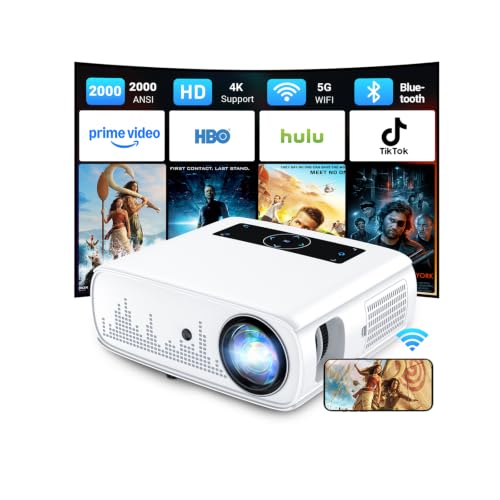
The NICPOW’s contribution to a house is scale at an honest rating. Its title states 2,000 ANSI lumens — the standard’s label, comparable and plannable — plus zoom and a maximum image of 300 inches, with a connection list that welcomes nearly anything a household owns: HDMI, USB and AV, phones, tablets, laptops, DVD players, TV sticks and game consoles. A wide, simple elevation and a laptop running mapping software meet this machine exactly on its terms.
Zoom is the facade feature hiding in plain sight. Houses differ; gardens differ more. A zoom lens lets the image be fitted to the elevation from the position the garden permits, rather than demanding the projector be moved until the image happens to fit — a negotiation that, without zoom, is conducted with fence posts and flowerbeds. For a first house show, that forgiveness is worth real money, because the first show’s true purpose is learning what your facade wants to become.
Two thousand ANSI lumens sets the venue honestly: after dark, on a modest-to-medium elevation, away from the worst street lighting, this machine performs. It will not bully a sodium-lit corner plot the way the 3,000 and 3,500 ANSI picks aim to, and the review will not pretend the gap away. What it offers instead is the largest stated canvas in the guide at the value end — a whole gable, a whole garage elevation, a whole side wall — where the flagship money was spent on a kit or on sound instead.
The 4K wording is “4K Supported”: signals accepted, native resolution unclaimed, and for facade work that ordering of priorities is defensible. WiFi and Bluetooth cover casual casting of test pieces from a phone — genuinely useful when a design is being checked against the real windows at dusk — while serious shows arrive by cable from the machine running the warping.
No keystone or corner tool is named in the title, so alignment discipline comes from placement: square the machine to the facade as carefully as the garden allows, and let the software’s warp do the fine work. Check the NICPOW’s Amazon listing for its current price and any geometry detail the title omits; at this tier, a confirmed keystone line in the full description is a pleasant bonus, not an expectation.
- Brightness: 2,000 ANSI lumens, per title
- Signal: 4K Supported, per title (acceptance, not a native 4K claim)
- Image size: up to 300 inches, with zoom, per title
- Wireless: WiFi and Bluetooth, per title
- Connections named: HDMI, USB, AV, smartphone, pad, laptop, DVD, TV stick, PS5
- Keystone or corner correction: Not stated in the listing title — verify with the manufacturer documentation
Strengths
- Standard-labelled brightness that planning can rely on
- Zoom plus a 300-inch ceiling fits wide, simple elevations
- Welcomes almost any source device a household owns
Trade-offs
- Brightness is the guide’s lowest labelled figure
- No geometry tools are named for off-axis positions
- Sound is unmentioned in the title — plan a speaker
Best for: first full-facade shows on wide, simple elevations after dark.
Not suited for: street-lit corner plots — at a stated 2,000 ANSI lumens, competing street light is the one opponent this machine cannot out-argue.

Magcubic HY300Pro Mini Projector — The porch-scale starter
Every craft has a first rung, and for house mapping this mini projector is it — provided the first project is sized to the rung. The HY300Pro is a portable mini with WiFi and Bluetooth, 4K signal support, auto vertical keystone and a body that rotates through 180 degrees. No brightness figure is printed in its title, and this review builds its recommendation on that honesty: this is a dusk-and-dark machine for a porch, a gable, a single garage door, a window surround — one architectural feature, glowing, rather than an entire elevation performing.
That narrowed scope is a genuine use, not a consolation. Many beloved house displays are exactly one feature: the front door that becomes a gingerbread entrance, the garage door that counts down to Christmas, the gable that grows a wreath of light. A mini projector on a shelf or a small tripod, rotated to aim, keystone correcting its own tilt, can run such a piece from a phone-cast file while the household learns the craft’s grammar — alignment, content timing, neighbour diplomacy — at a scale where mistakes are charming.
The rotation matters for these small rigs. A projector that turns through 180 degrees on its own body aims without a fully articulated mount, and in the improvised world of porch shelves and plant stands, built-in aiming is the difference between a show that starts at dusk and one still being balanced on books at dark. Auto vertical keystone then squares the result — within its limits, which are the limits of a rectangle, not a warp.
Set expectations for the warping itself: none is claimed, none should be assumed. A feature-sized piece can be prepared as a pre-warped video on a computer — the shape fitted in the file, the projector merely playing it — and that workflow, humble as it sounds, is real mapping at miniature scale and the best training the craft offers.
Between seasons the machine’s portability returns it to ordinary life: bedrooms, camping, a film on a fence. That dual duty is the budget case for this pick — it is bought as a household projector and borrowed by the facade, rather than bought for the facade alone. Its Amazon page carries the current price; at this tier the decision is usually made by the calendar, with October closer than the flagship fund.
- Form: portable mini projector, per title
- Aiming: 180-degree rotation, per title
- Correction: auto vertical keystone, per title
- Signal: 4K Support, per title (acceptance, not a native 4K claim)
- Wireless: WiFi and Bluetooth, per title
- Brightness: Not stated in the listing title — verify with the manufacturer documentation
Strengths
- Rotating body aims small rigs without elaborate mounts
- Auto vertical keystone speeds up porch-scale setups
- Portable form earns its keep between mapping seasons
Trade-offs
- No brightness figure is printed to plan any venue with
- Whole-facade scale is beyond its honest scope
- Keystone is vertical only, per the title’s wording
Best for: first mapping projects on one feature — a door, gable or garage — after dark.
Not suited for: whole-elevation shows — with no stated brightness figure and a mini form, a wide facade in any ambient light is beyond what the title can promise.
Comparison
| Pick | Facade route and headline facts | House it suits first |
|---|---|---|
| LH830ST | Purpose-built; short-throw laser DLP; Full HD HDR; software brought by buyer | The shallow garden, mapped seasonally |
| Nebula X1 Bundle | SpaceFlow kit and templates; 3,500 ANSI; triple laser; 40W sound | The household wanting a guided first show |
| ViewSonic LS740HD | Software route; 1080P laser; zoom, corner adjustment, 360 projection | The awkward elevation, permanently rigged |
| 3000 ANSI Google TV | Prepared-show playback; 3,000 ANSI; 80W sound; auto focus and keystone | The one-box seasonal display |
| NICPOW 2000 ANSI | Software route; 2,000 ANSI stated; zoom; 300-inch image | The wide, simple, dark facade |
| Magcubic HY300Pro | Pre-warped files; rotating mini; auto vertical keystone; no figure printed | The single glowing feature |
How to Choose a Projector for House Mapping
Start with the tape measure, not the catalogue. Record the elevation’s width and height, the distance from your only safe, powered, weather-sensible position to the wall, and the surface’s colour and texture. Those numbers eliminate most projectors honestly: a wide facade from a shallow garden demands short throw or serious zoom; a narrow frontage from a deep drive forgives almost anything. Choose from the survivors, never before measuring.
Then decide where the warping lives. A bundled kit with templates suits households whose show must exist by a date. Laptop software suits builders who want their own content and are willing to learn the craft’s main tool. Prepared-file playback — warping rendered into a video elsewhere, played by a smart projector — suits seasonal displays that repeat nightly without a computer on the lawn. Each route is respectable; mixing their expectations is what produces disappointment.
Judge brightness by its label and your street. Walk outside at show hour and look at your facade as the audience will: porch lamps, street lights, a neighbour’s security floodlight. Against real competition, only standard-labelled figures can be planned with, and the honest move when the street is bright is to choose content with bold, bright design rather than to believe an unlabelled number.
Consider also the household’s December reality before choosing a tier. A machine that demands a laptop, a licence and a learning curve will be run by whoever in the house owns those things, every night, in the cold. A kit or a self-contained smart machine spreads the duty across the family — anyone can start the show — and seasonal displays live or die by exactly that kind of operability. Match the machine to the household’s actual rota, not to its most technical member’s enthusiasm in November.
Finally, plan the unglamorous half: power, weather, cables and the neighbours. Outdoor shows run on extension leads that must be safe, on machines that must be covered or retrieved when rain arrives, and on goodwill that bright, late, loud shows spend quickly. The right projector is the one whose rig you can run considerately for a whole season — because a house show’s real audience returns nightly, and so does its real jury.
Can One Projector Cover a Two-Storey House?
Usually, yes — with conditions that this guide would rather state than soften. Coverage is a geometry question before it is a brightness question: from the position your garden allows, the image must reach the ridge and the doorstep simultaneously, and the upper floor must not fall outside the lens’s comfortable field. Short-throw and zoom machines exist in this guide precisely because that rectangle is hard to satisfy from a shallow lawn, and the listing’s throw data, checked against your own two measurements, settles the question for your house specifically.
Brightness then divides by height. The same light spread across two storeys is thinner light, and the top floor — further away, often angled — receives the least of it. Two-storey shows therefore design brighter and simpler at the top: bold shapes, generous highlights, detail saved for the ground floor where the audience stands closest. Content that respects that gradient looks intentional; content that ignores it looks like a fading photograph.
Where one machine genuinely cannot cover the elevation — very wide houses, deep setbacks split by trees, upper floors lost to angle — the honest answers are a second projector dedicated to the upper storey, or a show designed for the ground floor alone with the upper house left in dignified darkness. A half-house show, perfectly fitted, outperforms a whole-house show stretched thin every single night of the season.
When Should You Start Preparing a Seasonal House Show?
Earlier than the season’s advertising suggests — six weeks before opening night is a working minimum for a first show, and the schedule explains why. Week one belongs to measurement and machine choice. Week two belongs to alignment experiments at dusk, discovering what your facade returns and what it swallows. The middle weeks belong to content: building or borrowing the show, fitting it to the architecture, testing scenes at full length. The final week belongs to rehearsal — a complete run, at show hour, with sound, cables and strike timed — and to the neighbour conversations that no projector can conduct on your behalf.
Returning shows compress that schedule but never delete it. Surfaces weather, trees grow into the light path, a new porch lamp appears across the street, and last year’s aligned file meets this year’s slightly different reality. Budget one dusk for re-alignment and one evening for a full rehearsal even when nothing has supposedly changed, and the season opens with the calm that audiences mistake for talent.
Content deadlines deserve the same respect as hardware ones. A show built in the final week is a show whose best scene is still an idea; a show built across a month has been seen whole, at distance, in weather, and improved while improvement was cheap. The projector purchases in this guide can all be made quickly. The season they serve cannot, and planning backwards from opening night is the discipline that separates the houses people photograph from the houses people pity.
How Far From the House Should the Projector Sit?
As close as the image allows and the garden permits — that is the short answer the short-throw pick exists to serve. Distance is not free outdoors: every metre adds cable, exposure and trespass on space you may not control, and spreads the same light over a larger, dimmer image. A machine that fills your elevation from your own lawn keeps the show on your property, under your weather cover, inside your power run.
The counterweight is geometry. Very close positions view the facade at a steep angle for upper floors, and deep porches or bay windows cast shadows of themselves that no single position can light around. Walk the garden at dusk with the elevation in view and find the position that sees every surface the show must touch; that position, not the driveway’s convenience, is where the projector’s distance gets decided, and the throw figures on the listing are then checked against it.
Height matters as much as distance. A projector near the audience’s eye level throws shadows of every passer-by across the show; a machine raised on a stand or mounted under an eave keeps the light path above heads and the illusion intact. Plan the stand when you plan the distance — the two decisions are one decision wearing two hats.
What Makes a House Show Look Mapped Rather Than Projected?
Alignment to architecture. A rectangle of video on a facade is a screening; a show becomes mapping when its content acknowledges the building — when windows frame scenes, when the door is treated as a door, when effects settle on ledges and climb real corners. That acknowledgement is created in the warping step, by kit or by software, and it is why this guide ranks mapping routes above raw brightness: the audience’s delight is in the fit, not the lumens.
Stillness is the second ingredient. A mapped show must return to exactly the same position every night, because the content’s fit to the architecture is drawn for one geometry only. Mark the stand’s feet, fix the mount, photograph the aligned result, and treat any nudge as a re-alignment, not a shrug. Shows that drift a few centimetres read as broken even to viewers who cannot say why.
Restraint is the third. The houses that stop traffic use darkness as a material: most of the facade stays unlit most of the time, so that lit moments land as events. Content that floods every brick all evening is a billboard; content that lets the house sleep between scenes is theatre. Choose and prepare content with that discipline, and even the modest picks in this guide can hold a street.
How Do You Handle Rain, Cables and Neighbours?
Rain first, because it outranks art. None of these titles claims weatherproofing, so every outdoor rig needs a cover plan — a housing, an awning, or a disciplined retrieve-at-first-drops routine — and a show that cannot survive its own forecast should be postponed rather than improvised around. Electronics forgive many things; December rain is not among them.
Cables are a safety system disguised as an inconvenience. Runs across paths get taped, ramped or rerouted; connections stay off wet grass where a junction box can keep them dry; and the whole rig is walked once in the dark, as a visitor would walk it, before the audience is invited. A house show’s reputation is one tripped guest away from becoming a different kind of neighbourhood story.
Neighbours are the season’s real venue permit. Warn them before the first night, keep hours civilised, aim sound at your own audience rather than the street, and invite the closest households explicitly — people forgive generously what they were consulted about, and resent precisely what surprised them. The best house mappers are remembered as good neighbours who happen to light up; protect that order of reputation and the show can run for years.
What Should a First House Show Actually Contain?
Less than you hope, arranged better than you fear. A strong first show is usually three or four scenes rather than a continuous spectacle: an opening transformation that establishes the fit — the house dressing itself in light — a middle scene that plays with the architecture’s real features, a quiet scene that lets the facade sleep, and a finale that the street will remember. Between scenes, darkness is not dead air; it is the contrast that makes the next ignition an event.
Timing follows the audience’s reality. Passers-by give a house perhaps ninety seconds; a loop of four to six minutes rewards both the walker and the neighbour watching from a window, and repeats without exhausting either. Sound, where used, should be scored to the loop’s arc — present at the transformations, withdrawn in the quiet scene — and kept at a volume that reads as invitation from the pavement rather than broadcast to the street.
Every scene should be designed from the architecture outward. Photograph your elevation, trace its features in your content tool, and build each scene on that tracing rather than on a generic house shape; the kit route’s capture flow exists to do exactly this. A scene that knows where your windows are will always outperform a brighter scene that does not, which is the whole argument of this guide compressed into one production rule.
Common Mistakes
Buying a decorative pattern light and calling it mapping disappoints more households than any specification error. Stars and snowflakes scattered by a fixed lens are a decoration; mapping is your house, fitted and animated. This guide excluded the pattern lights deliberately, and a buyer tempted by their simplicity should simply know which of the two pleasures they are purchasing.
Measuring nothing until the box arrives is the second classic. Facades, gardens and throw distances are unforgiving facts, and they are all measurable this evening with a tape and a torch. The projector that cannot fill your elevation from your lawn will not be argued into it by enthusiasm.
Designing content for a white cinema screen is the third. Brick drinks light and returns colour; render, stone and painted wood each keep their share. Test the real show file on the real wall at dusk before opening night, and brighten the design — not the menu — where the surface wins.
Running the show without ever watching it from the pavement completes the list. Alignment, brightness and sound are all judged by an audience standing in the street, yet owners habitually tune from beside the projector, where every flaw is invisible and every level sounds right. Watch one full loop from across the road, at a neighbour’s gate, with the street’s own noise around you — then adjust. The show exists out there, not at the machine.
Forgetting the strike is the fourth. A seasonal rig that takes an hour to dismantle will, one tired night, be left out in weather it cannot survive. Choose positions and mounts that come down in minutes, or house the machine properly, and the show will still exist next season.
Final Recommendation
For the household that means it — own facade, own lawn, seasons to come — the LH830ST is the recommendation this guide stands behind: a machine designed for this exact geometry, short-throw and laser, asking only that you bring software and confirm its published brightness for your street. Households who want the show more than the craft should take the Nebula X1 bundle and its kit, and let templates carry the first season. The ViewSonic serves the awkward elevation, the 3000 ANSI Google TV machine serves the one-box seasonal display, the NICPOW serves the wide dark facade on a budget, and the little HY300Pro serves the first glowing door.
Whichever arrives, walk the garden with a tape before it does, and run the full show once — aligned, timed, at volume — on an uninvited evening first. A house that has performed in private will perform in public, and the neighbours will think it was always going to look that good.
Keep the archive habit from the very first season: the show file, the content sources, the alignment photographs and a short note of position, distance and settings, stored together under the season’s name. Houses change slowly and memories change quickly, and next year’s opening night is built from this year’s folder far more than from this year’s projector. The machine lights the facade for a few weeks; the archive is what turns those weeks into a tradition the street starts asking about by name.
One closing consideration belongs to the house itself. A facade that performs nightly becomes, for a season, a piece of public furniture — photographed, directed-to, remembered. Choose content you are content to be associated with at that scale, keep a thought for the households with small children and early shifts within earshot, and let the show’s quality argue for the street’s goodwill rather than its volume doing so. The projectors above can all make a house visible from three streets away; the craft is making it welcome from one.
Frequently Asked Questions
Is a Christmas star or snowflake projector the same as house mapping?
No. Pattern lights spray a fixed decorative image that cannot be fitted to your architecture. House mapping warps video content with a kit or software so scenes align to your windows, doors and gables — a different craft, and the one this guide covers.
Which pick was actually designed for house mapping?
The LH830ST. Its title names house mapping as the machine’s purpose, with short-throw laser DLP optics and Full HD HDR — the only purpose-built facade machine among these six.
How bright does a house projector need to be?
Plan around standard-labelled figures: 2,000 ANSI lumens handles a modest dark facade, while 3,000 to 3,500 ANSI gives a lit street a fair contest. Figures without the ANSI label, and machines with no printed figure, should be planned for dusk-to-dark, smaller-scale work.
Do any of these projectors include the mapping software?
Only the Nebula X1 bundle names a mapping kit — SpaceFlow, with a template library — in its title. Every other pick expects warping to come from software or prepared files you supply, which is the normal professional arrangement as well.
What software do house mappers actually use?
The warping is typically done in dedicated mapping applications on a laptop — MadMapper and Resolume are the names the field reaches for — or, on the kit route, inside the projector bundle’s own guided system. Some households instead render a pre-warped show file once and play it back from a smart projector or media player each night, which suits a fixed seasonal display.
Can a mini projector really map a house?
It can map a feature of one. The HY300Pro’s honest scope is a door, gable or garage door after dark, playing content prepared to fit — a genuine first project, and a sensible way to learn before a whole elevation is attempted.
Related Guides
- Best projectors for middle-range 3D video mapping — the tier between mini and production
- Best projectors for production mapping — event and stage scale, professionally framed
- Best ambient projectors for D&D — projection turned indoors, onto the game table


