Key takeaways
- Reolink NVR buying guide: channel counts, PoE power budgets, hard drive sizing for 4K recording, camera compatibility, smart detection and viewing options.
What's inside
- What the NVR does in a Reolink system
- Channel counts: 8, 16 and beyond
- PoE: one cable for power and picture
- Hard drives: bays, capacity and surveillance duty
- Compatibility: a single-brand system, honestly bounded
- Smart detection and finding the moment again
- Viewing, managing and getting footage out
- Planning the installation around the recorder
- Storage arithmetic and living with the archive over years
- Bundles versus building the system piece by piece
- Check prices on Amazon
- A decision matrix, and the mistakes that follow buyers home
As an Amazon Associate I earn from qualifying purchases. This post may contain affiliate links at no extra cost to you.
Adding a network video recorder to a set of Reolink cameras changes the system from a collection of individual devices, each minding its own memory card, into one organised archive with a single place to search, a single timeline and a single box quietly recording through the night whether the internet is up or not. This guide works through how to choose that box on the terms that actually decide satisfaction a year later: how many channels the household will honestly use, what the PoE budget means once every camera switches its infrared lights on at dusk, and how many days of 4K footage a given hard drive really holds. As an Amazon Associate we earn from qualifying purchases. The comparison below stays at the level of architecture and selection criteria, because an NVR is infrastructure, and infrastructure should be bought the way a fuse box is bought, for headroom, compatibility and boring reliability rather than for the longest feature list.
What the NVR does in a Reolink system
The NVR’s core job is continuous, centralised recording. Instead of each camera deciding for itself what to save to a small card in its own housing, every camera streams its video across the local network to the recorder, which writes those streams to a hard drive around the clock. The difference shows up on the worst day, not the average one: when a camera is stolen, damaged or loses its card, the footage survives in the recorder indoors; when an incident unfolds slowly over twenty minutes, the continuous timeline holds the approach and the departure, not only the few seconds a motion trigger happened to catch. Central recording also means one storage pool to size, monitor and replace, rather than a drawer of cards aging at different rates in different weather.
Recording locally is also a statement about independence from the cloud. A Reolink system built around an NVR does not need a subscription to keep its history, and it does not stop recording when the broadband connection drops, because the cameras, the cables and the recorder are all inside the building talking to each other. Remote viewing still uses the internet when you are away, but the archive itself is a physical object in a cupboard at home. For households wary of footage of their own driveway living on distant servers, and for rural properties where the connection is the least reliable component, that architecture is the reason for choosing an NVR in the first place.
Continuous recording and motion-based recording are different philosophies, and the NVR supports a deliberate mixture of the two. Recording everything costs storage but misses nothing, including the context before an event that motion detection, by definition, only notices once movement has already begun. Recording only events stretches a drive across weeks but leaves gaps where slow or distant movement failed to trigger, and produces a library of clips rather than a timeline. Most households land on continuous recording for entrances and driveways, with event markers layered on top for searching, and event-only recording for low-value angles such as a side path. The NVR is where that per-camera policy is set and enforced.
Playback at the recorder is the other half of its role. Because the archive is local, scrubbing through an evening is fast and frame-accurate in a way that streaming clips from cards or clouds rarely matches. The NVR presents all cameras on one synchronised timeline, so following a visitor from the front path camera to the door camera to the garden camera is a single continuous review rather than three separate hunts through three separate apps. When something matters, an incident at a gate, a delivery dispute, a neighbour’s question about a noise at a specific time, that synchronised review is the moment the system justifies its cost.
The recorder also becomes the system’s clock, switchboard and gatekeeper. Cameras take their time from it, which keeps their timestamps in step; PoE models power the cameras from it; user accounts and viewing permissions are administered on it. That centrality cuts both ways. A well-placed, well-ventilated NVR makes the whole installation feel effortless, while a recorder stuffed into a hot, sealed cupboard becomes the single point of failure for every camera at once. The sections that follow treat the purchase in that spirit: channels and power first, storage second, and the physical placement of the box as a decision equal to any electronic specification.
Channel counts: 8, 16 and beyond
Channels describe how many cameras the recorder can handle at once, and the honest way to choose is to count the cameras the property genuinely needs, then add the ones it will plausibly gain. A typical house rarely needs more than four to six views: front door, driveway, back garden, and perhaps a side entrance and an interior hallway. An 8-channel recorder therefore covers most homes with sensible headroom, while a 16-channel unit suits larger properties, homes that will add outbuilding and gate cameras, and anyone who has already filled six channels and can see the next two cameras coming. Buying the larger unit when the count is genuinely borderline is usually money well spent, because channels cannot be added later without replacing the recorder.
Headroom matters because camera counts only ever grow. The first installation covers the obvious angles; the second phase adds the blind spot the first phase revealed, the package shelf by the door, the garage interior, the far end of the garden where the fence meets the alley. Each addition is cheap on its own, a camera and a cable run, provided a channel is free. A recorder bought exactly at capacity turns every future improvement into a replacement project, and the old unit, though working perfectly, becomes waste. Two spare channels is a reasonable minimum ambition; four is comfortable for a property with outbuildings or a long boundary.
At the top of the range sit recorders with channel counts aimed at shops, farms and small commercial sites, where cameras cover tills, aisles, yards, loading areas and car parks simultaneously. Those units pair their channel count with multiple drive bays and higher incoming bandwidth, and the buying logic changes with them: coverage obligations, insurance conditions and staff safety enter the calculation alongside the view of the building. A home buyer does not need that class of machine, but understanding it clarifies the domestic choice, because it shows that channel count, bandwidth and storage scale together, and a recorder should be judged as a balanced set of the three rather than on channels alone.
A subtlety worth understanding is the difference between physical PoE ports and total channels. On many PoE NVRs the number of rear-panel ports equals the channel count, and each camera plugs straight in. On others, some channels are intended for cameras reached through the home network, connected to a separate switch or to WiFi, rather than to a dedicated port. Neither design is wrong, but they suit different buildings: direct ports make a compact, self-contained installation, while network-fed channels suit properties where cameras already converge on a network cabinet. Check which arrangement a given model assumes, and count your cameras against the right number, before assuming every channel has a socket waiting behind it.
Bandwidth is the invisible companion of channel count. Every camera sends a stream, and the recorder has a maximum total incoming rate it can ingest and record. At modest resolutions that ceiling is rarely approached, but a full complement of high-resolution cameras, all recording continuously at generous quality settings, can press against it, at which point the system responds by trimming frame rates or quality somewhere. The practical response is to match the recorder class to the camera class: a recorder chosen for a set of 4K cameras should be one whose stated capacity assumes cameras of that resolution on most of its channels, not one whose headline count presumes small sensors and gentle settings.
PoE: one cable for power and picture
Power over Ethernet is the cabling system that makes wired camera installations tidy. A single Ethernet cable carries both the video data and the electrical power each camera needs, so a camera on a gable or above a garage door needs one cable run, not a cable plus a nearby socket plus a weatherproof supply. The NVR’s rear panel acts as the switch, with a bank of PoE ports feeding the cameras directly. For a house, where every external socket is a small project of its own, that single-cable property is the difference between an installation finished in a weekend and one that waits a year for an electrician’s spare afternoon.
Distance is the first limit to plan around. Ethernet runs are specified to a maximum of one hundred metres per segment, and PoE cameras should be planned comfortably inside that, with allowance for the actual route a cable takes: up a wall, across a loft, down a corner, rarely the straight line the map suggests. Very long runs to gates and outbuildings may need a mid-point switch, a fibre link or a different camera strategy altogether, and discovering that at the planning stage is far cheaper than discovering it with a drum of cable half unrolled. Within an ordinary house and garden, though, the limit seldom binds, and the freedom to place cameras where the view is right, not where a socket happens to be, is PoE’s real gift.
The second limit is the total power budget, and it is the one most often overlooked. The recorder’s PoE supply can deliver a stated total across all its ports, and each camera draws a share. That share is not constant: a camera’s infrared illuminators switch on at dusk and raise its consumption, so a system that runs comfortably at noon in June can approach its budget on a December night with every camera lit, heaters or blowers on some models running, and a pan-and-tilt camera mid-movement drawing its peak. When the budget is exceeded, the symptoms are maddeningly intermittent: a camera that reboots at night, drops off the recorder and returns by morning. Sizing the budget for the night-time, everything-on case is the professional habit to copy.
Per-port limits sit beneath the total. A single demanding camera, a large pan-and-tilt model with strong illumination, can draw more than one ordinary port is rated to give, even while the total budget looks ample. Recorders and switches address this with higher-power ports on some models, but the buyer’s task is simpler: match unusual cameras to the ports and the model class intended for them, and keep the arithmetic honest. Where a property needs several demanding cameras, feeding them from a separate PoE switch of suitable rating, with the recorder receiving their streams over the network, is a legitimate architecture rather than a compromise.
Cable quality underwrites everything PoE promises. Solid-core copper cable of the category the cameras expect will carry power with modest loss and data without errors for decades; the cheapest copper-clad aluminium cable saves little, loses more power as heat, and is a recurring character in stories of cameras that flicker at night. Outdoor runs need outdoor-rated jacketing, drip loops where cables meet a camera, and connectors kept out of standing water. None of this is glamorous, and all of it decides whether the recorder’s channels stay full of living pictures or slowly empty as marginal connections fail one damp season at a time.
Hard drives: bays, capacity and surveillance duty
Storage is where an NVR purchase becomes arithmetic. Recorders offer one or two internal drive bays in the domestic range, sometimes with an external expansion connection on higher models, and the total capacity across those bays sets how many days of footage the system keeps before the oldest recordings are overwritten. That retention period, not the terabyte figure itself, is what a buyer actually cares about: long enough to return from a holiday and still review the first evening away, long enough for a slow-surfacing problem, a boundary dispute, a mysterious dent, to be checked against the record. Two weeks is a common domestic target; a month is comfortable; a few days is a false economy that eventually disappoints everyone.
The arithmetic depends on resolution, frame rate, scene activity and the efficiency of the compression the cameras use. As a working picture rather than a promise, a single camera recording continuously at 4K or 8-megapixel quality can consume storage at a rate that turns a modest drive into only a few days of retention once six or eight such cameras are writing at once. Dropping to event-only recording stretches the same drive several times further, which is why the recording policy per camera, set out earlier, belongs in the same conversation as drive size. Modern compression helps substantially, and busy scenes with trees and traffic compress worse than quiet ones, so honest planning uses cautious figures and treats any surplus as a bonus.
Surveillance drives exist because the workload is unusual. A recorder writes continuously, day and night, with no idle periods, and reads only occasionally. Drives built for this duty are rated for that always-on write workload, for running in warm enclosures alongside a second drive, and for firmware behaviour that prioritises steady writing over error-recovery pauses that would drop video. A desktop drive pressed into the same service may work for a while, but it is being used outside the pattern it was designed and warranted for, and its failure tends to announce itself as gaps in footage discovered after the fact. For a system whose entire purpose is to have the recording when it is needed, the correct class of drive is not an upsell.
Whether a recorder ships with a drive fitted or as a bare unit changes both price and responsibility. A pre-fitted model arrives ready and removes a decision; a bare unit invites the buyer to choose capacity deliberately and often works out better value for those who have done the retention arithmetic. Fitting a drive is a simple mechanical job on most models, a cover off, a drive seated and screwed, cables connected, then a format from the recorder’s menu. Buyers who are comfortable with that half hour can treat bay count and maximum supported capacity per bay as the real specification, and regard the drive itself as a consumable they control, replaceable and upgradable over the system’s life.
Expansion and backup are different ideas that are easy to conflate. A second bay can extend retention by adding capacity, or, on models that support it, mirror the first drive so a single failure loses nothing; those are opposite uses of the same hardware and the buyer must choose which risk they fear more, running out of days or losing the archive. An external connection, where fitted, extends capacity further still. Neither replaces exporting important clips: footage that matters for an insurance claim or a police report should be copied off the recorder to separate storage, because the recorder’s overwrite cycle is patient and impartial, and it will eventually consume the very evening everyone assumed was safe.
Compatibility: a single-brand system, honestly bounded
The defining compatibility fact is simple and should be faced before purchase: a Reolink NVR is built to record Reolink cameras. Within the brand the support is broad and generally well maintained, spanning the wired PoE ranges and, on the recorder models that support them, battery and WiFi cameras that join the recorder over the home network. That single-brand design is what allows the system its conveniences, automatic discovery, shared settings, unified smart detection and one app that understands every device. The boundary appears at the fence of the brand: cameras from other makers should be assumed not to work with the recorder unless the specific combination is explicitly documented, and the general-purpose protocols that exist elsewhere in the industry, ONVIF being the familiar name, are not a reliable bridge into this ecosystem.
For a household starting fresh, that boundary is mostly painless, even helpful, because it removes an entire layer of integration risk. Cameras and recorder from one maker, at compatible generations, will find each other, speak the same feature language and receive firmware updates designed with the pairing in mind. The boundary bites the household that already owns cameras from elsewhere and hopes to gather them in. Those cameras may continue perfectly well on their own apps or cards, but the plan for the new recorder should count only the cameras it can actually adopt, and the honest budget may include replacing one or two legacy units whose positions matter to the unified timeline.
Battery and WiFi cameras deserve a specific check rather than an assumption. Recorders that support them treat them as network channels rather than PoE ports, and their recording behaviour differs by nature: a battery camera lives by sleeping and waking on motion, so its relationship with continuous recording is different from a wired camera’s, and some combinations limit which detection and recording modes are available. A buyer whose plan leans on solar or battery cameras at a gate or an outbuilding should confirm the exact recorder model’s stated support for those exact camera families, because this corner of the compatibility table changes between generations more than any other.
Firmware is the quiet half of compatibility. The recorder and its cameras each run their own software, and features that span the pair, a new detection type, a richer event search, arrive only when both ends support them. Keeping the recorder current is the main task, done through its own interface or the desktop client, and it is worth doing deliberately a few times a year rather than automatically on day one, since a settled system values stability. When a new camera is added to an older recorder, a firmware update for the recorder is often the step that turns an unrecognised device into a discovered one, so it belongs early in any troubleshooting sequence.
Discovery within the local network is the pleasant face of all this integration. Cameras on the same network as the recorder are typically found automatically and can be added with their credentials in a few steps, inheriting time, recording schedules and network settings from the recorder’s framework. That smoothness depends on the network being one coherent local network: cameras stranded behind a second router, on a guest network or on the far side of an aggressive mesh configuration may be invisible to the recorder until the network is tidied. Anyone planning a mixed layout of wired and wireless views would do well to compare the camera side of the plan against guides such as best 1080p wireless security cameras, then confirm that the recorder, not just the cameras, supports the arrangement the house actually needs.
Smart detection and finding the moment again
Modern Reolink cameras do their own seeing. The detection that distinguishes a person from a vehicle, and both from an animal or a swaying branch, happens in the camera’s own processing, at the edge of the system, and the camera attaches that judgement to the video it sends. This division of labour matters for accuracy and for load: the camera is closest to the scene and optimised for its own lens and position, while the recorder stays free to concentrate on writing many streams at once. When comparing cameras for an NVR system, their detection abilities are therefore a camera specification to weigh, using roundups such as best 1080p security cameras as background, rather than a feature the recorder can add later to a camera that lacks it.
The recorder’s contribution to intelligence is indexing. As marked events arrive from the cameras, the NVR files them by camera, by time and by type, so that reviewing a day becomes a matter of asking for the person events on the driveway camera between school run and dark, rather than fast-forwarding through hours of empty tarmac. Playback interfaces build on that index with filters and a timeline whose coloured markers show where the day’s events cluster. Anyone who has searched card-based footage camera by camera will recognise the scale of the improvement: the event index is, in daily use, the feature that turns recording everything from an archive nobody opens into a tool somebody checks in a minute.
Search discipline still matters. Detection is good and improving, but it is a filter, not a witness: a person in heavy rain gear at the edge of the frame at night may be filed as motion only, and a determined search for a specific incident should use the event index as its first pass and the continuous timeline as its court of appeal. This is the deeper reason continuous recording pairs so well with smart detection. The markers make the day searchable; the unbroken recording guarantees that a marker missed is not a moment lost. Systems that record only on detection ask the detection to be perfect, which is a heavier promise than any current camera should be asked to keep.
False alerts shape how detection should be configured once the system is live. Sensitivity, detection zones that exclude the road or a neighbour’s path, and size and alarm delay settings together decide whether a household receives a handful of meaningful notifications a day or a hundred meaningless ones and learns to ignore them all. The recorder’s role here is administrative: schedules that arm alerts during work hours and quieten them when the family is home, and per-camera settings gathered in one interface. Time spent tuning in the first fortnight is repaid for years, because an alert stream that has cried wolf loses its audience, and a security system nobody listens to is furniture.
Night performance interacts with detection in ways buyers should anticipate. Infrared illumination defines the camera’s night view, and detection ranges shrink after dark relative to daylight figures, since the camera can only classify what it can see. Positioning therefore does double duty: a camera placed for a good daytime view of a path must also sit where its illuminators cover that path at night, without a nearby wall or soffit bouncing light back into the lens and fogging the scene. Comparisons of outdoor models, including those gathered in best 1080p outdoor security cameras, are useful background here, because the recorder will faithfully archive whatever the cameras can see, and no indexing can recover detail the lens never captured.
Viewing, managing and getting footage out
The most direct way to use an NVR is the way it was designed around: a monitor attached to its HDMI output, with a mouse, in the room where the recorder lives. That local interface shows every camera in a grid, plays back the synchronised timeline at full quality with no dependence on the home network’s mood, and exposes the complete settings of the system. Many households use it intensively during setup and then only occasionally, but its existence matters on the day something serious needs reviewing, when a big screen, a chair and a fast timeline are worth more than any phone. Planning a small monitor, or a feed to a nearby television, into the recorder’s location is a decision owners rarely regret.
The phone app is where daily life with the system happens: a glance at the door camera when a parcel arrives, an alert opened to a live view, a quick check of the garden from a train. Through the app the recorder acts as the single gateway, so the phone connects to one system rather than juggling each camera separately, and playback draws on the recorder’s event index. Remote access is arranged through the maker’s service with the recorder identified by its own ID, sparing most users any router configuration. The honest caveat is that remote playback quality rides on the home broadband’s upload speed, so reviewing fine detail from afar can mean downloading a clip rather than streaming it, a small patience tax on an otherwise convenient arrangement.
Desktop viewing serves the patient and the professional. The maker’s client software on a computer gives a larger canvas for multi-camera live view, more comfortable long playback sessions and an easier path for downloading substantial clips to the computer’s own storage. A web browser view exists on parts of the range with varying capability, and buyers for whom browser access is a hard requirement, a Linux workstation, a work laptop that forbids installed software, should verify it for the specific model rather than assume it. The pattern across this whole category is that the local interface and the official apps are the supported centre, and everything else is a convenience to be confirmed, not presumed.
Multiple users are handled with accounts and permissions administered on the recorder. A sensible arrangement gives the household’s administrator full control, gives other adults live view and playback without settings access, and gives limited accounts, for a house-sitter or an older child, only the cameras they need. That structure protects the system from accidental changes, a schedule edited, a camera’s settings reset, while keeping everyday viewing frictionless. It also means the recorder should hold the household’s only administrative password worth the name, set deliberately during setup and stored with the same care as the router’s, because whoever holds it holds the keys to the archive.
Exporting footage is the final, practical test of the whole system. The standard route is a USB drive in the recorder’s front port and a defined clip, chosen by camera and time from the playback interface, written out in a format that can be played and shared. Doing this once during the first week, with unimportant footage, is a rehearsal worth having: it teaches the menu path, confirms the exported files play on an ordinary computer, and reveals how long a ten-minute multi-camera export actually takes. The household that has rehearsed exports its important clip calmly; the household that has not learns the menus at the worst possible moment, against the overwrite clock.
Planning the installation around the recorder
The recorder’s location should be chosen before the first cable is bought, because it anchors every run in the building. The practical requirements form a short list that few rooms satisfy by accident: a mains socket that is not switched by anything, a shelf or surface that will not be cleared in a tidy-up, ventilation on the sides where the unit breathes, and a position roughly central to the cameras so that cable runs stay short and routes stay simple. A loft seems tempting and is usually wrong, being hot in summer, cold in winter and visited too rarely to notice a fault. A utility room, a hall cupboard with a louvred door or the underside of a study desk are the kinds of unglamorous answers that work for a decade.
Cable routes deserve a walk-through with the house itself as the map. Cameras on the front of a house are often best served by runs through the loft and down inside a corner, emerging through the soffit exactly where the camera mounts; cameras at the back may route through a garage or along a fence line in conduit. Each route should be measured as it will actually be run, with slack for corners and terminations, and then given a margin, because a cable that arrives ten centimetres short teaches an expensive lesson. Planning also means deciding where cables pass through walls, keeping those holes few, deliberate and sealed, rather than improvising them one camera at a time across several weekends.
The home network’s shape matters most where cameras join through switches or WiFi rather than directly into the recorder. A camera on the far side of a mesh system or a powerline link may work perfectly for live view yet strain when asked to sustain a continuous high-resolution stream to the recorder day and night. Where a camera position matters, a wired path back to the recorder or to a solid switch is the reliable answer, and the planning stage is when that can still be arranged. It is also when address management should be settled: cameras given stable addresses, whether by reservation in the router or by the recorder’s own arrangements, are cameras that stay put in the channel list instead of wandering after every power cut.
Surge and power resilience are modest investments with outsized consequences. The recorder and its cameras sit at the ends of long outdoor cable runs, which are respectable lightning and surge paths in a storm. A surge-protected supply for the recorder, and a small uninterruptible supply where the budget allows, carry the system through the brownouts and brief cuts that otherwise corrupt a recording or reboot the box at the precise moment a storm is doing something worth filming. An uninterruptible supply need not run the system for hours; ten graceful minutes covers most real interruptions and, just as valuably, gives the hard drive clean power through the flickers that shorten its life.
Labelling is the cheapest professional habit to copy. A small label at each end of every cable, naming the camera it serves, turns future maintenance from detective work into a glance. The same applies inside the recorder’s interface, where cameras should be renamed for their positions the day they are installed, Front Path rather than a default channel label, because at midnight, reviewing an alert with a phone in one hand, nobody thinks in channel numbers. A photograph of the finished wiring, stored with the household documents, completes the set: the installation’s memory, kept outside the heads of whoever happened to install it.
Storage arithmetic and living with the archive over years
Retention planning becomes concrete when a household works one example all the way through. Start from the recording policy rather than the catalogue: decide which cameras record continuously and which record on events, note the resolution each will run, and then use the recorder maker’s own storage estimates or a cautious rule of thumb to turn that policy into a daily consumption figure for the whole system. Multiply by the retention target in days, and the result is the capacity to buy, with a margin for the busy weeks, visitors, builders, a new puppy, when motion and therefore data run well above average. The discipline is in the order of operations: policy first, days second, terabytes last, never the reverse.
Resolution choices are the strongest lever in that arithmetic, and they should be made per camera rather than globally. The camera covering a number plate at a gate earns its highest resolution; the camera watching a quiet side path may give up almost nothing at a lower setting while halving its appetite. Frame rate is the second lever, since a garden does not change twenty-five times a second in any way that matters, and a moderate rate preserves smooth, usable footage at a fraction of the storage. Buyers who set these two levers thoughtfully routinely double their retention on the same drive, which is why the settings week after installation, reviewing real footage and adjusting, is worth more than a larger drive bought blindly.
Overwrite behaviour should be understood as a policy the household has chosen, not a surprise the recorder springs. When the drive fills, the oldest footage is deleted to make room, which means the retention figure is a horizon: anything beyond it no longer exists. Households with a genuine need to keep particular periods, a dispute in progress, a building project being documented, should export those ranges promptly rather than trust the horizon to hold. Some recorders can protect or lock selected recordings against overwrite, a useful middle path, but protection used carelessly simply fills the drive with locked footage and shortens the working horizon for everything else.
Drive health is the one maintenance item that deserves a calendar note. Recorders monitor their drives and report problems through status indicators and, on many models, health reporting from the drive itself. A drive that begins logging errors is announcing its retirement, and the correct response is to replace it at leisure, exporting anything precious first, rather than to wait for the failure that takes the archive with it. Because the drive is the only component in the system designed to wear out on a schedule of years, treating it as a consumable with a planned replacement, rather than as a permanent fixture, is the mindset that keeps long-running systems trustworthy.
Over years, the system’s other slow changes are organisational rather than technical. Cameras are added and occasionally moved; a hedge grows into a camera’s view; a new extension changes which angles matter; children who once needed watching become teenagers who negotiate about the garden camera. The recorder absorbs all of this provided its channels, budget and storage were bought with headroom, which is the thread that runs back through every section of this guide. An annual half hour, walking the views, checking the night pictures, confirming the clock, the schedules and the drive’s health, keeps the archive honest. Systems maintained at that gentle rhythm tend to be the ones that, years in, still produce the exact forty seconds somebody needs.
Bundles versus building the system piece by piece
Many households meet this category through a bundle: a recorder sold with a set of cameras in one box. Bundles have real virtues that should be acknowledged before they are criticised. Compatibility within the box is settled by definition, the cameras and recorder are of matching generations, the PoE budget was calculated by the maker for exactly those cameras, and the price of the set is usually kinder than the same parts gathered separately. For a first system covering a standard house, a well-chosen bundle removes the three most common planning errors at a stroke, because the maker has already done the channel, budget and storage arithmetic for the combination in the carton.
The limits of a bundle appear at the edges of a property’s needs. A set of identical cameras assumes every position wants the same lens, the same field of view and the same night range, which real buildings rarely do: the door wants a wide view at close range, the driveway wants reach, the garden wants coverage of a long fence. A bundle also fixes the camera count at its box size, so a house needing five views buys either a spare camera or a second purchase at single-unit prices. And the fitted drive in a bundle is sized for the marketing of the set, which may not match the retention a household that records everything, at full resolution, actually requires.
Building piece by piece inverts those trade-offs. The buyer chooses each camera for its position, mixes a doorbell here and a long-range model there, picks the recorder for its headroom and selects a drive from the retention arithmetic rather than from a carton. The cost is responsibility: every compatibility question in this guide becomes the buyer’s own homework, and a mistake arrives as separate parcels that must be returned separately. For a standard house with standard angles, that homework buys little; for an awkward property, a long thin plot, a house with outbuildings, a shopfront, it is the only route to a system that fits.
A hybrid path suits many households best and deserves to be named. Start with a bundle whose recorder has channels to spare, install its cameras at the positions they suit, then add individually chosen cameras for the positions they do not, as the budget and the lessons of the first month dictate. This sequence keeps the guaranteed-compatible foundation, spreads the cost, and lets real experience of the views, rather than guesswork from a floor plan, decide where the specialised cameras go. Its one precondition is the recurring theme of this guide: the recorder in the bundle must have the headroom, in channels, power and bandwidth, for the system it will become.
Whichever route is chosen, the paperwork of the purchase deserves ten minutes of care. Record the recorder’s model and serial, the drive’s size and fitting date, and each camera’s position and purchase date in one household document. Security equipment is bought in a mood of optimism and maintained in a mood of distraction, and the household that can answer, two years later, which drive is fitted and when the warranty on the recorder ends, is the household whose maintenance actually happens. That small administrative habit, like the cable labels and the test export, is part of the product a thoughtful buyer is really acquiring: not a box, but a system the household can still understand on the day it matters.
Second-hand recorders deserve a brief, separate word, because they circulate widely as households upgrade. A used NVR can be a rational purchase, the hardware is durable and the failure-prone component, the drive, is replaceable, but three checks decide whether it is a bargain or a trap. The unit must be properly reset and released from the previous owner’s account, or remote access may remain tied to a stranger. Its generation must still sit inside the compatibility window for the cameras the buyer intends to run, since an older recorder can be stranded by newer camera firmware expectations. And its drive bays, fan and ports should be inspected with the assumption that it has run continuously for years, because it has. A seller who can show the unit powering up, discovering a camera and playing back footage has answered most of the risk; a seller who cannot leaves the buyer pricing in a replacement, at which point a new unit with a warranty is usually the honest comparison.
One last planning note applies to both routes equally: keep the recorder’s own box, or at least a note of its model and the drive fitted, somewhere findable. Firmware pages, compatibility lists and spare drive caddies are all model-specific, and the household that can name its exact recorder in thirty seconds, two years after installation, skips an afternoon of ladders and guesswork every time a question about the system arises.
Check prices on Amazon
Live listings for the shortlist in this guide are pulled from Amazon below, so prices and availability are always current at the moment you look.
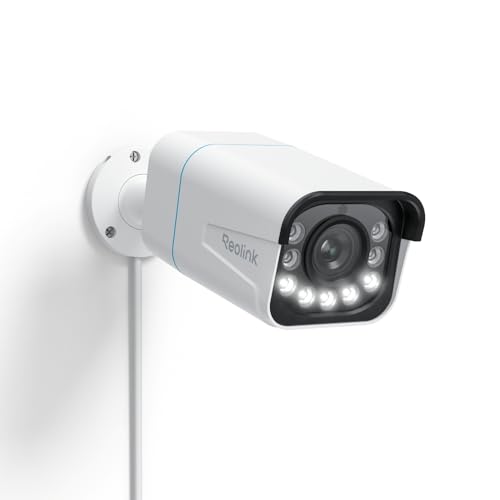
A decision matrix, and the mistakes that follow buyers home
For the typical house with four to six cameras, an 8-channel PoE recorder with a drive sized for roughly two weeks of continuous recording is the centre of the range and the right default. It leaves two channels of headroom, keeps the PoE budget comfortably ahead of a half-dozen cameras’ night-time draw, and holds enough history to cover a holiday. Money in this build is best spent, in order, on the correct class and size of drive, on solid-core cable, and only then on camera upgrades, because the recorder and the wiring are the parts nobody wants to redo. This is also the configuration where a pre-fitted drive makes sense for buyers who value arriving at a working system over choosing each component.
For a larger home with eight to twelve cameras, a 16-channel recorder is the honest starting point, and the planning emphasis shifts. Two drive bays become valuable, either for the retention that a dozen continuous streams consume or for mirroring; the PoE budget needs explicit arithmetic against a dozen sets of infrared lights; and the recorder’s location graduates from a cupboard shelf to a planned spot with ventilation, a monitor and a network connection that is wired rather than borrowed from WiFi. Properties at this scale often mix camera types, wired for the perimeter and a battery model for a remote gate, which returns the buyer to the compatibility checks above with real stakes attached.
For a small shop, café or workshop, the calculation acquires obligations a house does not have. Cameras cover a till, an entrance, a stockroom and a yard; retention may be set by an insurer or a licensing condition rather than by preference; and the recorder should live somewhere staff cannot casually reach, with user accounts separating the owner’s full access from a manager’s viewing rights. Channel headroom matters commercially too, because a second till or a rearranged floor should not trigger a recorder replacement. Buyers in this bracket should also plan the export routine as a business process, who copies footage, where it is kept and for how long, since an incident in a commercial setting becomes paperwork with a deadline.
Anyone speccing a genuinely large layout, a farmyard, a small warehouse, a multi-building site, should read the domestic advice as a floor rather than a ceiling and look at the higher channel classes, taking comparisons such as best 12 camera high definition security cameras as a starting point for the camera side of the plan. At that scale the design questions multiply: switches in outbuildings, longer cable strategies, and a recorder chosen as much for its bandwidth and drive bays as for its channel count. The principle survives the scaling, though, which is to buy the recorder for the system the property will have in three years, not the one being installed this weekend.
The recurring mistakes are consistent enough to list plainly. The first is buying a recorder exactly at today’s camera count and meeting the channel ceiling within a year. The second is fitting a drive sized by price rather than by retention, then discovering that continuous 4K recording from six cameras keeps three days, not the assumed month. The third is ignoring the night-time PoE budget and inheriting a camera that reboots in the dark. The fourth is assuming a favourite camera from another brand will be adopted, and learning otherwise with the recorder already on the shelf. Each of these is a planning error rather than a product fault, and each is avoidable with the arithmetic and the compatibility checks in the sections above.
The fifth mistake is placing the recorder badly. An NVR is a small computer with a spinning drive, and it asks for moving air, a stable shelf and temperatures a loft in summer cannot offer. A sealed cupboard, the top of a boiler cupboard, a sunlit windowsill in a conservatory: these are the locations that shorten drive life and produce thermal shutdowns on the hottest afternoons, which tend to be the afternoons something happens. The recorder also wants physical discretion, since an archive that can be carried away in thirty seconds protects nothing, so the ideal spot is ventilated, unglamorous and forgettable: a high shelf in a utility room, a ventilated cabinet, anywhere a visitor would never think to look and a burglar would not think to linger.
The last mistake is treating installation day as the finish line. A recorder repays an hour of deliberate setup more richly than almost any device in the house: administrator password changed, time and recording schedules confirmed per camera, detection zones drawn, alerts tuned, one test export to USB completed, and the overwrite behaviour understood rather than assumed. After that hour the system asks for almost nothing, a firmware check a few times a year, a glance at the drive’s health when passing, the occasional wiped camera dome. Bought with headroom, cabled with care and set up with that single hour of attention, a Reolink NVR settles into the background of a property’s life and simply keeps the record, night after night, until the one evening its quiet archive turns out to be the most valuable thing in the building.


