Key takeaways
- Choose nearfield studio monitors with digital inputs, clean clocking, honest DSP and cabling that keeps the conversion inside the cabinet today.
What's inside
- What a digital input actually changes
- The input types: AES3, S/PDIF and USB
- Clocking, jitter and the two-cabinet problem
- DSP crossovers and processing that lives on the digital path
- The volume control problem nobody should skip
- Latency through DSP, and what it means for tracking
- Why the analogue input still matters
- Drivers, cabinets and the measurements that describe them
- Room correction tied to digital models
- Cabling: the 110-ohm rule and other practicalities
- Standby, auto-sensing and life between sessions
- Matching the monitor to the source you actually own
- Ownership: firmware, support and the second pair
- Immersive rooms and growing beyond a pair
- Check prices on Amazon
- Disclosure and a closing word on choosing
As an Amazon Associate I earn from qualifying purchases. This post may contain affiliate links at no extra cost to you.
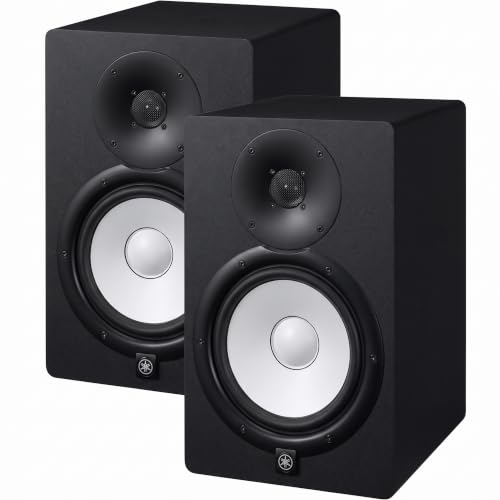
A studio monitor with a digital input looks, from the front, exactly like any other nearfield speaker: a woofer, a tweeter, a cabinet built to sit on a meter bridge or a pair of stands and tell the truth about a mix. The difference lives at the back panel and in the signal path. Instead of accepting only an analogue feed and converting nothing, a digitally fed monitor accepts a stream of numbers, converts those numbers to analogue inside its own cabinet, and hands the result straight to its own amplifiers and drivers. One conversion stage that used to live somewhere else, in an interface, a converter box, or a monitor controller, disappears from the chain, and a new set of questions about clocking, volume control, latency, and cabling arrives to take its place.
This guide works through those questions from published specifications and manufacturer documentation, which is where the honest answers live. Digital inputs are not automatically better. They are better under specific conditions: when the source is already digital, when the internal converter is well designed, when the clocking scheme suits a pair of separate cabinets, and when the studio’s way of controlling volume does not quietly throw away the resolution the digital path was bought to protect. Where those conditions fail, the analogue input on the same cabinet may serve the mix more faithfully, and most monitors in this class keep a good analogue input for exactly that reason.
Start with the job. Nearfield monitors exist to make mix decisions portable: a balance that sounds right in the control room should survive a car, a phone, a club system, and a quiet living room. The feed, analogue or digital, is a means to that end. A digital input earns attention when it shortens the path between the mix engine and the driver, when it unlocks digital signal processing that the analogue path cannot offer, or when a room correction system is designed around the digital models in a range. It earns scepticism when its sample rate ceiling is low, its clocking is vague, or its volume behaviour is undocumented.
What a digital input actually changes
In an analogue-fed setup, digital audio leaves the computer or console, is converted to analogue by an interface or a standalone converter, travels down a balanced cable as a voltage, and enters the monitor, where it is amplified and, in many modern designs, converted back to digital so that internal processing can shape crossovers, equalisation, and protection before a final conversion drives the power amplifiers. That round trip, digital to analogue to digital to analogue, is not automatically audible as a flaw, because well-built converters are transparent at each step, yet every step is an opportunity for noise, level mismatch, and small errors to accumulate.
A digital input removes the middle of that journey. The stream arrives as data, the monitor’s internal converter performs one conversion, placed by the designer a few centimetres from the amplifiers it feeds, with power supplies, grounding, and layout all under one team’s control. The analogue cable run, with its vulnerability to hum, interference, and connector wear, shrinks to whatever analogue wiring remains elsewhere in the studio. For a setup whose source is a digital console, a digital output from an interface, or a playback system with a digital feed, the shorter path is a genuine engineering argument, not a slogan.
There is a second change, quieter but just as important: the monitor becomes a digital device with a clock, a sample rate, and firmware. It must lock to an incoming stream, report that lock, handle a change of sample rate without drama, and behave predictably when the stream stops. Those behaviours, described in the manual, decide whether a digitally fed pair feels like a professional tool or like a computer peripheral that happens to make sound. Read the documentation for lock indicators, supported rates per input, and mute behaviour on loss of signal before falling for any claim about conversion quality.
The input types: AES3, S/PDIF and USB
AES3 is the professional standard in this group, carried on a balanced XLR connection with a specified impedance, designed for studio and broadcast plants, and comfortable over long cable runs. On a monitor, an AES3 input usually accepts a stereo stream, from which the cabinet takes its assigned channel, left or right, selected by a switch or by software. That channel selection detail matters: a pair of identical cabinets becomes a stereo pair through configuration, and documentation should make the assignment process foolproof, because a pair both set to the same channel will still make a confident, wrong sound.
S/PDIF, the consumer-born format, appears in two physical forms. The coaxial version travels on an RCA connector over a cable of its own specified impedance, while the optical version, often called TOSLINK, travels as light through a fibre with plastic connectors that are convenient, galvanically isolating, and limited in reach and in robustness compared with professional cabling. Optical isolation can break a ground loop hum problem elegantly, which earns it friends in project studios built around computers. Its connectors, however, seat loosely and dislike being trodden on, facts of studio life that the manual will not mention and experience teaches quickly.
USB appears on some models as a direct computer connection, turning the monitor into its own audio interface for playback. That convenience suits a minimal writing or editing rig, one computer and one pair of speakers, with no separate interface at all. It suits a larger studio less well, because recording, cue mixes, and multiple outputs still demand a proper interface, and the USB path on a monitor is a playback route rather than a studio hub. Where USB is offered, documentation should state its class compliance, its sample rate and bit depth limits, and whether it can coexist with the other inputs or mutes them. Readers comparing budget routes into this category will find neighbouring context in best 100 00 studio monitors, where cost-driven design choices are weighed in detail.
Reading a sample rate ceiling without being fooled by it
Internal converters quote a maximum sample rate, commonly 96 kHz or 192 kHz, and a bit depth, commonly 24-bit. Those ceilings describe what the digital input accepts and what the internal processing can handle. A 192 kHz ceiling is not a promise of better sound from ordinary material, most of which lives at 44.1, 48, or 96 kHz, but it is a promise of compatibility: sessions delivered at high rates can be monitored without sample rate conversion elsewhere. A 96 kHz ceiling covers the great majority of music and post-production work, and a monitor that states it plainly is being more useful than one that hides its ceiling in a footnote.
Bit depth on the digital path describes the container and the converter’s design target. A 24-bit feed carries far more dynamic range than any room, amplifier, or driver can reproduce, which is precisely the point: the excess provides headroom for processing, for level changes, and for the arithmetic of filters without rounding becoming audible. When documentation pairs the headline depth with a measured dynamic range or signal-to-noise figure for the analogue output stage, that pairing is the mark of a maker reporting performance rather than arithmetic.
Sample rate conversion, shortened to SRC, is the hidden character in this section. Some monitors convert every incoming rate to a fixed internal rate so their processing always runs under identical conditions. Done with a good asynchronous converter, that is transparent and convenient. Done poorly, or left undocumented, it can complicate a studio that wants to monitor a session at its native rate. The manual should say whether SRC is present, whether it can be bypassed, and what the internal processing rate is. Ask those three questions of every model on a shortlist.
Clocking, jitter and the two-cabinet problem
A single digital device keeps time with its own clock. A pair of studio monitors fed digitally is two devices that must agree on time, sample for sample, or the stereo image will drift and smear. In practice one cabinet acts as the first receiver: it locks to the incoming stream from the source, recovers the clock, and passes a digital feed onward to its partner through a through or link output, so the second cabinet locks to a stream that is already aligned with the first. Documentation calls this arrangement by various names, but the signal flow is the point to verify: one feed into the pair, a defined link between cabinets, and a clear statement of which unit leads.
Some setups instead feed each cabinet from its own output of a digital source, with the source providing the common clock. That works when the source is designed for it, and fails confusingly when two unrelated outputs free-run against each other. The manual for the monitors and the manual for the source must agree on the topology. Studios that draw their signal flow on paper, cable by cable, before buying, rarely meet the special misery of a stereo image that slowly wanders while every individual device reports that it is locked and happy.
Jitter, timing variation in the digital stream, is the fault that clock design exists to prevent. Modern receiver chips and well-implemented phase-locked loops reduce jitter at the conversion point to levels far below audibility, and reputable documentation either publishes a jitter figure or describes the clock recovery method in sober terms. Treat dramatic language about jitter with calm suspicion in both directions: a maker who claims rivals are ruined by it is selling, and a maker who will not discuss clocking at all is withholding. The practical test in a studio is stability: lock that arrives quickly, holds through sample rate changes, and returns after sleep without pops, clicks, or a cabinet falling silent.
Master, link and channel assignment in daily use
Daily use exposes the small design decisions. Where is the channel assignment switch, and can it be changed without unplugging the cabinet or crawling behind a desk with a torch? Does the link output pass the stream when the first cabinet is in standby, or does muting one side of the pair mute both? Does each cabinet remember its assignment after a power cut? These are manual questions, and their answers decide whether a digitally fed pair suits a busy room where assistants, guests, and deadlines all touch the system.
Level matching between the two cabinets is the other daily concern. With a digital feed, both cabinets receive identical data, so their output levels depend on their own trim settings. A pair whose trims are detented, digitally stored, or set through a shared remote or software will hold a matched balance. A pair set by two free-turning knobs on two back panels will drift apart every time someone dusts. Documentation that describes stored settings, recall, and remote options is describing the difference between a system and two separate speakers that happen to share a model name. Studios planning a larger step up should also read the tier surveyed in best 1000 1500 studio monitors, where several digitally fed designs compete on exactly these system behaviours.
Word clock connections appear on some professional models, letting the monitors join a facility-wide clocking scheme alongside interfaces, consoles, and recorders. In a small studio that is unnecessary weight. In a post-production room with many digital devices, it is the difference between one clock to rule the session and a daisy chain of recovered clocks, each adding its own behaviour. Buy the connectivity your room’s clock plan needs, not the connectivity that merely sounds senior.
DSP crossovers and processing that lives on the digital path
Digital signal processing inside a monitor can divide the signal between woofer and tweeter, correct driver behaviour, limit excursion before damage, shape the response for placement against a wall or on a desk, and hold the room correction described later. On some models that processing runs on every input, because the analogue feed is converted at the door. On others, certain features exist only on the digital path: a crossover topology, a set of equalisation options, or a delay for aligning the pair or a subwoofer that the analogue route does not receive. The manual’s block diagram is the document that settles which design a given model follows, and it deserves a careful read before purchase.
A DSP crossover offers real advantages over a passive network. It can achieve steep, well-matched slopes, compensate for driver differences, apply time alignment between drivers whose acoustic centres sit at different depths, and change its behaviour with a firmware revision rather than a soldering iron. Those advantages are engineering facts. Their audible value in a given cabinet depends on how well the designer used them, which is judged by the published measurements: frequency response, distortion, and directivity data that show whether the drivers blend smoothly through the crossover region.
Protection limiting belongs in the same sober frame. A limiter that guards a tweeter against a dropped microphone or a feedback spike saves money and sessions. A limiter that intervenes during ordinary loud passages changes the sound the engineer is judging. Documentation should state threshold behaviour in general terms, and any indicator on the cabinet that shows limiting in action is a professional courtesy, because an engineer who can see the monitor protecting itself will turn down for the right reason instead of eq-ing against a moving target.
Equalisation, placement switches and delay
Placement equalisation is the most used DSP feature in small rooms. A monitor against a wall gains low-frequency support from the boundary; a monitor on a desk gains a reflection and often a midrange complication; a corner multiplies the low end further. Switches or software settings labelled for wall, desk, corner, and free-standing positions apply compensating curves that the maker measured for those placements. They are blunt instruments compared with full room correction, and they are honest ones: a documented curve, applied identically to both cabinets, that gets a small room closer to neutral in minutes.
Delay is the sleeper feature. A pair at unequal distances from the listener, a centre or a subwoofer in a larger system, or a video display whose picture processing lags the audio can each be brought back into alignment with a few milliseconds of delay set in the monitor’s processing. Published delay ranges and step sizes tell you whether the tool is fine enough for the job. Lip-sync alignment in post work needs finer steps than subwoofer blending, and a model aimed at picture work should say so in numbers.
Firmware updates can alter all of this processing, which cuts both ways. An update may refine a crossover, add a correction feature, or fix a standby fault. It may also change a sound the room has learned. Facilities with ongoing projects often hold firmware steady during a production and update between jobs, reading release notes first. That habit, borrowed from every other branch of studio engineering, applies to a loudspeaker the moment the loudspeaker contains software.
The volume control problem nobody should skip
Every digitally fed system must answer an awkward question: where does the volume go down? If level is reduced in the digital domain, before conversion, each reduction discards resolution. Turning a 24-bit feed down by a large amount uses fewer of its available steps to describe the music, and at extreme reductions the theoretical loss can approach the performance of a much lower depth system. In practice, good dither and the noise floor of real rooms soften this arithmetic, and moderate digital attenuation for everyday listening levels is widely used without complaint. The principle still stands: a system run with its digital level near maximum and its final trim set in a later stage keeps the most resolution in hand.
The alternative places level control after conversion, in the analogue stage inside the cabinet, through a trim control or a digitally controlled analogue attenuator. That preserves the converter’s working range, at the cost of needing that control to act on both cabinets together, accurately, every time. A shared remote, a software fader that addresses the pair as one system, or a monitor controller feeding the analogue inputs are the usual answers. The worst arrangement is two independent back-panel knobs asked to serve as the daily volume control; balance errors are guaranteed, and the engineer will chase image shifts that are really level shifts.
Many studios solve the problem one stage earlier, with a monitor controller or an interface whose main output feeds the digital input at a level strategy the engineer has thought through: digital attenuation within a modest range for convenience, with the cabinets trimmed so that ordinary working level sits in the healthy upper region of the feed. Documentation helps by stating the digital input’s reference level, the trim range available in the cabinet, and whether a stored volume setting exists. A maker who explains this trade openly understands the product category; a maker who never mentions volume expects the buyer to discover the puzzle alone. The mixing-focused survey at best 150 monitors studio mixing raises the same level discipline from the budget end, where controllers are often absent and the puzzle bites hardest.
Fixed level, reference level and gain staging
Gain staging is the craft of setting each stage so the next one receives a healthy signal: not so low that noise matters, not so high that headroom vanishes. On a digital feed the ceiling is absolute, full scale is full scale, and a mix that clips the feed clips it in a way no downstream trim can repair. The monitor’s job is to reproduce what arrives and, ideally, to indicate overload clearly. The engineer’s job is to keep peaks sane and to set cabinet trim so that a known reference signal, pink noise at a stated level is the studio custom, produces the working sound pressure level the room has chosen for mixing.
That reference habit is what makes mixes translate between rooms. Two studios monitoring at the same calibrated level will make similar balance decisions even on different speakers, because loudness itself biases judgement: louder feels bassier, brighter, and better. A digitally fed pair that stores its trim precisely makes returning to the reference level after a guest has changed something a matter of recall rather than ritual, and that small reliability compounds across a year of sessions.
Analogue inputs express reference differently, as a sensitivity figure stating what input voltage yields a given output. Comparing the digital full-scale reference with the analogue sensitivity in the same manual teaches you how the maker expects hybrid use to be balanced, which leads directly to the next section.
Latency through DSP, and what it means for tracking
Processing takes time. Conversion takes a little, filters take more, and linear-phase filtering, where offered, can take a great deal by design. The total delay through a digitally fed monitor is published, on professional models, as a latency figure in milliseconds, sometimes given per mode so the engineer can see what a chosen crossover or correction setting costs. That figure matters in two situations: recording through the monitors, and working to picture.
For tracking, a singer or guitarist monitoring themselves through a chain that includes interface buffering, software, and speaker processing will feel delay as a disembodied doubling or a sluggish response once the total grows beyond a modest threshold that varies by performer and instrument. Speaker latency of a millisecond or two is rarely the culprit on its own; speaker latency added to an already heavy recording chain can be the portion that tips a session from comfortable to complained about. Studios that track with low-latency cue paths, often analogue or direct from the interface, sidestep the question entirely, and the mix position, where latency does not affect the work, keeps the digital feed.
For picture work the arithmetic is public: audio that arrives early or late against the image by a frame or more is a fault the client will name. A monitor’s documented latency lets the post engineer offset the picture or the audio deliberately rather than guessing. Models that offer a low-latency mode, trading some processing refinement for speed, state the figure for that mode, and choosing between modes becomes a session decision instead of a mystery. Any model that will not publish a latency figure is asking post-production buyers to fly blind, and they generally decline.
Latency, phase and crossover choices
Not all processing delay is equal in character. A minimum-phase crossover adds small, frequency-dependent delay of the kind loudspeakers have always had. A linear-phase design holds timing uniform across frequency at the cost of a larger fixed delay and, in some implementations, pre-ringing behaviour that designers debate with genuine passion. The documentation for a monitor offering both will describe the intended use of each: linear phase for critical mastering-style judgement where a fixed offset can be compensated, minimum phase for tracking and picture work where time is tight. That kind of guidance, specific and unembarrassed, is what professional documentation is for.
Subwoofer integration adds its own delay accounting, because a subwoofer placed away from the pair, with its own processing, arrives late unless the system aligns it. Digitally fed systems that manage a subwoofer as part of the same family can apply matched delay and crossover filtering from one control point. Mixed systems, a digital pair with an analogue subwoofer from another maker, can still be aligned, but the engineer becomes the control point, armed with measurements and patience.
Why the analogue input still matters
A digitally fed monitor that dropped its analogue input would be a poorer studio tool, because studios are hybrid places. An outboard summing mixer delivers analogue. A hardware synthesiser, a tape machine, a vinyl cutting preview path, a guest’s interface with no digital output, a test oscillator on the bench: each arrives as a voltage. The analogue input is the monitor’s open door, and its quality, balanced XLR and often an unbalanced option for consumer sources, decides how gracefully the cabinet joins a real room rather than an idealised diagram.
Analogue summing deserves a specific word, because engineers who sum outside the computer often monitor the sum directly, and their chain is analogue by intention. For them the digital input serves a second source, perhaps the computer’s reference playback or a digital console feed, while the main mix path stays analogue into the same trusted pair. Input selection that is fast, clearly indicated, and free of pops makes that two-source life practical. A monitor that takes ten seconds of menu navigation to change inputs will quietly force a studio to choose one path and abandon the other.
The analogue path also provides a diagnostic refuge. When a digital feed misbehaves, when lock fails, a sample rate is unsupported, or a cable is suspect, feeding the same programme by analogue separates speaker faults from stream faults in one move. Every experienced engineer keeps that trick close. A cabinet with both doors open is easier to trust, easier to test, and easier to lend to another room for a day, which is a real consideration in facilities where equipment migrates between suites.
Hybrid gain staging between the two doors
Running both inputs well means matching their levels so that switching sources compares programmes, not loudness. The digital reference level and the analogue sensitivity, both published, let the engineer set trims so a reference tone arrives at the same sound pressure by either door. Without that care, the louder path will seem better in every comparison, a bias so reliable that it has misled entire product categories. Studios that calibrate both paths once, and write the settings on the room sheet, compare sources honestly forever after.
Grounding behaviour differs between the doors as well. A balanced analogue feed rejects interference picked up along the cable when the whole chain respects balanced practice. A digital feed ignores analogue interference until the interference is severe enough to break data, at which point the failure is obvious rather than subtle. Optical digital goes further and breaks the electrical connection entirely. Choosing a door per source, with hum, distance, and convenience in mind, is ordinary studio craft that a flexible monitor supports rather than restricts.
Drivers, cabinets and the measurements that describe them
Digital excitement should not distract from the loudspeaker itself. Driver sizes set the broad shape of a nearfield’s ability: a compact woofer in a small cabinet will serve a desk in a small room honestly and will not produce deep bass at high level in a large room, whatever its input format. A larger woofer moves more air, extends lower, and asks for more space behind and around it. Published low-frequency extension figures should state the tolerance, the familiar minus-three-decibel point being the useful convention, and any extension claim without a tolerance is a number wearing a costume.
Maximum sound pressure level, quoted as a peak or a sustained figure at a stated distance, often for a pair, tells the engineer how loud the monitor will play before its limiters or its physics object. Read whether the figure is per speaker or per pair, at what distance, and with what signal. A mastering room and a drum tracking room need very different headroom from a writing desk. Distortion figures at a stated level complete the picture: a monitor that stays clean at the room’s chosen reference level, with margin above it, will sound unstrained on the loud passages where mix decisions about compression are made.
Directivity, how the sound spreads and how evenly it holds its character off axis, shapes the size of the comfortable listening area and how the room’s reflections are excited. Makers publish polar or directivity data in serious documentation, sometimes as a directivity index or as response curves at stated angles. A wide, even spread gives a forgiving seat and suits rooms where two people listen together. A narrower, controlled spread can reduce wall and desk reflections in a tight space. Neither is a virtue in isolation; the room and the seating decide, and the data lets the buyer decide with evidence.
Cabinet construction and the unglamorous details
Ports, bracing, amplifier heat, and connector quality decide whether a monitor survives its first five years gracefully. A rear port needs space behind the cabinet and will protest against wall placement that a front port tolerates. Amplifier modules run warm; ventilation paths in the manual tell you how much clearance the cabinet needs inside furniture or a soffit. Connectors that grip properly, switches that feel positive, and a back panel labelled legibly in poor light are small mercies that compound daily. None of these details cares whether the input is digital, and all of them outlast the novelty of any input format.
Weight and mounting matter in rooms that change. Threaded mounting points, stated in the documentation, allow stands, wall brackets, or ceiling mounts in immersive layouts. A cabinet that can only sit on a shelf limits a room’s future. As multi-speaker formats spread into project studios, the digitally fed models that document their mounting, delay, and level control as a system become easier to grow with, one pair at a time.
Room correction tied to digital models
Several manufacturers build their room correction story around the digitally connected members of a range. The logic is sound: correction is digital processing, measurement data must reach the speaker, settings must be stored per cabinet, and a pair must be managed together. A measurement microphone, a piece of software, and a guided routine produce filters that address the room’s worst behaviour, chiefly in the low frequencies where walls, floor, and ceiling impose peaks and cancellations that placement alone cannot cure. The corrected result is stored in the cabinets, so the benefit survives any source fed through the digital path, and on many designs through the analogue path as well once the signal is inside.
Read correction claims with the same discipline as response claims. Correction can reduce a peak caused by a room mode; it cannot fill a deep cancellation where the room removes energy, because no amount of added power restores a null at the listening position without punishing every other position. Honest documentation says correction works within limits, shows before-and-after measurement examples with their conditions, and keeps the engineer’s ability to adjust target curves and maximum correction depth. A system that allows a gentle hand will be used for years; a system that insists on flat at any cost will be switched off within a month by most experienced ears.
Placement remains the first correction. Moving a pair by a hand’s width, changing desk height, treating the earliest reflection points, and choosing the listening position away from the room’s worst nulls all improve what any correction system starts from. Correction then polishes a decent setup rather than rescuing a hopeless one. Studios furnishing a room around a new pair will find practical help in best studio desks for music, because desk geometry, monitor height, and reflection behaviour are bound together more tightly than most first-time buyers expect.
Subwoofers, crossover management and correction as a system
When the same family offers a subwoofer with digital management, the correction and crossover story can extend downward as one system: the subwoofer handles the lowest octaves, the pair is relieved of excursion it could not manage cleanly, and the crossover between them is set in the digital domain with matched slopes, phase behaviour, and delay. Documentation should state the crossover options, the alignment method, and whether the measurement routine includes the subwoofer. A well-integrated subwoofer is heard as clarity in the pair, not as a separate event in the corner, and that integration is measurably easier when one system controls both sides of the crossover.
Correction profiles per position are another system-level grace. A mix position and a client sofa do not share a response, and a monitor family that stores more than one profile, or that can be re-measured quickly, serves a room with two listening lives. Guest producers bring their own habits; a stored house profile, recalled in seconds, keeps the room’s reference stable through visiting preferences.
Cabling: the 110-ohm rule and other practicalities
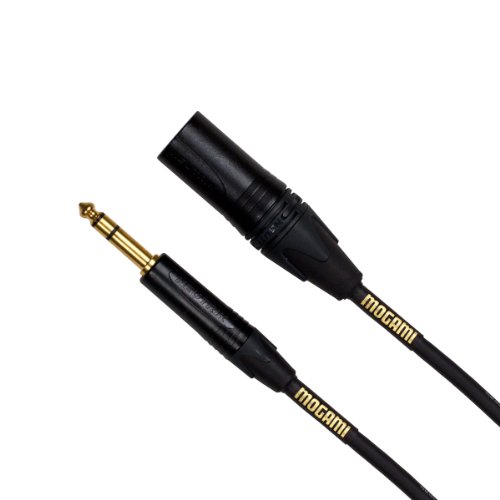
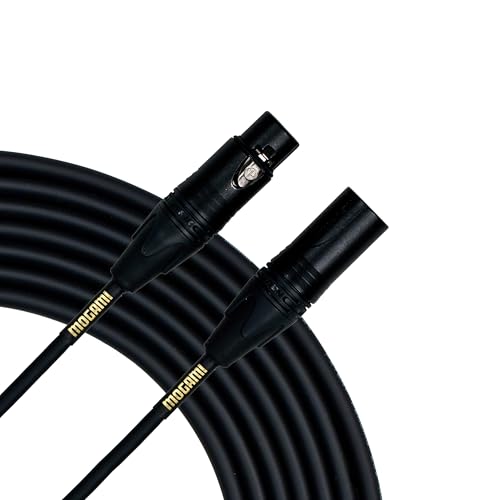
AES3 was specified for a balanced cable with a characteristic impedance of 110 ohms. Ordinary microphone cable looks identical, uses the same XLR connectors, and is built to a looser, generally lower impedance that was never intended for a high-speed digital stream. Over a short run, a microphone cable will often carry AES3 without complaint, which is why studios are full of anecdotes saying the rule does not matter. Over longer runs, at higher sample rates, or in a plant with many connections, the impedance mismatch reflects energy back down the line, the receiver’s job gets harder, and the failures arrive as intermittent clicks, dropouts, or a lock that fails only on humid Tuesdays during important sessions.
The professional habit is simple: use cable sold and specified as digital AES cable for AES3 runs, label it, and keep it in the digital drawer rather than the microphone box. The cost difference is small, the troubleshooting time saved is not. Coaxial S/PDIF has its own matching rule, a 75-ohm cable, and borrowing a random analogue RCA lead for it repeats the same mistake in a different colour. Optical fibre avoids impedance entirely and instead asks for gentle bends, clean connector faces, and respect for its modest length limits.
Cable length limits in documentation are stated for a reason, and they shrink as sample rates climb, because a stream at double rate carries its information in half the time per bit and tolerates less smearing of its edges. A studio planning a long run from a machine room should read those limits, consider a distribution amplifier or a format change for distance, and test the exact run at the highest rate the room uses before the first paying session depends on it.
Connectors, labelling and the drawer of shame
Every studio has a drawer of unlabelled cables that might work. Digital cabling punishes that culture more than analogue cabling does, because a wrong cable can pass a casual test and fail under session pressure. Label both ends of each digital run with its type and its destination, keep AES cable visually distinct if your supplier offers colours, and retire cables whose connectors have been crushed by chair wheels or door frames. Intermittent digital faults consume more professional goodwill than any other class of studio fault, precisely because they vanish when the engineer arrives to witness them.
Power cabling belongs in the same tidy paragraph. Cabinets with digital inputs still need mains power each, often with a choice of voltage setting or an auto-sensing supply that the manual describes. Standby behaviour, covered next, interacts with power: a cabinet that can wake on signal must be listening for that signal, and a cabinet switched off at the wall wakes for nobody.
Standby, auto-sensing and life between sessions
Modern monitors offer an auto-standby that silences amplifiers and dims indicators after a period without signal, then wakes when a signal returns. On an analogue input, sensing is a matter of watching for voltage. On a digital input, the cabinet must watch for a stream, decide whether a stream carrying silence counts as activity, and wake fast enough that the first note of a playback is not clipped by its own amplifier waking up. Documentation should state the standby threshold time, the wake trigger, and whether the feature can be defeated for rooms that prefer manual control, such as a mastering suite where a long, quiet analytical pause must never be mistaken for the end of work.
Networked or software-managed models add remote standby and wake, which suits multi-speaker rooms where reaching eleven back panels ranges from tedious to impossible. The manual’s description of grouping, naming, and firmware management across a system is, for those rooms, as important as any acoustic figure. A system that updates one cabinet and forgets its partner has created a mismatched pair out of matched hardware, and good management software exists to prevent exactly that self-inflicted wound.
Indicator behaviour matters in dark rooms. A status light that reports lock, input, volume state, and standby should be dimmable or defeatable for rooms where light discipline matters, and fault indications should be distinct enough to diagnose from across the room. These are humble features. They are also the features a working engineer touches every day, long after the specification figures that sold the cabinet have been filed away.
Matching the monitor to the source you actually own
The cleanest digital monitor chain begins with an honest inventory of sources. List every device that must be heard through the pair: the main interface or console, a second computer, a hardware player, a summing path, a television or picture system in a post room. Note each source’s outputs, digital or analogue, its sample rates, and who controls its volume. The monitor that fits is the one whose input set, rate ceiling, and control scheme cover that list without adapters stacked on adapters. A brilliant AES3 input is no help to a room whose only digital output is optical, unless a converter joins them, and every added converter should be a deliberate choice with its own clocking implications, not an accident discovered on delivery day.
Sample rate habits belong in the inventory. A music room working at a single house rate can set its chain once and forget it. A post room receiving sessions at whatever rate each production chose needs monitors that follow rate changes gracefully and report the rate they have locked to. A room that up-samples everything at the source for consistency needs to know whether the monitor will convert again on arrival. None of these strategies is wrong; each asks different things of the cabinet, and the manual answers are there to be matched against the room’s habits before money moves.
Future sources deserve one question and no more. Digital audio formats in studios change slowly, and the AES3 and S/PDIF standards have served for decades. Buying an input for a hypothetical future device is poor value compared with buying build quality, measurements, and control behaviour for the sources on today’s list. If a credible expansion is already planned, a surround set from the same family, a subwoofer next year, then system features such as stored settings, shared correction, and managed delay rise in value, because they are the features that make growth orderly.
A shortlist method that respects both ears and evidence
Build a shortlist from documents first. Require, for each candidate, a published frequency response with tolerance, a maximum level figure with its conditions, a latency figure, a sample rate and bit depth ceiling per digital input, a statement of clocking and link behaviour for a pair, a description of volume and trim control, and the block diagram showing where processing sits. Models whose makers publish all of that are inviting professional judgement. Models missing several items may still sound fine in a shop, but the buyer is being asked to substitute hope for information in areas that cannot be judged in a shop at all, such as clock behaviour over a long session.
Then listen, in your own room if a dealer allows it, with material you know well and with your own placement constraints honestly in place. Compare at matched level, because the louder cabinet wins unfair comparisons with metronomic reliability. Switch between the digital and analogue doors of the same cabinet at matched level as well; in a well-designed monitor both should present the same character, and any difference you can reliably hear is information about that model’s conversion and gain structure worth weighing.
Finally, test the behaviours that a demo usually skips. Change the sample rate and watch the lock. Let the cabinets fall into standby and wake them with quiet material. Power the room down and up and confirm that assignments, trims, and input choices return as left. Unplug the link cable and observe how the fault presents. A monitor that behaves transparently through these small trials will behave well through a year of sessions, and a monitor that sulks through them has told you so at the cheapest possible moment.
Ownership: firmware, support and the second pair
A digitally equipped monitor is partly a software product, and ownership includes software care. Register the product so firmware notices reach you, keep a record of the firmware version each cabinet runs, and update a pair together, in a quiet week, after reading the release notes. Keep the previous settings documented, on paper or in the room’s notes, so a reset is an inconvenience rather than a reconstruction project. Where the maker offers a settings backup through its control software, make one after every deliberate change and label it with the date and the room configuration it belongs to.
Support quality shows in documentation depth long before it shows in a repair. A maker who publishes service information, spare driver availability, and a clear warranty that covers amplifiers and electronics for a stated period expects a long relationship with professional rooms. Driver matching matters if a unit is ever replaced: a family whose maker can supply a matched replacement or advise on recalibrating a mixed pair protects a studio from owning two similar speakers that no longer form a stereo image anyone trusts.
The second pair question arrives in most rooms eventually, as a smaller set for checking mixes, a set for a writing room, or spares for a busy facility. Keeping the second pair in the same family, sharing control software, correction method, and cabling rules, reduces the mental overhead of the building. Digital inputs strengthen that argument, because the signal rules stay identical from room to room, and an engineer walking between suites meets the same lock lights, the same trim logic, and the same standby manners everywhere.
Immersive rooms and growing beyond a pair
Multi-speaker immersive formats turn every question in this guide into a system question multiplied by the speaker count. Eleven cabinets fed digitally need one clock plan, one level plan, and one management routine, or the room becomes a part-time job in configuration herding. Families designed for that growth offer the same digital input set, the same correction platform, and the same control software from the smallest nearfield to the largest main monitor in the range, so a room can begin with a stereo pair and add height and surround channels that behave identically. Documentation for such families describes channel assignment across a network or a link chain, delay management for speakers at very different distances, and bass management that treats every subwoofer and satellite as parts of one instrument.
Even a stereo-only room benefits from thinking one step ahead in these terms. A centre channel added later for dialogue work, a subwoofer added when the room moves to larger premises, or a second pair added for another seat all arrive more calmly when the first pair was chosen from a family with a documented growth path. The alternative, a brilliant orphan product with no siblings, no shared software, and no system story, can strand a growing studio with mismatched control logic in every corner of the room. Growth may never happen, and a stereo pair should first be right for stereo, yet where two candidates are otherwise equal, the one with relatives is the safer long-term citizen of a working facility.
Calibration across many channels also rewards the digital approach, because stored per-cabinet settings, recalled as a named room configuration, replace a morning of knob turning with a verification pass. Visiting engineers can call up the house configuration, work, and leave the room exactly as they found it, which is a courtesy that analogue-only systems with free-turning controls struggle to offer.
Check prices on Amazon
Live listings for the shortlist in this guide are pulled from Amazon below, so prices and availability are always current at the moment you look.
Disclosure and a closing word on choosing
A note on how this guide supports itself, stated plainly and in its own words at the end where it belongs. As an Amazon Associate, this site earns from qualifying purchases. That arrangement sits behind the guide, not inside its judgements, which were built from published specifications, manufacturer documentation, and the signal-flow arithmetic any engineer can repeat from the same manuals. Where a maker published a figure, this guide asked for its conditions; where a maker stayed silent, this guide treated the silence as part of the evidence.
Choose, then, the pair whose documents answer the clocking, volume, and latency questions without evasion, whose measurements suit your room’s size and your work’s loudness, and whose analogue door stays open for the hybrid life every real studio leads. Feed that pair with the right cable, at the right rate, at a sensible level, and set them at the height where the tweeters meet your ears rather than your hopes. Do that, and the digital path will repay its small extra discipline every session, quietly, in mixes that travel. The last word belongs to the quietest detail of all: a pair that locks, matches, and wakes as one will be forgotten during the music, and being forgotten during the music is the highest honour a monitor can earn.