What's inside
- Key Takeaways
- Quick Picks
- How Did We Judge VPN Routers for This Guide?
- What Should a WireGuard Router Be Able to Do?
- The GL.iNet Specialists, From Gateway to Travel Companion
- The Mainstream and Performance Alternatives
- How Do You Set Up a WireGuard Router Without Regretting It?
- WireGuard Contenders Compared: Claims, Ports and Habitats
- What Mistakes Do VPN Router Buyers Make Most Often?
- Final Recommendation
- Frequently Asked Questions
- Why Is WireGuard Fast When Older Protocols Are Not?
- Split Tunnelling: The Feature That Decides Whether the VPN Stays On
- Three Households, Three Tunnel Architectures
- What Else Decides Whether a Tunnel Protects You in Practice?
- Keeping a VPN Router Healthy Over Years, Not Weeks
- How Should You Test a Tunnel’s Real Speed?
- A Buyer’s Checklist for This Keyword
- Peers, Keys and the Household Administration Nobody Mentions
- One Obstacle to Check Before Any Server Plan: Your Address
- When Is a Router the Wrong Place for the Tunnel?
- The Short Version, for Readers Deciding Today
- Related Guides
As an Amazon Associate I earn from qualifying purchases. This post may contain affiliate links at no extra cost to you.
widgetverdict.com is reader-supported. When you buy through links on our site, we may earn an affiliate commission.
Where to buy: these routers are stocked by Amazon, by GL.iNet’s and the other makers’ own stores, and by networking retailers; each pick links to its checked listing. VPN hardware is unusually sensitive to exact model identity — several of these product families span multiple generations under similar names — so confirm the full model code on the listing matches the heading before ordering, and keep the packaging until the tunnel is up and passing traffic.
The best wireguard routers are bought for one reason: WireGuard is the VPN protocol that finally made encrypted tunnels feel like ordinary networking. It is lean where older protocols are baroque, fast where they are leisurely, and it roams gracefully when a laptop moves between networks. But a WireGuard logo’s worth depends entirely on the hardware underneath it, because encryption is arithmetic and arithmetic is processor work. A router that runs WireGuard at full line speed transforms how a household works — every device behind it can live inside the tunnel, remote access home becomes a utility rather than a project — while a router that manages a tenth of your connection speed teaches you to leave the VPN off, which is the same as not owning the feature. This guide therefore judges its six picks primarily as VPN machines: what their listings claim about tunnel throughput, ports and platform, and only secondarily as Wi-Fi routers.
The list divides by habitat. Four picks come from GL.iNet, the maker that built its name on OpenWrt-based VPN routers: a wired security gateway with no Wi-Fi at all, two travel routers of successive generations, and a full-size home router. Cudy’s WR3000 represents the mainstream Wi-Fi 6 router with a multi-protocol VPN brief. ASUS’s RT-BE86U represents the performance-gaming platform whose listing promises VPN support in general terms — and whose spec box in this guide carries a verification line for WireGuard specifically, because its title does not name the protocol. That distinction, repeated wherever it applies, is this guide’s honesty mechanism: WireGuard claimed in a title is a specification; WireGuard assumed from a brand’s reputation is a hope, and the two are labelled differently below.
Key Takeaways
- WireGuard performance is a hardware question: the same protocol can run at a small router’s crawl or at the 1100 Mbps class claimed by this guide’s GL.iNet flagships.
- Four picks are GL.iNet OpenWrt machines spanning wired gateway, travel and home-router roles; OpenWrt underpins their VPN flexibility.
- Only some listings name WireGuard outright — where a title says VPN generically, this guide says so and declines to invent protocol-specific numbers.
- The ASUS RT-BE86U’s listing states VPN support without naming WireGuard; its spec box carries a verification line for exactly that reason.
- Decide the tunnel’s job first — whole-home client, remote-access server, travel companion — because each job crowns a different pick.
- Ports matter to VPN routers more than radios do: 2.5GbE wired paths decide what the encrypted network can feed.
Quick Picks
| Pick | Badge | Why it is here |
|---|---|---|
| GL.iNet Brume 3 (GL-MT5000) | Wired VPN gateway | No Wi-Fi, no distractions: hardware-accelerated VPN up to 1100 Mbps, three 2.5GbE ports and multi-WAN failover on OpenWrt. |
| GL.iNet Beryl 7 (GL-MT3600BE) | Travel flagship | WireGuard at 1100 Mbps named in the listing, Wi-Fi 7 radios, dual 2.5G ports in a 205g travel body. |
| GL.iNet Slate 7 (GL-BE3600) | Touchscreen traveller | A pocket Wi-Fi 7 router whose touchscreen toggles VPN or AdGuard — the travel workflow made physical. |
| GL.iNet Flint 3e (GL-BE6500) | Home VPN router | The full-size GL.iNet for the house itself: BE6500 Wi-Fi 7 with MLO and 4K-QAM, VPN at the centre of the brief. |
| Cudy WR3000 (AX3000) | Mainstream all-rounder | Wi-Fi 6 AX3000 with VPN server and client duties and multi-protocol VPN support at an everyday tier. |
| ASUS RT-BE86U | Performance platform — verify WireGuard | Wi-Fi 7 gaming router with 10G WAN and VPN support in the listing; WireGuard specifically to verify in ASUS documentation. |
How Did We Judge VPN Routers for This Guide?
Evidence discipline came first, because this keyword attracts more loose claims than any other in the router aisle. A pick could be described as a WireGuard router at a stated speed only where its listing title or the manufacturer’s settled documentation pattern supports it; where a title speaks of VPN in general — a server-and-client brief, a multi-protocol claim, a plain “VPN support” — the analysis keeps to that generality and the spec box marks the WireGuard question for verification. Readers should apply the same rule to any router they meet outside this guide, including the aggregation specialists covered elsewhere in this series, several of which carry VPN features as supporting acts rather than headline ones.
Within that discipline, the ranking logic ran: tunnel throughput claims where stated, wired port class, platform openness, and role clarity. GL.iNet dominates the list because the company’s entire catalogue is an extended argument that VPN belongs at the router; that specialisation shows in details like hardware acceleration figures in titles and OpenWrt underneath. The non-GL.iNet picks earn their places by serving readers the specialists do not — the mainstream household that wants VPN as one feature among many, and the performance household that wants its gaming platform to hold the tunnel as well.
What Should a WireGuard Router Be Able to Do?
Three jobs recur, and a router can be excellent at one while ordinary at another. The first is the whole-home client: the router holds one tunnel to a VPN provider and passes some or all household traffic through it, so devices that cannot run VPN software — televisions, consoles, guests’ gadgets — are covered by address rather than by app. This job rewards throughput above all, because the tunnel carries the household’s aggregate traffic, and it rewards policy controls that let some devices bypass the tunnel for services that object to VPN addresses. The second job is the server: the router accepts inbound WireGuard connections from your own phone and laptop, turning a hotel network into a corridor home — to your files, your cameras, your self-hosted services — with the home’s own IP address as the exit. Server duty rewards stability, dynamic-DNS handling and an interface that makes adding a peer a two-minute task rather than a research project.
The third job is the traveller’s: a small router that joins untrusted hotel or café Wi-Fi, re-broadcasts it as your own network, and tunnels everything through your chosen endpoint, so a work laptop, a phone and a streaming stick all inherit protection from one login at the captive portal. Travel duty rewards size, USB power tolerance and a captive-portal workflow that does not consume the first evening of every trip. The six picks distribute across these jobs almost tidily — gateway and home router for the first two, the two GL.iNet travellers for the third, the mainstream and gaming platforms as generalists — and the detailed sections below judge each against its own job description rather than a single ladder.
The GL.iNet Specialists, From Gateway to Travel Companion
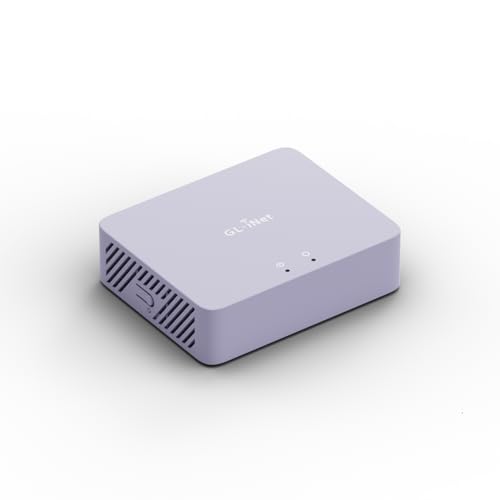
GL.iNet Brume 3 (GL-MT5000) — Wired VPN gateway
The Brume 3 is the most focused device in this guide: a wired VPN security gateway with, as its listing states plainly, no Wi-Fi. What it offers instead is the VPN brief executed without compromise — hardware-accelerated VPN performance up to 1100 Mbps, three 2.5GbE ports with multi-WAN failover, VPN obfuscation features, and OpenWrt running on 1GB of DDR4 memory. It belongs in networks that already have their wireless solved — a mesh system, a set of access points — and need a brain at the edge whose whole job is tunnels, routing policy and surviving a failed internet line by failing over to the second one.
Obfuscation deserves its explanation, because it is the feature that separates gateway-class VPN hardware from app-class software. In environments where VPN traffic itself is throttled or blocked — certain workplaces, campuses, restrictive national networks — obfuscation wraps the tunnel so it resembles ordinary traffic. Combined with multi-WAN failover, the Brume 3 reads as equipment for people whose connectivity is a dependency rather than a convenience: the remote worker whose employer lives in another jurisdiction, the small office with a site-to-site habit, the household that treats its self-hosted services as infrastructure. Its demand is symmetrical — you must bring your own Wi-Fi and some networking confidence — and within that demand it is the strongest pure-VPN pick here.
- Type: wired VPN security gateway; no Wi-Fi, as listed
- VPN: hardware-accelerated VPN up to 1100 Mbps, as listed; VPN obfuscation named in the listing
- Ports: three 2.5GbE ports with multi-WAN failover
- Platform: OpenWrt, 1GB DDR4 memory
- Role in this guide: the edge gateway for networks with separate wireless
Strengths
- Hardware acceleration at the 1100 Mbps class removes the tunnel as the network’s bottleneck.
- Multi-WAN failover across three 2.5GbE ports suits connections that must not simply stop.
- Obfuscation support answers restrictive-network environments ordinary VPN apps cannot.
Trade-offs
- No wireless at all — access points or a mesh system are a separate layer and budget.
- A gateway appliance assumes an owner comfortable with network topology concepts.
- Its specialisation is wasted on a household that only wants a phone covered abroad.
Best for: a remote-work or self-hosting household whose wireless is already handled and whose tunnel is load-bearing.
Not suited for: a first-time buyer expecting one box to provide Wi-Fi and VPN together out of the carton.
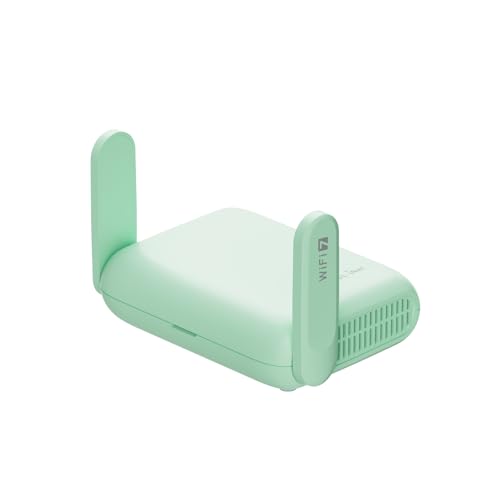
GL.iNet Beryl 7 (GL-MT3600BE) — Travel flagship
The Beryl 7 is the travel router grown up. Its listing is unusually explicit for this category: dual-band Wi-Fi 7 at 688 plus 2882 Mbps, dual 2.5G ports, USB 3.0, OpenWrt 21.02, WPA3, AdGuard Home — and WireGuard at 1100 Mbps, named with a number attached. That figure matters because travel routers historically traded tunnel speed for size; a pocket router that claims the same 1100 Mbps class as the Brume 3 gateway collapses the old compromise. At 205 grams, it remains a genuine pocket device, the kind that lives in a cable pouch and turns a hotel room’s captive-portal ordeal into a single sign-in for every device you brought.
The dual 2.5G ports deserve attention from a specific traveller: the one who works from rentals and coliving spaces with wired Ethernet in the wall. Wired into the room’s socket, the Beryl stops repeating somebody else’s Wi-Fi and becomes a proper little router, feeding your devices from a clean source with the tunnel on top. AdGuard Home aboard means the re-broadcast network also filters ads and trackers for everything connected — a small mercy that compounds across a long trip. Against its own sibling below, the Beryl is the specification-led choice; the Slate answers with its screen. Either way, the travel job description from this guide’s earlier section — one portal login, everything tunnelled, nothing reconfigured per device — is the Beryl’s home ground.
- Wireless: dual-band Wi-Fi 7, 688 plus 2882 Mbps as listed
- WireGuard: 1100 Mbps stated in the listing title
- Ports: dual 2.5G ports, USB 3.0
- Platform: OpenWrt 21.02, WPA3, AdGuard Home
- Size: 205g, as listed
Strengths
- WireGuard throughput is claimed in writing at the gateway class of 1100 Mbps.
- Dual 2.5G ports let it run as a wired router in rentals, not only as a repeater.
- OpenWrt plus AdGuard Home gives the travel network unusual depth for its size.
Trade-offs
- Travel radios cannot substitute for a home system; this is a companion, not a household router.
- Its capabilities reward an owner willing to configure policies before the trip, not at the airport.
- Wi-Fi 7 travel features outrun what most hotel networks can feed it.
Best for: a frequent traveller who works from hotels and rentals and wants the tunnel at full speed in a pocket format.
Not suited for: a household shopping for the router that will serve its home full-time.

GL.iNet Slate 7 (GL-BE3600) — Touchscreen traveller
The Slate 7’s signature is physical: a touchscreen, on a Wi-Fi 7 travel router, whose listed purpose is toggling VPN or AdGuard with a touch. That sounds like a flourish until you have lived the alternative — a phone browser, a hotel corridor’s worth of signal, an admin page at midnight — at which point a screen that turns the tunnel on, off or over to a different endpoint without opening a laptop reads as genuine design insight. The listing frames the machine for hotel, cruise, RV, business-trip and plane connectivity, and its mini size claim places it in the same pouch class as the Beryl.
The two GL.iNet travellers divide by interface philosophy. The Beryl 7 publishes the deeper specification — its WireGuard figure is in writing — while the Slate’s listing leads with the workflow, and this guide follows that evidence: the Slate is recommended for the traveller who values operating the tunnel constantly, in motion, with gloves or fatigue involved, over the traveller benchmarking throughput. Its 2.5G wired side, named in the listing’s title line, keeps the rental-desk trick available. Cruise and RV use deserves a kind note: those networks are often metered, captive and slow, and a travel router’s job there is less speed than sanity — one login, all devices, tunnel where the ship’s network permits it.
- Wireless: Wi-Fi 7 travel router, as listed
- Interface: touchscreen that toggles VPN or AdGuard, as listed
- Wired: 2.5G port class named in the listing title
- Scenarios named in the listing: hotel, cruise, RV, business trip, plane connectivity
- WireGuard throughput: the listing title foregrounds the VPN toggle rather than a protocol speed figure — check GL.iNet’s current specification page for the number before a throughput-critical purchase
Strengths
- The touchscreen turns VPN operation into a glance-and-tap task, ideal in transit.
- Travel scenarios are the design brief, not an afterthought — cruise and RV included.
- GL.iNet’s OpenWrt-based platform keeps the depth available when a laptop is open.
Trade-offs
- Throughput shoppers must look up figures the listing title does not headline.
- A screen is one more thing to protect in a bag; pouch discipline required.
- Like the Beryl, it is a companion device rather than a home network’s foundation.
Best for: a traveller who toggles VPN endpoints often — work tunnel at the desk, home tunnel at night — and wants that switch on the device itself.
Not suited for: a buyer choosing strictly by published tunnel-throughput figures.

GL.iNet Flint 3e (GL-BE6500) — Home VPN router
The Flint 3e is where GL.iNet’s travel-bred VPN culture moves into the full-size home router: a Wi-Fi 7 machine in the BE6500 class, up to 6.5 Gbps with MLO and 4K-QAM among its listed radio features, described by its listing as a Wi-Fi 7 router with VPN for home and gaming. Read that positioning carefully — this is the pick for the household that wants the VPN at the centre of the home network permanently, not as a travel accessory: the router that holds the family tunnel, accepts the owner’s inbound connections from the road, and still serves as the house’s ordinary high-speed Wi-Fi system the rest of the time.
MLO and 4K-QAM are worth translating, since they shape the non-VPN half of ownership. Multi-link operation lets Wi-Fi 7 clients use more than one band in coordination, smoothing exactly the congestion hiccups that make video calls stutter in busy homes; 4K-QAM packs more data into each transmission for nearby clients with clean signal. Neither changes the tunnel’s mathematics, but both make the Flint easier to live with as the single box a household depends on. As with the Slate, this guide keeps the WireGuard discussion at the level the evidence supports — VPN is the product’s stated brief, the platform is the maker’s VPN-specialist OpenWrt line, and protocol-specific throughput belongs to the current specification page rather than to inference. Households whose gaming happens behind the tunnel will also recognise this pick’s overlap with Best WiFi 6 Gaming Routers territory, where the same household often shops both lists in one season.
- Wireless: Wi-Fi 7 BE6500, up to 6.5 Gbps, MLO and 4K-QAM as listed
- VPN: VPN for home and gaming is the listing’s stated brief
- Platform: GL.iNet’s OpenWrt-based router line
- WireGuard throughput: not stated as a figure in the listing title — consult GL.iNet’s current documentation for this model before a speed-critical deployment
- Role in this guide: the full-time home VPN router
Strengths
- A VPN-specialist platform in a full-size, current-generation home router body.
- MLO and 4K-QAM keep ordinary household Wi-Fi at Wi-Fi 7 standard.
- One box covers the home-client and remote-access server jobs together.
Trade-offs
- Speed-critical buyers must verify tunnel figures in current documentation.
- GL.iNet’s interface depth can be more than a set-and-forget household wants.
- It competes with gaming flagships that add elaborate QoS layers this brief does not claim.
Best for: a household standardising on one router whose VPN duties are permanent rather than occasional.
Not suited for: a plug-it-in-and-never-open-settings household that wants VPN as a single toggle and nothing more.
The Mainstream and Performance Alternatives

Cudy WR3000 (AX3000) — Mainstream all-rounder
The Cudy WR3000 is the pick that proves WireGuard-era networking has gone thoroughly mainstream: a Wi-Fi 6 router in the AX3000 class — 2402 plus 574 Mbps across its bands, four gigabit Ethernet ports, coverage stated at 1,400 sq ft for up to 70 devices — whose listing includes VPN server and client duties and multi-protocol VPN support among its headline features. That phrasing is the honest shape of the mainstream offer: not a single-protocol speed claim, but a router that can run a tunnel outward to a provider and accept connections inward from your phone, alongside mesh support, app and cloud control, and multiple operating modes for ordinary household flexibility.
For many readers that is exactly the correct amount of VPN. The remote worker who needs to reach the home network from a client site, the family that wants the television inside a provider tunnel, the small household standardising on one affordable box — the WR3000 addresses each without asking them to adopt a specialist platform. Its ceilings are equally clear: gigabit ports, a 1,400 sq ft coverage brief that suits flats and smaller homes, and tunnel throughput that the listing does not headline, so a household planning to push its whole connection through a tunnel at full speed should verify figures or step up to the GL.iNet specialists. As the guide’s value anchor, it earns its place by making the VPN question a feature decision rather than a platform conversion.
- Wireless: Wi-Fi 6 AX3000, 2402 plus 574 Mbps as listed
- VPN: VPN server and client, multi-protocol VPN named in the listing
- Wired: 4 x gigabit Ethernet ports
- Coverage: 1,400 sq ft, up to 70 devices, as listed
- Extras: mesh support, app and cloud control, multiple modes
Strengths
- Server and client VPN in a mainstream router at a mainstream tier.
- Multi-protocol support keeps older work or provider configurations available.
- Mesh support and app control make it an easy household citizen.
Trade-offs
- No tunnel-throughput figure is headlined; full-line-speed tunnel plans need verification.
- Gigabit ports and 1,400 sq ft coverage suit smaller homes best.
- Specialist features like obfuscation belong to the gateway class above.
Best for: a flat or smaller home that wants real VPN server and client capability without changing platforms.
Not suited for: a large household intending to run its entire fast connection through a tunnel continuously.

ASUS RT-BE86U — Performance platform, WireGuard to verify
The RT-BE86U is the strongest conventional router in this guide: a Wi-Fi 7 gaming platform at 6.8 Gbps with a 10G WAN port, one 10G port and four 2.5G ports in total by its listing, mesh capability, subscription-free network security and parental controls. Its listing also states VPN support and describes the machine as mesh VPN compatible. What the listing does not do is name WireGuard — and because this keyword is a protocol’s name, that gap is handled here with the guide’s full discipline: the spec box below carries the verification line for WireGuard, and this analysis discusses the machine as a high-performance VPN-supporting platform whose protocol-specific position must be confirmed in ASUS’s current documentation before a WireGuard-critical purchase.
Why include it under that caveat? Because a large class of readers shops this keyword from the performance end: they want the router that also anchors a gaming desk and a multi-gig backbone — the territory of Best Routers with Port Aggregation — and they need one box whose VPN layer is a first-class citizen rather than a travel accessory. ASUS’s platform, with its hardware headroom and its stated VPN support, is the natural candidate for that reader, and the honest path is to present it with its one open question flagged rather than to omit the strongest hardware in the category. Verify the protocol, and if the documentation answers yes, the RT-BE86U is arguably the most capable single-box answer in this guide; if your requirement is a WireGuard figure in writing today, the GL.iNet picks above carry theirs in their listings.
- Wireless: Wi-Fi 7, 6.8 Gbps class, mesh capable
- Wired: 10G WAN; 10G port x1, 2.5G port x4, as listed
- VPN: VPN support stated in the listing title
- WireGuard: the listing title does not state WireGuard support — this needs checking against ASUS’s official documentation for the RT-BE86U before you rely on it
- Extras: subscription-free network security, parental controls, as listed
Strengths
- The most powerful conventional hardware here: 10G WAN and a bank of 2.5G ports.
- Subscription-free security suits buyers tired of feature rent.
- A gaming-grade platform for households whose VPN and play share one router.
Trade-offs
- WireGuard specifically is a documentation check, not a listing claim — plan accordingly.
- Its travel and obfuscation specialities do not match the GL.iNet specialists’ focus.
- Performance pricing buys capacity a VPN-only shopper may never touch.
Best for: a performance household that wants one flagship router for gaming, multi-gig wiring and VPN duties, and will verify the protocol detail before ordering.
Not suited for: anyone who needs a published WireGuard throughput figure as the deciding evidence.
How Do You Set Up a WireGuard Router Without Regretting It?
Decide the topology on paper first: which devices live inside the tunnel permanently, which bypass it, and where the tunnel’s other end sits — a provider’s endpoint, your own home router as server, or both in sequence for travel. Then configure in that order: update firmware, set the router’s own housekeeping (admin credentials, automatic updates, time synchronisation, which VPN cryptography quietly depends on), create the tunnel, and only then attach policies to devices. Test the failure mode deliberately: kill the tunnel and confirm whether traffic stops or leaks, because a kill-switch behaviour you have not chosen is a surprise you will meet later. GL.iNet’s platforms and the Cudy both expose policy routing in their own dialects; the ASUS, pending your documentation check, should be configured with the same deliberateness.
For server duty, the unglamorous essentials decide whether remote access survives contact with reality: a dynamic-DNS name so the home is findable when its address changes, a per-device peer for every phone and laptop so a lost device can be revoked without rebuilding the tunnel, and a written record — stored away from the router — of the configuration. Travellers should rehearse at home: join the travel router to your own network as if it were a hotel’s, walk the captive-portal flow, and confirm the tunnel rises before the bag is packed. The basement-office reader will recognise the same doctrine as Best Routers for Basements teaches for coverage: measure the baseline, change one variable, and keep the note.
WireGuard Contenders Compared: Claims, Ports and Habitats
| Pick | Habitat | WireGuard position | Wired highlight | Wi-Fi |
|---|---|---|---|---|
| GL.iNet Brume 3 | Edge gateway | Hardware-accelerated VPN up to 1100 Mbps, as listed | Three 2.5GbE, multi-WAN | None |
| GL.iNet Beryl 7 | Travel | WireGuard 1100 Mbps stated | Dual 2.5G, USB 3.0 | Wi-Fi 7 dual-band |
| GL.iNet Slate 7 | Travel | VPN toggled by touchscreen; figure in maker documentation | 2.5G class | Wi-Fi 7 |
| GL.iNet Flint 3e | Home router | VPN is the stated brief; figure in maker documentation | Home-router class | Wi-Fi 7 BE6500 |
| Cudy WR3000 | Mainstream home | VPN server and client, multi-protocol | 4 x gigabit | Wi-Fi 6 AX3000 |
| ASUS RT-BE86U | Performance home | VPN support stated; WireGuard to verify | 10G WAN, 2.5G x4 | Wi-Fi 7 |
The WireGuard column is deliberately uneven, because the evidence is uneven. Two listings put protocol figures in writing; the others make broader VPN claims that this guide reports at face value and no further. Shop by the column that matches your need for certainty.
What Mistakes Do VPN Router Buyers Make Most Often?
The first is buying the protocol and forgetting the processor — adopting a router whose tunnel runs at a fraction of the connection, then concluding that VPNs are slow. The second is the mirror error: paying for gateway-class acceleration to cover a single phone’s holiday traffic. The third is leaving the tunnel’s failure mode unexamined, so a dropped VPN silently becomes an open connection on exactly the untrusted network that prompted the purchase. The fourth is treating a generic “VPN support” line as a protocol promise — the habit this guide’s verification lines exist to break. And the fifth is configuring the whole household into the tunnel on day one, before learning which services object to VPN exit addresses; policy routing exists so that the bank and the streaming box can take the open road while everything else rides encrypted.
Final Recommendation
Let the tunnel’s job choose the router. For a network whose wireless already exists and whose VPN is infrastructure, the Brume 3 is the purest answer in this guide — acceleration, failover and obfuscation in a box with no radios to apologise for. For the road, the Beryl 7 carries its WireGuard figure in writing and the Slate 7 carries the workflow on its screen; frequent travellers should choose between evidence and interface with their eyes open. For the home itself, the Flint 3e is the VPN-specialist platform in full-size form, the Cudy WR3000 is the mainstream household’s proportionate answer, and the RT-BE86U is the performance flagship whose one homework question — WireGuard in ASUS’s documentation — should be answered before, not after, the order. A tunnel you can run all day beats a faster one you keep switching off.
Frequently Asked Questions
Why does WireGuard speed vary so much between routers?
Because the protocol’s cryptography is done by the router’s processor, and router processors vary enormously. Hardware acceleration and modern CPUs — the qualities behind the 1100 Mbps class figures in this guide — let a tunnel run at line speed, while a budget router may manage a small fraction of that. The protocol is identical; the arithmetic budget is not, which is why this guide treats stated throughput figures as first-class evidence.
Can one router be both my VPN client and my VPN server?
Yes — several picks here are built for exactly that duality, holding an outbound tunnel to a provider while accepting inbound connections from your own devices. The Cudy WR3000 lists server and client duties side by side, and the GL.iNet platform is designed around wearing both hats. Configure the policies separately and test each direction; the two jobs fail independently and should be verified independently.
Do I still need VPN apps on my phone and laptop with a WireGuard router?
At home, no — devices behind the router inherit its tunnel. Away from home, the relationship reverses: your phone and laptop become WireGuard clients connecting back to the router as server, which usually means the WireGuard app with a profile the router generated. The travel routers exist for the third case, giving all your devices one shared tunnel from untrusted networks without configuring each one.
What is VPN obfuscation, and who needs it?
Obfuscation disguises VPN traffic so it resembles ordinary web traffic, for networks that detect and throttle or block recognisable VPN protocols — some workplaces, campuses and restrictive regions. The Brume 3 lists it explicitly. Most home users on open networks will never need it; travellers and remote workers operating from managed networks may find it is the difference between a tunnel that works and one that merely exists.
Is OpenWrt important in a WireGuard router?
It matters to owners who want control and longevity: an open platform brings a deep package ecosystem, community scrutiny and configuration export that survives hardware changes. The GL.iNet picks build on OpenWrt for those reasons. Readers who prefer a maker’s curated interface lose nothing essential for standard client and server duties — the Cudy and, subject to verification, the ASUS serve those jobs inside their own ecosystems.
Why Is WireGuard Fast When Older Protocols Are Not?
The short answer is restraint. WireGuard was designed with a deliberately small codebase and a short list of modern cryptographic choices made on the user’s behalf, where older protocols accumulated options, negotiation phases and compatibility shims over decades. A WireGuard handshake is brief, the data path is lean, and on platforms that run it in the operating system’s kernel rather than as an add-on process, packets take a shorter road through the machine. The audible consequence for a router owner is that the protocol itself is rarely the bottleneck — the processor is — which returns this guide to its recurring theme: the same protocol, given a gateway-class CPU with acceleration behind it, posts the 1100 Mbps class figures in the GL.iNet listings, while a lesser chip turns the identical tunnel into a bottleneck with a famous name.
Roaming is the second design gift, and travellers feel it most. WireGuard identifies peers by their cryptographic keys rather than by the network address they happen to be calling from, so a laptop that moves from hotel Wi-Fi to a phone hotspot to home Ethernet keeps its tunnel identity through the jumps, re-establishing quietly instead of renegotiating from scratch. On a travel router the benefit compounds: the Beryl or Slate holds the tunnel steady while the room’s underlying connection wobbles, and the devices behind it notice nothing. For the home server job, the same property means the owner’s phone can leave the house, join a café network and still be, cryptographically, a resident of the home LAN within seconds.
Split Tunnelling: The Feature That Decides Whether the VPN Stays On
Ask owners who abandoned router-level VPN why, and the answer is rarely speed — it is friction. The bank’s app refused the VPN’s exit address; the streaming service showed another country’s catalogue; the work laptop needed the office tunnel, not the household one. Split tunnelling — policy routing, in the platforms’ various dialects — is the cure: rules that send named devices, or named destinations, outside the tunnel while everything else rides inside it. A router whose policy controls are per-device and legible, as the GL.iNet platforms aim for, turns the VPN from an all-or-nothing household argument into a per-device setting that can be tuned once and forgotten.
Designing the split deserves ten deliberate minutes. Start from exceptions rather than coverage: list the services that genuinely object to VPN addresses — typically banking, some streaming, local network discovery for printers and casting — and route only those openly. Everything unlisted stays encrypted by default, which is the safe direction for a rule to fail. Households with a work-from-home adult should consider giving the work machine its own treatment entirely, since employer traffic often belongs in the employer’s own tunnel, chained or parallel according to the employer’s policy. The Cudy’s multi-protocol brief and the mainstream platforms handle simpler versions of this; the gateway class exists for households whose split diagram has stopped fitting on a napkin.
Three Households, Three Tunnel Architectures
The self-hosting household runs the server pattern at full stretch: a Brume 3 or Flint at the edge, inbound WireGuard for the family’s devices, the NAS and cameras reachable from anywhere as if from the sofa. For this household the tunnel is not about privacy from the internet; it is about never exposing services to the internet directly, and the router choice should weight stability, failover and peer management — the Brume’s brief exactly, with the Flint as the single-box alternative when wireless must come from the same unit.
The privacy-leaning family runs the client pattern: one outbound tunnel, the whole household behind it, split rules for the bank and the television. Their deciding figures are outbound tunnel throughput and policy legibility, and their realistic shortlist is the Flint 3e for platform depth or the Cudy WR3000 for proportionate simplicity in a smaller home — with the RT-BE86U entering only after its documentation question is answered, for the family that also games seriously on the same box.
The travelling professional runs the companion pattern and owns two of this guide’s picks in spirit: a home router as the server — any of the home picks — and a Beryl 7 or Slate 7 in the bag as the client that makes every hotel room a branch of home. This two-ended architecture is the one first-time buyers most often fail to picture: the travel router alone can tunnel to a commercial provider, which covers privacy, but the ability to appear from your own home address, reaching your own machines, requires the home end to be listening. Buy the pair as one system and the road becomes an extension of the house; buy either half alone and you own a very capable half.
What Else Decides Whether a Tunnel Protects You in Practice?
DNS is the leak nobody configures. A tunnel that carries your traffic but leaves your name lookups travelling to the local network’s resolver — the hotel’s, the café’s — tells that network every site you visit while encrypting the visits themselves, a privacy architecture with the curtains open. A properly set-up WireGuard router pushes DNS through the tunnel as well, and the check takes one minute on any leak-test site once the system is live. Make it part of commissioning, alongside the kill-switch test described earlier: tunnel up, lookups inside; tunnel down, traffic stopped or knowingly open — never assumed.
Endpoint geography is the second practical decision. A commercial endpoint in a distant country adds latency to everything and occasionally relocates your streaming catalogues and search results in ways the household will blame on the router. Choose the nearest endpoint that satisfies the purpose — for most households, the nearest city their provider offers — and reserve distant endpoints for the specific tasks that need them, switched per device or per session rather than imposed on the whole house. Self-hosted endpoints invert the question: the exit is your own home, with your own address and your own connection’s upstream speed as the ceiling, which is why the server pattern rewards a home connection with a healthy upload figure.
Keeping a VPN Router Healthy Over Years, Not Weeks
VPN routers age like security equipment, because that is what they are. Firmware currency is the first discipline: the platforms in this guide all publish updates, and an OpenWrt-based machine offers an unusually long support runway, but none of it applies itself unless automatic updates are on or a human has a cadence. The second discipline is peer hygiene — every phone replaced, every laptop retired leaves a peer in the server’s list until somebody removes it, and a tunnel is only as trustworthy as its least-accounted-for key. Review the peer list when devices change; revoke first, tidy later.
The third discipline is configuration custody. Export the router’s configuration — and for the server, the peer profiles — to storage that is not the router, after every meaningful change. A VPN setup accumulates dozens of small decisions: the split rules, the endpoint choices, the per-device policies, the dynamic-DNS account. Rebuilding them from memory after a hardware failure converts an afternoon’s replacement into a week’s rediscovery, and it is the owners who documented — the same habit this series preaches for bonded links and basement baselines — who treat a dead router as an inconvenience rather than a small bereavement. The tunnel, properly kept, should be the most boring part of the house: always on, never discussed, quietly doing arithmetic at the edge of the network.
How Should You Test a Tunnel’s Real Speed?
Measure the tunnel the way you will use it, in three passes. First, baseline: run a speed test with the tunnel off, from a wired device, and write the figure down — this is the ceiling every later number divides into. Second, engage the tunnel to your intended endpoint and repeat from the same device in the same hour; the ratio between the two figures is your router’s honest VPN tax, and on the acceleration-class hardware in this guide it should be a small one. Third, test the workload rather than the benchmark: copy a large file through the tunnel if you run a server, join a video call through it if you travel, stream through it if the household pattern is the client design. Benchmarks flatter and mislead in both directions; workloads report.
Two measurement traps deserve naming. Testing over Wi-Fi folds the wireless hop’s variability into the tunnel’s report card, which is why the baseline discipline insists on a wired device. And testing to a benchmark server inside the same city as your VPN endpoint measures the tunnel’s best case, while your real traffic travels onward to wherever your services live. Neither trap makes testing useless — they make the written baseline, taken under stated conditions, the only version worth comparing against in six months when a firmware update or a new endpoint tempts you to wonder whether the tunnel got slower, or merely the evening did.
A Buyer’s Checklist for This Keyword
Five questions, answered honestly, sort the six picks without further help. Which job is the tunnel hired for — client, server, travel, or a pair of them? What throughput must it sustain: the whole household’s aggregate, or one traveller’s laptop? Must the claim be in writing — a figure in a listing — or is a maker’s documentation an acceptable place to confirm it? Does the network already own its wireless, making a wired gateway possible, or must the VPN box also be the Wi-Fi? And what is the failure plan: failover to a second line, a kill switch that stops traffic, or a household content to browse openly until the tunnel returns? The Brume answers the infrastructure version of those questions, the Beryl and Slate the travelling version, the Flint and Cudy the household version at two depths, and the RT-BE86U the performance version behind one verification. No pick in this guide is the answer to all five questions at once, and any router that claims to be should be read with the suspicion this guide has practised throughout.
Peers, Keys and the Household Administration Nobody Mentions
WireGuard’s elegance has an administrative price: there are no usernames and passwords, only key pairs, one per peer. Every phone, laptop and travel router that may connect is a peer with its own key, generated once and registered on the server. For a household this is a feature wearing a chore’s clothing. The feature: a lost phone is revoked by deleting its peer, instantly and completely, without changing a household password that seventeen other devices know. The chore: somebody must keep the register — which peer belongs to which device, which traveller profile lives on which machine — and that register, kept in the same configuration note this guide keeps recommending, is the difference between a ten-second revocation and an evening of archaeology.
QR codes have mercifully mechanised the enrolment half of this: the home router displays a code, the phone’s WireGuard app scans it, and the peer exists. Do the enrolment at the kitchen table for every device the household owns, including the ones that “never leave home” — laptops travel eventually, and the middle of a trip is the worst classroom for key management. While the table is set, label the travel router’s role too: is it a peer of the home server, a client of a commercial provider, or both with a touchscreen deciding? The Slate’s physical toggle suddenly reads as wisdom here — the household member who never opens admin pages can still operate the family’s tunnel correctly, because the design moved the decision from a menu to a button.
One Obstacle to Check Before Any Server Plan: Your Address
A home WireGuard server must be reachable from the internet, and a growing number of households quietly are not — at least not directly. Many providers now place customers behind carrier-grade NAT, which means the address the household presents to the world is shared and cannot accept inbound connections at an individual home. The symptom is a server configured perfectly that no outside device can ever find, and the diagnosis takes one comparison: if the WAN address shown in your router differs from the address a what’s-my-IP site reports, a translation layer sits between you and the open internet. Remedies exist — asking the provider for a public address, using an outbound-tunnel rendezvous service, or letting a small cloud server act as the meeting point — but they belong in the plan before the hardware is chosen, because they can move the server job off the home router entirely or add a line item nobody budgeted for. Fibre and cable connections in many regions still issue public addresses as a matter of course; some mobile and fixed-wireless services almost never do. Check yours first, and let the answer shape which of this guide’s jobs your household can actually hire a router to do.
When Is a Router the Wrong Place for the Tunnel?
Honesty about this category includes its boundary. A household whose VPN need is one person’s occasional café session may be served perfectly well by an app on that person’s laptop, with no router feature involved at all — the router-level tunnel earns its complexity when coverage must extend to devices that cannot run apps, when the home must be reachable as a server, or when a traveller’s whole kit needs one shared door. Likewise, an office with compliance obligations belongs on managed equipment with audited configurations, beyond any pick in this consumer guide. Naming the boundary does not weaken the six picks; it protects their owners from the most common disappointment in the category, which is a capable router hired for a job description it never claimed. Match the job to the evidence, as this guide has tried to model on every page, and the tunnel will be the quiet success it is supposed to be.
The Short Version, for Readers Deciding Today
Compressed to its skeleton, the advice runs: hire the tunnel for a named job before admiring any hardware. Take the figure in writing where a figure decides it — the Beryl 7 and the Brume 3 publish theirs — and treat every broader VPN claim in this guide as a documentation errand, priced in minutes and worth running. Wire the path the tunnel will feed, test the failure mode before trusting the success mode, and keep the peer register with the household’s other infrastructure notes. A WireGuard network built on those habits disappears into the house’s life, which is the highest compliment infrastructure ever earns.
There is a temperament note worth adding for households new to all this: the first week with a router-level tunnel involves a small amount of detective work — a service that objects, a device that needs an exception, an endpoint that proves slower than its neighbour. That week is the purchase price of every week after it, in which the tunnel simply holds. Owners who expect the detective week finish it; owners who expected magic sometimes return capable hardware. This guide has tried to set the expectation correctly: WireGuard is the simplest serious VPN ever shipped, and simple, here, still means deliberate.
Related Guides
Complete the secure-network picture with Best WiFi 6 Gaming Routers, Best Routers for Basements and Best Routers with Port Aggregation.


