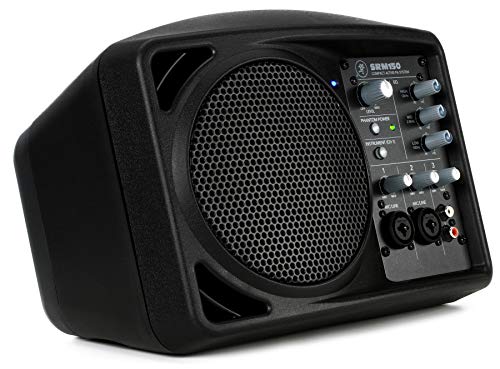
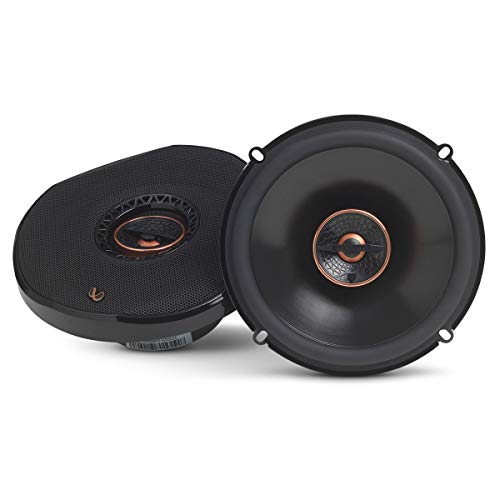
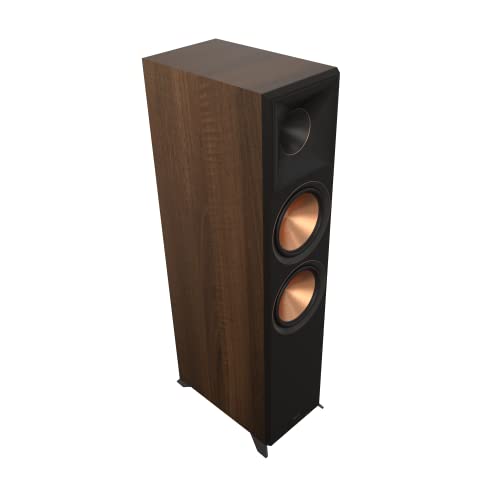
Our Top Picks
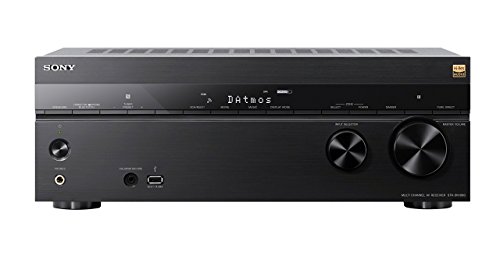 Sony STR-DN1080 7.2-ch Surround Sound Home Theater AV19 x 15 x 8.38 inches23 pounds4KCheck on Amazon
 Sony SA-RS5 Wireless Rear Speakers with Built-in Battery7.5015.35 x 7.08 x 12.2 inches5.3 poundsCheck on Amazon
 Sony SS-CS5M2 3-Way 3-Driver Hi-Res Compact Bookshelf Speakers8.7 x 7 x 13.2 inches1 poundsCheck on Amazon
 Sony SS-CS3M2 3-Way 4-Driver Hi-Res Floorstanding Speaker10.24 x 9.05 x 36.3 inches1 poundsCheck on Amazon
 Sony SRS-XB23 EXTRA BASS Wireless Bluetooth Portable Lightweight4.06 x 4.06 x 9.09 inches1.3 poundsCheck on Amazon
What's inside
- The wireless map of the STR-DN1080, drawn accurately
- Scenario one: music in another room, the job network speakers do well
- Scenario two: rear surround without wire, and the transmitter kit answer
- Scenario three: Bluetooth speakers and headphones fed by the receiver
- Latency: why lips and words drift apart, and what reduces the drift
- Codecs and versions: the pre-purchase checks that prevent regret
- The main system still matters: wired speakers around a wireless question
- Network setup: the unglamorous foundation every wireless feature stands on
- Common mistakes, collected in one place
- A verification routine to run before paying
- Three protocols compared in the situations that separate them
- Inside the receiver menus: settings that shape wireless behaviour
- Placement and power: network speakers are still speakers
- Privacy and security on a network full of speakers
- Troubleshooting the failures owners actually meet
- How the choices rank when money is limited
- Two households, two different right answers
- A note on buying used and discontinued network speakers
- Disclosure and how this guide was put together
- Check prices on Amazon
- A last word before the boxes are ordered
As an Amazon Associate I earn from qualifying purchases. This post may contain affiliate links at no extra cost to you.
The Sony STR-DN1080 is one of the most liked receivers of its generation, and it attracts one of the most misunderstood questions in home audio: which wireless speakers work with it. The question sounds simple. It is not, because the word wireless hides at least four different technologies inside this receiver, each running in a different direction, each with its own limits. The STR-DN1080 can receive music over a network through Chromecast built-in and Spotify Connect. It can receive music from Apple devices through the original AirPlay. It can send audio out to Bluetooth headphones and Bluetooth speakers. What it cannot do, and this guide will state plainly rather than bury, is power a set of proprietary wireless surround speakers the way some later Sony systems can. No Sony wireless rear speaker pairs natively with this receiver as a surround channel.
That limit disappoints some owners, but knowing it early saves real money. Every year, buyers purchase Wi-Fi speakers expecting them to appear in the receiver speaker setup menu as rear channels, and they never appear, because no such protocol exists between them. The honest alternatives are genuinely good: network speakers for music in other rooms, Bluetooth speakers and headphones fed by the receiver transmitter, wired speakers where the main system lives, and wireless transmitter kits that carry a line-level signal to powered rear speakers. This guide separates those scenarios, explains the latency and codec questions inside each one, and gives a verification routine to run before any purchase, so the box that arrives does the job the buyer actually had in mind.
The wireless map of the STR-DN1080, drawn accurately
Start with what the receiver receives. Chromecast built-in lets a phone, tablet, or computer cast audio from compatible applications to the STR-DN1080 over the home network, with the receiver pulling the stream rather than the phone relaying it, which keeps quality up and phone battery drain down. Spotify Connect works in a similar spirit for Spotify subscribers: the receiver becomes a selectable output inside the Spotify application and streams directly. AirPlay, in the original version fitted to this 2017 receiver, lets Apple devices send audio to it over the local network. Bluetooth reception completes the inbound picture: a phone can pair and play to the receiver like any Bluetooth speaker, using the codecs the receiver supports.
Now consider what the receiver sends. Its Bluetooth function also works as a transmitter, a feature Sony documented for use with wireless headphones for late-night listening, and the same transmission can feed a Bluetooth speaker within range. Network features, by contrast, do not turn the receiver into a sender for its other inputs. A turntable, disc player, or television connected to the STR-DN1080 cannot be redistributed to Chromecast speakers around the house by the receiver itself, because Chromecast in this unit is a receiving endpoint, not a bridge. Owners who imagine the receiver as a household audio hub sending every source everywhere are imagining a different and later class of product.
The third part of the map is the empty space where wireless surround would sit. Later Sony soundbars and receivers built families of optional wireless rear speakers and subwoofers that pair through a proprietary link. The STR-DN1080 predates any such arrangement for receivers in its line and offers no pairing mode, no menu entry, and no accessory list for wireless surround channels. Its surround channels exist only as speaker terminals on the back panel, expecting wire. Any buying plan for this receiver should be built on that fact rather than on hope, forum rumour, or a retailer listing that uses the word compatible loosely.
- Inbound network audio: Chromecast built-in, Spotify Connect, AirPlay (original version).
- Inbound short-range audio: Bluetooth reception from phones and computers.
- Outbound audio: Bluetooth transmission to headphones and Bluetooth speakers.
- Not present: native wireless surround pairing of any brand or family.
Scenario one: music in another room, the job network speakers do well
The most common real need behind the wireless speaker question is not surround sound at all. It is music in the kitchen while the receiver plays in the lounge, or a podcast in the bedroom, or the same playlist drifting through two rooms during a long evening of cooking and guests. Network speakers answer that need directly, and they do it without involving the receiver speaker terminals at all. A Chromecast-compatible speaker on the same home network can be grouped with the STR-DN1080 inside the Google Home application, so a cast session plays through both at once, each device pulling the stream from the network and keeping time with the group.
Grouping deserves a clear explanation, because it is the mechanism that replaces the imaginary direct pairing. When a listener casts from a music application to a group containing the receiver and one or more network speakers, the service sends audio to every member of the group. The receiver is a fellow member, not the master or the source. Volume can be adjusted per device, and group delay correction settings exist because different products process audio at different speeds. The arrangement works for the streaming services and applications that support casting, which covers most mainstream music listening, and it fails gracefully outside them: a record playing through the receiver phono input stays in the lounge, because that signal never enters the network path.
AirPlay offers Apple households a parallel route with the same shape. An iPhone can send audio to the STR-DN1080 and, where other AirPlay speakers exist, the household gains a second multiroom system with its own grouping behaviour. The version fitted here is the original AirPlay, not AirPlay 2, so multiroom grouping from an iPhone to several AirPlay targets at once is not available in the way later Apple software allows; a computer running iTunes or its successor can send to multiple speakers, but phone-based multiroom belongs to the Chromecast path on this receiver. Naming that distinction before purchase prevents the specific disappointment of an Apple-only household expecting phone-driven whole-home audio from every speaker at once.
Readers comparing standalone network and soundbar style products for secondary rooms can survey the convenience end of the market through best 2 1 wireless soundbars, keeping in mind that such products join the household as independent network endpoints. They do not become channels of the receiver, and product pages that blur that distinction should be read with care. Judged on their own terms, as music endpoints that can group with the receiver for cast sessions, good network speakers are the most satisfying wireless purchase most STR-DN1080 owners will make.
What to check in a network speaker before buying it for this job
Compatibility claims on network speakers need unpacking. A speaker that advertises Chromecast built-in will join groups with the receiver. A speaker that merely advertises Wi-Fi may rely on its own maker application and its own multiroom system, which will not include the Sony receiver. The logo and the words matter: look for explicit Chromecast built-in support, or explicit AirPlay support for the Apple route, in the maker specification rather than in a retailer headline. Firmware history matters too, because network features live and die by software support; a discontinued speaker whose application has been abandoned may still cast, but setup and grouping can become fragile as phone operating systems move on.
Sound expectations should scale with the room the speaker will serve. A small network speaker that delights at a bedside will sound lost on a patio or in a large kitchen with hard surfaces and extractor noise. Bigger rooms want bigger drivers, more amplifier power inside the speaker, and ideally the option to pair two units as a stereo couple within their own system. None of these speakers needs to match the main system brand or voicing, because they play in separate rooms where no shared soundfield exists. Money spent on output and reliability in the room served beats money spent on a badge that matches the receiver in another room.
Scenario two: rear surround without wire, and the transmitter kit answer
The second scenario is the one that generates the returns and the angry forum threads. An owner wants rear surround speakers without running cable across a doorway or under a floor, finds Wi-Fi speakers advertised with words like home theater, and expects the STR-DN1080 to adopt them. It will not. There is no menu, no pairing routine, and no firmware update that adds one, because the hardware path for such a link was never built into this receiver. Stating this without hedging is a service: the sooner the plan changes, the sooner the owner gets surround sound that works.
The working solution is a wireless transmitter kit used with powered speakers or a small amplifier at the rear of the room. The kit transmitter connects to the receiver surround channel outputs or, in designs that provide them, to line-level connections, and sends the surround signal across the room to a matching receiver unit that feeds ordinary speakers. The speakers themselves stay conventional; only the long cable run is replaced by a radio link. Latency in such kits is usually small, and the STR-DN1080 automatic calibration measures the resulting distance and delay and compensates, which keeps effects aligned with the front stage.
Owners choosing this route should verify three things. First, the kit must accept the signal type the plan gives it, speaker-level or line-level, and the STR-DN1080 offers speaker terminals for surround channels, so speaker-level input kits are the straightforward match. Second, the rear speakers still need mains power for their receiver unit and amplifier, so wireless in this context means no signal cable across the room, not no cables at all; a power socket near the rear positions is part of the plan. Third, radio links share spectrum with household Wi-Fi and other devices, so kits with a track record of stable links and sensible channel behaviour are worth favouring over the cheapest anonymous options.
Where a cable can be run, even an untidy one along a wall edge or under a rug, it remains the better engineering answer: cheaper, immune to interference, and free of delay. The transmitter kit is for rooms where the cable is genuinely impossible, such as rented spaces with hard floors and no permission to lift them, or layouts where a doorway severs every route. Readers whose rooms do allow wire should spend the kit money on the speakers themselves, and those building a conventional wired front stage can cross-check options through best 2 0 home theater speakers as a starting point for the main channels.
Scenario three: Bluetooth speakers and headphones fed by the receiver
Bluetooth transmission is the one path where the STR-DN1080 genuinely sends its own audio to a wireless speaker. Pair a Bluetooth speaker with the receiver, select it as the output, and film, television, or music playing through the receiver comes out of that speaker within Bluetooth range. The use cases are specific and real: a speaker near a cook while the film plays in the lounge, a portable speaker on a terrace just outside the room, or headphones for a listener who wants volume the rest of the household does not. Range is the governing limit, typically a room or two through walls, and the receiver Bluetooth menu and manual describe the pairing and reconnection behaviour to expect.
Headphones are the strongest version of this scenario, and the one Sony designed for. A good pair of Bluetooth headphones paired to the receiver gives private late-night film listening with the full soundtrack mix, and the receiver can send to the headphones while its speaker outputs stay silent. Codec support becomes the quality question here, covered in its own section below: the receiver supports common Bluetooth audio codecs of its period, and the headphone or speaker at the other end must share at least one of them. Where both ends support a lower latency codec, film dialogue stays comfortably in step with the picture; where the link falls back to the basic codec at long range, a slight delay can appear that some viewers notice on close-ups of speech.
What Bluetooth transmission cannot do is build a surround system. The receiver sends a stereo feed to one Bluetooth device at a time. It does not send discrete rear channel information to a pair of Bluetooth speakers, does not synchronise multiple Bluetooth speakers into a soundfield, and does not treat a Bluetooth speaker as a calibrated channel in its setup routine. A Bluetooth speaker used this way is a remote listener on the whole mix, which is exactly right for a kitchen or a terrace and exactly wrong for rear effects. Keeping that boundary clear is the difference between a purchase that delights and a purchase that disappoints.
Outdoor and garden listening, honestly framed
The terrace version of this scenario deserves its own short treatment because outdoor speakers are heavily marketed at receiver owners. A Bluetooth speaker carried outside and fed by the receiver works while it stays in range, which through an exterior wall may be shorter than the garden. A network speaker placed outside on a covered patio, grouped by casting, frees the music from Bluetooth range but also frees it from the receiver sources, playing streamed content only. A wired outdoor pair driven from the receiver second zone facilities is the most robust answer of all where cable can be run, and the STR-DN1080 zone features should be checked in the manual for the exact configuration a household wants. Each option is legitimate; each fails if bought while imagining one of the others.
Latency: why lips and words drift apart, and what reduces the drift
Every wireless path adds delay. Encoding takes time, radio transmission and error correction take time, and the receiving device buffers audio so that brief interference does not become audible gaps. Bluetooth in its basic form commonly adds a delay in the region of a couple of hundred milliseconds, enough for many viewers to sense that speech and lip movement have parted company. Lower latency codecs cut that figure substantially. Network casting adds delay too, often larger in absolute terms, but for music-only listening delay does not matter, because there is no picture to disagree with. Latency only becomes a defect when a screen is involved, which is why the same speaker can be perfect for kitchen music and wrong for film dialogue.
Television and receiver settings can compensate in one direction. Where audio arrives late, delaying the picture is impossible for most equipment; where audio arrives early relative to picture, audio delay settings can realign them. In practice, Bluetooth links make audio late, so the useful fixes are shortening the link, choosing a lower latency codec where both ends support it, and using the lip sync or audio delay adjustments in the television or receiver when the mismatch runs the other way after processing inside the display. Owners should also know that video processing in a television adds its own delay, and game modes that strip that processing out can change the sync balance of a Bluetooth link for better or worse.
Multiroom grouping has its own version of the same physics. Two network speakers in adjacent rooms playing a cast group with different processing delays produce an echo effect in the doorway between them, like two radios tuned slightly apart in time. Group delay correction in the casting application exists for this reason and can be adjusted per device while listening from the overlap zone. Perfect synchronisation across mixed brands is not guaranteed, and households sensitive to the effect should favour speakers from one family for rooms that open into each other, while mixing brands freely between rooms separated by doors and distance.
Codecs and versions: the pre-purchase checks that prevent regret
A codec is the method used to compress audio for a wireless link, and both ends of the link must share one for sound to flow at that quality level. For Bluetooth, the universal fallback is SBC, which every device supports and which sounds acceptable while carrying the highest latency of the common options. AAC performs well with Apple phones as sources. aptX and its low latency relatives reduce delay and are worth seeking where film use is planned. The STR-DN1080 belongs to the period when these choices were standardising, and its manual lists its supported Bluetooth profiles and codecs; the buying rule is to compare that list against the speaker or headphone specification and confirm at least one shared codec beyond the basic fallback if quality or latency matters to the intended use.
Version numbers need the same care as codec names. Bluetooth version figures describe the radio and feature set, not sound quality by themselves; a higher version does not rescue a link that falls back to a basic codec. AirPlay version decides multiroom behaviour, as discussed earlier: the original version in this receiver receives streams but does not join phone-driven multi-speaker groups. Chromecast support is a feature rather than a version in most listings, and the check is simply whether the speaker carries it natively. Spotify Connect likewise is a named feature to confirm in writing. A listing that says Wi-Fi enabled and shows a photograph of a phone is not evidence of any of these protocols, and the difference between them is the difference between a system that groups and a speaker that sits alone on the network.
- Confirm the exact named features: Chromecast built-in, AirPlay, Spotify Connect, Bluetooth.
- Match at least one Bluetooth codec beyond SBC for film or television use.
- Check the AirPlay generation before expecting phone-driven multiroom.
- Treat the word wireless in a headline as a question, not an answer.
The main system still matters: wired speakers around a wireless question
It is easy, inside a wireless discussion, to forget that the STR-DN1080 is first a fine wired receiver: 7.2 channels, about 100 watts per channel into 6 ohms by Sony published figures for this model, Dolby Atmos and DTS:X decoding, and a respected automatic calibration system. The main room deserves wired speakers chosen with the same care any receiver deserves, and readers planning tower fronts for that room can begin with best 1000 floor standing speakers and filter by the impedance guidance in the Sony manual. Wireless additions orbit that wired core; they extend listening into other rooms and other hours, but they do not replace the core, and budgets should be divided with that order of importance in mind.
Subwoofers make the point concrete. The receiver provides two subwoofer outputs for wired powered subwoofers, and that wired path is how its bass is meant to be built. Wireless subwoofer kits exist as transmitter accessories, and a subwoofer is more forgiving of link delay than a dialogue channel because the calibration can align its timing, but no standalone wireless subwoofer pairs natively with this receiver by a menu setting. Owners reading a listing for a wireless subwoofer should ask which transmitter it expects, and whether that transmitter connects to a standard subwoofer output like the ones this receiver provides.
Soundbar owners sometimes arrive at this receiver hoping to use an existing bar as a center or as a wireless partner. A passive arrangement rarely works cleanly, and an active soundbar duplicates amplification the receiver already owns. Readers weighing a bar for a second room rather than for this system can compare the category through best 100 watts soundbars, where the products are judged as standalone endpoints. Inside the STR-DN1080 system itself, the center channel should be a conventional passive speaker matched to the front pair, wired like the rest of the main stage.
Network setup: the unglamorous foundation every wireless feature stands on
Chromecast, AirPlay, and Spotify Connect all ride on the home network, and their reliability is the network reliability wearing another name. The STR-DN1080 can join by Wi-Fi or by Ethernet cable, and the cable is the better choice wherever it can be run, because it removes the receiver from contention with every other wireless device in the house. Routers placed far from the listening room, thick walls, and crowded apartment spectrum all show up as dropouts, slow group starts, and speakers that vanish from application lists. None of those symptoms is a speaker fault, and replacing speakers to cure them wastes the budget that a better router position or a wired run would have spent once.
Band choice matters at the margins. The 2.4 GHz band travels further through walls and is more crowded; the 5 GHz band is faster and cleaner at short range. Network speakers scattered through a house often live more happily on the longer reach band, while the receiver near the router can take either. All members of a cast group must sit on the same network in the ordinary home sense: guest networks, router isolation settings, and range extenders that create separate subnets are classic causes of speakers that play alone but refuse to group. When a group misbehaves, the network topology is the first suspect, ahead of the speakers, ahead of the receiver, and far ahead of the music service.
Firmware and application updates deserve a calm routine. Receiver firmware from Sony, speaker firmware from their makers, and the casting applications on the phone all evolve, and a system that worked in spring can stumble in autumn because one member of the chain changed. Updating deliberately, one device at a time, and noting what changed, beats the frantic factory reset that loses calibration and network settings alike. A factory reset also erases the speaker configuration and calibration results of the receiver, which is a real cost in time, so it belongs at the end of a troubleshooting list rather than the start.
Common mistakes, collected in one place
The first mistake is the one this guide opened with: buying Wi-Fi speakers as surround channels for a receiver that has no wireless surround system. The second is its mirror image, buying Bluetooth rear speakers for the same purpose, when the receiver Bluetooth output is a single stereo feed. The third is assuming the receiver can send its television or turntable sound to network speakers around the house; it cannot, because its network features receive streams rather than redistribute inputs. The fourth is judging a network speaker by a showroom demonstration on a shop network, where grouping behaviour with a Sony receiver at home remains unproven; a returns window is the honest substitute for that proof.
Further mistakes are quieter. Placing a network speaker inside a closed cabinet muffles it and strangles its Wi-Fi aerial at once. Expecting one small speaker to fill a garden party confuses a product class with a public address system. Running the receiver and speakers on different network segments and blaming the brands is a configuration error wearing a product costume. Paying a premium for a wireless label on a speaker that will sit permanently beside the receiver, where a two metre cable would do the job better, is the gentlest mistake of all and the most common in gift purchases. Each of these is avoidable with the checks in this guide, and none of them requires technical training to avoid.
Retail language fuels many of these errors, so a short translation table in prose is worthwhile. Works with home theater usually means the speaker can play audio from a television by some route, not that it joins a receiver as a channel. Wireless ready often means a separate accessory can be bought. Compatible with Sony may mean compatible with one Sony application or one Sony soundbar family, not with this receiver. The specification sheet and the receiver manual outrank the headline every time, and a seller who will not point to the relevant line in either document is telling the buyer something worth hearing.
A verification routine to run before paying
Write down the scenario first, in one sentence: music in the kitchen, rear surround without a cable run, private headphone listening, a speaker for the terrace. Then name the path that serves it from the map in this guide: cast grouping, transmitter kit, Bluetooth transmission, or a wired zone. Then check the product against that path and only that path. For a network speaker, confirm Chromecast built-in or AirPlay in the maker specification. For Bluetooth use, confirm a shared codec and think about latency if a screen is involved. For a transmitter kit, confirm input type, power needs at the rear of the room, and return terms if the radio link struggles in that particular building.
Check the home as well as the product. Confirm the speaker will join the same network segment as the receiver. Confirm a mains socket exists where a supposedly wireless rear setup will live. Confirm Bluetooth range by thinking in walls, not in the open-air metres printed on cartons; a receiver in a cabinet behind a television may reach the next room and no further. Confirm who in the household will operate the system: a cast group that only one phone in the house can manage is a friction that grows weekly. These checks take twenty minutes and they retire nearly every disappointment this category produces.
Finally, protect the purchase with terms. Buy from sellers whose return window covers a home trial across a weekend, keep packaging until grouping, pairing, and sync have all been tried with real content, and run the film dialogue check on the first evening rather than the thirtieth day. A short scene with close-ups of speech reveals latency problems instantly. A cast group started, stopped, and restarted reveals network problems honestly. Equipment that passes those two evenings in a real home has earned its place; equipment that fails has revealed it while the remedy is still free.
Three protocols compared in the situations that separate them
Chromecast built-in, AirPlay, and Bluetooth can all move a song from a phone to a speaker, which is why they are so often confused, but they part company as soon as a real situation tests them. Casting keeps the phone out of the audio path after the first command: the receiver or speaker fetches the stream from the service directly, so a phone call, a video played on the phone, or the phone leaving the house does not interrupt the music, and the stream arrives at the quality the service provides rather than at a quality limited by a phone radio link. AirPlay keeps the phone in the path as the sender, which makes it natural for playing audio from almost any application on an Apple device, including files and apps with no cast support, at the cost of phone battery and of the stream pausing when the phone is busy elsewhere.
Bluetooth is the most universal and the most fragile of the three. It needs no network, no account, and no shared infrastructure, which makes it the protocol of guests: a visitor can pair and play in a minute without being handed the household Wi-Fi password. Its costs are range, compression on the basic codec, and the one-to-one nature of the link. A household that hosts often may deliberately keep a Bluetooth path available for guests while doing its own listening over the network paths, and the STR-DN1080 supports exactly that division of labour, receiving Bluetooth from a phone one hour and a cast session the next.
Quality comparisons between the network paths should stay proportionate. Both Chromecast and AirPlay can carry lossless or near-lossless streams depending on the service and settings, and in ordinary rooms through ordinary speakers the audible difference between them is far smaller than the difference made by speaker placement or by the room itself. The deciding factors are therefore practical: which phones live in the house, which services are subscribed to, whether multiroom grouping is wanted, and whether the phone must stay free during playback. A mixed household with both Apple and Android devices will usually find the Chromecast path the common ground, since casting applications exist on both platforms, while an all-Apple household may live happily inside AirPlay for single-room listening and use casting only when grouping rooms.
Inside the receiver menus: settings that shape wireless behaviour
The STR-DN1080 network and Bluetooth settings repay a slow read of the manual, because several options change daily behaviour in ways owners notice without understanding. Network standby determines whether the receiver can be woken by a cast session or an application command while it appears to be off; with standby network features enabled, casting to the receiver starts it up and selects the right input, which feels like magic to guests and is simply a setting doing its job. The cost is a small continuous power draw, which owners can weigh for themselves, but disabling it and then finding the receiver invisible to applications is a self-inflicted mystery that fills support forums.
Bluetooth settings include the transmission mode used when the receiver sends audio to headphones or a speaker, and the codec priority where the firmware exposes it. Owners who value film sync should favour latency-oriented choices where offered, while music-only headphone listeners can favour quality-oriented choices, since a delay in music playback harms nothing. Device lists also matter: the receiver remembers paired devices, and a stale list full of old phones and a sold speaker can slow reconnection and confuse automatic behaviour. Clearing forgotten devices once a year is dull housekeeping that prevents the receiver from cheerfully connecting to a headphone in a drawer while the owner waits for sound from the speakers.
Software information screens show the firmware version, and Sony published updates during the active life of this model that touched network stability and feature behaviour. An owner troubleshooting casting dropouts should note the installed version before changing anything else, because advice written for one firmware generation may not describe another. The same caution applies to speaker firmware in network products, where release notes sometimes change grouping behaviour or remove legacy features. Updating everything at once on the morning of a party is the classic way to meet a new bug in front of an audience; updating on a quiet weekday, one device at a time, is the professional habit this guide recommends without apology.
Placement and power: network speakers are still speakers
A network speaker obeys the same acoustics as any other speaker, plus one extra demand: its aerial needs a usable signal where it stands. Kitchen counters place speakers near metal appliances and under cabinets that shadow both sound and Wi-Fi. A speaker tucked behind a microwave may group unreliably and sound muffled for two unrelated reasons with one shared cause. Moving it half a metre along the counter, into open air and away from large metal boxes, often fixes the grouping and the tone together. Bathroom speakers need moisture ratings appropriate to steam, and bedroom speakers benefit from displays and indicator lights that can be dimmed or disabled at night, a detail absent from most specification headlines and painfully present at 3 a.m.
Height and orientation matter in miniature just as they do for the main system. A small speaker at knee height under a table loses its treble to furniture and its clarity to the room; the same speaker at ear height on a shelf, angled toward where people actually stand or sit, sounds like a better product. Stereo pairs of network speakers need the same symmetry as any stereo pair, equidistant from the main listening spot and from side walls where possible. None of this requires measurement equipment. It requires the willingness to move a speaker three times in its first week, which is the cheapest upgrade in all of audio.
Power behaviour shapes daily satisfaction more than owners expect. Speakers that wake instantly from standby and rejoin the network join groups promptly; speakers that reboot slowly or drop off the network overnight generate the complaint that multiroom never works, when the truth is that one member is always late. Reading owner reports for standby reliability is therefore as rational as reading them for sound. Battery-powered portable speakers add a further wrinkle: many reduce output or disable network features on battery, or leave the network entirely when asleep to save charge, so a portable that will mostly live in one room should be chosen and placed as a mains-powered device that occasionally travels, not the reverse.
Privacy and security on a network full of speakers
Network speakers and a network receiver are computers on the home network, and a short security routine is part of owning them well. Router firmware should be current, the Wi-Fi password should be a real password rather than a default, and guest devices belong on a guest network where the router offers one, with the caveat from earlier that casting requires the controlling phone and the speakers to see each other, so household members phones stay on the main network while visitors devices can stay isolated. Microphones in voice-capable speakers deserve a household decision rather than a default: many families enable voice control in the kitchen and disable or avoid microphone-equipped models in bedrooms, and either pattern is defensible when it is chosen rather than inherited.
Account hygiene matters because streaming services are the keys to these devices. A Spotify or Google account signed in on shared equipment should use the household arrangements the services provide, such as family plans and separate profiles, so that one person listening does not hijack another person session in another room. The STR-DN1080 itself holds network credentials and service associations, and an owner selling or giving away the receiver should perform the initialisation procedure in the manual to clear personal settings, just as they would with a phone or a computer. The same applies to network speakers changing homes. It is a small ritual that protects the previous owner and spares the next one a haunted setup.
Troubleshooting the failures owners actually meet
When a cast group refuses to start, work from the network outward. Confirm phone, receiver, and speaker share one network and one subnet. Restart the router, then the speaker, then the receiver, in that order, waiting for each to settle. Remove and rebuild the group in the application. Only after those steps should firmware and factory resets enter the conversation. Most group failures are addressing and discovery problems on the local network, and most of them yield to the restart order above, because discovery protocols depend on devices announcing themselves in a sequence that a confused router can scramble over months of uptime.
When Bluetooth audio stutters, think in terms of range, obstruction, and contention. Move the speaker or headphone wearer closer, remove the receiver cabinet door from the path if the receiver lives behind one, and check whether a microwave, a baby monitor, or a dense cluster of other Bluetooth devices is active nearby. When Bluetooth connects but no sound follows, confirm the receiver output setting actually selected the Bluetooth device and that its volume is not stored at zero from a previous session, a mundane cause that embarrasses experienced owners regularly. When AirPlay vanishes from an iPhone list, toggling the phone Wi-Fi and confirming the receiver network standby setting resolves the majority of cases.
When surround sound from a transmitter kit sounds detached from the picture, measure rather than guess. The receiver calibration should be rerun after the kit is installed so its delay is absorbed into the surround distance settings, and if a mismatch remains, the surround delay can be trimmed while a familiar scene with panning effects plays. When the kit link drops intermittently, reposition its units for a clearer path and keep them away from the router itself, since two radios shouting in the same small space help neither. A kit that still misbehaves in a clear path with current firmware is a candidate for return inside its window, which is why the earlier advice about buying on trial terms is practical rather than cautious decoration.
How the choices rank when money is limited
Households rarely buy everything at once, so a spending order helps. First, secure the wired main system, because every other purchase assumes it. Second, add the network speaker for the room where music is actually wanted daily, usually the kitchen, since daily use is where value concentrates. Third, solve rear surround with cable if the room allows it, or with a transmitter kit if it does not, and only after the front stage is complete. Fourth, add Bluetooth headphones for private listening, a purchase whose benefit arrives the first late evening it is used. Outdoor extensions and second multiroom speakers come last, as genuine luxuries that widen a system already doing its core work well.
Within the network speaker step, one larger speaker usually beats two small ones at the same total spend for a single room, because output and bass scale with cabinet and driver size in ways stereo pairing cannot fully imitate at low budgets. The exception is a long room where a listener moves between two ends, such as a kitchen and dining space in one, where two modest speakers at moderate volume give more even coverage than one loud speaker at one end. Coverage thinking, borrowed from how halls are filled, applies in miniature at home: even moderate sound everywhere beats impressive sound in one corner and a mumble in the other.
Two households, two different right answers
Picture a household in a flat where both partners use Android phones, cook with music every evening, and watch films at moderate volume after a child is asleep. For them the highest value wireless purchase is a single substantial Chromecast speaker for the kitchen, grouped with the receiver on weekends and playing alone on weekday evenings. The second purchase is a pair of Bluetooth headphones for the receiver, turning late film sessions into a private cinema that disturbs nobody. Surround stays wired at 5.1 because the room is small and the cable run along the wall is easy. Nothing in their plan requires a feature the receiver lacks, and every item will be used weekly, which is the real test of audio spending.
Picture instead a house with Apple devices throughout, a long living room where the sofa divides the space, and a garden used for long summer evenings. This household should expect phone-based listening to run through AirPlay to the receiver for the main room, should not expect that phone to group the receiver with other rooms by AirPlay alone, and should plan garden sound as a network speaker on the covered patio playing streamed music on its own, or as a wired zone if the building work allows a cable. Their surround problem is the genuine transmitter kit case: the sofa position severs every cable route, the rear speakers have a power socket behind them, and a kit feeding two modest passive speakers solves the room without pretending the receiver grew a wireless surround feature it never had.
The contrast between the two households is the lesson. Identical receivers, opposite correct shopping lists, because the phones differ, the rooms differ, and the evenings differ. Any guide that hands both households the same product list is selling products rather than solving problems. The verification routine in this guide exists so that a reader in a third household, with a third pattern of rooms and habits, can derive their own list from the map of what the STR-DN1080 truly does, and trust it more than any ranking printed anywhere, including here.
A note on buying used and discontinued network speakers
The second-hand market is full of network speakers at tempting prices, and the STR-DN1080 itself now changes hands used, so a word about used wireless audio belongs here. A used receiver can be reset, recalibrated, and judged within an evening. A used network speaker carries a software biography that is harder to inspect: whether its maker still runs the setup servers its application expects, whether its firmware can still join modern router security modes, and whether its streaming features have been altered by service changes since it was boxed. Some discontinued speakers continue to cast happily for years because casting lives partly in the protocol rather than in the maker cloud. Others became awkward the day a companion application was withdrawn. Before paying for any discontinued network product, a buyer should confirm that a factory reset unit can be set up today, with a current phone, by reading recent owner reports rather than the launch reviews that praised it in another era. The saving on a speaker that cannot join the household network is not a saving, and the modest premium for a supported model is, in this category, a payment for the software team standing behind the hardware.
One more used-market check applies to the receiver itself. A second-hand STR-DN1080 should arrive with its calibration microphone, because the automatic setup depends on that specific accessory and substitutes give unreliable results. The remote control matters less, since phone applications cover most daily functions, but the microphone is close to irreplaceable in daily value. Sellers who can demonstrate the receiver joining a network, receiving a cast, and pairing with a Bluetooth headphone during handover have answered the three questions that decide whether a used unit is a bargain or a project, and buyers should ask for exactly those demonstrations rather than a general assurance that everything works.
Disclosure and how this guide was put together
Everything in this guide rests on Sony published documentation for the STR-DN1080, on the published specifications of the streaming and Bluetooth standards it implements, and on network speaker makers stated feature lists. Our research is deliberately conservative where marketing language is loose: a feature is described as present only where the receiver documentation names it, and absent where no documentation supports it, which is why the wireless surround limit is stated so firmly. No maker supplied products, payments, or preview access for this piece. As an Amazon Associate we earn from qualifying purchases. Readers should treat that sentence as a reason to double-check our claims against the manual, and will find that the manual agrees with the limits described here.
Check prices on Amazon
Live listings for the shortlist in this guide are pulled from Amazon below, so prices and availability are always current at the moment you look.


A last word before the boxes are ordered
The STR-DN1080 does not need to apologise for its wireless design, and neither do its owners. It receives the streaming services households use daily, it sends private sound to headphones and nearby Bluetooth speakers, and it anchors a wired surround system that later and pricier equipment still struggles to embarrass. What it asks in return is honesty at the moment of purchase: choose each wireless speaker for a named path this receiver truly supports, and the system will feel generous rather than limited. The owners who enjoy this receiver most are not the ones who found a loophole in its design; they are the ones who read the map correctly and built, room by room, exactly the system the map describes.