What's inside
- Key Takeaways
- Quick Picks
- How Did We Choose the Best Hard Drives for ReadyNAS?
- What Should a ReadyNAS Owner Check Before Any Drive Is Ordered?
- The Six Drives, Examined One by One
- How Do the Six ReadyNAS Replacement Options Compare?
- How Do You Replace a ReadyNAS Drive Without Losing the Volume?
- What Should You Archive While the Platform’s Paperwork Still Exists?
- How Do You Read Drive Health on an Ageing ReadyNAS?
- What Does a Sensible Spares Shelf Look Like for a Discontinued System?
- How Would You Migrate Away, If the Day Ever Comes?
- How Does Your Volume Type Change the Renewal?
- Where Should a Renewed ReadyNAS Live, and How Should It Be Powered?
- What Does Renewal Cost in Time, and How Should You Schedule It?
- What Is the Long Game for an Orphaned Platform?
- Which Renewal Mistakes Do ReadyNAS Owners Regret?
- Final Recommendation
- Frequently Asked Questions
- Related Guides
As an Amazon Associate I earn from qualifying purchases. This post may contain affiliate links at no extra cost to you.
widgetverdict.com is reader-supported. When you buy through links on our site, we may earn an affiliate commission.
Where to buy: the six drives below link to their Amazon listings under their full product names, and all six are current NAS-class SATA drives of the kind that keep a ReadyNAS running — read the compatibility notes in this guide before ordering, because an orphaned platform rewards careful buyers.
Netgear has left the stage. The ReadyNAS line — for years one of the default answers when a home or small business wanted network storage with a friendly face — has been discontinued, and no new models are coming. Yet the installed base is enormous and stubbornly alive: ReadyNAS units in studies, studios, surgeries and server cupboards are still holding family archives, business records and media libraries, and their owners face a new question that replaces the old upgrade path. When a drive in one of these systems tires or fails, what exactly do you buy? The best hard drives for ReadyNAS in 2026 are not drives made for the badge — no current drive is marketed that way — but the right class of NAS SATA disk, chosen with the platform’s age and quirks in mind, fitted carefully, and verified against the compatibility information that still exists.
That framing shapes this entire shortlist. All six picks are mainstream NAS drives from the two families ReadyNAS owners have run for a decade: Seagate’s IronWolf line at eight, four and sixteen terabytes, and Western Digital’s Red family in its Plus and Pro forms at twelve, ten and six terabytes. Every one is CMR, every one is a 3.5-inch SATA drive, and every one belongs to the class of disk these enclosures were designed around. What differs is capacity, tier and temperament, and the pick sections argue those differences for the specific situation of a discontinued platform whose owner intends to keep it alive and well for years more.
Key Takeaways
- ReadyNAS hardware is discontinued, so this is a replacement-and-upgrade guide: the drives are current NAS SATA models, not ReadyNAS-branded products.
- Check your exact ReadyNAS model’s compatibility information, tray design and supported drive heights before buying — the platform no longer forgives assumptions with new firmware.
- All six picks are CMR NAS-class drives, the recording method and duty class these enclosures were built around.
- The IronWolf 8TB is the natural like-for-like heartland replacement; the Red Plus pair at ten and twelve terabytes suits owners expanding while they replace.
- Replace drives one at a time and let the volume resync fully between swaps, especially in older units whose processors work at their own pace.
- An orphaned platform makes your own backup more important, not less — the enclosure itself now has no successor waiting.
Quick Picks
| Pick | Badge | Why it earns its place |
|---|---|---|
| Seagate 8TB IronWolf Internal NAS Hard Drive (ST8000VNZ04) | The like-for-like replacement | All-CMR, 24/7 NAS-optimised, with RV sensors for multi-bay life and a stated 180TB/year workload class. |
| Western Digital 12TB WD Red Plus NAS HDD (WD120EFGX) | The expansion replacement | Twelve CMR terabytes at 7200 RPM with a 512 MB cache for owners growing the volume as drives are renewed. |
| Western Digital 10TB WD Red Plus NAS HDD (WD100EFGX) | The balanced upgrade | Ten terabytes of Red Plus specification, the step that doubles many surviving ReadyNAS volumes in one renewal. |
| Seagate IronWolf Pro 4TB (ST4000NEZ01) | The small-volume Pro | Pro-tier NAS engineering and data recovery service at the capacity older two and four-bay units run most often. |
| Western Digital 6TB WD Red Pro NAS HDD (WD6005FFBX) | The Pro step-up | Six CMR terabytes at 7200 RPM with a 256 MB cache for owners who want Pro duty without a capacity leap. |
| Seagate IronWolf 16TB NAS HDD (ST16000VN001) | The maximum renewal | Sixteen CMR terabytes for the largest surviving ReadyNAS volumes, where the enclosure and its firmware support them. |
How Did We Choose the Best Hard Drives for ReadyNAS?
The selection began with a refusal: no drive appears here on the claim that it was made for this platform, because none of the listings say that, and a discontinued ecosystem deserves more honesty from its guides, not less. What qualifies a drive is class and fit — a NAS-engineered 3.5-inch SATA disk with CMR recording, continuous-duty manners and multi-bay vibration tolerance, in capacities that map onto the volumes ReadyNAS owners actually run. Both great NAS families are represented because ReadyNAS fleets have always run both, often in the same street, sometimes in the same enclosure across successive renewals.
The second filter was continuity of supply and support. An orphaned platform’s owners cannot afford to standardise on a drive that is itself vanishing, so every pick is a current, checkable listing from a living product line, with the manufacturer’s own warranty and — in Seagate’s case — rescue arrangements stated where the listing states them. The third filter was spread: from the four-terabyte Pro that keeps a small two-bay unit honest, to the sixteen-terabyte IronWolf that asks the platform’s largest question, the list covers the renewal decisions owners are actually making this year, at the moment a SMART warning or a suspicious clicking turns a hypothetical into a purchase.
What Should a ReadyNAS Owner Check Before Any Drive Is Ordered?
Three checks, in order, none of them skippable. First, the model-specific compatibility information for your exact ReadyNAS unit: Netgear published drive compatibility guidance by model, and the fact that the platform is discontinued makes that archived guidance more valuable, not less — save a copy of the relevant page or document now, while it can still be found, because it is the closest thing to a manufacturer’s blessing your purchase will ever get. Some older units have capacity ceilings in their firmware; some volumes were built with limitations that only appear when a much larger drive is introduced. Know your unit’s ceiling before a sixteen-terabyte temptation makes the decision for you.
Second, the physical fit. ReadyNAS models span generations of tray design — tool-less caddies, screwed carriers, and bays whose drive-height and connector assumptions belong to their era. Modern 3.5-inch NAS drives are built to the standard the platform expects, but the owner of an older unit should confirm the tray accepts the drive’s mounting-hole pattern and that any adapter or screws the swap requires are in the drawer before the old drive comes out. Third, the volume’s own state: run the ReadyNAS health checks, read the logs, and confirm the surviving drives are healthy enough to rebuild from. A replacement drive cannot rescue a volume whose remaining members are also failing, and discovering that mid-resync is the particular heartbreak this guide exists to prevent.
The Six Drives, Examined One by One

Seagate 8TB IronWolf Internal NAS Hard Drive (ST8000VNZ04) — The like-for-like replacement
If a drive in a working ReadyNAS gives up this year, the ST8000VNZ04 is the replacement most owners should reach for first. Its listing reads like a description of the job: a 24/7 NAS-optimised drive, all-CMR recording, AgileArray firmware for multi-bay life, rotational-vibration sensors for enclosures where drives sit shoulder to shoulder, and a stated workload class of 180TB per year — a duty figure comfortably beyond what a home or small-office ReadyNAS volume writes. Seagate states a three-year warranty and three-year Rescue cover with this model, which suits an orphaned platform’s owner precisely: the enclosure’s maker has retired, but the drive’s maker has not.
Eight terabytes is also the size at which most surviving ReadyNAS volumes were last renewed, so this drive frequently lands as a true like-for-like — same capacity, same class, no volume geometry surprises, a resync measured in the hours the owner already expects. In a mirrored pair it is the calm choice; in a larger parity volume it is the member that keeps the set’s character unchanged. Owners planning to expand should read on to the larger picks, but owners whose goal is the highest compliment a NAS can earn — another three years of being forgotten — start here.
- Capacity: 8TB
- Recording: All-CMR
- Interface: SATA 6 Gb/s
- Model: ST8000VNZ04
- Stated workload: 180TB/year
- Stated cover: 3-year warranty plus 3-year Rescue
- Features: AgileArray, RV sensors, 24/7 NAS-optimised
Strengths
- The specification reads as a job description for this exact replacement role.
- RV sensors and AgileArray suit multi-bay ReadyNAS enclosures directly.
- Stated warranty and Rescue terms give an orphaned platform a living support path.
Trade-offs
- Like-for-like means no capacity growth for owners whose volume is nearly full.
- Its workload class, while ample here, sits below the Pro tiers for very busy volumes.
- Owners must still verify their specific unit’s compatibility and capacity ceiling.
Best for: the mainstream ReadyNAS renewal — a failed or tiring drive replaced in kind, in mirrored or parity volumes. Not suited for: owners using the renewal to expand, who should step up to the ten and twelve-terabyte picks below.

Western Digital 12TB WD Red Plus NAS HDD (WD120EFGX) — The expansion replacement
Every drive renewal in an ageing enclosure asks a strategic question: replace in kind, or use the resync you have to endure anyway as the moment to grow? The twelve-terabyte Red Plus WD120EFGX is the growth answer in Western Digital’s current line — CMR recording, a 7200 RPM spindle and a 512 MB cache, the largest buffer in this guide, in the Red Plus tier that sits between the home Red drives and the full Pro specification. Fitted across a volume one member at a time, with full resyncs between each swap, it can carry a ReadyNAS pool to half again or twice its former size without new hardware.
The caveats are the ones this guide opened with, sharpened. Confirm the unit’s firmware ceiling before committing a whole set to twelve terabytes, because the expansion only materialises when every member has been replaced and the volume allowed to grow, and a ceiling discovered at member three is an expensive education. Confirm, too, that the volume’s backup is current before the first swap: a renewal-by-expansion keeps the array in a state of managed change for days, and that is precisely when the separate copy earns its existence. Managed well, though, this is the purchase that turns a discontinued enclosure from a legacy worry into a platform with years of headroom restored.
- Capacity: 12TB
- Recording: CMR
- Spindle speed: 7200 RPM
- Cache: 512 MB
- Interface: SATA 6 GB/s
- Model: WD120EFGX
Strengths
- Twelve terabytes lets a renewal double as a genuine expansion.
- The largest cache here, kind to a volume serving while it resyncs.
- Current Red Plus production with the line’s CMR guarantee.
Trade-offs
- Expansion only completes when every member is replaced, so the full cost is a set, not a drive.
- Older ReadyNAS firmware ceilings must be verified before a set is ordered.
- Longer resyncs than the eight-terabyte tier, on processors from another era.
Best for: owners renewing a whole volume who want the platform’s next capacity era in the same project. Not suited for: a single failed drive in a volume staying at its current size, where the IronWolf 8TB matches the set.

Western Digital 10TB WD Red Plus NAS HDD (WD100EFGX) — The balanced upgrade
The ten-terabyte Red Plus is the diplomat of this list: a clear step beyond the eight-terabyte heartland, without the twelve’s demand that the owner think hardest about ceilings and set costs. WD100EFGX shares the family specification — 7200 RPM, CMR, a 512 MB cache — and in the most common ReadyNAS story, a four-bay volume built on four or six-terabyte drives, a renewal onto tens transforms the pool’s headroom while keeping each resync within the patience of the enclosure’s ageing processor. It is the upgrade for owners who know eight is no longer enough and suspect sixteen is a fantasy their firmware would not survive.
It also suits the staged strategist. Because a parity volume sizes itself to its smallest member, expansion arrives only when the last small drive leaves — but nothing stops an owner replacing failed drives with tens as failures occur, letting the set converge on the new size across a year of ordinary maintenance, then claiming the larger pool in one final step. That patience-based path spreads cost and risk together, and it is available only because drives like this one remain in current production while the platform they serve is retired. Check the model-specific guidance, as with every pick here, and the ten becomes the ReadyNAS renewal with the fewest arguments against it.
- Capacity: 10TB
- Recording: CMR
- Spindle speed: 7200 RPM
- Cache: 512 MB
- Interface: SATA 6 GB/s
- Model: WD100EFGX
Strengths
- The balanced step up: real growth without the largest resyncs or ceilings questions.
- Full Red Plus specification including the 512 MB cache.
- Ideal for staged renewals that converge on a bigger pool over time.
Trade-offs
- Still requires a full set before the volume can claim the extra space.
- Owners certain they need twelve or sixteen terabytes will buy twice if they start here.
- Like every pick, it inherits the platform’s need for a verified backup elsewhere.
Best for: four-bay ReadyNAS volumes outgrowing the eight-terabyte era at a measured pace. Not suited for: two-bay mirrored units where a pair of twelves costs little more and ends the question.
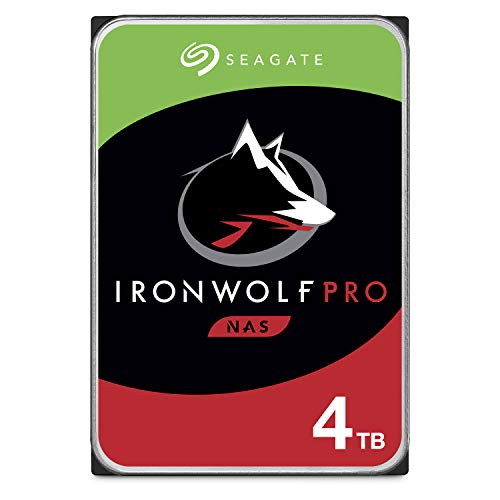
Seagate IronWolf Pro 4TB (ST4000NEZ01) — The small-volume Pro
Not every surviving ReadyNAS is a multi-bay archive. A great many are two-bay units holding a small business’s accounts, a photographer’s working set or a household’s documents in a mirrored pair, and for those owners the four-terabyte IronWolf Pro ST4000NEZ01 is the connoisseur’s replacement: Pro-tier NAS engineering — 7200 RPM, a 128 MB cache, and Seagate’s data recovery service in the listing — at the capacity the volume already uses. The Pro badge at this size buys duty headroom and the recovery path, not terabytes, and for data whose loss would be measured in livelihoods that is the correct purchase.
It is also the right answer for the owner who has decided, sensibly, that their ReadyNAS has a finite remaining career and should be kept excellent rather than enlarged. A mirrored pair of these, fitted one at a time with full resyncs between, returns a small unit to rude health for its remaining years at a cost that respects the platform’s age. What it will not do is grow anything, and owners who find their small volume pressing against its ceiling should take the hint the platform is offering and plan the expansion picks — or, honestly, the successor system — instead of another round at four terabytes.
- Capacity: 4TB
- Spindle speed: 7200 RPM
- Cache: 128 MB
- Interface: SATA 6Gb/s
- Model: ST4000NEZ01
- Included support: Data Recovery Service
Strengths
- Pro-tier specification and recovery service at a small volume’s capacity.
- 7200 RPM pace in a tier where many small drives spin slower.
- The financially honest renewal for a two-bay unit in its later years.
Trade-offs
- No growth: the volume stays exactly the size it was.
- Pro pricing per terabyte is the highest in this guide at this capacity.
- Small mirrored units may be better served by stepping to eight terabytes outright.
Best for: two-bay and small four-bay ReadyNAS units holding business-critical data at modest volumes. Not suited for: media libraries and archives, whose appetites laugh at four terabytes.

Western Digital 6TB WD Red Pro NAS HDD (WD6005FFBX) — The Pro step-up
The six-terabyte Red Pro serves the ReadyNAS owner who thinks in duty rather than capacity. WD6005FFBX brings the full Red Pro specification — 7200 RPM, CMR recording, a 256 MB cache — to a size that slots into the enormous population of volumes built on four and six-terabyte members, upgrading the set’s tier without asking its geometry to change. For a small business whose ReadyNAS carries the practice’s files all day, that tier step is the point: the replacement programme becomes a quiet reinforcement of the platform, drive by drive, until the whole volume runs Pro-class media.
Western Digital’s Pro line also suits owners standardising across more than one ageing enclosure — a ReadyNAS at the office, another at the owner’s home holding the replica — because one drive model across both sites simplifies spares to a single shelf item. Keep the platform caveats in view: this drive’s listing, like every listing in this guide, speaks the language of NAS generally rather than of any one discontinued badge, so the model-specific compatibility check remains the owner’s job. Do that homework and the six-terabyte Red Pro is the professional’s renewal, sized to reality.
- Capacity: 6TB
- Recording: CMR
- Spindle speed: 7200 RPM
- Cache: 256 MB
- Interface: SATA 6 Gb/s
- Model: WD6005FFBX
Strengths
- Pro-tier duty at the capacity many working ReadyNAS volumes already use.
- A single model that can standardise spares across multiple ageing enclosures.
- 256 MB cache and full 7200 RPM pace for all-day business file service.
Trade-offs
- No capacity story: owners needing growth should look at the Red Plus pair.
- Pro pricing for what is, in size terms, a like-for-like swap.
- Its benefits assume business-hours workloads lighter volumes never impose.
Best for: business ReadyNAS units renewing in place at four to six terabytes per member. Not suited for: home media volumes, where the same money buys more terabytes in the standard tiers.

Seagate IronWolf 16TB NAS HDD (ST16000VN001) — The maximum renewal
Sixteen terabytes is the largest promise this guide makes to a discontinued platform, and it should be made carefully. The IronWolf ST16000VN001 is a thoroughly mainstream NAS drive — CMR recording, 7200 RPM, a 256 MB cache and Seagate’s Rescue Service — and in a late, capable ReadyNAS with the bays and firmware headroom for it, a set of these rebuilds the volume into something with genuine years of growth restored. For the media-heavy household or the studio archive that has decided to keep its ReadyNAS as the long-term home, this is the renewal that ends renewals for a good long while.
The warnings deserve their own paragraph, because they are the difference between this pick being a triumph and a cautionary tale. Verify the exact unit’s supported capacity from the archived compatibility guidance before ordering even one. Expect resyncs that run for the better part of a day or longer on the platform’s processors, and schedule them across quiet weekends rather than stacking them into a working week. Confirm the backup with a restored test file, not a green tick. An owner who does all three can buy this drive with a clear conscience and give an orphaned enclosure a second career. An owner who skips them is gambling with the only copy of the archive, at sixteen terabytes a throw.
- Capacity: 16TB
- Recording: CMR
- Spindle speed: 7200 RPM
- Cache: 256 MB
- Interface: SATA 6GB/S
- Model: ST16000VN001
- Included support: Rescue Service
Strengths
- The maximum capacity renewal available to the platform’s largest volumes.
- Mainstream IronWolf specification with Rescue Service included.
- Can restore years of headroom to a late-model multi-bay ReadyNAS.
Trade-offs
- Demands explicit verification of the unit’s capacity ceiling and firmware.
- The longest resyncs in this guide on ageing enclosure processors.
- Concentrates the archive onto fewer, larger members and their rebuild windows.
Best for: late, multi-bay ReadyNAS systems with verified headroom and owners planning to keep them for years. Not suited for: early units, unverified firmware, or any volume without a tested backup.
How Do the Six ReadyNAS Replacement Options Compare?
| Drive | Capacity | Tier | Renewal role |
|---|---|---|---|
| IronWolf ST8000VNZ04 | 8TB | Standard NAS | Like-for-like heartland swap |
| WD Red Plus WD120EFGX | 12TB | Red Plus | Expansion renewal |
| WD Red Plus WD100EFGX | 10TB | Red Plus | Balanced upgrade |
| IronWolf Pro ST4000NEZ01 | 4TB | NAS Pro | Small-volume reinforcement |
| WD Red Pro WD6005FFBX | 6TB | NAS Pro | Duty upgrade in place |
| IronWolf ST16000VN001 | 16TB | Standard NAS | Maximum renewal |
Read the table as two questions wearing one list. The capacity question — replace in kind, step up, or leap — is answered by the volume’s fill level and the unit’s verified ceiling. The tier question — standard or Pro — is answered by the data’s importance and the workload’s weight. A mirrored pair of four-terabyte Pros can be the most professional purchase on the page, and a sixteen-terabyte standard drive can be the most reckless, entirely depending on the answers the owner brings. The drives are all respectable; the matching is the skill.
How Do You Replace a ReadyNAS Drive Without Losing the Volume?
Slowly, and in the right order. Before touching hardware, update the backup of the volume’s irreplaceable data and verify it by restoring something from it — the resync ahead will stress every surviving drive, and this is the moment the backup exists for. Read the ReadyNAS logs and health pages so you know the state of the members that will remain, and identify the failing drive by serial number and bay, twice, because pulling a healthy member from a degraded volume converts a repair into a loss. If the volume is mirrored or parity-protected, the platform tolerates the swap; if it is a single drive or a striped set with no redundancy, stop — the correct procedure there is a full copy to new storage, not a drive swap.
Fit the new drive in its tray exactly as the old one sat, slide it home firmly, and let the ReadyNAS discover it and begin the resync. Then practise the discipline this platform rewards: wait for the resync to complete entirely before replacing any second drive, however efficient batching them feels. On ageing processors a large resync can run for many hours, and the volume is at its most exposed throughout; keep the unit cool, keep its workload light, and resist restarting it mid-process. When the resync reports clean, run the volume’s health checks, note the new drive’s serial and install date in your records, and only then schedule the next member’s renewal. One drive, one resync, one verification — that rhythm has carried more orphaned enclosures through renewal than any shortcut ever will.
What Should You Archive While the Platform’s Paperwork Still Exists?
A discontinued platform’s documentation has a half-life, and the wise owner spends one evening becoming their own archive. Download and store the final firmware for your exact model, the model’s manual, its drive compatibility guidance and the recovery documentation, in two places that are not the ReadyNAS itself. Save the admin credentials in a password manager rather than on the sticky note the unit may have worn since installation. Record the volume’s configuration — which RAID level, which drives in which bays by serial number, which shares and users exist — in a plain document a successor could follow without ever having met you or the machine.
This is not pessimism; it is the same discipline the platform’s manufacturer would have provided through support, transferred to the only party still offering it, which is you. The owner who holds their own archive can recover from a forgotten password, a corrupted configuration or a well-meaning helper’s experiment. The owner who does not is one lost login away from owning a very secure, very silent box of somebody else’s terabytes. An evening of archiving is the cheapest insurance in this entire guide, and unlike the drives, it cannot be bought later at any price once the trail goes cold.
How Do You Read Drive Health on an Ageing ReadyNAS?
The ReadyNAS interface reports drive health in its own vocabulary, and learning to read it before a crisis is the difference between a planned renewal and a panicked one. Look for the slow signals rather than the red ones: a drive accumulating errors in the logs across weeks, a member whose reported temperature persistently leads its siblings, resyncs that take noticeably longer than the last one did. Each is the volume clearing its throat. The drives in this guide report their self-monitoring data to the platform in the ordinary way, so a replacement fitted early — while the tired drive can still be read from, sector by sector, by a calm resync — converts the whole event into a scheduled errand.
Make the check a habit with a date attached: the first weekend of each quarter, open the health pages, glance at every member, and write one line in your records — all clean, or bay two is the one to watch. Four lines a year build the history that turns a future symptom into a diagnosis in minutes. Owners of current platforms can lean on vendor support for this rhythm; owners of an orphaned one are the support department now, and the job, done this lightly, takes less time than the coffee beside it.
What Does a Sensible Spares Shelf Look Like for a Discontinued System?
One drive. That is the whole design: a single spare, of the model your volume is standardised on, bought while that model is in current production and stored in its bag with its receipt. The logic is sharper for an orphaned platform than for a living one, because the ReadyNAS owner’s enemy is not only failure but time — the slow drift of product lines away from the capacities and models the volume was built on. A spare bought today is guaranteed to match; a spare sourced in three years is a research project conducted beside a degraded volume. Rotate the spare into service at the next renewal and buy its replacement then, so the shelf never holds a drive older than the volume’s youngest member.
The same logic extends, cheaply, to the platform’s other consumables. A spare power supply for the enclosure, sourced while such things remain findable, can be the difference between a ten-minute revival and the end of the platform’s career over a component worth less than any drive in this guide. A printed note of the tray screw pattern and any caddy peculiarities, taped inside the unit’s door, saves the next pair of hands — possibly yours, possibly a technician who never met a ReadyNAS in training — from learning the hardware by force. Discontinued does not have to mean fragile; it means the foresight budget moves from the manufacturer to the owner, and it is not a large budget.
How Would You Migrate Away, If the Day Ever Comes?
Rehearse the exit while you never need it and it becomes a procedure; improvise it during a failure and it becomes a story. The migration path for a ReadyNAS volume is blessedly ordinary: the data lives in standard file shares, so a successor NAS, a server or even a workstation with enough attached storage can receive it across the network, share by share, with checksums or a careful file-count reconciliation at the end. The drives in this guide, being standard NAS SATA models, can in many cases move to the new enclosure and be rebuilt into fresh volumes there — after the data is safely copied, never as the method of copying, because a volume’s structure belongs to the platform that made it.
Do the migration in daylight, in stages, keeping the ReadyNAS read-only once each share has moved, and keep the old unit intact and powered down — not wiped, not sold — for a month after the move, as the cheapest possible insurance against the file somebody remembers in week three. Then retire it properly: drives wiped or destroyed according to what they held, the unit itself passed to the experiment shelf or the recycler. Owners who plan this way find that the ReadyNAS’s final service is a calm one, which is a fitting end for a machine whose entire career was an argument that storage should be boring.
How Does Your Volume Type Change the Renewal?
ReadyNAS owners inherit whatever volume architecture was chosen at setup, often years ago and possibly by somebody else, and the renewal procedure bends around it. A mirrored pair is the forgiving case: either drive can be replaced alone, the resync is a copy, and the expansion arrives the moment the second member matches the first’s larger size. A parity volume across three or more drives behaves like the RAID sets discussed elsewhere in this cluster — one member at a time, full resyncs between, capacity released only when the smallest original drive has left the set. The platform’s automatic volume management has historically handled much of this gracefully, but graceful is not the same as instant, and owners should expect an expansion to assemble itself across the full sequence of swaps rather than at the first one.
The unforgiving case deserves its warning label: a volume striped across drives with no redundancy, chosen once for its capacity or speed, cannot lose any member without losing everything. If your records — or the interface — describe such a layout, this guide’s advice changes tense: do not renew in place at all. Back the data up completely, verify the backup, and rebuild the volume in a protected layout on the new drives. It is the one situation where a drive renewal becomes a small migration, and recognising it before the first tray is pulled is worth every minute spent reading the volume’s configuration page today, while all the drives still work.
Where Should a Renewed ReadyNAS Live, and How Should It Be Powered?
These enclosures mostly live in homes and small offices, and their placement quietly decides how long the new drives serve. A ReadyNAS renewed with fresh disks and returned to a sealed, sun-warmed cupboard has been given new lungs and the same old asthma. Give the unit moving air, a surface that does not conduct the drives’ vibration into a household soundtrack, and a power feed with at least a surge protector’s dignity — better, a small UPS that lets the volume shut down cleanly through the outages that corrupt more home arrays than worn bearings ever do. The platform supports graceful shutdown behaviour; the owner’s job is simply to give it the battery minutes to perform it.
Network placement matters to the renewal’s perceived success, too. Owners sometimes fit fast new drives, resync patiently, and then judge the result through the oldest wireless link in the house, concluding the platform is tired when the bottleneck is the air between the laptop and the router. Test the renewed volume from a wired connection before forming any opinion about its pace. A decade-old NAS on a healthy wired network still serves files at speeds that satisfy most households and small teams, and many a premature platform replacement has really been a networking problem wearing the NAS’s clothes.
What Does Renewal Cost in Time, and How Should You Schedule It?
The drives are the invoice; the resyncs are the calendar. A like-for-like eight-terabyte swap on an ageing ReadyNAS processor is an overnight companion, not an errand, and a four-member expansion renewal is a sequence of those nights spread across a week or more of evenings. Plan the project the way the platform’s designers assumed their upgraders would: start a resync before a quiet day, never before a deadline, and keep the volume’s workload gentle while it heals — postpone the giant media re-index, the full backup run and the visiting relative who wants to stream the archive until the health pages are green again. Owners who schedule renewals this way describe them as non-events. Owners who begin one at nine on a Sunday night before a working Monday describe them in a different vocabulary entirely.
There is a scheduling dividend hiding in the staged approach, too. Because each member’s replacement is a self-contained project with its own verification, the renewal can pause safely between drives for as long as life requires — a fortnight between member two and member three harms nothing, provided the volume stays healthy and the backup stays current. That elasticity is unique to drive renewal among storage projects, and it suits the reality of the platform’s owners, who are maintaining these systems in the margins of other jobs. Take the elasticity. The ReadyNAS waited a decade to need you; it can wait a week between drives without holding a grudge.
What Is the Long Game for an Orphaned Platform?
Keeping a ReadyNAS alive is a legitimate strategy, and like all strategies it needs an honest horizon. The enclosure’s processor, memory and network speeds belong to their era; the drives in this guide will keep the storage layer healthy for years, but they cannot modernise the platform around them, and the day the motherboard or power supply fails, the repair conversation becomes archaeology. Wise owners therefore run two clocks at once: the renewal clock, which this guide serves, and the succession clock, which asks what the data’s next home will be and keeps the backup in a form that can move there without the ReadyNAS’s cooperation.
That dual thinking changes small decisions for the better. Data kept in open, standard arrangements migrates easily; volumes documented — which drives, which layout, which firmware — can be understood by whoever inherits the problem; and a backup stored as plain files on independent media outlives any enclosure. The ReadyNAS earned its owners’ loyalty by being dependable for a decade. The most loyal response available now is to maintain it properly with drives like these, while quietly ensuring that its eventual retirement, whenever it comes, is a migration rather than a memorial.
There is a community dimension to all of this that owners of living platforms never have to think about. The ReadyNAS’s support now lives in its user community — the forums, the archived threads, the other owners who solved your exact problem in a post from four years ago — and that community is a genuine asset with a shelf life of its own. Read it while it is active, save the threads that match your model and your firmware, and contribute your own renewal notes when your project succeeds, because the next owner searching at midnight is, in every way that matters, you. Platforms die twice: once when the manufacturer walks away, and once when the last person who understood them stops writing things down. The drives in this guide address the hardware half of that truth. The documentation habit addresses the other half, and between the two, a ReadyNAS bought when its line was young can remain a known, manageable, honestly understood piece of infrastructure for far longer than its maker’s roadmap ever promised — not immortal, not fashionable, but known, which in storage is the quality that actually keeps data alive.
One more ownership habit separates the ReadyNAS units that will still be running in five years from the ones that will not: somebody in the household or the business knows the machine exists. Orphaned platforms die of anonymity as often as of hardware — the cupboard NAS that outlives the employee who installed it, the study unit whose password departed with a relative’s memory, the small-business server that everyone assumes somebody else maintains. Renewal is the natural moment to correct the anonymity. Write the one-page note: what this box is, where its backup lives, which drives are in it and when they were fitted, who to call and what to read first if it ever complains. Tape a copy to the unit, file another with the business or household records, and let the machine stop being a mystery that happens to hold the archive. Every other recommendation in this guide — the matched drives, the spare on the shelf, the archived firmware, the quarterly health glance — becomes dramatically easier the moment a named human has accepted the small title of the ReadyNAS’s keeper.
Which Renewal Mistakes Do ReadyNAS Owners Regret?
The first is the eager set swap: pulling every old drive across a weekend and discovering that the volume’s rebuild maths, the firmware’s ceiling or one surviving member’s health had a different plan. The second is the desktop-drive bargain, a cheap consumer disk whose error behaviour and recording method were never meant for a NAS volume, bought because the connector matched. The third is forgetting the trays — a new drive, an old caddy, a missing screw pattern, and a resync that cannot start on a Sunday evening. The fourth is neglecting the backup during the renewal precisely because the renewal felt like the backup. And the fifth, saddest of all, is replacing the drive but never the records: no serials logged, no dates noted, so the next owner of the problem — often the same person, three years older — starts the diagnosis from nothing.
Final Recommendation
Start with the IronWolf 8TB for the straightforward renewal it was practically designed to perform, and move only when your volume’s story demands it: to the Red Plus tens and twelves when the renewal should also be the expansion, to the four-terabyte IronWolf Pro or six-terabyte Red Pro when duty matters more than size in a small working volume, and to the sixteen-terabyte IronWolf only behind a verified ceiling and a tested backup. Check your exact model’s compatibility guidance, respect the one-drive-one-resync rhythm, and keep the platform’s successor in the back of your planning. Do that, and a discontinued enclosure stops being a liability ticking in the corner — it becomes what it was always meant to be, a quiet room where your data lives safely while the years go by outside.
Frequently Asked Questions
Are any current drives officially made for ReadyNAS?
No drive in this guide is marketed as a ReadyNAS product, none of the six listings mentions the platform at all, and you should be suspicious of any listing or seller that claims otherwise for a discontinued platform, because that claim is exactly the kind that cannot be checked and will not be supported by anyone when it matters. The correct standard is class and verified fit: a CMR NAS SATA drive, in a capacity your exact model’s compatibility guidance supports, fitted in the right tray. That is the standard every pick here was chosen against.
How do I check whether my ReadyNAS supports a larger drive?
Work from the archived, model-specific compatibility guidance Netgear published for your unit, and from your firmware’s documented volume limits, rather than from general forum confidence, however many cheerful posts report that an oversized drive worked in a unit that merely shares your model’s name from a different production era with different limits quietly attached to its later revisions and board changes. Save that documentation now while it remains findable. If your unit’s ceiling is unclear, the conservative capacity steps in this guide — eight and ten terabytes — are the safer side of the question.
Can I mix a new drive with the older drives already in my volume?
Yes, and staged renewal depends on it entirely. The volume will treat every member at the smallest member’s capacity until all are replaced, so a ten-terabyte newcomer in a set of sixes contributes six terabytes and a promise, and the new drive should match the set’s class — CMR, NAS-rated, SATA, 3.5-inch — even when its brand or tier differs from the survivors it is joining for the remainder of their service. Replace one at a time and let each resync finish completely.
What if my ReadyNAS volume has no redundancy?
Then a drive swap is not a repair, it is a risk wearing a repair’s clothes. Copy the data to independent storage first — a new drive in a USB dock, another NAS, a cloud tier, a borrowed enclosure with enough room — verify the copy by opening files from it rather than trusting a progress bar, and only then rebuild the volume on fresh drives, treating the copy as the volume’s true self until the rebuilt array has proven itself across days of ordinary use. Several owners in this position reasonably treat the moment as the succession decision and migrate platforms entirely.
Should I keep using a ReadyNAS at all, or replace the whole system?
If the enclosure is healthy, its speeds still serve your network, its interface still answers without complaint and the data is backed up independently of it, renewal with drives from this list is the economical and entirely respectable path — the storage layer is the part of the system that wears out fastest, and it is also, not coincidentally, the part that can still be bought new today, from living product lines, with warranties that somebody answers for. Replace the system when the platform itself — processor, power supply, connectivity — becomes the constraint or the worry, and let the drives you bought here, being standard NAS SATA models, travel to the successor where capacities allow.
My ReadyNAS has a drive that clicks. What should I do first?
Stop giving it work, and make the backup the first job rather than the second, ahead of diagnostics, ahead of curiosity, ahead of the very human urge to reboot the unit and see whether the noise has gone away. A clicking drive is announcing mechanical distress, and every hour it spends resyncing, scrubbing or serving is an hour in which a recoverable situation can become an unrecoverable one. If the volume has redundancy, confirm the backup is current, then replace the drive with the matched pick from this guide and let one calm resync do the healing. If the volume has no redundancy, copy the most irreplaceable data off first, in priority order, before attempting anything else — including a reboot, which a dying drive does not always survive.
Can I use one of these drives to expand a single-bay ReadyNAS?
A single-bay unit has no volume to protect it and no partner drive to copy from, so its renewal is really a migration wearing a renewal’s name: copy the data off to somewhere independent, fit the new drive, let the platform build its fresh volume from empty, and copy back, verifying as you go and resisting every temptation to treat the outward copy as a formality that can be skipped because the old drive sounded healthy that morning. The larger Red Plus picks suit owners who want the new single volume to end the capacity conversation for years. Keep the old drive, untouched, until the new volume has carried the data through a week of ordinary use — it is your rollback, and it costs nothing but shelf space.
How long will a renewed ReadyNAS realistically last?
The drives can be refreshed indefinitely; the enclosure cannot. Plan on the renewed storage layer serving for years — a fresh set of NAS drives is, in duty terms, a young storage system wearing an older machine’s clothes — while treating the platform’s own ageing as a background fact that your backup and your succession thinking quietly cover, the way a good roof is maintained by people who know the house beneath it will eventually be sold, and who keep the documents a buyer would need in a drawer that is labelled. That combination — fresh drives, honest horizon — is the whole strategy.
Related Guides
A ReadyNAS renewal touches the same questions as every other always-on storage job, at a friendlier scale. Owners whose volumes have grown into genuine libraries should look at best NAS hard drives for film, where capacity per bay is the first principle, and anyone whose camera recorder shares the cupboard with the NAS will recognise the duty arguments in best hard drives for surveillance video. At the far end of the same road, the enterprise shelf that a ReadyNAS imitates in miniature is covered by best data center hard drives, renewed-versus-new pitfalls and all.


