What's inside
- Key Takeaways
- Quick Picks
- What did we demand from a 40-inch gaming monitor?
- Comparison: the 40-inch class and its exception
- What graphics card does a 40-inch gaming monitor actually need?
- How do you fit a 40-inch monitor into a real room?
- Curved or flat at forty inches?
- How should you choose between refresh rate and resolution?
- What should you set up first when a 40-inch monitor arrives?
- Common Mistakes
- Final Recommendation
- Frequently Asked Questions
- Related Guides
As an Amazon Associate I earn from qualifying purchases. This post may contain affiliate links at no extra cost to you.
widgetverdict.com is reader-supported. When you buy through links on our site, we may earn an affiliate commission.
Forty inches is the size gaming monitors forgot, and then remembered. The industry sprinted from 27-inch esports panels to 49-inch super-ultrawides and left a gap in the middle — a screen large enough to fill your peripheral vision at a desk, wide enough for a racing cockpit or a flight sim’s instrument spread, yet still a single panel that a single graphics card can drive without heroics. The best 40 inch gaming monitors collected here are the machines that fill that gap, and the honest headline is how few of them exist: this guide’s six picks come from just three makers, with one manufacturer — INNOCN — supplying half the field, and one pick included as a clearly labelled near-size exception.
That exception needs naming immediately, because this guide does not blur sizes. Five picks are genuinely 40-inch class. The sixth, Samsung’s Odyssey G7 in its smaller variant, is a 37-inch monitor — three inches short of the category — included because its 4K resolution and flagship gaming specification make it the screen many 40-inch shoppers will cross-shop, and it is labelled 37 inches every single time it is mentioned, in every table and heading. If your requirement is a strict forty inches, read its review as a comparison point and choose among the other five. Nothing in this guide will call it a 40-inch monitor, because it is not one.
Within the true 40-inch five, the personalities divide by resolution and refresh rate, the two numbers that define a gaming panel. Three run the classic 3440×1440 ultrawide resolution at 144Hz, 155Hz and 200Hz respectively — a ladder of speed on the same canvas. One Samsung flagship runs WUHD resolution with a curved panel at 180Hz and the strongest HDR claim in the guide. One INNOCN trades refresh for resolution outright, offering a 40-inch 5K panel at 115Hz aimed at players who also edit and design. Every figure in that paragraph comes from the picks’ own Amazon listing titles, which are quoted throughout; refresh rates especially are taken from titles alone, never from habit or from a sibling model’s reputation.
Desk reality gets a vote in every review. A 40-inch ultrawide is roughly a metre of glass; it wants depth, a centred seat and a stand or mount that can hold its height steady, and several of these titles speak to mounting and adjustment directly. Graphics hardware gets a vote too: 3440×1440 at high refresh is a serious but achievable load, while the 5K and WUHD panels ask more of a card. Check the price on Amazon for the picks that match your rig, and read each title once more before ordering — in a category this thin, the title is often the most complete spec sheet you will get without visiting the manufacturer.
Key Takeaways
- The true 40-inch class is thin: five of these six picks are 40-inch panels, from Samsung, MSI and three INNOCN models.
- The Samsung Odyssey G7 (LS37FG75DENXZA variant) is 37 inches — a near-size exception, labelled 37 inches everywhere in this guide, never counted as a 40-inch monitor.
- Three picks run 3440×1440 at 144Hz (INNOCN 40C1R), 155Hz (MSI MAG 401QR) and 200Hz (INNOCN 40C1R Max) — the same canvas at three speeds.
- Samsung’s 40-inch Odyssey G7 carries the strongest HDR claim here: VESA DisplayHDR 600 with FreeSync Premium Pro at 180Hz.
- INNOCN’s 40-inch 5K model reverses the usual trade, offering 115Hz and a stated 106% DCI-P3 for players who also edit and design.
- All refresh rates and resolutions in this guide are quoted from the listing titles; where a title prints two figures, both are reported and the difference is flagged for verification.
Quick Picks
| Pick | Badge | Why it is here |
|---|---|---|
| Samsung 40″ Odyssey G7 WUHD | Best flagship 40-inch | Curved WUHD gaming panel at 180Hz with 1ms GtG response, VESA DisplayHDR 600 and AMD FreeSync Premium Pro. |
| INNOCN 40C1R 40″ WQHD 144Hz | Best established 40-inch value shape | 40-inch 3440×1440 IPS at 144Hz with FreeSync Premium, HDR400, 95% DCI-P3, 500 nits and USB Type-C. |
| MSI MAG 401QR 40″ Gaming Monitor | Best brand-name midfield | 40-inch UWQHD IPS at 155Hz with 1ms response, FreeSync Premium, HDR400 and USB-C from MSI’s MAG line. |
| INNOCN 40″ WQHD 200Hz Ultrawide | Best for high refresh | 40-inch 3440×1440 IPS at 200Hz with HDR400, FreeSync and G-SYNC compatibility, 99% sRGB and built-in speakers. |
| INNOCN 40″ 5K 115Hz Ultrawide | Best resolution-first 40-inch | 40-inch 5K panel at 115Hz with 106% DCI-P3, HDMI 2.1, PIP/PBP and an editing-and-design brief alongside gaming. |
| Samsung 37″ Odyssey G7 4K | Near-size exception — 37 inches | A 37-inch (not 40-inch) curved 4K gaming monitor at 165Hz with DisplayHDR 600 and FreeSync Premium Pro, included for cross-shoppers. |
What did we demand from a 40-inch gaming monitor?
Size honesty came first, for the reason the introduction states: this category is small enough that padding it with near sizes, unlabelled, would corrupt the whole guide. Picks had to be 40-inch panels per their titles, with one declared exception admitted openly and labelled everywhere. Gaming credibility came second: a stated refresh rate of 144Hz or better on the speed-led picks, a sync technology named in the title — FreeSync in its standard or Premium forms — and response figures quoted where titles print them. A 40-inch office panel wearing a gaming adjective would not have survived that filter, and none appears here.
Resolution was judged as a pairing with refresh rate rather than as a standalone virtue. At 3440×1440, current graphics cards can genuinely sustain the 144–200Hz these titles claim in many games; at WUHD and 5K, the pixel load climbs steeply and the refresh figures should be read as ceilings for lighter titles and esports settings rather than promises for maximal ones. The reviews say this per pick, because a guide that repeats headline rates without the hardware context is advertising, not advice. HDR claims were recorded at their exact tier — DisplayHDR 600 is a certification, HDR400 an entry tier — and never averaged into a vague “good HDR”.
Finally, the desk test: a metre-wide panel must be positionable. Height and tilt adjustment, mounting compatibility and curve are noted wherever titles mention them, and their absence is noted too. Three makers dominate because few manufacturers build at this size at all; the guide treats that concentration as a fact of the market to be explained, not a flaw to be hidden by importing office panels or smaller gaming screens under a 40-inch banner.

Samsung 40″ Odyssey G7 WUHD — Best flagship 40-inch
Samsung’s Odyssey line is the flagship gaming family in this guide, and the 40-inch G7 — model LS40FG75DENXZA, a 2025 series entry — carries the specification to prove it: a curved WUHD panel at 180Hz, a 1ms response time (GtG) as printed, VESA DisplayHDR 600 certification and AMD FreeSync Premium Pro. Each element of that sentence does distinct work. The curve wraps a metre of screen into a seated player’s peripheral vision. The 180Hz rate with a 1ms GtG figure targets motion clarity in fast games. DisplayHDR 600 is a certified brightness-and-contrast tier, the strongest HDR claim among the true 40-inch picks. FreeSync Premium Pro is AMD’s higher sync tier, aimed at keeping HDR gaming tear-free at low frame rates as well as high ones.
WUHD is the resolution tier above the 3440×1440 shared by the three midfield picks — a wider, denser canvas that shows more of a game world and more of a desktop at once. The cost is graphical: driving WUHD at anywhere near 180Hz in demanding titles takes a serious graphics card, and players should budget the pairing honestly. In lighter and competitive games the headroom is real; in maximal settings the panel’s resolution becomes the experience and the refresh figure becomes a ceiling. Either way, this is the pick for the player who wants the category’s most complete specification and owns, or plans, the hardware to feed it.
The title is otherwise restrained — no colour percentage, no port list, no stand description — so buyers who need those details should take the model number to Samsung’s documentation, where the full sheet lives. What the title does print is enough to establish the hierarchy: among genuine 40-inch gaming monitors, this is the flagship, and its review needs no borrowed figures to make that case.
The use case that flatters it most is the simulation cockpit. Flight and racing rigs live on peripheral information — instruments at the edges, mirrors, a horizon that wraps — and a curved WUHD panel at this size places that information where a player’s eyes already travel, without the bezels and alignment rituals of a triple-screen rig. FreeSync Premium Pro’s low-frame-rate compensation matters in exactly those titles, where scenery density can drag rates into the forties and an ordinary sync implementation would tear or stutter at the worst moment. Strategy and open-world players gain differently: the resolution turns maps and vistas into reading material, and 180Hz keeps panning across them smooth. The flagship premium, in other words, buys breadth of competence rather than a single trick — every genre in a library finds something in this specification addressed to it. Players with one genre should buy that genre’s specialist below and save the difference toward the graphics card that all of these panels, this one most of all, will eventually ask for.
- Panel: 40-inch curved
- Resolution: WUHD (as printed in the title)
- Refresh rate: 180Hz
- Response figure stated in title: 1ms (GtG)
- HDR: VESA DisplayHDR 600
- Sync: AMD FreeSync Premium Pro
Strengths
- DisplayHDR 600 is the strongest certified HDR claim among the true 40-inch picks.
- 180Hz with a printed 1ms GtG figure targets serious motion clarity.
- WUHD resolution gives the widest, densest canvas of the 40-inch class here.
Trade-offs
- WUHD at high refresh demands a high-end graphics card to honour.
- No colour, port or stand details are printed in the title.
- Flagship specification carries flagship pricing logic — check the listing.
Best for: players with high-end rigs who want the most complete 40-inch gaming specification available. Not suited for: modest graphics cards, or buyers who need full port and stand details from the listing itself.

INNOCN 40C1R 40″ WQHD 144Hz — Best established 40-inch value shape
The INNOCN 40C1R is the model that proved this category could exist below flagship money, and its title remains a model of completeness: a 40-inch ultrawide at WQHD 3440×1440, 144Hz, FreeSync Premium, HDR400, a 21:9 frame, 95% DCI-P3, 500 nits of brightness, an IPS panel, USB Type-C and HDMI, tilt and height adjustment, and a mountable design. Read that list again — brightness and colour figures, adjustment and mounting, all printed. In a guide that grades evidence, the 40C1R is the easiest 40-inch pick to buy on the strength of its listing alone.
As a gaming proposition, 144Hz at 3440×1440 is the sweet spot this whole category orbits: fast enough to transform shooters and racing titles over a 60Hz panel, attainable enough that a mid-range graphics card can feed it in many games without surrendering settings. The 500-nit brightness figure gives HDR400 something real to work with, and 95% DCI-P3 colour means the panel doubles respectably for video and photo work between sessions. USB Type-C lets a laptop drive the full width for work hours, turning the gaming screen into a productivity ultrawide without a second purchase.
Its compromises are generational rather than conceptual. Sibling INNOCN models below run faster (200Hz) or sharper (5K), and HDR400 remains the entry tier of HDR claims regardless of the brightness behind it. Buyers choosing within the family should read those two reviews before deciding; buyers choosing a single, well-documented 40-inch all-rounder will find the 40C1R the most defensible specification-per-title in the guide.
Longevity flatters it too. The 40C1R has been the reference point of this small class long enough for its behaviour to be a known quantity — the panel that forums compare newcomers against — and a buyer today inherits that collective mileage. Its specification has aged gracefully because it was balanced rather than extreme: 144Hz remains the rate most rigs can actually feed, 3440×1440 remains the resolution most cards handle at ultrawide, and the printed brightness and colour figures keep it credible for the photo and video work that fills the hours between games. Height adjustment, stated in the title, sounds mundane until a fixed-stand rival forces a riser purchase; mountability covers the arm route for desks that evolve. There is a reason this model anchors the middle of the guide. In a category of extremes — fastest, sharpest, flagship — the 40C1R is the reminder that most players need the complete sentence, not the loudest word in it.
- Panel: 40-inch IPS, 21:9
- Resolution: 3440×1440 (WQHD)
- Refresh rate: 144Hz, FreeSync Premium
- Colour and brightness: 95% DCI-P3, 500 nits, HDR400
- Connections named in title: USB Type-C, HDMI
- Stand: tilt and height adjustable, mountable
Strengths
- The most complete title in the guide — brightness, colour, adjustment and mounting all printed.
- 144Hz at 3440×1440 is attainable for mid-range graphics cards.
- USB Type-C makes it a work ultrawide between gaming sessions.
Trade-offs
- Sibling models outrun it (200Hz) and out-resolve it (5K).
- HDR400 is an entry-level HDR claim despite the healthy brightness figure.
- No speakers are claimed in the title.
Best for: players who want one well-documented 40-inch screen for gaming and work at a sane hardware load. Not suited for: refresh-rate chasers, or buyers who want built-in speakers confirmed.

MSI MAG 401QR 40″ Gaming Monitor — Best brand-name midfield
MSI’s MAG 401QR is the establishment candidate: a 40-inch gaming monitor, 3440×1440 UWQHD, IPS, 155Hz, 1ms, AMD FreeSync Premium, HDR400, HDMI, DisplayPort and USB-C, with tilt adjustment, in black. The MAG line is MSI’s mainstream gaming family, and this model’s role in the guide is to give buyers a global brand’s answer at the category’s central specification — the same resolution as the INNOCN pair around it, a refresh rate set a notch above the 144Hz baseline, and a connection set that includes the DisplayPort input the 40C1R’s title omits.
The 155Hz figure deserves its honest framing: over 144Hz it is a small, real increment, the kind manufacturers reach by tuning a panel a step beyond its nominal rate. Players will not feel a transformation between the two, and the honest framing stops at that small increment; the MSI’s case rests on the complete package — brand support network, the port trio, the printed 1ms response figure — rather than on eleven hertz. FreeSync Premium covers the sync duties, HDR400 marks the entry HDR tier, and USB-C keeps the laptop-docking option open for work hours.
Tilt-only adjustment, as printed, is its clearest limitation: a metre-wide panel whose height is fixed will need its desk or a mount chosen with care, and the title claims no height adjustment or mounting line to soften that. Buyers with monitor arms will not care; buyers relying on the supplied stand should measure their seated eye height against the fixed position. Judged whole, the 401QR is the safe pair of hands at 40 inches — a known brand, a central specification, and limitations printed where buyers can see them.
Brand infrastructure is the unglamorous substance of that safety. MSI’s MAG line is sold and serviced through the same channels as its motherboards and graphics cards, which means firmware, support documents and warranty handling follow processes a PC builder has likely already used. For a metre-wide panel that must survive shipping and years of daily thermal cycles, the boring competence of the organisation behind it is a genuine feature, and it is the main reason a buyer might choose this model over an INNOCN sibling with a longer title. The gaming itself needs no special pleading: 3440×1440 IPS at 155Hz with FreeSync Premium is the class’s central experience, delivered without quirks, and the USB-C port means the same screen moonlights as a laptop dock for the household’s work hours. Players assembling a full MSI ecosystem will also value the design coherence with the rest of the MAG range. None of these arguments is a headline; together they are why establishment options exist in every category, and why this one earns its midfield place.
- Panel: 40-inch IPS
- Resolution: 3440×1440 (UWQHD)
- Refresh rate: 155Hz, 1ms response figure stated, AMD FreeSync Premium
- HDR: HDR400
- Connections named in title: HDMI, DisplayPort, USB-C
- Stand: tilt (height adjustment not stated in the title)
Strengths
- A global gaming brand’s support network stands behind it.
- DisplayPort, HDMI and USB-C cover the full connection spread.
- 155Hz and a printed 1ms figure sit at the category’s sensible centre.
Trade-offs
- Only tilt adjustment is claimed; height is fixed on the supplied stand.
- HDR400 is the entry HDR tier.
- No colour percentage or brightness figure appears in the title.
Best for: brand-conscious players who want the central 40-inch specification with DisplayPort included. Not suited for: desks that need height adjustment from the supplied stand.

INNOCN 40″ WQHD 200Hz Ultrawide — Best for high refresh
INNOCN’s second 40-inch entry — the 40C1R Max — takes the family’s 3440×1440 IPS formula and turns the speed dial: 200Hz, printed in the title alongside HDR400, USB-C, a 21:9 frame, 99% sRGB, HDMI and DisplayPort, FreeSync with G-SYNC compatibility, built-in speakers and a mountable design. Two hundred hertz at ultrawide resolution was, not long ago, a specification that did not exist at any size a desk could hold; at 40 inches it turns the largest canvas in the midfield into the fastest as well.
The audience is specific. Competitive and fast-action players who have standardised on high refresh will feel the step from 144Hz in tracking, flicks and racing lines, provided their graphics card can feed 3440×1440 at rates approaching the ceiling — in esports titles and tuned settings, a modern mid-to-high card can; in maximal AAA settings, the refresh figure becomes headroom rather than a constant. The dual sync claim is practically useful: FreeSync for AMD cards, G-SYNC compatibility for NVIDIA ones, so the panel does not force a graphics allegiance. Built-in speakers, absent from its 144Hz sibling’s title, cover voice chat and video without extra hardware.
Colour is where this model steps back from its sibling: 99% sRGB rather than a DCI-P3 figure, which suits gaming and general work while telling creators to look at the 40C1R or the 5K model for colour-led duties. HDR400 remains the entry tier. Read as a whole, the Max is a deliberate specialisation — the speed pick of the 40-inch class — and buyers whose games are slow, cinematic and detail-led should spend on resolution instead, one review down.
It is worth pausing on what 200Hz does to the feel of a large panel specifically. On a small esports monitor, high refresh is about target acquisition; on a 40-inch canvas, it is about the whole world moving coherently — the peripheral scenery that this size exists to show stops smearing during turns, and the sense of speed in a racing title becomes physical rather than numerical. That coherence is the Max’s real product, and it is why the model makes sense despite sharing its resolution with two slower siblings. The practical setup notes follow from the specification: use the DisplayPort connection for the full rate where your card allows, enable the sync technology matching your graphics brand, and expect to tune demanding games rather than maximise them. Players coming from 60Hz will experience the largest single upgrade this guide can offer; players coming from 144Hz will feel a refinement, honestly reported as such, and should weigh it against the 40C1R’s colour advantages before choosing within the family.
- Panel: 40-inch IPS, 21:9
- Resolution: 3440×1440 (WQHD)
- Refresh rate: 200Hz
- Sync: FreeSync, G-SYNC compatible (as printed)
- Colour: 99% sRGB, HDR400
- Connections and extras: USB-C, HDMI, DisplayPort, speakers, mountable
Strengths
- 200Hz is the fastest stated rate among the true 40-inch picks.
- FreeSync plus G-SYNC compatibility frees the choice of graphics card.
- Speakers are built in, unlike its 144Hz sibling’s title claims.
Trade-offs
- Feeding 200Hz at 3440×1440 needs a strong graphics card in demanding games.
- Colour claim steps back to 99% sRGB; no P3 figure is printed.
- HDR400 remains an entry-level HDR claim.
Best for: fast-action and competitive players at ultrawide scale with the hardware to feed 200Hz. Not suited for: colour-led creators, or rigs that will never push past 100 frames per second.

INNOCN 40″ 5K 115Hz Ultrawide — Best resolution-first 40-inch
The third INNOCN reverses the family’s priorities. Its title announces a 40-inch 5K ultrawide at 115Hz with HDR400 and USB-C, aimed — in its own words — at laptops, Macs and mini PCs, and at editing and design workflows, with PIP and PBP modes, a stated 106% DCI-P3 colour figure, HDMI 2.1 and DisplayPort, FreeSync, speakers and a mountable design. This is the resolution-first 40-inch: the panel for the player whose other life is a timeline or a layout, and who would rather have pixels than the last forty frames.
Two figures in that title need careful reading, and this guide reads them aloud. The refresh story is printed as 115Hz with a parenthetical “(Default 100Hz)” — the panel can run above its default rate, and buyers should expect to enable the higher figure deliberately and confirm what their connection sustains. The colour figure, 106% DCI-P3, exceeds one hundred because it describes coverage measured against the P3 volume in a way that can overshoot; treat it as a claim of full, rich P3-class colour rather than a literal impossibility, and note that it is the widest colour claim among the 40-inch picks. PIP and PBP — picture-in-picture and picture-by-picture — let the 5K canvas serve two sources at once, a console beside a PC, a laptop beside a desktop.
For gaming, 115Hz at 5K is a cinematic configuration: strategy, simulation, RPGs and racing at maximum detail, with motion still far smoother than a 60Hz panel. Esports players should take the 200Hz sibling. For the hybrid desk — edit all day at 5K clarity, play all evening on the same glass — this is the most interesting monitor in the guide, and its title is commendably honest about the default-rate caveat that most listings would bury.
The hybrid workflow repays a concrete sketch. Morning: the 5K canvas holds a video timeline at full width with a preview that shows detail a 1440p panel would downsample away, while the stated P3-class colour keeps grading judgements respectable. Midday: the same screen takes a laptop over USB-C for documents and design review, its density making small type a pleasure rather than a squint. Evening: PIP brings a console or a second machine into a corner of the glass while the PC holds the main frame, or the full 5K goes to a simulation title whose cockpit finally has the pixel budget its instruments were drawn for. Three different machines’ worth of roles pass through one panel, and the panel’s compromises — a default rate to remember, a graphics load to respect — are the modest rent on that versatility. Creators who game, and gamers who create, are a larger population than the industry usually admits; this is the 40-inch model built for them by name.
- Panel: 40-inch ultrawide
- Resolution: 5K (as printed in the title)
- Refresh rate: 115Hz, with 100Hz default stated in the title
- Colour: 106% DCI-P3 (as printed), HDR400
- Connections named in title: USB-C, HDMI 2.1, DisplayPort
- Extras: PIP/PBP, FreeSync, speakers, mountable
Strengths
- 5K resolution at 40 inches is the sharpest canvas in the midfield.
- The widest colour claim of the 40-inch picks suits editing and design work.
- PIP/PBP lets two sources share the screen — a genuine hybrid-desk feature.
Trade-offs
- The 115Hz figure sits above a stated 100Hz default; expect to enable it deliberately.
- 5K gaming at high rates is the heaviest graphics load in this guide.
- Competitive players will prefer the 200Hz sibling’s priorities.
Best for: hybrid creator-players who want one 40-inch screen that edits at 5K and games smoothly. Not suited for: esports-first players, or modest graphics cards asked to drive 5K.
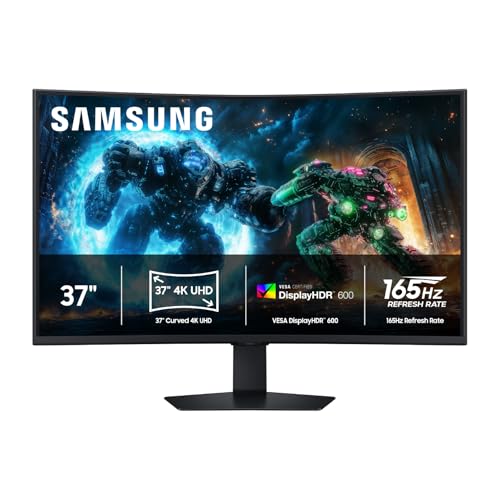
Samsung 37″ Odyssey G7 4K — Near-size exception: 37 inches, not 40
This review begins with the label the whole guide insists on: the monitor in this section is thirty-seven inches. It is not a 40-inch monitor, it is not “close enough” to be renamed, and it appears here for one stated reason — buyers shopping the 40-inch class will meet this 37-inch Odyssey G7 in their search results, and its specification is close enough in spirit to deserve an honest comparison rather than a silent omission. Readers with a hard 40-inch requirement should stop here and choose among the five picks above.
For cross-shoppers, the 37-inch G7’s title offers a curved 4K UHD gaming panel at 165Hz with a 1ms response time (GtG), VESA DisplayHDR 600 and AMD FreeSync Premium Pro — model LS37FG75DENXZA. Against its 40-inch sibling, the trade is explicit: three fewer inches of width, a 4K resolution tier in place of WUHD, and 165Hz in place of 180Hz, wrapped in the same flagship HDR and sync claims. A 37-inch 4K panel is also denser per inch than the larger screens here, which some players prefer for sharpness, and its slightly smaller footprint suits desks that measured a 40-inch cabinet and flinched.
The verdict is therefore conditional by design. If the number forty is a preference rather than a requirement — if what you actually want is a large, curved, flagship-grade gaming screen and the tape measure is negotiable — this 37-inch monitor competes with the 40-inch five on specification and may win on density or desk fit. If forty is a requirement, it is not a candidate at all, and no review should talk you out of your own requirement. This guide’s promise stands: it has been called 37 inches in every mention, and it always will be.
There is a broader shopping lesson folded into this exception, and it is worth extracting before the guide moves on. Product families reuse names across sizes — a G7 is a G7 at 37 inches and at 40 — and marketplaces sort by family keywords rather than by tape measure. The defence is a habit, not a tool: when size is the criterion, read the size in the title of the exact listing you are buying, and distrust any roundup, including ones less careful than this, that lets a family name stand in for a measurement. Samsung prints the size honestly in both G7 titles in this guide; the 37-inch model is not a deception, merely a neighbour. Neighbours deserve accurate addresses. Buyers who follow that habit will never need a guide’s exception labels — but as long as families span sizes, careful guides will keep printing them.
- Panel: 37-inch curved — not a 40-inch monitor
- Resolution: 4K UHD
- Refresh rate: 165Hz
- Response figure stated in title: 1ms (GtG)
- HDR: VESA DisplayHDR 600
- Sync: AMD FreeSync Premium Pro
Strengths
- Flagship HDR and sync claims — DisplayHDR 600 and FreeSync Premium Pro — at 37 inches.
- 4K density at 37 inches is sharper per inch than the larger panels here.
- A slightly smaller footprint suits desks that cannot take a full 40-inch cabinet.
Trade-offs
- It is 37 inches; buyers with a firm 40-inch requirement should not consider it.
- 165Hz trails its 40-inch sibling’s 180Hz figure.
- No port, colour or stand details are printed in the title.
Best for: cross-shoppers whose size requirement is flexible and who value 4K density plus flagship HDR. Not suited for: any buyer whose requirement is genuinely, specifically forty inches.
Comparison: the 40-inch class and its exception
| Monitor | Size | Resolution | Refresh rate | HDR claim in title |
|---|---|---|---|---|
| Samsung Odyssey G7 (LS40FG75DENXZA) | 40-inch | WUHD | 180Hz | VESA DisplayHDR 600 |
| INNOCN 40C1R | 40-inch | 3440×1440 | 144Hz | HDR400 |
| MSI MAG 401QR | 40-inch | 3440×1440 | 155Hz | HDR400 |
| INNOCN 40C1R Max | 40-inch | 3440×1440 | 200Hz | HDR400 |
| INNOCN 5K Ultrawide | 40-inch | 5K | 115Hz (100Hz default) | HDR400 |
| Samsung Odyssey G7 (LS37FG75DENXZA) | 37-inch — exception | 4K UHD | 165Hz | VESA DisplayHDR 600 |
What graphics card does a 40-inch gaming monitor actually need?
Work from the pixel count, not the inches. The three 3440×1440 picks push about five million pixels per frame — roughly 1.8 times a 1440p monitor’s load. A current mid-range card sustains high refresh in esports and well-optimised titles at that count, and respectable rates in heavier games with settings judgement. The WUHD Samsung and the 5K INNOCN climb well beyond that, into territory where high-end cards earn their price and where features like upscaling stop being optional garnish. The 37-inch exception’s 4K sits in the same demanding band. None of this makes the sharper panels bad buys; it makes them paired purchases, and the honest time to price the pair is before the monitor arrives.
Refresh expectations should be set per genre. Competitive titles are light by design and will let a 200Hz panel show its worth on modest hardware. Cinematic titles are heavy by design and will not, on any hardware, at these resolutions — there, the panel’s size, curve and HDR tier are the experience, and a 90-frame average on a 40-inch canvas is a triumph, not a shortfall. Buyers who understand which genre rules their library will choose between the speed ladder and the resolution ladder correctly the first time, which is the entire point of laying the two ladders side by side in this guide.
A word about upscaling belongs in any honest hardware discussion at these sizes. Modern rendering techniques let a card compute a scene below the panel’s native resolution and reconstruct it upward, recovering frame rate at a modest cost in fine detail. At 40 inches that trade is unusually palatable: the reconstructed image still fills the same grand canvas, and the softness, such as it is, reads as atmosphere rather than failure in most titles. Players should nonetheless buy the panel their card can feed natively in their favourite genre, treating upscaling as the bridge for the heaviest releases rather than as the plan. A monitor chosen on that basis never feels like an overdraft; a monitor chosen assuming reconstruction everywhere eventually meets the game that exposes the assumption.
How do you fit a 40-inch monitor into a real room?
Measure three things before ordering: the desk’s depth, the distance from your seated eye position to the wall or obstruction behind the desk, and the width of the path the box must travel to reach the room. A 40-inch ultrawide wants its viewer roughly an arm’s length and a half away; shallower desks can recover distance with a wall mount or an arm that parks the panel over the desk’s rear edge — two of the INNOCN titles state mountable designs, and the MSI and Samsung buyers should confirm mounting details with the manufacturers. Height matters as much as distance: the centre of a panel this wide should sit at or just below eye level, or the curve’s edges will live at the edge of comfortable vision.
Then plan the light. A metre of glass collects reflections from every window and lamp in the room, and curved panels gather them from a wider arc. Position the desk so the main window is to the side, keep a lamp behind the panel rather than in front of it, and expect to adjust brightness by time of day. None of this is exotic — it is the same discipline as any large monitor, scaled by the size — but at 40 inches the difference between a placed screen and a plonked one is the difference between immersion and a very large mirror with a game faintly visible in it.
Curved or flat at forty inches?
Every pick in this guide’s flagship tier is curved, and the reason is geometry rather than fashion. A flat metre-wide panel places its edges noticeably further from your eyes than its centre, which softens focus and colour at the extremes of your vision; a curve brings the edges forward into a more uniform distance, so the whole canvas sits inside the zone your eyes handle without effort. For immersive and simulation play — the genres this size exists for — that uniformity is the immersion. The curve’s cost appears in shared viewing and in precision work: a second person at an angle sees a distorted slice, and designers aligning long straight elements sometimes prefer a flat reference, one reason the resolution-first INNOCN courts editors with PIP modes rather than promises.
The practical advice is to match the curve to the chair count. Solo cockpit, curved without hesitation. Shared desk or frequent over-the-shoulder review, sit in front of one before committing, and weigh the flat alternatives from neighbouring guides. Either way, the curve decision should be made with your room and your genres in view — not from a product photo, where every panel looks like the answer.
How should you choose between refresh rate and resolution?
Let your three most-played games vote. Fast, competitive, camera-whipping titles convert refresh rate directly into performance and feel; slow, scenic, detail-dense titles convert resolution into beauty and barely notice the rate above a smooth baseline. Count honestly — most libraries lean one way, whatever their owners claim — and then read this guide’s ladder accordingly: the 200Hz Max and the 155Hz MSI serve the first library, the 5K INNOCN and the WUHD Samsung serve the second, and the 144Hz 40C1R stands at the crossing for libraries that genuinely split. Your graphics card casts the deciding vote when the library abstains: a mid-range card argues for 3440×1440 at the rate it can feed, a high-end card unlocks the sharper panels without apology.
One refinement for buyers who play both ways across a week: resolution ages better than refresh. A sharper panel flatters every future graphics card you will own, while a faster panel’s ceiling is only as useful as the rates your games reach. That asymmetry nudges long-term keepers toward the resolution ladder and frequent upgraders toward whichever ladder their current card climbs best. Neither answer is a compromise — both are the correct response to a stated library and a stated rig, which is all this guide has ever asked buyers to bring to it.
What should you set up first when a 40-inch monitor arrives?
Resist the game launcher for ten minutes. Set the panel’s height and distance first, while the desk is still clear: centre at or just below eye level, far enough back that the curve’s edges sit inside a comfortable glance. Connect with the cable that carries the full specification — DisplayPort for the high-refresh PC connection on the picks that name it — rather than the lead that happens to be in the drawer, because a lesser cable will quietly cap the refresh rate and the panel will be blamed. In the operating system, set the native resolution and the highest refresh the pairing sustains, and confirm the figure in the display settings rather than trusting the box.
Then configure the sync and the picture. Enable FreeSync or G-SYNC compatibility to match your graphics card, in both the card’s control panel and the monitor’s own menu where required. Choose the colour mode you will actually live with, set brightness for the room’s evening state rather than the showroom blaze, and only then launch a familiar game — one whose feel you know — to judge motion and scale against memory. A panel configured in that order shows its true character on day one; a panel judged through default settings and the wrong cable has been reviewed by its packaging, not by you.
Common Mistakes
Buying the size and forgetting the card is the category’s signature regret: a 5K or WUHD panel fed by a modest GPU delivers beautiful menus and compromised frame rates. The second mistake is its mirror — buying the 200Hz model for a library of slow cinematic games, paying for headroom no title in the collection will use. Both errors come from shopping the headline figure instead of the pairing, and both are avoidable by the genre audit described above.
Size confusion is the third trap, and this guide has fenced it as carefully as it can: a 37-inch monitor is a fine thing and a different thing. Check the size in the title of anything you order, especially within families like the Odyssey G7 where two sizes share a name and a design. Fourth, buyers underestimate the furniture — a 40-inch panel on a shallow desk, at reading distance, will fatigue eyes that a smaller screen never troubled. Finally, do not let HDR tiers blur: DisplayHDR 600 and HDR400 are different claims from different listings, and treating them as equivalent is how a buyer ends up judging HDR games on the tier that was only ever meant to accept the signal.
Final Recommendation
Choose your ladder. If speed is your language, climb the refresh ladder: the INNOCN 40C1R Max at 200Hz for competitive play, the MSI MAG 401QR at 155Hz for the brand-name centre, the INNOCN 40C1R at 144Hz for the best-documented all-round specification. If immersion and image are your language, climb the other: Samsung’s 40-inch Odyssey G7 for WUHD width with certified HDR, or INNOCN’s 5K model for the sharpest hybrid desk in the class. And if your tape measure turns out to be negotiable, the 37-inch Odyssey G7 — thirty-seven inches, stated plainly one last time — offers flagship HDR and 4K density in a slightly smaller cabinet. The 40-inch class rewards buyers who know which ladder they are on; pick yours, feed it properly, and a metre of curved glass will do the rest.
If a single default must be named for the undecided, it is the INNOCN 40C1R: the complete title, the attainable resolution, the rate most rigs can feed, and adjustment and mounting both in writing. Defaults exist to be departed from for stated reasons — speed, sharpness, brand, flagship HDR — and this guide has given each departure its own review and its own evidence. What it will not do is pretend the class is larger or more varied than it is. Five honest forties and one honestly labelled thirty-seven: that is the whole shelf, and for the right desk, it is enough. Order with the room measured, the card audited and the genre list counted, and the monitor that arrives will feel less like a gamble and more like the piece of furniture your games had been waiting for all along.
Frequently Asked Questions
Is 40 inches too big for a desk?
It is the upper edge of desk-practical, and the answer depends on depth more than width. With roughly an arm’s length and a half between eyes and panel, a 40-inch ultrawide fills peripheral vision pleasantly; on a shallow desk it overwhelms. Measure before ordering, consider a mount or arm to reclaim distance, and remember the 37-inch exception in this guide exists partly for desks that fail the 40-inch measurement.
Why are there three INNOCN models in a six-monitor guide?
Because the verified 40-inch gaming market is genuinely that concentrated. Rather than pad the guide with office panels or smaller screens mislabelled as 40-inch, this guide reviews the real field: three INNOCN variants at different speed and resolution points, MSI’s brand-name entry, Samsung’s flagship, and one labelled 37-inch exception. Concentration is a fact about this niche, and the reviews differentiate the siblings carefully so the repetition is informative rather than lazy.
Does a 40-inch ultrawide need a stronger graphics card than a 27-inch monitor?
It needs more pixels pushed per frame, and the honest comparison is against 4K rather than against 1440p. A 3440×1440 panel carries roughly a third more pixels than a 2560×1440 screen, yet still about a third fewer than a full 3840×2160 4K panel, so a card that holds your target frame rate at 4K will generally breathe easier here, while a card tuned exactly for 27-inch 1440p will feel the extra width in demanding titles first.
What is the difference between the INNOCN 40C1R and the 40C1R Max?
Priorities. The 40C1R runs 144Hz with a 95% DCI-P3 colour figure and 500-nit brightness printed in its title — the balanced, work-friendly specification. The Max runs 200Hz with 99% sRGB and adds built-in speakers — the speed-led specification. Same 40-inch 3440×1440 canvas, different dials turned up. Choose by whether your second use is colour work or faster games.
Can a console drive one of these monitors?
Consoles connect over HDMI, which several titles here name — including HDMI 2.1 on the INNOCN 5K model — but consoles output 16:9 pictures, so on a 21:9 panel expect side bars or a stretched image depending on settings. These are PC-first monitors; console players should treat them as large displays with compromises, or look at the 37-inch exception’s 4K 16:9-friendly format as the more natural console partner among this guide’s picks.
Is HDR400 worth anything, or should I insist on DisplayHDR 600?
HDR400 is the entry tier: it certifies a baseline the panel must meet, but the HDR experience it delivers is modest. DisplayHDR 600, carried by both Samsung picks here, certifies meaningfully higher brightness and contrast behaviour, and HDR games look correspondingly more convincing. If HDR gaming is a headline reason for your purchase, the 600-tier picks justify themselves; if HDR is a bonus on a speed-led panel, HDR400 is an honest extra rather than a deception.
Why does the INNOCN 5K title mention a 100Hz default?
Because its 115Hz figure is a mode above the panel’s default 100Hz operation, and INNOCN prints that caveat in the title itself — unusually honest labelling that this guide preserves rather than smoothing over. Expect to enable the higher rate in settings and confirm your cable and source sustain it. A title that warns you is a title you can trust about the rest.
Do I need a monitor arm for a 40-inch panel?
Not necessarily, but measure the supplied stand’s world before deciding. Where a title states height adjustment — the INNOCN 40C1R prints it — the factory stand covers most desks. Where adjustment is tilt-only, as the MSI title states, or unstated, an arm rated for the panel’s weight buys back height control and desk depth in one move; several titles here state mountable designs outright. Buy the monitor first, live with the stand for a week, and let your neck file the report.
Is 3440×1440 still worth it beside the 5K model?
Emphatically, for most rigs. It is the resolution current mid-range cards can drive at genuinely high refresh, which makes the three 3440×1440 picks the attainable heart of this category. The 5K model serves a different master — detail — at a heavier hardware price. Worth is a pairing question, and for the majority of graphics cards in service today, 3440×1440 is the pairing that honours both the panel and the card.
How long will a 40-inch gaming monitor stay relevant?
Longer than most components in the rig. Graphics cards cycle every few years; a panel’s resolution and size remain satisfying across several of those cycles, which is why this guide weighs resolution choices by how they age. The 3440×1440 picks will be fed ever more easily by future cards, the 5K and WUHD picks will grow into the hardware coming for them, and the connection sets printed here — HDMI 2.1, DisplayPort, USB-C — are the current standards rather than experiments. Buy the size and resolution your desk and library want, and the monitor will likely outlast two computers.
Should I choose the Samsung flagship or save toward a better graphics card?
That is the sharpest budget question in this category, and the honest answer is sequential: the card first, if the current one cannot feed WUHD respectably, because a flagship panel starved of frames shows its price without its virtues. The INNOCN 40C1R exists precisely for the buyer who splits the difference — a complete 40-inch experience now, at a load today’s card can carry, with the flagship remaining available when the rig catches up. Buyers whose card is already high-end should invert the order without guilt: the 40-inch Odyssey G7’s specification will use everything the card offers, and panels outlast cards anyway. The mistake is only ever buying both halves of the pairing in the wrong order for your shelf of games.
What does 21:9 mean for older games?
Most modern titles support the 21:9 frame natively and simply show more of the world at the sides. Older games vary: some scale correctly, some add bars, and a few stretch unless a community fix adjusts them. On a 40-inch panel even a barred 16:9 picture remains large, so the practical penalty is small — but players whose library leans heavily on classics should expect the occasional workaround, and should weigh the 37-inch exception’s conventional 4K frame as the zero-fuss alternative for retro-heavy collections.
Related Guides
Large-screen players often split their setup between a gaming panel and a precision screen, and our monitors for 3D modeling and rendering guide covers the colour-first side of that pairing. When the games move from desk to wall, the quiet projectors roundup applies the same title-evidence discipline to home cinema. And for family rooms where the big screen is shared, our projectors for kids guide sorts the safe, simple options from the serious ones.


