What's inside
- Where to Buy
- Key Takeaways
- Quick Picks
- How We Chose These Picks
- Comparison
- How to Choose a 34-Inch Curved Monitor
- Is One 34-Inch Ultrawide Really Better Than Two 27-Inch Monitors?
- What Graphics Card Does a 3440×1440 Monitor Actually Need?
- Why Do Ultrawide Titles Disagree About Their Own Numbers?
- How Do You Arrange Windows on a 34-Inch Ultrawide?
- What Should You Check in the First Week With a New Ultrawide?
- Should a 34-Inch Curve Sit on Its Stand or on an Arm?
- Common Mistakes When Buying a 34-Inch Curved Monitor
- Final Recommendation
- Frequently Asked Questions
- Related Guides
As an Amazon Associate I earn from qualifying purchases. This post may contain affiliate links at no extra cost to you.
widgetverdict.com is reader-supported. When you buy through links on our site, we may earn an affiliate commission.
Where to Buy
All six ultrawides below are Amazon listings, and each name opens its own page. The Sceptre 34-inch ultrawide C345B-QUT168 is the value entry — check the current price on Amazon before comparing it with its near-namesake further down. Speed leads to the Alienware AW3426DWM listing, while laptop owners should open the LG 34WR55QK-B page for its USB-C terms. The SANSUI 34-inch 200Hz and the Sceptre 34-inch 180Hz sit in the fast middle; Amazon shows today’s figure for each. The Samsung ViewFinity S5 closes the list — verify its price on the listing against the model code LS34H550GANXZA.
Shoppers hunting the best 34 inch curved monitors are really hunting one thing in six costumes: a single screen wide enough to end the two-monitor era on their desk. Every pick here is a 21:9 ultrawide built around the same working width, and most share the 3440×1440 grid that has become the class standard. What separates them is temperament. Two Sceptres chase value and speed with speakers included, Alienware builds the flagship gaming panel, LG builds the laptop dock, SANSUI builds the fast all-rounder, and Samsung builds the calm office screen.
One warning belongs at the top, because this category manufactures it industrially: two of these six monitors share a model name. The Sceptre C345B-QUT168 appears twice in this guide with different colour figures — 99% sRGB in one title, 100% sRGB in the other — because Sceptre sells variants under one family name across model years. They are reviewed as the separate listings they are, and the lesson generalises: on a 34-inch purchase, the full model code and the exact title in the cart are the product, and everything else is a family resemblance.
Panel honesty, briefly. Curved ultrawides are VA territory, and only Alienware prints VA in its title; the rest stay silent and their spec boxes record the silence. Nothing on this page should be read as an IPS recommendation. Buyers who need IPS stated in writing will find the handful of titles that claim it — all of them LG or Nano IPS — gathered honestly in the curved IPS guide linked below, where the VA flagships are presented as what they are rather than dressed as something else.
Key Takeaways
- Four picks print the full 3440×1440 grid in their titles; the Alienware and the Samsung state WQHD/QHD class without the numerals, and their spec boxes say so.
- The Alienware AW3426DWM is the speed and colour flagship: 240Hz, a stated VA panel, 95% DCI-P3 and a 400 cd/m² brightness claim.
- The LG 34WR55QK-B is the only pick with USB-C power delivery — 65W, enough to charge most laptops from the monitor.
- Two Sceptre variants share the C345B-QUT168 name with different sRGB figures; order by the exact listing, never by the family name.
- Built-in speakers appear only in the two Sceptre titles; the other four leave audio to you.
- Curve radius splits the group: 1500R on both Sceptres and the Alienware, 1800R on the LG, and unstated in the SANSUI and Samsung titles.
Quick Picks
| Pick | Badge | Why it earns a place |
|---|---|---|
| Sceptre 34-inch Curved Ultrawide WQHD Monitor | Value ultrawide with speakers | 3440×1440 at up to 180Hz, twin DisplayPorts and built-in speakers on a 1500R bend. |
| Alienware 34 Gaming Monitor AW3426DWM | Flagship gaming panel | A stated VA panel at 240Hz with 95% DCI-P3, 400 cd/m² and VESA 100×100 mounting. |
| LG 34WR55QK-B UltraWide Monitor | The laptop dock | 3440×1440 at 100Hz with USB-C 65W charging and an 1800R curve for long workdays. |
| SANSUI 34-Inch Curved Gaming Monitor 200Hz | Fast all-rounder | 200Hz with PBP, DCI-P3 97% and twin HDMI 2.1 ports for PC plus console. |
| Sceptre 34-Inch Curved Ultrawide WQHD Monitor 180Hz | Fullest colour claim | 100% sRGB in the title, up to 180Hz, twin DisplayPorts and speakers. |
| Samsung ViewFinity S5 34 Ultrawide | Calm office screen | 120Hz with FreeSync Premium from Samsung’s ViewFinity work line. |
How We Chose These Picks
The 34-inch curved class is narrow enough that a guide can be honest about the whole shelf, and this one tries. The six were chosen to span the class’s real temperaments rather than its marketing tiers: value, flagship, dock, all-rounder, variant and office. Any ultrawide that duplicated another’s proposition was cut, however strong its numbers, because a roundup of six near-identical panels teaches a reader nothing except that the category has a centre.
Every specification below was taken from the listing title of the exact variant and nothing else. That discipline bites hardest in this category, where manufacturers revise panels under stable names. The two Sceptres are the standing example: same family code, different colour claims, both reported as printed. Where a title withholds a figure — the SANSUI’s curve radius, the Samsung’s numeric resolution, panel types on five of six — the spec box records the gap in the standard wording rather than importing a number from a review, a sibling or a previous model year.
Refresh rate was weighed against the resolution every pick shares. A 3440×1440 panel carries about two and a half times the pixels of a 1080p screen, so the rates here — 100Hz to 240Hz — ask real work of a graphics card, and the reviews discuss feedability model by model instead of treating the ceiling as a personality trait. The office picks were judged by a different column entirely: the LG by its charging cable, the Samsung by its calm, because a work ultrawide succeeds in meetings and documents, not in frame counters.
Each pick, finally, had to earn the desk it consumes. Thirty-four curved inches is a furniture commitment — roughly eighty centimetres of width and a meaningful depth — and a screen that cannot explain what it does with that territory better than two smaller monitors does not belong in the guide. The six below each have an answer, and the answers are different enough that the reader’s own desk, honestly described, will pick its winner.

Sceptre 34-inch Curved Ultrawide WQHD Monitor (C345B-QUT168) — Value ultrawide with speakers
Sceptre’s 34-inch ultrawide is the class’s entry ticket, and its title is generous for the tier: the full 3440 × 1440 grid, an R1500 curve, refresh stated as up to 180Hz/165Hz, two DisplayPort inputs, 99% sRGB coverage, a 1ms claim and built-in speakers. Read the refresh wording the way this guide reads every layered figure — the ceiling depends on connection and settings, with the lower number the working expectation — and the package still amounts to the complete ultrawide proposition, gaming-leaning, at the shelf’s most approachable end.
The twin DisplayPorts deserve their sentence. A gaming PC on one and a work laptop or a second machine on the other turns the panel into the desk’s shared centre, and the speakers remove the last piece of extra hardware a wide screen usually demands — on a desk already surrendering eighty centimetres to glass, not needing speaker boxes at either end is a spatial mercy as much as a saving. The 1500R bend suits the format’s gaming heart: strong enough to pull the edges of a racing cockpit into peripheral vision, at a size where the bow it gives spreadsheet lines is the known and accepted toll.
Feeding the panel is the buyer’s half of the bargain. Triple-digit frame rates at 3440×1440 belong to capable graphics hardware, and owners of modest cards should expect to trade settings for smoothness — a trade this resolution rewards, since the grid has detail to spare. Films and streamed video letterbox on any 21:9 screen, and older games occasionally need coaxing into the aspect ratio; those are the format’s terms, charged by every pick in this guide equally.
Suits the first-time ultrawide buyer best: one screen for work width and game immersion, speakers included, a second DisplayPort waiting for the next machine. Shoppers who read the variant warning at the top of this guide should compare this listing’s 99% sRGB figure with its namesake below before ordering — the difference is small, but the habit of checking is the entire point, and this pair of Sceptres is where the habit is cheapest to learn.
Longevity thinking favours the complete package. A screen with two modern inputs, honest colour coverage and its own audio can migrate from gaming desk to family computer to a teenager’s first rig without an accessory hunt at any border, and ultrawides bought as experiments get rehomed more than any other size class. The Sceptre’s completeness is therefore not a list of small generosities; it is the reason this particular panel will still be plugged into something, somewhere in the house, long after faster glass takes its first desk.
- Size and resolution: 34 inches, WQHD 3440 × 1440
- Curve radius: R1500
- Refresh rate: up to 180Hz/165Hz (per listing title)
- Response: 1ms
- Colour: 99% sRGB
- Inputs and audio: DisplayPort x2, built-in speakers
- Series: C345B-QUT168, Machine Black, 2025
- Panel type: Not stated in the listing title — verify with the manufacturer documentation
Strengths
- The complete ultrawide package — speed, width, speakers — at the class’s entry end.
- Twin DisplayPorts suit a gaming PC plus a second machine.
- The full numeric resolution is printed in the title.
Trade-offs
- The headline refresh is an up-to figure tied to settings and connection.
- No USB-C is claimed, so laptops keep their own chargers.
- High frame rates at this resolution demand a capable graphics card.
Best for: a first ultrawide that must cover workdays and game nights on one panel. Not suited for: a one-cable laptop desk, because this title offers no USB-C charging and the LG below exists for exactly that desk.

Alienware 34 Gaming Monitor AW3426DWM — Flagship gaming panel
Alienware’s AW3426DWM is the specification the rest of this guide is measured against. The title states a WQHD VA panel — the only pick here that names its panel type — running at 240Hz with a 1ms claim on a 1500R curve, and then keeps going: 95% DCI-P3 colour, 400 cd/m² brightness, a 3000:1 contrast ratio, a 178° viewing angle and VESA Mount 100×100 compatibility. Brightness and gamut at those levels move the panel beyond pure gaming into territory where films look rich and colour-adjacent work stops apologising, while the stated mounting pattern ends the arm question before it starts.
The 240Hz figure at WQHD is a serious promise with a serious condition. Sustaining anything near it at 3440×1440 takes a flagship-class graphics card in competitive titles and a strong one everywhere else; owners of mid-range hardware will live at lower rates that still feel fluid, and should buy this panel for the whole specification — colour, brightness, contrast, mounting — rather than for a ceiling their card will visit only in menus. Bought that way, the Alienware is not an extravagance; it is the class’s most complete single purchase.
Two title silences keep the review honest. The numeric resolution is not printed — WQHD is the class label, and the spec box records the numerals as unstated rather than assuming the class standard — and no speakers or USB-C are mentioned, so audio and laptop charging are arrangements the buyer makes separately. On a flagship gaming desk those are normal arrangements; on a minimalist laptop desk they are the reason the LG exists.
Suits the committed gaming desk best: a powerful PC, a centred chair, an arm waiting for the confirmed 100×100 pattern, and games that reward both speed and scenery. The wide gamut and brightness also make it the pick most likely to satisfy the player who edits video or grades photos on the same screen, within the honest limits of a VA panel. Buyers whose work is colour-critical above all should still read the IPS guide linked below — but they should read it knowing this is the VA flagship they are declining, and what it costs to decline it.
There is a posture dividend built into the numbers. A bright, high-contrast panel at 1500R holds its picture at the edges of a wide frame better than dimmer rivals, so the glance that replaces a lean stays a glance late in the evening, when brightness margins are what separate a screen that still looks right from one that has started to glare and fade at its extremes. Flagship specifications are often vanity; these particular ones are stamina, and stamina is what a five-year desk purchase is actually made of.
- Size and class: 34 inches, WQHD
- Panel type: VA (stated in the listing title)
- Refresh rate: 240Hz
- Response: 1ms
- Curve radius: 1500R
- Colour: 95% DCI-P3
- Brightness and contrast: 400 cd/m², 3000:1
- Viewing angle: 178°
- Mounting: VESA Mount 100×100
- Numeric resolution: Not stated in the listing title — verify with the manufacturer documentation
Strengths
- The fastest refresh rate and widest gamut in the class here.
- The panel type is stated outright — VA, no decoding required.
- VESA 100×100 mounting is confirmed in the title.
Trade-offs
- 240Hz at WQHD needs flagship graphics hardware to approach.
- Numeric resolution is not printed in the listing title.
- No speakers or USB-C are mentioned in the listing title.
Best for: a high-end gaming PC desk that also handles films and creative work. Not suited for: a laptop-first minimalist desk, since this title offers neither USB-C charging nor built-in speakers.

LG 34WR55QK-B UltraWide Monitor — The laptop dock
LG’s 34WR55QK-B is what happens when an ultrawide is designed by people who watch laptop owners arrive at desks. The panel is a 34-inch WQHD screen — 3440 x 1440 printed in full — on an 1800R curve at 100Hz, and the title’s decisive line is USB Type-C with PD 65W: one cable from the laptop carries the picture out and the charge in, and the desk’s morning ritual collapses from three plugs to one. HDR10, sRGB 99% (Typ.), OnScreen Control for window layouts and Reader Mode for document hours complete a specification aimed at work first and everything else respectably.
The 1800R radius is the correct bend for this brief. At a work desk the gentler arc keeps long lines calm, pulls the far edges of a wide canvas toward a single reading distance, and tolerates the occasional second viewer better than the 1500R gaming picks — a colleague reading over a shoulder gets a picture, not a geometry lesson. The 100Hz refresh is the office-appropriate figure: visibly smoother than the 60Hz panels this screen replaces, without pretending to an esports ceiling its buyer never asked for.
Charging wattage deserves one practical check. Sixty-five watts covers the great majority of laptops, including most 13- and 14-inch machines under load; large workstation laptops with hungrier adapters may still want their own brick for peak work, with the monitor’s cable handling everything else. That is a footnote, not a flaw — the single-cable desk survives it — but it is cheaper learned from this paragraph than from a battery icon at four in the afternoon.
Suits the laptop-based professional best: consultants, hybrid workers, anyone whose computer leaves the desk at night and returns in the morning. Desktop-tower owners gain less, since the charging is wasted on them, though the calm curve and the layout software still argue politely. Gamers should note the 100Hz ceiling and the absence of any sync technology in the title, and weigh the SANSUI or the Alienware if evenings outrank mornings in their house.
Ownership details compound quietly in this pick’s favour. One panel means one calibration, one power supply and one cable run to keep tidy; OnScreen Control’s saved layouts mean the morning’s window arrangement is a click rather than a ritual; and a screen bought for a laptop survives the laptop’s replacement, since USB-C docks outlive the machines that plug into them. The LG is the least theatrical purchase in this guide and, for the desk it describes, very likely the most used one — eight hours a day of being exactly right beats an evening of being spectacular.
- Size and resolution: 34 inches, WQHD 3440 x 1440, 21:9
- Curve radius: 1800R
- Refresh rate: 100Hz
- HDR and colour: HDR10, sRGB 99% (Typ.)
- USB-C: USB Type-C PD 65W
- Inputs: HDMI, DisplayPort, USB Type-C
- Features: OnScreen Control, Reader Mode
- Panel type: Not stated in the listing title — verify with the manufacturer documentation
Strengths
- USB-C 65W charging makes the true one-cable laptop desk.
- The 1800R curve is the calmest geometry in the group for documents.
- OnScreen Control formalises the side-by-side window working style.
Trade-offs
- 100Hz is the ceiling, modest beside the gaming picks.
- Adaptive sync is absent from the title.
- Speakers are not mentioned in the listing title.
Best for: a laptop worker who plugs in once in the morning and leaves with one cable pulled. Not suited for: a competitive gaming desk, because 100Hz with no named sync technology leaves the Alienware and SANSUI rates unchallenged.

SANSUI 34-Inch Curved Gaming Monitor 200Hz — Fast all-rounder
SANSUI’s 34-inch entry splits the difference between the Sceptres’ value and the Alienware’s flagship, and its title is a small feast: UWQHD 3440 x 1440 in full numerals, a 200Hz refresh rate, PBP for split-screen sources, OD 1ms response, HDR, 300 nits of brightness, 130% sRGB with DCI-P3 97%, an AI Crosshair feature, and a port selection that reads like a peace treaty between platforms — HDMI 2.1 twice over, plus DP 1.4. Twin HDMI 2.1 sockets matter beyond their speed: they let a console and a second modern source both connect at full capability, where lesser ultrawides ration their best port to the PC alone.
The colour claims are the surprise in a gaming title. DCI-P3 97% alongside 130% sRGB puts this panel’s stated gamut in the Alienware’s neighbourhood rather than the value tier’s, which widens its brief from fast games to films and creative hobbies without changing its gaming heart. PBP extends the same generosity to sources: two machines can share the canvas, a work laptop holding one half while the gaming PC idles on the other, and the screen stops caring which of its owner’s lives is currently winning.
The title’s one significant silence is the curve radius — the monitor is a curved ultrawide by listing and by name, but no R figure is printed — so the spec box records the gap in the standard wording, and radius-first shoppers should confirm the figure on the listing page against the model before ordering. No speakers are mentioned either, an ordinary omission in this class that still belongs in the buyer’s arithmetic if the desk currently relies on monitor audio.
Suits the two-platform household best: a gaming PC and a current console sharing one wide screen, with a work laptop occasionally splitting it. Against the Alienware, the exchange is honest — forty fewer hertz and a lower brightness claim, in return for the friendlier ports and PBP. Against the Sceptres, the SANSUI argues colour and console-readiness. It is the pick for the reader who kept nodding at every review and objecting to each one’s particular sacrifice; all-rounders exist for exactly that reader.
Think, finally, about the evenings this screen is shaped for. A console match on one HDMI, a PC session on DisplayPort, a film after both — the SANSUI’s port generosity means the panel’s menu, not the cable drawer, mediates the household’s turns. Wide screens fail socially when switching sources is a chore performed behind the desk; they succeed when it is a button. On that measure, which decides more real satisfaction than any gamut figure, this SANSUI is engineered with unusual empathy for the room it will live in.
- Size and resolution: 34 inches, UWQHD 3440 x 1440
- Refresh rate: 200Hz
- Response: OD 1ms
- Brightness: 300 nits
- Colour: 130% sRGB, DCI-P3 97%
- Inputs: HDMI 2.1 x2, DP 1.4
- Features: PBP, HDR, AI Crosshair
- Curve radius: Not stated in the listing title — verify with the manufacturer documentation
- Panel type: Not stated in the listing title — verify with the manufacturer documentation
Strengths
- Twin HDMI 2.1 ports treat a console as a first-class source.
- DCI-P3 97% colour claims rival the flagship’s territory.
- PBP lets two machines share the wide canvas at once.
Trade-offs
- Curve radius: the title is silent.
- Brightness is claimed at 300 nits, below the Alienware’s 400.
- Speakers are not mentioned in the listing title.
Best for: a household where a gaming PC and a console share one ultrawide. Not suited for: a radius-first shopper who needs the bend confirmed in the title, since SANSUI leaves that figure to the listing page.
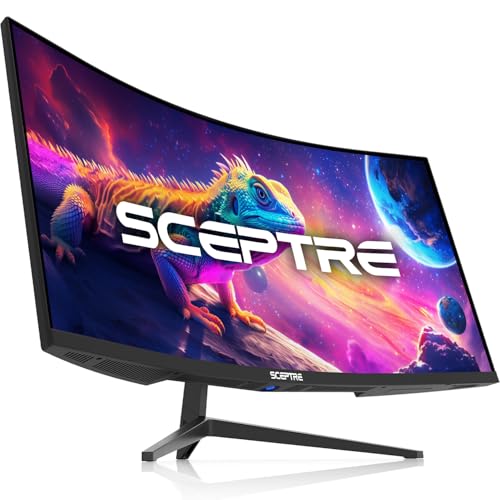
Sceptre 34-Inch Curved Ultrawide WQHD Monitor 180Hz — Fullest colour claim
The second Sceptre in this guide shares its family name — C345B-QUT168 Series — with the first, and the resemblance is deliberate on the manufacturer’s part and treacherous on the shopper’s. This variant’s title prints 100% sRGB where its namesake prints 99%, keeps the same 3440 x 1440 grid, the same R1500 curve, the same up-to-180Hz/165Hz refresh wording, the same twin DisplayPorts, 1ms claim and built-in speakers, and finishes in Black rather than Machine Black. Two listings, one name, a small spec drift between them: the category in miniature.
Judged on its own title rather than its sibling’s, this is a complete value ultrawide with the group’s fullest sRGB claim. The 100% figure matters to the buyer who edits photos at a hobby level or simply wants the streaming picture to arrive with its colours intact, and the rest of the package repeats the formula that makes the first Sceptre recommendable — width for work, speed for play, speakers so the desk needs nothing else plugged into it. The layered refresh wording gets the same reading as before: a ceiling with conditions, the lower figure the working expectation.
Why list both Sceptres at all? Because shoppers will meet both, often on the same search page, and a guide that pretended only one existed would leave its readers to discover the duplication at the worst moment — in the cart, or after delivery. The practical advice is mechanical: decide which variant’s title you prefer, then verify that the listing in the cart carries that exact title and series, and screenshot nothing, trust nothing, that cannot be matched character for character. Manufacturers revise variants; the discipline of matching them is the buyer’s only stable ground.
Suits the same first-ultrawide buyer as its namesake, with a tilt toward colour-sensitive hobbies. Between the two, the choice is a coin weighted by whichever listing’s terms please you on the day — and that is a legitimate outcome. The guide’s position is that either Sceptre, bought with open eyes and a matched model code, serves its desk well; the only losing move in this family is buying one while believing you had bought the other.
There is a broader comfort in this variant’s existence. A manufacturer maintaining two close variants of a value ultrawide is a manufacturer selling enough of them to bother, and volume at this tier means a deep bench of owner experience, available parts knowledge and community answers when a menu setting misbehaves in year two. Exotic one-off panels cannot offer that. The C345B family’s very commonness — the thing that makes its naming treacherous — is also the thing that makes owning either variant a low-drama proposition.
- Size and resolution: 34 inches, WQHD 3440 x 1440
- Curve radius: R1500
- Refresh rate: up to 180Hz/165Hz (per listing title)
- Response: 1ms
- Colour: 100% sRGB
- Inputs and audio: DisplayPort x2, built-in speakers
- Series: C345B-QUT168 Series, Black
- Panel type: Not stated in the listing title — verify with the manufacturer documentation
Strengths
- 100% sRGB is the fullest colour claim among the value picks.
- Speakers and twin DisplayPorts repeat the complete-package formula.
- The full numeric resolution is printed in the title.
Trade-offs
- Its name collides with a near-identical sibling listing.
- The refresh headline is an up-to figure, as with its namesake.
- No USB-C is claimed for laptop charging.
Best for: a first ultrawide buyer who edits photos and wants the fullest stated sRGB coverage. Not suited for: a shopper unwilling to verify the exact variant in the cart, because this family name covers two different listings.

Samsung ViewFinity S5 34 Ultrawide — Calm office screen
Samsung’s ViewFinity S5 closes the guide with the office’s own priorities. The title is the shortest here — a 34-inch Ultrawide QHD curved monitor at 120Hz with FreeSync Premium, model LS34H550GANXZA — and its brevity is almost a positioning statement: this is the ViewFinity work line, sold on the strength of a name that offices already buy, at a refresh rate that quietly doubles the 60Hz panels most workplaces still issue. The 120Hz figure deserves emphasis precisely because it is unglamorous; across a working week of scrolling, dragging and video calls, it is the upgrade every user feels and no user has to configure a game to enjoy.
FreeSync Premium is the title’s one gaming concession, and it is a sensible one — the office screen that can also play cleanly in the evening is the office screen that never needs replacing by a second, faster panel. Beyond that, the title declines to compete: no numeric resolution is printed beyond the QHD class, no curve radius is stated, no speakers, gamut or ports are enumerated. The spec box below therefore carries more not-stated lines than any other in this guide, and they are printed without embarrassment, because they describe the actual state of the evidence a buyer is given.
That thinness cuts two ways, and the review should say both. A buyer who needs a figure confirmed — the exact grid, the radius, the port list — must do that work on the listing page against the model code, and this guide will not do it for them by borrowing from Samsung’s wider catalogue. A buyer who trusts the ViewFinity line’s office brief and wants a known maker’s calm, fast-enough ultrawide may find the short title sufficient, particularly in workplaces standardising on one vendor for support reasons.
Suits the professional home office best: the desk where the monitor is equipment rather than entertainment, bought to be forgotten about for five years. It is also the natural fleet purchase in this group, the screen an office manager could issue by the dozen without a per-desk argument. Gamers and tinkerers will find the Alienware and SANSUI richer in everything they value; the Samsung’s reader is the person who values, above specifications, the absence of surprises.
Consider the support horizon as the closing argument. Screens from the largest makers carry the deepest benches of documentation, spare-part knowledge and IT familiarity, and a ViewFinity bought for an office will be troubleshot by people who have seen its siblings before. That institutional memory never appears in a specification table, yet it decides real ownership costs in workplaces. The S5’s short title is, in that light, less an omission than a different dialect — the dialect of equipment bought by organisations that already know what the name means.
- Size and class: 34 inches, Ultrawide QHD
- Refresh rate: 120Hz
- Sync: FreeSync Premium
- Model code: LS34H550GANXZA
- Numeric resolution: Not stated in the listing title — verify with the manufacturer documentation
- Curve radius: Not stated in the listing title — verify with the manufacturer documentation
- Panel type: Not stated in the listing title — verify with the manufacturer documentation
Strengths
- 120Hz doubles the office-standard refresh rate without gaming theatre.
- FreeSync Premium keeps evening play clean on the same panel.
- The ViewFinity line is built and supported as workplace equipment.
Trade-offs
- The title states neither the numeric resolution nor the curve radius.
- Ports, speakers and colour figures are all left to the listing page.
- Its specification is the least complete in this guide.
Best for: a professional home office or a small fleet buying a known maker’s work ultrawide. Not suited for: a buyer who wants every figure confirmed in the title before purchase, because this listing confirms fewer figures than any rival here.
Comparison
| Pick | Resolution | Curve | Refresh | Notable from title |
|---|---|---|---|---|
| Sceptre C345B-QUT168 (99% sRGB) | 3440 × 1440 | R1500 | up to 180Hz/165Hz | DisplayPort x2, speakers |
| Alienware AW3426DWM | WQHD | 1500R | 240Hz | VA panel, 95% DCI-P3, VESA 100×100 |
| LG 34WR55QK-B | 3440 x 1440 | 1800R | 100Hz | USB-C PD 65W, Reader Mode |
| SANSUI 34-inch 200Hz | 3440 x 1440 | Not stated in the listing title | 200Hz | HDMI 2.1 x2, PBP, DCI-P3 97% |
| Sceptre C345B-QUT168 Series (100% sRGB) | 3440 x 1440 | R1500 | up to 180Hz/165Hz | DisplayPort x2, speakers |
| Samsung ViewFinity S5 | Ultrawide QHD | Not stated in the listing title | 120Hz | FreeSync Premium, ViewFinity line |
Six ultrawides, one canvas, six temperaments — the table compresses them fairly. The Alienware leads on speed, colour and brightness; the SANSUI leads on ports; the LG leads on the only cable that charges; the Sceptres lead on completeness per tier; the Samsung leads on institutional calm. A reader who cannot decide from the reviews should decide from the row whose strongest column names the thing their desk complains about most.
The two not-stated cells and the two class-label resolutions are kept visible on purpose. Ultrawide marketing prefers a smooth table where every cell is filled; a buyer’s table should show its evidence. Where this comparison could not confirm a figure from the title, it prints the gap, and the listing page — checked against the model code — is where the gap gets closed before money moves.
How to Choose a 34-Inch Curved Monitor
Start by admitting what the screen replaces. If it replaces two monitors, the centre of the canvas becomes your main workspace and the flanks become reference — a layout that favours the calm radii and the window-management software in the LG and the Samsung. If it replaces one monitor and adds ambition, the gaming picks come forward, because the extra width will be spent on immersion more than on windows. The same 34 inches serve both futures; the buyer’s honesty about which future is theirs decides the model.
Resolution is mercifully settled in this class — 3440×1440 is the standard grid, printed in full by four titles here — so the real second decision is refresh against feedability. A 3440×1440 frame is heavy: competitive players should match the rate to their card’s actual output at this grid, and everyone else should notice that 100Hz to 120Hz already transforms desktop fluidity. The Alienware’s 240Hz is a flagship’s headroom, bought best by people who value the whole flagship rather than the number alone.
Third, count cables and sources. A laptop that must charge argues for the LG and ends the discussion. A console argues for the SANSUI’s twin HDMI 2.1. Two computers argue for twin DisplayPorts on the Sceptres or PBP on the SANSUI. A desk with no speakers argues for the two Sceptres that include them. Ultrawide regret is almost never about the panel; it is about the peripheral the panel made necessary or impossible, discovered a week late.
Finish with the room. Eighty centimetres of width, depth for the arc, a stand or arm that centres the glass on your eyes, and light controlled so the curve does not collect the window. Measure before the box arrives — this size class is the most returned in the monitor market, and the returns are overwhelmingly about fit, not picture. A 34-inch curve that fits its room disappears into the work; one that does not becomes furniture you negotiate with daily.
Is One 34-Inch Ultrawide Really Better Than Two 27-Inch Monitors?
For a single wide artefact, yes, and it is not close. A timeline, a DAW session, a spreadsheet that sprawls or a game world all live better on one continuous canvas with no bezel at its centre, and the posture argument compounds it: the main task sits dead ahead, shoulders square, with support material flanking instead of a second screen demanding a permanent twist. The six picks here are all, in that sense, arguments for the centred desk.
Two monitors keep real advantages, and honesty requires listing them. They offer more total pixels per budget, a natural hard split between machines or tasks, and graceful failure — one dark screen leaves a working desk. They also cost two stands, two power supplies and twice the cable management, and they put a seam where the ultrawide is seamless. Households with two computers in constant simultaneous use may still prefer the pair; households with one computer and wide work should take the single canvas and never look back.
What Graphics Card Does a 3440×1440 Monitor Actually Need?
Think in multiples. The grid carries roughly two and a half times the pixels of 1080p, so a card that holds a game at 240 frames in Full HD will hold the same game nearer 100 frames here at matched settings. For desktop work, films and strategy titles, modest modern hardware is entirely sufficient — the panel will look superb at 60 to 100Hz. For competitive play at the Alienware’s or SANSUI’s ceilings, the card needs to be from the strong end of recent generations, and settings will still negotiate.
The practical method is to test before the panel arrives. Run your main games at a 3440×1440 render scale if your current setup allows it, or read the requirement backwards from your 1080p frame rates with the multiple above. Then buy the screen whose ceiling your measured numbers can visit. Every review in this guide repeats the same sermon in different words because it is the class’s most expensive lesson: the monitor’s refresh figure is a ceiling, the card is the weather, and only one of them is in the box.
Why Do Ultrawide Titles Disagree About Their Own Numbers?
Because variants, regions and model years share names. A family like Sceptre’s C345B-QUT168 accumulates revisions — this guide lists two with different sRGB claims — and a title written for one revision gets photographed, copied and searched as if it described them all. Layered refresh figures have the same origin: one number for the standard connection, another for the ceiling under specific settings, both printed because both are defensible, with the larger one typeset by hope.
The buyer’s defence is procedural, not technical. Order by the full model code. Re-read the exact title of the listing in the cart. Treat any figure a title omits as unknown until the listing page confirms it against that code. Those three habits, applied to the six screens here, dissolve most of the category’s confusion — and they are the same habits this guide used to write its spec boxes, which is why several of those boxes contain the not-stated wording where a smoother guide would have printed a guess.
How Do You Arrange Windows on a 34-Inch Ultrawide?
The working pattern that converts sceptics is a three-zone layout: the main document or application in the centre third, where posture and the curve both point, reference material on one flank and communication on the other. LG’s OnScreen Control and the SANSUI’s PBP exist to formalise arrangements like this — saving the layout so the morning begins organised — but the habit matters more than the software. Owners who treat the panel as one very wide desktop, dragging windows wherever they land, report less benefit than owners who give the centre a job and defend it.
Text size is the second half of the arrangement. At 3440×1440 on 34 inches, default scaling suits most eyes at a normal desk distance, and the temptation to shrink everything to fit more on screen should be resisted for the first fortnight — the format’s gift is comfortable width, not microscopic density. Video calls deserve a deliberate choice too: place the call window off-centre and your gaze drifts from the camera, so calls belong in the middle, with the document demoted to a flank for the duration. Small disciplines, compounded daily, are what separate an ultrawide that feels like an upgrade from one that feels like a wider version of the old clutter.
What Should You Check in the First Week With a New Ultrawide?
Begin with the lines. Open a spreadsheet, a document with long horizontal rules and a photograph with a horizon, and look at each the way your work will look at them for years. The slight bow a curve gives straight content is either invisible to you by day three or it is not, and the return window is the time to learn which. Then check the edges: sit in your real chair, at your real hour, and read text in the far corners — the arc should keep it at a comfortable focus distance, and if the corners feel farther than the centre, the seating distance, not the panel, is usually the correctable variable.
Then work the machine’s checklist. Set the refresh rate in the operating system and confirm the panel’s menu reports the same figure. Test every input with its real cable, including the console’s and the laptop’s. Run a dark scene for backlight evenness and a bright one for glare from your room’s actual lights. Save your picture settings once satisfied. An ultrawide is a five-year fixture installed in an afternoon; the first week is when its few adjustable facts — distance, height, light, rate — get set, and setting them deliberately will shape your five years with the screen more than any figure on its box did.
Should a 34-Inch Curve Sit on Its Stand or on an Arm?
The stand-versus-arm decision shapes the desk more than any picture setting. A stand is simple, included and immovable in its footprint; an arm returns the entire area beneath the panel to the desk and lets height be tuned to the chair rather than to a moulded foot. Only the Alienware confirms its VESA pattern in the title — 100×100 — so arm buyers for the other five confirm pattern and weight rating on the listing page first, and should choose an arm rated comfortably beyond a 34-inch panel’s weight, because widescreen glass on an underspecified arm sags with a patience that outlasts every adjustment.
Height is the ergonomic core of the question. Curved glass assumes a centred viewer, so the panel’s middle belongs at or fractionally below eye level, tilted to face you squarely; a stand that cannot reach that position is not a saving but a riser waiting to be bought. Decide the mounting as part of the monitor purchase, price it in the same afternoon, and the ultrawide arrives to a desk already prepared for it — the difference between an installation and an ongoing negotiation with your own furniture.
Common Mistakes When Buying a 34-Inch Curved Monitor
Ordering by family name instead of model code. Two picks in this guide share the C345B-QUT168 name with different specifications. The code and the exact cart title are the product; the headline is a surname.
Buying a refresh ceiling the card cannot feed. At 3440×1440, ceilings are expensive to reach. Measure your hardware’s output at this grid before admiring 200Hz or 240Hz figures.
Forgetting the laptop’s charger. Only the LG here charges over USB-C. Every other pick leaves the laptop on its own adapter, which is fine — unless the one-cable desk was the whole plan.
Assuming speakers exist. Four of six titles mention no audio at all. A desk that relies on monitor speakers should start from the two Sceptres and argue outward.
Measuring the desk after the box arrives. Eighty centimetres wide and deep enough for the arc is a room requirement, not a suggestion. Fit failures, not picture failures, fill this class’s returns.
Final Recommendation
For the mixed desk that most readers actually own, the SANSUI 200Hz is the balanced buy: full numeric resolution, console-grade ports, wide colour claims and a rate strong hardware can use. Gamers with flagship cards should step up to the Alienware without hesitation — it is the class’s most complete panel — while laptop professionals should step sideways to the LG, whose charging cable will please them every single morning. The two Sceptres share the value honours and the speakers; choose between them by the exact title in the cart. The Samsung ViewFinity S5 serves the office that buys calm by the dozen.
What survives from this guide, if only one rule can, is the matching rule: match the model code character for character, match the refresh ceiling to the card you measured, and match the width to a desk you measured first — a 34-inch curve bought on those three matches becomes the centre of the room’s work for years, while one bought on a headline becomes a wide, curved reminder of the afternoon its buyer skipped the measuring.
One last consideration belongs to timing rather than specification. The ultrawide class renews itself in steady waves, and each wave makes the previous flagship’s figures look ordinary — which tempts buyers into waiting for a better ceiling at a lower tier, indefinitely. The desk in front of you has a shape and a workload today. Buy the screen those describe, from the six above, and the purchase will still be serving both long after the next wave has made its numbers look modest; waiting buys a specification, while buying buys the years of work the specification was for.
Frequently Asked Questions
Is 3440×1440 the same as 4K?
No. The 3440×1440 grid these ultrawides use is WQHD — wider than QHD, shorter than 4K UHD’s 3840×2160, and a different shape entirely at 21:9. The distinction matters when comparing across categories; readers chasing true 4K curved glass will find that separate field, from UHD desks to the dual-4K flagship, in the 4K guide linked below.
Can a 34-inch ultrawide run on a laptop?
Yes — every pick here accepts standard video inputs, and the LG adds USB-C charging so the laptop needs nothing else. Integrated graphics handle the desktop and video comfortably at this grid; gaming at high refresh is where a laptop’s graphics hardware becomes the ceiling, exactly as with a desktop card.
What does PBP do on the SANSUI?
Picture-by-picture splits the canvas between two sources at once — a work laptop on one half, a gaming PC or console on the other — so one ultrawide can serve two machines simultaneously. It is the SANSUI’s answer to the two-monitor habit, and households with overlapping computer schedules feel its value immediately.
Why are there two Sceptre monitors with the same name?
Because manufacturers revise variants under a stable family name. The two C345B-QUT168 listings in this guide differ in their sRGB claims and finish, and both are reported exactly as their titles print. The defence is to order by the full listing and verify the title in the cart, a habit this category rewards more than any other in monitors.
Is 1500R or 1800R better at 34 inches?
For games, the 1500R picks wrap the scene further into peripheral vision and most players prefer the immersion. For documents and shared desks, the LG’s 1800R is calmer geometry with less bow in long lines. The SANSUI and Samsung titles state no radius, so their buyers confirm the figure on the listing page before letting it decide anything.
Can I use a 34-inch curved monitor with two laptops?
Yes, and two of the picks are built for it: the Sceptres accept two DisplayPort sources, and the SANSUI’s PBP can show both at once. Everyone else switches inputs from the menu, which takes seconds. The practical limit is cables and desk sockets, not the panels — give each machine a permanent cable and the shared ultrawide becomes a habit instead of a negotiation.
Do ultrawide monitors work for watching films?
Beautifully, with a caveat about shape. Films shot in wide ratios fill a 21:9 screen with a cinema presence no 16:9 panel of similar price imitates, while broadcast television and many streamed series arrive in 16:9 and sit in the centre with black bars at the sides. Households whose viewing is mostly cinema will love the format; households whose viewing is mostly broadcast should weigh the bars honestly before spending on width.
How deep does a desk need to be for a 34-inch curved monitor?
Deep enough that the full width stays inside a comfortable glance — for most people that means the panel roughly seventy to ninety centimetres from the eyes, on a desk at least sixty centimetres deep and preferably more. A shallow desk pushes the glass too close, turning width into neck movement. If the room cannot give the depth, the 27-inch class linked in the wider curved guide is the honest alternative, and no specification on this page outbids geometry.
Related Guides
Buyers still sizing the desk should compare the compact end of the curve in the best 4k curved computer monitors, from UHD screens to the dual-4K flagship, where resolution rather than width leads. Those whose real question is panel technology will find it answered honestly in the best curved ips monitors, separating the IPS-titled picks from the VA flagships. And anyone furnishing a smaller gaming corner on a strict shelf budget should finish with the best curved gaming monitors under 200 dollars, where the small curves live, before committing eighty centimetres of desk to the ultrawide idea.


