What's inside
- Key Takeaways
- Quick Picks
- How Did We Choose Cards for a 1440p Monitor?
- Why Does 1440p Reward Memory and Frame Rate More Than Raw Power?
- Which Graphics Card Matches Your 1440p Panel?
- How Does Your Panel’s Refresh Rate Change the Card You Need?
- What Role Does Upscaling Play at 1440p Specifically?
- How Should You Read a 1440p Card’s Specification Like a Reviewer?
- What Happens When a 1440p Card Meets the Games of Next Year?
- How Do the Six 1440p Picks Compare Side by Side?
- How Should You Configure a PC Around a 1440p Monitor?
- How Should You Judge a New 1440p Card in Its First Week?
- What Mistakes Do 1440p Buyers Keep Making?
- What About Ultrawide Panels and the Rest of the Build?
- How Do the Two Makers’ Ecosystems Compare at 1440p?
- Final Recommendation
- How Should You Spend the Money a Value Pick Saves You?
- Why Does This Guide Trust Memory Over Benchmarks?
- What Should You Do the Night the New Card Arrives?
- What Is the One-Sentence Version of This Guide?
- Frequently Asked Questions
- Related Guides
As an Amazon Associate I earn from qualifying purchases. This post may contain affiliate links at no extra cost to you.
widgetverdict.com is reader-supported. When you buy through links on our site, we may earn an affiliate commission.
Where to buy: the quick picks table links each card in this guide to the verified Amazon listing behind it. Two pairs share a chip, so read the board name on the listing itself before you order.
A 1440p monitor is the easiest display in PC gaming to buy the wrong card for, because the resolution sits exactly on the industry’s favourite fault line. The best graphics cards to run a 1440 monitor are not the leftovers of the 4K market or the flagships of the 1080p one — 2560×1440 has its own arithmetic. It asks for roughly eighty percent more pixels than 1080p, which retires casual cards, and roughly half the pixels of 4K, which makes flagship cards a waste. Worse, most 1440p monitors sold for gaming are high-refresh panels, so the card’s real job is not merely reaching the resolution — it is feeding 1440p at frame rates well beyond sixty, in games whose demands climb every year. The six cards in this guide were chosen against that full job description.
The field divides by memory, and memory at 1440p is destiny. At the top stand three 16GB cards — two Radeon RX 9060 XT boards and the RTX 5060 Ti — whose frame buffers will not be the reason a texture setting gets lowered this side of the monitor’s own lifespan. Below them, ASRock’s RX 7600 Challenger Pro argues that 8GB, spent on a strong RDNA 3 core with a serious cooler, still serves 1440p in the broad middle of the library, especially with FSR helping. And at the base, two RTX 3060 12GB boards make the elder statesman’s case: a generous 192-bit memory system from a previous generation, available at previous-generation prices, still entirely fluent at this resolution in the games most people actually play. Which tier is yours depends on two facts about your desk — how fast your monitor refreshes, and how new your games are — and this guide will keep returning to those two facts until they pick your card for you.
Key Takeaways
- 16GB is the comfortable capacity for a 1440p card bought to last: the two RX 9060 XT boards and the RTX 5060 Ti all carry it.
- High-refresh 1440p is a frame-rate brief, not just a resolution brief — judge cards by the refresh rate of your panel.
- The RX 7600’s 8GB serves 1440p in lighter and older libraries, with FSR as its pressure valve.
- Both RTX 3060 boards carry 12GB across a 192-bit bus, a memory system wider than several newer cards manage.
- Two pairs here share silicon — the 9060 XTs and the 3060s — so cooler, size and maker decide within each pair.
- DLSS and FSR both work best at 1440p output, where reconstruction has rich source material.
Quick Picks
| Pick | Badge | Why it is here |
|---|---|---|
| ASUS Dual GeForce RTX 5060 Ti 16GB | Best Overall for 1440p | GDDR7, 16GB and the current DLSS generation in a compact 2.5-slot board. |
| XFX Swift Radeon RX 9060 XT OC 16GB | Best Cooling at 1440p | A triple-fan Swift cooler over RDNA 4 silicon with 16GB of GDDR6. |
| ASUS Dual Radeon RX 9060 XT 16GB | Best Compact 1440p Card | The same 16GB RDNA 4 formula in ASUS’s smaller Dual format. |
| ASRock Radeon RX 7600 Challenger Pro 8GB | Best Value with Caveats | Strong RDNA 3 raster pace and a triple-fan cooler, balanced against an 8GB ceiling. |
| GIGABYTE GeForce RTX 3060 Gaming OC 12G | Best Previous-Generation Buy | 12GB across 192 bits under a three-fan Windforce cooler. |
| MSI GeForce RTX 3060 Ventus 2X 12G OC | Best Compact 3060 | A stated 1807MHz boost and the same 12GB memory system in a twin-fan board. |
How Did We Choose Cards for a 1440p Monitor?
The first filter was the monitor itself. A card qualifies for this guide only if 2560×1440 is its design neighbourhood — the resolution its silicon and memory were balanced around — rather than a resolution it visits with upscaling from below or coasts down to from above. That rule admitted the current 1440p class from both manufacturers, kept the strongest of the previous class, the RX 7600, whose core remains fluent here, and preserved the RTX 3060 12GB pair as the value incumbents. It excluded the display-class cards in our budget guides, which cannot hold this resolution in 3D games, and it excluded the native 4K flagships, which a 1440p buyer would be paying to underemploy.
The second filter was time. A 1440p monitor typically stays on a desk for five years or more, so each card was judged on whether its memory capacity survives that tenancy: 16GB passes outright, 12GB passes with the note that it is a previous generation’s generosity, and 8GB passes only with its conditions printed on the label, which the RX 7600’s section does. Specifications come from the verified listing titles — memory size, type and bus width, the MSI 3060’s stated 1807MHz boost and 15Gbps memory, slot formats and output standards — and where a title is silent, the spec boxes in this guide are silent too, rather than borrowing figures from a different board on the same chip.
Why Does 1440p Reward Memory and Frame Rate More Than Raw Power?
Consider what a high-refresh 1440p panel actually orders from a card. At 1080p60, the classic brief, a card must finish sixty frames of about two million pixels each second. A 1440p panel at the refresh rates gaming monitors advertise asks for well over double the finished frames at nearly double the pixels per frame — a compound demand that lands hardest on two systems: the memory, which must hold texture sets sized for the larger frame and swap them at pace, and the rendering core’s ability to sustain, not spike. This is why the guide’s ordering puts three 16GB cards first despite the older 3060s’ charms, and why upscaling occupies a different position here than at 4K. At 1440p output, DLSS and FSR quality modes reconstruct from a healthy internal resolution and look genuinely strong — upscaling at this tier is a frame-rate tool for high-refresh panels, not a rescue for an underpowered card.
It is also why the monitor’s refresh rate belongs in the buying decision beside its resolution. A 1440p60 office-grade panel is a gentle brief that even the RX 7600 handles with room to spare. A 1440p panel at 144Hz or beyond is an athlete’s brief, and it is the brief the 16GB trio was built for. Buyers sometimes shop the other way round — card first, monitor later, settings by hope — and end up with a flagship feeding a 60Hz screen or a value card drowning under a high-refresh one. State your panel’s two numbers before opening a single listing; the shortlist writes itself from them.
Which Graphics Card Matches Your 1440p Panel?

ASUS Dual GeForce RTX 5060 Ti 16GB — Best Overall for 1440p
At its home resolution, the RTX 5060 Ti stops being the compromise it plays in 4K conversations and becomes the reference point. Sixteen gigabytes of GDDR7 — the fastest memory fitted to any card in this guide — means texture settings at 1440p are chosen for looks, not negotiated with the frame buffer. The current DLSS generation then works in its favourite conditions: quality-mode upscaling at 1440p output, or native rendering with frame generation layered on top for high-refresh panels. Ray tracing, which at 4K is a flagship’s game, becomes a realistic settings choice here in many titles, because the pixel count the lighting must cover is half of 4K’s. A buyer speccing a machine around a fast 1440p monitor for the next several years is looking at the card this guide would hand them first.
ASUS’s Dual execution suits the brief’s practical side. The 2.5-slot twin-fan board fits the mid-tower and smaller cases that 1440p gaming PCs actually live in, and its outputs — HDMI 2.1b and DisplayPort 2.1b, per the listing title — are current enough that neither a present high-refresh panel nor its successor will be limited by the card’s sockets. The PCIe 5.0 interface is forward-looking in the same way: not a performance argument today, simply the absence of a future one. If there is a caution, it is that the card’s competence invites ambition — owners will be tempted to carry it to a 4K television and ask questions it answers only through DLSS. At the resolution this guide is about, no such asterisk applies.
- Memory: 16GB GDDR7
- Interface: PCIe 5.0
- Outputs: HDMI 2.1b and DisplayPort 2.1b
- Format: 2.5-slot Dual twin-fan board
- Role: native 1440p, including high-refresh panels
Strengths
- 16GB of the fastest memory here removes textures from the worry list.
- DLSS at 1440p output is upscaling in its best conditions.
- Compact board with current outputs for present and future panels.
Trade-offs
- Costs more than the same-resolution AMD options in this guide.
- Its 4K story still runs through upscaling, if ambitions grow.
- Two-fan cooling is adequate, not lavish, under sustained loads.
Best for: high-refresh 1440p players building for several years of new releases. Skip it if your panel is a 60Hz screen — the value tiers below will serve that brief for less.

XFX Swift Radeon RX 9060 XT OC 16GB — Best Cooling at 1440p
XFX has built its reputation on taking AMD silicon seriously as hardware, and the Swift edition of the RX 9060 XT is that reputation in one product: a triple-fan cooler — the listing title says so plainly — over RDNA 4 silicon with 16GB of GDDR6. The cooling emphasis is not decoration at this tier. A 1440p card feeding a high-refresh panel works at sustained high utilisation for hours, and a three-fan solution turns that work over at lower fan speeds than a twin-fan board can manage, which is the difference between a PC you hear and a PC you forget. The chip underneath is the current Radeon design for exactly this resolution: strong raster performance, FSR upscaling for the heaviest titles, and ray tracing that this generation of AMD hardware handles with new credibility.
The outputs listed — HDMI and dual DisplayPort — suit the two-screen desks that 1440p gaming setups so often become, with the panel on DisplayPort and a secondary screen alongside. XFX’s OC designation follows the house pattern of a factory lift over reference behaviour. The card’s one physical demand is length: triple-fan boards are the longest in this guide, and the case check that every guide on this site nags about applies with full force here. Measure, then order. Buyers who do will own what is arguably the most complete 1440p package in the line-up — current silicon, full memory, and the cooler to let both work at their pace indefinitely.
- Memory: 16GB GDDR6
- Architecture: AMD RDNA 4
- Cooling: triple-fan Swift design
- Outputs: HDMI and 2x DisplayPort (as stated in the listing title)
- Edition: OC factory-overclocked board
Strengths
- Triple-fan cooling is the quietest route to sustained 1440p loads here.
- 16GB and RDNA 4 give it the full current-generation brief.
- Dual DisplayPort outputs suit two-monitor gaming desks.
Trade-offs
- The longest board in the guide — small cases need measuring.
- GDDR6 concedes bandwidth to the 5060 Ti’s GDDR7.
- FSR’s polish in the hardest scenes still trails DLSS slightly.
Best for: 1440p players who game for long sessions and value a quiet, cool card. Skip it if your case cannot swallow a triple-fan board — its ASUS sibling below carries the same silicon in a shorter body.
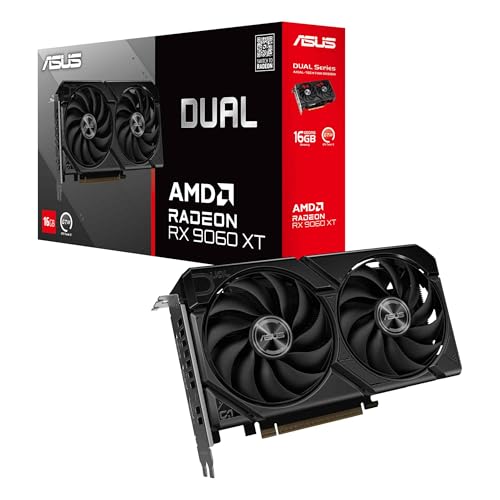
ASUS Dual Radeon RX 9060 XT 16GB — Best Compact 1440p Card
Same chip, same 16GB, different body — and the body is the argument. ASUS’s Dual version of the RX 9060 XT compresses the formula into a 2.5-slot twin-fan board with Axial-tech fans, the format ASUS uses across its compact line, for the cases where the XFX Swift’s triple-fan length simply does not fit. Nothing about the silicon’s 1440p brief changes: RDNA 4 raster strength, FSR for heavy titles and high-refresh chasing, ray tracing in its improved current form, and a frame buffer sized to outlast the monitor it feeds. What changes is thermal style — a shorter cooler working a little harder under the same sustained load, in exchange for fitting the build at all.
The outputs deserve a note because they are current in a way that matters for this resolution: HDMI 2.1b and DisplayPort 2.1a per the listing title, the latter being the connection a high-refresh 1440p panel wants. Buyers choosing between this card and the XFX above are not choosing performance in any meaningful sense; they are choosing a cooler philosophy and a length. That is a legitimate, even enjoyable decision, and this guide refuses to manufacture a winner. If both fit, take the one whose maker you prefer or whose price is kinder this week. If only one fits, the decision has already been made for you, and it is the right one either way — the 16GB RDNA 4 heart of the thing is identical.
- Memory: 16GB GDDR6
- Architecture: AMD RDNA 4
- Interface: PCIe 5.0
- Outputs: HDMI 2.1b and DisplayPort 2.1a
- Format: 2.5-slot Dual design with Axial-tech fans
Strengths
- Full 16GB RDNA 4 specification in the guide’s most compact current board.
- DisplayPort 2.1a is the right socket for high-refresh 1440p panels.
- ASUS’s Dual line is a known quantity for small and mid-sized cases.
Trade-offs
- Twin fans work harder than the Swift’s three under the same load.
- No performance daylight between it and its XFX sibling — by design.
- GDDR6, like all the AMD cards here, trails GDDR7 bandwidth.
Best for: compact and mid-tower 1440p builds that still want the full 16GB brief. Skip it if your case has the room and you prize quiet most — the Swift’s third fan earns its length.

ASRock Radeon RX 7600 Challenger Pro 8GB — Best Value with Caveats
The RX 7600 is the card that tests whether a buyer reads caveats. Its core proposition at 1440p is real: RDNA 3 raster performance that runs this resolution fluently across the broad middle of the games library, a stated boost clock of 2695MHz, ASRock’s triple-fan Challenger Pro cooler with a 0dB silent mode at idle, and FSR upscaling that at 1440p output quality settings performs convincingly. For a 1440p60 panel, or a high-refresh panel fed on competitive and older titles, this card is not a compromise at all — it is the correct amount of graphics card, bought at the correct tier, and the money saved against the 16GB trio is substantial enough to matter.
The caveat is one word long: eight. Eight gigabytes is the ceiling that newer, texture-rich releases increasingly lean against at 1440p, and when a frame buffer fills, the symptoms are specific — texture quality that must be lowered, occasional hitching as assets swap — rather than a general slowing. This is a card for a known library, not a leap of faith: if your games are the current competitive staples, the last several years’ releases, and indie titles, the ceiling will rarely enter your life. If your habit is each season’s biggest release at the highest settings your monitor allows, the ceiling is load-bearing and you should buy the tier above. ASRock’s cooler, it should be said, is the best argument in this class — three fans and fan-stop silence on a value card is generosity the silicon appreciates during long sessions.
- Memory: 8GB GDDR6
- Architecture: AMD RDNA 3
- Boost clock: 2695MHz (as stated in the listing title)
- Interface: PCIe 4.0
- Cooling: triple fans with 0dB silent mode
Strengths
- Fluent 1440p raster pace across the library’s broad middle.
- A triple-fan, fan-stop cooler unmatched at its tier.
- The clearest saving in the guide against the 16GB cards.
Trade-offs
- 8GB is a genuine ceiling for newer texture-heavy releases.
- Ray tracing is its weaker discipline against the NVIDIA cards.
- PCIe 4.0 is fine today and dates the card’s generation honestly.
Best for: 1440p60 players and competitive libraries that predate the texture inflation. Skip it if new releases at high settings are your habit — the 16GB trio exists to remove exactly that worry.
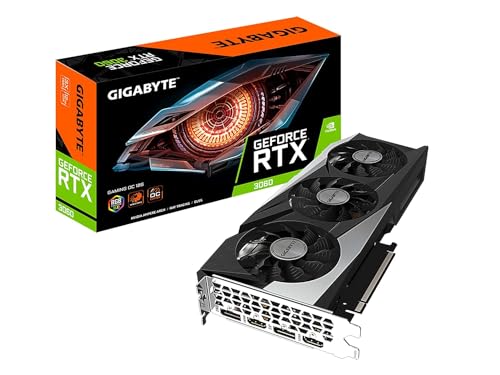
GIGABYTE GeForce RTX 3060 Gaming OC 12G — Best Previous-Generation Buy
Every generation leaves behind one card that refuses to become obsolete, and the RTX 3060 12GB is this era’s. The reason is printed in its memory specification: 12GB of GDDR6 across a 192-bit bus, a memory system more generous than the 8GB cards that succeeded it in NVIDIA’s own line — a historical accident that turned this card into the budget 1440p answer for years. GIGABYTE’s Gaming OC version adds the three-fan Windforce cooler, the largest thermal solution fitted to any 3060 in this guide, and the card’s DLSS support — the earlier generation of NVIDIA’s upscaling — remains a working tool at 1440p, where it renders from a healthy internal resolution. For the enormous library of games released during and before its reign, this card at this resolution is not a compromise position. It is simply correct.
Its limits are generational rather than shameful. The Ampere architecture’s ray tracing asks for DLSS assistance and modest settings at 1440p. Newer DLSS features reserved for later hardware generations are absent. And the card’s efficiency belongs to its period — it does its work well without the newer chips’ frugality. None of that touches the actual buying case, which is price: previous-generation stock, from a major board partner, with a three-fan cooler and a memory system that shames newer budget cards. A builder whose library is established rather than bleeding-edge, and whose monitor is a 1440p panel at mainstream refresh rates, will find this the most money-efficient route in the guide to exactly the experience they described.
- Memory: 12GB GDDR6, 192-bit bus
- Cooling: 3X WINDFORCE fan system
- Revision: REV2.0 board (GV-N3060GAMING OC-12GD)
- Features: DLSS upscaling support
Strengths
- 12GB across 192 bits outmuscles newer 8GB cards on memory alone.
- Three-fan Windforce cooling is the best thermal setup on a 3060 here.
- Previous-generation pricing for a still-fluent 1440p card.
Trade-offs
- Ray tracing at 1440p needs DLSS and restrained settings.
- Newer DLSS generations and features are not available to it.
- Efficiency and driver novelty belong to its generation, not this one.
Best for: established libraries at 1440p, bought at previous-generation prices. Skip it if your buying horizon is five years of new releases — the 16GB current cards are the longer answer.

MSI GeForce RTX 3060 Ventus 2X 12G OC — Best Compact 3060
MSI’s Ventus version of the same card makes the opposite cooler trade from GIGABYTE’s: two fans instead of three, a shorter and simpler board, and the same 12GB memory system that is the entire reason the RTX 3060 anchors this guide’s value end. The listing title states the particulars with unusual completeness — a 1807MHz boost clock and 15Gbps GDDR6 across the 192-bit bus — and those numbers describe a card tuned at the healthy end of the 3060’s range. The Ventus line is MSI’s no-frills family, and on a previous-generation card that philosophy is a virtue: nothing is spent on decoration, the cooler is proportioned to the chip’s actual heat, and the card fits the smaller cases that a three-fan board cannot enter.
Choosing between the two 3060s in this guide is therefore the same exercise as choosing between the two 9060 XTs: the silicon and memory are shared, so the decision is cooler, length and maker. The Ventus gives up some thermal headroom and acoustic calm under sustained load; it gains compatibility with compact builds and, often, a kinder price. Its 1440p brief is identical — fluent across the established library, DLSS-assisted in heavier titles, ray tracing with restraint. A builder reviving an older small case with a 1440p monitor on the desk will find this the 3060 that actually fits their machine, and fit, as this site keeps having to say, is a specification too.
- Memory: 12GB GDDR6, 15 Gbps, 192-bit bus
- Boost clock: 1807MHz (as stated in the listing title)
- Cooling: Ventus 2X twin-fan design
- Outputs: HDMI and DisplayPort
- Interface: PCIe
Strengths
- The full 12GB, 192-bit memory system in a compact twin-fan board.
- Stated boost and memory speeds sit at the healthy end of the 3060 range.
- Fits the small cases its three-fan sibling cannot.
Trade-offs
- Twin-fan cooling runs warmer and louder than the Gaming OC’s three fans.
- Same generational limits as every 3060: DLSS of its era, modest ray tracing.
- No-frills finish is exactly that.
Best for: compact builds and older cases stepping up to a 1440p monitor. Skip it if your case fits the GIGABYTE and long, quiet sessions matter — the third fan is worth having when there is room for it.
How Does Your Panel’s Refresh Rate Change the Card You Need?
Refresh rate is the specification that turns one resolution into several different jobs. A 1440p panel at 60Hz orders sixty finished frames per second, and every card in this guide — including the previous generation’s 3060s — fills that order with room to breathe. A panel at 144Hz more than doubles the order, and the doubling is not evenly hard: competitive titles, optimised for frame rate above all, will let even the RX 7600 chase high-refresh numbers at this resolution, while a cinematic release with ray tracing engaged will make the 16GB trio work for every frame. A panel beyond that — the 240Hz class that esports monitors now advertise — is a specialist instrument whose honest partners are the strongest cards here, in the lightest games, with upscaling engaged. The monitor’s refresh figure is therefore not a ceiling to admire but a workload to budget, and the first question of any 1440p purchase is which of those three panels is actually on your desk.
Variable refresh technology is what makes the middle of that range pleasant. No card holds a perfectly constant frame rate in real games, and without synchronisation the panel displays that variance as tearing or stutter. With adaptive sync enabled — in the monitor’s menu and in the driver, both, since either alone is a common half-finished setup — the panel waits for the frame, and a card delivering between ninety and one hundred forty frames on a high-refresh screen produces an experience that feels like the top of the range. This is why the guide is relaxed about exact frame rates and strict about memory: sync forgives variance, but nothing forgives a frame buffer that has run out mid-game. A 16GB card wandering between high frame rates under adaptive sync is a better evening than an 8GB card holding a lower number with texture compromises — the first is a performance story, the second is a settings apology.
There is a corollary for buyers shopping for the monitor and the card together, which is many of this guide’s readers. Spend on the pairing, not on either half’s vanity. A high-refresh 1440p panel fed by an RX 7600 is a coherent machine for competitive play; the same panel fed by a 5060 Ti is a coherent machine for everything. But a flagship-class card feeding a 60Hz panel wastes the card, and a value card feeding a 240Hz panel wastes the panel, and both mismatches are more common than either vendor’s marketing would suggest. The resolution is the shared language of the two purchases; the refresh rate is the contract between them. Read the contract before signing either half.
What Role Does Upscaling Play at 1440p Specifically?
Upscaling’s reputation was made at 4K, where it rescues cards from an impossible pixel count, but its most comfortable home is 1440p. The reason is source material: reconstructing a 1440p image from a slightly lower internal resolution gives DLSS and FSR a rich frame to work from, and at quality settings the reconstruction is difficult to distinguish from native rendering even at desk distance — the distance that exposes every shortcut at other resolutions. That changes the feature’s role. At 4K, upscaling is often a necessity wearing a feature’s clothes. At 1440p, on cards like the 5060 Ti and the 9060 XT pair that render the resolution natively without strain, upscaling is a frame-rate instrument: engage quality mode, and the saved rendering budget converts into the higher, steadier frame rates a high-refresh panel was bought to display.
Frame generation extends the same logic one step further, inserting generated frames to raise the displayed rate on supported hardware. At 1440p its trade is the usual one — smoothness gained, a whisper of latency added — and its value depends on the genre on screen. Story games and flight sims adore it; fighting games and competitive shooters, where input timing is the entire discipline, tend to switch it off. The guide’s position is that both upscaling and frame generation should be auditioned per game rather than adopted as global defaults, because 1440p is the resolution where the native image is already strong enough that every enhancement must justify itself against it. On the older cards here the calculus differs slightly: the RTX 3060 pair’s DLSS is an earlier generation of the technology, still genuinely useful for holding high-refresh targets in supported titles, and the RX 7600’s FSR serves the same office. Even in the value tier, at this resolution, upscaling is a tool in the box rather than a confession.
How Should You Read a 1440p Card’s Specification Like a Reviewer?
Begin with the memory system read as a single sentence: capacity, type and bus together state the card’s intentions. Sixteen gigabytes of GDDR7 in the 5060 Ti is a card declaring that textures at 1440p are solved. Sixteen of GDDR6 in the 9060 XTs declares the same solution a step slower in transit. Twelve of GDDR6 across 192 bits in the 3060s is an older dialect of the same sentence — and a more fluent one than the RX 7600’s eight gigabytes speaks, however modern its core. Reviewers who read the memory sentence first are rarely surprised by a card’s behaviour later, because at this resolution the memory system is where the future is stored. The core’s generation comes second in the reading: it sets the upscaling dialect, the ray tracing competence and the driver horizon, and it is why the guide’s 16GB trio, all current-generation, sit above the 3060 pair despite the older cards’ charm.
Cooler and format come third, and at 1440p they deserve more respect than they get. This resolution’s cards work at sustained high utilisation — that is what feeding a high-refresh panel means — and the difference between the XFX Swift’s three fans and a twin-fan board is measured across a three-hour session, not a three-minute benchmark. Read the slot width and length against your case with the same seriousness: a 2.5-slot card in a case whose neighbouring slot holds a capture card is a conflict scheduled, not a specification met. Outputs come fourth, with DisplayPort as this resolution’s home connection and the revisions in the spec boxes — 2.1b, 2.1a — as assurance that the panel’s refresh ambitions will not be capped by the socket. Read in that order — memory, generation, cooler, outputs — a listing becomes a review you have written yourself.
What Happens When a 1440p Card Meets the Games of Next Year?
The same thing that happens at every resolution, one year later than at 4K and one year earlier than at 1080p: the demands arrive at the memory first. Texture sets grow, worlds densify, and the frame buffer that felt generous becomes the setting that gets negotiated. This is the entire argument for the guide’s ordering. The 16GB cards will meet next year’s releases with their texture settings intact and their negotiations confined to the luxury options — ray tracing depth, the highest shadow cascades. The 12GB pair will negotiate a little earlier and a little deeper, from a position of previous-generation strength. The RX 7600 will negotiate first and most often, which its section stated on its label and its price already confessed. None of this is a scandal; it is the physics of a fixed buffer in a growing medium, and a buyer who chooses their tier with the growth in view has nothing to resent when it arrives.
Upscaling bends the curve without repealing it. Each year’s DLSS and FSR refinements hand existing owners a small raise, and at 1440p — upscaling’s most comfortable resolution — those raises are worth the most. The wise buyer’s summary is therefore two-part: choose the memory tier for the library’s future, and choose the generation for the software’s. The 5060 Ti and the 9060 XTs are the only cards here that maximise both halves of that sentence, which is why, for all the affection this guide holds for the 3060 pair, the top of its table is where its long-horizon recommendation lives.
How Do the Six 1440p Picks Compare Side by Side?
| Pick | Memory | Bus / speed | Cooler | Honest role |
|---|---|---|---|---|
| ASUS Dual RTX 5060 Ti | 16GB GDDR7 | Not stated in listing title | Twin-fan Dual, 2.5-slot | High-refresh 1440p, years of new releases |
| XFX Swift RX 9060 XT OC | 16GB GDDR6 | Not stated in listing title | Triple-fan Swift | High-refresh 1440p, quiet long sessions |
| ASUS Dual RX 9060 XT | 16GB GDDR6 | Not stated in listing title | Twin-fan Dual, 2.5-slot | High-refresh 1440p in compact cases |
| ASRock RX 7600 Challenger Pro | 8GB GDDR6 | Not stated in listing title | Triple-fan, 0dB idle | 1440p60 and lighter libraries |
| GIGABYTE RTX 3060 Gaming OC | 12GB GDDR6 | 192-bit | 3X WINDFORCE | Established library at 1440p |
| MSI RTX 3060 Ventus 2X | 12GB GDDR6 | 192-bit, 15 Gbps | Twin-fan Ventus | Established library, compact cases |
Sorted by memory, the table tells the guide’s story in one glance: 16GB cards for the future, 12GB cards for the established library, one 8GB card for the disciplined present. The two shared-silicon pairs are visible as what they are — cooler choices wearing the same heart — and the RX 7600’s row shows its bargain honestly, trading capacity for price while keeping the best cooler in its class. If two rows both look right, the tiebreaker is your panel’s refresh rate: the higher it climbs, the higher up this table your answer lives.
How Should You Configure a PC Around a 1440p Monitor?
Connect the panel by DisplayPort where the option exists; it is the connection high-refresh 1440p was standardised around, and it avoids the version-matching puzzles HDMI can set at this resolution. In your operating system’s display settings, set the refresh rate explicitly to the panel’s maximum — monitors frequently default to 60Hz out of the box, and a surprising number of “underperforming” new cards are simply feeding a panel nobody told to run faster. In games, begin at native 2560×1440 with textures high — every card in this guide was chosen to start there — and treat upscaling as a frame-rate instrument: enable DLSS or FSR quality mode when chasing a high-refresh target, not as a default apology.
Two supporting settings repay attention. Adaptive sync — the variable refresh technology both card makers support in their own dialects — should be enabled in the driver and the monitor’s own menu, because at 1440p the frame rate will wander and sync is what makes the wandering invisible. And if your desk runs a second monitor, drive it from the same card’s spare output rather than falling back to integrated graphics; mixed display paths are a reliable source of the small, maddening inconsistencies that get blamed on drivers. None of this is advanced practice. It is the difference between the hardware you bought and the hardware you experience.
How Should You Judge a New 1440p Card in Its First Week?
Judge it in your own library, at your own panel’s settings, against the specific dissatisfaction that made you buy it. The first evening’s test should be the game that prompted the purchase, at native 2560×1440, with the refresh rate set correctly and adaptive sync on — the configuration sections of this guide exist because that combination is so often not the out-of-box state. If the card was bought for high-refresh competitive play, the test is whether the frame rate now lives in the range the panel flatters. If it was bought for a cinematic library, the test is texture quality held without hitching across a long session, which is where the memory tiers in this guide stop being theory. Synthetic benchmarks have their place in reviews; in a buyer’s first week, the only benchmark with authority is the shelf of games the card was bought to serve.
Two quieter checks belong in the same week. Listen to the machine under a sustained load — not for volume alone, but for character: a cooler that cycles up and down restlessly is reporting a case airflow question, while a steady, low note is a card at home. And watch the second monitor, if you run one, for the small behaviours that mixed display paths cause; driving both screens from the card, as the setup section advises, settles most of them. A card that passes its library test, sounds composed doing it, and runs both screens without theatre has passed the only examination its owner will ever set it. The rest of its review is written across the following years, in releases nobody has announced yet — which is why this guide weighted memory, the one specification the future reliably taxes.
What Mistakes Do 1440p Buyers Keep Making?
The classic error is buying for resolution and forgetting refresh: a card chosen to “run 1440p” at sixty frames is then asked to feed a 165Hz panel, and the shortfall gets misread as a faulty card. The second error is the opposite vanity — a native 4K flagship purchased for a 1440p screen, idling through its tenancy while the rest of the build went underfunded. Third is leaving the monitor at its 60Hz default for a year, which happens more than anyone admits. Fourth is dismissing the previous generation on age alone, when the RTX 3060’s 12GB memory system remains a more sensible 1440p instrument than several newer 8GB cards.
Fifth, buyers underestimate texture growth: the 8GB question at 1440p is not about today’s library, which mostly copes, but about the releases arriving across the monitor’s life. And sixth is the physical one, again — triple-fan cards are long, compact cases are honest about their limits, and the measurement takes thirty seconds with the case open. Make it before the courier does.
What About Ultrawide Panels and the Rest of the Build?
A word for the ultrawide owners, because 3440×1440 panels are 1440p in name and something more in fact. The ultrawide format carries roughly a third more pixels than standard 2560×1440, which moves every card in this guide one step down its own ladder: the 16GB trio handles the format the way they handle standard 1440p’s harder cases, the RX 7600’s 8GB ceiling arrives noticeably sooner, and the 3060 pair’s brief narrows to their established libraries. Ultrawide buyers should read this guide’s recommendations through that translation — the tiers hold, the margins shrink — and should weight memory even more heavily than the standard-panel buyer, because the extra pixels are fed from the same frame buffer.
The rest of the build asks for the same proportionality. A 1440p high-refresh brief is the point where processor limitations start appearing in competitive titles, whose frame rates climb high enough that the CPU’s turn comes around quickly; pairing a 5060 Ti with a genuinely old processor will show the seam in exactly those games. System memory and fast storage matter in their usual supporting roles. None of this argues against any card in the guide — it argues for the same discipline the monitor sections preached: the card is one line in a system, and at 1440p the system is finally fast enough that its other lines get read. Buy the card for the panel, check the processor can feed it, and the machine will feel designed rather than assembled.
How Do the Two Makers’ Ecosystems Compare at 1440p?
Beyond the silicon, a card purchase enrols you in an ecosystem, and at 1440p the enrolment is worth a paragraph because the two ecosystems have genuinely different textures. NVIDIA’s surrounds its cards with the more polished upscaling in DLSS, a driver and overlay environment many players treat as part of the product, and an encoder story that matters if the 1440p machine also streams or records its high-refresh play. AMD’s counters with FSR’s broader reach across titles, a driver package that integrates its tuning in one place, and a value tradition that at this resolution — as the two 9060 XT boards demonstrate — delivers the full 16GB brief without the GDDR7 premium. Neither ecosystem is a trap and neither is a treasure; they are dialects, and fluency in one is a real, if soft, asset.
The practical advice is unglamorous: if you already own one maker’s card and its software is woven into your habits — your capture settings, your per-game profiles, your streaming setup — that familiarity is worth a tiebreak, and the pairs in this guide ensure the tie can usually be broken without leaving your tier. If you own neither, choose on the hardware reading this guide taught — memory, generation, cooler, outputs — and let the ecosystem be learned fresh, because at 1440p both are mature enough that a new owner will be fluent in either within a month. What no buyer should do is switch ecosystems chasing a benchmark delta in a single title, then spend the season relearning their tools. The frame rates at this resolution are plentiful in both dialects. Fluency is the scarcer resource.
Final Recommendation
Match the card to the panel’s refresh rate and the library’s age, in that order. For a fast 1440p monitor and a library that includes new releases, the RTX 5060 Ti 16GB is this guide’s first hand-over, with the two RX 9060 XT boards — Swift for roomy cases, Dual for compact ones — as its equals in everything except upscaling dialect. For an established library, the RTX 3060 pair remains the thinking buyer’s shortcut, and the RX 7600 serves the disciplined middle. If one sentence must carry the whole page: buy the 16GB tier if the monitor will outlive two card generations on your desk, because at 1440p, memory is the part of the purchase that time cannot argue with.
How Should You Spend the Money a Value Pick Saves You?
Choosing the RX 7600 or a 3060 over the 16GB trio releases real money, and where it goes decides whether the value pick was wisdom or merely thrift. The strongest destination is the monitor itself, if the panel is the build’s older half: a better 1440p screen — higher refresh, better panel quality — improves every frame every card will ever send it, and outlives two generations of graphics hardware. The second destination is storage, because modern releases have grown into their installations and a cramped drive taxes a gaming PC daily in ways a benchmark never shows. The third is simply keeping it, against the day the library’s centre of gravity moves and the card tier must move with it; a value card bought with its replacement already half-funded is a strategy, not a compromise.
The weakest destination, named for completeness, is scattering the saving across cosmetic upgrades to the case — lights, panels, sleeves — while the panel stays dim and the drive stays full. None of this is moralising; it is the same proportionality the whole guide preaches, applied to the wallet. A 1440p setup is a system for producing evenings, and its budget should be spent where evenings are actually made: the screen you look at, the frames the card renders, the storage the library lives on, in roughly that order of permanence.
Why Does This Guide Trust Memory Over Benchmarks?
Because benchmarks are photographs and memory is the weather. A launch review captures a card on one driver, in one suite of games, at one moment in the release cycle — and at 1440p those photographs genuinely favour whichever core is newest. But the card will live through years of releases the photograph never met, and in those years the specification that decides whether a setting survives is the frame buffer’s size. That is why this guide’s table is ordered the way it is, why its affection for the 12GB previous generation is rational rather than nostalgic, and why its one unhedged prediction is that the 16GB owners will still be raising textures when the 8GB owners are negotiating with them. Benchmarks tell you how a card runs the present. Memory tells you how long the present will last.
What Should You Do the Night the New Card Arrives?
Resist the benchmark and run the ritual instead: seat the card, connect the panel by DisplayPort, set the refresh rate the panel was bought for, enable adaptive sync in both menus, install the current driver cleanly, and then play the game that prompted the purchase at the settings this guide’s tier promises. Write down what you set — resolution, texture level, upscaling mode — because that small record becomes the baseline every future release is judged against, and the first sign of the library outgrowing the card will appear there as a setting quietly lowered. A card installed with that much attention starts its life as a known quantity. A card installed in a hurry starts as an argument, and at 1440p the argument is never really about the card.
What Is the One-Sentence Version of This Guide?
At 1440p the frame buffer is the future and the refresh rate is the workload, so buy the memory tier your library’s next years need — sixteen gigabytes for the years unplayed, twelve for the library already loved, eight only with your eyes open — and let the panel’s refresh figure, not a benchmark chart, tell you how much card that memory needs around it. Every section above is that sentence unfolded: the pairs of boards that share a heart, the coolers that sustain the work, the upscaling that spends the savings, and the mistakes that come from reading any one of them in isolation. A buyer who can state their panel’s two numbers and their library’s age has already finished the hard part of this purchase. The rest is choosing a cooler and a maker, and those are the pleasant decisions.
Frequently Asked Questions
Is 8GB enough for 1440p gaming?
For 1440p60 in the broad middle of the library — competitive titles, older releases, indie games — yes, and the RX 7600 in this guide proves it with a strong cooler behind it. For newer texture-heavy releases at high settings, 8GB increasingly forces texture reductions. The honest dividing line is your library’s age, not the resolution alone.
Why does this guide list two versions of the same card twice?
Because board partners matter at purchase time. The two RX 9060 XT boards and the two RTX 3060 boards share silicon within each pair, but differ in cooler size, case fit, outputs and maker. A guide that hid one of each pair would be hiding the actual decision buyers face, so both are listed and the differences are stated plainly.
Can a 1440p card also drive a second monitor?
Easily. Every card here offers multiple outputs — the XFX Swift lists HDMI plus dual DisplayPort, the ASUS boards carry current HDMI and DisplayPort revisions — and a second screen showing chat, a browser or a video costs a gaming card almost nothing. Drive both screens from the card itself for the cleanest behaviour.
Should I use DLSS or FSR at 1440p, or render natively?
Start natively; every card here was chosen to render 1440p outright. Bring in DLSS or FSR quality mode when you are chasing a high-refresh target or a heavy title asks for help. At 1440p output, both techniques reconstruct from a healthy internal resolution and look strong, so treat them as frame-rate instruments rather than admissions of defeat.
Is the RTX 3060 too old to buy for a new 1440p setup?
Not for an established library. Its 12GB across a 192-bit bus remains a genuinely good 1440p memory system, and its pricing reflects its generation. It is the wrong buy only when the plan is years of new releases at high settings — that plan belongs to the 16GB current-generation cards at the top of this guide.
Related Guides
Tighten the budget with Best Graphics Cards Under 200 Dollars if the monitor is staying but the wallet is not, consider the same class of card from a creator’s bench in Best NVIDIA Graphics Cards for Video Editing, or drop the power draw instead with Best Low Power Graphics Cards for Gaming.
Related guides
- Best 3D Printers With Auto Leveling: Beds That Set Themselves, Ranked by How Much Else They Calibrate
- Best 4K Monitors for MacBook Pro: USB-C Panels With Real Power Delivery
- Best Enterprise Grade Hard Drives: New Exos, WD Gold and Toshiba MG Drives for Servers
- Best Resin Printers for Miniatures and D&D: Fine-Detail Machines from Elegoo, Anycubic and Phrozen



[…] down a resolution with Best Graphics Cards to Run a 1440 Monitor for the native home of two of these cards, review the budget end in Best Graphics Cards Under 200 […]