What's inside
- Key Takeaways
- Quick Picks
- How Did We Sort Property Hardware from Pocket Hardware?
- What Does a Guest Network Actually Have to Do?
- Which Camp Are You In, and What Should You Check First?
- How Do You Set Up Each Side of the Hotel Story?
- How Does a Property’s Network Grow from One Box to a System?
- What Does the Peak Hour Actually Look Like?
- The Traveller’s First Evening, Rehearsed
- What Should an Operator’s First Month with a New Gateway Teach?
- How Do You Read a Hotel Router’s Title Without Being Sold?
- What Changes for Long Stays, Serviced Apartments and Crew Housing?
- The Hotel Six, Split by Who Actually Buys Them
- What Goes Wrong with Hotel Wi-Fi, on Both Sides of the Desk?
- Final Recommendation
- Frequently Asked Questions
- Related Guides
As an Amazon Associate I earn from qualifying purchases. This post may contain affiliate links at no extra cost to you.
widgetverdict.com is reader-supported. When you buy through links on our site, we may earn an affiliate commission.
Where to buy: Amazon stocks every model in this guide, and each pick links to the listing whose title we checked for the hotel-relevant claims — captive portal, guest capacity, tethering, platform — before a word was written. Hospitality suppliers carry some of these too, but the listing titles are this guide’s evidence.
The phrase best routers for hotel conceals two different shoppers, and this guide refuses to pretend otherwise. The first is the operator: the guesthouse owner, café landlord or small-hotel manager who must give dozens of strangers good Wi-Fi without giving them each other, and who needs a captive portal — the sign-in page guests meet before the internet — plus the discipline of a guest network that ends at checkout. The second is the traveller: the consultant, crew member or family who arrives in someone else’s hotel, distrusts its open network on sight, and wants a pocket router to stand between their devices and the room’s Wi-Fi. The six picks below split honestly between those shoppers. Two serve the property — the WAVER ODY, a captive portal gateway whose title counts guests in hundreds, and the Zyxel NWA50BE, a managed access point for a real installation. Four serve the guest — travel routers from ASUS, TP-Link and GL.iNet built to tame hotel Wi-Fi from the inside of a suitcase. Read your half carefully and the other half with interest; the two shoppers meet at the portal page, from opposite sides.
One discipline governs everything below: guest features are claimed only where a title claims them. Captive portal support is stated outright for the WAVER ODY and the ASUS RT-BE58 Go, and for no other pick — so for no other pick does this guide assert it, however plausible it sounds. Guest capacity is stated for exactly one product. Everything else is architecture, honestly labelled.
Key Takeaways
- This keyword serves two shoppers — the property providing guest Wi-Fi and the traveller surviving it — and the six picks split between them.
- Captive portal support is claimed only where titles state it: the WAVER ODY gateway and the ASUS RT-BE58 Go travel router. Everywhere else in this guide, the portal is discussed as a requirement, not a feature.
- The WAVER ODY is the operator’s centrepiece: a captive portal router and hotspot gateway rated in its title for up to 200 active guests, with no monthly fees.
- The Zyxel NWA50BE is an access point, not a router — the radio layer of a managed property network, with Nebula cloud management and VLAN tagging in its title.
- The four travel routers solve the guest’s problem: one sign-in, many devices, and a private network of your own inside the hotel’s.
- VPN features on the GL.iNet pair protect the traveller’s traffic on networks they do not control; that is the guest-side mirror of the operator’s portal.
- Both camps should size and judge everything at the 7 p.m. peak, because hotel networks are reviewed by their worst hour, never their average one — a truth printed in every one-star Wi-Fi complaint ever left at a front desk by a guest who checked in smiling and checked out composing long, detailed, unforgiving paragraphs about the shower pressure and the wretched Wi-Fi.
Quick Picks
| Pick | Badge | Why it earns its place |
|---|---|---|
| WAVER ODY Captive Portal Router (Gigabit) | The property gateway | Captive portal router and hotspot gateway for hotels, cafés and restaurants, rated for up to 200 active guests. |
| ASUS RT-BE58 Go | The traveller’s flagship | Wi-Fi 7 travel router with hotel captive portal handling, mobile tethering and a 2.5G port. |
| TP-Link TL-WR1502X Roam 6 | The simple travel answer | AX1500 portable Wi-Fi 6 router for easy public Wi-Fi sharing, USB-C powered, hotel and RV approved in its title. |
| GL.iNet GL-MT3000 Beryl AX | The power traveller’s pick | Wi-Fi 6 travel router on OpenWrt with 2.5G WAN, VPN and USB 3.0 for serious road work. |
| Zyxel NWA50BE | The property’s radio | Wi-Fi 7 access point with 2.5G uplink, PoE+ and Nebula cloud management for managed installations. |
| GL.iNet GL-SFT1200 Opal | The pocket veteran | AC1200 travel router at 145g with OpenWrt, OpenVPN and WireGuard, and three gigabit ports. |
How Did We Sort Property Hardware from Pocket Hardware?
The sort began with a single question per candidate: whose problem does this title describe? A title that speaks of captive portals, guest counts and hotspot gateways describes the operator’s problem, and only one pick — the WAVER ODY — speaks that language natively. A title that speaks of Nebula cloud management, VLAN tagging and seamless roaming describes a managed installation’s radio layer, which is the Zyxel’s dialect. The remaining four titles speak traveller: portable, pocket, tethering, public Wi-Fi sharing, VPN services by the dozen. Within the traveller camp we ranked by the completeness of the hotel story each title tells — portal handling stated, tethering stated, speeds and ports stated — and within the property camp by the plainness of the guest arithmetic.
The honesty rules were set before the ranking. No pick would be credited with a captive portal its title does not name. No access point would be dressed as a router. No guest capacity would be extrapolated from radio class. Those three refusals shape the guide you are reading more than any preference among brands, because hotel networking is a category where brochure language and installed reality part company fastest.
What Does a Guest Network Actually Have to Do?
For the operator, a guest network performs three duties in strict order. It must admit strangers gracefully: the captive portal is the front desk of that admission, presenting terms, a code, a room number or a payment before the internet opens — and the WAVER ODY’s title promises exactly that machinery for hotels, cafés and restaurants. It must isolate those strangers absolutely: a guest’s laptop should reach the internet and nothing else — not the till, not the office printer, not the neighbouring guest’s screen-casting ambitions. And it must survive the evening peak, when every room streams at once; the ODY’s stated figure of up to 200 active guests is the only capacity promise in this pool, and it is the right kind of promise for an operator to shop by. A property that also wants the network to reach home-base systems securely — bookings, cameras, a manager’s remote access — is designing the other half of hospitality networking, the half our guide to the Best Routers for VPN Server Hosting covers from the gateway’s chair.
For the traveller, the guest network’s duties invert. The hotel’s portal is an obstacle to clear exactly once, however many devices you carry — which is why travel routers exist: the router clears the portal as a single client, then serves your phone, laptop, tablet and e-reader from its own private network, each spared the portal, the per-device fees some properties still attempt, and the company of strangers. The ASUS title names that portal handling explicitly; the TP-Link promises easy public Wi-Fi sharing; the GL.iNet pair bring VPN tooling so the traffic that leaves your little network is encrypted before it crosses the hotel’s. Two shoppers, one portal, opposite errands — the guide now takes each camp in turn. It is worth pausing on how completely the two camps’ virtues mirror each other. The operator’s isolation, which keeps guests from seeing each other, is the same boundary the traveller’s router draws around a single room’s devices. The operator’s capacity arithmetic and the traveller’s tether fallback are both answers to the same 7 p.m. question. Even the portal is one object seen from two chairs: a desk presenting it, a guest clearing it. A reader who understands both sides buys better from either — the operator designs a ceremony they would willingly clear as a guest, and the traveller packs for properties as they actually are, rather than as the brochure photographed them.
Which Camp Are You In, and What Should You Check First?
Operators should check their arithmetic before their ambitions. Count the guests at the worst hour, not the average one; count the devices per guest the way the lobby at 7 p.m. counts them, which is two or three, not one; and let that product choose the gateway class. Then check the building: a single gateway with its own dual-band Wi-Fi, as the WAVER ODY offers, serves a compact property whose rooms cluster near the centre, while a sprawling or masonry-heavy property needs the gateway-plus-access-points architecture — a router’s brain, radios on walls and ceilings where the guests actually are, of the kind detailed in the Best Wall-Mounted Routers and Access Points. Finally, check the portal’s manners against the property’s reality: a café wants a code or a click, a hotel wants a name-and-room flow or a simple terms page, and the gateway’s portal tooling should match the desk’s patience, not the brochure’s screenshots.
Travellers should check three different things. First, the portal: properties that authenticate by room and surname are the travel router’s home turf, and the ASUS’s explicit captive-portal claim is aimed at them. Second, the fallback: when hotel Wi-Fi fails entirely — a weekly event in the travelling life — a router that can tether to a phone’s mobile data, as the ASUS and the TP-Link both advertise in their titles, converts an outage into an anecdote. Third, the weight and the ritual: a travel router earns its place only if setting it up takes less time than the frustration it replaces, so the pocketable GL.iNet pair and the USB-C-powered TP-Link are arguing about your habits as much as your bandwidth. Travellers whose road kit includes a shared drive for the day’s photographs will find the storage half of that workflow in the Best Routers with NAS Storage Sharing.
How Do You Set Up Each Side of the Hotel Story?
For the operator, begin at the portal and work backwards. Decide what a guest must do to get online — accept terms, enter a code the desk provides, sign with a room credential — and configure that flow in the gateway before touching a radio setting, because the portal is the only part of the system every guest will personally meet. Create the guest network as its own segment with client isolation switched on, give the staff and office devices their separate network, and keep the property’s own machinery — tills, booking terminals, cameras — off the guest segment entirely. Set session and bandwidth expectations while the property is empty, test the portal as a stranger: a phone that has never met the network, through the whole ceremony, at the farthest room’s signal. Then walk the property at the evening peak in your mind and ask the gateway’s stated guest capacity whether it believes in your arithmetic.
For the traveller, the ritual is shorter and should stay that way. In the room, power the travel router — USB-C on the ASUS and TP-Link designs makes the laptop’s charger a candidate — join it from your laptop, and let the router, as the single client, meet the hotel’s network and clear its portal in the browser session the router passes through. Then join your remaining devices to the router’s own network, where they will never see the portal at all. If the property’s Wi-Fi disappoints, switch the router’s uplink to the phone tether its title advertises and carry on working. Before the trip home, the whole network collapses into the bag in one motion — which is the traveller’s version of the operator’s discipline: a system whose setup you have rehearsed until it is boring.

WAVER ODY Captive Portal Router (Gigabit) — The property gateway
The WAVER ODY is the only product in this guide whose title was written for the person behind the front desk. It names itself a captive portal router and hotspot gateway for guest Wi-Fi in hotels, cafés and restaurants, states capacity of up to 200 active guests, and adds gigabit networking, dual-band Wi-Fi and the commercially significant phrase “no monthly fees” — the portal and hotspot function is the product you buy, not a subscription you rent. For a small property, that is a complete proposition in one box: the gateway faces the internet, runs the portal ceremony, keeps guests on their own network, and covers a compact building with its own radios.
Its limits are the limits of any single box. Two hundred guests is the title’s ceiling, not a floor to build a resort on, and a large or awkwardly built property will still need access points beyond the gateway’s own Wi-Fi — at which point the ODY becomes the brain of a system rather than the whole system. Judged as what its title claims, though, it is the most precisely aimed product in this guide: hospitality’s front door, sold outright.
- Role: Captive portal router and hotspot gateway (model WDY52-1G)
- Stated capacity: Up to 200 active guests
- Network per title: Gigabit, dual-band Wi-Fi
- Commercial term in title: No monthly fees
Strengths
- The portal is the product: guest sign-in machinery is the headline, not a settings-page rumour.
- A stated guest ceiling lets an operator do real arithmetic before buying.
- No monthly fees matches the economics of small properties precisely.
Trade-offs
- One box’s radios cannot cover a sprawling property; access points join the bill at scale.
- 200 guests is a ceiling for small-to-mid properties, not a platform for resorts.
- A specialist vendor’s ecosystem is narrower than the big platforms’.
Best for: a guesthouse, café group or small hotel wanting portal-managed guest Wi-Fi without a subscription.
Not suited for: a large property whose floor plan already demands a fleet of access points and a controller.
Operators of compact properties should start at the WAVER ODY’s Amazon listing; it is the only title here that opens with the portal itself — and a front desk that has ever apologised for a login page will understand, instantly, why that ordering of priorities is the product.

ASUS RT-BE58 Go — The traveller’s flagship
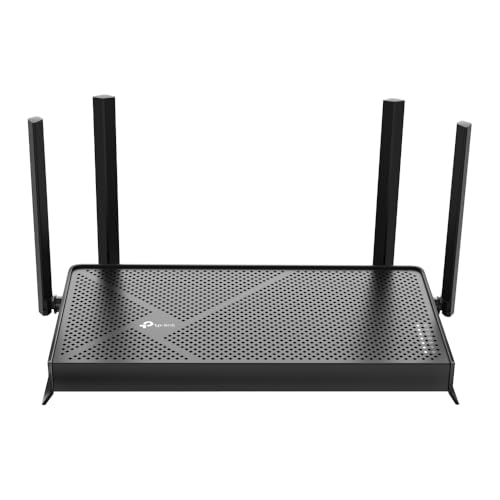
The ASUS RT-BE58 Go reads like a brief from a frequent traveller who itemised every hotel network grievance of the last decade. Wi-Fi 7 dual-band at a stated 3.6Gbps class; secure public Wi-Fi as the stated mission; and then the two lines that win this guide — “Hotel Public WiFi Captive Portal,” the explicit promise that the router handles the portal ceremony, and 4G and 5G mobile tethering, the fallback for the nights the property’s network gives up. Custom SSIDs, a 2.5G port and USB-C power delivery complete a specification that treats the hotel room as a workplace: one sign-in, every device aboard, a private network with your own name on it, and a wire for the laptop when the desk deserves one.
The flagship’s question is whether your travel justifies its completeness. A twice-a-year holidaymaker’s devices can brave a hotel network bare; a consultant who works from rooms weekly is buying back an hour of friction per trip and insuring against the outage that always lands the night before the deadline. For that traveller, the BE58 Go is less a gadget than a clause in their professional contract with the road.
- Role: Travel router, Wi-Fi 7 dual-band, 3.6Gbps class
- Hotel features per title: Captive portal handling for hotel public Wi-Fi; secure public Wi-Fi mission
- Fallback per title: 4G and 5G mobile tethering
- Hardware per title: 2.5G port ×1, USB-C power delivery, custom SSIDs, multi-protocol support
Strengths
- The portal promise is explicit in the title — the traveller’s central requirement, stated.
- Mobile tethering converts a dead hotel network from a crisis into a setting.
- Wi-Fi 7 class and a 2.5G port give the room network a flagship’s headroom.
Trade-offs
- Its completeness is surplus for occasional leisure travel.
- Tethering spends your mobile data; the fallback is insurance, not a plan.
- A flagship travel router still cannot fix a property whose backhaul itself is exhausted.
Best for: a professional who works from hotel rooms weekly and treats connectivity as equipment, not luck.
Not suited for: a holidaymaker whose entire demand is a phone, a pool and a week of messages.
Road professionals should read the RT-BE58 Go’s Amazon listing as a checklist against their last bad hotel night; it was plainly written from one — the portal that ate an hour, the network that died at nine, the charger borrowed from the laptop to feed a lesser router, each grievance answered by a line of the title in turn.

TP-Link TL-WR1502X Roam 6 — The simple travel answer
TP-Link’s Roam 6 makes the traveller’s case in a friendlier accent: an AX1500 portable Wi-Fi 6 travel router whose title promises easy public Wi-Fi sharing, declares itself hotel, RV and travel approved, and lists phone Wi-Fi tethering, USB-C power and multi-mode operation behind an internal antenna. Nothing protrudes, nothing snags in the bag, and the setup story is the brand’s consumer polish applied to the portal problem — join the property once through the router, then let the family’s devices live on the router’s own network for the rest of the stay. The RV in its title matters: this is a router for people whose accommodation changes weekly and whose network must be re-founded each time in minutes.
Its class is its honesty. AX1500 will not win a spec contest against the ASUS flagship, and its title does not claim the portal in so many words — “easy public WiFi sharing” is the promise, and this guide reports it as exactly that. For the family whose hotel problem is five devices, one portal and a streaming stick that cannot type its surname into a login page, the Roam 6’s simplicity is not a compromise; it is the feature list that matters.
- Role: Portable travel router, Wi-Fi 6 AX1500 (TL-WR1502X)
- Hotel story per title: Easy public Wi-Fi sharing; hotel/RV/travel approved
- Fallback per title: Phone Wi-Fi tether
- Hardware per title: USB-C powered, multi-mode, internal antenna
Strengths
- The friendliest setup story in the traveller camp, aimed at families as much as professionals.
- USB-C power and an internal antenna make it genuinely bag-proof.
- Phone tethering covers the failed-hotel-Wi-Fi evening without extra hardware.
Trade-offs
- The title promises easy public Wi-Fi sharing rather than naming the captive portal outright.
- AX1500 class is a step below the flagship’s radio headroom.
- Multi-mode travel boxes trade the dedicated tools’ depth for breadth.
Best for: families and RV travellers who want the portal solved once per stay, for every device they carry.
Not suited for: a road professional who wants the portal promise and the fallback in flagship form — that is the ASUS above.
Families packing for a multi-device stay should weigh the Roam 6 on Amazon as the low-friction answer to the login-page problem — the difference between a holiday whose first evening is spent poolside and one spent teaching a television to fill in a form.

GL.iNet GL-MT3000 Beryl AX — The power traveller’s pick
The Beryl AX is the travel router for people who read firmware release notes. GL.iNet builds on OpenWrt, and the MT3000’s title pairs that openness with serious hardware for the class: Wi-Fi 6 with the bands itemised at 574Mbps and 2402Mbps, a 2.5G WAN port, gigabit LAN, USB 3.0, and VPN named in the headline features. In a hotel room, that specification becomes a small headquarters: the router clears the property’s network once, your devices gather behind it, and the VPN tooling encrypts the journey onward across infrastructure you do not control — the guest-side security story in its most complete pocket form. The USB 3.0 port adds the road office’s other trick, local sharing for the files the trip generates.
OpenWrt’s freedom is the trade as well as the triumph: the Beryl will do more than the ASUS or TP-Link ask of their owners, and expects an owner who enjoys that. Travellers who want the portal solved and nothing else to think about should look up the page; travellers who want their room network to be a small, encrypted, configurable outpost of their own infrastructure have found the guide’s recommendation.
- Role: Travel router, Wi-Fi 6 dual-band (574 + 2402Mbps per title)
- Platform per title: OpenWrt, with VPN in the headline features
- Ports per title: 2.5G WAN, gigabit LAN, USB 3.0
- Hotel story: The title does not claim captive portal handling — its hotel value is the private network plus VPN layer described in the analysis
Strengths
- The strongest travel hardware here: 2.5G WAN and USB 3.0 in a pocket router.
- OpenWrt plus VPN tooling gives the guest-side security story its fullest form.
- Itemised band speeds in the title respect the buyer’s intelligence.
Trade-offs
- No explicit captive-portal claim in the title, unlike the ASUS.
- OpenWrt depth asks more of its owner than the consumer travel brands.
- Its capabilities exceed what a simple family stay will ever invoke.
Best for: a technical traveller who wants an encrypted, configurable headquarters in every room.
Not suited for: a traveller who wants the network to vanish entirely — the Roam 6 asks less.
Power travellers should compare the Beryl AX’s Amazon listing against their current road kit; it replaces more of it than its size suggests — the travel router, the travel switch and half the cable pouch tend to retire on the same afternoon the Beryl moves in.

Zyxel NWA50BE — The property’s radio
The NWA50BE must be introduced by what it is not: it is not a router, and it will not run a property’s guest network by itself. It is a Wi-Fi 7 wireless access point — BE5100 class, with a 2.5GbE uplink, PoE+ power, and management locally or through Zyxel’s free Nebula cloud, with VLAN tagging, mesh and seamless roaming in its title and TAA compliance for institutional buyers. In a hotel, its job is the radio layer of the architecture this guide described for larger properties: a gateway runs the portal and the segments, and NWA50BEs on ceilings and walls carry the guests’ traffic room by room, roaming a phone from lobby to landing without a hiccup, each room’s traffic tagged onto the guest segment the gateway defined.
Its presence here is the guide’s honesty made visible: a property searching this keyword needs radios as much as gateways, and this is a current-generation one from a networking house, cloud-managed without a controller purchase. What its title does not claim — a captive portal — belongs to the gateway it serves, and any seller who tells a small hotel that an access point alone is a guest Wi-Fi solution is selling the roof without the house.
- Role: Wireless access point (not a router), Wi-Fi 7 BE5100
- Uplink / power per title: 1× 2.5GbE uplink; PoE+ or DC power
- Management per title: Local or free Nebula cloud managed
- Extras in title: VLAN tagging, mesh, seamless roaming, TAA compliant
Strengths
- Wi-Fi 7 radio with a 2.5G uplink is the current-generation ceiling layer for a property.
- Free Nebula cloud management removes the controller from the property’s bill.
- VLAN tagging slots guest traffic onto the gateway’s segments exactly as designed.
Trade-offs
- It routes nothing and portals nothing; a gateway must exist in front of it.
- PoE+ infrastructure is a prerequisite the title assumes.
- A single small property may find a gateway’s own radios simpler than a fleet.
Best for: a property building or refreshing a managed, multi-radio guest network on Nebula.
Not suited for: a lone buyer seeking one box that does the whole hotel job — return to the WAVER ODY.
Properties planning a radio layer should price the NWA50BE on Amazon per room, alongside the gateway that will give those radios their orders — radios without a gateway are a choir without a conductor, however fine each voice may be.

GL.iNet GL-SFT1200 Opal — The pocket veteran
The Opal is the Beryl’s smaller sibling and the guide’s lightest traveller: an AC1200 dual-band travel router whose title weighs it at a pocketable 145g and then spends its remaining words on the security story — OpenWrt with OpenVPN and WireGuard, compatibility with more than 30 VPN services, and three gigabit ports that most pocket routers would not dream of. In the hotel room, the Opal performs the family ritual with a security accent: one device meets the property network, the rest of your kit joins the Opal’s own, and the VPN layer wraps the whole caravan’s traffic before it crosses the hotel’s wires. The three gigabit ports matter at the desk more than the spec suggests — a laptop wired, a streaming box wired, and a spare for whatever the trip invents.
AC1200 is a class below its sibling’s Wi-Fi 6, and the Opal’s title, like the Beryl’s, makes no captive-portal claim in so many words; its hotel competence is the private-network pattern itself, executed by the most experienced travel-router maker in this guide. For travellers whose priority order runs security first, weight second and radio class third, the Opal’s ordering of those virtues is exactly right.
- Role: Travel router, AC1200 dual-band, 145g per title
- Platform per title: OpenWrt with OpenVPN and WireGuard; 30+ VPN services
- Ports per title: 3 gigabit ports
- Hotel story: Private network plus VPN layer; no explicit portal claim in the title
Strengths
- 145g with three gigabit ports is a combination no other pocket pick here matches.
- WireGuard and OpenVPN named in the title, with a deep bench of supported services.
- OpenWrt underneath gives the little box an adult configuration life.
Trade-offs
- AC1200 radios sit a generation behind the Wi-Fi 6 and 7 travellers here.
- The portal is handled by the pattern, not promised by the title.
- Its security depth is wasted on travellers who will never open the VPN page.
Best for: a security-minded traveller who packs light and wires the desk when they arrive.
Not suited for: the radio-generation-first traveller, for whom Wi-Fi 6 in the bag outranks 145g — the Beryl AX is the sibling to choose.
Light packers should check the Opal’s weight against their current kit on its Amazon listing; 145g is an argument that wins by itself — roughly the mass of the paperback you were going to leave behind, traded for a private, encrypted network in every room you will sleep in this year.
How Does a Property’s Network Grow from One Box to a System?
Almost every well-run small property network began as one box and a hope. The growth pattern is so regular it can be planned for at the first purchase. Stage one is the gateway era: a unit like the WAVER ODY faces the internet, runs the portal, and covers the compact building with its own radios; the property learns its guests’ habits and its own peak hours with real data instead of guesses. Stage two arrives with the first coverage complaint that survives a site survey — the annex, the garden rooms, the floor the masonry defeats — and the answer is not a bigger gateway but the architecture this guide keeps pointing at: access points, wall or ceiling mounted, cabled back to the centre, carrying the gateway’s guest segment into the rooms where it was always supposed to live. The Zyxel NWA50BE is stage two’s radio in this pool, and its Nebula management means stage two does not require a stage-one rethink of who runs the network.
Stage three is refinement rather than expansion: a separate network for the property’s own machinery, staff devices given their own segment, the portal’s manners tuned by a season of desk feedback, and a spare unit on the shelf because a property’s network is now revenue infrastructure. The discipline that carries a property through all three stages is buying each stage for its successor — a gateway whose guest model survives the addition of radios, radios whose management will still be the property’s platform in five years. Properties that skip that discipline rebuy stage one twice, and their reviews sections fill with the sound of it.
What Does the Peak Hour Actually Look Like?
Hospitality networks are not stressed at the average moment; they are stressed at 7 p.m. in the rain, when every room returns at once, every phone rejoins, and the building’s entertainment moves onto the Wi-Fi simultaneously. The operator’s arithmetic must be done at that hour or it is fiction. A gateway rated in its title for up to 200 active guests is being asked, at the peak, for 200 guests’ worth of simultaneous sessions, portal renewals and streams — and the internet line behind the gateway must be sized by the same hour, since a portal-perfect network behind an exhausted line produces the most confusing complaints in hospitality: full signal, working login, nothing loads. The traveller experiences the same hour from the other side, which is why the travel router’s value peaks exactly then: your devices sit behind one well-behaved client that holds its session, rather than five devices renegotiating with a drowning network.
Both shoppers should test at the peak or distrust the test. Operators: fill a corridor’s worth of devices on a quiet afternoon, then multiply the feeling honestly. Travellers: judge a property’s network by its 7 p.m. behaviour before deciding the travel router was unnecessary — the router bought after one such evening is rarely regretted, and the one left at home is remembered at exactly that hour, in exactly that rain.
The Traveller’s First Evening, Rehearsed
The travel router’s worth is decided in the first twenty minutes of a stay, so rehearse them here. You arrive; the room’s network is an open SSID with a portal, or a code from the desk on a card that is already migrating toward the floor. The amateur traveller joins it with the laptop, fights the portal, joins it again with the phone, discovers the tablet cannot type the surname field’s idea of a password, and begins the stay annoyed at a building. The rehearsed traveller plugs the travel router into the room’s power — or the laptop’s charger, in the USB-C designs — joins the router from the laptop, walks the router through the portal once as the network’s only supplicant, and then watches every other device they own glide onto a network with their own name on it, asking nothing. The streaming stick works. The e-reader works. Tomorrow’s second hotel will take four minutes, because the router remembers being a network even when the building changes.
Notice what the ritual really purchases: not speed, which the property’s line still governs, but jurisdiction. Inside the router’s little network, your rules apply — your devices find each other, your names are your own, and the strangers in the corridor are on the far side of a boundary you control. That is the whole product, for the ASUS’s flagship completeness, the Roam 6’s family simplicity and the GL.iNet pair’s encrypted seriousness alike: jurisdiction, in a bag, at 145 grams and up.
What Should an Operator’s First Month with a New Gateway Teach?
Week one belongs to the desk staff, because they are the network’s true user interface. Every portal complaint, every “the code does not work,” every guest who arrives at reception holding a phone like an injured bird is data about the ceremony you configured; write them down before pride edits them. Most first-month fixes are manners, not engineering — a shorter form, a code that survives being read aloud, a session length that stops expiring mid-stay. Week two belongs to the peak: stand in the lobby at the bad hour with the dashboard open and learn what saturation looks like in your building’s own numbers, so that the first genuinely full weekend is a confirmation rather than a discovery. Week three is for the segments: verify, with a guest-network device in hand, that the office, the till and the cameras are exactly as unreachable as the design promised, because isolation that has never been tested is a hope wearing a settings page.
By the month’s end the property should possess two documents that did not exist before: the honest guest count at peak, and the portal flow as guests actually experience it, screenshotted on a phone that owes the building nothing. Those two documents decide every later purchase — the access points, the line upgrade, the second property’s gateway — and they cost nothing but attention. Operators who keep them rarely buy the wrong second stage; operators who skip them buy stage two twice.
How Do You Read a Hotel Router’s Title Without Being Sold?
Read for the guest, not the radio. The titles in this pool divide cleanly by the order of their concerns: the WAVER ODY leads with the portal and the guest count and mentions its radios almost as an afterthought, which is the operator’s correct hierarchy; the Zyxel leads with radio class and management, because a radio’s buyer already has a gateway and is shopping for the layer it lacks; the travel titles lead with the journey — portable, pocket, tethering, portal — because their reader is standing in an airport of the mind. A title that leads with raw speed for a hotel product is answering a question neither shopper asked first. The second reading skill is counting what is counted: guests, ports, grams, SSIDs — the figures a manufacturer is willing to be held to. The third is honouring the silences, as this guide has: a travel router that does not claim the portal may still perform the pattern beautifully, but the claim you can rely on is the one in writing, and in a category built on promises made to strangers, writing is the whole game.
What Changes for Long Stays, Serviced Apartments and Crew Housing?
Between the hotel night and the tenancy lies a growing country — serviced apartments, crew housing, extended-stay properties — where guests live for weeks and the network’s duties change character. The portal ceremony that suits a two-night stay becomes an irritant renewed daily; long-stay guests accumulate devices the way residents do, including the wired-only kind, and begin to expect the network to behave like a home’s. Operators in this country should weight the unglamorous virtues: sessions that last the stay, segments that let a long-stay guest’s devices find each other without finding the neighbours’, and gateways whose guest arithmetic counts residents rather than transients. The WAVER ODY’s ceiling of 200 active guests reads differently here — a smaller property, fully resident, can lean on it harder than a transit hotel twice its size, because residents’ peaks are gentler and their patience for ceremony is thinner.
Travellers on long assignments become, in effect, residents with luggage, and their travel router graduates from convenience to infrastructure: the Beryl AX or the ASUS, left set up for a month, running a real working network with a printer’s worth of peripherals, is the extended stay’s defining image. Both camps should notice the same truth from their opposite chairs — duration is the variable that turns hotel networking into home networking, and the products that survive the transition are the ones bought, at the start, for their architecture rather than their first evening.
The Hotel Six, Split by Who Actually Buys Them
| Pick | Buyer | Hotel claim in title | Defining figure |
|---|---|---|---|
| WAVER ODY | The property | Captive portal gateway for hotels, cafés, restaurants | Up to 200 active guests |
| ASUS RT-BE58 Go | The traveller | Hotel public Wi-Fi captive portal | Wi-Fi 7, 3.6Gbps class, mobile tethering |
| TP-Link Roam 6 | The traveller | Hotel/RV/travel approved; easy public Wi-Fi sharing | AX1500, USB-C powered |
| GL.iNet Beryl AX | The traveller | None explicit — private network plus VPN | 2.5G WAN, OpenWrt |
| Zyxel NWA50BE | The property | None — it is the radio layer | Wi-Fi 7 AP, Nebula managed |
| GL.iNet Opal | The traveller | None explicit — private network plus VPN | 145g, 3 gigabit ports |
The middle column is this guide’s conscience in one view: two explicit portal claims, one sharing promise, and three honest silences that the analysis refuses to upgrade into features. Pin this table beside the desk — or inside the travel bag’s lid — and it will answer the question this keyword actually asks, which was never “how fast” but always “whose job, claimed in what words.”
What Goes Wrong with Hotel Wi-Fi, on Both Sides of the Desk?
Operators’ classic failure is buying radios before arithmetic: a beautiful access point fleet behind a gateway that cannot portal, segment or feed it, discovered on the first full Friday. The second is the un-isolated guest network, where a guest’s infected laptop can browse the office — a failure of configuration that no hardware quality excuses. The third is the portal that fights the guest: six fields, a password policy and a session that dies hourly, generating more desk complaints than the Wi-Fi it guards. Travellers’ failures mirror them. Arriving with five devices and no router, and fighting the portal five times a day. Trusting the open network with work traffic because the VPN was too much trouble to configure at home, where it was easy. And the oldest: discovering the property’s network is unusable at 9 p.m. the night before the deadline, with no tether fallback in the bag. Every pick in this guide exists because one of those evenings happened to someone who then wrote a product title about it. There is a fourth failure, shared by both camps, that deserves the closing word: treating the network as a purchase rather than a practice. The gateway unpatched for two seasons, the travel router whose firmware predates the trip, the portal nobody has test-joined since installation — each is a small neglect compounding quietly, and each is cured by the same unglamorous habit the rest of this guide prescribes for every category it touches: a calendar, a checklist, and ten honest minutes a month.
Final Recommendation
Operators of compact properties should build on the WAVER ODY — the portal, the guest ceiling and the absence of monthly fees are the small-hotel proposition stated in one title — and graduate to a gateway-plus-NWA50BE architecture when the floor plan outgrows one box’s radios. Travellers should choose by ritual: the ASUS RT-BE58 Go when the portal promise and the tether fallback must both be explicit, the Roam 6 when the family simply wants the login page to happen once, the Beryl AX when the room is a workplace and the VPN is non-negotiable, and the Opal when the whole apparatus must weigh less than the shoes it travels beside. A hotel network, from either side of the desk, is a small exercise in hospitality itself — the guest should feel welcomed, the strangers should stay strangers, and the machinery should be the least memorable part of the stay. Buy for the peak hour, configure for the stranger, rehearse the ceremony until it is boring, and the network will do what every good hotel does: disappear into the guest’s sense that the place is simply well run.
Frequently Asked Questions
What is a captive portal, and why do hotels use one?
It is the sign-in page a guest meets before the internet opens — the place where terms are accepted, a room is verified, a code is entered or a payment is taken. Properties use it to admit guests deliberately, to keep the network’s use within their terms, and to separate the ceremony of joining from the traffic that follows. In this guide, portal support is claimed only for the two titles that state it: the WAVER ODY for properties and the ASUS RT-BE58 Go for travellers who must clear portals gracefully.
Can one travel router really spare every device the hotel login page?
Yes — that is the pattern the category is built on. The router joins the hotel network as a single client and completes the portal once; your phone, laptop and tablet then join the router’s private network, where no portal exists. Properties that charge or authenticate strictly per device can still complicate the pattern, which is one reason the fallback of mobile tethering, advertised by the ASUS and TP-Link titles, is worth having in the bag.
Is the Zyxel NWA50BE enough to give my small hotel guest Wi-Fi?
Not alone. It is an access point — an excellent, current-generation radio layer — but it does not route, does not run a portal and does not segment guests by itself. A property needs a gateway in front of it performing those duties; the WAVER ODY is this guide’s example of that gateway class. Buy the Zyxel as the fleet’s radios, with the gateway decision made first.
How many guests can the WAVER ODY actually handle?
Its title states up to 200 active guests, and this guide reports that figure as the manufacturer’s own ceiling rather than a tested result. Real capacity depends on what those guests do at the peak hour and on the property’s internet line feeding the gateway. Treat 200 as the planning boundary for a small-to-mid property, and let a busier house design the gateway-plus-access-points architecture instead.
Do I need a VPN on hotel Wi-Fi if I have a travel router?
The travel router already improves your position: your devices sit behind your own network rather than exposed individually on the property’s. A VPN adds encryption for the journey beyond the hotel, across infrastructure neither you nor the property controls. The GL.iNet pair build that layer in — OpenVPN and WireGuard are in the Opal’s title outright — which is why security-minded travellers gravitate to them. Whether the layer is necessary depends on what your traffic would confess without it.
What should a café or restaurant do differently from a hotel?
Shorten the ceremony. A café guest wants the code from the counter or a single click through the portal, a session measured in hours, and no surname at a login page. The WAVER ODY’s title addresses cafés and restaurants alongside hotels for exactly this reason — the same gateway machinery, tuned to a lighter ritual. The isolation duties, by contrast, do not lighten at all: the till and the office stay off the guest segment in a café exactly as in a hotel.
Should a small hotel charge for Wi-Fi or include it?
That is a business decision this guide will not make for you, but the machinery matters to it: a captive portal gateway like the WAVER ODY is precisely the layer where such policies live — tiers, codes, time limits and terms are portal functions, and its title’s “no monthly fees” means the property keeps whatever model it chooses rather than renting the turnstile. Properties that include Wi-Fi still need the portal for terms and isolation; the ceremony is not only about payment, and removing the charge does not remove the front desk’s other duties.
What is the single most common reason hotel Wi-Fi gets bad reviews?
Not raw speed — the gap between the promise and the peak. Guests forgive a modest network that behaves identically at noon and at 7 p.m.; they do not forgive the network that demoed beautifully at check-in and collapsed when the building filled. Both halves of this guide are, in the end, defences against that one review: the operator sizing by the worst hour and isolating guests properly, and the traveller carrying a small jurisdiction of their own for the evenings the building cannot keep its promise.
Related Guides
The property’s other half and the traveller’s home base meet in the neighbouring guides: the Best Routers for VPN Server Hosting, the Best Routers with NAS Storage Sharing and the Best Wall-Mounted Routers and Access Points.