What's inside
- Where to Buy
- Key Takeaways
- Quick Picks
- How We Chose These Picks
- Comparison
- How to Choose a Dell Laptop for Engineering
- Precision or Pro Max: What Does Dell’s New Name Actually Change?
- What Should You Check Before Buying Any Precision From a Marketplace Listing?
- Is 64GB of Memory Worth It for Engineering Workstations?
- Common Mistakes When Buying a Dell Engineering Laptop
- Final Recommendation
- Frequently Asked Questions
- Related Guides
As an Amazon Associate I earn from qualifying purchases. This post may contain affiliate links at no extra cost to you.
[SITE_DOMAIN] is reader-supported. When you buy through links on our site, we may earn an affiliate commission.
Where to Buy
All six machines below are Dell workstations sold on Amazon, and each name opens its own listing. The Dell Precision 7780 is the 17.3-inch flagship of the traditional line, and its page carries the full storage configuration its title describes. The Dell Precision 7680 with OLED trades graphics tier for a 4K touchscreen, and its listing is where that unusual balance can be examined in full. The Dell Precision 5690 is the slim powerhouse with the largest graphics memory in this guide, sold through its own page. Dell’s newest naming arrives with the Dell Pro Max 18 Plus, an 18-inch machine whose listing states its Thunderbolt 5 ports plainly. The Dell Precision 7680 with 64GB is the memory-first configuration of the workhorse line, and the set closes with the Dell 2026 Precision 16, whose CAMM memory makes its listing worth a careful read.
The best dell engineering laptops all wear one of two badges — Precision, the workstation name Dell has run for decades, and the newer Pro Max line that succeeds it at the top — and that single-brand focus changes what a guide can usefully do. Instead of refereeing between manufacturers, this one maps a family: six configurations across three sizes and several graphics tiers, each a different answer to the question of where an engineer should spend inside a Dell. The family resemblance is real — professional NVIDIA graphics in every title, Windows 11 Pro throughout, memory at 32GB or far beyond — and so are the differences, which is why the reviews spend their words on allocation rather than on brand.
A note on how these six were found belongs at the top, because it shaped the set. Dell’s workstation listings are a crowded field, and a striking number of the Precision machines circulating in search results are renewed or refurbished units wearing their status in fine print. The six picks here are the clean listings — machines whose titles describe new configurations without a renewed marker — because an engineering laptop bought for years of professional work should begin its life unambiguous. Buyers comparing prices elsewhere should apply the same filter and read any Precision title to its very end before concluding that a bargain is one.
Claims throughout come from listing titles, with silences recorded in the standard wording. The titles here are unusually informative — several state graphics memory, warranty programmes and even the memory technology itself — and the reviews take full advantage of that while refusing to import figures from neighbouring configurations. A Precision 7680 is a family, not a specification, and each review below is loyal to its own listing’s version of it, which is the only version a buyer can actually order.
Key Takeaways
- Every title names a professional NVIDIA graphics card, from the RTX 1000 Ada’s 6GB up to the Precision 5690’s RTX ADA 5000 with 16GB.
- Sizes span the full workstation range: 16-inch machines dominate, with a 17.3-inch Precision 7780 and an 18-inch Pro Max Plus at the extremes.
- Two configurations carry 64GB of memory, and one of them — the 2026 Precision 16 — states CAMM memory in its title, a modular standard worth understanding before purchase.
- The Pro Max 18 Plus is the only title here stating Thunderbolt 5 and an RTX PRO Blackwell card with GDDR7 memory.
- One pick, the 64GB Precision 7680, names Dell Pro Support Plus in its title — the only support programme stated in the set.
Quick Picks
| Pick | Badge | Why it earns a place |
|---|---|---|
| Dell Precision 7780 | 17-inch flagship | i9-13950HX, RTX 4000 Ada 12GB and a combined 512GB plus 2TB storage layout. |
| Dell Precision 7680 OLED | 4K touch display | 16-inch OLED 4K UHD+ touchscreen with RTX 1000 Ada graphics and 32GB of memory. |
| Dell Precision 5690 | Slim powerhouse | RTX ADA 5000 with 16GB, a 2TB drive and an OLED touch panel in the slim 16-inch body. |
| Dell Pro Max 18 Plus | New-generation ceiling | RTX PRO 3000 Blackwell, Thunderbolt 5 and 64GB of memory on an 18-inch QHD+ canvas. |
| Dell Precision 7680 64GB | Memory-first workhorse | 64GB of memory, an i7-13850HX and Pro Support Plus stated in the title. |
| Dell 2026 Precision 16 CAMM | CAMM memory option | 64GB of CAMM memory with an RTX 1000 Ada and a full stated port layout. |
How We Chose These Picks
The first filter was the one described in the introduction: cleanliness of listing. Precision workstations circulate heavily through renewed channels, and an engineering guide that quietly mixes renewed units into a new-machine comparison misleads its readers about both price and expectation. Every pick here survived a title-level check for renewed markers and emerged as a straightforward new configuration. That filter, more than any specification threshold, is why the guide has this particular six and not another six with gaudier numbers.
Specification floors came second, and they were engineering floors: a professional NVIDIA card in every machine, at least 32GB of memory, Windows 11 Pro, and a processor from the HX or Ultra performance classes. Within those floors the set was balanced deliberately across the family’s real decision axes. Graphics tiers run from 6GB to 16GB because engineering workloads do. Screen sizes run from 16 to 18 inches because desks and backs differ. Memory runs to 64GB twice, in two different technologies, because the family’s newest argument with itself is about how memory should be packaged.
The third pass attended to what the titles state beyond the core figures, because Dell’s listings reward close reading. One names a support programme, Pro Support Plus. One names its memory technology, CAMM, with a full port inventory including wired Ethernet. One names Thunderbolt 5, the family’s newest connection standard. One describes a split storage layout — a 512GB drive alongside a 2TB drive — that suits the operating-system-and-projects separation engineers favour. These stated details are the texture of ownership, and the reviews build on them rather than on the family’s general reputation.
The result is a guide that behaves like a configurator with opinions. A reader who knows their graphics tier can stop early; a reader torn between the two 64GB machines gets a dedicated comparison inside the reviews; a reader wondering whether the Pro Max name changes anything material gets that question answered from the titles’ own evidence. Brand loyalty brought you here, presumably — the guide’s job is to make sure allocation, not loyalty, makes the final decision.

Dell Precision 7780 — 17-inch flagship
The 7780 is the traditional flagship shape: a 17.3-inch FHD mobile workstation built around an Intel Core i9-13950HX, an NVIDIA RTX 4000 Ada with 12GB, 32GB of memory and a storage layout the title spells out as a 512GB drive plus a 2TB NVMe drive, with HDMI, USB-C, Wi-Fi and Bluetooth, on Windows 11 Pro in grey. In a family increasingly fond of slimming down, the 17-inch class keeps the old faith — the biggest canvas Dell sells in this line, a top-tier HX processor and a graphics card one step below the family’s maximum. Engineers whose laptop is the workstation, docked rarely and stared at constantly, are the audience this format has always served.
The split storage deserves the attention the title gives it. A smaller system drive paired with a 2TB project drive is the layout experienced engineers arrive at after years of single-drive compromises: the operating system and applications on one device, the models, datasets and archives on another, so a system rebuild never touches the work and a full project drive never slows the system. That this configuration prints the arrangement in its title saves its buyer a reconfiguration and signals the machine’s intended life — a long-serving desk anchor whose storage was planned by someone who has filled a drive at the wrong moment before.
The RTX 4000 Ada’s 12GB places it near the top of the Ada professional range, suited to large assemblies, GPU-accelerated simulation and visualisation work that would ration the 6GB cards elsewhere in this guide. Paired with the i9’s core count, the 7780 is the pick for the engineer whose loads are measured in hours: the render queue, the simulation sweep, the compile of a codebase that has grown for a decade. The honest trades are size and the FHD panel — a big machine whose screen resolution stays workmanlike, on the theory that its owner values the canvas and the components over pixel density, or docks to sharper monitors when detail is judged.
Who it suits is the desk-bound senior engineer and the small consultancy standardising on one substantial machine per seat. Thirty-two gigabytes of memory is the figure to check against your own workload — the two 64GB machines below exist for engineers whose virtual machines and datasets have outgrown it — and the title’s silence on a support programme and on Thunderbolt is recorded in the spec box rather than assumed from the flagship badge. Judged on what it prints, the 7780 is a complete, old-school flagship: big screen, big card, big storage, no apologies and no theatre.
- Processor: Intel Core i9-13950HX
- Graphics: NVIDIA RTX 4000 Ada, 12GB
- Memory: 32GB RAM
- Storage: 512GB plus 2TB NVMe SSD, as stated in the listing title
- Display: 17.3-inch FHD
- Ports named: HDMI, USB-C
- Wireless: Wi-Fi, Bluetooth
- Operating system: Windows 11 Pro
- Finish: Grey
- ISV certification: Not stated in the listing title — verify with the manufacturer documentation
- Support programme: Not stated in the listing title — verify with the manufacturer documentation
Strengths
- RTX 4000 Ada with 12GB serves large assemblies and GPU simulation.
- The split 512GB plus 2TB storage layout separates system from projects.
- The 17.3-inch canvas is the largest traditional Precision screen here.
Trade-offs
- 32GB of memory trails the two 64GB configurations in this guide.
- The FHD panel favours size over the OLED picks’ density and colour.
- A 17-inch workstation is a desk anchor, not a travelling companion.
Best for: a desk-bound engineer running long simulations and large models who wants the big canvas and the split storage layout. Not suited for: an engineer who carries their workstation between sites daily, because a 17.3-inch flagship chassis will tax that life from the first week.
Set the 7780 up like the infrastructure it is. Honour the storage split from day one — system and applications on the smaller drive, every project artefact on the 2TB — and back the project drive up as the single point of professional failure it now is. Confirm the memory question against your largest workload during the return window, while the 64GB configurations below remain a swap rather than a regret. A flagship bought with that much intention tends to serve until its owner retires it out of boredom rather than necessity, which is the correct ending for a machine of this class.

Dell Precision 7680 OLED — 4K touch display
This 7680 configuration makes the most unusual allocation in the guide, and its review should name it immediately: it spends on the screen. The title describes a 16-inch OLED 4K UHD+ touchscreen, an Intel i5-13600HX processor — benchmarked in the listing against an Ultra 7 155H — with 32GB of DDR5 memory, a 1TB drive and an NVIDIA RTX 1000 Ada with 6GB. Where its 7680 siblings divide their budgets between processors and memory, this one buys the finest display in the traditional Precision line and accepts a mid-tier processor and the family’s entry graphics tier as the price. For a defined kind of engineer, that is not a compromise but a correct reading of their own day.
That engineer is the one whose work is judged on the laptop’s own panel: the designer-engineer presenting models to clients in rooms without a calibrated monitor, the reviewer marking up assemblies by touch, the specialist whose deliverable is visual and whose screen is the instrument of judgement. An OLED 4K panel offers the contrast and density that make fine geometry and rendered surfaces legible at presentation distance, and the touch layer turns review sessions into pointing rather than describing. If your engineering life includes a weekly moment where a client leans toward your screen, this configuration was specified for that moment.
The counterweights are printed just as plainly. The i5-13600HX is an HX chip with real multi-core strength, yet it sits below the i7 and i9 processors elsewhere here for the longest simulation and compile queues. The RTX 1000 Ada’s 6GB is the guide’s floor for professional graphics — adequate for assemblies of ordinary scale, a ration for the largest. The allocation is therefore a bet: that your bottleneck is display and review rather than compute. Bets of this kind are won by self-knowledge, and this review’s advice is to count last month’s hours — hours rendering against hours reviewing — before letting the beautiful screen decide.
Who it suits, then, is the visually led engineer in a Dell-standardised practice: presentations, design reviews and client-facing model work on the machine’s own OLED, with compute loads that are serious but not extreme. It does not suit the simulation specialist, and it says so in its own specification for anyone who reads it whole. Among the six, it is the pick most likely to be loved daily and the pick most dependent on its buyer having read the whole title — which is, in miniature, the argument for this guide’s entire method.
- Processor: Intel i5-13600HX
- Graphics: NVIDIA RTX 1000 Ada, 6GB
- Memory: 32GB DDR5
- Storage: 1TB SSD
- Display: 16-inch OLED 4K UHD+ touchscreen
- Operating system: Windows 11 Pro
- ISV certification: Not stated in the listing title — verify with the manufacturer documentation
- Ports: Not stated in the listing title — verify with the manufacturer documentation
Strengths
- The OLED 4K UHD+ touchscreen is the finest display in the Precision line here.
- 32GB of memory matches the guide’s engineering working figure.
- Touch serves model review and client presentation directly.
Trade-offs
- The i5-13600HX trails the i7 and i9 picks for long compute queues.
- The RTX 1000 Ada’s 6GB is the professional floor in this guide.
- The port layout is not stated in the listing title.
Best for: a visually led engineer who presents and reviews models on the laptop’s own OLED panel in client rooms. Not suited for: a simulation specialist whose queues run for hours, because this configuration spends its budget on the display rather than on processor and graphics tiers.
Protect the panel’s advantage by treating it as the calibrated instrument it wants to be: set its colour behaviour deliberately for review work, keep the professional driver branch your CAD vendor recommends so the RTX card and the display agree about what they are showing, and use the touch layer in real reviews early, while its habits can still shape how you present. The OLED 7680 rewards owners who bought it for the screen by giving them, every day, the best seat in the family — provided the compute ceiling was accepted with open eyes at purchase.

Dell Precision 5690 — Slim powerhouse
The 5690 is the Precision line’s slim flagship, and its title assembles the most lopsided specification in the guide in the best sense: a 16-inch OLED touch laptop on an Intel Core Ultra 7-165H, with 32GB of memory, a 2TB NVMe drive and an NVIDIA RTX ADA 5000 graphics card carrying 16GB — the largest graphics memory in this set by a clear margin — plus HDMI, USB-C, Wi-Fi 7 and Windows 11 Pro, in grey. Read that again as an engineer: the family’s strongest stated graphics card, in its slimmest 16-inch body, behind an OLED touchscreen. This is the configuration for the engineer who refused to choose between the visualisation desk and the travelling life.
Sixteen gigabytes of graphics memory changes the class of work a laptop can hold. The largest textured assemblies, the heaviest GPU simulation loads and the most ambitious real-time visualisation in this guide’s world all press against graphics memory before they press against anything else, and the 5000-tier card doubles the headroom of the 7780’s already serious 12GB. Engineers whose current machine sheds detail or refuses scenes will recognise the specification as the direct answer to a named pain. The Ultra 7-165H, an efficiency-aware processor rather than an HX, is the slim chassis’s honest trade — strong for the session, less endless than the i9 for the overnight queue.
The 2TB drive and OLED touch panel complete a specification that keeps volunteering for extra duties: the big drive for the project library that visualisation work accumulates, the panel for judging the imagery the card produces, the touch layer for the review meeting. Wi-Fi 7 covers the network years, and the AI Copilot note in the title marks the machine as part of Dell’s current generation rather than a discounted elder. What the title does not state — a support programme, an ISV line — is recorded in the spec box with the usual pointer, because even a flagship’s silences belong to its buyer to resolve.
Who it suits is the visualisation-led engineer who travels: the consultant whose renderings are the product, the specialist whose models are the largest in the practice, the senior engineer whose machine must perform in the studio and present in the client’s boardroom without a change of equipment. It is the guide’s most complete single specification, and its review’s only real caution is thermal common sense — a slim body carrying this much graphics should be given airflow and realistic expectations on the longest loads, which the first-week test below exists to verify.
- Processor: Intel Core Ultra 7-165H
- Graphics: NVIDIA RTX ADA 5000, 16GB
- Memory: 32GB RAM
- Storage: 2TB NVMe SSD
- Display: 16-inch OLED touch
- Ports named: HDMI, USB-C
- Wireless: Wi-Fi 7
- Operating system: Windows 11 Pro
- Finish: Gray
- ISV certification: Not stated in the listing title — verify with the manufacturer documentation
- Support programme: Not stated in the listing title — verify with the manufacturer documentation
Strengths
- The RTX ADA 5000’s 16GB is the largest graphics memory in this guide.
- OLED touch and a 2TB drive complete a flagship specification.
- The slim 16-inch body travels where the 17-inch flagship cannot.
Trade-offs
- The Ultra 7-165H yields the overnight-queue crown to the HX processors.
- Memory stays at 32GB against two 64GB configurations.
- A slim chassis must prove its cooling on your longest load, in your room.
Best for: a visualisation-led engineer who travels with the practice’s largest models and presents them from the same machine. Not suited for: an engineer whose dominant load is a rack of virtual machines needing 64GB of system memory, because this configuration spends its headroom in the graphics card instead.
Give the 5690 the first-week examination its specification invites: your largest scene, your longest render, run end to end while you note both the result and the machine’s composure under it. Set the OLED’s colour behaviour before the first client sees it, keep the 2TB drive’s library pruned by project rather than by panic, and let the slim flagship do the thing it was bought for — arriving anywhere with the practice’s heaviest work already open. Machines this complete ask only to be administered as flagships, and they repay the administration for years.
Dell Pro Max 18 Plus — New-generation ceiling
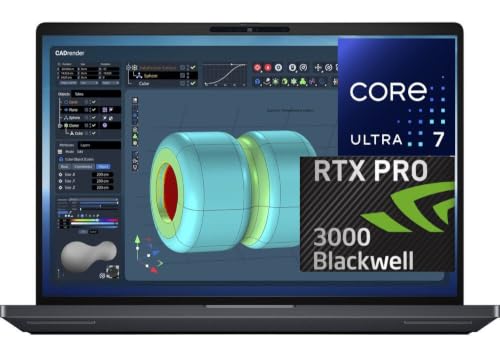
The Pro Max 18 Plus is where Dell’s naming future and its size past meet: an 18-inch QHD+ workstation — the largest canvas in this guide — on an Intel Core Ultra 7-265HX, with 64GB of memory, a 1TB NVMe drive and an NVIDIA RTX PRO 3000 Blackwell card carrying 12GB of GDDR7, plus Thunderbolt 5, HDMI and Wi-Fi 7, on Windows 11 Pro in a finish Dell calls Magnetite. Every generation marker in the current Dell catalogue is present in that sentence: the Pro Max name succeeding Precision at the summit, the Blackwell professional graphics succeeding Ada, GDDR7 succeeding the older memory standard, and Thunderbolt 5 succeeding 4 as the connection to build a desk around.
For an engineer, the material questions are what those successions buy. Blackwell graphics bring the newest professional architecture to the same 12GB class the 7780 occupies, with the driver future that a machine bought for five years will need as software moves on. Thunderbolt 5 raises the ceiling on the docked desk — faster storage, richer display chains — for a machine whose 18-inch panel already reduces its dependence on external screens. Sixty-four gigabytes answers the memory question in full, and the 265HX gives the configuration an HX processor matched to the family’s flagship intent rather than an efficiency chip in a big suit.
The trades are the ones its size announces. An 18-inch workstation is a semi-permanent installation: it moves between desks, not between meetings, and its owner should picture the bag, the vehicle and the site cabin before picturing the specification. Storage at 1TB is the configuration’s one modest figure against the 7780’s split layout and the 5690’s 2TB, and engineers with growing project libraries should plan the external archive from the start. The QHD+ panel splits the difference between the FHD workhorses and the OLED pair — more density for detail, less theatre than OLED — a balanced choice for a machine whose screen must do everything.
Who it suits is the engineer buying the family’s future on purpose: the practice principal equipping a principal’s desk for the next half-decade, the specialist whose loads span simulation, visualisation and a virtual laboratory at once, the buyer who wants the newest connection and graphics standards under the keyboard from day one. It is the ceiling of this guide by generation rather than by any single figure, and its review recommends it exactly to the buyer who values that — longevity of standards — over the last increment of any one specification.
- Processor: Intel Core Ultra 7-265HX
- Graphics: NVIDIA RTX PRO 3000 Blackwell, 12GB GDDR7
- Memory: 64GB RAM
- Storage: 1TB NVMe SSD
- Display: 18-inch QHD+
- Ports named: Thunderbolt 5, HDMI
- Wireless: Wi-Fi 7
- Operating system: Windows 11 Pro
- Finish: Magnetite
- ISV certification: Not stated in the listing title — verify with the manufacturer documentation
Strengths
- Blackwell professional graphics and Thunderbolt 5 give it the longest standards future here.
- 64GB of memory and an HX processor match the flagship intent.
- The 18-inch QHD+ panel is the largest canvas in this guide.
Trade-offs
- An 18-inch chassis is a semi-permanent desk installation.
- Storage is 1TB against rivals’ 2TB and split layouts.
- The newest standards command the newest generation’s pricing position.
Best for: a principal engineer equipping a desk for the next half-decade who values the newest graphics and connection standards. Not suited for: an engineer whose workstation must attend site meetings weekly, because an 18-inch Pro Max will make every one of those journeys a decision.
Install the Pro Max like the fixture it is. Build the desk around its Thunderbolt 5 connection once — the fastest storage you own, the best external screen if one is used — and set the archive discipline for the 1TB internal drive before the library grows into it. Register the warranty, confirm the support position for the exact configuration, and then let the machine’s generational headroom do its quiet work: absorbing software’s rising demands year after year without becoming the conversation. That invisibility, purchased at the ceiling, is the product.

Dell Precision 7680 64GB — Memory-first workhorse
This second 7680 configuration is the family’s workhorse specified for the other great engineering workload. Its title describes a 16-inch FHD+ laptop on an Intel Core i7-13850HX, with 64GB of memory, a 1TB NVMe drive and an NVIDIA RTX 1000 card with 6GB, plus HDMI, Windows 11 Pro, an AI Copilot note — and one line none of its siblings can match: Pro Support Plus, Dell’s support programme, named in the title itself. Where the OLED 7680 spends on its screen, this one spends on memory and on the safety net, and for engineers whose days are virtual machines, datasets and long-lived project environments, that is the allocation that pays out weekly.
Sixty-four gigabytes, in engineering terms, is the end of rationing. The virtual laboratory runs whole — several guests, the host, the analysis tools, the documentation — and datasets sit in memory instead of paging from disk. Paired with the i7-13850HX’s twenty-core-class appetite for parallel work (its sibling configuration in this guide states the core count outright), the machine is built for the engineer whose bottleneck was never the viewport. The RTX 1000’s 6GB keeps professional graphics present for CAD and review work at ordinary scale, and the review is explicit that this is a supporting role: the card serves the memory’s laboratory, not the other way round.
Pro Support Plus deserves its own paragraph because support is the specification engineers read only after a failure. A named programme in the title means the buyer can research its terms — response commitments, coverage scope — before purchase and hold the machine to them after, rather than discovering a warranty’s personality during a deadline week. For a practice whose workstations are production equipment, that stated programme can be worth more than a specification tier, and its presence here is the strongest argument for this configuration over its near relations. The FHD+ panel, by contrast, is the deliberate plainness: a desk-docked machine’s screen, sized for work and priced for the components.
Who it suits is the systems-led engineer inside a Dell practice: simulation environments, virtual test rigs, data-heavy analysis, and the professional who wants the support contract’s name in writing at purchase. It also suits the practice buyer equipping several seats identically, where the stated support programme simplifies the fleet’s risk. Graphics-led engineers should take the 7780 or the 5690 and their larger cards; memory-led engineers will find this 7680 the most honestly aimed machine in the guide, aimed at them.
- Processor: Intel Core i7-13850HX
- Graphics: NVIDIA RTX 1000, 6GB
- Memory: 64GB RAM
- Storage: 1TB NVMe SSD
- Display: 16-inch FHD+
- Ports named: HDMI
- Support: Pro Support Plus, as stated in the listing title
- Operating system: Windows 11 Pro
- Finish: Grey
- ISV certification: Not stated in the listing title — verify with the manufacturer documentation
Strengths
- 64GB of memory runs whole virtual laboratories without rationing.
- Pro Support Plus is named in the title, researchable before purchase.
- The i7-13850HX brings HX-class parallel strength to compiles and analysis.
Trade-offs
- The RTX 1000’s 6GB is the professional floor for graphics-heavy work.
- The FHD+ panel is a workhorse screen, not a presentation one.
- Storage is 1TB where virtual-machine libraries grow quickly.
Best for: a systems-led engineer whose laboratory is virtual machines and datasets, who wants the support programme’s name in the title. Not suited for: a visualisation specialist whose scenes press graphics memory daily, because this configuration’s 6GB card is specified as support for the memory, not as the main event.
Run this 7680 as the laboratory it is configured to be. Give the virtual machines a storage budget and an archiving rhythm from the first month, snapshot before every experiment that matters, and keep the Pro Support Plus documentation with the purchase record where a bad day can find it in one minute. The machine’s own promise — memory without rationing, support without ambiguity — is kept by exactly that much administration, and engineers who keep it tend to describe this configuration, years later, as the one that never made them wait.

Dell 2026 Precision 16 CAMM — CAMM memory option
The closing pick carries the most interesting single word in any title in this guide: CAMM. The listing describes a 2026 Precision with a 16-inch WUXGA screen, a 20-core Intel Core i7-13850HX, an NVIDIA RTX 1000 Ada, 64GB of CAMM memory and a 1TB drive, with a port inventory stated in full — Thunderbolt 4 USB-C with DisplayPort, Wi-Fi AX, RJ-45 Ethernet, Bluetooth, a webcam, HDMI 2.1, a backlit keyboard — on Windows 11 Pro. CAMM, the compression-attached memory standard Dell championed, packages memory as a single module rather than the traditional pair of sticks, and a title that names it is telling its buyer something real about how this machine’s memory is built and serviced.
Why should an engineer care about the memory’s packaging? Because 64GB in a modern, standardised module speaks to the machine’s service life: CAMM was designed for thinner chassis and cleaner upgrades than the stick era allowed, and a workstation bought for years of professional work benefits from memory architecture that Dell’s own service ecosystem understands natively. The practical advice is symmetrical, though — a buyer whose IT habits assume traditional sticks should confirm the service and upgrade story for this exact model in Dell’s documentation, since CAMM changes what a memory upgrade physically is. The title states the technology; the documentation owns the details, and this review keeps that boundary bright.
The rest of the configuration is the guide’s most completely stated working specification. The WUXGA panel gives code, schematics and models a taller canvas than the FHD+ pair; the wired RJ-45 port, a line item many modern titles omit, matters in facilities and labs where the reliable network is a cable; HDMI 2.1 is printed rather than implied; and the RTX 1000 Ada provides the family’s professional graphics floor behind the same i7-13850HX as the memory-first 7680. Compared directly with that sibling, the trade is legible: this machine swaps the stated support programme for the CAMM architecture, the taller screen and the fuller port list — a configurator’s fork, decided by which ownership story fits.
Who it suits is the engineer who reads specifications the way this guide does: the buyer who wants 64GB in the family’s newest memory standard, a wired network port for the lab, a taller screen for the work, and every port claim printed before purchase. It also suits practices planning a long service relationship with the model, for whom the memory architecture is a feature rather than a footnote. Buyers who value a named support programme above architecture should take the sibling above; buyers who value the architecture and the inventory will find this 2026 Precision the most modern-feeling workhorse in the traditional line.
- Processor: Intel Core i7-13850HX, 20 cores
- Graphics: NVIDIA RTX 1000 Ada
- Memory: 64GB CAMM
- Storage: 1TB SSD
- Display: 16-inch WUXGA
- Ports named: Thunderbolt 4 USB-C with DisplayPort, HDMI 2.1, RJ-45 Ethernet
- Wireless: Wi-Fi AX, Bluetooth
- Keyboard: backlit
- Camera: webcam
- Operating system: Windows 11 Pro
- ISV certification: Not stated in the listing title — verify with the manufacturer documentation
- Support programme: Not stated in the listing title — verify with the manufacturer documentation
Strengths
- 64GB of CAMM memory brings the newest memory standard to the workhorse tier.
- The fullest stated port inventory here, including wired RJ-45 Ethernet.
- The WUXGA panel fits more code and schematic vertically than FHD+.
Trade-offs
- The RTX 1000 Ada tier is the professional graphics floor in this guide.
- No support programme is named in the listing title.
- CAMM’s service story should be confirmed in Dell’s documentation before purchase.
Best for: an engineer who wants 64GB in Dell’s newest memory standard, a wired lab connection and every port claim in print. Not suited for: a purchase contract that must cite its support programme from the listing title, because this configuration leaves its cover to documentation while its sibling states Pro Support Plus outright.
Own the CAMM machine with its architecture in mind. Read Dell’s service documentation for the model in the first week — how memory is handled, what the upgrade path looks like — and file it with the purchase record, so a mid-life question is a lookup rather than an experiment. Use the wired port where the lab offers it, let the WUXGA screen’s extra rows hold the terminals and references that FHD+ crowds out, and the most modern workhorse in the line settles into the role its title describes: a fully inventoried, fully stated professional tool.
Comparison
| Pick | Processor | Graphics | Memory / Storage | Display |
|---|---|---|---|---|
| Dell Precision 7780 | i9-13950HX | RTX 4000 Ada 12GB | 32GB / 512GB + 2TB | 17.3″ FHD |
| Dell Precision 7680 OLED | i5-13600HX | RTX 1000 Ada 6GB | 32GB / 1TB | 16″ OLED 4K UHD+ touch |
| Dell Precision 5690 | Ultra 7-165H | RTX ADA 5000 16GB | 32GB / 2TB | 16″ OLED touch |
| Dell Pro Max 18 Plus | Ultra 7-265HX | RTX PRO 3000 Blackwell 12GB GDDR7 | 64GB / 1TB | 18″ QHD+ |
| Dell Precision 7680 64GB | i7-13850HX | RTX 1000 6GB | 64GB / 1TB | 16″ FHD+ |
| Dell 2026 Precision 16 CAMM | i7-13850HX, 20 cores | RTX 1000 Ada | 64GB CAMM / 1TB | 16″ WUXGA |
Within one brand, the table reads as an allocation map. Graphics money pools at the top — the 5690’s 16GB and the 12GB pair — while memory money pools in the 64GB row of three, and screen money pools in the two OLED configurations. An engineer who knows which pool their workload drinks from can shorten this guide to two rows without reading another paragraph. An engineer who does not should notice that no row wins all three pools, because Dell’s family is a set of deliberate trades, and the configurator’s art is choosing which trade is yours.
The two 7680 rows deserve a final glance side by side, because they share a model name and almost nothing else: one buys an OLED touchscreen with an i5 and 32GB, the other buys 64GB and a named support programme with an i7. Neither is the real 7680 and the other a variant; both are complete, deliberate configurations aimed at different engineers who happen to share a chassis. Model names in this family are chassis, not specifications — a truth the CAMM machine’s separate listing reinforces — and buyers who shop by name alone will eventually purchase the wrong 7680 with complete confidence. Shop by the row, never by the badge.
How to Choose a Dell Laptop for Engineering
Begin inside the family by fixing your graphics tier, because it divides the six more honestly than any other figure. Six gigabytes serves CAD and review at ordinary scale; twelve serves large assemblies and GPU simulation; sixteen serves the visualisation workloads that treat graphics memory as their ceiling. Dell sells all three tiers in this guide because engineering contains all three workloads, and the tier question — answerable from last month’s largest model — should be settled before size, screen or memory are allowed to speak. Money moved between tiers is the largest single decision in a Precision purchase.
Memory comes second, and the family’s fork is now three-way: 32GB in the traditional configurations, 64GB in conventional form with a support programme attached, and 64GB in CAMM form with the fuller port inventory. The capacity question is the familiar one — virtual laboratories and datasets vote for 64 — while the packaging question is newer: CAMM’s service and upgrade story should be read in Dell’s documentation by any buyer whose ownership plans include touching the memory. Neither answer is a trap; both are simply cheaper to reach before purchase than after.
Size and screen follow, as a pair. The 16-inch machines are the family’s travelling class, the 17.3-inch 7780 its traditional desk flagship, and the 18-inch Pro Max a semi-permanent installation with the newest standards. Screens divide by judgement: OLED where the panel itself presents the work, WUXGA and QHD+ where vertical room serves the work, FHD+ where the desk’s external monitors do the judging. A buyer who docks to good monitors can let the panel be plain with a clear conscience; a buyer whose laptop screen is the showroom cannot.
Support and listing hygiene close the Dell-specific audit. One title here names Pro Support Plus; the others leave their terms to be confirmed, and a practice should confirm them at purchase with the same rigour as the specification, because a workstation’s worst week is a support experience, not a benchmark. And across the whole Dell market, hold the line this guide opened with: read every Precision title to its end for a renewed marker, and treat the clean-listing premium as the price of an unambiguous first owner. The family rewards close readers at every step; this purchase is no exception.
Total cost deserves its own line in a Dell decision, because workstation fleets are rarely bought one at a time. A practice equipping six seats multiplies every figure in this guide — including the cost of the wrong allocation, the support programme chosen or skipped, and the dock and monitor each seat implies. Fleet buyers should therefore pilot before they multiply: one machine, of the leading configuration, worked hard by the engineer whose workload is heaviest, through one full project cycle. The pilot’s verdict, multiplied by six, is the cheapest consulting a practice can buy, and it converts this guide’s per-machine arguments into a fleet decision with evidence behind it.
Finally, let the fleet answer what the individual cannot.
Practices already running Dell docks, images and support contracts gain real value from staying inside the family — that is a specification too, written in the IT department’s hours rather than the catalogue’s figures. The individual engineer buying alone should weigh that fleet logic at zero and choose purely by tier, memory and screen. Both buyers end inside these six; they simply arrive by different honest roads, and the guide’s reviews were written to serve either arrival.
Precision or Pro Max: What Does Dell’s New Name Actually Change?
On the evidence of these titles, the Pro Max name marks the family’s generational frontier rather than a different kind of machine. The Pro Max 18 Plus carries the newest graphics architecture in the set — RTX PRO Blackwell with GDDR7 — and the newest connection standard, Thunderbolt 5, at the family’s largest size. The Precision name, meanwhile, continues across the current catalogue beneath it, including a 2026 model with CAMM memory. An engineer should therefore read the badge as a generation marker: Pro Max for the newest standards at the summit, Precision for the deep, varied range below it — with specification, as ever, outranking nomenclature.
The practical consequence is about time. A buyer optimising for the longest standards future — the machine least likely to feel dated by a port or a graphics architecture in year four — is the Pro Max’s natural customer. A buyer optimising for a specific allocation today, whether that is OLED, CAMM or a named support programme, will find those features wearing the Precision badge in this set and should follow the features without nostalgia for the newer name. Dell has given its family a frontier and a heartland; engineers should buy the territory their work actually occupies.
What Should You Check Before Buying Any Precision From a Marketplace Listing?
Read the title to its final character, looking for the word this guide filtered on: renewed, and its cousins in refurbishment language. Precision workstations circulate through renewal channels in volume, and a renewed unit is not a dishonest product — it is a different product, with a different warranty story and a different first owner, sold at a different value. The error is only ever a reading error: paying a new-machine price, or forming new-machine expectations, for a listing whose own title disclosed its status to anyone who finished it. The six picks here were chosen as clean listings so the comparison stays honest.
Then verify the configuration as a whole, because the family’s model names are chassis families with wide internal variety — this guide alone contains two 7680s that share almost no specification. Match the processor, the graphics card and its memory, the system memory and its technology, and the storage layout against the listing’s own text, and treat any figure the title omits as a question for the seller or for Dell’s documentation rather than as a family trait you may assume. A Precision purchase rewards the reader who treats the title as a contract; it punishes, gently and expensively, the reader who treats it as a headline.
Is 64GB of Memory Worth It for Engineering Workstations?
For the laboratory workloads, the answer is arithmetic rather than opinion. A virtual test environment is several computers pretending to share one, and each guest takes its memory off the top before the host’s own tools are fed. Engineers who run such environments — systems, networks, embedded test rigs, client-server coursework at professional scale — feel 32GB as a negotiation and 64GB as a non-event, and a non-event, repeated daily for years, is worth a great deal of money. Dataset-heavy analysis reaches the same conclusion by another road: the working set either lives in memory or commutes from disk, and only one of those is fast.
For the viewport workloads, the answer reverses politely. A modelling engineer whose scenes live in the graphics card’s memory gains little from doubling the system’s, beyond the general comfort of never closing anything; that buyer’s marginal money belongs in the graphics tier, where the 5690’s 16GB waits. The two 64GB paths in this guide — conventional with Pro Support Plus, CAMM with the fuller inventory — exist because Dell’s own customers divide exactly this way. Know which engineer you are before the configurator asks, because the family’s fork in the memory road is the one decision it will not let you postpone.
Common Mistakes When Buying a Dell Engineering Laptop
Shopping by model name. A 7680 can be an OLED touch machine with 32GB or a memory-first workhorse with 64GB and named support. The name is a chassis; the specification is the product. Read the whole title, every time.
Missing the renewed marker. Precision listings circulate through renewal channels in volume. A renewed unit is a different purchase with a different warranty story — fine when chosen knowingly, corrosive when discovered later.
Buying the graphics tier for a memory workload. Virtual laboratories eat system memory, not graphics memory. The 64GB configurations exist for that work; the 16GB card exists for another. Fund the bottleneck you actually have.
Ignoring the support line until the failure. One title here names Pro Support Plus and the rest are silent. Confirm the cover for the exact configuration at purchase, while it is a comparison rather than a rescue.
Assuming CAMM is a typo. The 2026 Precision’s CAMM memory is a real standard with its own service story. Buyers who plan upgrades should read Dell’s documentation for the model before ordering, not after opening the chassis.
Final Recommendation
Inside Dell’s family, most engineers will land on one of three centres. The Precision 7680 with 64GB is the workhorse default — memory, HX processor and a support programme named in print. The Precision 5690 is the visualisation flagship that still travels, and the Pro Max 18 Plus is the generational ceiling for the desk that will not move. Around them, the 7780 serves the big-canvas traditionalist with its split storage, the OLED 7680 serves the presenting reviewer, and the CAMM Precision serves the specification reader who wants the newest memory standard and the fullest stated inventory.
Choose by tier, by memory and by the support line — in that order, from the titles’ own evidence — and the Dell badge will have earned its place on the desk the old-fashioned way: not by being the only name considered, but by being the family within which the right allocation was easiest to find, verify and live with for the whole of a machine’s long professional life.
Frequently Asked Questions
What is the difference between Precision and Pro Max?
On these titles’ evidence, Pro Max is Dell’s newest top-end naming, carrying the Blackwell professional graphics and Thunderbolt 5 in this guide’s 18-inch pick. Precision continues as the deep range beneath it, including current-generation machines like the CAMM model. Buy by specification and generation, not by badge alone.
Which Dell pick has the strongest graphics?
The Precision 5690, whose title states an RTX ADA 5000 with 16GB — the largest graphics memory in the guide. The 7780 and the Pro Max 18 Plus follow at 12GB each, in Ada and Blackwell generations respectively.
Are any of these laptops renewed?
No pick in this guide carries a renewed marker in its title; the set was filtered for clean new listings precisely because Precision machines circulate heavily through renewal channels. Buyers comparing elsewhere should read every title to its end for that status.
What is CAMM memory, and should it affect my choice?
CAMM is the modular memory standard named in the 2026 Precision 16’s title, packaging 64GB as a modern module rather than traditional sticks. It speaks to service and upgrade design; buyers who plan to touch the memory should read Dell’s documentation for the exact model before purchasing.
Which pick suits virtual-machine-heavy engineering?
Either 64GB configuration: the Precision 7680 with Pro Support Plus stated, or the CAMM Precision 16 with its fuller port inventory and WUXGA screen. Choose between them by whether the named support programme or the memory standard and ports matter more to your practice.
Is the OLED 7680 a mistake for engineers?
Only for the wrong engineer. Its allocation — flagship screen, mid-tier processor, entry professional graphics — serves presenting and reviewing work beautifully and simulation queues poorly. Count your own hours in each before letting its panel decide for you, and remember that the same chassis name also carries the guide’s memory-first configuration, so the OLED version’s compromises are a choice within the family rather than the family’s character.
Related Guides
Dell is one answer inside a wider engineering market, and the neighbouring guides supply the comparisons. Readers weighing Dell against the other workstation families should start with the best laptops for architects, where Precision meets ThinkPad P and ZBook on equal terms. Those whose engineering is code- and systems-led will find a different allocation debate in the best laptops for computer engineering, from business machines to the workstation ceiling. And engineers whose work turns to sound should finish with the best laptops for audio engineering, where ports, memory and room behaviour reorder these same priorities.