What's inside
- Key Takeaways
- Quick Picks
- How Did We Keep Modems, Mesh and Plain Routers Honest in One Guide?
- Which Motorola Buyer Are You: Gateway Replacer, Coverage Fixer or Single-Router Traditionalist?
- What Does the Motosync App Actually Decide?
- The Six Motorola Picks, One at a Time
- How Does Motorola’s Modem Heritage Show Up in the Combinations?
- What Should Cable Buyers Verify in the Hour Before Ordering a Combination?
- How Do You Decide Between One Strong Router and Several Smaller Ones?
- What Happens When You Outgrow the Motorola You Bought?
- How Should a Family Actually Use Parental Controls Once the Mesh Is Running?
- When a Motorola Network Misbehaves, What Should You Check First?
- What Does a Wired Backbone Add to a Motorola Mesh?
- How Long Should Each Kind of Motorola Serve Before It Feels Old?
- What Should You Do on the Day the Motorola Arrives?
- Motorola’s Six, Ranked by Job Rather Than by Badge
- How Do You Set Up a Motorola Mesh So the Units Actually Help?
- What Mistakes Do Motorola Buyers Keep Making?
- Final Recommendation
- Frequently Asked Questions
- Related Guides
As an Amazon Associate I earn from qualifying purchases. This post may contain affiliate links at no extra cost to you.
widgetverdict.com is reader-supported. When you buy through links on our site, we may earn an affiliate commission.
Where to buy: Motorola’s networking range is sold through Amazon and electronics retailers, and each entry below links to the checked listing for that exact model. Motorola sells two different species under one brand — cable modem combinations that replace a provider gateway outright, and pure routers or mesh systems that expect a modem or fibre terminal in front of them — so the first check is not price or speed but which species your connection needs.
The best motorola routers divide exactly along that line, and this guide refuses to blur it. Two picks are DOCSIS 3.1 cable modem combinations, the MG8702 and the Wi-Fi 6 MG8725, both approved in their listings for Comcast Xfinity, Cox and Charter Spectrum. Three picks are mesh-capable Wi-Fi systems — the Wi-Fi 6E MQ20, the Q11 three-pack and the MH7602 two-unit set — that route and spread coverage but contain no cable modem at all. The sixth, the MR2600, is a single standalone router with range-boost positioning and a 64-device brief. A reader who sorts those three groups before comparing speeds will choose well; a reader who compares an AX6000 combination against an AX1800 mesh kit on the headline number alone is comparing a boat with a bridge.
Motorola’s name carries a particular weight in modems — the brand’s cable hardware predates the modern retail category — and its router line trades on the same engineering reputation plus a software layer, the Motosync app, that recurs across the mesh picks with parental controls and security features named in listing after listing. What follows weighs each pick on the evidence of its own title: modem standard, wireless class, coverage claim, pack count and approvals, with the gaps in those titles acknowledged where they occur.
Key Takeaways
- Only two of the six picks contain a cable modem: the MG8702 and MG8725, both DOCSIS 3.1 combinations approved for Xfinity, Cox and Spectrum.
- The MQ20, Q11 and MH7602 are routers and mesh systems with no modem inside — they need a modem, fibre terminal or existing gateway in front of them.
- The MG8725 is the performance peak: Wi-Fi 6 AX6000, multi-gig cable modem, up to 6000 Mbps language in its listing.
- The MQ20 is the only Wi-Fi 6E pick, tri-band at 8.4 Gbps with a stated 3000 sq. ft coverage for a single unit.
- Motosync is the software thread through the mesh picks — parental controls, auto security and adblocking appear across the Q11 and MH7602 listings.
- The MR2600 is the traditional single-router option: dual-band gigabit, range boost, up to 64 devices, no mesh and no modem.
Quick Picks
| Pick | Badge | Why it is here |
|---|---|---|
| Motorola MG8702 | DOCSIS 3.1 combo — AC class | DOCSIS 3.1 modem plus AC3200 Wi-Fi with Intelligent Power Boost, approved for Xfinity, Cox and Charter Spectrum. |
| Motorola MG8725 WiFi 6 Router + Multi-Gig Cable Modem | DOCSIS 3.1 combo — Wi-Fi 6 flagship | AX6000 Wi-Fi 6 over a multi-gig DOCSIS 3.1 modem, up to 6000 Mbps, approved for the big three cable providers. |
| Motorola MQ20 WiFi 6E Router with Easy Mesh, Tri-Band 8.4 Gbps | Wi-Fi 6E mesh-ready single | Tri-band 8.4 Gbps Wi-Fi 6E, 3000 sq. ft stated coverage, easy mesh and advanced parental controls in one unit. |
| Motorola Q11 Mesh WiFi 6 Router 3 Pack | Mesh three-pack | AX3000 Wi-Fi 6 across three units with the Motosync app, auto security and a router-and-extender replacement brief. |
| Motorola MH7602 | Mesh two-unit starter | AX1800 Wi-Fi 6 across two units with Secure Motosync, adblocking and parental controls for smaller homes. |
| Motorola MR2600 Smart WiFi Router with Range Boost | Standalone single router | Dual-band gigabit routing for up to 64 devices with plug-and-play setup and live chat support. |
How Did We Keep Modems, Mesh and Plain Routers Honest in One Guide?
By scoring each pick inside its own species first and across the brand second. A combination’s first question is its modem — DOCSIS 3.1, provider approvals, the tier it can be activated on. A mesh system’s first question is its topology — how many units, what class per system, what the app manages. A standalone router’s first question is its brief — device count, bands, the shape of home it serves alone. Only after those species questions are answered do the brand-level comparisons mean anything: Motorola’s support culture, the Motosync software appearing in several listings, and the maker’s habit of printing approvals plainly on its modem combinations.
Evidence discipline followed the titles. Where a listing states a figure — 8.4 Gbps, 3000 sq. ft, 64 devices, up to 6000 Mbps — the guide uses it and attributes it to the listing. Where a title is silent, notably on port counts for several picks and on the MR2600’s wireless class beyond dual-band gigabit language, the guide says the figure needs confirming in Motorola’s documentation rather than borrowing it from a sibling model. Motorola’s range is unusually prone to that borrowing error, because the model names rhyme; resist it. Readers whose connection is Spectrum cable and whose need is a gateway replacement specifically will find the narrower question treated in Best Cable Modem Routers That Work with Spectrum, where the modem half of the decision gets its own page.
Which Motorola Buyer Are You: Gateway Replacer, Coverage Fixer or Single-Router Traditionalist?
The gateway replacer rents a modem-router from the cable company, resents the line on the bill, and wants one owned box to end the arrangement. That reader’s shortlist is two names long — MG8702, MG8725 — and the choice between them is a Wi-Fi generation question: AC3200-class wireless with power-boost positioning, or full Wi-Fi 6 AX6000 over a multi-gig modem. Everything else in this guide is the wrong species for them, however attractive the mesh coverage claims look, because a mesh kit cannot be activated on a cable account.
The coverage fixer already has internet entering the home — through a fibre terminal, a modem they own, or a gateway they must keep — and suffers instead from geography: dead rooms, a garden office, a teenager exiled to the weak-signal bedroom. Their shortlist is the MQ20, Q11 and MH7602, sorted by house size and appetite for the 6 GHz band. The traditionalist wants a single honest router behind an existing modem, no app-driven mesh philosophy, and their pick is the MR2600. Naming your group before reading the pick sections will save you the most common Motorola mistake, which is falling for a mesh headline while holding a cable bill — or buying a modem combination to solve a coverage problem it cannot reach. Large, device-crowded homes in the second group should also weigh the wider field in Best Routers for Large Homes and Multiple Devices before settling, since Motorola is one voice in that larger argument.
What Does the Motosync App Actually Decide?
More than app sceptics expect, less than the listings imply. Across the Q11 and MH7602 titles, Motosync carries parental controls, auto or advanced security, adblocking on the MH7602, and the setup and management of the mesh itself. For families, that software layer is frequently the reason to buy the system rather than a rival’s hardware with stronger radios and weaker controls: the ability to pause a child’s device at bedtime from a phone, to see what joined the network, to let security update itself. The MQ20 speaks a parallel language — advanced parental controls and next-gen security in its title — suggesting the same software philosophy in the Wi-Fi 6E line.
The honest caveat is that app-centred networking is a relationship, not a purchase. Features can sit behind subscriptions in this industry, apps change across versions, and a household that hates managing its network from a phone will experience Motosync as friction rather than help. The listings name the features; they do not publish the long-term terms, so a buyer for whom parental controls are the deciding feature should read the current app description before ordering. None of this diminishes the hardware — it simply assigns the software its proper weight in the decision, which for the mesh picks is roughly half the product.
The Six Motorola Picks, One at a Time
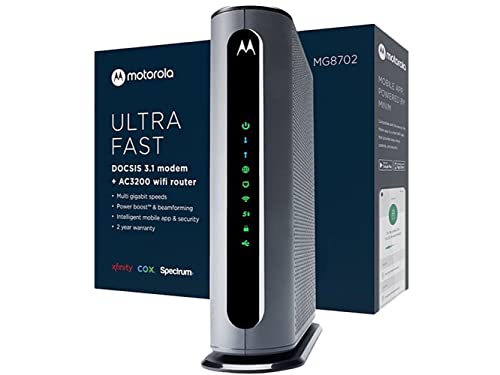
Motorola MG8702 — DOCSIS 3.1 combo, AC class
The MG8702 is Motorola’s mainstream gateway replacement: a DOCSIS 3.1 cable modem fused with an AC3200 Wi-Fi router, an Intelligent Power Boost feature named in the listing, and approvals for Comcast Xfinity, Cox and Charter Spectrum printed where a buyer can see them. The combination logic is the appeal — one box ends the rental, speaks the current DOCSIS generation so it can be activated on fast tiers, and brings Motorola’s modem pedigree to the half of the device that talks to the street. For the household whose needs are streaming, browsing and calls across a middling floor plan, the MG8702 is the brand’s centre of gravity.
Its boundary is the wireless generation. AC3200 is Wi-Fi 5-class engineering: entirely competent, and a clear step behind the Wi-Fi 6 MG8725 in device-dense homes where OFDMA-era efficiency shows. A buyer choosing the MG8702 is trading that headroom for a simpler purchase, and the trade is respectable precisely when the household’s device count is modest and its tier is mainstream. What should not happen is the reverse error — buying the MG8725’s flagship radio for a small flat on a mid-tier plan and never meeting the conditions that justify it. Motorola built both because both households exist.
- Type: DOCSIS 3.1 cable modem plus Wi-Fi router combination
- Wireless: AC3200 Wi-Fi speed class
- Feature named in listing: Intelligent Power Boost
- Approvals: Comcast Xfinity, Cox and Charter Spectrum
- Ports: the listing title does not give a count — confirm in Motorola’s documentation
Strengths
- Current-standard DOCSIS 3.1 modem half, activatable on modern tiers.
- Provider approvals printed in the listing for the three big cable networks.
- One-box simplicity from the maker with the deepest cable-modem lineage here.
Trade-offs
- AC-class Wi-Fi trails the Wi-Fi 6 MG8725 in crowded device environments.
- Combination fate-sharing: router upgrades mean replacing the modem too.
- Port count needs a documentation check before wired-heavy buyers commit.
Best for: a cable household on a mainstream tier replacing a rented gateway with a current-standard Motorola combination.
Not suited for: a device-dense home expecting Wi-Fi 6 efficiency from an AC-class radio.

Motorola MG8725 WiFi 6 Router + Multi-Gig Cable Modem — DOCSIS 3.1 combo, Wi-Fi 6 flagship
The MG8725 is the combination with every dial turned: a multi-gig DOCSIS 3.1 cable modem, Wi-Fi 6 routing at AX6000, up to 6000 Mbps in the listing’s own language, and the same three-provider approval set — Comcast Xfinity, Cox, Spectrum — as its sibling. It is built for the household that holds a fast tier and intends to use it wirelessly: large downloads, several simultaneous streams, a work machine that cannot be wired, all running through one device that is nobody’s bottleneck. Among Motorola’s combinations this is unambiguously the flagship, and its listing reads like one.
Flagship logic cuts both ways. The AX6000 radio earns its keep only when Wi-Fi 6 clients crowd the home; a household of older devices will use a fraction of it. The multi-gig modem similarly serves tiers that many streets cannot yet buy. None of that makes the MG8725 a bad purchase — headroom is a legitimate thing to buy in a device expected to serve for years — but it should be bought as headroom, knowingly, rather than as a speed promise for a subscription that tops out far below it. Gamers weighing wired-first alternatives for the same fast tier may want the contrast in Best Affordable Gaming Routers, where the router half is judged by latency culture rather than modem integration.
- Type: DOCSIS 3.1 multi-gig cable modem plus Wi-Fi 6 router, 2-in-1
- Wireless: AX6000 Wi-Fi 6; up to 6000 Mbps as listed
- Approvals: Comcast Xfinity, Cox and Spectrum
- Modem class: multi-gig, per the listing
- Ports: the listing title does not give a count — confirm in Motorola’s documentation
Strengths
- The strongest wireless class Motorola fields in a modem combination here.
- Multi-gig DOCSIS 3.1 modem matched to the fastest residential tiers.
- Approvals for the big three cable providers stated outright.
Trade-offs
- Its headroom is wasted on slow tiers and older client devices.
- Flagship combination pricing competes with separate modem-plus-router builds.
- One box still radiates from the cable drop’s location, not the home’s centre.
Best for: a fast-tier household with many Wi-Fi 6 devices, wanting the strongest single-box Motorola.
Not suited for: a small home on a modest tier paying flagship prices for capacity it cannot subscribe to.

Motorola MQ20 WiFi 6E Router with Easy Mesh, Tri-Band 8.4 Gbps — Wi-Fi 6E mesh-ready single
The MQ20 steps out of the modem world entirely: a Wi-Fi 6E router, tri-band with an 8.4 Gbps aggregate class, easy-mesh capability, a stated 3000 sq. ft coverage for this single pack, and a software brief — advanced parental controls, next-gen security, seamless device management — that mirrors the mesh line’s philosophy. The 6E band is its headline: a third, wide, comparatively empty band that Wi-Fi 6E clients can use away from the neighbourhood’s crowded legacy frequencies, and that can serve as a cleaner lane between mesh units when the system grows beyond this single pack.
Two disciplines apply. First, the MQ20 contains no cable modem; it routes behind whatever brings internet into the home, so cable households must keep or buy a modem separately. Second, a single unit’s 3000 sq. ft claim is a manufacturer’s coverage figure under favourable conditions — treat it as the size of home where one unit is a reasonable start, not a guarantee for a masonry house of the same area. Within those disciplines, the MQ20 is the forward-looking pick of this guide: the buyer who wants 6E now, mesh growth later, and Motorola’s control software throughout.
- Type: Wi-Fi 6E router, mesh-capable; no cable modem inside
- Wireless: tri-band, 8.4 Gbps class
- Coverage: 3000 sq. ft stated for the single pack
- Software: advanced parental controls, next-gen security, device management as listed
- Colour and pack: black, single pack
Strengths
- The only 6 GHz band in this guide — cleaner air for 6E clients and mesh links.
- Single unit now, mesh expansion later, under one software roof.
- Parental controls and security named in the listing, not implied.
Trade-offs
- No modem — cable households must supply one separately.
- 6E benefits reach only clients that speak Wi-Fi 6E.
- Coverage figure is a maker’s claim; difficult construction shrinks it.
Best for: a forward-looking household behind an existing modem or fibre terminal, starting with one strong 6E unit.
Not suited for: a cable subscriber expecting this box alone to replace a rented modem gateway.

Motorola Q11 Mesh WiFi 6 Router 3 Pack — Mesh three-pack
The Q11 is Motorola’s mesh answer in its most complete retail form: three Wi-Fi 6 units, AX3000 system class, sold explicitly as a replacement for a router and extender, with quick setup, auto security and parental controls run through the Motosync app. Three units change the coverage conversation from “how far can one box reach” to “where should the second and third stand” — the hallway midpoint, the landing, the room above the garden office — and for the multi-storey house that has suffered a single router’s geography for years, that change of question is the product.
AX3000 is a sensible class for a three-pack: the system spends its money on distribution rather than on a flagship radio in one room. The household calculus is equally clear in reverse — a small flat gains nothing from two idle satellites, and a renter who cannot place units thoughtfully will not collect the system’s promise. Buy the Q11 for a floor plan with genuine distance in it, place the units where the app suggests and then where your own walking tests correct the app, and the Motosync layer will handle the family’s controls from the same screen that manages the mesh.
- Type: mesh Wi-Fi 6 system, three units; no cable modem inside
- Wireless: AX3000 class
- Software: Motosync app with auto security and parental controls
- Brief: replaces router and extender, per the listing
- Setup: quick easy setup as listed
Strengths
- Three units solve multi-room and multi-storey coverage in one purchase.
- Motosync unifies setup, security and parental controls in one app.
- AX3000 class keeps the system’s money on distribution, not showroom numbers.
Trade-offs
- No modem inside — an upstream internet device is still required.
- Small homes will leave satellites underemployed.
- App-led management suits phone-first households better than browser traditionalists.
Best for: a multi-storey or spread-out home replacing a router-and-extender tangle with one managed mesh.
Not suited for: a compact flat needing coverage in two rooms and silence from its network.

Motorola MH7602 — Mesh two-unit starter
The MH7602 is the mesh idea at its most approachable: two Wi-Fi 6 units, AX1800 class, an intelligent mesh system in the listing’s phrase, and the Secure Motosync app carrying setup, security, adblocking and parental controls. Two units is the right count for the most common coverage complaint in the housing stock — the router lives at one end of the home and the far bedrooms pay for it — because the second unit stands at the midpoint and hands the signal the rest of the way. Motorola prices and pitches this kit as the starter mesh, and the listing’s emphasis on easy setup and bundled controls supports exactly that reading.
AX1800 sets the honest expectation: this is coverage engineering, not speed engineering. A household on a fast tier with heavy simultaneous demand in several rooms should look at the Q11’s distribution or the MQ20’s bands instead. But for the long flat, the bungalow, the house where one extra node fixes the map, the MH7602’s restraint is a virtue — fewer units to place, a gentler class matched to mainstream tiers, and the same app philosophy as its bigger siblings if the system later grows. The adblocking named in its listing is a small, real differentiator at this end of the range, trimming a layer of nuisance traffic for every device on the network at once.
- Type: Wi-Fi 6 router plus intelligent mesh system, two units; no cable modem inside
- Wireless: AX1800 class
- Software: Secure Motosync app — security, adblocking, parental controls as listed
- Setup: easy setup as listed
- Positioning: starter mesh for smaller homes
Strengths
- Two units fix the classic far-bedroom problem without a three-pack’s cost.
- Adblocking and parental controls ride along in the Motosync layer.
- The gentlest learning curve in Motorola’s mesh line.
Trade-offs
- AX1800 class caps simultaneous heavy demand across rooms.
- Large or three-storey homes will outgrow two units.
- Still no modem — an upstream device remains necessary.
Best for: a long flat or modest house whose far rooms lose signal from a single router.
Not suited for: a large multi-storey home streaming heavily in several rooms at once.
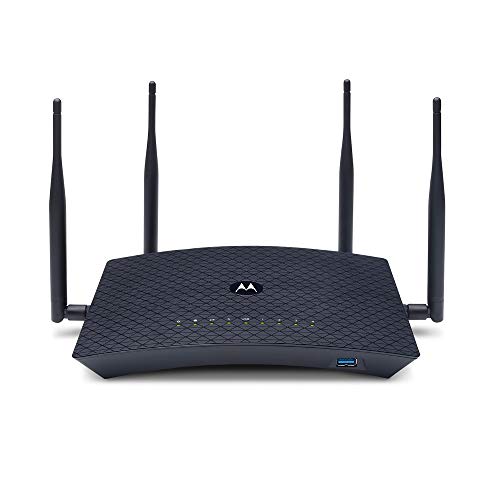
Motorola MR2600 Smart WiFi Router with Range Boost — Standalone single router
The MR2600 is the traditionalist’s Motorola: a single smart Wi-Fi router with Range Boost in its name, dual-band gigabit speeds, a stated capacity of up to 64 devices, plug-and-play setup and live chat support. No mesh, no modem, no app philosophy to adopt — it wires to an existing modem or terminal and routes, which for a great many homes remains the whole job description. Its device-count figure deserves a word of interpretation: 64 connected devices is a realistic census for a modern home once phones, televisions, plugs, bulbs and appliances are counted, and a router that states its brief in those terms is speaking the household’s language rather than the laboratory’s.
Range Boost is the claim to treat with a buyer’s calm. Every maker’s range language describes favourable conditions; the MR2600’s real-world reach will be decided by your walls, as all single routers’ reach is. What the listing establishes firmly is the shape of the product — dual-band, gigabit-class wired speeds, an easy setup story and human support by live chat, a detail that matters to buyers who have been abandoned to forums by other brands. Choose the MR2600 when the modem already exists, the home is one router’s honest size, and the network’s job is to work rather than to expand.
- Type: standalone Wi-Fi router; no modem, no mesh
- Wireless: dual-band, gigabit speeds as listed
- Device brief: up to 64 devices
- Feature named in listing: Range Boost
- Support: live chat support; plug-and-play setup
Strengths
- The simplest Motorola brief: one router, honestly specified, easily installed.
- A 64-device stated capacity matches real household censuses.
- Live chat support distinguishes it for non-technical owners.
Trade-offs
- Single-unit coverage obeys the same physics as every lone router.
- No mesh growth path inside this model.
- Dual-band design lacks the 6 GHz lane of the MQ20 entirely.
Best for: a one-router-sized home behind an existing modem, wanting Motorola simplicity and human support.
Not suited for: a sprawling home expecting a single unit to defeat distance and masonry.
How Does Motorola’s Modem Heritage Show Up in the Combinations?
Most router brands arrived from computing; Motorola arrived from the cable plant. For decades the box the cable company handed out — the device subscribers never chose and rarely thought about — very often carried this name, which means the company’s modem engineering was shaped by provider certification regimes rather than retail fashion. That heritage is visible in how the combinations here present themselves: approvals printed in the title, DOCSIS generation stated without embroidery, and feature language — Intelligent Power Boost on the MG8702 — aimed at the unglamorous problem of holding signal quality rather than at lifestyle photography. A buyer choosing between the MG8725 and a rival flagship is, in part, choosing that engineering culture: the modem half treated as infrastructure, the router half as its tenant.
The heritage cuts the other way in one respect worth naming. Provider-grade conservatism can mean the retail frills arrive later — the mesh line and the 6E MQ20 are Motorola competing in categories others defined. Nothing in the listings suggests the company does that competing badly; the Motosync feature set is fully contemporary. But a buyer whose priority is the newest router fashion the month it appears is shopping against the brand’s grain, while a buyer whose priority is a modem the provider activates without drama is shopping directly with it. Heritage is not a spec, yet it predicts where a maker’s care concentrates, and in this guide it concentrates exactly where cable households hurt.
What Should Cable Buyers Verify in the Hour Before Ordering a Combination?
Four checks, in order, none of them skippable. First, the tier: read the plan name on your bill and confirm it is a tier the combination’s modem generation serves — both combinations here are DOCSIS 3.1, which current fast tiers assume, so this check is about the future tier you may take next year as much as today’s. Second, the approval: find the exact model, character for character, on your provider’s current approved-device list, because “approved for Xfinity, Cox and Spectrum” in a listing is a claim the provider’s own page must corroborate on the day you buy. Third, the account: some services bundled into a rented gateway — notably provider voice service — do not transfer to a customer-owned combination, so a household with a provider phone line must ask that question before the return box is sealed. Fourth, the shelf: measure where the unit will live relative to the coax drop, and accept now if the location is poor, because a combination’s Wi-Fi radiates from that spot for its whole service life.
Households that run those four checks almost never return a combination. The returns in this category trace overwhelmingly to the skipped check — the unlisted model, the orphaned voice line, the gateway corner behind the boiler — and each of them was knowable in the hour before ordering. That is the least glamorous paragraph in this guide and the one most likely to save a reader money.
How Do You Decide Between One Strong Router and Several Smaller Ones?
Start with the map, not the catalogue. A single strong router — the MR2600, or one MQ20 — serves a home whose rooms cluster around one centre: flats, bungalows, compact houses with light internal walls. Its failure mode is distance plus obstruction, and no increase in a single unit’s class repeals it, because the client’s weak transmitter must also make the return journey. A mesh system answers that geometry by moving the access point closer to the client; the Q11 and MH7602 exist for homes whose floor plans defeat centrality — long, tall, L-shaped, masonry-divided. The deciding exercise takes ten minutes: stand where a router would live, then walk to the farthest working seat in the home and count the walls and floors between. Two light walls is a single router’s country. Four walls, a floor and a brick chimney is mesh country, whatever the single unit’s brochure says.
Budget reasoning follows the same map. Money spent raising one router’s class buys capacity in rooms already served; money spent on distribution buys service in rooms unserved. Households routinely overspend on the first while suffering the second, because class numbers are comparable in a way floor plans are not. Motorola’s own range illustrates the fork cleanly: the MQ20’s 8.4 Gbps tri-band specification is the capacity answer, the MH7602’s modest two units are the distribution answer, and they sit at similar decision weight for entirely different homes. Choose the answer to your problem, not the larger number.
What Happens When You Outgrow the Motorola You Bought?
Each species has its own growth story, and they are not equally kind. The mesh buyer grows gracefully: the MQ20’s easy-mesh design anticipates added units, and a Q11 or MH7602 household that moves to a larger home can extend coverage rather than restart — subject always to staying inside the system’s own family and app. The standalone-router buyer grows by replacement, which is tolerable because the MR2600’s brief is modest and its price posture matches. The combination buyer grows hardest: a household that outgrows the MG8702’s Wi-Fi must replace a healthy DOCSIS 3.1 modem along with it, or demote the combination to modem duty and hang a new router behind it — a workable arrangement many owners adopt, provided the combination’s routing can be stepped aside cleanly.
None of this argues against combinations; it argues for buying them at the right size the first time. The cable household that can see a bigger home, a faster tier or a device explosion in its near future should buy the MG8725’s headroom now, because the cost of headroom at purchase is a fraction of the cost of replacement later. Conversely, the settled household — same home, same tier, same habits — loses nothing to the MG8702’s restraint. Outgrowing is a forecasting exercise disguised as a shopping decision, and the listings, read carefully, give you every figure the forecast needs.
How Should a Family Actually Use Parental Controls Once the Mesh Is Running?
The listings promise parental controls in three separate picks, and the feature earns its keep only when a household sets it up with a light touch and a clear purpose. Begin with profiles rather than rules: one profile per child, their devices assigned to it, because controls aimed at devices you cannot identify dissolve into household friction within a week. Set the bedtime pause first — it is the control families actually sustain — and let it be predictable rather than punitive: the network rests at the same hour every school night, the rule belongs to the house rather than to a parent’s mood, and the app makes it automatic so nobody has to be the villain at 9 p.m. Content filtering belongs second, tuned by age, with the understanding that no filter is a substitute for the conversation it supports.
Resist the surveillance temptation the software makes easy. Usage reports are most useful as a household mirror — the family that discovers its own evenings will adjust them more willingly than a child who discovers they were monitored. Agree what the controls are for, in the open, and review them as children grow; a profile written for a nine-year-old becomes an insult at fourteen and a irrelevance at seventeen. The Motosync layer in the Q11 and MH7602, and the controls named for the MQ20, give Motorola buyers the machinery for all of this — but machinery is the easy half. The families who praise these features a year later are the ones who treated setup as a family meeting rather than an ambush, and who kept the rules few, known and consistently applied.
One practical warning completes the picture: controls live in the app account, so the parent who sets them up should keep that account’s credentials in the family’s shared records, and a second parent should be able to reach the pause button too. A network only one person can administer is a single point of failure wearing a convenience costume — a truth that applies to every app-managed pick in this guide.
When a Motorola Network Misbehaves, What Should You Check First?
Diagnose by species. A combination that loses the internet entirely is speaking about its modem half or the street: check the coax seating, simplify any splitter chain, reboot with patience — power down, wait, power up, then allow several minutes for the modem to lock and configure — and test with a wired laptop before touching any Wi-Fi setting. A mesh system that stays online but serves one room badly is speaking about placement: open the app, look at the starved unit’s connection quality, and move it one room nearer its parent before changing anything else. A standalone router that slows in the evening is usually describing its neighbourhood — crowded channels in dense housing — or a single greedy device, both of which are visible in the client list if you look before you reset.
The reset button is the most overused tool in home networking and the last one this guide recommends. A factory reset erases the setup you spent an evening building — the profiles, the pauses, the placed satellites’ learned arrangement — and fixes only the narrow class of faults caused by corrupted settings. Before it, in order: reboot, re-seat cables, re-test wired, relocate one unit, read the app’s own health view. Motorola’s live chat support on the MR2600 and the app guidance on the mesh picks exist for the point where those steps end; arriving at that conversation with a list of what you have already ruled out is the difference between a diagnosis and a script reading. Keep notes as you go — the room, the hour, the unit involved — because intermittent faults are solved by pattern, and pattern lives in notes, not in memory.
What Does a Wired Backbone Add to a Motorola Mesh?
Mesh units normally talk to each other over the air, spending some of the very capacity they exist to deliver on their own coordination. Where a home has Ethernet cable in the walls — or the appetite to run one flat cable along a skirting board — connecting a satellite by wire instead changes its character: the unit’s full radio capacity turns outward to clients, and its link home stops caring about the wall that defeated it. Not every home can do this, and renters especially must weigh the cable run against the deposit. But for the house with a stubborn far room and a cable path to it, a wired satellite is the single most effective upgrade in this entire guide, larger than any class jump between the AX1800 MH7602 and the AX3000 Q11.
The practical order of operations matters. First place the units wirelessly and live with the map for a week; the room that still struggles after honest placement is the room that earns the cable. Then run the wire to that unit only, confirm in the app that the unit has adopted the wired path, and re-test at the busy hour. Households often discover that one wired satellite redeems the whole system, because the remaining wireless units now coordinate across shorter, cleaner hops. Before drilling anything, confirm in Motorola’s documentation that your specific system supports wired backhaul in the arrangement you intend — this guide’s listings do not state it, and a cable run is an expensive way to test an assumption.
How Long Should Each Kind of Motorola Serve Before It Feels Old?
Set expectations by half-life. A DOCSIS 3.1 combination’s modem half ages slowly — the standard is current and provider lists change gradually — while its Wi-Fi half ages at the pace of wireless generations, which is why the MG8725’s Wi-Fi 6 brief will feel respectable for longer than the MG8702’s AC class. A mesh system ages by its weakest convention: the Q11 and MH7602 speak Wi-Fi 6, the present mainstream, and should serve until 6E or its successors become the household’s default client language — a transition measured in phone and laptop replacements, not months. The MQ20 bought that future early; its risk is not obsolescence but having paid for a band its clients arrive at slowly. The MR2600 ages most plainly, as all single routers do, one generation at a time.
The service conclusion follows: buy the combination for a five-year horizon, the mesh for the life of the home’s current shape, the 6E unit for the household that replaces its devices eagerly, and the standalone router for as long as one box honestly covers the floor plan. A Motorola chosen with its half-life in mind rarely disappoints; the disappointments cluster around devices asked to serve a second life their brief never promised.
What Should You Do on the Day the Motorola Arrives?
Treat installation day as two separate ceremonies: connection and domestication. Connection comes first and differs by species — the combination gets activated with the provider, MAC address in hand, before its Wi-Fi is touched; the mesh and standalone units get wired to the existing modem or terminal and brought online in their simplest working state. Only when the internet demonstrably flows do you domesticate: set the network name your household will keep for years, choose a long passphrase nobody has to read aloud twice, change the admin credentials, place the units properly, and connect the household’s devices in order of importance — work machines first, televisions second, the smart kettle whenever it forgives you.
Two habits on that first day pay for years. Photograph every label — model, serial, MAC — before the boxes go to recycling, because support calls and warranty claims ask for exactly the numbers printed smallest. And keep the old equipment running in a drawer, not the return queue, for the first week: if the new arrangement fails on day three, the old gateway restores the household in minutes while you think, and thinking is easier with the internet on. Return the rental only when the new system has survived a full ordinary week, bills checked, dead rooms re-tested, bedtime pauses proven. Installation day feels like the finish; the experienced buyer knows it is the start of the trial, and staffs it accordingly.
Motorola’s Six, Ranked by Job Rather Than by Badge
| Pick | Species | Modem | Wireless | Defining figure from the listing |
|---|---|---|---|---|
| MG8702 | Combination | DOCSIS 3.1 | AC3200 | Intelligent Power Boost; approved Xfinity, Cox, Spectrum |
| MG8725 | Combination | DOCSIS 3.1 multi-gig | AX6000 Wi-Fi 6 | Up to 6000 Mbps |
| MQ20 | Router, mesh-ready | None | Wi-Fi 6E tri-band 8.4 Gbps | 3000 sq. ft, single pack |
| Q11 | Mesh system | None | AX3000 Wi-Fi 6 | Three units; Motosync controls |
| MH7602 | Mesh system | None | AX1800 Wi-Fi 6 | Two units; adblocking in Motosync |
| MR2600 | Standalone router | None | Dual-band gigabit | Up to 64 devices |
The table’s most important column is the third. Two rows can end a cable rental; four rows cannot touch a cable account at all, and no wireless class compensates for that distinction. Read downward from your connection type, not from the biggest wireless number: cable households choose between the MG8702’s balance and the MG8725’s ambition; everyone else chooses between the MQ20’s 6E future, the Q11’s three-unit distribution, the MH7602’s two-unit fix and the MR2600’s single-box traditionalism.
How Do You Set Up a Motorola Mesh So the Units Actually Help?
Placement is the whole craft. Put the main unit beside the modem or terminal, then place the first satellite roughly halfway between the main unit and the dead zone — not inside the dead zone, where it has no clean signal to relay, but at the edge of the good coverage, where it can receive strongly and transmit onward. Keep units in open air, off the floor, away from large metal and thick masonry where the layout allows, and resist the tidiness that hides them inside cabinets. After placement, walk the home with a phone at the busy hour and test the rooms that complained; the app’s signal indicators for each unit tell you which satellite is starved and wants moving a room closer.
Then give the system a week of ordinary life before judging it. Mesh networks settle — clients learn which unit serves them, and households learn where the remaining weak chair sits. Move one unit at a time, by one room, and re-test; moving everything at once teaches nothing. The same patience applies to the combinations: activate, place as centrally as the coax allows, and measure wired speed at the unit before measuring wireless speed across the house, so modem problems and coverage problems are never confused with each other.
What Mistakes Do Motorola Buyers Keep Making?
The species error leads: a mesh kit bought to replace a cable gateway, discovered at activation time to contain no modem. The second is headline arithmetic — comparing the MQ20’s 8.4 Gbps tri-band aggregate against the MG8725’s AX6000 as if the numbers were the same kind of claim about the same kind of box. The third is satellite placement inside the dead zone, which relays weakness faithfully. The fourth is ignoring the software layer until after purchase: for the mesh picks, the app is half the product, and its current feature terms deserve reading before the order, not during the first bedtime dispute about a paused tablet.
Final Recommendation
Motorola’s range rewards the buyer who names their problem precisely. If the problem is a rented cable gateway, the MG8725 is the strongest single-box answer and the MG8702 its balanced sibling, both activatable on the big three providers. If the problem is geography, the Q11 distributes, the MH7602 fixes the far end of a modest home, and the MQ20 adds the 6E band for households buying ahead of their devices. If the problem is simply that an old lone router is tired, the MR2600 replaces it without ceremony. A brand famous for modems now sells three kinds of networking; choosing the kind before the model is the whole secret, and it was never really a secret — just a discipline this guide has tried to make easy to keep.
One closing observation about the brand as a whole: Motorola’s six picks here share a temperament — specifications stated plainly, software aimed at families rather than hobbyists, and support treated as part of the product. Households that value that temperament will find each step within the range comfortable, because the app philosophy and the setup logic carry across the mesh line, and the combinations speak the same plain language as the modems that built the name. Buy the species first, the size second, and the badge last; with Motorola, unusually, the badge is the part that needs the least research.
Frequently Asked Questions
Do the Motorola mesh systems work with a cable modem I already own?
Yes — that is their intended arrangement. The Q11, MH7602 and MQ20 route behind an existing modem, fibre terminal or gateway, taking over Wi-Fi and network management while the upstream device handles the connection itself. What they cannot do is replace the modem: a cable account needs a DOCSIS device somewhere in the chain, which is why the combinations exist as separate picks.
Which Motorola should a Spectrum customer buy to end a gateway rental?
One of the two combinations — both the MG8702 and MG8725 list Charter Spectrum approval — chosen by wireless ambition: AC3200 balance or AX6000 Wi-Fi 6 headroom. Confirm the exact model on Spectrum’s current approved list before ordering, since approvals are the provider’s to revise, then activate and return the rented gateway with a receipt.
Is Wi-Fi 6E in the MQ20 worth choosing over the Q11 three-pack?
They solve different problems. The MQ20’s 6 GHz band helps households with 6E clients and congested airwaves, starting from one unit; the Q11’s three units help households whose problem is distance and floors. A large home with dead rooms needs distribution first; a dense flat with modern devices may gain more from the band. Some households eventually want both — a 6E mesh — which neither pick alone pretends to be.
What does “up to 64 devices” on the MR2600 really mean?
It is the maker’s stated brief for the router’s capacity — the number of connected devices the design is pitched to serve. Modern homes reach surprising censuses once every phone, screen, speaker and smart bulb is counted, so the figure is best read as “sized for a normal connected household” rather than as a laboratory guarantee for 64 simultaneous heavy users.
Can I mix Motorola mesh units from different models?
Do not assume so. The listings describe each system within its own family and app arrangement, and cross-model mixing is not a claim any of these titles makes. If expansion matters, choose the system whose own family you would add to — and confirm the current expansion options in Motorola’s documentation before the first purchase, not after the third.
Should I retire a working MR2600 when I move to a larger home?
Not automatically. In the new home it can serve as the router behind a modem while you learn the floor plan’s real behaviour — which rooms fail, at what hours, for which devices. That evidence then chooses the mesh: two units if the failure is one far end, three if it is a storey and a wing. The MR2600’s honest service in the old home buys you an informed purchase in the new one, and a household that upgrades on evidence rather than on moving-day panic consistently ends with the right system.
Does the MG8702’s Intelligent Power Boost replace good placement?
No feature named in a listing repeals the physics of where a box stands. Power Boost, as Motorola presents it, concerns the modem side’s handling of the cable signal and Wi-Fi strength — valuable, and still subordinate to the coax drop’s location. A combination in a bad corner with every feature enabled will lose rooms to a plainer unit in a good position, which is why this guide treats placement as a section of its own rather than a footnote to the specifications.
Can a Motorola combination and a Motorola mesh system work together?
Yes, in the layered arrangement this guide has described elsewhere: the combination serves as the approved cable modem and gateway, and the mesh system takes over the home’s wireless life from one of its ports, with the combination’s own radios stepped aside so the two do not compete. It is a sensible second act for a combination whose Wi-Fi has been outgrown by the house — the modem half keeps its job, the mesh brings the coverage, and the household upgrades in stages rather than in one painful receipt.
Is it worth keeping the old router when a Motorola mesh arrives?
For the first month, yes — boxed, labelled, with its power supply, as the household’s instant retreat if the new system disappoints. After a month of ordinary evenings survived, pass it on wiped or recycle it; a fallback kept past its usefulness becomes one more undocumented device in the cupboard, which is the condition this guide’s paperwork habits exist to prevent.
Related Guides
- Best Cable Modem Routers That Work with Spectrum
- Best Routers for Large Homes and Multiple Devices
- Best Affordable Gaming Routers


