What's inside
- Where to Buy
- Key Takeaways
- Quick Picks
- How the picks were chosen
- Comparison table
- How should a golfer choose the best cameras to record golf swing?
- Global shutter, frame rates and honest geometry
- Building the bay around the camera
- The evidence habit
- From footage to lower scores: the practice loop
- Reading footage: a coach’s first ten minutes
- Common mistakes
- Frequently asked questions
- Final recommendation
As an Amazon Associate I earn from qualifying purchases. This post may contain affiliate links at no extra cost to you.
[SITE_DOMAIN] is reader-supported. When you buy through links on our site, we may earn an affiliate commission at no extra cost to you. Prices and availability change; check the Amazon listing for the current details.
Where to Buy
KAYETON 180FPS Golf Swing Camera – View on Amazon
Golf Swing Capture 120fps Global Shutter – View on Amazon
SVPRO 120fps Golf Swing Camera – View on Amazon
QILOVE Global Shutter 120fps Camera – View on Amazon
IFWATER 90fps Global Shutter Camera – View on Amazon
Garmin Approach R50 Launch Monitor – View on Amazon
Each line above opens the Amazon listing for one of the six picks, so lens fittings, stated distances and included cases can be verified exactly as titled before ordering. Five picks are USB analysis cameras that pair with a computer; the sixth is a self-contained launch monitor, and their listings reflect those different shapes.
The best cameras to record golf swing are not, for the most part, cameras in the holiday sense at all. Five of the six picks in this guide are specialist high-frame-rate USB cameras built for swing analysis and simulator bays: global-shutter sensors that expose every pixel at once, frame rates from 90 to 180 frames per second, interchangeable CS or M12 lenses chosen for a working distance measured in feet, and driverless UVC connections that plug straight into the laptop running the analysis software. They exist because a golf swing’s decisive events, shaft flex, clubface rotation and impact itself, happen faster than ordinary webcams can honestly sample.
The sixth pick is deliberately different. Garmin’s Approach R50 is a premium launch monitor and simulator with a 10-inch touchscreen that views high-speed impact footage while measuring the shot, and this guide frames it as the data-first alternative: a golfer who wants ball and club numbers with impact video in one self-contained unit, rather than a camera feeding separate software. Tripods, mounts and phone holders appeared throughout the research for this category and were excluded throughout, because accessories hold cameras; they are not cameras.
Judging here turns on frame rate, shutter type, lens fit for the bay’s dimensions and software friendliness. Global shutter matters more than megapixels, a lesson the reviews repeat because rolling-shutter skew bends a fast shaft into a banana that no coach can analyse. Working distances are stated in the titles themselves, from 4-8 feet to 8-12 feet, and matching lens to room is the purchase decision in miniature.
Owning a swing camera and learning from one are separated by a reading habit. The golfers who improve with these tools share a ritual: a small number of swings, reviewed immediately, with attention rationed to a single question per session. Was the face square at impact, did the tempo hold under the driver, where did the hands arrive at the top. The cameras in this guide supply evidence at different densities, but the discipline that converts evidence into lower scores is identical, and it begins the first time a golfer resists the urge to analyse everything the lens recorded.
Key Takeaways
- Five picks are global-shutter USB analysis cameras at 90-180fps; the Garmin R50 is a launch monitor with impact footage, framed as the data-first alternative.
- Global shutter is the category’s defining feature, keeping fast shafts straight instead of rolling-shutter bent.
- Lens and working distance must match the bay: titles state ranges such as 4-8 feet and 8-12 feet.
- UVC plug-and-play, driverless operation recurs across the USB picks, easing pairing with analysis software.
- Frame rate divides the field: 180fps at the top, three distinct 120fps designs, and a 90fps narrow-field model.
- Tripods and mounts are accessories, not picks, and were excluded from this guide on principle.
Quick Picks
| Pick | Badge | Why it earns a place |
|---|---|---|
| KAYETON 180FPS Golf Swing Camera | Fastest frame rate here | A KAYETON 180fps global-shutter colour USB camera with a CS 2.8mm wide-angle lens, UVC plug-and-play driverless operation, specified for use at 4-8 feet. |
| Golf Swing Capture 120fps Global Shutter | Long-bay varifocal classic | A 120fps global-shutter swing capture camera with a CS-mount varifocal 2.8-12mm lens, UVC driverless USB connection and a mini case, specified for 8-12 feet. |
| SVPRO 120fps Golf Swing Camera | 1080P clarity at speed | An SVPRO USB camera recording 1080P at 120fps for golf swing simulation, also titled as a 12MP 4K webcam with 3X manual zoom lens, compatible across Windows, Linux, macOS and Android. |
| QILOVE Global Shutter 120fps Camera | Close-up manual-focus pick | A QILOVE global-shutter USB camera at 1200P and 120fps with manual focus, a CS 2.8-12mm varifocal lens, pitched as a high-speed close-up camera for golf swing across laptop, Android, Mac and Raspberry Pi. |
| IFWATER 90fps Global Shutter Camera | Narrow-field zero-blur tool | An IFWATER 90fps global-shutter USB camera at 1200P with a 16mm narrow field-of-view M12 lens, plug and play, aimed at golf swing, 3D printing, industrial vision and scanning, promising zero motion blur. |
| Garmin Approach R50 Launch Monitor | The data-first alternative | Garmin’s premium launch monitor and simulator with a colourful 10-inch touchscreen, indoor and driving-range use, high-speed impact footage and compatibility with every club. |
How the picks were chosen
Lens information was read closely, since CS-mount varifocal, manual zoom and fixed narrow lenses suit different bays and budgets. Prices and ratings were excluded from scoring, keeping judgement on shutter, speed and fit. The ordering runs from the fastest frame rate downward, with the launch monitor closing as the alternative philosophy. UVC driverless operation earned credit, as analysis software ecosystems reward cameras that simply appear as video devices. Case and mounting provisions in titles were noted, including one pick’s mini case, as bay practicality.
Global shutter was treated as near-mandatory, because rolling-shutter skew corrupts the shaft geometry that swing analysis exists to measure. The same appetite for high frame rates drives bridge Cameras for Macro and Landscapes cameras That Shoot 240fps, though those serve general slow motion rather than analysis. Where titles omitted a detail, spec boxes say so rather than borrowing from sibling listings. Resolution claims were kept in proportion; at these frame rates, shutter type and lens fit outweigh pixel counts for coaching value. Admission required a camera genuinely intended for swing capture, which in practice meant the specialist USB analysis class plus one launch monitor.
No pick was praised as a general camera, because none of the five USB models pretends to be one. Stated working distances were honoured as primary specifications, because a lens chosen for 4-8 feet misbehaves at twelve. Each review states its camera’s distance envelope plainly, so a buyer with a tape measure can decide in minutes. Frame rates were compared as titled, from 90fps to 180fps, against the reality that impact occupies a handful of frames at any rate. Phone cameras and action cameras were set aside, since the specialist class outperforms them at this single task for comparable commitment.
Research surfaced many tripods and mounts, and every one was excluded as an accessory rather than a camera. Lighting demands were considered, because short exposures at 120fps and above punish dim garages and reward bright bays. The Garmin was admitted under a separate logic, as the self-contained data-plus-video alternative, and its review says so openly. The result is a specialist’s shortlist, deliberately narrow and honest about its single purpose. Platform compatibility was noted per title, spanning Windows, Linux, macOS, Android and Raspberry Pi across the field.

1. KAYETON 180FPS Golf Swing Camera
Fastest frame rate here
- Frame rate: 180fps, as titled
- Shutter: Global shutter, colour sensor
- Lens: CS 2.8mm wide angle
- Connection: UVC plug and play, driverless USB
- Working distance: For use at 4-8 feet, as titled
The KAYETON leads this guide on the number that matters most in a swing bay: 180 frames per second, delivered by a global-shutter colour sensor through a CS 2.8mm wide-angle lens, over a driverless UVC USB connection, specified for use at 4-8 feet. That distance envelope defines its home, the compact garage or spare-room bay where the camera sits close and the wide lens still frames the full swing arc. At 180fps, transition and impact receive the densest sampling available in this guide, and the global shutter keeps the shaft’s geometry truthful through the strike.
The mat, the net and the camera form one system, and upgrading the weakest of the three lifts the whole bay. Consistency of camera position across sessions makes comparisons valid, so marking the tripod’s feet is a professional habit. Frame rate buys temporal resolution: at 120fps each frame steps the swing forward by a far smaller slice than at 30. The top of the backswing, transition and release each become separate, coachable pictures instead of a blur between poses. Lighting is the hidden specification, because high frame rates shorten exposures and dim bays grow noisy footage.
Lens choice is distance choice, and a varifocal lens forgives the bay that a fixed lens would frame wrongly. Simulator bays add a second duty, since the same camera may serve the software’s own swing recording features. Bright, even LED panels aimed at the hitting area improve these cameras more than any software setting. A coach reading face angle at impact needs geometry honesty above colour beauty, which is the global shutter’s whole argument. A global shutter exposes the whole frame simultaneously, which is why shafts stay straight in these cameras’ footage.
Frame-by-frame stepping through transition reveals tempo faults invisible at full speed and unrecoverable from memory. Footage from these cameras is evidence, not entertainment, and its value is measured in faults found and fixed. Rolling shutter reads line by line, and a driver shaft moving at a hundred miles per hour leans visibly under that regime. Manual focus, set once at the hitting zone, beats autofocus that hunts during the swing’s fastest passage. A second inexpensive camera at the other angle often teaches more than one flagship camera alone.
Wide lenses at close range demand placement care, since a 2.8mm view exaggerates the near side of the arc, but for the tight bays where most home analysis happens, the alternative is a camera that cannot see the whole swing at all. Driverless UVC operation keeps setup to a plug and a software selection, the way analysis tools expect. Colour imaging, rather than the monochrome of some industrial cameras, keeps ball, mat and clothing cues natural for the eye reviewing footage.
Garages longer than eight feet of camera distance should look to the varifocal picks below, whose lenses are specified for 8-12 feet. Within its stated envelope, the KAYETON is the frame-rate flagship of the specialist class and the natural first test for a serious home bay.
Strengths
- 180fps is the highest frame rate in this guide
- Global shutter keeps shaft geometry honest
- Wide 2.8mm lens fits tight 4-8 foot bays
Trade-offs
- Specified distance tops out at 8 feet
- Fixed wide lens offers no zoom adjustment for framing
- Resolution detail Not stated in the listing title – verify with the manufacturer documentation
Best for: a home-bay golfer seeking maximum frame rate within a compact 4-8 foot setup
Not suited for: a studio coach seeking coverage at twelve feet, because this lens is specified for 4-8 feet
For the densest sampling of impact available from a USB analysis camera, Check price on Amazon and confirm the 4-8 foot specification against the bay’s measurements.

2. Golf Swing Capture 120fps Global Shutter
Long-bay varifocal classic
- Frame rate: 120fps high speed, as titled
- Shutter: Global shutter
- Lens: CS mount varifocal 2.8-12mm
- Connection: UVC plug and play, driverless USB
- Working distance: For use at 8-12 feet, as titled; mini case included
This unbranded swing capture camera is built around the longer bay: 120fps through a global shutter, a CS-mount varifocal lens spanning 2.8-12mm, driverless UVC USB connection and a stated working distance of 8-12 feet, with a mini case in the box. The varifocal lens is the story, because at eight to twelve feet the framing question has no single answer, and zooming the lens to fill the frame with the golfer beats cropping a wide image in software every time.
UVC driverless design means the camera appears to analysis software the way a webcam does, without a driver ritual. A shutter speed matched briskly to the frame rate freezes the clubhead instead of smearing it across the strike zone. Down-the-line and face-on views answer different questions, and serious analysis eventually wants both angles. A wide 2.8mm lens suits tight garages where the camera sits four to eight feet from the golfer. Impact lasts roughly half a millisecond, so even 180fps samples the strike with only a frame or two to spare.
Lighting is the hidden specification, because high frame rates shorten exposures and dim bays grow noisy footage. Footage from these cameras is evidence, not entertainment, and its value is measured in faults found and fixed. Frame rate buys temporal resolution: at 120fps each frame steps the swing forward by a far smaller slice than at 30. Bright, even LED panels aimed at the hitting area improve these cameras more than any software setting. Frame-by-frame stepping through transition reveals tempo faults invisible at full speed and unrecoverable from memory.
The mat, the net and the camera form one system, and upgrading the weakest of the three lifts the whole bay. Manual focus, set once at the hitting zone, beats autofocus that hunts during the swing’s fastest passage. Down-the-line and face-on views answer different questions, and serious analysis eventually wants both angles. A second inexpensive camera at the other angle often teaches more than one flagship camera alone. A global shutter exposes the whole frame simultaneously, which is why shafts stay straight in these cameras’ footage.
CS-mount interchangeability adds a second layer of adaptability, letting the owner change lenses if the bay changes. The mini case sounds like a footnote until the camera starts travelling between home bay and coaching studio, at which point it becomes the difference between a tool and a fragile experiment. At 120fps the swing’s phases separate cleanly for tempo, plane and face analysis, the work most coaching actually does.
Buyers in tight garages should note the 8-foot starting distance and look up the list instead. For the classic teaching-studio geometry, camera behind or beside a full-size bay, this is the most adjustable of the USB picks and the one whose framing can be tuned rather than accepted.
Strengths
- Varifocal 2.8-12mm lens tunes framing at 8-12 feet
- Global shutter at 120fps for honest shaft geometry
- Mini case included for travelling coaches
Trade-offs
- Not specified for bays under 8 feet
- Brand identity and support depth are minimal
- Manual lens adjustment requires a setup session
Best for: a coach seeking an adjustable varifocal camera for a full-size 8-12 foot bay
Not suited for: a garage golfer seeking close-range coverage, because the specified distance begins at 8 feet
When the bay is full-size and framing must be tuned rather than hoped for, Check price on Amazon and check the mini case in the listing contents.

3. SVPRO 120fps Golf Swing Camera
1080P clarity at speed
- High-speed mode: 1080P at 120fps for golf swing, as titled
- Lens: 3X manual zoom lens
- Connection: USB plug and play
- Compatibility: Windows, Linux, macOS and Android, as titled
- Webcam mode: 12MP 4K webcam as titled – high-speed mode is 1080P 120fps
SVPRO’s camera carries the guide’s most layered title, and this review untangles it honestly: the golf-relevant figure is 1080P recording at 120fps, while the 12MP 4K webcam description belongs to its ordinary webcam duty. A dual-identity camera suits the bay that doubles as a desk, and the 3X manual zoom lens gives framing adjustment without the varifocal’s full range. Compatibility spans Windows, Linux, macOS and Android as titled, the widest platform list among the USB picks.
Rolling shutter reads line by line, and a driver shaft moving at a hundred miles per hour leans visibly under that regime. A wide 2.8mm lens suits tight garages where the camera sits four to eight feet from the golfer. A shutter speed matched briskly to the frame rate freezes the clubhead instead of smearing it across the strike zone. Simulator bays add a second duty, since the same camera may serve the software’s own swing recording features. UVC driverless design means the camera appears to analysis software the way a webcam does, without a driver ritual.
A coach reading face angle at impact needs geometry honesty above colour beauty, which is the global shutter’s whole argument. Lens choice is distance choice, and a varifocal lens forgives the bay that a fixed lens would frame wrongly. Impact lasts roughly half a millisecond, so even 180fps samples the strike with only a frame or two to spare. Consistency of camera position across sessions makes comparisons valid, so marking the tripod’s feet is a professional habit. The top of the backswing, transition and release each become separate, coachable pictures instead of a blur between poses.
Footage from these cameras is evidence, not entertainment, and its value is measured in faults found and fixed. Simulator bays add a second duty, since the same camera may serve the software’s own swing recording features. A coach reading face angle at impact needs geometry honesty above colour beauty, which is the global shutter’s whole argument. A shutter speed matched briskly to the frame rate freezes the clubhead instead of smearing it across the strike zone. A wide 2.8mm lens suits tight garages where the camera sits four to eight feet from the golfer.
Full HD at 120fps is a genuinely useful analysis specification, offering more spatial detail per frame than lower-resolution high-speed rivals while still separating the swing’s phases cleanly. Manual zoom and, by the nature of these specialist cameras, a set-and-forget focus routine at the hitting zone keep the workflow simple. Simulator users will appreciate a camera that the major platforms recognise without ceremony.
The title does not claim a global shutter for this model, and the spec box therefore does not either; buyers for whom shaft geometry at impact is paramount should weigh the explicitly global-shutter picks. As a platform-flexible 120fps camera with honest 1080P speed, the SVPRO holds a clear place.
Strengths
- True 1080P resolution at the full 120fps rate
- Widest platform compatibility in the guide
- 3X manual zoom aids framing
Trade-offs
- Global shutter Not stated in the listing title – verify with the manufacturer documentation
- 4K webcam wording does not apply to the 120fps mode
- Zoom range is narrower than the varifocal rival
Best for: a simulator golfer seeking 1080P at 120fps with broad computer compatibility
Not suited for: an impact-geometry purist seeking a stated global shutter, because the title does not claim one
For full HD swing footage at full speed across almost any computer, Check price on Amazon and read the title’s two modes carefully in the listing.
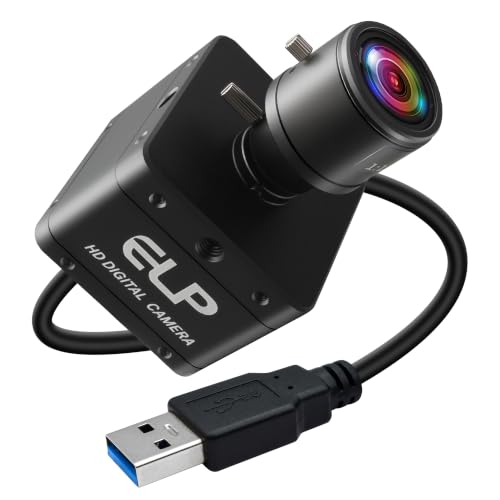
4. QILOVE Global Shutter 120fps Camera
Close-up manual-focus pick
- Frame rate: 120fps at 1200P, as titled
- Shutter: Global shutter
- Lens: CS 2.8-12mm varifocal lens, manual focus
- Connection: USB plug and play
- Compatibility: Laptop, Android, Mac and Raspberry Pi, as titled
QILOVE’s entry pairs the two features analysis purists ask for first, a global shutter and 120fps, at a 1200P resolution the title states plainly, through a CS 2.8-12mm varifocal lens with manual focus. The close-up framing in its title signals intent: this camera is tuned for the hitting zone and the golfer’s near field, where face angle and hand action repay scrutiny. Raspberry Pi compatibility in the title hints at the tinkerers’ bay, where a small computer runs the capture stack in a corner.
A global shutter exposes the whole frame simultaneously, which is why shafts stay straight in these cameras’ footage. Impact lasts roughly half a millisecond, so even 180fps samples the strike with only a frame or two to spare. Bright, even LED panels aimed at the hitting area improve these cameras more than any software setting. Rolling shutter reads line by line, and a driver shaft moving at a hundred miles per hour leans visibly under that regime. Consistency of camera position across sessions makes comparisons valid, so marking the tripod’s feet is a professional habit.
Frame rate buys temporal resolution: at 120fps each frame steps the swing forward by a far smaller slice than at 30. UVC driverless design means the camera appears to analysis software the way a webcam does, without a driver ritual. Manual focus, set once at the hitting zone, beats autofocus that hunts during the swing’s fastest passage. A second inexpensive camera at the other angle often teaches more than one flagship camera alone. Lighting is the hidden specification, because high frame rates shorten exposures and dim bays grow noisy footage.
Lens choice is distance choice, and a varifocal lens forgives the bay that a fixed lens would frame wrongly. The mat, the net and the camera form one system, and upgrading the weakest of the three lifts the whole bay. The top of the backswing, transition and release each become separate, coachable pictures instead of a blur between poses. Down-the-line and face-on views answer different questions, and serious analysis eventually wants both angles. Frame-by-frame stepping through transition reveals tempo faults invisible at full speed and unrecoverable from memory.
Manual focus is a feature in this class, not an omission, because the camera’s subject performs inside a known volume and a fixed focus plane set at setup cannot be talked out of its job by a hunting autofocus. The varifocal range matches the mid-distance bay, and the global shutter keeps the fastest shaft passages geometrically honest for frame-by-frame coaching.
Buyers wanting autofocus convenience or a stated brand ecosystem should look elsewhere in the list. For the technically comfortable owner building a deliberate analysis station, the QILOVE’s combination of shutter, speed and lens flexibility is the guide’s most purist specification per feature.
Strengths
- Global shutter with 120fps at 1200P
- Varifocal lens and manual focus suit fixed analysis stations
- Raspberry Pi compatibility for custom capture setups
Trade-offs
- Manual focus requires deliberate setup
- Brand ecosystem is minimal
- Working distance range Not stated in the listing title – verify with the manufacturer documentation
Best for: a technically minded golfer seeking a global-shutter camera for a fixed close-up analysis station
Not suited for: a plug-and-forget buyer seeking autofocus, because this design is manual by intention
If the analysis station is permanent and the focus plane is known to the inch, Check price on Amazon and confirm the lens specification in the listing.

5. IFWATER 90fps Global Shutter Camera
Narrow-field zero-blur tool
- Frame rate: 90fps, as titled
- Shutter: Global shutter, zero motion blur as titled
- Lens: 16mm narrow field-of-view M12 lens
- Resolution: 1200P high speed UVC webcam, as titled
- Uses: Golf swing, 3D printer, industrial vision, scanning and Lightburn, as titled
The IFWATER is the guide’s honest tradesman: 90fps rather than 120 or 180, a global shutter, a 1200P sensor and a 16mm narrow field-of-view M12 lens, sold across golf swing, 3D printing, industrial vision and scanning duty. The narrow lens defines its golf role precisely, framing a tight hitting zone from a longer distance rather than a whole bay from close in. For impact-focused study, where the club and ball fill the frame and the rest of the room is irrelevant, that narrow honesty is exactly right.
Simulator bays add a second duty, since the same camera may serve the software’s own swing recording features. Frame rate buys temporal resolution: at 120fps each frame steps the swing forward by a far smaller slice than at 30. Down-the-line and face-on views answer different questions, and serious analysis eventually wants both angles. Frame-by-frame stepping through transition reveals tempo faults invisible at full speed and unrecoverable from memory. Lens choice is distance choice, and a varifocal lens forgives the bay that a fixed lens would frame wrongly.
A second inexpensive camera at the other angle often teaches more than one flagship camera alone. A global shutter exposes the whole frame simultaneously, which is why shafts stay straight in these cameras’ footage. The mat, the net and the camera form one system, and upgrading the weakest of the three lifts the whole bay. Lighting is the hidden specification, because high frame rates shorten exposures and dim bays grow noisy footage. Manual focus, set once at the hitting zone, beats autofocus that hunts during the swing’s fastest passage.
Impact lasts roughly half a millisecond, so even 180fps samples the strike with only a frame or two to spare. UVC driverless design means the camera appears to analysis software the way a webcam does, without a driver ritual. Rolling shutter reads line by line, and a driver shaft moving at a hundred miles per hour leans visibly under that regime. Consistency of camera position across sessions makes comparisons valid, so marking the tripod’s feet is a professional habit. The top of the backswing, transition and release each become separate, coachable pictures instead of a blur between poses.
Ninety frames per second still separates the swing’s phases far beyond any ordinary webcam, and the global shutter’s zero-motion-blur promise in the title addresses the strike directly. Multi-purpose design brings a different value: the same camera can supervise a printer or a scanner between golf sessions, spreading its cost across the workshop. M12 lens mounting keeps the optics compact and swappable within that lens family.
Full-swing choreography at maximum temporal density belongs to the faster picks above. The IFWATER’s case rests on focus: a tight frame, an honest shutter and a price of admission, in qualitative terms, at the accessible end of the specialist class.
Strengths
- Global shutter with zero-motion-blur positioning
- 16mm narrow lens frames the hitting zone tightly
- Multi-purpose design serves workshop tasks too
Trade-offs
- 90fps is the lowest frame rate in this guide
- Narrow field cannot frame a whole swing arc from close range
- M12 lens family is less standard than CS mount
Best for: an impact-focused golfer seeking a tight, honest frame on the hitting zone
Not suited for: a tempo analyst seeking the densest full-swing sampling, because 90fps trails the 120fps and 180fps picks
For a tight, blur-free window on impact itself rather than the whole arc, Check price on Amazon and check the narrow lens’s fit for the bay in the listing.

6. Garmin Approach R50 Launch Monitor
The data-first alternative
- Type: Premium golf launch monitor and simulator, not a USB camera
- Display: Colourful 10-inch touchscreen
- Video: View high-speed impact footage, as titled
- Use: Indoors or on the driving range; compatible with every club, as titled
- Data: Ball and club measurement as a launch monitor – metric detail Not stated in the listing title – verify with the manufacturer documentation
The R50 closes this guide by changing the question. It is a premium launch monitor and simulator, a self-contained unit with a colourful 10-inch touchscreen that works indoors or on the driving range, views high-speed impact footage and is compatible with every club, as its title states. Where the five USB cameras feed footage to separate software and stop there, the Garmin measures the shot itself and places impact video inside that data context, which is why this guide frames it as the data-first alternative rather than a rival camera.
A coach reading face angle at impact needs geometry honesty above colour beauty, which is the global shutter’s whole argument. A shutter speed matched briskly to the frame rate freezes the clubhead instead of smearing it across the strike zone. Bright, even LED panels aimed at the hitting area improve these cameras more than any software setting. A wide 2.8mm lens suits tight garages where the camera sits four to eight feet from the golfer. Footage from these cameras is evidence, not entertainment, and its value is measured in faults found and fixed.
Impact lasts roughly half a millisecond, so even 180fps samples the strike with only a frame or two to spare. A second inexpensive camera at the other angle often teaches more than one flagship camera alone. Down-the-line and face-on views answer different questions, and serious analysis eventually wants both angles. Consistency of camera position across sessions makes comparisons valid, so marking the tripod’s feet is a professional habit. A global shutter exposes the whole frame simultaneously, which is why shafts stay straight in these cameras’ footage.
Lighting is the hidden specification, because high frame rates shorten exposures and dim bays grow noisy footage. The top of the backswing, transition and release each become separate, coachable pictures instead of a blur between poses. Rolling shutter reads line by line, and a driver shaft moving at a hundred miles per hour leans visibly under that regime. Manual focus, set once at the hitting zone, beats autofocus that hunts during the swing’s fastest passage. Frame rate buys temporal resolution: at 120fps each frame steps the swing forward by a far smaller slice than at 30.
For the golfer whose practice is numbers-led, carry, spin, launch and face metrics beside the impact pictures, one box on the floor replaces a camera, a laptop and a software stack. The touchscreen removes the phone-and-tripod ritual from range sessions, and Garmin’s golf ecosystem gives the data somewhere organised to live. This is the premium tier of the guide in qualitative terms, and its buyer is purchasing measurement that happens to include excellent impact viewing.
Pure video analysts who already own software and want only a sharper eye should stay with the USB picks, which cost a fraction of the commitment and frame the whole swing rather than the impact zone. The R50 is for the golfer who wants the why of the shot, measured, with the footage as confirmation.
Strengths
- Launch data and high-speed impact footage in one unit
- 10-inch touchscreen works indoors and at the range
- No separate camera, laptop or software stack required
Trade-offs
- Premium positioning far above the USB cameras
- Impact footage serves measurement rather than full-swing video study
- Ecosystem commitment to Garmin’s platform
Best for: a numbers-led golfer seeking measured data with high-speed impact footage in a single unit
Not suited for: a video-first coach seeking full-swing footage for existing software, because the R50 is a launch monitor
When the shot’s numbers matter as much as its pictures and one unit should supply both, Check price on Amazon and review the full measurement specification in the listing.
Comparison table
| Pick | Headline specification | Defining trait |
|---|---|---|
| KAYETON 180FPS Golf Swing Camera | 180fps global shutter | CS 2.8mm wide angle, 4-8 feet |
| Golf Swing Capture 120fps Global Shutter | 120fps global shutter | Varifocal 2.8-12mm, 8-12 feet |
| SVPRO 120fps Golf Swing Camera | 1080P at 120fps | 3X manual zoom, four platforms |
| QILOVE Global Shutter 120fps Camera | 120fps global shutter, 1200P | Varifocal 2.8-12mm, manual focus |
| IFWATER 90fps Global Shutter Camera | 90fps global shutter | 16mm narrow M12 lens, 1200P |
| Garmin Approach R50 Launch Monitor | Launch monitor with impact footage | 10-inch touchscreen, range and indoor use |
How should a golfer choose the best cameras to record golf swing?
A camera specified for 4-8 feet placed at eleven produces a small golfer and a large disappointment. Platform compatibility in the title should match the actual laptop in the bay, not the one planned for next year. The landscape-minded reader may enjoy cameras That Shoot 240fps bridge Cameras for Macro and Landscapes, where lenses are chosen by scenery rather than by feet and inches. Check the analysis software’s camera expectations, favouring UVC driverless models that appear without installation drama. Launch-monitor buyers should list the metrics they will actually train against, not the longest specification the brochure offers.
Keep the first software workflow simple: record, step through frames, note one fault, and resist analysing everything at once. Decide whether the analysis centres on impact or on the whole arc, since narrow and wide lenses serve those masters differently. Mark the camera position once it works, because repeatable framing makes session-to-session comparison honest. Consider a second angle before a faster single camera, since face-on and down-the-line together answer more questions. Where a title omits a needed detail, manufacturer documentation decides, not hopeful inference.
Test with the golfer’s fastest club, since the driver exposes shutter and light weaknesses that a wedge conceals. Accessories such as tripods matter, but they serve the camera choice rather than substituting for it. Choose for the practice habit that exists today, and let the setup grow with the handicap’s ambitions. Garage height and net position constrain camera placement as firmly as any lens specification. Fixed stations suit manual focus and varifocal lenses; travelling coaches should value cases and quick setups.
Measure the bay before anything else, because camera-to-golfer distance selects the lens family more decisively than any brand preference. Put global shutter high on the list if shaft and face geometry at speed will be coached from the footage. Budget light as part of the camera purchase, because bright bays make every model here look two classes better. The best bay camera is the one whose footage the golfer actually reviews after every session. Choose frame rate by the questions asked: tempo forgives 90fps, while impact detail rewards every extra frame.
Global shutter, frame rates and honest geometry
Global shutter removes the diagonal, exposing the frame at one instant and preserving the swing’s true geometry. At 90fps the downswing yields a usable sequence of positions for tempo and plane work. A golfer who understands this section can read any future camera title with a professional eye. At 180fps impact itself gains a before, a during and an after, which is the analyst’s treasure. The lesson generalises: in analysis tools, honesty of measurement outranks beauty of output.
Higher rates cost light, because each frame’s exposure shrinks, and bay lighting must answer. Frame rate then decides how many honest instants divide the swing’s fastest passages. Coaches develop trust in a camera whose pictures never lie about a shaft’s lean. At 120fps transition and release separate into distinct, discussable frames. A rolling shutter photographs time diagonally, each row a fraction later than the one above it.
That honesty is why four of the five USB picks in this guide advertise the feature in their titles. At golf speeds that fraction bends shafts, tilts clubfaces and invents faults that coaching then chases in vain. That trust is the real product the specialist class sells, with footage as its delivery form. Testing a camera against a known straight edge swung quickly reveals its shutter character immediately. Resolution matters after geometry: a truthful 1080P frame teaches more than a skewed sharper one.
Building the bay around the camera
Light decides exposure, and a dim garage will humble a flagship frame rate by the second session. Cable runs deserve tidying before the first swing, not after the first trip. Session discipline, ten balls then review, extracts more value than a hundred unexamined swings. A contrasting backdrop behind the golfer separates the swing’s silhouette from the room’s noise. A small shelf for the laptop at standing height keeps review inside the practice flow.
Software settings, once dialled, should be saved as a profile named for the bay. Ultimately the setup serves one habit: looking honestly at the swing often enough to change it. Sound in the room matters less than consistency of the visual record. Even, frontal LED illumination aimed at the hitting zone is the highest-value upgrade in most home bays. Floor markings for ball position and camera position turn setup from archaeology into routine.
The bay grows by iteration, and the camera chosen for today’s room should tolerate tomorrow’s rearrangement. Recording a reference swing in the first session gives every later comparison a baseline. The net or screen must sit far enough behind the ball that the camera’s view stays clean of clutter. Space decides lens, as this guide’s distance specifications repeat from pick to pick. The camera is one corner of a triangle completed by light and space, and the triangle fails at its weakest corner.
The evidence habit
A filmed practice session can be shared with a coach across the world before the balls are even gathered. The bay at midnight, lit and humming, is where many handicaps quietly change direction. A metronome and a camera together expose tempo faults that neither reveals alone. The first recording session usually humbles and motivates in equal measure. Filming a lesson and reviewing it at home doubles the lesson’s working life.
A golfer’s setup routine, filmed monthly, shows drift before it becomes a fault. Ball flight tells the truth outdoors, while the camera tells it indoors, and the two accounts should agree. Shorter shafts forgive, longer shafts testify, which is why the driver closes every diagnostic session. A practice partner who calls out frame numbers during review halves the analysis time. The archive of a single season’s swings becomes a handicap’s documentary evidence.
Most faults repeat so faithfully that three recorded swings diagnose what thirty unrecorded ones conceal. A camera cannot feel the swing, and the golfer cannot see it, which is why the partnership works. Winter bay work filmed carefully pays its dividend in the first spring rounds. Juniors respond to their own footage with a seriousness that verbal coaching rarely commands. The honest frame is a demanding teacher and an entirely fair one. Equipment changes, a new shaft or grip, deserve a filmed before and after. Improvement measured in frames becomes improvement believed in, and belief sustains practice.
From footage to lower scores: the practice loop
Face-angle work at impact should begin with the wedge, where speeds are kindest. Coaches ask for footage between lessons, and a home bay makes that homework possible. A practice journal that cites frame numbers turns impressions into instructions. Two cameras, added gradually, eventually give the full diagnostic picture most golfers need. A golfer who films one session a week owns a season’s evidence by autumn. The loop is simple to state: record, review one fault, drill it, and record again.
Fatigue swings at a session’s end teach what the fresh swings conceal. The mat’s position relative to the camera should never drift, or comparisons quietly rot. The goal is not a beautiful swing but a repeatable one, and footage grades repeatability honestly. A camera changes practice only when its footage changes the next ten balls. Comparing a good day’s swing with a bad day’s reveals what actually changed. Handicap movement follows months of this loop, not a single revelation.
The bay’s camera becomes a member of the practice partnership, silent and exact. Golfers who keep the loop small keep the loop alive, which is the whole secret. Every low round filmed in practice began as an unflattering frame studied without flinching. Tempo drills respond beautifully to frame counting, because rhythm becomes a number. Short-game swings deserve filming too, since their faults hide at full speed just as well. Filming a playing partner occasionally sharpens the owner’s own reading eye.
Reading footage: a coach’s first ten minutes
A notebook beside the laptop, recording the fault and the drill, outlasts any software’s comment field. Tempo reveals itself in the count of frames between the takeaway’s start and the strike. The ten minutes after practice, spent reading rather than hitting, are where the camera earns its price. Footage of a good swing, kept deliberately, becomes the template against which slumps are diagnosed. The driver deserves its own review slot, since its speed exposes what the wedge conceals.
Shorter review sessions happen more often, and frequency beats duration in motor learning. Comparing today’s swing with a baseline from a month ago turns footage into a progress record. Archiving one swing per week builds a library whose value compounds quietly across a season. A coach’s eye and a camera’s eye correct each other; neither should work alone for long. A face-on view grades the body’s work, while the down-the-line view grades the club’s path.
The first frames to study are impact frames, because every earlier position exists to serve that instant. The same patience that powers cameras to Film Time-Lapse cameras to Film Time-Lapse across a whole season operates here in miniature, gathering small honest frames until they amount to a changed swing. Lighting changes between sessions can mimic technique changes, which is why the bay’s setup stays fixed. Slow-motion review should end with full-speed swings, reconnecting positions to rhythm. One fault per session is a coaching law, since parallel fixes dissolve into confusion by the third ball.
Common mistakes
Expecting phone-grade convenience from industrial USB cameras misreads their deliberate, fixed-station design. Moving the camera between sessions without marking its position invalidates every comparison drawn. Letting autofocus hunt during the swing surrenders the hitting zone’s sharpness at the decisive frame. Treating a launch monitor as a camera, or a camera as a launch monitor, confuses two tools this guide separates carefully. Overlooking platform compatibility strands a good camera outside the software the bay actually runs.
Assuming a 4K webcam mode applies at 120fps misreads layered titles that this guide untangles per pick. Forgetting that impact occupies milliseconds leads buyers to undervalue frame rate, the category’s core currency. Skipping the lighting test with a driver, the fastest club, hides the exposure problem until coaching day. Recording hundreds of swings without reviewing any converts analysis equipment into storage consumption. Filming in a dim garage and blaming the camera reverses cause and effect; light is the missing purchase.
Framing so wide that the golfer occupies a fifth of the picture wastes the resolution the title promised. Choosing rolling shutter to save money buys footage a coach cannot trust at impact. Buying tripods and mounts first, then discovering the camera’s lens cannot frame the bay, sequences the project backwards. Ignoring the stated working distance places a wide lens in a long bay and a narrow lens in a garage, both uselessly. Buying by megapixels for swing analysis crowns the wrong specification while the shutter bends every shaft.
Frequently asked questions
Why does global shutter matter so much for golf?
A driver shaft moves fast enough that a rolling shutter, which reads the sensor line by line, visibly bends it and skews the clubface. A global shutter exposes the whole frame at once, so the geometry a coach studies is the geometry that actually happened.
Is 120fps enough, or is 180fps worth it?
For tempo, plane and position coaching, 120fps separates the swing’s phases clearly and satisfies most analysis. The 180fps KAYETON earns its place when impact itself, the frames immediately around contact, is the subject under study.
Which camera suits a small garage bay?
The KAYETON, specified for 4-8 feet with its wide 2.8mm lens, is the tight-bay pick. The varifocal swing capture camera is specified for 8-12 feet, and the IFWATER’s narrow 16mm lens frames a tight hitting-zone view from farther back.
Can these USB cameras work with my existing software?
The USB picks emphasise UVC plug-and-play, driverless operation, which is the standard analysis software expects, and titles list compatibility across Windows, Linux, macOS and Android in various combinations. Checking a specific program’s camera list remains a wise final step.
Is the Garmin R50 a camera?
It is a launch monitor and simulator that views high-speed impact footage, which is why this guide frames it as the data-first alternative. Golfers wanting measured ball and club data with impact pictures in one unit are its audience; pure video analysts are better served by the USB picks.
Do I need special lighting?
Bright, even light is the closest thing to a requirement in this category, because frame rates of 90-180fps force short exposures. Most home bays improve dramatically with LED panels aimed at the hitting area, a cheaper upgrade than any camera step-up.
Final recommendation
The specialist class divides cleanly once distance and purpose are named. The KAYETON owns the tight bay at 180fps, the varifocal swing capture camera tunes itself to the full-size studio, SVPRO and QILOVE split the 120fps middle by platform breadth and purist manual design, the IFWATER tightens the frame onto impact, and the Garmin R50 stands apart as the measured-data alternative for golfers who want numbers with their pictures.
A fixed, marked camera position turns isolated clips into a comparable record. Every pick was judged on shutter honesty, frame rate and fit for a stated distance. Light, once budgeted, flatters whichever camera the tape measure selects. A tape measure remains the most underrated buying tool in this entire category. Frame rate should follow the coaching questions, not the showroom’s largest number.
The launch monitor’s data answers different questions, and neither tool shames the other. Global shutter is the feature whose absence cannot be edited away later. Software friendliness decides whether footage gets reviewed or merely recorded. Choose the camera the bay’s dimensions describe, and the swing will finally hold still for inspection. Two angles teach more than one specification tier, a truth worth remembering at checkout.
A swing that once vanished in a quarter of a second now sits patiently in a hundred frames, waiting for its owner to find the one honest fault worth fixing first.


