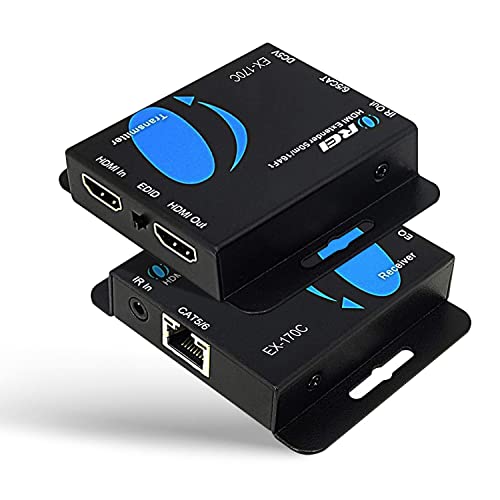
Our Top Picks



What's inside
- How Constellation tracking uses its cameras
- The USB 3.0 baseline every extender must respect
- Passive extenders: honest copper, short reach
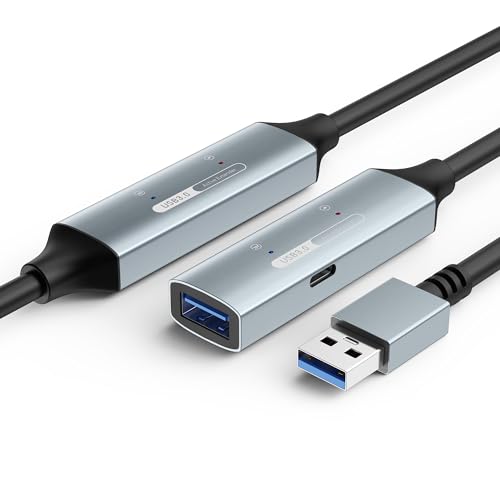
- Active extenders and repeater chipsets
- Active optical cables for the longest runs
- Power delivery and voltage drop over distance
- Bandwidth, host controllers and port selection
- Two sensors: the desktop and forward-facing layout
- Three sensors: genuine room-scale coverage
- Four sensors: maximum coverage, diminishing returns
- Latency, polling and why repeaters do not ruin tracking
- Room layout: heights, angles and overlapping views
- Cable management that survives daily life
- The headset cable is a separate problem
- Troubleshooting dropouts in a sensible order
- Signal integrity, shielding and interference
- Choosing lengths and planning the purchase
- A concise decision path
- USB 2.0 extenders and the deliberate downgrade
- Powered hubs: useful servants, dangerous masters
- Choosing a PCIe expansion card for sensors
- Laptops, small form factor hosts and shared rigs
- Ceiling routes and wall mounts done properly
- Three worked room layouts
- A calm pre-session routine
- Glossary for the terms used in this guide
- Additional field notes
- More field notes
- When to rebuild rather than repair a layout
- Check prices on Amazon
- Disclosure
As an Amazon Associate I earn from qualifying purchases. This post may contain affiliate links at no extra cost to you.
How Constellation tracking uses its cameras
The original Rift headset carries infrared light emitting diodes arranged across its shell in a pattern called a constellation. External sensors, which are essentially cameras filtered to see that infrared band, photograph the pattern many times each second. Software compares the known geometry of the diode arrangement with the two-dimensional shapes each camera records, then calculates position and orientation in three-dimensional space. Controllers with their own diode rings join the same calculation, so a hand can be located even when it moves beside or behind the headset wearer.
Every sensor therefore behaves like a modest video device streaming frames continuously to the host computer. That stream is far smaller than a modern webcam feed at high resolution, yet it is relentless, and interruptions show up instantly as a judder, a drifting guardian boundary or a controller that floats away from its physical hand. Our research compared interface specifications and documented sensor behaviour across two, three and four sensor arrangements, and the recurring lesson was that cabling decisions influence tracking quality as surely as sensor placement does.
Owners planning a dedicated room often begin by reading about headset choices themselves, and the roundup at best vr headsets covers the display side of that decision. This guide assumes the Rift is already on the desk and concentrates on the unglamorous metres of copper between each sensor and the computer, because that is where ambitious room layouts most often succeed or quietly fall apart.
The USB 3.0 baseline every extender must respect
Universal Serial Bus 3.0, also marketed under later names including USB 3.1 Gen 1 and USB 3.2 Gen 1, moves data at a signalling rate of five gigabits per second. Real throughput after encoding overhead and protocol costs lands well below that headline, but a Rift sensor needs only a fraction of the available capacity. The more relevant figures for extension are electrical: the specification supplies five volts and up to nine hundred milliamps per port, and it assumes cable assemblies far shorter than the runs a room-scale layout demands.
The USB specification does not publish a simple maximum cable length for the 3.0 generation in the way older documents implied one for earlier generations. Instead it defines electrical budgets for attenuation, jitter and voltage drop that compliant cables must meet, and in practice a single passive 3.0 cable beyond roughly three metres struggles to stay inside those budgets. Signal edges soften as copper length grows, eye diagrams close, and the receiving device begins requesting retransmissions or drops off the bus entirely. Those physics, not an arbitrary rule, set the passive limit discussed throughout this guide.
Connector shape matters as well. Rift sensors terminate in USB Type-A plugs, and the host side of any extender should likewise present Type-A unless an adapter is deliberately introduced. Each adapter adds contact resistance and another mechanical joint that can loosen when a cable is tugged by a passing foot. Type-C conversions belong at the computer end only when the port itself is Type-C, and even then a short, well-made adapter beats a long chain of converters. Keep the path simple and the enumeration stable.
Passive extenders: honest copper, short reach
A passive extender is simply a longer cable with a female socket at one end, containing no electronics. Its virtues are price, simplicity and zero added latency, because nothing processes the signal along the way. For a sensor sitting on the same desk as the computer, or on a shelf two metres from the tower, a quality passive lead of two to three metres often works flawlessly for years. Thick conductors, commonly described by lower American Wire Gauge numbers for the power lines, reduce voltage drop and help the sensor survive the small current surges of startup enumeration.
Beyond three metres the failure pattern becomes familiar. The sensor may appear in the device list, vanish, then reappear in a cycle that produces a chiming operating system and an unusable play space. Alternatively it may enumerate as a slower USB 2.0 device, which for a third or fourth sensor can actually be an accepted configuration, but for the primary pair it degrades tracking fidelity during fast head movement. Intermittent behaviour that changes when the cable is flexed points to marginal signal integrity rather than software faults, and lengthening the run further never improves it.
Passive leads also serve as the final segment in hybrid layouts, joining an active backbone near the sensor position. Keeping that passive tail short, ideally under two metres, preserves the margin the active section worked to create. Label both ends of each run with the sensor position it serves, front left, front right, rear left or rear right, because tracing an unlabelled cable behind furniture during troubleshooting wastes the patience needed for the actual diagnosis.
Active extenders and repeater chipsets
An active extender places a repeater chip inside the cable, usually near the female end or in a small inline housing, which receives the weakened signal, restores its timing and amplitude, and retransmits a clean copy onward. This regeneration resets much of the electrical budget, allowing single runs of five metres to work reliably and longer assemblies of ten metres to function when the chipset and host controller cooperate. Better designs draw their operating current from the bus itself, while demanding layouts benefit from models offering an optional external power input.
Chaining active segments tempts owners of large rooms, but each repeater adds a small probability of incompatibility and the specification’s tier limits were never generous. Two active sections with a passive tail can reach a distant rear corner in many homes, yet every additional joint should be justified by measurement rather than optimism. If a sixteen metre ambition requires three repeaters, relocating the computer to a central position or mounting it in an entertainment unit mid-room usually produces a calmer system than a heroic cable chain.
Chipset reputation matters because repeater silicon varies in how gracefully it handles the isochronous and bulk transfers a sensor produces. Community experience accumulated around particular chip families, and products that publish their chipset identity allow informed matching with known-good combinations. The panoramic camera discussion in best 360 vr headsets touches similar host-controller sensitivities from the headset side. Whichever brand you consider, buy one extender first, run it for a full week of varied sessions, and only then order matching units for the remaining sensors.
Active optical cables for the longest runs
Fibre-based active optical cables convert the electrical signal to light at one end and back again at the other, sidestepping copper attenuation almost entirely. Runs of fifteen metres or more become plausible, and the thin, light cable routes neatly along skirting boards or through ceiling voids. The conversion electronics live in enlarged connector shells that can run warm and may not fit recessed ports, so check clearances around the computer case and the sensor mount before committing a whole room to this approach.
Optical designs carry their own cautions. The fibre core tolerates generous bends but resents sharp kinks, tight staples and being pinched under door thresholds. Power still travels through copper conductors within the same jacket, so voltage drop over very long runs remains a live issue even though data integrity is superb; models with auxiliary power inputs again earn their keep. Directionality also surprises newcomers, since source and device ends are not interchangeable, and installing a run backwards produces a completely silent failure.
For most Rift rooms, optical cable is a targeted remedy for one difficult rear sensor rather than the default for every position. Front sensors near the computer rarely need it. A mixed architecture, copper active leads in front and a single optical run behind, balances cost, robustness and sanity. Keep the original short sensor cables accessible as diagnostic substitutes, because swapping a suspect long run for the factory lead at the same port isolates cabling faults from controller or sensor faults within minutes.
Power delivery and voltage drop over distance
A sensor drawing current through ten metres of thin copper receives less than the five volts the port supplied, because conductor resistance converts the difference into heat along the run. The sensor’s internal regulators tolerate a range, but below that range the device browns out during bright infrared pulses or disconnects when a neighbouring port wakes another peripheral. Symptoms masquerade as software instability, which is why experienced builders measure the simple things first: shorter cable, different port, powered assistance.
Extenders offering a supplemental power socket accept a small five volt supply at the device end, restoring the rail exactly where the sensor needs it. Use a regulated supply of adequate current rating, route its cable alongside the data run, and secure both against tugs. Battery packs are a poor substitute for continuous installations because a pack depleting mid-session reproduces the very dropout the arrangement was meant to cure. Where mains sockets are scarce near a rear sensor, a single supply feeding a small powered hub at that corner can serve the sensor and a future fourth unit together.
Host ports differ in generosity too. Ports wired directly to a motherboard chipset generally honour the nine hundred milliamp budget predictably, while front-panel case ports traverse internal leads that add resistance and occasionally share power with neighbouring sockets. Prefer rear motherboard ports for sensors, reserve front ports for occasional devices, and avoid unpowered hubs anywhere in a sensor path. The computer’s power supply quality underpins everything; a marginal unit whose five volt rail sags under graphics load can destabilise tracking precisely during demanding scenes.
Bandwidth, host controllers and port selection
Each Rift sensor operating in USB 3.0 mode consumes a meaningful slice of a host controller’s throughput, and controllers are shared resources. A typical motherboard exposes several ports served by one internal controller, so plugging three sensors and a fast external drive into neighbouring sockets can saturate the controller even though every individual port looks identical. Spreading sensors across controllers, for example two on the chipset ports and additional units on a separate add-in card, restores headroom that no cable upgrade can provide.
Dedicated PCIe USB expansion cards earned a strong reputation in Rift rooms because they give sensors a controller of their own, ideally one with a separate channel per port on higher-end designs. Cards based on well-supported controller silicon, paired with current drivers from the operating system rather than ancient vendor discs, resolve many mysterious third-sensor failures. Builders researching graphics hardware for the same machine will find a kindred discussion of bus headroom in best graphics cards for virtual reality, since rendering and tracking compete for system attention if not for the same wires.
When a sensor negotiates USB 2.0 mode, its bandwidth demand falls dramatically because the firmware reduces frame dimensions for transport. Deliberately running a third or fourth sensor in that mode is an officially recognised strategy for room-scale setups, trading a little tracking crispness in the rear coverage zone for stability everywhere. Forcing the mode can be as simple as using a USB 2.0 rated extension on that rear run, a rare case where a lesser cable becomes a feature. Reserve full-speed connections for the front pair that carries the primary tracking load.
Two sensors: the desktop and forward-facing layout
The standard two-sensor arrangement places units at the front corners of the play area, roughly two metres apart, angled inward and slightly downward toward the centre. This geometry excels at seated and standing forward-facing experiences, from cockpit simulations to wave shooters, and it asks the least of cabling because both runs stay short and within passive or modest active reach. Occlusion appears when the user turns fully around, since the body blocks the headset diodes from both front cameras, which is why room-scale turning motivates additional sensors rather than better front cables.
Even in this simple layout, extension choices matter. A computer tower on the floor to the right of a desk can leave the left sensor’s factory cable stretched across the monitor’s rear, inviting snags. A three metre active lead for that side equalises the geometry and lets both sensors sit at matched heights, improving the symmetry of the tracking volume. Matched height matters more than matched cable brand; the software tolerates different path lengths effortlessly because repeater delay is measured in nanoseconds against frame intervals measured in milliseconds.
Guardian boundary calibration should follow any cable or position change, even a small one. Moving a sensor ten centimetres alters its view of the room and invalidates the earlier boundary mapping. Recalibration takes minutes and prevents the slow drift of virtual walls that otherwise erodes trust in the system. Keep the floor clear during the procedure, light the room evenly, and hold the headset at the height the software requests rather than improvising.
Three sensors: genuine room-scale coverage
Adding a third sensor at a rear corner transforms turning from a compromise into a natural movement. The classic triangle, two front units plus one rear unit on the opposite side from the computer’s dominant position, covers a play space of roughly two and a half metres square with few dead zones. This is the configuration where extension cables stop being accessories and become infrastructure, because the rear run commonly spans five to ten metres depending on whether the cable follows the wall or crosses the ceiling.
Routing along walls protects the cable and the people in the room. Skirting-level runs secured with flat clips present minimal trip risk and survive vacuum cleaners better than loose floor crossings. Ceiling routes shorten distance dramatically in rectangular rooms and remove floor hazards entirely, at the cost of ladder work and careful anchor selection. Doorways are the natural enemy of both routes; a cable protector strip across a threshold, rated for foot traffic, prevents the slow crush damage that produces intermittent faults weeks later.
The third sensor is the natural candidate for USB 2.0 mode, as discussed earlier, and many stable three-sensor rooms run exactly that compromise. Its rear viewpoint changes slowly relative to the action, so the reduced frame fidelity costs little perceived quality. Owners pursuing perfection sometimes upgrade the rear path to full 3.0 with an active optical run and a dedicated controller port, and the improvement shows mainly during fast spins. Judge the upgrade by your own catalogue of games rather than by forum absolutes.
Four sensors: maximum coverage, diminishing returns
A fourth sensor completes the rectangle, filling the last rear corner and hardening coverage for larger spaces approaching three metres square or beyond. Competitive players in fast shooters appreciate the redundancy when a controller passes behind the back, and social experiences with multiple tracked objects benefit from the extra viewpoint. The costs are tangible: another long cable run, another controller slice, another mount to align, and setup software that historically greeted the fourth unit with more negotiation than its siblings required.
Bandwidth planning becomes the deciding discipline at four sensors. Two front units in 3.0 mode on one controller, plus two rear units in 2.0 mode on another, represents the balanced pattern most often reported stable. Attempting four full-speed streams through a single budget controller invites the enumeration roulette described earlier in this guide. A quality PCIe card stops being optional decoration at this scale and becomes the foundation the rest of the room stands on.
Physical alignment also tightens. With four viewpoints, small angular errors overlap into conflicting position estimates that the software must reconcile, occasionally producing a subtle swimming sensation when the headset sits perfectly still. Methodical setup, adjusting each sensor’s tilt while watching the coverage preview, resolves most of it. Enthusiasts displaying their sensor webcams on a spare screen, a niche explored among best usb 3 portable laptop monitors readers for other rigs, sometimes borrow the trick to inspect each camera view directly. Patience during this hour repays itself across hundreds of later sessions.
Latency, polling and why repeaters do not ruin tracking
Newcomers often worry that an active extender’s repeater chip inserts delay that desynchronises the sensors. The numbers calm that fear quickly. A repeater retimes a signal in nanoseconds, cable propagation itself adds roughly five nanoseconds per metre, and even a fifteen metre optical run contributes well under a microsecond of transit time. Sensor frames arrive at intervals of about eleven milliseconds at ninety frames per second, and the tracking pipeline fuses camera data with the headset’s inertial measurements sampled far faster still. Cable delay sits several orders of magnitude below anything the fusion mathematics can notice.
What does disturb synchronisation is retransmission caused by marginal signal quality. When a corrupted transfer is retried, that frame’s data lands late or not at all, and repeated retries across a session read as judder. This is why a slightly shorter, healthier cable outperforms a longer heroic one, and why the binary question of whether a link trains cleanly at full speed matters more than any latency figure printed on packaging. Stability is the performance metric; everything else is arithmetic reassurance.
Polling behaviour on the host adds a final nuance. Operating systems may park idle USB devices or reduce polling to save power, policies designed for mice and storage that suit a continuously streaming camera poorly. Disabling selective suspend for the relevant ports, a setting revisited in the troubleshooting section below, keeps the data path awake. Desktop machines plugged into mains power lose nothing meaningful by surrendering those savings on sensor ports.
Room layout: heights, angles and overlapping views
Sensor height near two metres, roughly head height plus a hand’s breadth, gives cameras a downward view that sees the headset over furniture and captures controllers held at waist level. Mounts range from camera tripods and light stands during experimentation to wall brackets and adhesive-backed mounts once positions prove themselves. Temporary stands are the wise first step for any new room, because the ideal corner on paper sometimes faces a mirror, a window or a sunlit wall that infrared cameras dislike intensely.
Each sensor covers a cone of about one hundred degrees horizontally and seventy-five vertically, with a sweet range between half a metre and three metres from the lens. Overlapping cones are not waste; overlap is what lets the software hand a tracked object from one camera to another without a positional jump. Aim each unit at the centre of the play area at chest height, then verify corners by walking the boundary with a controller raised, watching for the warning that appears when coverage thins.
Reflective surfaces complicate infrared geometry. Mirrors, glossy television screens and large windows can bounce diode images into a sensor from false positions, producing phantom reflections the solver may chase. Curtains, matte screen covers during play, or repositioning a sensor a short distance along the wall usually tame the effect. Sunlight through an uncovered window floods the infrared band and can blind a sensor outright during bright afternoons, another argument for the blackout curtains many dedicated rooms adopt for display contrast anyway.
Cable management that survives daily life
A VR room shares space with partners, children, pets and cleaning routines, so cable management is a safety system rather than an aesthetic preference. Runs crossing walkways belong inside low-profile rubber protectors with bevelled edges, never under rugs where feet cannot feel them and heat cannot escape. Vertical drops from ceiling routes should hug corners and enter mounts from behind, leaving no loop at head height to catch a raised controller during an exuberant session.
Leave deliberate slack at both ends of every run. A service loop of thirty centimetres behind the computer lets the tower slide out for dust cleaning without unplugging sensors, and a similar loop at the sensor lets mounts be re-aimed without re-routing the wall run. Strain relief clips near connectors prevent the slow bending fatigue that breaks conductors inside an apparently intact jacket. Photograph the finished routing with a phone; the pictures become a map when furniture moves or a fault hunt begins months later.
Label the computer end of each cable with its corner identity using a wrap tag rather than adhesive tape that gums the jacket. During any future rebuild, matching labels to the setup diagram restores the room in one pass. Keep one known-good short cable and one spare active extender in the room’s drawer, because the fastest diagnostic in this entire field is substitution, and a spare converts a ruined evening into a ten-minute repair.
The headset cable is a separate problem
Confusion between sensor cabling and the headset’s own tether wastes many troubleshooting hours. The Rift headset connects through its proprietary combined cable carrying video and USB data to the computer, and extending that tether involves entirely different constraints around display signal integrity. Sensor extenders discussed here do nothing for headset reach, and headset extension products do nothing for sensor placement. Treat the two systems as neighbours that share only the host controllers and the room.
That sharing still matters. The headset’s USB leg consumes controller resources and port power alongside the sensors, so a marginal controller may behave until the headset joins the bus and then begin dropping whichever device enumerates last. When diagnosing, change one variable at a time: a sensor fault that appears only with the headset connected points at shared resources, while one that persists with the headset unplugged points at the sensor path itself. Methodical isolation beats wholesale parts swapping, in cost and in evenings saved.
Ceiling pulley systems for the headset tether have grown popular and interact with sensor cabling only physically. Keep pulley lines clear of ceiling-routed sensor runs so a swinging tether cannot chafe against a fixed cable for months unnoticed. A small separation in routing, headset lines toward the room centre and sensor lines toward the walls, preserves both systems and simplifies inspection.
Troubleshooting dropouts in a sensible order
Begin any investigation by noting exactly what the software reports. A sensor shown as poor tracking quality differs from one missing entirely, and a wireless sync complaint about a controller differs from both. Record which physical unit occupies which port before changing anything, then swap the suspect sensor with a healthy one at the same cable end. If the fault follows the sensor, the device or its short factory lead is implicated; if the fault stays with the location, suspicion moves to the long run, the port or the controller.
Next, shorten the path. Connect the suspect sensor directly to a rear motherboard port with its factory cable and confirm clean operation, then reintroduce the extender, then any hub or auxiliary power, one element per step. Half of all extension mysteries resolve at this stage into a single tired cable or a repeater that dislikes a particular controller. Firmware and driver updates for the motherboard chipset deserve attention here too, since USB stack fixes arrive quietly inside those packages.
Power management settings complete the usual circuit. In the operating system’s device manager, clear the option allowing the computer to turn off each USB root hub to save power, and disable USB selective suspend in the active power plan. Restart, then run a demanding session rather than a desktop idle, because faults that need bus load will hide during quiet checks. If a clean, short, direct connection still misbehaves across multiple ports, the sensor itself approaches end of life and replacement becomes the honest answer.
Signal integrity, shielding and interference
Quality extender construction shows in the shielding. Foil plus braided shield coverage resists the electromagnetic noise radiating from graphics cards, power supplies and fluorescent ballasts sharing the room. Routing a marginal cable parallel and close to a mains lead for several metres invites induced noise; crossing mains at right angles where paths must intersect minimises coupling. Keep sensor runs away from the rear exhaust of the computer, where hot air and fan vibration add mechanical and thermal stress to connectors already working near their limits.
Connector plating and fit influence reliability more than marketing suggests. A plug that wobbles in its socket interrupts ground continuity microscopically under vibration, and a session involving jumping or stomping supplies vibration generously. Ports on the computer that have hosted years of heavy plugs may themselves be loose, which is why a fault can follow a port rather than a cable. Rotating sensor assignments among healthy ports during annual maintenance spreads wear and reveals a deteriorating socket before it ruins a gathering.
Static discharge during dry winter months can reset a sensor when a user touches a mount after crossing carpet. The event is harmless to healthy hardware but interrupts play, and it explains dropouts that correlate with people moving rather than with software load. Humidification, anti-static treatment of the play-area rug, or simply touching a grounded object before adjusting mounts reduces the phenomenon. Note the pattern in your room log if it recurs, because seasonal faults are otherwise maddening to reproduce for support staff.
Choosing lengths and planning the purchase
Measure the actual route, not the straight-line distance. A sensor four metres from the computer as the crow flies may need seven metres of cable once the run descends the wall, follows the skirting, climbs to the mount and includes service loops. Add ten percent beyond the taped measurement and round up to the next manufactured length, because an extender stretched taut transmits every footstep vibration directly to its connectors. Excess length coils loosely at the computer end in wide loops, never in tight wraps that kink conductors or trap heat around a repeater housing.
Buy in stages even when the final design is certain. One active extender, validated across a week in the longest position, proves the chipset pairing with your specific motherboard before money multiplies across three more units. Keep packaging until the validation week ends. If the first unit misbehaves, a different chipset family is a cheaper experiment than a different motherboard. This staged discipline mirrors how careful builders treat every subsystem in a VR room, from controllers to lighting.
Document the finished architecture in a single page kept with the computer: sensor positions with heights, cable types and lengths per corner, ports and controllers used, power supplies and their ratings, plus dates of any substitutions. Future you, facing a fault after a house move or a hardware upgrade, will read that page with gratitude. Rooms evolve, headsets change, but a documented baseline turns every later modification into a controlled comparison instead of a fresh mystery.
A concise decision path
For a front pair within three metres of the machine, choose quality passive leads or short active units and spend remaining effort on mount height and symmetry. For a rear third sensor between five and ten metres away, choose a reputable active extender, consider running that unit in USB 2.0 mode, and add supplemental power if the model offers the socket and your run approaches the longer end of the band. For runs beyond ten metres, or a four-sensor room, step up to active optical cable for the longest leg and give the array its own PCIe controller.
Throughout every tier, the same principles recur: rear motherboard ports before front-panel ports, controllers shared thoughtfully rather than accidentally, one change at a time during diagnosis, and recalibration after any physical adjustment. Owners who internalise those habits find their tracking boringly dependable, which is the highest compliment a support technology can earn. The equipment fades from attention and the virtual place occupies it instead, which was the point of building the room.
Rooms also change purpose over the years, becoming offices, nurseries or cinemas, and a well-labelled cable plant dismantles gracefully when that day arrives. Coil each run loosely, keep its label attached, and store repeaters away from heat. Whoever inherits the hardware, whether a friend, a buyer or your own next project, receives a system that can be understood rather than a tangle that must be guessed at.
USB 2.0 extenders and the deliberate downgrade
It surprises many builders that a USB 2.0 extender, limited to four hundred eighty megabits per second, has any place in a 3.0 sensor network. The explanation lies in sensor firmware, which reduces the transmitted frame when it negotiates the slower standard, producing a stream the older specification carries comfortably across much longer passive distances. USB 2.0 passive cables remain practical near five metres, and active 2.0 extenders reach considerably farther at modest cost, which makes them attractive for a rear sensor whose viewpoint changes slowly.
The downgrade should be deliberate and documented, never accidental. An owner who discovers a front sensor running in the slower mode has found a fault, usually a marginal 3.0 cable silently renegotiating downward, and tracking during fast head turns will suffer accordingly. Checking each sensor’s negotiated mode after any cable change takes a minute inside the setup software and belongs on the room’s maintenance checklist beside guardian recalibration.
Mixed-mode arrays also simplify controller budgeting, as earlier sections described. Two front sensors at full speed plus rear sensors at reduced speed fit comfortably across typical motherboard controllers where four full-speed streams would not. The visual difference inside the headset is subtle enough that most players cannot identify which rear unit runs slower during ordinary play, yet the stability difference between a balanced array and an overloaded one announces itself immediately.
Powered hubs: useful servants, dangerous masters
A powered hub at a distant corner can serve a rear sensor and its auxiliary needs from one mains adapter, tidying installations where the sensor mount sits far from any socket. The hub must be genuinely powered, with a supply rated for the combined draw of everything attached, and it must expose the upstream connection clearly so it is never mistaken for an unpowered splitter. Quality hubs also isolate ports electrically, so a fault in a charging accessory cannot drag down the sensor sharing the enclosure.
Hubs become harmful when they multiply casually. Each hub adds a tier to the USB tree, consumes enumeration budget and introduces firmware of unknown quality into a timing-sensitive path. Never chain one hub into another in a sensor route, and never place a hub between the computer and a front sensor whose run could be a single cable. The correct mental model treats a hub as a planned network node at a documented location, not as a pocket remedy applied wherever a cable falls short.
When a hub is justified, mount it rather than leaving it dangling from its cables. A small bracket or adhesive pad on the wall behind furniture keeps strain off its ports and prevents the slow creep that ends with a hub on the floor and a sensor offline. Label its power supply at the plug end too, because unplugging the wrong adapter during unrelated tidying is a rite of passage every VR household should schedule only once.
Choosing a PCIe expansion card for sensors
An add-in USB card earns its slot when the motherboard’s controllers are saturated, when ports are physically scarce, or when a particular chipset pairing has proven unreliable with sensor streams. The specification to study is the card’s internal architecture. Premium designs dedicate a controller channel to each port, so four sensors never contend with one another, while inexpensive cards hang every socket off a single controller and merely relocate the bottleneck from the motherboard to the expansion slot.
Power feeding deserves equal attention. Better cards draw supplementary power from the computer’s supply through a SATA or Molex style connector, guaranteeing each port its full current budget regardless of slot limitations. Install that feed even if the card appears to work without it, because sensor startup surges coincide with graphics load during game launches. Driver support should come from the operating system’s own stack where possible, since vendor drivers for older controller silicon sometimes conflict with modern power management.
Slot placement inside the case affects thermals and cable exits. A card in the lowest slot keeps sensor cables away from the graphics card’s exhaust and its thick display leads. Route the internal cables so they cannot rest against fan blades, then close the case and run a full session before declaring success. Expansion hardware that survives an hour of demanding play at summer room temperature has passed the only examination that matters.
Laptops, small form factor hosts and shared rigs
Laptops complicate sensor networks because their ports cluster tightly, share controllers aggressively and throttle power on battery. A gaming laptop driving a Rift should run on mains power during play, with its performance profile set accordingly, and its sensors benefit from a single high-quality powered hub more than from being scattered across both chassis sides. Even so, a two-sensor forward-facing layout remains the realistic ceiling for many portables, and owners planning three or four sensors should budget for a desktop host or accept experimentation.
Small form factor desktops hide a different trap: limited rear port counts invite dongles and splitters that sensor streams tolerate poorly. Their advantage is portability between rooms, letting the whole rig move to whichever space is free. Builders of such systems should treat the PCIe discussion above with extra weight, because a compact case with one free slot must spend it wisely, and a well-chosen USB card often matters more than a marginal processor upgrade for tracking stability.
Shared rigs in households or clubs add human variables. Different players prefer different guardian boundaries, and sensor positions must therefore stay fixed while profiles change in software. A laminated card near the computer listing the room’s port map prevents helpful relatives from tidying cables into new, untested arrangements. When the rig travels to an event, photograph the home installation first and pack the labelled cables in sensor order, turning reassembly into transcription rather than invention.
Ceiling routes and wall mounts done properly
Ceiling routing begins with finding joists or using fixings rated for the plasterboard alone, because a sensor plus mount weighs little but tugs steadily at its anchor every time a cable is brushed. Adhesive pads suit smooth painted surfaces in rented homes where drilling is unwelcome, though they should be inspected monthly and replaced at the first sign of edge lift. A falling sensor rarely breaks, yet the recalibration it forces always seems to happen minutes before guests arrive.
Cable clips along a ceiling edge should support the run every forty centimetres or so, preventing the long shallow sags that eventually pull connectors sideways. Where the run descends to the computer, a flexible conduit or a fabric sleeve gathers data and power lines into one tidy drop that resists tangling with chair wheels. Leave the final approach to each sensor loose enough for aiming adjustments, since a cable pulled bar-tight transmits every vibration from the wall directly into the mount.
Mount choice interacts with aiming precision. Ball heads allow fine adjustment but can droop if their locking knob is undersized for the sensor’s weight, while fixed angled brackets hold position stubbornly once set correctly. A hybrid approach works well: ball heads during the experimental first month, replaced by fixed brackets copied from the proven angles. Mark each bracket with its corner label so a mount removed for painting returns to the correct station.
Three worked room layouts
A compact spare bedroom of two by two and a half metres suits three sensors comfortably. Front units occupy the corners flanking the desk, the rear unit sits diagonally opposite the dominant front sensor, and cable runs hug the skirting except for one ceiling hop that shortens the rear path. The computer lives under the desk near the front pair, keeping two runs trivial and concentrating all extension effort on the single rear leg, exactly where a quality active cable belongs.
A living room layout of three by three metres must negotiate sofas, doorways and a television. Sensors mount high near the ceiling corners to see over furniture backs, and the television’s glossy screen gets a matte cover during play to suppress reflections. Runs follow ceiling edges because floor routes would cross two door thresholds. This is the room where active optical cable earns its price on the longest diagonal, while the remaining legs use ordinary active copper.
A garage or basement build of four by three metres justifies four sensors and a dedicated controller card. The computer sits midway along one long wall rather than in a corner, halving the maximum run any sensor needs. Lighting deserves attention because bare bulbs create harsh infrared contrast and cold concrete floors argue for interlocking foam tiles that also cushion dropped controllers. In such a dedicated space, conduit fixed permanently to the walls turns the cable plant into part of the building, documented and dependable.
A calm pre-session routine
Ninety seconds of routine protects an evening. Glance at each sensor’s indicator to confirm it woke with the computer, confirm no cable has been displaced by cleaning or pets, and launch the runtime before picking up the headset. If the guardian boundary appears shifted, recalibrate immediately rather than compensating mentally, because a boundary trusted halfway is worse than one redrawn. Controllers with fresh batteries complete the ritual; a controller dying mid-session mimics a tracking fault convincingly enough to waste diagnostic effort.
Monthly, the routine deepens slightly. Dust each sensor lens with a blower and a clean microfibre cloth, since a film of household dust softens the infrared image gradually enough to escape notice. Inspect cable jackets at their known pinch points, behind the desk and under the door protector, and re-seat each connector once to clear oxidised contact surfaces. Check for driver or runtime updates, applying them on a quiet afternoon rather than immediately before a planned session with friends.
Seasonally, revisit the room itself. Furniture migrates, curtains change, a new mirror or television arrives, and each alteration can bend the infrared geometry the sensors depend on. Walking the boundary with a controller at each corner after any significant rearrangement catches coverage erosion early. The room log, updated in the same visit, remains the difference between a system that ages gracefully and one that slowly becomes folklore nobody quite trusts.
Glossary for the terms used in this guide
Active extender: a cable containing a repeater chip that regenerates the USB signal partway along its length. Passive extender: a plain cable with no electronics, limited by signal degradation. Host controller: the silicon managing a group of USB ports and their shared bandwidth. Enumeration: the negotiation during which a device identifies itself to the computer and receives resources. Isochronous transfer: a scheduled, time-critical data mode used by streaming devices. Guardian: the Rift software boundary marking the safe play area. Constellation: the fixed pattern of infrared emitters whose photographed shape reveals a device’s position.
Exit concepts from optics have no role here, but electrical vocabulary repays equal care. Voltage drop describes the pressure lost as current crosses conductor resistance over distance. A powered hub supplies local current from mains rather than passing the host’s budget along. Selective suspend is the operating system’s habit of sleeping idle USB devices. A tier is one level in the USB device tree, and specifications limit how many levels may separate a device from the host. Understanding these dozen terms converts most product pages from marketing into engineering.
Finally, remember that every term above describes a means, not the goal. The goal is a room where turning, ducking and reaching feel unremarkable, where the boundary appears only when it should, and where an evening’s play ends because the story finished rather than because a sensor gave up. Cabling is invisible infrastructure in the best sense: noticed only when neglected, quietly enabling everything the moment it is done well.
Additional field notes
One further habit protects every layout described here: photograph the device manager or system report while the room works perfectly, and save the screenshot beside the port map. When a fault appears months later, comparing the healthy record with the current state reveals at a glance whether a sensor changed mode, moved controller or vanished entirely. Baselines turn troubleshooting from archaeology into arithmetic, and they cost nothing beyond two minutes on a day when nothing is wrong.
More field notes
Spare parts deserve the same foresight. One extra active extender of the proven type, a spare sensor mount, a fresh microfibre cloth and a printed copy of the setup steps form a small kit that rescues gatherings. Label the kit, store it in the VR room rather than a distant cupboard, and resist borrowing from it for unrelated projects. Infrastructure stays invisible precisely because someone planned for its failures in advance.
When to rebuild rather than repair a layout
Some rooms accumulate so many partial fixes that starting again is the cheaper path. Warning signs include extenders of three different chipset families in one array, an unlabelled hub discovered behind furniture, and a guardian boundary redrawn weekly because a mount keeps slipping. A rebuild sounds drastic yet usually takes one afternoon: sensors down, cables tested individually at a desk, mounts remounted at measured heights, and every run labelled before it rejoins the room. The discipline feels slow only until the first fault-free month follows it.
A rebuild is also the right moment to retire tired components honestly. A repeater that runs noticeably hotter than its siblings, a cable whose jacket has gone stiff, or a port that grips loosely will not improve with age, and keeping such parts in the spares drawer merely postpones a diagnosis. Replace them, note the substitution in the room log, and keep the retired pieces out of the working kit. Infrastructure renewed deliberately stays boring, and boring remains the goal.
One last practical note concerns visitors who want a demonstration in a finished room. Keep a printed copy of the guardian setup steps near the computer, because a guest session is the worst moment to improvise menu navigation from memory. Confirm the boundary, fit the headset, hand over the controllers in the correct order, and let the room present itself. A system that impresses visitors without its builder hovering anxiously beside the desk has passed a social examination as meaningful as any bandwidth measurement recorded during construction.
Keep the printed steps beside a spare lens cloth and the room’s small hex key set, since demonstrations, cleaning and mount adjustments tend to request all three within the same busy half hour.
Check prices on Amazon
Live listings for the shortlist in this guide are pulled from Amazon below, so prices and availability are always current at the moment you look.

Sensor Infrared Locator for Oculus Rift Virtual Reality Cv1 Black Working Tested Good Condition

Oculus Sensor (Includes 16Ft. Repeater Cable)
Disclosure
Because a VR room hides its costs inside walls and ceilings, transparency about funding matters here too: this site receives a commission when readers buy through its retail links, which funds further guides while leaving the amount a buyer pays unchanged. No cable maker supplied products for this article, none reviewed its conclusions, and the recommendations follow published interface specifications, documented sensor behaviour and long-running community reports. Any model-specific claim that could not be traced to primary documentation has been omitted rather than repeated on faith. Build the room patiently, label every run, and may your guardian boundary stay exactly where you drew it on the first calm evening.