What's inside
- Key Takeaways
- Quick Picks
- How We Chose These Picks
- How Do the Six Picks Compare on Honest Terms?
- What Compromises Should You Expect at This Budget, in Plain Language?
- When Should You Shrink the Screen Instead?
- How Do You Buy Refurbished and Old Stock Without Getting Burned?
- Who Is the Typical Buyer of a Big Budget Laptop, and What Do They Actually Do All Day?
- What Does a Year of Ownership Cost Beyond the Purchase?
- How Can You Make an Older Big Laptop Feel Faster Without Spending Much?
- How Should You Set Up an Older Laptop for an Older Relative?
- Why Did Manufacturers Abandon the Cheap 17-Inch Laptop?
- Common Mistakes
- Final Recommendation
- Frequently Asked Questions
- Related Guides
As an Amazon Associate I earn from qualifying purchases. This post may contain affiliate links at no extra cost to you.
widgetverdict.com is reader-supported. When you buy through links on our site, we may earn an affiliate commission.
Where to buy: only two machines below carry links to verified listings, so check price on Amazon for those, and treat the other four as field guidance for stock and refurbished channels. Now the sentence this entire guide exists to say plainly: shoppers looking for the best 17 laptops under 400 dollars are looking for a category that has effectively ceased to exist as a new product. A generation ago, every major maker sold a big, cheap 17-inch laptop for home users. Today the budget end of the market lives at 14 and 15 inches, where panels are cheap and volumes are huge, and the 17-inch size survives at this price only as ageing stock, refurbished returns and configurations built around yesterday’s processors. Anyone who tells you otherwise is selling something.
That does not make the search hopeless; it makes it a different kind of search. Under this budget, framed here strictly as the topic’s criterion rather than as a price attached to any individual product, you are buying compromises in a specific order: an older processor, a modest panel, limited memory and a battery with a past. The skill is choosing which compromises your workload can absorb. A retired couple reading news and video-calling grandchildren on a kitchen table can absorb nearly all of them. A student hoping to edit video cannot absorb any of them and should read this guide’s later section about shrinking the screen instead.
Two linked picks anchor the guide because their listings are verified in our pool: Lenovo’s IdeaPad 3 17.3, an older-generation machine whose listing is honest about what it is, and ASUS’s Vivobook 17 in its Core 3 configuration, the closest thing here to a current budget big laptop. Four further machines are covered without links as the families you will actually meet in clearance and refurbished channels. Every section that follows is written to keep your expectations calibrated, because at this price the difference between a satisfying purchase and a miserable one is almost entirely expectation.
Key Takeaways
- New 17-inch laptops under the $400 budget frame are nearly extinct; the realistic supply is older stock, clearance lines and refurbished units.
- The two verified picks here are an older IdeaPad 3 with an HD+ screen and a Core 3 Vivobook 17 with a full HD panel, and that panel difference matters daily.
- Expect older processors, 8GB of memory and batteries with history; judge each unit on those terms rather than against current machines.
- For many buyers, a smaller new laptop at the same budget is objectively the better computer, and this guide says when to take that exit.
- Buying refurbished demands checks: battery health, return terms and the exact configuration, verified before money moves.
Quick Picks
| Pick | Badge | Why it earns a slot |
|---|---|---|
| Lenovo IdeaPad 3 17.3 | The verified older-generation option | A Ryzen 5 5500U machine with an HD+ display and 512GB of storage, sold as what it is: previous-generation value. |
| ASUS Vivobook 17 | The current-budget exception | A Core 3 configuration with a 17.3-inch FHD screen, the sharpest panel a buyer in this budget frame can reasonably hope for. |
| HP 17 budget configurations | The clearance-channel regular | HP’s entry 17-inch configurations surface constantly in stock clearances, with specifications that must be read unit by unit. |
| Dell Inspiron 17 3000 | The legacy family laptop | A discontinued budget line that fills refurbished channels, suitable for light duties when the price respects its age. |
| Acer Aspire 5 17 | The refurbished all-rounder | Acer’s big Aspire models circulate widely second-hand, with condition varying more than specification. |
| Lenovo IdeaPad 17 (older Intel generations) | The stock-lottery pick | Earlier Intel-based IdeaPad 17s appear as old stock; the exact generation decides whether one is a bargain or a trap. |
How We Chose These Picks
The method for this guide differs from our others because the market it covers barely overlaps with the current catalogue. We started from our verified pool and found exactly two machines that belong in an honest under-budget conversation, then built the rest of the guide around the families a real shopper encounters when they leave the catalogue and enter clearance listings, refurbisher storefronts and old-stock corners of marketplaces. Inventing four more linked picks would have been easy and dishonest; describing the real terrain is slower and more useful.
Every specification in the linked sections comes from the verified listing and is labelled with its generation where that matters. The IdeaPad 3’s processor and operating system place it clearly in an earlier era, and we say so in its section rather than letting the Ryzen name imply current performance. The prose-only sections quote no specifications at all, because the families they cover shipped in too many configurations for any single set of numbers to be truthful, and the guidance there is about how to evaluate the specific unit in front of you.
We also made an editorial decision to include the exit advice as a first-class part of the guide. A buying guide that cannot say “do not buy this category” is an advertisement. Readers whose needs exceed what ageing 17-inch hardware can do will be told, in a dedicated section, exactly what a smaller new screen buys them instead, and readers whose needs fit will be told how to shop the category’s remains with their eyes open.
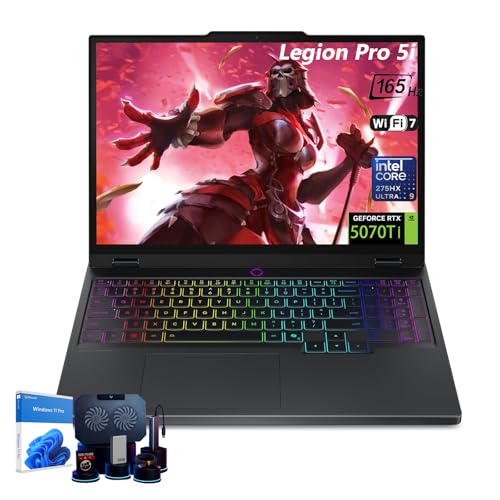
Lenovo IdeaPad 3 17.3 — The verified older-generation option
Begin with the machine whose listing hides nothing. The IdeaPad 3 17.3 is described with a 17.3-inch HD+ display, an AMD Ryzen 5 5500U processor, 8GB of RAM, 512GB of storage, AMD Radeon 7 Graphics and Windows 10 Home in the Abyss Blue finish. Every element of that sentence carries information a budget buyer should decode. The Ryzen 5 5500U is a capable processor from an earlier generation, genuinely fine for browsing, documents, email and streaming. The 512GB of storage is generous for the class. And the HD+ resolution, below full HD, spread across 17.3 inches, is the compromise you will see every day, in text that is legible but never crisp.
Windows 10 Home dates the machine as clearly as a timestamp, and buyers should think through what that means for them. A machine from the Windows 10 era carries an older support horizon than a current purchase, and anyone planning to keep a laptop for many years should factor that trajectory into the decision rather than discovering it later. For a buyer whose horizon is a few years of light home use, the equation can still work; for a buyer expecting a decade, it cannot, and no guide should pretend otherwise.
The workload this IdeaPad serves well is the classic home set: web, mail, documents, photo viewing, video calls and streaming, on a big screen that suits older eyes and shared kitchen-table use. Its 8GB of memory handles that set provided the tab count stays sane, and the Ryzen processor will not be the bottleneck in any of it. What it will not do is grow into heavier ambitions, and buyers should purchase it as the finished answer to a defined, light job.
Priced within the budget frame this guide is organised around, machines of this profile represent the realistic centre of the category: verified, specified, honestly ageing. If your needs match its section and the unit’s condition checks out, it is a defensible purchase. If your needs exceed it, the correct response is not a different old 17-incher but the exit section later in this guide.
- Display: 17.3-inch HD+, below full HD, per its verified listing
- Processor: AMD Ryzen 5 5500U, an earlier-generation chip
- Memory and storage: 8GB RAM and 512GB storage, per its verified listing
- Graphics: AMD Radeon 7 Graphics, per its verified listing
- Platform notes from listing: Windows 10 Home, Abyss Blue finish
Strengths
- A verified listing with honest specifications beats a mystery unit every time.
- The Ryzen processor and 512GB storage handle light home workloads comfortably.
- Big-screen comfort for reading and calls at the category’s realistic centre.
Trade-offs
- HD+ resolution on a 17.3-inch panel means visibly soft text.
- Windows 10 signals an older support horizon for long-term owners.
- 8GB of memory leaves no headroom for heavier multitasking.
Best for: home users with light, defined needs who value a big screen and a known specification.
Not suited for: buyers expecting many years of service or any demanding workload.

ASUS Vivobook 17 — The current-budget exception
The Vivobook 17 in this configuration is the closest this guide comes to good news. Its verified listing describes a 17.3-inch FHD display, an Intel Core 3 100U processor, 8GB of RAM, a 512GB SSD and Windows 11 Home, in Quiet Blue, model F1704VA-AS34. The headline is the panel: full HD at this size and in this budget conversation is the exception rather than the rule, and for anyone who reads on their laptop for hours, the difference between FHD and the HD+ of the IdeaPad above is the difference between text that tires the eyes and text that does not.
The Core 3 processor requires the same honesty as the IdeaPad’s Ryzen, from the opposite direction. Core 3 is Intel’s entry tier in its current naming, a chip designed for everyday computing rather than for speed records. Paired with 8GB of memory, it defines a machine for browsing, documents, streaming, calls and light photo handling, executed smoothly and without ambition beyond. Buyers who understand that sentence will be satisfied; buyers who read “current model” as “fast model” will not, and the distinction is this section’s whole purpose.
Windows 11 Home matters more than it might appear to. A current operating system on a budget machine extends the sensible ownership horizon, keeps security support straightforward and avoids the upgrade conversations that shadow Windows 10-era purchases like the IdeaPad. Between the two linked picks, the Vivobook is therefore the one to favour for a buyer planning to keep the machine longer, while the IdeaPad’s case rests on its processor’s easy competence for light work and whatever price advantage a specific unit offers on the day.
Neither linked pick should be mistaken for a bargain flagship. Both are 8GB machines with entry processors and integrated graphics, and both will show their limits the moment a workload grows teeth. What the Vivobook offers, uniquely in this guide, is a current platform and a proper full HD big screen inside the budget conversation, and for the kitchen-table and home-office duties this category actually serves, that combination is the strongest honest offer available.
- Display: 17.3-inch FHD, per its verified listing
- Processor: Intel Core 3 100U, Intel’s current entry tier
- Memory and storage: 8GB RAM and 512GB SSD, per its verified listing
- Platform notes from listing: Windows 11 Home, Quiet Blue finish
- Model reference from listing: F1704VA-AS34
Strengths
- Full HD resolution is the standout panel in this budget conversation.
- A current Windows 11 platform supports a longer, simpler ownership.
- Everyday performance is smooth within its defined, light workload.
Trade-offs
- Entry-tier processor sets a firm ceiling on demanding tasks.
- 8GB of memory is a today specification, not a growth plan.
- Availability inside the budget frame varies; it is an exception, not a staple.
Best for: home and light office users who read a lot and plan to keep the machine for years.
Not suited for: anyone whose workload includes editing, gaming or heavy multitasking.
HP 17 budget configurations — The clearance-channel regular
Leave the verified catalogue and the first family you meet, everywhere, is HP’s. HP has sold entry-level 17-inch laptops under shifting names and configurations for years, and the residue of that volume fills clearance pages and refurbished storefronts. We cover the family without a link and without quoted specifications, because the configurations under this umbrella vary enormously, from serviceable everyday machines to configurations built around processors so modest that the big screen becomes the only feature worth mentioning.
The evaluation skill for this family is reading the actual unit. Identify the processor precisely, not approximately, because two HP 17s that look identical in a thumbnail can be separated by several performance generations. Confirm the storage type and capacity, the memory figure, and above all the screen resolution, since HD+ panels are common in this family’s history and the difference from FHD is, as the linked picks demonstrate, a daily experience rather than a footnote.
Battery history governs the refurbished end of the family. A clearance HP 17 with a healthy battery and a proper return policy can be a perfectly rational kitchen-table computer. The same model with a tired battery, sold without returns, is a desktop with extra steps and should be priced as one. Sellers who publish battery information deserve preference over sellers who do not, even at slightly higher prices, because the information itself is a form of quality.
Treat this family as the category’s background radiation: always present, occasionally excellent value, never to be bought on the strength of the badge or the screen size alone. The unit in front of you is the product; the family name is merely its address.
- Position: HP’s long-running entry 17-inch line, common in clearance and refurbished channels
- Configuration note: processors, panels and memory vary widely; no single specification is quoted
- Evaluation focus: exact processor, screen resolution and storage of the individual unit
- Refurbished focus: published battery health and a real return policy
- Buying stance: judge the unit, never the badge
Strengths
- Sheer volume means constant supply and competitive pricing in secondary channels.
- Some configurations are genuinely serviceable everyday machines.
- Parts and knowledge for common HP models are easy to find.
Trade-offs
- The weakest configurations hide behind the same badge as the strongest.
- HD+ panels are common in the family’s history.
- Refurbished condition varies from excellent to exhausted.
Best for: patient shoppers willing to evaluate individual units on their documented merits.
Not suited for: anyone who wants to buy a big cheap laptop without reading a specification.
Dell Inspiron 17 3000 — The legacy family laptop
Dell’s Inspiron 17 3000 series was the archetypal budget family laptop of its era: a big screen, a full keyboard, everyday components and a price aimed at households rather than businesses. The line has been discontinued as the market moved down in size, and its machines now live in refurbished channels and family hand-me-downs. We discuss it without specifications, because its configurations spanned years of changing components, and because its value today depends almost entirely on the individual unit’s condition.
The duties these machines can still perform are real. A checked-over Inspiron 17 3000 with a healthy battery remains a fine homework station, a streaming screen for a spare room, a recipe and video-call terminal for a kitchen. Its large chassis also made it a relatively serviceable design by modern standards, and owners with modest skills have kept many of them alive with storage and memory attention over the years, though any specific unit’s upgrade options must be verified rather than assumed.
The duties it cannot perform define its ceiling with equal clarity. Modern creative software, current games and heavy multitasking were beyond the line’s ambitions even when new, and age has not improved the position. Buyers should also weigh the software horizon of an older Windows machine as part of the purchase, since a laptop’s usefulness ends where its supported software does, however willing its hardware remains.
Price discipline is the whole game with this family. At a price that respects its age, with returns available and the battery verified, an Inspiron 17 3000 can be the rational big screen for light duties. At a price that trades on the Dell name and the diagonal alone, it is a trap wearing a familiar badge, and the linked Vivobook above is the wiser destination for the same money.
- Status: discontinued budget line, found in refurbished channels and hand-me-downs
- Configuration note: years of variation; evaluate the individual unit only
- Suitable duties: homework, streaming, calls and kitchen-table computing
- Ceiling: modern creative work, gaming and heavy multitasking are beyond it
- Price stance: value exists only when the price admits the machine’s age
Strengths
- A big, simple screen for light household duties at genuinely low outlay.
- Many units remain serviceable with basic attention.
- Familiar design that older users find unintimidating.
Trade-offs
- Age governs everything: battery, software horizon and component wear.
- Performance ceiling was modest when new and has not risen.
- Unit condition varies more than in any linked pick.
Best for: households needing a light-duty big screen at the lowest sensible outlay.
Not suited for: students or workers whose main computer this would have to be.
Acer Aspire 5 17 — The refurbished all-rounder
Acer’s Aspire line has always competed on specification per unit of money, and its 17-inch Aspire 5 models brought that philosophy to the big screen: respectable processors for their day, full HD panels in many configurations and prices that undercut the prestige brands. Those machines now circulate widely in refurbished and used channels. No verified listing sits in our pool, and the family’s configurations varied enough across years that this section quotes none of them; what follows is how to judge the examples you will find.
The Aspire’s historical strength, panel quality for the money, is also its best used-buying argument. Where an example carries a full HD screen in good condition, it delivers the reading comfort that this guide keeps identifying as the budget category’s scarcest resource. Verify the panel on the specific unit, check for backlight unevenness and dead pixels under a plain background, and remember that a screen you will look at for years deserves five minutes of deliberate inspection.
Condition spread is the family’s defining risk. Aspire machines were bought by everyone from careful home users to institutions that worked them hard, and two outwardly identical listings can conceal very different lives. Prefer refurbishers who grade condition honestly, publish battery information and accept returns, and treat marketplace listings without those signals as priced gambles. A modest premium for a graded, warranted unit is usually the cheapest version of this laptop in the long run.
Judged kindly, a good Aspire 5 17 example is the budget category at its most defensible: a proper screen, adequate everyday performance and a price that leaves room in the budget for the peripherals and software the household actually needs. Judged carelessly, bought blind on a thumbnail, it is a lottery ticket. The difference lies entirely in the buyer’s inspection discipline.
- Position: Acer’s value-focused big-screen line, now a refurbished-channel regular
- Configuration note: panels and processors vary by year; none quoted without a verified listing
- Inspection focus: panel condition, backlight evenness and pixel check
- Channel focus: graded refurbishers with battery information and returns
- Character: specification-led value whose used worth depends on its previous life
Strengths
- Many configurations carried full HD panels, the category’s scarcest comfort.
- Wide used supply creates genuine choice for patient buyers.
- Everyday performance in good examples remains adequate for home duties.
Trade-offs
- Condition spread between individual units is the widest in this guide.
- No verified listing here means all homework falls on the buyer.
- Battery age is a standing question on every example.
Best for: careful used buyers who will inspect the panel and the paperwork before paying.
Not suited for: anyone buying a laptop as a gift on a deadline, sight unseen.
Lenovo IdeaPad 17 (older Intel generations) — The stock-lottery pick
Before and alongside the Ryzen IdeaPad linked above, Lenovo sold 17-inch IdeaPads built around Intel processors across several generations, and remnants of those lines surface as old stock, warehouse finds and refurbished units. This section covers that shadow family without a link or quoted figures, because the generation attached to any given unit changes its value completely, and a guide that averaged them would mislead everyone.
The lottery works like this. A later-generation Intel IdeaPad 17, properly specified with an SSD and a full HD panel, can be a genuinely good budget computer, the equal of anything in this guide. An earlier one, built around a mechanical-era storage mindset or a low-resolution panel, is a machine whose big screen advertises comforts its components cannot deliver. The listings for both can look nearly identical to a hurried shopper, which is why the generation and the storage type are the two facts to extract before anything else.
Old stock carries a specific battery caveat that refurbished units, paradoxically, may not: a battery that has sat unused in a warehouse for years has aged by calendar as surely as a used one has aged by cycles. A sealed box is not a new battery. Buyers of old-stock machines should test endurance immediately on arrival and use the return window ruthlessly if the machine fades faster than its duties allow.
None of this makes the family a bad buy; it makes it a researched buy. Readers who enjoy the hunt and can read a specification fluently will find this family’s best examples among the category’s real bargains. Readers who want certainty should stay with the two linked picks, whose listings have already done the verification work.
- Position: earlier Intel-based IdeaPad 17 generations in old-stock and refurbished channels
- Configuration note: value swings entirely on generation, storage type and panel
- Old-stock caveat: sealed batteries age by calendar, so test endurance on arrival
- Research focus: exact processor generation and whether storage is a modern SSD
- Buying stance: a bargain for fluent spec-readers, a lottery for everyone else
Strengths
- The family’s best examples rival anything in this budget conversation.
- Old-stock units can be physically pristine where refurbished ones are worn.
- Lenovo’s keyboards and support resources remain owner-friendly.
Trade-offs
- The family’s worst examples share its name and its thumbnail.
- Warehouse-aged batteries undermine the sealed-box promise.
- Verification burden is the highest of any pick here.
Best for: specification-fluent bargain hunters who test everything inside the return window.
Not suited for: buyers who need the machine to be right without an inspection project.
How Do the Six Picks Compare on Honest Terms?
| Pick | What it really is | Display (as listed) | Memory / storage (as listed) |
|---|---|---|---|
| Lenovo IdeaPad 3 17.3 | Previous-generation verified listing | 17.3-inch HD+ | 8GB / 512GB |
| ASUS Vivobook 17 | Current entry platform, verified listing | 17.3-inch FHD | 8GB / 512GB SSD |
| HP 17 budget configurations | Clearance and refurbished family | Not quoted; HD+ common, verify per unit | Not quoted; varies by configuration |
| Dell Inspiron 17 3000 | Discontinued legacy line | Not quoted; judge the individual unit | Not quoted; varies across its production years |
| Acer Aspire 5 17 | Refurbished all-rounder | Not quoted; FHD in many configurations, verify | Not quoted; varies by year |
| Lenovo IdeaPad 17 (older Intel) | Old-stock lottery | Not quoted; generation decides everything | Not quoted; storage type is the key check |
The pattern in that table is the guide in miniature: certainty is available exactly twice, in the two linked rows, and everywhere else the buyer’s own inspection substitutes for a verified listing. That is not a failure of this guide; it is an accurate map of a market segment in its twilight. Spend your effort where the table tells you effort is required, and the category can still serve you well.
What Compromises Should You Expect at This Budget, in Plain Language?
Expect the screen to be the first compromise, because panel cost is where budget lines save their money. Below full HD, text softens; below good brightness, bright rooms win. The Vivobook’s FHD panel is precious in this company precisely because it refuses the most common compromise, while the IdeaPad accepts it in exchange for its processor and storage. Decide which compromise your eyes can live with before you shop, because you will be looking at the result every day.
Expect the processor to be yesterday’s or today’s entry tier, which translates to a specific lived experience: everyday tasks feel fine, patience is occasionally required, and anything ambitious, video editing, large photo libraries, modern games, complex spreadsheets with live data, runs into a wall that no setting can move. Expect 8GB of memory to enforce a tidier computing style, fewer simultaneous applications, a browser tab discipline, than current mainstream machines require.
Expect the battery to be a negotiation rather than a promise. On verified new-old stock it may be serviceable; on refurbished units it is whatever the previous life left behind. Plan your use around sockets, keep the charger where the laptop lives, and treat any unplugged hour as a bonus. Buyers who internalise these three expectations, screen, speed, battery, before purchasing report satisfaction with this category at rates that surprise people; buyers who discover them afterwards write the angry reviews.
When Should You Shrink the Screen Instead?
Here is the exit this guide promised, stated as strongly as the evidence allows. At the same overall budget, a current 14 or 15-inch laptop from a mainstream line will typically offer a newer processor, a full HD or better panel, a fresh battery, a current operating system and a full warranty. Against an ageing 17-incher, that smaller machine is better at almost everything except being 17 inches. If the laptop is a primary computer for work, study or creative projects, the smaller new machine is usually the correct purchase, and choosing the big old one instead is choosing a dimension over a computer.
The 17-inch choice wins in specific, honourable circumstances. When the machine will live in one place and serve eyes that benefit from large text, the big panel’s comfort is a daily quality-of-life feature that a sharper smaller screen cannot replicate. When the duties are light and defined, browsing, mail, calls, streaming, the older hardware’s ceiling never comes into view. When a household wants one shared screen for recipes, homework supervision and video calls with family, size is sociability. In those cases the category’s compromises cost the buyer nothing they would have used.
Run the test honestly on your own workload. List the five things the laptop must do weekly. If any of them involves creating media, running current professional software or carrying the machine through a working day unplugged, take the exit and buy smaller and newer. If the list is consumption, communication and documents at a fixed table, stay, and shop the picks above with the inspection discipline the next section describes.
How Do You Buy Refurbished and Old Stock Without Getting Burned?
Start with the seller, not the laptop. Prefer refurbishers who grade their stock, state battery information, include a warranty of some description and accept returns without theatre. Those four signals correlate with honest units more reliably than any photograph. On open marketplaces, a seller’s history with similar machines matters more than a single listing’s adjectives, and a listing that will not state the exact processor, memory, storage and resolution is a listing asking you to gamble.
On arrival, use the return window as a laboratory. Check the battery by using the machine unplugged for your real duties, not by reading a percentage. Run the screen over plain light and dark backgrounds to find pixel and backlight faults. Test every key, every port you will use, the webcam and the speakers on an actual call. Confirm the storage is the type and size promised. Any failure is a return, not a regret to be managed for years.
Finally, keep the paperwork and set a calendar note for the warranty’s end. Budget machines earn their keep over years of light service, and a fault that appears in month eleven is only free if you notice it before the deadline. The buyers who thrive in this category are not luckier than other people; they are simply the ones who treated a cheap laptop with the same procedural respect as an expensive one.
Who Is the Typical Buyer of a Big Budget Laptop, and What Do They Actually Do All Day?
Spend time with the households who buy these machines and a pattern emerges that specification culture rarely captures. The laptop lives in one room, often the kitchen or a corner of the living area. It opens in the morning for news and weather, handles email and the household’s paperwork, shows photographs at a size grandparents can enjoy without squinting, and runs the evening’s video call with family at a scale that makes faces feel present rather than postage-stamped. Its processor idles through nearly all of this. Its screen works constantly. That is why this category persists despite its economics: for this pattern of life, the panel is the computer, and everything else is plumbing.
A second household pattern is the student overflow machine, the laptop bought for a teenager’s homework when the family’s main computer is occupied, or for a spare room that doubles as a study. Here the duties are documents, research and school platforms, all light, all well inside the linked picks’ abilities, with the caveat that school platforms evolve and an older operating system can age out of compatibility sooner than the hardware wears out. Parents should weigh the software horizon as the real purchase, especially when the machine is expected to last a whole school stage.
A third pattern is the deliberate second machine: the big screen bought for one defined job, monitoring a shop’s orders, displaying a workshop’s manuals, running a community hall’s presentations, where a failure is an inconvenience rather than a crisis. Second machines are where refurbished units shine brightest, because the buyer’s expectations are surgical and the budget saved funds the primary computer instead. Recognising which of these three patterns is yours clarifies every later decision in this guide, from panel priority to battery tolerance.
What Does a Year of Ownership Cost Beyond the Purchase?
Budget laptops are cheap to buy and occasionally surprising to own, so a realistic guide should total the likely extras. A replacement battery is the most common significant cost in the refurbished tier, and buyers should hold a mental reserve for it rather than treating it as a betrayal when it arrives. A storage or memory upgrade, where a specific older unit permits one, can be the best money in the whole purchase, but the word where matters: many modern budget machines fix their memory permanently, so upgrade hopes must be verified per model before they enter your arithmetic.
Software can add its own quiet costs. An older machine may arrive with an operating system whose remaining supported life is short, and the buyer’s plans for that horizon, upgrade where eligible, alternative systems where appropriate, or a defined retirement date, should be made at purchase rather than in a panic later. Peripherals are the final line item: a mouse for the kitchen table, a sleeve if the machine travels between houses, perhaps an external drive for the family photo archive that should never live in exactly one place.
None of these costs overturns the category’s value for the right buyer. They merely convert the headline saving into an honest one, and honest savings survive contact with reality. The households that regret budget laptops are rarely those who paid a little more over the first year; they are those who bought the wrong machine for their workload, which is a selection failure, not a pricing one.
How Can You Make an Older Big Laptop Feel Faster Without Spending Much?
Begin with what the machine starts alongside you. Older laptops accumulate auto-starting applications the way harbours accumulate barnacles, and trimming that list to the essentials shortens the wait between the power button and useful work more than any other free intervention. Follow with storage housekeeping: a nearly full drive slows everything it touches, and moving the photo archive to an external drive or a cloud library returns breathing room that the whole system can feel.
Browser discipline is the third lever, and for the light workloads of this category it is the largest. Fewer simultaneous tabs, extensions pruned to the ones you can name, and a habit of restarting the browser weekly will make an 8GB machine feel a full class faster. The fourth lever is expectation-shaped: run one heavy thing at a time. These machines multitask politely and punish greed, and owners who sequence their work, rather than stacking it, report a completely different ownership experience from the same hardware.
Where a specific unit genuinely permits a hardware upgrade, an SSD replacing older storage is the classic transformation, and memory added to a machine with a free slot can retire the tab discipline entirely. Verify your exact model’s possibilities in its documentation or a reputable teardown before buying parts, because budget lines vary even within a single model year, and a part bought on a hopeful guess is money this category cannot spare.
How Should You Set Up an Older Laptop for an Older Relative?
A large share of this category’s machines are bought by one generation for another, and the setup is where that kindness succeeds or fails. Increase the display scaling before handing the machine over, so text arrives large without the new owner needing to find the setting. Pin the handful of applications they actually use, mail, browser, video calls, photographs, to the taskbar, and remove the rest from sight. Set updates to happen automatically at hours the machine is usually plugged in and idle, and write the Wi-Fi password and your own phone number on a card that lives in the laptop sleeve.
Choose the machine for this duty with the panel first, which in this guide points squarely at the Vivobook’s FHD screen or a verified FHD unit from the prose families, because an older reader will forgive a slow start far sooner than small, soft text. Set up the video-calling application with their account signed in and test it with a real call to you before leaving, since the first solo call is where confidence is built or lost. A printed sheet with the three steps for joining a family call, in large type, taped inside the lid’s sleeve, has rescued more Sunday afternoons than any remote-support tool.
Finally, schedule the follow-up. A fifteen-minute call a week later, checking what confused them and fixing it while it is small, converts a gift laptop from a source of quiet anxiety into the household appliance it was meant to be. The machines in this category are good enough for this duty by a comfortable margin; it is the setup and the follow-up that decide whether the recipient experiences that goodness.
Why Did Manufacturers Abandon the Cheap 17-Inch Laptop?
The answer is panel economics wearing a disguise. Large screens cost disproportionately more to make and ship than 15-inch panels, and at budget prices the margin on a big laptop evaporates, especially once a heavier chassis, a larger battery and pricier freight have taken their shares. Manufacturers followed the volume down-market to 14 and 15 inches, where a cheap laptop can still be a profitable one, and reserved 17 inches for buyers paying premium, gaming or workstation prices, where the panel’s cost disappears into the total.
Consumer habits pushed the same direction. Laptops became commuting and café equipment, roles where weight and footprint matter more than canvas, and the stay-at-home big laptop lost its constituency to tablets and televisions for casual use. The buyers who remained, the kitchen-table households described earlier, became too small a market to design new budget models for, which is why they now shop the category’s back catalogue instead.
Understanding this history protects buyers from a specific disappointment: waiting for next year’s cheap 17-incher. It is not coming, or if it comes it will be an exception like the Vivobook configuration rather than a trend. The realistic choices are the ones this guide maps: buy the exception, buy the verified older stock, buy refurbished with discipline, or take the smaller-screen exit. All four are respectable. Only the waiting is wasted.
Common Mistakes
Believing a listing that promises current performance at this budget and size is the foundational error, and the listings that make the promise loudest are the ones to read most carefully. The verified picks in this guide demonstrate what honest budget hardware looks like: named older processors, stated resolutions, no miracles. Measure every other listing against that honesty.
Ignoring the operating system’s age follows closely. A Windows 10-era machine bought today carries a shorter supported future, and buyers who plan around that fact can still be well served, while buyers who never considered it feel ambushed later. The Vivobook’s current platform is worth real money in this comparison, and this guide weights it accordingly.
Paying a premium for a famous badge on an old machine wastes the category’s only advantage, which is price. A discontinued Dell or a clearance HP is worth what its verified unit condition says it is worth, not what the badge once commanded. The moment an old 17-incher’s price approaches a current smaller laptop’s, the argument collapses and the smaller machine should win.
Skipping the battery question completes the pattern. At this end of the market the battery is not a detail; it is half the product. Ask, test, and be willing to walk away, because another unit is always coming through the refurbished channels next week.
Consider, too, the environmental ledger, which for many households is a genuine part of the decision rather than a garnish. A refurbished 17-incher kept in light service for three more years is manufacturing demand that never happens, and the budget category’s twilight makes every surviving machine a small act of reuse. That argument does not rescue a bad unit or a wrong workload, and this guide will not pretend otherwise, but for the buyer whose needs fit, choosing a good older machine is defensible on grounds beyond the saving, and it is pleasant when the frugal choice and the lighter footprint turn out to be the same laptop.
The same logic applies at the end of your ownership. A budget big laptop that outgrows your duties may still serve a relative, a community group or a charity’s front desk, and passing it on with its charger, its passwords wiped and its storage responsibly cleared extends the value of the original purchase further than any resale figure. Machines in this class rarely die dramatically; they retire gradually through a chain of lighter duties, and buying one well means starting that chain with a unit worth passing on.
One final test separates the satisfied owners in this category from the rest, and it takes ten seconds: before buying, say out loud what the machine is for, in one sentence, naming the room it will live in and the three tasks it will perform there. If the sentence comes easily and every task on the list is light, the category will serve you and the picks above are your shortlist. If the sentence sprawls, hedges or includes the phrase “and maybe later”, the honest purchase is the smaller new laptop, and this guide’s work is done either way.
Keep that sentence somewhere you can find it when the machine eventually frustrates you, because it will, briefly, on the day you ask it for the one heavy task it was never bought to do. Rereading your own definition of the job usually restores the truce, and the laptop goes back to being what it always was: a big, kind screen for the light work of a household, bought with open eyes at a price that left money for everything else.
That truce, between a modest machine and a household that understands it, is the best outcome this end of the market offers, and it is a genuinely good one.
Shop slowly, verify the unit, and let the category’s last good machines go to the homes that will appreciate them.
Patience, in this corner of the market, is worth more than any coupon code or flash sale today.
Final Recommendation
If your duties are light, your screen will live in one place and your expectations are set by this guide rather than by advertising, the ASUS Vivobook 17 is the strongest honest purchase in the category: a current platform, a proper full HD 17.3-inch panel and everyday performance that will not embarrass itself. The IdeaPad 3 is its verified alternative where its particular unit and price suit you better, accepting softer text and an older software horizon as the trade. The four prose-only families reward patient, inspection-minded shoppers and punish everyone else, so know which kind of shopper you are before entering those channels.
And if your workload list failed the exit test, close this guide without a flicker of regret and buy the smaller, newer laptop. The most valuable sentence in a budget guide is sometimes the one that talks a reader out of the category entirely, and at this price, with this screen size, that sentence will be the right advice for a large share of the people who arrived here searching.
Frequently Asked Questions
Can you actually buy a new 17-inch laptop under this budget?
Rarely, and the Vivobook 17 configuration in this guide is close to the exception that proves the rule. The realistic supply is older stock and refurbished units. Any listing claiming a current, well-specified 17-inch machine inside this budget frame deserves line-by-line verification before you believe a word of it.
Is HD+ resolution really that bad on a 17-inch screen?
It is the compromise you will notice most. Text remains legible, and for video and calls it hardly matters, but for reading and document work the softness accumulates into eye fatigue over hours. If your use is reading-heavy, prioritise the FHD panel even at the cost of other specifications.
How long will a refurbished 17-inch laptop last?
For light duties, several more years is a reasonable hope from a well-graded unit with a healthy battery, provided its software remains supported for your needs. The honest uncertainty is the battery and the individual unit’s history, which is why graded refurbishers and return windows matter more here than in any other category we cover.
What is the single most important check on a used big laptop?
The battery, tested by use rather than by percentage, with the screen a close second. A tired battery converts a laptop into a tethered appliance, and a faulty panel taxes your eyes daily. Both checks fit inside a return window if you perform them in the first days of ownership.
Would a Chromebook or a tablet serve the same duties better?
For purely web-based light duties, a large-screen Chromebook, where available, or a tablet with a keyboard can be rational alternatives with fresher software. They change the software ecosystem entirely, though, so households invested in Windows applications and files should weigh that switch honestly rather than discovering it afterwards.
One more ownership reality belongs in an honest budget guide: security hygiene matters more, not less, on an older machine. Keep the browser current, since the browser is where a light-duty laptop lives and where its protections are freshest. Use a password manager rather than reusing the handful of passwords an older machine’s owner can remember, and turn on whatever automatic updates the platform still offers. None of this requires expertise, and all of it matters because a household laptop holds banking sessions and family photographs regardless of what it cost.
Backups close the subject. A budget laptop’s drive is statistically an older drive, and the family archive should exist in a second place as a matter of routine rather than optimism. An external drive used monthly, or a cloud library that syncs the photographs automatically, converts a future hardware failure from a bereavement into an errand. The money saved by buying in this category is best spent, in part, on exactly that insurance.
Is it worth paying slightly more for a graded refurbished unit over a marketplace gamble?
For most buyers in this category, yes. The graded unit’s premium purchases information, about battery, condition and faults found and fixed, plus a warranty and a return route, and information is the scarcest resource in the entire under-budget market. The gamble only wins for buyers who can inspect expertly, repair cheaply and absorb a total loss without pain, a smaller group than the listings would like you to believe.
Can these laptops handle video calls and streaming comfortably?
Yes; those duties sit squarely inside the linked picks’ abilities and were part of the workload this guide used to judge them. Use a wired connection or sit near the router for important calls, keep other applications closed during them, and the older processors in this guide will not be the reason a call fails.
Related Guides
To see what the same brand’s bigger range looks like, continue to our roundup of 17-inch Lenovo laptops. For the engineering end of the size class, read our guide to 17-inch laptops for AutoCAD. And if your budget grows, our look at 18-inch laptops shows where the halo machines begin.



[…] guide to 17-inch laptops for sales presentations next. And if the budget is the binding constraint, our honest look at 17-inch laptops under $400 explains what that money can and cannot […]