What's inside
- Key Takeaways
- Quick Picks
- How We Chose These Picks
- Comparison
- Where does the money actually go in a laptop at this level?
- How do you decide between memory and storage when you cannot maximise both?
- How should you time a purchase under a fixed ceiling?
- What does “under $1000” buy in adjacent sizes — and why stay at 17 inches?
- How do you audit a listing like an accountant?
- Should the ceiling include the extended warranty and the software?
- What separates a smart sub-$1000 purchase from a lucky one?
- How does buying for a teenager differ from buying for a professional at this ceiling?
- Why do refurbished business machines keep appearing in this conversation?
- What should you do in the first week to protect the purchase?
- Is the top of this frame the sweet spot of the whole 17-inch market?
- How do you explain this purchase to a sceptical partner or finance department?
- Common Mistakes
- Final Recommendation
- Frequently Asked Questions
- Related Guides
As an Amazon Associate I earn from qualifying purchases. This post may contain affiliate links at no extra cost to you.
widgetverdict.com is reader-supported. When you buy through links on our site, we may earn an affiliate commission.
A thousand dollars is the line where laptop shopping stops being about survival and starts being about judgement, and the best 17-inch laptops under 1000 dollars reward exactly that shift. Below the line, the big-screen buyer is no longer forced into the oldest stock or the softest panels: current processors, 16GB configurations and terabyte storage all appear in this territory, provided the money is aimed at the specifications that matter and withheld from the ones that merely glitter. This guide compares six 17-inch machines against that budget discipline — four tied to verified listings whose titles state their configurations, two discussed without links — and it treats the $1000 figure throughout as the theme’s budget frame, not as a price tag attached to any individual machine. Check price on Amazon for each linked pick before ordering, because positioning inside the frame is part of the decision.
The central question under a fixed ceiling is allocation. A 17-inch laptop can spend its budget on processor, on memory, on storage, on panel quality or on build — rarely on all five — and the right allocation depends on the work. This guide’s ordering reflects a deliberate hierarchy for mainstream buyers: memory and panel first, because they are felt every hour and cannot be changed later; processor next; storage after that, because external drives exist; and cosmetic build last, because a desk-bound machine’s plastic never hurt anybody’s productivity.
One structural warning before the names. Model families in this class span wide price ranges, and a badge that sits under the ceiling in one configuration sits above it in another. The listings below were chosen as the configurations that belong in a sub-$1000 conversation; if you wander to a sibling configuration, re-check it against the ceiling yourself rather than assuming the family resemblance holds.
Key Takeaways
- The ASUS Vivobook 17 with a Core i7, 16GB of memory and 1TB of storage is the most balanced specification in this budget frame.
- HP’s 17 with a Ryzen 5 and 16GB is the memory-first alternative, trading storage size for a 2026-edition platform.
- The OmniBook 3 with a Core 5 suits buyers who want to land well inside the ceiling and bank the difference.
- The IdeaPad 3 is older stock — HD+ panel, Windows 10 Home — and belongs in this guide only at a clearly discounted position.
- At this budget, refuse any 17-inch machine with less than a Full HD panel or a mechanical hard drive.
- The $1000 frame is a theme criterion here; always confirm the live figure with a price check on Amazon.
Quick Picks
| Pick | Badge | Why it is here |
|---|---|---|
| ASUS Vivobook 17 (Core i7) | The balanced ceiling-spender | An i7-1355U with 16GB of memory and 1TB of storage — the fullest mainstream specification in this frame. |
| HP 17 (Ryzen 5, 16GB) | Memory-first, current edition | A 2026-edition HP whose 16GB of memory and numeric keypad suit long, busy working days. |
| HP OmniBook 3 17.3 (Core 5) | Room to spare in the budget | A current Core 5 platform for lighter work, leaving budget headroom for accessories and backup storage. |
| Lenovo IdeaPad 3 17.3 (Ryzen 5 5500U) | Discounted older stock | A strong six-core chip in an older design with an HD+ screen — value only when priced as the elder it is. |
| Acer Aspire 5 17.3 | Prose-only alternative | Acer’s step-up Aspire line reaches 17.3 inches in some seasons; configurations vary too much to pin one listing. |
| HP Pavilion 17 (previous generations) | Prose-only alternative | Earlier Pavilion 17 models circulate at keen prices; panel and storage type need verifying unit by unit. |
How We Chose These Picks
The budget frame did the first sort: only configurations that plausibly belong in a sub-$1000 conversation were admitted, and this guide discusses the frame as a criterion rather than quoting figures for individual machines, since prices move and honesty should not expire with a sale event. Within the frame, linked picks needed complete configurations stated in their listing titles — processor, memory, storage, panel — so that a reader can audit the allocation logic line by line.
Allocation was then scored against the hierarchy described above. A configuration that spent on memory and panel outranked one that spent on a nominally faster processor paired with 8GB and a dim screen, because the former serves its owner every day while the latter serves a benchmark. Storage below 512GB was treated as a defect at this level; a mechanical hard drive would have been disqualifying.
Age was priced in explicitly. One linked pick is an older design, admitted because its processor remains strong and its stock position can make it genuinely cheap — but the guide labels its panel and operating system compromises wherever they matter, and its recommendation is conditional on a discount that reflects them. A budget guide that hides age is not saving its readers money; it is spending their trust.
The prose-only pair covers the frame’s edges: a step-up line whose configurations drift too much to pin, and a discontinued line whose units must be judged individually. Both are real routes under the ceiling for careful shoppers, and both are described with the verification steps they demand.
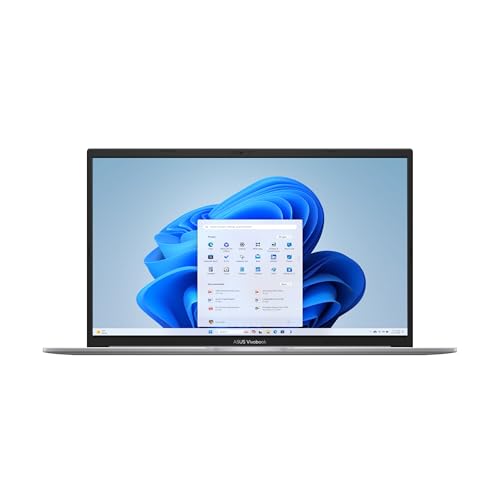
ASUS Vivobook 17 (Core i7) — The balanced ceiling-spender
If the budget is a thousand, this is what spending it wisely looks like. The Vivobook 17’s listing specifies a 17.3-inch Full HD 60Hz display, an Intel Core i7-1355U processor, Intel Iris Xe graphics, 16GB of memory and 1TB of storage, in Cool Silver. No line of that specification is exotic, and that is the point: at this level, excellence is the absence of a weak line, and this configuration has none. Every dollar-shaped decision inside it points at daily use rather than at a headline.
Memory and storage, the pair that decide longevity, are both at their sensible maxima for the class. Sixteen gigabytes carries a heavy multitasking day without swapping; a terabyte holds a working archive and a media library without the quarterly purge. Buyers routinely under-buy both because the penalty arrives in year three rather than at the till — and then discover that the ceiling they saved under has been repaid, with interest, in frustration. This configuration simply declines that bargain.
The i7-1355U supplies the responsiveness the rest of the specification deserves: documents and calls feel immediate, large spreadsheets recalculate without ceremony, and the Iris Xe graphics handle presentations and light media work tidily. The panel is a straightforward 60Hz Full HD screen — correct, crisp and unremarkable, which on a 17.3-inch canvas is exactly the right ambition for the money. Nothing here chases gamers or colour professionals, and the honesty of that focus is what lets the mainstream specification be this complete.
Who should step down from this pick to a cheaper one? Only buyers whose workload is genuinely light and stable — the browser-centred pattern the OmniBook below serves — or whose budget must also absorb a monitor, a printer or other desk equipment. For a single-machine purchase meant to serve for years, the Vivobook is this guide’s centre of gravity: check price on Amazon, confirm the configuration matches the listing title, and buy the absence of regret.
- Panel: 17.3-inch Full HD at 60Hz
- Chip: Intel Core i7-1355U
- RAM: 16GB
- Drive: 1TB
- Graphics: Intel Iris Xe, integrated
- Finish and code: Cool Silver, F1704VA-ES76
Strengths
- 16GB and 1TB — the longevity pairing, both present
- i7 responsiveness across mainstream work
- No weak line anywhere in the stated specification
Trade-offs
- Sits at the serious end of the budget frame
- 60Hz panel prioritises correctness over flair
- Integrated graphics only
Best for: buyers making one considered purchase to serve a household or a profession for years.
Not suited for: light users who would leave its headroom permanently unused.
Households replacing a much-loved older machine should notice the emotional shape of this purchase. The Vivobook does not dazzle in the first hour; it reassures across the first year, as task after task that used to require thought — closing things before opening others, moving files to make room, waiting out a recalculation — quietly stops requiring thought. That is what the top of a sensible budget buys: not excitement, but the removal of friction so complete that the machine leaves the owner’s attention entirely, which is where a tool belongs.
Think of this machine as the answer to the question the whole guide asks: what does a thousand dollars buy when it is spent by someone who has read the failure stories? It buys the specifications that cannot be upgraded, in the sizes that do not expire, behind a screen that respects the reader’s eyes. The rest of this guide is, in a sense, commentary on that answer.

HP 17 (Ryzen 5, 16GB) — Memory-first, current edition
HP’s entry argues a different allocation of the same frame. This 2026-edition HP 17 pairs an AMD Ryzen 5 processor with 16GB of memory, a 512GB solid-state drive, a 17.3-inch Full HD display and a numeric keypad, running Windows 11 with Office 365 for the web included, and its listing emphasises long battery life. Where the Vivobook splits its strength between memory and storage, the HP concentrates on memory and currency — a current edition of the line — and accepts a smaller drive as the price.
That trade deserves respect rather than correction, because for many working patterns it is the right one. Documents, spreadsheets and browser work are memory-hungry and storage-light; a professional whose files live in cloud sync may never fill 512GB, while hitting a memory ceiling every single afternoon. The Ryzen 5’s multi-core strength suits that pattern too, absorbing the background churn of updates, sync and security scanning that makes lesser machines feel mysteriously slow at 4 p.m.
The numeric keypad, called out in the listing, reinforces the machine’s working identity. On a 17-inch chassis the keypad costs nothing in comfort — the deck has room for it and for a spacious main keyboard besides — and for anyone whose day involves figures, it is worth more than a processor tier. Add the current-edition platform, with its tidy support position, and the HP presents itself as the professional’s allocation of the frame: spend on the working day, economise on the archive.
The honest caveats are the storage figure and the listing’s generic processor wording, which describes the chip by family rather than by exact model. Buyers with large local archives — video, photo libraries, game installs — should take the Vivobook’s terabyte instead. Buyers whose storage lives elsewhere, and who want the freshest platform in the frame with memory to spare, will find this HP the more precise fit. Check price on Amazon and read the full listing configuration before deciding between the two.
- Panel: 17.3-inch Full HD
- Chip: AMD Ryzen 5, current generation per the listing
- RAM: 16GB
- Drive: 512GB solid-state
- Deck: full keyboard with numeric keypad
- Software: Windows 11; Office 365 for the web bundled
- Model year: 2026 edition
Strengths
- 16GB of memory for heavy multitasking days
- Current 2026-edition platform
- Numeric keypad suits figure-led work
Trade-offs
- 512GB storage is half the Vivobook’s
- Processor described by family, not exact model
- Office bundle is the web edition — know the distinction
Best for: professionals whose files live in the cloud and whose days are dense with open applications.
Not suited for: local-archive hoarders who need a terabyte inside the machine.
Bookkeepers and operations staff form this machine’s natural constituency, and they will recognise its priorities as their own: the keypad where the figures go, the memory where the open ledgers live, the current platform that will not embarrass them in front of a client or an auditor. There is a particular pleasure in equipment whose specification reads like it was written by someone who has done your job, and this HP — whatever its generic processor wording — gives that impression in every other line.
There is also a fleet argument for this HP. Small organisations buying several machines under a per-seat ceiling get a current, uniform, memory-rich configuration that IT can image once and support for years. Uniformity is a form of savings that never appears in the purchase price and always appears in the support hours — and under a fixed budget, it may be the most professional allocation of all.
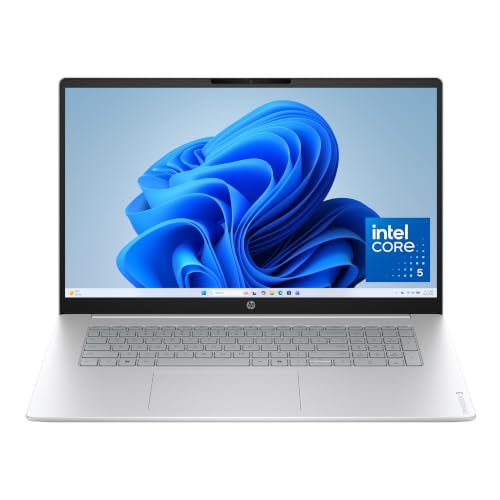
HP OmniBook 3 17.3 (Core 5) — Room to spare in the budget
Not every buyer under a ceiling wants to touch it. The OmniBook 3 17.3 — an Intel Core 5 120U, 8GB of memory, a 512GB solid-state drive, Intel Graphics and Windows 11 Home behind a 17.3-inch Full HD display in Glacier Silver — is the guide’s deliberate underspend: a current, coherent machine for the large class of users whose work is browser, documents and calls, bought with money left over for the desk around it.
That leftover is not an abstraction. It is the stand that fixes your posture, the headset that fixes your calls, the backup drive that protects the archive, and the quality bag that makes the machine’s occasional journeys painless. Buyers who spend the entire frame on the laptop and nothing on its ecosystem often end up with a stronger computer and a worse working life than buyers who split the difference intelligently. The OmniBook is the pick for the second kind of buyer, and this guide refuses to apologise for it.
Within the machine itself, the virtues are currency and coherence. The Core 5 is a modern processor that makes browser work feel brisk; the Full HD panel respects the screen size; the OmniBook design language looks current in a client-facing room. The ceiling is the familiar one — 8GB of memory — and it defines the honest boundary of the recommendation: stable, light workloads, bought as they are, not as they might grow.
Growth is the question to interrogate before choosing this pick. If the role might expand — local applications arriving, dashboards multiplying, a second person’s work joining the machine — the Vivobook’s headroom is worth its premium. If the role is defined and the desk needs the accessories, the OmniBook plus a well-spent remainder is the most intelligent purchase in this entire guide. Under a budget ceiling, intelligence about the whole desk beats intensity about one device.
- Panel: 17.3-inch Full HD
- Chip: Intel Core 5 120U
- RAM: 8GB
- Drive: 512GB solid-state
- Graphics: Intel integrated
- Software: Windows 11 Home
- Finish and code: Glacier Silver, 17-dk0099nr
Strengths
- Current platform with a professional appearance
- Lands inside the frame with room for the desk ecosystem
- Full HD panel — no resolution compromise
Trade-offs
- 8GB memory ceiling for growing workloads
- Home edition Windows
- Storage sized for the tidy, not the archival
Best for: defined, browser-centred workloads plus a properly equipped desk.
Not suited for: buyers whose roles are expanding into heavier local applications.
Teachers are the OmniBook’s quiet constituency: a defined toolkit of browser platforms, documents and calls, a premium on a machine that looks professional in a classroom and behaves predictably under a projector. For that pattern, the money this pick does not spend is as valuable as the money it does — it becomes the classroom’s spare charger, the tripod, the document camera. Budgets in education are ecosystems whether they are managed as one or not, and this is the pick that admits it.
One more constituency suits this pick precisely: the second-machine household. Where a powerful desktop or a work-issued laptop already carries the heavy loads, the big screen at home is for comfort — research, administration, entertainment — and the OmniBook’s specification matches that duty without duplicating capability the household already owns. Spending the whole ceiling twice is not thoroughness; it is waste wearing a thorough disguise.
Lenovo IdeaPad 3 17.3 (Ryzen 5 5500U) — Discounted older stock
This pick carries its warning in its badge, and the warning is the recommendation’s condition. The IdeaPad 3 listed here is an older design: a 17.3-inch HD+ display, an AMD Ryzen 5 5500U, 8GB of memory, 512GB of storage, Radeon 7 graphics and Windows 10 Home in Abyss Blue. In a guide framed by a generous ceiling, an older machine earns its place only when its price position acknowledges its age — and when the buyer’s workload values the one thing this machine genuinely offers, which is processor strength.
The Ryzen 5 5500U remains a fine chip: six cores from a mature, well-liked generation, capable of out-working the newer but smaller processors in budget machines for CPU-led tasks. A buyer whose work is document processing, data handling and general productivity — and whose eyes are untroubled by the panel — can rationally take the strong chip at old-stock money and pocket a large saving against the frame. That is a real strategy, pursued knowingly by many satisfied owners.
But the compromises are daily and visible. HD+ resolution on 17.3 inches softens text in a way this guide has flagged in every appearance of this machine, and at this budget level there is no excuse for accepting it unknowingly: the other linked picks all deliver Full HD. Windows 10 Home likewise demands a plan for the machine’s software future. Neither compromise is hidden in the listing — both are printed in it — and the buyer’s job is to price them honestly rather than discover them emotionally.
So the rule for this pick is arithmetic. If its live position sits far enough inside the frame to pay you for the panel and the platform age — far enough that the saving buys the accessories, the backup drive and still leaves change — it is a defensible, even shrewd purchase. If it sits anywhere near the fresher machines’ territory, walk past it to the Vivobook or the HP and never look back. Old stock is a bargain only when it is priced like old stock.
- Panel: 17.3-inch HD+
- Chip: AMD Ryzen 5 5500U
- RAM: 8GB
- Drive: 512GB
- Graphics: AMD Radeon 7, integrated
- Software: Windows 10 Home
- Finish: Abyss Blue
- Vintage: previous IdeaPad 3 design, sold as listed
Strengths
- Six-core Ryzen performance remains genuinely strong
- Old-stock positioning can free much of the frame
- Compromises are stated openly in the listing
Trade-offs
- HD+ panel below this budget’s rightful standard
- Windows 10 Home dates the platform
- Value collapses if priced near current designs
Best for: processor-led buyers who will verify the discount is real before anything else.
Not suited for: anyone who reads small text all day, or who wants a machine current in every respect.
There is a buyer this machine suits almost perfectly, and it is worth describing them precisely: the home administrator for an extended family — the person who keeps everyone’s documents, photographs and paperwork in order — whose work is processor-led, whose current machine is a decade old, and to whom even an HD+ 17.3-inch screen represents a revelation in size if not in sharpness. For that buyer, at genuine old-stock money, the IdeaPad asks for no apology. Guides generalise; purchases are personal, and this pick exists for the person it fits.
Treat the purchase, if you make it, as you would a nearly-new car: the saving is the point, the inspection is the duty. Confirm the configuration matches the listing, check the return window in writing, and evaluate the panel with your own documents in the first days — while the window is open, not after it closes.
Acer Aspire 5 17.3 — Prose-only alternative
Acer’s Aspire 5 sits a rung above the bargain Aspire 3, and 17.3-inch variants surface in the line in some seasons and regions — enough to deserve a place in a budget-frame guide, not consistently enough to pin a single listing. The Aspire 5 formula generally trades a little of the 3’s rock-bottom pricing for better panels, more metal in the chassis and stronger processor options, which under this ceiling can be exactly the right exchange.
Because configurations drift, the shopping method is the content here. Identify the unit’s panel resolution and processor from the listing title, refuse any configuration with a mechanical drive or a sub-Full-HD screen, and compare the verified specification — not the badge — against the Vivobook that anchors this guide. An Aspire 5 that matches the anchor on memory and panel while landing inside the frame is a legitimate alternative; one that merely shares the badge is a rumour.
Buyers who enjoy the hunt will find this line rewarding, since its seasonal pricing swings can be wide. Buyers who want the decision finished today should take the anchor and go home. Both temperaments are served by this guide; only the first should follow this pick.
- Display: 17.3-inch class (confirm resolution per listing)
- Processor: depends on the build on offer
- Memory: depends on the build on offer
- Storage: confirm solid-state per listing
- Listing status: no single configuration pinned
Strengths
- Step-up line with generally better panels and build
- Seasonal pricing can land well inside the frame
- Wide retail presence makes comparison easy
Trade-offs
- Configuration drift demands full verification
- Availability of the 17.3-inch variant is inconsistent
- Weak configurations hide under the same badge
Best for: comparison shoppers willing to verify a specific unit line by line.
Not suited for: one-click buyers who want the anchor’s certainty.
A word about seasons: Acer’s lines are among the most promotion-driven in the industry, and the Aspire 5’s position inside this frame can change character between a quiet month and a sale event. The patient buyer’s method is to define the acceptable specification in advance — Full HD, solid-state, memory floor — set a watch, and let the calendar do the negotiating. What patience must never do is relax the specification to meet a tempting price; the calendar will bring another event, and the specification is forever.
HP Pavilion 17 (previous generations) — Prose-only alternative
Before HP consolidated its consumer naming, the Pavilion 17 was a fixture of the big-screen mainstream, and earlier generations remain in circulation at prices that can sit comfortably inside this frame. They are covered without a link because a Pavilion 17 badge spans years of panels, processors and storage types, and the unit in front of you — not the line’s reputation — is what your money buys.
The verification list is short and decisive. Confirm a Full HD panel in writing; confirm solid-state storage, since some generations shipped with mechanical drives that transform the experience for the worse; confirm memory of at least 8GB; and ask about battery condition if the unit is refurbished. A Pavilion that passes all four checks is a sensible, comfortable big laptop. One that fails the storage or panel check is a project, and should be priced as one.
Against the new linked picks, the Pavilion route trades warranty freshness and platform currency for price. Households comfortable with that trade — especially where the machine is a second computer — will find it rational. Buyers purchasing their only computer should generally prefer the certainty of the new configurations above.
- Display: 17-inch class (confirm FHD per unit)
- Processor: depends on the model year
- Memory: confirm at least 8GB per unit
- Storage: confirm solid-state per unit
- Where it surfaces: unsold earlier stock and refurbished resellers
Strengths
- Comfortable, familiar mainstream design
- Pricing can sit well inside the frame
- Large numbers sold — parts and knowledge are plentiful
Trade-offs
- Specification spans years — verify everything
- Battery condition varies with age
- Warranty terms differ from new retail
Best for: second-machine households and careful used-market shoppers.
Not suited for: buyers purchasing their only computer on a tight deadline.
The Pavilion route also suits a particular kind of gift: the capable relative equipping a family member’s first home office from refreshed stock, where the giver’s own inspection substitutes for the retail warranty’s paperwork. In that setting the checks listed above are not a burden but the substance of the gift — someone knowledgeable has verified the panel, the drive and the battery, which is more assurance than many new budget machines receive. Judged as a channel for informed generosity, the older Pavilion earns its paragraph.
Comparison
| Pick | Display | Processor | Memory | Storage | Budget logic |
|---|---|---|---|---|---|
| ASUS Vivobook 17 | 17.3-inch FHD 60Hz | Core i7-1355U | 16GB | 1TB | Spend the frame on longevity |
| HP 17 (16GB) | 17.3-inch FHD | AMD Ryzen 5 | 16GB | 512GB SSD | Memory and currency first |
| HP OmniBook 3 | 17.3-inch FHD | Core 5 120U | 8GB | 512GB SSD | Underspend; fund the desk |
| Lenovo IdeaPad 3 | 17.3-inch HD+ | Ryzen 5 5500U | 8GB | 512GB | Only at a real old-stock discount |
| Acer Aspire 5 17.3 | Per listing — verify FHD | Per configuration | Per configuration | Confirm SSD per listing | Seasonal value, verified by hand |
| HP Pavilion 17 (older) | Per unit — verify FHD | Per generation | Confirm 8GB+ | Confirm SSD per unit | Used-market value with checks |
Where does the money actually go in a laptop at this level?
Mostly to the things you cannot see in a photograph. The panel is the largest single cost after the processor platform, which is why budget lines economise there first and why this guide polices resolution so stubbornly. Memory and storage chips are commodity-priced, so the difference between an 8GB/512GB machine and a 16GB/1TB machine is smaller than the difference in their fourth-year usefulness — the economic quirk that makes the Vivobook’s allocation possible and the miserly configurations elsewhere so hard to forgive.
Build and brand take their share too, in proportions marketing prefers to keep vague. A desk-bound buyer can rationally decline to fund much of either: the chassis will sit still, and the badge will not open a single spreadsheet. That is the deepest allocation lesson under this ceiling — spend where your day is spent, which is on the screen, in the memory, and at the keyboard, and let the showroom virtues go to buyers whose laptops live in public.
How do you decide between memory and storage when you cannot maximise both?
Ask which one your workload touches hourly. Memory is touched constantly: every open application, tab and document lives there, and a shortage announces itself immediately as stutter and swapping. Storage is touched at the margins: it matters when it fills, and its shortage announces itself in advance, with warnings and with remedies — external drives, cloud tiers, archived folders — that memory shortages simply do not have. That asymmetry is why this guide ranks memory first and why the HP’s allocation is defensible even against the Vivobook’s terabyte.
The exception is the local-archive worker: the photographer, the video hobbyist, the family historian whose files are the work. For them storage is hourly too, and the terabyte machine is the correct spend. Know which worker you are before the listings start arguing with each other — the answer is in your current machine’s disk usage and your browser’s tab count, both of which you can check in a minute.
How should you time a purchase under a fixed ceiling?
Prices in this class breathe with the retail calendar, drifting down at sale seasons and recovering between them, and a fixed ceiling buys more machine at the bottom of that breathing than at the top. If your need is not urgent, aligning the purchase with a major sale period is the simplest legitimate saving available — the same configuration, the same warranty, a position further inside the frame. If the need is urgent, buy the right configuration at its ordinary position and refuse the false economy of a wrong configuration bought cheaply in a panic.
Either way, verify the configuration at the moment of purchase rather than trusting a bookmarked page from last month. Listings in this class are revised, configurations rotate, and the machine in the title is the only machine you are actually buying. A screenshot of the listing you ordered against is a small, free insurance policy that experienced buyers in this category never skip.
What does “under $1000” buy in adjacent sizes — and why stay at 17 inches?
The same frame buys more processor, or a metal chassis, or a higher-refresh panel at 15.6 inches, because the smaller screen is cheaper to make and the savings fund the rest. Buyers should therefore be able to state what the 17-inch size itself returns, or they are paying for inches out of habit. The return is specific: side-by-side documents at full width, a numeric keypad that costs no comfort, video calls at conversational scale, and a machine that can serve as a household’s only screen. If those are your uses, the inches are the best-funded line in the budget. If your laptop travels daily and works alone, the adjacent sizes spend the same frame more wisely — and honesty about that is part of this guide’s job.
There is also a resale and hand-me-down dimension. Big mainstream laptops hold a peculiar value in families: they retire into kitchen and spare-room duty, serving for years after faster, smaller machines have been replaced. A configuration bought with longevity in mind — the memory and storage this guide keeps recommending — keeps that second career useful rather than ceremonial.
How do you audit a listing like an accountant?
Read the title as a set of claims and demand that each material claim appear in it: panel size and resolution, processor family and model, memory, storage type and size, operating system edition. Anything absent is not a detail to assume in your favour; it is a variable to resolve on the listing page or with the seller before money moves. Then read the configuration selector, if one exists, with suspicion — retail pages sometimes display a family’s best specification beside a selected configuration’s lesser one, and the title of the selected unit is the only description of what will arrive.
Keep the evidence. A screenshot of the listing as ordered, the order confirmation and the delivery note together settle nearly every dispute this category generates, and they cost ninety seconds to collect. Under a ceiling, the buyer’s diligence is part of the budget: it is what allows a thousand dollars to buy a verified machine rather than a hopeful one.
Should the ceiling include the extended warranty and the software?
Decide deliberately, because retailers will happily decide for you at the checkout. A protection plan priced as a large fraction of a mainstream machine’s cost rarely survives arithmetic: the likely repairs in this class are a battery, a fan or a drive, each cheaper than the plan’s premium across a fleet of one. Software is a subtler question — an office suite subscription is a real recurring cost that belongs in the same budget conversation as the hardware, and buyers who pretend otherwise discover their ceiling was fiction by the second month. The honest method is to write the whole first-year cost of the working setup on one line: machine, essential software, backup, stand. If that line respects the frame, the purchase is sound; if it only respects the frame by omitting the necessities, it does not.
Students and small organisations should apply the same total-cost discipline with extra strictness, because their ceilings are the least forgiving of surprises. A machine that consumes the entire budget and then demands a software subscription, a bag and a backup drive has not met the budget; it has merely postponed admitting it has not.
What separates a smart sub-$1000 purchase from a lucky one?
Repeatability. A lucky purchase is a great configuration caught in a pricing error or a one-hour sale — delightful, and useless as advice. A smart purchase is a method: define the allocation hierarchy, verify the listing line by line, price the whole desk, and buy the configuration whose compromises you have chosen rather than discovered. The picks in this guide were selected so that the method, applied at ordinary prices on an ordinary week, still lands on a machine without an apology in it. That is the standard a budget guide should be held to, and it is why the Vivobook — not the cheapest pick, not the most powerful badge — anchors the recommendations.
Luck, when it visits, should visit a prepared buyer. The shopper who knows their hierarchy recognises a genuine bargain in seconds, because they know exactly which specification improved and what it is worth. Preparation converts other people’s luck into your method’s best day.
How does buying for a teenager differ from buying for a professional at this ceiling?
The professional buys for a known workload; the teenager’s workload is a hypothesis. School platforms are light and browser-based today, but the same machine may meet video projects, coding courses or gaming ambitions within its life, and a configuration bought at the floor of the frame leaves no room for the hypothesis to grow. That argues, counter-intuitively, for the balanced Vivobook over the lighter OmniBook for younger buyers: not because teenagers need power, but because their futures are less specified than a professional’s job description, and headroom is insurance against an unwritten future.
Durability planning differs too. A professional’s laptop lives on a desk it controls; a teenager’s lives in the weather system of adolescence. Spend part of the frame on the unglamorous protections — the rigid case, the backup habit established on day one, the charger that stays at home while a cheaper one travels — and the machine’s specification has a chance to matter for its full intended life.
Why do refurbished business machines keep appearing in this conversation?
Because the maths can be startling: organisations replace fleets on schedules unrelated to the machines’ remaining usefulness, and a three-year-old business laptop with a strong processor and a serviceable screen can land deep inside this frame. The Pavilion discussion above covers the consumer version of that logic; the business version adds better build and easier parts, at the cost of the same verification duties — battery, storage type, seller warranty — performed without exception. Buyers who master those checks gain access to a parallel market that rewards diligence over budget size, which is the most democratic force in laptop shopping.
The discipline is identical to the new market’s, only more so: the listing is a claim, the unit is the evidence, and the return window is the courtroom. Shoppers who enjoy that process will save real money across a lifetime of purchases. Shoppers who do not should buy new, gladly, and consider the difference the price of their evenings.
What should you do in the first week to protect the purchase?
Verify, then configure, then back up — in that order, while every remedy is still available. Verification means matching the delivered machine against its listing title: resolution in the display settings, memory and storage in the system information, processor named as promised. Configuration means the unglamorous hour of updates, account setup, encryption switched on and bloatware shown the door. Backup means the external drive connected and the first full copy made before the machine accumulates anything worth grieving. Owners who perform that sequence in week one convert a purchase into a system; owners who postpone it tend to perform it eventually anyway, usually on a worse day, under worse circumstances.
Register the warranty while the receipts are still warm, and photograph the serial label into the same folder as the order confirmation. None of this is exciting, and all of it is the difference between a budget respected and a budget that quietly leaks across the machine’s life in small, preventable losses.
Is the top of this frame the sweet spot of the whole 17-inch market?
For mainstream buyers, there is a strong case that it is. Below the frame, compromises arrive in the specifications that cannot be changed; above it, spending increasingly funds build luxury, brand and performance headroom that office-shaped work never touches. The territory this guide covers — current platforms, honest panels, memory and storage in their longevity sizes — is where the mainstream curve bends, and buyers who shop it carefully are not settling for less than the flagship experience. For the work most people do, they are buying the flagship experience, minus the theatre.
That is worth remembering when a salesperson gestures upward. The question is never whether a more expensive machine is better in the abstract; it is whether its betterness intersects your Tuesday. At this ceiling, for the first time in the size class, the answer for most buyers is that it does not — and a thousand dollars, spent with that confidence, goes home happy.
How do you explain this purchase to a sceptical partner or finance department?
With the total-cost line and the years-of-service case, which are the two languages sceptics respect. Show the whole first-year figure — machine, backup, stand, essential software — sitting inside the frame, and show the cost divided by the years the specification is built to serve. A ceiling-respecting purchase that lasts five years is cheaper, in the only arithmetic that matters, than a bargain that demands replacement in two. Sceptics are rarely against spending; they are against waste, and a well-allocated sub-$1000 machine is the opposite of waste wearing a sensible suit.
Keep the listing screenshots with the receipts and the argument writes itself if it is ever reopened. Documentation is the quiet superpower of every good purchase in this guide, and it costs nothing but the habit.
Common Mistakes
Spending the ceiling on processor tier while accepting 8GB of memory is the signature error at this level, because processor differences are marketed loudly and memory shortages are suffered quietly. A Core i7 badge cannot rescue a machine that swaps to disk every afternoon; a modest chip with double the memory will feel faster by Friday. Allocate in the order your day experiences, not the order the advertisements list.
Accepting a sub-Full-HD panel to stay under the ceiling is the second error, and the cruellest, because the saving is one-time and the softness is forever. At 17.3 inches, resolution is not a luxury specification — it is the difference between a big screen and a merely large one. If a configuration forces the choice, change the configuration, not your standards.
Forgetting the ecosystem in the budget is the third. A laptop bought with the entire frame leaves nothing for the backup drive, the stand or the bag, and the resulting working life is worse than a slightly lesser machine properly equipped. Decide the desk’s total budget first, then the laptop’s share of it.
Finally, treating a sibling configuration as the reviewed one. Families share names across hundreds of dollars of specification; the badge is not the machine. Read the title, every time, as if you had never seen the brand before.
One constituency should read this frame differently: buyers replacing a failed machine mid-crisis, for whom time is a costlier currency than money. For them the advice compresses to a sentence — take the Vivobook if its live position sits inside the frame, take the HP if it does not, and let the comparison shopping resume in calmer years. A crisis purchase made on a sound hierarchy is still a sound purchase; the hierarchy, not the leisure to apply it, is what protects the buyer.
Gifts at this ceiling deserve a sentence of their own, because a thousand dollars is a serious present and the giver’s diligence is part of its value. Prepare the machine before it changes hands — accounts created, updates installed, the recipient’s browser and documents migrated, text scaled to their eyes — and the gift arrives as a working desk rather than as homework. The specification arguments in this guide choose the machine; the preparation is what makes it generous.
Buyers torn between the two 16GB finalists sometimes ask for a tiebreaker beyond storage, so here is one grounded in habit rather than hardware: count the windows you keep open at the busiest moment of your busiest day, and count the gigabytes your current machine’s drive has free. Whichever number frightens you more is your answer — the crowded desktop points at the platform that feels freshest, the crowded drive points unambiguously at the terabyte. Your own usage data, gathered in two minutes, outranks every reviewer’s preference, including the preferences expressed in this guide.
Finally, a word in defence of deciding. Endless comparison inside a fixed frame has a cost measured in evenings, and the difference between the top two picks here is smaller than the difference between either of them and another month on a failing machine. When the hierarchy has been applied and two finalists remain, choose by the tiebreaker above and close the tabs. Decisiveness is also an allocation — of attention, the one budget no ceiling can replenish and no sale can ever refund.
Spend a moment, too, imagining the machine’s unboxing in the household that will live with it: the wide screen drawing the family over, the first film filling the panel, the first spreadsheet finally showing all its columns at once. Purchases at this ceiling are events in a home’s life, and the quiet satisfaction of a well-allocated one tends to be remembered long after the figure that framed it has been forgotten.
Final Recommendation
Under this ceiling, buy the Vivobook 17 if one machine must do everything for years: its pairing of 16GB of memory with a terabyte of storage is the allocation that ages best. Buy the HP 17 if your files live in the cloud and your days are application-dense, and value its current platform and keypad. Buy the OmniBook 3 if the role is light and defined, and spend the remainder on the desk like a professional. Buy the IdeaPad 3 only when its discount is large enough to state out loud without embarrassment, and treat the two prose-only lines as projects for patient shoppers. A thousand dollars, allocated in that order, buys a big-screen laptop with no apology in it — which is all this category ever promised.
And when the machine arrives and the first spreadsheet opens across the full width of that screen — columns visible, keypad under the right hand, nothing stuttering, nothing missing — the ceiling will feel less like a limit you obeyed and more like a standard you set. That feeling is the return on allocation, and it pays out every working day the machine serves.
The frame, respected in that spirit, stops being a restriction at all — it becomes the reason the purchase can be made once, made well, and then forgotten about for years, which is the highest achievement available to any buying guide and to any household budget alike.
Frequently Asked Questions
Is $1000 enough for a 17-inch laptop that lasts?
Yes, provided the money lands on memory, storage and panel rather than on badges. The Vivobook configuration in this guide — 16GB, a terabyte, Full HD — is precisely the specification profile that serves four to six years of mainstream use. Longevity at this level is an allocation outcome, not a price outcome.
Why does this guide avoid quoting each laptop’s price?
Because prices in this class move with sales and stock, and a figure printed in a guide would mislead within weeks. The $1000 figure is the theme’s budget frame; each linked pick is presented as belonging to that conversation, and readers should check price on Amazon at the moment of decision to see its current position inside the frame.
Should I choose the Ryzen 5 HP or the Core i7 ASUS?
Choose by your archive. If your files live locally and largely, the ASUS’s terabyte decides it. If your files live in cloud sync and your constraint is a dense multitasking day, the HP’s current platform and keypad make its case. Their processors are closer in daily feel than the badges suggest; their storage philosophies are the real fork in the road.
Is an older laptop ever the right buy at this budget?
Yes — when the discount honestly prices its age. The IdeaPad 3’s strong processor at genuine old-stock money serves a processor-led buyer well. The same machine priced near current designs is a trap wearing a familiar badge. The rule is never “avoid old”; it is “make old pay you for its compromises.”
What accessories should the remaining budget cover first?
A backup drive before anything, because the archive these machines accumulate is irreplaceable; a stand next, because posture is a daily cost; then a headset for call-heavy workers and a properly sized bag for anyone who travels. In that order, the ecosystem spending protects the machine, the owner and the work — which is more than a processor tier ever did.
What if a pick’s price has moved outside the frame when I check?
Treat the frame as your instruction, not the guide’s embarrassment. Prices move in both directions: a pick that has drifted above the ceiling should be compared against the others at their current positions, and a pick discounted deeper into the frame becomes more attractive without becoming a different machine. Re-run the allocation logic with live figures — memory, panel, storage, in that order — and let the current numbers, not last month’s, arbitrate between the finalists.
Related Guides
Tighten the frame with best 17-inch laptops under 700, compare panels in best 17-inch laptops with best screen resolution, and plan multi-screen work with best 17-inch laptops with multiple screen interface.
Related guides
- Best 3.0 Qualcomm Quick Chargers: QC 3.0 Adapters That Still Earn Their Outlet
- Best 3D Mechanical Engineering Laptops: Certified Workstations for CAD and Simulation
- Best Tattoo Printers: Thermal Stencil Machines for Clean, Lasting Transfers
- Best Battery NiMH Chargers: Six Units That Understand the Chemistry



[…] Continue with our guide to best 17-inch laptops for work, compare cooler-running options in best 17-inch laptops that don’t overheat, and set a firmer ceiling with best 17-inch laptops under 1000. […]