What's inside
- Key Takeaways
- Quick Picks
- How We Chose These Picks
- Comparison
- How Do WOLED and QD-OLED Actually Differ on the Sofa?
- What Should OLED Owners Honestly Know About Burn-In?
- How Bright Does an OLED Need to Be for Your Room?
- How Do You Set Up an OLED for Films, Games, and Broadcast Without Three Remotes?
- What Happens to an OLED Picture as the Seating Moves Off-Centre?
- How Does OLED Handle Sport and Other Fast Broadcast Content?
- When Is Last Year’s OLED the Smarter Purchase?
- What Should You Plan Around a 77-Inch OLED Installation?
- Why Does Dialogue Sound Thin on Sets With Pictures This Good?
- How Do You Compare Two OLEDs When Their Panels Are Cousins?
- What Does the Room Need Before Any OLED Arrives?
- How Will an OLED Age Across a Decade of Ownership?
- Common Mistakes
- Final Recommendation
- Frequently Asked Questions
- Related Guides
As an Amazon Associate I earn from qualifying purchases. This post may contain affiliate links at no extra cost to you.
widgetverdict.com is reader-supported. When you buy through links on our site, we may earn an affiliate commission.
There is a moment, usually during the first dark scene of the first film, when owners of the best 4k oled tvs understand what they actually bought. The letterbox bars vanish into the room. A night street holds a dozen separate shades of black instead of one grey wash. A single candle lights a face and nothing else. OLED — organic light-emitting diode — earns its reputation because every pixel generates its own light and can switch off entirely, so contrast is not a ratio negotiated with a backlight but a property of the panel itself. This guide gathers the six OLED televisions with verified listings that deserve a serious buyer’s attention, from LG’s C4 and G5 through Samsung’s S90D and S84F to Sony’s QD-OLED Bravia 8 II, and it treats them as distinct machines with distinct tempers rather than six spellings of the same idea.
Two panel families run through the list, and the buying-guide sections below explain them properly: WOLED, the white-OLED architecture behind LG’s sets, and QD-OLED, which pairs blue OLED emitters with a quantum-dot colour layer and appears in this guide under Sony’s Bravia 8 II badge, whose listing states QD OLED outright. Both families share the traits that define the category — perfect black, near-instant pixel response, viewing angles that hold colour for the whole sofa — and differ in colour volume at high brightness, in how they handle bright-room reflections, and in price behaviour across sizes. Sizes here run from a 42-inch LG C4 that doubles as a monumental desk display to a 77-inch Samsung S84F built for dedicated viewing rooms, with 55- and 65-inch sets between them.
Every specification quoted for a specific set below comes from that set’s verified listing title — a processor name, a stated 120Hz motion figure, a format — and where a listing is silent, this guide says so or speaks in general category terms. OLED shopping attracts more folklore than almost any other TV category, from burn-in panic to brightness despair, and the FAQ near the end takes the folklore apart calmly. First, the picks themselves, beginning with the television most buyers in this category end up choosing.
One boundary before the details: this guide compares OLED against OLED. Readers still deciding between panel families entirely will find the cross-technology argument in the smart TV and QLED guides linked at the end, where these same sets meet their Mini-LED rivals on neutral ground. Here, the question is narrower and, for committed OLED buyers, more useful — which self-lit screen, at which size, from which maker, for which room. Answer those four honestly and the badge on the bezel becomes the least important part of the decision, which is exactly how a purchase meant to last a decade ought to feel when the box finally opens and the first black screen reflects nothing but the room it is about to transform, evening after evening, for years of films, matches, and late-night episodes to come, starting tonight, with the lights low.
Key Takeaways
- All six picks share OLED’s defining traits: self-lit pixels, true black, instant response, and colour that holds at wide seating angles.
- LG’s C4 appears twice in different sizes — 55 inches for the living room, 42 inches for the desk or small room — because the line serves both jobs unusually well.
- Sony’s Bravia 8 II is the QD-OLED entry, with its listing promising the brand’s brightest OLED and maximum colour, aimed at buyers who found earlier OLEDs restrained.
- LG’s G5 sits at the top of LG’s range in this guide, with Filmmaker Mode and Wow Orchestra named in its listing for film-first households with LG audio gear.
- Samsung’s pair split the range: the S90D at 65 inches for the main room, the S84F at 77 inches where Motion Xcelerator 120Hz is stated in its listing.
- Brightness has climbed across OLED generations, but a permanently sunlit room remains the one environment where this entire category asks for compromise.
Quick Picks
| Pick | Badge | Why it is here |
|---|---|---|
| LG C4 OLED evo 55 | The default OLED | The balanced 55-inch choice for films, streaming, and consoles in a normal living room. |
| LG G5 OLED evo AI 55 | LG’s flagship step | Filmmaker Mode, Dolby Vision and Atmos, and Wow Orchestra in LG’s top 55-inch line here. |
| Samsung S90D OLED 65 | Big-screen Samsung OLED | OLED HDR+, Object Tracking Sound Lite, and 4K AI Upscaling at 65 inches. |
| Sony Bravia 8 II QD-OLED 55 | The QD-OLED choice | Sony’s brightest OLED claim, QD-OLED colour, XR processing, and an ultra slim design. |
| LG C4 OLED evo 42 | Small-size OLED | The same C4 line at 42 inches — a desk display and small-room television in one. |
| Samsung S84F OLED 77 | The room-filling OLED | 77 inches of OLED with Samsung Vision AI and Motion Xcelerator 120Hz per its listing. |
How We Chose These Picks
OLED is a category where brand loyalty runs hot and panel supply runs narrow — a handful of factories make every large OLED panel in the world — so the meaningful differences between sets are processing, design, size range, software, and price position rather than raw panel origin. The selection here therefore privileges those differences. Each pick had to represent a distinct buying decision: the default set, the flagship step, the rival ecosystem, the alternative panel technology, the small size, the huge size. A guide with three near-identical 55-inch sets from one brand would be longer and worse.
Verification discipline mattered as much as taste. Every model below was confirmed against its listing, and claims in the analysis are tied to what those listings state: the G5’s Filmmaker Mode and Wow Orchestra, the S84F’s Motion Xcelerator 120Hz and Pantone Validated colour, the Bravia 8 II’s QD OLED panel type and ultra slim design, the S90D’s Object Tracking Sound Lite. Where OLED folklore usually fills gaps — exact brightness figures, port counts — this guide either cites the listing or reasons openly in category terms. Prices move too quickly to print honestly, so check price on Amazon for the size you are considering and treat any number you remember from a review as history.

LG C4 OLED evo 55 — The default OLED
If the OLED category had a factory setting, the C4 would be it. LG’s listing describes a 55-inch Class OLED evo C4 Series Smart TV with a 4K processor, Magic Remote, AI features, and Alexa built in (model OLED55C4PUA, 2024). The C series formula is balance: the panel delivers the full OLED experience — perfect blacks, instant response, wide angles — while the surrounding package keeps the price and the complexity below flagship theatre. In a living room it behaves like a television rather than a project. Films look cinematic without coaxing, streamed series hold their shadow detail, and a console wakes it into game mode without a menu expedition.
The C4’s particular virtues show over weeks rather than minutes. The Magic Remote’s point-and-click navigation divides opinion until the third day, after which many owners refuse to go back to button-mashing through app grids. Gaming is a traditional strength of this line: OLED response is effectively instantaneous, so camera pans in a shooter stay crisp, and dark game environments — caves, night cities, space — render with the separation that makes HDR gaming feel like a generational jump rather than a settings tweak. The 55-inch size suits the two-to-three-metre sofa distances of ordinary rooms, large enough for 4K to matter, small enough that broadcast television does not look threadbare.
Its limits are the category’s limits, honestly worn. Bright-room performance is good by OLED standards and still yields to Mini-LED rivals when sunlight floods in. The built-in audio handles dialogue competently and asks for a soundbar when films get loud. And the C4 sits one rung below LG’s G series, so buyers chasing the last increment of brightness and design finish should read the G5 entry next before deciding the gap is or is not worth paying for. For most households, it is not — which is precisely why this set leads the guide.
- Panel: OLED evo, 55-inch class
- Processor: 4K processor per listing
- Remote: Magic Remote included
- Voice: Alexa Built-in; AI-powered features per listing
- Model: OLED55C4PUA, 2024
Strengths
- Complete OLED picture — true black, instant response, wide angles — in the size most rooms need.
- Console gaming feels transformative in dark game worlds thanks to per-pixel light control.
- Everyday usability is polished: quick menus, a distinctive remote, mature smart platform.
Trade-offs
- One rung below the G5 in LG’s hierarchy, with the flagship’s extra finish left for that model.
- Sun-flooded rooms still blunt OLED’s contrast advantage at midday.
- Soundbar money should be reserved if film sound matters in your household.
Best for: the main living-room screen in a home that watches a bit of everything, mostly after six in the evening.
Not suited for: a conservatory-style room where the screen competes with daylight all day.

LG G5 OLED evo AI 55 — LG’s flagship step
The G5 exists for the buyer who read the C4 entry, nodded, and asked what more money buys. LG’s listing for the 55-inch OLED evo AI 4K G5 Series (OLED55G5WUA, 2025) names Dolby Atmos and Dolby Vision, HDR10, Filmmaker Mode, Wow Orchestra, and Alexa built in. The G line is LG’s gallery flagship: the design is thinner and more furniture-like, intended to sit flush and look deliberate on a wall rather than merely hang there, and the panel and processing sit at the top of the brand’s range. In character, the G5 is the OLED for viewers who watch films as events — lights down, phone away, soundtrack up — and who notice tone mapping decisions the way other people notice plot holes.
Filmmaker Mode is the telling inclusion. It is a picture preset built with film-industry input to present movies with their intended motion, colour, and frame handling, disabling the processing layers that make cinema look like a studio broadcast. Its presence in the listing signals who LG built this set for. Wow Orchestra is the other signature: it lets the television’s speakers work in concert with a compatible LG soundbar rather than falling silent, widening the soundstage for households already in LG’s audio ecosystem. Dolby Vision and Atmos together cover the premium streaming stack, so the flagship asks no format compromises from a film library.
Judged coldly, the G5’s premium buys refinement rather than a different category of picture — the C4 is already an OLED, already excellent. The honest reasons to step up are the design, the brightest expression of LG’s panel technology in this guide, and the flagship processing headroom for HDR peaks. The honest reason to stay with the C4 is arithmetic. Both verdicts are respectable; the G5 simply serves the buyer who would otherwise spend a year wondering.
- Panel: OLED evo AI, 55-inch class, gallery-style flagship design
- Formats named in listing: Dolby Vision, Dolby Atmos, HDR10
- Picture: Filmmaker Mode included
- Audio: Wow Orchestra support for pairing with compatible LG soundbars
- Model: OLED55G5WUA, 2025
Strengths
- Filmmaker Mode and full Dolby format support make it the most cinema-correct LG here.
- Gallery design sits flatter and looks more intentional on a wall than stand-first sets.
- Wow Orchestra rewards households already owning or planning LG audio.
Trade-offs
- The step over the C4 is refinement, not transformation — value hunters should pause.
- Flush gallery mounting rewards planning; renters may prefer a conventional stand setup.
- Flagship pricing logic applies, and promotions move it sharply — timing matters.
Best for: film-led households designing a room around the screen, already partial to LG audio.
Not suited for: a strict picture-quality-per-currency calculation, made without ever sitting in front of the set in a darkened room with a favourite film playing.

Samsung S90D OLED 65 — Big-screen Samsung OLED
Samsung came to OLED late and arrived determined, and the S90D is the set that established its beachhead. The listing describes a 65-inch Class OLED 4K S90D Series HDR+ Smart TV (QN65S90D, 2024) with Dolby Atmos, Object Tracking Sound Lite, Motion Xcelerator, Real Depth Enhancer, 4K AI Upscaling, and Alexa built in. At 65 inches the OLED experience scales up beautifully: the perfect-black foundation that looks refined at 55 inches becomes enveloping, and Samsung’s processing personality — vivid, punchy, eager — suits the size, especially for sport and games where colour saturation reads as energy.
Object Tracking Sound Lite is Samsung’s attempt to make audio follow on-screen movement using the set’s speakers, and in a set this size it earns its keep on broadcasts and games even if a soundbar still wins on films. The 4K AI Upscaling named in the title matters at 65 inches more than anywhere, because the larger canvas exposes every weakness in a 1080p broadcast; Samsung’s upscaling is confident, sometimes to a fault with already-noisy sources, where dialling processing down a notch restores calm. Real Depth Enhancer works the picture’s foreground-background separation, a processing flavour that flatters nature documentaries and sport.
The standing question with Samsung OLEDs is format allegiance: the listing leads with HDR+ — Samsung’s HDR10+ ecosystem — and Dolby Atmos for audio, while Dolby Vision is not named in the title. Buyers whose streaming libraries lean heavily on Dolby Vision titles should verify the current format list on the product page and weigh it seriously; buyers who watch mostly broadcast, sport, and games will never trip over the question. As with the S90H in our smart TV guide, the S90D rewards the household whose habits match its strengths rather than the household hoping it will be an LG with a different badge.
- Panel: OLED, 65-inch class
- Picture features named in listing: OLED HDR+, Motion Xcelerator, Real Depth Enhancer, 4K AI Upscaling
- Audio: Dolby Atmos, Object Tracking Sound Lite
- Voice: Alexa Built-in
- Model: QN65S90D, 2024
Strengths
- OLED contrast at 65 inches with Samsung’s vivid processing suits sport and games superbly.
- Object Tracking Sound Lite gives built-in audio unusual direction and life.
- AI upscaling keeps broadcast content respectable on a large canvas.
Trade-offs
- Dolby Vision is not named in the listing — library-heavy film buyers must verify formats.
- Confident processing can over-sharpen noisy sources until settings are tamed.
- At 65 inches, stand width and wall space need measuring before the order, not after.
Best for: Samsung households wanting OLED scale for sport, games, and big streaming nights.
Not suited for: collectors whose film library is organised around Dolby Vision editions.

Sony Bravia 8 II QD-OLED 55 — The QD-OLED choice
Sony’s Bravia 8 II is the connoisseur’s argument in this guide, and its listing makes the pitch in one breath: a 55-inch BRAVIA 8 II QD OLED 4K HDR Smart Google TV (K-55XR80M2), described as Sony’s brightest OLED with max colour, running an XR Processor with AI technology, in an ultra slim design, with 4K movie credits included. QD-OLED is the alternative panel architecture explained fully below — blue OLED emitters exciting quantum-dot colour converters — and its party trick is colour that stays saturated as brightness climbs, where WOLED sets can begin to wash their colours at peak output. On the right material — an animated film, a sunlit nature documentary, a game’s neon city — that colour volume is not subtle.
Sony wraps the panel in its characteristic restraint. The XR processing favours natural gradation over showroom punch, skin tones land where memory says they should, and film grain is treated as texture rather than noise to be scrubbed. The ultra slim design in the listing matters in rooms where the television is visible from the side all day; a set this thin reads as an object, not an appliance. Google TV supplies the platform, so app depth matches any rival here, and the bundled movie credits nod at the buyer Sony courts: someone who rents and buys films deliberately.
The Bravia 8 II asks the flagship questions in return. It is a 55-inch set in a guide with 65- and 77-inch options, so households with long viewing distances should do the size arithmetic first. Its brightness claim — the brand’s brightest OLED — is relative to Sony’s own history, and the set still lives within OLED’s daylight limits. And QD-OLED panels have their own room behaviour, including black levels that can lift slightly under strong ambient light because the panel structure reacts differently to illumination than WOLED. In the dim rooms where this set is meant to live, none of that intrudes; in a bright showroom, judge it by the dark scenes, not the demo loop.
- Panel: QD-OLED, 55-inch class, ultra slim design per listing
- Processor: XR Processor with AI technology
- Claim in listing: Sony’s brightest OLED with max colour
- Platform: Smart Google TV
- Model: K-55XR80M2
Strengths
- QD-OLED colour volume keeps saturated hues rich at brightness levels where rivals pale.
- Sony’s processing restraint suits films, skin tones, and grain-heavy classics.
- Ultra slim cabinet looks deliberate from every angle in a design-conscious room.
Trade-offs
- 55 inches is the listed size here — long rooms should confirm the viewing-distance maths.
- Ambient light can lift perceived blacks on QD-OLED more than on WOLED rivals.
- Flagship positioning means the C4 undercuts it while sharing OLED’s core virtues.
Best for: colour-sensitive film and animation viewers in a light-controlled room at moderate distance.
Not suited for: a bright open-plan space where the screen faces windows all afternoon.

LG C4 OLED evo 42 — Small-size OLED
Note the size before anything else: this is a 42-inch television, and its presence in an OLED guide is deliberate. LG’s listing describes a 42-inch Class OLED evo C4 Series Smart TV (OLED42C4PUA, 2024) with the same series DNA as its 55-inch sibling above — 4K processor, Magic Remote, AI features, Alexa built in. At 42 inches an OLED stops being only a television. It becomes the best desk display most people will ever sit in front of, a bedroom set that does not overwhelm the room, and the screen in a small flat where 55 inches would swallow the wall and the seating plan alike.
As a monitor-adjacent display it has a particular magic: text and interface elements sit on perfect black, HDR games at desk distance are almost absurdly immersive, and the pixel density at 42 inches keeps 4K crisp at arm’s length. Console players in small rooms discovered this size class years ago, because a 42-inch OLED at a metre’s distance fills the visual field like a cinema screen does at three. The C4’s smart platform means it still works as a standalone TV for streaming without any connected device, which suits spare rooms and studios.
The cautions are proportional. At living-room distances beyond two and a half metres, 42 inches undersells 4K and undersells films; this is a close-range screen and should be bought as one. Built-in audio at this size is the slimmest in the guide, adequate for news and dialogue at a desk, thin for cinema. And buyers comparing it against its 55-inch sibling should understand they are choosing a different job, not a lesser set — the panel virtues are shared, the room it serves is not.
- Panel: OLED evo, 42-inch class
- Processor: 4K processor per listing
- Remote: Magic Remote included
- Voice: Alexa Built-in; AI-powered features per listing
- Model: OLED42C4PUA, 2024
Strengths
- Full OLED contrast at a size that works on a desk, in a bedroom, or in a studio flat.
- Desk-distance gaming and films gain an immersion larger sets cannot match per metre.
- Shares the C4 line’s mature platform and gaming-friendly character.
Trade-offs
- Too small for main-room viewing at longer sofa distances — buy it for close range.
- Built-in speakers are the most modest here; desk speakers or a small bar help.
- Buyers will outgrow it if the room or the household grows — it is a specialist size.
Best for: desk setups, gaming corners, bedrooms, and small flats viewed from close range.
Not suited for: a family living room where the sofa sits three metres from the wall.
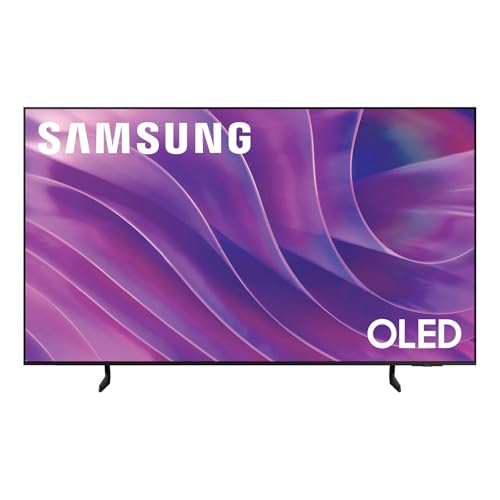
Samsung S84F OLED 77 — The room-filling OLED
Seventy-seven inches changes the subject. Samsung’s listing for the S84F describes a 77-inch Class OLED S84F Series Samsung Vision AI Smart TV (2025 model, 77S84F) with an NQ4 AI Gen2 Processor, 4K AI Upscaling, OLED HDR, Pantone Validated colour, and Motion Xcelerator 120Hz. At this size a television is no longer something a room contains; it is something the room is organised around. Films stop looking like television broadcasts and start behaving like projections, except with OLED’s perfect blacks and none of a projector’s light discipline. Sport becomes architectural. Even the evening news acquires an unreasonable grandeur.
The stated details support the scale. Motion Xcelerator 120Hz in the listing confirms a 120Hz-class motion specification, the baseline serious gaming and fast sport want at any size and a genuine comfort at 77 inches, where motion flaws have nowhere to hide. Pantone Validated colour speaks to accuracy-minded buyers — the set’s colour has been checked against a professional reference system — and 4K AI Upscaling matters enormously here because most broadcast content arrives below 4K and a 77-inch canvas is merciless to soft sources. Samsung Vision AI is the brand’s current umbrella for its smart and picture features, with the NQ4 AI Gen2 chip doing the work.
The practicalities deserve blunt treatment. A 77-inch set needs a wall or stand genuinely worthy of it, a delivery route measured in advance, and a viewing distance — roughly three metres or more — that lets the eye take in the frame without scanning. It also concentrates risk: this is the set in the guide where a soundbar stops being optional, because a picture this large paired with television speakers feels like a cinema with the volume outsourced to a radio. Buyers who clear those hurdles get the single most theatrical OLED experience in this guide.
- Panel: OLED, 77-inch class
- Processor: NQ4 AI Gen2
- Motion: Motion Xcelerator 120Hz per listing
- Colour: Pantone Validated, OLED HDR
- Model: 77S84F, 2025
Strengths
- Cinema scale with OLED blacks — the most immersive picture in this guide.
- 120Hz-class motion and validated colour accuracy suit sport and film alike.
- AI upscaling earns its place on a canvas that exposes every soft source.
Trade-offs
- Demands a large room, a three-metre viewing distance, and a planned delivery route.
- Television speakers cannot match the picture’s scale; external audio is effectively required.
- The largest panel here is also the largest single purchase — measure twice, in every sense.
Best for: dedicated viewing rooms and film households with the distance and wall to honour it.
Not suited for: compact living rooms where the sofa would sit inside the screen’s personal space.
Comparison
| Model | Size | Panel family | Named in listing | Platform | Character |
|---|---|---|---|---|---|
| LG C4 55 | 55″ | OLED evo | Magic Remote, Alexa Built-in | LG smart platform | The balanced default |
| LG G5 55 | 55″ | OLED evo AI | Filmmaker Mode, Wow Orchestra, Dolby Vision/Atmos | LG smart platform | Flagship finish and film focus |
| Samsung S90D 65 | 65″ | OLED | OLED HDR+, Object Tracking Sound Lite | Samsung smart platform, Alexa Built-in | Vivid big-screen all-rounder |
| Sony Bravia 8 II 55 | 55″ | QD-OLED | Brightest Sony OLED claim, XR Processor, ultra slim | Google TV | Colour-volume connoisseur set |
| LG C4 42 | 42″ | OLED evo | Magic Remote, Alexa Built-in | LG smart platform | Desk and small-room specialist |
| Samsung S84F 77 | 77″ | OLED | Motion Xcelerator 120Hz, Pantone Validated | Samsung Vision AI platform | Room-filling cinema scale |
How Do WOLED and QD-OLED Actually Differ on the Sofa?
Both technologies light every pixel individually, which is why both deliver the perfect blacks and instant response this whole category trades on. The divergence is in how colour is made. WOLED panels — the architecture in LG’s C4 and G5 — generate white light through stacked OLED layers and filter it into red, green, and blue subpixels, adding a white subpixel that helps brightness. QD-OLED panels — the Bravia 8 II’s stated technology — start with blue OLED emitters and convert part of that blue light into red and green through quantum dots, with no colour filters in the path. The practical consequence owners actually see is colour volume: QD-OLED holds rich saturation further up the brightness range, so a bright red jacket or a neon sign stays vivid rather than paling.
WOLED’s counter-arguments are maturity and behaviour. Its blacks stay inky even under ambient light, where QD-OLED’s panel structure can let strong room light lift the perceived black level slightly — a showroom effect that largely vanishes in the dim rooms these sets are bought for. WOLED also spans more sizes and price points, which is why this guide’s small and default picks are LGs. Neither family is the correct one; they are two answers to the same question, weighted differently. Saturated, colourful content in a dark room flatters QD-OLED. Mixed content, varied sizes, and value arithmetic flatter WOLED. Your library decides, not the acronym.
What Should OLED Owners Honestly Know About Burn-In?
Burn-in — permanent image retention from static elements displayed for extreme cumulative hours — is real physics and, for normal viewing, a largely solved worry. Modern OLED sets layer defences: pixel-shifting that moves the image imperceptibly, logo-brightness limiters that dim static badges, panel-refresh cycles that run during standby, and materials far more resistant than early generations. A household watching varied films, series, sport, and games will wear the panel evenly, and even wear takes years to become visible. The risk profile that still deserves respect is narrow and specific: the same static interface, news ticker, or game HUD displayed for many hours daily, month after month, at high brightness.
The sensible habits cost nothing. Let the set finish its standby maintenance instead of unplugging it at the wall nightly. Use the screen-saver and auto-off timers when the TV doubles as a music display. Drop the brightness a notch for the all-day news channel habit. Vary content on a desk-used set like the 42-inch C4, where taskbars and browser chrome are the static elements in question, and use the operating system’s auto-hide features. Treated this way, an OLED’s lifespan conversation belongs with its picture conversation: long, uneventful, and mostly about enjoyment.
How Bright Does an OLED Need to Be for Your Room?
Brightness anxiety is OLED’s most successful piece of folklore, sustained by showroom comparisons under retail lighting. At home, perceived brightness is contrast’s servant: a pixel that can be truly black makes its bright neighbour look brighter, which is why OLED highlights — a streetlamp in fog, a sparkler, stadium floodlights against night sky — feel intense beyond their measured output. The generations in this guide have also climbed steadily; the Bravia 8 II’s listing claims Sony’s brightest OLED yet, and LG’s G series exists partly to push the same frontier. For evening and curtained-room viewing, every set here is comfortably bright enough, and the argument ends.
The honest exception is the room that cannot dim: south-facing glass, open-plan kitchen light, daytime sport as the main event. There, judge by the worst hour, not the average. The Samsung approach in our wider smart TV guide — glare treatment — helps reflections, and seating the screen away from direct window strike helps more than any specification. If the worst hour dominates your viewing life, this category may simply be the wrong one, and a Mini-LED flagship will serve you better; the guide’s final section points to that comparison. Buying OLED for a bright room and spending years squinting is the one outcome every page here is trying to prevent.
How Do You Set Up an OLED for Films, Games, and Broadcast Without Three Remotes?
Give each source its own picture mode and let the set remember them per input, which every television here can do. Films belong in the most accurate mode the set offers — Filmmaker Mode on the G5, the cinema-family presets elsewhere — with motion smoothing off and colour temperature on its warm setting, then left alone for a week while your eyes adjust to accuracy. Games belong on the console’s input with the set’s game mode engaged, which trims processing for response; OLED’s native speed does the rest. Broadcast and streaming sit between: a standard mode with gentle noise reduction for compressed sources, because broadcast television is the least pristine feed most of these panels will ever show.
Two global settings deserve attention on day one. Disable any eco mode that dims the panel dynamically in dark scenes, since it fights the very contrast you bought. And set the standby behaviour so the panel’s maintenance cycles can run — OLED care happens while the set sleeps, and a television switched off at the wall socket never gets its housekeeping done. After that, the discipline is mostly restraint: one change at a time, judged on content you know, never on the demo loop the set plays in the shop.
What Happens to an OLED Picture as the Seating Moves Off-Centre?
Very little, and that restraint is one of the technology’s quiet luxuries. LCD-based televisions concentrate their best colour and contrast along a narrow axis in front of the screen; drift to the armchair at the end of the sofa and blacks lighten, colours cool, and the picture politely degrades. OLED emits light from the pixel surface itself, so the image holds together at angles that would embarrass a backlit set — the person in the corner seat, the cook glancing through from the kitchen, the floor-cushion viewer at a child’s height all receive substantially the same picture as the person in the sweet spot. For households that watch together, this is not a laboratory nicety. It decides whose evening the television is actually for.
The two panel families differ subtly here. QD-OLED’s emissive structure is famously generous with viewing angle, and WOLED is close behind; both embarrass LCD. The practical test when shopping is to sit where your household actually sits — including the awkward seat nobody admits to owning — and watch a dark scene, since dark scenes betray angle problems first. On any set in this guide, the corner seat keeps its shadows. That consistency also matters for room design: an OLED can serve a wide, shallow seating arrangement or an L-shaped sofa without the host apologising to whoever drew the far chair.
How Does OLED Handle Sport and Other Fast Broadcast Content?
Sport is where pixel response stops being a specification and becomes the picture. A football struck across a sunlit pitch, a tennis ball against clay, a puck on ice — backlit panels must swing their pixels and their backlight together, and fast objects can trail or smear. OLED pixels change state almost instantly, so the ball stays a ball and the grass texture survives the camera pan instead of dissolving into watercolour. Combined with the wide viewing angles discussed above, this is why OLED has quietly become the sports fan’s prestige choice despite the category’s film-first reputation: a living room full of people, all watching the same fast match, all seeing it cleanly.
Broadcast quality remains the limiting factor rather than the panel. Compressed sports feeds carry their own artefacts — mosquito noise around players, banding in stadium skies — and an honest processor matters as much as the panel, which is where the upscaling and motion systems named in these listings earn their keep. Keep motion processing gentle for sport rather than off entirely if broadcast judder bothers you, and resist the vivid mode’s temptation: grass should be the colour of the pitch you have visited, not the colour of a soft-drink advertisement.
When Is Last Year’s OLED the Smarter Purchase?
Television generations improve in increments — a brighter panel here, a faster processor there — while prices fall in cliffs. The C4 in this guide is a 2024 model sitting comfortably beside 2025 sets, and that is not an editorial oversight; it is the market’s shape. A previous-generation OLED at a promotional price frequently delivers ninety percent of the current flagship’s experience, because the panel technology underneath changes slowly and the defining virtues — black level, response, angles — were already present. Buyers should compare the actual differences that matter to them: a named feature like the G5’s Filmmaker Mode or Wow Orchestra, a design change, a size that only exists in the newer line.
The counterweight is longevity of support. Newer sets receive platform updates for longer and carry the current voice and AI features — Samsung Vision AI on the S84F, LG’s AI generation on the G5 — which matters if the television’s own software is your main interface. If a streaming device will handle apps anyway, the older set’s discount usually wins. Either way, compare total cost honestly, including the soundbar both generations will eventually ask for, and let the specific feature list — not the calendar — arbitrate.
What Should You Plan Around a 77-Inch OLED Installation?
Logistics first, because a 77-inch panel is a piece of furniture that arrives by appointment. Measure the delivery path — door widths, hallway turns, stairwell headroom — against the box dimensions on the product page, and decide the final position before the set enters the house, since manoeuvring it twice doubles every risk. Two adults minimum for the lift, gloves or clean hands on the frame only, and the packaging kept intact until the screen has been powered and inspected. Wall mounting at this size means finding studs or using a properly rated structure; a bracket’s headline weight rating is a starting point, not a substitute for reading its instructions.
Then design the room around the reality of the screen. At 77 inches the ideal viewing distance stretches toward three metres, seating should centre on the panel rather than the fireplace the panel displaced, and light sources behind the viewers matter more than light behind the set. Cable planning deserves an hour of its own: power, console, soundbar, and network runs decided in advance keep the installation looking like the showroom photograph instead of a wiring cupboard. None of this is difficult, but all of it is easier on paper than with a very large, very thin television leaning against your hallway wall.
Why Does Dialogue Sound Thin on Sets With Pictures This Good?
Because a television a few centimetres deep is a poor loudspeaker cabinet, and OLED designs push thinness hardest of all — several sets here are slimmer than the soundbar that should accompany them. Modern film mixes compound the problem by prioritising dynamics: explosions are mixed loud, whispers are mixed honest, and the television’s small drivers compress the distance between them badly. The features named in these listings — Samsung’s Object Tracking Sound Lite, LG’s Wow Orchestra pairing with its own bars, Dolby Atmos support across the range — are all attempts to cheat that physics with processing and, in Wow Orchestra’s case, teamwork between the set and a bar.
The buying implication is budgetary honesty. Reserve sound money when you reserve the television money, and treat a soundbar not as an accessory but as the second half of the product. Households in flats can choose bars with strong centre channels and restrained subwoofers; detached houses can let a full system breathe. Either way, the first film watched with proper dialogue clarity will reframe the expense — most people discover they were straining to hear, nightly, without ever naming it as a problem.
How Do You Compare Two OLEDs When Their Panels Are Cousins?
With the understanding that the panel is the beginning of the television, not the whole of it. Processing decides how each brand interprets the same signal — Sony’s restraint, Samsung’s vividness, LG’s balance are philosophies rendered in silicon — and those philosophies are visible in every scene, unlike panel provenance, which is visible in almost none. Software decides the daily relationship: menu speed, app behaviour, voice control, how the set wakes and what it shows you first. Design decides whether the object pleases you for the twenty hours a day it is switched off. Warranty terms and the brand’s update history decide how the set ages in years three to seven.
So the comparison method is a week of your own content, mentally applied to each candidate: your darkest film, your brightest broadcast, your console’s home screen, your household’s least technical member holding the remote. Whichever set survives that week with the fewest frictions is the better television for you, whatever the panel family tree says. This is also why this guide refuses to crown a single winner across all six — the Bravia 8 II and the C4 are both excellent, and they are excellent in different households.
What Does the Room Need Before Any OLED Arrives?
Less than folklore suggests, but not nothing. Light control is the first item: one set of curtains or a blind for the window that strikes the screen directly transforms midday viewing more than any picture setting, and it serves every television, not just OLED. Bias lighting — a gentle light strip behind the set — is the second: it raises the room’s perceived contrast reference, eases eye strain during dark films, and costs very little. Seating geometry is the third: confirm the main seats sit within the distance band for your chosen size, roughly two to two and a half metres for 55 inches, closer for the 42-inch C4, further for the S84F’s 77 inches.
Power and network complete the dull checklist. A surge-protected outlet near the set, a wired network run or a mesh node in the room, and a decision about where the console and soundbar will live — these are twenty-minute jobs before delivery and half-day irritations after it. Households planning a wall mount should also settle cable routing while the wall is still theoretical. None of this requires a cinema room or a renovation; it requires one honest walk around the space with the television’s dimensions in hand, imagining the first evening rather than the first photograph.
How Will an OLED Age Across a Decade of Ownership?
Gracefully, if the ownership is ordinary. Panel wear on modern OLED is gradual and even when content varies, and the maintenance cycles built into every set here quietly even out pixel ageing during standby hours. The visible ageing in most homes will be software ageing instead: app interfaces redesign themselves, voice assistants change, streaming services arrive and depart. That layer is refreshable with an inexpensive external streamer whenever it begins to feel tired, which is why this guide consistently advises buying the panel for the decade and treating the platform as a replaceable tenant.
The physical habits that extend life are unglamorous. Ventilation around the set, protection from direct sustained sunlight on the panel, surge protection on the power line, and brightness set for the room rather than for the showroom. Households with children should also decide the screen-cleaning rule early — a dry microfibre cloth, nothing else, and never a sprayed cleaner on the panel surface. An OLED bought with this level of care is not a fragile instrument; it is a long-lived appliance whose picture, years in, still startles guests who own newer but lesser televisions.
Common Mistakes
The classic OLED buying error is shopping by fear — rejecting the category over burn-in stories from a decade ago, or, in mirror image, buying it carelessly for an all-day static news channel and being surprised later. Both errors skip the actual question, which is what your screen displays for most of its hours. A second error is comparing sizes across families as if they were interchangeable: the 42-inch C4 and the 77-inch S84F share a technology and nothing else, and cross-shopping them means the room has not yet been decided. Decide the room and the distance first; the shortlist shrinks honestly after that.
Format blindness runs third. Dolby Vision is named in the G5’s listing and absent from the Samsung titles here, and buyers with libraries built on a format should match the set to the library rather than discover the mismatch at the first film night. Finally, mounting a flagship flush to the wall before checking port access is a small, expensive comedy: gallery-style sets reward planning, and every cable you will ever need should be connected, or at least routed, before the set settles into its final centimetre.
Final Recommendation
The LG C4 at 55 inches is the recommendation for the majority of readers who reach this page: the complete OLED experience, in the size most rooms want, from the line that defined the category’s mainstream. Step to the G5 when the room is a cinema project and LG audio already lives in it. Choose the Sony Bravia 8 II when colour itself is the hobby — animation, nature films, games with saturated art direction — and the viewing room stays dim. Samsung’s S90D serves the 65-inch mainstream with the brand’s vivid character, and the S84F is the unapologetic event screen at 77 inches. The little C4 at 42 inches, finally, is the pick that solves a different problem entirely, and desk-bound gamers will understand it instantly.
Every set here will make an owner happy for years, provided the room suits it. Match the room first, the size second, and the badge last, and OLED will do the rest nightly. One last practical word: promotions in this category swing widely between seasons and retailers, so the order of this guide reflects merit rather than today’s arithmetic — when two picks sit close in your own scoring, let the current offer break the tie without a moment’s guilt, because at this level the differences you will actually live with are the room, the size, and the software, all of which you have now chosen deliberately.
Frequently Asked Questions
Is the 42-inch LG C4 really a television, or a monitor in disguise?
It is a full television — smart platform, tuner-class features, Magic Remote — in a 42-inch size that also happens to excel as a desk display for consoles and PCs. Buyers should note the size carefully: it is a 42-inch set, not a 43-inch one, and it is designed for close viewing distances.
Which of these sets is brightest?
Sony’s listing for the Bravia 8 II calls it the brand’s brightest OLED with max colour, and LG’s G5 is the flagship step in its own range. No listing here prints a nit figure, so this guide will not invent one; in dim and moderate rooms all six have ample brightness, and in bright rooms the whole category yields to Mini-LED.
Do OLED TVs work well for gaming?
Exceptionally well as a category, because each pixel changes state almost instantly, keeping fast motion clean, and dark game scenes gain the most from per-pixel contrast. The S84F’s listing states Motion Xcelerator 120Hz explicitly; for other sets, confirm the gaming specification on the product page for the exact input configuration you plan.
What is Pantone Validated doing on the Samsung S84F?
It is a colour-accuracy certification named in the S84F’s listing, indicating the set’s colour reproduction has been validated against Pantone’s reference system. For most viewers it is reassurance rather than a daily feature; for buyers who also edit photos or care about faithful colour, it is a meaningful tick.
Should a first-time OLED buyer choose the C4 or the G5?
The C4, in most cases. The G5’s premium buys design finish, flagship processing headroom, Filmmaker Mode, and Wow Orchestra integration. If none of those four speaks to you directly, the C4 delivers the same category-defining picture and leaves budget for sound.
How should an OLED be treated in its first month?
Run varied content, keep the set on standby rather than unplugged so maintenance cycles run, set brightness sensibly for the room instead of maximum by default, and resist judging the panel on one genre alone. A month of mixed viewing settles both the panel and your picture settings.
Does an OLED need a special wall mount?
No special technology is required, but the mount must match the set’s VESA pattern and weight, and large sets like the 77-inch S84F deserve a bracket and wall fixing chosen with genuine care. Gallery-style sets such as the G5 are designed to sit especially flat, which rewards precise bracket placement and cables routed before the set is hung. For any size, connect or at least route every cable before final mounting, because reaching ports behind a flush 65- or 77-inch panel afterwards ranges from awkward to impossible without a second pair of hands and a free afternoon.
Related Guides
OLED is one branch of the premium tree, so the wider shortlist at the complete 4K smart TV selection puts these sets against their Mini-LED rivals, the quantum-dot camp makes its case in the QLED television guide, and readers chasing refresh-rate depth should continue to the HDR gaming TV collection.


