What's inside
- Key Takeaways
- Quick Picks
- How We Chose These Picks
- What Does 64GB Actually Hold?
- Which Six 64GB Tablets Make the Tier Work?
- How Does Each Ecosystem Treat Your 64GB?
- Can You Game on a 64GB Tablet?
- How Do You Set Up a 64GB Tablet for a Child?
- What Happens to a 64GB Tablet in Its Second Life?
- How Do the Six Compare Side by Side?
- How Do You Live on 64GB Without the Warnings?
- Why Is Reading the Perfect 64GB Habit?
- How Do You Load a 64GB Tablet for a Long Trip?
- When Should You Step Up to 128GB Instead?
- What Size of Card Should You Pair With One?
- How Fast Do Updates Eat the Tier?
- What About Photos and the Camera Roll?
- What Mistakes Do 64GB Buyers Keep Making?
- Which Pick Fits Which Reader?
- Final Recommendation
- Frequently Asked Questions
- Related Guides
As an Amazon Associate I earn from qualifying purchases. This post may contain affiliate links at no extra cost to you.
widgetverdict.com is reader-supported. When you buy through links on our site, we may earn an affiliate commission.
Where to buy: all six tablets below carry checked Amazon listings, and every one of them is a 64GB machine — that is the point of the guide, and also its warning label.
Sixty-four gigabytes is the storage tier the industry sells hardest and supports least, and the best 64gb tablets are the ones that make that contradiction livable. Understand what the number means in practice: the operating system and its pre-installed applications claim a substantial first slice, your apps and their caches take a second, and what remains is yours for the downloads, photos, offline maps and media that make a tablet feel like yours. On a badly chosen 64GB tablet, that remainder evaporates by the second month and the machine begins its long career of storage warnings. On a well-chosen one — with a card slot, a sensible system footprint and an owner with modest habits — 64GB serves for years without a murmur.
This guide ranks six verified 64GB machines by how gracefully they inhabit the tier. The differences that matter are not the ones on the box. They are the expansion slot or its absence, the weight of the manufacturer’s software layer, how the tablet handles offline media, and whether its intended job — reading, streaming, family sharing, schoolwork, light productivity — generates files faster than the tier can absorb them. A streaming tablet barely touches its storage; a travel tablet loaded with films and maps lives on it. Same number, different lives.
We will be direct about the philosophy: buy 64GB knowingly or not at all. It suits streamers, readers, cloud-first workers and families buying a shared screen. It punishes hoarders, offline maximalists and anyone who treats a tablet as an archive. The six picks below are ordered by how completely they make the tier work — and the sections after them teach the habits that decide the question more than the hardware does.
Key Takeaways
- The Lenovo Tab M11 in its 64GB form is the most complete small-storage tablet here: an 11-inch 1920×1200 screen, a pen in the box and card expansion for the media library.
- Samsung’s Galaxy Tab A9+ is the family pick at 64GB — an 11-inch screen, quad speakers and multi-window software on a verified-clean listing.
- The Fire HD 8’s 64GB version is the sensible Fire: the extra storage over the base model is exactly what a download-heavy streaming tablet needs.
- The Alexa Tablet 8 pairs its 64GB with 4GB of RAM and full Google Play access, making it the most flexible of the compact picks.
- Samsung’s smaller Tab A9 is the portable Samsung option, with the same expansion logic in an 8.7-inch body.
- The Chromebook Duet answers the storage question with ChromeOS itself: a cloud-first system that treats 64GB as a workspace rather than a warehouse.
Quick Picks
| Pick | Badge | Why it earns its place |
|---|---|---|
| Lenovo Tab M11 (64GB, with Pen) | Best all-round 64GB tablet | 11-inch 1920×1200 display, pen included and expandable storage for everything the internal drive cannot hold. |
| Samsung Galaxy Tab A9+ (64GB) | Best for families | An 11-inch screen, quad speakers and Samsung’s multi-window polish in a verified US-version listing. |
| Amazon Fire HD 8 (64GB) | Best for streaming and downloads | The 64GB Fire is the one to buy for offline video, with an 8-inch HD screen and no lockscreen ads in this listing. |
| Amazon Alexa Tablet 8 (64GB) | Best compact all-rounder | 4GB of RAM, an 8.7-inch screen and Android with Google Play — flexibility the Fire line does not offer. |
| Samsung Galaxy Tab A9 (64GB) | Best portable Samsung | The 8.7-inch Galaxy Tab for one-handed reading and travel, with Samsung’s software and card expansion. |
| Lenovo Chromebook Duet (64GB) | Best for cloud-first work | A 10.1-inch 1920×1200 2-in-1 whose ChromeOS design makes 64GB feel like a non-issue. |
How We Chose These Picks
Every candidate had to be a genuine 64GB configuration in a verified listing — the title itself states the capacity for all six picks below, which matters in a tier where marketplace listings love to headline a family name and bury the storage in the small print. Beyond that, we judged the tier, not just the tablet: does the machine offer microSD expansion, and how usable is media stored on a card? How heavy is the maker’s software layer on the internal drive? Does the intended workload — streaming, reading, family use, schoolwork — generate local files at a rate 64GB can absorb?
We also weighted the escape hatches. A 64GB tablet with a card slot is a different purchase from a sealed 64GB tablet, because its ceiling can move; a cloud-first ChromeOS machine reframes the question entirely. The picks are ordered by the completeness of their answer to the tier’s limits, and each section states plainly whether its machine expands, streams or simply copes. Specifications come from the verified listing titles — screen sizes, resolutions, memory and storage are quoted only where the verified title states them.
What we excluded: 64GB listings of tablets whose software support has ended, no-name slates whose storage claims could not be verified against a real listing, and any model where the 64GB variant exists only as renewed stock without that being the point of the pick. The tier is unforgiving enough without adding provenance puzzles to it.
What Does 64GB Actually Hold?
Do the arithmetic the box will not do for you. Start with 64GB. The operating system, its reserved partitions and the pre-installed application suite take their share before you open a single app — on Android tablets this is a meaningful slice, and it grows with system updates across the machine’s life. Your working set of apps follows: a browser, mail, a few streaming services, social and messaging apps, a documents suite. None is huge; their caches are the quiet growth industry, especially media apps that store thumbnails, downloads-in-progress and offline queues you forgot you set.
Then come the files that feel like yours. An hour of downloaded HD video occupies roughly a gigabyte or two depending on the service’s quality settings; a season of a series is a storage event. A thousand phone-quality photos is a few gigabytes; offline map regions for a road trip, a gigabyte or so each; a modest game with its asset downloads can out-eat them all. The conclusion writes itself: 64GB holds a streaming-and-reading life comfortably, a curated offline library carefully, and an unexamined download habit for about a month. The tier rewards intention and taxes drift, which is why the management sections later in this guide are not filler — they are the difference between the owners who love these machines and the owners who return them.
One more number deserves respect: the free-space floor. Tablets, like all computers, slow and stumble when storage runs nearly full, because the system needs working room for caches, updates and temporary files. Treat the last several gigabytes as already spent. A 64GB tablet is really a plan to live within about fifty — and the picks below are the ones whose design makes that plan feel roomy rather than rationed.
Which Six 64GB Tablets Make the Tier Work?

Lenovo Tab M11 (64GB, with Pen) — Best all-round 64GB tablet
The M11’s 64GB listing is the most thoughtfully assembled small-storage package in this guide. The verified title describes an 11-inch display at 1920×1200, a MediaTek Helio G88 octa-core processor, 4GB of RAM, the 64GB of storage this guide is about, an ambient light sensor, a battery rated in the title at ten hours — and a pen in the box. That last inclusion reframes the machine: this is a tablet meant for notes, annotation and schoolwork, the exact workloads whose files are small and whose value is large. A year of handwritten notes occupies less space than one downloaded film season, and the M11 is built for the notes.
The screen does the rest of the persuading. 1920×1200 on eleven inches is genuinely sharp for documents and reading, and it makes the M11 the pick here we would hand to a student without a speech about compromise. Lenovo’s software layer is comparatively light, which at this tier is a storage feature as much as a performance one, and the microSD expansion that this line carries means the media library — the films, the music, the photo archive — can live on a card while the internal drive stays reserved for apps and work. That division of labour is the entire secret of happy 64GB ownership, and the M11 is arranged around it.
Its limits are the tier’s limits plus one of its own: the Helio G88 is a competent everyday processor, not a gaming or heavy-multitasking one, and owners who load it with large games will meet both its performance ceiling and its storage ceiling in the same afternoon. Within its intended life — study, reading, streaming, light work, pen in hand — it is the most complete answer this guide has.
- Display: 11-inch, 1920×1200 (per listing title)
- Processor: MediaTek Helio G88 octa-core
- Memory: 4GB RAM
- Storage: 64GB, with microSD expansion in this line
- Included: pen
- Battery: ten hours per the listing title
Strengths
- Pen included suits the note-taking workloads that sip storage.
- Sharp 1920×1200 screen leads this guide for documents.
- Card expansion gives the tier an escape hatch.
Trade-offs
- Everyday processor, not a gaming chip.
- 4GB of RAM caps heavy multitasking.
- Internal 64GB still demands the habits this guide teaches.
Best for: the Tab M11 (64GB) fits students and note-takers whose files are documents, not downloads.
Not suited for: gamers and offline-media hoarders.

Samsung Galaxy Tab A9+ (64GB) — Best for families
The A9+ is the 64GB tablet most likely to be bought by one person and used by five, and its listing reads like a family brief: an 11-inch Galaxy Tab with 64GB, quad speakers, an upgraded chipset, multi-window display, a slim, light, durable build, a kids-friendly design, and the US version in Silver. Each phrase earns its place. Quad speakers matter when a tablet is a shared screen. Multi-window matters when a parent is helping with homework in one half and checking the recipe in the other. And a verified US-version listing matters in this tier, where grey imports and renewed units crowd the search results — this one passed a fetch check as clean stock.
At 64GB, the family use case cuts both ways, and the A9+ handles the tension well. Children’s apps and downloaded episodes for car journeys are the storage hogs of family life, and Samsung’s line carries microSD expansion, so the episodes can live on a card sized to your ambitions while the internal drive holds the apps and the system. Samsung’s software is fuller-featured than Lenovo’s — which families experience as polish, and the storage experiences as a slightly larger system footprint. Budget the floor accordingly and the trade is fair.
Performance sits in the honest middle: the upgraded chipset keeps the interface and everyday apps smooth, multi-window works without drama, and the machine asks only that you not confuse it with Samsung’s flagship S-series. For the household that wants one good screen — homework, streaming, calls with grandparents, the odd parent work session — the A9+ at 64GB is the balanced buy, with the card slot standing behind the tier’s limits.
- Display: 11-inch (per listing title)
- Storage: 64GB; a microSD slot carries the family’s media library
- Audio: quad speakers
- Software: multi-window display; kids-friendly design
- Version: US version, Silver
Strengths
- Quad speakers make it the shared-screen pick.
- Verified clean US-version listing in a tier full of grey areas.
- Multi-window software suits homework and household multitasking.
Trade-offs
- Samsung’s fuller software layer claims more of the 64GB.
- Midrange performance — not a flagship in disguise.
- Family download habits will test the tier without a card.
Best for: the A9+ suits households wanting one shared, expandable big screen.
Not suited for: solo power users who would rather have flagship pace.
Amazon Fire HD 8 (64GB) — Best for streaming and downloads
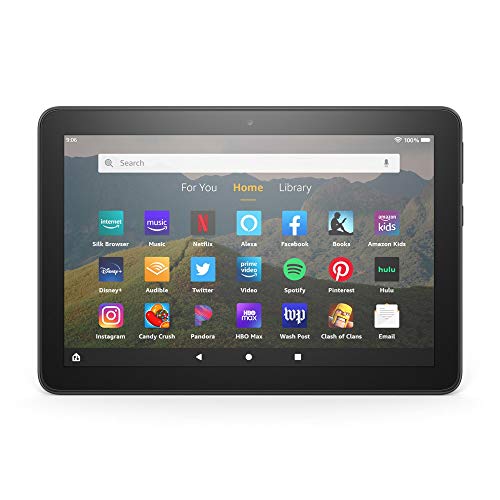
The Fire HD 8’s 64GB variant is the rare case where the storage tier and the product’s purpose align perfectly. The listing describes the 8-inch HD Fire with 64GB, the 2020 release, in Black, without lockscreen ads. A Fire tablet is, by design, a streaming terminal — Prime Video, Kindle, music, a browser, a curated app store — and streaming terminals have one storage job: holding downloads for the places streaming cannot reach. Flights, cars, cabins, grandparents’ houses. The base-storage Fire does that job on a ration; the 64GB Fire does it properly, with room for a series season, a shelf of books and the children’s downloads besides.
The microSD slot that Fire tablets carry extends the logic: offline media is exactly the content that belongs on a card, and a Fire with a large card aboard becomes a small cinema that never asks about Wi-Fi. Amazon’s Fire OS is also comparatively disciplined about its own footprint, because the system’s ambitions are narrower than full Android’s — a backhanded virtue that, at 64GB, counts as a genuine feature.
The boundaries are the Fire family’s standing ones, and at this point they should be chosen knowingly: Amazon’s app store rather than Google Play, an interface that merchandises Amazon’s services, and performance tuned for media rather than work. Owners who want a general Android tablet should take the next pick instead. Owners who want a downloading, streaming, reading companion — and who take the 64GB version, as this listing offers — get the most coherent small-storage media machine in this guide in the Fire HD 8 (64GB).
- Display: 8-inch HD (per listing title)
- Storage: 64GB, with microSD expansion
- Release: 2020 model in this listing
- Listing note: without lockscreen ads
- System: Fire OS with Amazon’s app store
Strengths
- 64GB plus a card slot makes it a proper offline media machine.
- Fire OS footprint leaves more of the tier usable.
- The no-ads listing keeps the lockscreen clean.
Trade-offs
- Amazon’s app store, not Google Play.
- An older release — set performance expectations accordingly.
- The interface promotes Amazon services persistently.
Best for: the Fire HD 8 (64GB) fits travellers and families whose tablet life is downloaded media.
Not suited for: buyers who need the full Android app catalogue.

Amazon Alexa Tablet 8 (64GB) — Best compact all-rounder
This all-new Alexa Tablet 8 reads, on its listing, like a point-by-point answer to the Fire’s limitations: 4GB of RAM, 64GB of storage, an 8.7-inch compact body with a vivid display, all-day battery, and — the decisive phrase — Android OS with Google Play, designed for Alexa+. Full Play access changes the machine’s category. The app catalogue is the whole Android catalogue, the services are yours to choose, and the tablet can be a general-purpose compact rather than a single ecosystem’s terminal, while keeping Alexa built in for the voice-and-home duties that are this line’s heritage.
At 64GB, the 4GB of RAM matters more than it might appear: memory is what keeps a small-storage tablet feeling fluid while its apps cache, sync and update in the background, and the combination here is the most balanced in the compact half of this guide. The 8.7-inch size is the travel sweet spot — bigger than a phone by enough to read and watch properly, small enough for one hand and any bag — and the all-day battery claim in the title matches the use case of a machine that leaves the house.
Expansion is the question to verify against your unit’s specifics rather than assume; the internal discipline this guide teaches — stream by default, download deliberately, review the big files quarterly — is the plan regardless. As the compact pick for a buyer who wants one small tablet that does a bit of everything without ecosystem lock-in, the Alexa Tablet 8 is the most flexible 64GB machine here.
- Display: 8.7-inch (per listing title)
- Memory: 4GB RAM
- Storage: 64GB
- System: Android OS with Google Play; designed for Alexa+
- Battery: all-day, per the listing title
- Colour: Graphite
Strengths
- Google Play access removes the Fire line’s biggest limit.
- 4GB of RAM keeps the small-storage experience fluid.
- Compact 8.7-inch size travels anywhere.
Trade-offs
- Internal storage discipline is the plan; verify expansion on your unit.
- A newer line — long-term software support is a promise, not a record.
- Alexa-first design may not suit Google-ecosystem purists.
Best for: the Alexa Tablet 8 (64GB) suits buyers wanting one compact, flexible Android tablet.
Not suited for: viewers who want a big screen for split-screen work.
Samsung Galaxy Tab A9 (64GB) — Best portable Samsung
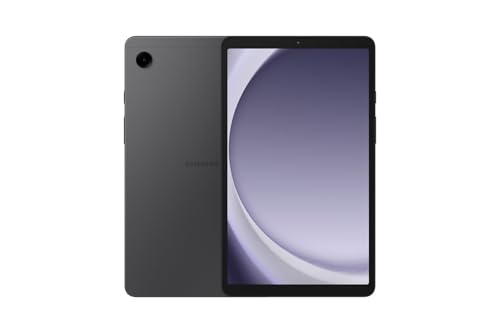
The Tab A9 is the A9+’s smaller sibling and the thinking behind it is portability: the listing specifies 64GB of storage in an 8.7-inch body — 22.1cm in the title’s other measure — with 4GB of memory and Wi-Fi 5, in Graphite. This is the Samsung for one-handed reading, for the commute, for the bag that is already full. It carries the family software — the same account ecosystem, the same media apps, the same polish — into a size that invites carrying in a way its 11-inch sibling cannot.
At this size, 64GB behaves differently, because the workload shrinks with the screen. A portable tablet reads, streams, messages and browses; it does not host the household’s film archive, and its downloads are a book, a few episodes, a podcast queue. The A9’s microSD expansion in this line still stands behind the tier for the travel library, and 4GB of memory — a figure budget tablets often skimp below — keeps the everyday experience honest.
Wi-Fi 5 in the title is the specification to read without flinching: it is an older wireless standard than the newest picks carry, and in practice it streams and browses perfectly well on home networks while lacking the latest routers’ refinements. Buyers for whom the tablet lives at home will never notice; buyers building a new-network showcase should look up the range. For the reader-traveller who wants Samsung’s ecosystem in the portable size, the Tab A9 (64GB) is the precise tool.
- Display: 8.7-inch (22.1cm per listing title)
- Memory: 4GB
- Storage: 64GB plus a card slot for the travel library
- Connectivity: Wi-Fi 5
- Colour: Graphite
Strengths
- The portable Samsung — genuinely one-hand and bag friendly.
- 4GB of memory keeps everyday use smooth at this tier.
- Card expansion covers the travel library.
Trade-offs
- Wi-Fi 5 is an older standard than newer picks offer.
- Small screen limits split-screen ambitions.
- Performance is everyday, not flagship.
Best for: the A9 fits readers and commuters inside Samsung’s ecosystem.
Not suited for: buyers wanting a household’s main big screen.

Lenovo Chromebook Duet (64GB) — Best for cloud-first work
The original Duet is in this guide as the philosopher of the tier. Its listing describes a 2-in-1 with a 10.1-inch WUXGA display at 1920×1200, a MediaTek Helio P60T, 4GB of LPDDR4X memory, 64GB of storage and Chrome OS, in a two-tone Ice Blue and Iron Grey finish — keyboard included in the Duet formula. ChromeOS reframes the 64GB question completely, because the system was designed around the premise that your files live in the cloud and the local drive is a well-organised waiting room. Documents, photos and media stream or sync on demand; the local 64GB holds the working set and the offline essentials, and for the Duet’s intended life that is not a compromise but the architecture working as designed.
The screen deserves its sentence: 1920×1200 at 10.1 inches is the sharpest panel in this guide relative to size, and text — the Duet’s home territory — looks superb on it. As a writing, studying and browsing machine with a real keyboard in the box, it offers something none of the Android picks can: a desktop browser with desktop habits, in a tablet that detaches for reading.
Its honesty notes are age and appetite. This is the original Duet generation, so check the ChromeOS update runway on any unit you buy, because a Chromebook’s safe life is defined by its update end date. And the cloud-first design is a genuine dependency: owners whose work happens offline for long stretches, or whose files are large and local, will feel the 64GB as a wall rather than a waiting room. For the connected, document-shaped life, the Chromebook Duet makes 64GB disappear as a topic — the highest compliment this guide can pay.
- Display: 10.1-inch WUXGA, 1920×1200 (per listing title)
- Processor: MediaTek Helio P60T
- Memory: 4GB LPDDR4X
- Storage: 64GB
- System: Chrome OS; keyboard included in the Duet formula
Strengths
- Cloud-first design makes the storage tier a non-issue.
- The sharpest small screen in this guide for text.
- A real keyboard in the box for writing and study.
Trade-offs
- Original generation — verify the update runway before buying.
- Offline-heavy and local-file workflows fight the design.
- Everyday performance, tuned for documents and browsing.
Best for: the Chromebook Duet (64GB) suits students and writers whose files live in the cloud.
Not suited for: offline workers and local-media archivists.
How Does Each Ecosystem Treat Your 64GB?
The same capacity lives differently under each maker’s software, and the differences are worth a section because they decide the tier’s texture. Samsung’s One UI is the most generous with features and the most generous with itself: its system share is the largest here, its pre-installed suite the broadest, and in exchange the owner gets multi-window polish, a mature kids mode and an ecosystem that behaves like the phones the family already owns. Lenovo’s layer is lighter — fewer residents on the drive, a plainer interface, and a tablet that feels closer to stock Android, which at 64GB reads as found space. Fire OS spends its storage on Amazon’s storefront ambitions; the system is disciplined, but the home screen’s enthusiasm for content means downloads accumulate where the merchandising points, and the quarterly audit matters most on a Fire.
The Alexa Tablet 8’s full Android with Google Play is the wildcard: the catalogue is complete, the services are the owner’s choice, and the storage behaviour is standard Android — predictable, auditable, and dependent on the apps you install rather than the maker you bought. ChromeOS, on the Duet, is the outlier by design: the system’s local footprint serves the cloud model, files default to Drive, and the storage settings screen is the least interesting in this guide because there is so little drama to report. None of these is a trick. Each is a philosophy with a storage consequence, and the pick sections above are ordered partly by how kindly each philosophy treats the number on the box.
Can You Game on a 64GB Tablet?
Yes — one game at a time, chosen like a tenant rather than a library. Modern mobile games are the tier’s apex predators: a single flagship title with its downloaded assets can claim a fifth of the entire drive, and its updates arrive like weather. The owners who game happily at 64GB keep two or three titles installed, treat the rest as a cloud catalogue to be re-downloaded, and put game media and recordings on the card where the pick allows. The owners who suffer are the ones who install speculatively — every recommendation, every sale — and discover the tier’s ceiling during an update, mid-season, with a queue of other apps also demanding room.
Match the pick to the habit. The M11 and A9+ have the screens for gaming and the slots for the overflow; their processors set the ceiling at mainstream titles rather than flagship showcases. The compact picks suit lighter and older games, which is no insult — the back catalogue of great small games is enormous and mostly tiny. And the Duet games through the cloud and browser, where the storage question evaporates and the connection becomes the specification that matters. Gaming at 64GB is a curation exercise, and curated libraries, as any reader knows, are usually the ones actually enjoyed.
How Do You Set Up a 64GB Tablet for a Child?
Begin with the account structure, because it is also a storage structure: a supervised child account with its own space rules prevents the main account’s downloads and the child’s from silently merging into one un-auditable pile. Then install the school and reading core first — those apps are the machine’s purpose and get first claim on the internal drive — and let entertainment arrive second, on the card where the model allows, with the streaming apps set to download at standard quality rather than maximum. Children’s video at maximum quality is the single most common cause of the family-tablet storage emergency, and it is entirely a settings decision made once.
Schedule the audit as a household ritual rather than a repair: at each school term’s start, clear the finished series, archive the photos worth keeping to the family cloud, and let the child choose the new term’s downloads within a stated budget of space. Children who learn the budget learn the machine; the tablet becomes a small lesson in finite resources instead of a recurring argument about a warning banner. The A9+ earns its family badge in this guide partly because Samsung’s kids environment makes exactly this structure easy to run.
What Happens to a 64GB Tablet in Its Second Life?
Small-storage tablets age into second careers gracefully, because their second jobs are usually lighter than their first. The family A9+ becomes a kitchen screen for recipes and calls; the Fire becomes a bedside reader and radio; the M11 becomes a younger sibling’s first school machine; the Duet becomes a dedicated writing deck. In each case the storage that constrained a primary device is ample for a single-purpose one — a kitchen tablet holding a recipe app and a browser will never meet its ceiling. Planning that cascade at purchase is why we advise buying the current generation even at this price: software support, not storage, is what ends a tablet’s useful life, and a supported 64GB machine can serve three roles across a decade while an unsupported bargain serves one role briefly.
When the machine finally leaves the household, wipe it properly — factory reset from settings, accounts removed first — and let the card travel separately, since the card holds the media the reset does not touch. It is a small ritual, but the tier’s whole philosophy is small rituals performed on time.
How Do the Six Compare Side by Side?
| Tablet | Screen | Escape hatch | Best life at 64GB |
|---|---|---|---|
| Lenovo Tab M11 (64GB) | 11-inch, 1920×1200 | microSD | Study and notes, pen in hand |
| Galaxy Tab A9+ (64GB) | 11-inch | microSD | Family sharing and homework |
| Fire HD 8 (64GB) | 8-inch HD | microSD | Downloaded streaming and reading |
| Alexa Tablet 8 (64GB) | 8.7-inch | Cloud discipline | Compact all-round Android use |
| Galaxy Tab A9 (64GB) | 8.7-inch | microSD | Portable reading and travel |
| Chromebook Duet (64GB) | 10.1-inch, 1920×1200 | Cloud by design | Writing and study in the cloud |
How Do You Live on 64GB Without the Warnings?
Four habits separate the contented owners from the warned. First, assign the storage jobs on day one: internal drive for the system and apps, card — where your pick has one — for media and downloads, cloud for the archive. Machines get into trouble when every kind of file lands in the same place by default; the assignment takes ten minutes and pays out for years. Second, stream by default and download by decision. A downloaded film should be an answer to a named journey, and it should be deleted at the journey’s end with the same deliberateness — most storage crises are unwatched downloads from trips already taken.
Third, audit quarterly. Every system in this guide will show you, in its storage settings, the league table of what is consuming the drive, and the top of that table is always a surprise — a game nobody plays, a messaging app’s media cache, a streaming app’s forgotten offline queue. Ten minutes with that screen, four times a year, is the entire maintenance regime of a 64GB tablet. Fourth, respect the floor: when free space dips toward the last tenth of the drive, act that week rather than that month, because updates and caches will act first if you do not.
There is a psychological trick worth borrowing from the owners who never struggle: they think of the internal drive as a desk rather than a warehouse. A desk holds the current project, the tools and the inbox; everything else lives in the filing cabinet — the card — or the storeroom — the cloud — and is fetched when needed. Desks get cleared because their purpose is work, and a tablet whose drive is treated as a desk stays clear for the same reason. The warehouse mindset, by contrast, has no natural stopping point, and no capacity the industry sells would satisfy it for long; the tier merely reveals the mindset sooner, which some owners eventually admit was a favour.
Families should add a fifth habit: one person’s downloads are everyone’s storage. The shared tablet’s card is the family’s media shelf, and a simple rule — films live on the card, and the card gets cleared at the start of each school term — prevents the mid-journey discovery that the internal drive is full of a sibling’s abandoned series.
Why Is Reading the Perfect 64GB Habit?
Because books are nearly free in storage terms. An entire personal library — hundreds of novels, textbooks with their illustrations, a shelf of PDFs — occupies less space than a single downloaded film, which makes reading-first tablets effectively immune to this tier’s limits. The Fire built an empire on that arithmetic, and the M11’s pen and the A9’s one-handed size serve the same insight from different directions: the activities that ask least of storage are the ones tablets were loved for first. A buyer whose honest usage is reading, browsing, mail and streamed media can stop worrying at this paragraph — 64GB is not their constraint, and the money saved against a bigger tier buys the case, the card and the coffee.
Study deserves the same reassurance with one addition. Course platforms, recorded lectures downloaded for a commute and reference libraries can grow, but they grow in hundreds of megabytes, not tens of gigabytes, and the card-carrying picks here absorb them without touching the internal reserve. The student profile that breaks 64GB is the one that is secretly a gaming or media-archiving profile wearing a timetable — which is a fine profile, honestly named and differently bought.
How Do You Load a 64GB Tablet for a Long Trip?
Load it like a suitcase, with a list. A week out, decide the journey’s media: the films for the flights, the series for the evenings, the books, the offline maps for every region, the music for the drives. Download at standard quality — on an 8-to-11-inch screen in travel light, standard and maximum are closer than the file sizes suggest, and the saving across a library is the difference between fitting and rationing. Put it all on the card where your pick has one, keeping the internal drive for apps and the camera roll the trip will generate.
The night before, check the free-space figure and leave the floor intact — a tablet that boards at ninety-five percent full will spend the trip declining updates and choking on its own photos. During the trip, shoot and download freely within the plan; on return, move the photos to their archive, delete the watched media while the memory of watching it is fresh, and the machine returns to its everyday shape in one sitting. Owners who travel twice a year on this rhythm report that 64GB never once appears in their trip stories, which is the entire ambition of this guide in one sentence.
When Should You Step Up to 128GB Instead?
Honestly, and this guide loses nothing by saying it: when your life is offline-first. The field worker whose documents must all be local, the traveller who measures journeys in downloaded seasons, the parent equipping a tablet for a child whose school apps and media are enormous, the gamer whose three favourite titles would evict everything else — these owners should buy the bigger tier and skip the habits above entirely. Storage is the cheapest specification to buy at purchase and the only one that can never be added to a sealed tablet’s internals; the card slot softens that law for media, but apps and system growth live on the internal drive forever.
The step-up logic also applies across time. A 64GB tablet bought for a light user can become a heavier user’s hand-me-down problem; a tablet bought for a growing child should be sized for the teenager’s apps, not the toddler’s. Buy for the second year, not the first month, and the tier question answers itself in whichever direction your life points.
What Size of Card Should You Pair With One?
Buy the card for the media life you actually have, not the one the card shelf advertises. A card equal to the internal drive doubles a media tablet’s world for very little money and suits most owners in this guide; heavy downloaders — the Fire’s natural constituency — can justify several times that, because downloaded video is the one appetite that scales without shame. Speed class matters more than bragging rights: a card rated for app-and-video duty keeps 4K playback and camera saves smooth, while the cheapest unrated card in the drawer is where stutters and corrupted downloads are born. Format it in the tablet, let the tablet manage it, and resist moving it between devices casually — cards that commute between machines collect other machines’ filing habits.
And a word about hand-me-down cards: a card inherited from an old phone or camera arrives carrying that device’s folders, thumbnails and filing debris, and the tablet will dutifully index all of it. Wipe an inherited card clean — after rescuing anything on it that matters — and let the tablet start its library from an empty shelf. Ten minutes of tidiness at the pairing saves a year of mysterious storage entries nobody can explain.
One discipline completes the pairing: the card is a library, not a backup. Anything on it that matters — the family photos copied over, the documents for the trip — should exist somewhere else as well, because small removable storage is the easiest storage in the house to lose. The owners who treat the card as a shelf and the cloud as the vault get the tier’s full benefit; the owners who treat the card as the only copy are one lost tablet away from a hard lesson.
How Fast Do Updates Eat the Tier?
Slowly, and then noticeably. A tablet’s system grows across its life — security patches are small, but major version updates and the expanding pre-installed suites of the fuller ecosystems add up across years, and each generation of your favourite apps arrives slightly heavier than the last. This is the quiet argument for the lighter software layers praised in the pick sections, and for the free-space floor this guide keeps insisting on: the floor is not wasted space, it is next year’s update, pre-paid. Owners who run a 64GB tablet at the brim in year one are borrowing from year three, and year three always collects.
It is also the argument for checking software support before price at this tier. A current model with years of updates ahead will grow into its storage gradually and predictably; an older bargain may arrive with its growth already spent and its support nearly over, the worst of both ledgers. The Duet’s section makes the same point in ChromeOS terms — the update end date is printed in the platform’s settings for anyone to read, and at 64GB prices it deserves reading before the discount is admired.
What About Photos and the Camera Roll?
Tablets are nobody’s main camera, which is precisely why their photo storage ambushes people: the tablet syncs the phone’s library for viewing, a messaging app duplicates what it receives, a grandparent saves every family video sent — and the tier fills with copies of files that live properly elsewhere. Set the sync to optimised or view-only where your ecosystem offers it, keep the tablet’s own camera output small by role rather than by settings, and let the card carry any local photo archive the household insists on keeping aboard. The internal drive’s job is the working set; nostalgia belongs in the archive, and the archive belongs in the cloud or on the card.
What Mistakes Do 64GB Buyers Keep Making?
The first is reading “64GB” as the usable number, when the system has already spent its share — the arithmetic section of this guide exists because that surprise is the tier’s most common review. The second is buying the sealed or cloud-dependent model for an offline life: the Duet is a wonderful machine whose design assumes connectivity, and no habit fixes a philosophy mismatch. The third is treating the card slot as internal storage’s twin; cards are superb for media and unreliable homes for apps, and owners who move their app library onto a slow card meet stutters they blame on the tablet.
Fourth is the download-and-forget pattern — every streaming app’s offline queue set to maximum quality, nothing ever deleted — which can consume this entire tier with content nobody watches. Fifth is ignoring the update runway on older models at this price: a bargain 64GB tablet whose software support ends next year is not the same purchase as a current one, whatever the sticker says. And sixth is buying 64GB for a child or a parent whose needs will grow into the ceiling within the year, mistaking a low price today for a saving across the machine’s life.
Which Pick Fits Which Reader?
Reduce the guide to its decisions. The student with a pen habit and a document life takes the M11 and stops thinking about storage by October. The parent buying the household’s shared screen takes the A9+, buys the biggest sensible card on the same order, and sets the kids’ download quality once. The traveller who measures holidays in downloaded series takes the Fire HD 8 in this 64GB form — never the smaller tier — and treats its card as the cinema. The buyer who wants one small Android tablet without an ecosystem sermon takes the Alexa Tablet 8 and its full Play catalogue. The Samsung loyalist who reads in motion takes the A9 and enjoys the rare budget tablet that respects its owner. And the writer, student or browser-native whose files already live in the cloud takes the Duet, for whom this entire guide’s central anxiety simply never materialises.
Every one of those decisions is really the same decision — matching the machine’s storage philosophy to the owner’s file philosophy — made six ways. That is why this guide spent as many words on habits as on hardware: at 64GB, the owner is a specification. Choose the pick whose assumptions match the life you actually lead, run the quarterly audit like a dental appointment, and the smallest tier in the shop will feel, most days, like no tier at all.
Final Recommendation
Choose by the life, not the label. If your tablet days are study, notes and reading with media streamed or card-carried, the Lenovo Tab M11 at 64GB is the most complete machine here, pen included and ceiling lifted by its slot. Families should take the A9+ for its speakers, software and the same expansion logic; media travellers should take the 64GB Fire HD 8 and fill its card without a second thought; and the cloud-native should take the Duet and forget this entire topic. The tier is not a trap — it is a contract, and these six are the machines whose fine print is written in your favour.
Frequently Asked Questions
Is 64GB enough for a tablet in 2026?
For streaming, reading, browsing, documents and light apps, yes — comfortably, with the habits in this guide. For large game libraries, offline-first work or a household’s whole media archive held locally, no, and no management trick changes that arithmetic. The tier fits a defined life; the buyer’s job is checking the definition against their own.
Does a microSD card solve the storage limit?
For media, largely yes: films, music, photos and downloads live happily on a card, which is why most picks here carry a slot. For apps and system growth, no — those belong on the internal drive. Read a card slot as a media expansion, not a second hard drive, and it will never disappoint you.
Why does my new 64GB tablet already show space used?
Because the operating system, its reserved space and the pre-installed applications are residents, not guests. Every tablet in this guide arrives with part of its tier spoken for; the differences between makers are in how large that share is and how much bloat rides along, which is one reason lighter software layers earn praise in the pick sections.
Should I buy 64GB for a child?
If the tablet is for streamed and supervised use with a card for downloads, yes — the A9+ in this guide is built for exactly that. If it will accumulate school platforms, games and media for years, size for the older child the machine will serve, which usually means stepping up a tier or leaning on the card slot deliberately from day one.
Can I move apps to the SD card to free space?
Some Android versions and makers allow parts of some apps to move, but support is patchy and performance on a card is slower than on internal storage. Treat card-moving as an occasional pressure valve, not a strategy; the reliable strategy is the assignment system in this guide — apps inside, media on the card, archive in the cloud.
What fills a tablet’s storage fastest?
Downloaded video at high quality, large games with their asset packs, and messaging and social caches that accumulate media silently. The quarterly audit exists because the third of those is invisible until the settings screen names it — and it is usually the easiest several gigabytes you will ever recover.
How much of the 64GB can I actually use?
Plan on roughly fifty gigabytes as your working country, once the system and its residents have taken their share and you have reserved the free-space floor that keeps the tablet healthy. That figure, not the one on the box, is the honest basis for every decision in this guide — and it is enough for the streaming, reading and document lives the picks are built for.
What should I delete first when the warning appears?
Work the league table in order: watched downloads first, then the largest game nobody has opened this month, then the caches of media and messaging apps, which the storage screen can clear without touching your accounts or conversations. Photos already backed up are the fourth resort, and deleting applications you use is never on the list — if it comes to that, the honest answer is a card, a cleanup of the archive, or a bigger tablet next time.
Will 64GB feel bigger with good habits than 128GB with bad ones?
Surprisingly often, yes. A disciplined 64GB owner — media on the card, downloads deleted after journeys, caches audited quarterly — works with more free space in year two than an undisciplined 128GB owner who has never opened the storage screen. Capacity sets the ceiling; habits set the lived experience, which is why this guide treats the two as one subject.
Is a cheap no-name 64GB tablet a good idea?
Rarely. At this tier the verified listings in this guide exist precisely because the unverified end of the market plays games with storage claims, software support and the software layer’s weight. A known maker at 64GB with a card slot is a safer instrument than an unknown badge promising the same number, and the price gap is usually smaller than the risk gap.
Related Guides
Storage is one axis; the others are waiting. Compare screens in Best 1080p Tablets for Sharp Video on a Sensible Budget, step back for the whole market in Best All-Around Tablets for Most People in 2026, and keep the budget honest with Best Affordable Tablets That Do Not Feel Cheap.


