What's inside
- Key Takeaways
- Quick Picks
- How We Chose These Picks
- What Makes a Tablet Good in One Hand?
- How Do You Pack a Small Tablet for Travel?
- How Do You Read for Hours on an 8 Inch Screen?
- What Does the Amazon Ecosystem Feel Like Day to Day?
- Why Did 8 Inches Survive When 7 Inches Did Not?
- How Does This Size Serve Children and Grandparents?
- What Belongs in the Travel Kit Beside the Tablet?
- How Do the Six Compare at a Glance?
- What Mistakes Do Buyers Make at This Size?
- Final Recommendation
- Frequently Asked Questions
- Related Guides
As an Amazon Associate I earn from qualifying purchases. This post may contain affiliate links at no extra cost to you.
widgetverdict.com is reader-supported. When you buy through links on our site, we may earn an affiliate commission.
Where to buy: picture the shelf as two pairs and two singles. Amazon’s Fire HD 8 appears in its 32GB and 64GB forms, its newer Alexa-branded sibling stands beside them, and Samsung and Lenovo supply the open-Android alternatives — all six with checked listings, all six small enough for one hand and a coat pocket’s larger ambitions.
Eight inches is the traveller’s measurement. The best 8 inch Android tablets live in the space a phone cannot fill and a ten-inch tablet cannot enter: the train seat’s fold-down table, the one hand free on a strap-hung commute, the bedside where a bigger screen feels like furniture and a smaller one feels like squinting. This class survived the squeeze that killed its 7 inch sibling precisely because its proposition stayed distinct — a true reading-and-viewing screen that still travels like a paperback. Half of this guide’s picks wear an honest complication, though: three of them measure 8.7 inches rather than a flat eight, and we label them so wherever they appear, because a size guide that fudges its own premise is just advertising with better grammar.
The six divide by ecosystem before they divide by anything else. Three carry Amazon’s world — two generations of Fire HD 8 thinking and the newer Alexa tablet with Google Play restored to the proposition. Three carry open Android — Samsung’s A7 Lite and A9, and Lenovo’s Tab One — for buyers who want the standard app universe in the same small shape. Reading and travel are the tests every section applies, because at this size those are the jobs that justify the purchase.
Key Takeaways
- The Fire HD 8 in 32GB is the value traveller; the same tablet in 64GB is the one to buy if downloads anchor your journeys.
- The Alexa Tablet 8 is the bridge pick: an 8.7 inch screen, Android with Google Play, and Alexa built in for households that want both worlds.
- Samsung’s Tab A7 Lite (8.7 inch) is the open-Android stalwart, with a metal frame built for bags and years.
- Lenovo’s Tab One (8.7 inch) leads the class for streaming endurance, with up to 12.5 hours of YouTube playback and a folio case included.
- Samsung’s Tab A9 (8.7 inch) is the compact all-rounder with 64GB of storage and a graphite finish.
- Three picks measure 8.7 inches; we label them honestly, and the extra area is a feature if your bag allows it.
Quick Picks
| Pick | Badge | Why it earns its place |
|---|---|---|
| Amazon Fire HD 8 (32GB) | The value traveller | An 8 inch HD screen tuned for portable entertainment, in the lighter storage tier. |
| Amazon Fire HD 8 (64GB) | The download pick | The same travel formula with double the room for offline films and books. |
| Amazon Alexa Tablet 8 | The bridge pick | An 8.7 inch vivid display, Android with Google Play and Alexa designed in. |
| Samsung Galaxy Tab A7 Lite | The metal-framed stalwart | An 8.7 inch open-Android slate with a sturdy frame and long battery positioning. |
| Lenovo Tab One | The streaming marathoner | Up to 12.5 hours of YouTube streaming on an 8.7 inch HD screen, folio case included. |
| Samsung Galaxy Tab A9 | The compact all-rounder | An 8.7 inch Samsung with 64GB of storage and 4GB of memory in graphite. |
How We Chose These Picks
Size came first, with the batch’s standing rule applied openly: picks sold into the eight-inch class belong, and their true measurements are printed — which is why three sections below carry 8.7 inches in their specification lists rather than borrowing the rounder number. All six picks carry verified listings, and every specification quoted comes from those listings. Within the class, we weighted the two jobs in the title above all others: one-handed reading, which tests weight, screen behaviour and text comfort over hours; and travel, which tests battery, storage for downloads, and the dignity of being carried everywhere without ceremony.
The shortlist’s shape mirrors the market’s. Amazon’s ecosystem occupies half the class because Amazon has invested in small entertainment tablets while rivals drifted larger, and pretending otherwise would misrepresent the shelf. But the open-Android half is not a token: Samsung’s pair and Lenovo’s single answer the buyers for whom Google’s app catalogue is non-negotiable, and their sections argue on travel and reading merits rather than on ecosystem grievance. The two Fire HD 8 configurations are listed as separate picks deliberately, because at this size the storage decision is the purchase decision for anyone who downloads.
One more methodological note belongs here, because this class invites a specific scepticism: are the two Fire HD 8 configurations really two picks, or one pick wearing a sash? Our answer is that configuration is identity at travel sizes. A 32GB entertainment tablet and its 64GB twin produce different journeys, different households and different regrets, and a guide that merged them into a single entry with a footnote would be hiding the class’s most consequential decision inside its least-read text. They stand separately, and the reader whose journey is short can skip the second with our blessing.
We excluded the class’s ghosts — the discontinued small Android tablets from the size’s busier years — for the reason given in our 7 inch guide: aged batteries and frozen software make specific recommendations irresponsible, however fond the memories. The living six are the guide.
What Makes a Tablet Good in One Hand?
Weight distribution before weight. An eight-inch tablet is held by one hand at its edge or corner, and a design that balances its mass across the body reads as lighter than a nominally lighter one with a dense end. Width matters with it: the hand’s span is the real specification, and the narrower-bezel designs in this class buy their one-handed comfort honestly. Then comes the software’s mercy — a reader app that turns pages by tap or volume key, a video app that does not demand two hands to adjust, a case whose texture grips rather than glides.
Battery psychology completes the system. A travel tablet’s charge is a promise the day makes to itself, and the picks divide by how they keep it: the Tab One’s marathon claim, the Fire pair’s appliance simplicity, the Samsungs’ stalwart adequacy, the Alexa Tablet’s all-day positioning. None will strand a prepared traveller; all reward the night-before charge that the packing section prescribes. Judge endurance claims as the makers state them, load the downloads, and the class will not make a liar of anyone.
Sound is the system’s forgotten member. One-handed reading is silent, but the travel tablet is also the hotel room’s speaker, the kitchen’s radio and the call’s voice, and a small tablet’s speakers are easily its weakest hour. Every pick here is adequate at arm’s length in a quiet room; none should be asked to fill a family kitchen during cooking. The honest accessory for the travelling audiophile is the small speaker or the good earbuds already prescribed in the kit section — the tablet’s job is the screen, and it does that job completely.
Reading comfort at this size is a system, not a screen figure. The panel must stay legible at the close distance one-handed reading implies, the brightness must behave in both train glare and bedroom dark, and the battery must not make the evening’s chapter a negotiation with a percentage. The picks below were judged against that whole system, which is why streaming endurance and download room — unglamorous specifications — carry such weight in a guide nominally about a measurement.
How Do You Pack a Small Tablet for Travel?
Load it like a lifeboat, not like a library. Before departure: the journey’s films and series downloaded at good quality, the books for the whole trip rather than the first day, the maps and documents of the destination saved offline, and the music that makes a delay survivable. The 64GB picks in this guide exist because that loading list is longer than intuition suggests, and the traveller who fills a 32GB tablet at the airport has bought the wrong configuration in the most literal way.
There is a discipline of the night before that separates the class’s happy owners from its reviewers of one-star journeys: charge to full, download to complete, and open every downloaded item once, at home, to prove it plays. Downloads fail silently, licences expire unannounced, and the aeroplane’s first hour is a poor laboratory for discovering either. The five-minute rehearsal at the kitchen table is the cheapest travel insurance in this entire batch of guides, and it costs only the decision to take it.
Carry it like a paperback, protect it like glass. A folio or sleeve in the bag’s most accessible pocket, a charger shared with the phone where standards allow, and a rule that the tablet is the screen that comes out first — in the queue, on the platform, in the seat — because a travel tablet left in the overhead bin is just luggage with a battery. The class’s whole virtue is presence, and presence is a packing decision.
How Do You Read for Hours on an 8 Inch Screen?
Treat the first evening as a fitting. Set the reader’s type size while sitting where you actually read, at the distance you actually hold, in the light you actually have — then resist changing it for a week, because eyes adapt to a considered setting and rebel against nightly experimentation. Turn pages by the method that moves the hand least, whether that is a tap zone, a swipe or a volume key where the app allows it, because one-handed reading fails at the level of micro-effort long before it fails at the level of specifications.
Book choice matters at the margin too. The small screen rewards the book that flows — narrative, chapters, momentum — and taxes the book that sprawls across diagrams and margins. Commuters who alternate between a novel on the tablet and the reference work at home are not lowering their standards; they are matching format to canvas, which is the entire skill this size class exists to teach.
Manage light as a traveller, not as a photographer. In bright carriages and gardens, raise brightness without apology and accept the battery cost; in bedrooms, drop it below the level that feels correct and let your eyes report after ten minutes rather than ten seconds. The warm display settings every platform here offers are for the last hour of the day, and using them as an evening ritual — screen warms, house quiets, chapter lengthens — is the closest a backlit tablet comes to the e-reader’s calm, short of buying the e-reader our 7 inch guide recommends for the purpose.
What Does the Amazon Ecosystem Feel Like Day to Day?
Three of these six picks live inside it, so the question deserves a plain answer. Daily life in the Fire world is content-forward: the home screen is a continuation of the library and the store, recommendations arrive uninvited, and the things the household already rents, borrows or subscribes to are one tap closer than on any rival. For the entertainment-first life these tablets are built for, most owners experience that as service rather than intrusion — the next episode, the borrowed book and the music are simply there.
Children’s services are where the ecosystem’s daily feel is most generous: the curated shelves, the age gates and the parent dashboards of the Fire world were built for exactly the small-tablet household, and families using them report the calm that good fences create. Open Android answers with breadth and familiarity rather than curation. Neither answer is a trick; they are two theories of how a household should meet the internet, and the eight-inch shelf is where the theories sit side by side at their most affordable.
The friction appears at the world’s borders. Applications outside the maker’s store may be absent, delayed or altered; files you manage yourself meet more ceremony than on open Android; and the assistant’s helpfulness is inseparable from the store’s memory of you. None of this is hidden, and none of it is disqualifying — it is a trade, stated here so that the three open-Android picks can be chosen for their openness with equal clarity. The Alexa Tablet’s presence in this guide, carrying Google Play into an Amazon-designed machine, suggests the trade itself is beginning to soften.
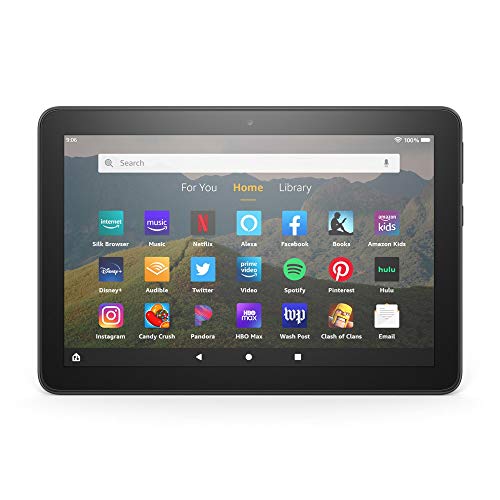
Amazon Fire HD 8 (32GB) — The value traveller
The Fire HD 8 in its 32GB form is the class’s baseline proposition, and its listing is disarmingly plain: an 8 inch HD display, 32GB of storage, the 2020 release, designed for portable entertainment, in black, without lockscreen ads. That last phrase matters more than it looks — the absence of lockscreen advertising is the configuration detail that separates a calm appliance from a billboard, and buyers comparing Fire listings should treat it as a headline feature rather than a footnote.
There is a household role it fills better than any other pick here: the guest screen. Visitors, grandchildren and the neighbour’s child can all be handed the Fire HD 8 without a tutorial or a tremor, because its world is legible in ten seconds and its replacement would be an errand rather than an event. Technologies that can be lent get used twice as much as technologies that must be guarded, and the little Fire’s lending life is a real part of its value.
Portable entertainment is the design brief and the tablet honours it without wandering. The Fire ecosystem puts films, series, books and music a tap away, the 8 inch screen is the right size for a tray table and a bedside, and the whole machine asks so little of its owner that it becomes the household’s most borrowed object. Grandparents operate it, children are allowed it, and its owner stops thinking of it as technology within a week — the sincerest compliment a travel tablet can earn.
Its age deserves a fair sentence rather than a eulogy. A 2020-release entertainment tablet in a class whose workloads — streaming, reading, browsing — evolve slowly is not obsolete in the way a phone of the same vintage can feel; the services it runs are the same services, the screen is the same size, and the journeys are the same lengths. Buyers should simply price its remaining update runway into the decision, as this guide advises for every veteran, and enjoy the maturity of a design whose faults are all known and catalogued.
The 32GB tier defines its one real negotiation: downloads. A streaming-first owner who travels on Wi-Fi and watches online will never meet the ceiling. A downloader — the traveller loading seasons for flights, the commuter caching the week’s viewing — will meet it in the first month and should read the next section as addressed to them. The tablet is the same; the journey differs, and this guide lists the two configurations separately precisely so that difference is decided at purchase rather than discovered at an airport.
- Display: 8 inch HD
- Storage: 32GB in this configuration
- Release: 2020 model in listing
- Configuration note: without lockscreen ads
- Positioning: portable entertainment, black
Strengths
- The class’s simplest entertainment proposition
- No lockscreen advertising in this configuration
- Sized and priced in spirit for borrowing and travel
Trade-offs
- 32GB constrains serious downloaders
- Fire OS app world differs from standard Android
- An older release generation; set update expectations accordingly
Best for: streaming-first travellers and households wanting the simple small screen. Not suited for: heavy downloaders or Google-catalogue loyalists.
Amazon Fire HD 8 (64GB) — The download pick
Everything in the previous section applies, and one number changes: the Fire HD 8 in 64GB form doubles the storage of its sibling while keeping the same 8 inch HD display, the same 2020-release design for portable entertainment, the same black finish without lockscreen ads. Listing it as its own pick is not padding; in a travel class, storage is not a specification among others. It is the difference between a tablet that holds the journey and a tablet that holds the first half of it.
Do the arithmetic the airport teaches. A season of a series at good quality, a film library for a fortnight, a shelf of books and the podcasts of a long drive — the downloader’s load is measured in tens of gigabytes, and it grows by accumulation because deleting yesterday’s entertainment to make room for tomorrow’s is a chore nobody sustains. The 64GB configuration absorbs that growth for the realistic life of the machine, and its owner simply stops thinking about storage, which is what storage is for.
Shared households feel this configuration’s virtue in a specific way: nobody’s downloads evict anybody else’s. The children’s series, the partner’s films and your own books coexist without the monthly tribunal that a full tablet convenes, and that domestic peace — invisible in specifications, decisive in kitchens — is the most honest argument for the larger tier in this entire guide.
Who should still choose the 32GB? The streamer, honestly, and the buyer whose tablet lives at home on Wi-Fi. Who should choose this one? Anyone whose travel is long, whose connectivity is unreliable, whose household shares the machine’s library, or whose patience for storage management is — correctly — zero. Between two otherwise identical picks, this guide’s recommendation follows the journey: downloaders take the 64GB, and take it without a second thought at the airport they will never have it in.
- Display: 8 inch HD
- Storage: 64GB in this configuration
- Release: 2020 model in listing
- Configuration note: without lockscreen ads
- Positioning: portable entertainment with download room
Strengths
- Double the storage for the downloader’s real arithmetic
- Same calm, simple entertainment proposition as its sibling
- No lockscreen advertising in this configuration
Trade-offs
- Streamers pay for room they may never fill
- Fire OS app world differs from standard Android
- Same older release generation as the 32GB model
Best for: travellers, commuters and households who download first and stream second. Not suited for: Wi-Fi-bound streamers who will never test the extra room.

Amazon Alexa Tablet 8 — The bridge pick
The Alexa Tablet 8 is the most interesting proposition in this guide, because it dissolves the class’s oldest argument. Its listing describes an all-new tablet with an 8.7 inch compact display — labelled honestly here, in the eight-inch class by positioning rather than by a flat measurement — 4GB of memory, 64GB of storage, a vivid display, all-day battery positioning, Android with Google Play, and a design centred on Alexa+, in graphite. Read that again: the standard Android app world and the voice assistant’s household, in one small machine.
Its travel arithmetic is quietly the class’s best compromise: the 8.7 inch screen buys reading and viewing area that the true-eight picks cannot offer, while the body remains within the coat-and-bag territory that defines the class, and the 64GB storage matches the downloader’s load without a card ceremony. A buyer whose requirement is “as much screen as travels like a small tablet” has, in this pick, the most literal answer the market currently manufactures.
For years, small-tablet buyers have been forced to choose between Amazon’s content gravity and Google’s catalogue. This pick declines the choice. The streaming and shopping world is present, the Play catalogue is present, and the assistant is designed in rather than bolted on — for the kitchen-counter duties where a voice-first screen shines, from timers and recipes to calls and smart-home glances. Its 8.7 inch canvas, meanwhile, quietly out-areas the true-eight picks while keeping the one-handed, coat-adjacent travel shape that defines the class.
The kitchen is where its proposition stops being theoretical. A voice-first screen at counter height — timers by voice while hands are occupied, recipes read aloud step by step, a call answered without touching anything — is a genuinely different appliance from a tablet that merely also has an assistant, and the Alexa Tablet’s design centres exactly that station. Travellers will carry it for the screen and the catalogue; households may keep it for the counter, and both are buying the same machine for its two honest talents.
Its cautions are newness and positioning. An all-new line asks its early buyers to accept a shorter track record than the Fire HD 8’s years of service, and households should confirm that the specific apps and services they depend on behave as expected in this Android implementation. But as a direction — the ecosystems merging at the size where households actually live — this is the pick that makes the class feel current rather than nostalgic, and for buyers torn between the two worlds it is not a compromise. It is the answer.
- Display: 8.7 inch compact, vivid (class-plus size, labelled)
- Memory and storage: 4GB RAM, 64GB
- System: Android with Google Play; designed for Alexa+
- Battery: all-day positioning in listing
- Finish: Graphite
Strengths
- Google Play and Alexa in one small tablet
- Larger 8.7 inch canvas within a travel shape
- 64GB storage suits the downloader’s arithmetic
Trade-offs
- All-new line; shorter track record than the Fire HD 8
- Measures 8.7 inches, not a flat eight
- Assistant-centred design may exceed a pure reader’s needs
Best for: households split between Amazon’s world and Google’s catalogue. Not suited for: buyers who want the longest-proven model or a strict 8.0 inch measurement.
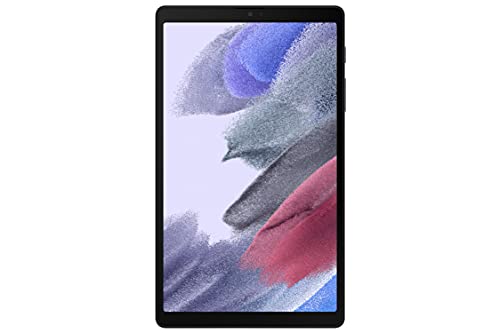
Samsung Galaxy Tab A7 Lite — The metal-framed stalwart
The Galaxy Tab A7 Lite is the open-Android establishment’s answer at this size, and its listing leads with the virtues of a machine built to be carried for years: an 8.7 inch display — labelled honestly, as with its classmates — 32GB of storage, Wi-Fi, a long-lasting battery, a compact slim design and a sturdy metal frame, as the US version in gray. The frame is the sentence to underline. Small tablets live in bags, pockets and children’s hands, and a metal frame is the difference between a device that ages and a device that merely survives.
Long ownership is where the frame’s argument compounds. A tablet carried daily for four years is dropped, sat beside, wedged into bags and handed to children hundreds of times; the machines that emerge merely scuffed rather than bent or cracked are the ones whose structures were specified for the life rather than the launch photograph. The A7 Lite’s metal frame is that specification, and buyers who keep devices longest — the class’s natural constituency — should weight it accordingly.
Samsung’s software manners complete the stalwart proposition. This is standard Android with the platform’s full catalogue, administered by the maker whose tablet software is the most familiar in the Android world — the pick for buyers who want the small size without entering anyone’s content ecosystem. Reading, browsing, video and the household’s ordinary applications all behave as an Android phone owner expects, which makes the A7 Lite the easiest recommendation in this guide to hand to a mixed-technology household.
Travellers on trains will recognise its natural habitat in a sentence: it is the tablet that comes out for the forty-minute leg, the connection wait and the last chapter before the station, because drawing it from the bag costs nothing and stowing it costs less. Machines earn travel status by friction, and the A7 Lite’s slim metal build has the lowest friction in this guide — a quality no benchmark measures and every commuter feels by the third day.
Its negotiations are storage and ambition. Thirty-two gigabytes asks the downloader for discipline or a card, and the specification is tuned for the everyday rather than for games or creative suites. But judged as the class’s durable citizen — the tablet that will still be the family’s travel screen in four years, frame unbent and manners intact — the A7 Lite earns its place by promising less and lasting longer.
- Display: 8.7 inch (class-plus size, labelled)
- Storage: 32GB in the listed configuration
- Build: sturdy metal frame, compact slim design
- Battery: long-lasting positioning in listing
- Version: US version, gray
Strengths
- Metal frame built for years of bags and hands
- Full standard Android catalogue, no ecosystem toll
- Samsung’s familiar tablet software manners
Trade-offs
- 32GB storage asks downloaders for discipline
- Everyday performance tier, not a gaming machine
- Measures 8.7 inches, not a flat eight
Best for: open-Android buyers wanting a durable travel and reading slate. Not suited for: heavy downloaders avoiding a card, or flagship performance seekers.

Lenovo Tab One — The streaming marathoner
The Lenovo Tab One makes the boldest battery claim in this guide, and it is printed in its listing rather than invented by us: up to 12.5 hours of YouTube streaming, from an 8.7 inch HD tablet — labelled at its true size — with 4GB of memory, 64GB of storage, a MediaTek Helio G85 processor and a folio case included, positioned as a lightweight tablet. For a class whose defining journeys are measured in episodes and chapters, a streaming-endurance headline is not a gimmick. It is the specification the use case actually runs on.
Lenovo’s positioning of the machine as lightweight deserves a traveller’s respect, because endurance figures are only half the travel equation — the other half is whether the tablet is in the bag at all. A light 8.7 inch machine with its case on earns its place in the carry-on by default, while heavier rivals are negotiated with at the door. The Tab One is specified by people who understand that the best travel tablet is the one that travels.
Picture the journeys it serves. The long flight where the tablet outlasts the second film and the layover. The hospital waiting day, the coach trip, the child’s back-seat cinema on a holiday drive — the occasions where a charging opportunity is a rumour and the screen is the difference between patience and mutiny. A tablet specified around streaming hours, with the storage to hold the downloads and a case to prop itself, is a tablet designed by people who have taken those journeys.
Its HD panel, judged by the standards of its own marathon rather than by the flagship shelf, is well matched to the work: streamed video at travel distances does not reward resolution beyond a point, and the hours the Tab One trades for its endurance are worth more at thirty thousand feet than pixels would be. Buyers who read dense text for hours should weigh the sharper screens of larger guides; buyers who watch, browse and read narratively will find the exchange honestly made.
The folio case deserves its mention as more than protection: at this size the case is the stand, and the stand is the viewing experience, on trays and laps alike. Against its classmates, the Tab One trades the Fire world’s content gravity and Samsung’s frame for endurance and completeness — the traveller who measures a tablet in hours watched rather than apps installed will find it the most literally suitable pick in the guide.
- Display: 8.7 inch HD (class-plus size, labelled)
- Battery: up to 12.5 hours of YouTube streaming, per listing
- Memory and storage: 4GB, 64GB
- Processor: MediaTek Helio G85
- In the box: folio case included
Strengths
- Streaming endurance headline suits real journeys
- Folio case included — propped and protected from day one
- 64GB storage matches the downloader’s needs
Trade-offs
- HD panel resolution is the class’s standard, not its peak
- Everyday processor for everyday duties
- Measures 8.7 inches, not a flat eight
Best for: travellers and streamers who measure a tablet in hours watched. Not suited for: buyers wanting the sharpest panel or flagship performance.
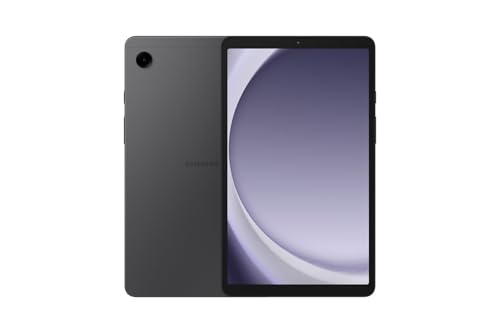
Samsung Galaxy Tab A9 — The compact all-rounder
The Galaxy Tab A9 closes the list as Samsung’s compact all-rounder, and its listing — written in the compressed dialect of international specifications — describes a 64GB tablet with an 8.7 inch display (stated as 22.1 cm), 4GB of memory and Wi-Fi 5, in graphite. Labelled honestly at 8.7 inches, it sits in this class as the newer Samsung expression of the same idea its A7 Lite sibling serves: standard Android, small shape, household manners.
There is a generational point to be made in its favour as well: the A9 represents Samsung’s current thinking at this size, which means its software stands earlier in the maker’s update affections than its Lite sibling’s. Buyers choosing between the two Samsungs for a child or a parent — anyone whose tablet will be administered at a distance — may rationally prefer the machine whose updates will arrive longest, and that preference, combined with the storage headroom, makes the A9 the default Samsung recommendation of this guide for new purchases.
The configuration is the argument. Where the A7 Lite asks downloaders for discipline at 32GB, the A9 arrives with 64GB and 4GB of memory — the specification pairing that lets a small tablet hold the journey’s downloads and keep its composure across a day of mixed use. For the buyer who wants Samsung’s software and the open catalogue in the travel size, without a storage negotiation in the first month, this is the configuration that removes the asterisk from the recommendation.
Households administering a tablet for someone else — the parent at a distance, the child at university — will appreciate the A9’s unremarkable competence as a feature in itself. Nothing in its proposition requires explanation, no ecosystem conversion is demanded of its owner, and its storage headroom postpones the support call that a full tablet eventually generates. The all-rounder’s virtue is that it generates no stories, and for administered technology, no stories is the highest praise available.
Its cautions are specification-reading ones. The listing’s Wi-Fi 5 is a step behind the newest wireless generations — irrelevant on most home networks and hotel Wi-Fi, worth knowing for buyers with the newest routers and the longest horizons. And the A9 and A7 Lite overlap enough that the choice between them should be made on configuration and condition rather than badge loyalty: the A9 for storage and memory headroom, the Lite for its metal frame and proven years. Either way, Samsung’s small-Android presence in this class is a two-door shop, and both doors open onto honest machines.
- Display: 8.7 inch (22.1 cm, class-plus size, labelled)
- Memory and storage: 4GB, 64GB
- Connectivity: Wi-Fi 5 (802.11ac) in listing
- Finish: Graphite
- System: standard Android
Strengths
- 64GB and 4GB remove the small-tablet storage asterisk
- Samsung’s familiar Android manners in a travel shape
- Graphite all-rounder positioning suits mixed household use
Trade-offs
- Wi-Fi 5 trails the newest wireless generations
- Overlaps its A7 Lite sibling; choose on configuration
- Measures 8.7 inches, not a flat eight
Best for: open-Android travellers wanting storage headroom in a compact Samsung. Not suited for: buyers prioritising the newest Wi-Fi or a strict 8.0 inch size.
Why Did 8 Inches Survive When 7 Inches Did Not?
Because the phone stopped growing one step short of it. The modern large phone crowds six and three-quarter inches and calls itself enormous; eight inches remains visibly, usefully beyond it — a page rather than a feed, a film rather than a clip. The 7 inch tablet died of resemblance to the phone; the 8 inch tablet lives on difference from it, and that single inch of daylight has proven to be an entire market’s worth of room.
There is a lesson in the survival that buyers of any size can use: classes persist where a human routine persists. The commute did not end, the bedside did not move, the grandparent’s call did not shrink to a phone’s face. Eight inches maps onto those routines with a fidelity that specifications cannot manufacture, and the makers who kept serving the routines inherited the class. When you choose among these six, you are really choosing which routine the tablet will join — and the routine, faithfully served, is what a five-year ownership is made of.
The class also found its patrons. Amazon needed a small canvas for its entertainment empire and kept building one when rivals wandered upward; Samsung and Lenovo kept a presence because the size anchors their ranges’ affordable end. A class with patrons survives its winters, and the six picks in this guide — three generations of one patron’s thinking, two doors of another’s shop, and a marathon runner from the third — are what a survived winter looks like: fewer names, clearer purposes, no nostalgia required.
How Does This Size Serve Children and Grandparents?
At opposite ends of life, the same virtues recur. For children past the toddler stage, an eight-inch-class tablet is the first screen that feels like a real computer’s younger sibling: books with actual pages, educational applications at legible scale, video that does not demand a television, and a weight small hands can govern for a whole journey. The open-Android picks suit families who want the standard catalogue under standard parental controls; the Fire pair suit families already inside that ecosystem’s children’s services. Either way, the case and the charging station — the governance hardware of our 7 inch guide — matter as much here as the software.
There is a dignity argument underneath the practical one, and families feel it even when they do not name it. A device sized and arranged for its user — the child’s governed shelf, the grandparent’s one-tap call — treats that user as the point of the technology rather than as an edge case of it. The eight-inch class, precisely because it is nobody’s flagship, has become the size where that respect is most often engineered in, and it is a better reason to buy one than any specification in this guide.
For grandparents, the class offers the video-call screen that a phone cannot be: faces at a size that feels like presence, a machine that stays in the house rather than leaving in a pocket, and an interface that can be arranged once, largely, by a visiting relative and then simply used. The Alexa Tablet adds the voice route for those who find touch interfaces a negotiation; the Fire HD 8 adds the simplest entertainment wall in the business; the Tab One’s endurance suits the relative whose charging habits are aspirational. Choose by the operator, not the specification, and this size will serve the family’s two most important audiences with the same purchase logic.
What Belongs in the Travel Kit Beside the Tablet?
Less than you fear, chosen better than you expect. A folio or sleeve that doubles as the stand, because every viewing posture on a journey is an improvised one. A cable shared with the phone where the standards allow, plus the small charger that lives in the travel bag permanently rather than migrating from the bedside. A memory card for the picks that accept one, fitted before departure and treated as part of the machine. And a pair of ordinary wired earbuds in the case’s pocket, because the journey’s audio emergencies — the forgotten wireless case, the dead battery — are always solved by the oldest technology in the bag.
One habit completes the kit without adding an object: the tablet’s home in the house should be the bag it travels in, or the drawer directly beneath it. Small tablets are lost to journeys not by theft but by absence — left charging in the wrong room while the train leaves — and a machine whose resting place is its travelling place is a machine that is simply always there. Presence, again: the class’s whole philosophy, expressed as a storage decision.
What does not belong: a keyboard, a hub, a second charger for luck, or the tablet’s original box “just in case”. The eight-inch class travels well precisely because its kit is a sleeve and a cable, and every addition should have to argue its way past that standard. Travellers who hold the line discover the class’s deepest pleasure — a complete entertainment and reading system that weighs less than the book it replaced.
How Do the Six Compare at a Glance?
| Pick | True size | World | Defining trait |
|---|---|---|---|
| Fire HD 8 (32GB) | 8 inch | Amazon | The simple value traveller |
| Fire HD 8 (64GB) | 8 inch | Amazon | The download configuration |
| Alexa Tablet 8 | 8.7 inch | Both | Google Play and Alexa in one |
| Galaxy Tab A7 Lite | 8.7 inch | Android | The metal-framed stalwart |
| Lenovo Tab One | 8.7 inch | Android | Streaming endurance with a case |
| Samsung Galaxy Tab A9 | 8.7 inch | Android | Storage headroom in graphite |
What Mistakes Do Buyers Make at This Size?
Before the mistakes, the first-week ritual that this class rewards: set the home screen to the journey — reader, streamer, calls, nothing else above the fold — fit the case, run the updates, and take the tablet on one real trip, however small, while the returns window is open. Small tablets reveal themselves in use faster than any other class, because their virtues are ergonomic rather than numerical, and a week of commutes is a more honest review than a month of specifications.
The first is the storage shrug, and this guide has built two picks out of its correction: at travel sizes, downloads are the workload, and the configuration chosen in the shop decides whether the airport is a pleasure or a deletion ceremony. The second mistake is ecosystem blindness in both directions — buying a Fire while needing specific Google-catalogue applications, or refusing a Fire whose content world is exactly the household’s, out of an abstract loyalty. The Alexa Tablet’s existence softens that mistake; it does not excuse skipping the question.
A fifth mistake is buying the small tablet as a smaller version of a big decision — choosing it by the same flagship logic of processors and panels that governs the 12 inch guide, when this class runs on presence, endurance and storage. The buyer who ranks these six by benchmark will choose wrong with great precision; the buyer who ranks them by journey — how far, how downloaded, whose hands, which ecosystem — will choose right with a clear conscience.
The third mistake is ignoring the label arithmetic. Three of these six machines measure 8.7 inches, and a buyer with a strict pocket, mount or small-hand requirement should treat that difference as data, not detail. The fourth is expecting the class to work: these are reading, viewing and browsing machines of genuine excellence, and drafting documents or editing media on them is possible in the way that sleeping in a car is possible. Buy the posture you will actually use.
Final Recommendation
Divide by world, then by journey. Inside Amazon’s world, the Fire HD 8 in 64GB is the configuration this guide recommends for anyone who downloads, with the 32GB reserved for committed streamers. Across both worlds, the Alexa Tablet 8 is the bridge and the class’s most current idea. Inside open Android, choose the Lenovo Tab One for streaming endurance, and between the Samsungs let storage and frame decide. Eight inches endures because the journey endures — the commute, the flight, the chapter in bed — and the right pick here is the small screen that is simply always there, charged, loaded and light in the hand, when the journey begins.
Frequently Asked Questions
Is 8 inches big enough for reading and video?
It is the size the paperback and the tray table agree on: a full novel page at comfortable type, a film that fills the view at arm’s length, and a machine light enough to hold through both. Readers of fixed-layout magazines and documents will want a larger screen; everyone else is home.
Why are half the picks labelled 8.7 inches?
Because that is what they measure, and they are sold into this class. We print the true size in headings, tables and specification lists rather than rounding it away, and treat the extra area as what it is — a benefit for most buyers, a disqualification only for strict size requirements.
Fire HD 8 or the Alexa Tablet 8?
The Fire HD 8 for a proven, simple entertainment appliance inside Amazon’s world. The Alexa Tablet for the larger screen, the Google Play catalogue and the assistant-centred design — the current direction of the class, at the cost of a shorter track record.
How much storage does a travel tablet need?
Downloaders should start at 64GB and stop negotiating; the arithmetic of seasons, films and offline libraries is unforgiving at 32GB. Streamers who travel on reliable Wi-Fi can live at 32GB happily, provided the tablet’s job stays streaming-shaped.
What is the best first setting to change on a small tablet?
The home screen. Remove everything that is not the journey — reading, viewing, calls, the household’s one or two daily tools — and let the rest live in the drawer. A small tablet’s screen is its scarcest resource, and a home screen arranged as a departure board rather than a warehouse is the difference between a device that is used in every spare minute and one that is merely owned.
Do these tablets work well for magazines and comics?
Narrative reading, yes; fixed-layout pages are the class’s honest boundary. A magazine page shrinks to fit an eight-inch screen and asks for zooming, where a novel simply flows. Buyers whose reading is mostly magazines, comics with dense panels or sheet music should step up a size, as our other guides advise — the small tablet’s kingdom is the flowing page, and it rules that kingdom completely.
Should I buy a refurbished larger tablet instead?
Only if the larger size was your real requirement wearing a budget disguise. A new eight-inch-class tablet arrives with a fresh battery, a current warranty and a returns window; a refurbished larger machine trades all three for area you may not need. Travellers and readers — this class’s constituency — should take the new small machine and the certainty, and leave the refurbished flagships to buyers whose work genuinely needs the canvas.
Is an 8 inch tablet good for video calls?
It is the size where a face is a face rather than a thumbnail, and the machine is light enough to carry to the quiet corner without a production. Front cameras across this class are modest, so light and angle do the heavy lifting: face a window, prop the tablet at eye height with its case, and every pick here becomes a perfectly respectable family telephone.
Which pick is best for a child?
For governed general use, the open-Android picks give parents the standard catalogue under familiar controls, with the A7 Lite’s metal frame earning a durability vote; inside Amazon’s ecosystem, the Fire HD 8 in 64GB form holds the family’s library without eviction notices. All six need the first-evening configuration ritual — controls set, charging station agreed — that our 7 inch guide describes in full.
How long will these tablets keep receiving updates?
Varies by maker, and the honest ordering follows the brands’ track records rather than this guide’s preferences: Samsung’s and Lenovo’s Android lines carry defined update policies worth checking on the product page, Amazon supports its Fire line for years of security updates, and the all-new Alexa Tablet’s policy should be confirmed at purchase as part of its shorter track record. Buy the horizon you need, stated, rather than the one you hope for.
Can an 8 inch tablet replace a phone for reading?
For long sessions, it should: the larger page, the lighter eyes and the battery that is not your phone’s battery all argue for the handover. Keep the phone for the pocket moments and give the chapters to the tablet, and both devices end the day with something left.
Related Guides
The routes onward from the travel size are Best 10 Inch Windows Tablets for Real Desktop Apps in a Small Bag, Best 2-in-1 Tablets That Genuinely Replace a Laptop and Best 5G Tablets for Working Away From Wi-Fi.


