What's inside
- Key Takeaways
- Quick Picks
- How Did We Choose These Six Drives?
- What Do Health Management and Rescue Services Actually Do?
- Why Does a Recorder Punish an Ordinary Desktop Drive?
- How Many Days of Footage Does a Terabyte Actually Buy?
- How Do You Read a Surveillance Listing Without Being Misled?
- The Six Surveillance Drives in Detail
- When Should a Working Drive Be Retired Before It Fails?
- Does the Recorder Itself Change What the Drive Must Do?
- How Do the Six Recorders’ Drives Stack Up Side by Side?
- How Do You Fit and Commission a Drive in a Samsung Recorder?
- Which Missteps Shorten a Recorder Drive’s Life?
- Final Recommendation
- Frequently Asked Questions
- Related Guides
As an Amazon Associate I earn from qualifying purchases. This post may contain affiliate links at no extra cost to you.
widgetverdict.com is reader-supported. When you buy through links on our site, we may earn an affiliate commission.
Where to buy: Amazon carries all six surveillance drives reviewed here, and the listings reward a slow read, because the differences that matter — cache size, whether health management is named, whether rescue services ride along — sit inside the titles rather than on a tidy comparison chart. Order against the model code in brackets, not the headline capacity alone.
A recorder is the least forgiving home a hard drive will ever live in. It writes around the clock, overwrites its oldest footage without asking, and sits in a warm cupboard or a rack corner where nobody hears a bearing begin to complain. That is why the best hard drives for samsung nvr dvr systems are not simply big drives that happen to fit a bay: they are surveillance-class mechanisms built for continuous video writing, and the six below are drawn from the two families that dominate that class, Seagate’s SkyHawk line and Western Digital’s Purple line, plus two smaller-name alternatives that compete on spindle speed and price positioning.
One honesty note before the picks. A Samsung-branded recorder is, in drive terms, a DVR or NVR like any other: it wants a 3.5-inch SATA drive and it formats that drive in its own file system. None of the six listing titles below claims a Samsung-specific or Hanwha-specific certification, and this guide does not invent one. What the titles do claim — surveillance duty, DVR and NVR security camera systems, health management, rescue services — is quoted exactly, and where a title is silent, the spec boxes say so. Readers weighing a very different kind of always-on storage may also want Best Hard Drives for a TiVo Bolt Upgrade, Best Hard Drives for Music Production and Film Editing and Best Hard Drives for Entry-Level Servers, which approach continuous duty from three other directions.
Key Takeaways
- Surveillance drives are built for non-stop sequential writing, a workload closer to a security guard’s logbook than to a desktop’s scattered files.
- All six picks are 3.5-inch SATA drives aimed at DVR and NVR security camera systems, so bay fit is uniform across the guide.
- Seagate’s SkyHawk titles lean on drive health management and in-house rescue services; WD’s Purple title leans on a stated 5400 RPM spindle and a long-running surveillance pedigree.
- Cache separates the field: 64MB on the 4TB drives and the Hiseeu, 256MB on the 6TB SkyHawk and the 8TB SkyHawk AI.
- No title here certifies Samsung or Hanwha compatibility specifically, so recorder firmware support is a point to confirm with the recorder maker, not with the drive listing.
- Capacity planning beats brand loyalty: retention days are set by camera count, resolution and motion settings long before the drive brand matters.
Quick Picks
| Pick | Badge | Why it earns its place |
|---|---|---|
| Seagate SkyHawk 4TB | The health-monitored mainstream choice | Surveillance drive with drive health management and in-house rescue services in the title. |
| WD Purple 4TB (WD40PURZ) | The established alternative | 5400 RPM surveillance drive from the line most recorder installers reach for first. |
| Seagate SkyHawk 6TB | The retention upgrade | Half again the room of the 4TB drives, with a 256MB cache and rescue services. |
| Seagate SkyHawk AI 8TB | The flagship for busy systems | The largest capacity here, from the AI branch of the SkyHawk family. |
| MaxDigitalData 4TB Surveillance DVR Drive | The fast-spinning value play | A 7200 RPM surveillance drive at a capacity where most rivals spin slower. |
| Hiseeu 4TB Surveillance Drive | The recorder-maker’s own drive | Sold by a camera-system brand, with health management named for NVR and DVR use. |
How Did We Choose These Six Drives?
The filter was duty first, capacity second. Every drive here is sold for surveillance or DVR and NVR security camera systems in its own title, which excludes the desktop drives that recorder owners sometimes buy because the capacity looked cheap; a desktop mechanism in a recorder is a drive working a shift it was never scheduled for. Within that surveillance-only pool, the six spread across the capacities a home or small-business Samsung recorder realistically swallows, from 4TB for a handful of cameras to 8TB for a system that must hold weeks of footage.
The second filter was evidence in the title itself. Cache size, interface, form factor and the named extras — health management, rescue services, an AI designation — are all taken from the listing titles, and anything a title leaves out is treated as unclaimed rather than assumed. That discipline matters most on the Samsung question: owners search for a Samsung-approved drive, but approval language is absent from these titles, so the guide ranks the drives on surveillance credentials that are actually printed, and flags the compatibility check as a separate step the buyer performs against the recorder’s own documentation.
What Do Health Management and Rescue Services Actually Do?
Two of the phrases in these titles deserve unpacking, because they describe services rather than hardware and their value depends on understanding what is actually being offered. Drive health management, in the surveillance context, is a reporting discipline: the drive continuously assesses its own condition — the health of its recording surfaces, the behaviour of its mechanics, the accumulation of corrected errors — and expresses that assessment in a form the recorder can display or log. The practical gift is timing. Drives rarely fail without preamble; they degrade, and a drive that narrates its degradation lets the owner replace it on a chosen Tuesday rather than discover the failure on the morning after an incident.
Rescue services occupy the opposite end of the timeline. They are the maker’s own data recovery offering, invoked after a drive has failed with footage aboard that someone needs — evidence for an insurer, an incident record for a business, a family’s only copy of an event. Recovery of that kind is a laboratory process with no guaranteed outcome, and an honest guide says so plainly. What the inclusion in a title buys is a defined route, with the manufacturer’s own technicians and a known process, instead of an improvised search conducted under stress. Whether that route is worth prioritising depends on what the recorder watches: a system guarding a business’s liability exposure values it differently from one watching an empty driveway.
Neither service substitutes for the owner’s own habits. Health reports only help if somebody looks at them, which is why the commissioning routine later in this guide builds in a scheduled check, and rescue services are a last resort standing behind the better strategy of exporting important footage before anything fails. Read both phrases as instruments in a maintenance culture, not as magic in a box: they reward the owner who uses them and do nothing for the owner who never opens the recorder’s status screen.
Why Does a Recorder Punish an Ordinary Desktop Drive?
A desktop drive lives an intermittent life. It bursts into activity when a file opens, idles while its owner reads, and sleeps at night. A recorder drive never gets that rhythm. Cameras write continuously, in long sequential streams, often eight, sixteen or thirty-two of them interleaved, and the drive’s error-recovery behaviour has to suit a host that cannot pause: a recorder would rather drop a frame than wait while a drive retries a difficult sector for half a minute. Surveillance firmware is tuned around exactly that preference, which is why the class exists at all.
The second punishment is thermal and temporal together. Recorders live in enclosed spaces, frequently stacked with other warm equipment, and they run through summers and power cuts without a maintenance window. A drive specified for that life is built and tested for continuous operation in a way a desktop drive is not, and its health reporting — where the title names it — is designed to warn the recorder, and through it the owner, before degradation becomes lost footage. Buying the surveillance class is not brand snobbery; it is matching the drive’s working assumptions to the recorder’s.
How Many Days of Footage Does a Terabyte Actually Buy?
Retention is arithmetic, not vibes. A camera recording continuously at a modest bitrate writes roughly a gigabyte every twenty minutes or so; multiply by the camera count and the day count and the capacity requirement appears. Motion-based recording stretches the same drive dramatically, sometimes tripling the calendar it covers, while a busy retail scene or a tree-lined driveway in the wind can erase that advantage entirely, because motion detection responds to movement in the picture, not to events an owner cares about.
There is a subtler trap in the arithmetic: retention is calculated per drive, but incidents are remembered per camera. The camera over the till may need a month while the camera over the car park needs a week, and a recorder that lets you set recording quality per camera lets a single drive serve both honestly. Where the recorder offers only global settings, the greediest camera sets the capacity for all of them. Either way, the time to discover the mismatch is at the planning stage, with the bitrate figures in front of you — not at the playback screen, with an insurance form waiting.
This is why the guide carries three capacities rather than six versions of one. A four-camera home watching a quiet street may find 4TB generous. An eight-camera small business that must hand police a fortnight of footage after an incident needs the 6TB or 8TB tier, and needs it before the incident, not after. Work the arithmetic for your own camera count and be pessimistic: footage is always wanted for the day just beyond the retention window, and the window is set the day the drive is installed.
How Do You Read a Surveillance Listing Without Being Misled?
Listings in this category reward a particular reading order. Start with the duty statement, because it decides whether the drive belongs in the guide at all: surveillance, DVR, NVR, CCTV — the vocabulary varies, but a drive whose title never claims the duty should not be bought for it, whatever its capacity. Next read the model code, the string in brackets at the title’s end, because families share names across generations and the code is the only part of the listing that identifies exactly which mechanism will arrive. Capacity and cache come third, in that order, since capacity sets the retention calendar and cache merely tunes behaviour inside it.
Then read for absences, which is the skill this guide has practised throughout. A spindle speed missing from a title is not a defect in the drive; it is a boundary on what the listing promises, and the buyer who needs the figure goes to the manufacturer’s documentation rather than to a review’s guesswork. The same discipline applies to compatibility language. A title that says a drive suits DVR and NVR security camera systems is making a general claim about a class of machines; it is not certifying any particular brand’s recorder, and the step from general suitability to a specific Samsung unit’s drive support list is a step the buyer takes with the recorder’s own manual open.
Finally, weigh the service claims as services. Health management is worth most to owners who will actually open the status screen; rescue services are worth most where footage carries legal or financial weight; neither is worth anything to an owner whose real risk is simply running out of retention days, and that owner should spend the same money one capacity tier higher. A listing read in that order — duty, code, capacity, cache, absences, services — will sort these six drives into the right order for almost any recorder, which is why the detailed reviews below are organised to be read the same way.
The Six Surveillance Drives in Detail
The two big families come first, in the order most buyers will meet them, then the capacity steps, then the two smaller-name drives that complicate the value question in useful ways.

Seagate SkyHawk 4TB — The health-monitored mainstream choice
The 4TB SkyHawk is the centre of gravity of this guide: a 3.5-inch SATA 6Gb/s surveillance drive with a 64MB cache, sold explicitly for DVR and NVR security camera systems, model ST4000VXZ16/016. What lifts it above a generic surveillance listing is the pair of services named in its title. Drive Health Management means the drive reports its condition in terms a recorder can act on, and the in-house rescue services give the owner a maker’s own recovery path if the mechanism fails with footage aboard that matters.
In a Samsung recorder keeping watch over a house, a shop counter or a small car park, that health reporting is the feature with daily value. Recorders are usually checked after something has gone wrong; a drive that can flag its own decline turns at least some of those post-incident discoveries into planned replacements. The 4TB capacity suits the common domestic pattern of four to eight cameras with a retention target measured in a few weeks rather than months, and the SkyHawk name carries a long surveillance lineage that installers recognise.
The title leaves the spindle speed unstated, and this guide does not fill the gap; for a sequential video workload the omission matters less than it would for a desktop drive chasing random files. Buyers who want the health and rescue story at this capacity start here, and the Seagate SkyHawk 4TB listing is the place to confirm the current model code before ordering.
The 4TB size also disciplines the buying decision in a useful way: it forces the retention conversation to happen at purchase time. Owners who run the arithmetic and find 4TB short are better served stepping up within this guide than discovering the shortfall after an incident, and owners who find it ample can stop paying for capacity their cameras will never fill. In multi-bay Samsung recorders, two of these drives split the camera load and contain the consequences of a single failure, an arrangement the health reporting makes easier to supervise.
- Capacity: 4TB
- Form factor: 3.5 inch
- Interface: SATA 6Gb/s
- Cache: 64MB
- Stated duty: video surveillance recording in DVR and NVR systems
- Extras named in the title: Drive Health Management and in-house Rescue Services
- Spindle speed: the listing title gives no RPM figure, so confirm it in Seagate’s own documentation
- Model: ST4000VXZ16/016
Strengths
- Health management turns silent drive decline into a warning an owner can act on.
- Rescue services are named in the title, not buried in a support page.
- Mainstream capacity matched to the common four-to-eight camera home system.
Trade-offs
- The title states no spindle speed, so spec-sheet hunters must look beyond the listing.
- Health features deliver most when the recorder surfaces the drive’s reports.
- Four terabytes fills quickly once camera counts or resolutions climb.
Best for: a Samsung recorder guarding a home or small premises, where early warning of drive decline is worth more than raw capacity.
Not suited for: a sixteen-camera site that needs a month of continuous footage retained.

WD Purple 4TB (WD40PURZ) — The established alternative
If SkyHawk is one pole of the surveillance market, WD Purple is the other, and the WD40PURZ is its 4TB representative: 5400 RPM, SATA 6 Gb/s, 64MB cache, 3.5-inch, sold plainly as a surveillance internal hard drive. The title is the most businesslike in this guide — no services, no health branding, just the specification of a drive from the line that a generation of recorder installers has fitted by default. For many buyers that plainness is itself reassuring.
The stated 5400 RPM deserves a word, because desktop shoppers are trained to read it as slowness. Video writing is sequential and sustained; a recorder does not ask its drive to hop between scattered small files, so the spindle figure that dominates desktop benchmarks recedes, and the qualities that matter — steady writing under many simultaneous streams, behaviour tuned for a host that cannot wait — are properties of the surveillance design rather than of rotational speed. The Purple’s long presence in recorders also means recorder firmware teams have tested against it extensively, a practical compatibility asset no benchmark captures.
What the title does not offer is the services layer: no health management branding and no rescue services are claimed here, so the owner leans on the recorder’s own diagnostics and on the discipline of replacing drives on a schedule. The WD Purple 4TB listing carries the full specification for buyers comparing cache and workload figures across the two big families.
There is also a fleet argument for the Purple that home buyers rarely consider but small businesses should. Because the line is so widely fitted, replacement stock is easy to find years later, documentation and installer experience are everywhere, and a maintenance firm asked to service the recorder will know the drive on sight. None of that appears in a specification table, yet over a recorder’s working life those logistics decide how quickly a failing system returns to service. A drive is not only a mechanism; it is a commitment to a supply chain, and the Purple’s is the deepest in this guide.
- Capacity: 4TB
- Form factor: 3.5 inch
- Interface: SATA 6 Gb/s
- Cache: 64MB
- Spindle speed: 5400 RPM, stated in the title
- Stated duty: surveillance internal hard drive
- Model: WD40PURZ
- Health or rescue services: none are named in the listing title
Strengths
- The most established surveillance line in the guide, with deep recorder-firmware familiarity.
- Specification stated plainly, including the spindle speed rivals leave out.
- A calm, quiet class of drive for a recorder living in an occupied room.
Trade-offs
- No rescue services or health branding are claimed in the title.
- Diagnostics fall to the recorder and the owner’s replacement schedule.
- Same 4TB ceiling as the SkyHawk, so retention planning is unchanged.
Best for: owners who value the most widely fitted surveillance drive in the business and keep their own maintenance calendar.
Not suited for: a buyer counting on maker-run recovery services after a failure.
Seagate SkyHawk 6TB — The retention upgrade
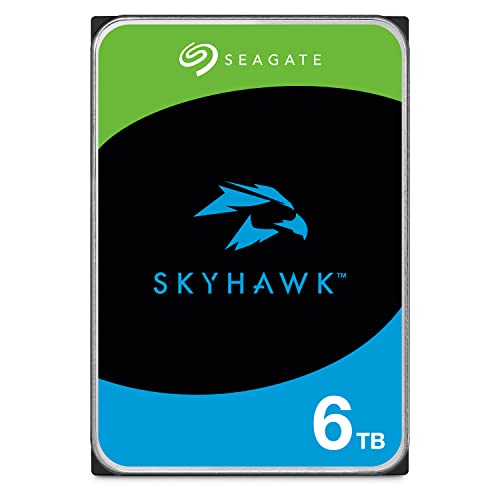
The 6TB SkyHawk answers the most common regret in recorder ownership: the footage from the day you needed was overwritten the day before you asked. Its title pairs the larger capacity with a 256MB cache — four times the buffer of the 4TB drives here — on the same 3.5-inch SATA 6Gb/s surveillance platform, model ST6000VXZ09/009, with in-house rescue services again named. Drive Health Management, notably, is not in this title’s wording, and the guide records that absence rather than assuming the smaller drive’s feature list carries upward.
Six terabytes is the natural size for the eight-to-twelve camera household or the small business whose insurer or landlord expects a month of retained video. The larger cache serves the multi-stream reality of such systems, smoothing the interleaved writing of many cameras into the sustained flow the mechanism prefers. Owners stepping up from a full 4TB drive will feel the difference not in speed but in calendar: the retention window stretches by half, and the monthly ritual of checking what is about to be overwritten relaxes accordingly.
As with its 4TB sibling, no spindle speed is printed, and Samsung-specific approval is not claimed; the drive’s case rests on surveillance design, capacity and the rescue path. Buyers whose recorders report drive health through the recorder’s own menus lose nothing here, since the omitted branding concerns Seagate’s particular reporting layer. Confirm the model code on the Seagate SkyHawk 6TB listing before ordering, as SkyHawk capacities share near-identical titles.
Consider who feels the 6TB tier’s value most concretely: the owner whose cameras watch a space where things happen at monthly intervals — a yard where deliveries go missing occasionally, a smallholding where gates are left open, a workshop where tools wander. Incidents on that rhythm are precisely the ones a fortnight’s retention loses, because the loss is noticed late. Six terabytes moves the discovery window past the notice window for most such patterns, and that alignment, rather than the raw capacity, is what the buyer is actually purchasing.
- Capacity: 6TB
- Form factor: 3.5 inch
- Interface: SATA 6Gb/s
- Cache: 256MB
- Stated duty: surveillance recording for DVR/NVR camera systems
- Extras named in the title: in-house Rescue Services
- Health management branding: absent from this listing title, unlike the 4TB SkyHawk
- Model: ST6000VXZ09/009
Strengths
- Fifty percent more retention than the 4TB tier at a single-bay swap.
- A 256MB cache suited to many simultaneous camera streams.
- Rescue services remain part of the package at this capacity.
Trade-offs
- The health management branding of the 4TB model is not repeated here.
- A single larger drive still leaves the recorder with no redundancy.
- Spindle speed is again left unstated in the title.
Best for: an eight-to-twelve camera Samsung system whose retention target is a month rather than a fortnight.
Not suited for: a two-camera household, where this capacity would sit mostly empty for years.

Seagate SkyHawk AI 8TB — The flagship for busy systems
The SkyHawk AI 8TB, model ST8000VEZ01, is the largest and most specialised drive in this guide: 3.5-inch, SATA 6Gb/s, 256MB cache, in-house rescue services, and the AI designation that separates this branch of the family from the standard SkyHawk line. In Seagate’s range the AI branch addresses recorders that do more than record — systems running video analytics, where the drive serves stored footage back for analysis while new streams continue to land. The title itself keeps the claim modest, naming the drive for DVR and NVR security camera systems, and this guide follows the title’s restraint.
For a Samsung NVR installation, the practical case is headroom in both directions at once. Eight terabytes doubles the 4TB tier’s calendar, and a drive from the analytics-oriented branch is built for a host that reads and writes with unusual simultaneity — an owner reviewing footage on a timeline while every camera continues recording is exercising exactly that pattern, even without any analytics in play. Busy small-business systems, petrol stations, small warehouses and multi-entrance premises are the natural homes.
The cautions are proportion and fit. A flagship drive in a recorder whose power supply and cooling were designed around smaller mechanisms deserves a check of the recorder’s stated drive support, and the capacity is wasted money in a quiet four-camera home. The title, again, claims no Samsung-specific certification. The SkyHawk AI 8TB listing is where to verify the model code and the rescue terms before committing a large system to it.
The AI branch also reframes the replacement question. A drive of this class is bought for a system expected to grow — more cameras, higher resolutions, longer mandated retention — and its headroom is a hedge against reopening the recorder next year. Owners planning in that direction should still confirm the recorder’s per-bay capacity support, since a recorder’s firmware, not the drive, sets any ceiling; the title makes no promise on that front, and this guide repeats none. Bought with that check done, the 8TB is the one drive here that a growing system will not outgrow quickly.
- Capacity: 8TB
- Form factor: 3.5 inch
- Interface: SATA 6Gb/s
- Cache: 256MB
- Stated duty: security camera recording on DVR and NVR hosts
- Line: SkyHawk AI, the analytics-oriented branch of the family
- Extras named in the title: in-house Rescue Services
- Model: ST8000VEZ01
Strengths
- The longest retention window available in a single bay in this guide.
- Built for hosts that read footage back while recording continues.
- Rescue services included at the capacity where footage archives grow valuable.
Trade-offs
- Flagship positioning is wasted on small, quiet camera systems.
- The recorder’s own stated drive support must be checked at this size.
- No health management branding appears in this title either.
Best for: a busy multi-camera premises where footage is reviewed daily while recording never pauses.
Not suited for: a quiet domestic recorder whose four cameras idle through empty weekdays.

MaxDigitalData 4TB Surveillance DVR Drive — The fast-spinning value play
MaxDigitalData’s entry, model MD4000GSA6472DVR, is the contrarian of the six: a 4TB 3.5-inch surveillance CCTV DVR drive whose title leads with a 7200 RPM spindle — printed in the listing as 7200PM, a typographical slip the guide reads as the rotational speed it plainly intends — alongside a 64MB cache and SATA 6.0Gb/s. Where the big families compete on services and pedigree, this drive competes on a specification the others mostly decline to state, at the capacity most home recorders actually use.
A faster spindle in a recorder is not the advantage it would be in a desktop, since video writing is sequential, but it is not nothing either: timeline scrubbing and footage export involve reading behaviour closer to random access, and a drive that spins faster answers those requests with less hesitation. Owners who review footage frequently — shop managers checking incidents, landlords reviewing a car park — are the ones who will feel it. The surveillance designation in the title keeps the drive inside the correct duty class, which is the non-negotiable part.
The trade is the ecosystem around the drive. No health management, no rescue services and no recorder-firmware pedigree are claimed in the title, so the owner supplies the vigilance personally: periodic checks of the recorder’s drive status screen and a replacement plan made before symptoms appear. The MaxDigitalData 4TB listing holds the details for buyers weighing that exchange with open eyes.
Heat is the honest counterweight to the spindle advantage. A faster-spinning mechanism in a small, passively cooled recorder enclosure runs warmer than its 5400 RPM rivals, and warmth is the currency in which drive lifespan is spent. The buyer choosing this drive should give the recorder’s ventilation a moment’s thought — clear vents, a sensible shelf, no stacking under other warm equipment. That is a fair exchange, openly stated: brisker review behaviour in return for a little environmental care, in a guide that otherwise asks little of the owner beyond a monthly status check.
- Capacity: 4TB
- Form factor: 3.5 inch
- Interface: SATA 6.0Gb/s
- Cache: 64MB
- Spindle speed: 7200 RPM (the listing title prints this figure as 7200PM)
- Stated duty: internal surveillance CCTV DVR hard drive
- Model: MD4000GSA6472DVR
- Health or rescue services: none are named in the listing title
Strengths
- The fastest stated spindle in the guide, aiding footage review and export.
- Correct surveillance duty class at the most common recorder capacity.
- A specification-led listing that says what it sells without service branding.
Trade-offs
- No maker recovery path or health reporting is claimed.
- A smaller brand means less recorder-firmware testing history to lean on.
- The owner must supply the monitoring discipline the big brands automate.
Best for: a cost-conscious recorder owner who reviews footage often and checks drive status personally.
Not suited for: an unattended site visited twice a year, where unmonitored drives are a gamble.
Hiseeu 4TB Surveillance Drive — The recorder-maker’s own drive
Hiseeu arrives at this guide from the other direction: a maker of camera systems selling the drive to go inside them. Its 4TB internal drive states a 64MB cache, SATA 6Gb/s and a 3.5-inch form, and its title names both NVR and DVR security camera systems and — unusually for a smaller brand — computer drive health management, language suggesting the drive reports its condition in terms a host can display. For owners whose recorder already wears the Hiseeu badge, a same-brand drive has an obvious tidiness, and for Samsung recorder owners it stands as a further 4TB option with health reporting in the title.
The health management wording is the interesting claim, because it puts this drive in the SkyHawk 4TB’s territory rather than the Purple’s: a drive that talks about its own condition. How completely a given recorder surfaces those reports varies by recorder firmware, which no drive title can promise, so the honest reading is that the drive offers the reporting and the recorder decides how much of it the owner sees. That caveat applies to every health claim in this guide, this one included.
Beyond that, the title is spare: no spindle speed, no rescue services, no workload figures. Buyers are choosing a camera-system maker’s own surveillance drive with health language, at the standard capacity, and should weigh it as such. The Hiseeu 4TB listing is the place to check the current specification and the drive’s stated applications before it goes into a bay.
There is a second, quieter reason a camera maker’s drive deserves its place in a Samsung-focused guide: it demonstrates how the market has widened. Recorder brands increasingly sell the storage for their own systems, and those drives are specified by people who think in cameras and retention days rather than in desktop benchmarks. A Samsung recorder owner is not obliged to buy a Samsung-badged drive — the titles here show the credible alternatives span drive makers and camera makers alike — and the discipline that matters is the same for all of them: surveillance duty stated, capacity matched to the retention arithmetic, and claims read no further than the title prints them.
- Capacity: 4TB
- Form factor: 3.5 inch
- Interface: SATA 6Gb/s
- Cache: 64MB
- Stated duty: NVR and DVR security camera systems, and computer use
- Extras named in the title: drive health management
- Spindle speed: the title is silent on RPM, so the maker’s documentation is the source to consult
- Brand: Hiseeu, a security camera system maker
Strengths
- Health management is claimed even at this smaller-brand tier.
- Sold by a camera-system maker for exactly the recorder duty in question.
- Standard 4TB, 64MB-cache specification matching the mainstream of the guide.
Trade-offs
- No rescue services or recovery path are mentioned in the title.
- How much health data appears depends on the recorder’s firmware.
- The title omits spindle speed and workload ratings entirely.
Best for: an owner who wants health reporting at 4TB and is comfortable with a camera-maker’s drive rather than a drive-maker’s.
Not suited for: installations where a documented recovery service must stand behind the footage.
When Should a Working Drive Be Retired Before It Fails?
The mature way to run a recorder is to treat its drive the way airlines treat components: retired on hours and condition, not on catastrophe. Set the expectation at installation that the drive is a consumable. Note its start date, watch the health indicators the recorder exposes, and let a rising count of corrected errors or reallocated sectors — the vocabulary of a mechanism wearing out — trigger a planned replacement during a quiet week. The old drive, still spinning, can be demoted to non-critical duty or kept as an emergency spare; the footage archive it carried should already have been exported or superseded by newer recordings.
This discipline also resolves the capacity question over time. Each replacement is a chance to re-run the retention arithmetic against the system as it now stands — more cameras than last time, sharper ones, a longer window demanded by an insurer — and to step up a tier if the numbers say so. Owners who replace on condition rarely lose footage; owners who replace on failure eventually do, and the difference between those two groups is nothing more exotic than a calendar note and a monthly glance at a status screen.
Does the Recorder Itself Change What the Drive Must Do?
Yes, and the differences explain why two owners can fit the same drive and report different experiences. A DVR in the strict sense serves analogue or HD-over-coax cameras and writes a fixed set of streams at resolutions the recorder itself dictates; an NVR serves network cameras whose resolutions and frame rates the owner chooses, which means the NVR’s appetite for capacity and write bandwidth is decided by configuration rather than by the box. A Samsung NVR with its cameras turned up to their sharpest settings can out-eat a much larger DVR installation, and the drive buying should follow the settings, not the recorder’s badge.
Multi-bay recorders add a second variable: how the machine treats its drives. Some recorders span recordings across every fitted drive, some fill one before touching the next, and some mirror. Each pattern changes what a drive failure costs and what an upgrade buys, and the recorder’s manual — not the drive listing — is where the pattern is documented. The buyer who reads that page before ordering can choose between one large drive and two smaller ones on evidence; the buyer who skips it is guessing with the footage of a business at stake.
Finally, the recorder decides how much of a drive’s self-knowledge the owner ever sees. Health reporting travels from the drive through the recorder’s firmware to a screen or an app, and firmware generations differ in how faithfully they pass it on. That is the last reason this guide refuses to promise Samsung-specific behaviour for any drive here: the drive supplies the reports, the recorder mediates them, and only the recorder’s own documentation can say how much of the conversation reaches the owner.
How Do the Six Recorders’ Drives Stack Up Side by Side?
| Drive | Capacity | Cache | Spindle | Named extras in the title |
|---|---|---|---|---|
| Seagate SkyHawk 4TB | 4TB | 64MB | Unstated | Health management, rescue services |
| WD Purple 4TB | 4TB | 64MB | 5400 RPM | None named |
| Seagate SkyHawk 6TB | 6TB | 256MB | Unstated | Rescue services |
| Seagate SkyHawk AI 8TB | 8TB | 256MB | Unstated | Rescue services |
| MaxDigitalData 4TB | 4TB | 64MB | 7200 RPM | None named |
| Hiseeu 4TB | 4TB | 64MB | Unstated | Health management |
Read the table as a map of philosophies rather than a league table. Seagate sells services around the drive, WD sells the drive’s pedigree, MaxDigitalData sells a spindle figure, and Hiseeu sells a camera maker’s own component. Capacity remains the decision with the largest real-world consequence, because it alone sets the retention calendar; everything else in the table tunes how the drive behaves inside that calendar.
One column deserves a second look: the unstated spindles. Three of the six titles decline to print an RPM figure, and a buyer trained on desktop drives may read that as evasion. In this category it is better read as emphasis — the makers are telling you the figure is not where the value lives. The two drives that do state a speed bracket the field philosophically, the Purple’s 5400 RPM optimising for quiet, cool, sustained writing and the MaxDigitalData’s 7200 RPM for brisker access, and the recorders they serve will never ask either of them to behave like a desktop drive.
How Do You Fit and Commission a Drive in a Samsung Recorder?
Begin with the recorder powered down and unplugged, and give its interior a minute of respect: these machines are simple inside, usually a SATA data cable, a power lead and a caddy or screw mounts, but the drive you remove may hold the only copy of footage someone still needs. If the old drive works at all, export anything precious before the swap, because the recorder will format a new drive into its own file system and nothing on the old mechanism will be readable by an ordinary computer afterwards.
Seat the new drive firmly, restore both cables, and close the case before powering up; a half-seated SATA lead produces symptoms that mimic a dead drive with cruel accuracy. On first boot, find the recorder’s storage or hard-drive menu and let it initialise and format the drive — an unformatted drive in a recorder records nothing while appearing installed, which is the cruellest failure mode in this entire category. Then record deliberately: trigger each camera, wait, and play the footage back, proving the whole chain rather than trusting the status light.
While the case is open, look at where the recorder lives with fresh eyes. Drives die early in sealed cupboards, on top of other warm equipment, and in lofts that bake in summer; if the recorder’s home is any of those, relocating it during the same visit is worth more than any single specification on the drive you are fitting. Check that the vents are clear and that the fan, if the recorder has one, still turns freely. The new drive’s service life is being decided as much by that shelf as by anything printed on its label.
Finish with the settings that decide retention in practice. Set each camera’s recording mode and quality with the new capacity in mind, note the date the drive entered service somewhere durable, and calendar a first health check a month out. A drive commissioned with that much ceremony rarely surprises its owner; a drive thrown in during an emergency tends to be rediscovered during the next one.
Which Missteps Shorten a Recorder Drive’s Life?
The first misstep is buying on capacity alone and fitting a desktop drive because the terabyte figure matched. The recorder will accept it, format it and work — for a while — and the failure, when it comes, will be blamed on bad luck rather than on a duty mismatch chosen at the checkout. The second is ignoring the recorder’s environment: a drive sealed in an unventilated cupboard above a warm amplifier ages in dog years, and moving the recorder or clearing its vents costs nothing compared with replacing a cooked mechanism.
The third misstep is treating the drive as fit-and-forget. Recorders overwrite silently, so a failing drive can hide behind normal behaviour until the day footage is requested and found full of gaps. A monthly glance at the drive status screen — the health reporting several of these drives exist to provide — converts that discovery into a scheduled swap. The fourth is assuming the recorder is a backup: it is a single copy of footage, on a single drive, in a box a burglar can carry away, and anything truly precious deserves an exported copy elsewhere.
The fifth misstep is the quietest: leaving the recorder’s clock and camera settings at defaults that inflate every stream, then blaming the drive when retention disappoints. Resolution and frame rate are capacity decisions wearing a settings menu’s clothes, and an hour spent tuning them to what the scene actually needs — a static yard does not need the frame rate of a casino floor — can double the calendar a drive delivers without a single hardware change.
Final Recommendation
For most Samsung recorder owners the Seagate SkyHawk 4TB is the balanced answer, because its health management addresses the category’s real enemy — the silently declining drive — while its capacity matches the typical home system. Owners who prefer the most widely fitted surveillance line in the industry, and who keep their own maintenance discipline, will be equally well served by the WD Purple 4TB. Step to the 6TB SkyHawk when the retention arithmetic demands it, and to the SkyHawk AI 8TB when the system is large, busy and reviewed daily. The MaxDigitalData and Hiseeu drives earn their places for buyers who have read their trade-offs plainly and chosen them anyway. When the last camera’s test footage plays back cleanly on a drive chosen for its duty rather than its headline, the recorder goes back to being what it should be: a witness nobody has to think about.
Buy the chosen drive as the start of a routine rather than as a finished solution: format it through the recorder, prove it with test footage from every camera, write its start date on the calendar, and let the retention settings be chosen by arithmetic instead of defaults. The drive is the witness’s memory, and a witness whose memory is managed on purpose is the whole point of owning the recorder in the first place.
Frequently Asked Questions
Will any of these drives work in a Samsung recorder without special setup?
Physically, yes: all six are 3.5-inch SATA drives, the form recorders are built around, and the recorder formats whichever drive it accepts. What no listing title here claims is a Samsung-specific certification, so the careful buyer checks the recorder’s documentation for any stated drive requirements, then lets the recorder initialise the drive through its own storage menu before trusting it with real footage.
Is a surveillance drive really different from a desktop drive of the same size?
Yes, in the ways that matter to a recorder: firmware tuned to keep writing rather than pause for long error-recovery attempts, design and testing aimed at continuous operation, and, on several drives here, health reporting intended for an always-on host. The capacities and connectors look identical on a shelf, which is exactly why the duty class in the title deserves more weight than the terabyte figure.
How long will 4TB of footage actually last?
It depends on camera count, resolution, frame rate and whether recording is continuous or motion-triggered — the honest answer is a range from days on a large high-resolution system to a couple of months on a small motion-based one. Work it out from your recorder’s own bitrate settings before buying, and treat any single number quoted without those inputs as marketing rather than arithmetic. As a working method: find one camera’s hourly consumption at your chosen settings in the recorder’s estimate screen, multiply by twenty-four and by the camera count, and divide the drive’s capacity by the result. The quotient is your retention in days, and it is the only version of the number that describes your system rather than somebody else’s.
Does the faster spindle of the MaxDigitalData drive make recordings better?
No — recording quality is set by the cameras and the recorder’s encoding, not by the drive. The 7200 RPM figure may make timeline searching and footage export feel brisker, since those tasks read less sequentially. The recording itself neither gains nor loses quality, which is why the guide treats the spindle as a convenience feature rather than a surveillance credential.
Can I move a drive from an old recorder into a Samsung NVR?
You can move the hardware, but not the footage in any practical sense: the new recorder will want to format the drive into its own file system, erasing what the old machine wrote. Export anything worth keeping from the old recorder first, through its own playback or export functions, and treat the moved drive as a fresh, empty mechanism starting a new service life.
How often should a recorder drive be replaced?
On a schedule, not on a symptom. Surveillance drives in continuous service are commonly treated as consumables with a working life measured in a small number of years, and the prudent owner replaces them while they still work, migrating to a fresh drive before degradation becomes data loss. The health reporting on several drives here exists to inform that schedule; combine its warnings with a calendar habit — note the installation date, review the drive’s status monthly, and plan the swap rather than awaiting the failure.
Does cache size matter for a camera system?
Modestly, and mostly at scale. The cache buffers the interleaved writes of multiple cameras, and the jump from 64MB on the 4TB drives to 256MB on the 6TB and 8TB SkyHawk models reflects the larger stream counts those capacities serve. A four-camera home will not feel the difference; a twelve-camera business is the audience for the bigger buffer. Treat cache as a supporting specification behind duty class and capacity, not as a headline to buy on.
Should a large system use one big drive or several smaller ones?
Where the recorder has multiple bays, spreading cameras across drives contains the blast radius of a single failure and can lengthen each drive’s retention for its own cameras. A single large drive is simpler and suits single-bay recorders, which many Samsung home systems are. The recorder’s bay count decides the question before preference gets a vote, so check the hardware first.
Related Guides
Storage that never sleeps takes other forms across this site: Best Hard Drives for a TiVo Bolt Upgrade tackles a recorder that demands a slim 2.5-inch drive instead, Best Hard Drives for Music Production and Film Editing covers drives bought for speed and project room, and Best Hard Drives for Entry-Level Servers looks at continuous duty in a small server bay.


