What's inside
- Shopping for Value Without a Price Tag in Sight
- Key Takeaways
- Quick Picks
- How We Chose These Picks
- Comparison
- How to Choose an Inexpensive Art Projector
- Is Native 720P Sharp Enough for Tracing?
- Why Does the Stand Matter More Than the Specification Sheet?
- What Does Auto Keystone Actually Save You?
- Can an Inexpensive Projector Handle a Whole Mural?
- How Long Should an Inexpensive Projector Last an Artist?
- What Should You Check in the First Week of Ownership?
- Does Bluetooth Matter on an Art Projector?
- Common Mistakes
- Should You Buy One Good Cheap Projector or Save for a Better One?
- How Do You Darken a Room on a Budget?
- Final Recommendation
- Can an Inexpensive Projector Be a Student’s Only Projector?
- Frequently Asked Questions
- Related Guides
As an Amazon Associate I earn from qualifying purchases. This post may contain affiliate links at no extra cost to you.
[SITE_DOMAIN] is reader-supported. When you buy through links on our site, we may earn an affiliate commission.
Cheap and inexpensive are different words, and this guide is about the second one. The best inexpensive art projectors are not the flimsiest boxes on the shelf; they are the machines whose modest specification is honest, whose stand does not wobble, and whose picture stays legible at the sizes an artist actually traces. Six of them are gathered here, every one a digital projector fed from a phone or similar source, and the guide’s work is to show where each one spends its limited budget wisely — and where it visibly saves money you should know about before ordering.
Value in this class hides in unglamorous places. A stated native resolution matters more than a vague sharpness boast. An adjustable stand matters more than a decorative shell. A connection list that includes your actual phone matters more than a longer list that excludes it — one pick below works only with iPhone and iPad, and this guide will flag that limit wherever the machine appears, because an inexpensive projector that cannot talk to your handset is not inexpensive at all; it is a return label with a lens.
Another pick is aimed squarely at cookies and cakes, projecting onto small edible surfaces at close range. That specialisation is treated here as a legitimate niche rather than a quirk: decorators are artists whose canvas gets eaten, and a machine tuned for their scale can still serve a painter’s desk, provided its framing is understood. Matching a projector’s intended scale to your own work is the whole secret of buying well at this end of the market.
Brightness language in these listings is marketing language, printed in each maker’s own dialect, and this guide repeats it only as printed without converting it into any shared scale or ranking machines by incomparable numbers. What decides a tracing session at this level is a darkened room and a sensible image size, and the reviews concentrate on the working facts each title truly establishes: resolution claims, size ranges, focus style, keystone behaviour, connections and compatibility.
Where a title is silent — and inexpensive titles are silent oftener than premium ones — the spec boxes below say so in words instead of filling the gap with a plausible invention. A budget buyer has the least money to waste on a wrong assumption, so this guide would rather print an honest blank and send you to the listing than dress a guess as a specification.
Shopping for Value Without a Price Tag in Sight
Figures change too often to print responsibly, so each linked name here leads to its own Amazon listing, where the current figure and the full description sit together. Judge value there against the facts in these reviews: what the title states, what it omits, and which of your non-negotiables — your phone’s system, your largest canvas, your room’s darkness — the machine actually meets. An inexpensive purchase is simply a well-matched one, and matching is a reading exercise before it is a spending one.
Key Takeaways
- All six picks are digital projectors; value here is measured in stated facts per machine — native resolution claims, size ranges and stands — not in headline adjectives.
- Two picks state Native 720P outright, the most trustworthy resolution wording at this level; two more claim 720P without the word native, and two print no resolution figure at all.
- The iPhone and iPad projector works only with Apple devices over AirPlay — Android households should strike it from their list immediately.
- The cookie and cake pick is a close-range specialist with auto vertical keystone and an adjustable stand, framed for small edible surfaces first.
- The LAIZESKE HY520 is the connectivity rich kid of the set: WiFi 6, Bluetooth 5.0 and auto keystone across a 40 to 120 inch range.
- The widest stated range, 9 to 150 inches, appears twice in this guide under different makers — compare the exact listing you buy, figure by figure.
Quick Picks
| Pick | Badge | Why it earns its place |
|---|---|---|
| Artpanda Art Projector | The stand does the talking | A sketch projector with a stable stand for desktop and wall projection, covering sketching, murals, crafts and cake decorating in one generalist body. |
| BLANRICO Art Tracing Projector | Range on a budget | A 720P drawing projector with an adjustable stand, manual focus and a 9 to 150 inch image, connecting over WiFi, USB and HDMI. |
| LAIZESKE HY520 Art Projector | Modern wireless, honest size | A portable 720P HD projector with WiFi 6, Bluetooth 5.0 and auto keystone, projecting 40 to 120 inches for artists, beginners and classrooms. |
| Tracing Projector 720P 9-150in | Native 720P, plainly stated | A native 720P projector throwing 9 to 150 inches with 2.4G WiFi, USB and HDMI, manual focus, for canvas, wall murals and cookie decorating. |
| Art Projector for Cookies and Cakes | The decorator’s specialist | A native 720P projector with auto vertical keystone and an adjustable stand, built for tracing onto cookies, cakes and crafts over WiFi, HDMI and USB. |
| Art Projector for iPhone and iPad | Apple households only | A wireless projector for desktop and wall drawing that is compatible only with iPhone and iPad over AirPlay, with USB and HDMI inputs alongside. |
How We Chose These Picks
Inexpensiveness was treated as a discipline rather than a discount. A pick had to state enough in its own title for a buyer to plan around: a resolution claim or an admitted silence, a size range or a named set of surfaces, a stand or an honest lack of one. Machines whose titles were pure atmosphere were excluded, because a budget stretched over a mystery is not a saving.
Stated native resolution earned particular respect. At this level, the word “native” in a title is a small act of honesty — it separates the picture the machine truly draws from the signals it can merely accept — and two picks here make that statement outright. Others claim 720P in looser language, and one prints nothing at all; the reviews credit each exactly as worded and no further.
Compatibility was audited like a gate, not a feature. The Apple-only pick is included because Apple households are numerous and its limit is printed in its own title — but it is fenced with warnings throughout this guide, since the costliest inexpensive projector is the one that cannot connect to the phone in your pocket. Connection lists were read literally everywhere: bands, inputs and casting systems counted only where named.
Silence was scored as information rather than treated as absence. A title that omits its resolution is telling you the figure is not the maker’s pride; a title that omits its stand is telling you to bring your own support or verify the listing. Budget shopping rewards readers who hear those omissions clearly, and the spec boxes in this guide transcribe them faithfully so the decision happens with open eyes.
Finally, each pick had to serve a recognisable artistic life: murals, canvas work, classroom sketching, pattern crafts or decorated food. A cheap projector aimed at nothing in particular usually achieves it, and this set was built so that every machine’s intended owner can recognise themselves in its review.

Artpanda Art Projector — The stand does the talking
The Artpanda leads this value guide for a reason that will sound dull until your third tracing session: its title leads with a stable stand, built for both desktop and wall projection. At the inexpensive end of any market, makers cut the parts buyers do not photograph, and the stand is historically the first casualty. A listing that instead makes the stand its headline is telling you where its money went, and for tracing — where a millimetre of drift redraws a face — that is the right place.
Its stated work spans sketching, murals, crafts and cake decorating, which at this level reads as a household machine rather than a studio instrument. One purchase covers a parent’s mural outline, a student’s sketch practice and a decorator’s lettering, and shared use is how inexpensive equipment justifies itself fastest. The Artpanda is a sketch projector and proud of it; nobody should buy it expecting cinema, and nobody tracing outlines will miss cinema.
The economy shows in the title’s silences. No resolution figure is printed, and no projection range either, so a buyer with fine-detail work or a very large wall must take those questions to the listing page before ordering. That homework is the true price of this pick, and it is a fair one: you are trading numerical certainty for a well-built generalist, and the trade is stated openly here rather than discovered at the unboxing.
Desktop projection deserves emphasis because budget buyers often work at kitchen tables rather than in studios. A stand that aims down at a table surface turns the machine into an oversized lightbox for patterns and small canvases, which is the mode in which inexpensive projectors earn their keep week after week. Wall mode then waits for the weekend’s bigger ambition, and one machine has covered both without a second purchase.
There is a classroom angle to the Artpanda worth naming as well. Teachers tracing posters, timelines and scenery flats need a machine that tolerates being moved between rooms and aimed by whoever is free, and a stable stand with both desk and wall modes fits school furniture as naturally as studio furniture. Inexpensive projectors often find their longest lives in institutions, where steadiness outranks sharpness and one machine serves thirty artists a week.
Judge the Artpanda as infrastructure: not the sharpest claim in this guide, not the widest range, but a stable platform under everything else. Artists on a budget rarely regret buying steadiness first, because every later improvement — a darker room, a better reference, a larger canvas — builds on a picture that holds still.
- Stand: stable stand for desktop and wall projection
- Stated uses: sketching, murals, crafts, cake decorating
- Role: sketch projector, per title
- Resolution: Not stated in the listing title — verify with the manufacturer documentation
- Projection range: not given in the title — confirm on the listing
Strengths
- Stand quality is the headline, not an afterthought
- Desk and wall work in a single inexpensive body
- Broad stated uses suit a shared household machine
Trade-offs
- Resolution and range must be checked on the listing
- Generalist focus means no specialist feature leads
- Control method is not described in its title
Best for: budget buyers whose tracing happens on both table and wall.
Not suited for: buyers who need a stated resolution figure before they will order.

BLANRICO Art Tracing Projector — Range on a budget
Range is the specification budget projectors usually surrender first, which is what makes the BLANRICO’s title arresting: a 720P drawing projector claiming an image from 9 to 150 inches, on an adjustable stand, with manual focus and WiFi, USB and HDMI connections. That is a specification sheet with ambitions well beyond its price class, and the review that follows takes it seriously precisely because every figure in it can be checked against the listing.
The adjustable stand and the range belong together. A machine that throws a nine-inch trace onto a desk and a twelve-foot layout onto a wall must hold very different postures, and adjustability is what lets one stand serve both. Manual focus completes the mechanical picture: slower than automation, immune to software failure, and honest about the fact that at this level the artist’s hand is part of the optical system.
Three connection routes at an inexpensive tier is genuinely uncommon. WiFi serves the phone on the sofa, USB serves the stick of reference files, HDMI serves the laptop where the portfolio lives. Budget machines often force a single route and let the buyer’s other devices fend for themselves; the BLANRICO’s title refuses that economy, and artists whose references are scattered across hardware will feel the generosity weekly.
Its stated territory — canvas, wall murals, patterns and craft work — matches the range. Pattern work in particular rewards the big end of the scale: a dress pattern or quilt template projected at full size saves an evening of tiling printed pages. The 720P claim is the honest counterweight; at mural distances bold outlines trace cleanly, while close fine detail will show the ceiling that the no-app 1080P class sits above. Buy this for reach and routes, not for ultimate fineness.
Renters deserve a specific note on this machine, because its whole design assumes furniture rather than fixtures. An adjustable stand on a table, a wall that needs no bracket, connections that ask for no installation — the BLANRICO can turn a rented room into a studio for an evening and vanish into a cupboard before the landlord’s inspection. Budget artists are disproportionately renters, and equipment that respects a deposit is worth more than its specification sheet suggests.
Value hunters should read the BLANRICO as the maximalist of the set: the most stated capability per machine, purchased with the softest resolution claim among the fully specified picks. If your projects are large, varied and boldly drawn, that exchange favours you. If your work is small and intricate, spend the same money on sharpness elsewhere in this guide.
- Resolution claim: 720P, per title
- Image size: 9 to 150 inches stated
- Focus: manual, per title
- Connections: WiFi, USB and HDMI stated
- Stand: adjustable, per title
- Stated uses: canvas, wall murals, patterns, craft work
Strengths
- Widest stated image range among these picks
- Three connection routes at a budget tier
- Adjustable stand matches the range it serves
Trade-offs
- 720P limits fine detail at close range
- Manual focus must be reset at each new distance
- Big images still demand a properly dark room
Best for: budget artists moving between desk patterns and full-wall layouts.
Not suited for: close-range tracing of fine, intricate line work.

LAIZESKE HY520 Art Projector — Modern wireless, honest size
The HY520 spends its budget on the air around it. WiFi 6 and Bluetooth 5.0 are the current-generation wireless standards named in its title, and at the inexpensive end of the market that is a deliberate, even unusual, allocation: makers chasing the lowest shelf usually ship whatever radio was cheapest that quarter. A projector that connects the modern way stays painless longer, because phones and routers will speak its language for years.
Auto keystone is the second deliberate spend. A budget projector lives on improvised perches — a stack of books, a shelf edge, a chair — and each perch tilts the image. Keystone correction that happens by itself returns those minutes to drawing, and for the artists, kids, beginners and classrooms named in the title, setup friction is the difference between a tool used daily and a gadget used twice.
Its projection range, 40 to 120 inches, is the most honestly bounded in this guide: no desk-scale postcard traces are promised, and no absurd theatre sizes either. Read that band as a wall machine for real rooms — canvases, classroom boards, mural sections — and the specification makes complete sense. A buyer whose work is mostly tabletop tracing should note the 40-inch floor and weigh the desk-friendly picks around it.
The resolution wording is 720P HD, claimed without the word native. This guide credits it as a 720P-class claim and leaves the finer distinction to the listing, where budget buyers should confirm the native figure before ordering if fine detail matters to them. That single check is the diligence this tier asks in exchange for its prices, and it takes less time than the return would.
Parents will notice the title names kids among its users, and the combination it offers them is sensible: automatic squaring forgives the enthusiastic setup, modern wireless pairs with the family tablet without a networking degree, and the 40-inch floor keeps the image at poster scale rather than cinema scale. A projector a child can help set up without a parent fearing for the alignment is a household tool rather than a fragile instrument, and at this level that robustness is a feature money usually cannot buy.
Portability is stated, and with wireless this current and correction this automatic, the HY520 reads as the classroom and club machine of the set: carried between rooms, set down anywhere, squared by itself, connected without a cable ceremony. Inexpensive does not have to mean stationary or stubborn, and this listing is the proof inside this guide.
- Resolution claim: 720P HD, per title
- Wireless: WiFi 6 and Bluetooth 5.0 stated
- Keystone: auto keystone stated
- Projection size: 40 to 120 inches stated
- Form: portable, per title
- Stated settings: artists, kids, beginners, home classroom use
Strengths
- Current-generation WiFi 6 and Bluetooth 5.0
- Auto keystone forgives improvised budget setups
- Realistic 40 to 120 inch range for room walls
Trade-offs
- 40-inch floor excludes small desktop tracing
- Native resolution wording is not used in its title
- No stand is described in the title
Best for: classrooms, clubs and shared rooms needing painless modern connection.
Not suited for: tabletop tracing of small designs under 40 inches.
Tracing Projector 720P 9-150in — Native 720P, plainly stated
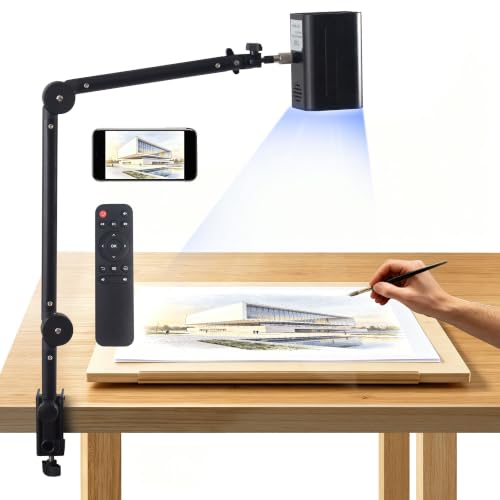
This unbranded-feeling listing earns its place with two words the budget tier rarely prints: Native 720P. Native is the resolution the machine actually draws, not a signal it can accept, and a seller who states it plainly at this level is extending a courtesy the whole class should copy. Beside it sits the same wide 9 to 150 inch image range as the BLANRICO, with 2.4G WiFi, USB and HDMI connections and manual focus — a specification that reads like a checklist written by somebody who traces.
Comparison with the BLANRICO is unavoidable and instructive. Both claim the same span and similar connections; this title adds the word native to its resolution and specifies the 2.4G band of its WiFi, while the BLANRICO names an adjustable stand that this title does not mention. Neither listing is “the same projector” — they are rival attempts at the same brief, and the wise buyer compares the exact listing in the basket against the exact facts they need, stand included.
Manual focus, again, is the budget tier’s honest mechanism: a ring, a hand, no motor to fail and no software to age. At 150 inches a manual ring asks for a patient minute and perhaps a helper calling out from the wall, but it also teaches its owner exactly how focus behaves across distances, knowledge that transfers to every projector they will ever own.
The stated uses run from canvas and wall murals to cookie decorating, with DIY artists and students named outright. That breadth suits the machine’s nature: a general-purpose tracer with a trustworthy resolution statement and a range that covers the desk and the wall in one body. Students in particular should note it — coursework spans exactly that territory, from notebook enlargements to exhibition panels.
The 2.4G-only wireless is the specification to weigh against the HY520’s WiFi 6. Older-band WiFi reaches further through walls and joins every router ever made, but it is the slower, more crowded band. In a small flat or studio the difference may never appear; in a busy household network it might. Neither fact disqualifies the machine — it simply locates its value in resolution honesty and range rather than in radio modernity.
If your budget shopping begins with the native figure and ends with a range that covers your largest canvas, this listing is the most straightforwardly specified machine in the guide, and straightforward is a high compliment at this end of any market.
- Resolution: Native 720P stated in title
- Image size: 9 to 150 inches stated
- Wireless: 2.4G WiFi stated
- Connections: USB and HDMI also stated
- Focus: manual, per title
- Stated uses: canvas, wall murals, cookie decorating; DIY artists and students
Strengths
- Native resolution stated outright at a budget tier
- Full 9 to 150 inch range for desk and wall
- Three connection routes including wired fallbacks
Trade-offs
- WiFi is the older 2.4G band only
- No stand is described in its title
- Manual focus at maximum size wants a helper
Best for: students and DIY artists who shop by the native figure first.
Not suited for: buyers who need a stand confirmed in the title before ordering.

Art Projector for Cookies and Cakes — The decorator’s specialist
Here is the niche pick, framed without apology by its own title: a projector for tracing, painting and drawing on cookies, cakes and crafts. Decorating food is precision work at miniature scale — a monogram on a biscuit, a character on a birthday cake — and it happens on a counter, at close range, often with an audience of hungry relatives. A machine specified for that world brings gifts a painter should also appreciate: an adjustable stand for downward aim and auto vertical keystone to square the design on a small, unforgiving surface.
Native 720P is stated, which at cookie scale is a meaningful figure: the image is small, so its pixels are dense, and lettering that would soften across a wall stays crisp across a cake. This is the arithmetic that makes specialists worth buying — the specification that looks modest in a headline becomes generous at the size the machine was built for.
Connections cover iOS and Android casting over 2.4G WiFi, with HDMI and USB inputs beside. A decorator’s reference usually lives on the phone that just photographed the client’s inspiration picture, so phone-first casting is the correct priority, and the wired inputs wait for the laptop with the logo files. The adjustable stand, again, is the working heart of the design: cakes do not move to meet projectors, so the projector must compose itself above the counter at whatever height the tier demands.
Painters reading this review should translate rather than dismiss. Crafts are named in the title alongside the edible work, and a projector that can throw a clean small image downward onto a counter can throw one onto a tabletop canvas, a wooden sign or a fabric panel with equal obedience. What it will not do is fill a wall — no range is stated, and its whole framing is close work — so muralists should pass it by with respect rather than buy it with hope.
Consider also the working posture the design assumes. Decorating happens seated or standing at a counter, looking down, with the design required to sit still for minutes while piping follows it. A projector that holds an adjusted stand position above that scene, squaring itself vertically, is solving the decorator’s actual problem rather than a generic one — and crafters tracing onto horizontal surfaces inherit the same solution intact.
Within its niche this is arguably the most thoughtfully specified machine in the guide: native resolution, automatic squaring, a stand built for the angle of the work, and phone casting for the way decorators actually collect designs. Inexpensive and specialised beat expensive and vague whenever the specialisation is yours.
- Resolution: Native 720P stated in title
- Keystone: auto vertical keystone stated
- Stand: adjustable stand stated
- Casting: iOS and Android over 2.4G WiFi stated
- Inputs: HDMI and USB stated
- Stated surfaces: cookies, cakes and crafts
Strengths
- Native 720P is dense and crisp at edible scale
- Auto vertical keystone squares designs on small surfaces
- Adjustable stand suits counter-height downward aim
Trade-offs
- No projection range is stated for wall work
- Close-range framing excludes mural ambitions
- WiFi is limited to the 2.4G band
Best for: cookie and cake decorators tracing designs at counter scale.
Not suited for: painters who need a stated wall-sized projection range.

Art Projector for iPhone and iPad — Apple households only
This review begins with the fence, because the fence is the product: the title states the machine is only compatible with iPhone and iPad, projecting wirelessly over AirPlay. If your household runs on Android, stop reading this review and choose among the five picks above — no feature that follows can compensate you for a projector your phone cannot address. If your household is Apple through and through, keep reading, because a machine built exclusively for one ecosystem can serve that ecosystem very smoothly.
AirPlay is Apple’s own casting system, and a projector designed around it inherits its manners: the phone or tablet finds the projector the way it finds a television, and the design on the screen becomes the design on the wall or desktop without a third-party app mediating. For artists whose references live in an iPad’s drawing apps — a very large tribe — that directness is the entire point of the purchase.
Desktop and wall drawing are both named, with canvas work in the framing, and USB and HDMI inputs stand beside the wireless route. Those wired inputs soften the fence usefully: a laptop or another source can still reach the projector by cable even though wireless casting is Apple-only. The title’s honesty about all of this — the limit in plain words, the inputs in plain words — is itself a budget virtue, because surprises are the most expensive feature a cheap product can have.
What the title does not state is a resolution figure or a projection range, and an Apple household tempted by the casting convenience must still do that homework on the listing. Nor should the machine be bought as a shared-household or classroom device unless every hand that will feed it carries Apple hardware; a single Android phone in the group turns the fence from a footnote into a wall of the other kind.
There is a secondhand warning attached to this pick that applies nowhere else in the guide. Budget projectors change hands often, and this is the one model whose usefulness depends entirely on the next owner’s phone. An Apple household buying it used gets full value; an Android household buying it used gets a wired-only machine at a wireless price. If you sell yours onward, name the fence in your own listing as plainly as the manufacturer did — the honesty that sold it to you is part of what you are reselling.
Bought knowingly, by the right household, this is a perfectly rational inexpensive pick: it spends nothing on compatibility its owners will never use and puts its effort into the one casting route they use daily. Bought carelessly, it is the fastest return in this guide. The difference is entirely in the reading, which is why this review put the fence first.
- Compatibility: only iPhone and iPad, via AirPlay — stated in title
- Placement: desktop and wall drawing stated
- Inputs: USB and HDMI stated beside wireless
- Stated work: tracing, drawing and painting on canvas
- Resolution: Not stated in the listing title — verify with the manufacturer documentation
- Projection range: not given in the title
Strengths
- AirPlay casting suits iPad-centred art workflows
- The compatibility limit is printed honestly in its title
- Wired inputs keep non-Apple sources reachable by cable
Trade-offs
- Android phones cannot cast to it at all
- Resolution and range require a listing check
- Shared spaces with mixed devices will trip on the fence
Best for: all-Apple households tracing from iPhone or iPad.
Not suited for: any household where an Android phone must cast wirelessly.
Comparison
| Pick | Headline facts from its listing title | Buyer it suits first |
|---|---|---|
| Artpanda Art Projector | Stable stand, desktop and wall, sketching/murals/crafts/cake | The household needing one steady generalist |
| BLANRICO Art Tracing Projector | 720P, 9–150 inch, manual focus, WiFi/USB/HDMI, adjustable stand | The pattern maker and mural planner |
| LAIZESKE HY520 Art Projector | 720P HD, WiFi 6, Bluetooth 5.0, auto keystone, 40–120 inch | The classroom or club carrying it room to room |
| Tracing Projector 720P 9-150in | Native 720P, 9–150 inch, 2.4G WiFi, USB/HDMI, manual focus | The student shopping by stated native figures |
| Art Projector for Cookies and Cakes | Native 720P, auto vertical keystone, adjustable stand, iOS/Android | The decorator working at counter scale |
| Art Projector for iPhone and iPad | AirPlay only for iPhone/iPad, USB and HDMI inputs, desktop/wall | The all-Apple household, and no other |
How to Choose an Inexpensive Art Projector
Begin with the gate, not the goods: list the devices that will feed the projector and strike out any pick whose title excludes them. In this guide that single step removes the AirPlay-only machine for Android households and costs nothing. Compatibility errors are the only budget mistakes that cannot be softened by a darker room or a better stand.
Next, read resolution claims like a lawyer. Native figures describe the drawn picture; bare figures describe something vaguer; silence describes homework. At this level the difference between the three wordings is worth more than any other line in a title, because sharpness is the quality a tracing artist touches with every line. Then match the stated range to your largest real surface, remembering that a range’s floor matters too — the HY520’s 40-inch minimum is a genuine constraint for tabletop workers.
Finally, spend your remaining attention on the stand and the squaring. An adjustable stand and automatic keystone are the features that decide whether a cheap projector feels cheap in use. A machine that holds its posture and squares its own picture will be forgiven a modest resolution every session; a wobbling, crooked one will be cursed at any sharpness. Inexpensive done well is a posture, not a pixel count.
Is Native 720P Sharp Enough for Tracing?
For the work this class exists to do — outlines, lettering, patterns, mural layouts — yes, with the room dark and the size sensible. Tracing consumes edges rather than textures, and a native 720P edge at desk or modest wall scale is a clean, followable line. The two picks here stating Native 720P outright give you that edge with the least ambiguity a budget can buy.
Where 720P begins to thin is fine detail at large size: cross-hatching, small text, intricate lacework thrown across a whole wall. Artists whose references live at that level of detail should either work at smaller sizes with these machines or step up to a stated 1080P class. Knowing which side of that line your own work sits on is the cheapest research in this entire purchase.
Why Does the Stand Matter More Than the Specification Sheet?
Because tracing is a long, still activity performed on an image that must not move, and the stand is the only component whose whole job is stillness. A brighter or sharper projector on a creeping stand produces a worse drawing than a modest one standing firm; the line you follow is only as honest as the posture holding it. Makers of inexpensive machines know this, which is why the better titles in this guide talk about stands early and proudly.
Adjustability is the stand’s second virtue. Desk, counter and wall work all ask for different heights and angles, and a stand that adapts keeps one machine useful across the whole house. When a budget forces a choice between an extra connection and a better stand, experienced tracers choose the stand and buy a cable.
What Does Auto Keystone Actually Save You?
Time and temper, in that order. Keystone correction squares an image thrown from an angle, and budget setups are always at angles because budget rooms are always improvised. Automatic correction — full auto on the HY520, auto vertical on the cookie and cake pick — removes the fiddly minute of menu-diving that otherwise opens every session, and it rescues the small surfaces, like a cake, where a trapezoid design is immediately obvious.
Manual alternatives are not failures; the manual-focus picks here square their images by placement and patience. But a beginner or a classroom working against the clock will feel the automatic version’s kindness daily. Judge the feature by your setting: a fixed studio can live without it, a travelling or shared setup will bless it.
Can an Inexpensive Projector Handle a Whole Mural?
Two picks here state a 150-inch ceiling, which covers most domestic walls, so the answer is a qualified yes — qualified by darkness, by the boldness of the design, and by the patience manual focus demands at that size. A mural outline is bold work by nature: shapes, horizons, lettering. At dusk in a curtained room, a native or claimed 720P outline at that scale is entirely traceable.
The qualification is detail. A mural whose design depends on fine texture should be traced in sections at closer range rather than in one heroic throw, whatever the projector cost. Sectional tracing is not a budget compromise; muralists with expensive machines do it too, because arms and ladders have their own geometry. Buy the range for the wall you have, then work it in the sections your body prefers.
How Long Should an Inexpensive Projector Last an Artist?
Judge lifespan by the parts that cannot be updated. A stand’s hinge, a focus ring, a lens and a fan decide how many years a budget machine serves; its software, by contrast, can be bypassed the day it ages, because every pick here accepts a wired or cast source that a newer device can drive. That is why this guide keeps returning to mechanical honesty in titles — stands named, focus styles stated — since those are the components you are truly buying for the long term.
Care extends the bargain considerably. A projector kept dusted, stored off the kitchen counter’s flour zone and allowed to cool before being moved will outlast a neglected machine twice its price. Inexpensive equipment is often accused of short life by owners who stored it like a toy; treat it like the optical instrument it is, and the class’s durability surprises most first-time buyers.
What Should You Check in the First Week of Ownership?
Run the machine through your real life while returns are still easy. Cast from every phone in the house, including the one you forgot to test. Trace at your smallest and largest intended sizes, in your actual room, at your actual working hour. Try the stand on the desk and the floor, focus at both extremes of the range, and project the finest-lined reference you own to learn exactly where the resolution ceiling sits.
Write down what you learn — the distance that filled your canvas, the band your router preferred, the perch that did not wobble — because that notebook page becomes the setup ritual that makes the machine feel professional. A budget projector tested honestly in week one and kept becomes a tool; one left untested until month two becomes a grievance with a lens.
Does Bluetooth Matter on an Art Projector?
Only one pick here names it — the HY520, with Bluetooth 5.0 beside its WiFi 6 — and its role is peripheral rather than pictorial. Bluetooth on a projector usually serves audio or a remote accessory, not the image itself, and for tracing, where the picture is the entire product, it is a convenience rather than a core capability. Artists working silently over a canvas may never touch it.
Where it earns its mention is shared and teaching spaces: a speaker for spoken instructions, a wireless accessory in a classroom, one less cable across a floor that students cross. Weigh it as a room feature, not an image feature, and do not let its presence on one title distract from the stands, ranges and resolution wordings that decide traced lines.
Common Mistakes
Buying the Apple-only projector for a mixed household is the sharpest mistake available in this guide, and it happens because shoppers read the feature list before the compatibility line. The title states the limit plainly; the error is purely one of reading order. Let compatibility be the first line you check on any casting product, at any price, forever.
Assuming two similar listings are the same machine runs second. This guide contains rival projectors claiming identical 9 to 150 inch ranges with different stands, bands and resolution wording. The basket’s exact title is the only specification that will arrive in the box, and screenshots of the listing you relied on are a budget buyer’s best friend in any later dispute.
Judging a budget projector in a bright room is the third classic. Every machine here is a darkness instrument at heart; a noon test against white walls manufactures disappointment that a curtained evening would have prevented. Test at the hour and in the light you will actually work, and let the machine be judged by its real life.
Overlooking the floor of a projection range is a subtler error that catches tabletop workers. A range printed as 40 to 120 inches sounds generous until the evening you need a 12-inch trace on the desk and the machine cannot compose an image that small from any workable distance. Read both ends of every range against your own smallest and largest jobs; the middle of the range is where brochures live, but artists live at the ends.
Finally, beginners overspend on resolution and underspend on darkness. Blackout material for one window improves every pick in this guide more than a tier jump would, and it costs less than the difference between tiers. Buy the room first, the projector second, and the inexpensive class will surprise you with how grown-up it feels.
Should You Buy One Good Cheap Projector or Save for a Better One?
Which choice is right depends on what the waiting costs you. An artist with projects queued now — a mural promised, a market stall to stock, coursework due — loses more by waiting a season than a modest projector loses in sharpness. The machines in this guide trace real lines today, and several state native figures and ranges that would have been respectable at far higher shelves not long ago. Work made this year teaches more than equipment admired next year.
Saving wins in one clear case: when your work already lives at the detail level these machines cannot serve — fine portraiture at wall scale, intricate textile patterns — and a cheap purchase would become a rehearsal for the real one. Even then, let the decision be about your artwork’s demands, not about embarrassment at a low shelf. Some of the most productive studios in any city run on equipment their owners chose with clear eyes and small budgets.
How Do You Darken a Room on a Budget?
Since darkness is this class’s true companion purchase, spend on it cleverly. A single blackout panel over the working window outperforms a houseful of dim lamps; hanging it from the existing curtain rail keeps the fix reversible for renters. Sealing the door’s light gap with a rolled towel sounds like a joke until the first session it rescues, and turning off the hallway light is free forever.
Work scheduling is the other free upgrade. These projectors are evening instruments, and an artist who plans tracing for after dusk gets a premium room for nothing. Align the habit and the hardware and an inexpensive projector stops feeling inexpensive within a week — the image was never the cheap part; the light leaking around it was.
Final Recommendation
Match the machine to the household and the habit. The Artpanda is the steady generalist for mixed work on desk and wall. The BLANRICO and the native-720P tracing projector are the range pair — choose between them by the stand and the wireless band, having compared their listings line by line. The HY520 is the modern, mobile choice for classrooms and shared rooms. The cookie and cake specialist owns its niche outright, and the AirPlay projector is a good buy for exactly one kind of household and a trap for every other.
Whichever arrives, give it darkness, a firm stand and a first project at modest size. Inexpensive projectors reward owners who set them up thoughtfully far more than they reward owners who shop aggressively, because the class’s limits are mostly environmental — and environments are the one specification entirely in your control.
Keep the listing pages of your final two candidates open side by side before ordering, and read their titles once more against your own written list of needs — phone system, largest surface, smallest surface, stand, darkness. Five minutes of that comparison is the entire discipline of budget buying, and it is what separates the readers of this guide from the reviewers who warn others away from machines that were never wrong for anyone but them.
The deepest value in this guide is not any single machine; it is the discovery that a careful reader can buy at this level without being fooled — by a fence, by a vague resolution, by a missing stand — because every one of those facts was printed in the titles all along, waiting for somebody to read them in the right order.
Can an Inexpensive Projector Be a Student’s Only Projector?
For most coursework, yes — and the picks here seem almost designed for the question. A student’s year runs from notebook-scale studies to one or two large panels, across shared flats and borrowed classrooms, on a budget that resents every purchase. A machine with a wide stated range, wired fallbacks for whatever laptop the department lends, and a stand that works on a desk covers that year without drama. The native-720P tracing projector and the BLANRICO both fit the description, differing mainly in stand and wireless details.
The limits appear at the extremes of ambition: a final exhibition piece demanding fine detail at full-wall scale will expose the 720P ceiling, and a student heading there should plan to borrow the department’s better machine for that single project rather than buy beyond their means for a whole degree. Owning the right inexpensive projector and borrowing the exceptional one twice is not a compromise — it is exactly how working artists equip themselves after graduation too.
Frequently Asked Questions
Which inexpensive pick states its resolution most honestly?
Two titles say Native 720P outright: the tracing projector with the 9 to 150 inch range, and the cookie and cake specialist. Native wording describes the picture actually drawn, which is why this guide credits it above looser 720P claims.
Can I use the iPhone projector with an Android phone?
No. Its title states it is only compatible with iPhone and iPad over AirPlay. Android sources can still reach it by its USB and HDMI inputs with a cable, but wireless casting from Android is not possible.
Which pick is best for a classroom?
The LAIZESKE HY520 names home classroom use in its title and backs it with WiFi 6, Bluetooth 5.0, auto keystone and portability — the combination a teacher moving between rooms will appreciate most.
Do any of these projectors work for cookies and cakes?
Yes — one pick is built specifically for cookies, cakes and crafts, with an adjustable stand and auto vertical keystone for small surfaces, and two others name cookie decorating among their uses.
What is the single best upgrade to pair with a budget projector?
Darkness. Blackout material for the working window improves every machine in this guide more than moving up a tier would, because washed-out contrast — not resolution — is what makes an inexpensive image look inexpensive. After that, a firm dedicated stand or surface, and after that, nothing: the rest is practice.
Is a stand really included or needed at this level?
Three titles name an adjustable or stable stand; where a title does not mention one, confirm on the listing. A stand matters because tracing needs an image that holds perfectly still for the length of a session.
Related Guides
Budget settled, the neighbouring reads are the LED projectors chosen for working artists, the projectors picked purely for tracing images, and the step up to mural wall painting projectors for full-size work.


