What's inside
- Where the Trail From File to Wall Begins
- Key Takeaways
- Quick Picks
- How We Chose These Picks
- Comparison
- How to Choose a Projector for Tracing
- App, Web Control or No App — Which Ages Best?
- How Do You Keep a Traced Image Registered Across Sessions?
- What Size Should You Trace At?
- How Dark Must the Room Be for Fine Line Tracing?
- Should You Trace in Colour or Convert References to Line Art First?
- How Do You Trace Onto a Canvas That Will Move Afterwards?
- Common Mistakes
- Final Recommendation
- What Should You Test in the Return Window?
- Frequently Asked Questions
- Related Guides
As an Amazon Associate I earn from qualifying purchases. This post may contain affiliate links at no extra cost to you.
[SITE_DOMAIN] is reader-supported. When you buy through links on our site, we may earn an affiliate commission.
Tracing looks simple from outside — an image on a wall, a hand following it — and turns out to be a chain of small decisions about control. The best projectors for tracing images are separated less by their lenses than by how an image travels from its source to the surface, and by whose software conducts it on the way. Six digital projectors are gathered here, and the honest way to read them is by their control philosophies: a dedicated art app with a saved library, a browser-based web control that installs nothing, a plain no-app connection, a studio software package steered from phone and computer, and two generalists that leave the conducting to you.
That axis matters because tracing is repetitive, intimate work. You will summon the same reference dozens of times across a piece’s life, resize it as the composition settles, and curse whatever stands between the file and the wall. A control route that fits your habits disappears; one that fights them becomes the project’s weather. This guide therefore reviews each machine’s route from source to surface as carefully as its stated optics, and credits resolution claims, size ranges and stands exactly as their titles print them.
All six picks here are digital. Artists whose source images are physical pages should know that a different family — opaque projectors that enlarge paper directly — exists and is covered elsewhere in this series; nothing in this guide can project a sketchbook page that has not first been photographed or scanned. Within the digital family, though, the variety is real: one machine saves your designs in its own library, one carries its studio in a case with a tripod, one refuses to make you install anything at all.
Brightness language in these titles follows the class’s marketing dialects, and this guide neither converts those dialects into a shared scale nor ranks machines by numbers that were never measured alike. Tracing clarity is governed in practice by your room’s darkness and your image’s size, and the reviews below concentrate on what titles verifiably establish: how the image is sourced, how it is controlled, how large it can go, and how the machine stands while doing it.
Silences are transcribed rather than filled. Where a title omits a resolution, a range or a stand, the spec box in that review says so in plain language, because a tracer planning a season of work deserves to know which facts are printed and which must be confirmed on the listing before the box is opened.
Where the Trail From File to Wall Begins
Every linked name in this guide leads to that model’s own Amazon listing, where the current figure, complete description and owner experience sit together. Read the listing with your own workflow in hand: the phone you own, the computer you draw on, the surfaces you trace onto, the size of your largest planned piece. A tracing projector is a route as much as a device, and the listing page is where the route’s final mile — compatibility with your exact hardware — gets confirmed.
Key Takeaways
- The ranking axis in this guide is control: dedicated app, app-free web control, no-app connection, studio software for phone and computer, or the source device left in charge.
- The Caydo S2 is the library keeper — its art design app auto-saves designs, so multi-session tracing resumes where it stopped.
- The web-control pick steers through a browser on 5G WiFi with no app installation, and works online or offline for iOS and Android.
- The no-app 1080P pick states the strongest resolution claim here and covers canvas, wall, desk and cake on dual-band WiFi.
- The RugBeam is the studio package: RugBeam Studio software, phone and computer control, an adjustable tripod stand, a mini ball head and a carrying case.
- The LAIZESKE HY520 is the modern-wireless generalist — WiFi 6, Bluetooth 5.0, auto keystone and a 40 to 120 inch range — while the Artpanda is the stand-first generalist for desk and wall.
Quick Picks
| Pick | Badge | Why it earns its place |
|---|---|---|
| Artpanda Art Projector | Desk and wall from one stand | A sketch projector with a stable stand for desktop and wall projection, aimed at sketching, murals, crafts and cake decorating. |
| Art Projector No-App 1080P | Clarity without ceremony | A white projector needing no app, with dual-band WiFi and a 1080P HD claim, projecting images onto canvas, wall, desk or cake. |
| Art Projector with 5G WiFi and App-Free Web Control | The browser is the remote | A digital sketch projector steered by app-free web control over 5G WiFi, on a stable stand, for iOS and Android, online or offline. |
| Caydo S2 Art Projector | Your designs, remembered | An art projector with a dedicated design app and an auto-saved design library, projecting 15 to 85 inches across table and wall. |
| RugBeam Drawing Projector | A studio that packs into a case | A drawing projector with RugBeam Studio software, phone and computer control, an adjustable tripod stand, mini ball head and carrying case. |
| LAIZESKE HY520 Art Projector | Current wireless, automatic squaring | A portable 720P HD projector with WiFi 6, Bluetooth 5.0 and auto keystone, projecting 40 to 120 inches for artists and classrooms. |
How We Chose These Picks
Control route was the primary sort, applied before any specification was compared. Each pick had to represent a distinct, defensible answer to the question of how a tracing image is summoned and steered: by an app that remembers, by a browser that installs nothing, by a connection that needs no software layer, by studio software spanning phone and computer, or by stands and wireless that leave the artist’s own device in charge. Six near-identical casting boxes would have made a shorter guide and a worse one.
Source honesty came next. Titles were read for what they say about where images originate — a phone’s camera roll, a computer’s files, a saved library inside an app — and any machine whose tracing story depended on hardware it did not mention was marked down. Tracing fails socially before it fails optically: the reference is always on the other device, in the other room, in the other format.
Stated optics were credited literally. A 1080P claim was weighed as a claim, a 720P HD claim as a lesser one, and ranges were compared exactly as printed, floors included. Stands were scored as tracing equipment rather than furniture, because an image that drifts during a long outline session is worse than a softer image that holds still, and the titles that name their stands were trusted further for it.
Session realism was the standard behind every judgement. Each title was read against a concrete imagined evening: the room darkening, the reference summoned from its actual home, the image sized to an actual canvas, the artist’s hand beginning its work. Machines whose titles described that evening completely — source, control, posture, size — scored as tracing instruments; machines whose titles described only an image scored as novelties, and novelties were left to other guides.
Finally, each pick had to suit tracing as a repeated practice rather than a single party trick. Machines framed for murals, sketching, crafts and classroom work — the settings where the same projector is summoned weekly — outranked machines framed for occasional novelty, however bright their headlines.

Artpanda Art Projector — Desk and wall from one stand
The Artpanda’s tracing story is told by its posture. A stable stand, built for desktop and wall projection alike, means the same machine that throws a design downward onto a tabletop canvas in the morning can face the wall for a mural layout by afternoon — and tracing, more than any other projection work, lives in that alternation between the small surface studied closely and the large one checked from across the room.
Its stated territory is sketching, murals, crafts and cake decorating, and each of those is a tracing discipline with its own tempo. Sketching wants the image close and dimmable; murals want it large and patient; crafts want it repeatable at pattern scale; decorating wants it precise on a surface that cannot be redrawn once the icing sets. A generalist that names all four is promising steadiness across tempos, and steadiness — of stand, of image, of temperament — is the quality tracers actually consume.
The title leaves its control story largely to the buyer’s devices: no dedicated app is named, no casting system is boasted. Read that as the Artpanda’s philosophy rather than its poverty. The machine presents itself as a sketch projector and a projection tool, expecting the reference to arrive from whatever the artist already uses, and many tracers prefer exactly that neutrality — their workflow lives in their phone’s folders, not in a projector maker’s cloud.
Resolution and projection range are both absent from the title, and the spec box records the fact without varnish. For bold outline work — the majority of tracing — that absence is survivable; for fine detail it sends the buyer to the listing, which is where this guide sends every reader whose project depends on an unprinted figure. Buy the Artpanda for the stand and the surfaces, having confirmed the numbers your own work requires.
Classroom teachers form a quiet constituency for this kind of machine. A projector that traces a timeline, a map or a scenery flat onto the wall — then repeats the trick next term from the same folders — earns a cupboard place in any art room, and a stand equally at home on a desk and before a wall suits the furniture schools actually have. The Artpanda’s neutrality about software is a virtue there too: whatever device the school issues can presumably feed it, without a new account being created in a child’s name.
In a guide organised by control philosophies, the Artpanda represents the device-led school: bring your own source, your own habits, your own software opinions, and the projector will hold the image still while you work. There are tracers who have used one machine this way for years and never wanted more, and their contentment is data.
- Stand: stable stand, desktop and wall projection stated
- Stated work: sketching, murals, crafts, cake decorating
- Control: no dedicated app named in the title — source device leads
- Resolution: Not stated in the listing title — verify with the manufacturer documentation
- Projection range: not given in the title
Strengths
- One steady stand covers tabletop and wall tracing
- Control neutrality suits established personal workflows
- Broad stated work across four tracing disciplines
Trade-offs
- Resolution and range must be confirmed on the listing
- No saved-library or studio software is offered
- Fine-detail tracers carry the homework burden
Best for: tracers who work at both desk and wall with their own source habits.
Not suited for: tracers who need stated resolution and range figures upfront.

Art Projector No-App 1080P — Clarity without ceremony
This white projector makes the most quotable promise in the guide: no app needed, printed in its title beside a 1080P HD claim and dual-band WiFi. For tracing, the pairing is potent. The image arrives without a software intermediary — no account, no library to maintain, no update pending — and it arrives at the strongest resolution wording any pick here offers. Tracers who think in files and folders rather than apps will recognise their machine immediately.
Dual-band WiFi, covering 2.4G and 5G, is the connection story, and it is the right one for a no-app design: with no proprietary software to smooth the join, the radio itself must be fluent in whatever network the home runs. The older band reaches through walls to distant routers; the newer band moves the image briskly at close range. A tracer should not have to know any of this, which is precisely the point of covering both.
The surfaces named are canvas, wall, desk and cake — the tracer’s full habitat in four words. Projecting a reference onto a cake is the same discipline as projecting it onto canvas, at higher stakes and smaller scale, and a machine at home in both places understands tracing as a general skill rather than a studio ritual. Artists and beginners are both addressed in the title, fairly: the absence of an app patronises nobody, it merely removes a layer.
What the title withholds is a projection range and any stand description, so placement planning requires the listing. That gap matters most to muralists, whose whole project is a range question; desk and canvas tracers will find the omission easier to forgive. Everything the title does state points one way — toward the tracer who wants the picture sharp, the route short and the software somebody else’s problem.
Portrait tracers should weigh this pick carefully, because likeness is an edge discipline. A face traced from a soft image drifts into approximation no matter how steady the hand, and the stated 1080P claim here is the guide’s best insurance that the line around an eye survives the journey from file to wall. Pair that with a dark room and a mid-range size, and this is the machine in the set most likely to be forgiven by a portraitist’s standards.
There is a philosophical comfort in this machine’s restraint worth naming. Tools that do one thing without accounts or ecosystems tend to be usable in ten years, because nothing remote can be switched off beneath them. A tracer building a long practice on a no-app projector is buying that durability of routine, and it is a more serious feature than its two-word title suggests.
- Resolution claim: 1080P HD, per title
- Control: no app needed, per title
- Wireless: dual-band 2.4G and 5G WiFi stated
- Surfaces: canvas, wall, desk and cake stated
- Colour: white, per title
- Projection range: not given in the title — check the listing
Strengths
- Strongest resolution claim in this tracing set
- No software layer between source and surface
- Dual-band WiFi joins either home network generation
Trade-offs
- Range and stand details live only on the listing
- No library remembers your designs between sessions
- White finish marks easily in a working studio
Best for: file-and-folder tracers who want sharpness without an app.
Not suited for: muralists who need a stated range before they can plan.
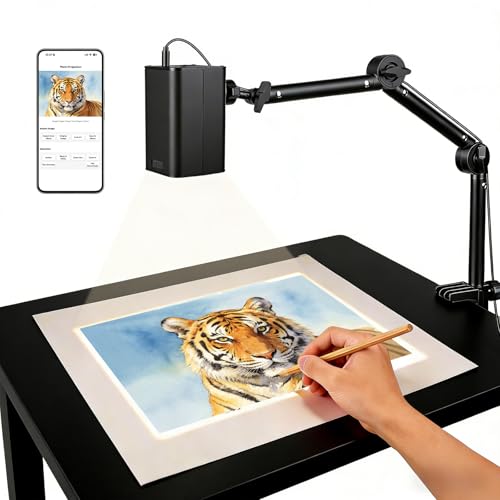
Art Projector with 5G WiFi and App-Free Web Control — The browser is the remote
Web control is the most quietly radical idea in this guide. Instead of an app — with its store listing, its permissions, its account, its updates — this projector is steered through a web interface, the way one visits a page. Any device with a browser becomes the remote, which dissolves the usual tracing friction of whose phone has the software installed. A borrowed tablet, a partner’s phone, the studio laptop: all of them can conduct the image, because all of them can open a page.
The title pairs that control route with 5G WiFi and compatibility across iOS and Android, and adds a working detail tracers in real buildings will appreciate: online and offline operation are both supported. Studio networks are famously temperamental — shared, distant, throttled — and a tracing session that survives the router’s moods is worth more than a specification printed in larger type.
A stable stand is named, which matters doubly for a machine whose sessions may be long: web control invites leisurely adjustment from wherever the artist stands, and the picture must hold while the artist walks back to the canvas to judge the change. Cookie decorating appears in the title’s framing, signalling desktop confidence at close range alongside general tracing and drawing work.
Resolution is not printed in the title, and this review keeps that silence visible rather than papering over it. The machine is bought for its control philosophy, and a tracer whose references are bold — compositions, lettering, mural architecture — will rarely feel the missing figure. Tracers of fine detail should set this pick against the stated-resolution machines here and decide which currency they value: certainty of sharpness, or freedom from apps.
Shared studios reveal another of web control’s quiet strengths: custody. When three artists share one projector, an app-based machine tends to become one person’s responsibility, because the controlling phone is theirs. A browser-steered machine belongs to whoever is standing at the canvas, which keeps shared equipment genuinely shared and prevents the small resentments that accumulate around borrowed technology. Communal art spaces run on such courtesies, and equipment that encodes them lasts longer in the rota.
There is also a longevity argument for browser control that tracers should weigh seriously, made on the merits rather than as a slogan: apps are abandoned by their makers on commercial schedules, while a web interface served by the device itself has no store to be delisted from. A projector bought for a decade of tracing is a bet on its control route surviving, and the browser is the oldest, most conservative bet in computing.
- Control: app-free web control, per title
- Wireless: 5G WiFi stated
- Compatibility: iOS and Android stated
- Working modes: online and offline supported
- Stand: stable stand stated
- Resolution: the title prints no figure — verify before ordering
Strengths
- Any browser-bearing device can steer the image
- No app account stands between artist and artwork
- Offline working survives unreliable studio networks
Trade-offs
- Resolution must be confirmed on the listing
- Control still requires a device with a browser nearby
- No saved design library is claimed in its title
Best for: tracers who share control across many devices and people.
Not suited for: tracers who need a resolution figure in writing before buying.
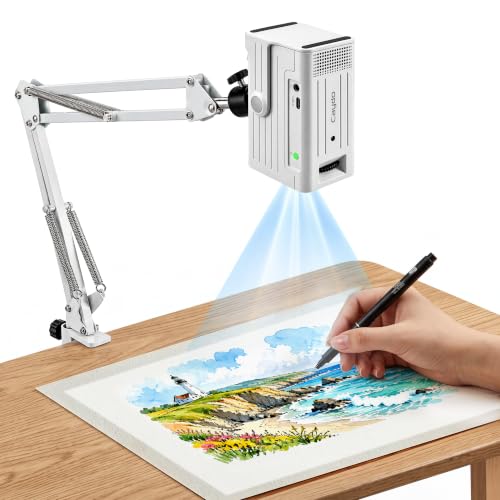
Caydo S2 Art Projector — Your designs, remembered
The S2’s control philosophy is memory. Its art design app comes with an auto-saved design library, and for tracing — a discipline of interrupted sessions and returning references — that single feature reorganises the working week. The composition you traced on Tuesday is waiting, saved by the machine itself, when Saturday’s session begins; the series of related pieces you are developing shares one shelf; the cookie design that worked in spring can be summoned again in December without an archaeological dig through a camera roll.
Its projection range is stated at 15 to 85 inches, across table and wall. That is the tracer’s heartland rather than the muralist’s frontier: sketchbook enlargements, canvas panels, craft templates, decorated food. A range chosen for the sizes people actually trace weekly, on furniture people actually own, signals a maker who studied sessions rather than showrooms.
Painting, sketching and cookie decoration are the stated callings, and the app binds them into one practice. A design begun as a painting study can be re-projected as a cookie decoration at counter scale; the library does not care which craft a file serves, and neither, increasingly, do the artists who move between canvas and kitchen in a single portfolio career.
The bargain’s other side is app dependence, stated fairly: the S2’s virtues live inside Caydo’s software, so the owner’s phone must host it and the owner’s habits must suit it. Tracers who chose the web-control or no-app picks above did so to avoid exactly this relationship. Neither party is wrong; they are different theories of where a tracing practice should keep its memory — in a maker’s library, or in the artist’s own folders.
Series work is where the library’s arithmetic becomes undeniable. A painter developing twelve related panels, a decorator repeating a motif across a product line, a teacher reusing a term’s worth of diagrams — each re-summoning is a small tax on every other control route and no tax at all on this one. Multiply a saved minute by a hundred sessions and the S2 has repaid its app’s learning curve in the currency tracers actually spend, which is evenings.
Resolution is not printed in the title, so fine-detail tracers owe the listing a visit. What the title guarantees — app, library, range, surfaces — describes a machine for the tracer whose problem was never sharpness but continuity. If your tracing life is a trail of half-finished pieces and lost references, the S2 is the only pick here designed to cure the actual disease.
- Software: art design app with auto-saved design library
- Projection size: 15 to 85 inches stated
- Placement: table and wall stated
- Stated work: painting, sketching, cookie decoration
- Resolution: Not stated in the listing title — verify with the manufacturer documentation
Strengths
- Auto-saved library ends the lost-reference problem
- Range matched to weekly tracing sizes
- One app serves painting, sketching and decorating
Trade-offs
- 85-inch ceiling excludes full-wall tracing
- The library’s benefits require living in the app
- Resolution must be confirmed on the listing
Best for: multi-session tracers whose designs recur across weeks.
Not suited for: whole-wall tracing beyond an 85-inch image.

RugBeam Drawing Projector — A studio that packs into a case
The RugBeam arrives as a kit, and the kit is the argument. RugBeam Studio software, control from phone and computer alike, an adjustable tripod stand, a mini ball head and a carrying case: the title describes not a projector with accessories but a portable tracing studio, sold as one decision. For artists who trace in more than one place — home studio, rented wall, classroom, a client’s premises — the case is not packaging; it is the feature that makes the practice mobile without improvisation.
Control from both phone and computer distinguishes its software philosophy from the app-only picks. Serious tracing references often live on the computer, where they were drawn, scanned or bought; a studio package that meets them there, while still accepting the phone’s camera roll, covers the two true homes of a tracer’s library. RugBeam Studio is named as the conducting software, so the route is a maker’s ecosystem — with the coherence that implies and the dependence it honestly carries.
The tripod stand and mini ball head deserve a tracer’s respect. A ball head aims a projector the way a photographer’s head aims a camera: loosened, composed, locked, in any direction including steeply down at a table or up at a high wall. Combined with a tripod’s height range, that aiming freedom exceeds what fixed stands offer, and tracing onto awkward surfaces — stairwell walls, floor-laid canvases, tabletops — becomes a posture the equipment chooses rather than tolerates.
Painting and sketching are the stated work. The title does not print a resolution or a projection range, so both belong on the listing-check list for buyers whose projects are dimensioned in advance; the kit’s completeness in hardware makes the omission of numbers feel like a copywriter’s oversight rather than a maker’s evasion, but this guide records it with the same plainness either way.
Client work sharpens the RugBeam’s case further. Tracing a logo onto a shop’s wall, a design onto a café’s board, a mural cartoon onto a community centre’s brick — these are jobs performed in borrowed rooms with unfamiliar furniture, where a tripod and ball head compose a working posture out of whatever the room provides and a case keeps the whole practice in one hand between the car and the wall. Freelance tracers are a growing tribe, and this is the only pick in the guide that reads as though it were specified by one of them.
Choose the RugBeam if your tracing life has an itinerary. It is the only pick here that assumes the studio moves, equips the move properly, and gives the artist one software home across phone and computer when they arrive. A fixed studio can buy its virtues separately; a travelling one will struggle to assemble them this coherently.
- Software: RugBeam Studio software stated
- Control: phone and computer control stated
- Stand: adjustable tripod stand with mini ball head stated
- Carrying: case included, per title
- Stated work: painting and sketching
- Resolution and range: neither is printed in the title — confirm on the listing
Strengths
- Complete mobile studio in one purchase
- Phone and computer control covers both reference homes
- Ball head aims at surfaces fixed stands cannot serve
Trade-offs
- Key numbers require confirmation on the listing
- Studio software is a maker’s ecosystem commitment
- Tripod footprint needs more floor than a desktop stand
Best for: tracers who work across studios, classrooms and client walls.
Not suited for: buyers who need resolution and range stated in the title.

LAIZESKE HY520 Art Projector — Current wireless, automatic squaring
The HY520’s tracing credentials begin with its radios. WiFi 6 and Bluetooth 5.0 are the current connection generation, and a tracer casting references from a modern phone will feel the pairing’s smoothness every session. In a guide organised by control, the HY520 represents the standards-based school: no proprietary library, no browser ritual — the image travels by the industry’s current roads, and the artist’s existing device habits remain in charge.
Auto keystone is its mechanical signature. Tracing setups are improvised more often than any other projection work — the projector balanced where the room allows, the canvas where the light allows — and a machine that squares its own picture absorbs that improvisation silently. Across a 40 to 120 inch range, that self-squaring serves room-scale work: canvases, classroom boards, mural sections, the sizes at which a tilted rectangle is most obvious and most tedious to correct by hand.
The range’s floor deserves the same emphasis as its ceiling. Forty inches is a wall-sized minimum; tabletop tracers who live at cookie and sketchbook scale should look to the S2’s 15-inch floor or the Artpanda’s desk posture instead. The HY520 is a wall machine for artists, beginners and classrooms — all named in its title — and it is honest about the territory it claims.
Its resolution wording is 720P HD, credited here as a 720P-class claim without the word native; fine-detail tracers should confirm the native figure on the listing. At mural-outline and classroom distances, bold references trace cleanly at that level, and the machine’s modern wireless and automatic squaring will be felt in every session — which is the correct order of priorities for the work it is framed to do.
Art clubs and evening classes form the HY520’s natural congregation. A room of adults tracing still-life arrangements or lettering practice needs a picture that assembles itself on an unfamiliar wall while the tutor’s attention is on the students, and auto keystone with modern casting is precisely that inattention-proof combination. Equipment in teaching spaces is judged by how rarely it interrupts the teaching, and this machine’s whole specification leans toward not interrupting.
Portability completes the profile: a projector that travels between classrooms or between home and studio, connects by current standards, and composes its own rectangle on arrival. In this guide’s terms, the HY520 is the pick for the tracer who wants the machinery of control to be modern, standard and forgettable, so the tracing itself can be none of those things.
- Resolution claim: 720P HD, per title
- Wireless: WiFi 6 and Bluetooth 5.0 stated
- Keystone: auto keystone stated
- Projection size: 40 to 120 inches stated
- Form: portable, per title
- Stated settings: artists, kids, beginners, home classroom
Strengths
- Current-generation wireless pairs smoothly with modern phones
- Auto keystone forgives improvised tracing setups
- Generous wall range for canvases and classrooms
Trade-offs
- 40-inch floor excludes small tabletop tracing
- Native resolution wording is not used in its title
- No stand is described in the title
Best for: wall-scale tracing in classrooms and shared studios.
Not suited for: tabletop tracing smaller than a 40-inch image.
Comparison
| Pick | Control route and headline facts | Tracer it suits first |
|---|---|---|
| Artpanda Art Projector | Source device leads; stable stand for desk and wall; murals, crafts, cake | The posture-first generalist |
| Art Projector No-App 1080P | No app; dual-band WiFi; 1080P HD claim; canvas/wall/desk/cake | The sharpness-first minimalist |
| Art Projector with Web Control | Browser control, no install; 5G WiFi; iOS/Android; online/offline | The shared-device household |
| Caydo S2 Art Projector | Dedicated app with auto-saved library; 15–85 inch; table and wall | The multi-session project keeper |
| RugBeam Drawing Projector | Studio software; phone and computer control; tripod, ball head, case | The travelling studio |
| LAIZESKE HY520 Art Projector | Standards-based casting; WiFi 6; auto keystone; 40–120 inch | The classroom and shared wall |
How to Choose a Projector for Tracing
Choose the control route before the specification, because you will live with the route daily and consult the specification rarely. Ask where your references live and who summons them: a personal library that recurs belongs in the S2’s saved designs; a household of many devices belongs behind the web-control pick’s browser; a computer-centred studio belongs with the RugBeam’s dual control; a temperament that hates software layers belongs with the no-app machine. Let the honest answer to that question shortlist two picks at most.
Then read the stated optics of your shortlist literally. Compare resolution claims as worded — a stated 1080P against a 720P HD claim — and ranges by both ends, since the floor decides your smallest work and the ceiling your largest. Check the stand story with equal care: fixed stable stands for a settled studio, tripod and ball head for a moving one, and the listing page for any machine whose title leaves posture undescribed.
Do not skip the household interview, either. A tracing projector in a shared home is used by partners, children, students and guests, and the control route that suits the buyer may baffle everyone else who touches it. Browser control and no-app designs forgive a crowd; a personal app library belongs to its owner. If the machine will be shared, let the least technical regular user test the route in the return window, because their experience — not yours — predicts whether the projector becomes household furniture or one person’s guarded instrument.
Finally, plan the first session before the purchase: the surface, the darkness, the distance, the device in your hand. A tracing projector succeeds as a routine, and the routine can be rehearsed in imagination against each candidate’s title. The machine that fits the rehearsal is the machine that will fit the year.
App, Web Control or No App — Which Ages Best?
Each route ages differently, and tracers planning to keep a machine for years should choose their decay curve knowingly. A dedicated app offers the richest features — the S2’s library is the proof — but lives at its maker’s commercial mercy. Web control offers less richness and more independence, since a browser interface has no store to vanish from. A no-app connection offers the least software of all and therefore the least to lose, at the price of remembering nothing for you.
The RugBeam’s studio software sits between the poles: a maker’s ecosystem, but one spanning phone and computer, which spreads the dependence across the two devices a tracer already maintains. None of these is the correct answer for everyone; the correct answer is the one whose failure mode you could live with, chosen before it is ever tested.
How Do You Keep a Traced Image Registered Across Sessions?
Registration — returning the image to exactly its previous position — is the multi-session tracer’s core skill, and equipment helps in specific ways. A saved library, like the S2’s, guarantees the same file at the same settings; a stable stand or a tripod returned to marked floor positions guarantees the same geometry; tape marks on the wall’s corners give the image a home to be nudged back into. Photograph the aligned setup before the first line, and re-alignment becomes comparison rather than memory.
Work order protects you when registration fails slightly. Trace the composition’s architecture first — horizons, major shapes, anchor points — in the first session, because a drawing whose skeleton exists can be re-registered by eye even if the projector’s position has drifted a little. Details traced first and architecture later is the order that loses weekends.
What Size Should You Trace At?
At the size the finished piece demands, whenever the equipment allows — tracing at one size and enlarging the drawing afterwards reintroduces every proportion error the projector was bought to eliminate. The ranges in this guide span from the S2’s 15-inch floor to the HY520’s 120-inch ceiling, and the right machine is the one whose range contains your finished sizes with room at both ends, because projectors draw their calmest pictures mid-range.
Small work deserves its own respect: a cookie design or a miniature traced at close range needs a machine that can compose a small image from a workable distance, which is a floor question, not a ceiling one. Buyers habitually shop the ceiling and discover the floor; tracers, who live at both ends in a single week, should shop both numbers in every title.
How Dark Must the Room Be for Fine Line Tracing?
Dark enough that the projected line, not the room, is the brightest thing your eye meets. Fine lines are the first casualty of ambient light — a bold mural outline survives a lamp-lit room, while cross-hatching dissolves into the wall’s own texture. Tracers of detailed work should plan evening sessions or blackout material as part of the equipment, whichever projector they own, because no title in this guide prints a brightness figure that can be honestly compared against another’s.
There is a practical test that settles the question for your own room. Project your finest reference at your intended size at the hour you plan to work, and step back to the distance your arm will work from. If you can follow every line without leaning in, the room is dark enough; if the faintest lines need hunting, the room — not the machine — is the upgrade to buy first. Curtains are cheaper than projectors, and they improve all six of these picks equally.
Should You Trace in Colour or Convert References to Line Art First?
Most experienced tracers convert. A photograph projected in full colour asks the eye to find edges inside a wash of tones, while the same image reduced to strong lines — by an app, by editing software, or by the artist’s own preparatory sketch photographed honestly — presents a map the hand can simply follow. The control routes in this guide differ in how gracefully they support that preparation: a saved library keeps the converted version beside the original, studio software on a computer sits beside the editing tools, and a no-app route leaves the conversion entirely to your own applications.
Colour projection keeps one legitimate role: checking. Projecting the full-colour reference over the traced outline, once the lines are down, verifies proportion and placement against the source before paint commits you. Several artists work exactly that rhythm — lines from the converted file, truth from the coloured one — and any pick here can serve the second projection as happily as the first.
How Do You Trace Onto a Canvas That Will Move Afterwards?
Canvases travel — from easel to wall, from studio to gallery — and a traced composition must survive the journey conceptually even though the projection stays behind. The discipline is to complete the architecture while the canvas is under the image: every horizon, contour and anchor the painting will need, because returning a moved canvas to perfect registration days later is the hardest trick in this craft. Registration marks on the canvas edges, hidden later under the frame, give a fighting chance; the saved design and the photographed setup give the rest.
Stretched canvas adds a physical wrinkle worth knowing: its surface breathes slightly under pressure, so a traced line drawn with a heavy hand can sit subtly differently from the projected original. Light, confident strokes — and a stand that does not tremble when the room moves — keep the drawing honest. Tracers who work on panels instead will find the surface more literal, which is one reason panel painting and projection are such comfortable partners.
Common Mistakes
Choosing by resolution alone is the tracing-specific error this guide was organised to prevent. A sharp image summoned through a control route you hate will be summoned rarely, and tracing is a practice of summonings. The artists who love their projectors after a year are those whose route from file to wall fits their habits; the specification sheet was merely the entry fee.
Ignoring the floor of a range runs second, and it catches tabletop workers every season. A machine whose smallest image is 40 inches cannot trace a biscuit, whatever its ceiling promises. Read ranges at both ends, against your smallest and largest real jobs, before the basket — the numbers are printed in the titles precisely so this mistake is optional.
Neglecting registration marks is the quiet third. Tracers set up beautifully, trace half a composition, and return days later to a wall and a machine that remember nothing. Tape the corners, mark the stand’s feet, save the design in whatever library your machine offers. Five minutes of marking in session one buys back an hour of squinting in session two.
Letting the projector choose the composition’s size by accident is a subtler failure that belongs on this list. Beginners set the machine where the furniture allows and accept whatever image size results, then wonder why the piece feels wrong on the wall. Decide the finished size first — from the room, the viewer and the work’s ambition — and place the projector to serve that decision. Every range in this guide exists to be chosen from, not to be surrendered to.
Finally, testing a tracing projector with a photograph instead of your own line work misleads the judgement. Photographs forgive softness that line art exposes instantly, because tracing consumes edges. Judge every candidate in its return window with the finest-lined reference you actually own, at the size you actually need — that single test outweighs every paragraph in this guide, including this one.
Final Recommendation
Let your references choose. If they recur across weeks, the Caydo S2’s library is the feature that compounds. If they live on many people’s devices, the web-control projector’s browser is the door everyone can open. If they live on a computer and a phone in a practice that travels, the RugBeam’s studio kit is the coherent answer. If you want them sharp and unmediated, the no-app 1080P machine is waiting; if your tracing is wall-scale and shared, the HY520’s modern wireless and self-squaring picture fit the room; and if posture across desk and wall matters most, the Artpanda’s stand has been the quiet argument all along.
Whichever route you take, rehearse the first session before ordering and run the real test — your finest line work, at your true size — inside the return window. Tracing rewards the prepared with a fidelity that feels like a superpower, and preparation is mostly reading: of titles, of rooms, of your own habits.
Keep one habit from this guide whatever you buy: name your files like sessions depend on them, because they do. A reference called by its project and date can be found by any control route — library, browser, folder or studio software — while a camera roll’s anonymous thousands defeat them all equally. The best tracing system in this guide is still the artist’s own tidiness, and every machine here rewards it.
The image on the wall is only ever as good as the route it travelled. Choose the route that resembles your life, and the lines will take care of themselves — session after session, year after year, one honest traced edge at a time. A year from now, you will not remember which specification headline persuaded you; you will remember whether summoning the image felt like opening a door or like filing a request, and that feeling, repeated weekly, is what this guide has been trying to help you purchase.
What Should You Test in the Return Window?
Test the route, not just the picture. Summon your most-used reference from every device you own, at your largest and smallest sizes, in your real room at your real working hour. Resize the image mid-session the way you will when a composition changes its mind. If the machine has a library, save a design, end the session completely, and summon it back the next day — the return of a design across a night’s sleep is the feature’s true examination.
Then test the failure you fear. Unplug the router if you chose web control, and see whether the session survives as its title promises. Work a full hour to learn whether the stand creeps. Trace your finest-lined reference and judge the edges at arm’s length, not from the sofa. A tracing projector that passes its owner’s actual week will pass the year; one tested only with a bright photograph on the first evening has merely passed an evening.
Frequently Asked Questions
Which tracing projector remembers my designs between sessions?
The Caydo S2. Its title states an art design app with an auto-saved design library, so designs persist inside the maker’s software and can be re-projected across sessions without hunting through a camera roll.
Can I control any of these without installing an app?
Two are built for exactly that: the web-control projector, steered through a browser over 5G WiFi, and the white 1080P model whose title states no app is needed. The RugBeam uses its own studio software on phone and computer instead.
Which pick is best for tracing while travelling?
The RugBeam, whose title assembles the whole travelling kit: studio software, phone and computer control, an adjustable tripod stand, a mini ball head and a carrying case for painting and sketching on the move.
What is the widest tracing range stated here?
The LAIZESKE HY520 states 40 to 120 inches. The Caydo S2 states the most desk-friendly span, 15 to 85 inches across table and wall. The other picks’ ranges should be confirmed on their listings.
Do I need WiFi in the studio to trace?
Not always. The web-control pick states online and offline working, so its sessions can continue without a live network, and wired inputs — where a listing confirms them — bypass networks entirely. What every digital route needs is a device holding the image; whether that image arrives by WiFi, cable or the device’s own storage is a question each title answers differently, which is why control route leads this guide.
Which pick suits a teacher most?
Two argue the case: the HY520, framed for home classroom use with WiFi 6 and auto keystone for painless setup in shared rooms, and the RugBeam, whose case, tripod and studio software suit a teacher carrying the practice between classrooms. The S2’s library suits the teacher who reuses the same diagrams term after term.
Can these projectors trace from a computer as well as a phone?
The RugBeam states phone and computer control explicitly. For the other picks, check the listing for computer routes — several accept wired inputs that a computer can feed even where casting is phone-first.
Related Guides
Tracing mastered, the scale ladder continues with mural wall painting projectors and the projectors built for large murals, while a different corner of the studio altogether is covered by the backyard bird cameras for patient watchers.


