What's inside
- Judging Machines at the Scale of a Hall
- Key Takeaways
- Quick Picks
- How We Chose These Picks
- Comparison
- How to Choose a Projector for a Large Mural
- Why Does Brightness Beat Features at This Scale?
- How Far Back Does a Large-Mural Projector Need to Stand?
- Can a Large Mural Be Traced in Sections Without Losing the Whole?
- How Do You Keep a Large Image Steady for Hours?
- What Changes When the Mural Is a Commission?
- How Should a Team of Painters Share One Projected Outline?
- Common Mistakes
- Final Recommendation
- What Should the First Evening With a Large-Mural Projector Prove?
- Frequently Asked Questions
- Related Guides
As an Amazon Associate I earn from qualifying purchases. This post may contain affiliate links at no extra cost to you.
[SITE_DOMAIN] is reader-supported. When you buy through links on our site, we may earn an affiliate commission.
Past a certain size, a mural stops being a drawing exercise and becomes a lighting problem. The best projectors for large murals are chosen by a harsher arithmetic than any other guide in this series: the image must stay legible across twelve, fifteen, twenty feet of wall, in rooms that rarely darken completely, thrown from distances that turn small weaknesses into public ones. Six machines are gathered here for that arithmetic, and the set’s shape will surprise readers arriving from the tracing guides — three of the six are cinema projectors with no art software whatsoever, because at large scale, brightness and throw distance defeat tracing features, and this guide refuses to pretend otherwise.
That trade deserves its terms stated at the door. The three movie projectors here — a daylight-bright 4K outdoor model, a high-bright native 1080P model and an ultra-bright Lisowod with a thousand apps — offer no tracing app, no drawing tools, no grid, nothing designed for an artist. What they offer is the large image itself: bright enough to read across a hall, sharp enough in two cases at stated native resolutions, and composed by auto or electric focus and multi-point keystone from across a big room. The muralist supplies the entire workflow from their own devices. In exchange, the wall gets light it can actually use.
The three art projectors answer from the other direction. The Caydo P3 brings a stated Native 1080P, a built-in drawing app and a rotating stand across a 40 to 120 inch range. The 1280 by 720 machine states the widest span in the set, 9.5 to 150 inches, stand included. The Native 1280P model carries a built-in tracing app with 8 tools. Each gives the muralist software and method; each asks the room to be darker and the wall, in two cases, to be smaller than the cinema machines can serve.
Brightness language in these titles is marketing language at its most theatrical — figures coined per brand, daylight claims, ultra prefixes — and none of it converts into a shared measurement this guide will rank by. The figures are quoted below only as printed, in each maker’s own dialect. What decides a large mural is the ratio between projected light and room light at your wall, at your hour, and the only honest instrument for that ratio is the return window, used at full size, after dusk.
Silences are recorded where they fall. Where a cinema title omits a projection range — and cinema titles often do, because cinemas are measured in seating rather than inches — the spec box says so, and the muralist’s homework is named rather than disguised. A large mural is the least forgiving purchase in this series; it deserves the most literal reading.
Judging Machines at the Scale of a Hall
Each linked name leads to its model’s own Amazon listing, where the current figure and full description live together. Large-mural buyers should interrogate a listing for throw and range before anything else: how large an image, from how far, in a room shaped like yours. Owner reviews from outdoor and event users are unexpectedly valuable here, because they report the same physics — big images, imperfect darkness, long throws — that a muralist lives by, even though their pictures were films.
Key Takeaways
- At large-mural scale, brightness and throw distance outrank tracing features — three of these six picks are cinema projectors with no art app at all, included on exactly those terms.
- The daylight-bright 4K outdoor projector leads its title with a brightness claim in its own dialect, adds 80W Dolby cinema sound, AI autofocus and keystone, and is framed for outdoor as well as home use.
- The Lisowod and the high-bright 1080P model likewise carry no tracing software; the muralist’s phone or laptop must supply the reference and the method.
- The Caydo P3 is the art-side anchor: Native 1080P stated, built-in drawing app, auto focus and keystone, a 360-degree stand and a 40 to 120 inch range.
- The widest stated span belongs to the 1280 by 720 art projector — 9.5 to 150 inches with a stand included — the largest single throw any art pick here claims.
- The Native 1280P pick’s built-in tracing app with 8 tools is the most software any large-mural candidate here carries; its range must be confirmed on the listing.
Quick Picks
| Pick | Badge | Why it earns its place |
|---|---|---|
| 7000 Daylight Bright 4K Outdoor Projector | The daylight argument | A 4K outdoor projector leading with a daylight-bright claim, 80W Dolby cinema sound, AI autofocus and keystone, WiFi and Bluetooth, framed for elite home theatre and outdoor scale. |
| High Bright Native 1080P Projector | Brightness with a stated native panel | A high-bright native 1080P movie projector with auto focus and 6D keystone in a 1.81-inch-thin portable body, with WiFi and Bluetooth — no art tools, honestly labelled. |
| Outdoor 4K Projector Ultra-Bright | Apps by the thousand, focus by motor | A Lisowod outdoor 4K projector with built-in apps — over a thousand official apps claimed — ultra-bright framing, electric focus and 4P keystone, for indoor and outdoor cinema. |
| Caydo P3 Art Projector | The art anchor at 120 inches | A native 1080P drawing projector with a built-in exclusive drawing app, auto focus and keystone, a 360-degree rotatable stand and a 40 to 120 inch range. |
| Art Projector 1280×720 with Stand | The 150-inch art throw | A 1280 by 720 HD art projector projecting 9.5 to 150 inches with a stand and 2.4G WiFi, for canvas and wall art at full domestic scale. |
| Art Projector Native 1280P with Tracing App | Software for the transfer | A native 1280P HD drawing projector with a built-in tracing app and 8 tools, framed for canvas, wall murals, sketching and cake decorating. |
How We Chose These Picks
Large-mural fitness was judged on the physics of big rooms first: brightness-led design, throw capability, focus and keystone systems that work at distance, and — where a title states one — a range whose ceiling respects a large wall. Machines that topped out at desktop or modest canvas scale were excluded regardless of their art credentials, because a large mural exposes an undersized projector across twenty feet of evidence.
The cinema crossover was admitted deliberately and fenced carefully. A large share of real large murals are laid out with home-theatre hardware, because that is where brightness and big native panels live at consumer prices; a guide that excluded the category would misdescribe how the work gets done. Each cinema pick is therefore reviewed as cinema — its missing art tools stated in its opening, its trade priced into its verdict — rather than dressed as an art machine it never claimed to be.
The art side was held to a scale standard too. The P3’s stated range and native resolution, the 150-inch machine’s span, and the 1280P model’s tracing software each address large work in a different currency, and all three were required to state their mural-relevant facts in their own titles, with silences — one range unprinted — recorded rather than excused.
Ownership realism closed the selection. Large-mural projectors are bought by households, schools, shops and working artists — owners who store equipment between commissions and lend it between departments. Machines whose titles described a second life honestly, whether as the family’s cinema or the classroom’s screen, were credited for the years they would actually be used, because a projector’s cost is divided by its evenings, and evenings accumulate fastest on machines with more than one job.
Brightness and sound claims were handled as dialect throughout. An 80W Dolby cinema claim describes a film night, not a tracing session, and is reported as atmosphere; brightness figures in coined units are quoted as printed and ranked never. The ranking currency of this guide is legibility at scale, which only the reader’s own wall can finally measure.

7000 Daylight Bright 4K Outdoor Projector — The daylight argument
This machine’s title is a manifesto in three claims: 7000 daylight bright, 4K, outdoor. Read them in the guide’s disciplined way. The brightness figure is the maker’s own marketing number, in a dialect shared with nobody, quoted here as printed and converted into nothing; “daylight” is the maker’s framing for the rooms and yards the machine is meant to fight; and 4K is the title’s presentation of the projector’s class, the sharpest claim any pick in this guide carries. What can be said without dialect is the design’s intent: a projector built to hold a very large image in light that would defeat studio machines, indoors and out.
For the large-mural artist, that intent translates into specific freedoms. Community halls with tall windows, school gyms, shopfront interiors that cannot be blacked out, exterior walls at dusk — these are the venues where murals increasingly live, and they are precisely the venues where an art projector’s modest throw dissolves. A brightness-led cinema machine does not ask the venue to become a cave before the composition can be read.
AI autofocus and keystone, both stated, matter at this scale for a practical reason: the projector stands far from the artist, often across the room or atop a platform, and a large mural’s setup involves enough ladder journeys without adding manual focus pilgrimages. A machine that composes its own rectangle at twenty feet returns the artist’s evening to the wall.
The 80W Dolby cinema sound claim is reported for completeness and weighed at zero for mural purposes — a tracing session is silent work — except in one household sense: a machine that serves as the home’s elite theatre, per its framing, and also lays out its murals, is bought once and used constantly, which is its own form of value. WiFi and Bluetooth complete a specification aimed at large rooms and yards rather than easels.
Festival and event artists will recognise a further use in this machine’s design: temporary walls. A backdrop composed for a weekend — a stage flat, a market’s photo wall, a school’s celebration scene — needs a large image laid out fast, in a space nobody controls, and struck again on Monday. Brightness-led outdoor hardware with self-composing focus is precisely the tool that trade evolved, and the mural it produces is judged by the same standard as the permanent kind while the paint is wet: legibility, from the door, at the hour.
The trade, stated as plainly as its strengths: no tracing app, no drawing tools, no art software of any description appears in this title. The muralist’s reference, preparation and method all arrive from their own phone or laptop, and the projector contributes light, size and self-composure. On a bright, enormous wall, that contribution is the whole ballgame; in a dark studio tracing fine lines, the art picks below will serve better. Buy this machine for the venue that defeats the others, and its cinema soul becomes a mural virtue.
- Type: cinema projector — no tracing or art app in its title
- Picture claim: 4K, as presented in the title
- Brightness: a daylight-bright claim printed as 7000 in the title, in the maker’s own terms
- Automation: AI autofocus and keystone stated
- Sound: 80W Dolby cinema claimed in title
- Wireless: WiFi and Bluetooth stated
- Framing: outdoor and elite home theatre use
Strengths
- Brightness-led design serves halls, yards and bright rooms
- AI focus and keystone compose the image at long throw
- One machine covers outdoor cinema and mural layout
Trade-offs
- No art or tracing software of any kind
- Brightness figure is the maker’s own marketing dialect
- Projection range must be confirmed on the listing
Best for: very large murals in bright halls or outdoors at dusk.
Not suited for: artists who need any built-in tracing or drawing tools.

High Bright Native 1080P Projector — Brightness with a stated native panel
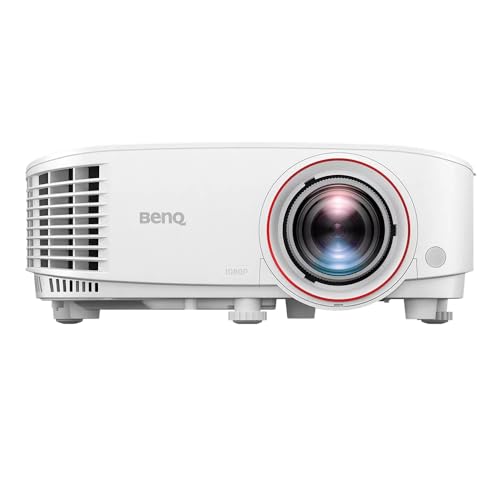
The second cinema pick makes a quieter and, to this guide’s ear, more literate claim: high bright, in the maker’s coined 5000LL unit, beside the words Native 1080P — a resolution statement about the picture actually drawn, which is the wording this series trusts most. Auto focus and 6D keystone compose the image, WiFi and Bluetooth connect it, Netflix is announced in the title, and the body is 1.81 inches thin. It is a portable movie projector, and its mural case is built from exactly those printed facts.
Native resolution matters at mural scale in a way it never does at desk scale. A large image magnifies its own structure; a reference thrown across fifteen feet either carries its lines honestly or dissolves them into approximation, and the muralist tracing a face or a letterform at that size is working from the projected edge itself. A stated native panel is the cinema world’s equivalent of the art world’s tracing app: the feature the work actually consumes.
6D keystone deserves translation for muralists. Multi-point correction squares an image thrown from off-axis positions — and large rooms impose off-axis positions constantly, because the projector must stand where the room permits, not where geometry prefers. Combined with auto focus, it describes a machine that can be placed on a hall’s side shelf, a ladder platform or a stack of chairs and still compose a true rectangle on the far wall.
The trade is the same fence as its daylight sibling’s, and it is not softened here: there is no tracing app in this title, no drawing tool, no grid, no art feature of any kind. The muralist brings the workflow entire — reference preparation on their own device, session discipline from their own habits — and the projector brings light and a stated native picture. Artists who need software inside the machine should read the art picks below as their shortlist and this review as the road not taken.
Its thinness and portability give it one more mural role the bigger cinema machines cannot play: the travelling layout tool. A muralist who proofs compositions at full size in clients’ spaces — projecting the design onto the actual wall before anyone commits — carries this machine the way an architect carries a roll of drawings. Judged as what it is, a bright native cinema projector that moonlights at architectural scale, it earns its place without a single art feature to its name.
- Type: movie projector — no tracing app in its title
- Resolution: Native 1080P stated in title
- Brightness: high-bright claim printed as 5000LL, the maker’s own unit
- Automation: auto focus and 6D keystone stated
- Wireless: WiFi and Bluetooth stated
- Body: 1.81 inches thin, portable, per title
- Platform: Netflix named in the title
Strengths
- Stated native 1080P keeps large references honest
- 6D keystone squares images from off-axis hall positions
- Thin portable body suits on-site composition proofing
Trade-offs
- No art, tracing or drawing features whatsoever
- Brightness unit is marketing coinage, not a measurement
- Projection range is not stated in the title
Best for: large digital murals where the artist supplies the workflow.
Not suited for: muralists who rely on a built-in tracing app or tools.

Outdoor 4K Projector Ultra-Bright — Apps by the thousand, focus by motor
The Lisowod’s title is the most exuberant in this guide: an outdoor 4K projector, ultra-bright, with built-in apps — over a thousand official apps claimed — electric focus and 4P keystone, for indoor and outdoor cinema. Translate it with the guide’s usual discipline. Ultra-bright is a dialect word, not a figure. The 4K presentation is the title’s own. The thousand apps are a cinema library, and not one of them is a tracing tool — a distinction this review will maintain, because it is the distinction the purchase turns on.
Electric focus is the feature a muralist should circle. At large throws, focus adjustment by motor — from the remote, from the artist’s position at the wall — replaces the long walk to the machine and back that manual rings impose. A muralist working alone, checking sharpness from the ladder, will feel electric focus as the difference between a composed session and an interrupted one. 4P keystone, four-point correction, similarly serves the big room’s awkward perches, letting each corner of the image be persuaded into place.
The built-in apps deserve their honest mural reading: they make the machine a self-contained cinema, delightful for the household, and irrelevant to the traced line — except in one practical sense. A projector that lives happily as the family’s outdoor screen will be maintained, updated and familiar, and equipment that is familiar gets borrowed for murals without ceremony. The muralist’s own phone or laptop still supplies the reference and every art decision; the Lisowod supplies a big, bright, electrically focused frame for it.
Outdoor framing is the pick’s second mural argument. Exterior walls, garden commissions, festival backdrops and schoolyard art all happen beyond the studio’s controlled darkness, at dusk, in the open — the exact conditions this machine was designed around. A projector built for outdoor cinema brings a venue tolerance that studio art machines never claim, and large murals increasingly live in those venues.
Schools deserve a sentence in this pick’s favour, because the outdoor cinema machine is the one schools already buy for film nights and sports screenings — and a projector already in the cupboard is the cheapest mural engine in this entire guide. The art department that borrows it for the corridor wall or the hall’s backdrop spends nothing but the rehearsal evening, and the electric focus that serves a teacher setting up a film serves the same teacher, alone, composing a backdrop at arm’s length from the wall.
As with both cinema siblings, the fence stands: no tracing app, no drawing tools, nothing for the artist but light, scale and convenience. Within that fence, the Lisowod is the most feature-generous of the three — apps, electric focus, four-point correction, outdoor intent — and a household choosing one cinema machine to double as its large-mural engine will find its exuberance easier to live with than to resist.
- Type: movie projector — built-in apps are cinema apps, not art tools
- Picture claim: 4K, as presented in the title
- Brightness: described as ultra-bright in the title, without a figure
- Focus: electric focus stated
- Keystone: 4P (four-point) keystone stated
- Apps: over 1,000 official apps claimed in title
- Wireless: WiFi and Bluetooth stated
- Framing: indoor and outdoor cinema
Strengths
- Electric focus adjusts sharpness from the artist’s position
- Outdoor design suits dusk exterior walls and halls
- Self-contained cinema makes it a household fixture
Trade-offs
- No tracing app or drawing tools of any kind
- Brightness is described, not figured, in its title
- Projection range must be confirmed on the listing
Best for: households and venues pairing outdoor cinema with mural layout.
Not suited for: artists expecting any art software inside the projector.

Caydo P3 Art Projector — The art anchor at 120 inches
Crossing back to the art family, the P3’s specification reads like a reply to the cinema machines: Native 1080P stated rather than implied, a built-in exclusive drawing app where the cinemas offer streaming libraries, auto focus and keystone, a 360-degree rotatable stand, and a projection range of 40 to 120 inches. For the large-mural artist whose room can be darkened and whose wall fits inside ten feet of image, this remains the most complete single purchase in the guide — the machine that brings its own method with it.
The range’s ceiling is the honest negotiation. One hundred and twenty inches is a large mural by any domestic standard — the dominant wall of most rooms — but it is not the hall or the exterior, and compositions beyond it are worked in registered sections, as muralists have always worked. What the P3 offers within its range is control the cinema picks cannot: a resident app holding the reference, a stand that aims at floor-laid canvas as readily as at walls, and automation tuned for an artist repositioning alone.
Detail is where the P3 argues hardest against the brightness-led machines. A large mural carrying faces, hands or lettering is audited by its edges, and a stated native panel behind a purpose-built drawing app keeps those edges where the artist drew them. In a darkened room — the condition this pick requires — sharpness outbids raw brightness, because the ratio that governs legibility has already been won by the curtains.
The 30,000-hour lifespan in its title is the maker’s claim for the light source, reported as such. For a muralist mid-commission its meaning is reassurance rather than arithmetic: the engine will not become a consumable anxiety between the first traced line and the final glaze.
There is a rehearsal economy to the P3 that large-mural artists should price in. Preparatory studies at the range’s lower end, details tested at mid-range, the full composition at its ceiling — one machine accompanies the whole development of a piece, so the artist learns a single instrument’s behaviour across every scale the work passes through. Households that split those stages across two machines spend the savings on re-learning; the P3’s span, honestly bounded, is wide enough to keep the education in one place.
Choose the P3 when the mural is large but the room is yours — darkenable, measurable, and worked across sessions with the projector as a resident colleague. Choose the cinema picks when the room is borrowed, bright or vast. That sentence is the whole guide in miniature, and the P3 is its art-side proof.
- Resolution: Native 1080P stated in title
- Software: built-in exclusive drawing app stated
- Automation: auto focus and keystone stated
- Stand: 360-degree rotatable stand stated
- Projection size: 40 to 120 inches stated
- Lifespan: 30,000 hours claimed in title
Strengths
- Stated native resolution plus a resident drawing app
- Rotating stand serves wall, ceiling and floor canvas
- Self-managing focus and keystone for solo muralists
Trade-offs
- 120-inch ceiling yields the largest venues to cinema picks
- Needs a properly darkened room to show its quality
- 40-inch floor is large for preparatory studies
Best for: detailed large murals in rooms the artist controls.
Not suited for: murals in bright halls or beyond a 120-inch image.

Art Projector 1280×720 with Stand — The 150-inch art throw
Span returns as the headline: 9.5 to 150 inches of stated projection, in 1280 by 720 HD, with a stand included and 2.4G WiFi. One hundred and fifty inches is the largest single throw any art projector in this guide claims, and it reframes what an art machine can be asked to do — the full dominant wall of a large room, in one image, from a projector that still speaks the language of canvas and wall art rather than of cinema.
The included stand matters more at this scale, not less. A machine throwing twelve feet of image stands far from its wall, on whatever the room offers, and a maker-supplied stand removes the improvisation from the one component whose trembling the whole wall can see. Solo muralists — the majority, on most days — should weigh included posture heavily, because a setup one person can raise and trust is a session that actually happens.
Resolution is the stated trade, made in plain figures in the title itself: 1280 by 720 across 150 inches draws bold-work lines. Graphic murals, architectural compositions, landscapes, signage and lettering at scale all live comfortably inside that arithmetic; fine photoreal detail at maximum size does not, and the P3’s stated native panel is the art-side answer for artists whose walls carry it. Between the two art anchors, choose by whether your composition spends its budget on span or on fineness.
The 2.4G WiFi band suits the geometry: the long-reach generation, content to cross a big room from the artist’s phone to the distant machine. Its stated work runs from canvas and wall art to cookie and cake decorating — the small end of the range is genuinely inhabited, which means mural details can be prepared at table scale on the same machine that will throw them at wall scale, a continuity of workflow no two-machine household matches as cheaply.
Shopfront and studio-window work suits this machine’s span in a way worth naming. A design that must read from the pavement — a sale mural, a seasonal scene, lettering with civic ambitions — is composed at exactly the scale and boldness this projector states, and its included stand lets a small business set up after closing, trace by midnight and open behind a finished window in the morning. Equipment that fits a working night’s schedule is worth more to a trading artist than equipment with finer figures and a longer ceremony.
For the artist whose wall is the largest in the house and whose drawing is done in confident shapes, this is the art family’s reach champion, honest about its resolution and generous with everything else. Large murals are mostly confidence made visible, and a machine that covers the wall in one throw lends the artist some of its own.
- Resolution: 1280 by 720 HD stated in title
- Projection size: 9.5 to 150 inches stated
- Stand: stand included, per title
- Wireless: 2.4G WiFi stated
- Stated work: canvas, wall art, cookie and cake decorating, DIY artists
Strengths
- Largest stated single throw among the art picks
- Included stand suits solo large-scale setups
- Same machine prepares details small and throws them large
Trade-offs
- 720-class detail softens at the 150-inch extreme
- No tracing app or auto focus is claimed in its title
- WiFi is the older 2.4G band only
Best for: bold graphic murals across a whole large wall.
Not suited for: fine detail traced at the maximum image size.
Art Projector Native 1280P with Tracing App — Software for the transfer
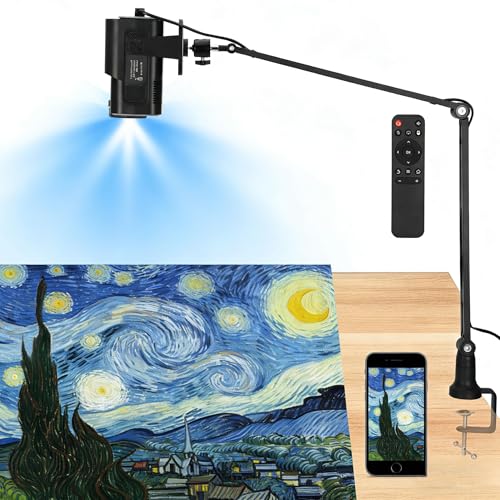
The final pick is the software maximalist of the large-mural set: a drawing projector whose title claims Native 1280P HD and — the operative phrase — a built-in tracing app with 8 tools, framed for canvas, wall murals, sketching and cake decorating. The resolution claim is reported exactly as the maker prints it, in the maker’s own terms; the app is the plainer fact, and for muralists whose preparation is digital, it may be the deciding one.
Eight tools inside the projector change the large-mural workflow’s geography. Reference preparation — simplifying a photograph into traceable lines, checking proportion, composing the transfer — normally happens on a computer, in another part of the studio, before the session begins. Tools resident in the projector move that preparation to the wall itself, where the composition’s real size can judge every decision. Muralists who iterate at full scale, adjusting the design against the actual architecture, will feel that relocation as the pick’s whole argument.
Built-in also means unaccompanied: no phone battery draining at ladder height, no casting handshake failing in a hall with eccentric WiFi. The machine holds the reference and the tools; the artist holds the pencil. For commissioned work in borrowed spaces, that self-sufficiency is a professional trait, and it is the quality this pick shares with the P3 against the cinema machines’ dependence on the artist’s own devices for everything art-related.
The title’s silence is its range, and at large-mural scale a range is not a detail. The listing must supply it before any wall is planned around this machine, and this guide records the omission in the same plain terms it uses for the cinema picks’ identical gap. Cake decorating in the framing hints at close-range competence, but a large-mural purchase cannot be built on a hint.
Choose this pick when the transfer itself is your craft — when designs are prepared, simplified and refined in software, and the projector is expected to be a colleague in that preparation rather than a lamp at the end of it. Within a confirmed range, it is the most method-rich machine in the guide; the homework is simply to confirm the range before the wall depends on it.
- Resolution claim: Native 1280P HD, as printed in the title
- Software: built-in tracing app with 8 tools stated
- Stated work: canvas, wall murals, sketching, cake decorating
- Projection range: not given in the title — confirm on the listing
- Stand: not described in the title
Strengths
- Tracing tools live in the projector, at the wall
- Self-contained workflow suits borrowed spaces
- Framed for murals as primary work
Trade-offs
- Range and stand must be confirmed on the listing
- The 8 tools are counted in the title, not named
- Software-led design will not suit app-averse artists
Best for: digitally prepared large murals and commissioned transfers.
Not suited for: buyers who must know the projection range before planning.
Comparison
| Pick | Headline facts from its listing title | Large mural it suits first |
|---|---|---|
| 7000 Daylight Bright 4K Outdoor Projector | Cinema, daylight-bright claim, AI focus/keystone, 80W Dolby sound | Bright halls and outdoor walls at dusk |
| High Bright Native 1080P Projector | Cinema, Native 1080P, auto focus, 6D keystone, thin portable body | Large digital references, artist’s own workflow |
| Outdoor 4K Projector Ultra-Bright | Cinema, 1k+ apps, electric focus, 4P keystone, outdoor framing | Venues pairing cinema nights with mural layout |
| Caydo P3 Art Projector | Art, Native 1080P, built-in app, 360° stand, 40–120 inch | Detailed murals in a controlled, darkened room |
| Art Projector 1280×720 with Stand | Art, 1280×720 HD, 9.5–150 inch, stand included, 2.4G WiFi | Bold whole-wall compositions in one throw |
| Art Projector Native 1280P with Tracing App | Art, Native 1280P claim, built-in tracing app with 8 tools | Software-prepared transfers at wall scale |
How to Choose a Projector for a Large Mural
Survey the venue before the catalogue. Measure the wall, stand where the projector can stand, and judge the light at the hours you will work. That survey sorts this guide instantly: a bright, borrowed or outdoor venue points to the cinema picks and their brightness-led designs; a darkenable room you control points to the art picks and their resident methods. Most large-mural disappointment is a venue misread, not a machine misbought.
Then decide who supplies the workflow. If your reference preparation, gridding and session discipline already live on your own devices, the cinema machines’ missing art tools cost you nothing and their light buys you venues. If you want the projector itself to hold the reference, the tools and the method, the art picks are your shortlist, and the choice among them is span against fineness against software — the 150-inch throw, the P3’s stated native detail, the 1280P model’s 8 tools.
Finally, confirm the unprinted numbers on the listing of your chosen machine — range above all, since three of these six titles omit it — and rehearse at full size inside the return window. A large mural rehearsed is a commission de-risked; a large mural assumed is a wall-sized wager, and walls keep the score publicly.
Why Does Brightness Beat Features at This Scale?
Because legibility is the gate every other virtue stands behind. A tracing app’s finest tool is worthless on an image the room’s light has dissolved, and large images spread their light across so much wall that the room’s contribution grows with every added foot. That is why working muralists reach for cinema hardware at this scale despite its missing art features: the first requirement of a large reference is that it can be seen, whole, from the ladder and from the door.
The converse holds in controlled rooms, which is why this guide keeps both families. Once darkness is guaranteed, the ratio is won and the contest moves to sharpness, software and method — the art picks’ home ground. Brightness beats features only where light is the problem; the mature judgement is knowing which problem your venue actually has.
How Far Back Does a Large-Mural Projector Need to Stand?
Farther than the room’s furniture first suggests, which is why range and throw homework precede every purchase here. Large images are made by distance as much as by optics, and a hall’s depth, a ladder’s placement and the artist’s own working room all compete for the same floor. Where a title states a range, plan the projector’s position from the image size backwards; where it does not — three of these six — the listing’s throw details become the first fact to extract, before price, before features, before anything.
Keystone systems exist precisely because that distance is rarely square to the wall. Auto, 6D and four-point correction across these picks are not cinema garnish; at mural scale they are the mechanisms that let a projector stand where a room allows and still compose a rectangle true enough to trace architecture from. Judge them as structural tools, and prefer the machine whose correction matches the awkwardness of your venue’s only available perch.
Can a Large Mural Be Traced in Sections Without Losing the Whole?
Yes — it is the historical norm, and the art picks’ ceilings assume it. The discipline is registration: anchor marks carried beyond each section’s edge, a horizon or grid line that survives from throw to throw, and a photograph of the whole composition against which each section is checked. Artists who mark generously can tile a wall of any size from a 120-inch machine; artists who trust memory discover that sections drift like continents.
Sectional work also disciplines the painting itself, because each throw must be finished to a state that can be re-joined. Many muralists prefer it even when a single throw is possible, for the same reason writers prefer chapters: the work is reviewed at human scale, repeatedly, instead of being discovered whole at the end. A ceiling in a title is a planning fact, not a verdict on the wall’s ambition.
How Do You Keep a Large Image Steady for Hours?
At twenty feet of throw, a vibration invisible at the projector becomes a wandering line at the wall, so the setup’s stillness is a specification the artist assembles personally. The machine belongs on the most inert mass available — a solid table, a loaded shelf, a purpose stand — never on the ladder’s twin, never on a floorboard run that carries foot traffic, and its cable should hang slack rather than taut, because a taut cable is a tuning fork for every passing step. Rooms above busy streets and beside washing machines schedule their tracing for the building’s quiet hours, and the wall rewards them for it.
Heat is the slow enemy of steadiness: a projector that warms its perch unevenly can settle by fractions across an evening, which is another reason the full-size rehearsal should run at session length rather than for a photogenic minute. A setup that holds for two honest hours will hold for the mural; one tested for ninety seconds has merely been introduced to the wall.
What Changes When the Mural Is a Commission?
Everything about the equipment decision sharpens. A commissioned wall has a client, a deadline and a public unveiling, so the projector becomes production equipment: its range must be confirmed rather than assumed, its rehearsal must happen on the actual wall before the schedule is promised, and a fallback plan — a second venue-friendly machine, a sectional method, a grid transfer kept in reserve — stops being pessimism and becomes professionalism. The cinema picks’ venue tolerance and the art picks’ resident method each insure against different failures, and a commissioned artist should know which failure they fear.
Client proofing is the commission’s secret second use for these machines. Projecting the approved design at full size, in the real room, for the client’s signature is a service no sketch can perform — and a thin portable native projector or an outdoor cinema machine earns its week on that evening alone. Murals are sold at full scale or not at all, and the projector is the only salesperson who works at that size.
How Should a Team of Painters Share One Projected Outline?
By treating the outline as the team’s contract. One artist — usually the one who drew the composition — traces the architecture and anchors; the team then paints regions against that fixed drawing, returning to the projection at each session’s start to verify that painted edges still honour the traced ones. The projector’s role shifts from teacher to referee, and its steadiness and registration become matters of team discipline rather than personal preference.
Scheduling follows from that role: the machine is set up once, marked, and left registered for the commission’s duration wherever the venue allows, because every re-setup is a negotiation the whole team must attend. A projector that composes itself — auto focus, multi-point keystone, electric adjustment from the wall — reduces the negotiation’s cost each time it cannot be avoided, which is a practical reason production crews favour self-managing machines at this scale.
Common Mistakes
Buying a cinema projector and expecting art software is the defining error of this category, and this guide has fenced it in three consecutive reviews because the titles invite it — apps by the thousand, none of them for tracing. Read cinema titles as cinema. The mural workflow those machines serve is the one you bring, and an artist who brings none will own a bright projector and an unpainted wall.
Ranking the cinema picks by their printed brightness figures is the second error, and the subtler one. The figures are coined per brand — a daylight number here, a double-L unit there, an ultra prefix with no number at all — and no honest arithmetic converts them into a league table. Judge brightness in the venue, at size, in the return window, or do not claim to have judged it at all.
Underestimating the room is the third. Artists measure the wall and forget the floor: the throw distance, the ladder’s footprint, the socket’s reach, the doorway the composition will be judged from. A large mural is a room temporarily reorganised around an image, and the projector that fits the wall but not the room will be discovered, expensively, on the first evening.
Finally, skipping the full-size rehearsal wastes the one test that settles every argument in this guide. Project your actual composition, at its actual size, on its actual wall, at your working hour, and view it from the door. Brightness dialect, resolution claims, software promises — all of it becomes evidence in that single evening, and the return window exists so the evidence can still change the decision.
Final Recommendation
Let the venue cast the deciding vote. Bright halls, borrowed spaces and outdoor walls belong to the cinema picks: the daylight-bright 4K machine for the most defiant light, the native 1080P model for the artist whose own workflow needs only an honest large picture, the Lisowod for electric focus and venue-hopping versatility — each bought with its missing art tools understood as the price of its light. Darkenable rooms you control belong to the art picks: the P3 for stated native detail and resident method, the 150-inch machine for one-throw span, the 1280P model for tools that live at the wall.
Notice what no recommendation here depends on: a brightness figure compared across brands, or a range assumed where a title omitted it. Large murals are public, permanent and unforgiving of assumed facts, and the artists who finish them are the ones who verified the venue, the throw and the workflow before the first line was traced.
Budget the wall’s other costs in the same sitting — paint, ladders, blackout material for the one defiant window, the bulb of patience a big room consumes — because the projector is rarely the commission’s largest line, merely its most discussed one. Artists who plan the whole wall buy the machine calmly; artists who plan only the machine meet the wall’s other invoices as surprises, and surprise is the one pigment no mural needs.
Stand in the doorway of the finished room, in imagination, before you order anything. The machine that serves that view — legible from the door, honest at the ladder, patient across sessions — is the right one, whichever family it comes from, and the wall will keep its verdict on display for years. Large murals outlive the fashions of the equipment that made them; nobody standing before the finished wall will ask which dialect its brightness was printed in, only whether the drawing holds — and holding, at that scale, was the whole assignment from the first traced line.
What Should the First Evening With a Large-Mural Projector Prove?
Four things, in order. That the machine can fill your wall from a position the room actually offers. That the image stays legible at your working hour, from the ladder and from the door. That the setup — focus, keystone, registration marks — can be repeated by you alone, because most sessions will be solo. And that the reference you truly own, at its finest detail, survives the journey to full size well enough to paint from. A projector that proves those four things in its first evening has answered every question this guide has raised, in the only venue whose answers count.
Invite the toughest critic you know to that first evening — the friend who notices crooked picture frames in other people’s houses — and let them view the test image from the doorway without knowing what it cost or what it claims. Their unprimed eye is the closest simulation of the mural’s future audience, and a composition that survives it at full size has passed the only review that will ever be published.
Failures in that evening are information, not verdicts on your judgement: a range that falls short, a room brighter than its reputation, a workflow the machine refuses to host. Each is cheaper learned inside a return window than across a painted wall. The artists who seem lucky with equipment are usually just the ones who schedule that evening before the commission, the guests or the unveiling make it unschedulable.
Frequently Asked Questions
Do the cinema projectors here have tracing apps?
No. All three cinema picks — the daylight-bright 4K model, the high-bright native 1080P model and the Lisowod — carry no tracing or drawing software; the Lisowod’s thousand-plus apps are cinema apps. The muralist supplies the reference and method from their own phone or laptop.
Which pick throws the largest single image?
By stated figures, the 1280 by 720 art projector, at up to 150 inches with a stand included. The Caydo P3 states up to 120 inches. The cinema picks’ ranges are not printed in their titles and should be confirmed on their listings.
Can I paint a large mural outdoors with these?
Two cinema picks are framed for outdoor use — the daylight-bright 4K model and the Lisowod — and dusk is the working hour that suits exterior projection. Permissions, power and weather govern outdoor work more than the projector does; survey the venue first.
Which art pick is best for a detailed large mural?
The Caydo P3, for its stated Native 1080P and built-in drawing app across a 40 to 120 inch range, in a room that can be darkened. The Native 1280P model answers when built-in tracing tools matter more than a stated range.
Is a 120-inch range enough for a large mural?
For most rooms, yes — 120 inches is a ten-foot image, the dominant wall of a typical interior. Larger compositions are not excluded by that ceiling; they are worked in registered sections, the method muralists have always used, with anchor marks carrying the drawing from throw to throw. Judge the ceiling against your wall’s measure, not against the word “large.”
Why are brightness figures not compared in this guide?
Because the titles print them in incompatible marketing dialects — coined units and descriptive claims with no shared measurement behind them. The only honest comparison is your own wall, at your size, at your working hour, inside the return window.
Related Guides
The neighbouring shelves hold the backyard bird cameras for patient watchers, the trail cameras for bird watching in wild places, and the lightweight cameras built for birding on foot.