What's inside
- Where to Buy These Projectors
- Key Takeaways
- Quick Picks
- How We Chose These Picks
- Comparison
- How to Choose Your First Art Projector
- Does a Beginner Need an App With an Art Projector?
- How Dark Does the Room Need to Be for Tracing?
- What Size Image Should a Beginner Start With?
- How Do You Keep a Projected Image From Drifting Mid-Trace?
- Can You Trace a Sketch by Photographing It for a Digital Projector?
- What Should a Beginner Practise in the First Month?
- Common Mistakes
- How Long Does a Tracing Session Actually Take?
- Final Recommendation
- Frequently Asked Questions
- Related Guides
As an Amazon Associate I earn from qualifying purchases. This post may contain affiliate links at no extra cost to you.
[SITE_DOMAIN] is reader-supported. When you buy through links on our site, we may earn an affiliate commission.
Every artist who has tried to scale a sketch by eye knows the moment the proportions quietly drift. The best art projectors for beginners exist to delete that moment: place a reference image on the wall or the canvas, trace the honest lines, and spend your energy on painting instead of measuring. This guide gathers six machines a genuine beginner can learn on, and it begins with a distinction that shapes every recommendation below, because the six do not all work the same way.
Five of these picks are digital projectors. They take an image from a phone or another source and throw it, enlarged, onto canvas, wall, desk or cake. One pick, the Artograph LED Tracer, is an opaque projector: it holds no file at all and instead shines light through a physical drawing or photograph laid on its copy tray, enlarging the paper original itself. A beginner choosing between those families is really choosing a workflow — screen-based references against paper-based ones — and this guide keeps the two mechanisms separate in every review so nobody buys one expecting the other.
Children’s tracing toys were deliberately left out of the picks. Products built around cartoon lessons and gamified drawing belong to a different shelf, and a beginner adult or teenager who buys one discovers the ceiling within a week. All six machines here are tools an artist can grow into: stands that hold a pose, projection ranges that cover a real canvas, and controls a novice can master in an evening without surrendering accuracy later.
A note on brightness language applies across the whole guide. Listings in this class describe brightness with marketing words rather than a shared measured standard, so this guide reports those words exactly as printed and never converts them into a rival scale or ranks machines by numbers that were never measured the same way. What a beginner actually needs is a dimmable room and a sensible picture size, and the reviews judge each machine on the working details its title genuinely establishes.
Where a listing’s title stays silent about a specification, the spec box in that review says so in plain words rather than guessing. Beginners are the readers least able to detect an invented figure, so this guide would rather print an honest gap than a confident fabrication. Check the linked listing before ordering whenever a silent detail is the one your project depends on.
Where to Buy These Projectors
Each linked name in this guide leads to that model’s own Amazon listing, where current availability and the full manufacturer description live in one place. Beginners do well to read the listing’s question-and-answer section as well as its headline, because owners of art projectors discuss throw distance, stand stability and app behaviour there in practical terms. Prices move with seasons and sellers, so treat the listing itself — never a figure quoted second-hand — as the only trustworthy source, and confirm the exact model name in the basket matches the review you read here, since several brands in this class sell near-identical siblings.
Key Takeaways
- Five picks are digital projectors fed by a phone or similar source; the Artograph LED Tracer is an opaque machine that enlarges a physical drawing placed on its tray.
- The web-control pick needs no app at all, working through a browser, while the Caydo S2 leans the opposite way with a dedicated art design app and an auto-saved library.
- The no-app 1080P pick states the sharpest resolution claim in this beginner set; the BLANRICO states 720P with the widest image range, from 9 to 150 inches.
- Stands matter more than beginners expect: stable stands, desktop-and-wall stands and adjustable stands recur across these titles because a bumped projector ruins a traced line.
- The opaque Artograph enlarges a 5 by 5 inch original between 2X and 14X, so its limit is the size of your paper sketch, not a file’s pixels.
- Cookie and cake decorating appear in several titles alongside canvas and murals — this class serves edible canvases as happily as cotton ones.
Quick Picks
| Pick | Badge | Why it earns its place |
|---|---|---|
| Art Projector with 5G WiFi and App-Free Web Control | Browser control, nothing to install | A digital sketch projector on 5G WiFi that is steered through web control instead of an app, on a stable stand, compatible with iOS and Android and able to work online or offline. |
| Artpanda Art Projector | Desk and wall in one stand | A sketch projector with a stable stand built for both desktop and wall projection, aimed at sketching, murals, crafts and cake decorating. |
| Art Projector No-App 1080P | The sharpest claim a beginner can buy simply | A white no-app projector with dual-band WiFi and a 1080P HD claim, projecting images onto canvas, wall, desk or cake for artists and beginners. |
| BLANRICO Art Tracing Projector | Widest size range in the set | A 720P drawing projector with an adjustable stand, manual focus and a 9 to 150 inch image range, connecting by WiFi, USB and HDMI for canvas, wall murals and craft work. |
| Caydo S2 Art Projector | An app that remembers your designs | An art projector with a dedicated design app and an auto-saved design library, projecting flexibly from 15 to 85 inches across table and wall for painting, sketching and cookies. |
| Artograph LED Tracer Opaque Art Projector | The paper-first route | An opaque projector enlarging physical artwork from a 5 by 5 inch copy area at 2X to 14X, portable and light, for wall art, murals, drawing and pattern tracing. |
How We Chose These Picks
Beginner suitability was judged on forgiveness. A first art projector gets knocked, mis-aimed and connected wrongly, so titles promising stable or adjustable stands, simple control routes and wide placement flexibility scored ahead of raw specification boasts. A novice learns tracing fastest when the machine disappears into the task, and every pick here removes at least one classic beginner friction: an app download, a wobbling stand, a single-purpose surface or a file format puzzle.
Both projector families were required to be represented honestly. Digital models dominate the modern class and fill five places, but the opaque route remains the natural starting point for artists whose references live in sketchbooks rather than phones, so the Artograph LED Tracer holds the sixth place on merit. No children’s tracing toy was admitted, however cheerful its marketing, because a beginner deserves headroom.
Control philosophy was scored as a genuine axis. One pick steers through a web browser with no app installation, one needs no app by design, one centres a dedicated art app with a saved library, and others leave the control story to standard connections. Beginners split into app-lovers and app-avoiders within their first week, and this set lets a reader choose their side in advance instead of discovering it mid-project.
Longevity of interest was the final filter. A beginner’s projector must survive the month when tracing stops being a novelty and becomes a method, which means it cannot rely on a gimmick: the picks here are held together by stands, ranges, control routes and copy trays — working parts of a practice, not party tricks. Machines whose titles promised entertainment first and utility second were set aside, however polished their listings looked.
Surface range completed the judging. Titles naming canvas, wall, desk and cake describe a machine that follows a beginner across hobbies; titles naming murals describe one that can grow with ambition. Projection size ranges were read literally from each title and compared as printed, and resolution claims were credited exactly as worded — a stated 1080P here, a stated 720P there, silence recorded where a title offered neither.
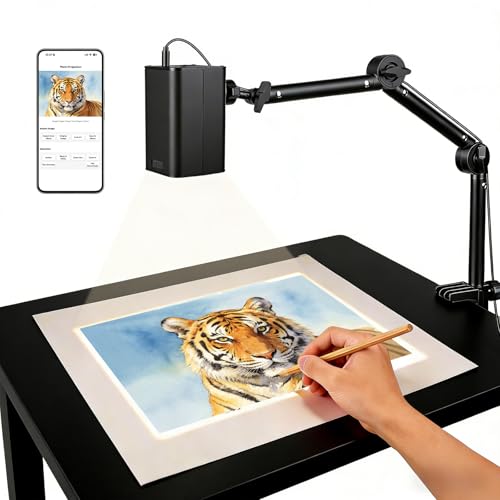
Art Projector with 5G WiFi and App-Free Web Control — Browser control, nothing to install
A beginner’s first enemy is often not the drawing but the setup ritual before it, and this projector attacks that ritual directly. Its title promises app-free web control: instead of downloading yet another companion app, making an account and granting permissions, the artist steers the machine through a web interface. For anyone whose phone already groans under forgotten utilities, controlling a projector the way one visits a page is a genuinely kinder first evening.
The connection underneath is 5G WiFi, and the title claims compatibility with both iOS and Android, which covers the two phone worlds a beginner might carry. Online and offline working are both supported according to the listing, a detail that matters in studios, classrooms and rented rooms where the network is unreliable or shared. A reference image that loads from the device itself keeps a session alive when the router sulks.
Mechanically, the listing names a stable stand, and stability is the unglamorous virtue tracing lives on. A projector that creeps a millimetre between the first traced line and the last turns a face into a cubist exercise. A stand designed to hold still lets a beginner work slowly — and beginners should work slowly — without the image wandering while confidence is still being built.
The title frames the machine for cookie decorating alongside tracing and drawing generally, which tells a beginner something useful about its intended scale: it is a desktop-friendly digital sketch projector, comfortable throwing a design onto a small surface at close range as well as onto a canvas. Buyers planning a full wall should read the mural specialists later in this guide as well, because a machine tuned for near work and a machine tuned for distance ask different things of a room.
Resolution is a point where this review must record silence: the title prints no resolution figure, so none is claimed here. A beginner whose reference images are bold line work will rarely feel that gap; a beginner tracing fine cross-hatching should compare the stated-resolution picks below before deciding. Honest bookkeeping of that kind is exactly what a first purchase needs.
For a first-time buyer who dreads app ecosystems and wants the projector controlled from whatever device is already in hand, this is the most welcoming doorway in the guide. Its lesson is simple and worth learning early: in art projection, the control route you enjoy is the one you will actually use, and unused features help nobody’s drawing.
- Control: app-free web control, per title
- Wireless: 5G WiFi stated
- Compatibility: iOS and Android stated
- Working modes: online and offline supported
- Stand: stable stand stated
- Resolution: Not stated in the listing title — verify with the manufacturer documentation
Strengths
- No app installation stands between buyer and first trace
- Both phone families are welcomed by the listing
- Offline working survives unreliable studio networks
Trade-offs
- No resolution figure is printed in its title
- Web control still depends on a browser device nearby
- Cookie-decor framing signals desktop scale first
Best for: beginners who want browser control and refuse another app account.
Not suited for: beginners who need a resolution figure confirmed in the title before buying.

Artpanda Art Projector — Desk and wall in one stand
The Artpanda’s title makes a promise about posture rather than pixels: a stable stand, and projection suited to both desktop and wall. That pairing describes how beginners actually work across their first year. Sketches begin small, on a desk, where a design can be traced onto paper or a cookie at arm’s length; ambition then moves the same machine to face a wall, where a mural layout waits. A projector fluent in both positions spares a novice the second purchase that usually arrives by spring.
Its stated territory is broad — sketching, murals, crafts and cake decorating — and breadth at beginner level is a practical virtue rather than indecision. A first projector often serves a household rather than a single artist: a parent traces a mural outline on Saturday, a teenager sketches on Sunday, and somebody’s birthday cake gets its lettering on Monday. The Artpanda’s title reads like it was written by a maker who understands that shared life.
Because the listing names itself a sketch projector and a projection tool, expectations should be set around guidance rather than cinema. This is a machine for putting a faithful outline where your hand can follow it, in a dimmed room, at sizes a stand on a table can serve. Beginners who grasp that purpose early are the ones still using their projector a year later; those who expected a television write the disappointed reviews in every category like this.
The title prints neither a resolution figure nor a projection size range, and this review records both silences plainly. That does not make the Artpanda a weak pick; it makes it a pick bought for its stand and its flexibility, with homework due on the listing page for the numerical details. A beginner tracing bold shapes — mural silhouettes, craft patterns, cake lettering — works well inside unspecified-but-adequate clarity, while fine-detail tracers should weigh the stated-resolution models in this guide more heavily.
Desk work deserves one practical paragraph, because beginners underestimate it. Tracing downward onto a table surface keeps the paper still, the hand rested and the neck unbent, which is why so much early practice happens there. A stand that aims a projector at a desktop as deliberately as at a wall turns any kitchen table into a lightbox the size of a placemat, and that convenience quietly builds the daily habit that turns beginners into artists.
Choose the Artpanda if your first year of projects refuses to sit in one category and your workspace refuses to sit in one position. It is the generalist of this guide, and generalists are underrated teachers: they let a beginner discover which kind of artist they are before money is spent specialising.
- Stand: stable stand, desktop and wall projection stated
- Stated uses: sketching, murals, crafts, cake decorating
- Role: sketch projector and projection tool, per title
- Resolution: the title prints no figure — check the manufacturer’s documentation
- Projection size range: also absent from the title
Strengths
- One stand serves both desk tracing and wall work
- Widest stated hobby range in this beginner set
- Framed honestly as a sketch tool, not a cinema
Trade-offs
- Key numerical details require a trip to the listing
- Generalist design will be outgrown by specialists
- No control method is described in its title
Best for: beginners whose projects wander between desk, wall and kitchen.
Not suited for: beginners who need stated resolution and size figures before ordering.

Art Projector No-App 1080P — The sharpest claim a beginner can buy simply
Some beginners want exactly two things: a clear picture and no software ceremony. This white projector’s title speaks to them in their own language — No App Need, printed without embarrassment, beside a 1080P HD claim and dual-band WiFi covering both 2.4G and 5G. Among the six picks here, it carries the strongest resolution wording a novice can buy without learning anybody’s app, and that combination earns it the middle anchor of this guide.
Dual-band wireless deserves a beginner-friendly explanation. Older 2.4G networks reach further through walls; 5G networks move data faster at shorter range. A projector fluent in both can join whichever network a home actually runs, which removes one of the dullest setup failures in the class — the machine that cannot see the router it was bought to work beside. The listing’s authors clearly tired of that support ticket and engineered it away in the title itself.
The surfaces named are canvas, wall, desk and cake, a list that maps a beginner’s whole habitat: the easel, the bedroom wall, the study table and the celebration in the kitchen. Projecting an image onto a cake sounds like a party trick until the first time lettering lands straight; after that it becomes the household’s requested skill, and a projector that travels between studio and kitchen earns its shelf space twice over.
Artists and beginners are both named in the title, and the pairing is fair. A no-app machine does not patronise its owner; it simply declines to add a software layer between the reference and the wall. Experienced artists with an established phone workflow often prefer exactly that restraint, while beginners benefit from having one less password between them and their first traced line.
What the title does not print is a projection size range or a stand description, so placement flexibility must be confirmed on the listing itself. That homework matters: a beginner planning a large canvas needs to know the throw behaviour before the machine arrives, not during the first session. Everything the title does state, however, points the same way — clarity and simplicity, sold in white, for people who would rather draw than configure.
If your first-projector shortlist is headed by the words “just show me the picture properly,” this is your pick. It makes the fewest demands, states the boldest resolution claim in the set, and leaves your attention where a beginner’s attention belongs: on the line you are learning to follow.
- Resolution claim: 1080P HD, per title
- Control: no app needed, per title
- Wireless: dual-band 2.4G and 5G WiFi stated
- Surfaces: canvas, wall, desk and cake stated
- Colour: white, per title
- Projection size range: the title gives no range — confirm on the listing
Strengths
- Strongest resolution wording among these beginner picks
- Dual-band WiFi joins stubborn home networks
- No app layer between the artist and the image
Trade-offs
- Size range and stand details live only on the listing
- No dedicated art software features are claimed
- White finish shows studio grime honestly
Best for: beginners who rank picture clarity first and software last.
Not suited for: beginners who want a stated projection range in the title itself.

BLANRICO Art Tracing Projector — Widest size range in the set
Numbers return with the BLANRICO, and they are the kind a beginner can plan a room around: a 720P drawing projector whose image runs from 9 to 150 inches, focused manually, on an adjustable stand, with WiFi, USB and HDMI connections all named. That spread — from a postcard-sized trace on the desk to a wall-filling mural layout — is the widest stated range in this guide, and it changes what a first projector can be asked to do.
Manual focus will divide beginners, so this review addresses it squarely. Turning a focus ring yourself is slower than tapping an autofocus button, but it is also a skill with no software failure mode: the ring works in year five exactly as it did on day one, and the artist learns precisely how sharp their setup can be. Beginners raised on fully automatic everything may bristle for an evening; beginners who enjoy instruments tend to prefer the ring within a week.
The three connection routes cover the realistic sources of a starter studio. WiFi serves the phone, USB serves files and sticks, and HDMI serves the laptop that holds the reference library. A tracing session should never die because the one cable a machine accepts is the one cable the household lacks, and the BLANRICO’s title reads like a refusal to let that happen.
Its stated canvas is equally catholic: canvas and wall murals for the painters, patterns and craft work for the makers. Pattern tracing is the quiet giant of this class — dressmakers, quilters and woodworkers enlarge templates constantly — and a 150-inch ceiling means a pattern can be thrown at full garment scale rather than tiled across prints. A beginner buying for crafts today and murals next year is exactly the reader this machine was specified for.
The honest counterweight is resolution: 720P is the modest claim in this guide, printed plainly in its title. At desk sizes and mural-outline distances, bold lines trace beautifully at that level; at close range with fine detail, the stated-1080P pick above will look crisper. Buy the BLANRICO for its range and connections with eyes open about its ceiling, and it will not disappoint; buy it expecting the sharpest picture here and the fault is in the shopping, not the machine.
Value in a first projector is measured in sessions completed, and range is what completes sessions: the small trace tonight, the big layout next month, the pattern for a friend in between. On that measure the BLANRICO argues persuasively that flexibility, not fineness, is the beginner virtue that matters most.
- Resolution claim: 720P, per title
- Image size: 9 to 150 inches stated
- Focus: manual focus stated
- Connections: WiFi, USB and HDMI stated
- Stand: adjustable stand stated
- Stated uses: canvas, wall murals, patterns, craft work
Strengths
- Widest stated image range in this guide
- Three connection routes cover phone, stick and laptop
- Manual focus cannot be obsoleted by an app
Trade-offs
- 720P is the softest resolution claim here
- Manual focus asks patience at every new distance
- Large images still need a dark room to stay legible
Best for: beginners whose projects swing between postcard scale and full wall.
Not suited for: beginners tracing fine detail at close range as their main work.
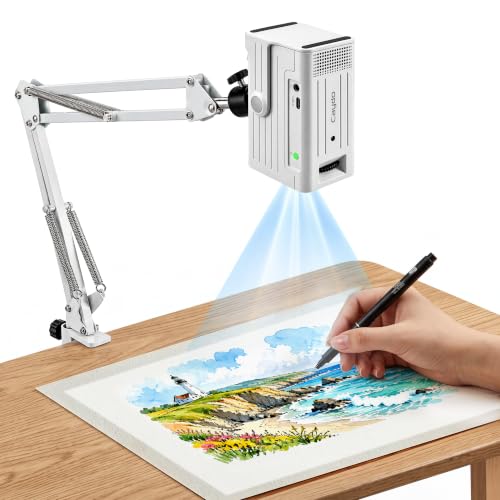
Caydo S2 Art Projector — An app that remembers your designs
The Caydo S2 takes the opposite road from the no-app picks: it arrives with an art design app of its own, and its title’s most distinctive promise is an auto-saved design library. That phrase deserves a beginner’s full attention. Tracing projects are rarely finished in one sitting; a design that saves itself, waiting patiently between the Tuesday outline and the Saturday shading session, removes the quiet dread of reconstructing a setup from memory and photographs of the wall.
Its projection range runs from 15 to 85 inches, described as flexible across table and wall. Read that range as a deliberate specialisation: this is a machine for the scale beginners actually inhabit — sketchbook enlargements, canvas panels, cookie designs, craft templates — rather than for whole-wall theatre. Within that band, a projector can be positioned on ordinary furniture without rearranging the room, and a beginner’s studio stays a studio instead of becoming a construction site.
Painting, sketching and cookie decoration are the stated callings, and the cookie mention is more significant than it looks. Decorators work at very close range, on small surfaces, with designs that must land precisely; a projector and app pairing that serves them well has been thought through at the fiddliest end of the craft. Painters inherit that same precision at canvas scale, where the saved library turns a multi-piece series into a repeatable process.
An app-centred machine does ask something of its owner: a phone or tablet willing to host the software, and a temperament that enjoys digital organisation. Beginners who keep their references in tidy folders will feel immediately at home; beginners who chose the web-control pick above did so precisely to avoid this bargain. Neither temperament is wrong, and this guide’s job is to make the choice conscious rather than accidental.
The title states no resolution figure, so the spec box records the gap and the listing page becomes required reading for anyone tracing fine lines. What the title does establish — app, library, range, surfaces — describes a coherent design philosophy: the projector as a project manager for artwork in progress. For a beginner whose worst habit is losing track of half-finished pieces, that philosophy may be worth more than any single specification.
Buy the S2 if your artwork lives in sessions spread across weeks and your references live on a phone you already organise. Its library will quietly become the studio notebook you always meant to keep, and the projector attached to it will feel less like equipment and more like a collaborator with a good memory.
- Software: art design app with auto-saved design library
- Projection size: 15 to 85 inches stated
- Placement: table and wall stated
- Stated uses: painting, sketching, cookie decoration
- Resolution: Not stated in the listing title — verify with the manufacturer documentation
Strengths
- Auto-saved library protects multi-session projects
- Range matched to real beginner working scales
- Dedicated art app rather than a generic casting tool
Trade-offs
- 85-inch ceiling excludes whole-wall ambitions
- App ownership is required, not optional
- Resolution must be confirmed on the listing page
Best for: beginners building multi-session paintings and decorated-cookie work.
Not suited for: beginners planning murals beyond an 85-inch image.

Artograph LED Tracer Opaque Art Projector — The paper-first route
The Artograph closes this guide by changing the subject entirely. It is an opaque projector: there is no file, no phone and no app. You lay a physical original — a sketch, a photograph, a page from a book — on its copy area, and the machine projects that paper image enlarged onto wall or canvas. For beginners whose art begins in a sketchbook, this is not the old-fashioned option; it is the direct one, with nothing digital standing between the drawing and its enlargement.
The title’s figures define the workflow precisely. The copy area is 5 by 5 inches, and enlargement runs from 2X to 14X. A five-inch sketch can therefore become a wall image approaching six feet at maximum enlargement, while a small motif can be doubled modestly onto a panel. The constraint is equally clear: an original larger than the copy area must be traced in sections or reduced first, which is the honest price of the paper route and one generations of illustrators paid without complaint.
Artograph is a name with history in this niche, and the title’s framing — wall art, murals, drawing, sketching, pattern tracing, crafts and learning — reads like the curriculum of traditional art education. Portable and light are also stated, which matters for a machine that may live in a cupboard and emerge for project weekends. An opaque projector asks for darkness more insistently than digital models do, since it lights paper rather than a bright panel, so sessions belong to evenings and blackout curtains.
The beginner case for the Tracer is strongest where the source material is physical: a child’s drawing to become a nursery mural, a vintage photograph to become a portrait study, a pattern from a printed book to become a quilt. Digital projectors can photograph such things first, adding a step and a screen; the Tracer simply takes the paper as it finds it. Artists whose studios are full of paper will feel the rightness of that immediately.
Its limits deserve the same clarity. There is no way to project a reference found online without printing it first, no grid software, no library, no undo. The enlargement range tops out where the copy size says it must, and fine detail softens as any optical enlargement grows. A beginner who lives on a phone should buy a digital pick above; a beginner who lives in a sketchbook may find this the most natural tool in the entire guide.
There is also a teaching argument for beginning on paper. Tracing an enlargement of your own sketch shows you your own habits at wall scale — the hesitant contour, the over-long neck you always draw — with a clarity no photograph of someone else’s work provides. Beginners who project their own pages improve faster, because the machine is holding a mirror as well as a lamp. The Tracer makes that mirror its entire purpose.
Every other machine here asks what is on your phone. The Artograph asks what is in your sketchbook — and for the beginner whose best work still starts with a pencil, that is the better question, asked by a machine built to do one thing with complete conviction.
- Type: opaque projector for physical artwork, per title
- Copy size: 5 by 5 inches stated
- Enlargement: 2X to 14X stated
- Light source: LED, per the product name in title
- Build: portable and light, per title
- Stated uses: wall art, murals, drawing, sketching, pattern tracing, crafts
Strengths
- Enlarges real paper artwork with no digitising step
- 2X to 14X range covers panel work up to large murals
- No apps, accounts or files can ever break the workflow
Trade-offs
- Originals are capped by the 5 by 5 inch copy area
- Online references must be printed before use
- Needs a properly dark room to project paper clearly
Best for: beginners whose references live in sketchbooks and printed pages.
Not suited for: beginners whose references live only on a phone or online.
Comparison
| Pick | Headline facts from its listing title | Beginner it suits first |
|---|---|---|
| Art Projector with 5G WiFi and App-Free Web Control | Web control with no app, 5G WiFi, iOS/Android, online and offline, stable stand | The app-avoider with a browser always open |
| Artpanda Art Projector | Stable stand for desktop and wall, sketching, murals, crafts, cake decorating | The household generalist |
| Art Projector No-App 1080P | 1080P HD claim, no app needed, dual-band WiFi, canvas/wall/desk/cake | The clarity-first minimalist |
| BLANRICO Art Tracing Projector | 720P, 9 to 150 inch image, manual focus, WiFi/USB/HDMI, adjustable stand | The scale-shifter from desk to mural |
| Caydo S2 Art Projector | Art design app, auto-saved library, 15 to 85 inches, table and wall | The organised multi-session painter |
| Artograph LED Tracer Opaque Art Projector | Opaque projection, 5×5 inch copy, 2X to 14X enlargement, portable | The sketchbook traditionalist |
How to Choose Your First Art Projector
Begin with the source of your references. If they live on a phone — photographs, downloads, screenshots — you need a digital projector, which is five of these six. If they live on paper — sketchbook pages, printed patterns, photographs in a drawer — the opaque Artograph serves them directly, and digitising them for a digital machine is a step you may never enjoy. That single question eliminates half the shelf honestly.
Next, decide how you feel about software. The web-control and no-app picks minimise it; the Caydo S2 builds your practice around it. There is no virtuous answer, only a truthful one, and a beginner who chooses against their own temperament will fight the machine instead of learning the craft. Pick the control route you would still enjoy on a tired evening.
Then match the machine’s range to your largest realistic project, not your grandest fantasy. A stated range that covers your biggest canvas with room to spare is enough; reach you will never use usually costs sharpness or money you needed elsewhere. Finally, plan the room: a dimmable space, a stable surface at the right distance, and a wall or easel that can stay undisturbed for a whole session. Beginners succeed on logistics more often than on specifications.
Does a Beginner Need an App With an Art Projector?
Not necessarily — two picks in this guide are built around avoiding one. An app earns its place when it adds something a browser cannot: the Caydo S2’s auto-saved design library is the clearest example, turning the projector into a keeper of works in progress. If your projects span weeks and your references multiply, that organisation is a real feature rather than bloat.
If your tracing is occasional and single-session — a mural outline this month, a cake design next — an app is mostly ceremony. Web control or a plain no-app connection gets the image onto the wall with less between you and the work. Judge apps by the habit they support, and be suspicious of any that exist mainly to harvest an account signup.
How Dark Does the Room Need to Be for Tracing?
Darker than beginners expect, and the requirement is kind rather than cruel: tracing asks you to distinguish a projected line from the surface beneath it, and ambient light washes that distinction away first at the edges. Ordinary curtains drawn against evening light satisfy most digital picks; the opaque Artograph, lighting paper instead of a bright panel, rewards a properly darkened room most of all.
Practically, test your room at the hour you will actually work. If you can read a book comfortably by window light alone, plan to trace after dusk or invest in blackout material before blaming any projector. Room darkness is the cheapest image-quality upgrade in this entire class, and it improves every machine equally.
What Size Image Should a Beginner Start With?
Start smaller than your ambition. A first tracing at the size of a large sketchbook page teaches steadiness, focus behaviour and stand discipline without the discouragement of a wall-sized wobble. The picks here span from 9-inch images to 150-inch ones, and the wise path runs upward through that range across your first projects rather than beginning at its ceiling.
Size also governs sharpness in practice: the same projector draws a tighter-looking line at modest enlargement than at its maximum, whatever its resolution claim. A beginner who masters a crisp small trace learns the setup habits — distance, darkness, stability — that later make a big trace succeed. Ambition is a virtue in art; sequence is what makes it survivable.
How Do You Keep a Projected Image From Drifting Mid-Trace?
Drift is rarely the projector’s fault; it is the room’s. A stand resting on a floorboard that flexes when someone crosses the room, a table shared with a leaning elbow, a cable tugged by a passing cat — each moves the image by the width of a pencil line, which is exactly the width that matters. The cure is staging: place the projector on the most inert surface available, route its cable so nothing can brush it, and let everyone in the household know a session is live.
Work habits help as much as furniture. Trace the structural lines first — the horizon, the big shapes, the anchor points — because if the image does shift late in a session, a drawing whose skeleton is already down can be re-registered by eye. Beginners who trace details first and structure last are the ones who lose a whole evening to a bumped stand, and the order of work is a free insurance policy.
Finally, mark your setup before you need it. A strip of tape on the floor where the stand’s feet belong, a note of the distance that worked, a photograph of the arrangement — these small records turn a successful evening into a repeatable one. Artists who trace weekly develop these habits without thinking; beginners who adopt them early skip the frustrating month entirely.
Can You Trace a Sketch by Photographing It for a Digital Projector?
Yes, and many beginners do exactly that: photograph the sketchbook page squarely, in even light, and project the photograph with a digital model. The method works, but it taxes you twice — once in the care the photograph demands, since a skewed snapshot projects a skewed drawing, and once in the softness every photograph adds to a pencil line. For casual work the tax is trivial; for a portrait’s likeness it can be the whole bargain.
That trade is precisely why the opaque Artograph keeps its place in this guide. Where the original is precious or the lines are fine, projecting the paper itself avoids the photographic middleman. Where the original is a rough composition sketch headed for a big canvas, the photograph route is faster and the softness irrelevant. Choose per project rather than by loyalty, and you will understand both families better than most owners of either.
What Should a Beginner Practise in the First Month?
Give the first month a curriculum, because undirected tracing teaches slowly. Week one belongs to setup alone: darkening the room, steadying the stand, projecting at small sizes until the arrangement feels boring. Boredom is the goal — a setup you no longer think about is a setup that has stopped interfering with the drawing.
Week two is for single objects at moderate enlargement: a chair, a plant, a pet asleep. These forgive proportion errors while teaching how a projected line behaves on a real surface. Week three can introduce a grid-assisted transfer of something more ambitious, and week four a complete small piece, start to finish, at a size you have already mastered. By the month’s end the projector will have become what it should be — furniture for the imagination — and the mural you bought it for will be a plan rather than a dare.
Common Mistakes
Confusing the two projector families is the beginner error this guide most wants to prevent. A buyer who orders the opaque Artograph expecting to project phone photos will be stranded, and a buyer who orders a digital model expecting to enlarge a sketchbook page directly faces an unwanted photography step. The mechanisms are different tools; the time to discover which one your workflow needs is before the box arrives, not after.
Chasing the largest image first runs a close second. New owners routinely set up at maximum size, in a room that is not dark enough, on a stand that is not steady enough, and conclude the projector is at fault. Work up through sizes as your control improves, and let each success teach the next setup. Every experienced tracer has a first-wall story; make yours a funny one rather than a returned product.
Neglecting the stand is the quiet mistake. Beginners budget for the projector and improvise its perch from books and boxes, then fight drift for a month. The titles in this guide mention stable and adjustable stands so often because makers know where tracing sessions actually fail. Whatever you buy, give it a dedicated, level, undisturbed place to stand.
Buying a children’s tracing toy for adult work completes the classic quartet. Those products teach small hands with fixed lessons; they cannot hold a reference steady at canvas scale or serve a mural. This guide excluded them deliberately, and a beginner tempted by their cheerful packaging should remember that growing room is a feature, even when the first project is small.
How Long Does a Tracing Session Actually Take?
Longer in the setup than in the tracing, at first — and that ratio is the beginner’s real learning curve. Positioning the projector, squaring the image, taping the canvas and darkening the room can consume twenty minutes before a single line is drawn, while the trace itself might take ten. Experienced owners compress the ritual to minutes because their stands live in marked positions and their rooms darken with one curtain. Expect your first sessions to feel front-loaded and your fifth to feel effortless, and do not judge any machine by session one.
Plan the artwork around that rhythm. A design traced in one sitting keeps its registration perfect, so small pieces suit weeknight sessions; a mural outline can be broken at natural borders — a horizon, a doorway in the composition — where a fresh setup the next evening will not betray the join. Beginners who respect the session as the unit of work finish projects; beginners who treat tracing as an always-on background task tend to own several heroic beginnings and no endings.
Fatigue is the final scheduling fact. Tracing is standing work with a raised arm and a fixed gaze, and accuracy decays quietly after the first hour. Shorter sessions with honest breaks produce cleaner lines than marathon efforts, and a projector on a stable stand will hold its image patiently while you make tea. The machine’s stillness is an invitation to work at a human pace.
Final Recommendation
For the beginner who wants the least friction between unboxing and a first traced line, the web-control projector and the no-app 1080P model are the gentlest doors: one steers through a browser, the other states the strongest resolution claim here, and neither demands an account. For the beginner whose projects already span weeks, the Caydo S2’s saved library is the feature that will still matter in month six. For range across every scale a starter studio can hold, the BLANRICO’s 9 to 150 inches stands alone, and for the paper-first artist the Artograph remains the honest classic, while the Artpanda covers the household that shares one machine among many hobbies.
Whichever name you choose, spend your first evening on setup rather than artwork: darken the room, steady the stand, trace something small and forgiving. The second evening is when the real project begins, and it begins better for the rehearsal.
A first projector is a teacher as much as a tool, and the right one teaches the habit that outlasts every specification — setting up carefully, working at a size you control, and letting the projected line carry the measuring so your hand can learn the drawing. Buy the machine that fits the references you actually own, and your second project will already look like it belongs to a more experienced artist. Six months from now, the specification you will thank yourself for choosing is the one that matched your real workflow on an ordinary evening, not the one that sounded grandest in a headline.
One last encouragement belongs in this guide, because beginners routinely underrate what tracing teaches. Following a projected line is not a shortcut around learning to draw; it is a way of studying proportion with your hand, repeatedly, at scales your sketchbook cannot offer. The artists who use these machines well treat every trace as a lesson in where shapes truly sit, and after a season of sessions they discover they can place those shapes unaided. The projector is scaffolding, and good scaffolding is how buildings — and draftsmen — rise.
Frequently Asked Questions
What is the difference between a digital and an opaque art projector?
A digital projector displays an image file from a phone or similar source. An opaque projector, like the Artograph LED Tracer here, enlarges a physical original placed on its copy tray — paper in, bigger paper image out, with no file involved at any stage.
Can a beginner use an art projector for a wall mural?
Yes, provided the machine’s stated range covers the wall size you need. The BLANRICO reaches 150 inches, the Artpanda names murals among its uses, and the opaque Artograph can enlarge a small sketch up to 14X — but work up to mural scale across a few smaller projects first.
Do I need to install an app to use these projectors?
Two picks are designed to avoid apps entirely — one uses web control through a browser, one states no app is needed. The Caydo S2 is the exception that embraces an app, in exchange for its auto-saved design library.
Why do several picks mention cookies and cakes?
Decorators trace designs onto icing the same way painters trace onto canvas, at close range on small surfaces. Titles naming cookie and cake work are signalling that desktop scale and precision, which painters also benefit from.
Should my first projector have a stand included?
Strongly consider it. Four of the six titles here name a stand because a projector without one improvises its posture nightly, and improvisation is where drift and frustration breed. A stand matched to the machine by its maker removes the weakest variable in a beginner’s setup before the first session begins.
Which pick is best if my sketches are on paper?
The Artograph LED Tracer, the opaque pick, because it projects the paper original itself from its 5 by 5 inch copy area. Digital picks would require photographing or scanning the page first.
Related Guides
Once the first traces are behind you, the natural next reads are the inexpensive art projectors worth a beginner’s second look, the LED projectors built for working artists, and the dedicated projectors chosen purely for tracing images.


