What's inside
- Key Takeaways
- Quick Picks
- How Were These Six Wireless Clouds Selected?
- Why Does Battery Life Dominate This Family’s Conversation?
- The Six HyperX Wireless Picks in Detail
- How Does the HyperX Wireless Range Stack Up Internally?
- How Do You Set Up a Wireless Cloud for Its First Week?
- What Mistakes Do HyperX Buyers Repeat?
- Why Does the Cloud Name Keep Surviving?
- What Does Simultaneous Connection Change About a Gaming Evening?
- How Does DTS Headphone:X Spatial Audio Differ From Ordinary Surround Claims?
- Why Do Players Talk About Cloud Comfort the Way They Do?
- How Should You Care for a Battery That Lasts 300 Hours?
- What Happens When the Dongle Goes Missing?
- Alpha or Alpha 2: How Do You Choose Between the Generations?
- Can a Wireless Cloud Be a Household’s Only Headset?
- What Should You Check in the First Fortnight?
- How Do These Headsets Travel?
- What Do the Numbers on the Box Not Tell You?
- Why Does Latency Deserve Respect Even From Casual Players?
- How Does Microphone Quality Run Across the Family?
- What Should a Gift Buyer or Parent Look For Here?
- A Closing Note on Buying the Endurance You Will Actually Use
- What Does Year Two Look Like for a Wireless Cloud?
- How Do You Decide What Your Evenings Actually Need?
- Final Recommendation
- Frequently Asked Questions
- Related Guides
As an Amazon Associate I earn from qualifying purchases. This post may contain affiliate links at no extra cost to you.
widgetverdict.com is reader-supported. When you buy through links on our site, we may earn an affiliate commission.
Where to buy: the six models below each link to their current Amazon listing — HyperX revises the Cloud family often, so confirm the platform variant and included dongle on the model’s own page before ordering, especially where Xbox and PlayStation versions share a name.
Shopping for the best hyper x wireless headsets means entering the Cloud family, one of gaming’s longest-running headset dynasties. The Cloud name has survived because the formula works: comfort measured in hours, microphones teammates trust, and wireless models whose battery figures read like typographical errors until you check them twice. This guide covers six wireless Clouds, from a 120-hour all-rounder to a PC headset claiming 300 hours between charges.
Battery is the family’s loudest argument, but not its only one. The six divide by platform — PC-first models, a PlayStation-and-everything Flight, an Xbox-dedicated CloudX — and by connection philosophy, from simple 2.4GHz links to simultaneous 2.4GHz-plus-Bluetooth designs with an RGB base station. Players who identify their platform first will find the range sorts itself quickly; players who start from battery numbers alone risk buying a marathon headset for the wrong console.
Every pick here is wireless, which makes charging discipline part of the product. The good news is that HyperX’s endurance figures stretch the charging ritual from nightly to monthly for most players. The sections below weigh that endurance against fit, microphone arrangements and platform truth, model by model.
Key Takeaways
- The Cloud Alpha Wireless is the endurance legend: a 300-hour battery claim, DTS Headphone:X spatial audio and dual chamber drivers for PC.
- The Cloud Alpha 2 Wireless adds simultaneous 2.4GHz and Bluetooth with a 250-hour claim and an RGB base station.
- The Cloud III S Wireless balances 120 hours, Bluetooth and a detachable mic across multiple platforms.
- The Cloud Flight 2 serves PS5, PS4, Switch, PC, Mac and mobile with different battery figures for its two wireless modes.
- The CloudX Stinger Core Wireless is the Xbox family’s dedicated answer for Series X|S and Xbox One.
- The Cloud Jet Wireless is the range’s simplest wireless entry; its listing is spare, so check its page carefully for the details that matter to you.
Quick Picks
| Pick | Badge | Why it earns its place |
|---|---|---|
| HyperX Cloud III S Wireless | The modern all-rounder | 2.4GHz plus Bluetooth, 120-hour battery and a detachable mic across platforms. |
| HyperX Cloud Jet Wireless | The simple wireless entry | A Cloud in wireless form for buyers who want the family without the flagship apparatus. |
| HyperX Cloud Alpha Wireless | The 300-hour PC marathoner | Dual chamber drivers, DTS spatial audio and an aluminium frame built for years of PC play. |
| HyperX Cloud Flight 2 | The PlayStation traveller | Up to 100 hours on 2.4GHz or 150 on Bluetooth, customisable RGB and swappable earcup plates. |
| HyperX CloudX Stinger Core Wireless for Xbox | The Xbox specialist | Wireless built for Series X|S and Xbox One, with memory foam leatherette cushions. |
| HyperX Cloud Alpha 2 Wireless | The simultaneous-connection flagship | 2.4GHz and Bluetooth at once, 250-hour battery and an RGB base station for the desk. |
How Were These Six Wireless Clouds Selected?
We required a current listing that states its wireless arrangement and platform intent in its own title. That filter produced a natural spread: three PC-anchored models at ascending ambition, one PlayStation-led traveller, one Xbox-dedicated model and one entry-level wireless Cloud. Models whose listings left their platform ambiguous were excluded rather than guessed at, because wireless console compatibility is the category’s most punished assumption.
Battery figures are quoted exactly as the listings give them, including the Cloud Flight 2’s split personality — up to 100 hours over 2.4GHz, up to 150 over Bluetooth — because that split teaches the range’s central lesson: wireless mode, volume and features all spend the same battery, and headline numbers belong to specific configurations. Treat every figure as a manufacturer’s best case and compare models by their relative gaps.
We also read for the Cloud family’s traditional strengths. Memory foam appears where the listings claim it; the Alpha line’s dual chamber drivers and aluminium frame are noted where present; microphone arrangements — detachable on the Cloud III S, noise-cancelling across the family — are recorded from the titles rather than assumed from the badge.
If your evenings mix gaming with flights and focused work, the consumer flagships in Best Bose Headsets make an instructive contrast on cancellation and portability.
Why Does Battery Life Dominate This Family’s Conversation?
Because HyperX pushed it furthest. A 300-hour claim, as on the Cloud Alpha Wireless, changes behaviour rather than merely extending it: charging leaves the weekly routine entirely, the headset survives holidays without a cable, and battery anxiety — the wireless category’s background hum — effectively disappears. Even the family’s more modest figures, 100 to 150 hours on the Flight 2 and 120 on the Cloud III S, translate into weeks of evening play.
Endurance is bought with engineering trade-offs a buyer should see clearly. Big batteries and efficient radios add cost; features spend the reserve — RGB lighting, simultaneous connections and spatial processing all draw from the same cell. The Alpha 2’s 250 hours alongside an RGB base station is therefore a more impressive figure than it first looks, while the Flight 2’s mode-dependent figures show the same physics from the other side.
The practical question is not whose number is largest but whose charging rhythm matches your life. A player with a tidy desk and a nightly routine gains little beyond 100 hours; a player whose headset travels between rooms, bags and houses gains everything from the marathon models, because the forgotten charge is the failure that actually happens.
The Six HyperX Wireless Picks in Detail

HyperX Cloud III S Wireless — The modern all-rounder
The Cloud III S Wireless is the current centre of the family: a multi-platform wireless gaming headset offering 2.4GHz and Bluetooth connections, a 120-hour battery claim and a detachable microphone. The Cloud III name carries the family’s comfort reputation, and this S variant’s job is to be the single answer for a player whose week spans PC, console and phone without ceremony.
Two radios cover two worlds honestly. The 2.4GHz link serves play, where latency matters; Bluetooth serves the phone and the handheld, where convenience matters. A detachable microphone keeps the headset presentable as travel headphones between sessions — the same trick that extends several rivals in this batch, executed here inside the Cloud ecosystem.
At 120 hours, charging becomes a monthly habit rather than a nightly one, which suits the all-rounder’s roaming brief. Players choosing within the family should see the III S as the balance point: more platform breadth than the PC-marathon Alphas, more endurance than the Flight 2’s 2.4GHz mode, less apparatus than the Alpha 2’s base-station flagship setup.
There is a household dimension to that balance. A headset equally at home on the PC, a console and a phone becomes the pair that migrates — to the sofa for a film on a tablet, to a bedroom for a handheld session, back to the desk for the evening’s game. The III S is the Cloud most likely to be borrowed by everyone in the house, which is either its charm or its curse depending on how many headsets the household owns. Buyers in multi-player homes should budget for the borrowing, or buy two.
- Connections: 2.4GHz wireless and Bluetooth
- Battery: 120-hour claim per listing
- Microphone: detachable
- Platforms: multi-platform compatibility per listing — confirm your console on the product page
- Fit: Cloud family over-ear design
- Colour/variant: see listing for current options
Strengths
- Both gaming and everyday wireless in one headset.
- Detachable mic doubles it as travel headphones.
- 120 hours removes charging from the weekly routine.
Trade-offs
- PC-focused siblings outlast it several times over.
- Multi-platform breadth means checking your exact console’s connection path.
- No base station or simultaneous-connection flagship features.
Best for: players across PC, console and phone who want one modern Cloud for everything.
Not suited for: PC-only endurance hunters, who are better served by the Cloud Alpha Wireless.
HyperX Cloud Jet Wireless — The simple wireless entry
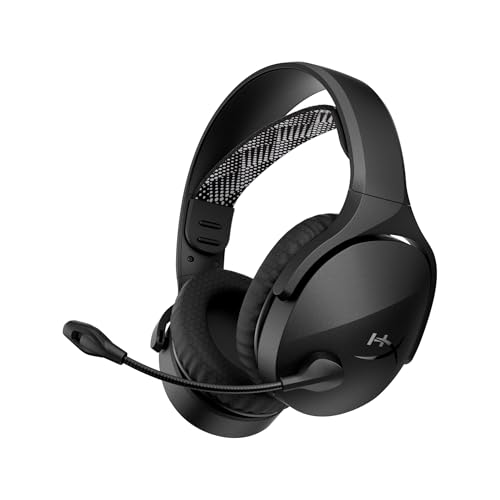
The Cloud Jet Wireless is the range’s quiet entry, and its listing is correspondingly spare: a wireless gaming headset with wireless connectivity, under the Cloud name. We include it because many buyers want exactly that — the family’s fit and wireless freedom without flagship batteries, base stations or feature lists — and because its restraint makes it the natural first Cloud for a younger player or a second room.
That spareness imposes a duty on the buyer, and this guide will not disguise it. The listing title does not state a battery figure, a driver size or a platform list, so those details must be confirmed on the product page itself before ordering; the spec box below records the gap plainly rather than borrowing numbers from the Jet’s better-documented siblings. Treat the page, not the family reputation, as the specification.
What the Cloud name does license you to expect is the family’s design language: an over-ear gaming fit intended for long sessions and a microphone intended for team voice. Players who need guaranteed figures for a specific console or a specific endurance target should step up to the documented models in this guide; players who want a simple wireless Cloud and will verify the essentials at the listing will find the Jet’s proposition coherent.
- Connections: wireless connectivity per listing
- Battery: the listing title gives no endurance figure — read the product page for the current specification before ordering
- Microphone: gaming headset microphone (arrangement per product page)
- Platforms: confirm on the product page for your machine
- Fit: Cloud family over-ear gaming design
- Role: entry wireless model in this line-up
Strengths
- The simplest route into wireless Cloud ownership.
- No flagship apparatus to pay for or manage.
- Family fit philosophy suits long sessions.
Trade-offs
- Listing spareness forces homework on battery and platforms.
- No headline endurance figure to plan around.
- Fewer documented features than every sibling here.
Best for: buyers wanting a straightforward wireless Cloud for casual play.
Not suited for: players needing verified endurance or console guarantees, who should choose a fully documented sibling.

HyperX Cloud Alpha Wireless — The 300-hour PC marathoner
The Cloud Alpha Wireless built its legend on one figure — up to 300 hours of battery life — wrapped around a serious PC gaming headset: DTS Headphone:X spatial audio, memory foam, dual chamber drivers, a noise-canceling microphone and a durable aluminium frame, finished in red. Years after launch it remains the endurance benchmark against which wireless headsets, including its own successor below, are measured.
Dual chamber drivers are the audio idea beneath the battery story. By separating the bass chamber from the mid and high chamber, the design aims to keep low-end weight from muddying the frequencies where footsteps and voices live. DTS Headphone:X adds spatial processing for games that support it, giving the Alpha a complete competitive-PC brief: hear more, charge almost never.
The aluminium frame signals the intended lifespan. This is a headset bought for years of daily PC play, and its PC focus is explicit in the listing — console players should not assume a path that the title does not name. Within its brief, it is close to a perfect argument: the headset you charge a handful of times a year, on the machine you play most.
Its red finish makes a smaller, human point: this is a headset content to look like gaming equipment. Players building a sober workstation may prefer the black restraint of its siblings, but players whose PC corner is a battlestation will find the Alpha’s accents at home among lit keyboards and tempered glass. Either way, the colour is the only compromise it makes — everything else in the design is the endurance brief, executed without apology.
- Battery: up to 300 hours per listing
- Audio: DTS Headphone:X spatial audio; dual chamber drivers
- Microphone: noise-canceling, detachable-style boom arrangement per family design (confirm on listing)
- Frame: durable aluminium
- Cushions: memory foam
- Platform: PC, per listing; Finish: red accents
Strengths
- 300-hour endurance effectively abolishes charging anxiety.
- Dual chamber tuning serves competitive clarity.
- Aluminium frame matches the multi-year brief.
Trade-offs
- PC-first: console players must look elsewhere in this guide.
- No Bluetooth is claimed in the listing for phone pairing.
- Its successor adds simultaneous connections it lacks.
Best for: PC players who want to charge a headset a few times a year.
Not suited for: console-led players, whose platforms this model does not claim to serve.

HyperX Cloud Flight 2 — The PlayStation traveller
The Cloud Flight 2 is the family’s traveller: a wireless gaming headset for PS5, PS4, Switch, PC, Mac and mobile, quoting up to 100 hours of battery over 2.4GHz and up to 150 hours over Bluetooth, with customisable RGB and removable earcup plates, in white. The Flight line has always been the Cloud that leaves the desk, and this generation leans into personalisation as well as range.
The dual battery figures are the honest core of the product. Play on the low-latency link and the budget is 100 hours; switch to Bluetooth for handheld and mobile use and the same cell stretches to 150. Few listings anywhere state the mode-dependence of endurance so plainly, and players should read their own expected split into those numbers rather than quoting the larger one.
Removable earcup plates and customisable RGB make the Flight 2 the expressive pick — the white finish and swappable plates suit players whose setup is visible and personal. Underneath the style sits the family’s usual seriousness: a platform list that leads with PlayStation and covers nearly everything else a household owns.
- Battery: up to 100 hours (2.4GHz) / 150 hours (Bluetooth) per listing
- Platforms named: PS5, PS4, Switch, PC, Mac, mobile
- Lighting: customisable RGB
- Customisation: removable earcup plates
- Microphone: gaming boom (see listing for arrangement)
- Finish: White
Strengths
- The broadest named platform list in this guide.
- Mode-honest battery figures help real planning.
- Plates and RGB make it the personalisable Cloud.
Trade-offs
- RGB spends battery the endurance figures must fund.
- White finish shows travel wear faster than black.
- Xbox is absent from its platform list.
Best for: PlayStation-led players who also game and listen everywhere else.
Not suited for: Xbox households, which have their own dedicated pick below.

HyperX CloudX Stinger Core Wireless for Xbox — The Xbox specialist
The CloudX Stinger Core Wireless exists because Xbox wireless is its own country: this gaming headset is built for Xbox Series X|S and Xbox One specifically, with memory foam and premium leatherette ear cushions and noise-cancelling for clear team chat. The CloudX badge is HyperX’s Xbox line, and this is its wireless representative in the guide.
Dedication is the value. Where multi-platform headsets ask Xbox players to verify modes and dongles, the Stinger Core’s listing names the two Xbox generations and nothing else — a short platform list that is a feature, because it removes the category’s most common purchasing error. Buy it, pair it with the console it was made for, and play.
The Stinger name signals the family’s accessible tier: the essentials done properly — wireless freedom, Cloud comfort cues in the cushions, a noise-cancelling microphone for party chat — without the Alpha line’s endurance theatre or the Flight’s customisation. For an Xbox household wanting one dependable wireless headset, that restraint is the recommendation.
Party chat is its natural test, and the noise-cancelling microphone is aimed squarely at it: the living-room television, the household moving behind the sofa, the fan in summer. Xbox players upgrading from a bundled wired headset will feel the liberation most in movement — the controller stays in hand, the player stands, stretches, fetches a drink between matches, and the conversation never leaves their ears. That small freedom, repeated nightly, is what wireless actually sells, and the Stinger Core sells it without demanding flagship commitment.
Because its listing title states no battery figure, plan the purchase from the product page’s current specification, and set your charging expectations there rather than from the family’s marathon reputation — the Alphas’ numbers belong to the Alphas.
- Platforms: Xbox Series X|S and Xbox One, per listing
- Cushions: memory foam with premium leatherette
- Microphone: noise-cancelling
- Connection: wireless, Xbox-dedicated
- Family tier: Stinger Core — the accessible CloudX line
- Finish: Black
Strengths
- Xbox dedication removes compatibility guesswork entirely.
- Memory foam leatherette cushions carry the Cloud comfort brief.
- Accessible tier keeps the purchase simple.
Trade-offs
- Xbox-only focus excludes PlayStation and PC households.
- No headline battery figure is stated in the listing title — check the product page.
- Fewer flagship features than the Alpha models.
Best for: Xbox Series X|S and Xbox One players wanting dedicated wireless.
Not suited for: multi-console households needing one headset across rival platforms.
HyperX Cloud Alpha 2 Wireless — The simultaneous-connection flagship
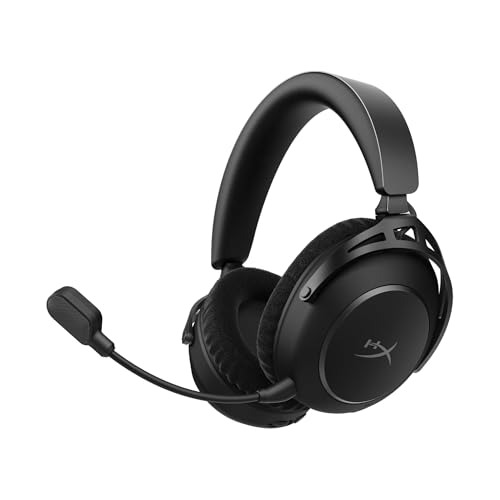
The Cloud Alpha 2 Wireless answers its predecessor’s one limitation: connection loneliness. It offers simultaneous 2.4GHz and Bluetooth — game audio from the PC and phone audio in the same ears, at the same time — with a 250-hour battery claim, dual-chamber drivers and an RGB base station that gives the headset a desk presence and a charging home. This is the family’s new flagship argument.
Simultaneous connection solves a modern annoyance elegantly: the phone call, the doorbell app, the second-screen video that otherwise demands removing the headset or missing the moment. With both links live, the phone layer floats over the game layer, and the player stays in both worlds. It is the feature most likely to define the next generation of gaming headsets, and HyperX has shipped it with endurance to spare.
The RGB base station completes the desk picture — a stand, a charge point and a light source in one object, answering the where-does-it-live question that wireless headsets usually leave to chance. Buyers should weigh the station’s desk footprint honestly; players with minimal desks may prefer the original Alpha’s austerity, while battlestation builders will see the station as the point.
There is a ritual benefit hiding in the hardware. A headset with a home gets put home; a headset without one migrates to sofas, bags and floors, accumulating the knocks and losses that end wireless products early. The Alpha 2’s station is therefore best understood as an ownership system rather than an accessory — the feature that protects all the other features — and players who know their own tidiness is unreliable should weight it accordingly.
- Connections: simultaneous 2.4GHz and Bluetooth
- Battery: 250-hour claim per listing
- Audio: dual-chamber drivers
- Included: RGB base station
- Microphone: gaming boom (arrangement per listing)
- Role: flagship wireless model in this line-up
Strengths
- Simultaneous links end the game-or-phone choice.
- 250 hours keeps flagship features from costing endurance.
- The base station solves storage and charging together.
Trade-offs
- The station claims desk space permanently.
- Flagship scope exceeds a casual player’s needs.
- Endurance crown passes back to the original Alpha’s 300 hours.
Best for: PC players who live simultaneously in game voice and phone life.
Not suited for: minimal-desk players, for whom the base station is furniture they never asked for.
How Does the HyperX Wireless Range Stack Up Internally?
| Model | Battery claim | Connections | Home ground |
|---|---|---|---|
| Cloud III S Wireless | 120 hours | 2.4GHz + Bluetooth | Multi-platform all-round play |
| Cloud Jet Wireless | See product page | Wireless | Simple wireless entry |
| Cloud Alpha Wireless | Up to 300 hours | 2.4GHz (PC) | PC endurance and clarity |
| Cloud Flight 2 | 100h (2.4GHz) / 150h (BT) | 2.4GHz + Bluetooth | PlayStation-led travel |
| CloudX Stinger Core Wireless | See product page | Xbox wireless | Xbox Series X|S and One |
| Cloud Alpha 2 Wireless | 250 hours | Simultaneous 2.4GHz + BT | Flagship desk with base station |
Read the table by platform first and battery second. An Xbox player gains nothing from 300 PC hours; a PC player gains nothing from Xbox dedication. Once the platform row is chosen, the battery and feature columns become a clean value judgement rather than a fog of numbers.
Voice clarity during the day job is a separate contest, and Best Plantronics Headsets rounds up headsets designed purely around being understood on calls.
How Do You Set Up a Wireless Cloud for Its First Week?
Charge it fully, pair the 2.4GHz dongle with your main machine, and pair Bluetooth with your phone as a separate, deliberate step. Set the headset as output and input in your chat app, make a test recording at match volume, and position the boom near the corner of your mouth. On the Alpha 2, place the base station where the headset will actually live — a charging home only works if it is where your hand naturally puts the headset down.
Then play one session on each connection the model offers. Bluetooth’s delay and the dongle’s immediacy are facts your ears should learn in a quiet week, not mid-match. Note which mode your console uses and what its battery figure implies for your charging rhythm, and set a calendar nudge for the first recharge rather than discovering the flat battery competitively.
What Mistakes Do HyperX Buyers Repeat?
Platform presumption is the expensive one. The Cloud name spans PC, PlayStation and Xbox variants that do not cross over, and the listings state their allegiances plainly. A buyer who orders the Alpha Wireless for a PlayStation, or the Flight 2 for an Xbox, has bought an excellent headset for a machine they do not own. Read the platform line first; it is the shortest line in every listing and the only one that can veto the purchase.
Second, quoting the biggest battery number for the wrong mode. The Flight 2’s 150 hours belong to Bluetooth; its gaming link budgets 100. The Alpha 2’s simultaneous connections spend its 250 hours faster than a single link would. Plan your charging rhythm from the figure attached to how you will actually play.
Third, treating the Cloud Jet’s spare listing as a defect to be filled with assumptions. Its page holds the answers; a buyer who checks them gets a simple wireless headset honestly bought, while a buyer who imports the Alpha’s numbers into the Jet’s box will be disappointed by a product that never claimed them.
Buyers also overlook microphone technique until teammates complain, whereas the work-focused range in Best Sennheiser Headsets treats speech pickup as the headline specification.
Why Does the Cloud Name Keep Surviving?
Longevity in gaming peripherals is rare because fashion cycles fast, and the Cloud family’s survival rests on an unfashionable virtue: comfort that respects long sessions. Memory foam, balanced clamp and weight distribution are not launch-event features, but they are why players replace a worn Cloud with another Cloud instead of shopping the field. The wireless generation inherited that priority and added the battery figures that now headline the range.
The family’s other survival trait is legibility. Each tier means something — Stinger for accessible essentials, Flight for travel and platforms, Alpha for PC endurance, the numbered Clouds for the mainstream — and this guide’s six picks map onto those meanings without forcing. A buyer can locate their brief in the family in one pass, which is more than most gaming catalogues allow.
What Does Simultaneous Connection Change About a Gaming Evening?
The Alpha 2’s simultaneous 2.4GHz and Bluetooth deserves unpacking, because it rearranges small moments rather than headline specifications. The delivery driver rings through a phone app while you are in a raid; a partner calls during a ranked match; a video on your phone deserves ears while the game idles in a menu. Single-connection headsets force a choice or a clumsy re-pair in each moment. Simultaneous connection dissolves the choice: the phone layer simply arrives, mixed over the game.
The discipline it asks in return is notification hygiene. A headset that admits your phone admits all of your phone — every group chat and calendar ping rendered in your ears mid-session. Players adopting the Alpha 2 should spend five minutes deciding which apps may interrupt and which may wait, or the feature becomes a distraction engine wearing a flagship badge.
There is also a team-etiquette angle: a player who answers a call without leaving voice chat owes their team a mute. Learn the headset’s mute path before the first simultaneous evening, and the technology stays the convenience it was designed to be.
How Does DTS Headphone:X Spatial Audio Differ From Ordinary Surround Claims?
The Cloud Alpha Wireless names its spatial system — DTS Headphone:X — where many headsets offer an unbranded surround toggle. A named system matters for two reasons. First, games and Windows can hand audio to a known spatial renderer, so the processing works with the game’s own positional information rather than guessing from a stereo mix. Second, its behaviour is consistent and documented, so a player’s learned directional cues transfer between titles.
Spatial audio of any brand remains a processing layer, and competitive players should test it per game. Some titles ship with their own excellent headphone mixes that a second layer only smears; others are transformed by it. The Alpha’s dual chamber drivers give whichever rendering you choose a clean physical foundation — separation in the hardware, spaciousness in the software, each doing its own job.
For films and single-player games, spatial processing is close to a free upgrade, widening soundstages and placing dialogue with a naturalness plain stereo rarely achieves on headphones. Keep it on there without deliberation, and reserve your testing energy for the competitive titles where milliseconds and footsteps are currency.
Why Do Players Talk About Cloud Comfort the Way They Do?
Comfort is the Cloud family’s founding document. The design language — memory foam that distributes clamp, a headband that spreads weight, earcups sized for whole ears rather than on them — was refined across a decade of wired models before these wireless versions inherited it. Wireless adds battery weight, which makes that inheritance more important, not less: a heavy headset with poor distribution is a neck injury scheduled by instalments.
The honest test of any model here is the third hour. First impressions flatter almost everything; the third hour reveals the hotspot on the crown, the jaw ache from clamp, the ear that has gone warm and damp. Players shopping this range should weight the comfort testimony of long-session owners over launch reviews, and glasses wearers should note that the family’s foam density has historically been kind to spectacle arms.
Fit also feeds audio. A cup that seals consistently delivers the bass the drivers produce and the isolation the chat deserves; a cup that leaks because it sits on a jaw hinge delivers neither. Adjust the headband until both cups sit centred and still, and the headset you bought is the headset you hear.
How Should You Care for a Battery That Lasts 300 Hours?
Marathon batteries invert the usual care problem. A nightly-charged headset accumulates cycles quickly but predictably; a 300-hour headset may sit at a low charge for weeks because its owner forgot what a charging cable looks like. Cells dislike deep storage at empty, so the marathon owner’s discipline is a calendar one: top the headset up on a monthly rhythm whether it asks or not, and never store it flat over an off-season.
The Alpha 2’s base station quietly solves this by making the charged state the stored state — the headset lives on its charger, which is why the station is a battery-care device disguised as furniture. Owners of the other models should imitate the outcome: a fixed charging spot, a fixed day, a cable that lives there permanently rather than travelling around the house.
Heat is the other enemy, and gaming rooms supply it — headsets left on top of warm PCs or in sunlit windows age their cells in fast-forward. Store the headset in the room’s ordinary shade, and the endurance you bought in year one remains recognisably itself in year three.
What Happens When the Dongle Goes Missing?
Every 2.4GHz model here depends on a small USB receiver, and small receivers lead adventurous lives — left in old laptops, swallowed by bags, borrowed by other machines. Prevention is mundane and total: keep the dongle in one machine, or in the headset’s case, or in the base station’s orbit, but always in one known place. Players who treat the dongle as part of the headset rather than as an accessory keep both.
If the worst happens, Bluetooth-equipped models here retain a second path to phones and many machines, which is another quiet argument for the dual-radio designs. PC-only owners of the Alpha Wireless should be doubly careful, because its listing promises no Bluetooth fallback to improvise with.
Replacement receivers and pairing procedures vary by model and production run, so the product page and HyperX’s support documentation are the authorities — check them before assuming a spare dongle from another Cloud will pair. Wireless ecosystems reward owners who keep the small parts accounted for.
Alpha or Alpha 2: How Do You Choose Between the Generations?
The two Alphas frame the family’s neatest dilemma. The original offers the bigger number — 300 hours — a durable aluminium frame, DTS spatial audio and an austere, desk-light footprint. The successor offers 250 hours, simultaneous connections and an RGB base station. Neither is the other’s replacement in every respect; they are different answers to what a flagship evening looks like.
Choose the original if your phone stays out of your gaming. A PC purist gains nothing from a Bluetooth layer they will mute, and gains fifty hours and a simpler desk from the first Alpha. Choose the Alpha 2 if your phone is a genuine second screen of your play — calls, apps, videos woven through sessions — because simultaneous connection is the kind of feature that, once lived with, reorganises expectations of every other headset.
Budget the desk as well as the money. The Alpha 2’s station is a commitment of surface; the original Alpha asks for a hook. Players in battlestation setups will experience the station as completion; players at small desks will experience it as occupation. Let the room vote alongside the feature list.
Can a Wireless Cloud Be a Household’s Only Headset?
For listening, nearly — the Bluetooth models here serve phones, tablets and handhelds happily, and detachable or tidy microphone arrangements keep them presentable outside the game room. For a household, the binding constraints are platform and simultaneity: an Xbox household and a PlayStation household cannot share one dedicated headset, and two players cannot share one of anything at the same time.
The realistic pattern is a household headset plus a specialist. A Cloud III S or Flight 2 covers the family’s mixed machines and media; the player with a serious PC habit adds an Alpha, or the Xbox player adds the Stinger Core. Because the family shares a fit language, moving between the household pair and the specialist pair costs no relearning — a small, real economy of standardising within one brand’s range.
Hygiene argues the same way as in offices: shared cushions should be wiped between users, and the heaviest user should have their own. The family’s models at several tiers make that affordable in a way a single-flagship household never is.
What Should You Check in the First Fortnight?
Week one tests the promises you can verify. Time your real battery drain against the listing’s figure at your volume and mode; you will not replicate the laboratory number, but you should land in its neighbourhood, and a wild shortfall is return-window information. Test every connection the model claims, on every machine you own, while returns are still easy.
Test the microphone on a real call with a candid friend, at match volume, in your actual room. Test the third hour for comfort with the longest session you ordinarily play. Test the charging ritual against your real habits — if the headset has already spent two nights on the sofa instead of its station or cable, redesign the ritual now rather than after the first flat-battery match.
Week two tests the subtler fit: whether the headband still sits where you set it, whether the dongle’s home has held, whether simultaneous notifications on the Alpha 2 are tuned to your tolerance. Headsets are kept or returned on these small verdicts, and every one of them is discoverable inside a fortnight by a buyer who goes looking.
How Do These Headsets Travel?
The Flight 2 was named for this question, but every model here faces it. Wireless headsets travel better than wired ones in the obvious way — no cable to tangle — and worse in one specific way: the dongle, the charging lead and the headset form a kit that must travel together. A case or a single pouch that always holds all three converts travel from a checklist into a grab.
Battery endurance is the traveller’s real luxury. A 120-to-300-hour headset crosses a holiday without its charger mattering; even the Flight 2’s figures cover a week of hotel evenings. That freedom argues for the marathon models in any bag that leaves home monthly, and it argues against travelling with the headset nearly empty — top it up before the trip, because airport charging is nobody’s plan.
On arrival, remember that a borrowed or hotel machine defaults to its own audio devices. Re-select the headset in the app, confirm the dongle’s port, and your travel setup is the home setup — the quiet promise of the whole wireless category, kept.
What Do the Numbers on the Box Not Tell You?
Battery hours are measured at moderate volume with features in their economical states; your RGB, your simultaneous links and your match volume all spend faster. Driver and chamber descriptions promise a tuning philosophy, not a measurement; two headsets with identical driver language can sound different enough that preference, not specification, must decide. Platform lists are exact, but connection paths within them — which mode serves which console — still deserve a listing check.
None of this makes the numbers useless. It makes them comparative rather than absolute, which is how this guide has used them throughout: 300 against 250 against 120 ranks endurance honestly even if your personal figures land lower across the board. Buy by the ranking, verify by the fortnight of real use, and the specification sheet becomes what it should be — a map, not a promise.
The one number that never appears on boxes is the one that decides satisfaction: hours of comfortable wear per day on your head. Everything in the Cloud family’s history suggests that number is high; your own third-hour test in the first fortnight is the only verification that counts.
Why Does Latency Deserve Respect Even From Casual Players?
Competitive players obsess over latency, but casual players feel it too — as films whose dialogue drifts a breath behind lips, as rhythm games that feel unfair, as the faint sense that a game responds through treacle. The 2.4GHz links across this range exist to keep that delay beneath perception; Bluetooth trades some of it for universality, which is why the dual-radio models route play and phone through different doors.
The player’s rule is simple and worth memorising: dongle for play, Bluetooth for everything else, cable when in doubt. Televisions complicate the chain — route console audio from the console, not the TV, wherever the setup allows — and a headset switched to the wrong mode is the commonest cause of a latency complaint that gets blamed on the product.
Once the routing is right, latency leaves the conversation, which is the highest compliment a wireless system earns. The Clouds in this guide are built to earn it; the buyer’s half of the bargain is five minutes of mode discipline at setup.
How Does Microphone Quality Run Across the Family?
Team voice is where gaming headsets earn or lose their reputations socially, and the Cloud family’s microphones have historically been its ambassadors — the listings here claim noise-cancelling or detachable boom arrangements across the range. Noise cancelling on a gaming microphone aims at the player’s own room: keyboard clatter, fans, a television behind the door. It cannot silence a household, but it keeps the player’s voice in front of it.
Detachability, on the Cloud III S, is a lifestyle feature disguised as a microphone decision. Off the headset, the player has wireless headphones for the commute and the sofa; on it, a boom positioned where voices are made. Players who never remove a mic should not pay the idea much attention; players who travel with their headset will use it weekly.
Whatever the model, placement decides the result. A boom bent to the corner of the mouth, an input level set at match volume, and one test recording in the chat app will extract more quality from any of these six than an upgrade between tiers would. The family’s microphones are good enough that technique, not hardware, is the remaining variable.
What Should a Gift Buyer or Parent Look For Here?
Platform, again, before everything: a headset for the wrong console is a disappointing morning regardless of its battery figure. The listings make the allegiance plain — Stinger Core for Xbox, Flight 2 leading with PlayStation, Alphas for PC — so the gift buyer’s first job is learning which machine the player actually uses, from the machine itself if necessary.
Durability and simplicity argue next. The Alpha’s aluminium frame suits a headset that will be knocked off desks for years; the Cloud Jet’s simplicity suits a first wireless headset, provided its product-page details are checked as this guide advises. Battery endurance is a genuine kindness in a gift — a headset that rarely needs charging is a headset that rarely disappoints at the start of a session.
Finally, consider the household the headset enters. A detachable microphone gives a family a simple physical boundary for voice chat; a base station gives a teenager’s desk one less cable to lose. Small considerations, but gifts succeed on exactly this scale of thoughtfulness.
A Closing Note on Buying the Endurance You Will Actually Use
It is tempting to treat the battery column as a league table and crown the 300-hour Alpha by default. Resist it. Endurance beyond your charging rhythm buys nothing you can feel — a player who charges monthly already lives in a world without battery anxiety at 120 hours. What extra money and attention should buy is fit with your platform, your phone habits and your desk, because those are the variables you will feel every single session.
The reverse error is worse: underbuying endurance for a roaming life. A headset that travels between house, bag and office will meet its flat battery at the worst moment, and no comfort or audio quality compensates for silence. Audit your own pattern honestly — where the headset sleeps, how often it leaves the desk, how reliable your charging habits honestly are — and let that audit, not the league table, set your endurance floor.
HyperX’s range is unusually forgiving here because even its mid-tier figures are generous by category standards. The realistic risk in this family is not a dead battery; it is a mismatched platform or a feature set aimed at a different player’s evening. Avoid those, and any of the six will feel, within a week, like the headset you have always owned.
What Does Year Two Look Like for a Wireless Cloud?
The wear pattern is consistent across the family: cushions soften and eventually split, headbands relax, and batteries surrender their first slice of capacity. What differs is how gracefully each model absorbs it. The Alpha’s aluminium frame shrugs off the knocks that retire plastic headsets; the base-station Alpha 2 keeps its battery in the gentlest charge pattern; the travelling Flight 2 accumulates cosmetic miles on its white finish that its performance ignores.
Owners can slow every item on that list. Wipe cushions after long sessions and let them dry; store the headset on its station, hook or case rather than on the warm top of a PC; keep the dongle accounted for; and run the occasional firmware or software check where the model supports it. None of this is devotion — it is the five-minute-a-month discipline that separates a headset retired by wear from one retired by neglect.
The family’s ecosystem helps: a range this popular sustains replacement cushions, cables and community knowledge for years after a model leaves the front page. Buying into a living family is, in that sense, buying the second and third years as much as the first — a consideration worth real weight against a marginally cheaper orphan product.
How Do You Decide What Your Evenings Actually Need?
Keep a rough diary for one week: which machine, which room, how long, whether the phone interrupted, whether the headset moved. Most players discover their pattern is narrower than their ambitions — one console owns eighty percent of their hours — and the correct purchase snaps into focus. The diary also exposes the charging truth: headsets that sleep on one desk forgive modest batteries, while headsets that sleep in bags forgive nothing.
Buy for the diary, not the catalogue. The player whose week is PC ranked matches and phone calls buys the Alpha 2 or the original Alpha and stops reading. The player whose week is a PlayStation, a Switch and a phone buys the Flight 2. The player whose week is an Xbox buys the Stinger Core. Everyone else — the mixed, the casual, the household — buys the Cloud III S or the honestly checked Cloud Jet, and spends the difference on games.
Final Recommendation
Choose by platform, then by appetite. PC players split between the Cloud Alpha Wireless for pure endurance and clarity, and the Alpha 2 when simultaneous phone connection and a base-station desk appeal. PlayStation-led and multi-platform players take the Cloud Flight 2 or the Cloud III S depending on whether customisation or detachable-mic simplicity matters more. Xbox players have the Stinger Core, made for them alone, and casual players have the Cloud Jet — with its listing homework done. HyperX’s wireless Clouds reward the platform-honest buyer with years of comfortable, rarely charged play; there is no wrong pick here, only mismatched ones.
Frequently Asked Questions
Which HyperX wireless headset lasts longest between charges?
The Cloud Alpha Wireless claims up to 300 hours, ahead of the Alpha 2’s 250. Both figures are manufacturer best cases; your mode, volume and features will spend them at your own rate.
Can I use the Cloud Alpha 2’s two connections at once?
Yes — simultaneous 2.4GHz and Bluetooth is its headline feature, designed so game audio and phone audio coexist. The original Alpha Wireless does not claim that capability.
Which of these works with Xbox?
The CloudX Stinger Core Wireless is built for Xbox Series X|S and Xbox One. The other models name PC, PlayStation, Switch and mobile in various combinations, so check each listing for your exact machine.
Why does the Cloud Flight 2 list two battery figures?
Because the wireless mode changes consumption: up to 100 hours over the 2.4GHz gaming link and up to 150 hours over Bluetooth. Plan around the figure for the mode you will use most.
Is the Cloud Jet Wireless a good first gaming headset?
It can be, provided you confirm the details its spare listing leaves to the product page — battery, platforms and microphone arrangement — before ordering. Buyers who need those figures guaranteed up front should choose a documented sibling.
Do these headsets work for music and calls on a phone?
The Bluetooth-equipped models — Cloud III S, Flight 2 and Alpha 2 among them — pair with phones for listening and calls. The PC-focused Alpha Wireless makes no Bluetooth claim in its listing, so treat it as a PC headset.
How often will I actually charge the Alpha Wireless?
At a few hours of play most evenings, a 300-hour claim translates into charging a handful of times a year. Keep a monthly top-up habit anyway, because cells stored near empty age faster — the headset’s endurance is a reason to relax, not a reason to forget it entirely.
Are the earcup plates on the Flight 2 purely cosmetic?
They are a personalisation feature: removable plates let the player change the headset’s look, and they make the white Flight 2 the expressive pick of the range. They do not change the audio, and players indifferent to appearance lose nothing by ignoring them.


