What's inside
As an Amazon Associate I earn from qualifying purchases. This post may contain affiliate links at no extra cost to you.
A recording studio monitor is the most honest speaker a musician or producer will ever own, and that honesty is the whole point. Unlike hi-fi speakers, which are designed to flatter the music, a studio monitor is designed to reveal it: every flaw in a mix, every muddy low end, every harsh vocal and every misplaced reverb is laid bare, so that a mix which sounds good on a monitor will sound good everywhere else. A budget of one thousand dollars buys a pair of monitors that are genuinely capable of professional work, and the difference between a good pair and a bad pair is the difference between a mix that translates and one that falls apart on other speakers.
The under-one-thousand-dollar category is the sweet spot of studio monitoring. Below it, monitors compromise on bass extension, driver quality and cabinet construction, and the sound is coloured enough to mislead a mix. Above it, the improvements are real but incremental, and many professional studios use monitors from this price range as a second reference or even as their main pair. This guide compares six recording monitors under one thousand dollars per pair, from the industry-standard Yamaha HS8 to the modern DSP-tuned KRK Rokit 8, covering the different sound signatures that suit different rooms and different music.
Every model in this guide is a real, current product from an established pro-audio brand, with a documented specification sheet and a track record in home studios and professional rooms. Verified purchase links and product images are added once the store catalogue is connected. The comparison weighs the things that matter for mixing: frequency response, bass extension, stereo imaging, room adaptation and the practical details such as size, inputs and build quality.
The right recording monitor depends on the room, the music and the listener. A small, untreated room benefits from a monitor with room-correction controls and a front port, while a larger treated room can accommodate a bigger monitor with deeper bass. Electronic producers need bass extension and power, acoustic musicians need midrange clarity, and mix engineers need a flat, honest response above all. This guide covers all of those uses, and the buying guide at the end explains how to match a monitor to the room rather than to the specification sheet.
One thousand dollars is the budget where home studio monitoring stops being a compromise and starts being a professional tool. The monitors in this price range are used in commercial studios as second references, in broadcast facilities as main monitors and in home studios as the primary mixing system, and the differences between them are matters of character and room fit rather than of basic quality. The guide below compares six of the best, and the right choice depends less on which monitor is objectively best than on which monitor suits the room, the music and the ears that will use it every day.
Quick picks: best recording monitors under 1000 dollars
| # | Product | Where to buy |
|---|---|---|
| 1 | Yamaha HS8 | Check on Amazon |
| 2 | Adam Audio T7V | Check on Amazon |
| 3 | JBL 308P MkII | Check on Amazon |
| 4 | Kali Audio LP-8 V2 | Check on Amazon |
| 5 | PreSonus Eris E8 XT | Check on Amazon |
Quick Comparison
| Monitor | Woofer | Sound signature | Standout feature | Best for |
|---|---|---|---|---|
| KRK Rokit 8 G4 | 8 inch | Full, modern | DSP room tuning, app | Electronic and hip-hop |
| Yamaha HS8 | 8 inch | Flat, honest | Industry-standard reference | Mixing and translation |
| Adam Audio T7V | 7 inch | Detailed, airy | Ribbon tweeter | Detail and stereo imaging |
| JBL 308P MkII | 8 inch | Neutral, wide | Waveguide imaging | All-round home studio |
| Kali Audio LP-8 V2 | 8 inch | Neutral, deep | Boundary EQ, low noise | Small rooms |
| PreSonus Eris E8 XT | 8 inch | Balanced, smooth | Waveguide, low price | Budget home studio |
KRK Rokit 8 G4
The KRK Rokit 8 G4 is the fourth generation of the most recognisable studio monitor in the world, and it is the best choice in this guide for electronic music, hip-hop and modern production. The 8-inch Kevlar woofer and 1-inch Kevlar tweeter are driven by a 203-watt bi-amped amplifier, the DSP includes 25 room-tuning EQ presets, and the KRK app lets the user adjust the EQ from a phone. The yellow woofer is iconic, and the sound is full, powerful and modern, with deep bass that suits bass-heavy music.
The strengths of the Rokit 8 G4 are bass, features and room adaptation. The 8-inch woofer delivers deep, powerful low end without a subwoofer, which matters for electronic and hip-hop producers who need to hear the bass they are creating, and the DSP room tuning is genuinely useful in a small, untreated room, where the presets tame the bass build-up that plagues corners and walls. The app control is convenient, the build quality is solid, and the monitor looks the part in a modern studio. For producers who make bass-heavy music in a home studio, it is the most complete package in this guide.
The trade-offs are that the Rokit sound is coloured rather than flat. The bass is emphasised and the high end is smooth, which makes music sound good but can flatter a mix and hide problems that a flatter monitor would reveal. Mix engineers who need a ruthlessly honest reference should look at the Yamaha HS8 instead, and the Rokit is best used as a production monitor rather than a final mixing reference. The 8-inch size also needs a reasonable room: in a very small, untreated space, the bass can overwhelm the mix.
The KRK Rokit 8 G4 fits electronic music producers, hip-hop artists and beat makers who need deep bass and room tuning in a home studio. It is the best monitor in this guide for bass-heavy production, and the right choice when the music is modern and the room is untreated.
The KRK Rokit 8 G4 is the monitor that most home producers buy first, and the reason is that it makes music sound exciting. The deep bass, the powerful amplifier and the modern DSP tuning create a sound that is fun to produce on, and the room-correction presets help in the untreated bedrooms and spare rooms where most home studios live. The Rokit’s colouration is a real consideration for final mixing, but for writing, arranging and producing, the excitement it brings to the process is a genuine advantage, and many producers keep a pair of Rokits alongside a flatter reference for exactly that reason.
Yamaha HS8

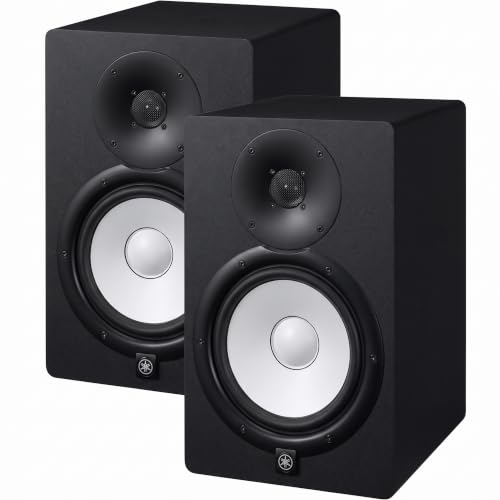
The Yamaha HS8 is the industry-standard nearfield monitor, and it is the most honest speaker in this guide. The 8-inch cone woofer and 1-inch dome tweeter are driven by a 120-watt bi-amped amplifier, the response is famously flat, and the monitor is found in professional studios around the world as a reference for checking mixes. The white woofer is iconic, and the sound is clean, detailed and unforgiving, which is exactly what a mix engineer needs.
The strengths of the HS8 are honesty and translation. A mix that sounds balanced on the HS8 will sound balanced on other speakers, because the monitor adds almost nothing of its own to the sound, and the flat response reveals problems in the low mids and the high end that a coloured monitor would hide. The build quality is excellent, the monitor is reliable, and the room-control switches on the rear let the user tame the bass and the high end for the room. For mix engineers, the HS8 is the benchmark against which other monitors are judged, and its reputation is earned.
The trade-offs are that the HS8 is unforgiving and bass-light compared with the KRK. The flat response means bad mixes sound bad, which is the point but can be discouraging for beginners, and the bass extension, while accurate, is less powerful than the Rokit, so electronic producers may want a subwoofer. The monitor is also larger and heavier than the 7-inch options, and it needs a reasonable room to sound its best. Buyers who want a flattering, fun sound should look elsewhere, but buyers who want the truth should stay here.
The Yamaha HS8 fits mix engineers, producers who need a reliable reference, and anyone who wants a mix to translate to other speakers. It is the most honest monitor in this guide, and the right choice when accuracy matters more than enjoyment.
The Yamaha HS8 is the monitor that mix engineers trust, and the trust is earned by decades of consistent performance. The HS series descends from the NS-10, the white-coned monitor that defined mixing in the 1980s and 1990s, and the HS8 carries that philosophy forward: a flat, honest response that reveals problems rather than hiding them. A mix that sounds balanced on the HS8 will translate to cars, phones, clubs and hi-fi systems, and that translation is the reason the HS8 remains the benchmark even as newer monitors offer more features.
Adam Audio T7V
Check price on Amazon: Yamaha HS8
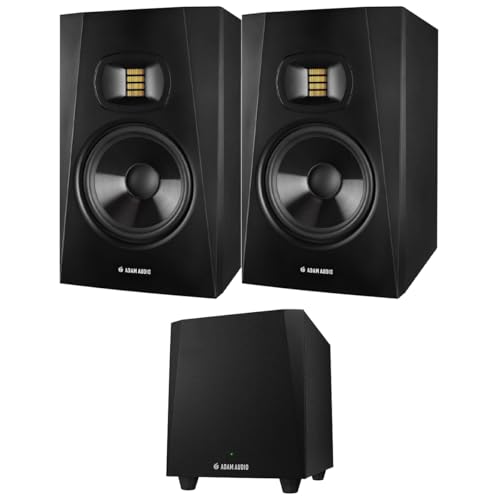
The Adam Audio T7V is a 7-inch nearfield monitor with a ribbon tweeter, and it is the best choice in this guide for detail and stereo imaging. The U-ART ribbon tweeter, a technology Adam Audio is known for, delivers exceptionally clear and airy high frequencies, the 7-inch woofer provides solid bass for its size, and the 110-watt bi-amped amplifier drives the pair cleanly. The sound is detailed, open and precise, with a stereo image that is wider and more stable than most monitors in this price range.
The strengths of the T7V are the tweeter and the imaging. The ribbon tweeter reveals detail in vocals, acoustic instruments and reverb tails that a conventional dome tweeter can smear, and the stereo image is precise enough to place instruments confidently in a mix. The bass is tight and controlled, the build quality is excellent, and the rear-panel room adaptation switches help the monitor work in a small room. For acoustic music, vocals and detailed mixing work, the T7V is the most revealing monitor in this guide.
The trade-offs are bass extension and size. A 7-inch woofer cannot match the deep bass of an 8-inch monitor, so electronic producers and anyone who needs to hear very low frequencies should consider the KRK or the Yamaha instead, or add a subwoofer. The ribbon tweeter is more delicate than a dome tweeter and should be handled with care, and the monitor is best suited to a nearfield position at a desk rather than a large room. For most home studios, however, the 7-inch size is ideal, and the detail more than compensates for the bass limit.
The Adam Audio T7V fits producers and engineers who work with acoustic music, vocals and detailed arrangements, and anyone who values stereo imaging and high-frequency detail. It is the most detailed monitor in this guide, and the right choice when the mix lives in the mids and highs rather than the sub-bass.
The Adam Audio T7V is the monitor in this guide where the tweeter makes the most difference, and the ribbon design is the reason. A ribbon tweeter moves faster and more precisely than a dome tweeter, which gives the high frequencies a clarity and airiness that is immediately noticeable on vocals, acoustic guitars and cymbals. The stereo image is wider and more stable as a result, and the detail in reverb tails and subtle effects is easier to hear. For producers who work with acoustic instruments and vocals, the T7V’s tweeter is the feature that justifies the purchase.
JBL 308P MkII
Check price on Amazon: Adam Audio T7V

The JBL 308P MkII is an 8-inch nearfield monitor with a patented waveguide, and it is the best all-round home studio monitor in this guide. The 8-inch woofer and 1-inch tweeter are driven by a 112-watt bi-amped amplifier, the Image Control Waveguide shapes the sound for a wide, stable sweet spot, and the Boundary EQ lets the user compensate for placement near a wall. The sound is neutral, clear and balanced, with good bass extension for an 8-inch monitor.
The strengths of the 308P MkII are neutrality, imaging and value. The waveguide creates a wide sweet spot, which means the stereo image stays stable even when the listener moves their head, and the neutral response is honest enough for mixing while remaining pleasant to listen to for long sessions. The Boundary EQ is genuinely useful in a small room where the monitors must sit close to a wall, the build quality is solid, and the price is lower than the Yamaha or the Adam while offering comparable performance. For a home studio that needs one pair of monitors to do everything, it is the most balanced choice in this guide.
The trade-offs are modest. The 308P MkII is less distinctive than its competitors: it lacks the KRK’s bass power, the Yamaha’s reputation and the Adam’s ribbon detail, and the design is functional rather than striking. The bass, while good, is not as deep as the KRK, and the high end is less airy than the Adam. These are small differences, and for most home studios the JBL’s balance and value matter more than any single standout feature.
The JBL 308P MkII fits home studio owners who need a single pair of monitors for recording, mixing and listening, and anyone who wants a neutral, reliable monitor at a fair price. It is the best all-rounder in this guide, and the right choice when the priority is a balanced monitor that does everything well.
The JBL 308P MkII is the monitor in this guide that best demonstrates how much waveguide design matters. The Image Control Waveguide shapes the sound so that the stereo image stays stable across a wide listening area, which means the mix sounds correct even when the engineer leans to one side or moves their head. That wide sweet spot is a practical advantage in a home studio, where the listening position is rarely perfect, and it is the reason the 308P MkII is so forgiving of imperfect rooms and imperfect placement.
Kali Audio LP-8 V2
Check price on Amazon: JBL 308P MkII

The Kali Audio LP-8 V2 is an 8-inch nearfield monitor from a newer pro-audio brand, and it is the best choice in this guide for small rooms. The 8-inch woofer and 1-inch tweeter are driven by a 100-watt bi-amped amplifier, the monitor includes extensive Boundary EQ settings for placement near walls and corners, and the noise floor is exceptionally low, which matters in a quiet home studio. The sound is neutral and detailed, with deep bass for an 8-inch monitor and a clean, uncoloured midrange.
The strengths of the LP-8 V2 are room adaptation and low noise. The Boundary EQ offers more adjustment than any other monitor in this guide, with settings for free space, wall placement and corner placement, which makes it the easiest monitor to integrate into a difficult room. The low noise floor means the monitor is silent when no signal is present, which is noticeable in a quiet room and a real advantage over noisier competitors. The bass is deep and controlled, the stereo image is stable, and the build quality is solid for the price.
The trade-offs are brand recognition and size. Kali Audio is a newer brand than Yamaha or JBL, so the LP-8 V2 lacks the long track record and the resale value of the established names, though its reputation among engineers is excellent and growing. The 8-inch size needs a reasonable room, and the monitor is best suited to a nearfield position rather than a large space. Buyers who want a proven industry standard should choose the Yamaha, but buyers who want the best room adaptation in this guide should stay here.
The Kali Audio LP-8 V2 fits home studio owners in small or awkward rooms, and anyone who needs a quiet, neutral monitor with serious room correction. It is the best monitor in this guide for difficult rooms, and the right choice when the room is the problem and the monitor must adapt to it.
The Kali Audio LP-8 V2 is the monitor in this guide that takes room adaptation most seriously, and the Boundary EQ is the evidence. The settings cover free space, wall placement and corner placement in detail, which makes the LP-8 V2 the easiest monitor to integrate into a difficult room, and the exceptionally low noise floor means the monitor is silent when no signal is present, which is noticeable in a quiet home studio. Kali Audio is a newer brand, but its engineering is serious, and the LP-8 V2’s reputation among working engineers is growing fast.
PreSonus Eris E8 XT
Check price on Amazon: Kali Audio LP-8 V2

The PreSonus Eris E8 XT is an 8-inch nearfield monitor with a waveguide, and it is the best budget choice in this guide. The 8-inch Kevlar woofer and 1.25-inch silk dome tweeter are driven by a 140-watt bi-amped amplifier, the EBM waveguide shapes the sound for a wide sweet spot, and the acoustic tuning controls let the user adjust the high, mid and low frequencies for the room. The sound is balanced and smooth, with good bass extension for the price.
The strengths of the E8 XT are value and completeness. It is the lowest-priced 8-inch monitor in this guide, yet it offers a waveguide, acoustic tuning controls and a solid build, which makes it an excellent first pair of studio monitors. The sound is balanced enough for mixing and pleasant enough for long listening sessions, the bass is solid for an 8-inch monitor, and the controls are straightforward. For a first home studio, it delivers most of the performance of the premium monitors at a fraction of the price.
The trade-offs are refinement and detail. The E8 XT is less detailed than the Adam, less flat than the Yamaha and less powerful in the bass than the KRK, and the build quality, while solid, is not at the level of the premium brands. The monitor is best suited to a home studio where the budget is the deciding factor, and buyers who can stretch to the JBL or the Yamaha will hear the difference. But as a first pair of monitors, it is an excellent starting point that will serve for years.
The PreSonus Eris E8 XT fits first-time studio owners, budget home studios and anyone who needs a capable 8-inch monitor for the least money. It is the best value recording monitor in this guide, and the right choice when the budget is tight and the priority is a balanced, honest sound.
The PreSonus Eris E8 XT is the monitor in this guide that proves a first pair of studio monitors does not have to be expensive to be useful. The waveguide, the acoustic tuning controls and the balanced sound give a beginner everything needed to learn mixing, and the low price means the money saved can go toward acoustic treatment, which will improve the sound more than a more expensive monitor in an untreated room. The E8 XT is the right starting point, and it will serve for years before an upgrade is genuinely needed.
Common Mistakes to Avoid
The most common mistake is buying monitors that are too big for the room. An 8-inch monitor in a small, untreated room will produce bass build-up, standing waves and a muddy low end that misleads every mix decision, and the problem is the room, not the monitor. A smaller monitor, or a monitor with serious room correction such as the Kali LP-8 V2, will sound better in a small room than a large monitor that overwhelms it. Match the monitor to the room, not to the ambition.
Another mistake is placing monitors incorrectly. Studio monitors should form an equilateral triangle with the listener, at ear height, away from walls and corners, and angled toward the listening position. Monitors placed against a wall, on a desk without isolation, or at the wrong height will sound boomy, harsh or unfocused, and no amount of EQ will fix a bad position. Spend time on placement before spending money on treatment or a better monitor.
A third mistake is mixing at high volume. Loud monitoring causes ear fatigue, masks detail and makes every mix decision less reliable, and the Fletcher-Munson effect means that a mix balanced at high volume will sound wrong at normal listening levels. Mix at a moderate, conversational volume, check the mix quietly and loudly, and take regular breaks. The best monitor in the world cannot compensate for tired ears.
Check price on Amazon: PreSonus Eris E8 XT
How to Choose a Recording Monitor
Start with the room, because it matters more than the monitor. A small, untreated room needs a monitor with room-correction controls and a front port, or a smaller monitor that excites fewer room modes. A larger, treated room can accommodate a bigger monitor with deeper bass. Measure the room, note the placement options, and choose the monitor that fits the space rather than the one with the most impressive specification sheet.
Decide what the monitor is for. Mix engineers need a flat, honest response above all, and the Yamaha HS8 is the benchmark. Producers of electronic music need bass extension and power, and the KRK Rokit 8 G4 is the choice. Acoustic musicians need midrange detail, and the Adam T7V is the pick. A home studio that does a bit of everything needs a balanced all-rounder such as the JBL 308P MkII. Match the monitor to the music, not to the brand.
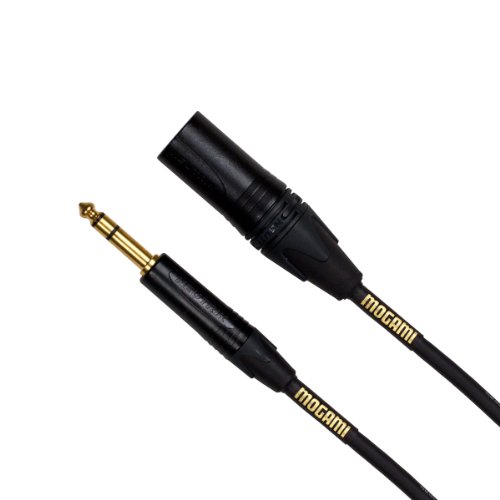
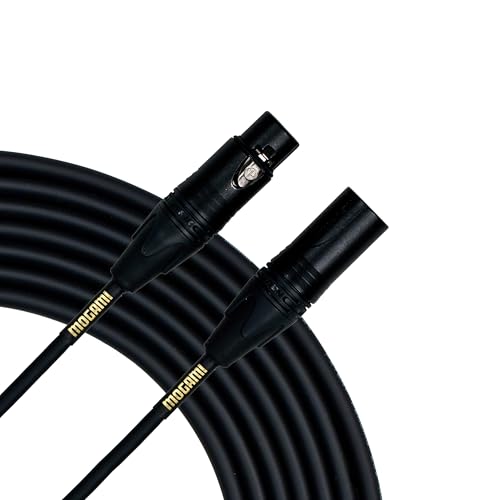
Check the inputs and the controls. A monitor with balanced XLR and TRS inputs, room-control switches and a front port is easier to integrate into a home studio than one with limited connections. The Boundary EQ on the JBL and Kali monitors is genuinely useful, and the DSP tuning on the KRK is worth having in an untreated room. These features matter more than a small difference in frequency response, because they determine how the monitor behaves in a real room.
Consider the size and the listening distance. Nearfield monitors are designed to be heard from one to two metres away, and an 8-inch monitor at a desk is the standard for a home studio. A 5-inch monitor suits a very small desk, while a larger monitor needs more distance and more room. Buy the size that fits the desk and the distance, and remember that a well-placed 7-inch monitor will outperform a poorly placed 8-inch one.
Listen before buying, where possible. Studio monitors have distinct sound signatures, and personal preference matters: some engineers prefer the flat honesty of the Yamaha, others the detail of the Adam, others the power of the KRK. If a local store allows a listening test, take reference tracks that are well known and compare the monitors side by side. If that is not possible, buy from a retailer with a good return policy and test the monitors in the actual room.
Treating the Room Around the Monitors
A studio monitor is only as good as the room it plays in, and a modest investment in acoustic treatment will improve the sound more than a more expensive monitor in an untreated room. The first priority is bass traps in the corners, because low frequencies build up there and create the muddy, boomy sound that misleads mix decisions. Broadband absorption panels at the first reflection points on the side walls and ceiling are the second priority, because they clean up the stereo image and the midrange. Together, those two treatments transform a spare room into a usable mixing space for less than the cost of a monitor upgrade.
Placement is free and matters as much as treatment. Monitors should sit away from walls and corners where possible, at ear height, angled toward the listener, and forming an equilateral triangle with the listening position. A monitor placed against a wall will sound bass-heavy, a monitor placed in a corner will sound boomy, and a monitor placed too low will sound dull, and no amount of EQ will fully correct those problems. The time spent moving the monitors and the listening position is the cheapest acoustic treatment available, and it should be done before any panels are bought.
Isolation is the third element, and it is inexpensive. Foam isolation pads or dedicated monitor stands decouple the monitors from the desk, which prevents the desk from resonating and colouring the sound, and the improvement is audible immediately. A monitor sitting directly on a hollow desk will excite the desk’s resonance and add a muddy character to the low mids, while the same monitor on isolation pads will sound cleaner and more focused. The pads cost very little and are one of the best value upgrades in a home studio.
Finally, learn the monitors with reference tracks. Every engineer has a set of well-known recordings that they use to judge a new room or a new pair of monitors, and the practice is essential: a monitor’s sound only becomes meaningful once the listener knows how familiar music should sound on it. Spend a week listening to reference tracks before making any mix decisions, note how the monitors present the bass, the vocals and the stereo image, and use that knowledge as the baseline for every mix that follows.
Frequently Asked Questions
Do I need a subwoofer with 8-inch studio monitors?
Usually not. An 8-inch monitor reaches low enough for most music, and a subwoofer adds complexity, room problems and cost. A subwoofer is worth adding only for electronic music with very low frequencies, for film scoring, or for a large treated room where the subwoofer can be placed and calibrated properly. For most home studios, a good pair of 8-inch monitors is enough.
What is the difference between a studio monitor and a hi-fi speaker?
A studio monitor is designed to be flat and honest, revealing flaws in a mix, while a hi-fi speaker is designed to sound pleasant, often by boosting the bass and smoothing the highs. A mix made on hi-fi speakers may sound good at home but fall apart elsewhere, while a mix made on studio monitors translates reliably. Use monitors for mixing and hi-fi speakers for enjoyment.
How far should I sit from my studio monitors?
For nearfield monitors, the standard is one to two metres, with the monitors and the listener forming an equilateral triangle. The tweeters should be at ear height, the monitors should be angled toward the listener, and the distance from the wall should be as large as the room allows. This position gives the flattest response and the most stable stereo image.
Do studio monitors need to be broken in?
There is a small break-in effect as the drivers loosen, but it is minor and happens within the first few hours of use. The far more important adjustment is the listener’s ears adapting to the monitor’s sound, which takes days or weeks. Give a new pair of monitors time before judging them, and use familiar reference tracks to learn their sound.
Can I mix on headphones instead of monitors?
Headphones are useful for checking detail and for working late, but they are not a substitute for monitors. Headphones exaggerate the stereo image, hide room problems and cause ear fatigue faster, and a mix made only on headphones often sounds wrong on speakers. Use headphones as a second reference, and do the main mixing on monitors.
What does room correction do on a studio monitor?
Room correction adjusts the monitor’s frequency response to compensate for the room’s acoustics, such as bass build-up near walls and corners. The DSP presets on the KRK and the Boundary EQ on the JBL and Kali monitors are examples. Room correction helps, but it cannot fix a bad room entirely, and acoustic treatment and proper placement matter more than any electronic correction.
Should I buy 5-inch or 8-inch monitors for a small room?
For a small, untreated room, a 5-inch or 7-inch monitor is often the better choice, because a smaller woofer excites fewer room modes and produces less bass build-up. An 8-inch monitor in a small room can sound boomy and mislead mix decisions, while a smaller monitor with a subwoofer added later, once the room is treated, gives more control. Match the monitor to the room, not to the ambition, and remember that a well-placed 7-inch monitor outperforms a poorly placed 8-inch one.
How important is the audio interface for monitor sound?
Very important. A poor interface with a noisy output or a weak headphone amplifier will limit even the best monitors, while a clean interface with balanced outputs lets the monitors perform as designed. Budget for an interface with balanced TRS or XLR outputs, low noise and a clean signal path, because the monitors can only reproduce what the interface sends them, and a noisy source will be audible on any honest monitor.
Conclusion
The best recording monitor under one thousand dollars for most home studios is the JBL 308P MkII, because it balances neutrality, imaging and value better than any other model in this guide, while mix engineers who need a ruthlessly honest reference should choose the Yamaha HS8. Electronic producers should look at the KRK Rokit 8 G4, detail lovers at the Adam T7V, small-room owners at the Kali LP-8 V2, and budget buyers at the PreSonus Eris E8 XT.
Whatever the choice, the priorities are the same: a monitor that fits the room, a response honest enough to trust, and a listening position that lets the monitor do its job. Get those three right, and a pair of monitors under one thousand dollars will produce mixes that translate to any speaker.