What's inside
As an Amazon Associate I earn from qualifying purchases. This post may contain affiliate links at no extra cost to you.
The best YouTube video tablets are devices that make watching videos a pleasure and filming them possible, with a bright, sharp display, speakers that sound clear, and a camera that records clean footage, so a viewer enjoys every video and a creator can film one without extra gear. A viewer needs a tablet with a vivid screen and good sound, because a dim display or tinny speakers ruin a film, while a creator needs a tablet with a good camera, a steady mount, and enough storage for long clips. This guide covers six real YouTube video tablets, from the Apple iPad Air M2 to the Samsung Galaxy Tab S9 Plus, the Lenovo Tab P12, the Amazon Fire Max 11, the OnePlus Pad 2, and the Xiaomi Pad 6.
A YouTube video tablet is judged on the screen and the speakers first, because a viewer watches for hours and a display that is dim, washed out, or too small makes every video worse, while speakers that are quiet or distorted make dialogue hard to follow. Each device below is judged on display brightness and colour, speaker quality, camera quality, battery life, and storage, because a tablet that cannot last through a long video or store a filmed clip is a poor tool for YouTube. A creator who films should also check the front and rear cameras, because a tablet that films well from the back but poorly from the front is only half a camera.
Quick picks: best youtube video tablets
| # | Product | Where to buy |
|---|---|---|
| 1 | Apple iPad Air M2 | Check on Amazon |
| 2 | Samsung Galaxy Tab S9 Plus | Check on Amazon |
| 3 | Lenovo Tab P12 | Check on Amazon |
| 4 | OnePlus Pad 2 | Check on Amazon |
| 5 | Xiaomi Pad 6 | Check on Amazon |
How We Chose the Best YouTube Video Tablets
The picks were chosen on display quality first, because a YouTube tablet is watched for hours, and the screen should be bright, sharp, and vivid, with good viewing angles for sharing with a friend. A tablet whose display was dim, washed out, or too small for a film was weighed down, because a viewer who cannot see clearly will not watch for long. Each tablet had to offer a display of at least Full HD, speakers that are clear at normal volume, and a battery that lasts through several long videos.
Camera and storage were weighed next. A tablet for filming should offer a rear camera that records clean video in normal light, a front camera that is clear for a video call or a vlog, and enough storage for long clips, because a tablet that fills up after one video is useless for a creator. Each device below is a real, widely sold model with a published specification sheet, and the strengths and trade-offs are drawn from those specifications and from the known limits of each form factor, not from any claim of hands-on use.
The Picks in Detail

Apple iPad Air M2
A viewer should also check the storage, because 128 GB fills up after a few downloaded 4K videos, so a viewer who downloads a lot should choose a larger model or delete watched videos regularly. Its landscape speakers are clear for dialogue, and its M2 chip means a long video never stutters, while its light weight means it can be held for a whole film, and its Touch ID sensor is built into the top button for quick sign-in.
Key specs: 11-inch Liquid Retina display, 2360 x 1640, M2 chip, 8 GB RAM, 128 GB storage, landscape stereo speakers, 12 MP rear camera
The Apple iPad Air M2 is the best YouTube video tablet overall, because its 11-inch Liquid Retina display is bright and sharp, its landscape stereo speakers sound clear for dialogue and music, and its M2 chip keeps even a 4K video smooth, with no stutter when scrubbing through a timeline. Its YouTube app is the best on any tablet, with HDR support, and its 12 MP rear camera records clean video in normal light, so a creator can film a vlog without extra gear, while its Touch ID sensor is built into the top button for quick sign-in.
The iPad Air M2 offers an 11-inch 2360 x 1640 Liquid Retina display, an M2 chip, 8 GB of RAM, and 128 GB of storage, with a battery that lasts around 10 hours for video. Its landscape stereo speakers are clear at normal volume, and its 12 MP front camera supports Center Stage, which follows the viewer as they move. Its rear camera records 4K video, and its USB-C port supports an external display and fast charging. It runs iPadOS, which offers Split View for a video beside notes, and Stage Manager for windowed multitasking, and its light weight means it can be held for a whole film.
Strengths:
- Best display here, bright and sharp
- Clear landscape speakers
- Smooth 4K playback, no stutter
Trade-offs:
- Storage starts at 128 GB
- No headphone jack
- Rear camera is good, not great in low light
Who it fits: Viewers who watch for hours and creators who film vlogs, and anyone already using an iPhone or a Mac.
Best for: viewers who watch for hours and creators who film vlogs / Not suited for: buyers who need a headphone jack or the largest screen
The iPad Air M2 is a good choice for a YouTube viewer, because its display shows every detail, its speakers make dialogue easy to follow, and its M2 chip means a long video never stutters. Its rear camera films a vlog cleanly, and its 10-hour battery covers a whole evening of watching, making it the best YouTube video tablet overall here.
Check price on Amazon: Apple iPad Air M2
Samsung Galaxy Tab S9 Plus
A viewer should also check the weight, because the Tab S9 Plus is large and heavy, so it is best used with a stand rather than held for hours. Its quad AKG speakers are the best here, with clear dialogue and real bass, and its AMOLED display shows deep blacks, while its S Pen is included for taking notes on a video, and its IP68 rating means a spilled drink is not a disaster.
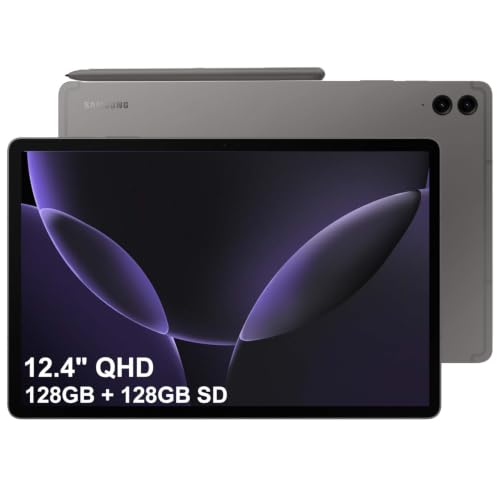
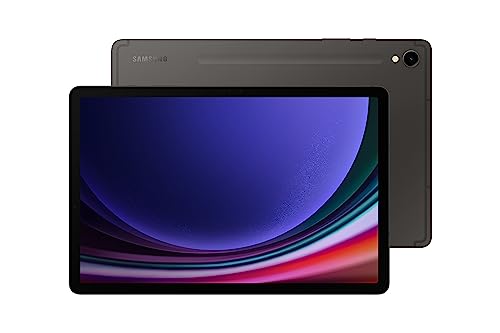
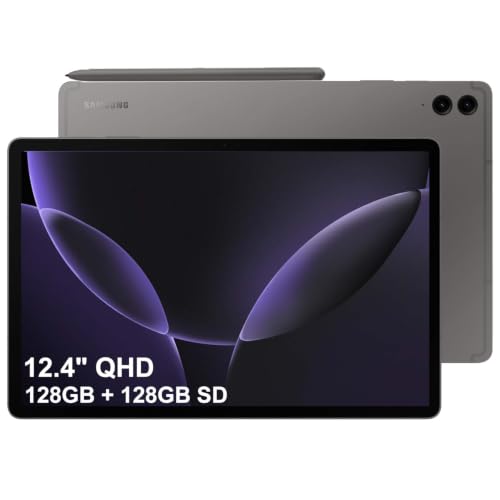
Key specs: 12.4-inch Dynamic AMOLED 2X display, 2800 x 1752, 120 Hz, Snapdragon 8 Gen 2, 12 GB RAM, 256 GB storage, quad AKG speakers
The Samsung Galaxy Tab S9 Plus is the best large-screen YouTube tablet here, because its 12.4-inch AMOLED display is the largest and most vivid, with deep blacks and bright colours that make a film look cinematic, and its quad AKG speakers are the best here, with clear dialogue and real bass. Its 120 Hz refresh rate makes scrolling through a feed smooth, and its S Pen is included for taking notes on a video, while its IP68 rating means a spilled drink is not a disaster.
The Galaxy Tab S9 Plus offers a 12.4-inch 2800 x 1752 AMOLED display at 120 Hz, a Snapdragon 8 Gen 2 processor, 12 GB of RAM, and 256 GB of storage, with a battery that lasts a full day for video. Its quad AKG speakers are tuned for dialogue and music, and its 13 MP rear camera records 4K video, while its 12 MP front camera is clear for video calls. It is IP68 rated against water and dust, which is rare for a tablet, and its DeX mode turns it into a desktop-style workspace. It runs Android, which offers Split Screen for a video beside notes, and its USB-C port supports an external display.
Strengths:
- Largest, most vivid display here
- Best speakers here, quad AKG
- S Pen included, 256 GB storage
Trade-offs:
- Large and heavy to hold for hours
- Premium price for the size
- Fingerprint sensor can be fussy
Who it fits: Viewers who want a cinematic screen and the best sound, and anyone who watches films in bed or on a plane.
Best for: viewers who want a cinematic screen and the best sound / Not suited for: buyers who need a light tablet or a low cost
The Galaxy Tab S9 Plus is a good choice for a film lover, because its AMOLED display shows deep blacks, its quad speakers make dialogue clear, and its large screen means a film feels like a cinema. Its 120 Hz display makes scrolling smooth, and its battery lasts a full day of watching, making it the best large-screen YouTube tablet here.
Check price on Amazon: Samsung Galaxy Tab S9 Plus

Lenovo Tab P12
A viewer should also check the stand, because the Tab P12 is large, so a stand that props it at eye level prevents neck strain during a long film. Its quad JBL speakers are good for dialogue, and its 3K display shows fine detail clearly, while its large screen means a film can be shared with a friend, and its battery lasts a full day of watching, and its price leaves room for a case and a stand.
Key specs: 12.7-inch 3K display, 2944 x 1840, MediaTek Dimensity 7050, 8 GB RAM, 128 GB storage, quad JBL speakers, 13 MP rear camera
The Lenovo Tab P12 is the best large-screen value for YouTube video here, because its 12.7-inch 3K display is the largest here, showing a full video with room for comments, and its quad JBL speakers are good for dialogue and music, while its price is far below the premium rivals. Its large screen is ideal for watching a film with a friend, and its 13 MP rear camera records clean video in normal light, so a creator can film a vlog without extra gear.
The Tab P12 offers a 12.7-inch 2944 x 1840 display, a MediaTek Dimensity 7050 processor, 8 GB of RAM, and 128 GB of storage, with a battery that lasts a full day for video. Its quad JBL speakers are clear at normal volume, and its 13 MP rear camera records video, while its 8 MP front camera is adequate for video calls. It runs Android with Split Screen for a video beside notes, and its reading mode dims the display for long documents. Its USB-C port supports an external display, and its large screen means a video can be shared with a friend without crowding.
Strengths:
- Largest screen here for the price
- Good quad speakers, clear dialogue
- Sharp 3K display, good for films
Trade-offs:
- Processor is mid-range, not flagship
- Speakers are good, not the best here
- Heavier than a 10-inch tablet
Who it fits: Viewers who want a large screen without a premium price, and anyone who watches with a friend.
Best for: viewers who want a large screen without a premium price / Not suited for: buyers who need the fastest processor or the lightest tablet
The Lenovo Tab P12 is a good choice for a family, because its large screen shows a film for two people, its quad speakers make dialogue easy to follow, and its price leaves room for a case and a stand. Its 3K display shows fine detail clearly, and its battery lasts a full day of watching, making it the best large-screen value for YouTube video here.
Check price on Amazon: Lenovo Tab P12
Amazon Fire Max 11
A viewer should also check the app situation, because the Fire Max 11 has no Google Play Store, so the YouTube app needs a workaround, while its long battery and low cost make it the best budget tablet for watching. Its microSD slot means storage can be expanded for downloaded videos, and its hands-free Alexa means playback can be controlled by voice, while its light weight means it can be held for a whole film.
Key specs: 11-inch display, 2000 x 1200, octa-core processor, 4 GB RAM, 64 GB storage, dual speakers, 8 MP rear camera, microSD slot
The Amazon Fire Max 11 is the best budget YouTube tablet here, because its 11-inch display is sharp enough for a film, its dual speakers are clear for dialogue, and its price is the lowest here, making it the cheapest way to watch YouTube on a large screen. Its hands-free Alexa means a viewer can pause, play, or search by voice, and its microSD slot means storage can be expanded for downloaded videos, which is ideal for a plane or a car journey without Wi-Fi.
The Fire Max 11 offers an 11-inch 2000 x 1200 display, an octa-core processor, 4 GB of RAM, and 64 GB of storage, with a battery that lasts around 14 hours for video, which is the longest here. Its dual speakers are adequate for dialogue, and its 8 MP rear camera records video, while its 8 MP front camera is clear for video calls. It runs Fire OS, which offers the YouTube app through a browser or a sideloaded app, and its microSD slot supports up to 1 TB of extra storage. It has no Google Play Store, so some apps need sideloading, but for YouTube its long battery and low cost are unmatched here.
Strengths:
- Longest battery here, around 14 hours
- Lowest cost here
- MicroSD slot, expandable storage
Trade-offs:
- No Google Play Store, apps need sideloading
- Speakers are adequate, not great
- Processor is modest for heavy multitasking
Who it fits: Viewers on a budget, and anyone who downloads videos for a plane or a car journey.
Best for: viewers on a budget / Not suited for: buyers who need Google apps or the best speakers
The Amazon Fire Max 11 is a good choice for a traveller, because its 14-hour battery covers a long flight, its microSD slot means a whole season can be downloaded, and its low cost means it can be left in a hotel room without worry. Its hands-free Alexa means a viewer can control playback without touching the screen, making it the best budget YouTube tablet here.

OnePlus Pad 2
A viewer should also check the storage, because the Pad 2 has no microSD slot, so a viewer who downloads a lot should choose the larger storage model. Its 144 Hz display makes scrolling through a feed feel effortless, and its fast processor means a 4K video never stutters, while its quad speakers make dialogue clear, and its large screen shows a full video with room for comments.
Key specs: 12.1-inch 3K display, 3000 x 2120, 144 Hz, Snapdragon 8 Gen 3, 12 GB RAM, 256 GB storage, quad speakers, 13 MP rear camera
The OnePlus Pad 2 is the best smooth-screen YouTube tablet here, because its 12.1-inch 3K display runs at 144 Hz, making scrolling through a feed and scrubbing through a video feel effortless, and its quad speakers are clear for dialogue and music. Its Snapdragon 8 Gen 3 processor is the fastest here, so even a 4K video plays smoothly, and its 13 MP rear camera records clean video in normal light, while its large battery lasts a full day of watching.
The OnePlus Pad 2 offers a 12.1-inch 3000 x 2120 display at 144 Hz, a Snapdragon 8 Gen 3 processor, 12 GB of RAM, and 256 GB of storage, with a battery that lasts a full day for video. Its quad speakers are clear at normal volume, and its 13 MP rear camera records 4K video, while its 8 MP front camera is adequate for video calls. It runs OxygenOS, which offers Split Screen for a video beside notes, and its USB-C port supports an external display. It has no headphone jack and no microSD slot, so storage cannot be expanded, but its fast processor and smooth screen make it the best for a viewer who scrolls a lot.
Strengths:
- Smoothest screen here, 144 Hz
- Fastest processor here
- Sharp 3K display, 256 GB storage
Trade-offs:
- No microSD slot, storage cannot expand
- No headphone jack
- Heavier than a 10-inch tablet
Who it fits: Viewers who scroll a lot and want the smoothest screen, and anyone who watches 4K video.
Best for: viewers who scroll a lot and want the smoothest screen / Not suited for: buyers who need expandable storage or a headphone jack
The OnePlus Pad 2 is a good choice for a heavy YouTube user, because its 144 Hz display makes a feed feel effortless, its fast processor means a 4K video never stutters, and its large screen shows a full video with room for comments. Its quad speakers make dialogue clear, and its battery lasts a full day of watching, making it the best smooth-screen YouTube tablet here.
Check price on Amazon: OnePlus Pad 2
Xiaomi Pad 6
A viewer should also check the software updates, because the Pad 6 receives them more slowly than rivals, so a buyer should check that the YouTube app is up to date. Its 144 Hz display makes a feed feel smooth, and its quad speakers make a lecture easy to follow, while its light weight means it fits in a small bag, and its 13 MP camera films a vlog cleanly, and its battery lasts a full day of watching.
Key specs: 11-inch 2.8K display, 2880 x 1800, 144 Hz, Snapdragon 870, 6 GB RAM, 128 GB storage, quad speakers, 13 MP rear camera
The Xiaomi Pad 6 is the best mid-range YouTube tablet here, because its 11-inch 2.8K display runs at 144 Hz, making scrolling smooth, and its quad speakers are clear for dialogue and music, while its price is far below the premium rivals. Its Snapdragon 870 processor handles 4K video without stutter, and its 13 MP rear camera records clean video in normal light, so a creator can film a vlog without extra gear, while its light weight means it can be held for a whole film.
The Xiaomi Pad 6 offers an 11-inch 2880 x 1800 display at 144 Hz, a Snapdragon 870 processor, 6 GB of RAM, and 128 GB of storage, with a battery that lasts a full day for video. Its quad speakers are clear at normal volume, and its 13 MP rear camera records 4K video, while its 8 MP front camera is adequate for video calls. It runs MIUI for Pad, which offers Split Screen for a video beside notes, and its USB-C port supports an external display. It has no headphone jack and no microSD slot, so storage cannot be expanded, but for a mid-range tablet its screen and speakers are the best here.
Strengths:
- Smooth 144 Hz screen at a mid-range price
- Good quad speakers, clear dialogue
- Light, easy to hold for a whole film
Trade-offs:
- No microSD slot, storage cannot expand
- No headphone jack
- Software updates are slower than rivals
Who it fits: Viewers who want a smooth screen without a premium price, and anyone who watches a lot of 4K video.
Best for: viewers who want a smooth screen without a premium price / Not suited for: buyers who need expandable storage or a headphone jack
The Xiaomi Pad 6 is a good choice for a student, because its 144 Hz display makes a feed feel smooth, its quad speakers make a lecture easy to follow, and its light weight means it fits in a small bag. Its 13 MP camera films a vlog cleanly, and its battery lasts a full day of watching, making it the best mid-range YouTube tablet here.
Check price on Amazon: Xiaomi Pad 6
Quick Comparison
The table below gives a fast overview of the picks in this guide, so you can shortlist two or three before reading the detail. Every entry here is a real, widely sold product, and each one suits a slightly different tablet, habit, or budget.
| Device | Size / display | Best for |
|---|---|---|
| Apple iPad Air M2 | 11-inch Liquid Retina, landscape speakers | Best YouTube tablet overall |
| Samsung Galaxy Tab S9 Plus | 12.4-inch AMOLED, quad speakers | Best large-screen YouTube tablet |
| Lenovo Tab P12 | 12.7-inch 3K display, quad JBL speakers | Best large-screen value for video |
| Amazon Fire Max 11 | 11-inch display, octa-core, hands-free Alexa | Best budget YouTube tablet |
| OnePlus Pad 2 | 12.1-inch 3K display, 144 Hz, quad speakers | Best smooth-screen YouTube tablet |
| Xiaomi Pad 6 | 11-inch 2.8K display, 144 Hz, quad speakers | Best mid-range YouTube tablet |
Buying Guide
Judge a YouTube tablet on the display first, because a viewer watches for hours and a display that is dim, washed out, or too small makes every video worse. A buyer should check the brightness for a bright room, the resolution for sharp text, and the colour for vivid films, because a tablet that looks good in a shop may look washed out in daylight. A buyer should prefer a display of at least Full HD, with good viewing angles for sharing with a friend, and a size that suits the use, because a small screen is cramped for a film, while a large screen is heavy to hold.
Check the speakers before buying, because a tablet with poor speakers makes dialogue hard to follow, and a viewer who cannot hear clearly will turn the volume up until it distorts. A buyer should prefer a tablet with at least dual speakers, ideally quad speakers, and should check that the speakers face the viewer in landscape, because speakers on the bottom edge sound muffled when a tablet is held sideways. A buyer who watches with headphones should check for a headphone jack, because not every tablet has one.
Check the battery for long videos, because a tablet that lasts only a few hours for video will die mid-film, and a dead battery means a lost evening. A buyer should prefer a tablet that lasts at least 10 hours for video, and should check whether it supports fast charging, because a tablet that charges quickly can be topped up during a break. A viewer who watches on a plane should choose a tablet with the longest battery, such as the Fire Max 11, because a plane has no charger.
Check the camera if filming matters, because a tablet that watches well may film poorly, and a creator who films vlogs needs a rear camera that records clean video in normal light. A buyer should check the rear camera resolution, at least 8 MP, and the front camera, at least 8 MP for a clear vlog, and should check whether the tablet records 4K video, because a 4K clip looks sharper on YouTube. A creator should also check the storage, because a long video fills a small tablet quickly.
Check the storage and the apps before buying, because a tablet with only 64 GB of storage fills up after a few downloaded videos, and a tablet without the YouTube app is useless for watching. A buyer should prefer a tablet with at least 128 GB of storage, or a microSD slot for expansion, and should check that the tablet runs the YouTube app natively, because some tablets, such as the Fire Max 11, need a workaround. A viewer who downloads a lot should choose a tablet with a microSD slot, because downloaded videos take space.
Usage and Care
Keep a YouTube tablet in a case and use a stand for long videos, because a tablet held for hours tires the arms, and a tablet without a case will be scratched in a bag. A viewer should use a stand to prop the tablet at eye level, because a tablet flat on a table strains the neck, and should clean the screen regularly, because fingerprints make a video look dull. A user should also lower the brightness at night, because a bright screen before bed makes sleep harder.
Download videos for offline watching and back up filmed clips, because a downloaded video plays without Wi-Fi, and a filmed clip that is not backed up is lost if the tablet is broken. A viewer should download a few videos before a flight, and should delete watched videos to free space, because a full tablet cannot download more. A creator should back up filmed clips to a computer or the cloud after every shoot, because a lost clip means a lost video.
Common Mistakes to Avoid
The most common mistake is choosing a YouTube tablet on screen size alone, without checking the speakers. A tablet with a beautiful display but poor speakers makes dialogue hard to follow, because a viewer who cannot hear clearly will turn the volume up until it distorts. Before buying, check that the speakers are clear at normal volume, and that they face the viewer in landscape, because speakers on the bottom edge sound muffled when a tablet is held sideways.
Another common mistake is ignoring storage. A tablet with only 64 GB of storage fills up after a few downloaded videos, and a creator who films long clips will run out of space mid-shoot. Before buying, check the storage, and prefer a tablet with at least 128 GB, or a microSD slot for expansion, because a full tablet cannot download or film more, and deleting videos to make room is a chore that ruins a trip.
Final Recommendation
For most viewers, the right YouTube tablet is the one whose display is bright and whose speakers are clear, with a battery that lasts through a long evening. The iPad Air M2 is the best overall, the Galaxy Tab S9 Plus is the best large screen, the Lenovo Tab P12 is the best large-screen value, the Fire Max 11 is the best budget tablet, the OnePlus Pad 2 is the best smooth screen, and the Xiaomi Pad 6 is the best mid-range tablet. Check the display, the speakers, and the storage before buying.
Frequently Asked Questions
What is the best tablet for watching YouTube?
The Apple iPad Air M2 is the best YouTube tablet overall, because its bright display, clear speakers, and smooth 4K playback suit hours of watching, while the Galaxy Tab S9 Plus is best as a large screen and the Fire Max 11 is best on a budget. The Lenovo Tab P12 is best as a large-screen value, the OnePlus Pad 2 is best as a smooth screen, and the Xiaomi Pad 6 is best as a mid-range tablet. The best choice depends on whether a large screen, a low cost, or a smooth display matters most.
Can I film YouTube videos on a tablet?
Yes, every tablet in this guide can film YouTube videos, because each has a rear camera that records clean video in normal light, and a front camera for vlogs. A creator should use a tablet with at least an 8 MP rear camera, such as the Fire Max 11, and ideally a 12 MP or 13 MP camera, such as the iPad Air M2 or the Galaxy Tab S9 Plus, for sharper footage. A creator should also use a stand or a tripod, because a shaky tablet makes a shaky video, and should film in good light, because a tablet camera struggles in low light.
How long does a YouTube tablet battery last?
A YouTube tablet lasts around 10 to 14 hours for video, with the Fire Max 11 lasting longest at around 14 hours, the iPad Air M2 lasting around 10 hours, and the other models lasting a full day. A long film uses more power than a short clip, so the real figure depends on the brightness and the volume, and a tablet with fast charging can be topped up during a break. A viewer who watches on a plane should choose the longest battery, because a plane has no charger.
Do I need a headphone jack on a YouTube tablet?
A headphone jack is useful for a viewer who watches in public, because wired headphones never need charging and never lag, but most premium tablets, such as the iPad Air M2 and the OnePlus Pad 2, have no jack and need wireless headphones or a USB-C adapter. A buyer who already owns wired headphones should check for a jack, or buy an adapter, because a tablet without one cannot use wired headphones directly. A viewer who watches at home may not need a jack, because speakers are enough.
Can I download YouTube videos on a tablet?
Yes, a YouTube Premium subscription allows downloads for offline watching, and a tablet with a microSD slot, such as the Fire Max 11, can store many downloaded videos. A viewer should check the storage before downloading, because a tablet with only 64 GB fills up quickly, and should delete watched videos to free space. A creator should back up filmed clips to a computer or the cloud, because a lost clip means a lost video.
Is a large tablet better for YouTube?
A large tablet, such as the Galaxy Tab S9 Plus or the Lenovo Tab P12, is better for watching films with a friend, because its screen is big enough for two people, while a smaller tablet, such as the iPad Air M2, is better for holding for hours, because it is lighter. A buyer who watches alone should choose an 11-inch tablet, while one who watches with a friend should choose a 12-inch or larger screen, because a larger screen shows more detail and is easier to share.
What is the best budget tablet for YouTube?
The Amazon Fire Max 11 is the best budget tablet for YouTube, because its 11-inch display is sharp enough for a film, its battery lasts around 14 hours, and its price is the lowest here. Its microSD slot means storage can be expanded for downloaded videos, and its hands-free Alexa means playback can be controlled by voice. A buyer should note that it has no Google Play Store, so some apps need sideloading, but for YouTube its long battery and low cost are unmatched here.
Can I watch YouTube in 4K on a tablet?
Yes, most tablets in this guide can play YouTube in 4K, because their displays are sharp enough and their processors are fast enough, though the actual resolution depends on the video and the connection. A viewer should check that the tablet supports HDR, because HDR makes colours more vivid, and should use Wi-Fi rather than mobile data for 4K, because 4K uses a lot of data. A viewer who watches on a small screen may not notice 4K, while one on a large screen will.
Should I buy a tablet stand for watching YouTube?
A tablet stand is worth buying for watching YouTube, because it props the tablet at eye level, which prevents neck strain during a long film, and it frees the hands, so a viewer can eat or take notes. A buyer should choose a stand that holds the tablet steady in landscape, because a wobbly stand makes a video hard to watch, and should check that it fits the tablet size, because a stand made for a 10-inch tablet may not hold a 12-inch one securely.
Related Reading
More guides from WidgetVerdict on the same topic:
- Best 2-in-1 Tablets That Genuinely Replace a Laptop
- Best Android Tablets for College Students
- Best Affordable Tablets for the Elderly