What's inside
- Key Takeaways
- Quick Picks
- How We Chose These Picks
- What Threat Model Should Decide Your Purchase?
- Which Encrypted Drives Survive a Serious Look at Their Security?
- How Do the Six Encrypted Drives Compare on Security First?
- What Separates Hardware Encryption From a Software Lock?
- What Mistakes Turn Strong Encryption Into Lost Data?
- How Should You Set Up an Encrypted Portable Drive on Day One?
- How Do Brute-Force Defences Change the Real Strength of a PIN?
- Which Professions Should Insist on the Keypad or Certified Tier?
- How Should Travellers Think About Encrypted Drives?
- What Role Do Ruggedness and Sealing Play Alongside Encryption?
- How Much Capacity Does an Encrypted Archive Really Need?
- What Should Teams Standardise When Several People Carry Sealed Drives?
- How Do You Retire or Reassign an Encrypted Drive Safely?
- What Does a Week of Real Ownership Feel Like at Each Tier?
- How Do You Verify a Drive’s Encryption Claims Before Trusting It?
- Final Recommendation
- Frequently Asked Questions
- Related Guides
As an Amazon Associate I earn from qualifying purchases. This post may contain affiliate links at no extra cost to you.
widgetverdict.com is reader-supported. When you buy through links on our site, we may earn an affiliate commission.
Where to buy: the six drives below each link to a checked Amazon listing, ordered from certified keypad hardware for regulated work down to mainstream password-protected drives for everyday privacy.
The best portable ssds with strong encryption divide sharply into two species that marketing copy works hard to blur. The first species encrypts in dedicated hardware, unlocked by a physical keypad or a validated security module, and keeps working even if the drive is removed from its enclosure and attacked directly. The second species — which includes some excellent mainstream drives — pairs hardware AES encryption with a password entered through software on a computer you trust. Both species protect a lost bag. Only the first shrugs off a determined adversary, and this guide grades all six picks against that distinction openly rather than letting the word encrypted do unearned work.
Three of the picks carry their own PIN pads: iStorage’s diskAshur2 in two capacities, Apricorn’s FIPS-validated Aegis Fortress L3, and Glyph’s SecureDrive+ with its keypad and Bluetooth-era conveniences kept in check by hardware design. The remaining two, from WD and Samsung, are the drives most people should actually buy for personal privacy — fast, pocketable, hardware-encrypted, and honest about being password devices rather than certified vaults. Read the threat-model section before the picks; the right drive depends entirely on who you imagine picking yours up.
Key Takeaways
- Hardware encryption with a physical keypad is the strongest tier here: the diskAshur2 pair, the Apricorn L3 and the Glyph SecureDrive+.
- Apricorn’s Aegis Fortress L3 carries FIPS 140-2 Level 3 validation, the credential regulated industries ask for by name.
- iStorage’s diskAshur2 uses AES-256 XTS hardware encryption unlocked by a PIN on the device itself, no software involved.
- WD My Passport SSD and Samsung T7 Shield offer genuine AES-256 hardware encryption behind a password, suited to personal privacy.
- A lost-drive scenario and a targeted-attack scenario are different purchases; this guide keeps them separate throughout.
- Encryption never replaces backup — a forgotten PIN on a well-designed drive means the data is gone by design.
- Whole-drive protection covers the temporary files and thumbnails that folder-level tools leave exposed.
- Capacity is a security decision too: an undersized vault forces sensitive overflow onto lesser drives.
- Verify any drive’s claims yourself on day one with the second-computer test described later in this guide.
Quick Picks
| Pick | Badge | Why it earns its place |
|---|---|---|
| iStorage diskAshur2 1TB | The keypad vault | AES-256 XTS hardware encryption with a wear-resistant PIN pad and an epoxy-hardened interior. |
| iStorage diskAshur2 2TB | The bigger vault | The same certified security architecture at double capacity for media and case-file workloads. |
| Apricorn Aegis Fortress L3 4TB | The certified flagship | FIPS 140-2 Level 3 validation, a machined enclosure and four terabytes behind a keypad. |
| Glyph SecureDrive+ 2TB | The creative’s keypad drive | Hardware encryption with keypad unlock at up to 360 MB/s, built for studio workflows. |
| WD My Passport SSD 1TB | The everyday encrypted pocket drive | Password protection backed by AES-256 hardware encryption in a genuinely pocketable shell. |
| Samsung T7 Shield 1TB | The rugged mainstream pick | Up to 1,050 MB/s, IP65 sealing and AES-256 hardware encryption behind a password. |
How We Chose These Picks
Eligibility required encryption performed by the drive’s own hardware — not a software container, not a bundled app that locks folders, and not a password prompt that merely hides files. Each candidate’s mechanism was checked against its maker’s security documentation: the cipher, the mode, where the key lives, and how unlocking works. Drives whose protection evaporates when the bridge board is bypassed were excluded, and drives with independent validation were credited for submitting to it.
One exclusion deserves a sentence of its own: several popular portable drives advertise encryption prominently while implementing it in ways their own documentation describes vaguely, and a handful rely on the host computer’s software entirely while wearing hardware language on the box. Those drives may be excellent storage, but a guide with strong in its title cannot recommend what it cannot describe precisely, so they were left out rather than graded on a curve. Readers comparing a model not listed here should apply the same documentation test described later in this guide and let the maker’s own words decide.
The final six were then arranged by threat model rather than by speed, because in this category the security architecture is the product and transfer pace is a footnote. Two capacities of the diskAshur2 appear because secure drives are bought for specific briefcases and case loads, and the pair brackets the realistic sizes. Speed figures are quoted as makers state them, and the two mainstream picks are labelled password devices in their own headings’ spirit — respected for what they are, never promoted into what they are not.
What Threat Model Should Decide Your Purchase?
Start with the honest scenario most buyers actually face: a drive left in a taxi, a bag stolen from a car, a laptop case lifted at a conference. Against opportunistic loss, any pick in this guide protects you, because the finder faces real AES-256 encryption rather than an open file system. The mainstream password drives were designed for precisely this world, and their speed and size advantages make them the rational purchase for personal photographs, work documents and travel backups.
The second scenario involves an adversary who wants your data specifically — a competitor, an investigator outside legal process, a thief who knows what the drive holds. That world demands encryption that does not depend on a host computer’s software, keys that never leave the device, brute-force countermeasures that slow or destroy after repeated guesses, and ideally independent validation of the whole design. The keypad drives in this guide were built for that world, and their prices, bulk and slower transfers are the cost of admission.
Households should run the same reasoning at kitchen-table scale. A drive holding a family’s entire photograph history and scanned documents deserves real encryption even though no adversary will ever target it specifically, because the realistic event is not an attack but an accident — a bag forgotten, a car window broken, a drive posted to the wrong address after a sale. Probability, not paranoia, is the correct basis for the mainstream purchase, and on that basis the mainstream purchase is almost always justified.
A third scenario sits between: professionals carrying client, patient-adjacent or legally sensitive material, whose obligation is demonstrable diligence rather than defeating a laboratory. For them the validated and keypad tiers provide something a password drive cannot — a specification sheet that names standards and certifications, which is what compliance conversations are actually made of. Choose by the scenario you can describe in one sentence; if you cannot describe one, the mainstream tier is your honest answer.
Which Encrypted Drives Survive a Serious Look at Their Security?
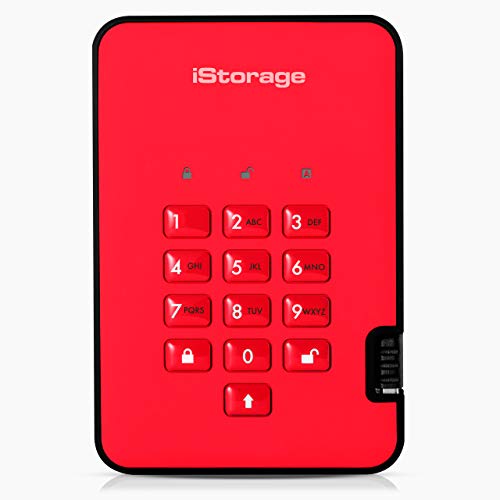
iStorage diskAshur2 1TB — The keypad vault
The diskAshur2 is what happens when a drive is designed by people who assume it will be attacked. Unlocking happens on the device’s own epoxy-coated keypad — you type a PIN of seven to fifteen digits into the drive itself, before any computer sees it — and the encryption is AES-256 in XTS mode performed by a dedicated secure microprocessor. The keypad is wear-resistant so a year of entries does not polish your PIN into visibility, the internals are potted in resin that makes physical probing destructive, and repeated wrong entries trigger the drive’s self-defence responses rather than an patient attacker’s progress.
Platform independence is the feature owners praise most once the novelty fades. The diskAshur2 unlocks identically on Windows, macOS, Linux, a smart television or a photocopier’s USB port, because the security lives in the drive and the host merely sees storage after the PIN is accepted. Admin and user PINs can be separated, a read-only mode exists for handing material to third parties, and the enclosure carries dust and water resistance suited to field work. Transfer speeds are USB 3.x class rather than the headline figures of the mainstream picks — the honest tax of the security hardware — yet entirely adequate for case files, disk images and document archives.
One terabyte is the working capacity for professionals whose load is documents, photographs and evidence rather than raw video. The drive’s red finish in this listing is not a style indulgence; in a bag of black rectangles, the secure drive being instantly identifiable is a small operational virtue. Buy the diskAshur2 when the data’s sensitivity outlives the meeting it was collected for, and when whoever audits your methods will ask how the drive unlocks — because the answer, a PIN on the device with no software in the chain, is the strongest sentence in this guide.
- Encryption: AES-256 XTS in dedicated hardware
- Unlock: onboard PIN keypad, 7–15 digits
- Security extras: brute-force defence, resin-potted internals
- Enclosure: dust and water resistant
- Capacity reviewed: 1TB
Strengths
- Unlocking never depends on host software or drivers.
- Physical tamper resistance is engineered, not implied.
- Works with any USB host, including embedded systems.
Trade-offs
- Transfer pace trails the mainstream picks noticeably.
- Costs reflect certified security hardware, not storage alone.
- A lost PIN with no admin recovery means lost data.
Best for: legal, investigative and field professionals carrying sensitive case material. Not suited for: anyone whose real need is fast scratch storage with light privacy.
Carrying work that must stay sealed even in the wrong hands? The diskAshur2 listing behind its heading is where that conversation starts.
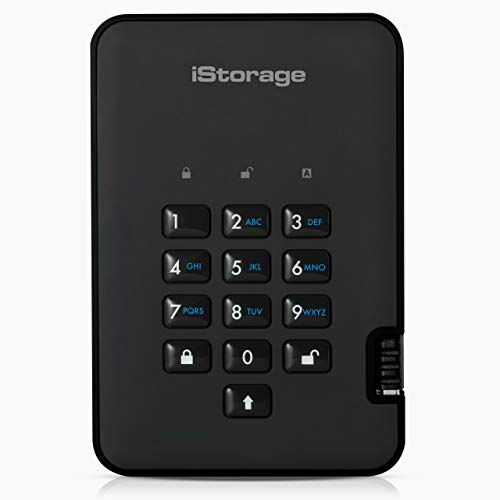
iStorage diskAshur2 2TB — The bigger vault
Everything said about the security architecture above applies unchanged here, because this is the same diskAshur2 design at double capacity — and capacity is a security feature in disguise. Professionals whose encrypted load includes video evidence, forensic images, medical-adjacent imaging or a full project archive face a bad choice on a 1TB vault: split the material across two devices with two PINs and two chances of loss, or leave some of it on a lesser drive. The 2TB edition removes that choice, keeping the whole sensitive set behind one keypad, one PIN policy and one audit story.
The ownership experience mirrors its sibling deliberately. The keypad, the XTS-mode AES-256 hardware encryption, the brute-force countermeasures and the resin-hardened build are the family’s shared design, and the enclosure keeps its dust and water resistance for field conditions. Speed remains security-class rather than sprinter-class, which matters less at this capacity than owners expect: the drive’s real work is ingesting a day’s material in the evening and yielding it under controlled conditions, not racing a benchmark.
Choose between the twins by inventory rather than by ambition. If the sensitive set fits comfortably in a terabyte with headroom for the case’s duration, the smaller drive is the tidier object. If it already presses that boundary — or the work is video-first — this 2TB edition is the one that will not force a mid-project compromise. In secure storage, the compromise is always the vulnerability, and that is the entire argument for this pick’s existence.
- Encryption: AES-256 XTS in dedicated hardware
- Unlock: onboard PIN keypad
- Security extras: brute-force defence, tamper-resistant build
- Enclosure: dust and water resistant
- Capacity reviewed: 2TB
Strengths
- Keeps a large sensitive set behind one PIN policy.
- Identical certified architecture to the 1TB model.
- Field-ready sealing for work outside the office.
Trade-offs
- The family’s premium roughly doubles with capacity.
- Heavier data loads still move at security-class speeds.
- All eggs sit in one very strong basket — backups matter.
Best for: video evidence, forensic images and full project archives under one lock. Not suited for: document-only loads that the 1TB model covers easily.
Is your encrypted load already outgrowing a terabyte? Open the 2TB diskAshur2 listing from its heading and keep the whole set under one PIN.
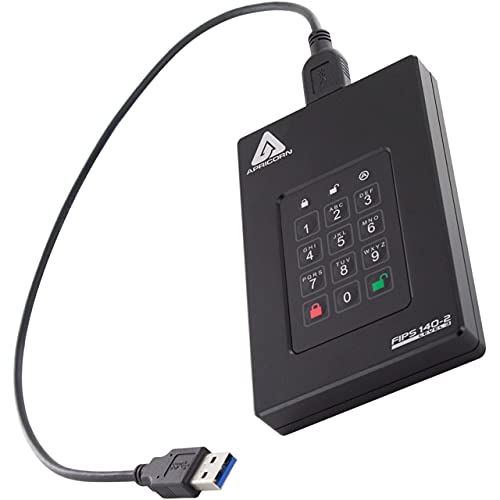
Apricorn Aegis Fortress L3 4TB — The certified flagship
Apricorn’s Aegis Fortress L3 is the pick whose paperwork does the talking: FIPS 140-2 Level 3 validation, the tier of the US federal standard that adds tamper evidence and resistance requirements on top of cryptographic soundness. For buyers in healthcare-adjacent, legal, financial and government-contracting work, that validation is not decoration — it is the line item a compliance officer searches for, and very few portable drives anywhere can produce it. The L3 wraps that credential in a machined aluminium enclosure with an integrated keypad and a USB 3.x interface, and this listing carries the family’s full four-terabyte capacity.
The security model follows the same philosophy as the iStorage pair, executed with Apricorn’s own accent: encryption keys are generated and held on the device, unlocking happens through the keypad with separate admin and user credentials, and the drive presents itself to any operating system as ordinary storage only after authentication. Forced-eject and unattended auto-lock behaviour can be configured for shared environments, and the enclosure’s construction treats drops and probing as expected events rather than abuse. Four terabytes behind that keypad swallows an entire production’s rushes, a practice’s imaging archive or a firm’s document history in one sealed object.
Speed and price both reflect the mission. Transfers run at the pace the security hardware allows, well behind the Samsung below, and the cost per terabyte is the highest in this guide by a wide margin. Neither fact is a criticism; they are the shape of certified security at capacity. The L3 is bought by people whose alternative is a compliance failure, an uninsurable risk or a client who walks — and for those buyers, it is frequently the only product on the page that satisfies the requirement at all.
- Encryption: hardware AES, FIPS 140-2 Level 3 validated
- Unlock: integrated keypad, admin and user PINs
- Enclosure: machined aluminium, tamper-aware design
- Interface: USB 3.x
- Capacity reviewed: 4TB
Strengths
- Level 3 validation answers compliance questions directly.
- Four terabytes is the largest sealed capacity here.
- Keypad model keeps hosts and operating systems irrelevant.
Trade-offs
- Highest cost per terabyte in the roundup by far.
- Transfer speeds prioritise security over pace.
- Size and weight exceed the pocket drives noticeably.
Best for: regulated work where validation is a contractual requirement. Not suited for: personal privacy needs the mainstream picks cover for far less.
Working under a compliance regime that names its standards? The Fortress L3 listing behind its heading is the one your auditor would circle.

Glyph SecureDrive+ 2TB — The creative’s keypad drive
Glyph built its name on storage for production studios, and the SecureDrive+ translates that heritage into the keypad tier: hardware encryption unlocked on the device’s own keypad, two terabytes of capacity, and transfer speeds quoted up to 360 MB/s over its USB-C connection, with compatibility spanning USB and Thunderbolt hosts. That pace sits between the certified vaults and the mainstream sprinters, which is exactly where a working photographer’s or filmmaker’s encrypted drive should sit — fast enough for a card ingest at wrap, sealed enough for the client work it now holds.
The keypad model keeps the security where this guide insists it belongs: authentication happens on the device, the encryption is performed in hardware, and the drive can be handed to a client machine, a studio workstation or a laptop of any flavour without installing trust-me software first. Glyph also offers a Bluetooth-unlock variant in this family; the keypad edition listed here is the one this guide recommends, because a physical pad keeps the unlock path independent of phones, apps and pairing states when a shoot day is already complicated enough.
Studio realities shape the rest of the assessment. Two terabytes holds a serious stills archive or a documentary project’s active media, the enclosure is built by a company whose drives live in edit bays rather than boardrooms, and support answers come from people who understand production deadlines. It lacks the Apricorn’s formal validation, so regulated buyers should look up the page; for creative professionals whose threat model is lost gear and curious strangers, the SecureDrive+ is the most natural keypad drive here.
- Encryption: hardware encryption, keypad authenticated
- Unlock: onboard keypad
- Quoted speed: up to 360 MB/s
- Connections: USB-C, USB and Thunderbolt compatible hosts
- Capacity reviewed: 2TB
Strengths
- Keypad security at speeds production work can live with.
- Studio-bred build and support culture.
- Two terabytes suits real media archives.
Trade-offs
- No FIPS validation for regulated-industry buyers.
- Slower than the mainstream pair by a wide margin.
- Keypad tier pricing applies in full.
Best for: photographers and filmmakers sealing client work on location. Not suited for: compliance environments that require named certifications.
Shooting material that belongs to a client until delivery? Follow the SecureDrive+ heading to its listing and check the keypad edition is selected.
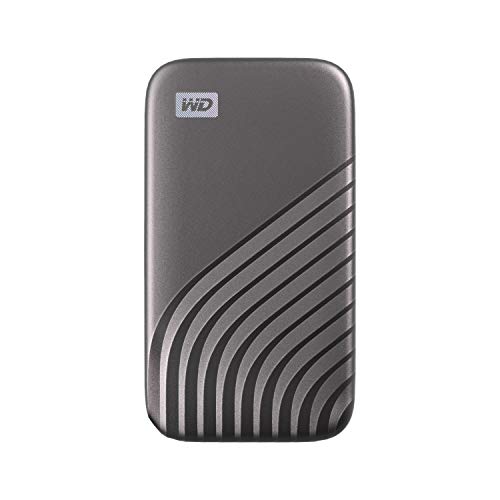
WD My Passport SSD 1TB — The everyday encrypted pocket drive
Crossing to the mainstream tier changes the conversation from certification to sense. The My Passport SSD is a genuinely small, light drive that disappears into a jacket pocket, and its protection is real: password security backed by AES-256 hardware encryption, so a lost drive presents a finder with encrypted flash rather than your files. Unlocking happens through WD’s software on a computer, which is the dividing line this guide keeps bright — the encryption is hardware, the key ceremony involves a host — and for the lost-bag scenario that dominates real life, the protection is entirely fit for purpose.
Speed is where the mainstream tier collects its reward. The My Passport SSD moves data at NVMe-class portable pace, many times faster than the keypad vaults, which transforms encrypted storage from a sealed archive you visit reluctantly into a working drive you can edit from, back up to nightly and carry as your only copy of a travel library — with the standard warning that any only copy is a risk encryption cannot fix. WD’s backup and security utilities bundle into a coherent ownership experience, and the drive’s shock-resistant, low-profile shell suits the commuter reality it was designed for.
Set the expectation correctly and this is an easy recommendation. It will not satisfy a compliance audit that names FIPS, it will not unlock on a photocopier, and a sophisticated attacker with the drive in a laboratory is outside its design brief. It will protect a household’s documents, a freelancer’s client files and a traveller’s photographs against every realistic loss scenario, at a price and pace the vault tier cannot approach. Most readers of this page should buy here or at the Samsung below, and feel no inadequacy about it.
- Encryption: AES-256 hardware encryption
- Unlock: password via WD software
- Form factor: pocket-size, shock resistant
- Interface: USB-C NVMe-class portable
- Capacity reviewed: 1TB
Strengths
- Real hardware encryption in a truly pocketable drive.
- Transfer pace the keypad tier cannot match.
- WD’s software bundle keeps ownership simple.
Trade-offs
- Unlocking depends on host software being available.
- No independent security validation to cite.
- Not designed for targeted-attack threat models.
Best for: everyday privacy for documents, photographs and travel backups. Not suited for: regulated data or adversaries with laboratories.
Want sealed storage that still feels like a normal fast drive? The My Passport SSD listing waits behind its heading — set a strong password the day it arrives.
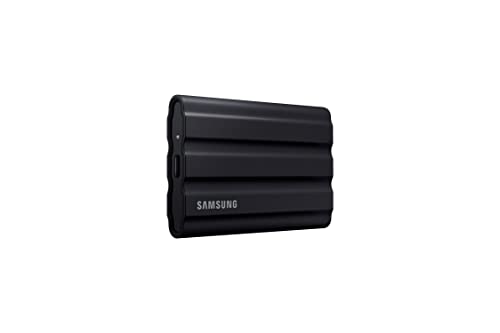
Samsung T7 Shield 1TB — The rugged mainstream pick
The T7 Shield is the mainstream tier wearing hiking boots. Samsung’s portable SSD quotes up to 1,050 MB/s over USB 3.2 Gen 2, wraps the drive in an IP65-rated rubberised shell that shrugs off dust, rain and drops from working height, and protects data with password security backed by AES-256 hardware encryption. For photographers on location, field researchers, site engineers and anyone whose drive lives in a bag rather than a briefcase, that combination — speed, sealing and genuine encryption — is the most complete everyday package in this guide.
Its security placement deserves the same clarity applied to its WD rival. The encryption is performed in hardware, which is the part that matters against loss, while unlocking runs through Samsung’s software and the password you set — a model suited to privacy against finders and thieves, not to certified-vault duties. Samsung’s implementation has the polish the brand brings to its internal drives, the management software spans desktop and mobile, and the drive doubles happily as fast working storage for editing directly from the device between shoots.
The Shield’s trade-offs are mostly physical honesty: the rugged shell makes it larger than the slimmest portable drives, and its speed is capped by the host’s USB generation on older machines. Neither dents the recommendation for its audience. If your encrypted drive will be rained on, dropped on gravel and expected to ingest a day’s shooting at full pace before dinner, this is the pick — with the standing reminder that its password protects against the world, while only a second copy protects against the drive’s own loss.
- Encryption: AES-256 hardware encryption
- Unlock: password via Samsung software
- Quoted speed: up to 1,050 MB/s, USB 3.2 Gen 2
- Enclosure: IP65 dust and water resistant, drop resistant
- Capacity reviewed: 1TB
Strengths
- Fastest transfers in this guide alongside real encryption.
- Rugged sealing suits location and field work genuinely.
- Samsung’s software and support polish throughout.
Trade-offs
- Password model, not a keypad or validated vault.
- Shell adds bulk over the slimmest portable drives.
- Full pace needs a USB 3.2 Gen 2 host port.
Best for: outdoor and location work needing speed plus sealed privacy. Not suited for: compliance-driven purchases requiring certification.
Working where drives get wet, dropped and borrowed? Open the T7 Shield listing from its heading and confirm the 1TB variant before checkout.
How Do the Six Encrypted Drives Compare on Security First?
| Drive | Capacity | Encryption | Unlock method | Security tier |
|---|---|---|---|---|
| iStorage diskAshur2 | 1TB | AES-256 XTS hardware | Onboard PIN pad | Keypad vault |
| iStorage diskAshur2 | 2TB | AES-256 XTS hardware | Onboard PIN pad | Keypad vault |
| Apricorn Aegis Fortress L3 | 4TB | Hardware, FIPS 140-2 Level 3 | Integrated keypad | Certified vault |
| Glyph SecureDrive+ | 2TB | Hardware encryption | Onboard keypad | Keypad, studio focus |
| WD My Passport SSD | 1TB | AES-256 hardware | Password via software | Mainstream privacy |
| Samsung T7 Shield | 1TB | AES-256 hardware | Password via software | Mainstream privacy, rugged |
What Separates Hardware Encryption From a Software Lock?
Three designs hide behind the word encrypted on shopping pages, and they are not interchangeable. True hardware encryption, the kind every pick here uses, performs the cipher inside the drive’s own controller or secure processor; the data on the flash chips is ciphertext at rest, and removing the chips yields ciphertext too. A software lock, by contrast, ranges from genuine full-disk software encryption — respectable, but dependent on the host machine — down to bundled apps that merely hide folders behind a password while the files sit readable underneath, which is privacy theatre rather than protection.
The keypad tier adds a second separation: where the key ceremony happens. On the diskAshur2, Fortress L3 and SecureDrive+, authentication occurs on the device, the key never transits a general-purpose computer, and brute-force attempts meet hardware counters that escalate from delays to data destruction. On the password drives, a trusted host runs the ceremony; the encryption remains real, but the threat model inherits the host’s integrity. Neither design is fraudulent — they answer different adversaries — and this guide’s sin would be blurring them, because a buyer who needed the first and settled for the second was failed by the review, not by the drive.
A practical test readers can apply anywhere: if a drive’s protection can be bypassed by plugging its storage into a different enclosure or reading the flash directly, the protection was a lock on the door of an open house. Every pick here keeps the house itself sealed.
What Mistakes Turn Strong Encryption Into Lost Data?
The most common disaster is self-inflicted: a forgotten PIN or password on a drive doing its job correctly. Well-designed encryption has no back door and no sympathetic reset, so the recovery discipline must be built at setup — the credential recorded in a password manager or sealed record held separately from the drive, an admin PIN configured where the model supports one, and a backup of the contents maintained as if the drive were already lost. Owners who skip that afternoon of administration are the ones writing heartbroken reviews of products that performed exactly as promised.
The second mistake is carrying the credential with the drive: a PIN on a sticky note in the same bag converts a vault into a labelled key. The third is assuming encryption covers every risk — it does nothing against a drive destroyed, stolen alongside its unlocked laptop session, or emptied by ransomware while mounted and open. Encryption guards data at rest against strangers; backups guard it against fate; both are required, and neither substitutes for the other. Finally, buyers in regulated work sometimes purchase a strong drive without the specific validation their framework names, discovering at audit time that excellent security and certifiable security are different deliverables — the Fortress L3 exists for exactly that gap.
How Should You Set Up an Encrypted Portable Drive on Day One?
Begin before any data touches it. Change the default credential immediately — keypad drives ship with a factory PIN that the manual prints publicly — and choose a PIN or password with genuine length, since the hardware’s brute-force defences reward length multiplicatively. Configure the admin and user roles where offered, set the unattended auto-lock to a period that matches your working pattern, and record the recovery information in a place that is not the same bag, the same laptop or the same notebook as the drive itself.
Then rehearse the failure you fear. Unlock the drive on a second computer, confirm the files read correctly, and deliberately practise the recovery path while the stakes are zero. Load a small working set, live with the drive for a week, and only then promote it to carrying the material that matters — with its backup twin updated on the same schedule. An encrypted drive configured this way becomes boring infrastructure, which is the highest state security equipment can achieve: present, sealed, and never the subject of a story.
How Do Brute-Force Defences Change the Real Strength of a PIN?
A short PIN sounds weak until the hardware’s rules enter the arithmetic. An attacker guessing at a phone or a website can try millions of combinations; an attacker guessing at a diskAshur2 gets a handful of attempts, enforced by the drive itself, before delays stretch and the key-destruction threshold approaches. That transformation — from unlimited silent guessing to a counted, self-defending sequence — is why a seven-to-fifteen-digit PIN on a keypad drive protects data more honestly than a longer password typed into software an attacker can image and attack offline at leisure.
The wear-resistant keypad closes the side channel nobody mentions: on ordinary pads, the digits of a frequently used PIN polish smooth and advertise themselves to anyone holding the drive under good light. iStorage’s coated keys resist that storytelling. Combined with resin-potted internals that make chip-level probing a destructive act, the design goal is consistent — every avenue of attack should be slow, loud or ruinous for the attacker, and preferably all three.
None of this licenses a lazy credential. A birth year and a repeating pattern remain poor choices even behind attempt counters, because the first guesses a human adversary tries are never random. Choose a PIN with the same care as a password, keep it out of the bag the drive travels in, and the mathematics of the hardware does the rest.
Which Professions Should Insist on the Keypad or Certified Tier?
Legal practice is the clearest case. Client files carry privilege obligations, and a drive that unlocks on any machine without installing software suits a profession that works on borrowed and courtroom hardware. The diskAshur2’s audit-friendly design and the Fortress L3’s validation both speak the language law firms are examined in. Journalism follows closely: source material demands protection that does not depend on a newsroom laptop’s integrity, and a keypad drive can be unlocked, copied and re-sealed in environments the journalist does not control.
Healthcare-adjacent work — imaging specialists, research teams, practice consultants — lives under frameworks that ask how portable data was protected, and named validations shorten those conversations measurably. Financial fieldwork, insurance investigation and forensic collection share the pattern: the data belongs to someone else, the obligation is demonstrable, and the drive’s specification sheet becomes part of the professional record. In each case the premium buys evidence of diligence, which is a different product from privacy and priced accordingly.
Creative and commercial work sits a tier below in obligation but not always in sensitivity. Unreleased media, campaign material and client archives have real value to competitors and leakers, which is the SecureDrive+’s home ground: keypad sealing without the compliance surcharge. The dividing question is always whether an auditor, a court or a client will one day ask how the data was protected — if the answer is yes, buy the tier whose paperwork answers back.
How Should Travellers Think About Encrypted Drives?
Travel concentrates every risk this category addresses: bags leave your sight, devices pass through inspection points, hotel rooms are semi-public, and a lost drive abroad is unrecoverable in a way a lost drive at home is not. Hardware encryption earns its keep most obviously here, because the protection travels inside the device rather than depending on a laptop that may be lost in the same incident. The rugged mainstream picks suit ordinary itineraries; the keypad tier suits itineraries where the data’s sensitivity is the reason for the trip.
Practical habits multiply the hardware’s value. Carry the drive on your person rather than in checked luggage, keep the backup in a separate bag or already synced home, and use the auto-lock settings aggressively in shared spaces — an unlocked, mounted drive on a conference table is unencrypted for every practical purpose. On return, treat any drive that left your custody unexpectedly as a credential event: the encryption should have held, and rotating the passwords that lived only on it is cheap closure.
One honest caveat belongs in any travel discussion: encryption protects data from strangers, while lawful process in any jurisdiction is a separate matter governed by rules a product review cannot advise on. Buy these drives for loss and theft, which are the risks they were engineered against, and take legal questions to lawyers rather than to specification sheets.
What Role Do Ruggedness and Sealing Play Alongside Encryption?
Security literature fixates on adversaries and forgets gravity, rain and the boot of a car — yet field drives die by physics more often than by attack. The diskAshur2 family’s dust and water resistance, the Fortress’s machined shell and the T7 Shield’s IP65 sealing all protect the same asset the cipher does: availability of the data to its owner. A drive that survives the drop keeps its encryption meaningful; a drive that drowns was, in the end, protected against everyone including you.
The pairing matters most for the professions this guide keeps returning to — investigators, location crews, field engineers — whose drives work outdoors as a condition of employment. For them the shopping question is conjunctive: sealed against the environment and sealed against the finder, in one object, because carrying two specialised drives guarantees the wrong one is present on the day that matters. The picks here were partly chosen for covering both halves of that sentence at their respective tiers.
Desk-bound buyers can discount ruggedness safely and spend the difference on capacity or certification. The guide’s structure — security tier first, physical brief second — is the order that keeps both halves honest.
How Much Capacity Does an Encrypted Archive Really Need?
Secure drives punish under-buying more than ordinary storage does, because the overflow has nowhere safe to go. A professional whose vault fills mid-case faces the exact compromise this guide warned about: splitting a sensitive set across devices, or parking part of it on an unsealed drive until a larger vault arrives. Forecast from the work’s real shape — a document practice grows slowly and predictably, a video practice grows in project-sized lumps, and forensic imaging arrives at whatever size the source machines dictate — then buy the capacity that covers the engagement’s whole life, not its first month.
The four capacities in this guide map to recognisable briefs. One terabyte carries documents, photographs and case files for most solo professionals. Two terabytes is the media-aware size, holding a production’s active archive or an investigator’s imaging history. Four terabytes, available here only in the certified Apricorn, serves the archive that must remain a single sealed object for chain-of-custody tidiness. Mainstream buyers face gentler arithmetic, since a second T7 Shield can join the first without any policy drama, but the discipline of forecasting once beats the habit of improvising twice at every tier.
Headroom has a security dividend too: a drive at sixty percent invites tidy retention habits, while a drive at ninety-eight teaches its owner to delete evidence of their own process. Buy the size that keeps your future self honest.
What Should Teams Standardise When Several People Carry Sealed Drives?
Firms that issue encrypted drives discover quickly that the hardware is the easy half. Standardise the credential policy — PIN length, admin escrow held by the practice rather than the individual, and a written recovery path — before the first drive is loaded, because retrofitting policy onto drives already in the field is how organisations end up with a drawer of sealed, unreadable archives. The admin-and-user PIN separation on the keypad picks exists for exactly this: the carrier unlocks daily with a user credential while the firm retains an administrative route governed by its own controls.
Procurement should standardise the model as well as the policy. Identical drives mean identical behaviour in a crisis, interchangeable training, and a support conversation the whole team shares. Mixed fleets of password drives and keypad drives blur the very distinction this guide exists to clarify, and in an incident review the blur becomes the finding. Log each drive’s assignment, capacity and credential custodian the way you would log any controlled asset, and rehearse the lost-drive procedure once a year — the hour spent makes the eventual phone call a formality instead of a catastrophe.
None of this requires an enterprise budget. A three-person practice with one page of written policy and matched drives is better governed than a large firm improvising, and the products on this page scale from the solo carrier to that practice without changing their nature.
How Do You Retire or Reassign an Encrypted Drive Safely?
End-of-life is where encrypted storage quietly outperforms everything else in the drawer. A cryptographic erase — destroying the key through the drive’s own secure-erase or re-key function — renders the entire contents unrecoverable in seconds, with none of the multi-pass overwriting rituals flash storage made obsolete. The keypad drives here support administrative reset paths designed for reassignment: wipe the key, issue a fresh credential, and the drive begins its second career with a genuinely clean past.
The procedure still deserves paperwork. Record which drive held what, confirm the backup or successor archive is verified before the key is destroyed, and only then perform the erase — in that order, because cryptographic erasure is gloriously irreversible. Drives leaving the organisation entirely should leave erased and reset to factory state, with the event logged beside the original assignment record. Handled this way, the same mechanism that protected the data in life disposes of it in death, and the audit trail closes as neatly as it opened.
What Does a Week of Real Ownership Feel Like at Each Tier?
The mainstream pair disappears into routine fastest. The T7 Shield or My Passport rides in the bag, unlocks with the password you already manage, ingests at full portable speed and asks nothing further — which is why owners actually keep them encrypted rather than drifting back to an open drive for convenience. Security that survives contact with a busy week is worth more than a theoretically stronger ritual abandoned by Thursday, and for personal data that observation settles most purchases.
The keypad tier asks for a small ceremony and returns a different feeling: the drive is visibly, physically locked, in a way colleagues and clients can see and understand without a lecture on ciphers. Presenting a sealed drive that unlocks on its own pad communicates diligence before a word is spoken, a professional signal several of the professions above bill for indirectly. The ceremony costs seconds per session and a moment’s forethought about where the PIN is recorded; owners in the target professions consistently describe that trade as the easiest part of their compliance life.
The certified tier feels like the keypad tier with a filing cabinet attached — the drive plus its documentation, procurement record and place in a written policy. That paperwork weight is not a flaw in the product; it is the product, for the buyers who need it. Matching your purchase to the week you will actually live with it, rather than the specification you admired in the abstract, is the last skill this guide can offer.
How Do You Verify a Drive’s Encryption Claims Before Trusting It?
A buyer-side audit takes an evening and repays it for the drive’s whole service life. Start with the maker’s own security documentation rather than the retail listing: look for the cipher and mode named precisely, the location of key storage described without evasion, and the unlock process explained step by step. Vague adjectives where those specifics belong are the market’s most reliable warning sign, and every pick in this guide passes the test of naming its mechanism in plain technical language.
Then test the behaviour yourself. Set the drive up, load harmless files, and confirm it stays locked to a second computer without the credential, that wrong entries are counted and resisted, and that the auto-lock engages when the drive sits idle or is unplugged. For the password tier, confirm the protection survives the drive being attached to a machine without the maker’s software installed — it should present as locked storage, not as an open volume with a polite warning. Any drive that fails these kitchen-table tests has told you what its documentation would not.
Finally, record what you verified, with dates, in the same place you record the credential arrangements. For professionals that note becomes part of the diligence file; for households it becomes the reason a future scare can be assessed calmly instead of catastrophically. Verification is the difference between owning encryption and merely owning a drive that mentions it.
Final Recommendation
Buy the Apricorn Fortress L3 when a named validation is the requirement, the diskAshur2 in whichever capacity fits your case load when keypad security without a compliance file is the goal, and the Glyph SecureDrive+ when the sealed drive must also earn its keep in a studio. For the far larger group whose enemy is loss rather than a laboratory, the WD My Passport SSD and Samsung T7 Shield deliver genuine hardware encryption at speeds and prices that make sealing your data an easy habit — and an easy habit, practised on every drive you own, protects more real data than one perfect vault used reluctantly. Whichever tier you land in, set the credential before the first file crosses, keep the backup boringly current, and let the drive you chose fade into the background of the work it was bought to protect; that quiet is what strong encryption is actually for.
Frequently Asked Questions
Does a longer PIN matter if the drive limits attempts anyway?
Yes, though the relationship is gentler than in unlimited-guessing systems. Attempt counters compress the value of length, yet the first guesses any adversary tries are human patterns — dates, repeats, sequences — and a longer, less patterned PIN moves you out of that shallow water entirely. The keypad drives here accept up to fifteen digits, and using a healthy portion of that allowance costs one extra second per unlock, the cheapest security upgrade available anywhere in this guide.
What does FIPS 140-2 Level 3 actually certify?
It is a US federal validation tier for cryptographic modules that goes beyond correct encryption to require tamper evidence and resistance, plus stronger identity-based authentication. Buyers meet it most often as a contractual or regulatory checkbox, which is why the Apricorn’s validation matters commercially as much as technically.
Is AES-256 meaningfully stronger than AES-128 for a portable drive?
Both are beyond brute-force reach with current technology; the practical differences between drives lie in implementation — where keys live, how guessing is throttled, and whether the design was independently examined. Every pick here uses AES-256, but the keypad and validation differences in this guide matter more than the number after AES.
Can a keypad drive be used with a phone or tablet?
Generally yes, provided the device supplies enough USB power and a compatible port or adapter, because the drive unlocks itself before the host gets involved. That independence is a core keypad advantage; password drives, by contrast, depend on the maker’s app existing for the platform in question.
What happens after too many wrong PIN attempts?
On the keypad vaults here, the drive escalates its defences — delays lengthen and, past the configured threshold, the encryption key is destroyed, rendering the data permanently unreadable. That behaviour is the point of the design, and it is why the setup section insists on recording credentials separately before real data moves in.
Does encryption slow a portable SSD down?
Hardware encryption itself adds negligible overhead, since the cipher runs in dedicated silicon. The slower transfers of the keypad tier come from their interface and design priorities, not from the mathematics — while the mainstream pair prove the point by combining AES-256 hardware encryption with the fastest speeds in this guide.
If I lose the drive but keep a backup, is anything still at risk?
Only the confidentiality question remains, and that is precisely what the encryption answers: a finder gets ciphertext and a brute-force counter, not your files. Change any credentials that were stored solely on that drive as a matter of hygiene, and the incident closes as an equipment loss rather than a data breach.
Should the whole drive be encrypted, or is an encrypted folder enough?
Whole-drive encryption, the kind every pick here performs, protects everything indiscriminately — including the temporary files, thumbnails and working copies that applications scatter outside the folder you remembered to protect. Folder tools protect what you deliberately place inside them and leak the rest through ordinary use. For genuinely sensitive work the whole-drive answer is the only one that survives contact with real software behaviour.
Can I use one of these drives as my only backup?
You can, and this guide begs you not to. Encryption answers the stranger who finds the drive; it does nothing for the drive that is dropped in a river, destroyed in a fire or simply never comes home. A backup strategy needs two copies in two places, and sealing both of them with picks from this page is a perfectly good design — sealing one copy is half a design.
Should I encrypt a drive that never leaves my house?
Houses have visitors, tradespeople, burglaries and clear-outs, and a drive that never travels still changes hands eventually — through repair, resale, donation or the simple chaos of a move. Encryption set from day one makes every one of those events a non-event for the data, while retrofitting protection later requires trusting that nothing sensitive was ever written in the clear. The mainstream picks make the precaution cheap enough that the burden of argument sits on leaving a drive open, not on sealing it.
Why do the keypad drives cost so much more per terabyte?
Because the price buys the secure processor, the keypad, the tamper-resistant construction, the certification process where it applies, and the small production volumes of a specialist market — the flash itself is the cheapest component in the object. Judged as storage the premium looks steep; judged as audited security equipment that happens to hold files, the arithmetic reverses.
Related Guides
Encryption settles how a drive protects data at rest; the neighbouring guides settle the questions that surround it, from the fast internal drives your portable backs up to the network storage that archives what the portable carried home. Readers building a complete sealed workflow usually pair this page with the NAS roundup deliberately: the portable drive protects data in motion between sites, the enclosure protects it at rest in the office, and the backup discipline described in both guides is what turns two good products into one trustworthy system. A chain of custody is only ever as strong as its least-examined link, and the point of reading the neighbouring guides is to leave no link unexamined.


[…] Best M.2 PCIe SSDs […]