What's inside
- Key Takeaways
- Quick Picks
- How We Chose These Picks
- DECT or Bluetooth: Which Wireless Family Fits Your Working Life?
- Why Does the Dongle Decide Whether Meetings Behave?
- Which Wireless Business Headsets Earn a Full Review?
- How Far Can You Actually Walk From the Laptop?
- How Does a Wireless Headset Change the Way a Meeting Feels?
- What Should You Check in the First Fortnight With a New Headset?
- How Do You Travel With a Business Headset Without Losing Its Parts?
- How Long Should a Business Headset Last, and What Decides It?
- Why Do Some Workers Keep a Wired Headset in the Drawer?
- What Does a Sensible Upgrade Path Look Like Over a Career?
- How Do the Six Wireless Business Headsets Compare Side by Side?
- How Do You Set Up a Wireless Headset for a Week of Meetings?
- How Should a Team Buyer Choose Between the Famous Names and the Value Designs?
- What Mistakes Do Wireless Business Headset Buyers Keep Making?
- Final Recommendation
- Frequently Asked Questions
- Related Guides
As an Amazon Associate I earn from qualifying purchases. This post may contain affiliate links at no extra cost to you.
widgetverdict.com is reader-supported. When you buy through links on our site, we may earn an affiliate commission.
Where to buy: Amazon stocks all six headsets below, and the first check is your own calendar — count yesterday’s meetings, note which devices they happened on, and you have the shortlist criteria that actually matter.
The best wireless business headsets are bought for a working life that no longer sits still. The meeting starts at the desk, continues on the walk to the coffee machine, resumes in a focus room and ends, somehow, in a car. A wireless headset for that life is judged on how gracefully it follows: whether it stays connected to the laptop while its owner moves, whether it can hold the phone as a second device, whether its microphone keeps a voice professional in a kitchen, a corridor or a departure lounge, and whether its battery treats a full day of meetings as a warm-up rather than a limit. The six picks below were chosen against that moving brief, not against the static desk test most reviews still run.
One structural fact deserves stating before the picks, because it shapes everything: all six are Bluetooth headsets. The other wireless family, DECT, lives in our desk phone guide — it offers a dedicated spectrum and base-station range, at the price of being anchored to that base. Bluetooth trades some of that range for universality: the same headset pairs with laptop, phone and tablet, travels in a laptop bag, and joins a meeting from anywhere. For the business user whose phone system is now software on a laptop, that trade is usually the right one — but it should be made knowingly, and the DECT comparison is drawn honestly in the sections below.
Two of these headsets — the Jabra Evolve 65 and the Yealink BH74 — also appear in our open-office guide. They are judged here on different evidence: not how they handle a loud floor, but how they handle movement, platforms and the travelling working week. A headset can be the right answer to both questions for different reasons, and where the reasoning overlaps, this guide says so rather than pretending each article lives on its own planet.
Key Takeaways
- All six picks are Bluetooth; DECT’s longer base-station range belongs to the desk phone guide, and the trade is explained rather than hidden.
- Stated talk and battery figures span 30 hours (AOC, Morpheus 360), 32 hours (Yealink BH74) and 65 hours (the Bluetooth 6.0 pick) — read them as the makers’ numbers for each model.
- A USB dongle is the business feature that matters most: four of the six ship one, giving the laptop a managed connection that survives meeting software.
- The Morpheus 360 Advantage is the mono specialist — one ear on the room, multipoint across devices, with a detachable boom.
- The BH74 and Evolve 65 return from the open-office guide, judged here on travel and platform behaviour instead of floor noise.
- Certification is claimed only where a listing states it: Teams for the BH74, Teams and Zoom for the Morpheus 360.
Quick Picks
| Pick | Badge | Why it is here |
|---|---|---|
| Jabra Evolve 65 Wireless Headset | Best fleet standard | Stereo Bluetooth with the Link 370 dongle — the headset business IT has standardised on for a decade of meetings. |
| Yealink BH74 ANC Wireless Headset | Best for the heavy meeting day | Six-microphone array, ANC, a dock and 32 stated hours for the worker whose calendar is wall-to-wall calls. |
| Wireless Headset with USB Dongle (Noise Cancelling Mic) | Best call-centre crossover | Dongle, charging base and a hardware mute button in a mono-style work headset built for phone-heavy days. |
| AOC Wireless Headset with USB Dongle | Best simple home-office buy | Bluetooth 5.4, a USB-A dongle, one-touch mute and a stated 30-hour battery for the laptop-and-Zoom routine. |
| Bluetooth 6.0 Wireless Headset (AI Noise Cancelling) | Best battery endurance | A stated 65 hours between charges, an AI noise cancelling microphone and a USB A/C dongle for Teams work. |
| Morpheus 360 Advantage Mono UC Headset | Best mono all-rounder | Detachable boom, multipoint, USB-A receiver plus USB-C adapter, and Teams and Zoom named in the listing. |
How We Chose These Picks
The brief was movement. Each pick had to serve a worker who changes rooms, devices and platforms across a day, so we weighted the travelling virtues: a dongle or receiver for a dependable laptop link, battery figures stated plainly enough to plan a week around, a microphone story aimed at real rooms rather than studios, and mute controls that work at hardware speed when a meeting turns unexpectedly. We kept the field honest in two directions — including the unbranded value designs that dominate actual home-office purchases, rather than pretending only famous logos sell, and stating plainly that the whole list is Bluetooth, so a buyer who truly needs DECT range is directed to the right guide instead of sold the wrong radio.
DECT or Bluetooth: Which Wireless Family Fits Your Working Life?
DECT is a dedicated cordless standard that lives between a headset and its base station. Its virtues are range measured in hundreds of feet, a spectrum shared with almost nothing else in the building, and a base that wires into a desk phone. Its cost is captivity: the headset works where the base is, and the base is on one desk. Bluetooth is the opposite bargain — modest range, a crowded shared spectrum, and total freedom of partnership: laptop, phone, tablet, the meeting room’s screen, the seat-back system on a train with the right adapter. The modern business worker’s phone is an application, not an appliance, and applications live on the devices Bluetooth already serves.
So the deciding question is where your calls are anchored. Anchored to a desk phone on a PBX? DECT, and our desk phone guide is your shortlist. Anchored to a laptop and a phone that travel with you? Bluetooth, and you are in the right article. The hybrid worker with a fixed home desk and a softphone should still choose Bluetooth in most cases, because the laptop is the anchor now — but should choose it with a dongle, which recovers much of DECT’s connection discipline inside the Bluetooth world.
Why Does the Dongle Decide Whether Meetings Behave?
A laptop’s built-in Bluetooth is a generalist managing a mouse, a keyboard and whatever else the day adds, through an operating system’s idea of priorities. Meeting software layered on top often loses the thread of hardware buttons — the headset’s mute exists, but the app does not hear it. A manufacturer’s USB dongle replaces that negotiation with a managed link: the headset presents itself to the computer as a dedicated audio device, call controls synchronise with the platform, and the connection survives the laptop’s sleep, wake and peripheral moods. Four of the six picks here ship a dongle or receiver for exactly this reason, and the two Yealink and Morpheus designs that offer both USB-C and USB-A paths remove the last excuse — the port mismatch — from the argument.
For the travelling worker the dongle has a second virtue: it is the pairing. Move the dongle to a new laptop and the headset follows, already married, without a settings safari in a hotel room at midnight. Workers who hot-desk between office and home machines should treat the dongle as the headset’s true home and the headsets themselves as its guests.
Which Wireless Business Headsets Earn a Full Review?
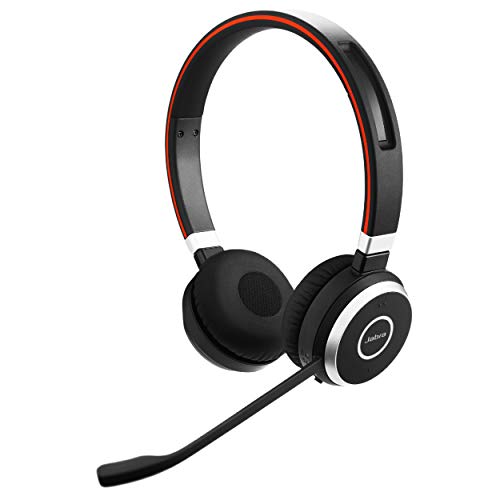
Jabra Evolve 65 Wireless Headset — Best fleet standard
Judged in our open-office guide on floor noise, the Evolve 65 is judged here on the quality that made it a business institution: it is the headset a travelling professional can assume. Stereo Bluetooth with the Link 370 USB adapter in the box, an advanced noise-cancelling microphone, and a battery the listing describes as all-day — that combination has carried more meetings than any rival in this list, and its very familiarity is a business feature. A worker joining a client call from a partner’s office, a hotel or a home desk meets no surprises: the dongle pairs, the controls behave, the voice sounds like the voice their colleagues know.
The fleet argument extends to the people who buy headsets by the hundred. A model with years of deployment behind it has known failure modes, available spares and a support history; an IT team issuing Evolve 65s is buying predictability as much as audio. For the individual buyer the same logic shrinks gracefully — this is the headset least likely to produce a strange afternoon, and in business equipment that is high praise rather than faint.
Its limits are the ones its long production run implies. The listing’s battery language is qualitative where newer rivals print figures, and the design predates the USB-C era’s conveniences. Buyers who plan their week around a stated hour count should compare the figures below. But a headset does not become a standard by accident, and for the worker whose meetings cannot be the interesting part of the day, the Evolve 65 remains the safest pair of hands in this guide.
It also makes the guide’s best second headset: the known quantity kept at the home desk while a newer experiment travels, or the reverse — the traveller whose behaviour in strange networks and borrowed meeting rooms has been proven a thousand times over.
There is a procurement footnote worth adding for buyers ordering several: because the model has been sold for years in both Microsoft-oriented and UC variants, listings can look identical at a glance while differing in the variant’s platform tuning. The thirty seconds spent confirming the variant on the listing is the cheapest quality control in this entire guide.
- Connection: Bluetooth with Link 370 USB adapter included
- Form: stereo
- Microphone: advanced noise-cancelling, per the listing title
- Battery: described as all day in the listing; no hour figure is printed in the title
- Variant: the MS version denotes the Microsoft-oriented model — confirm the variant against your platform on the listing
- Certification detail: no separate certification figure is stated beyond the variant naming in the title
Strengths
- Link 370 dongle delivers the managed laptop connection business meetings depend on.
- Years of fleet service make its behaviour on any platform a known quantity.
- Stereo form suits workers who also take media and focus time on the same headset.
Trade-offs
- Battery life is described rather than numbered in the title.
- An older design without the newest radio and port conveniences.
- Its noise cancelling serves the microphone side; wearer-side ANC belongs to the BH74.
Best for: a professional or IT buyer who values a proven, dongle-equipped stereo standard above novelty.
Not suited for: planners who buy around a printed battery figure, or anyone who needs ANC for their own ears.
Check the Evolve 65’s price on Amazon, and confirm the variant matches your meeting platform before ordering.

Yealink BH74 ANC Wireless Headset — Best for the heavy meeting day
The BH74 returns from our open-office guide wearing a different brief: there it fought a loud floor; here it serves the worker whose meetings follow them through the building. The hardware translates well. A six-microphone AI noise cancelling array keeps a voice presentable in a corridor, a kitchen or a shared workspace — the actual acoustics of the moving working day. ANC quiets those same spaces for the wearer. The USB C/A dongle moves between the new laptop and the older desktop without an adapter hunt, and flip-to-mute handles the moment a meeting needs privacy mid-stride: raise the boom, and the gesture is visible to anyone nearby as well as effective in the call.
The stated 32 hours of talk time is the planning number a heavy calendar needs — a week of serious meeting load between charges for most workers, with the charging dock giving the headset a fixed home so the charge actually happens. Teams certification is stated in the listing title, which settles the platform question for the Microsoft-centred estates where this headset will mostly work. For a consultant whose billable hours are literally spent talking, the BH74 is the guide’s most complete single answer: voice isolation, wearer quiet, platform paperwork and a battery that respects the calendar.
The honest costs are size and commitment. A dock-based, full-feature headset is desk furniture as much as luggage; the worker who travels light and works from a different café daily may find the Morpheus or the AOC easier company. And its certification story, as titled, speaks Teams — Zoom-first organisations should read the listing in full before standardising.
Within its brief, though, the judgement is simple: if your working day is measured in meetings and your meetings happen everywhere, this is the headset built for the measurement.
- Connection: Bluetooth with USB C/A dongle
- Microphone: 6 AI noise cancelling microphones, per the listing title
- Cancellation: ANC for the wearer
- Talk time: 32 hours, as stated in the listing
- Mute: flip-to-mute boom
- Charging: dock included, per the listing title
- Certification: Teams Certified, per the listing title
Strengths
- Six-microphone array keeps a voice professional in the uncontrolled rooms of a moving day.
- Dock charging plus a stated 32-hour talk figure suits genuinely heavy calendars.
- Hybrid USB C/A dongle fits the mixed laptop generations of real business travel.
Trade-offs
- The dock anchors it to a home desk more than to a laptop bag.
- Title certification speaks to Teams; other platforms need the full listing checked.
- Its full feature set is wasted on a worker with two meetings a week.
Best for: a heavy-meeting professional on Teams who works from several rooms and needs one headset to cover all of them.
Not suited for: an ultralight traveller, or a Zoom-only estate buying strictly on stated certification.
Check the BH74 on Amazon — for the meeting-heavy calendar, it is the complete package in this list.

Wireless Headset with USB Dongle (Noise Cancelling Mic) — Best call-centre crossover
Not every business headset wears a famous badge, and this unbranded design represents the category’s working majority: a Bluetooth headset with a noise cancelling microphone, a USB dongle for the computer, a charging base and a physical mute button, aimed by its listing at PC work, call centres, phone-heavy days, remote work and even truck driving. That spread of jobs shares one shape — a person whose voice is the work, for hours, in rooms and cabs that were never designed as studios — and the headset’s feature list answers it point for point.
The charging base matters more than its modesty suggests. A headset with a home returns to it; a headset charged by a loose cable ends up wherever the cable was, which is how batteries die before the afternoon shift. The hardware mute button is the other professional detail: a physical control that ends transmission at the speed of a thumb, without a software window being found first — the control that call work, with its coughs, side questions and supervisor asides, actually runs on. The dongle keeps the PC connection in the managed class this guide keeps recommending.
Honesty about the unbranded bargain is required. The listing states no battery hours, no Bluetooth version and no platform certification, and this guide will not supply them from imagination. What is stated is the working kit — dongle, base, mute, cancelling mic — and the jobs it targets. For a small business equipping phone-heavy seats, or a remote worker whose day is calls rather than mixed meetings, that kit at an unbranded tier is a rational purchase, provided the buyer accepts that the paperwork questions this guide asks of the famous names go unanswered here.
Buy it as equipment rather than as an emblem, verify the basics on arrival during the return window, and it will do the job its listing describes — which, in this category, is a more respectable promise than it sounds.
- Connection: Bluetooth with USB dongle
- Microphone: noise cancelling, per the listing title
- Charging: charging base included, per the listing title
- Mute: physical mute button
- Battery: the listing title prints no hour figure — check the full product page before planning around stamina
- Stated uses in the listing: PC, office, call centre, phone work, remote work, truck driving
Strengths
- Charging base gives the headset a home, the quiet secret of batteries that last the day.
- Hardware mute button serves call work’s real rhythm better than software controls.
- Dongle included keeps the computer link in the managed class.
Trade-offs
- No battery figure, radio version or certification is stated in the title.
- Unbranded support and spares are a shorter story than the famous names offer.
- Call-centre shaping may be more single-purpose than a mixed meeting worker wants.
Best for: a phone-heavy remote worker or small team equipping call seats without brand premiums.
Not suited for: teams that need stated battery figures or platform certification before purchase.
Check this headset’s price on Amazon, and read the full listing for the battery details the title omits.

AOC Wireless Headset with USB Dongle — Best simple home-office buy
AOC’s entry is the guide’s straightforward home-office proposition: Bluetooth 5.4, a USB-A dongle in the box, a clear-call microphone, one-touch mute and a stated 30-hour battery, aimed at PC, laptop, home office, Zoom and phones. Nothing in that list reaches for a record. Everything in it matches the actual shape of a home worker’s day — laptop meetings, phone calls between them, a mute that must work the first time, and a battery that turns charging into a weekly rather than nightly obligation.
The one-touch mute deserves its moment, because home offices generate the moments it exists for: the doorbell, the dog, the household member who has not learned to read a meeting. A single decisive control, reachable without looking, is the difference between a professional recovery and a broadcast incident. Paired with the dongle’s managed connection, it gives the AOC a competence out of proportion to its simplicity — the headset behaves in meetings the way far more elaborate equipment promises to.
The stated figures are honest mid-field numbers, and the guide treats them that way: 30 hours covers a normal meeting week, Bluetooth 5.4 is a current radio, and the USB-A dongle fits the laptops most home offices actually run — while USB-C-only machines will need the adapter question answered from the full listing. The listing names Zoom among its territories without claiming a certification in its title, and buyers whose employers purchase against certification lists should note the distinction and look to the Morpheus or BH74.
For the home worker equipping a desk once and expecting it to simply work, the AOC is the pick that respects the brief: no dock to house, no array to configure, no ceremony — a dongle, a mute, a week’s battery, and meetings that behave.
- Connection: Bluetooth 5.4 with USB-A dongle
- Battery: 30 hours, per the figure in the listing
- Microphone: clear call mic, per the listing title
- Mute: one-touch mute
- Stated uses in the listing: PC, laptop, home office, Zoom, phones
- Certification: the title names platforms it suits but states no formal certification — verify if your employer requires one
Strengths
- Complete home-office kit in one box: dongle, mute, a stated 30-hour battery.
- One-touch mute is the control home working actually runs on.
- Simplicity itself — nothing to configure beyond the first pairing.
Trade-offs
- USB-A dongle leaves USB-C-only laptops needing an adapter answer.
- No certification is stated in the title for procurement-led buyers.
- Mid-field battery figure trails the endurance pick below by a wide margin.
Best for: a home-based worker on a laptop-and-Zoom routine who wants one uncomplicated purchase.
Not suited for: workplaces that purchase against a certification list, or staff who need maximum stated stamina.
Check the AOC headset on Amazon — it is the definition of the sensible home-office buy in this list.
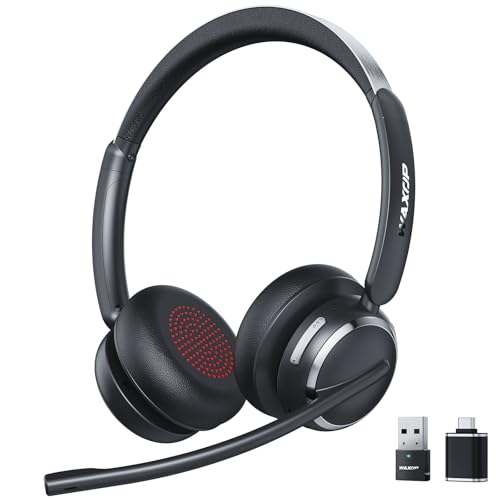
Bluetooth 6.0 Wireless Headset (AI Noise Cancelling) — Best battery endurance
This unbranded design leads with the number that organises a certain kind of working life: 65 hours, the stated battery figure in its listing, attached to a Bluetooth 6.0 headset with an AI noise cancelling microphone, a mute control and a USB A/C dongle, aimed at PC and Teams work. Sixty-five stated hours is not a specification to admire; it is a schedule to live by — charge it monthly-ish, the way you charge a Kindle, and let the battery leave your list of daily considerations entirely. For field workers, multi-site staff and anyone whose charging discipline is honestly poor, endurance is not a luxury feature. It is the feature.
The rest of the kit keeps pace with the headline. A USB A/C dongle covers both laptop generations without an adapter drawer. The AI noise cancelling microphone addresses the uncontrolled acoustics of a life worked from site offices, vehicles and shared spaces. Bluetooth 6.0 is the newest radio generation in this guide, which matters less for today’s meeting than for the headset’s relevance across the years a battery this size implies it will serve.
The unbranded caveats from the earlier pick apply in the same measure: the 65-hour figure is the maker’s stated number, certification is not claimed in the title beyond the Teams use it names, and support is a shorter story than Jabra’s or Yealink’s. The rational buyer verifies the essentials inside the return window — dongle behaviour in their platform, mute synchronisation, real-world stamina across a week — and then enjoys the specific freedom this design sells, which is forgetting that headsets need charging at all.
In a guide full of headsets that must be plugged in weekly, the endurance pick is the one that changes a habit rather than serving it, and for the right worker that is worth more than any array.
- Connection: Bluetooth 6.0 with USB A/C dongle
- Battery: 65 hours, as stated in the listing
- Microphone: AI noise cancelling, per the listing title
- Mute: mute control included, per the listing title
- Stated uses in the listing: PC, computer, laptop, Teams
- Brand note: unbranded design — the listing title carries no maker name, so judge it on its stated kit and the return window
Strengths
- Stated 65-hour battery removes charging from the weekly routine entirely.
- USB A/C dongle spans both laptop port generations in one adapter.
- Newest Bluetooth generation here, paired with an AI cancelling microphone.
Trade-offs
- The endurance figure is the maker’s stated number, to be verified in your own first weeks.
- No formal certification is stated in the title.
- Unbranded support and spares trail the established names in this guide.
Best for: a mobile or multi-site worker whose charging discipline is the real constraint on their equipment.
Not suited for: a procurement-led buyer who needs certification and a brand’s support tail.
Check this headset’s price on Amazon if forgetting the charger sounds like a feature worth paying for.
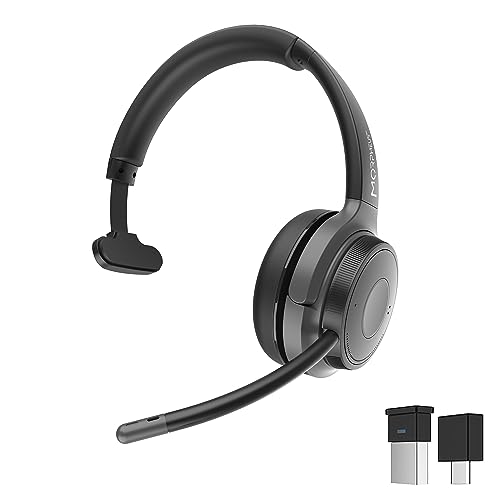
Morpheus 360 Advantage Mono UC Headset — Best mono all-rounder
The Morpheus 360 Advantage closes the guide with the mono argument made completely: a single-ear UC headset with a detachable boom microphone, Bluetooth 5.3, a USB-A wireless receiver plus a USB-C adapter, multipoint connection, a stated 30-hour battery, and Teams and Zoom both named in its listing. Read that specification as a portrait of a particular worker — the one who must hear the room as well as the call. One ear stays in the office, the home, the warehouse aisle; the other carries the meeting. For supervisors, support staff who field shoulder-taps, and anyone whose job includes being interruptible, mono is not the budget option. It is the correct one.
Multipoint is the feature that turns this from a desk accessory into a system: laptop and phone connected together, so the meeting on the computer and the call on the mobile both arrive at the same ear without a re-pairing ritual. The detachable boom adds a second life — remove it and the headset becomes a discreet single-ear listening device for media between calls. The receiver-and-adapter pairing covers USB-A and USB-C laptops from one box, the detail that decides whether a headset survives a laptop refresh.
Its stated 30 hours matches the AOC’s figure and sits in the guide’s sensible middle: a working week of ordinary meetings between charges. The platform naming in the listing — Teams, Zoom, PC and Mac — is the broadest in this guide, which suits the worker whose calendar is written by other people’s platform choices. Morpheus 360 is a smaller name than Jabra or Yealink, and the support story is correspondingly shorter; the specification, however, is the most complete mono proposition here, and mono buyers are specification buyers by temperament.
Choose it when the job description includes the room. Stereo will always sound richer; it will never tell you someone is standing behind you with a question.
That single-ear awareness, held across a whole working day without fatigue, is a discipline the stereo picks cannot imitate at any price — which is why mono survives every generation of this category’s technology.
- Form: mono, single-ear UC headset
- Microphone: detachable boom microphone
- Connection: Bluetooth 5.3, USB-A wireless receiver and USB-C adapter
- Multipoint: stated in the listing title
- Battery: 30 hours, as stated in the listing
- Platforms named in the listing: Teams, Zoom, PC and Mac
Strengths
- Multipoint holds laptop and phone together — the travelling worker’s essential trick.
- Receiver plus USB-C adapter covers both laptop generations from one box.
- Detachable boom gives the headset a second, media-only life between calls.
Trade-offs
- Mono means one ear for music and media — stereo listeners should look up the page.
- A smaller brand’s support tail is shorter than Jabra’s or Yealink’s.
- No ANC is claimed; the room stays audible, which is the point and the limit in one.
Best for: a supervisor, support lead or interruptible professional who needs one ear on the room and two devices on the headset.
Not suited for: a worker who wants stereo immersion or wearer-side noise cancellation.
Check the Morpheus 360 Advantage on Amazon — it is the most completely specified mono brief in this guide.
How Far Can You Actually Walk From the Laptop?
Range claims in this category deserve a calm translation. Bluetooth headset range is measured by makers in open air, and business life is lived through walls, bodies and metal shelving, all of which tax the link. The honest expectation for the picks here is room-to-room freedom in a home or small office — the coffee run, the printer, the whiteboard at the far end of the meeting room — with quality thinning as walls accumulate. That is enough for the way meetings are actually taken, and it is not the base-station territory DECT occupies, which is why this guide keeps pointing desk-anchored, long-range needs toward the DECT family rather than inflating what Bluetooth does.
Behaviour at the edge matters more than the edge’s distance. A well-mannered headset warns before it drops and reconnects without ceremony when you return; the dongle-equipped picks here generally behave that way because the link is managed rather than improvised. Test yours in the first week by walking your real route at your real pace, mid-call, and learn your own building’s map — every office has a dead corner, and it is better discovered during a team stand-up than during a client negotiation.
How Does a Wireless Headset Change the Way a Meeting Feels?
The change is behavioural before it is technical. A wired worker is pinned to the laptop’s radius and conducts meetings like radio broadcasts — seated, frontal, aware of the cable every time they reach for a notebook. A wireless worker stands up. They fetch the document being discussed, they move to the window when the conversation turns difficult, they pace during the long status call in the way people have paced through phone conversations since phones existed. Colleagues consistently read the wireless voice as calmer, and the mechanism is ordinary physiology: a person walking slowly breathes differently from a person held still, and the microphone reports the difference faithfully.
There is a meeting-quality dividend at the group level too. Wireless headsets end the laptop-speaker era in shared spaces, where one participant’s open speakers feed back into everyone else’s microphones. A team that issues headsets to every seat — even the value designs in this guide — removes echo, sidetone chaos and the person whose kitchen radio joins every call. The cheapest headset in this list, worn by everyone, improves a team’s meetings more than the finest headset worn by one person in a room of open laptops, which is a buying argument for breadth that fleet purchasers understand instinctively.
What Should You Check in the First Fortnight With a New Headset?
Week one is for the platforms: every application you meet in, tested with a real call, mute synchronisation confirmed in each, and the dongle’s behaviour through the laptop’s sleep-and-wake cycle observed rather than assumed. Note the battery’s honest behaviour against its stated figure at your volume and your distances — not to catch the maker out, but to learn your own charging interval while the return window can still act on the knowledge. Walk the range route. Wear the headset through the longest meeting day of the week and interrogate the result at the evening’s end: ears, neck, jaw, and the specific places headbands announce themselves.
Week two is for the edge cases. Take a call from the second paired device while the laptop is mid-meeting. Let a meeting run long and watch whether comfort or battery complains first. Use the mute under genuine pressure — the doorbell moment, the coughing fit — and learn whether your hand finds it without your eyes. A headset that passes a fortnight of this has passed the only review that will ever matter to you, and one that fails has failed cheaply, while failing is still returnable.
How Do You Travel With a Business Headset Without Losing Its Parts?
The dongle is the part that travels worst, because it is small, valuable and invisible in a laptop bag’s geography. The discipline that works is a fixed address: the dongle lives in the laptop, in the case, or in one named pocket of the bag — never in a fourth place invented under time pressure. Workers who remove the dongle at a destination should put it in the headset case immediately, on the same logic that puts a car’s keys in one bowl at home. The Morpheus’s receiver-and-adapter pair and the BH74’s hybrid dongle multiply the small parts, and multiply the value of the rule accordingly.
The headset itself travels better than its reputation suggests if it is given a case and a cable routine. Charge before the travel day rather than during it; a headset that boards at full battery, with a stated figure in the tens of hours, treats a two-day trip as a single shift. And keep the wired fallback in the bag — the laptop’s earbuds, the phone itself — because professional travel is a redundancy discipline, and the one meeting that matters will find the one failure you did not pack for. The picks in this guide were chosen to make that failure unlikely; the fallback exists because unlikely is not never.
How Long Should a Business Headset Last, and What Decides It?
The electronics of a modern Bluetooth headset will outlast the laptop it was bought beside. What decides the real lifespan is a familiar mechanical cast: the battery’s slow fade, the boom pivot’s loosening, cushions compressing past comfort, and the dongle’s talent for disappearing in year two. Of these, the battery is the only true clock, and it argues for the stated-figure discipline this guide keeps applying — a headset bought with generous stated stamina spends its middle age still covering a working week, while a marginal battery becomes a daily negotiation by its second year. Buy stamina ahead of your need and the fade stays invisible for longer.
The rest is handling. A headset with a dock or base lives a gentler life than one thrown at a cable; a case in the bag doubles a traveller’s hinge life; cushions replaced on schedule restore both comfort and the seal that noise performance quietly depends on. Fleet buyers know the corollary — standardising on a model with available spares converts most failures into maintenance. Individual buyers can borrow the trick at small scale: whichever pick you choose, buy its replacement cushions while they are certainly stocked, and keep the dongle’s address fixed from day one. The headset that lasts five years is rarely the toughest one; it is the one whose weak points were all anticipated.
Why Do Some Workers Keep a Wired Headset in the Drawer?
Because redundancy is a professional virtue that wireless marketing prefers not to discuss. The drawer headset — in our desk phone and open-office guides, the wired models serve exactly this role — answers the three mornings wireless cannot: the flat battery discovered at nine, the dongle left in another building, the laptop whose Bluetooth stack has chosen chaos. It needs no charge, pairs with nothing, and its microphone is as good on its worst day as on its first. Workers who present for a living keep one the way presenters keep a printed copy of the slides.
This is not an argument against the wireless life; it is the wireless life’s own insurance policy, priced at one inexpensive wired headset per worker. Teams standardising on the wireless picks above should budget the drawer headset into the same order, and individuals should keep whichever wired model their previous setup leaves behind. The day it rescues will come exactly once, and on that day it will be worth everything it ever cost.
What Does a Sensible Upgrade Path Look Like Over a Career?
Business headsets are bought in chapters, and the chapters follow the work rather than the catalogue. The first chapter is usually a value design — the AOC’s simple completeness, or the dongle-and-base unbranded model — bought when the home office is new and the meeting load is guesswork. It teaches the worker their own patterns: how many hours they truly talk, whether they pace or sit, whether the household needs mono’s open ear or stereo’s shelter. That knowledge, not any review, is what the second purchase spends.
The second chapter is specialisation. The heavy calendar graduates to the BH74’s array and dock. The newly interruptible manager discovers the Morpheus’s mono and multipoint. The traveller whose charging discipline never improved buys the 65-hour pick and stops apologising. And the worker whose organisation standardises discovers the Evolve 65 waiting at the end of the path, as it waits at the end of most paths in this category — the model the fleet already speaks. None of these chapters is a ladder of worth; they are a map of fits, and a worker can arrive at any of them directly if they know their patterns early. The purpose of a first, honest, inexpensive headset is precisely to teach those patterns cheaply, which is why this guide refuses to sneer at its value designs: they are where most wireless working lives sensibly begin.
How Do the Six Wireless Business Headsets Compare Side by Side?
| Headset | Form | Stated battery | Dongle |
|---|---|---|---|
| Jabra Evolve 65 | Stereo | Described as all day | Link 370 USB |
| Yealink BH74 | Stereo, ANC | 32H talk time | USB C/A |
| Wireless Headset with USB Dongle | Mono-style work headset | Not stated in title | USB, with charging base |
| AOC Wireless Headset | Work headset | 30H | USB-A |
| Bluetooth 6.0 Wireless Headset | Work headset | 65H | USB A/C |
| Morpheus 360 Advantage | Mono | 30H | USB-A receiver + USB-C adapter |
The battery column mixes stated figures with honest gaps, and the gaps are information: a maker who prints 65 hours is selling endurance, while a maker who prints nothing is asking to be judged on the kit in the box. The dongle column is the one with no gaps at all — every pick here understood the assignment.
How Do You Set Up a Wireless Headset for a Week of Meetings?
Charge it fully, then pair it in the order the day will use it: dongle into the laptop first, meeting platform tested with a recorded dummy call, phone paired second. Set the headset as the default device inside each platform rather than trusting the operating system to guess, because platforms remember their own choices. Learn the mute three ways — headset control, platform button, and the physical gesture if the model has one — and decide which is your reflex before a meeting decides for you. Finally, walk the range test described above, and note where your building’s dead corners are while the stakes are a stand-up rather than a signature.
Then establish the two habits that keep wireless equipment honest: a charging home the headset returns to without thought — a dock, a base, a specific cable in a specific place — and a weekly glance at the battery state before the week’s heaviest day. Every failure story in this category begins with one of those habits missing, and every success story is too boring to tell, which is rather the point.
Add one more setup item that pays out for months: name the headset properly in the meeting platform and set it as the default there, rather than letting each application rediscover it. Platforms remember their last device with more loyalty than accuracy, and the classic Monday failure — the meeting hearing the laptop’s microphone while the headset hears nothing — is almost always a default that silently reverted over the weekend. Thirty seconds in each application’s audio settings, once, is the entire cure, and it belongs in the same sitting as the first pairing rather than in the first embarrassed stand-up.
How Should a Team Buyer Choose Between the Famous Names and the Value Designs?
The honest answer is that they are buying different things. The famous names sell a system around the headset: certification paperwork, fleet management, spares that exist in three years, a support line that answers. The value designs sell the headset itself — the dongle, the base, the stated hours — at a tier where equipping a whole team does not require a capital conversation. A regulated or platform-standardised organisation should buy the system and not apologise for it. A small team with ordinary meetings should buy the headsets, verify each unit inside its return window, keep one spare, and spend the difference on something that matters more.
The middle path most teams actually walk is a pilot of two: one famous name, one value design, worn by the two heaviest talkers for a fortnight. Battery honesty, mute behaviour and microphone quality announce themselves quickly at that usage level, and the fleet decision that follows is argued from recordings and calendars rather than from brand loyalty in either direction.
What Mistakes Do Wireless Business Headset Buyers Keep Making?
The first is buying Bluetooth for a DECT problem — expecting base-station range from a laptop radio, then blaming the headset for the building’s physics. The second is skipping the dongle, pairing directly to a laptop’s crowded Bluetooth stack, and living with mute buttons that work in one application and not another. Third, buyers compare battery figures as if they were measured on one standard, when each is its maker’s stated number under its maker’s conditions — compare the class of figure, not the last digit. Fourth, they buy stereo for a worker who must hear the room, or mono for one who must not. And fifth, they forget the charging home, so a perfectly good headset spends its life flat, in a bag, being cursed by the person who never gave it a place to live.
Final Recommendation
Match the headset to the shape of your working week. The Evolve 65 remains the standard for professionals and fleets who value the known over the new, and the BH74 is the complete answer for the Teams-centred worker whose meetings fill the day and follow them through the building. The Morpheus 360 owns the mono brief — multipoint, detachable boom, both platforms named — for everyone whose job includes the room around the call. Between the value designs, the AOC is the home office’s simple completeness, the unbranded dongle-and-base model serves phone-heavy seats with a professional’s mute discipline, and the Bluetooth 6.0 pick abolishes the charging habit altogether with its stated 65 hours. Buy the dongle, give the headset a home, walk your building’s range before it matters — and the wireless working week stops being a series of small negotiations with your equipment, which is all any of these six were ever really selling.
Frequently Asked Questions
Is Bluetooth good enough for business calls, or do I need DECT?
For laptop-and-phone working, Bluetooth with a dongle is the business standard and serves the overwhelming majority of meetings well. DECT earns its place when calls anchor to a desk phone or when range from a fixed base is the requirement — that shortlist lives in our desk phone headsets guide.
Why does my headset’s mute button not work in my meeting app?
Usually because the headset is paired to the laptop’s built-in Bluetooth, where hardware controls often fail to synchronise with software. A manufacturer’s dongle or receiver — included with every pick here — presents the headset as a managed audio device and is the standard fix.
How seriously should I take the battery figures?
As the makers’ stated numbers for each model: 30 hours for the AOC and Morpheus 360, 32 hours of talk time for the BH74, 65 hours for the Bluetooth 6.0 pick, and a qualitative all-day claim for the Evolve 65. Real stamina varies with volume and distance; judge the class of figure, then verify in your own first week.
Mono or stereo for working from home?
Mono if the household or the job must reach you — children, doorbells, colleagues, deliveries. Stereo if your calls benefit from immersion and your media time shares the headset. The Morpheus 360 is this guide’s mono specialist; the Evolve 65 and BH74 carry the stereo case.
Can one headset serve my laptop and my phone?
Yes — that is Bluetooth’s home ground. The Morpheus 360 states multipoint explicitly, holding both connections at once; the other picks pair with phones as their listings describe. Check each pick’s specification box for what its listing actually claims.
What does Teams certification add?
Tested behaviour inside the platform: call controls that synchronise, audio that meets the platform’s requirements, and a purchase an IT department can approve against a list. In this guide it is claimed only where a listing states it — the BH74’s title carries it, and the Morpheus 360 names Teams among its platforms.
Should I keep my old wired headset when I go wireless?
Yes — in the drawer, as insurance. It covers the flat-battery morning, the forgotten dongle and the laptop having a Bluetooth episode, at no ongoing cost. Redundancy sounds excessive until the morning it presents your most important meeting of the quarter without drama.
Related Guides
The desk this wireless life escaped from is documented in Best Headsets For Desk Phone, where DECT bases still rule the anchored working day. The loud room these headsets must survive is the subject of Best Headsets For Open Office, which judges two of these same models purely on noise. And the studio end of the microphone argument lives in Best Broadcast Headsets, where headsets answer to an audience rather than a meeting.


