What's inside
- Key Takeaways
- Quick Picks
- How Did We Shortlist Drives for a Box This Particular?
- Why Does Thickness Matter More Than Capacity in a Bolt?
- What Happens to Your Recordings When the Drive Changes?
- How Should You Read a 2.5-Inch Drive Listing?
- What Does Living With a Much Bigger Bolt Change?
- How Long Should a Bolt Drive Last, and What Are the Warning Signs?
- Six Candidate Drives, Reviewed One by One
- How Many Hours of Television Does a Terabyte Hold?
- Why Not Simply Add an External Drive Instead?
- The Six Bolt Candidates on One Spec Sheet
- How Do You Perform the Bolt Drive Swap Itself?
- Which Errors Turn a Simple Swap Into a Soggy Afternoon?
- Final Recommendation
- Frequently Asked Questions
- Related Guides
As an Amazon Associate I earn from qualifying purchases. This post may contain affiliate links at no extra cost to you.
widgetverdict.com is reader-supported. When you buy through links on our site, we may earn an affiliate commission.
Where to buy: the six drives below all sit on Amazon, but this is a category where the listing page must be read like a contract — one title in this guide names the TiVo outright, several never mention thickness at all, and one does not even state its own form factor. The model code at the end of each title is the part to order against.
Upgrading a TiVo Bolt is an exercise in working inside tight physical and electronic limits. The Bolt takes a 2.5-inch drive, it formats a fresh drive itself on first boot, and owners who have documented the process in the community report that the box is particular about which drives it accepts and keeps working with. That is why the best hard drives for tivo bolt upgrade purposes are not simply the largest laptop drives on the shelf: they are drives whose stated form factor, thickness where it is printed, interface and capacity line up with what the Bolt’s slim bay and firmware can live with, and this guide grades every candidate against the evidence in its own listing title.
The field divides into three groups. One drive, the MDD MQ04ABB400, is sold for the TiVo by name and states its 15mm thickness in the open. Two Seagate BarraCuda models and a Seagate laptop drive bring big capacities and generous caches but leave thickness unstated, which makes verification part of the purchase. A WD AV-GP and a Toshiba notebook drive round out the set from the AV and laptop shelves, each with its own caveat that the reviews state plainly. Owners whose storage problem is a recorder of a different kind may also want Best Hard Drives for Music Production and Film Editing, Best Hard Drives for Entry-Level Servers and Best Hard Drives to Use for a Media Server, where the drives grow larger and the enclosures less fussy.
Key Takeaways
- The Bolt’s bay takes 2.5-inch drives, and thickness is the hidden specification: a drive that is too tall simply does not fit, whatever its capacity.
- Only one title here, the MDD, names the TiVo and prints its 15mm thickness; every other candidate asks the buyer to verify dimensions the listing leaves out.
- The Bolt formats a new drive itself, so the upgrade is a hardware swap followed by guided setup, not a cloning exercise.
- Cache sizes in this set range from 8MB on the Toshiba to 128MB on the Seagate models, a wider spread than the capacities suggest.
- One pick, the WD AV-GP, does not state its form factor in its title at all — a caution the review treats as central, not as a footnote.
- Community experience with Bolt upgrades is real but anecdotal; this guide claims only what titles and the Bolt’s known drive format establish.
Quick Picks
| Pick | Badge | Why it earns its place |
|---|---|---|
| MDD MQ04ABB400 4TB 2.5in (TiVo) | The drive sold for the job | Names the TiVo in its title and prints its 15mm thickness where buyers can see it. |
| Seagate BarraCuda 2TB 2.5in | The mainstream 2TB step | A high-volume 2.5-inch line with a 128MB cache at the capacity many Bolts shipped near. |
| Seagate BarraCuda 5TB 2.5in | The capacity ceiling chaser | The largest 2.5-inch capacity in the guide, for owners who record everything. |
| WD AV-GP 2TB (WD20EURX) | The AV-tuned question mark | An audio-video drive whose title omits its form factor, demanding a check before any order. |
| Toshiba MQ01ABD100V 1TB 2.5in | The modest replacement | A 1TB notebook drive for owners replacing a failed original rather than expanding. |
| Seagate 4TB Laptop HDD (ST4000LM016) | The big laptop-shelf option | 4TB and a 128MB cache from Seagate’s laptop line, with thickness to verify. |
How Did We Shortlist Drives for a Box This Particular?
The first filter was the bay. A Bolt accepts 2.5-inch SATA drives, so every candidate had to come from the 2.5-inch world or, in the AV-GP’s case, be included precisely to warn about a title that never confirms the fact. The second filter was honesty about thickness. The 2.5-inch format spans slim drives and tall ones, and the tall 15mm class is where the large capacities live; a listing that prints its thickness earns trust, and a listing that omits it earns a verification step, and the reviews grade that difference openly instead of smoothing it over.
The third filter was the Bolt’s own behaviour. The box formats a new drive itself and pairs with its software in ways the owner community has mapped through trial and error, including reports that some drive families fare better than others over time. Community reports are not specifications, so this guide uses them only as a reason for caution, never as a claim about a specific model. What can be claimed comes from the titles: form factor where printed, interface, cache, spindle speed, and the one explicit TiVo mention. Everything else is labelled as something to confirm, because an upgrade that ends with the case back off and a second order placed is a failure of research, not of luck.
The shortlist also had to survive a subtraction test. Several familiar categories were deliberately left out: solid-state drives, whose cost per terabyte and write patterns suit a recorder poorly and which no listing in this pool offered for the purpose; 3.5-inch drives of every kind, excluded by the bay itself; and any drive whose only claim to the job was a large capacity figure with no 2.5-inch identity behind it. What survived is a set small enough to compare honestly and varied enough to expose the real decisions — stated purpose against brand depth, capacity against certainty, restoration against expansion.
Why Does Thickness Matter More Than Capacity in a Bolt?
Because the bay is a physical fact that no firmware update relaxes. The 2.5-inch standard describes a footprint, not a height, and the drives in this guide’s class come in heights from slim single-platter designs up to the 15mm multi-platter mechanisms that reach 4TB and 5TB. A Bolt’s internal space was designed around a particular drive height, and owners who have performed the swap report that the tall drives are the ones the box was built to house in its larger-capacity factory versions — but reports are not guarantees, and the only title here that commits to a number is the MDD’s 15mm.
The practical consequence is a buying order: dimensions first, capacity second. A 5TB drive that cannot sit in the bay is worth nothing, while a verified 2TB drive that fits is worth exactly what its label says. Buyers should measure the drive coming out of their own Bolt before ordering anything, since the removed drive’s height is the one dimension in this entire process that is known with certainty. That thirty-second measurement, compared against the manufacturer’s specification for any candidate whose listing omits thickness, is the best-value precaution in the whole upgrade, and it pays out every time it prevents a return.
What Happens to Your Recordings When the Drive Changes?
They stay on the old drive, which is the sentence every Bolt owner should read twice before starting. The Bolt’s recordings and settings live on its internal drive, the new drive arrives empty, and the box’s self-formatting behaviour means the swap is a fresh start: guided setup runs again, channel information and preferences are re-established, and the new drive begins recording from a clean slate. Recordings that matter must be transferred off the box beforehand through the TiVo’s own transfer features where they are supported, because once the old drive is out, its contents are not readable by simply plugging it into a computer.
This shapes the timing of a sensible upgrade. Owners swap drives when the old one fails, when its capacity has become a weekly frustration, or when the household can accept losing the stored backlog — a holiday week, the end of a series, a natural break in the recording calendar. Swapping on the eve of a season finale marathon the family has been saving is a domestic error of the first order. It also shapes the capacity decision: since the backlog does not follow you, the new drive’s size should be chosen for the recording life ahead, not to honour the archive being left behind. Owners with a cherished handful of recordings should treat the transfer step as part of the purchase itself — time spent before the swap, using the box’s own facilities, while the old drive is still in a working relationship with the machine that understands it.
How Should You Read a 2.5-Inch Drive Listing?
Read it in the order the Bolt will judge it. Form factor first: the title must place the drive in the 2.5-inch world, and the one listing here that fails to do so is treated accordingly. Thickness second, accepting that most titles omit it and that the manufacturer’s specification sheet is the authority of last resort. Interface third — SATA 6Gb/s on most of this set, SATA 3.0Gb/s on the Toshiba, a difference the Bolt’s workload of recording and playback will not expose. Cache and spindle speed last, because a DVR’s streaming workload is the least demanding pattern a drive can serve, and the 5400 RPM figures throughout this guide are a feature for quiet living rooms rather than a compromise.
Then read the title’s intended home. One drive here is labelled for computer desktop PC use, another is a notebook drive, another is sold for AV duty, and the MDD states its targets as TiVo, MiniPC and CCTV DVR while warning it is not for laptops. Intended-home language is not decoration: it tells you which workloads the maker built and tested for, and a drive sold explicitly for the device on your bench is a different proposition from a drive that merely shares its dimensions. The reviews below keep that language in view for every pick.
What Does Living With a Much Bigger Bolt Change?
Owners who jump from a factory drive to 4TB or 5TB consistently describe the same shift: the recorder leaves the category of appliances that must be managed and joins the category that can be ignored. Season passes accumulate without triage. Films recorded on a whim survive until the whim returns. The deletion decision, which on a small drive is a weekly household negotiation, becomes an annual one, and the box’s suggestions and wishlists have room to be generous. This is the actual product being bought with the large drives in this guide — not terabytes, but the absence of a recurring chore.
The shift has a shadow side worth naming. A bigger archive is a bigger loss when a drive eventually fails, and a Bolt offers no mirroring: everything recorded lives on one mechanism. Households that fill 5TB with recordings they would genuinely mourn should treat the upgrade as a prompt to think about what leaves the box — transfers of the irreplaceable few programmes — rather than as a guarantee. Capacity buys time and convenience. It does not buy permanence, and the honest upgrade plan holds both truths at once.
How Long Should a Bolt Drive Last, and What Are the Warning Signs?
A hard drive in a DVR works the hardest domestic shift there is: powered for years, writing daily, in a warm enclosure under a television. Service lives vary widely, and no title in this guide promises a figure, so the owner’s defence is attention rather than prediction. The warning signs are behavioural before they are mechanical: recordings that stutter or pixelate on playback while live television is clean, programmes that fail to record despite free space, a box that reboots itself, menus that hesitate, or new noises from a unit that used to be silent.
Any one of those signs justifies beginning the replacement research this guide embodies, and two together justify ordering the drive. Note, too, the sign that is easiest to misread: a drive can pass every casual test — live television flawless, menus brisk — while its recordings quietly degrade, because playback of stored video exercises the mechanism in ways live viewing never does. When in doubt, the test is a recording played back, not a channel watched.
The advantage of replacing a declining drive on your own schedule is that the swap happens as a calm procedure with the old recordings transferred or consciously surrendered; the alternative — waiting for total failure — makes the same decision under pressure, with the household’s recordings already gone and a blank evening’s television as the deadline. A Bolt drive should be treated the way a car’s tyres are: inspected by feel, replaced on evidence of wear, and never asked to prove it has failed completely before it is believed.
Six Candidate Drives, Reviewed One by One
The order runs from the drive built for this exact job outward to the general-purpose shelves, so the further you read, the more verification each candidate asks of you.

MDD MQ04ABB400 4TB 2.5in (TiVo) — The drive sold for the job
The MDD MQ04ABB400 is the only drive in this guide whose title does the buyer’s work in advance: 4TB, 5400RPM, 16MB cache, SATA 6.0Gb/s, 2.5-inch, and then the words the others omit — 15mm thickness, for TiVo, MiniPC and CCTV DVR only, and a plain warning that it is not for laptop use. That warning is a mark of seriousness rather than a limitation. It tells you the maker knows the drive’s height excludes the slim bays of modern laptops and is steering it toward the squat, forgiving enclosures of DVR-class devices, the Bolt among them by name.
Four terabytes is a serious recording estate for a Bolt — the kind of capacity that turns the box from a buffer you manage into an archive you forget about, holding season after season of passes without the weekly triage of deleting watched episodes to make room for new ones. The 16MB cache is the smallest buffer among the guide’s large drives, and in a streaming workload it is the specification least likely to be felt; recording and playback are sequential rivers, not the scattered ponds where cache earns its keep. The 5400RPM spindle suits a box that lives in a living room and records at night.
The honest cautions are about the brand rather than the specification. MDD is a smaller name than the drive giants elsewhere in this guide, and the title offers no warranty period to set against theirs, so the buyer is trading institutional depth for a title that names the exact device on the bench. For a Bolt upgrade, where fit and stated purpose are the usual failure points, that trade has a logic this guide respects. Read the MDD MQ04ABB400 listing once more before ordering, and note how rarely a listing tells you what a drive is not for.
One more consideration belongs to the MDD’s review: the same title that suits it to the Bolt also suits it to the CCTV DVRs and MiniPCs it names, which tells you the drive’s design centre is the small always-on appliance rather than the portable computer. Appliances ask for steady, unglamorous behaviour over years, and a drive specified by a maker who sells into that world is aligned with the Bolt’s own expectations of its storage. In a guide full of drives borrowed from other duties, that alignment is the MDD’s quiet headline.
- Capacity: 4TB
- Form factor: 2.5 inch
- Thickness: 15mm, stated in the title
- Interface: SATA 6.0Gb/s
- Cache: 16MB
- Spindle speed: 5400RPM
- Stated targets: TiVo, MiniPC, CCTV DVR — and explicitly not for laptop use
- Model: MQ04ABB400
Strengths
- The only title that names the TiVo, removing the central guess of the upgrade.
- Thickness printed openly, so the bay question is answered before purchase.
- Large capacity in the exact form the Bolt’s bigger factory versions use.
Trade-offs
- The smallest cache in the guide, even if the workload rarely exposes it.
- A smaller brand, with no warranty period stated in the title.
- The 15mm height that suits DVR bays excludes slim laptops entirely.
Best for: a Bolt owner who wants the listing itself to confirm fit and purpose before the case comes off.
Not suited for: a shopper who needs a big-name warranty programme behind the drive.
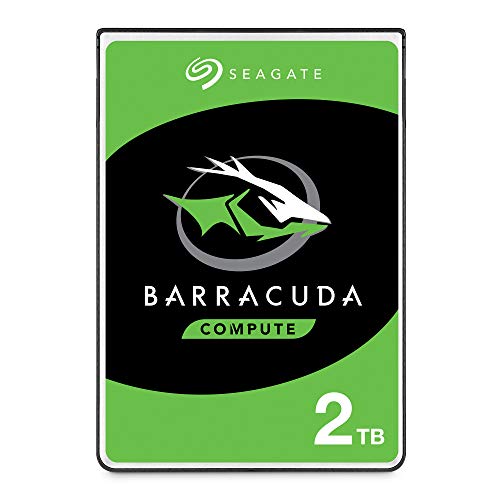
Seagate BarraCuda 2TB 2.5in — The mainstream 2TB step
The BarraCuda 2TB, model ST2000LM015, is the volume seller of the 2.5-inch world: 5400 RPM, a 128MB cache that dwarfs the MDD’s, SATA 6Gb/s, frustration-free packaging, and a title that describes it as an internal drive for computer desktop PC — wording that reflects how these slim drives are marketed to small-form-factor desktops as much as to laptops. Two terabytes is the capacity class many Bolts already live near, which makes this drive the like-for-better replacement: same neighbourhood of storage, fresh mechanism, generous cache.
For a Bolt whose original drive has failed or begun to misbehave, that positioning is exactly right. The upgrade question in a failure is not how much more can be stored but how confidently the box returns to service, and a high-volume drive from a major maker’s mainstream line is the conservative answer. The 128MB cache, largely wasted on a DVR’s sequential streams, does no harm, and the drive’s enormous installed base in the PC world means its behaviour is about as well documented as a hard drive’s can be.
The gap in the title is the one this guide keeps returning to: thickness is not stated. The ST2000LM015’s dimensions live in Seagate’s specification documentation rather than in the listing, and the buyer must confirm them against the height of the drive removed from their own Bolt before ordering. That is a five-minute check, but it is a mandatory one, and it is the difference between this drive as a safe replacement and as a parcel to return. The Seagate BarraCuda 2TB listing gives the model code to carry into that specification check.
There is a resale-and-reuse footnote in this drive’s favour too. When the Bolt eventually retires, a mainstream 2.5-inch BarraCuda walks straight into a laptop, a small desktop or an external enclosure and works for years in its designed role, because it was never a specialist. Specialist drives strand their value in one device; this one keeps its options open, which matters to households that rotate hardware through the family rather than discarding it.
- Capacity: 2TB
- Form factor: 2.5 inch
- Interface: SATA 6Gb/s
- Cache: 128MB
- Spindle speed: 5400 RPM
- Thickness: not given in the listing title — Seagate’s specification sheet holds the figure
- Model: ST2000LM015
- Packaging: frustration-free, per the title
Strengths
- A mainstream, high-volume drive whose behaviour is thoroughly documented.
- The joint-largest cache in the guide at a mid-range capacity.
- Right-sized as a confident replacement for a failing original drive.
Trade-offs
- Thickness must be confirmed from the maker’s documents, not the listing.
- Marketed for desktop PC duty rather than for DVR service.
- Only matches, rather than expands, the storage of larger factory Bolts.
Best for: reviving a Bolt whose drive has failed, with a mainstream mechanism of known character.
Not suited for: an owner chasing the largest possible recording archive.

Seagate BarraCuda 5TB 2.5in — The capacity ceiling chaser
Five terabytes is the largest capacity the 2.5-inch hard drive format reaches in this guide, and the BarraCuda 5TB, model ST5000LM000, gets there with the same recipe as its 2TB sibling: 5400 RPM, 128MB cache, SATA 6Gb/s. Reaching that capacity in this footprint means a tall multi-platter mechanism, which is why the thickness question hangs over this drive more than any other here. The title does not print the figure, and this guide will not guess it; what can be said is that capacity at this level in a 2.5-inch case is achieved with height, and the Bolt’s bay must be confirmed as able to accept the result.
The buyer for this drive is easy to picture: the household that records entire seasons, keeps films for months, and treats the Bolt as the family’s video memory. For that household the difference between 4TB and 5TB is not a specification but a month of breathing room, and the BarraCuda line’s mainstream character keeps the experiment grounded — this is not an exotic mechanism, just a very full one. Paired with the Bolt’s self-formatting setup, the swap itself is no harder than any other in this guide; all the difficulty is concentrated in the homework beforehand.
That homework deserves emphasis, because the community record on very large drives in the Bolt is a mixture of success stories and cautionary tales, and this guide refuses to convert anecdotes into a promised maximum capacity. No figure for the largest drive a Bolt supports is stated here, because no title in this pool states one and the box’s behaviour has been reported differently by different owners. The disciplined path is to verify the physical dimension, accept the anecdotal risk knowingly, and keep the removed drive safe until the new one has proven itself over weeks of recording. The BarraCuda 5TB listing is the starting point for that verification, model code first.
Power and heat deserve a sentence at this capacity. A mechanism carrying enough platters to reach 5TB in a slim case asks more of the Bolt’s modest power supply and adds its warmth to a compact enclosure, and while the box was designed with large drives among its factory configurations, the prudent owner gives the unit ventilation room rather than a sealed cabinet after the swap. None of this is a reason to avoid the drive; it is the ordinary respect a hard-working appliance earns, repaid in service life.
- Capacity: 5TB
- Form factor: 2.5 inch
- Interface: SATA 6Gb/s
- Cache: 128MB
- Spindle speed: 5400 RPM
- Thickness: absent from the listing title — the manufacturer’s documentation is the authority
- Model: ST5000LM000
- Position: the largest 2.5-inch capacity in this guide
Strengths
- The most recording room available in the Bolt’s drive format.
- Mainstream BarraCuda underpinnings rather than an exotic mechanism.
- A cache and spindle specification identical to the proven 2TB model.
Trade-offs
- Physical fit must be proven before purchase, not assumed from the format.
- Community experience at this capacity is mixed and anecdotal.
- The extra terabyte is wasted on households that delete as they watch.
Best for: a record-everything household that has measured its bay and accepts the homework.
Not suited for: a purchase that needs the listing alone to guarantee the fit.

WD AV-GP 2TB (WD20EURX) — The AV-tuned question mark
The WD AV-GP is the most interesting inclusion in this guide precisely because its title withholds the fact that matters most. What the title does say is appealing for a DVR context: a 2TB AV hard drive, SATA III, Intellipower rotational management, a 64MB cache, sold as bulk and OEM. The AV-GP line was built for audio-video duty — the world of set-top boxes and recorders — so its design intent matches the Bolt’s workload more closely than a laptop drive’s does. On paper, this is a kindred mechanism.
But the title never states the form factor, and a Bolt’s bay admits only 2.5-inch drives. A buyer who orders on the strength of the AV designation alone may receive a drive that cannot physically enter the box, whatever its electronic virtues. This guide includes the AV-GP as a standing lesson in the discipline the whole category demands: the absence of a specification in a title is information, and here it converts an otherwise attractive drive into a verify-first proposition. The model code, WD20EURX, is the key to resolving the question in Western Digital’s documentation before any money moves.
If the verification comes back with the wrong answer for internal fitting, the drive’s AV tuning is not thereby wasted as knowledge — it demonstrates that WD built a line for exactly this workload, and it sharpens the question a buyer should ask of every other candidate: not only will it fit, but was it meant for this? Treat the WD AV-GP listing as the beginning of a documentation check, and let the check, not the headline, decide.
The AV-GP also earns its place by clarifying what AV tuning means, for readers meeting the term here. Drives built for audio-video service are optimised for sustained streaming and for hosts — recorders, set-top boxes — that would rather skip a damaged instant of video than halt; that is the correct temperament for a DVR, and it is why the line existed. The lesson generalises beyond this one listing: when a drive’s stated duty and a device’s actual workload rhyme, the pairing deserves attention, and when a basic physical fact is missing from the title, the pairing deserves paperwork first.
- Capacity: 2TB
- Interface: SATA III
- Cache: 64MB
- Spindle management: Intellipower, per the title
- Form factor: not declared in the listing title — confirm the physical size before ordering
- Stated duty: AV hard drive, bulk/OEM packaging
- Model: WD20EURX
Strengths
- Designed for audio-video recording duty, the Bolt’s own workload family.
- A mid-sized cache and a power-conscious spindle approach.
- A long-serving AV line with deep set-top box heritage.
Trade-offs
- The title’s silence on form factor makes pre-purchase verification essential.
- Bulk/OEM presentation means a bare drive without retail trimmings.
- Capacity matches the mainstream rather than expanding it.
Best for: a methodical upgrader who verifies dimensions in the maker’s documents before ordering anything.
Not suited for: a one-click purchase made on the AV label alone.
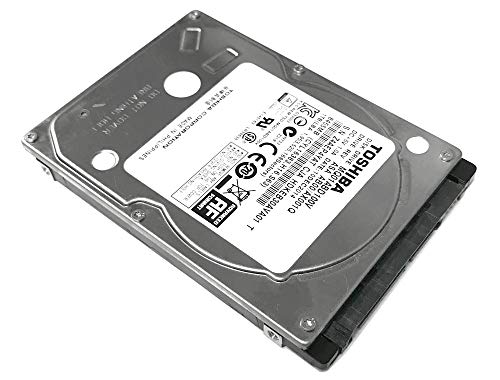
Toshiba MQ01ABD100V 1TB 2.5in — The modest replacement
Not every Bolt upgrade is an expansion. The Toshiba MQ01ABD100V serves the other honest case: the original drive has died, the household wants its recorder back, and 1TB — the size the box may well have shipped with — is enough because it always was. The title is a notebook drive’s through and through: 1TB, 5400RPM, 8MB cache, SATA 3.0Gb/s, 2.5-inch, a stated one-year warranty, and an odd trailing mention of USB that the listing does not explain and this guide does not pretend to interpret.
The specifications are the humblest in the guide, and in this role they are adequate in a way that deserves defending. A DVR writes and reads sequentially; the older SATA 3.0Gb/s interface still offers multiples of the bandwidth a recording stream needs, and the 8MB cache is a figure from an earlier design generation that the workload will not punish. What the buyer gets is a straightforward mechanism from a major maker, sized to restore service rather than to transform it, with a warranty period actually printed in the title — a small honesty several grander listings here omit.
The cautions match the role. One terabyte will feel small to any household that has grown into streaming-era recording habits since the Bolt was new, and the drive’s notebook intent means it was designed for a laptop’s intermittent life rather than a recorder’s continuous one, a distinction the Samsung guide in this batch treats as decisive for cameras and that applies here in milder form. As a considered, budget-conscious revival it earns its place; as a five-year foundation it asks more faith. The Toshiba 1TB listing carries the warranty wording in full for buyers weighing that balance.
It is worth adding that a modest drive clarifies the household’s real habits. Many owners discover, after a revival at the original capacity, that their recording life fits comfortably in a terabyte once watched programmes are actually deleted — the archive impulse, not the viewing, was what filled the old drive. The Toshiba thus functions as an inexpensive experiment as well as a repair: live with it for a season, and the household will know whether the next purchase should be capacity or contentment.
- Capacity: 1TB
- Form factor: 2.5 inch
- Interface: SATA 3.0Gb/s
- Cache: 8MB
- Spindle speed: 5400RPM
- Warranty: one year, stated in the title
- Thickness: not printed in the listing title — the maker’s sheet is the reference
- Model: MQ01ABD100V
Strengths
- A warranty period stated in the title, which grander listings omit.
- Right-sized for restoring a Bolt to its original recording capacity.
- A major maker’s mechanism with a plainly written specification.
Trade-offs
- The smallest capacity and cache in the guide.
- An older, slower interface generation, adequate but not future-proof.
- Notebook design intent rather than continuous DVR duty.
Best for: bringing a dead Bolt back to life at its original capacity without overspending.
Not suited for: a household whose recording habits have outgrown the box’s factory size.

Seagate 4TB Laptop HDD (ST4000LM016) — The big laptop-shelf option
The ST4000LM016 is the MDD’s mirror image: the same 4TB in a 2.5-inch case, but arriving from Seagate’s laptop line rather than from a DVR specialist. Its title states SATA 6Gb/s and a 128MB cache — eight times the MDD’s buffer — and names the model plainly as a laptop hard drive. For a buyer who prefers a giant maker’s mainstream product and is willing to do the dimensional homework, this is the 4TB route with the deepest corporate infrastructure behind it.
The cache difference deserves a calm assessment. In a laptop, 128MB of buffer smooths the scattered reads and writes of an operating system; in a Bolt, the streams are sequential and the cache’s contribution shrinks to politeness. The figure neither qualifies nor disqualifies the drive for recorder duty — it simply reflects the market the drive was built for. What qualifies it is the form factor and interface; what must still be proven is the height, since 4TB in this footprint is achieved with a tall mechanism and the title, once again, leaves the number to the specification sheet.
Set against the MDD, the choice is philosophical. The MDD’s title promises TiVo suitability and prints its thickness, but comes from a smaller maker with a small cache and no stated warranty. This Seagate promises nothing about TiVo at all, yet brings a mainstream line’s documentation and support. Neither posture is dishonest; they allocate the buyer’s effort differently, one demanding trust in a specialist, the other demanding verification by the buyer. The Seagate 4TB laptop drive listing supplies the model code that starts the verification.
The comparison with the MDD also exposes a difference in how the two makers communicate. Seagate’s title is a specification; MDD’s title is an application note. A buyer fluent in specifications may prefer the former on principle, since every number can be checked against documentation the maker maintains carefully. A buyer who thinks in devices rather than numbers will take the application note every time. The Bolt, indifferent to both philosophies, will judge only the dimensions and the behaviour — which is why the verification step, not the brand philosophy, closes this review.
- Capacity: 4TB
- Form factor: 2.5 inch
- Interface: SATA 6Gb/s
- Cache: 128MB
- Thickness: withheld from the listing title — consult Seagate’s documentation for the number
- Stated home: laptop internal drive
- Model: ST4000LM016
- Spindle speed: not printed in the title
Strengths
- 4TB from a major maker’s documented, mainstream laptop line.
- The joint-largest cache in the guide.
- Corporate support depth that smaller brands cannot match.
Trade-offs
- No TiVo suitability is claimed anywhere in the title.
- Height must be verified from documentation before ordering.
- Laptop design intent, not continuous-recording design.
Best for: a buyer who trusts big-maker documentation and does the thickness check as a matter of routine.
Not suited for: a shopper who wants the listing itself to promise DVR fitness.
How Many Hours of Television Does a Terabyte Hold?
The honest answer is a range wide enough to be useless without your own numbers, because an hour of high-definition recording occupies several times the space of an hour of standard-definition, and broadcasters’ bitrates vary by channel and by programme. The method matters more than any figure: check the Bolt’s own recording capacity estimate in its settings, where the box reports hours against the drive it currently holds, and scale that figure by the ratio between the old drive and the candidate. A box reporting a given number of HD hours on 1TB will report roughly four times that on a healthy 4TB, and the household’s real behaviour — how much is kept, how much is deleted unwatched — does the rest.
Two habits distort the arithmetic in opposite directions. Season passes for programmes nobody finishes inflate consumption invisibly, while the household that deletes on watching can live happily in a fraction of the space it fears it needs. Before paying for the largest drive in this guide, spend one evening with the current drive’s contents and count what is genuinely being kept. That audit, more than any specification, decides whether the right upgrade is the Toshiba’s modest restoration or the BarraCuda 5TB’s deep archive — and it costs nothing but honesty.
Why Not Simply Add an External Drive Instead?
It is the question every Bolt owner asks before opening the case, and it deserves a straight answer: the Bolt’s design centres on its internal drive in a way that makes the internal swap the real upgrade. External arrangements, where a particular TiVo configuration supports them at all, come with their own constraints and failure modes, and the recordings’ home remains the mechanism inside the box for the mainstream upgrade path this guide covers. Owners should check what their own unit and software version support before assuming an external route exists, because the answer has varied across the product’s life.
There is also a reliability argument for keeping the storage inside. Every external link — a cable, an enclosure, a second power supply — is another component that can be knocked, unplugged or allowed to fail silently, and a recorder that loses its storage loses recordings without ceremony. The internal drive shares the box’s power, cooling assumptions and physical protection. The swap asks an afternoon of care; the external alternative asks for vigilance forever, and for most households the arithmetic favours the afternoon.
The Six Bolt Candidates on One Spec Sheet
| Drive | Capacity | Cache | Interface | Thickness in title |
|---|---|---|---|---|
| MDD MQ04ABB400 | 4TB | 16MB | SATA 6.0Gb/s | 15mm, stated |
| Seagate BarraCuda 2TB | 2TB | 128MB | SATA 6Gb/s | Not stated |
| Seagate BarraCuda 5TB | 5TB | 128MB | SATA 6Gb/s | Not stated |
| WD AV-GP 2TB | 2TB | 64MB | SATA III | Form factor not stated |
| Toshiba MQ01ABD100V | 1TB | 8MB | SATA 3.0Gb/s | Not stated |
| Seagate 4TB Laptop HDD | 4TB | 128MB | SATA 6Gb/s | Not stated |
The rightmost column is the table’s real message. Five of six listings leave the decisive physical dimension to documentation elsewhere, which is normal for this category and no scandal — but it means the Bolt upgrade is won or lost in the specification sheets, not on the product page. The MDD’s column entry shows what the exception looks like, and the AV-GP’s shows the extreme case, where even the form factor must be established before the drive can be considered at all.
Read down the cache column with the workload in mind and it nearly inverts the usual hierarchy: the largest buffers sit on the general-purpose Seagate drives, the smallest on the purpose-sold MDD and the modest Toshiba, yet for sequential recording the practical difference between 16MB and 128MB is negligible. The table thus teaches the guide’s central lesson in miniature — in this category the specifications that dominate other buying decisions go quiet, and the ones usually ignored, height above all, do the deciding.
How Do You Perform the Bolt Drive Swap Itself?
Preparation outranks dexterity. Transfer or accept the loss of the old drive’s recordings first, while the box still works as a whole. Gather the tools the Bolt’s case requires, work on a clear surface with a container for screws, and photograph the interior before touching anything, so the reassembly has a reference. Power the box down fully and let it sit unplugged; a DVR that records around the clock holds no charge worth fearing, but the habit of working on dead equipment is the right one to keep.
Before the tools come out, set the household’s expectations with the same care as the work surface. The television will be down for an afternoon, the recording schedule will have a gap in it, and anything scheduled during the swap simply will not exist afterwards. Announcing that in advance — and choosing the afternoon accordingly, between seasons rather than inside one — converts potential domestic friction into part of the plan. Upgrades fail socially more often than they fail mechanically.
The mechanical swap is gentle work. The case opens to reveal the drive in its mounting; note the height of the outgoing drive and compare it, physically, with the newcomer before a single connector moves — this is the moment the homework pays off or sends the new drive back to its box unharmed. Transfer the mounting hardware, seat the new drive on its connector without forcing anything, and close the case only when every cable sits as the photographs show it sat before.
On power-up, let the Bolt do what it is designed to do: detect the fresh drive, format it, and walk into guided setup. Resist the urge to judge the upgrade in the first hour. Set the recording preferences, schedule a handful of programmes across several channels, and let the box record overnight before declaring success; a drive that survives a week of ordinary duty has passed the only test that matters. Keep the old drive, labelled with its removal date, until that week is out — if anything misbehaves, the way back is still open.
Which Errors Turn a Simple Swap Into a Soggy Afternoon?
The classic error in this category is ordering by capacity and interface alone, then discovering at the open case that the new drive stands taller than the bay. It is an error of reading, not of skill, and it is prevented by the measurement habit this guide has repeated deliberately. The second error is its mirror: assuming the tallest drives cannot fit and never checking, thereby surrendering the 4TB and 5TB options the box may accept perfectly well. Both errors come from treating an unstated dimension as a known one, in opposite directions.
The third error is forgetting that the recordings stay behind. Owners regularly begin the swap in a burst of enthusiasm and remember the unwatched season on the old drive only when the new one is formatting. The fourth is discarding the old drive immediately; a removed drive that still spins is a diagnostic asset and a fallback, and it costs a drawer corner to keep for a month. The fifth is judging the new drive by its first evening — the Bolt’s setup, indexing and guide population make the first hours unrepresentative, and patience is part of the procedure.
Final Recommendation
Start with the MDD MQ04ABB400 unless you have a reason not to: it is the one drive whose title was written for this exact task, naming the TiVo, printing its 15mm thickness and delivering 4TB in the right form. Buyers who prefer a giant maker’s badge should take the Seagate 4TB laptop drive and do the thickness verification the listing requires, or step to the BarraCuda 5TB with the same homework done and eyes open about anecdote. The BarraCuda 2TB is the sound revival for a failed original, the Toshiba the honest minimum, and the AV-GP a documentation exercise before it is a purchase.
Then run the upgrade like the small engineering project it is: measure first, swap gently, prove the result over a week of ordinary recording, and only then retire the old drive from its drawer. A Bolt with a fresh, correctly sized mechanism is one of the most satisfying revivals in home technology — a familiar box, with its habits intact, suddenly possessed of a memory several times larger than the one it was born with.
Frequently Asked Questions
Does the Bolt really format a new drive by itself?
Yes — that self-formatting behaviour is the box’s known design, and it is what makes the upgrade a hardware task rather than a software project. The new drive goes in blank, the Bolt prepares it, and guided setup follows. The consequence to plan around is the fresh start: settings and recordings from the old drive do not carry across, so anything precious must be moved off the box before the case opens. Owners coming from a failing drive should note the corollary — a drive that still spins at all is worth coaxing through one last transfer session before the swap, because afterwards the option closes for good.
What is the largest drive a Bolt will accept?
This guide does not state a figure, because none of the listing titles states one and owner reports differ. Capacities in this guide run to 5TB, and the physical question — whether a tall drive fits the bay — is separable from the electronic question of how the box treats very large drives over time. Buyers chasing the ceiling should verify dimensions, read the community record as anecdote rather than promise, and keep the old drive as a fallback while the experiment proves itself.
Why do so few listings print the drive’s thickness?
Because most 2.5-inch drives are sold into laptops and desktops where the buyer’s machine has a known bay and the maker publishes dimensions in specification documents rather than headlines. The omission is normal retail practice; it only becomes a hazard when a device like the Bolt, with its particular internal space, meets a buyer who assumes the format guarantees the fit. The specification sheet, reached via the model code, settles the question in minutes.
Is a 5400 RPM drive fast enough for a DVR?
Comfortably. Recording and playback are sequential streams at bitrates far below what any drive in this guide can sustain, and every candidate here spins at 5400 RPM or manages its speed in that spirit. The figure matters for a laptop’s responsiveness; in a recorder it buys quiet and cool running in a living room, which is the currency a Bolt’s owner actually spends.
Can the old Bolt drive be used in a computer afterwards?
Physically it is a standard 2.5-inch SATA drive, and a computer will accept it as one — but its contents will not come along in any usable form, since the Bolt’s formatting is its own. Treat the removed drive as blank media: useful as a spare, a fallback during the new drive’s proving week, or eventually as reformatted storage elsewhere, but never as an archive of the recordings it once held.
Should I choose the drive my recorder’s community recommends?
Community experience is worth reading and worth discounting correctly. It aggregates real swaps by real owners, and patterns in it — which heights fit, which capacities settled in happily — are genuine evidence of a practical kind. What it cannot do is promise your box will behave identically, which is why this guide treats community knowledge as a reason for the verification steps rather than as a substitute for them.
Will a bigger drive make the Bolt faster or quieter?
Neither claim survives contact with the workload. Menus and playback are bounded by the box’s processor and software, not by a drive serving sequential streams well within its abilities, so a capacity upgrade should be bought for room, not responsiveness. Noise runs the other way if anything: a taller mechanism with more platters has more moving mass, and while all six drives here are built to the quiet end of the market, the owner sensitive to living-room sound should give the unit air and a solid shelf rather than expecting silence from any particular model.
Related Guides
The Bolt’s slim bay is one end of the storage spectrum; the other ends are covered in Best Hard Drives for Music Production and Film Editing, where capacity arrives in desktop enclosures, Best Hard Drives for Entry-Level Servers, where drives are chosen for bays and workloads, and Best Hard Drives to Use for a Media Server, where the library itself dictates the hardware.


