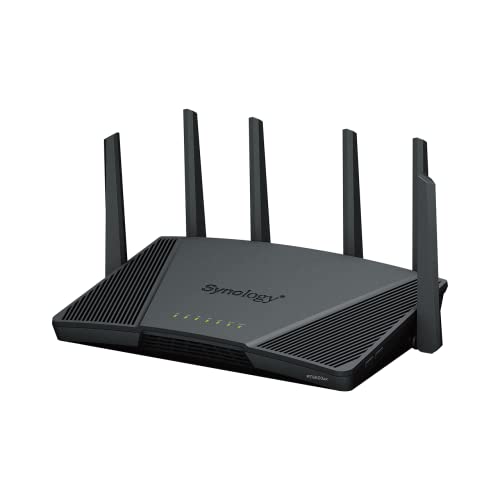
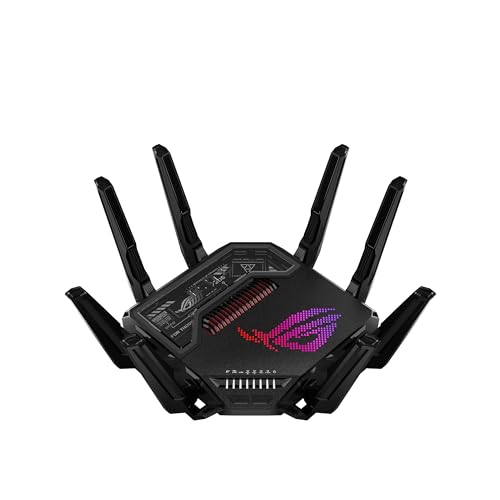
Our Top Picks
 NETGEAR Nighthawk DOCSIS 3.1 Modem Router Combo CAX30Pack of 111.93 x 5.39 x 9.92 inchesCheck on Amazon
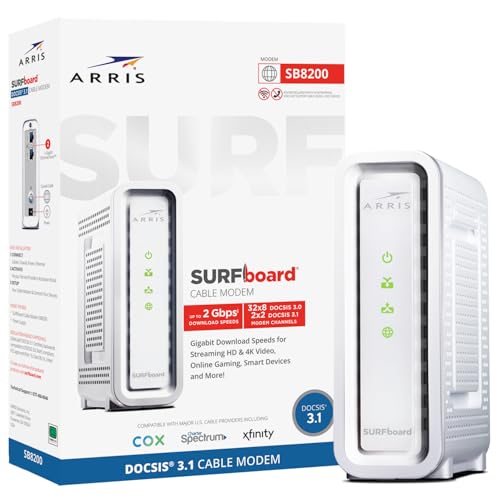 ARRIS SURFboard SB8200 DOCSIS 3.1 Cable ModemModem Only1.75 x 5.13 x 5.25 inches2.49 poundsCheck on Amazon
 NETGEAR Nighthawk DOCSIS 3.0 Modem Router Combo C7000AC1900 Wifi - 960 Mbps (24x8)9.66 x 8.31 x 1.7 inches3.44 poundsCheck on Amazon

What's inside
- What the TM1602 does, and what it pointedly leaves undone
- The physical pairing: one cable, a strict order, a patient wait
- Compatibility is broad, with a short list of genuine traps
- Sizing the router to the dwelling rather than the advertisement
- Wireless generations, explained by what changes indoors
- Protecting calls and meetings when the modem also carries a telephone
- When one router becomes the wrong shape for the house
- Security and firmware: the maintenance half of the purchase
- Placement: the cheapest upgrade in the entire guide
- The faults that send households shopping unnecessarily
- A decision framework that survives the product cycle
- Questions households ask after the box arrives
- Check prices on Amazon
- Living with the pairing over years, not just installation day
As an Amazon Associate I earn from qualifying purchases. This post may contain affiliate links at no extra cost to you.
This site is reader-supported, and qualifying purchases made through links on this page may earn a commission that helps keep the guides free, at no extra cost to you.
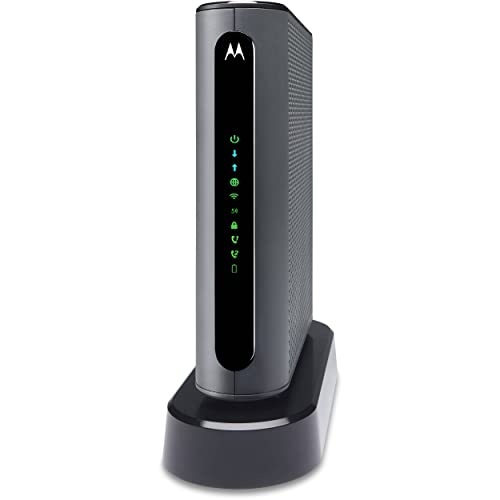
The Arris TM1602 occupies an odd position in many homes. It handles the hard part of getting a cable connection and a telephone line working, yet it contributes nothing at all to wireless coverage. There is no radio inside the box, no network name to join, and no antenna hidden behind the plastic shell. Every phone, laptop, television, and game console in the house depends on a separate router that the owner selects, places, configures, and eventually replaces. That separation is actually useful once its implications are understood. The modem can stay where the cable drop enters the building while the router moves to a spot that suits radio propagation, and either device can be upgraded without discarding the other.
Providers, most visibly Spectrum in many markets, supplied the TM1602 in large numbers because the hardware matched a particular era of cable service. It is a DOCSIS 3.0 device with channel bonding that was generous for its generation, and it doubles as an embedded multimedia terminal adapter, the piece that translates a traditional telephone jack into voice service carried over the cable plant. Households that still rely on a landline bundled with internet service often keep the unit for that voice role even after faster modem generations have appeared. None of that history changes the buying question, though. What matters is which standalone router extracts the most reliable performance from the connection the modem delivers, without creating configuration conflicts that masquerade as slow internet.
What the TM1602 does, and what it pointedly leaves undone
Start at the coaxial connector on the back panel. The modem locks onto downstream and upstream channels assigned by the cable operator, negotiates service parameters during registration, and presents the result on its Ethernet port as ordinary IP traffic. That handoff is the entire data story. There is no routing table for the household to edit, no wireless scheduler, no parental control panel, and no guest network waiting to be enabled. Owners searching the enclosure for a Wi-Fi password printed on a label will not find one, because the function simply does not exist in this model.
Voice complicates the picture in a helpful way. Two telephone ports allow corded handsets or a house wiring feed to ride the same box, complete with battery backup provisions on some variants intended to keep dial tone alive during brief power interruptions. The router purchased separately never touches that voice traffic directly. Calls travel between the modem and the operator network without passing through household routing rules, which means a poorly chosen router cannot degrade call clarity by mishandling packets it never sees. Indirect effects still exist, and a later section on quality of service explains where the boundary sits.
Because the modem exposes a single usable Ethernet path for data, the router becomes the household gatekeeper. It requests an address from the provider, maintains the private address pool for everything indoors, translates between the two worlds, enforces firewall policy, and broadcasts the wireless networks that occupants actually join. Blame for weak signal in a back bedroom, stalled video calls, or a printer that vanishes from the network almost always belongs to that second box or its placement, not to the unassuming modem beside the cable outlet.
Reading the status lights without superstition
Front-panel indicators tell a short, honest story. Power and online lights confirm registration with the operator, the link light reflects the Ethernet relationship with whatever sits downstream, and telephone indicators show whether each voice line is registered and off the hook. When connectivity fails, those lights divide responsibility quickly. A modem that never reaches a solid online state has a plant, provisioning, or signal-level problem that no router purchase can cure. A modem showing a healthy online state while every household device sits offline points the investigation squarely at cabling, router power, or address assignment. Learning that division saves money, because it prevents replacing a functioning router to chase a fault that lives on the coaxial side of the enclosure.
Signal quality deserves a sentence of caution. Splitters, corroded barrel connectors, and long runs of thin coax inside older walls can erode margins until the modem retrains or drops channels under temperature swings. Routers get blamed for evening slowdowns that actually track a degrading drop cable. If wired speed checks performed through the router fluctuate wildly at different hours while the modem reboots itself unprompted, ask the provider to inspect levels before shopping for wireless hardware with stronger marketing claims.
The physical pairing: one cable, a strict order, a patient wait
Connecting the pair looks deceptively trivial. A standard Ethernet patch lead runs from the modem data port into the router socket labelled WAN or Internet, usually set apart by colour or position. That lead deserves more respect than it typically receives. Use a cable rated for gigabit service, with all four pairs intact and connectors that click firmly into both jacks. Damaged or two-pair leads salvaged from old telephone kits can silently cap the link at a fraction of its intended rate, producing the paradox of a fast plan and a stubborn ceiling that survives every wireless adjustment.
Sequence matters more than the cable itself. Power both devices down, connect the Ethernet lead, energise the modem first, and give it time to complete registration before the router starts asking for an address. Rushing that interval is the single most common setup error with this modem family. A router that boots into a silent line often settles for a placeholder address or gives up after repeated requests, leaving the household with a healthy wireless signal that reaches nothing beyond the living room. Waiting until the online indicator holds steady, then powering the router, lets the address handshake happen once, cleanly, against a modem that is ready to answer.
After the router finishes booting, confirm three facts before changing any setting. A wired device plugged into a router LAN port should load ordinary web pages. The router status page should display a public address that is not a self-assigned placeholder. Wireless clients should receive private addresses inside the range the router advertises. If those three checks pass, the pairing is functionally complete, and remaining work is optimisation rather than rescue. If the wired check fails while wireless association succeeds, the fault sits in addressing or provider registration, not in radio performance, and antenna repositioning will not help.
Why a restart sometimes has to include the modem
Cable modems remember the hardware identity of the device attached to them. Swap one router for another, or move the Ethernet lead to a laptop for a direct check, and the modem may refuse to serve the newcomer until it restarts and clears that association. This behaviour explains a familiar frustration: the old router worked minutes ago, the new router works nowhere, and swapping back restores service as if nothing happened. A full modem power cycle between hardware changes breaks the stalemate. Unplug, wait long enough for capacitors to discharge and the provider session to lapse, then rebuild the chain in the modem-first order described above.
Battery-equipped variants add a wrinkle. Pulling the mains plug alone may leave the unit running on its internal pack, cheerfully preserving the very state the restart was meant to clear. Remove the battery or use the recessed reset method described in the unit documentation when a genuine cold start is required. Owners who skip that detail can cycle the wall power repeatedly while the modem never actually restarts, an experience that understandably erodes confidence in the whole procedure.
Compatibility is broad, with a short list of genuine traps
Almost any modern standalone router will work behind this modem, and that breadth confuses buyers who expect a compatibility list resembling printer drivers. The modem speaks standard Ethernet and expects the attached device to request an address automatically, a contract that consumer routers have honoured for decades. There is no proprietary pairing ritual, no provider-approved router register to consult, and no benefit in matching brands between the two boxes. Selection should therefore be driven by coverage, capacity, and management features rather than by fear that a given model will refuse to connect.
One trap does catch people regularly. Combination units that merge a cable modem and a router into a single enclosure cannot be dropped into this role without thought. Their coaxial input expects a provider signal, not a feed from another modem, and their routing behaviour behind an existing modem can produce layered address translation and confusing setup screens. Shoppers comparing combination hardware in guides covering best ac cable modem routers should pause and ask whether they intend to retire the TM1602 entirely or keep its voice service. Keeping the provider modem for telephone duty while adding a second full gateway invites exactly the conflicts the next sections untangle. A pure router, sold without any cable modem circuitry, is the clean match.
The second check is the speed of the WAN socket itself. Gigabit Ethernet on that port should be treated as mandatory rather than aspirational. Older fast-Ethernet hardware still circulates in bargain bins and spare drawers, and its ceiling sits below what many DOCSIS 3.0 service tiers can deliver on a good evening. The same scrutiny applies to the LAN sockets feeding desktop machines, network storage, or a wired backhaul link to another access point. A household that copies large files between local machines can saturate modest ports long before the internet connection becomes the bottleneck.
Addressing, translation, and the quiet machinery in between
Dynamic host configuration sounds arcane until it is framed as a reception desk. The provider hands the router one public address. The router, in turn, issues private addresses to every household device, keeps a ledger of which internal machine started each conversation, and rewrites return traffic so replies land in the right place. That rewriting is network address translation, and under ordinary circumstances it should happen exactly once between a games console and the wider internet. Once is invisible. Twice introduces quirks that surface in voice chat, remote access, and certain multiplayer lobbies, which is why the double-translation problem earns its own discussion below.
Most households should leave the router in its default router mode and let it claim the public address directly from the modem. The TM1602 in its common provider configuration passes that address through rather than running a competing household network behind it, so a single layer of translation is the natural outcome. Problems arise when owners insert additional gateways, enable routing features on a combination unit, or daisy-chain an ageing router behind the new one to serve as an improvised switch without converting it to access-point duty. Each extra routing layer is another ledger, another firewall, and another place for a port-forwarding rule to point at the wrong ledger entirely.
Address renewal occasionally explains mysterious midnight dropouts. Providers assign addresses for a finite lease, and healthy routers renew quietly in the background. Firmware defects, or a modem that restarts at the same hour for maintenance, can turn renewal into a visible outage lasting a minute or two. Keeping router firmware current and resisting the urge to clone hardware addresses or invent static provider settings usually keeps this machinery boring, which is precisely what infrastructure should be.
Sizing the router to the dwelling rather than the advertisement
Retail packaging leads with theoretical wireless rates that no single room, let alone a whole house, will sustain. A more honest sizing exercise begins with floor area, construction materials, and the number of simultaneous demands placed on the airwaves. A compact apartment with drywall partitions and a dozen connected items asks far less of a router than a sprawling brick house where four occupants stream, call, and download in separate corners while a doorbell camera uploads motion clips. Buying for the second household and installing in the first wastes money; the reverse produces the familiar complaint that the internet is fine beside the router and useless everywhere else.
Device counts mislead when treated as raw totals. A thermostat, a smart plug, and a connected light switch sip bandwidth in occasional bursts and tolerate delay gracefully. A single laptop on a video call with screen sharing consumes steadier capacity and punishes jitter immediately. Count instead the demanding endpoints that peak together on a weekday evening: televisions pulling high-resolution streams, consoles downloading multi-gigabyte updates, work machines syncing cloud folders, and phones backing up photo libraries the moment they rejoin the home network. That coincident load, not the inventory of idle gadgets, determines whether a modest dual-band design feels ample or strained.
Entry-level hardware typified by the class discussed alongside best ac 1200 routers remains a rational answer for small, open dwellings with light simultaneous use. Its radios cover the two standard bands, its processor handles a handful of active clients without drama, and its limitations only become obvious when several heavy streams compete or when walls multiply. Stepping beyond that tier buys stronger radios, faster processors, better handling of many clients, and often more informative management software. It does not buy immunity from bad placement or from a failing coaxial feed, and honest buying advice keeps those proportions in view.
Counting rooms is really counting obstacles
Radio energy at household Wi-Fi frequencies negotiates poorly with dense matter. Brick, stone, concrete, foil-backed insulation, mirrored wardrobes, aquariums, and metal ductwork each tax the signal, sometimes severely within a single room span. Two houses with identical floor areas can therefore need entirely different wireless strategies. Walk the dwelling and note what stands between the likely router position and the places where people actually work and watch. A floor slab with embedded heating pipework can isolate storeys more effectively than any wall in the building, pushing a two-storey home toward wired backhaul or a multi-node arrangement sooner than its square footage suggests.
Rental properties add a constraint that owners forget: the modem location is fixed by the cable outlet the provider installed, often in a corner chosen for the convenience of the original installer rather than for radio coverage. Long Ethernet runs, powerline links, or a mesh node near the modem can relocate the effective centre of the network without moving the modem at all. Budget for that relocation hardware when the outlet sits behind a television cabinet at the extreme edge of the floor plan, because no antenna design fully compensates for starting in the worst possible corner.
Wireless generations, explained by what changes indoors
Wi-Fi 5, marketed for years under the 802.11ac label, established the pattern most households still live with: a 2.4 gigahertz band for reach and a 5 gigahertz band for speed, with multiple-antenna techniques that improved throughput when client and router both supported them. For a TM1602 household on a mid-tier cable plan, a well-placed Wi-Fi 5 router can still saturate the internet connection in the same room and deliver perfectly watchable streams several rooms away. Its weakness shows in crowded apartment blocks and in homes where many modern clients compete at once, situations where airtime efficiency matters more than peak link rates.
Wi-Fi 6 attacked that efficiency problem directly. Orthogonal frequency-division multiple access lets a router slice a channel into resource units serving several clients within a single transmission window, while improved scheduling and target wake time reduce the chatter and battery drain of small connected devices. None of this transforms a weak signal into a strong one, and the headline rates still assume ideal conditions. The lived benefit is calmer behaviour under load: calls hold together while a console downloads, and latency spikes soften when the household is busy. Since phones, laptops, and tablets shipped in recent years overwhelmingly include Wi-Fi 6 radios, the client base for those gains already exists in most homes.
Wi-Fi 6E adds spectrum rather than refinement. The 6 gigahertz band offers wide, comparatively empty channels where regulation permits, rewarding households surrounded by neighbouring networks fighting over the older bands. The trade is reach. Higher frequencies fade faster through walls, so 6 gigahertz rewards same-room and next-room use while contributing little to a distant garden office. Its clients must also support the band, which excludes older hardware entirely. Buyers should treat 6E as a congestion escape hatch for dense environments and newer devices, not as a universal range upgrade, and should confirm that key laptops and phones can even see the new band before paying for it.
Dual-band discipline versus a third radio
Dual-band routers divide labour between reach and speed, steering capable clients toward 5 gigahertz and letting distant or simple devices cling to 2.4. Tri-band designs add a second 5 gigahertz radio or a 6 gigahertz radio, creating another lane so that heavy traffic need not queue behind itself. In a single-router household the extra lane helps most when several high-throughput devices peak simultaneously in good signal range. It helps least when the real problem is a dead zone, because a third radio broadcasting from the same poorly placed box inherits the same obstacles.
That distinction is why comparisons among best 3 band routers deserve reading through the lens of household layout rather than raw lane count. A tri-band unit in a medium-sized open-plan home with many active users can feel effortlessly composed. The same money spent on two well-sited nodes will usually serve a long, compartmented house better. Neither answer is a verdict on the technology; it is a reminder that topology beats specification when the two point in different directions.
Band steering and combined network names simplify daily life but occasionally strand a finicky smart-home device that expects a visibly separate 2.4 gigahertz network during setup. Most modern routers allow a dedicated Internet-of-things network or a temporary separation of bands for onboarding such gadgets. Knowing that escape route exists prevents the drastic step of permanently splitting every band into separate names, a configuration that forces occupants to manage manually what the router was purchased to manage automatically.
Protecting calls and meetings when the modem also carries a telephone
Households keeping provider voice service through the TM1602 sometimes assume the router must be specially certified for telephony. It does not, for the reason established earlier: provider calls terminate inside the modem and never traverse household routing. What the router does govern is every competing demand placed on the shared internet connection, including the softphone on a work laptop, the video meeting on a tablet, and the voice chat layered over an online game. Those services ride the data path, and they suffer when a cloud backup or a console update saturates upstream capacity without restraint.
Quality-of-service controls address that contention. In their simplest form they reserve priority for latency-sensitive traffic, deprioritising bulk transfers that tolerate delay without complaint. Better implementations classify automatically and adapt to the measured speed of the line, while crude versions demand manual figures and punish mistakes. Enter realistic values if the router asks for the provisioned rate, and leave a small margin below the observed maximum so the queue forms inside the router, where the priority rules apply, rather than upstream in provider equipment that treats every packet with equal indifference.
Upstream capacity is the pinch point in many cable households. Downloads may look generous on a plan summary while uploads remain comparatively slender, so a single backup job can fill the pipe that acknowledgements, call audio, and meeting video must share. The symptom is distinctive: incoming video stays crisp while the speaker sounds robotic and lags, because the outbound path is the congested one. Scheduling large synchronisation jobs outside working hours, capping backup upload rates at the source, and enabling the router priority controls together resolve most of these complaints without any change of plan.
Wired exceptions worth making
Some devices should simply leave the wireless contest. A fixed desk workstation, a network-attached storage box, and a television used for high-bit-rate streaming all benefit from an Ethernet lead whenever the building allows it. Each wired endpoint removes a heavy, stationary load from the airwaves and gains immunity from the interference that drifts through shared spectrum. Small unmanaged switches extend a single LAN port to a desk cluster legitimately, because a switch forwards traffic without creating another routing layer or another address ledger. That distinction keeps wired expansion safe from the double-translation troubles discussed elsewhere in this guide.
Powerline adapters and coaxial Ethernet bridges occupy a middle ground for rooms a cable cannot easily reach. Their real throughput depends heavily on wiring quality and circuit topology, so expectations should stay provisional until the actual rooms are involved. Even a modest, stable wired link can outperform a faint wireless signal for a home-office corner, particularly for calls where consistency matters more than headline speed.
When one router becomes the wrong shape for the house
Mesh systems reframe the problem. Instead of asking one radio to shout across an entire building, they distribute the work among nodes that share a single network identity, hand clients between one another, and relay traffic toward the node wired to the modem. For long ranch layouts, multi-storey houses with stubborn floor construction, and homes where the cable outlet anchors the network to an inconvenient edge, that distribution routinely succeeds where a more powerful single unit merely fails louder. The TM1602 cooperates without any special setting; the mesh primary node simply takes the router role described throughout this guide, and its satellites are not routers in the addressing sense at all.
Backhaul, the traffic lane between nodes, decides how much of the promise survives contact with a real floor plan. Dedicated backhaul radios keep client traffic and node-to-node relaying apart, while shared-band designs borrow from the same spectrum occupants are trying to use. Wired backhaul, where an Ethernet run links the nodes, removes the contest entirely and should be used whenever the building offers a path. Households researching systems under best mesh wifi 6 routers should weigh node count and backhaul design more heavily than the aggregate speed figure printed across the box, because two thoughtfully placed nodes with clean backhaul outperform three nodes stranded in marginal signal of one another.
Node placement follows a counterintuitive rule. Satellites belong partway toward the area that struggles, still inside solid coverage from the previous node, rather than inside the dead zone itself. A node installed where signal is already feeble can only relay feebleness more enthusiastically. Walk the route with a phone, note where throughput collapses, and position the satellite before that cliff edge. Stairwells and hallways often serve as surprisingly effective radio corridors between floors, and a node near a stair opening may cover an upper storey better than one placed directly above the primary unit through a dense floor slab.
Mixed strategies and the access-point middle path
Mesh is not the only route to wider coverage. A capable primary router paired with an older unit reconfigured as a wired access point can serve a detached office or a far bedroom economically, provided the secondary device genuinely surrenders its routing duties. Access-point mode disables its address assignment and translation, leaving one ledger for the whole property. Owners who skip that conversion, whether from haste or because the firmware hides the setting, manufacture the layered-network problems that the troubleshooting section below describes in detail.
Ceiling- or wall-mounted access points fed by wired runs suit households already renovating or blessed with structured cabling. They disappear visually, sit at heights that favour coverage, and scale room by room. Their management software assumes slightly more technical confidence than consumer mesh, yet the underlying partnership with the TM1602 is identical: one device routes, the rest merely extend reach.
Security and firmware: the maintenance half of the purchase
A router is a small computer that sits, powered and connected, at the boundary of the household for years. Its software therefore matters as much as its radios. Look for a maker with a visible record of firmware releases for models of similar age, automatic update options that do not require the owner to remember a quarterly ritual, and a clear end-of-support posture. Hardware purchased cheaply and abandoned by its maker within a year becomes a liability that no wireless specification can offset.
Initial hardening takes minutes. Replace the default administration password with a unique one stored in a password manager, set wireless encryption to the strongest mode that household devices support, and give the network a name that reveals neither the address nor the occupants. WPA3 is the current standard, with mixed WPA2 and WPA3 modes easing the transition for older clients that cannot speak the newer protocol. Disable convenience features that trade safety for novelty, notably Wi-Fi Protected Setup PIN entry and remote administration exposed to the internet, unless a specific need justifies them and the owner understands the exposure.
Guest networking deserves routine use rather than party-day novelty. Visitors, and especially the parade of inexpensive connected gadgets with opaque update practices, belong on a segment isolated from laptops holding tax records and from the storage box archiving family photographs. Many routers also allow that guest segment to run on a schedule or to limit its bandwidth, small mercies that keep hospitality from degrading a work call in the next room. Internet-of-things isolation follows the same logic: a compromised smart bulb should have nothing interesting within reach.
Updates, reboots, and knowing when hardware has aged out
Automatic firmware updates occasionally restart the network at awkward moments, so schedule them for the small hours where the software permits. Manual regimes fail predictably; owners intend to check and then forget for a year. Keep a simple note of the model, the firmware train, and the date of the last confirmed update alongside other household records. When a maker announces that a model will receive no further fixes, treat that as the start of a replacement conversation rather than an abstract footnote, particularly if the device guards remote access or holds credentials for other services.
Ageing routers also betray themselves through behaviour rather than announcements. Random reboots under load, settings that revert after power loss, wireless networks that vanish until the unit is cycled, and processors that run hot enough to throttle on summer afternoons all suggest hardware or firmware in decline. Before condemning the unit, rule out the modem and the cabling with the division-of-responsibility checks from the opening sections. If a wired machine plugged through the router still falters while a direct modem connection, performed briefly and carefully with a full restart sequence, stays stable, the router has given its answer.
Placement: the cheapest upgrade in the entire guide
Routers are routinely installed wherever the modem sits, which is wherever the cable installer found convenient, which is frequently the worst radio position in the dwelling. A corner at floor level, inside a closed cabinet, behind a television panel dense with metal and electronics, forces the signal to begin its journey already weakened and obstructed. Moving the router even a few metres into open air, raised toward chest height and away from large appliances, can transform coverage more thoroughly than replacing it with a costlier model returned to the same cupboard.
Centrality should be judged against where demand lives, not against the geometric centre of the floor plan. A household that works, streams, and gathers along one half of the building should weight placement toward that half. Keep distance from microwave ovens, baby monitors, cordless phone bases, and Bluetooth-heavy entertainment stacks, all of which crowd the 2.4 gigahertz neighbourhood. Thick masonry chimneys and metal-clad kitchen runs deserve a wide berth as well; a router that must cover both sides of such a mass will serve one side poorly no matter how it is angled.
Antenna orientation, for models with adjustable external aerials, follows the shape of the home. Vertical antennas suit single-storey spread, while tilting one element can help a signal negotiate between floors, since radio energy radiates in a pattern shaped around each aerial rather than along its length. Experimentation here is legitimate and free: adjust, measure in the rooms that matter, adjust again. Built-in antenna designs remove the fiddling and depend entirely on unit orientation and position, which makes the initial siting decision even more consequential.
Measuring instead of guessing
Free phone applications display signal strength and link rates room by room, turning placement folklore into evidence. Record readings at the desk, the sofa, and the far bedroom before and after each move, at the hour when neighbouring networks are busiest, because an empty afternoon spectrum flatters every position. Speed checks add a second layer, yet interpret them carefully: a strong wireless link cannot exceed the provisioned internet rate, and a weak one may still saturate a modest plan. Where readings diverge sharply between adjacent rooms, an obstacle rather than distance is usually speaking, and a lateral move of the router often answers better than a more expensive replacement.
The faults that send households shopping unnecessarily
Double network address translation leads the list because its symptoms impersonate so many other failures. Game consoles report strict network types, inbound connections to a home server die silently, and some calling applications connect with one-way audio or not at all. The usual origin story involves a combination gateway installed behind the TM1602 without being switched out of routing duty, or an old router repurposed as extra coverage while still running its own address service. The remedy is architectural, not incremental: decide which single device routes for the property, and demote every other box to bridge, access-point, or switch behaviour. Port-forwarding rules belong on the surviving router and nowhere else.
Bridge mode vocabulary causes needless confusion because providers and router makers use similar words for operations at different layers. On the provider side, bridging a combination gateway means silencing its routing so a separate router can take over. The TM1602, in the configuration most households receive, already hands the public address onward without imposing a household network of its own, so there is often nothing on the modem side that needs bridging at all. Owners hunting through non-existent modem menus for a bridge toggle are chasing a setting from a different hardware arrangement. When a provider has supplied some other gateway instead, or has altered the provisioning, a call to the provider is the honest route, since the relevant controls live on equipment and accounts the household does not administer.
Loops, conflicts, and self-inflicted outages
Static addresses assigned carelessly collide with the router pool and produce the eerie pattern of a device that works until another particular device wakes. Reserve addresses inside the router management pages instead of hard-coding them on endpoints, and keep the reservation list as the single record of who owns what. Similarly, changing the router private range without rebooting every client leaves a mixed population of old and new addresses that sorts itself out only after leases expire or devices restart. Plan such changes for a quiet moment and expect to cycle the stubborn hardware, especially printers and cameras that cling to stale configurations.
Channel selection attracts fiddlers, yet automatic selection on modern routers generally outperforms a manual choice frozen in place while neighbours rearrange their own networks. Intervene manually only with evidence: a survey showing a persistently crowded channel and a router whose automatic logic keeps landing on it. Width settings deserve similar restraint. Very wide channels promise speed and deliver it in open country, but in dense housing they overlap more neighbours and can reduce real throughput for everyone, including the household that enabled them. Let the router negotiate conservative widths in crowded spectrum unless measurements argue otherwise.
Finally, distinguish internet failure from wireless failure before touching anything. If wired devices through the router stay online while phones drop, the radios or their placement need attention. If everything fails together and the modem online light has gone dark, the provider side owns the problem. If the modem looks healthy and nothing wired works, repeat the disciplined power sequence once, inspect the patch lead, and only then suspect the router. That ordering, dull as it sounds, resolves a striking share of reported faults and prevents the purchase of replacements for equipment that was never broken.
A decision framework that survives the product cycle
Models churn yearly, but the questions that sort them stay stable. Begin with topology: will one well-placed unit plausibly cover the dwelling, given its materials, or does the layout demand distribution? Answer that honestly and entire product categories fall away. Next, establish the coincident load at peak hour, counting demanding endpoints rather than idle gadgets. Then confirm the non-negotiables: gigabit ports throughout, current encryption support, a maker that still publishes firmware for the model, and management tools the least technical adult in the household can operate during an outage.
Only after those filters should generation and band count compete. Choose Wi-Fi 6 as the sensible default for a household full of recent clients, consider the 6 gigahertz band where congestion from neighbours is measured rather than imagined, and treat tri-band designs as load-management tools rather than range solutions. Favour a mesh kit over a flagship single unit when the floor plan is the binding constraint, and favour wired backhaul or access points wherever existing cabling makes them cheap to deploy. Keep the receipt and the return window in mind, because a system that performs in the actual building is the only evaluation that finally counts, and retail listings cannot simulate foil-backed insulation.
What to verify on the product page before ordering
Specifications reward close reading. Confirm that every Ethernet socket, not merely the WAN port, runs at gigabit speed. Check the encryption modes in writing, note whether guest and isolated device networks are supported, and look for explicit statements about firmware update policy rather than launch-day feature lists. Mesh shoppers should verify whether additional nodes from the same family can join later, since a two-node start that can grow beats a closed pair that must be replaced wholesale when a renovation adds a storey. Read the dimensions and ventilation guidance too; a router destined for a bookshelf nook needs to breathe, and enclosed entertainment furniture shortens the life of hardware that runs warm.
Support documentation quality predicts ownership quality. Makers that publish clear setup guides, explain access-point conversion step by step, and maintain searchable help for error states will save their customers hours over the life of the product. Skim that material before purchase rather than during a Friday-night outage. The product page and the manual together reveal whether priority controls are automatic or manual, whether band splitting is possible for awkward smart devices, and whether administration works through a local web page as well as a phone application, a redundancy worth having when the application misbehaves.
Questions households ask after the box arrives
Can the provider modem be removed entirely?
Owners who no longer use provider telephone service sometimes replace the TM1602 with a purchased modem of their own, subject to provider compatibility rules and activation procedures. Those who keep the bundled voice line generally keep the provider unit, because the telephone service is tied to that embedded adapter. Either path leaves the router decision unchanged in kind: something must route, and a standalone router remains the flexible half of the partnership. Confirm any modem swap with the provider before purchase, and expect a provisioning call during installation.
Does a faster router raise the speed of the plan itself?
No router can exceed the rate the provider delivers to the modem. What a better router changes is how much of that rate survives the journey to real rooms and how gracefully it is shared when demands collide. Households on modest plans with small dwellings may notice little difference beyond reliability, while crowded homes on faster tiers can recover throughput that an overloaded older unit was quietly discarding. Judge upgrades by coverage maps and peak-hour behaviour, not by the theoretical figure on the carton.
Should the two boxes sit together?
Convenience says yes and radio physics often disagrees. A short Ethernet lead tethers the router near the modem by default, but longer leads are inexpensive and electrically indifferent across the spans a house requires. Run the cable along skirting or through existing pathways and let the router live where coverage demands. Keep both units ventilated, off the floor, and away from heat sources, and label the patch lead at both ends so a future helper can reconstruct the chain without guesswork.
Check prices on Amazon
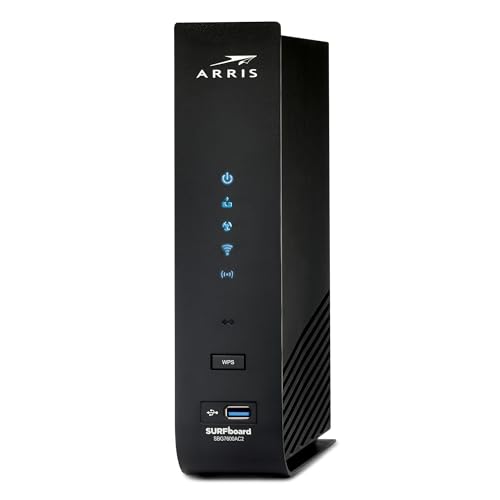
Live listings for the shortlist in this guide are pulled from Amazon below, so prices and availability are always current at the moment you look.



Living with the pairing over years, not just installation day
Installation success can hide slow-moving problems that only appear across seasons. Summer heat trapped inside a media cabinet raises the operating temperature of both modem and router, and marginal hardware that behaved all winter may begin restarting on August afternoons. Leave breathing room around vents, keep the two units from stacking directly on top of one another, and resist burying them under paperwork or game cases. A small gap and vertical airflow cost nothing, yet they prevent a class of intermittent faults that owners otherwise chase through settings menus for weeks.
Cable households also inherit provider maintenance rhythms. Firmware pushes to the modem, node work in the street, and brief overnight interruptions arrive without household involvement. A good router recovers from those events on its own, reacquiring its address and restoring wireless service before anyone wakes. If a particular model repeatedly fails to recover and demands a manual restart after every provider hiccup, record that pattern and raise it with the maker while the warranty still applies. Recovery behaviour rarely appears in feature lists, but for a household that depends on early-morning connectivity for work, it matters more than another increment of theoretical wireless speed.
Names, addresses, and small records that prevent future confusion
Give the network a stable name and resist renaming it casually, because every phone, printer, camera, and smart switch in the building memorises that identity along with its password. Changing either forces a tedious reunion tour of every connected device, including awkward ones mounted high or sealed behind panels. When a password change is genuinely needed, perhaps after a housemate moves out or a device is lost, plan the change as a household project: update the router, then work through a written inventory room by room so nothing is forgotten until it fails weeks later during a rainstorm or a deadline.
Keep a modest network notebook, digital or paper, recording the router model, its administration address, where its backup configuration file lives, the modem hardware identity printed on its label, and the date any provider technician altered splitters or drops. Future troubleshooting, whether performed by the owner, a visiting relative, or a support agent on the telephone, accelerates enormously when those facts are at hand. Support calls about the TM1602 in particular often begin with the agent asking for label details from a unit installed inside a dark cupboard; having them transcribed beforehand is a small kindness to everyone involved.
When children, guests, and work share one connection
Content filtering and scheduling tools built into many routers offer coarse but useful household governance. Bedtime schedules that pause entertainment devices, per-device pauses for homework hours, and simple category filtering can all run on the router without installing software on each endpoint. Their limits deserve honesty: determined teenagers and encrypted traffic outwit simple filters, and the tools work best as part of a conversation rather than as invisible surveillance. For work-from-home adults, a separate work device grouping with priority treatment achieves the practical goal, protecting meeting quality without micromanaging the rest of the household.
Remote work also raises the question of employer virtual private networks. Ordinary consumer routers pass that traffic through without special configuration in the overwhelming majority of cases, and problems blamed on the router more often trace to double translation or to an employer gateway with its own restrictions. Before enabling exotic passthrough toggles found in advanced menus, verify that the household has exactly one routing layer and that the work laptop performs normally on a wired connection. Methodical elimination beats menu archaeology, especially when an employer help desk is listening on the other line.
Planning the eventual replacement of either box
Nothing in this pairing is permanent, and planning for succession avoids rushed purchases during an outage. The router will likely be replaced first, driven by wireless standards, security support horizons, or a move to a larger dwelling. Because the modem handoff is standard Ethernet, a successor router can be configured indoors at a desk, updated, and given the household network name and password before it ever meets the modem, minimising downtime during the swap. Remember the modem restart between hardware changes, and the transition becomes a fifteen-minute procedure rather than an evening of improvisation.
Modem replacement follows provider rules rather than household preference, particularly while voice service remains attached to the unit. If dropouts increasingly trace to the coaxial side, document the pattern with dates and the modem light states observed, then ask the provider to test signal levels before accepting a like-for-like swap that inherits the same failing drop cable. Routers, modems, and cabling each fail in characteristic ways, and the household that has learned to tell them apart, as the earlier sections set out, spends its money only where the evidence points.
One last practical habit ties the whole arrangement together. After any major change, whether a new router, a relocated node, or a provider visit that replaced a splitter, run the same small set of checks in the same rooms and write the results down with the date. A wired check through the router, a wireless check at the farthest desk, a call on the household telephone line, and a stream on the main television together take ten minutes. That dated baseline turns the next fault, whenever it arrives, from a guessing contest into a comparison, because the household can say precisely what changed and what used to work. Baselines also expose gradual decline, the slow slide in evening throughput or the extra dropped call each week, long before the pattern hardens into a complete outage on the least convenient possible day.
There is also value in rehearsing the support conversation before it is needed. If the provider must be called, the facts that move the call forward are the modem light states, the time the fault began, whether a wired device through the router is affected, and whether the disciplined restart sequence has already been completed. Arriving with those four observations separates a household fault from a street fault within minutes, and it spares the owner repeating basic steps while an agent works through a script. Prepared callers get engineers; unprepared callers get instructions to unplug things they have already unplugged twice.
The partnership at the heart of this guide is deliberately unglamorous: an ageing but capable modem handing traffic to a router chosen for the building it serves. Respect the handoff sequence, insist on a single routing authority, size the wireless system to obstacles and coincident demand rather than to packaging, and maintain the software that guards the boundary. Households that work through those principles in order usually discover that the right router for this modem was never a specific model at all, but a configuration discipline that any well-chosen hardware can honour. For the TM1602 humming beside a skirting board in a house that finally stays connected from cellar desk to attic cot, that quiet reliability is the whole point of the exercise.