What's inside
- Quick picks: best video tablets for recording soccer games
- Quick Comparison
- The Picks in Detail
- What makes a tablet good for recording sport
- Filming tips for soccer on a tablet
- From footage to feedback: coaching apps
- Tablet mounts and tripods for soccer
- Audio: the forgotten half of soccer video
- Buying Guide
- Frequently Asked Questions
- Conclusion
As an Amazon Associate I earn from qualifying purchases. This post may contain affiliate links at no extra cost to you.
Recording a soccer game on a tablet sounds unusual until you have tried it: a tablet has a bigger screen than a phone, so framing a shot is easier, a larger battery for a full match, and enough storage for a whole tournament. Coaches use tablets on the touchline to film training, review a play seconds after it happens, and show a player exactly where to stand. Parents film youth games from the sideline, and analysts use a tablet as a portable video station for tagging key moments.
This guide looks at six real tablets that work well for recording soccer, chosen for camera quality, screen brightness, battery life, and toughness, because a pitchside device gets knocked, rained on, and used in bright sunlight. For each one we look at what makes it useful on a soccer field, from the rear camera and stabilisation to the apps that turn raw footage into coaching feedback.
Quick picks: best video tablets for recording soccer games
| # | Product | Where to buy |
|---|---|---|
| 1 | Apple iPad Pro 11-inch (M4) | Check on Amazon |
| 2 | Samsung Galaxy Tab S9 | Check on Amazon |
| 3 | Samsung Galaxy Tab Active5 | Check on Amazon |
| 4 | Lenovo Tab P12 | Check on Amazon |
| 5 | Apple iPad Air 11-inch (M3) | Check on Amazon |
Quick Comparison
The table below gives a fast overview of the picks in this guide, so you can shortlist two or three before reading the detail. Every entry here is a real, widely sold product, and each one suits a slightly different tablet, habit, or budget.
| Tablet | Camera | Best for |
|---|---|---|
| Apple iPad Pro 11-inch (M4) | 12MP rear camera, 4K video | Best overall for filming and review |
| Samsung Galaxy Tab S9 | 13MP rear camera, 4K video | Best Android tablet for soccer video |
| Samsung Galaxy Tab Active5 | 13MP rear camera, rugged design | Best rugged tablet for the touchline |
| Lenovo Tab P12 | 13MP rear camera, large display | Best large-screen budget tablet |
| Xiaomi Pad 6 | 13MP rear camera, 144Hz display | Best value tablet for filming |
| Apple iPad Air 11-inch (M3) | 12MP rear camera, 4K video | Best mid-range iPad for soccer |
The Picks in Detail

Apple iPad Pro 11-inch (M4)
The iPad Pro also benefits from the largest coaching app library, with tools for tagging, telestration, and analysis that have no Android equivalent. Apps such as Coach Paint, Hudl Technique, and Dartfish let a coach break down a play frame by frame, and the M4 chip handles those apps without lag, even with several clips open. For a professional coach, the app library alone justifies the price, because the tablet becomes a complete analysis station, not just a camera.
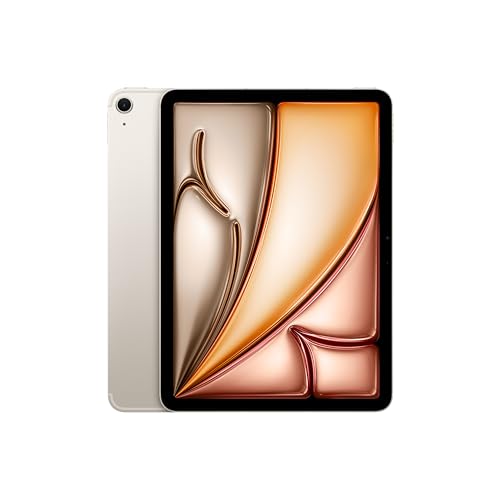
The 11-inch iPad Pro with the M4 chip is the most capable tablet in this guide for recording soccer, because it pairs a good 12MP rear camera with 4K video recording, a bright and accurate display, and the processing power to edit footage on the spot. Coaches can film a training drill, trim the clip, and show it to the team within minutes, all on the same device. The display is bright enough to review footage in sunlight, and the tablet is light enough to hold for a half.
Video recording supports 4K at up to 60 frames per second, with good stabilisation that smooths out handheld shake from the sideline. The M4 chip handles video editing apps such as iMovie, LumaFusion, and Coach Paint without stuttering, and the USB-C port supports fast transfers to a laptop or an external drive. Battery life covers a full match and the review session afterwards, and the tablet works with a range of mounts and tripods, including clamp mounts that attach to a fence or a tripod leg.
Strengths: Excellent 4K video with stabilisation, bright accurate display, powerful editing performance, long battery life, and a huge range of coaching and video apps.
Trade-offs: Expensive, and the rear camera, while good, is not as strong as a dedicated camera or a flagship phone. The tablet needs a case and a mount for pitchside use.
Who it fits: Coaches and analysts who film, review, and edit on the same device, and anyone who wants the best all-round tablet for soccer video.
The iPad Pro also works well as a tactics board, with apps that let a coach draw on a still frame or a live video feed to show movement and positioning. Paired with a rugged case and a tripod mount, it becomes a complete pitchside video station that fits in a kit bag.
Check price on Amazon: Apple iPad Pro 11-inch (M4)

Samsung Galaxy Tab S9
The Galaxy Tab S9 earns its place through toughness and versatility. Its IP68 rating means rain will not stop a recording session, its S Pen lets a coach draw on a still frame without a separate stylus, and its DeX mode turns it into a desktop for post-match analysis. For a coach who works outdoors in all weathers, those practical details matter more than a slightly better camera, because the tablet that survives the season is the one that gets used.
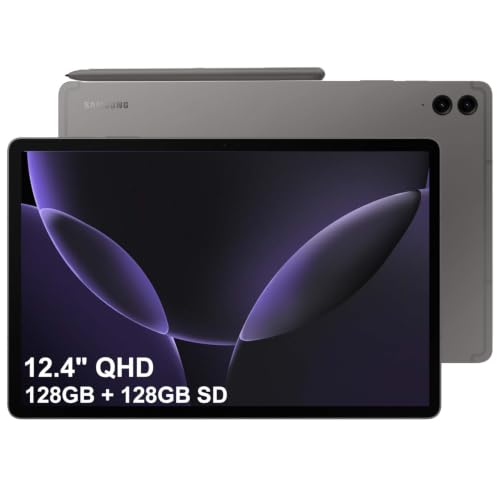
The Galaxy Tab S9 is the best Android tablet for recording soccer, with a 13MP rear camera, 4K video recording, and a bright AMOLED display that stays readable in sunlight. Its IP68 water and dust resistance is a real advantage on a soccer field, where rain and mud are part of the game, and the included S Pen lets a coach draw on a still frame to show a player where to move. The tablet is light, fast, and well supported with software updates.
Video recording covers 4K at 30 frames per second, with stabilisation that keeps handheld footage watchable. The AMOLED screen shows footage with vivid colour and deep blacks, which helps when reviewing a clip in bright conditions, and the large battery lasts through a match and the analysis afterwards. The tablet works with Android video apps such as Coach Eye, PowerDirector, and Kinemaster, and its USB-C port supports fast transfers and external storage. A rugged case is recommended, but the IP68 rating already protects against rain.
Strengths: Good 4K camera with stabilisation, bright AMOLED display, IP68 water resistance, included S Pen for telestration, and long battery life.
Trade-offs: The camera is good but not class-leading, and the tablet is expensive compared with mid-range options. Android coaching apps are fewer than on iPad.
Who it fits: Android users, coaches who need a water-resistant tablet, and anyone who wants to draw on video frames with the included S Pen.
The Galaxy Tab S9 also works well as a second screen for a laptop, showing live stats or a match feed while the main screen holds the video. Its DeX mode turns the tablet into a desktop-like workspace, which is useful for an analyst who needs a spreadsheet and a video player open at the same time.
Check price on Amazon: Samsung Galaxy Tab S9

Samsung Galaxy Tab Active5
The Tab Active5 is the only tablet here designed from the ground up for rough use, with a replaceable battery that no other tablet offers. A spare battery in the kit bag means the tablet can film a whole tournament without a charger, and its glove-friendly screen works on a cold morning when bare hands are impractical. For a coach, a referee, or a scout who works in bad weather, those rugged features are worth more than a larger screen.
The Galaxy Tab Active5 is built for rough environments, with a rugged design, MIL-STD-810H certification, IP68 water and dust resistance, and a replaceable battery, which makes it the toughest tablet in this guide. It is the tablet to choose when the device will be dropped, rained on, and used with muddy hands, because it is designed for exactly that. Its 13MP rear camera records good video, and the included S Pen works even with gloves on, which matters on a cold match day.
The 8-inch screen is smaller than the other tablets here, but it is bright, glove-friendly, and easy to hold one-handed on the touchline. The replaceable battery is a unique advantage: a spare battery in the kit bag doubles the recording time, and the tablet can keep filming through a tournament without a charger. It supports 5G on some models, so footage can be uploaded from the field, and it works with a range of rugged mounts and vehicle docks. The processor handles video recording and basic editing, though heavy 4K editing is better done on a more powerful tablet.
Strengths: Rugged MIL-STD-810H design, IP68 rating, replaceable battery, glove-friendly screen and S Pen, and a size that is easy to carry pitchside.
Trade-offs: Smaller screen than rivals, modest processor for heavy editing, and the camera is good rather than excellent. The rugged design adds bulk.
Who it fits: Coaches and staff who need a tablet that survives drops, rain, and mud, and anyone who films in bad weather or on rough ground.
The Tab Active5 is also popular with referees and match officials, because its rugged design and long battery life suit a full day on the field. Its programmable key can be set to start recording instantly, which is useful when a moment happens unexpectedly and there is no time to unlock the tablet and open an app.
Check price on Amazon: Samsung Galaxy Tab Active5

Lenovo Tab P12
The Tab P12 suits teams on a budget, because its large screen and long battery life cover the essentials of filming and review at a fair price. A youth team can buy one tablet for the whole squad, mount it on a tripod, and review clips together after the game, without needing a flagship device. Its expandable storage means a whole season can be kept on the tablet, and its large display makes group review comfortable for a dozen players gathered around it.
The Lenovo Tab P12 offers a large 12.7-inch display, a 13MP rear camera, and a long battery life at a price well below the flagship tablets in this guide. For recording soccer, the large screen is a real advantage: framing a shot is easier, reviewing footage with a group is comfortable, and the tablet can show a match feed and a tactics board side by side. The display is bright and detailed, and the tablet handles video recording and playback smoothly.
Video recording covers high-definition and 4K, with stabilisation that keeps handheld footage steady, and the large battery lasts through a match and the review session. The tablet supports a stylus, sold separately, for drawing on still frames, and it works with Android video apps for trimming and tagging clips. Storage is expandable with a memory card, which matters when a whole tournament is filmed, and the USB-C port supports fast transfers. It is not water resistant, so a case is essential in rain.
Strengths: Large high-resolution display, good camera, long battery life, expandable storage, and a fair price for the size.
Trade-offs: No water resistance, the stylus is sold separately, and the processor is slower than flagships for heavy editing. The tablet is large to hold one-handed.
Who it fits: Coaches and parents who want a big screen for filming and group review without paying flagship prices.
The Tab P12 works well as a portable monitor for a laptop, showing a live feed or a spreadsheet while the laptop handles the video. Its large screen also makes it a good choice for a team video session, where the whole squad watches a clip together and the coach pauses to explain each moment.
Check price on Amazon: Lenovo Tab P12
Xiaomi Pad 6
The Xiaomi Pad 6 is the best value filming tablet here, because its camera, display, and battery are all good enough for youth soccer and training, at a price that makes it easy to dedicate one tablet to the team. Its light weight means a parent can hold it for a whole half without fatigue, and its sharp display makes reviewing a goal with a child enjoyable. For a family that films every weekend, the Pad 6 is the practical choice.
The Xiaomi Pad 6 packs a 13MP rear camera, 4K video recording, and a sharp 144Hz display into an 11-inch body at a price that undercuts most rivals. For recording soccer, its camera is good enough for training footage and youth games, its display is bright and smooth, and its battery lasts through a match. The tablet is light enough to hold for a half, and its four speakers make reviewing footage with a group easy without headphones.
Video recording supports 4K, with stabilisation that smooths handheld shake, and the tablet handles video editing apps such as CapCut and PowerDirector without fuss. The 144Hz display makes scrolling through footage feel smooth, and the high pixel density keeps fine detail visible when zooming into a still frame. Storage is fast, though not expandable on all versions, so check before buying if a whole tournament will be filmed. It is not water resistant, so a case and a dry bag are worth having for wet match days.
Strengths: Good camera and 4K video, sharp 144Hz display, strong battery life, light and portable, and excellent value for money.
Trade-offs: No water resistance, no included stylus, and the software support is shorter than Samsung or Apple. No expandable storage on some versions.
Who it fits: Parents and amateur coaches who want a capable filming tablet on a budget, and anyone who films youth soccer and training sessions.
The Pad 6 is also a good media tablet for the journey home, with a sharp screen and good speakers for watching the footage just recorded. Its low price means it can be dedicated to soccer duty without worrying about damage, and a sturdy case makes it tough enough for the sideline.

Apple iPad Air 11-inch (M3)
The iPad Air is the sensible iPad for soccer, because it offers the same coaching apps and video quality as the Pro at a lower price, with a battery that lasts through a match and the review afterwards. Its M3 chip edits footage smoothly, its display is bright enough for outdoor use, and its AirDrop support makes sharing a clip with a player instant. For a coach or a parent already in the Apple ecosystem, the Air is the right balance of capability and cost.
The 11-inch iPad Air with the M3 chip gives coaches most of the iPad Pro video capability at a lower price, with a 12MP rear camera, 4K video recording, and a bright, accurate display. It handles the same coaching apps as the Pro, including Coach Paint and LumaFusion, and its battery lasts through a match and the review afterwards. For a coach or a parent who wants the iPad video ecosystem without the flagship cost, the Air is the sensible choice.
Video recording covers 4K at up to 60 frames per second, with good stabilisation, and the M3 chip edits footage smoothly, even with several clips on a timeline. The display is bright enough for outdoor review, and the tablet works with Apple Pencil, sold separately, for drawing on still frames. Storage options run large, which matters for a season of footage, and the USB-C port supports fast transfers. It lacks the ProMotion 120Hz display and the brightest panel of the Pro, but for filming and review, the difference is modest.
Strengths: Excellent 4K video and stabilisation, bright accurate display, strong editing performance, long battery life, and access to the best coaching apps.
Trade-offs: More expensive than Android rivals, Apple Pencil sold separately, and no water resistance rating. The display is 60Hz rather than 120Hz.
Who it fits: Coaches and parents in the Apple ecosystem who want strong video and editing without the iPad Pro price.
The iPad Air pairs well with a tripod mount and a Bluetooth remote, letting a coach start and stop recording from the touchline without touching the tablet. Its AirDrop support also makes sharing a clip with a player or a parent instant, which is useful when feedback needs to reach the team before the next training session.
Check price on Amazon: Apple iPad Air 11-inch (M3)
What makes a tablet good for recording sport
A tablet for recording soccer needs a different set of strengths than a tablet for watching films. The rear camera matters most, because the front camera is for video calls, not for filming a match, and a good rear camera with stabilisation keeps handheld footage watchable. A bright screen matters too, because the tablet will be used outdoors in sunlight, and a dim screen makes it impossible to check framing or review a clip.
Battery life is the third pillar: a match lasts 90 minutes plus stoppage time, and a tablet that dies at half-time is useless. A large battery, or a tablet that can charge from a power bank while recording, is essential. Storage matters as well, because 4K video uses a lot of space, and a tablet with expandable storage or a large capacity can film a whole tournament without running out of room.
Filming tips for soccer on a tablet
The best position for filming soccer is elevated and central, ideally from a stand or a raised platform, because a sideline view at ground level hides the far side of the pitch. A tripod or a clamp mount on a fence gives a stable, elevated shot, and a tablet mount with a cold shoe can hold a microphone for better audio. Film in 4K if the tablet supports it, because the extra resolution lets you crop into a moment without losing quality.
Also consider the frame rate: 60 frames per second gives smoother motion and better slow-motion replay, which helps when reviewing a tackle or a goal. Keep the tablet charged, bring a power bank, and test the setup before the match, because a tripod that wobbles or a mount that slips will ruin the footage. A short test clip before kick-off is the best insurance.
From footage to feedback: coaching apps
Raw footage is useful, but the real value comes from turning it into feedback, and several apps are built for exactly that. Coach Paint, Coach Eye, and Hudl Technique let a coach draw arrows and circles on a still frame or a video clip, showing a player where to run or where the gap was. These telestration tools turn a tablet into a tactics board that moves, and they are the reason coaches prefer a tablet over a phone.
Video tagging apps let an analyst mark key moments during the match, such as goals, chances, and defensive errors, so the relevant clips can be found instantly after the game. A tablet with a large screen makes tagging easier, because the timeline and the video are visible together. For a youth coach, even a simple app that trims a clip and shares it with a player can make a real difference to learning.
Tablet mounts and tripods for soccer
A tablet is only as steady as its mount, and a good mount is the cheapest way to improve footage. A tripod with a tablet clamp gives a stable, elevated shot, while a fence clamp attaches to the barrier behind the goal for a different angle. A mount with a cold shoe can hold a microphone or a light, and a Bluetooth remote lets the coach start and stop recording without touching the tablet, which avoids shake at the start of a clip.
When choosing a mount, check that the clamp fits the tablet size and that the tripod is tall enough to see over the touchline. A cheap tripod that wobbles in wind is worse than no tripod, so spend a little more on a sturdy model, and test the setup before the match. A tablet that falls off a flimsy mount can break, so the mount is also insurance for the tablet itself.
Audio: the forgotten half of soccer video
Video is only half the story, and the audio from a tablet built-in microphone is often poor, with wind noise and distant crowd sounds drowning out the coach voice. A small external microphone, connected over USB-C or Bluetooth, improves the audio dramatically, and a windshield, or dead cat, cuts wind noise on a blustery day. For coaching footage, clear audio matters, because the coach instructions and the player communication are part of the analysis.
Also consider where the tablet is placed for audio: a tablet mounted high on a tripod will pick up less pitchside sound than one at ground level, so a separate microphone near the touchline can help. Test the audio before the match, and check that the microphone is recognised by the recording app, because some apps need a setting changed to use an external microphone.
Buying Guide
Choose the camera before the screen. A tablet with a good rear camera and stabilisation will produce usable footage, while a tablet with a poor camera will not, no matter how good its display is. Check the rear camera specifications, not the front camera, and look for 4K recording and electronic stabilisation.
Check the screen brightness for outdoor use. A tablet used pitchside needs a bright display, ideally 500 nits or more, to stay readable in sunlight. A dim screen makes framing and review frustrating, and no camera can fix a screen you cannot see.
Think about toughness and weather. A soccer field is wet, muddy, and hard, so a rugged tablet or a good case is essential. Water resistance, a replaceable battery, and a sturdy mount matter more on a touchline than they do on a sofa.
Plan for storage and power. A full match in 4K uses many gigabytes, so choose a tablet with enough storage or a memory card slot, and bring a power bank for a tournament day. A tablet that runs out of space or battery at half-time is worse than no tablet at all.
Budget for a mount and a case. A tripod mount, a clamp, and a rugged case are essential accessories for pitchside filming, and they cost far less than the tablet. A stable mount improves footage more than any camera upgrade, because shake is the biggest enemy of watchable video.
Test the whole setup before the first match. Mount the tablet, start recording, film a short clip, and review it on the spot, checking the framing, the stability, and the audio. A five-minute test before kick-off prevents a wasted 90 minutes, and it reveals problems such as a loose clamp or a full storage drive while there is still time to fix them.
Bring a power bank and a spare cable. A tablet filming in 4K uses a lot of power, and a power bank in the kit bag keeps it recording through extra time and the review afterwards. A spare cable matters too, because a cable that fails pitchside cannot be replaced easily, and a tablet that cannot charge is a tablet that stops filming.
Frequently Asked Questions
Can a tablet replace a video camera for soccer?
For training, youth games, and coaching analysis, yes, a good tablet produces footage that is more than good enough, and its large screen and editing apps make it more useful than a dedicated camera. For professional broadcast or scouting, a dedicated camera with optical zoom is still better, because a tablet cannot zoom without losing quality.
What is the best tablet for a soccer coach?
The iPad Pro 11-inch is the best overall, with the strongest video, editing, and coaching apps, while the Galaxy Tab S9 is the best Android choice, with water resistance and an included S Pen. The Galaxy Tab Active5 is best for rough conditions, and the iPad Air is the best mid-range iPad for coaching.
Do I need a tripod to film soccer on a tablet?
A tripod or a clamp mount is strongly recommended, because handheld footage shakes and tires the arm over 90 minutes. A tripod gives a stable, elevated shot, and a clamp mount on a fence or a stand is a good alternative. A Bluetooth remote lets you start and stop recording without touching the tablet.
How much storage do I need to film a soccer match?
A 90-minute match in 4K can use 20 gigabytes or more, depending on the frame rate and compression, so a tablet with at least 128GB of storage or a memory card slot is recommended for filming a whole match. For a tournament, a 256GB tablet or an external drive is a better choice, and footage should be transferred off the tablet regularly.
Can I livestream a soccer game from a tablet?
Yes, most tablets can livestream through YouTube, Facebook, or a dedicated sports streaming app, provided there is a good mobile or Wi-Fi connection. A tripod mount, a charged battery, and a stable connection are essential, and a 4G or 5G tablet is better than a Wi-Fi-only model for streaming from a field without Wi-Fi.
What apps do soccer coaches use on a tablet?
Coaches use telestration apps such as Coach Paint and Coach Eye to draw on video, tagging apps such as Hudl to mark key moments, and editing apps such as LumaFusion and iMovie to trim and share clips. Tactics board apps let a coach draw formations, and team management apps handle scheduling and communication, all from the same tablet.
Is a rugged tablet worth it for soccer?
Yes, if the tablet will be used pitchside in all weathers. A rugged tablet such as the Galaxy Tab Active5 survives drops, rain, and mud, and its replaceable battery keeps it filming through a tournament. A standard tablet in a good rugged case is a cheaper alternative, though it will not match a purpose-built rugged tablet for toughness.
Can I film a soccer game with a tablet in the rain?
Yes, with a water-resistant tablet such as the Galaxy Tab S9 or Tab Active5, or with a standard tablet in a waterproof case. Rain on the lens will blur the image, so wipe it regularly, and keep the tablet under a small cover between clips. A rugged tablet is the safest choice for wet match days, because it survives rain without a case.
What frame rate should I use for soccer video?
60 frames per second is best for soccer, because it gives smoother motion and better slow-motion replay for reviewing tackles, goals, and offsides. 30 frames per second uses less storage and is fine for general footage, but 60 is worth the extra space when the video will be analysed. Check that the tablet supports 4K at 60 frames per second before choosing it.
How do I share soccer video with the team?
The easiest way is AirDrop on an iPad or Nearby Share on Android, which sends a clip to a player phone in seconds without the internet. For a whole team, upload the clips to a shared folder in Google Drive or iCloud, and share the link in the team chat. Keep the clips short, because a two-minute highlight is more likely to be watched than a full 90-minute recording.
Can a tablet record a whole soccer match on one charge?
Yes, most tablets in this guide can record a 90-minute match on one charge, with battery to spare for review afterwards, provided the screen brightness is moderate and no other heavy apps are running. A tablet filming in 4K uses more power, so a power bank is worth bringing for a tournament day, and a rugged tablet with a replaceable battery, such as the Galaxy Tab Active5, can keep filming through extra time without a charger.
What is the best app for tagging soccer video on a tablet?
Coach Eye and Hudl Technique are the most popular tagging apps, letting an analyst mark goals, chances, and errors during the match, so the clips can be found instantly afterwards. Coach Paint adds telestration, letting a coach draw arrows on a still frame, while LumaFusion handles editing and sharing. For a youth coach, a simple tagging app is more useful than a complex analysis suite, because the clips need to reach the players quickly.
Should I film soccer in 4K or 1080p on a tablet?
Film in 4K if the tablet supports it and storage allows, because the extra resolution lets you crop into a moment without losing quality, which is useful for analysing a tackle or a goal. 1080p uses less storage and is fine for general footage, but 4K is worth the space when the video will be reviewed in detail. Check the tablet storage before the match, because a full drive will stop recording at the worst moment.
Can I use a tablet as a tactics board during a soccer game?
Yes, and many coaches do. Apps such as Coach Board and Tactics Manager let a coach draw formations, arrows, and movements on a tablet screen, and the large display makes it easy for players to see. A tablet with a stylus, such as a Galaxy Tab with an S Pen, is ideal for this, because the coach can sketch a play in seconds and show it to the team at half-time.
Conclusion
The best tablet for recording soccer is the one that survives the touchline and produces footage a coach can use. The iPad Pro 11-inch leads on video quality and editing, the Galaxy Tab S9 leads on Android with water resistance and an S Pen, the Galaxy Tab Active5 is the toughest choice for bad weather, the Lenovo Tab P12 offers the biggest screen for the price, the Xiaomi Pad 6 is the best value, and the iPad Air is the sensible mid-range iPad. Pair whichever you choose with a tripod mount, a rugged case, and a coaching app, and the tablet becomes a complete pitchside video station.