What's inside
- Key Takeaways
- Quick Picks
- How Did We Shortlist These Pads and Stands?
- Why Does the Adapter Behind the Pad Matter So Much?
- Where Do Stands Beat Pads, and Where Do Pads Win?
- What Really Separates a 10W Pad From a 15W Pad at the Nightstand?
- Which Habits Make Wireless Charging Feel Unreliable?
- How Should You Place a Pad for the Fewest Failed Nights?
- Does Wireless Charging Wear a Phone Battery Faster Than a Cable?
- What Changes When a Household Runs Several Pads at Once?
- How Does Wireless Charging Fit Alongside Travel and Outdoor Power?
- What Should You Know About Coil Alignment and Charging Sweet Spots?
- Which Room-by-Room Plan Makes a Whole Home Feel Effortless?
- How Do You Troubleshoot a Pad That Worked Last Month?
- Why Do Some Phones Charge at Different Speeds on the Same Pad?
- What Is the Sensible Way to Buy a Second Pad Later?
- How Should You Judge a Pad During Its First Week?
- Final Recommendation
- Frequently Asked Questions
- Related Guides
As an Amazon Associate I earn from qualifying purchases. This post may contain affiliate links at no extra cost to you.
widgetverdict.com is reader-supported. When you buy through links on our site, we may earn an affiliate commission.
Where to buy: the stands and pads reviewed below each link to a checked Amazon listing; a NANAMI stand for the nightstand, a Yootech pad for the budget drawer, Anker and Belkin pads for the cautious, a TOZO aluminium pad for the design-conscious and a Samsung-focused 15W pad with its own adapter between them span the realistic choices.
The best android wireless chargers will never beat a cable on speed, and pretending otherwise helps nobody. What they sell is the removal of friction: the phone lands on a pad when you walk in, lifts off when you leave, and never asks you to hunt for a connector in the dark or to spare a worn USB-C port another thousand insertions. For overnight charging, where hours are abundant and the phone would taper its intake anyway, that convenience costs almost nothing in real terms. For a desk where a phone is picked up forty times a day, it changes the rhythm of the whole working pattern.
Android wireless charging runs on the Qi standard, with speeds that depend on the pad, the power adapter feeding it, the phone model and the alignment of two coils you cannot see. A pad advertised at 15W only delivers its best rate when its adapter can supply enough input and when the phone sitting on it supports that tier. Galaxy phones have their own fast wireless tier, Pixels accept Qi at respectable rates, and earbuds cases sip from the same pads at gentler speeds. This guide explains those interactions first, then judges six pads and stands on placement, honesty of specification and day-to-day manners.
Key Takeaways
- Wireless charging is a convenience purchase: judge pads on placement reliability and heat, not on beating a cable.
- The adapter feeding the pad decides its ceiling, and several pads in this class ship without one.
- Stands suit desks and nightstands where the screen should stay visible; flat pads suit entryways and low-profile spots.
- Case thickness and coil alignment cause most disappointing sessions, far more often than pad quality itself.
- Galaxy phones reward pads that support Samsung’s fast wireless tier; Pixels are easier to please.
- A sleep-friendly pad keeps indicator lights dim and avoids waking the room at 3 a.m.
Quick Picks
| Pick | Badge | Why it earns its place |
|---|---|---|
| NANAMI Fast Wireless Charging Stand | The nightstand stand | An upright stand that holds a Galaxy or iPhone at a readable angle while it charges beside the bed. |
| Yootech 10W Wireless Charging Pad | The simple budget pad | A 10W pad with no adapter in the box, aimed at buyers who already own a suitable wall charger. |
| Anker 313 Qi-Certified 10W Wireless Charger Pad | The certified safe pair of hands | Qi-certified 10W charging from Anker, clearly labelled as not MagSafe-compatible, adapter not included. |
| Belkin 15W Wireless Charging Pad with Adapter | The complete kit | Fifteen watts with the power adapter and cable included, so the box contains everything the speed requires. |
| TOZO W1 Max 15W Wireless Charger | The aluminium desk piece | Aircraft-aluminium 15W pad with anti-slip surfacing and sleep-friendly behaviour for home use. |
| Wireless Charger Samsung Fast Charging Pad 15W | The Galaxy specialist | A 15W pad bundled with a QC adapter and aimed squarely at Galaxy S and Z Flip owners. |
How Did We Shortlist These Pads and Stands?
We required Qi as the baseline, because proprietary magnetic systems belong to a different buying conversation and Android owners are served by the universal standard. We then split the field by shape. Stands and pads solve different problems, and a roundup that crowns only flat pads leaves desk workers badly served. Output tiers came next: 10W pads are honest overnight tools, while 15W models earn their premium only when the adapter and the phone both support the higher tier, so bundled adapters scored heavily in our judgement.
Brand spread was deliberate. Anker and Belkin bring certification culture and support channels; NANAMI and Yootech have long histories in this specific accessory niche; TOZO offers a materials upgrade; and the Samsung-focused pad represents the many listings tuned to one phone family. Readers comparing wired options should keep our guide to best android fast chargers open in another tab, because the honest answer for many homes is one of each: a pad for the night, a brick for the emergency.
We also paid attention to what listings admit. The Anker pad states plainly that its adapter is not included and that it is not MagSafe-compatible. That kind of candour predicts a better ownership experience than a listing that shouts a wattage and whispers the conditions. Throughout the reviews below, adapter inclusion is treated as a headline feature, not a footnote, because it changes both the true cost and the achieved speed of every pad here.
Why Does the Adapter Behind the Pad Matter So Much?
A wireless pad is a middleman. It takes wired power from an adapter, converts it into a magnetic field, and the phone converts that field back into battery charge, losing energy at both conversions. To deliver 15W to a phone, a pad may need considerably more than 15W arriving at its own port, which is why higher-tier pads ask for Quick Charge or Power Delivery adapters of a stated strength. Feed a demanding pad from a weak old phone adapter and it will politely charge at a basic rate, leaving the owner convinced the pad itself is broken.
This is the hidden arithmetic behind the Belkin and Samsung-focused picks: both bundle an adapter chosen for the pad, so the system works at its intended tier out of the box. The Yootech, Anker and TOZO pads ask you to supply the adapter, which is perfectly reasonable for buyers with a drawer of capable chargers and quietly expensive for buyers who must purchase one. When comparing listings, compare complete systems: pad plus the adapter it needs, not pad alone.
Adapter quality also affects heat and noise. A strained adapter runs hot and can make a pad’s electronics work harder to hold a stable field. Some pads emit a faint coil whine under certain loads that light sleepers notice in a silent room; a well-matched adapter and a phone aligned squarely on the coil usually minimise it. Nightstand buyers should treat the first three nights as a trial: if the combination hums, glows or warms the phone noticeably, adjust the adapter or the placement before condemning the concept.
Where Do Stands Beat Pads, and Where Do Pads Win?
A stand holds the phone upright at a reading angle, which suits desks, kitchen counters and nightstands where the screen earns its keep: clocks, alarms, video calls, recipes and notifications that can be judged at a glance. Alignment is also more forgiving on many stands because the phone rests against a ledge in a repeatable position, removing the nightly guessing game about where the coil sits. The cost is footprint and presence; a stand is furniture in a way a pad is not, and it will not slide under a television or into a shallow drawer.
A pad disappears. On an entryway console it reads as a coaster; on a desk it can sit beneath a monitor; in a living room it waits unobtrusively for guests. Pads also accept earbuds cases and other flat-backed devices more naturally than stands do. Their weakness is placement discipline: drop the phone carelessly off-centre and it may charge slowly or not at all, a failure you discover at dawn. Households with children or chaotic surfaces often find a stand’s repeatability worth its bulk, while tidy minimalists prefer the pad’s invisibility.
Some homes sensibly run both shapes. A stand beside the bed handles the overnight charge and the morning alarm, while a pad near the door catches the phone during the evening. The picks below include one stand and five pads, reflecting the market’s own balance, and the comparison section later in this guide maps each model to the room it serves best. Readers building a full charging ecosystem may also want the off-grid options in our guide to best flexible solar chargers, which solve the opposite problem: power where no socket exists at all.

NANAMI Fast Wireless Charging Stand — The nightstand stand
NANAMI’s stand is the veteran shape of this category: a phone rests upright against a back panel, charging while its screen stays available for the alarm clock role most nightstands demand. The listing describes a fast wireless charging stand compatible with recent iPhone generations and Samsung Galaxy S models through the S26 range. For Android owners the Galaxy compatibility is the operative line, and the stand format suits Galaxy phones particularly well because the resting ledge makes coil alignment repeatable night after night.
Two-coil designs in this style commonly let a phone charge in portrait or landscape, which matters for anyone who watches a video in bed or uses the phone as a bedside clock with a large display. The listing does not spell out every internal detail, so buyers with unusual requirements should confirm specifics on the product page; what is clear is the format’s everyday logic. You set the phone down against the ledge, the angle presents the screen, and morning arrives with a full battery and no cable to untangle from the bedding.
Stands ask for a little more nightstand real estate than pads and their upright phone can catch the eye in a dark room if notifications light the screen. Most owners solve that with the phone’s own bedtime or do-not-disturb modes. As the sole stand in this roundup, the NANAMI carries the flag for everyone whose charging spot doubles as a clock, a video screen or a video-call perch, and it carries it credibly.
- Form: upright charging stand
- Stated fit: iPhone ranges and Samsung Galaxy S ranges
- Use pattern: nightstand, desk, kitchen counter
- Adapter inclusion: check the listing configuration before ordering
- Screen visibility while charging: full, at a reading angle
Strengths
- The ledge-and-backrest design makes alignment repeatable, removing the pad placement lottery.
- An upright screen serves alarms, clocks and calls without lifting the phone off charge.
- Galaxy compatibility is stated directly in the listing rather than implied.
Trade-offs
- It occupies more nightstand depth than any flat pad in this guide.
- Earbuds cases and other small devices sit awkwardly on a stand format.
- Buyers must confirm which adapter the chosen listing configuration includes.
Best for: nightstands and desks where the phone screen should stay readable while charging.
Not suited for: a shallow entryway shelf needing a charger that disappears from sight.
See the NANAMI stand on Amazon if your bedside phone doubles as your alarm clock.
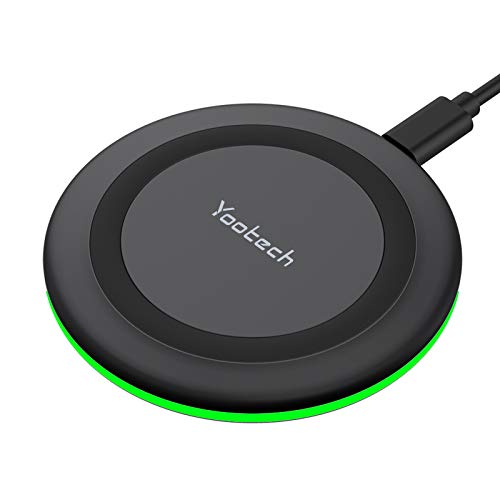
Yootech 10W Wireless Charging Pad — The simple budget pad
Yootech’s pad is the category stripped to its essentials. The listing describes a 10W maximum wireless charging pad with no AC adapter included, compatible with a wide span of iPhones, Galaxy S models through the S25 generation, and AirPods. Ten watts is not the ceiling of modern Qi, and Yootech does not pretend otherwise; this is an overnight and desk-top-up pad for owners who value a low-key disc that simply works with the adapter they already own.
That adapter caveat deserves emphasis rather than embarrassment. Many households already possess a suitable Quick Charge or PD adapter from a previous phone, and for them the missing brick is money saved rather than a gap. First-time wireless buyers, by contrast, should price the complete system before celebrating the pad’s tier. Paired with an adequate adapter, the Yootech charges a Galaxy at its 10W-class rate and treats Pixels and earbuds with equal politeness.
The pad’s appeal is its anonymity. It sits flat, asks little, and suits the second and third charging spots of a home: the spare room, the hallway, the office drawer. Owners wanting the fastest wireless tier a Galaxy allows should look at the 15W picks below; owners wanting a dependable disc for the places speed does not matter will find this older design language entirely sufficient.
- Output: 10W maximum
- Form: flat charging pad
- Adapter: not included, stated in the listing
- Stated fit: iPhone, Galaxy S and AirPods ranges
- Role: secondary and overnight charging spots
Strengths
- Honest 10W positioning suits overnight charging where speed is irrelevant.
- Buyers with a spare capable adapter pay for the pad alone and nothing redundant.
- The flat, plain design blends into spare rooms and office desks without visual fuss.
Trade-offs
- No adapter in the box means first-time buyers must source one separately.
- Ten watts will feel slow for a midday rescue charge on a large Galaxy.
- It offers no stand functionality for screen-visible charging.
Best for: overnight and secondary spots where a capable adapter already lives nearby.
Not suited for: a buyer wanting the fastest wireless tier from a single complete box.
Look at the Yootech 10W pad on Amazon when a spare room needs a quiet charging disc.
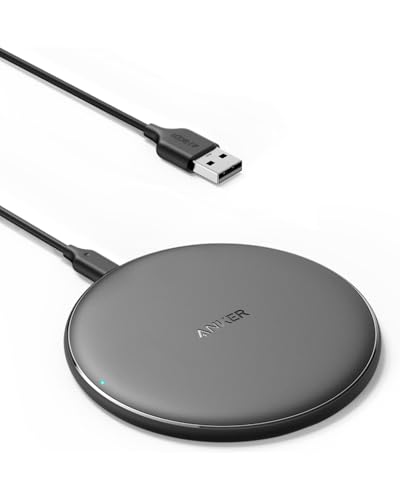
Anker 313 Qi-Certified 10W Wireless Charger Pad — The certified safe pair of hands
Anker’s 313 pad competes on trust. The listing describes a Qi-certified 10W fast wireless charging pad for Samsung, iPhone and AirPods, states that the AC adapter is not included, and warns explicitly that it is not MagSafe-compatible. That trio of clarifications tells you how Anker sells: certification up front, limitations in plain language, and no magnetic-alignment promises the hardware cannot keep. For a product that will sit energised beside a bed for years, that culture is a feature in itself.
Qi certification means the pad has passed interoperability testing under the Wireless Power Consortium’s programme, which reduces the odds of odd behaviour with particular phone models. Ten watts places it with the Yootech on output, so the choice between them is about ecosystem and support rather than speed. Anker’s customer service reach and the sheer installed base of its charging accessories reassure buyers who have been burned by anonymous electronics before.
Use it where you would use any good 10W pad: nightstands, desks and travel kits where its slim disc packs flat. Travellers should note the adapter requirement when assembling a kit, pairing the pad with the same brick that feeds their phone by cable. As a first wireless charger for a cautious buyer, the 313’s clarity about what it is — and is not — makes it the easiest recommendation in this guide to explain to a family member over the phone.
- Output: 10W
- Certification: Qi-certified per the listing
- Adapter: not included, stated in the listing
- Magnetic alignment: explicitly not MagSafe-compatible
- Stated fit: Samsung, iPhone and AirPods
Strengths
- Qi certification plus Anker support channels make it the low-anxiety first pad.
- The listing’s plain warnings prevent the two most common expectation mismatches.
- A slim flat profile packs neatly for travel alongside a shared adapter.
Trade-offs
- Output stops at 10W, below the 15W tier the newer pads advertise.
- The adapter must come from the buyer’s own collection or a separate purchase.
- No magnetic snap means placement care still matters on a dark nightstand.
Best for: cautious first-time wireless buyers who value certification and clear labelling.
Not suited for: a Galaxy owner determined to reach the 15W wireless tier nightly.
Check the Anker 313 pad on Amazon if plain-spoken specifications matter to you.
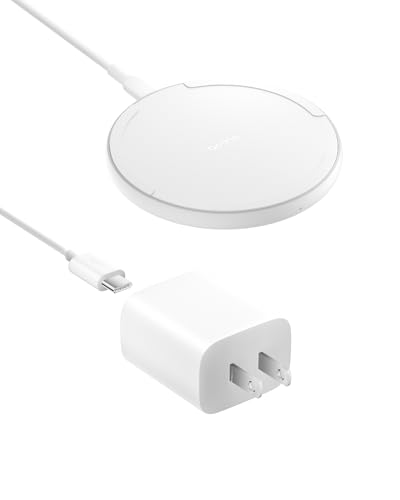
Belkin 15W Wireless Charging Pad with Adapter — The complete kit
Belkin removes the category’s biggest asterisk by putting the adapter in the box. The listing describes a 15W wireless charging pad, Qi charger with power adapter included, compatible with iPhone ranges, AirPods, Galaxy S25 and S24 models and Pixel 10, with cable included as well. That completeness means the 15W headline is achievable by an ordinary buyer on the first evening, without a scavenger hunt through the adapter drawer or a second order placed in frustration a week later.
Fifteen watts over Qi is the brisk end of universal wireless charging for Android, enough to make a desk pad genuinely useful for daytime top-ups rather than purely an overnight device. Belkin’s long accessory history shows in the positioning: this is the pad sold in airport shops and phone stores to people who want the thing to work without a research project. The design is a conventional flat disc, unobtrusive on a desk and stable under a phone.
The premium over adapter-less rivals is the honest cost of the bundled power supply, and buyers who already own several strong adapters may reasonably resent paying for another. Everyone else should count the Belkin as the reference complete system against which pad-plus-adapter combinations must justify themselves. For a gift purchase, where the recipient’s adapter drawer is unknown, it is the only pick here we would send without a follow-up message explaining what else to buy.
- Output: 15W
- Adapter: included, with cable, per the listing
- Form: flat pad
- Stated fit: iPhone, AirPods, Galaxy S25/S24, Pixel 10
- Role: primary desk or nightstand system
Strengths
- The bundled adapter and cable make the advertised tier reachable immediately.
- Fifteen watts lifts daytime top-ups from token gestures to useful charges.
- Belkin’s retail and support footprint simplifies warranty conversations later.
Trade-offs
- Owners rich in spare adapters pay for one more they may never need.
- A flat pad still demands reasonable placement care from the user.
- It lacks the stand format’s screen visibility for clock and call duties.
Best for: buyers and gift-givers who want one box containing a working 15W system.
Not suited for: a minimalist seeking an upright stand for video calls at the desk.
View the Belkin 15W pad on Amazon when you want the adapter question settled inside the box.

TOZO W1 Max 15W Wireless Charger — The aluminium desk piece
TOZO builds its case out of metal, literally. The listing describes a 15W fast wireless charger in aircraft aluminium, with anti-slip surfacing, sleep-friendly behaviour, and compatibility across iPhone generations and Galaxy S23 through S25 models, finished in ink black for home use. Most pads in this class are plastic discs; an aluminium body feels cooler, sits heavier and reads as a deliberate desk object rather than a disposable accessory.
Materials have practical consequences here. A heavier pad stays put when a phone is lifted one-handed, instead of travelling with the phone for the first inch as light plastic pads sometimes do. Anti-slip surfacing keeps the phone where it was placed, which protects alignment through the night. Sleep-friendly design, in TOZO’s usage, means restrained indicator behaviour, and bedroom users will appreciate any manufacturer that treats darkness as a feature.
The W1 Max asks the buyer to supply an adapter capable of feeding its 15W tier, the standard condition in this category. Pair it with a strong PD or QC adapter and it serves as a primary desk pad with a materials advantage none of its rivals here match. Buyers indifferent to finish can save with the simpler pads; buyers who look at their desk all day may find the aluminium argument quietly decisive.
- Output: 15W
- Body: aircraft aluminium, ink black
- Surface: anti-slip
- Behaviour: sleep-friendly indicator design
- Stated fit: iPhone ranges and Galaxy S23 to S25
Strengths
- Aluminium construction adds stability, heat-spreading and a genuinely premium feel.
- Anti-slip surfacing protects coil alignment against casual knocks.
- Restrained lighting suits bedrooms where other pads announce themselves all night.
Trade-offs
- The adapter for full-speed feeding must be supplied by the buyer.
- A heavier metal pad is less appealing in a travel kit than the lightest discs.
- Its Galaxy listing range names S23 to S25, so owners of other models should verify fit.
Best for: desk and nightstand owners who want a 15W pad built like a lasting object.
Not suited for: an ultralight travel kit where every gram is argued over.
See the TOZO W1 Max on Amazon if your desk accessories are chosen to be kept.
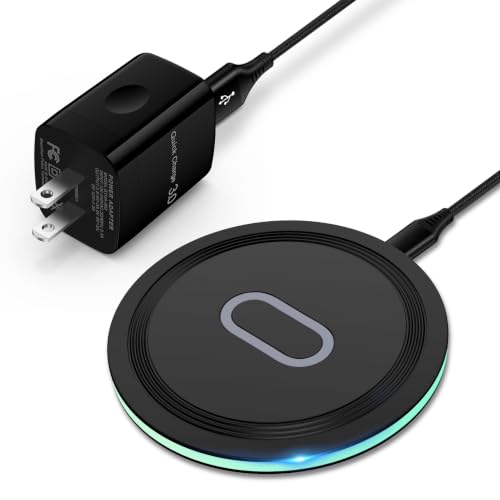
Wireless Charger Samsung Fast Charging Pad 15W — The Galaxy specialist
This pad is aimed at one family of phones and says so in its name. The listing describes a wireless charging pad for Galaxy S26 and S25 Ultra and a long roll of related Galaxy models, delivering 15W, supplied as a charging station mat with a QC adapter, and also naming Google phones across several generations. The bundled QC adapter is the detail that lifts it above generic Galaxy-flavoured listings: the pad arrives with the feeding hardware its speed tier requires.
Galaxy owners are the natural audience. Samsung’s fast wireless tier has historically rewarded pads that speak its dialect, and a listing written around Galaxy models, including Z Flip generations, signals that intent. The flat mat format suits a nightstand or a family charging corner where several Galaxy handsets rotate. Google phone compatibility broadens the household usefulness, since mixed Galaxy and Pixel homes are common.
The brand presentation is plainer than Anker’s or Belkin’s, and buyers should set support expectations accordingly and confirm the adapter and cable contents on the listing before ordering. Within its specialism, though, the proposition is direct: a 15W Galaxy-oriented pad with its adapter included, priced and presented for owners of exactly the phones it names. Generalists should compare it carefully against the Belkin, which covers similar ground with a larger support organisation behind it.
- Output: 15W
- Adapter: QC adapter included per the listing
- Form: flat charging mat
- Stated fit: Galaxy S and Z Flip ranges, Google phones
- Role: Galaxy household charging corner
Strengths
- Galaxy-first tuning and naming suit Samsung households directly.
- The included QC adapter completes the system without a second purchase.
- Google phone compatibility keeps mixed-brand homes covered by one mat.
Trade-offs
- Presentation and support are plainer than the big accessory brands offer.
- iPhone owners are outside its stated focus despite Qi common ground.
- Buyers should verify the exact box contents against the listing at order time.
Best for: Galaxy households wanting a 15W mat with its adapter already sorted.
Not suited for: shoppers prioritising a major brand’s support network above specialism.
Browse the Samsung-focused 15W pad on Amazon if your home charges Galaxy phones first.
What Really Separates a 10W Pad From a 15W Pad at the Nightstand?
| Pick | Output | Shape | Adapter in box | Best room |
|---|---|---|---|---|
| NANAMI stand | Fast tier per listing | Stand | Confirm configuration | Nightstand with clock duty |
| Yootech pad | 10W | Pad | No | Spare room |
| Anker 313 | 10W | Pad | No | Travel kit and desk |
| Belkin pad | 15W | Pad | Yes | Main desk |
| TOZO W1 Max | 15W | Pad | No | Design-led desk |
| Samsung-focused pad | 15W | Pad | Yes, QC | Galaxy family corner |
Overnight, the honest answer is: less than the marketing suggests. A phone left for seven hours fills on either tier, and the battery spends most of that time in its gentle final phase regardless. The 15W advantage appears in the ninety minutes before bed and the hour after waking, when a desk or kitchen pad can add meaningful charge during breakfast, calls and dressing. Drivers topping up between journeys face yet another set of compromises, covered in our guide to best apple car chargers, where mounts and motion enter the equation.
Which Habits Make Wireless Charging Feel Unreliable?
Placing the phone carelessly is the leading cause of the dawn discovery of an uncharged phone. Qi coils are a few centimetres across; a phone dropped diagonally on a pad in the dark can sit far enough off-centre to charge at a trickle or to stop entirely when a notification buzz walks it further sideways. Thick cases, especially those with metal plates, card storage or pop-out grips, widen the coil gap and can block charging outright. Test any new case on the pad during the daytime, while you can watch the charging indicator, rather than discovering the incompatibility overnight.
Heat is the second saboteur. A pad on a sunny windowsill, a phone charging inside a hot car, or a handset running navigation while sitting on a desk pad will all throttle wireless intake sharply. Third comes the underpowered adapter, already discussed, which quietly caps the whole system. Fourth is stacking demands: charging earbuds on the same pad a phone expects to use, then blaming the pad when the phone’s turn never comes. Wireless charging rewards households that give each pad one job and a permanent home.
How Should You Place a Pad for the Fewest Failed Nights?
Choose a surface the phone already visits: beside the bed, by the door, at the desk’s dominant hand. Fix the pad’s own cable with enough slack that the pad cannot be dragged by the cord, and if the pad is light, a small adhesive dot beneath it ends the slow migration across polished wood. Place the phone, watch for the charging confirmation, and repeat that exact placement for a week; muscle memory does the rest. If your phone wears a thick case, validate the pairing across three nights before trusting it on the night before an early flight.
For stands, set the phone down against the ledge rather than dropping it from a height, and let landscape orientation serve video rather than overnight charging unless the stand is known to handle both. Keep pads away from metal objects: loose coins, keys and card readers placed on an idle pad can warm up or simply confuse foreign-object detection into pausing the system. A clear pad is a reliable pad, which is another argument for giving the charger a dedicated patch of surface rather than letting it share a general dumping zone.
Does Wireless Charging Wear a Phone Battery Faster Than a Cable?
The concern is legitimate and usually overstated. Wireless charging converts energy twice, and the losses leave as heat in the pad and the phone. Heat is a known accelerant of battery ageing, so a phone that spends every night warm on a poorly ventilated pad will, over years, lose capacity slightly faster than one charged coolly by cable on the same schedule. The size of that effect in ordinary homes is modest, because phones regulate their intake, taper early, and spend most of the night in a gentle state once full. The pad’s contribution matters less than the room’s temperature and the case the phone wears.
Owners who want to minimise the effect have easy levers. Charge on a hard, ventilated surface rather than on bedding. Remove very thick cases for overnight sessions if the phone emerges warm. Use the phone’s own optimised or adaptive charging setting, which delays the final fill until shortly before the usual waking time, reducing hours spent full and warm. And remember the counterfactual: a battery babied for three years inside a phone replaced at two has gained its owner nothing. Convenience that keeps a phone charged and used is worth a small theoretical cost to most people, which is precisely the trade this entire product category is built on.
There is one habit that deserves a firm warning, because it combines heat sources: charging wirelessly while the phone works hard. Navigation, hotspot duty, video calls and gaming all generate their own warmth, and adding inductive charging on top can push a handset into throttling or discomfort. Use a cable, or better a rest, for those sessions. The pads in this guide are at their best with a phone that is idle, face up and minding its own business until morning.
What Changes When a Household Runs Several Pads at Once?
Multi-pad homes discover a pleasant network effect: once chargers exist at the bedside, the desk and the door, the phone is almost always either charging or full, and the low-battery moment nearly vanishes from daily life. The cost is a small fleet of adapters, cables and surfaces to manage. Standardise where you can. If every pad in the house is fed by the same class of adapter, a failure anywhere can be diagnosed by swapping parts, and spare cables fit everywhere. The Belkin’s bundled adapter and the Samsung pad’s QC unit complicate standardisation slightly, but both earn their exception by completing their own systems.
Label the underside of each pad with its room, and photograph your working setups before a move or a redecoration. It sounds fussy until the evening you are reassembling a nightstand and cannot remember which adapter made the stand charge at its fast tier. Households with children should expect pads to migrate toward gaming desks and homework tables; buying the Yootech or Anker as the fleet’s expendable members, and keeping the TOZO or Belkin at the adults’ stations, matches price to risk sensibly.
Guests benefit from a pad more than from almost any other charging format, because Qi asks nothing of them: no cable hunting, no connector compatibility, no borrowed brick. A pad on the guest-room nightstand is understood instantly by any visitor with a modern phone. That universality is the quiet argument for Qi in a world of diverging wired standards, and it is why we expect these discs and stands to outlast several generations of the phones they serve.
How Does Wireless Charging Fit Alongside Travel and Outdoor Power?
At home, wireless charging is about surfaces. Away from home, the priorities invert: sockets are scarce, bags are small, and a pad’s flat convenience competes with a cable’s certainty. Most travellers in our reader mail carry a cable and a compact wired brick as the primary system, adding a slim pad only when hotel nightstands are a known quantity. The Anker 313’s thin disc is the natural travel candidate here, sharing an adapter with the phone’s wired setup.
Outdoor charging removes the wall entirely. Campers and field workers pair power banks with panels, and the panels divide into families that bend, fold or stay rigid — distinctions our solar guide treats carefully. A wireless pad has no role at a windy campsite, but the phone it charged all week at home arrives at the trailhead full, which is its own contribution. Think of the technologies as a relay: pads and stands manage the home legs, cables and panels manage the wild ones, and the phone simply has to be ready at each handover.
What Should You Know About Coil Alignment and Charging Sweet Spots?
Every pad hides a coil, and every phone hides a matching one, usually centred slightly above the phone’s midpoint. Charging works when those two circles overlap well; it weakens as they drift apart, and the phone rarely tells you it is charging at half efficiency. This invisible geometry explains most of the category’s folklore. One owner’s pad is flawless because their phone lands centred by habit; another owner’s identical pad is cursed because a case’s camera bump tilts the phone a few millimetres off the sweet spot every night.
Learn your phone’s sweet spot deliberately once. In daylight, place the phone on the pad and nudge it slowly in each direction, watching when the charging indicator responds most decisively. Note the visual landmarks: perhaps the phone’s bottom edge flush with the pad’s edge, or the camera module aligned with a logo. Then reproduce that landmark placement nightly. Stands perform this service mechanically, which is their deepest advantage, while pad owners must supply the discipline themselves for the first week until the placement becomes automatic.
Large phones and small pads are the hardest pairing, because the phone overhangs and can pivot on its camera housing. If your handset rocks on a pad, a stand or a larger mat will serve you better than nightly frustration. Conversely, a small phone on a generous mat has freedom to sit off-centre in several directions, so the landmark habit matters even more. None of this is difficult; it is simply the one skill wireless charging asks in exchange for removing the cable, and five minutes spent learning it pays out across thousands of nights.
Which Room-by-Room Plan Makes a Whole Home Feel Effortless?
Start with the nightstand, because it is the highest-value surface in the house: the phone spends a third of its life there. A stand suits owners who use alarms and bedtime modes; a pad suits owners who want the phone face-down and forgotten. Next, the desk, where a 15W pad earns its keep in grazing top-ups between meetings, keeping the phone near full so the evening never begins with a deficit. The TOZO and Belkin contest this spot most strongly in our six.
Third, the arrival zone by the front door or kitchen counter, where a pad catches the phone during cooking, unpacking and the general churn of a household evening. This is the natural home of the Yootech or the Samsung-focused mat, and it is where guests will quietly help themselves. Fourth, if the budget allows, the guest room, where a simple pad reads as thoughtfulness and asks no questions of any visitor’s phone. Cars, workshops and garden rooms are wired-charger territory in most homes, and forcing wireless into them usually disappoints.
Notice what this plan does not require: identical products. A mixed fleet is normal and even desirable, because rooms differ. What should be identical is the experience — phone down, charging confirmed, no thought required. When a particular spot keeps failing that test, change the shape of the charger there before blaming the technology. A stand where a pad failed, or a 15W pad where a 10W unit left the phone short by evening, usually resolves the complaint in a single move.
How Do You Troubleshoot a Pad That Worked Last Month?
Begin with what changed. A new case is the classic culprit, followed by a new adapter borrowed during a tidy-up, a pad nudged into a new position by cleaning, and a phone update that altered charging behaviour or enabled a battery-protection limit. Reverse the most recent change first. Then clean both surfaces: pocket lint and dust build a surprising spacer layer over months, and a dry cloth on the pad and the phone’s back restores contact you did not know you had lost.
If the pad’s indicator behaves oddly, test the system in pieces. Feed the pad from a known strong adapter with a known good cable. Try a second phone or an earbuds case. A pad that charges earbuds but not your phone points at the phone’s case or coil position; a pad that charges nothing points at its own feed. Foreign-object detection can also latch after a coin incident, and unplugging the pad for half a minute resets many such sulks.
Persistent warmth deserves respect. A pad or phone that grows hotter over the months, doing the same job in the same room, is telling you something has degraded — a tired adapter is the most common something. Swap it before swapping the pad. Electronics that handle power nightly earn a conservative owner, and the modest cost of an adapter is a small premium for a bedroom device that behaves exactly as it did on its first night.
Why Do Some Phones Charge at Different Speeds on the Same Pad?
Because the pad is only one negotiator at the table. Each phone model sets its own wireless ceiling, shaped by its coil design, its thermal limits and the maker’s policy choices. A flagship Galaxy may accept the fast tier a pad offers while an older handset from the same family accepts half of it, and a Pixel may post a different figure again on identical hardware. Software updates occasionally revise these ceilings, which is why a phone can seem to charge differently after an update without anything on the nightstand changing at all.
Battery size quietly rewrites the experience too. Two phones accepting the same wattage will show different percentage gains per hour if one carries a much larger battery, and percentage is the number owners actually watch. Judging a pad by the percentages it adds to a particular phone is therefore fair for that phone and misleading as a general verdict. When you read any wireless review, including this one, translate claims into your own handset’s ceiling before deciding whether a 15W model earns its premium over a 10W one.
Charging also slows as the battery fills, by design, on every phone. A pad that adds a satisfying chunk in the first hour and a modest one in the third is behaving correctly, protecting the battery’s later life. Owners comparing pads should compare the first hour from a low battery, in a cool room, with the case question settled. Under those controlled conditions the six picks here sort themselves cleanly: the 15W trio ahead, the 10W pair steady behind, and the stand trading a little raw pace for placement certainty that many households will value more than watts.
What Is the Sensible Way to Buy a Second Pad Later?
Live with the first pad for a month before expanding the fleet. That month teaches you where your phone actually rests, which is often not where you predicted: many owners buy for the nightstand and discover the kitchen counter was the true charging capital of the house. Let the first purchase reveal the second one’s location, shape and required speed. A desk pad bought after a month of nightstand data will be chosen on evidence rather than on showroom logic.
Resist matching for its own sake. The second pad does not need the first pad’s brand, output or finish; it needs to suit its room. A household might run the TOZO’s aluminium disc at a proud desk, the Yootech in a child’s room where loss is a live possibility, and the Belkin as the travel-and-guest all-rounder. What should match is the adapter class feeding them, so spares and swaps stay simple. Keep one spare cable and one spare adapter in a labelled drawer, and the whole quiet system becomes nearly maintenance-free.
Finally, buy the second pad when the first has proved itself through ordinary weeks, not during the first flush of enthusiasm. Wireless charging’s benefits compound slowly, in mornings that simply start full. Owners who expand gradually end with chargers exactly where behaviour demands them, and no drawer of abandoned discs bought in a single optimistic afternoon.
How Should You Judge a Pad During Its First Week?
Give it ordinary life, not a laboratory. Use your normal case, your normal adapter if the pad allows a choice, and your normal bedtime routine, then watch three things. First, the morning percentage across the week: it should be full or near it every day, without a single mystery failure. Second, the phone’s temperature when you pick it up in the night or at waking: comfortably warm is fine, notably hot is information. Third, your own behaviour: if you find yourself hovering, adjusting and double-checking the placement nightly, the shape is wrong for you regardless of specifications, and a stand or a different pad will serve you better.
Keep the box until that week ends. Pads are small, returnable and intensely personal in fit, and there is no virtue in keeping one that your household’s surfaces, cases and habits have voted against. The right pad disappears into the routine so completely that, a month later, the only evidence of the purchase is that nobody in the house talks about charging anymore.
One more first-week check deserves its own sentence or two: listen to the room. In a quiet bedroom, place your ear near the working pad once, not because a faint electrical hum is dangerous, but because you deserve to know whether this particular pad-and-adapter pairing sings at a pitch your household will notice at midnight. If it does, a different adapter often quiets it; if nothing does, the return window is the right tool. Sleep is worth more than any charging tier, and every pick in this guide has a sibling that can take its place without surrendering the convenience you came for.
And if the week passes with full mornings, a cool phone and no nightly fiddling, resist the urge to keep shopping. Wireless charging is a solved comfort at that point, and the money earmarked for a marginally faster disc will do more good spent on the wired side of the system, where genuine emergencies are charged. Contentment is a legitimate outcome of a buying guide, and for many readers the pad already under their phone, chosen from the six above and placed with a week’s worth of care, is exactly where this search should end.
Should a pad in this guide later be joined by a new phone in your household, repeat the same unhurried trial rather than assuming the partnership carries over. Coils move between phone generations, cases change, and a fresh three-night check protects the new pairing from inheriting old assumptions that no longer describe the hardware actually sitting on your nightstand tonight.
That habit of re-checking costs an evening and returns certainty, which is the real product every charger in this roundup is selling underneath the wattage figures and the finish options printed on its box.
Certainty, in practice, looks like this: the phone goes down at whatever hour the evening ends, the small confirmation appears without a second glance, and the morning begins with a full battery and no memory of the process at all. Any of the six picks can deliver that ordinariness in the right room, which is why the reviews above spend so much of their length on rooms, cases, adapters and habits rather than on the discs themselves.
Choose the room first, the shape second and the wattage last, and the pad will reward that order of decisions every single night it serves you and your household.
Final Recommendation
Buy the Belkin if you want one box that delivers a genuine 15W system tonight, the NANAMI if your charging spot must double as a clock and screen, and the TOZO if the pad will live in plain sight on a desk you care about. Galaxy households should weigh the Samsung-focused pad’s bundled QC adapter seriously, while cautious newcomers and fleet builders will be happy with the Anker or Yootech at 10W. On a nightstand in Vermont, the right pad is the one your phone lands on squarely, in the dark, every single night without being asked.
Frequently Asked Questions
Can a wireless pad charge through my phone case?
Most ordinary cases up to a few millimetres thick charge without trouble. Cases with metal plates, magnetic wallets, card storage or thick pop-out grips can block or weaken the connection. The reliable test is empirical: place the cased phone on the pad during the day and confirm the charging indicator stays lit for several minutes.
Why does my 15W pad charge my phone slowly?
The usual suspects are the adapter feeding it, misalignment, case thickness and heat. Confirm the adapter meets the pad’s stated input requirement, centre the phone deliberately, and try a session without the case in a cool room. If speed returns under those conditions, change one variable back at a time to find the culprit.
Are stands or pads better for earbuds?
Pads, almost always. Earbuds cases are small, light and shaped for flat surfaces, and most stands give them nowhere sensible to rest. A household pad near the door tends to become the earbuds’ home as well as the phone’s, which is a point in favour of placing one there.
Do I need a special pad for a Galaxy phone?
Any Qi pad will charge a Galaxy; pads that support Samsung’s fast wireless tier charge it faster. The Samsung-focused pick and the 15W models here address that tier, while the 10W pads serve Galaxy phones perfectly well overnight. Check your model’s stated wireless maximum before paying for speed it cannot accept.
Will a pad interfere with cards or keys left nearby?
Keep bank cards, hotel key cards and magnetic-stripe items off the pad’s surface, and do not leave metal objects resting on an active pad. Modern pads include foreign-object detection that pauses charging when metal is detected, but a tidy charging patch is still the safer household habit.
Is wireless charging worth it if I already own fast wired chargers?
For most homes, yes, as a complement rather than a replacement. The pad owns the slow, frequent, convenient charges; the wired brick owns the urgent ones. Owners who try that division rarely return to cable-only life, because the nightly ritual of plugging in is the part they were glad to lose.
Related Guides
Pair this guide with best android fast chargers for the wired half of the system, best flexible solar chargers for power away from sockets, and best apple car chargers for charging on the move.


