What's inside
- Key Takeaways
- Quick Picks
- What separates an enterprise mono printer from a merely large one?
- How do the enterprise six compare on the figures their evidence actually supports?
- How should a department count its real workload before choosing?
- What should IT verify about security before a fleet purchase?
- When does a department need two machines instead of one flagship?
- How should a fleet handle toner and paper as a system, not a scramble?
- What does a good enterprise printer rollout week look like?
- How do departments keep confidential output actually confidential?
- How should a department evaluate a printer in one afternoon?
- Which enterprise buying mistakes survive every procurement process?
- Final Recommendation
- Frequently Asked Questions
- Related Guides
As an Amazon Associate I earn from qualifying purchases. This post may contain affiliate links at no extra cost to you.
widgetverdict.com is reader-supported. When you buy through links on our site, we may earn an affiliate commission.
The best enterprise black and white laser printers are bought by people who think in departments, not desks. An enterprise mono printer is judged by a sterner court than any home machine: the month-end run that cannot slip, the reception desk that cannot queue, the confidential document that cannot sit in the wrong tray, and the facilities manager who cannot be called every time a tray empties. Speed, capacity, and security are the three currencies of that court, and this guide spends them carefully — every figure below comes from a listing title, and where a title is silent, the guide says what the machine is for rather than inventing what it does.
Five of the six picks carry verified listings and links. The sixth, Lexmark’s enterprise mono line, is handled differently and honestly: our product search returned no listing for it, so it appears as a prose-only discussion with no link and no borrowed specifications — a reminder that enterprise procurement often runs through channels and contracts rather than a single retail listing, and that a guide’s job is to mark that boundary clearly rather than smuggle a famous name past it.
The listed five divide by appetite. Xerox’s VersaLink B600/DN states the summit figures — 58 ppm, a 700-sheet capacity — for departments whose printing is measured in thousands of pages. The Xerox B410 follows at a stated 50 ppm with a 650-sheet standard capacity and comprehensive security in its title, while Brother’s HL-6210DW answers with a 520-sheet tray, a 100-sheet multipurpose feed, and wired-plus-wireless networking for the workgroup floor. Two Xerox all-in-ones then carry scanning into the enterprise story at 42 and 40 ppm, for offices where paper still arrives signed and must leave digitised.
Security runs through this category as a stated feature rather than an assumption. The B410’s listing says comprehensive security outright; the B315’s title speaks of secure documents; the VersaLink line positions itself on security and connectivity. This guide treats those phrases as starting points for an IT conversation — the specifics belong in each maker’s security documentation, checked against your organisation’s policy — because enterprise printing handles payroll, patient, and client paper, and a buying guide that hand-waves that fact has failed its reader.
A note on evidence, since enterprise readers will ask. Figures in this guide — speeds, capacities, a resolution — are quoted only where a listing title states them, and the table preserves every silence the titles contain. That restraint is not pedantry; it is the same discipline a procurement file applies to a reseller’s proposal, and consistency between a guide’s standard and a buyer’s standard is what makes the guide usable in a committee room.
Key Takeaways
- Xerox’s VersaLink B600/DN states the category’s summit figures here: 58 ppm, 1200×1200 dpi output, and a 700-sheet capacity.
- The Xerox B410 pairs a stated 50 ppm with a 650-sheet standard capacity, a touchscreen, and comprehensive security named in its title.
- Brother’s HL-6210DW is the workgroup value shape: 520-sheet tray, 100-sheet multipurpose feed, Gigabit Ethernet beside dual-band Wi-Fi.
- Two Xerox all-in-ones — B315 DNI at 42 ppm and B305 DNI at 40 ppm — add duplex scanning, copying, and fax-class coverage to enterprise mono.
- Lexmark’s MS and MX enterprise lines are discussed without a link: our product search returned no listing for them, so they are prose-only here.
- Duty cycle is deliberately not quoted from imagination — verify it in each maker’s datasheet against your department’s counted monthly pages.
- Evaluate with your own paper: one long run, one exception stock, and one confidential job will teach a committee more in an afternoon than a month of brochures.
- Every figure in this guide traces to a listing title; every silence in a title is preserved rather than filled.
- Departments buy time, capacity, and custody of paper — in that order.
Quick Picks
| Printer | Badge | Why it made the cut |
|---|---|---|
| Xerox VersaLink B600/DN | The departmental summit | 58 ppm, 1200×1200 dpi, and a 700-sheet capacity stated in its listing. |
| Xerox B410 | Security-forward workgroup engine | 50 ppm, touchscreen, 650-sheet standard capacity, comprehensive security. |
| Brother HL-6210DW | The capacity-and-connections value | 520-sheet tray, 100-sheet multipurpose feed, Ethernet and dual-band Wi-Fi. |
| Xerox B315 DNI | The secure scanning hub | 42 ppm 4-in-1 with duplex scanning, fax, Wi-Fi Direct, secure documents. |
| Xerox B305 DNI | The 40 ppm all-in-one for smaller teams | 40 ppm 3-in-1 with scan and copy, automatic two-sided printing, app setup. |
| Lexmark MS/MX enterprise mono lines | The contract-channel line — prose only | Discussed without a link: our product search returned no listing for these lines. |
What separates an enterprise mono printer from a merely large one?
We gated on the three enterprise currencies, in the listings’ own words. Speed had to be stated or the machine had to earn its place on capacity and connections, because a department buys time in bulk. Capacity had to be stated in sheets, not adjectives, wherever a pick claimed the high-volume role. And security had to appear in a title or a line’s documented positioning before we discussed it, because enterprise readers will — correctly — ask where a claim came from. Machines that were simply big consumer printers in darker plastic failed all three gates and were cut.
Paper architecture mattered as much as engine pace. A department’s exceptions — letterhead, envelopes, labels, pre-printed forms — jam ordinary trays and consume receptionist hours, so the Brother’s stated 100-sheet multipurpose feed counted heavily, as did the headline capacities that let a Monday begin with printing rather than loading. We also credited connection design for floors full of machines: Gigabit Ethernet and dual-band wireless on the Brother, Wi-Fi Direct on the B315 for walk-up jobs, and the VersaLink line’s connectivity positioning for managed fleets.
Functions were judged by department workflow rather than feature envy. Print-only engines serve the corridor workhorse role, where output flows one way and volume is king. The two all-in-ones serve the administrative hub, where a signed delivery note must be scanned, copied, and filed within the hour. Both roles are enterprise roles; confusing them is how departments end up with a scannerless hub or a feeder gathering dust on a print corridor, and the picks are arranged so the distinction stays visible.
Finally, we kept one seat for the honest outsider. Lexmark’s enterprise mono lines are procured by many organisations through contracts and resellers, and their absence from our listing search is a fact about channels, not about the machines. Including the line as clearly-marked prose — no link, no invented figures — respects readers whose existing fleet contracts may make it their most practical option, while keeping this guide’s evidence standard intact.
We should also record what did not decide anything: badge seniority. Xerox’s document heritage, Brother’s workgroup reputation, and Lexmark’s fleet history all earned their lines a hearing, and none earned a figure, a link, or a recommendation without listing evidence behind it. Enterprise readers apply that rule to vendors daily; a guide serving them should be built from it.

Xerox VersaLink B600/DN — The departmental summit
The VersaLink B600/DN’s listing reads like a department’s requirements document answered line by line. A stated 58 ppm print speed. Output at 1200×1200 dpi, a resolution figure that matters for the small print of contracts, statements, and compliance documents. A 700-sheet capacity, which moves paper loading from a daily chore to a scheduled event. And a positioning — the title’s own closing words — built on productivity, security, and connectivity, the three concerns every IT reviewer brings to a fleet decision.
Speed at this altitude changes departmental geography. One fast, capacious machine can serve a floor that lesser printers would colonise in threes, and consolidation pays in maintenance, in supply stocking, and in the simple calm of one queue everyone understands. The resolution figure earns its keep in the same consolidation: financial and legal output, with its dense tables and fine clauses, stays legible at the sizes real documents use, so the department is not keeping a second machine for the serious paper.
Buy the VersaLink for the corridor where volume concentrates — the finance floor, the admissions office, the practice whose month-end is a print event. It is print-only by design and proud of it; the scanning story lives further down this guide. As the anchor of an enterprise mono fleet, its stated figures are the ones the other picks are measured against, and most departments will find one such anchor, correctly placed, reorganises their whole printing map.
Admissions week is the VersaLink’s natural audit. Applications, offers, enrolment packs, and the statements nobody remembered until Friday arrive as one continuous weather system, and a 700-sheet capacity with a 58 ppm engine turns weather into workflow. Departments remember which machine stood calm during their worst week, and fleet loyalty — the real kind, earned rather than contracted — is built in exactly those weeks.
Finance directors should note what consolidation does to the supply shelf. One flagship class means one cartridge conversation, one paper format at scale, one set of habits for the temps who arrive at peak season. The VersaLink’s figures buy that simplicity at departmental scale, and simplicity, audited over five years, is rarely the expensive option.
- Engine: departmental mono laser, print only
- Stated speed: 58 ppm
- Resolution stated: 1200×1200 dpi
- Capacity stated: 700 sheets
- Positioning in title: productivity, security, connectivity
Strengths
- Fastest stated engine and largest stated capacity in this guide
- Fine stated resolution for dense legal and financial documents
- Consolidation power — one machine can serve a whole floor
Trade-offs
- Print-only; scanning departments need a companion or an all-in-one
- Departmental appetite is wasted on a single quiet office
- Fleet buyers must confirm security specifics in Xerox documentation
Best for: finance floors, admissions offices, and departments printing in thousands of pages
Not suited for: small teams whose monthly volume would bore a home printer
Xerox B410 — Security-forward workgroup engine
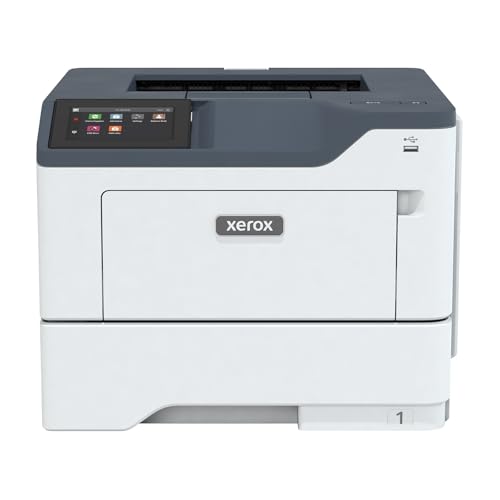
The B410’s listing compresses an enterprise argument into one breath: a black-and-white laser printer for business, print only, at a stated 50 ppm, with a touchscreen, a 650-sheet standard paper capacity, mobile setup, and comprehensive security. Each phrase answers a different member of the buying committee. The pace answers operations. The capacity answers facilities. The touchscreen answers the staff who must actually live with the machine. The security phrase answers the compliance officer, who will then — properly — ask Xerox’s documentation for the details behind the summary.
Fifty pages per minute with 650 sheets aboard describes a workgroup engine in the modern sense: fast enough that queues stay theoretical, capacious enough that Monday’s first job is printing rather than loading. Mobile setup, the listing’s phrase, speaks to deployment reality — machines rolled out across a building benefit from setup flows designed for phones and quick configuration, and IT teams measuring their Fridays will appreciate the intent even before they test it.
Position the B410 where a department’s printing concentrates but a flagship’s summit figures overshoot the need: the busy practice floor, the school office, the logistics desk. It is the pick for buyers who read security as a headline rather than a footnote, and who prefer the headline backed by a stated engine and a stated tray rather than by adjectives alone.
A compliance review makes this Xerox’s finest hour in prospect. The committee reads comprehensive security in the listing, requests the documentation behind it, maps the chapters against policy, and discovers a machine whose purchase file practically writes itself. That paperwork grace — pace, capacity, and security all stated in one title — is a procurement virtue separate from printing, and busy organisations underrate it at their calendars’ peril.
The touchscreen deserves its sentence in a shared-floor story. Occasional users — the majority on any real floor — approach a printer with a job and a deadline, not with training. A clear touchscreen shortens their visit, reduces the reception desk’s interruption rate, and quietly raises the whole fleet’s reputation. Interfaces are enterprise features too.
- Engine: workgroup mono laser, print only
- Stated speed: 50 ppm
- Capacity stated: 650-sheet standard paper capacity
- Interface: touchscreen control
- Security: comprehensive security named in title; mobile setup
Strengths
- Strong stated pace paired with a genuinely large standard tray
- Security is a headline claim in the listing, not an afterthought
- Touchscreen suits shared floors with many occasional users
Trade-offs
- Print-only, so document capture needs another device
- Security specifics must be verified against organisational policy
- Workgroup appetite exceeds a home office’s honest needs
Best for: workgroups and practice floors where security review is part of buying
Not suited for: solo offices that will never use a fraction of its capacity

Brother HL-6210DW — The capacity-and-connections value
Brother’s enterprise entry argues in paper and ports. The listing states a 520-sheet tray — a full ream — and a 100-sheet multipurpose feed, then adds Gigabit Ethernet and dual-band wireless to a monochrome duplex printer. Read as a facilities manager reads it: the main stock loads once and lasts; the exceptions — letterhead, envelopes, labels, the pre-printed forms every organisation accumulates — travel their own 100-sheet path without disturbing the plain paper; and the machine joins the building’s network by wire for permanence or by air for placement freedom.
The multipurpose feed is the sleeper feature of this entire guide. Departments lose more hours to exception media than to engine speed: the envelope run that misfeeds, the letterhead loaded upside down, the label sheet that should never have bent through a main tray. A dedicated, capacious feed turns those jobs into routine, and routine is the enterprise virtue that never appears in advertisements. Reception desks and practice offices will feel this feature weekly, long after the headline tray figure has become invisible through familiarity.
Choose the HL-6210DW when the buying committee values architecture over summit speed: shared floors, exception-heavy paperwork, and networks that reward a wired anchor. It is also the natural step up for organisations whose smaller Brother mono machines earned trust — the family manners are familiar, the appetite is departmental, and the connections cover both the fixed installation and the office that rearranges itself twice a year.
Picture the practice office on letterhead day. The main tray holds plain stock for the week’s correspondence; the multipurpose feed carries the headed paper for the documents that leave the building; nobody opens the cabinet, nobody swaps stacks, nobody reprints a letter because it emerged on the wrong paper. That choreography, repeated weekly for years, is the Brother’s enterprise case stated in behaviour rather than figures.
Warehouses and workshops extend this Brother’s constituency. Dispatch notes, picking lists, and labels are exception-rich, dust-adjacent printing, and a capacious multipurpose path with a ream of plain stock behind it suits environments where the printer is a tool among tools. Wired networking survives those rooms better than optimism does.
- Engine: mono laser for shared floors
- Paper base: a stated 520-sheet tray
- Exceptions path: stated 100-sheet multipurpose feed
- Network pair: Gigabit Ethernet plus dual-band wireless
- Two-sided output: part of its class description
Strengths
- Ream-sized tray plus a serious multipurpose path for exceptions
- Wired and dual-band wireless cover fixed and flexible floors
- Brother familiarity eases fleets graduating from smaller models
Trade-offs
- No stated engine speed in its listing for pace-led comparisons
- Print-only; the scanning hub role belongs to the all-in-ones below
- Capacity hardware is the heavyweight silhouette of this set
Best for: exception-heavy departments and shared floors with wired infrastructure
Not suited for: buyers whose first criterion is a published pages-per-minute figure
Xerox B315 DNI — The secure scanning hub
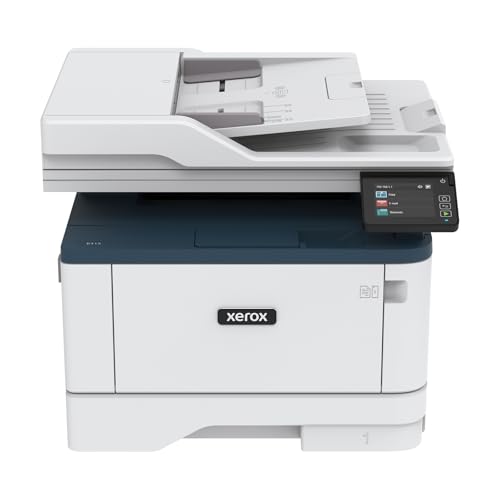
The B315 DNI is the enterprise pick for offices where paper changes state. Its listing states 42 ppm black-and-white printing in a 4-in-1 all-in-one — print, scan, copy, fax — with duplex scanning, Wi-Fi Direct, easy smartphone setup, and a closing phrase this guide wants to underline: secure documents. That is the administrative hub described in five lines: documents arrive, get signed, get scanned back two-sided in a single pass, get faxed to the institution that still demands it, and the whole loop runs on one shelf with security as a stated design concern.
Duplex scanning deserves its enterprise paragraph. Single-pass handling of two-sided originals is the difference between digitising a fifty-page contract as a task and digitising it as an errand — and in departments handling client, patient, or student records, the errand version is where documents wait, wander, and occasionally go missing. A hub that moves paper through its state changes quickly and keeps it accounted for is a compliance tool wearing a printer’s clothes, which is why the listing’s secure-documents phrase belongs in the same breath as its feeder.
Wi-Fi Direct adds the walk-up dimension: a visitor, an auditor, a new starter can print without joining the corporate network’s full embrace, a small feature with outsized value in offices that host outsiders. Choose the B315 when the department’s pain is not raw output but the loop around it — capture, copy, transmit, file — and let the print-only engines elsewhere in this guide handle the corridors where paper only flows out.
The audit trail begins at this Xerox’s feeder. A delivery note arrives, gets signed at the dock, and within the hour exists as a filed, two-sided scan with a faxed confirmation to the supplier — one machine, one shelf, no corridor of custody in between. Departments handling accountable paper will recognise that closed loop as the difference between a record and a rumour.
Human resources may be this machine’s most natural department. Offer letters print, signed contracts scan back two-sided, copies file themselves into the week’s rhythm, and the secure-documents phrase in the listing stops being marketing and becomes Tuesday. HR paper is confidential paper; the hub that respects that earns its desk.
- Engine: mono laser with full capture
- Functions: 4-in-1 print, scan, copy, and fax
- Pace on the title: 42 ppm mono
- Scanning: duplex scanning stated
- Connections: Wi-Fi Direct; secure documents in title
Strengths
- Duplex scanning completes the enterprise paperwork loop quickly
- Fax and copying cover institutions that still run on paper rituals
- Wi-Fi Direct serves guests without full network access
Trade-offs
- 42 ppm trails the print-only flagships on raw output
- All-in-one breadth is wasted on one-way print corridors
- Security claims still require policy-level verification with Xerox
Best for: administrative hubs digitising signed, confidential paperwork daily
Not suited for: pure output corridors where scanning would stand idle
Xerox B305 DNI — The 40 ppm all-in-one for smaller teams
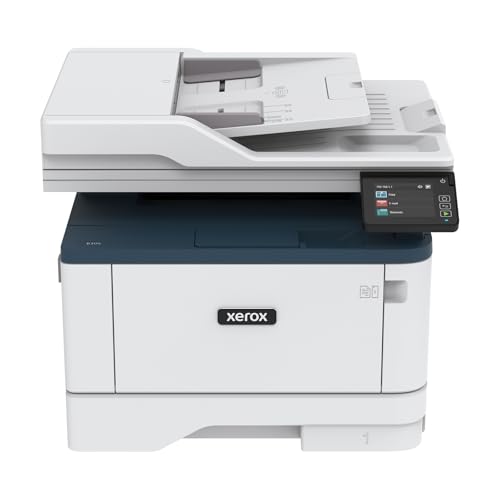
The B305 DNI scales the hub idea down for the smaller enterprise floor: a stated 40 ppm black-and-white engine in a 3-in-1 all-in-one — print, scan, copy — with automatic two-sided printing, wireless connectivity, and simple app setup in its listing. The missing fourth function, fax, is the honest subtraction: departments whose institutions have retired fax keep every other part of the paperwork loop and skip the hardware their workflow no longer touches.
Forty pages per minute remains serious pace for a team of a dozen, and automatic duplex keeps the team’s paper bill and archive boxes proportionally smaller. Simple app setup, Xerox’s phrase, matters in the branch office and the satellite team — the places without a resident IT person, where a machine that onboards through a phone call to nobody is worth real money across a fleet of small sites. Multi-site organisations should read this pick as the satellite standard: identical machines, identical habits, minimal support surface.
Against its B315 sibling, the choice is the loop’s completeness. Need fax and duplex scanning and the secure-documents banner? The B315 is waiting one step up. Need print, scan, and copy at pace for a team whose paper loop is simpler? The B305 covers it with less to buy and less to manage, which in enterprise procurement is not settling — it is standardising intelligently.
A regional firm with six small offices should study this pick as a standardisation exercise. Six identical all-in-ones, six identical sets of habits, one support conversation repeated nowhere — the fleet’s virtue is its sameness, and the B305’s balance of pace, scanning, and app-led setup is calibrated for exactly that multiplication. Enterprise value is sometimes a machine; here it is a pattern.
Schools’ front offices run a recognisable version of this Xerox’s day: letters out in the morning, signed slips scanned by afternoon, copies of everything in between. Forty stated pages per minute keeps the queue behind the counter invisible to the queue in front of it, which is the whole art of a school office.
- Class: mono laser, three functions aboard
- Coverage: 3-in-1 printing, scanning, copying
- Stated speed: 40 ppm monochrome
- Two-sided work: automatic as standard
- Setup: simple app setup; wireless connectivity
Strengths
- Serious stated pace with scanning and copying aboard
- Automatic duplex disciplines a whole team’s paper use
- App-led setup suits satellite offices without resident IT
Trade-offs
- Fax is absent from its function list
- Trailblazing departments will want the B315’s fuller loop
- Enterprise stamina should be confirmed in Xerox’s datasheet
Best for: branch offices and smaller teams needing the paperwork loop at pace
Not suited for: fax-bound workflows or duplex-scanning archives
Lexmark MS/MX enterprise mono lines — The contract-channel line — prose only
This pick is different, and the difference is the point. Lexmark’s MS and MX enterprise monochrome lines are longstanding fixtures of organisational fleets — the kind of machines departments acquire through procurement contracts, resellers, and managed-print arrangements. Our product search, run for this guide, returned no listing for them. So Lexmark appears here the honest way: named, discussed, and deliberately unlinked, with no specifications borrowed from brochures and no purchase path implied. If your organisation’s road to Lexmark runs through an existing contract, this section speaks to that road; if you buy through retail listings, the five linked picks above are your field.
What can fairly be said at the class level is why the lines persist in enterprise conversations. Lexmark built its identity on organisational printing — fleets administered centrally, security treated as a purchasing pillar, and service arrangements measured in years. Departments already running Lexmark estates often standardise on the line for the unglamorous reason that one fleet is cheaper to govern than two, and a buying guide that pretended the line did not exist would fail those readers precisely where their decision is real.
The practical advice is procedural. If Lexmark is your incumbent, take this guide’s criteria — stated pace, stated capacity, security documentation, paper architecture for exceptions — to your reseller or contract manager and demand the same evidence standard from the models they propose. If Lexmark is not your incumbent, the absence of a retail listing makes the linked five the simpler procurement story, and there is no mystery premium that justifies chasing a channel you do not already have.
There is a governance comfort in an incumbent line that spreadsheets rarely capture: one driver story, one security posture, one service relationship, accumulated over contract cycles. Organisations holding that comfort should not surrender it for a marginally faster engine elsewhere in this guide — but they should renew it with this guide’s evidence standard in hand, demanding stated figures and documented security at every contract conversation.
A final procedural note for contract holders: bring this guide’s table format to your renewal. Ask the reseller to complete the same columns — functions, stated speed, stated capacity, documented security — for every proposed model. A supplier who welcomes the format is selling evidence; a supplier who resists it is selling something else, and the distinction is worth a contract’s value.
- Listing status: no listing returned by our product search
- Link status: prose-only discussion; no purchase link in this guide
- Class: enterprise monochrome lines (MS printers, MX multifunctions)
- Specification policy: no figures asserted without a listing
- Procurement route: organisational contracts and resellers
Strengths
- Incumbent fleets gain standardisation and central administration
- Security-led positioning suits governed organisations
- Contract service arrangements fit multi-year planning
Trade-offs
- No verified retail listing to compare or purchase from here
- Specifications must be gathered from reseller documentation
- Switching into the line without a contract adds procurement friction
Best for: organisations with existing Lexmark estates or managed-print contracts
Not suited for: retail buyers who need a listing, a link, and a delivery date today
How do the enterprise six compare on the figures their evidence actually supports?
| Printer | Functions | Stated speed | Capacity stated | Security and network notes |
|---|---|---|---|---|
| Xerox VersaLink B600/DN | Print only | 58 ppm | 700 sheets | Security and connectivity positioning in title |
| Xerox B410 | Print only | 50 ppm | 650 sheets standard | Comprehensive security in title; touchscreen |
| Brother HL-6210DW | Print only | Not stated | A 520-sheet tray, 100-sheet multipurpose path | Gigabit Ethernet, dual-band Wi-Fi |
| Xerox B315 DNI | Print, scan, copy, fax | 42 ppm | Not stated | Secure documents in title; Wi-Fi Direct |
| Xerox B305 DNI | Print, scan, copy | 40 ppm | Not stated | Wireless; app setup |
| Lexmark MS/MX lines | Printer and multifunction lines | Not asserted — no listing | Not asserted — no listing | Prose-only; verify via reseller documentation |
The Lexmark row’s restraint is deliberate and instructive: where evidence is absent, the table prints the absence rather than a plausible number. The same discipline governs duty cycle throughout this guide. None of the listings states a monthly duty figure, so none is quoted; enterprise buyers should take each shortlisted model’s datasheet figure and set it against a counted month of departmental pages — not an estimate, a count — before signing. A printer bought under its real workload lasts; a printer bought under an imagined one becomes next year’s complaint with a serial number.
How should a department count its real workload before choosing?
Count pages, not impressions of busyness. Pull a month of print logs if the current machines keep them; if they do not, count reams. A department’s paper purchasing is the most honest workload record in the building — every ream that entered the store cupboard left through a printer. Multiply by the sheets in your ream format, add the seasonal peak honestly, and the resulting figure, set against each candidate’s datasheet duty guidance, sorts this guide’s six into the plausible and the picturesque faster than any feature debate.
Count jobs as well as pages, because they stress different parts of a machine. A thousand pages in four jobs is an engine-and-tray workload — the VersaLink’s and B410’s stated capacities speak to it. A thousand pages in four hundred jobs is a queue-and-discovery workload, where network manners, wake behaviour, and a touchscreen that occasional users understand decide the department’s mood. Most departments have both shapes in different weeks, which is why fleets pair a corridor engine with an administrative hub rather than crowning one machine for every sin.
Finally, count exceptions. Envelopes, letterhead, labels, and pre-printed stock are a minority of pages and a majority of jams, curses, and support calls. The department whose exceptions run weekly should weight the Brother’s 100-sheet multipurpose feed like a headline feature; the department whose exceptions are quarterly can let engine figures lead. Workload honesty, in enterprise printing, is a three-number discipline: pages, jobs, exceptions.
What should IT verify about security before a fleet purchase?
Begin from the listings’ own words and then go deeper, in the makers’ documentation, because that is where security claims become specifications. The B410’s title says comprehensive security; the B315’s says secure documents; the VersaLink line positions itself on security and connectivity. Treat each phrase as a table of contents. The chapters your organisation needs depend on its paper: confidential release for payroll and HR documents, access control for shared floors, audit trails for regulated work, and encrypted handling for anything leaving the building’s network.
Match chapters to policy, in writing, before the purchase order. A department handling patient or client records should have its compliance reviewer read the maker’s security documentation for the exact model — not the line, the model — and record which requirements the machine meets natively and which it meets through the organisation’s existing systems. Printers are network endpoints with hard drives’ worth of memory in their histories; enterprise buyers who treat them as furniture inherit the audit findings that follow.
Deployment completes what documentation promises. Change default credentials, place the machines on the intended network segment, enable the release and access features the policy requires, and rehearse a confidential job end to end before the fleet announcement. Security on a shared printer is a configuration, not a carton label, and the first week’s configuration decides whether the listing’s promise becomes the department’s practice.
When does a department need two machines instead of one flagship?
When its two workloads fight. The corridor engine’s war is volume: long jobs, deep trays, no queue at month-end. The hub’s war is state change: paper arriving, being signed, scanned, copied, and filed. One flagship asked to fight both wars sits in the wrong place for one of them — the feeder exiled to the print corridor, or the department’s longest runs queued behind a two-page copy job. Splitting the roles, a VersaLink or B410 on output and a B315 at the administrative desk, costs less than the friction it removes.
Geography argues the same way. A floor where staff walk more than a short distance to collect confidential output will breed abandoned print jobs and resentful workarounds; a second, smaller machine near the confidential work — the B305’s satellite profile — is a security feature disguised as a convenience. Enterprise fleets grow by such placements, each machine matched to a workload and a walking distance, rather than by crowning ever-larger flagships.
The exception is the genuinely small department, where one all-in-one at the centre serves both wars without queueing either. Organisations under a dozen printing staff should start with a single hub from this guide, count a quarter’s real workload, and let evidence — not architecture envy — argue for the second machine when the queues actually form.
How should a fleet handle toner and paper as a system, not a scramble?
Enterprise consumables fail socially before they fail physically. The department that discovers an empty cartridge during the month-end run did not have a supply problem; it had an ownership problem — nobody’s named job was watching the shelf. Assign the watching. One person or team owns stock levels for each machine, reorder points are written down rather than remembered, and a reserve cartridge lives beside every flagship. The machines in this guide all sip from mainstream supply shelves; the system around them decides whether sipping ever becomes gasping.
Paper deserves the same system thinking, multiplied by stock types. Plain paper by the ream near the high-capacity machines, letterhead and exception media stored flat and labelled near the multipurpose feeds, and a rule that the person who takes the last of anything starts its replacement. Departments laugh at such rules in January and bless them in the peak month, which is the only review that matters.
Standardisation quietly halves the whole problem. A fleet built from fewer models — a flagship class, a hub class, a satellite class — stocks fewer cartridge types, trains fewer habits, and survives any single machine’s bad week by borrowing its sibling’s supplies. The six picks here were chosen partly as a palette for that discipline: an organisation could plausibly run its entire building from three of them, and its store cupboard would show the calm.
What does a good enterprise printer rollout week look like?
It begins before the boxes: network points confirmed, the security configuration written down, the confidential-release rehearsal scripted, and the old machines’ retirement planned rather than improvised. Delivery day then becomes choreography instead of archaeology — each new machine lands at a prepared address, joins its intended network segment, receives its policy settings, and prints its first test job from a real user’s real workstation while the installer is still in the building.
Training is a half hour with outsized returns. Show each team the three jobs they actually perform — the long run, the exception stock, the confidential release — and leave a one-page card at the machine answering those three and nothing else. Departments do not read manuals; they read cards written in their own workflow’s language. The card, not the launch email, is what the fleet’s reputation will be built from.
Close the week with the audit habits switched on: logging where the organisation keeps it, stock ownership named, the first month’s page count scheduled for review against the workload estimate that justified the purchase. A rollout that ends with measurement planned is a fleet being governed; a rollout that ends with the boxes in recycling is a fleet being hoped for, and hope is not a strategy any department can file.
How do departments keep confidential output actually confidential?
Start with the physical truth: a printed page is confidential only when its owner collects it. Everything else — release codes, user authentication, locked trays in some configurations — is machinery for shrinking the interval between printing and collection. Choose the mechanism your staff will actually use at 5 p.m. on a Friday, because a secure feature bypassed by real humans is a decorative feature, and configure it during installation week while the fleet’s habits are still liquid.
Placement is the second half of the system. Confidential work should print within sight of its owners, which is why this guide’s two-machine argument keeps returning: a hub near HR, a satellite near the practice team, a corridor engine for the building’s public volume. Walking distance is a security control. Departments that measure it honestly find that several famous breaches of confidentiality were, in substance, geography failures with printers as the scenery.
Close the loop with the audit habit. Where the organisation’s policy requires logging, switch it on at deployment and review the first month’s records with the team, openly, so the fleet’s norms form around visibility rather than suspicion. Secure printing is a culture that happens to use machines; the machines in this guide state their security posture in their listings, and the culture is the buyer’s contribution to the same sentence.
How should a department evaluate a printer in one afternoon?
Bring the department’s own paper, because brochures print beautifully on brochure paper. Run the month-end job, or its honest excerpt, and time it end to end including loading. Run the exception job — the letterhead, the envelope batch, the pre-printed form — and count touches, misfeeds, and tempers. Print the confidential document and walk the release process as a new starter would, without coaching. An afternoon of such theatre teaches a committee more than a month of specification correspondence.
Interview the room while the machine works. Can the reception desk hold a conversation over the job? Does the output land where a person can collect it without crossing the queue? Does the touchscreen answer a stranger’s first question correctly? Enterprise machines live in shared air, and the afternoon’s small observations — noise, reach, clarity — predict the fleet’s daily reputation better than any figure in this guide’s table.
End with the paperwork test: ask the vendor or reseller, on the spot, for the datasheet duty figure and the security documentation for the exact model, filed in the evaluation folder before anyone leaves. Suppliers who produce documents cheerfully are selling governable machines. The afternoon that combines real paper, real rooms, and real documents is the closest a purchase gets to a rehearsal of ownership, and departments that rehearse rarely return machines.
Which enterprise buying mistakes survive every procurement process?
Buying to the average month is the perennial error. Departments print in seasons — enrolment, year-end, audit, intake — and a machine sized for the average spends the peak as a queue and the trough as an ornament. Size to the peak your calendar actually contains, using the counted workload method in this guide, and let stated capacities and datasheet duty guidance arbitrate. The flagship figures in these listings exist for peaks; that is what they are for.
Second, committees buy engines and forget paper paths. The department’s exceptions — its letterhead, its envelopes, its forms — will test the machine weekly, and a fleet without a serious multipurpose feed spends those tests in jams and reprints. Put one exception job, physically, on the evaluation checklist, and watch which machines treat it as routine. Committees that skip this theatre learn the answer from the reception desk’s complaints, at fleet scale.
Third, security gets admired in the brochure and abandoned in the deployment. Default settings survive, confidential release stays off, the printer joins whichever network is nearest — and the comprehensive claim in a listing becomes a story the organisation tells itself. The fix costs one configured afternoon per machine, scheduled as part of the purchase rather than as a later intention. Fleets are secured at installation or they are not secured at all.
Finally, buyers treat the prose-only lesson of this guide as a technicality. A famous name without a verifiable listing, a specification without a document, a duty figure without a datasheet — enterprise money should move only on evidence that can be filed. The standard that excluded Lexmark’s figures from this guide’s table is the standard your procurement file should apply to every claim a reseller makes, including the claims in this guide.
A fifth mistake is forgetting the people who empty, load, and forgive the machines. Facilities and reception staff carry enterprise printing’s daily reality, and fleets chosen without their testimony — about tray heights, jam access, the corridor’s actual traffic — arrive as technically correct obstacles. Invite the person who will load the ream into the buying meeting. Their questions are shorter than the committee’s and usually better.
Departments also under-plan the retirement of the machines being replaced. Old printers linger ‘just in case’, splitting volume, confusing queues, and leaking confidential habits across two generations of configuration. A rollout that names each old machine’s last day — and honours it — consolidates the new fleet’s benefits immediately. Infrastructure transitions fail at the edges, and the edge, in printing, is the forgotten box still humming in the corner office.
Final Recommendation
Anchor a department on the VersaLink B600/DN when volume and stated capacity rule — 58 ppm and 700 sheets are figures a floor organises itself around. Choose the Xerox B410 when the committee’s centre of gravity is security with pace, and the Brother HL-6210DW when paper architecture and wired flexibility matter more than a published speed. The B315 DNI owns the administrative hub role on the strength of its duplex-scanning loop, and the B305 DNI standardises the satellite office with the same loop at a smaller scale.
Lexmark’s lines remain the incumbent’s road: honourable, contract-shaped, and — in this guide — honestly unlinked for want of a listing. Whichever route a department takes, let the evidence discipline travel with it: counted pages, stated figures, documented security, rehearsed exceptions. Enterprise printing rewards organisations that buy like auditors and deploy like hosts, and punishes, with queues, everyone else.
Deploy whichever combination you choose with the rollout discipline described above — prepared addresses, configured security, rehearsed exceptions, named stock ownership — and the fleet will repay the week of care with years of unremarkable service, which is the highest compliment enterprise infrastructure can earn.
And keep the workload count alive after purchase. A department that recounts its pages each year will always know which machine should be promoted, which should retire, and which peak is coming — the fleet stays an instrument of the work rather than a museum of past estimates.
Frequently Asked Questions
What does duty cycle mean, and why does this guide not quote figures?
Duty cycle is a manufacturer’s statement of how much monthly volume a machine is built to sustain, and it belongs in a datasheet, not in a listing title. None of the six titles here states one, so this guide quotes none — inventing or borrowing figures across sibling models is how departments end up with underbuilt fleets. Take the datasheet figure for each exact model you shortlist and set it against your counted monthly pages, peak month included, before committing.
Is 58 ppm overkill for a mid-sized department?
For the average week, possibly; for the peak week, it is the point. Departmental pain concentrates in runs — statements, packs, enrolment documents — and pace converts those runs from half-day occupations into intervals. A department whose counted peak is modest should step down to the B410’s stated 50 ppm or below without guilt; a department whose month-end is a print event should read the VersaLink’s figure as insurance bought in pages per minute.
Why include Lexmark if there is no listing to link?
Because enterprise readers’ real choice sets include it, and a guide that only maps retail shelves misleads fleet buyers. Our product search returned no listing, so Lexmark is discussed in prose with no link and no asserted specifications — the evidence boundary drawn in plain sight. Organisations with Lexmark contracts can apply this guide’s criteria through their reseller; everyone else has five linked, verifiable options above.
Should an enterprise printer sit on the same network as everyone else?
That is an IT policy decision, and this guide’s role is to insist it be made deliberately. Shared floors need discovery to work; confidential work needs segmentation and release controls. The picks here offer the ingredients — wired Ethernet, dual-band wireless, Wi-Fi Direct for guests, security positioning to verify in documentation — and the department’s policy should dictate the recipe, configured at installation rather than inherited from defaults.
Print-only or all-in-one for a department’s main machine?
Follow the paper’s direction. One-way output at volume belongs to the print-only engines — VersaLink, B410, Brother — where every gram of design serves pace and capacity. Two-way paperwork belongs to the all-in-one hubs, where duplex scanning closes the loop. Departments large enough to feel both pains should buy both shapes, as the guide’s two-machine section argues, rather than asking one cabinet to win two different wars.
How long should an enterprise mono printer stay in service?
Years, if it was bought on counted workload and deployed properly — mono laser engines are among the longest-lived devices in an office. Plan the service conversation around the maker’s support horizon for the exact model, keep firmware and security settings maintained, and let the workload count, refreshed yearly, tell you when a machine’s role should shrink from flagship to satellite. Replacement by evidence, not by fashion, is the fleet discipline this category rewards.
Can one of these machines serve two departments with different confidentiality needs?
Physically, yes; wisely, it depends on configuration and geography. A shared machine must release confidential jobs only to their owners and sit where both departments’ walking distances stay sane. Where those conditions strain, the two-machine pattern in this guide — a corridor engine plus a hub near the confidential work — usually costs less than the workarounds. Let the security documentation for the exact model, read against both departments’ policies, make the final call.
What is Wi-Fi Direct on the B315 useful for in an office?
Walk-up printing without the corporate network’s full handshake: a visiting auditor, a new starter, or a contractor can send a job directly to the machine under the office’s supervision. In departments hosting outsiders regularly, that contained convenience prevents the two bad alternatives — guests joining the main network for one page, or confidential machines being emailed documents through personal accounts. Confirm the exact behaviour in Xerox’s documentation during evaluation.
How many trays does a department really need?
Count stocks, not wishes. Every paper type in weekly use — plain, letterhead, a form stock, envelopes — argues for its own path, because swapping stocks inside a shared tray is where misprints breed. The Brother HL-6210DW’s stated pairing of a 520-sheet tray with a 100-sheet multipurpose feed covers the classic two-stock department elegantly; departments with more stocks should discuss expansion options with the maker before purchase rather than discovering tray arithmetic at installation.
Should the flagship sit in a print room or on the open floor?
Follow the confidential share of its work. Mostly public volume thrives in a print room, where noise, heat, and paper stores centralise and the corridor stays clear. A meaningful confidential share argues for the open floor near its owners, or for splitting the roles as this guide recommends. Measure the walking distance for the department’s most sensitive weekly job, and let that single journey decide the flagship’s address.
Related Guides
Enterprise mono is the backbone; the guides below cover the colour, compact, and home-office machines that complete a building’s printing map for every department it houses. color lasers with toner economics in mind compact machines for satellite desks full color all-in-ones for the home office May your month-end run finish before lunch, your confidential pages wait patiently for their owners, and your trays never empty mid-statement run.


