What's inside
- Key Takeaways
- Quick Picks
- How We Chose These Picks
- Comparison
- How to Choose a Mobile Photo Printer
- ZINK, 4PASS or Dye-Sublimation: What Changes Inside a 2×3 Print?
- Where Do 2×3 Prints Actually End Up Living?
- What Makes a Mini-Printing App Worth Opening Twice?
- The Party Trick, Taken Seriously: Printing at the Moment Itself
- A School Year in Stickers: The Student Economy of the Mini Print
- Keeping the Pocket Printer Alive: Media, Storage and the Monthly Print
- The Duplicate Habit: Why the Second Copy Is the Whole Point
- Giving the Pocket Printer: A Short Etiquette for the Best-Presented Gadget
- Common Mistakes
- Final Recommendation
- Frequently Asked Questions
- Related Guides
As an Amazon Associate I earn from qualifying purchases. This post may contain affiliate links at no extra cost to you.
widgetverdict.com is reader-supported. When you buy through links on our site, we may earn an affiliate commission.
A mobile photo printer is judged in the seconds after a photograph is taken, in the place it was taken, by the people standing in it. The best mobile photo printers in this guide are the pocket tribe: six machines printing small 2×3 photographs — most of them sticky-backed — straight from a phone over Bluetooth, with no ink cartridges in the traditional sense, no cables, and no intention of ever meeting a desk. Three print on ZINK paper, whose colour lives inside the sheet itself. One, Kodak’s Mini 2 Retro, uses the 4PASS dye-transfer process instead. One, Canon’s Ivy 2, is the establishment’s polished answer. And one, Liene’s Pearl N200 Pro, breaks the tribe’s pattern entirely by printing its 2×3 stickers through thermal dye-sublimation with real cartridges — five of them, plus fifty sheets, in the box.
Smallness is not a compromise here; it is the aesthetic. A 2×3 sticky print belongs to a different economy from the framed photograph — it is a diary entry, a locker decoration, a gift tucked into a card, a face stuck to a laptop where it will be seen five hundred times. Buyers should therefore resist grading these machines by the standards of the 4×6 world reviewed elsewhere in this cluster. The questions that matter are pocket questions: how fast from phone to hand, how the print survives a wallet or a water bottle, what the app lets you do to the picture in the thirty seconds before you print it, and what a sheet costs you in the only currency that matters at this size — the willingness to print another one.
The six below divide by technology, by bundle and by temperament. Kodak appears twice with two different processes, which makes this guide a rare chance to compare ZINK and 4PASS at identical size from the same brand stable. HP’s Sprocket carries the tribe’s most famous name. Nelko’s PP01 adds AI-branded editing to the newest generation’s pitch. Read for the habitat — journal, party, schoolbag, travels — and the right pocket machine will identify itself.
Key Takeaways
- Every pick prints 2×3; most prints are sticky-backed, and every pick connects to phones by Bluetooth as titled.
- Three technologies share the size: ZINK (Kodak Step, HP Sprocket, Nelko), 4PASS (Kodak Mini 2 Retro) and thermal dye-sublimation (Liene Pearl N200 Pro).
- The Liene Pearl’s bundle is the deepest stated: 50 sheets of 2×3 adhesive paper and 5 cartridges.
- The Kodak Mini 2 Retro states durability the ZINK machines do not: smudge-proof, water-resistant and fade-resistant, with 38 sheets included.
- Apps are half the product at this size — editing apps are stated for the Kodak Step, the HP Sprocket and the Nelko, the last with AI editing.
- The Canon Ivy 2 appears here in Pure White; its Blush Pink finish is covered in this cluster’s Canon guide.
Quick Picks
| Pick | Badge | Why it earns its place |
|---|---|---|
| KODAK Step Instant Smartphone Photo Printer | ZINK all-rounder | Sticky-back 2×3 ZINK prints over Bluetooth with an editing app, in white. |
| HP Sprocket 2×3 | The famous name | HP’s pocket Sprocket in purple, printing ZINK sticky-back photos from its fun app. |
| KODAK Mini 2 Retro | 4PASS durability | Retro-styled 2×3 printing by 4PASS with 38 sheets and stated smudge, water and fade resistance. |
| Canon Ivy 2 Mini Photo Printer | Polished establishment pick | Canon’s sticky-back mini printing from iOS and Android, in Pure White. |
| Nelko PP01 Photo Printer | AI editing angle | A white 2×3 sticky printer whose app adds AI editing to the Bluetooth basics. |
| Liene Pearl N200 Pro | Dye-sub sticker flagship | Thermal dye-sublimation stickers in gold, with 50 adhesive sheets and 5 cartridges bundled. |
How We Chose These Picks
The category was fenced first: a mobile photo printer in this guide must be pocketable in spirit, phone-driven, and printing the 2×3 class of photograph. That fence excludes the 4×6 portables of the neighbouring guide and the desk machines entirely, keeping every comparison inside the tribe a buyer is actually shopping. Within the fence, the six places map the tribe’s real diversity: both of Kodak’s processes, the HP establishment name, Canon’s polished mini, the newest AI-edited entrant, and Liene’s dye-sublimation exception.
Facts were taken from titles alone, as throughout this cluster — bundle counts where stated, process names where stated, durability claims only where a title makes them. Several titles in this tribe are quiet about bundles, and the spec boxes record that quiet in the fixed wording rather than borrowing numbers from sibling listings. A buyer comparing starter supplies should treat a silent title as a question for the listing page, not as a zero.
Judgement was exercised on habitat. Pocket printers are bought for journals, parties, school life and travel, in proportions that differ by owner; the reviews therefore argue each machine’s habitat explicitly, and the verdicts name the specific situations — a sticker-covered water bottle, a retro-themed gift, a five-cartridge season — in which each pick’s particular mixture wins.

KODAK Step Instant Smartphone Photo Printer — ZINK all-rounder
The Kodak Step is the tribe’s straightforward citizen: a portable mini colour wireless mobile printer making ZINK 2×3 sticky-back photos, Bluetooth-compatible with iOS and Android, with an editing app, in white. ZINK — zero ink — is the first thing to understand about it, because it explains the machine’s whole character. The colour lives in crystals inside the paper itself, activated by heat as the sheet passes through; there is nothing to refill, nothing to leak in a bag, no cartridge to discover empty at a party. The printer is, in effect, a heated path for smart paper, and its simplicity is the direct result.
Sticky-back completes the proposition. A Step print peels and adheres — to the journal page, the mirror, the inside of a locker door, the back of a friend’s phone — turning each photograph into a small act of placement. Owners of this class of machine consistently report the same discovery: the stickiness, not the size, is what changes behaviour. Prints that can go anywhere get made constantly; the camera roll’s best thirty photographs of the year become physical almost by accident, which is more physicality than most photographs ever achieve.
The editing app, stated in the title, is the tribe’s standard front door: crops, borders, captions and small jokes applied in the seconds before printing. White, as a finish, keeps the machine neutral in any bag or on any café table. Against its Kodak sibling, the Mini 2 Retro, the Step trades the 4PASS process and stated durability for ZINK’s cartridge-free simplicity and the larger ecosystem of ZINK paper shared with rivals here.
Choose the Step when the journal-and-sticker life is the point and consumable simplicity matters more than archival swagger. Its prints are social objects with a social lifespan, priced in effort at nearly zero — and a printer whose effort approaches zero is a printer that gets used at the rate its owner’s life actually generates photographs.
- Type: Portable mini colour wireless mobile printer
- Technology stated: ZINK
- Size stated: 2×3 in. (5.1 x 7.5 cm)
- Print format stated: Sticky-back photos
- Connectivity stated: Bluetooth, iOS and Android compatible
- Software stated: Editing app
- Colour stated: White
- Further specifications: Not stated in the listing title — verify with the manufacturer documentation
Strengths
- ZINK paper carries its own colour, so there are no cartridges to manage or leak.
- Sticky-back prints turn photographs into placements — journals, lockers, mirrors.
- Bluetooth and both phone platforms keep the ritual to seconds.
Trade-offs
- No durability claims are stated, unlike its 4PASS sibling.
- Its title states no starter bundle, so first supplies need checking on the listing.
- ZINK’s colour character is its own; lovers of dye-sub depth should compare the Retro and the Pearl.
Best for: journal-keepers and sticker-happy phone photographers wanting zero-fuss printing. Not suited for: buyers wanting stated water and fade resistance on their mini prints.
The tribe’s straightforward citizen makes its case at the Step’s listing: check price on Amazon.
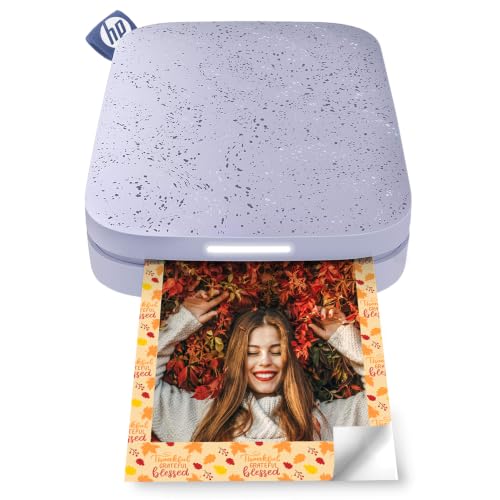
HP Sprocket 2×3 — The famous name
The Sprocket is the name this tribe is known by in the wild — the machine non-specialists picture when a pocket printer is mentioned — and its title assembles the classic formula: a portable colour wireless mobile printer making ZINK sticky-back photos, printing from compatible iOS and Android devices over Bluetooth, with a fun app, in purple. Fame in a gadget tribe is not nothing. It means accessories, paper and advice are everywhere its owner goes, and that a gift of a Sprocket arrives pre-explained: the recipient already knows what it is.
Purple deserves its sentence, as finishes have throughout this cluster. A pocket printer is personal kit, carried and displayed like a phone case; HP’s colour choice declares the Sprocket an object of self-expression rather than equipment. For the student, the diarist and the teenager — the tribe’s heartland demographics — that declaration is not decoration but belonging: the machine looks like it comes from their world, because it was designed to.
The fun app, in the title’s own adjective, is the Sprocket’s other half. At 2×3, editing is not post-production; it is the social ritual itself — the photograph decorated with the day’s caption, the border chosen, the sticker added — performed in the moment, often by a small crowd around the phone. A tribe machine’s app should therefore be judged as a party host judges a playlist: by whether the group enjoys using it. HP has had years of Sprocket iterations to learn that lesson, and the line’s longevity is the evidence it learned.
Against the Kodak Step, the Sprocket’s argument is ecosystem and identity rather than specification — their titles describe near-identical machinery in different clothes. Against the Retro and the Pearl it concedes process sophistication. The buyer it suits is the one joining the tribe socially: printing what friends print, on paper any friend can lend, in a colour that announces the hobby before the first print emerges.
- Type: Portable colour wireless mobile printer
- Technology stated: ZINK sticky-back photos
- Size stated: 2×3 in.
- Connectivity stated: Bluetooth, compatible iOS and Android devices
- Software stated: Fun app
- Colour stated: Purple
- Further specifications: Not stated in the listing title — verify with the manufacturer documentation
Strengths
- The tribe’s best-known name brings ecosystem, paper availability and instant recognisability.
- Purple finish treats the printer as personal kit, not office equipment.
- An app built for fun fits the social ritual of mini printing.
Trade-offs
- No starter bundle or durability claim is stated in its title.
- Its specification mirrors ZINK rivals; the choice is ecosystem and identity.
- Buyers wanting dye-transfer depth should look at the Retro or the Pearl.
Best for: newcomers joining the pocket-printing tribe socially, and gift-givers buying the recognised name. Not suited for: buyers whose first criterion is a stated bundle or stated print durability.
Fame has its reasons; the Sprocket’s current form is at its listing: check price on Amazon.

KODAK Mini 2 Retro — 4PASS durability
The Mini 2 Retro is Kodak arguing with itself, productively. Against the Step’s ZINK simplicity it sets a different process — 4PASS, the four-pass dye-transfer method of Kodak’s larger machines, shrunk to 2×3 — and a different promise: prints that are smudge-proof, water-resistant and fade-resistant, with 38 sheets in the box, all wrapped in a retro-styled white body. Where ZINK puts the colour in the paper, 4PASS lays it down in passes and seals it; the resulting print carries the durability trio as a birthright of its construction, and Kodak states all three in the title.
Durability at 2×3 is not a fetish; it is habitat accuracy. Mini prints live in wallets, on bottles, on the dashboards and bathroom mirrors of the world — handled, splashed, sunlit. A fade-resistant, water-resistant sticker is simply a print designed for the places stickers actually go. Owners printing for a travel journal that will be rained on, a child’s bottle that will be washed, or a wallet card that will be handled daily should weight the Retro’s stated resistances as the most practical lines in this guide.
Retro, the name’s promise, is a design argument about ritual: the machine presents printing as a small ceremony with a whiff of the instant-film era, an object to be enjoyed before it is used. Combined with Bluetooth connection to iPhone and Android, the ceremony stays modern in its mechanics and nostalgic only in its manners — a combination gift-givers should note, since retro objects are received with a warmth that spec-forward gadgets rarely earn.
Thirty-eight sheets is a real but modest runway: a holiday’s worth, a term’s start, after which the 4PASS consumable rhythm — matched supplies, as with Kodak’s 4×6 machines — becomes part of ownership. Buyers printing in high volume should compare the Pearl’s fifty sheets and five cartridges below. Buyers printing precious objects in hostile habitats should stay here, where the durability is stated in so many words.
- Type: Portable photo printer, retro design
- Technology stated: 4PASS
- Size stated: 2×3 in.
- Bundle stated: 38 sheets
- Connectivity stated: Bluetooth; iPhone and Android compatible
- Durability stated: Smudge-proof, water-resistant, fade-resistant
- Colour stated: White
- Further specifications: Not stated in the listing title — verify with the manufacturer documentation
Strengths
- Stated smudge, water and fade resistance suits wallets, bottles and sunlit places.
- 4PASS sealed prints feel substantial beyond their size.
- Retro styling makes it the tribe’s most giftable object.
Trade-offs
- Thirty-eight sheets is a modest runway for heavy printers.
- Its consumables follow the 4PASS matched-supply rhythm.
- ZINK’s lend-a-pack ecosystem is larger for social printing circles.
Best for: travellers, gift-givers and anyone whose stickers live outdoors or in wallets. Not suited for: very high-volume mini printing, where deeper bundles win.
The retro ceremony is best inspected at the Mini 2 Retro’s own listing: check price on Amazon.

Canon Ivy 2 Mini Photo Printer — Polished establishment pick
Canon’s Ivy 2, in Pure White here, is the establishment’s entry in a tribe of upstarts: a mini photo printer making sticky-back prints from compatible iOS and Android devices, wearing the fit and finish of a company that has built printers for every room in the house. Its review in this cluster’s Canon guide, where the Blush Pink finish appears, covers its diary-and-journal character; here the emphasis belongs on its tribe position — the Ivy is the mini printer bought by households that already trust Canon for the serious machines, and want the pocket machine to feel like a relative rather than a toy.
That kinship shows in what the title does not need to say. Where newer entrants shout features, the Ivy’s title is nearly bare: a name, a compatibility, a print format, a colour. Canon is selling the confidence that the basics — pairing, printing, sticking — are simply handled. For gift-givers buying for the less technical, and for parents buying a first printer for a young photographer, that confidence is the product: the machine least likely to generate a support conversation.
Pure White, against the Blush Pink of the Canon guide’s listing, is the same machine in its neutral dress — the finish for the recipient whose taste runs minimal, or whose bag and desk are already a riot the printer need not join. Finish choice at this size is pure habitat, and Canon offering both is a small sign of a maker that understands the tribe’s personal-kit nature.
The Ivy’s honest limits are the tribe’s: mini prints, sticky destinies, no 4×6 ambitions. Its competition is the Step and the Sprocket on simplicity and ecosystem, the Retro on durability claims, the Pearl on bundle depth. The Ivy wins the buyer who wants the grown-up in the room — a pocket printer from the house that also makes the PRO machines, with a polish that survives being given to anyone.
- Type: Mini photo printer
- Compatibility stated: Print from compatible iOS and Android devices
- Print format stated: Sticky-back prints
- Colour stated: Pure White
- Further specifications: Not stated in the listing title — verify with the manufacturer documentation
Strengths
- Canon’s polish suits gifts for the less technical and young photographers.
- Sticky-back mini printing from both phone platforms covers the tribe’s core ritual.
- Pure White finish fits minimal tastes and busy bags.
Trade-offs
- Its title states no bundle, process name or durability claim to compare.
- Feature-shouting rivals offer AI editing or deeper stated bundles.
- Mini format only — the household’s 4×6 needs live in other machines.
Best for: buyers wanting the trusted-brand pocket printer, especially as a gift. Not suited for: specification-led buyers who want bundle and process stated on the title.
The establishment’s pocket machine, in white, is at the Ivy 2 listing: check price on Amazon.
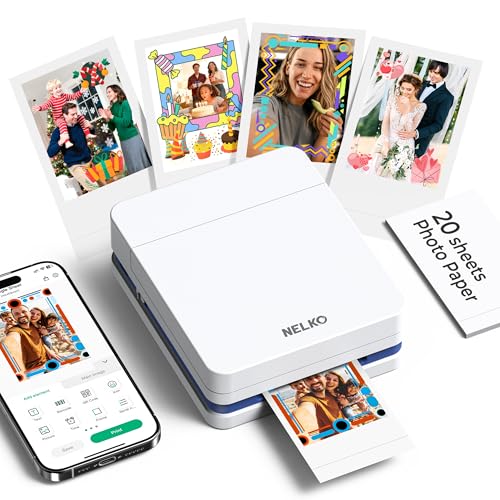
Nelko PP01 Photo Printer — AI editing angle
The Nelko PP01 is the tribe’s newest dialect: a 2×3 portable photo printer, a mini printer in white, making instant colour sticker prints for smartphones, Bluetooth-compatible with iOS and Android, whose app adds AI editing. That last phrase is the pitch to unpack. At 2×3, the photograph is raw material for a small composition — cropped, captioned, decorated — and the editing layer is where a mini print becomes personal. An app that automates the tedious parts of that composition, cutting out subjects, tidying backgrounds, suggesting the frame, addresses the tribe’s real bottleneck, which is not printing speed but the thirty seconds of fiddling between choosing a photograph and wanting the print.
The rest of the proposition is the tribe’s standard grammar, competently assembled: sticky-back colour stickers, Bluetooth pairing, both phone platforms, a white finish that keeps the machine neutral in any kit. Nelko’s position is the challenger’s — no famous name, no decades of ecosystem — and challengers in this tribe compete on the software layer and on value perception, since the hardware grammar is shared. The AI editing is therefore not a garnish on the PP01’s pitch; it is the pitch, and buyers should judge the machine by trying the app’s results on their own photographs, which the listing’s materials will showcase.
Sticker language runs through its title — instant colour sticker printer — placing the PP01 squarely in the decoration economy: bottles, journals, laptops, lunchboxes. Buyers whose mini printing is mostly photographs-for-keeping may prefer the Retro’s stated durability; buyers whose output is mostly photographs-for-sticking, composed playfully and often, are the PP01’s natural constituency.
The cautions are the challenger’s usual: a younger ecosystem means paper and support are the manufacturer’s own affair, and the title states no bundle, so the starter supply must be confirmed on the listing before a gift deadline rides on it. Neither caution is disqualifying; both are the ordinary due diligence of buying the newest name in a tribe of elders.
- Type: 2×3 portable photo printer, mini printer
- Print format stated: Instant colour sticker prints; sticky-back photos
- Connectivity stated: Bluetooth, compatible with iOS and Android
- Software stated: AI app editing
- Colour stated: White
- Further specifications: Not stated in the listing title — verify with the manufacturer documentation
Strengths
- AI-assisted editing attacks the tribe’s real bottleneck: composing the mini print.
- Full standard grammar — Bluetooth, both platforms, sticky colour prints — in one package.
- Sticker-first positioning suits the decoration economy directly.
Trade-offs
- A challenger brand’s ecosystem is younger than Kodak’s, HP’s or Canon’s.
- No starter bundle is stated in the title; confirm supplies on the listing.
- Its editing pitch must be judged on the buyer’s own photographs.
Best for: playful, frequent sticker composers who will actually use smart editing. Not suited for: buyers who prize an established consumables ecosystem above software novelty.
The newest dialect is worth hearing in full at the PP01’s listing: check price on Amazon.

Liene Pearl N200 Pro — Dye-sub sticker flagship
The Pearl N200 Pro is the tribe’s heretic, and heresy at 2×3 turns out to look like luxury. Where the ZINK machines put colour in the paper and the Retro transfers it in passes, the Pearl prints by thermal dye-sublimation — the process of Liene’s 4×6 machines, with real cartridges — onto 2×3 adhesive paper. Its bundle states the flagship intent plainly: 50 sheets of adhesive paper and 5 cartridges, in a gold-finished Bluetooth sticker printer for iPhone smartphones. Five cartridges is a season’s confidence; fifty sheets is a runway no rival here matches in a single stated number.
Dye-sublimation’s character at mini size is the argument. The sealed, continuous-tone surface that flatters faces at 4×6 flatters them at 2×3 too, within the size’s limits — a mini print with the finish of a photograph rather than the feel of a novelty. Buyers who have handled both ZINK and dye-sub output and preferred the latter’s depth now have a pocket machine speaking their language, from the maker whose larger machines anchor the dye-sub side of this whole cluster.
Gold, as a finish, completes the flagship signalling: this is the mini printer as a beautiful object, bought by the diarist or gift-giver for whom the machine’s presence on the desk is part of the pleasure. Combined with the deepest stated bundle, the Pearl positions itself as the tribe’s considered purchase — the one bought once, stocked deeply, and kept — against the impulse-buy gravity of its rivals.
Its trade-offs are the flagship’s: cartridges return as a consumable to manage, where ZINK owners manage only paper; and its title speaks of iPhone smartphones, so Android households should verify compatibility in documentation before assuming the tribe’s usual both-platforms welcome. Buyers inside the iPhone world who want dye-sub depth and a stocked cupboard will find no other pick on this page assembled for them.
- Type: Portable photo printer; Bluetooth sticker printer for iPhone smartphone
- Technology stated: Thermal dye sublimation
- Bundle stated: 50 sheets of 2×3 adhesive paper and 5 cartridges
- Colour stated: Gold
- Further specifications: Not stated in the listing title — verify with the manufacturer documentation
Strengths
- Dye-sublimation gives mini prints a sealed, photographic finish.
- Fifty sheets and five cartridges form the deepest stated bundle here.
- Gold flagship styling suits the desk as much as the bag.
Trade-offs
- Cartridges return as a managed consumable, unlike ZINK’s paper-only simplicity.
- Its title names iPhone; Android buyers must verify compatibility in documentation.
- Flagship positioning suits committed diarists more than casual triallists.
Best for: committed journal-keepers in the iPhone world wanting dye-sub depth and a deep bundle. Not suited for: Android households, or buyers wanting cartridge-free simplicity.
The heretic’s full case — bundle, finish and process — is laid out at the Pearl’s listing: check price on Amazon.
Comparison
| Printer | Process | Starter supply stated | App stated | Finish |
|---|---|---|---|---|
| KODAK Step | ZINK | Not stated in title | Editing app | White |
| HP Sprocket 2×3 | ZINK | Not stated in title | Fun app | Purple |
| KODAK Mini 2 Retro | 4PASS | 38 sheets | Not stated in title | White |
| Canon Ivy 2 | Sticky-back mini printing | Not stated in title | Not stated in title | Pure White |
| Nelko PP01 | Colour sticker printing | Not stated in title | AI app editing | White |
| Liene Pearl N200 Pro | Thermal dye-sublimation | 50 sheets, 5 cartridges | Not stated in title | Gold |
The table’s silences are the tribe’s marketing in miniature: only two titles volunteer a starter supply, and only one states durability anywhere. A buyer comparing ownership beyond the first week should treat every “not stated” cell as homework for the listing page — particularly media counts, since at 2×3 the cost of the habit is the media, and the habit is the whole point.
How to Choose a Mobile Photo Printer
Choose the process by the print’s destination. Stickers destined for bottles, dashboards and wallets live hard lives; the Retro’s stated resistances speak directly to them. Prints destined for journal pages live sheltered, archival-adjacent lives where ZINK’s simplicity and the Pearl’s dye-sub depth compete on finish rather than survival. Prints destined to be given away at parties live five minutes of glory and a fridge-door decade; any process here serves, and the app and the ritual should decide.
Choose the bundle by the habit’s expected appetite, honestly forecast. A diarist printing daily consumes a 38-sheet runway in a school term; a party printer consumes it in two birthdays. The Pearl’s fifty sheets and five cartridges are the only stated supply that postpones the consumables question for a season, and buyers who hate mid-habit reorderings should weight that heavily. Everyone should confirm, on the listing, what a silent title leaves unstated before the machine is wrapped as a gift.
Choose the app by trying its outputs on your own face. At this size, composition is destiny: the crop that saves a group shot, the caption that dates it, the border that makes a set of prints feel like a series. The Step’s editing app, the Sprocket’s fun app and the Nelko’s AI editing are three philosophies of those thirty seconds; the right one is the one whose results make you print the second copy for yourself.
Finally, choose the finish without embarrassment. These are carried, displayed, personal objects — purple, gold, pink elsewhere in the cluster, white for the minimalists — and a pocket printer that pleases its owner visually gets carried, and a carried printer gets used. In this tribe, aesthetics is a usage feature.
ZINK, 4PASS or Dye-Sublimation: What Changes Inside a 2×3 Print?
Three chemistries make the same small rectangle, and the differences are tactile before they are optical. ZINK paper carries its colour inside itself, in crystals woken by heat; the print emerges as a single engineered object, thin, light, with a character owners describe as bright and immediate. Its ownership is the simplest in printing: paper is the only consumable, and a pack borrowed from a friend’s Sprocket fits a Step owner’s machine world because the medium, not the brand, is the system.
4PASS builds the image in passes and seals it, and the seal is the story: the Retro’s stated smudge-proofing, water resistance and fade resistance are the process describing itself. The print feels like a tiny finished photograph, with a surface that shrugs at the habitats stickers inhabit. Dye-sublimation, the Pearl’s route, transfers dye into a coated sheet for the continuous-tone depth this cluster has praised at 4×6 — at 2×3 the depth shows in faces and skies, the subjects mini prints are mostly made of.
None of the three is the correct answer at this size; they are answers to different anxieties. ZINK answers the anxiety of management — nothing to refill, nothing to leak. 4PASS answers the anxiety of survival — the print will endure its placement. Dye-sub answers the anxiety of quality — the tiny print will still feel like a photograph. Name your anxiety and the process chooses itself.
Where Do 2×3 Prints Actually End Up Living?
Walk through a pocket printer owner’s world and the prints form a census of affection. The journal holds the dated ones, a visual diary more honest than prose because it was printed in the moment rather than reconstructed at the desk. The laptop and the water bottle hold the identity ones — the band, the dog, the person’s own face making a face — objects declared as territory. The wallet holds the one or two that survived selection by love, handled daily, softening at the edges. The fridge, the locker and the mirror hold the communal ones, the group’s shared jokes and triumphs, replaced as the year turns.
Each habitat argues for a feature in this guide. The journal argues for the app, because dated, captioned prints are diary entries. The bottle and dashboard argue for the Retro’s stated resistances. The wallet argues for whichever process’s feel the owner loves touching. The communal surfaces argue for cheap willingness — the bundle deep enough that printing a copy for everyone never triggers arithmetic. A buyer who maps their own intended habitats before choosing will find the tribe sorts itself with unusual clarity.
And the habitats explain the size’s endurance against every prediction. A 4×6 belongs to the album’s order; a 2×3 belongs to life’s surfaces, which are more numerous, more seen and more loved. The mobile printer is not a small photo printer. It is a placement machine, and its prints are measured not in resolution but in sightings per day.
What Makes a Mini-Printing App Worth Opening Twice?
The first opening is curiosity; the second is the verdict. An app earns the second opening by remembering the owner’s habits — the border they like, the caption style, the collage they repeat — and by making the path from gallery to print shorter than the path from gallery to a messaging app, because the messaging app is the competition. Every mini print is a photograph that chose paper over a chat thread, and the app that respects that choice’s fragility, by being fast and forgiving, manufactures physical memories; the app that dawdles manufactures screenshots instead.
Editing features should be weighed by the owner’s actual playfulness. The Nelko’s AI assistance promises to shorten composition; the Sprocket’s fun framing promises to lengthen it enjoyably; the Step’s editing promises competence without theatre. A diarist in a hurry and a teenager at a party are buying different apps that happen to share a printer category, and both are right. The only wrong app is the one whose style fights its owner’s — which is why this guide keeps directing buyers to judge outputs on their own photographs rather than on specifications.
One quiet feature deserves hunting for in any app: the reprint. Mini printing’s social magic is the duplicate — one for the journal, one for the friend, one for the fridge — and the app that makes the second copy a single tap will produce more placed prints than a technically superior app that treats each print as a fresh project. Ask the listing and the app’s own pages about reprints before buying for a social habitat.
The Party Trick, Taken Seriously: Printing at the Moment Itself
Every tribe has a founding scene, and this one’s is a party at the exact moment a photograph stops being a file. Someone takes a group picture; instead of the usual dispersal into a chat thread, a small printer wakes in a bag, pairs, and produces the picture — one copy, then, at the crowd’s insistence, six. The copies leave in pockets and wallets. The photograph has done in five minutes what the finest 13-inch print does in a week: it has become an object in the world, attached to the memory while the memory is still warm enough to sign it.
Taken seriously, that scene imposes engineering requirements the reviews above have been quietly applying all along. Pairing must be faster than enthusiasm’s half-life, which is why Bluetooth’s one-to-one directness suits the tribe better than network diplomacy. The print must emerge dry and handleable, which all three chemistries here honour. The second through sixth copies must be as easy as the first, which is an app question disguised as a hardware one. And the whole performance must survive a room full of other phones, other networks and one uncle asking what it cost — a question this guide, faithful to its cluster’s rule, leaves gloriously unanswered in print.
Hosts who build the scene deliberately — printer charged and loaded before guests arrive, a test print taped to the fridge as an invitation — discover that the machine reorganises the party around itself in the best way: photographs get taken to be printed, groups assemble for the object rather than the post, and the evening acquires souvenirs with a provenance no cloud album can forge. That is the serious core inside the party trick, and it is why this tribe, for all its smallness, is not a toy category.
A School Year in Stickers: The Student Economy of the Mini Print
If the party is the tribe’s founding scene, the school year is its longest-running economy. A student’s mini printer works to a calendar: the September locker, the October team photograph, the December gift cards, the spring leavers’ pages crowded with faces that are about to scatter. Across that calendar the print’s job changes — decoration, devotion, farewell — while its size stays perfectly fitted to the surfaces a student actually owns: notebook margins, phone cases, the inside of a pencil case, the bedroom wall’s unpainted square metre.
The economics deserve the same calendar thinking. A school year of daily printing consumes paper in the hundreds of sheets, which converts the bundle question from a detail into the purchase itself: the household should forecast the year, not the week, and treat the Pearl’s deep stated supply and the tribe’s general media costs as a term-time budget line, like shoes. Parents who do that arithmetic once buy peace; parents who discover it in November buy the same paper at panic’s pace and twice the resentment.
There is a developmental kindness in the tribe that deserves naming, too. A young photographer’s eye is trained by selection, and nothing teaches selection like a physical constraint: the print costs a sheet, the sheet is finite, so the photograph must earn its rectangle. Students raised on that discipline — print the best one, stick it, live with it — develop an editor’s ruthlessness years before their peers, and carry it into every camera they will ever own. The mini printer, bought as a toy, turns out to be a teacher. Many of this cluster’s machines make that claim in larger formats; at 2×3 it may be truest of all.
Keeping the Pocket Printer Alive: Media, Storage and the Monthly Print
Pocket printers fail in drawers, not in hands. Their enemies are a depleted battery discovered at the occasion, media that has lived a year in a hot car, and the slow estrangement of an app unopened since last summer, its pairing forgotten by both devices. The maintenance that defeats all three is almost embarrassingly light: store the machine and its media indoors, together, in the bag they travel in; top up its charge when the phone chargers come out; and print one photograph a month whether an occasion demands it or not — the fridge accepts all offerings.
The monthly print deserves its defence as more than mechanism care. It keeps the owner’s hand in: the app familiar, the pairing warm, the media stock honestly counted. It also produces, across a year, a dozen prints that would otherwise not exist — a small, unplanned archive of ordinary days, which future selves consistently rate above the archives of occasions. Machines in this tribe are bought for events and kept for Tuesdays; the monthly print is how the keeping happens.
Media storage is the one technical note: paper and cartridges alike prefer the conditions of a book — cool, dry, out of sun — and a sticker pack that has baked in a glovebox will print its summer onto every face. Treat the consumables as the photographs they are waiting to become, and they will wait patiently. The tribe’s whole promise is immediacy; a little stewardship is the premium that keeps immediacy insured.
The Duplicate Habit: Why the Second Copy Is the Whole Point
Ask experienced pocket printers what separates their machines from the drawer-bound ones and the answer is rarely a feature; it is a habit — the duplicate. Every print worth making is worth making twice: one to keep, one to give. The duplicate converts printing from self-expression into generosity at almost no marginal effort, and generosity, repeated at parties and kitchen tables, is what builds the tribe’s folklore — the friend who always leaves with a photograph, the grandmother whose fridge is a gallery of other people’s evenings.
The habit has a practical corollary for buyers: media forecasts should be doubled at the moment of purchase. A household that plans to print its year should stock for two years’ worth of singles, because the duplicate habit, once caught, is incurable and nobody wishes it cured. Bundles that looked generous in the shop look merely adequate by spring. Buy the deeper supply, or hold the reorder trigger loosely, and let the second copy flow.
There is a final, quieter duplicate: the one printed for the future. A copy slipped into a book, a drawer, a letter not yet sent — the print as time capsule, addressed to a self or a friend who will find it out of context and be ambushed by a small, sticky rectangle of the past. No cloud backup ambushes anyone. Paper, placed well, is the only storage medium that surprises its owner on purpose, and the pocket printer is its natural press.
One more habitat deserves its census line before the guide closes: the workplace’s informal underside. The colleague’s desk photograph, the team’s wall of small triumphs, the leaving card upgraded from signatures to faces — mini prints colonise offices precisely because they are too small to be official and too physical to be ignored. A pocket printer in a desk drawer is a morale instrument disguised as a gadget, and managers who understand the disguise have been known to expense the paper. Let the record show the tribe approves.
And a word for the sceptic who has read this far unconvinced that a two-inch photograph can matter: count, tomorrow, the images you actually touch. Not view — touch. The list will be short, and every entry on it will be paper, and most of that paper, in a modern household, came out of a machine the size of a deck of cards. Importance in photography was never measured in inches. It is measured in contact, and contact is this tribe’s entire technology.
Giving the Pocket Printer: A Short Etiquette for the Best-Presented Gadget
More of these machines are given than bought, and the giving has a craft. Load the machine before wrapping it, or include the media the title left unstated, because a printer that cannot print on its first evening teaches its recipient that printing is a shopping hobby. Include one print already made — the recipient’s own photograph, ideally, found by fair means — because the first print’s magic should be experienced as a user, not survived as an installer. And write the media’s name on the card inside the box, in pen, like a recipe passed down: when the first pack ends, in a month or a term, the recipient will reorder in one search instead of rediscovering an ecosystem.
Choose the recipient’s tribe honestly. The diarist gets the Pearl or the Ivy; the social animal gets the Sprocket or the Step; the traveller gets the Retro and its stated resistances; the playful composer gets the Nelko and its editing. A pocket printer matched to its human becomes a signature — friends begin to associate the little rectangles with the giver’s thoughtfulness — while a mismatched one becomes a drawer resident with a famous name. The machines are small. The matching, as everywhere in this cluster, is the whole art.
The matching has one more test, applied after the wrapping: watch the recipient’s second print. The first is politeness; the second is adoption. If the second print happens within the hour — a duplicate for a sibling, a sticker for the bottle they brought — the gift has landed and the tribe has a new citizen. If it does not, no harm: pocket printers are patient objects, and many a drawer resident has been converted by a later party, a new journal, a school term’s first locker. Small machines keep their promises slowly, which is perhaps why their prints, once stuck, stay stuck for years.
Years, in fact, is the right unit for closing this guide. The prints these six machines make will outlast the phones that took their photographs, the apps that decorated them and, in many cases, the printers themselves — stuck to the inside of a cupboard door in a house their maker has moved out of, still reporting for duty. Buy the pocket machine whose prints you would be pleased to have found, in that cupboard, in that future house, and the tribe will have done its work.
And if that future finder is you — older, in a kitchen you have not met yet, opening a cupboard you forgot you filled — may the little rectangle you find there be one of the good days. That is all any printer in this guide has ever been for, at every size from two inches to forty-four: the good days, kept where hands can find them.
Print one tonight, before the choosing hardens into theory: borrow any machine, or imagine borrowing it, and notice how the photograph changes when it has weight. That small experiment, which costs one sheet, teaches more about this tribe than another hour of comparison — and every machine on this page exists to make the experiment repeatable.
Common Mistakes
Grading 2×3 prints by 4×6 standards. Mini prints are placements, not enlargements; judge them by sightings and survival, not by portfolio criteria.
Ignoring the stated bundle. Two of six titles state supplies and four do not; a gift bought without checking the unstated ones can arrive unable to print its second photograph.
Assuming Android is welcome everywhere. The Pearl’s title names iPhone; verify before buying for an Android household.
Buying durability for a journal, or simplicity for a dashboard. Match the process to the habitat — sheltered pages and hostile surfaces want different chemistries.
Treating the app as an afterthought. At this size the app is half the product; an unloved app quietly converts a printer into a drawer resident.
Final Recommendation
The tribe divides cleanly once habitats are named. For the journal and the stickered life with zero consumable fuss, the KODAK Step is the straightforward citizen, and the HP Sprocket is its famous, purple, ecosystem-rich alternative. For prints that must survive bottles, wallets and weather, the KODAK Mini 2 Retro’s stated resistances make it the professional of the pocket. For gifts that must simply work in anyone’s hands, the Canon Ivy 2’s polish is the safest pair of hands here. For playful composers, the Nelko PP01’s AI editing is the newest argument. And for the committed diarist who wants depth and a stocked cupboard, the Liene Pearl N200 Pro stands alone — dye-sublimation, fifty sheets, five cartridges, gold. Whichever pocket wins, let the last word belong to the size itself: a 2×3 print is the only photograph most people will touch today, and the machine that makes touching photographs a habit has earned its place in the bag.
Frequently Asked Questions
What is ZINK paper?
Paper with its colour built in, as crystals activated by heat inside the printer — zero ink, in the name’s phrase. The Kodak Step, HP Sprocket and the tribe generally use it; the printer needs no cartridges, and the paper is the only consumable.
Are all of these prints sticky-backed?
Most titles state sticky-back or adhesive prints — the Step, Sprocket, Ivy 2, Nelko and the Pearl’s adhesive paper among them. Where a title does not say, verify on the listing; stickiness is the tribe’s defining habit and worth confirming per model.
Which is best for a travel journal?
For sheltered pages, the Step or the Ivy 2 for simplicity and polish; for a journal that travels rough, the Mini 2 Retro’s stated water and fade resistance; for depth and supply, the Pearl’s fifty sheets and five cartridges.
Can these print 4×6 photographs?
No — this tribe is 2×3 by design. The 4×6 world lives in this cluster’s portable and dedicated guides, where the SELPHY, Liene M100 and their peers print the album size.
Why does the Liene Pearl use cartridges when others do not?
Because it prints by thermal dye-sublimation rather than ZINK: the dye lives in cartridges, the finish is the sealed photographic kind, and its bundle — 50 sheets and 5 cartridges — is built around that system.
Which should I buy as a gift for a teenager?
The Sprocket for the famous name and social ecosystem, the Ivy 2 for trusted-brand polish, or the Mini 2 Retro if the recipient’s prints will live on bottles and in wallets. Confirm the starter supply on the listing so the gift prints on its first evening.
Related Guides
The projector pages in this batch’s linkmap — our guides to short throw 4k projectors, ust projectors and golf simulator short throw projectors — furnish the rooms where these little prints get admired between films.


