What's inside
- Key Takeaways
- Quick Picks
- How Did We Choose Drives for Two Different Crafts?
- Why Does Sustained Transfer Behaviour Matter More Than Peak Speed?
- How Should a Studio Divide Work Between Drives?
- What Does a Drive Owe a Client Project?
- How Does a Sample Library Change the Music Side of the Purchase?
- What Should a Filmmaker Copy First When a Card Comes Out of the Camera?
- Six Desktop Drives, Reviewed for Working Studios
- Why Do Studios Care About Drive Noise and Heat?
- Six Studio Drives, One Comparison Table
- How Do You Set Up a Drive for Project Work?
- Which Storage Habits Quietly Ruin Creative Work?
- Final Recommendation
- Frequently Asked Questions
- Related Guides
As an Amazon Associate I earn from qualifying purchases. This post may contain affiliate links at no extra cost to you.
widgetverdict.com is reader-supported. When you buy through links on our site, we may earn an affiliate commission.
Where to buy: all six drives are sold through Amazon, and the listings divide sharply between one maker that publishes a transfer speed and five that publish none — so read each title for what it actually promises, and treat the model code, not the family name, as the identity of the drive you are ordering.
Creative work eats storage in a way no other desktop activity matches. A single film project arrives as hours of camera originals, grows proxies, renders and exports, and refuses to be deleted until long after delivery; a music library of sample instruments and multitrack sessions expands with every commission. That is why the best hard drives for music production and film editing are judged on a different scale from office storage: capacity in the double-digit terabytes, behaviour under sustained transfers, and the trustworthiness to hold the only copy of a client’s project while it is still being made. The six drives below are all desktop externals, because at these capacities the drive lives on the studio desk, powered from the wall, next to the machine it serves.
The set spans a deliberate range. At the top sits a 20TB production-grade drive from Glyph, a maker that sells to studios rather than to the general shelf, with a stated transfer speed and Thunderbolt 3 compatibility in its title. Beside it, WD’s Elements desktops offer 20TB and 14TB of deliberately simple storage, Seagate fields two 8TB drives with different connectors and recovery stories, and a 6TB WD My Book closes the set with password protection and backup software. Readers whose always-on storage problem wears a different shape may also want Best Hard Drives for Entry-Level Servers, Best Hard Drives to Use for a Media Server and Best 3TB External Hard Drives for the smaller, portable end of the craft.
Key Takeaways
- Only one title here states a transfer speed — the Glyph’s 280 MB/s — so pace comparisons across the other five must rest on interface and role, not invented figures.
- Capacity is the creative specification: 20TB, 14TB, 8TB and 6TB tiers map to project counts, not to bragging rights.
- All six are desktop drives with their own power supplies, built to sit beside a workstation rather than travel in a bag.
- Two Seagate titles carry recovery services, and the WD My Book carries password protection with auto backup software — the feature layer is unevenly spread.
- USB-C appears on the Glyph and the Seagate One Touch; the rest of the field connects by USB 3.0 in its classic form.
- A single drive is never a backup strategy for client work, whatever its size — the guide’s workflow sections treat duplication as part of the purchase.
Quick Picks
| Pick | Badge | Why it earns its place |
|---|---|---|
| Glyph Blackbox PRO 20TB | The production-grade flagship | Enterprise-class 20TB with a stated 280 MB/s and Thunderbolt 3 compatibility, built for editing work. |
| WD 20TB Elements Desktop | The maximum simple capacity | Twenty terabytes of plug-and-play storage with no software layer to manage. |
| Seagate Expansion Desktop 8TB | The straightforward project drive | Drag-and-drop 8TB with a year of Rescue services named in the title. |
| Seagate One Touch 8TB Desktop | The USB-C desk drive | 8TB on a USB-C connection for modern workstations, with Rescue Recovery. |
| WD 14TB Elements Desktop | The mid-tier archive | Fourteen terabytes of the Elements line’s characteristic simplicity. |
| WD 6TB My Book | The protected small studio drive | Password protection and auto backup software at the set’s most modest capacity. |
How Did We Choose Drives for Two Different Crafts?
Music production and film editing share a shelf but not a workload, and the shortlist had to honour both. Film work is dominated by enormous sequential files: camera originals copied in bulk, timelines streamed for playback, renders written in long unbroken runs. Music work is dominated by libraries — sample instruments loaded in scattered pieces — and by session folders that are modest beside a film project but numerous and precious. A drive that serves both crafts needs capacity first, sustained-transfer manners second, and a desktop form that stays connected and powered through long sessions, which is why every pick here is a mains-powered desktop unit rather than a portable.
The second filter was evidence discipline. One title in this set publishes a transfer speed; the others do not, and the guide refuses to fill the silence with figures borrowed from sibling models or from the interface’s theoretical ceiling. Where a title names a warranty period, a recovery service or a protection feature, that claim is quoted; where it does not, the spec box records the gap. Creative buyers are professionals at reading specifications in their own fields — audio interfaces, lenses, microphones — and they deserve the same respect here: claims where claims exist, silence labelled as silence.
The third filter was role coverage. A working studio needs at least two kinds of storage — a fast, trusted volume for active projects and a deep, simple volume for archives — and the six picks were chosen so that both roles, and the backup role that protects them, can be filled from within the set. The reviews say plainly which role each drive fits, because a magnificent archive drive makes a mediocre working drive and the reverse is equally true.
Why Does Sustained Transfer Behaviour Matter More Than Peak Speed?
Because creative transfers are marathons. Copying a day’s shoot is not a sprint of small files but a single sustained write measured in hundreds of gigabytes, and rendering a film is a sustained read-write conversation between the workstation and the drive that can last hours. A drive’s behaviour in the fortieth minute of such work — its steadiness as caches fill and the mechanism warms — decides whether the copy finishes during the coffee break or during dinner. Peak figures, quoted for ideal bursts, describe almost none of that experience.
This is also why the guide treats the Glyph’s stated 280 MB/s with respect but without superstition. It is the only speed any title here commits to, and it signals a drive engineered and specified for production throughput, with USB-C, USB 3.0 and Thunderbolt 3 compatibility widening the set of machines it can serve at pace. For the five drives without a stated figure, the honest comparison is by interface generation and by role: an archive drive that receives a finished project overnight does not need to win a sprint, and judging it by one would mislead the buyer about the quality that matters — that the project is still there, intact, in five years.
How Should a Studio Divide Work Between Drives?
The durable pattern has three layers. The working layer holds active projects — the film being cut, the album being mixed — on the drive whose behaviour under load the owner trusts most. The archive layer holds finished work and camera originals on the largest, simplest volume available, written once and read rarely. The protection layer duplicates both, on a separate device, ideally in a separate place, because fire and theft do not respect folder structures. The six drives in this guide map onto those layers cleanly: the Glyph and the One Touch toward the working end, the big Elements desktops toward the archive end, and any of them, bought in pairs, toward protection.
Music studios feel the layers differently from film studios, and the difference is worth planning around. A sample library is working storage that behaves like an archive — huge, static, read constantly in small pieces — and it deserves a drive of its own so that library streaming never competes with session recording for the same mechanism. Film projects, by contrast, arrive in waves and can share a working drive in sequence. The common error is buying one enormous drive and asking it to be all three layers at once; the result is a single point of failure with excellent capacity, which is the most expensive kind of storage failure there is.
What Does a Drive Owe a Client Project?
More than it owes the owner’s own files, because the owner’s files can sometimes be re-created and the client’s cannot. A wedding film’s originals, a commissioned session’s multitracks, a commercial’s only take of a demolished building — these are unrepeatable, and the drive holding them is, for the project’s duration, a custodian. Custody changes buying behaviour: recovery services in a title stop being marketing and become part of a professional’s duty of care, warranties become documents to file rather than fine print, and the drive’s purchase is incomplete until the second copy exists somewhere else.
Custody also changes retirement behaviour. A drive that has held client work should be retired like a safe, not like a kettle: its contents migrated and verified, its own platters wiped or destroyed according to the sensitivity of what it held, and its service recorded. Studios that work this way discover that storage stops being a recurring emergency and becomes what it should be — a quiet utility, bought deliberately, in sizes that match the work, from a guide that reads titles as carefully as contracts.
How Does a Sample Library Change the Music Side of the Purchase?
A modern sample library is a strange tenant: enormous, essentially frozen, and read in thousands of small pieces whenever an instrument loads. A single orchestral collection can occupy hundreds of gigabytes, and a working composer’s shelf of them reaches into terabytes without a single audio recording being made. That profile argues for giving the library a permanent home on a large, always-connected desktop drive — exactly the form every pick in this guide takes — rather than scattering it across portables that are never all plugged in at once. The session drive and the library drive can be the same mechanism at these capacities, but the owner should know which role dominates, because library streaming and multitrack recording ask different things of a disk at the same moment in a busy arrangement.
The library also reframes capacity planning for music buyers. Film archives grow project by project and can be shelved; a library grows by acquisition and stays live forever, since any instrument may be recalled by any future session. The composer choosing between the 14TB and 20TB Elements is therefore not forecasting an archive but furnishing a room that will be occupied continuously, and the right size is the one that leaves the collection room to grow without a migration — migrations of libraries, with their licences and registrations, are among the most tedious afternoons in studio life.
What Should a Filmmaker Copy First When a Card Comes Out of the Camera?
Everything, immediately, twice — in that order of priorities. The camera card is the most fragile object in the entire production: small, erasable, reusable, and holding the only copy of work that cannot be repeated. The ingest ritual that protects a production is to copy the card completely to the working drive, copy it again to the protection volume, verify both copies, and only then return the card to service. Drives like the ones in this guide earn their place in that ritual by being large enough that the double copy never feels extravagant and permanently connected enough that the ritual has no friction to blame for its omission.
Verification is the step amateurs skip and professionals automate. A copy that has not been checked is a rumour, and the time to discover a corrupted transfer is at ingest, while the card still holds the original — not in the edit, three weeks later, when the card has been through two more shoots. The studio that builds its drive purchases around this ritual — capacity for double copies, a desk layout that keeps both volumes connected, names and labels that make the ritual identical every time — has understood what the terabytes are actually for.
Six Desktop Drives, Reviewed for Working Studios
The flagship comes first, then the capacity specialists, then the two 8TB drives that divide by connector, and finally the protected 6TB that suits smaller rooms.

Glyph Blackbox PRO 20TB — The production-grade flagship
Glyph sells to the production world rather than to the general computer shelf, and the Blackbox PRO’s title reads accordingly: 20TB, 280 MB/s, USB-C, enterprise-class desktop drive, USB 3.0 and Thunderbolt 3 compatible, rugged production-grade reliability for photo and video editing and backup. Every clause is doing work. The enterprise-class mechanism signals a drive built for sustained professional duty; the stated transfer speed is the only one in this guide, and it is a working figure rather than a theoretical interface ceiling; the Thunderbolt 3 compatibility speaks directly to the Mac-based edit suites where this drive will spend its life.
As a working drive for film editing, the proposition is coherence: one large, fast, trusted volume that holds the active project, its media and its renders without the editor playing capacity chess between internal storage and a fleet of small externals. Twenty terabytes absorbs several features’ worth of camera originals or a season of episodic work, and the rugged enclosure suits the reality of production desks and location-adjacent workspaces, where equipment is moved, stacked and borrowed. For music production, the same volume swallows sample libraries entire, ending the era of the library split across three drives with a spreadsheet remembering which strings live where.
The cautions are proportion and role. This is a flagship, priced and built as one, and a hobbyist’s archive does not need its virtues; nor does its speed excuse it from the duplication rule, since a fast drive fails with exactly the same finality as a slow one. The title does not name bundled backup software or a warranty period, so the professional buyer confirms those terms on the listing and builds the protection layer separately, as professionals do. The Glyph Blackbox PRO 20TB listing is where those confirmations belong.
Studios that standardise on one drive family gain a quieter benefit: interchangeability. A second Blackbox PRO as the protection copy means one set of cables, one power supply type, one behaviour to learn, and an editor who can swap volumes at midnight without a torch and a prayer. Standardisation is unfashionable advice, but in production environments it is how equipment stops being a hobby and becomes infrastructure.
Location work sharpens the Glyph’s case further. A drive that travels between the suite and a grading room, a collaborator’s studio or a client’s office accumulates the knocks that kill lesser enclosures, and the rugged positioning in the title is written for exactly that circulation. Studios whose drives never leave the desk pay for protection they will not use; studios whose drives circulate should read the word rugged as a job requirement rather than a flourish.
- Capacity: 20TB
- Transfer speed: 280 MB/s, stated in the title
- Connection: USB-C, with USB 3.0 and Thunderbolt 3 compatibility
- Class: enterprise-class desktop drive
- Stated purpose: photo and video editing and backup
- Enclosure: rugged, production-grade positioning
- Bundled software: nothing is named in the listing title
- Model family: Blackbox PRO
Strengths
- The only stated transfer speed in the guide, and a credible working figure.
- Enterprise-class mechanism aimed squarely at editing duty.
- Thunderbolt 3 compatibility for modern edit suites.
Trade-offs
- Flagship positioning is more than an archive-only buyer needs.
- No backup software or warranty term is named in the title.
- Its speed does not exempt it from the second-copy rule.
Best for: a working edit suite or studio that wants one large, fast, trusted volume for active projects.
Not suited for: cold storage of finished work, where its pace would sit unused for years.

WD 20TB Elements Desktop — The maximum simple capacity
The Elements Desktop at 20TB, model WDBWLG0200HBK-NESN, is the same capacity as the Glyph with the philosophy inverted: USB 3.0, plug-and-play storage, and nothing else claimed. No speed figure, no software, no protection features — a very large room with a door. In studio terms this is archive incarnate, the volume where finished projects, camera originals and delivered masters accumulate for years, written in bulk and read on the rare occasions a client returns for a re-cut or a reissue.
Simplicity at this scale has operational virtues that feature lists underrate. There is no bundled application to fall out of date, no password layer between a future engineer and a five-year-old project, no behaviour that depends on anything but the file system and the cable. An archive’s worst enemy is not slowness but eccentricity — the proprietary wrapper that made sense in its year and obstructs in every year after — and the Elements line’s refusal to wrap anything is a genuine archival feature, legible only over the timescales archives actually live on.
The discipline the drive demands in exchange is the owner’s own routine. As a working drive for active editing it offers capacity without the Glyph’s stated pace or production positioning, and as a sole copy of anything it is a risk regardless of size. Bought as the archive layer, ideally with its contents duplicated on a schedule the owner actually keeps, it is the most terabytes of straightforward storage in this guide. The WD 20TB Elements Desktop listing keeps the proposition as plain as the drive itself.
There is also a shelving argument: one 20TB enclosure replaces what would once have been a shoebox of smaller drives, each with its own power supply, its own label in fading marker and its own forgotten contents. Consolidation has a real archival value — an archive you can survey is an archive you can trust — provided the consolidation is paired with duplication elsewhere, so that the single shelf does not become a single fate.
One more archival virtue deserves naming: silence about itself. The Elements asks for no account, no registration, no companion application phoning home, and in a decade’s time there will be no defunct service standing between an engineer and the files. Archives outlive companies’ product strategies regularly; the drive that depends on nothing but a standard connection and a file system is the one still readable when the others have become archaeology.
- Capacity: 20TB
- Connection: USB 3.0
- Character: plug-and-play storage, per the title
- Transfer speed: the title publishes no figure, so pace should be confirmed from WD’s own documentation
- Software: none claimed in the title
- Model: WDBWLG0200HBK-NESN
- Form: desktop, mains-powered class
Strengths
- Maximum capacity with zero software eccentricity for long archives.
- Nothing between a future engineer and the files but a file system.
- Consolidates a shelf of small drives into one surveyable volume.
Trade-offs
- No stated transfer speed for buyers planning working-drive duty.
- No bundled backup or protection features of any kind.
- Its simplicity places the entire routine burden on the owner.
Best for: the archive layer of a studio drowning in finished projects and camera originals.
Not suited for: the only drive in a one-drive studio holding live client work.

Seagate Expansion Desktop 8TB — The straightforward project drive
Seagate’s Expansion Desktop, model STKP8000400, makes its pitch in the plainest language in this guide: 8TB, USB 3.0, plug-and-play, drag-and-drop, automatic detection of Windows and Mac, a one-year warranty and one year of Rescue services. For the smaller studio — the wedding filmmaker, the podcast-and-session producer, the one-room operation — this is the drive as appliance: connect it, fill it with the current project’s media, and let the stated Rescue cover stand behind the work while it is live.
Eight terabytes is the capacity at which a single film project, or a shelf of music sessions, lives comfortably with its renders and exports, and the drag-and-drop character suits the way small studios actually move: media copied by hand at the end of a shoot day, folders named by date, no ingest software mediating. The cross-platform detection matters in the mixed households of modern production, where the edit machine and the office machine may run different systems and the drive must be legible to both without a formatting ceremony.
The stated terms deserve their weight in the decision. One year of warranty and one year of Rescue are printed in the title — the only warranty period in this entire guide stated so plainly — and a buyer comparing drives should notice how many rivals leave the subject unmentioned. The limits are equally plain: no transfer speed is claimed, no backup software is bundled, and the protection the Rescue name offers is a recovery path after failure, not a substitute for a second copy during the project. The Seagate Expansion 8TB listing sets out the Rescue terms behind the headline.
For music production specifically, 8TB holds a serious sample library alongside years of sessions, and the drive’s undemanding character suits the studio corner where equipment is expected to disappear into the work. It will not stream a hundred tracks with the flagship’s stated pace behind it — no pace is stated at all — but for the project-at-a-time rhythm of most small rooms, its virtues are the right ones: capacity, simplicity, and a named recovery path.
Its size also makes it the natural ingest drive for a small operation’s shoot days: large enough that a day’s cards never threaten it, simple enough that an assistant can run the double-copy ritual without training, and backed by the printed Rescue year while the project it holds is still live and valuable. Roles like that — unglamorous, repeated, vital — are where this drive’s plainness converts directly into reliability.
- Capacity: 8TB
- Connection: USB 3.0
- Character: plug-and-play, drag-and-drop, per the title
- Compatibility stated: auto detects Windows and Mac
- Warranty: one year, stated in the title
- Recovery: one year of Rescue included, per the title
- Model: STKP8000400
- Transfer speed: no figure appears in the listing title
Strengths
- The guide’s plainest statement of warranty and recovery terms.
- Cross-platform manners for mixed Mac and Windows studios.
- Project-sized capacity with appliance-like simplicity.
Trade-offs
- No transfer speed is published for working-drive planning.
- Recovery cover runs one year, not the drive’s whole life.
- No bundled backup software to automate the second copy.
Best for: a small studio that wants one honest project drive with its recovery terms in writing.
Not suited for: an archive meant to grow untouched for a decade.

Seagate One Touch 8TB Desktop — The USB-C desk drive
The One Touch desktop, model STNB8000400, is the Expansion’s 8TB sibling rethought for the current workstation: a USB-C connection, compatibility with most Windows and macOS machines stated in the title, and Rescue Recovery named as part of the package. The connector is the headline for a practical reason — the modern edit laptop and the current generation of desktops have standardised on USB-C, and a drive that plugs in natively, without a pocketful of adapters, is a drive that actually gets connected at the end of a shoot day.
That last point deserves more respect than it usually gets. Backup and ingest routines fail socially before they fail technically: the drive that needs an adapter that lives in another room is the drive that stays unconnected until the project ends. A USB-C desktop drive removes one link of friction from the daily chain, and in a small studio the chain is the system. The Rescue Recovery naming adds the same maker-backed recovery path the Expansion offers, though this title does not print a term for it, and the careful buyer confirms the period on the listing rather than assuming the sibling’s one year carries across.
Against the Expansion, the choice is connector and confirmation: the One Touch suits the USB-C workstation and asks the buyer to verify its recovery term, while the Expansion suits the classic USB port and prints its terms outright. Against the Glyph, the One Touch offers half the capacity without the stated speed or enterprise positioning — a desk drive for projects rather than a flagship for a suite. The Seagate One Touch 8TB listing is where the Rescue Recovery details wait to be read properly.
Music producers working from a laptop will feel the connector logic most. A session drive that shares the machine’s native port, sits permanently on the desk and presents the library and the current sessions as one volume removes the daily decision about what to carry. Eight terabytes is ample for that role, and the drive’s desktop nature — mains power, a fixed home — matches how studio laptops actually live, docked far more often than they travel.
The One Touch also suits the hybrid worker whose studio is a desk that must occasionally become a kitchen table. A single-cable connection and a tidy desktop footprint make the connect-and-disconnect cycle painless, and painless is the operative word for any routine that has to survive real life. Drives that demand a ceremony get left in the drawer during busy weeks, and busy weeks are when the projects are.
- Capacity: 8TB
- Connection: USB-C
- Compatibility stated: most Windows and macOS systems
- Recovery: Rescue Recovery named in the title; its term is not printed there
- Model: STNB8000400
- Transfer speed: the title offers no figure to plan by
- Form: desktop drive
Strengths
- Native USB-C for the current generation of workstations.
- Recovery services named as part of the package.
- Project-scale capacity in a permanently docked form.
Trade-offs
- The recovery term must be confirmed on the listing, not assumed.
- No stated transfer speed for pace planning.
- Older USB-A-only machines will need the adapter this drive exists to avoid.
Best for: a USB-C workstation’s permanent desk drive for projects and libraries.
Not suited for: a legacy machine room built entirely around USB-A ports.

WD 14TB Elements Desktop — The mid-tier archive
The 14TB Elements Desktop is the guide’s study in enough: fourteen terabytes of the same plug-and-play USB 3.0 simplicity as its 20TB sibling, in a size that suits the studio whose archive is large but not yet industrial. The title claims nothing beyond capacity, connection and readiness, and the review follows it exactly — this is a volume for finished work, session archives and delivered masters, bought by people who have counted their growth and found that 14TB covers the planning horizon.
Choosing between the two Elements desktops is an exercise in honest forecasting. The archive grows at the rate the work arrives: a film studio can estimate it in projects per year times terabytes per project, a music studio in sessions and library additions. Buyers who run that arithmetic and land between the two sizes should notice that archives are easier to expand by addition than by migration — a second drive joins the shelf without disturbing the first — so the 14TB is not a compromise but a staging decision, provided the protection copy keeps pace with whichever size is chosen.
Everything said about the line’s simplicity applies here with the same force: no software layer, no protection features, no stated transfer speed, and therefore no eccentricities to obstruct an engineer opening the archive in eight years’ time. The drive asks the owner to supply the routine — the schedule, the duplicate, the labelling — and repays that supply with the most legible storage in the guide. The WD 14TB Elements Desktop listing confirms the model details for the shelf.
There is a psychological dividend to the mid-tier that should not be mocked: a drive that is large but visibly finite encourages the archival hygiene that an apparently bottomless 20TB discourages. Projects get closed out, named and shelved deliberately when the boundary of the volume can be seen from here. Studios that know their own untidiness sometimes buy the boundary on purpose.
Paired with its larger sibling, the 14TB also plays a strategic role: it is the natural protection copy for a 14TB-and-under working world, or the archive that frees the 20TB to be the working volume in a growing suite. Studios rarely buy their final configuration in one order; they grow into it, and a drive that serves honourably at two different layers across its life is a better purchase than its specification suggests.
- Capacity: 14TB
- Connection: USB 3.0
- Character: plug-and-play storage, per the title
- Transfer speed: unstated in the title — WD’s documentation is the source for any figure
- Software: none claimed
- Form: desktop, mains-powered class
- Model family: Elements Desktop
Strengths
- Archive capacity sized to a realistic planning horizon.
- The line’s trademark absence of software eccentricity.
- A visible boundary that encourages deliberate archiving habits.
Trade-offs
- No speed figure for buyers tempted to use it as a working drive.
- No protection or recovery features are claimed.
- Fast-growing archives will outgrow it sooner than the 20TB.
Best for: a studio archive with a counted growth rate and a kept routine.
Not suited for: a runaway production slate that fills terabytes monthly.
WD 6TB My Book — The protected small studio drive
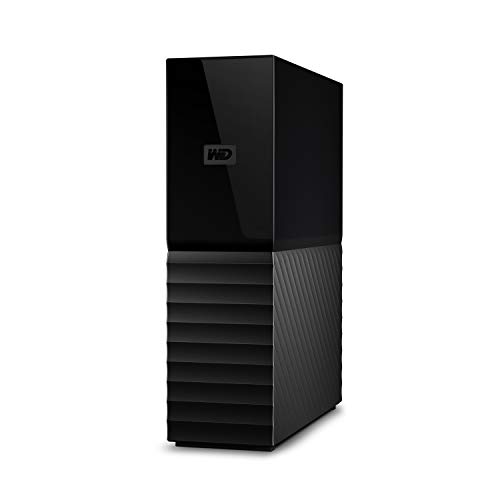
The My Book 6TB, model WDBBGB0060HBK-NESN, is the smallest drive in this guide and the only one whose title leads with protection: password protection and auto backup software, on USB 3.0. Its natural home is the small studio with something to protect and no systems administrator to protect it — the composer whose sessions are a livelihood, the photographer-editor whose client archive sits in a shared building, the one-person production company whose entire catalogue fits in six terabytes and whose loss would be total.
Password protection on a studio drive answers a specific fear: not hackers, but access. A drive that can be carried out of a shared space in a coat pocket’s worth of effort, holding unreleased client work, is a confidentiality problem before it is a storage device, and protection stated in the title is the difference between losing hardware and losing a client’s trust. The auto backup software answers the second fear, forgetfulness: a configured schedule that copies the workstation’s work to this drive without a human remembering is the smallest viable protection layer, and for a one-person studio it may be the layer that actually exists, as opposed to the elaborate one that was planned.
The capacity sets the boundary of the proposition. Six terabytes will not hold a film studio’s year, but it holds a music studio’s sessions and library with room to spare, and a small video operation’s active projects if the archive lives elsewhere. The title states no transfer speed and no recovery service, so the drive’s case rests on protection and automation rather than pace or rescue. The WD 6TB My Book listing details the software’s requirements for buyers building the small-studio setup around it.
The discipline warning belongs to the password: protection that locks a drive locks it against its owner too, and the credential belongs in a password manager from the first day. A protected drive with a forgotten password is not a safe; it is a paperweight with excellent capacity. Studios that adopt the My Book should adopt the credential habit in the same purchase, and then the smallest drive in the guide becomes, for its intended room, the most complete one here.
For the composer in a rented room, the My Book’s combination resolves the two anxieties that dominate small-studio life — a drive walking away with unreleased work, and a backup routine that exists only as an intention. Six terabytes holds the sessions, the library and the business records of most one-person operations, and the drive’s automation keeps the second copy current without a calendar. It is the guide’s most complete small-room answer precisely because it was designed for a desk without an IT department.
- Capacity: 6TB
- Connection: USB 3.0
- Protection: password protection stated in the title
- Software: auto backup software included, per the title
- Transfer speed: no figure is published in the title
- Recovery services: none are named for this model
- Model: WDBBGB0060HBK-NESN
Strengths
- The only password protection in the guide, aimed at shared spaces.
- Auto backup software that removes forgetfulness from the routine.
- Right-sized for music studios and small video operations.
Trade-offs
- The smallest capacity in a guide of large drives.
- A forgotten password locks out the owner completely.
- No recovery service stands behind the protection story.
Best for: a one-person studio in a shared building whose catalogue fits in six terabytes.
Not suited for: a film operation whose single projects overflow this capacity.
Why Do Studios Care About Drive Noise and Heat?
Because the recording room is the one workplace where the equipment’s own sound is a defect in the product. A desktop drive beside a workstation spins, seeks and hums at a low level that a microphone in the same room can find, and every drive in this guide is a mechanical device with those manners. The practical responses are placement rather than selection: the drive lives on a solid surface that does not amplify vibration, out of the microphone’s near field, ideally in the machine area of a divided room or behind the acoustic treatment every serious room already has. No title here claims a noise figure, and the guide invents none; the variable the buyer controls is the room, not the specification.
Heat is the slower version of the same care. Desktop drives in continuous session work run warm, and a drive sealed in a cupboard with the workstation’s exhaust ages faster than its specification assumes. The studio habit that protects every drive in this guide is unglamorous: air around the enclosure, a shelf rather than a stack, and a workspace where the drive’s warmth has somewhere to go. Bought capacity lasts as long as the environment lets it, and the environment is the one specification the owner writes personally.
Six Studio Drives, One Comparison Table
| Drive | Capacity | Connection | Stated speed | Named extras in the title |
|---|---|---|---|---|
| Glyph Blackbox PRO | 20TB | USB-C, Thunderbolt 3 compatible | 280 MB/s | Enterprise class, rugged |
| WD Elements Desktop 20TB | 20TB | USB 3.0 | Not stated | Plug-and-play |
| Seagate Expansion Desktop | 8TB | USB 3.0 | Not stated | 1-year warranty, 1-year Rescue |
| Seagate One Touch Desktop | 8TB | USB-C | Not stated | Rescue Recovery |
| WD Elements Desktop 14TB | 14TB | USB 3.0 | Not stated | Plug-and-play |
| WD My Book | 6TB | USB 3.0 | Not stated | Password protection, auto backup software |
The stated-speed column is the table’s confession: five blanks and one figure. That is not a defect of the guide but a property of the market, where desktop drives are sold on capacity and connection while their pace goes unprinted. The buyer who needs a working drive with a committed figure has exactly one candidate here, and the buyer who needs an archive should read the blanks as irrelevant rather than as warnings — an archive’s speed is measured in years of legibility, not megabytes per second.
The extras column tells the complementary story. Features cluster at the two ends of the set — the flagship’s enterprise positioning at the top, the My Book’s protection at the bottom — while the vast middle of the table sells capacity and simplicity alone. That distribution is the market’s honest map of what studios actually pay for: pace and pedigree for the working layer, protection for the vulnerable small room, and plain room for everything in between.
How Do You Set Up a Drive for Project Work?
Begin before the drive is connected, with a naming and folder discipline the whole studio will keep: project names that include the client and the year, a fixed skeleton of folders for originals, project files, renders and deliveries, and a rule that nothing lives on the drive outside the skeleton. Connect the drive, give the volume the same name as its physical label, and write that label now, while the drive is empty and the intention is fresh. A drive labelled on day one is an archive; a drive labelled someday is a mystery with a cable. Keep a one-line inventory beside the shelf — drive name, purchase date, what it holds — and update it at every project close.
Next, build the protection layer before the first project lands, because retrofitting duplication onto a full drive is the task everyone postpones forever. Decide where the second copy lives — a second drive from this guide serves well — set the copying schedule or the backup software, and run one complete cycle by hand so the routine is proven rather than presumed. If the drive carries protection features, as the My Book does, set the password and record it in the studio’s password manager in the same sitting.
Finally, rehearse the bad day. Open a project from the protection copy, confirm the session or timeline loads with its media linked, and note how long the exercise took. A studio that has rehearsed its recovery owns a procedure; a studio that has only purchased drives owns a hope. The rehearsal takes an hour, once, and it converts every claim in this guide — capacity, recovery, protection — from print into practice. Repeat it whenever a new drive joins the shelf, because a recovery path that worked two drives ago is a historical document, not a plan.
Which Storage Habits Quietly Ruin Creative Work?
The first is working from the only copy. It happens innocently — the project is on the big drive, the big drive is fast, the deadline is near — and it converts every subsequent hour of work into uninsured labour. The second is the desktop habit: projects parked on the workstation’s internal drive because it is convenient, scattered across a desktop folder named with good intentions, invisible to whatever backup routine the studio believes it runs. The third is the unlabelled shelf, where four identical black enclosures hold four unknown archives and the needed project is, by a law of the universe, on the one that fails to mount.
The fourth habit is subtler: deleting camera originals once the edit is delivered. Storage is the cheapest it has ever been relative to the cost of reshooting the unreshootable, and the archive drives in this guide exist precisely to make keeping originals the default. Clients return — for the anniversary re-cut, the festival version, the clip for a documentary — and the studio that kept the originals answers with a smile and an invoice, while the studio that deleted them answers with an apology. Originals are the one asset a studio can never buy back at any price, which settles the question of whether they deserve shelf space. The fifth is buying capacity in a panic mid-project, when the drive that arrives is whatever was available rather than whatever the studio’s layers require. Every one of these habits is a decision made by default; the guide’s entire argument is that storage rewards decisions made on purpose.
Final Recommendation
Build the studio’s storage as layers and the choices make themselves. The Glyph Blackbox PRO is the working layer for a suite that edits daily and wants its pace in writing; the WD Elements desktops, at 20TB for the deep archive or 14TB for the counted one, are the archive layer with nothing to obstruct the future; the Seagate pair divides the project-drive role by connector, the Expansion printing its warranty and Rescue year outright, the One Touch speaking USB-C to modern machines; and the WD My Book protects the small studio whose whole catalogue fits its six terabytes.
Buy the chosen layer before the project that needs it rather than during it, and let the second copy be part of the same order rather than a later intention.
Frequently Asked Questions
Is a hard drive fast enough for editing video, or is solid-state required?
For the workflows this guide covers — timelines built from camera originals, multitrack audio sessions, renders and archives — a desktop hard drive with a stated figure like the Glyph’s 280 MB/s serves working editors daily, and the five unstated drives serve the archive and project roles where pace is not the binding constraint. Demanding multi-stream work in the highest resolutions pushes some suites toward solid-state working volumes, with hard drives holding media and archives behind them; the honest answer is that the drive’s role, not its technology label, decides.
Why do only some titles state a transfer speed?
Because desktop external drives are conventionally sold on capacity, connection and features, with pace treated as a property of the interface rather than of the product. The Glyph’s stated 280 MB/s is the exception that shows the rule, reflecting a maker selling to professionals who plan around throughput. For the others, the absence of a figure is a boundary on what can be claimed, and this guide leaves the blank blank rather than borrowing numbers from elsewhere in a maker’s range.
How much capacity does a film project actually consume?
Count it in layers: the camera originals, which dominate; the proxies and optimised media an editor generates; the renders; and the delivered masters in however many formats the client requires. A modest project can occupy hundreds of gigabytes across those layers, and a feature many terabytes, which is why this guide’s capacities start at 6TB and why the archive arithmetic — projects per year multiplied by terabytes per project — should be done with the studio’s real figures before choosing between the 14TB and 20TB tiers. Keep the count for a year and the pattern becomes the studio’s most reliable planning document, worth more than any review’s estimate, this one included.
Do I need Thunderbolt for a music production drive?
Not for the storage itself. Audio sessions and sample libraries are well within the abilities of the USB connections throughout this guide, and the Glyph’s Thunderbolt 3 compatibility matters most to the edit suites built around it. The music buyer’s deciding factors are capacity for libraries, quiet permanent residence on the desk, and the protection routine — the My Book’s password and backup software speak to that buyer more directly than any connector does. Where a studio runs both crafts from one desk, the calculus changes: the film side’s appetite governs, and the music work simply enjoys the headroom the video budget bought.
What should hold the second copy of a project?
A different drive, in a different place, on a schedule that does not depend on memory. Within this guide, the natural pairings are a working drive duplicated to an Elements desktop, or the My Book’s auto backup software maintaining the copy for a small studio automatically. The copy’s location matters as much as its existence: a duplicate on the same desk shares the desk’s risks, so the archive that can live in another room, another building or a rotated off-site shelf is worth more than a faster one beside the original.
When should a studio drive be retired?
On evidence and on schedule, not on catastrophe. Behavioural warnings — transfers that stall, files that corrupt, a drive that mounts reluctantly or sounds different from its younger self — justify immediate migration while migration is still possible. Absent warnings, a drive that has served years of daily production duty should be promoted to less critical work and replaced in the working role on a planned cycle, with its contents verified on the new volume before the old one is wiped or shelved. Studios that log a drive’s purchase date on its label retire drives as a routine; studios that rely on memory retire them as an emergency.
Related Guides
Creative storage is one branch of a larger tree covered across the site: Best Hard Drives for Entry-Level Servers examines drives chosen for bays and round-the-clock duty, Best Hard Drives to Use for a Media Server sizes storage for a household’s film and music library, and Best 3TB External Hard Drives handles the portable capacity a location kit can carry.