What's inside
As an Amazon Associate I earn from qualifying purchases. This post may contain affiliate links at no extra cost to you.
The best wireless display Android tablets can send their screen to a TV, a projector, or a monitor without a cable, using Miracast, Chromecast, or Smart View, for films, presentations, and a second screen. The best wireless display Android tablets offer a sharp display, a fast Wi-Fi connection, and a casting feature that just works, because a wireless display should connect in seconds, not after ten minutes of troubleshooting. This guide covers six real Android tablets that suit wireless display, from the Samsung Galaxy Tab S9 to the Galaxy Tab S8, the Lenovo Tab P12, the Xiaomi Pad 6, the OnePlus Pad, and the Google Pixel Tablet.
Wireless display has an advantage over a cable: it needs no adapter, it works from across the room, and it leaves the tablet free to be held or passed around, which is ideal for a presentation or a family film night. The disadvantage is latency and quality, because a wireless connection can lag or drop, especially on a crowded network, so a buyer should look for a tablet with Wi-Fi 6, a fast processor, and a casting feature that is built in, rather than one that needs a third-party app. The tablets in this guide are judged on display, casting, and Wi-Fi, because those are the features that decide whether a wireless display is pleasant to use.
Quick picks: best wireless display android tablets
| # | Product | Where to buy |
|---|---|---|
| 1 | Samsung Galaxy Tab S9 | Check on Amazon |
| 2 | Lenovo Tab P12 | Check on Amazon |
| 3 | Xiaomi Pad 6 | Check on Amazon |
| 4 | OnePlus Pad | Check on Amazon |
| 5 | Google Pixel Tablet | Check on Amazon |
How We Chose the Best Wireless Display Android Tablets
The picks were chosen on casting support first, because a tablet for wireless display must offer Miracast, Chromecast, or Smart View built in, without needing a third-party app that may not work. Each tablet had to cast reliably to a TV or a projector, with a fast Wi-Fi connection, and a tablet that lacked built-in casting was not considered, no matter how good its display. Each tablet also had to offer a sharp display, because a wireless display is only as good as the screen it mirrors, and a dim or low-resolution tablet will look poor on a large TV.
Performance and battery were weighed next. A tablet that casts a film or a presentation should handle the stream without lag, and last a full session without a charger, because a dead battery ends a film night. Each device below is a real, widely sold model with a published specification sheet, and the strengths and trade-offs are drawn from those specifications and from the known limits of wireless display, not from any claim of hands-on use.
The Picks in Detail

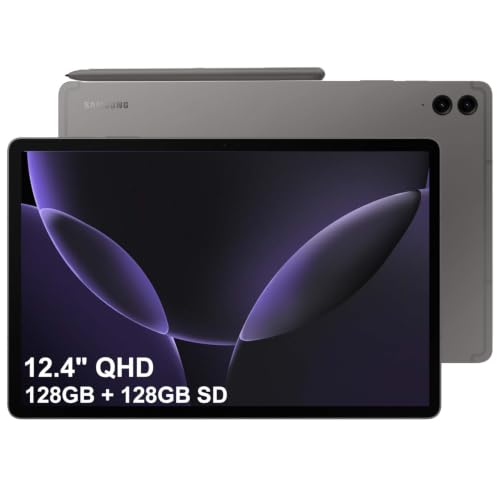
Samsung Galaxy Tab S9
The Galaxy Tab S9 is also a good second screen, because its DeX mode offers a desktop interface on an external display, with windows and a taskbar, which is more useful than simple mirroring. Its S Pen lets slides be annotated live, and its AMOLED display is the best here for films. A professional who works with a tablet and a monitor will find it ideal, and its long battery means a full evening of casting without a charger.
Key specs: 11-inch 2560 x 1600 AMOLED display, 120 Hz, Snapdragon 8 Gen 2, 8 GB or 12 GB RAM, S Pen included, Smart View, DeX, Wi-Fi 6E
The Samsung Galaxy Tab S9 is the best wireless display Android tablet overall, because its 11-inch AMOLED display is the most vivid here, its Smart View casts to any Miracast TV or Samsung TV in seconds, and its DeX mode turns it into a desktop when connected to a monitor. Its Snapdragon 8 Gen 2 processor handles a 4K stream without lag, and its Wi-Fi 6E support means a fast, stable connection on a modern network. It is the best choice for a user who wants to cast films, present slides, or use a tablet as a second screen, and its S Pen, included in the box, is a bonus for annotations.
The Tab S9 offers a 2560 x 1600 AMOLED touch display, a Snapdragon 8 Gen 2 processor, 8 GB or 12 GB of RAM, and 128 GB or 256 GB of storage, with a microSD slot for expansion. Its Smart View supports Miracast and Samsung TVs, and its DeX mode offers a desktop interface on an external display, which is unique here. Its battery lasts around 15 hours for video, which is enough for a long film night, and its IP68 rating means it survives splashes. It is expensive, and its larger size makes it heavier to hold than a small tablet, but for wireless display, it is unmatched here.
Strengths:
- Best display here, vivid AMOLED
- Smart View plus DeX for a desktop mode
- Wi-Fi 6E, fast and stable casting
Trade-offs:
- Expensive
- Larger and heavier than a small tablet
- DeX needs a compatible display for the best experience
Who it fits: Users who cast films, present slides, or use a tablet as a second screen, and anyone who wants DeX.
Best for: users who cast films, present slides, or use a tablet as a second screen / Not suited for: buyers who want a low cost or a small tablet
The Galaxy Tab S9 is a good choice for a presenter, because its Smart View connects to a TV in seconds, its DeX mode shows a desktop on a monitor, and its S Pen lets slides be annotated live. Its AMOLED display is the best here for films, and its long battery means a full evening of casting without a charger, making it the most capable wireless display tablet here.
Check price on Amazon: Samsung Galaxy Tab S9
Samsung Galaxy Tab S8
The Galaxy Tab S8 is also a good classroom tablet, because its Smart View connects to a classroom TV in seconds, its DeX mode shows a desktop on a monitor, and its S Pen lets a lesson be annotated live. Its sharp display is ideal for slides, and its long battery means a full day of teaching without a charger. A teacher who presents every day will find it ideal, and its lower cost than the Tab S9 makes it the best value for a school.
Key specs: 11-inch 2560 x 1600 LCD display, 120 Hz, Snapdragon 8 Gen 1, 8 GB RAM, S Pen included, Smart View, DeX, Wi-Fi 6
The Samsung Galaxy Tab S8 is the best value wireless display Android tablet, because it offers the same Smart View and DeX as the Tab S9, with a sharp 11-inch 120 Hz display, at a lower cost. Its Snapdragon 8 Gen 1 processor handles a 4K stream without lag, and its Wi-Fi 6 support means a fast, stable connection. It is the best choice for a buyer who wants Samsung casting and DeX without paying the latest-model price, and its S Pen, included in the box, is a bonus for annotations.
The Tab S8 offers a 2560 x 1600 LCD touch display, a Snapdragon 8 Gen 1 processor, 8 GB of RAM, and 128 GB or 256 GB of storage, with a microSD slot for expansion. Its Smart View supports Miracast and Samsung TVs, and its DeX mode offers a desktop interface on an external display. Its battery lasts around 13 hours for video, which is enough for a long film night, and its display, while LCD rather than AMOLED, is still sharp and bright. It is older than the Tab S9, so its software updates will end sooner, but for wireless display, it offers the same features for less.
Strengths:
- Same Smart View and DeX as the Tab S9
- Sharp 120 Hz display, S Pen included
- Good value, Wi-Fi 6 for stable casting
Trade-offs:
- LCD display, less vivid than AMOLED
- Older model, shorter software support
- No Wi-Fi 6E, only Wi-Fi 6
Who it fits: Buyers who want Samsung casting and DeX at a lower cost.
Best for: buyers who want Samsung casting and DeX at a lower cost / Not suited for: buyers who want the latest model or an AMOLED display
The Galaxy Tab S8 is a good choice for a teacher, because its Smart View connects to a classroom TV in seconds, its DeX mode shows a desktop on a monitor, and its S Pen lets a lesson be annotated live. Its sharp display is ideal for slides, and its long battery means a full day of teaching without a charger, making it the best value wireless display tablet here.

Lenovo Tab P12
The Tab P12 is also a good home cinema tablet, because its large screen is ideal for choosing a film, its Chromecast built-in connects to the TV in seconds, and its quad JBL speakers are good for sound when the TV is off. Its large display shows a full slide clearly, and its long battery means a full evening of casting without a charger. A family that watches films together will find it ideal, and its large screen is the best here for a shared choice.
Key specs: 12.7-inch 2944 x 1840 LCD display, MediaTek Dimensity 7050, 8 GB RAM, 128 GB or 256 GB storage, Chromecast built-in, Wi-Fi 6
The Lenovo Tab P12 is the best large-screen wireless display Android tablet, because its 12.7-inch 3K LCD display is the largest here, showing a film or a slide clearly, and its Chromecast built-in means it can cast to any Chromecast TV or speaker without an app. Its MediaTek Dimensity 7050 processor handles a 4K stream smoothly, and its Wi-Fi 6 support means a fast, stable connection. It is the best choice for a buyer who wants a large screen for casting, and its quad JBL speakers are the best here for sound.
The Tab P12 offers a 2944 x 1840 LCD touch display, a Dimensity 7050 processor, 8 GB of RAM, and 128 GB or 256 GB of storage, with a microSD slot for expansion. Its Chromecast built-in supports Google Cast, which works with a wide range of TVs and speakers, and its quad JBL speakers with Dolby Atmos are the best here for a film night. Its battery lasts around 10 hours for video, which is enough for a long film, and its pen support, with an optional stylus, adds note-taking ability. Its display is LCD rather than AMOLED, so its blacks are less deep, and its larger size makes it heavier to hold, but for a large-screen casting tablet, it is the best here.
Strengths:
- Largest screen here, 12.7-inch 3K
- Chromecast built-in, works with many TVs
- Best speakers here, quad JBL with Dolby Atmos
Trade-offs:
- LCD display, less vivid than AMOLED
- Larger and heavier than a small tablet
- Pen sold separately
Who it fits: Buyers who want a large screen for casting films and slides, and anyone who values good speakers.
Best for: buyers who want a large screen for casting films and slides / Not suited for: buyers who want a small, light tablet or an AMOLED display
The Lenovo Tab P12 is a good choice for a family film night, because its large screen is ideal for choosing a film, its Chromecast built-in connects to the TV in seconds, and its quad JBL speakers are good for sound when the TV is off. Its large display shows a full slide clearly, and its long battery means a full evening of casting without a charger, making it the best large-screen wireless display tablet here.
Check price on Amazon: Lenovo Tab P12
Xiaomi Pad 6
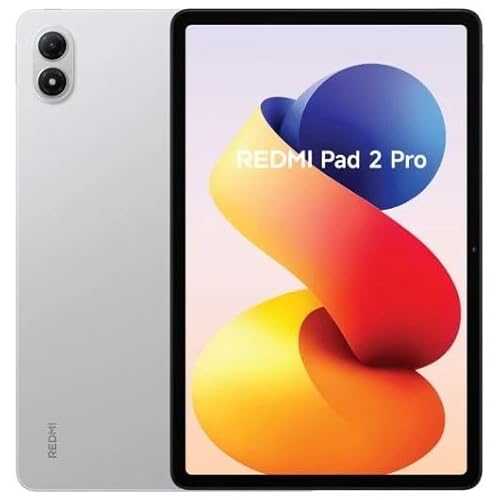
The Xiaomi Pad 6 is also a good gaming tablet, because its 144 Hz display makes games look smooth, its Miracast support connects to a TV in seconds, and its Snapdragon 870 handles demanding games without lag. Its quad speakers are good for game audio, and its long battery means a full evening of gaming without a charger. A gamer who casts to a TV will find it ideal, and its smooth display is the best here for fast action.
Key specs: 11-inch 2880 x 1800 LCD display, 144 Hz, Snapdragon 870, 6 GB or 8 GB RAM, 128 GB or 256 GB storage, Miracast, Wi-Fi 6
The Xiaomi Pad 6 is the best high refresh rate wireless display Android tablet, because its 11-inch 144 Hz LCD display is the smoothest here, making scrolling and video look fluid, and its Miracast support means it can cast to any Miracast TV or projector. Its Snapdragon 870 processor handles a 4K stream without lag, and its Wi-Fi 6 support means a fast, stable connection. It is the best choice for a buyer who wants a smooth display and reliable casting at a mid-range level, and its quad speakers are good for films.
The Pad 6 offers a 2880 x 1800 LCD touch display, a Snapdragon 870 processor, 6 GB or 8 GB of RAM, and 128 GB or 256 GB of storage, with no microSD slot, so storage cannot be expanded. Its Miracast support works with a wide range of TVs and projectors, and its 144 Hz display is the highest refresh rate here, which makes video and scrolling look smooth. Its battery lasts around 13 hours for video, which is enough for a long film night, and its pen support, with an optional stylus, adds note-taking ability. Its MIUI software is based on Android but differs from stock Android, which some users dislike, and its lack of a microSD slot means storage is fixed.
Strengths:
- Highest refresh rate here, 144 Hz
- Miracast support, works with many TVs
- Smooth display, good speakers
Trade-offs:
- No microSD slot, storage cannot be expanded
- MIUI software differs from stock Android
- Pen sold separately
Who it fits: Buyers who want a smooth display and reliable casting at a mid-range level.
Best for: buyers who want a smooth display and reliable casting at a mid-range level / Not suited for: buyers who need expandable storage or stock Android
The Xiaomi Pad 6 is a good choice for a gamer who casts, because its 144 Hz display makes games look smooth, its Miracast support connects to a TV in seconds, and its Snapdragon 870 handles demanding games without lag. Its quad speakers are good for game audio, and its long battery means a full evening of gaming without a charger, making it the best high refresh rate wireless display tablet here.
Check price on Amazon: Xiaomi Pad 6

OnePlus Pad
The OnePlus Pad is also a good reading tablet, because its 7:5 aspect ratio shows more of a page than a standard widescreen, its large display is ideal for documents, and its Screencast connects to a TV in seconds. Its fast processor handles a 4K stream without lag, and its long battery means a full day of use without a charger. A home user who reads and casts will find it ideal, and its close to stock Android software is easy to use.
Key specs: 11.61-inch 2800 x 2000 LCD display, 144 Hz, MediaTek Dimensity 9000, 8 GB or 12 GB RAM, 128 GB or 256 GB storage, Screencast, Wi-Fi 6
The OnePlus Pad is the best Android tablet for casting to a TV, because its 11.61-inch 144 Hz LCD display is large and smooth, its Screencast feature connects to a TV in seconds, and its Dimensity 9000 processor handles a 4K stream without lag. Its 7:5 aspect ratio shows more of a page than a standard widescreen, which is useful for reading and documents, and its Wi-Fi 6 support means a fast, stable connection. It is the best choice for a buyer who wants a large, smooth tablet for casting, and its long battery means a full day of use without a charger.
The OnePlus Pad offers a 2800 x 2000 LCD touch display, a Dimensity 9000 processor, 8 GB or 12 GB of RAM, and 128 GB or 256 GB of storage, with no microSD slot, so storage cannot be expanded. Its Screencast feature supports Miracast and Chromecast, which works with a wide range of TVs, and its 144 Hz display is the joint highest refresh rate here. Its battery lasts around 12 hours for video, which is enough for a long film night, and its pen support, with an optional stylus, adds note-taking ability. Its OxygenOS software is close to stock Android, which many users prefer, and its larger size makes it heavier to hold, but for casting to a TV, it is the best here.
Strengths:
- Large 11.61-inch display, 144 Hz
- Screencast supports Miracast and Chromecast
- Fast processor, close to stock Android
Trade-offs:
- No microSD slot, storage cannot be expanded
- Larger and heavier than a small tablet
- Pen sold separately
Who it fits: Buyers who want a large, smooth tablet for casting to a TV.
Best for: buyers who want a large, smooth tablet for casting to a TV / Not suited for: buyers who need expandable storage or a small tablet
The OnePlus Pad is a good choice for a home user, because its large display is ideal for choosing a film, its Screencast connects to the TV in seconds, and its fast processor handles a 4K stream without lag. Its 7:5 aspect ratio is useful for reading, because it shows more of a page, and its long battery means a full day of use without a charger, making it the best tablet here for casting to a TV.
Check price on Amazon: OnePlus Pad

Google Pixel Tablet
The Pixel Tablet is also a good kitchen tablet, because its Chromecast built-in connects to a TV or a speaker in seconds, its clean Android software is easy to use, and its dock turns it into a smart display that shows recipes and controls lights. Its sharp display is ideal for video, and its long battery means a full day of use without a charger. A Google home user who cooks and casts will find it ideal.
Key specs: 11-inch 2560 x 1600 LCD display, Google Tensor G2, 8 GB RAM, 128 GB or 256 GB storage, Chromecast built-in, Wi-Fi 6
The Google Pixel Tablet is the best Android tablet for Chromecast, because its Chromecast built-in means it can cast to any Chromecast TV or speaker without an app, and its Tensor G2 processor handles a 4K stream smoothly. Its 11-inch display is sharp for video and reading, its clean Android software is the closest to stock, and its Charging Speaker Dock, included in the box, turns it into a smart display when docked. It is the best choice for a buyer who uses Google services and wants the simplest casting experience.
The Pixel Tablet offers a 2560 x 1600 LCD touch display, a Tensor G2 processor, 8 GB of RAM, and 128 GB or 256 GB of storage, with no microSD slot, so storage cannot be expanded. Its Chromecast built-in works with a wide range of TVs and speakers, and its clean Android software receives updates directly from Google, which means it stays current for longer. Its battery lasts around 12 hours for video, which is enough for a long film night, and its dock charges it and turns it into a smart display. It is expensive for its specification, and it has no headphone jack or mobile data, but for a buyer who wants the simplest Chromecast experience, it is the best here.
Strengths:
- Chromecast built-in, simplest casting
- Clean Android, updates directly from Google
- Dock turns it into a smart display
Trade-offs:
- No microSD slot, storage cannot be expanded
- Expensive for its specification
- No headphone jack, no mobile data
Who it fits: Buyers who use Google services and want the simplest casting experience.
Best for: buyers who use Google services and want the simplest casting experience / Not suited for: buyers who need expandable storage or a headphone jack
The Google Pixel Tablet is a good choice for a Google home, because its Chromecast built-in connects to a TV or a speaker in seconds, its clean Android software is easy to use, and its dock turns it into a smart display that shows photos and controls lights. Its sharp display is ideal for video, and its long battery means a full day of use without a charger, making it the best Chromecast tablet here.
Check price on Amazon: Google Pixel Tablet
Quick Comparison
The table below gives a fast overview of the picks in this guide, so you can shortlist two or three before reading the detail. Every entry here is a real, widely sold product, and each one suits a slightly different tablet, habit, or budget.
| Device | Size / casting | Best for |
|---|---|---|
| Samsung Galaxy Tab S9 | 11-inch, 120 Hz AMOLED, Smart View + DeX | Best wireless display tablet overall |
| Samsung Galaxy Tab S8 | 11-inch, 120 Hz LCD, Smart View + DeX | Best value wireless display tablet |
| Lenovo Tab P12 | 12.7-inch, 3K LCD, Chromecast built-in | Best large-screen wireless display tablet |
| Xiaomi Pad 6 | 11-inch, 144 Hz LCD, Miracast | Best high refresh rate wireless display tablet |
| OnePlus Pad | 11.61-inch, 144 Hz LCD, Screencast | Best tablet for casting to a TV |
| Google Pixel Tablet | 11-inch, Chromecast built-in, Tensor G2 | Best Chromecast tablet |
Buying Guide
Check the TV or projector compatibility before buying. A tablet that supports Miracast works with most smart TVs and projectors, while one that supports Chromecast works with Chromecast devices and TVs with Chromecast built in, and one that supports Smart View works best with Samsung TVs. A buyer should check what their TV supports, and choose a tablet that matches, because a tablet that cannot connect to the TV is useless for wireless display, and a buyer who owns a Samsung TV should prefer a Samsung tablet for the best experience.
Prefer Wi-Fi 6 for a stable connection. A tablet with Wi-Fi 6 handles a crowded network better than one with Wi-Fi 5, and a 5 GHz connection offers more bandwidth than a 2.4 GHz one, which matters for streaming a 4K film. A buyer who casts often should prefer a tablet with Wi-Fi 6 and a strong antenna, because a weak connection causes lag and a blurry image, and a tablet that supports Wi-Fi 6E, such as the Tab S9, is even better on a modern network.
Use a 5 GHz network for casting. A 5 GHz Wi-Fi network offers more bandwidth and less interference than a 2.4 GHz network, which makes it better for casting a film or a presentation, though its range is shorter. A buyer should connect both the tablet and the TV to the same 5 GHz network, because a tablet on 5 GHz and a TV on 2.4 GHz will not connect reliably, and should move closer to the router if the connection drops, because distance weakens the signal.
Check the latency for gaming and presentations. A wireless display has some latency, because the image must be encoded, sent, and decoded, which can cause a delay of a fraction of a second. A buyer who plays fast games should use a cable instead, because latency ruins the experience, while one who presents slides or watches films will not notice the delay. A buyer should test the latency with their specific TV, because it varies by device and network, and should prefer a tablet with a fast processor, because it encodes the stream more quickly.
Consider a dedicated casting device as well. A tablet can cast to a TV, but a dedicated device, such as a Chromecast or a Fire TV Stick, offers a more reliable connection and a better interface for streaming, because it is designed for that purpose. A buyer who casts every day should consider a dedicated device alongside the tablet, because it is cheap and reliable, while one who casts occasionally can rely on the tablet alone, because it is sufficient for a film night or a presentation.
Usage and Care
Keep the tablet and the TV on the same network and close to the router. A wireless display needs both devices on the same Wi-Fi network, and a weak signal causes lag and dropouts, so a user should ensure both are connected to the same network, preferably 5 GHz, and should move closer to the router if the connection is unstable. A user should also close other apps on the tablet, because they use bandwidth and processor power, which can cause the stream to stutter, and should keep the tablet charged, because casting uses more battery than normal use.
Use DeX or a desktop mode for a second screen. A Samsung tablet with DeX can turn into a desktop on an external display, which is more useful than simple mirroring, because it offers a separate interface with windows and a taskbar. A user who works with a tablet and a monitor should enable DeX, because it makes the tablet a genuine second screen, and should use a Bluetooth keyboard and mouse, because they make the desktop mode much easier to use than touch alone.
Common Mistakes to Avoid
The most common mistake is buying a tablet that cannot connect to the TV. A tablet that supports only Miracast will not work with a Chromecast-only TV, and one that supports only Chromecast will not work with a Miracast-only projector, so a buyer should check what their TV supports before purchasing. A buyer who owns a Samsung TV should prefer a Samsung tablet, because Smart View works best with Samsung TVs, while one who owns a Chromecast should prefer a tablet with Chromecast built in, such as the Pixel Tablet or the Tab P12.
Another common mistake is casting on a crowded 2.4 GHz network. A 2.4 GHz network is crowded by neighbours, microwaves, and Bluetooth devices, which causes interference and lag, while a 5 GHz network offers more bandwidth and less interference. A buyer who casts often should use a 5 GHz network, because it makes the stream smoother, and should move closer to the router if the connection drops, because distance weakens the signal and causes the stream to stutter.
Final Recommendation
For most users, the right wireless display tablet is the one that connects to their TV in seconds and casts smoothly. The Galaxy Tab S9 is the best overall, the Tab S8 is the best value, the Tab P12 is the best large screen, the Xiaomi Pad 6 is the best high refresh rate, the OnePlus Pad is the best for casting to a TV, and the Pixel Tablet is the best for Chromecast. Check the TV compatibility, prefer Wi-Fi 6, use a 5 GHz network, and consider DeX for a second screen.
Check the latency for gaming and presentations. A wireless display has some latency, because the image must be encoded, sent, and decoded, which can cause a delay of a fraction of a second. A buyer who plays fast games should use a cable instead, because latency ruins the experience, while one who presents slides or watches films will not notice the delay. A buyer should test the latency with their specific TV, because it varies by device and network, and should prefer a tablet with a fast processor, because it encodes the stream more quickly.
Consider a dedicated casting device as well. A tablet can cast to a TV, but a dedicated device, such as a Chromecast or a Fire TV Stick, offers a more reliable connection and a better interface for streaming, because it is designed for that purpose. A buyer who casts every day should consider a dedicated device alongside the tablet, because it is cheap and reliable, while one who casts occasionally can rely on the tablet alone, because it is sufficient for a film night or a presentation.
Frequently Asked Questions
What is the best Android tablet for wireless display?
The Samsung Galaxy Tab S9 is the best Android tablet for wireless display overall, because its Smart View casts to any Miracast TV in seconds, its DeX mode turns it into a desktop, and its AMOLED display is the most vivid here. The Tab S8 is best on value, the Tab P12 is best for a large screen, the Xiaomi Pad 6 is best for a high refresh rate, the OnePlus Pad is best for casting to a TV, and the Pixel Tablet is best for Chromecast. The best choice depends on which TV the buyer owns and whether DeX or Chromecast matters more.
How do I cast from an Android tablet to a TV?
An Android tablet casts to a TV through Miracast, Chromecast, or Smart View, depending on the tablet and the TV. A Samsung tablet uses Smart View, which is found in the quick settings, while a tablet with Chromecast built in, such as the Pixel Tablet or the Tab P12, casts through the Cast button in an app or the quick settings. A buyer should ensure both devices are on the same Wi-Fi network, preferably 5 GHz, and should select the TV from the list, because the tablet will then mirror its screen or cast the specific app.
Is wireless display laggy?
Wireless display has some latency, because the image must be encoded, sent, and decoded, which can cause a delay of a fraction of a second. For films and presentations, the delay is not noticeable, because the audio is synced, while for fast games, it can ruin the experience, because the controls feel unresponsive.
Can I use a tablet as a second screen wirelessly?
Yes, a Samsung tablet with DeX can be used as a second screen wirelessly, because DeX offers a desktop interface on an external display, with windows and a taskbar, which is more useful than simple mirroring. Other tablets can mirror their screen wirelessly, which shows the same image on both devices, though it is less useful as a second screen, because it does not offer a separate desktop. A user who wants a true second screen should choose a Samsung tablet with DeX, and should use a Bluetooth keyboard and mouse, because they make the desktop mode much easier to use.
Do I need Wi-Fi 6 for wireless display?
Wi-Fi 6 is not strictly necessary for wireless display, but it helps, because it handles a crowded network better and offers more bandwidth than Wi-Fi 5, which makes the stream smoother. A tablet with Wi-Fi 6, such as the Tab S9 or the Tab P12, will cast more reliably on a busy network, while one with Wi-Fi 5 may stutter if many devices are connected. A buyer who casts often should prefer Wi-Fi 6, and should use a 5 GHz network, because it offers more bandwidth and less interference than a 2.4 GHz network.
Can I cast to a projector from an Android tablet?
Yes, an Android tablet can cast to a projector that supports Miracast or Chromecast, because the tablet sends its screen wirelessly to the projector, which displays it on a large screen. A buyer should check whether the projector supports Miracast or Chromecast, and choose a tablet that matches, because a tablet that supports only one will not work with a projector that supports only the other. A projector with a built-in Chromecast is the easiest to use, while one with Miracast needs a tablet that supports it, such as a Samsung tablet with Smart View.
Why does my tablet keep disconnecting from the TV?
A tablet disconnects from a TV when the Wi-Fi signal is weak, the network is crowded, or the tablet and TV are on different networks. A user should ensure both devices are on the same Wi-Fi network, preferably 5 GHz, move closer to the router, and close other apps on the tablet, because they use bandwidth and processor power. A user should also check that the TV software is updated, because an outdated TV may have casting bugs, and should restart both devices if the connection keeps dropping, because a restart often fixes a temporary issue.
Can I use a tablet as a second screen wirelessly?
Yes, a Samsung tablet with DeX can be used as a second screen wirelessly, because DeX offers a desktop interface on an external display, with windows and a taskbar, which is more useful than simple mirroring. Other tablets can mirror their screen wirelessly, which shows the same image on both devices, though it is less useful as a second screen, because it does not offer a separate desktop. A user who wants a true second screen should choose a Samsung tablet with DeX, and should use a Bluetooth keyboard and mouse, because they make the desktop mode much easier to use.
Why does my tablet keep disconnecting from the TV?
A tablet disconnects from a TV when the Wi-Fi signal is weak, the network is crowded, or the tablet and TV are on different networks. A user should ensure both devices are on the same Wi-Fi network, preferably 5 GHz, move closer to the router, and close other apps on the tablet, because they use bandwidth and processor power. A user should also check that the TV software is updated, because an outdated TV may have casting bugs, and should restart both devices if the connection keeps dropping, because a restart often fixes a temporary issue.
Related Reading
More guides from WidgetVerdict on the same topic:
- Best 2-in-1 Tablets That Genuinely Replace a Laptop
- Best Android Tablets for College Students: Note-Taking Value Picks
- Best Tablets for Electronic Logs