Our Top Picks


What's inside
- What an electronic log actually records
- The ELD mandate in general terms
- Consumer tablet, dedicated ELD, or both
- Connectors explained: J1939, J1708, and OBD-II
- Installation, mounts, and a tidy in-cab setup
- The ELD units and truck tablet in this guide
- Subscriptions, support, and the service behind the hardware
- Daily hours-of-service routines with an electronic log
- Choosing a display size for the cab
- Check prices on Amazon
- Disclosure
As an Amazon Associate I earn from qualifying purchases. This post may contain affiliate links at no extra cost to you.
What an electronic log actually records
Electronic logging changed daily life in trucking by replacing paper logbooks with records captured from the vehicle itself, and understanding that origin explains almost every hardware choice in this guide. An electronic logging device, usually shortened to ELD, connects to the truck engine, records driving time and related duty information, and supports the hours-of-service record that drivers and carriers must maintain. The federal ELD mandate in the United States established the broad requirement for many commercial drivers who prepare hours-of-service records, with exemptions and special cases that depend on the operation, the vehicle, and the type of driving involved.
Because exemptions and interpretations belong to regulators and to your own compliance team, this guide describes the system in general terms and leaves eligibility decisions to the Federal Motor Carrier Safety Administration resources and your carrier safety department. A dedicated ELD unit is not the same thing as a consumer tablet, even though the two often appear together in the cab, and confusing their roles is the most common source of buying mistakes in this category. The dedicated unit talks to the truck through a diagnostic connection, while the tablet or phone provides the screen where the driver reviews hours, certifies records, and shows information during an inspection.
Some products in this roundup are dedicated ELD devices with stated cables or built-in connectors, one bundle pairs a device with a named app, and one product is a truck GPS tablet that can serve as the display and navigation side of an in-cab setup. Choosing well therefore means matching three layers, the vehicle connection, the logging service and its compliance claims, and the everyday display experience, rather than shopping for a screen size alone. Electronic logging changed daily life in trucking by replacing paper logbooks with records captured from the vehicle itself, and understanding that origin explains almost every hardware choice in this guide.
The ELD mandate in general terms
The federal ELD mandate in the United States established the broad requirement for many commercial drivers who prepare hours-of-service records, with exemptions and special cases that depend on the operation, the vehicle, and the type of driving involved. Because exemptions and interpretations belong to regulators and to your own compliance team, this guide describes the system in general terms and leaves eligibility decisions to the Federal Motor Carrier Safety Administration resources and your carrier safety department. A dedicated ELD unit is not the same thing as a consumer tablet, even though the two often appear together in the cab, and confusing their roles is the most common source of buying mistakes in this category. The dedicated unit talks to the truck through a diagnostic connection, while the tablet or phone provides the screen where the driver reviews hours, certifies records, and shows information during an inspection.
Some products in this roundup are dedicated ELD devices with stated cables or built-in connectors, one bundle pairs a device with a named app, and one product is a truck GPS tablet that can serve as the display and navigation side of an in-cab setup. Choosing well therefore means matching three layers, the vehicle connection, the logging service and its compliance claims, and the everyday display experience, rather than shopping for a screen size alone. Heavy trucks commonly expose engine data through a round diagnostic connector, and the nine-pin connection associated with the J1939 standard is the one most listings in this category name directly. Older vehicles may use a six-pin connection associated with J1708, so a product that lists both nine-pin and six-pin support speaks to fleets running mixed model years rather than a single uniform truck.
Light and medium vehicles may instead present an OBD-II port, the same family of connector familiar from passenger vehicles, which is why some ELD listings name OBD-II alongside the heavy-duty connections. The federal ELD mandate in the United States established the broad requirement for many commercial drivers who prepare hours-of-service records, with exemptions and special cases that depend on the operation, the vehicle, and the type of driving involved. Because exemptions and interpretations belong to regulators and to your own compliance team, this guide describes the system in general terms and leaves eligibility decisions to the Federal Motor Carrier Safety Administration resources and your carrier safety department. A dedicated ELD unit is not the same thing as a consumer tablet, even though the two often appear together in the cab, and confusing their roles is the most common source of buying mistakes in this category.
The dedicated unit talks to the truck through a diagnostic connection, while the tablet or phone provides the screen where the driver reviews hours, certifies records, and shows information during an inspection. Some products in this roundup are dedicated ELD devices with stated cables or built-in connectors, one bundle pairs a device with a named app, and one product is a truck GPS tablet that can serve as the display and navigation side of an in-cab setup. Choosing well therefore means matching three layers, the vehicle connection, the logging service and its compliance claims, and the everyday display experience, rather than shopping for a screen size alone. Heavy trucks commonly expose engine data through a round diagnostic connector, and the nine-pin connection associated with the J1939 standard is the one most listings in this category name directly.
Consumer tablet, dedicated ELD, or both
A dedicated ELD unit is not the same thing as a consumer tablet, even though the two often appear together in the cab, and confusing their roles is the most common source of buying mistakes in this category. The dedicated unit talks to the truck through a diagnostic connection, while the tablet or phone provides the screen where the driver reviews hours, certifies records, and shows information during an inspection. Some products in this roundup are dedicated ELD devices with stated cables or built-in connectors, one bundle pairs a device with a named app, and one product is a truck GPS tablet that can serve as the display and navigation side of an in-cab setup. Choosing well therefore means matching three layers, the vehicle connection, the logging service and its compliance claims, and the everyday display experience, rather than shopping for a screen size alone.
Hours-of-service compliance is a daily rhythm as much as a technology purchase, built around recording duty status, driving time, breaks, and rest periods accurately and certifying records as your operation requires. A clear display helps that rhythm, because a driver checking remaining time at a shipper, a fuel stop, or a rest area should be able to read the key figures quickly in bright daylight and in a dark cab. Screen size is a trade-off, since a larger tablet can make logs, maps, and routing easier to read, while a smaller device may fit an crowded dash more comfortably and draw less attention when the truck is parked. A powered mount, where a product includes one, addresses the unglamorous problem of keeping a working tablet charged through long shifts without a loose cable crossing the steering column or gear selector.
Connectors explained: J1939, J1708, and OBD-II
Heavy trucks commonly expose engine data through a round diagnostic connector, and the nine-pin connection associated with the J1939 standard is the one most listings in this category name directly. Older vehicles may use a six-pin connection associated with J1708, so a product that lists both nine-pin and six-pin support speaks to fleets running mixed model years rather than a single uniform truck. Light and medium vehicles may instead present an OBD-II port, the same family of connector familiar from passenger vehicles, which is why some ELD listings name OBD-II alongside the heavy-duty connections. A green nine-pin cable mentioned in a listing usually signals a specific heavy-duty variant, so match the cable description to the port actually fitted in your truck instead of assuming every nine-pin installation is identical.
Installation for many dedicated units is described as easy in their listings, and in general terms that means locating the diagnostic port, connecting the device or its cable, securing loose wiring away from pedals and controls, and confirming the unit powers and communicates as its instructions describe. A built-in nine-pin form factor removes the separate cable from that picture, which can simplify installation and reduce the number of connections that might work loose, provided the port location leaves room for the device body itself. Engine synchronization matters because the record depends on vehicle data such as motion and engine hours, so a loose connection or an incorrect cable is a compliance problem, not merely a technical annoyance. Bluetooth and Wi-Fi, where a product states them, describe how devices in the cab communicate or connect, and they should be set up according to the manufacturer instructions so the display reliably receives the logging data.
Installation, mounts, and a tidy in-cab setup
The ELD units and truck tablet in this guide
In daily use, the decisive questions are whether the connection stays secure, whether the driver can reach the record quickly while parked, and whether support answers when something looks wrong. Bluetooth and Wi-Fi, where a product states them, describe how devices in the cab communicate or connect, and they should be set up according to the manufacturer instructions so the display reliably receives the logging data. Subscription language deserves slow reading, because several listings in this category state that a subscription is required or included for a stated period, and the logging service, not only the hardware, is what you will live with every day. A product that fits those routines will serve a fleet better than one chosen only from a headline feature.
The TEMEDA PT 30 ELD – Electronic Logging Device + Cable – HOS & FMCSA Compliant – Easy to Install (PT30 + Green 9 Pin Round Cable) is presented in its listing as an electronic logging device supplied with a cable, described as HOS and FMCSA compliant and easy to install, in a configuration named as PT30 plus a green nine-pin round cable. Hold your judgment to those stated facts, because port types, cable inclusions, subscription terms, and display features differ sharply between products in this roundup and should never be borrowed from one listing to fill gaps in another. Naming the exact cable in the title helps a buyer match the bundle to a truck before ordering, which is the single most practical check in this whole category. The easy to install description sets an expectation of a straightforward connection process, while the actual steps still belong to the included instructions for this specific device and cable. Before ordering for a specific truck, photograph the diagnostic port, note the model year, and confirm the match with the provider documentation for that exact product.
In daily use, the decisive questions are whether the connection stays secure, whether the driver can reach the record quickly while parked, and whether support answers when something looks wrong. Bluetooth and Wi-Fi, where a product states them, describe how devices in the cab communicate or connect, and they should be set up according to the manufacturer instructions so the display reliably receives the logging data. Fleet buyers should confirm how a service handles multiple vehicles, driver changes, record transfers, and support, while an owner-operator may weigh simplicity of installation and a single clear subscription more heavily. A product that fits those routines will serve a fleet better than one chosen only from a headline feature.
The TFM ELD Electronic Logging Device (ELD) for Trucks, FMCSA Compliant is presented in its listing as an electronic logging device for trucks described as FMCSA compliant. Hold your judgment to those stated facts, because port types, cable inclusions, subscription terms, and display features differ sharply between products in this roundup and should never be borrowed from one listing to fill gaps in another. This is the most concise listing in the group, stating the product type, the intended vehicle, and the compliance description without naming a cable, port, or subscription in its title. That brevity means the detailed questions, which connector is supplied, how the display side works, and what service terms apply, must be answered from the full listing and provider documentation before a fleet commits to it. Before ordering for a specific truck, photograph the diagnostic port, note the model year, and confirm the match with the provider documentation for that exact product.
In daily use, the decisive questions are whether the connection stays secure, whether the driver can reach the record quickly while parked, and whether support answers when something looks wrong. Bluetooth and Wi-Fi, where a product states them, describe how devices in the cab communicate or connect, and they should be set up according to the manufacturer instructions so the display reliably receives the logging data. A powered mount, where a product includes one, addresses the unglamorous problem of keeping a working tablet charged through long shifts without a loose cable crossing the steering column or gear selector. A product that fits those routines will serve a fleet better than one chosen only from a headline feature.
The PT30 + Cable Bundle – Route ELD app (PT30 + Green Cable – Molex to 9-pin Green) is presented in its listing as a bundle combining the PT30 with a cable described as a green cable, Molex to nine-pin green, together with a named Route ELD app. Hold your judgment to those stated facts, because port types, cable inclusions, subscription terms, and display features differ sharply between products in this roundup and should never be borrowed from one listing to fill gaps in another. The app reference makes the two-layer structure explicit, with hardware at the vehicle connection and software providing the interface the driver uses. The cable description, Molex to nine-pin green, is specific enough that a buyer should compare it carefully against the truck port and the device connection rather than treating cables as interchangeable accessories. Before ordering for a specific truck, photograph the diagnostic port, note the model year, and confirm the match with the provider documentation for that exact product.
In daily use, the decisive questions are whether the connection stays secure, whether the driver can reach the record quickly while parked, and whether support answers when something looks wrong. Keep the cab setup tidy, with mounts and cables positioned so nothing obstructs the windshield view, the mirrors, airbag zones, or the driver controls, and follow any fleet policy about where equipment may be placed. Truck-specific routing differs from ordinary car navigation because it accounts for the practical realities of moving a large commercial vehicle, and features named in a listing such as lane guidance belong to that navigation layer rather than to the logging record itself. A product that fits those routines will serve a fleet better than one chosen only from a headline feature.
The ELD Mandate’s PT 30 ELD – Electronic Logging Device – HOS & FMCSA Compliant – Easy to Install – Includes One Year Subscription and Premium Customer Service (9 pin J1939 Cable for PT30 ELD) is presented in its listing as an electronic logging device described as HOS and FMCSA compliant and easy to install, including one year subscription and premium customer service, with a nine-pin J1939 cable for the PT30 ELD. Hold your judgment to those stated facts, because port types, cable inclusions, subscription terms, and display features differ sharply between products in this roundup and should never be borrowed from one listing to fill gaps in another. Stating the subscription period and the cable standard in the title removes two common uncertainties at once, letting a buyer see both the service starting point and the vehicle connection. Premium customer service is also named, which in this category can matter when setup questions arise close to a dispatch deadline, though the scope of that service belongs to the provider terms. Before ordering for a specific truck, photograph the diagnostic port, note the model year, and confirm the match with the provider documentation for that exact product.
In daily use, the decisive questions are whether the connection stays secure, whether the driver can reach the record quickly while parked, and whether support answers when something looks wrong. During a roadside inspection, the driver needs to produce records in the manner the rules and the device service support, so practice locating that function while parked rather than discovering the menu for the first time with an officer waiting. A powered mount, where a product includes one, addresses the unglamorous problem of keeping a working tablet charged through long shifts without a loose cable crossing the steering column or gear selector. A product that fits those routines will serve a fleet better than one chosen only from a headline feature.
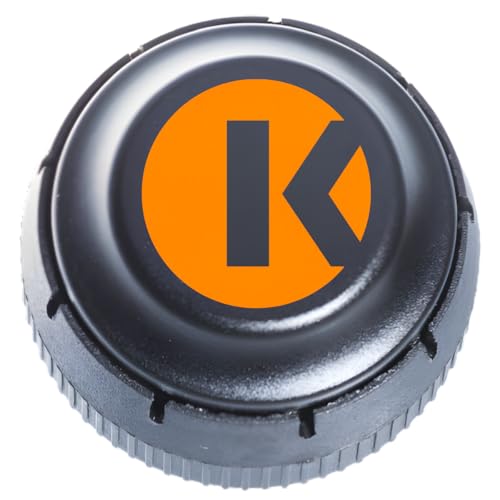
The ELD Mandate’s IOSIX ELD – Electronic Logging Device – HOS & FMCSA Compliant – Built-in 9-Pin Form Factor, No Cable Required is presented in its listing as an electronic logging device described as HOS and FMCSA compliant, with a built-in nine-pin form factor and no cable required. Hold your judgment to those stated facts, because port types, cable inclusions, subscription terms, and display features differ sharply between products in this roundup and should never be borrowed from one listing to fill gaps in another. No cable required is a meaningful installation distinction, because the device itself carries the nine-pin form factor and plugs in without a separate lead to route or secure. That simplicity suits a truck whose diagnostic port is easy to reach and has clearance around it, while a recessed or crowded port location is exactly the situation to picture before choosing a cable-free design. Before ordering for a specific truck, photograph the diagnostic port, note the model year, and confirm the match with the provider documentation for that exact product.
In daily use, the decisive questions are whether the connection stays secure, whether the driver can reach the record quickly while parked, and whether support answers when something looks wrong. A green nine-pin cable mentioned in a listing usually signals a specific heavy-duty variant, so match the cable description to the port actually fitted in your truck instead of assuming every nine-pin installation is identical. Truck-specific routing differs from ordinary car navigation because it accounts for the practical realities of moving a large commercial vehicle, and features named in a listing such as lane guidance belong to that navigation layer rather than to the logging record itself. A product that fits those routines will serve a fleet better than one chosen only from a headline feature.
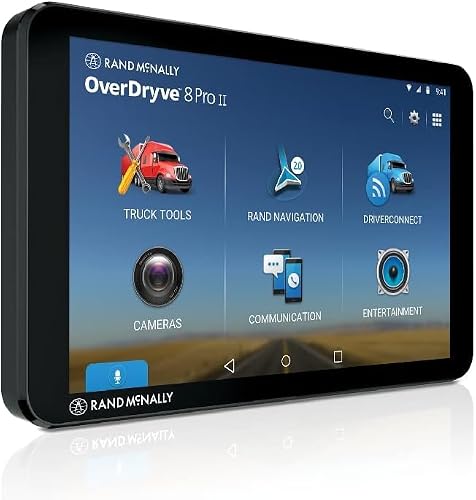
The Rand McNally OverDryve 8 Pro II 8-Inch Truck GPS Tablet with Built-in Dash Cam, Advanced Truck Routing, Lane Guidance, Bluetooth, Wi-Fi, and Powered Magnetic Mount is presented in its listing as an eight-inch truck GPS tablet with a built-in dash cam, advanced truck routing, lane guidance, Bluetooth, Wi-Fi, and a powered magnetic mount. Hold your judgment to those stated facts, because port types, cable inclusions, subscription terms, and display features differ sharply between products in this roundup and should never be borrowed from one listing to fill gaps in another. This is the display and navigation side of the cab rather than a dedicated logging device, and its stated features should be judged in that role: truck routing and lane guidance for navigation, connectivity named as Bluetooth and Wi-Fi, and a powered magnetic mount for keeping the tablet positioned and charged. Paired thoughtfully with a compliant logging device and service, a dedicated truck tablet like this can make the screen a driver reads every day considerably easier to live with. Before ordering for a specific truck, photograph the diagnostic port, note the model year, and confirm the match with the provider documentation for that exact product.
In daily use, the decisive questions are whether the connection stays secure, whether the driver can reach the record quickly while parked, and whether support answers when something looks wrong. A green nine-pin cable mentioned in a listing usually signals a specific heavy-duty variant, so match the cable description to the port actually fitted in your truck instead of assuming every nine-pin installation is identical. Hours-of-service compliance is a daily rhythm as much as a technology purchase, built around recording duty status, driving time, breaks, and rest periods accurately and certifying records as your operation requires. A product that fits those routines will serve a fleet better than one chosen only from a headline feature.
Subscriptions, support, and the service behind the hardware
A built-in dash camera, where stated, is also a separate function from logging, useful to understand on its own terms and subject to its own fleet policies, storage considerations, and local rules. Subscription language deserves slow reading, because several listings in this category state that a subscription is required or included for a stated period, and the logging service, not only the hardware, is what you will live with every day. Customer service and premium support, where a listing mentions them, matter in this category because a logging problem discovered at midnight before a delivery window is more urgent than a typical consumer electronics question. Fleet buyers should confirm how a service handles multiple vehicles, driver changes, record transfers, and support, while an owner-operator may weigh simplicity of installation and a single clear subscription more heavily.
Whatever combination you choose, train on it while parked, keep the manufacturer instructions accessible, and establish a routine for reviewing and certifying records so the technology supports the habit rather than replacing it. If a device malfunctions, follow the applicable rules and your carrier procedures for recording duty information and for reporting and repairing the problem, rather than improvising a workaround that leaves gaps in the record. A built-in dash camera, where stated, is also a separate function from logging, useful to understand on its own terms and subject to its own fleet policies, storage considerations, and local rules. Subscription language deserves slow reading, because several listings in this category state that a subscription is required or included for a stated period, and the logging service, not only the hardware, is what you will live with every day.
Customer service and premium support, where a listing mentions them, matter in this category because a logging problem discovered at midnight before a delivery window is more urgent than a typical consumer electronics question. Fleet buyers should confirm how a service handles multiple vehicles, driver changes, record transfers, and support, while an owner-operator may weigh simplicity of installation and a single clear subscription more heavily. Whatever combination you choose, train on it while parked, keep the manufacturer instructions accessible, and establish a routine for reviewing and certifying records so the technology supports the habit rather than replacing it. If a device malfunctions, follow the applicable rules and your carrier procedures for recording duty information and for reporting and repairing the problem, rather than improvising a workaround that leaves gaps in the record.
A built-in dash camera, where stated, is also a separate function from logging, useful to understand on its own terms and subject to its own fleet policies, storage considerations, and local rules. Subscription language deserves slow reading, because several listings in this category state that a subscription is required or included for a stated period, and the logging service, not only the hardware, is what you will live with every day. Customer service and premium support, where a listing mentions them, matter in this category because a logging problem discovered at midnight before a delivery window is more urgent than a typical consumer electronics question. Fleet buyers should confirm how a service handles multiple vehicles, driver changes, record transfers, and support, while an owner-operator may weigh simplicity of installation and a single clear subscription more heavily.
Daily hours-of-service routines with an electronic log
Hours-of-service compliance is a daily rhythm as much as a technology purchase, built around recording duty status, driving time, breaks, and rest periods accurately and certifying records as your operation requires. A clear display helps that rhythm, because a driver checking remaining time at a shipper, a fuel stop, or a rest area should be able to read the key figures quickly in bright daylight and in a dark cab. Screen size is a trade-off, since a larger tablet can make logs, maps, and routing easier to read, while a smaller device may fit an crowded dash more comfortably and draw less attention when the truck is parked. A powered mount, where a product includes one, addresses the unglamorous problem of keeping a working tablet charged through long shifts without a loose cable crossing the steering column or gear selector.
Truck-specific routing differs from ordinary car navigation because it accounts for the practical realities of moving a large commercial vehicle, and features named in a listing such as lane guidance belong to that navigation layer rather than to the logging record itself. A built-in dash camera, where stated, is also a separate function from logging, useful to understand on its own terms and subject to its own fleet policies, storage considerations, and local rules. Subscription language deserves slow reading, because several listings in this category state that a subscription is required or included for a stated period, and the logging service, not only the hardware, is what you will live with every day. Customer service and premium support, where a listing mentions them, matter in this category because a logging problem discovered at midnight before a delivery window is more urgent than a typical consumer electronics question.
Fleet buyers should confirm how a service handles multiple vehicles, driver changes, record transfers, and support, while an owner-operator may weigh simplicity of installation and a single clear subscription more heavily. Whatever combination you choose, train on it while parked, keep the manufacturer instructions accessible, and establish a routine for reviewing and certifying records so the technology supports the habit rather than replacing it. If a device malfunctions, follow the applicable rules and your carrier procedures for recording duty information and for reporting and repairing the problem, rather than improvising a workaround that leaves gaps in the record. Hours-of-service compliance is a daily rhythm as much as a technology purchase, built around recording duty status, driving time, breaks, and rest periods accurately and certifying records as your operation requires.
A clear display helps that rhythm, because a driver checking remaining time at a shipper, a fuel stop, or a rest area should be able to read the key figures quickly in bright daylight and in a dark cab. Screen size is a trade-off, since a larger tablet can make logs, maps, and routing easier to read, while a smaller device may fit an crowded dash more comfortably and draw less attention when the truck is parked. A powered mount, where a product includes one, addresses the unglamorous problem of keeping a working tablet charged through long shifts without a loose cable crossing the steering column or gear selector. Truck-specific routing differs from ordinary car navigation because it accounts for the practical realities of moving a large commercial vehicle, and features named in a listing such as lane guidance belong to that navigation layer rather than to the logging record itself.
Choosing a display size for the cab
Drivers who want a general consumer tablet as a display often start by comparing screen families, and a broad overview such as best 10 1 tablets can help frame how different display sizes feel in the hand and on a mount. In a truck, however, that general comparison must give way to cab-specific questions about glare, reach, charging, and whether the logging service supports the device you have in mind. Confirm compatibility with the ELD provider before assuming any tablet will serve as the display for a particular system.
Brightness and readability matter as much as dimensions, which is why some shoppers also look at best 1080p tablets when thinking about display quality for maps and daily log review. A screen that reads clearly at a fuel island in midday sun and dims comfortably for a dark cab will reduce friction every single shift. Test the viewing angle from the driver seat while parked, because a mount rarely places a tablet squarely in front of you.
Mid-size options discussed in best 11 inch tablets illustrate the middle path many drivers prefer, large enough for routing and log figures, small enough to mount without crowding the dash. That balance is personal and truck-dependent, so measure the intended mounting area rather than guessing from a product photograph. Leave room for the mount itself, for charging access, and for the cable path that keeps wiring clear of controls.
Larger displays covered by best 12 inch tablets can make split information and detailed maps easier to follow, at the cost of more dash space and a more prominent installation. For a dedicated truck tablet, weigh that space cost against how many hours a day you will actually read the screen. The right answer is the size you can mount securely, power reliably, and read at a glance while parked, not simply the largest screen available.
Check prices on Amazon
Live listings for the shortlist in this guide are pulled from Amazon below, so prices and availability are always current at the moment you look.


Disclosure
This guide was written from published documentation and product listings, together with general information about electronic logging rules and in-cab practice, and the writer did not personally use the products described here. Titles, stated connectors, and stated subscription or feature details are summarized from those listings, and drivers and carriers should confirm current compliance requirements and product terms with the provider and the relevant authorities. As an Amazon Associate we earn from qualifying purchases.
Match the connector to the truck in front of you, the service to the record you must keep, and the screen to the cab you sit in, and the electronic log becomes routine rather than a daily negotiation.